Converting iPad Apps to Windows Store
                          Apps
                                           Wired2Win Webinar


                                                                        @WinWire


WinWire Technologies, Inc. Confidential   © 2010 WinWire Technologies
Agenda
 • Popular Apps
 • Application Architecture
 • Application Lifecycle
 • Data Storage
 • UI Design Guidelines – Similarities & Differences
 • Commands
 • Orientation & Views
 • Notifications
 • Windows 8 Application Layouts
 • Unique Traits of Windows 8 Apps – Snap Views & Semantic Zoom
 • Tools & Resources
WinWire Technologies, Inc. Confidential   © 2010 WinWire Technologies
                                                               2
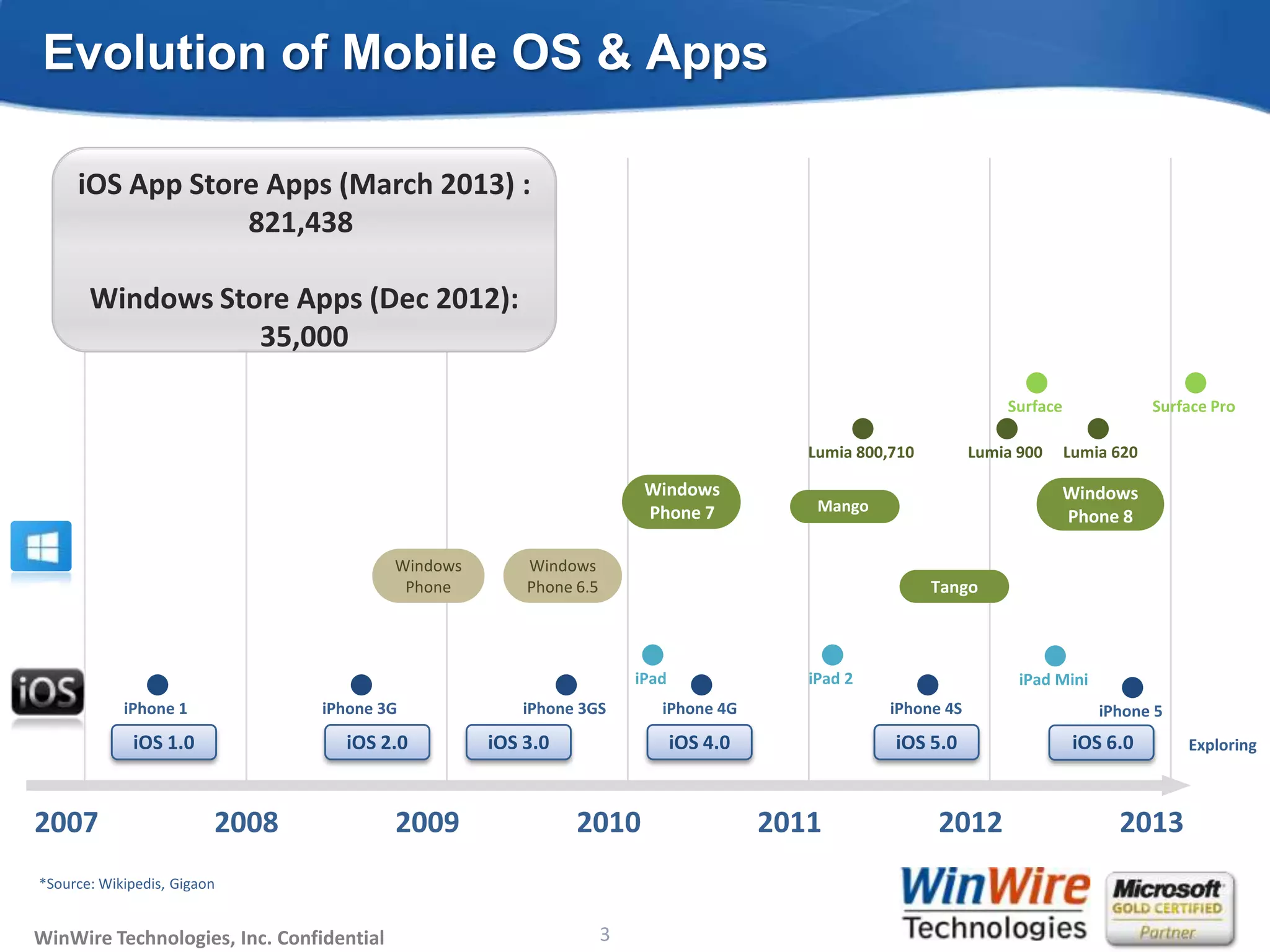
Evolution of Mobile OS & Apps

     iOS App Store Apps (March 2013) :
                 821,438

       Windows Store Apps (Dec 2012):
                  35,000

                                                                                                                          Surface               Surface Pro

                                                                                                Lumia 800,710         Lumia 900     Lumia 620

                                                                             Windows                                                Windows
                                                                             Phone 7             Mango
                                                                                                                                    Phone 8

                                          Windows         Windows
                                           Phone          Phone 6.5                                             Tango
                                               Cupcake


                                                                            iPad                iPad 2                      iPad Mini
            iPhone 1            iPhone 3G                 iPhone 3GS           iPhone 4G                  iPhone 4S                     iPhone 5
             iOS 1.0              iOS 2.0            iOS 3.0                       iOS 4.0                iOS 5.0                    iOS 6.0        Exploring


2007                     2008             2009                   2010                        2011               2012                      2013
*Source: Wikipedis, Gigaon


WinWire Technologies, Inc. Confidential                             3
                                              © 2010 WinWire Technologies
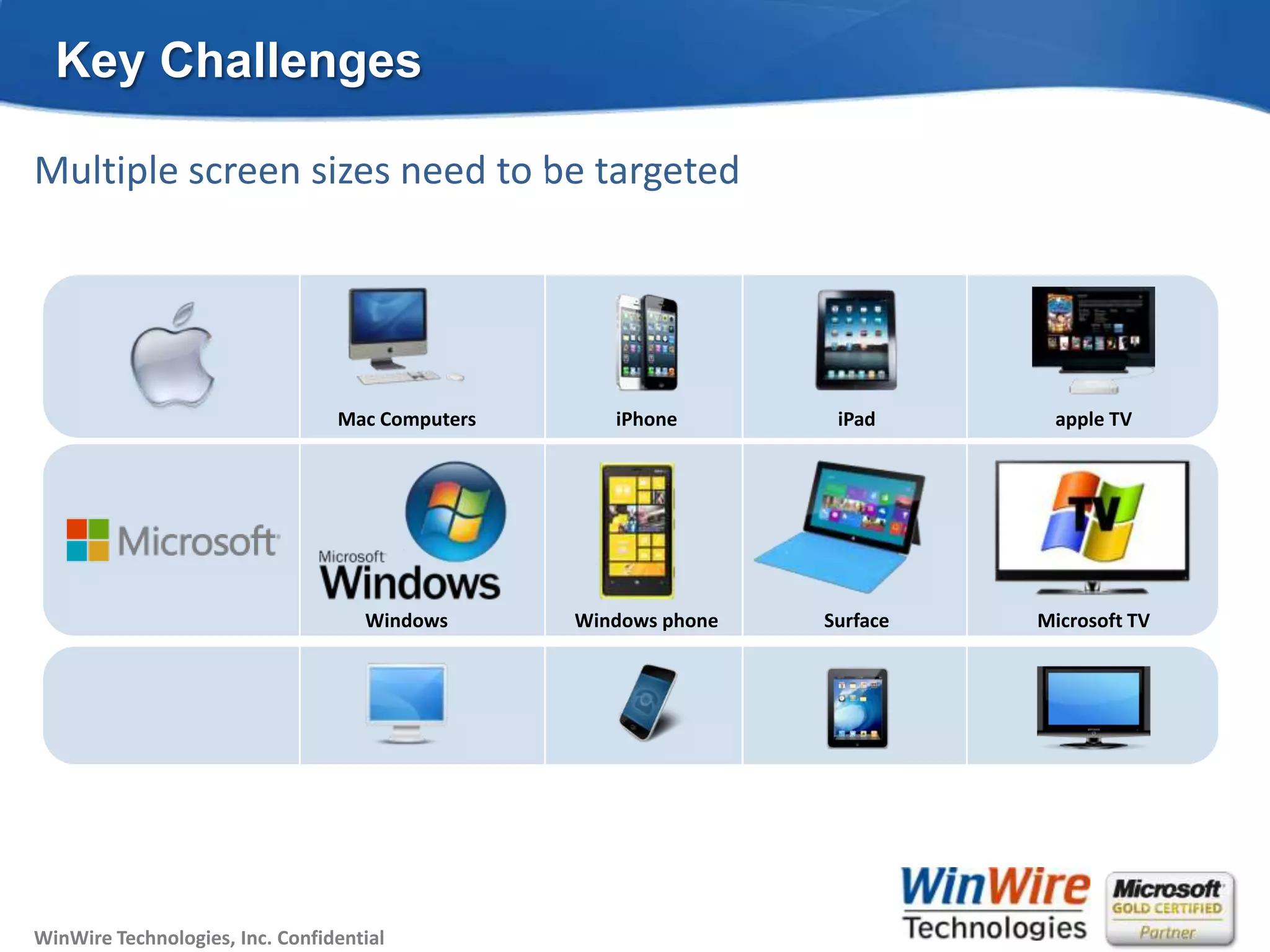
Key Challenges

Multiple screen sizes need to be targeted


                                 Mac Computers                    iPhone      iPad      apple TV


                                    Windows                  Windows phone   Surface   Microsoft TV


WinWire Technologies, Inc. Confidential   © 2010 WinWire Technologies
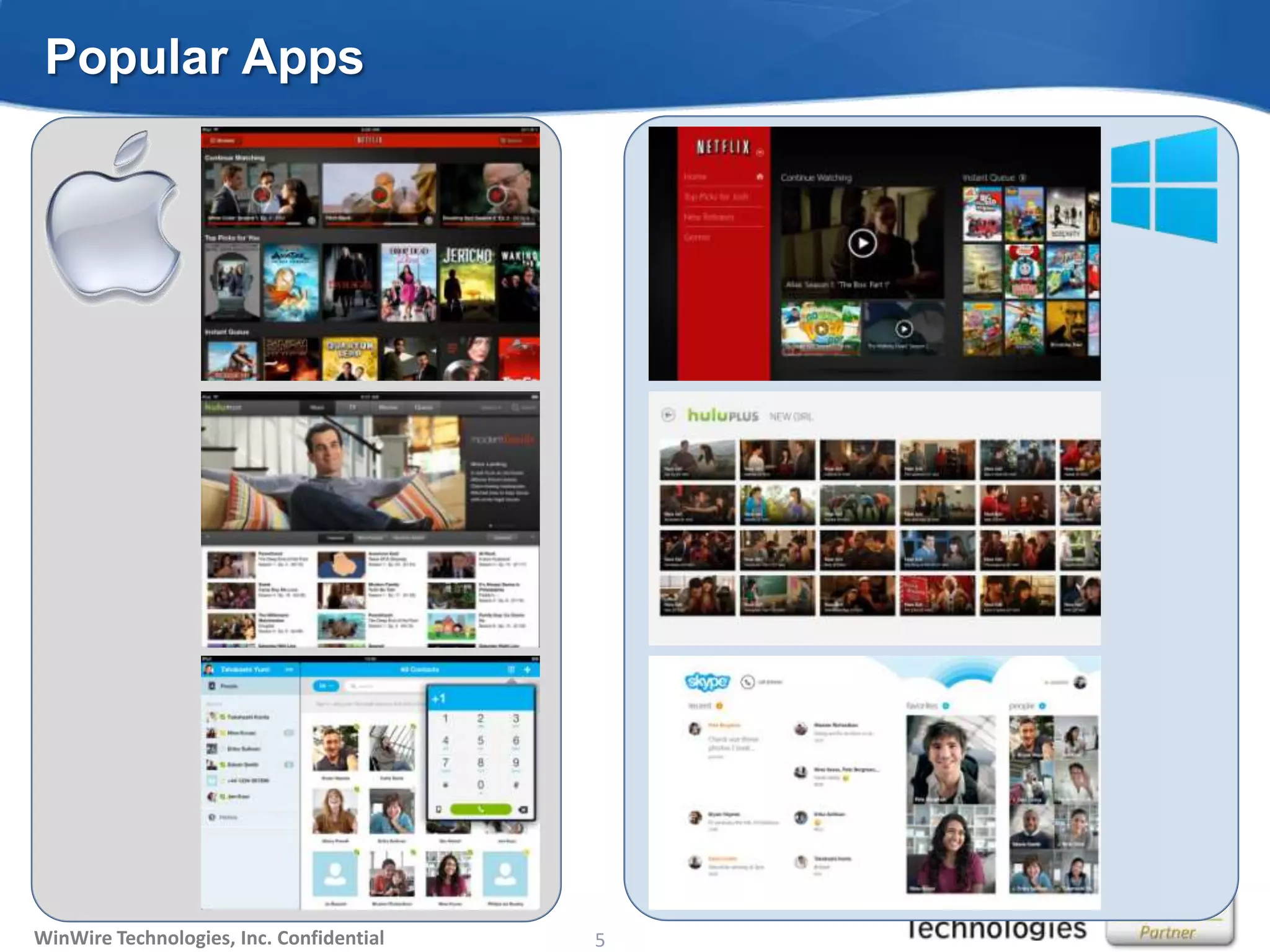
Popular Apps


WinWire Technologies, Inc. Confidential   © 2010 WinWire Technologies
                                                               5
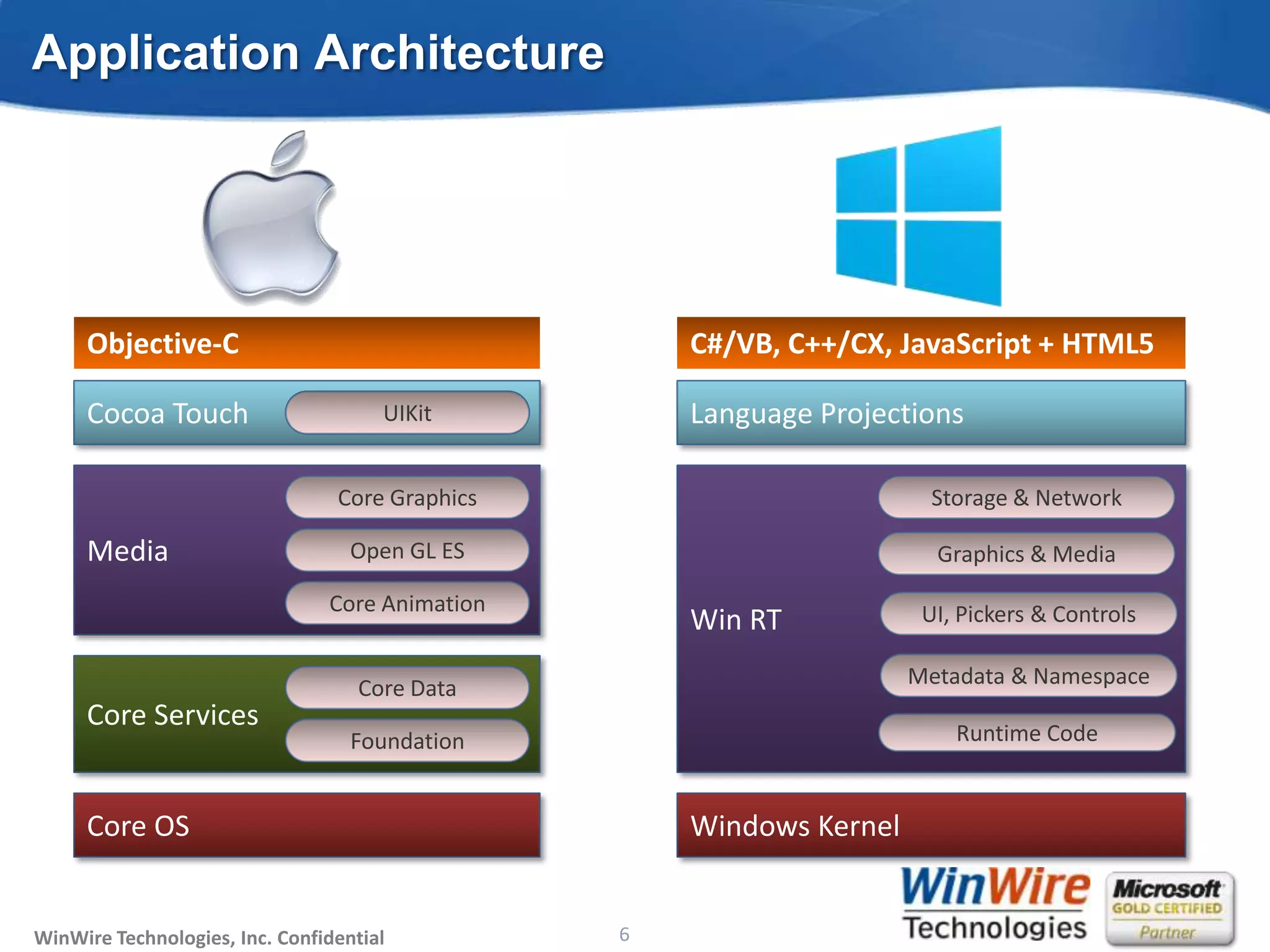
Application Architecture


     Objective-C                                                            C#/VB, C++/CX, JavaScript + HTML5

     Cocoa Touch                      UIKit                                 Language Projections

                                 Core Graphics                                                 Storage & Network

     Media                         Open GL ES                                                  Graphics & Media

                                Core Animation                                                UI, Pickers & Controls
                                                                            Win RT

                                    Core Data                                                Metadata & Namespace
     Core Services
                                   Foundation                                                    Runtime Code


     Core OS                                                                Windows Kernel


WinWire Technologies, Inc. Confidential                                6
                                              © 2010 WinWire Technologies
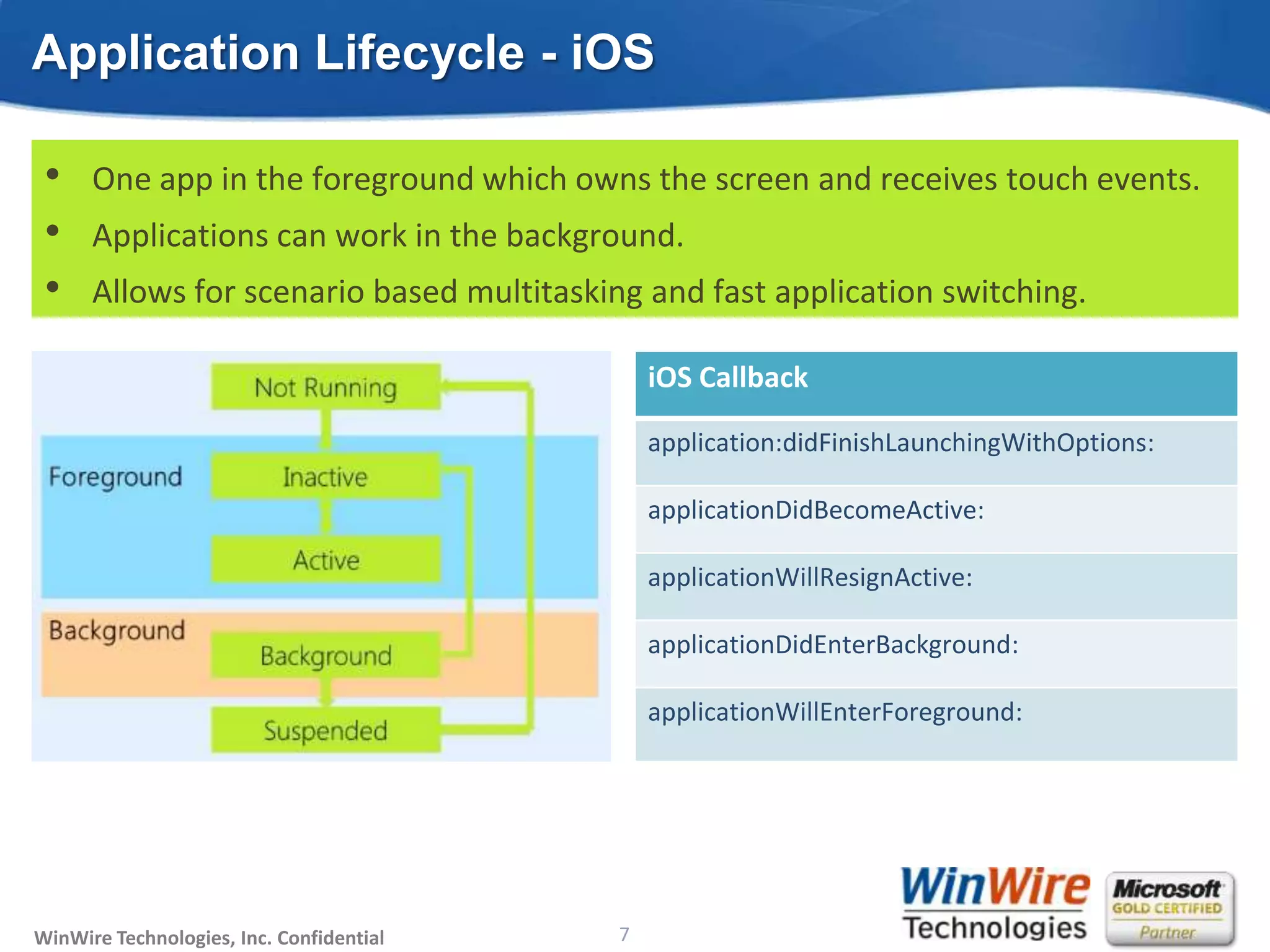
Application Lifecycle - iOS

 •    One app in the foreground which owns the screen and receives touch events.
 •    Applications can work in the background.
 •    Allows for scenario based multitasking and fast application switching.

                                                                        iOS Callback

                                                                        application:didFinishLaunchingWithOptions:

                                                                        applicationDidBecomeActive:

                                                                        applicationWillResignActive:

                                                                        applicationDidEnterBackground:

                                                                        applicationWillEnterForeground:


WinWire Technologies, Inc. Confidential                            7
                                          © 2010 WinWire Technologies
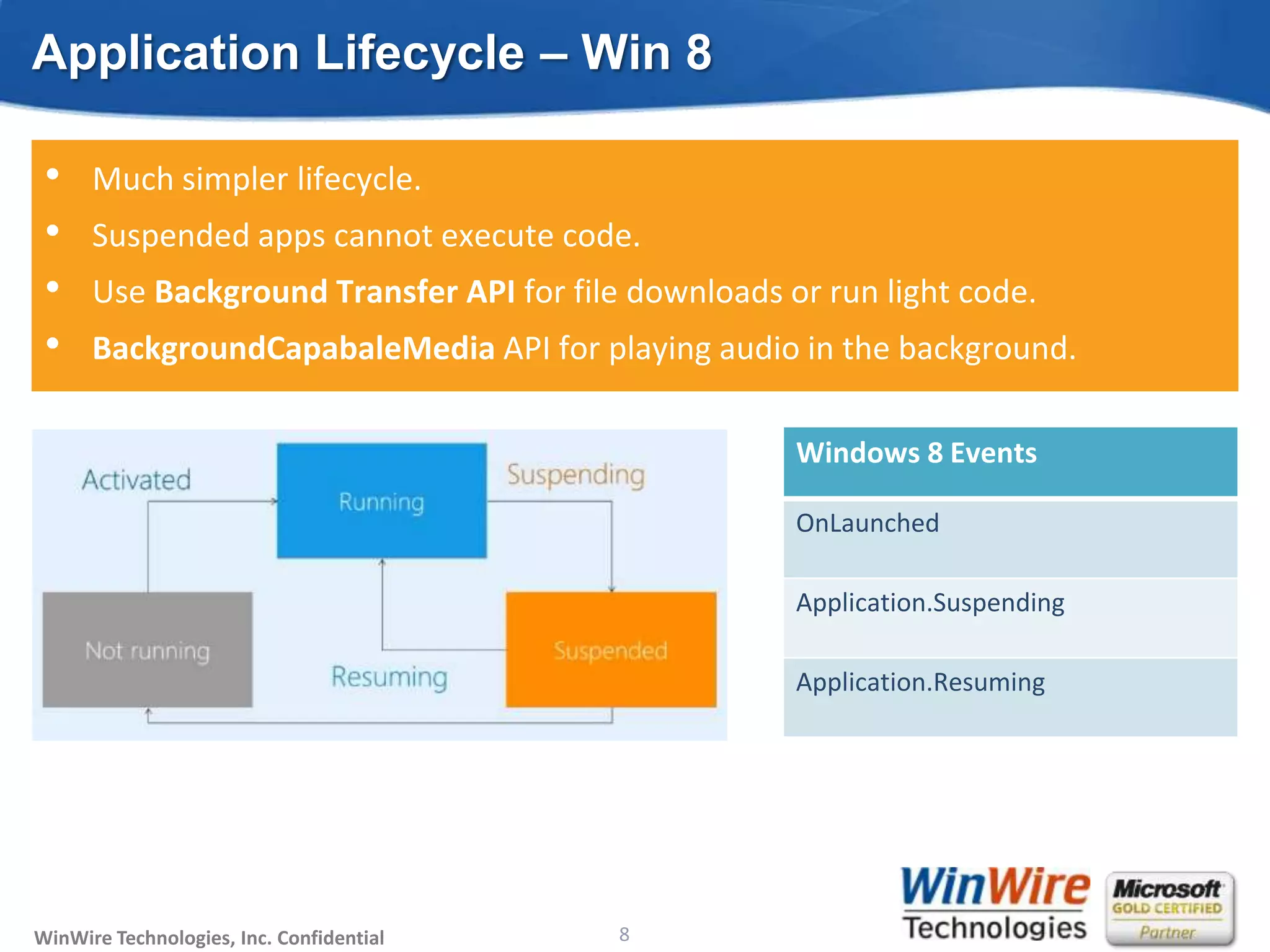
Application Lifecycle – Win 8

 •    Much simpler lifecycle.
 •    Suspended apps cannot execute code.
 •    Use Background Transfer API for file downloads or run light code.
 •    BackgroundCapabaleMedia API for playing audio in the background.

                                                                        Windows 8 Events

                                                                        OnLaunched

                                                                        Application.Suspending

                                                                        Application.Resuming


WinWire Technologies, Inc. Confidential                            8
                                          © 2010 WinWire Technologies
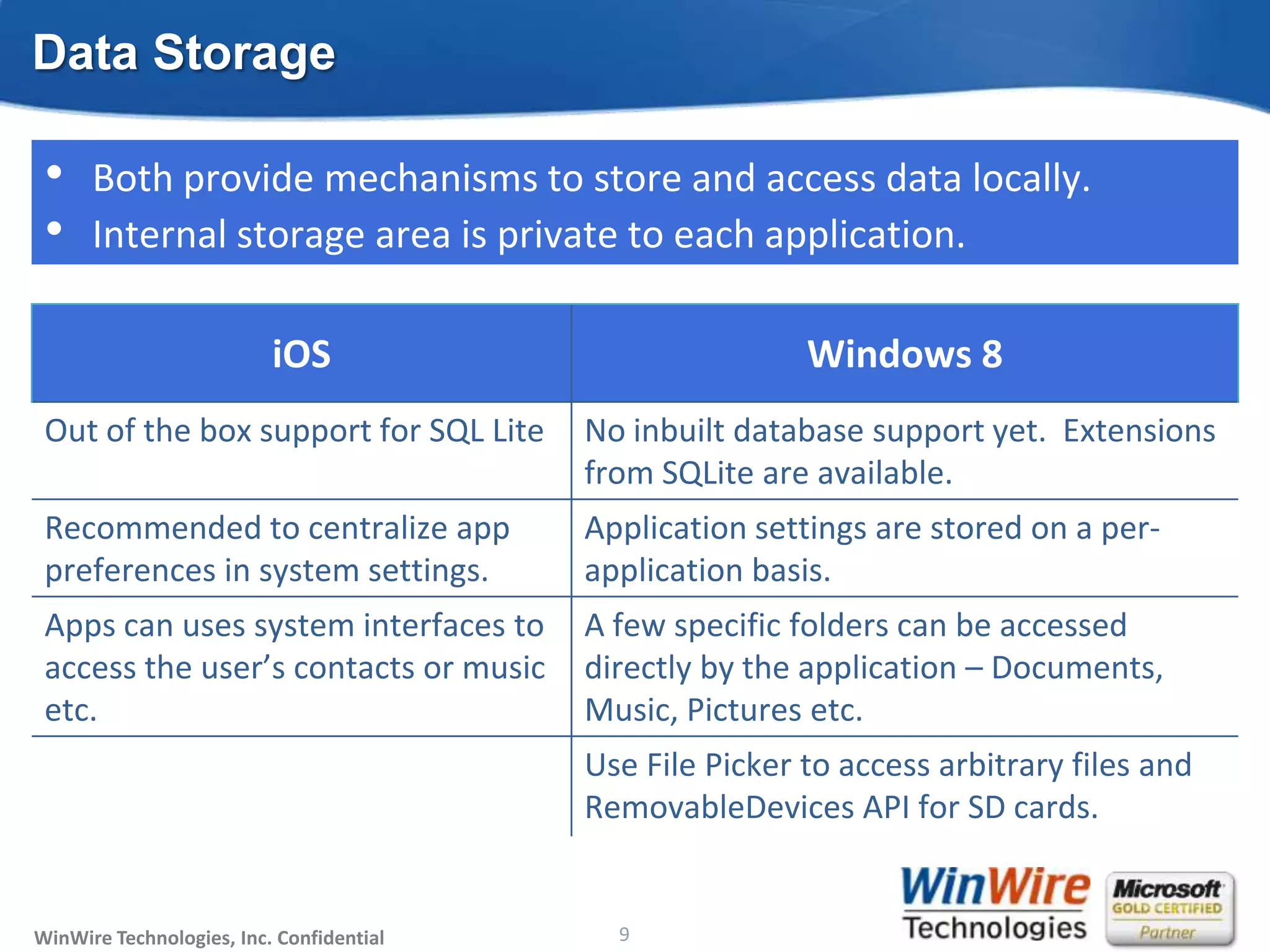
Data Storage

 •    Both provide mechanisms to store and access data locally.
 •    Internal storage area is private to each application.

                          iOS                                                 Windows 8
 Out of the box support for SQL Lite                          No inbuilt database support yet. Extensions
                                                              from SQLite are available.
 Recommended to centralize app                                Application settings are stored on a per-
 preferences in system settings.                              application basis.
 Apps can uses system interfaces to                           A few specific folders can be accessed
 access the user’s contacts or music                          directly by the application – Documents,
 etc.                                                         Music, Pictures etc.
                                                              Use File Picker to access arbitrary files and
                                                              RemovableDevices API for SD cards.


WinWire Technologies, Inc. Confidential                            9
                                          © 2010 WinWire Technologies
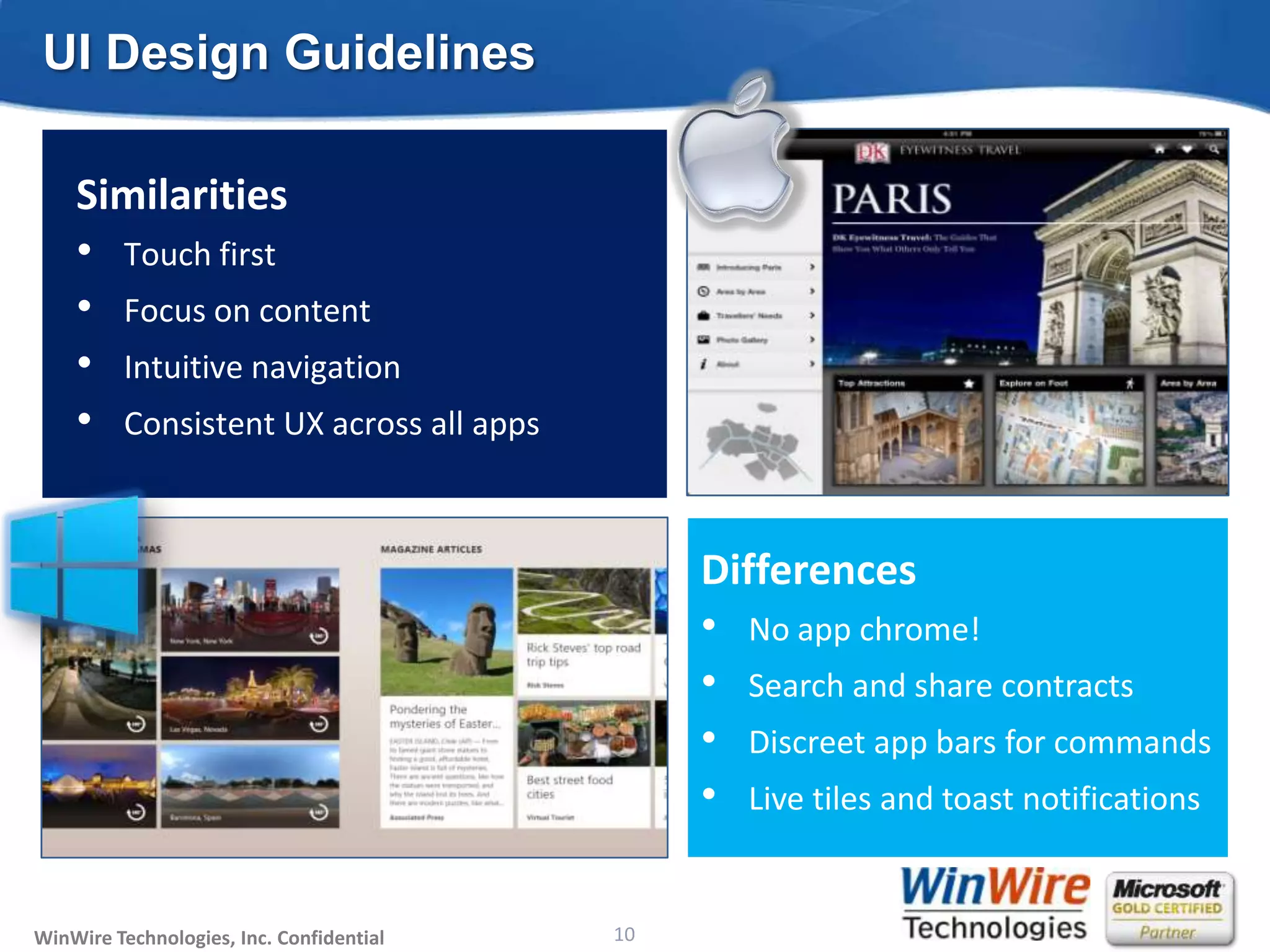
UI Design Guidelines

    Similarities
    • Touch first
    • Focus on content
    • Intuitive navigation
    • Consistent UX across all apps


                                                                        Differences
                                                                        • No app chrome!
                                                                        • Search and share contracts
                                                                        • Discreet app bars for commands
                                                                        • Live tiles and toast notifications

WinWire Technologies, Inc. Confidential                           10
                                          © 2010 WinWire Technologies
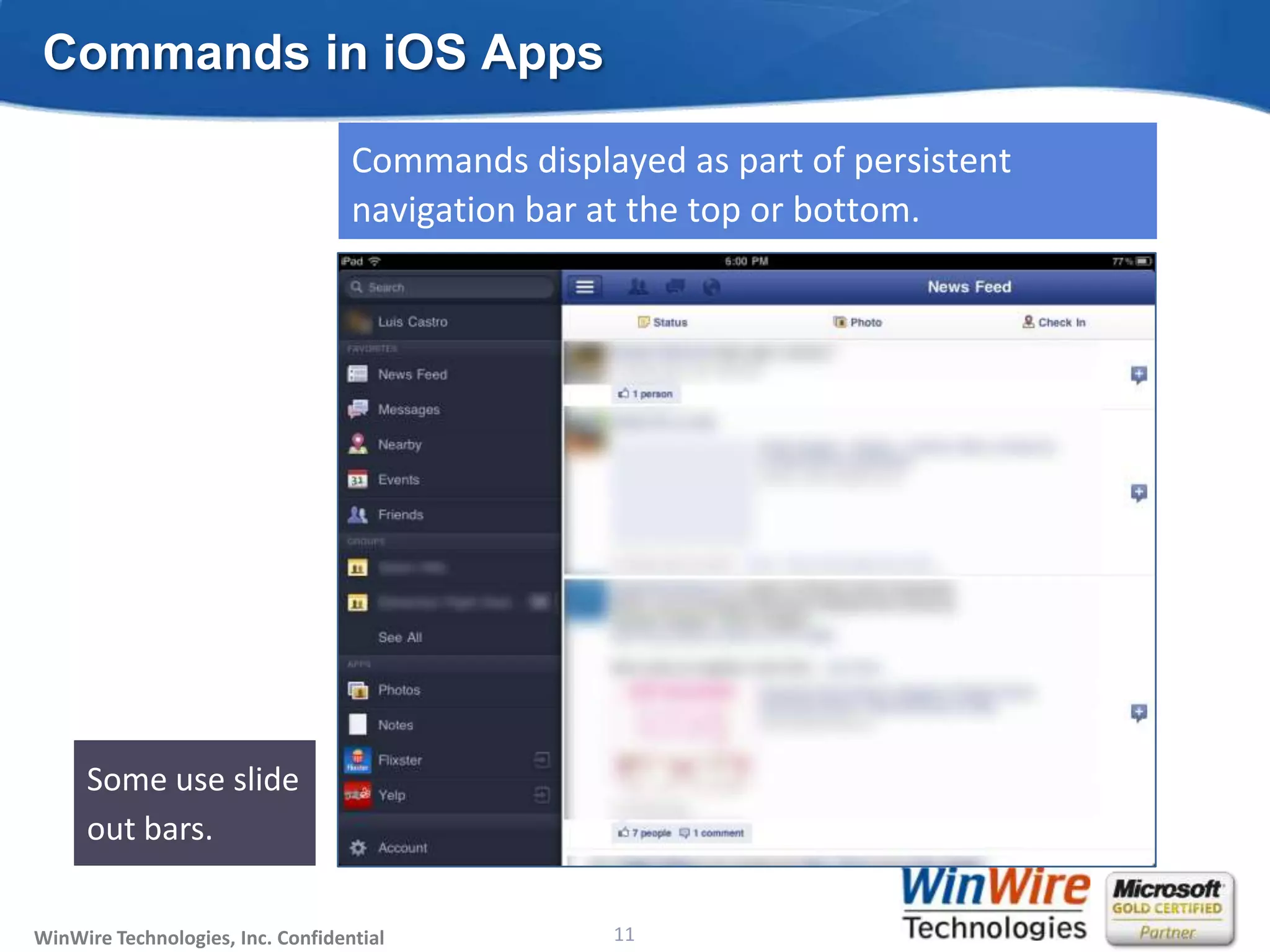
Commands in iOS Apps

                                   Commands displayed as part of persistent
                                   navigation bar at the top or bottom.


                                                                              Bottom bar
                                                                              for
                                                                              contextual
     Some use slide                                                           commands.
     out bars.

WinWire Technologies, Inc. Confidential                           11
                                          © 2010 WinWire Technologies
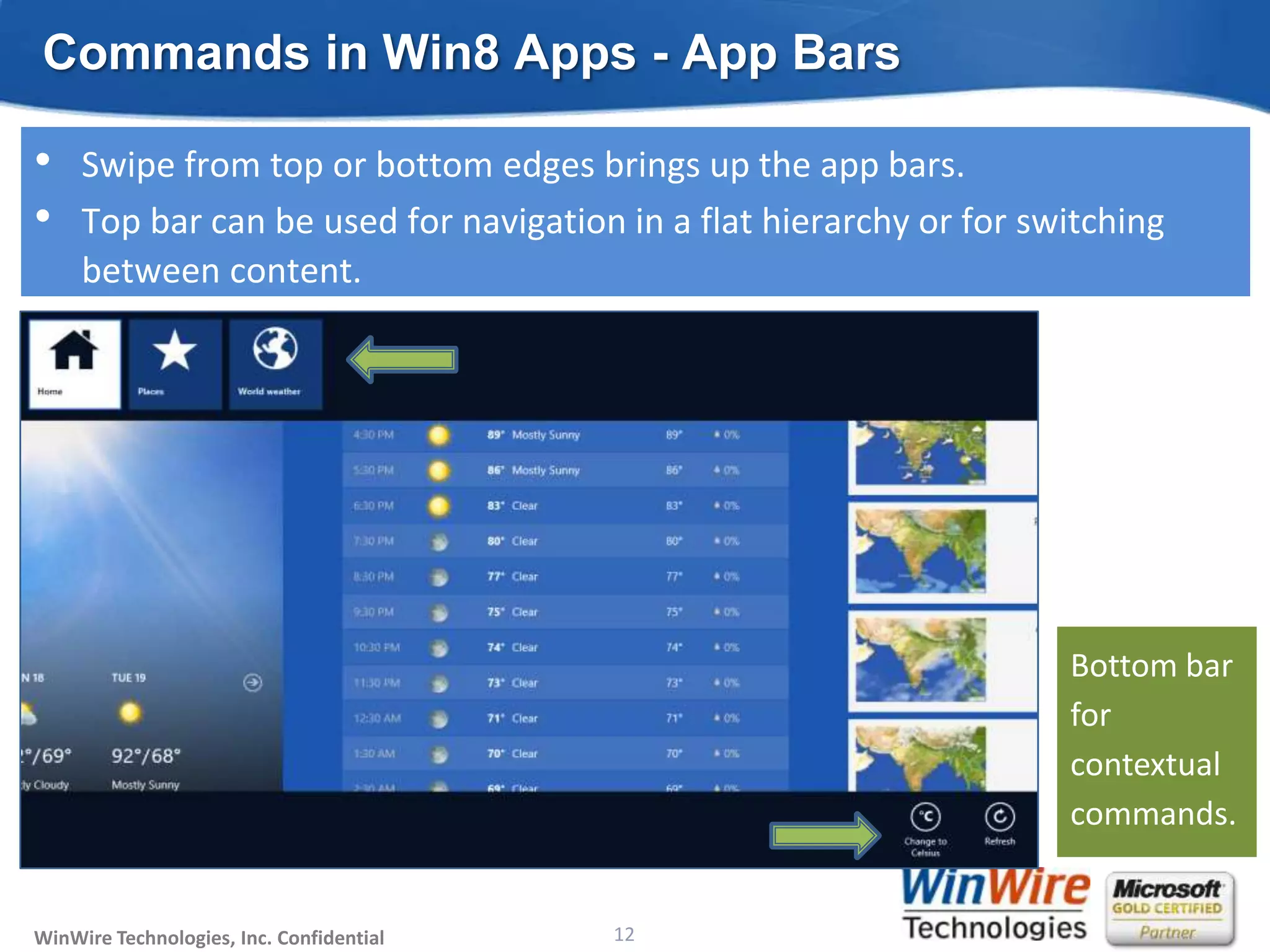
Commands in Win8 Apps - App Bars

•    Swipe from top or bottom edges brings up the app bars.
•    Top bar can be used for navigation in a flat hierarchy or for switching
     between content.


                                                                        Bottom bar
                                                                        for
                                                                        contextual
                                                                        commands.


WinWire Technologies, Inc. Confidential                           12
                                          © 2010 WinWire Technologies
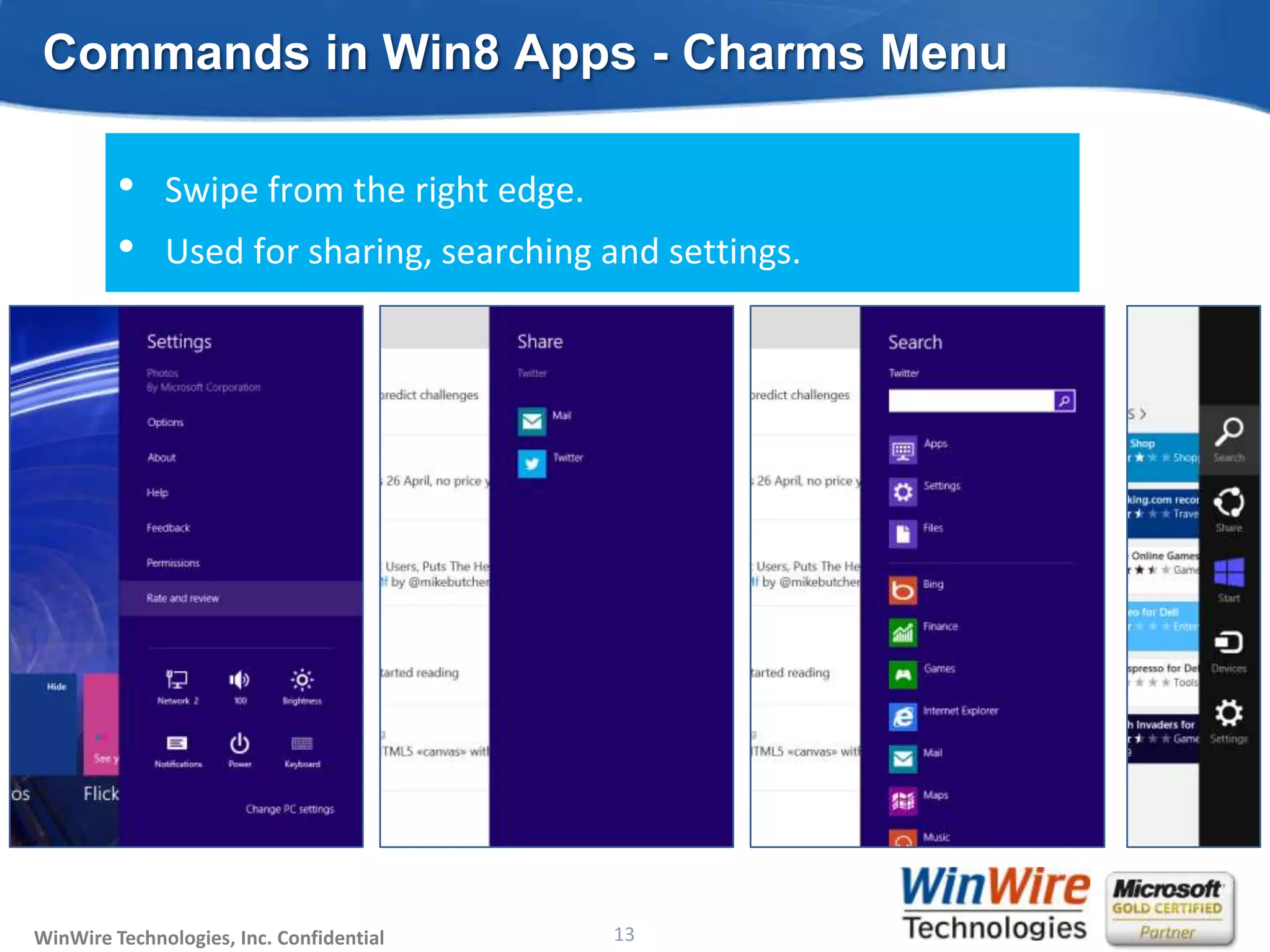
Commands in Win8 Apps - Charms Menu

         •    Swipe from the right edge.
         •    Used for sharing, searching and settings.


WinWire Technologies, Inc. Confidential                           13
                                          © 2010 WinWire Technologies
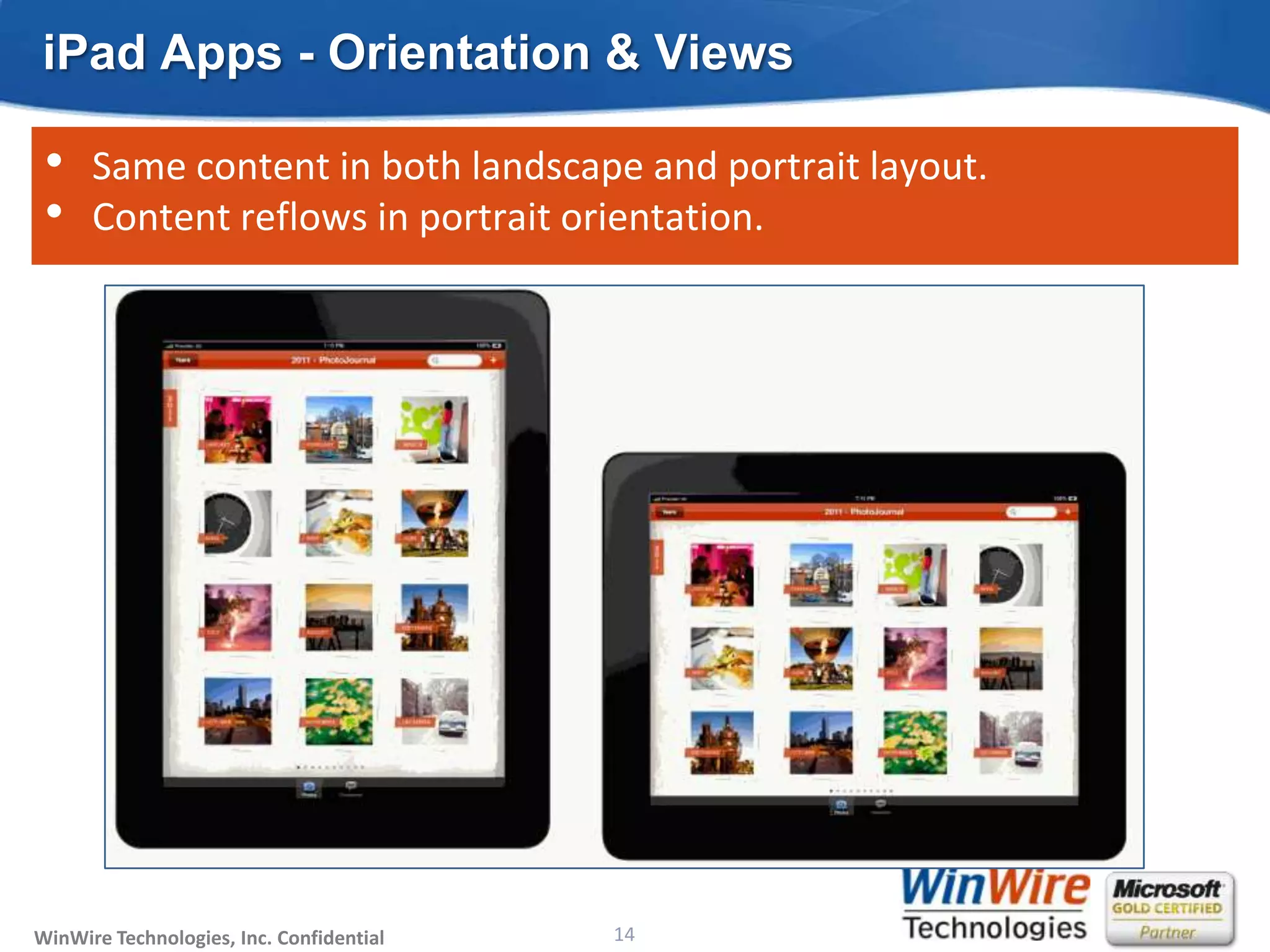
iPad Apps - Orientation & Views

 •    Same content in both landscape and portrait layout.
 •    Content reflows in portrait orientation.


WinWire Technologies, Inc. Confidential                           14
                                          © 2010 WinWire Technologies
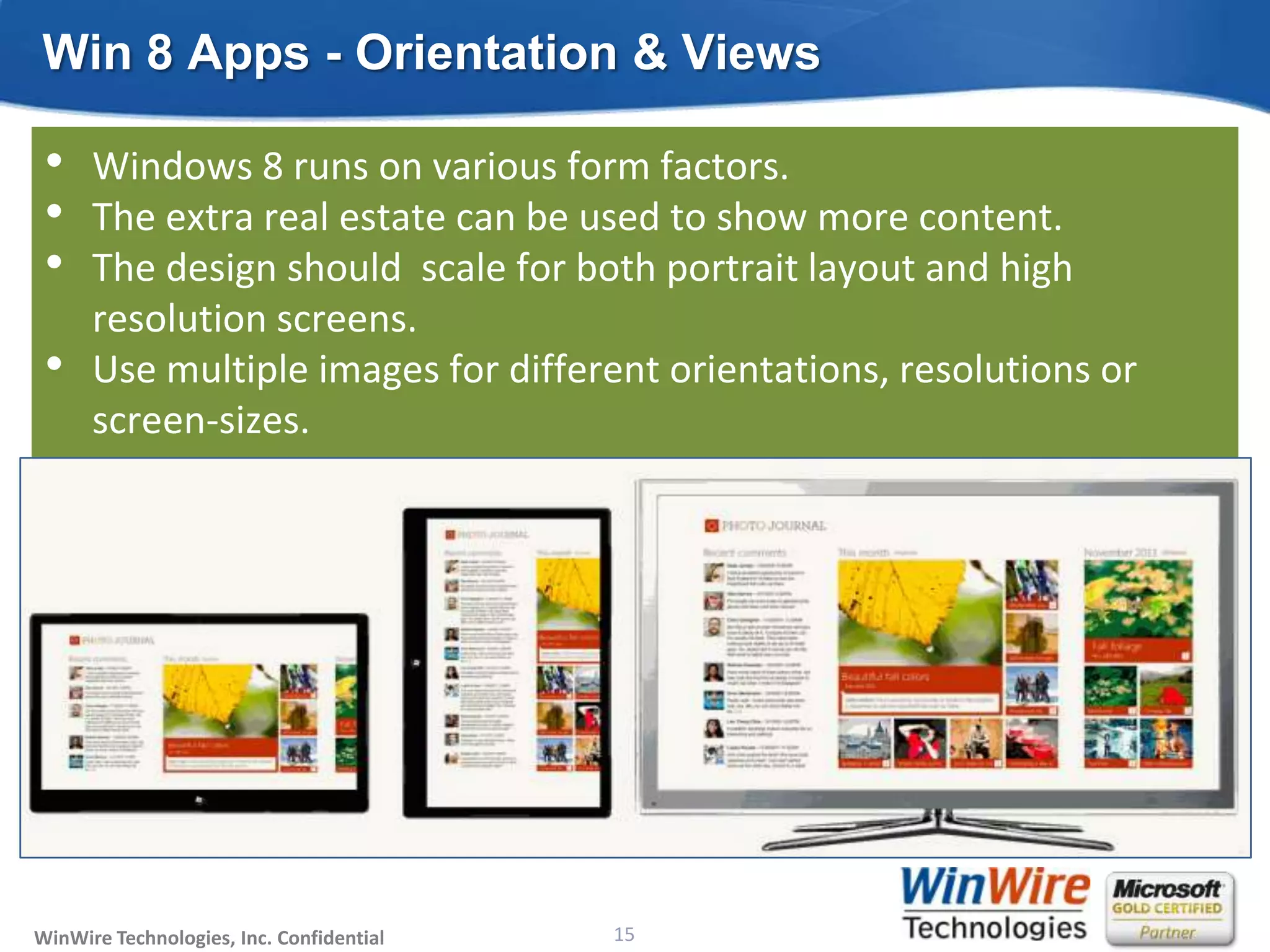
Win 8 Apps - Orientation & Views

 •    Windows 8 runs on various form factors.
 •    The extra real estate can be used to show more content.
 •    The design should scale for both portrait layout and high
      resolution screens.
 •    Use multiple images for different orientations, resolutions or
      screen-sizes.


WinWire Technologies, Inc. Confidential                           15
                                          © 2010 WinWire Technologies
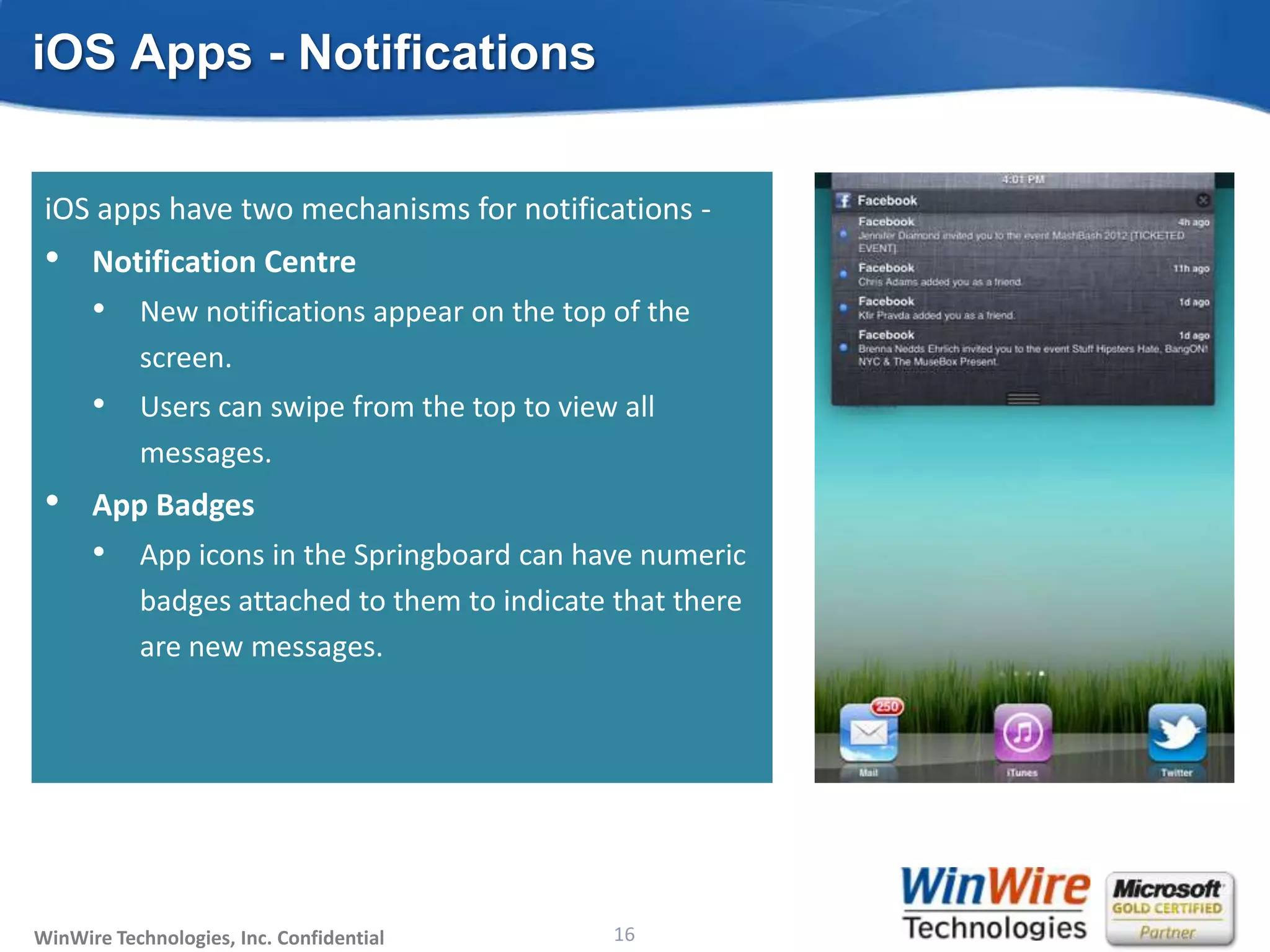
iOS Apps - Notifications

 Besides in-app notification, two other mechanisms -
 • apps have
 iOS Live Tiles two mechanisms for notifications -
 • Notification the functionality of the notification
   • Combine Centre
      •    New notifications appear on the top of the
           center and the app badges.
      •    screen. a rich collection of templates to
           Tiles have
      •  Users can swipe
         choose from. from the top to view all
 •       messages.
      Toast Notifications
 • AppImportant updates that interrupt users
   • Badges
      •
      •    App appear anywhere in the system. numeric
           Can icons in the Springboard can have
      •    badges attached to users of events inthat there
           Use them to notify them to indicate real time
      •    are new messages.
           Should be opt-in.
      •    A number of templates are available to choose
           from.


WinWire Technologies, Inc. Confidential                           16
                                          © 2010 WinWire Technologies
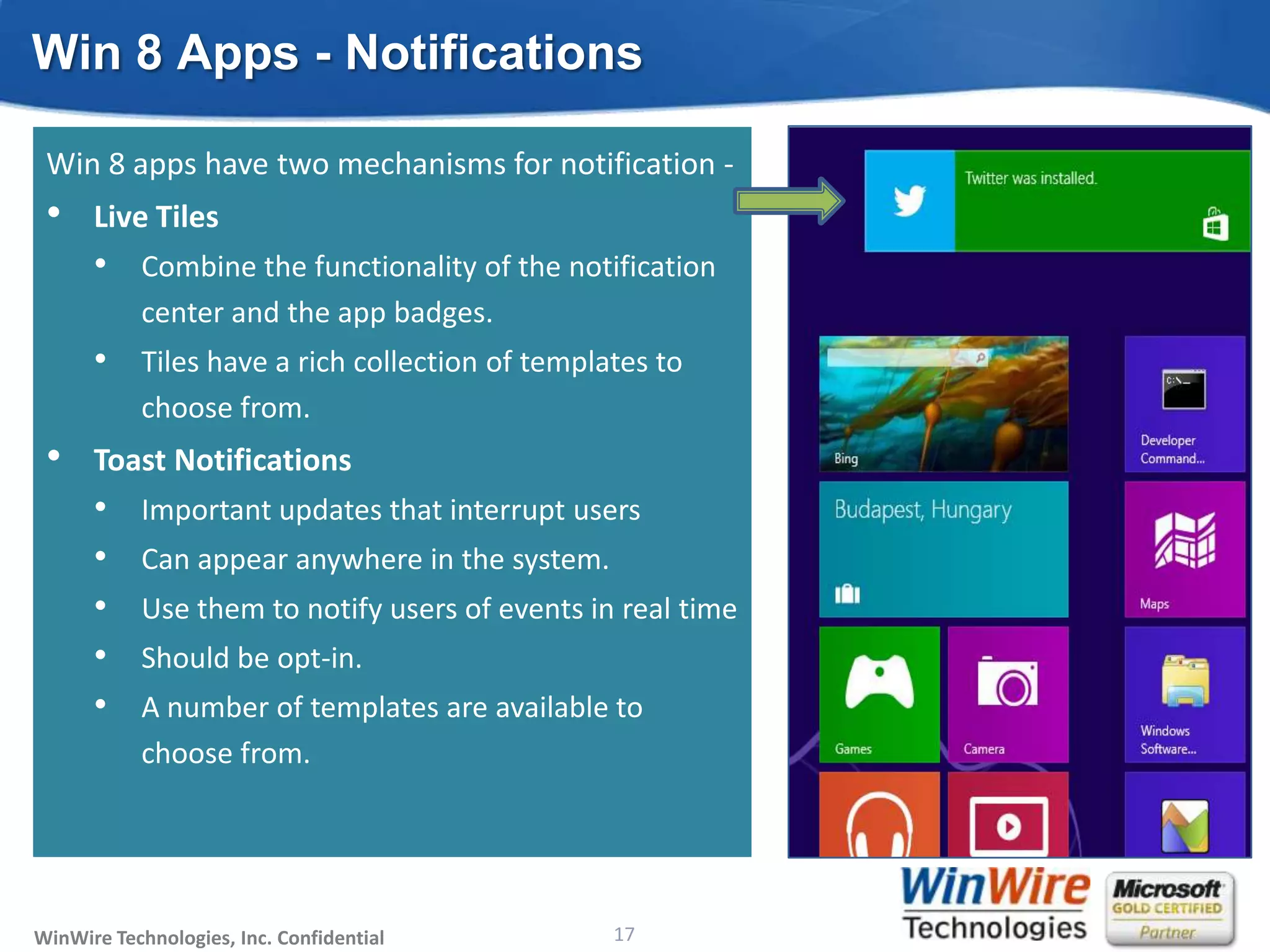
Win 8 Apps - Notifications

 Win 8 apps have two mechanisms for notification -
 •    Live Tiles
      • Combine the functionality of the notification
           center and the app badges.
      • Tiles have a rich collection of templates to
           choose from.
 •    Toast Notifications
      •    Important updates that interrupt users
      •    Can appear anywhere in the system.
      •    Use them to notify users of events in real time
      •    Should be opt-in.
      •    A number of templates are available to
           choose from.


WinWire Technologies, Inc. Confidential                           17
                                          © 2010 WinWire Technologies
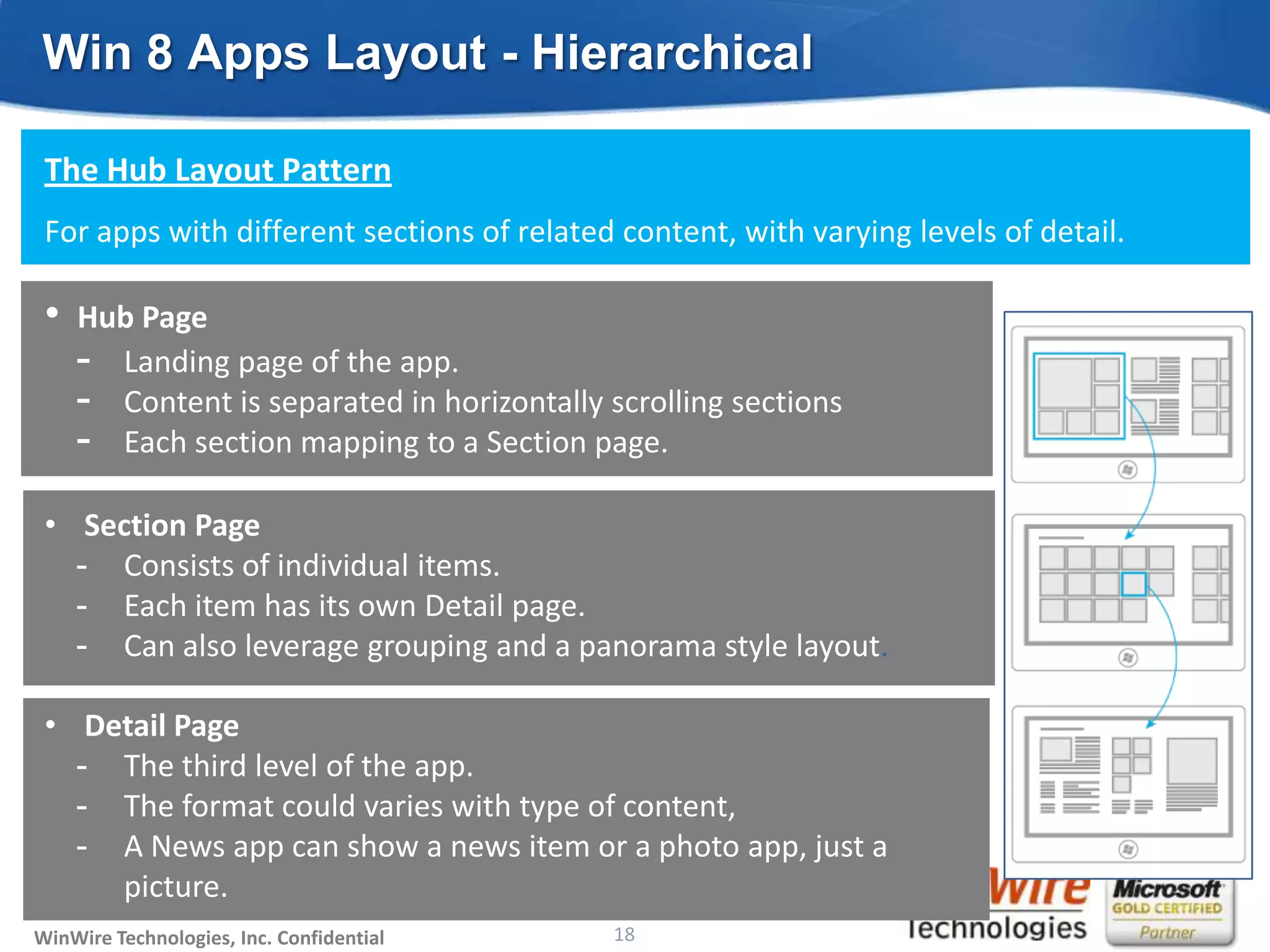
Win 8 Apps Layout - Hierarchical

 The Hub Layout Pattern
 For apps with different sections of related content, with varying levels of detail.

 •   Hub Page
     - Landing page of the app.
     - Content is separated in horizontally scrolling sections
     - Each section mapping to a Section page.
 • Section Page
   - Consists of individual items.
   - Each item has its own Detail page.
   - Can also leverage grouping and a panorama style layout.

 • Detail Page
   - The third level of the app.
   - The format could varies with type of content,
   - A News app can show a news item or a photo app, just a
     picture.
WinWire Technologies, Inc. Confidential                           18
                                          © 2010 WinWire Technologies
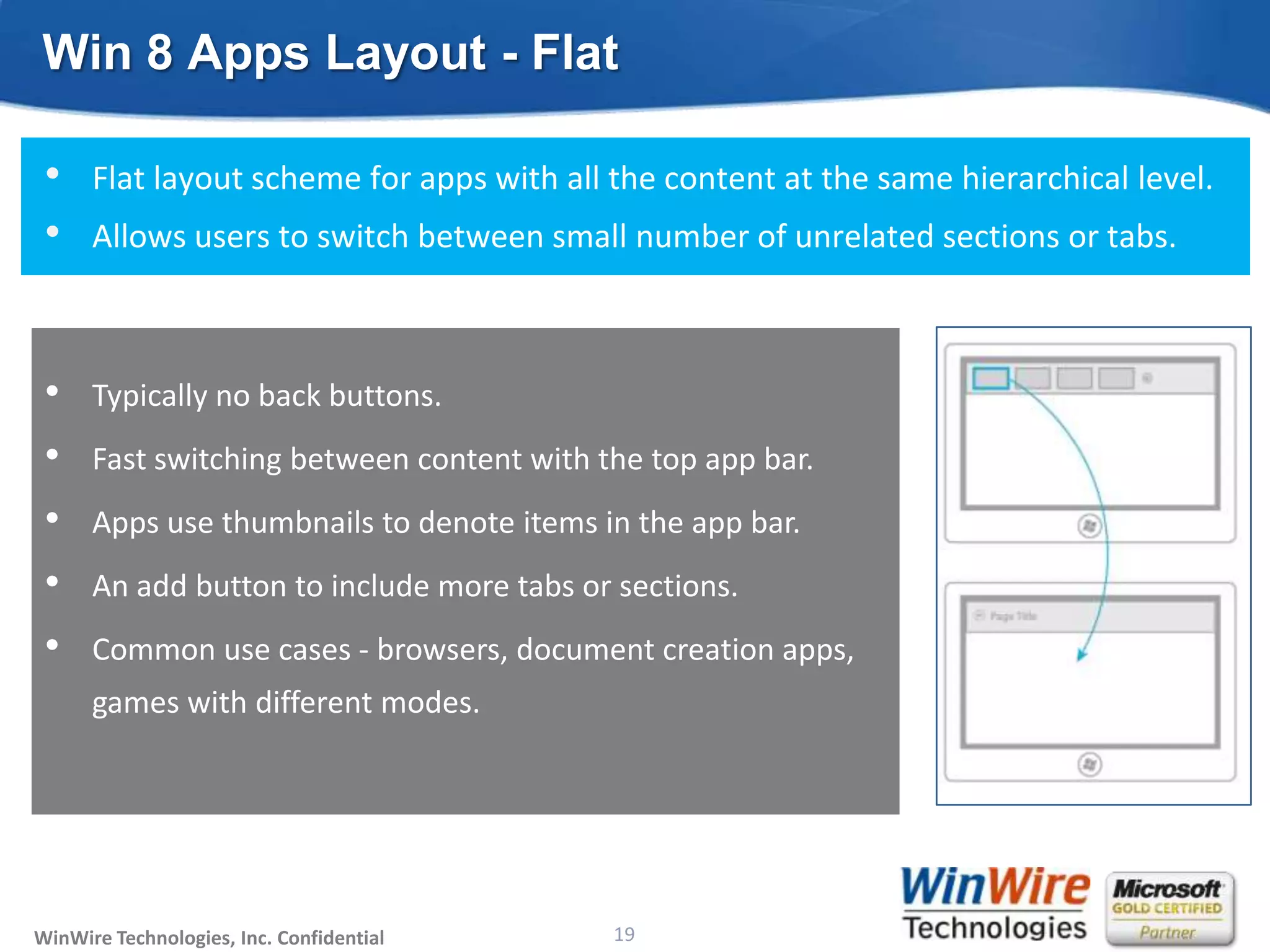
Win 8 Apps Layout - Flat

 •    Flat layout scheme for apps with all the content at the same hierarchical level.
 •    Allows users to switch between small number of unrelated sections or tabs.


 •    Typically no back buttons.
 •    Fast switching between content with the top app bar.
 •    Apps use thumbnails to denote items in the app bar.
 •    An add button to include more tabs or sections.
 •    Common use cases - browsers, document creation apps,
      games with different modes.


WinWire Technologies, Inc. Confidential                           19
                                          © 2010 WinWire Technologies
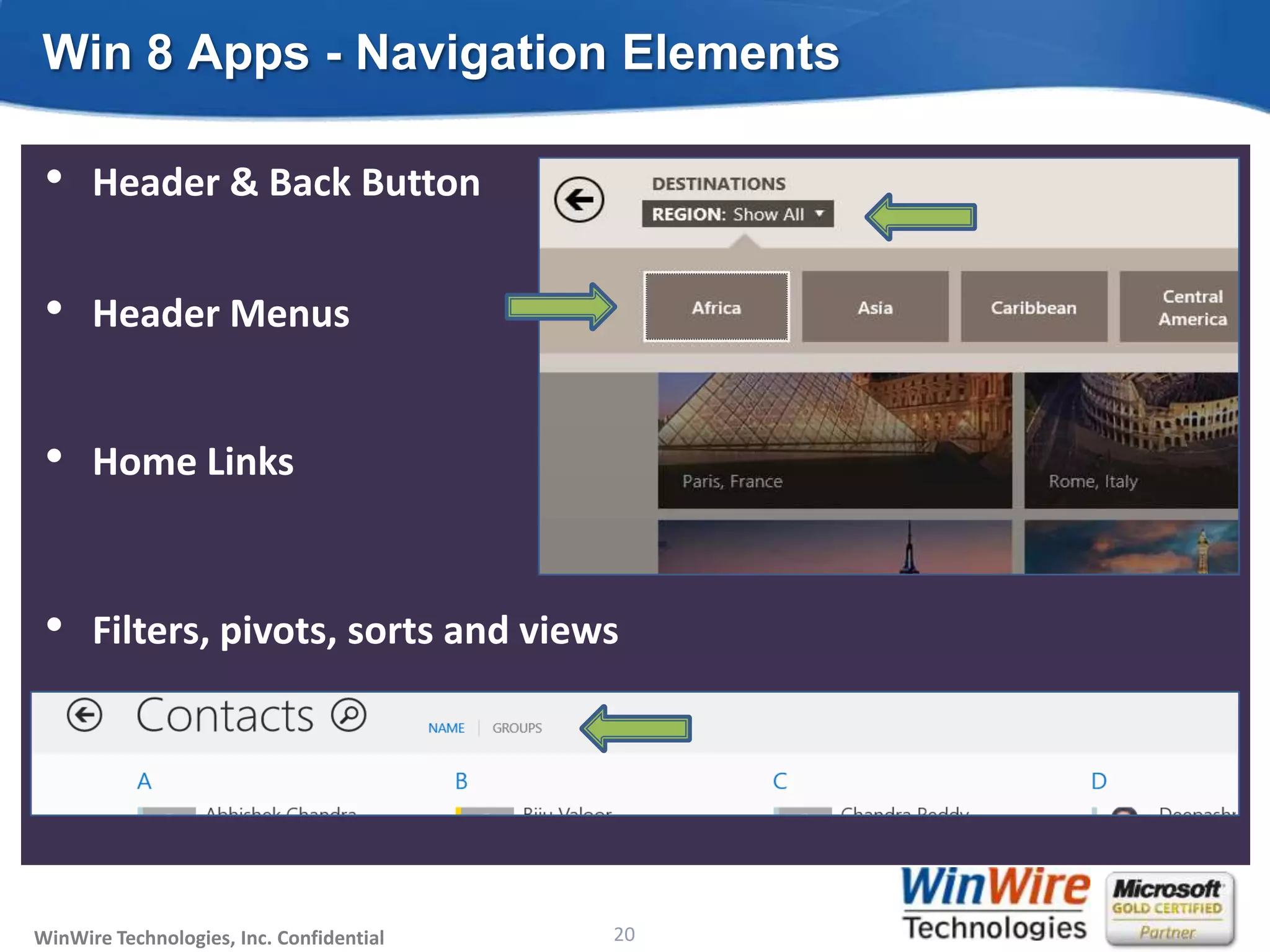
Win 8 Apps - Navigation Elements

 •    Header & Back Button


 •    Header Menus


 •    Home Links


 •    Filters, pivots, sorts and views


WinWire Technologies, Inc. Confidential                           20
                                          © 2010 WinWire Technologies
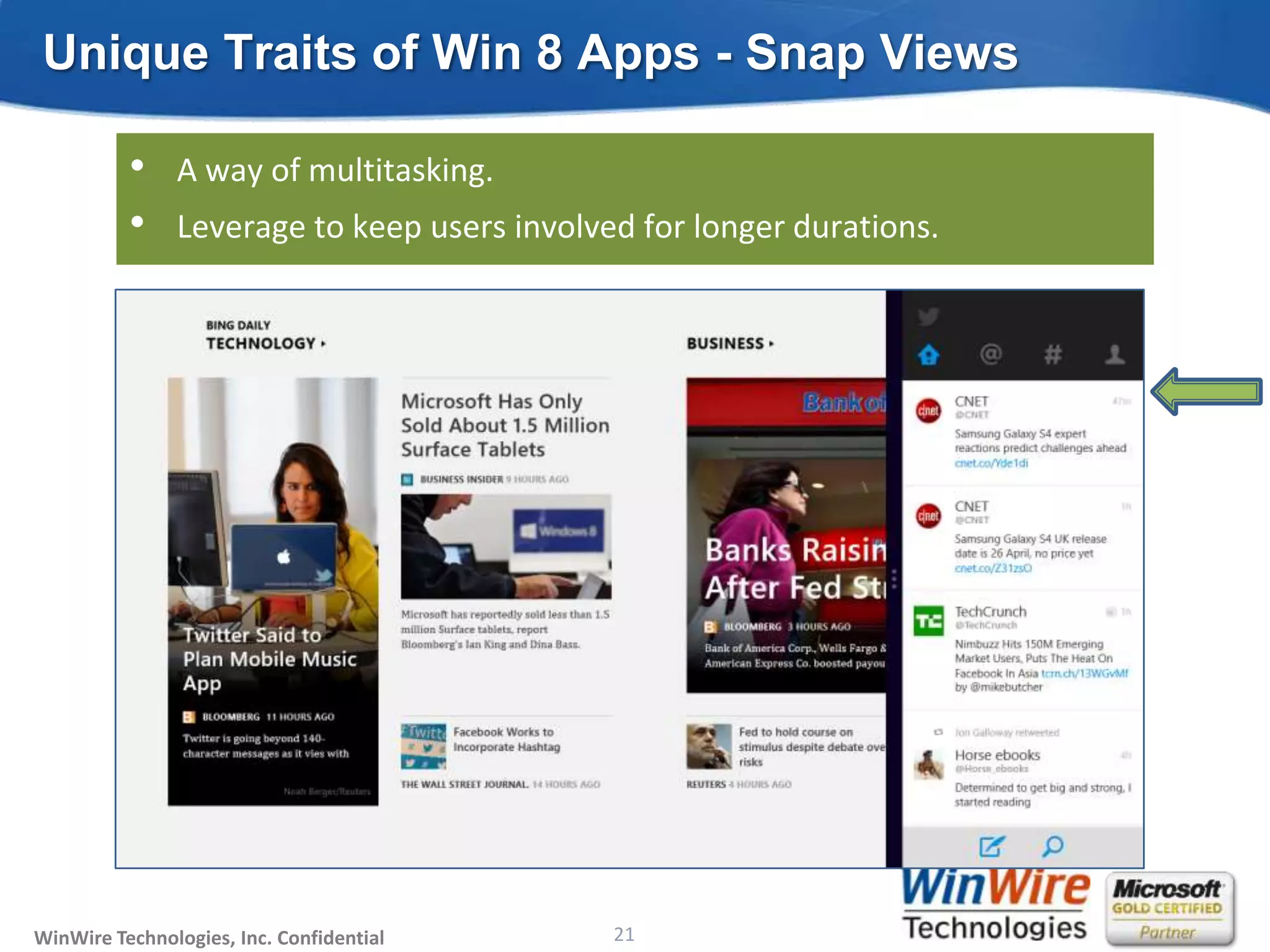
Unique Traits of Win 8 Apps - Snap Views

          •    A way of multitasking.
          •    Leverage to keep users involved for longer durations.


WinWire Technologies, Inc. Confidential                           21
                                          © 2010 WinWire Technologies
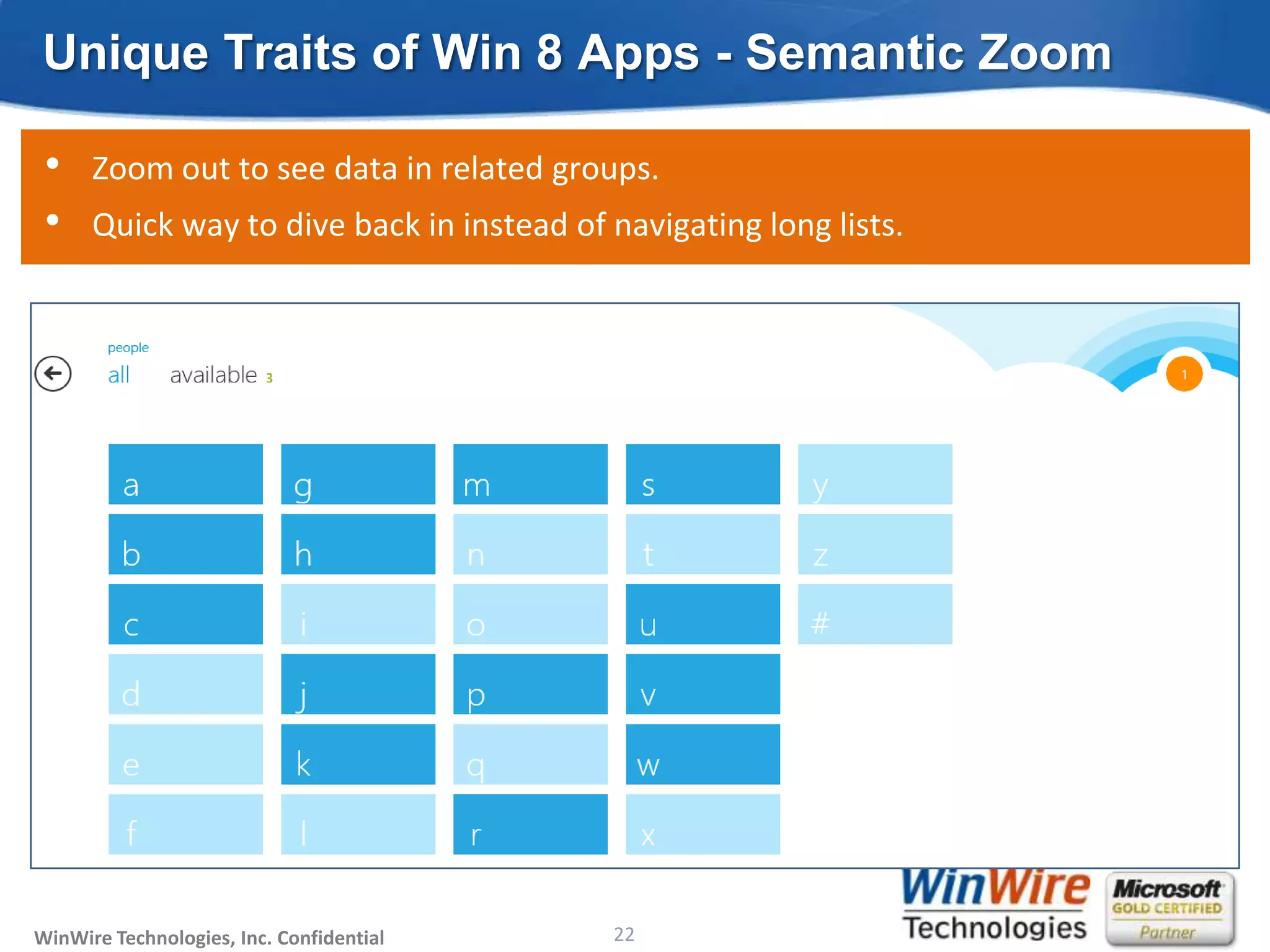
Unique Traits of Win 8 Apps - Semantic Zoom

 •    Zoom out to see data in related groups.
 •    Quick way to dive back in instead of navigating long lists.


WinWire Technologies, Inc. Confidential                           22
                                          © 2010 WinWire Technologies
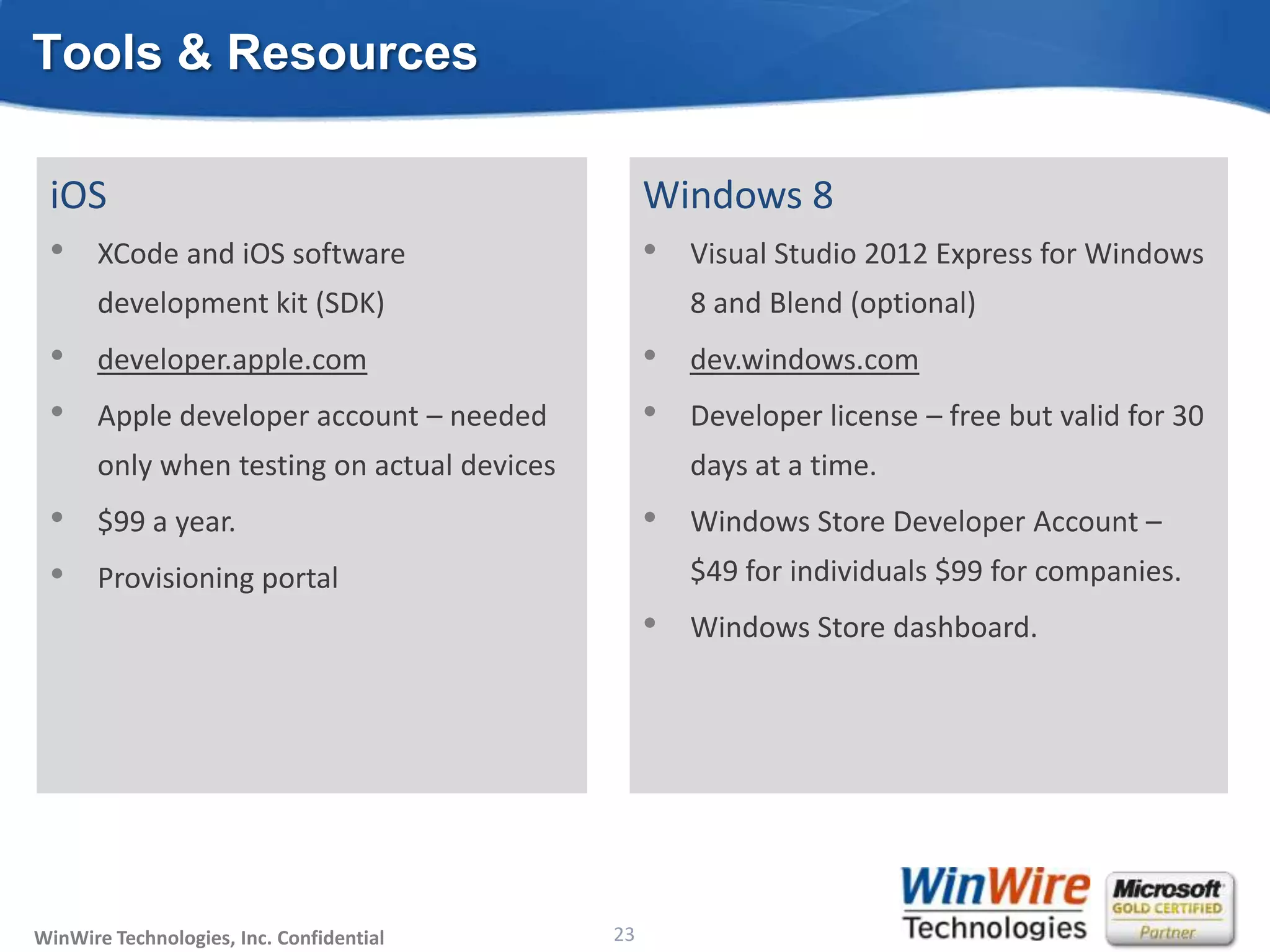
Tools & Resources

 iOS                                                                    Windows 8
 • XCode and iOS software                                               • Visual Studio 2012 Express for Windows
       development kit (SDK)                                                8 and Blend (optional)
 •     developer.apple.com                                              •   dev.windows.com
 •     Apple developer account – needed                                 •   Developer license – free but valid for 30
       only when testing on actual devices                                  days at a time.
 •     $99 a year.                                                      •   Windows Store Developer Account –
 •     Provisioning portal                                                  $49 for individuals $99 for companies.
                                                                        •   Windows Store dashboard.


WinWire Technologies, Inc. Confidential                           23
                                          © 2010 WinWire Technologies
DEMO: Design elements of
                         Windows 8 apps


 WinWire Technologies, Inc. Confidential
WinWire Technologies, Inc. Confidential    © 2010 WinWire Technologies
                                                                24
Takeaways

      Windows 8 has equivalents for all the features available on iOS.
      More flexible, more choices and unique mechanisms like Snap Views for
       better user-engagements.
      Take advantage of multiple form-factors or orientation changes to show
       more content.
      System-wide integration with search and share enables seamless
       communication between applications.
      Conform with the Windows 8 design language.
      Re-think your application design to leverage all the features of
       the platform.


WinWire Technologies, Inc. Confidential                           25
                                          © 2010 WinWire Technologies
Thank you!


                          Send in your questions to marketing@winwire.com.

                                           Visit us: www.winwire.com


 WinWire Technologies, Inc. Confidential
WinWire Technologies, Inc. Confidential    © 2010 WinWire Technologies
                                                                26

WinWire webinar: Converting iPad apps to Windows Store apps

  • 1.
    Converting iPad Appsto Windows Store Apps Wired2Win Webinar @WinWire WinWire Technologies, Inc. Confidential © 2010 WinWire Technologies
  • 2.
    Agenda • PopularApps • Application Architecture • Application Lifecycle • Data Storage • UI Design Guidelines – Similarities & Differences • Commands • Orientation & Views • Notifications • Windows 8 Application Layouts • Unique Traits of Windows 8 Apps – Snap Views & Semantic Zoom • Tools & Resources WinWire Technologies, Inc. Confidential © 2010 WinWire Technologies 2
  • 3.
    Evolution of MobileOS & Apps iOS App Store Apps (March 2013) : 821,438 Windows Store Apps (Dec 2012): 35,000 Surface Surface Pro Lumia 800,710 Lumia 900 Lumia 620 Windows Windows Phone 7 Mango Phone 8 Windows Windows Phone Phone 6.5 Tango Cupcake iPad iPad 2 iPad Mini iPhone 1 iPhone 3G iPhone 3GS iPhone 4G iPhone 4S iPhone 5 iOS 1.0 iOS 2.0 iOS 3.0 iOS 4.0 iOS 5.0 iOS 6.0 Exploring 2007 2008 2009 2010 2011 2012 2013 *Source: Wikipedis, Gigaon WinWire Technologies, Inc. Confidential 3 © 2010 WinWire Technologies
  • 4.
    Key Challenges Multiple screensizes need to be targeted Mac Computers iPhone iPad apple TV Windows Windows phone Surface Microsoft TV WinWire Technologies, Inc. Confidential © 2010 WinWire Technologies
  • 5.
    Popular Apps WinWire Technologies,Inc. Confidential © 2010 WinWire Technologies 5
  • 6.
    Application Architecture Objective-C C#/VB, C++/CX, JavaScript + HTML5 Cocoa Touch UIKit Language Projections Core Graphics Storage & Network Media Open GL ES Graphics & Media Core Animation UI, Pickers & Controls Win RT Core Data Metadata & Namespace Core Services Foundation Runtime Code Core OS Windows Kernel WinWire Technologies, Inc. Confidential 6 © 2010 WinWire Technologies
  • 7.
    Application Lifecycle -iOS • One app in the foreground which owns the screen and receives touch events. • Applications can work in the background. • Allows for scenario based multitasking and fast application switching. iOS Callback application:didFinishLaunchingWithOptions: applicationDidBecomeActive: applicationWillResignActive: applicationDidEnterBackground: applicationWillEnterForeground: WinWire Technologies, Inc. Confidential 7 © 2010 WinWire Technologies
  • 8.
    Application Lifecycle –Win 8 • Much simpler lifecycle. • Suspended apps cannot execute code. • Use Background Transfer API for file downloads or run light code. • BackgroundCapabaleMedia API for playing audio in the background. Windows 8 Events OnLaunched Application.Suspending Application.Resuming WinWire Technologies, Inc. Confidential 8 © 2010 WinWire Technologies
  • 9.
    Data Storage • Both provide mechanisms to store and access data locally. • Internal storage area is private to each application. iOS Windows 8 Out of the box support for SQL Lite No inbuilt database support yet. Extensions from SQLite are available. Recommended to centralize app Application settings are stored on a per- preferences in system settings. application basis. Apps can uses system interfaces to A few specific folders can be accessed access the user’s contacts or music directly by the application – Documents, etc. Music, Pictures etc. Use File Picker to access arbitrary files and RemovableDevices API for SD cards. WinWire Technologies, Inc. Confidential 9 © 2010 WinWire Technologies
  • 10.
    UI Design Guidelines Similarities • Touch first • Focus on content • Intuitive navigation • Consistent UX across all apps Differences • No app chrome! • Search and share contracts • Discreet app bars for commands • Live tiles and toast notifications WinWire Technologies, Inc. Confidential 10 © 2010 WinWire Technologies
  • 11.
    Commands in iOSApps Commands displayed as part of persistent navigation bar at the top or bottom. Bottom bar for contextual Some use slide commands. out bars. WinWire Technologies, Inc. Confidential 11 © 2010 WinWire Technologies
  • 12.
    Commands in Win8Apps - App Bars • Swipe from top or bottom edges brings up the app bars. • Top bar can be used for navigation in a flat hierarchy or for switching between content. Bottom bar for contextual commands. WinWire Technologies, Inc. Confidential 12 © 2010 WinWire Technologies
  • 13.
    Commands in Win8Apps - Charms Menu • Swipe from the right edge. • Used for sharing, searching and settings. WinWire Technologies, Inc. Confidential 13 © 2010 WinWire Technologies
  • 14.
    iPad Apps -Orientation & Views • Same content in both landscape and portrait layout. • Content reflows in portrait orientation. WinWire Technologies, Inc. Confidential 14 © 2010 WinWire Technologies
  • 15.
    Win 8 Apps- Orientation & Views • Windows 8 runs on various form factors. • The extra real estate can be used to show more content. • The design should scale for both portrait layout and high resolution screens. • Use multiple images for different orientations, resolutions or screen-sizes. WinWire Technologies, Inc. Confidential 15 © 2010 WinWire Technologies
  • 16.
    iOS Apps -Notifications Besides in-app notification, two other mechanisms - • apps have iOS Live Tiles two mechanisms for notifications - • Notification the functionality of the notification • Combine Centre • New notifications appear on the top of the center and the app badges. • screen. a rich collection of templates to Tiles have • Users can swipe choose from. from the top to view all • messages. Toast Notifications • AppImportant updates that interrupt users • Badges • • App appear anywhere in the system. numeric Can icons in the Springboard can have • badges attached to users of events inthat there Use them to notify them to indicate real time • are new messages. Should be opt-in. • A number of templates are available to choose from. WinWire Technologies, Inc. Confidential 16 © 2010 WinWire Technologies
  • 17.
    Win 8 Apps- Notifications Win 8 apps have two mechanisms for notification - • Live Tiles • Combine the functionality of the notification center and the app badges. • Tiles have a rich collection of templates to choose from. • Toast Notifications • Important updates that interrupt users • Can appear anywhere in the system. • Use them to notify users of events in real time • Should be opt-in. • A number of templates are available to choose from. WinWire Technologies, Inc. Confidential 17 © 2010 WinWire Technologies
  • 18.
    Win 8 AppsLayout - Hierarchical The Hub Layout Pattern For apps with different sections of related content, with varying levels of detail. • Hub Page - Landing page of the app. - Content is separated in horizontally scrolling sections - Each section mapping to a Section page. • Section Page - Consists of individual items. - Each item has its own Detail page. - Can also leverage grouping and a panorama style layout. • Detail Page - The third level of the app. - The format could varies with type of content, - A News app can show a news item or a photo app, just a picture. WinWire Technologies, Inc. Confidential 18 © 2010 WinWire Technologies
  • 19.
    Win 8 AppsLayout - Flat • Flat layout scheme for apps with all the content at the same hierarchical level. • Allows users to switch between small number of unrelated sections or tabs. • Typically no back buttons. • Fast switching between content with the top app bar. • Apps use thumbnails to denote items in the app bar. • An add button to include more tabs or sections. • Common use cases - browsers, document creation apps, games with different modes. WinWire Technologies, Inc. Confidential 19 © 2010 WinWire Technologies
  • 20.
    Win 8 Apps- Navigation Elements • Header & Back Button • Header Menus • Home Links • Filters, pivots, sorts and views WinWire Technologies, Inc. Confidential 20 © 2010 WinWire Technologies
  • 21.
    Unique Traits ofWin 8 Apps - Snap Views • A way of multitasking. • Leverage to keep users involved for longer durations. WinWire Technologies, Inc. Confidential 21 © 2010 WinWire Technologies
  • 22.
    Unique Traits ofWin 8 Apps - Semantic Zoom • Zoom out to see data in related groups. • Quick way to dive back in instead of navigating long lists. WinWire Technologies, Inc. Confidential 22 © 2010 WinWire Technologies
  • 23.
    Tools & Resources iOS Windows 8 • XCode and iOS software • Visual Studio 2012 Express for Windows development kit (SDK) 8 and Blend (optional) • developer.apple.com • dev.windows.com • Apple developer account – needed • Developer license – free but valid for 30 only when testing on actual devices days at a time. • $99 a year. • Windows Store Developer Account – • Provisioning portal $49 for individuals $99 for companies. • Windows Store dashboard. WinWire Technologies, Inc. Confidential 23 © 2010 WinWire Technologies
  • 24.
    DEMO: Design elementsof Windows 8 apps WinWire Technologies, Inc. Confidential WinWire Technologies, Inc. Confidential © 2010 WinWire Technologies 24
  • 25.
    Takeaways  Windows 8 has equivalents for all the features available on iOS.  More flexible, more choices and unique mechanisms like Snap Views for better user-engagements.  Take advantage of multiple form-factors or orientation changes to show more content.  System-wide integration with search and share enables seamless communication between applications.  Conform with the Windows 8 design language.  Re-think your application design to leverage all the features of the platform. WinWire Technologies, Inc. Confidential 25 © 2010 WinWire Technologies
  • 26.
    Thank you! Send in your questions to marketing@winwire.com. Visit us: www.winwire.com WinWire Technologies, Inc. Confidential WinWire Technologies, Inc. Confidential © 2010 WinWire Technologies 26

Editor's Notes

  • #5 Recreate this with following text with Microsoft TV and maybe Windows 8 screen