Windows Azure Active Directory:
Identity Management in the cloud
Chris Dufour, ASP .NET MVP
Software Architect, Compuware
Follow me @chrduf
http://www.linkedin.com/in/cdufour
NET349
Agenda
• What is Active Directory (AD)
• What’s the problem?
• What is Windows Azure Active Directory?
• Create and Publish an Application to the Cloud
What is Active Directory (AD)
• Directory system created by Microsoft in 1999
• Provides a central location for network administration and
security
• Makes use of Lightweight Directory Access Protocol
(LDAP) versions 2 and 3, Kerberos and DNS
• Most popular directory system in use by organizations
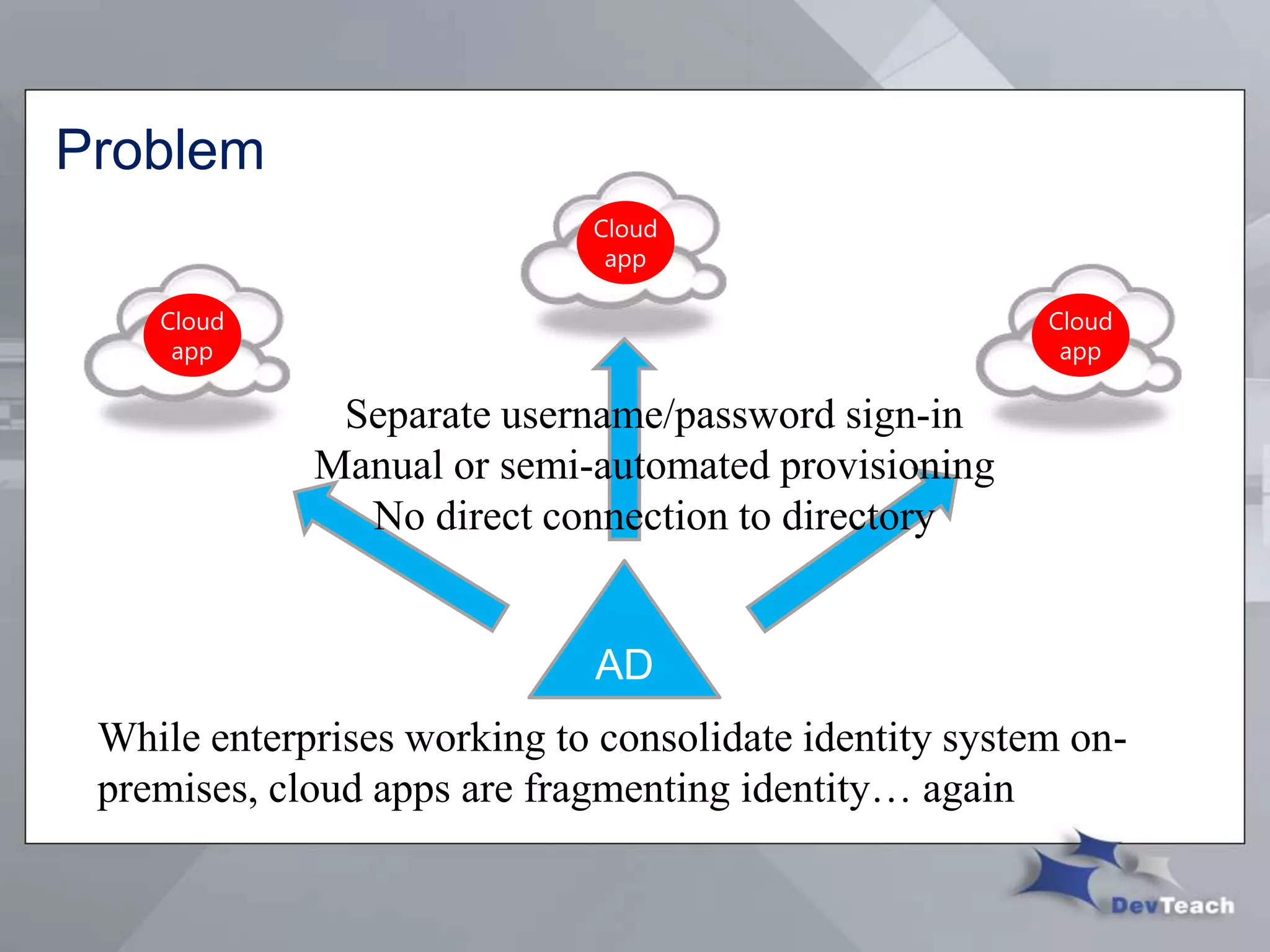
Problem
AD
While enterprises working to consolidate identity system on-
premises, cloud apps are fragmenting identity… again
Separate username/password sign-in
Manual or semi-automated provisioning
No direct connection to directory
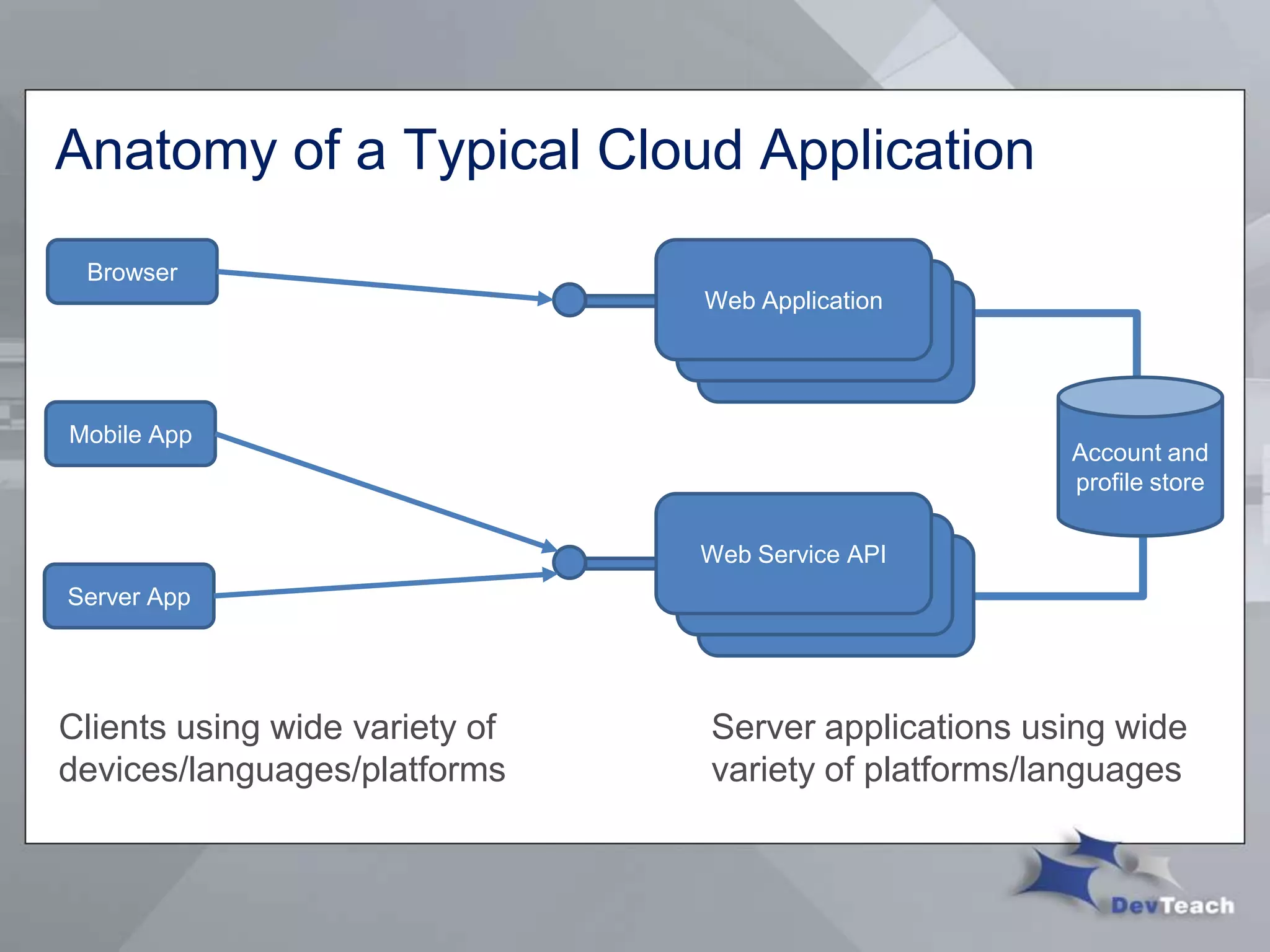
Anatomy of a Typical Cloud Application
Clients using wide variety of
devices/languages/platforms
Browser
Mobile App
Server App
Web Application
Account and
profile store
Web Service API
Server applications using wide
variety of platforms/languages
What is Windows Azure Active Directory?
• Service that provides identity and access capabilities for
on-premises and cloud applications
• Extension of Active Directory into the cloud
• Built concurrently with Office 365
• Provides integration of applications with Azure AD to
provide single sign-on
• Designed primarily to meet the needs of cloud applications
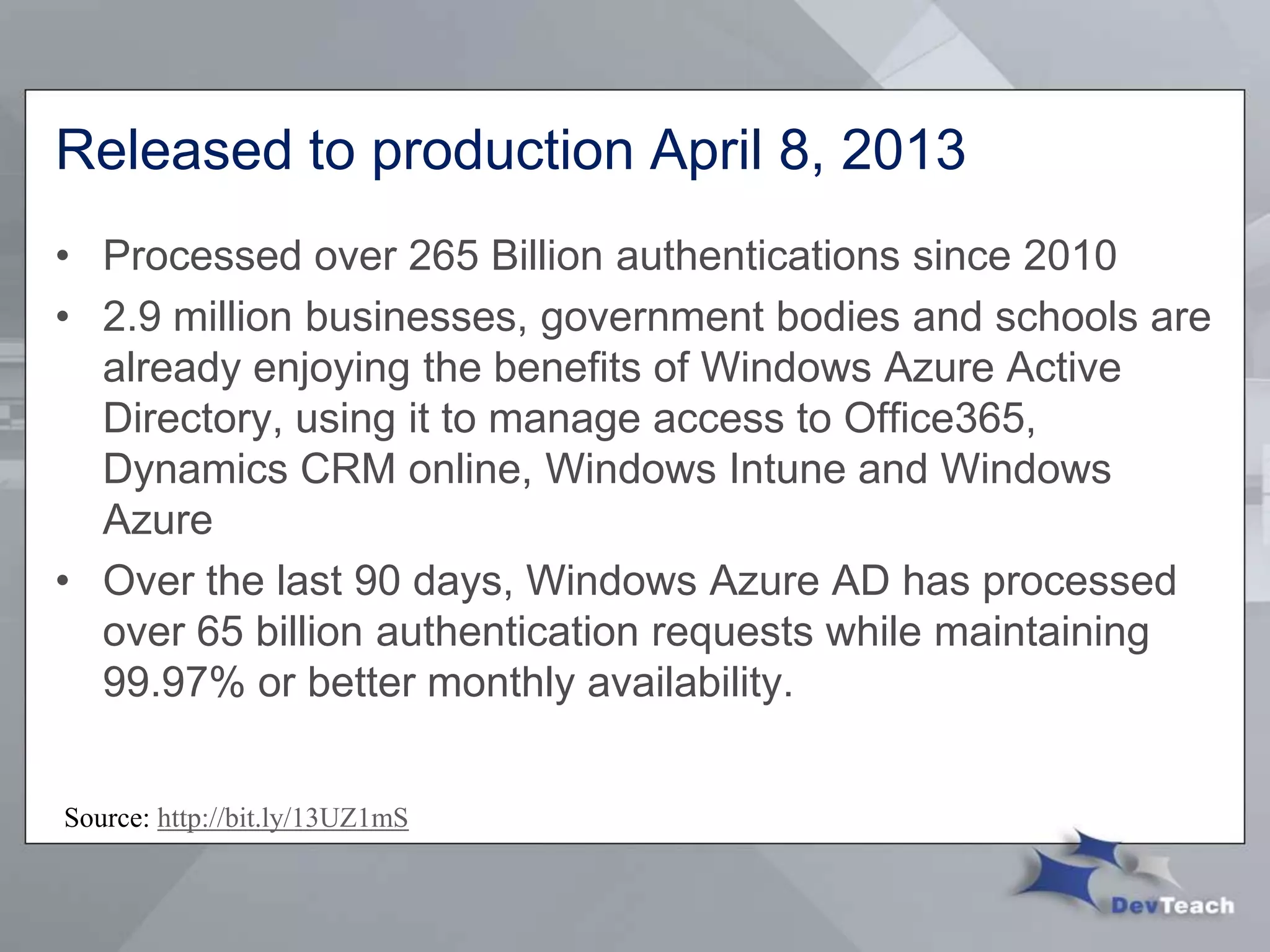
Released to production April 8, 2013
• Processed over 265 Billion authentications since 2010
• 2.9 million businesses, government bodies and schools are
already enjoying the benefits of Windows Azure Active
Directory, using it to manage access to Office365,
Dynamics CRM online, Windows Intune and Windows
Azure
• Over the last 90 days, Windows Azure AD has processed
over 65 billion authentication requests while maintaining
99.97% or better monthly availability.
Source: http://bit.ly/13UZ1mS
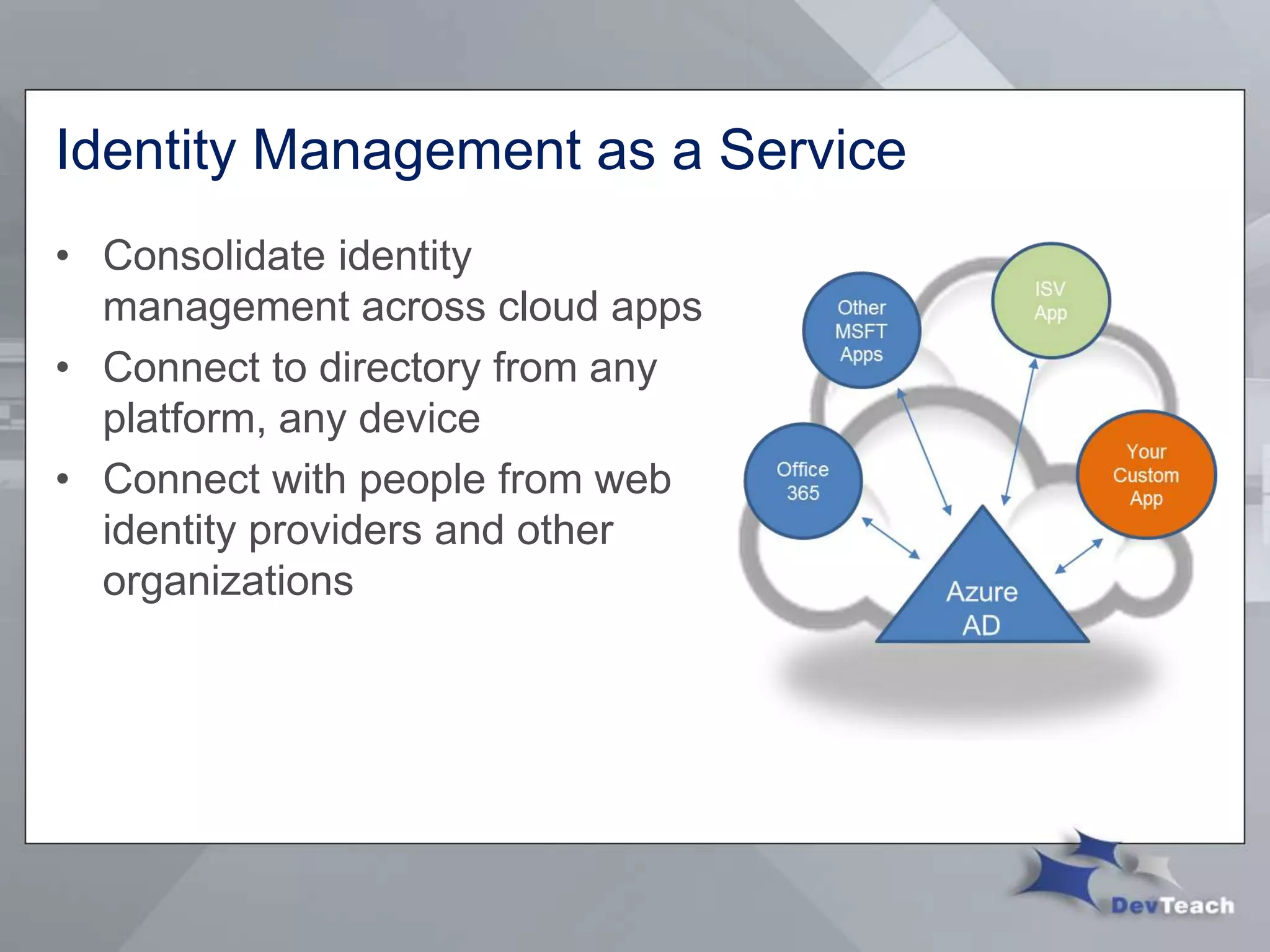
Identity Management as a Service
• Consolidate identity
management across cloud apps
• Connect to directory from any
platform, any device
• Connect with people from web
identity providers and other
organizations
Design Principles
• Maximize device and platform reach
 http/web/REST based protocols
• Multi-tenancy
 Customer owns directory, not Microsoft
• Optimize for availability, consistent performance and scale
 Keep it simple
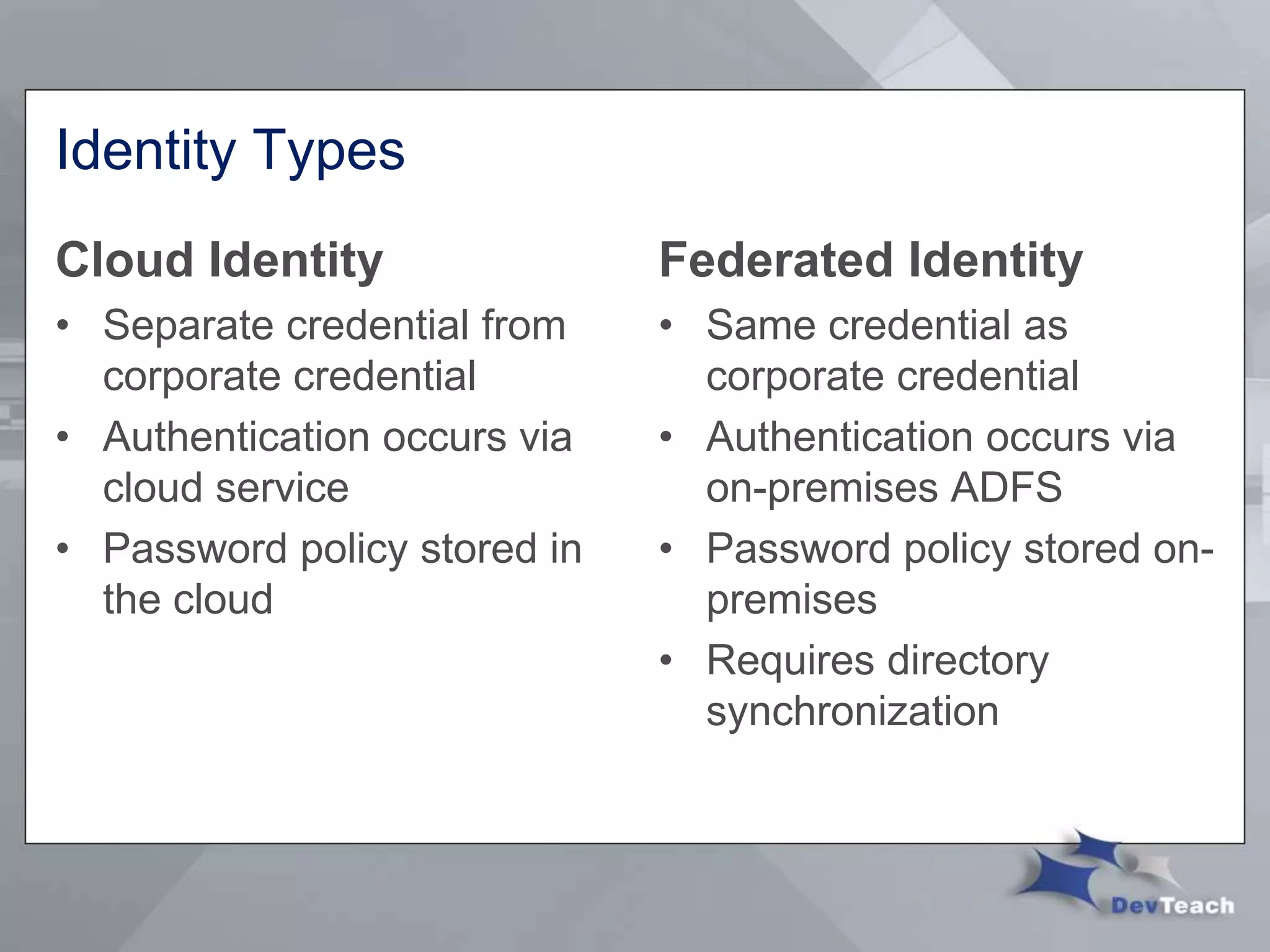
Identity Types
Cloud Identity
• Separate credential from
corporate credential
• Authentication occurs via
cloud service
• Password policy stored in
the cloud
Federated Identity
• Same credential as
corporate credential
• Authentication occurs via
on-premises ADFS
• Password policy stored on-
premises
• Requires directory
synchronization
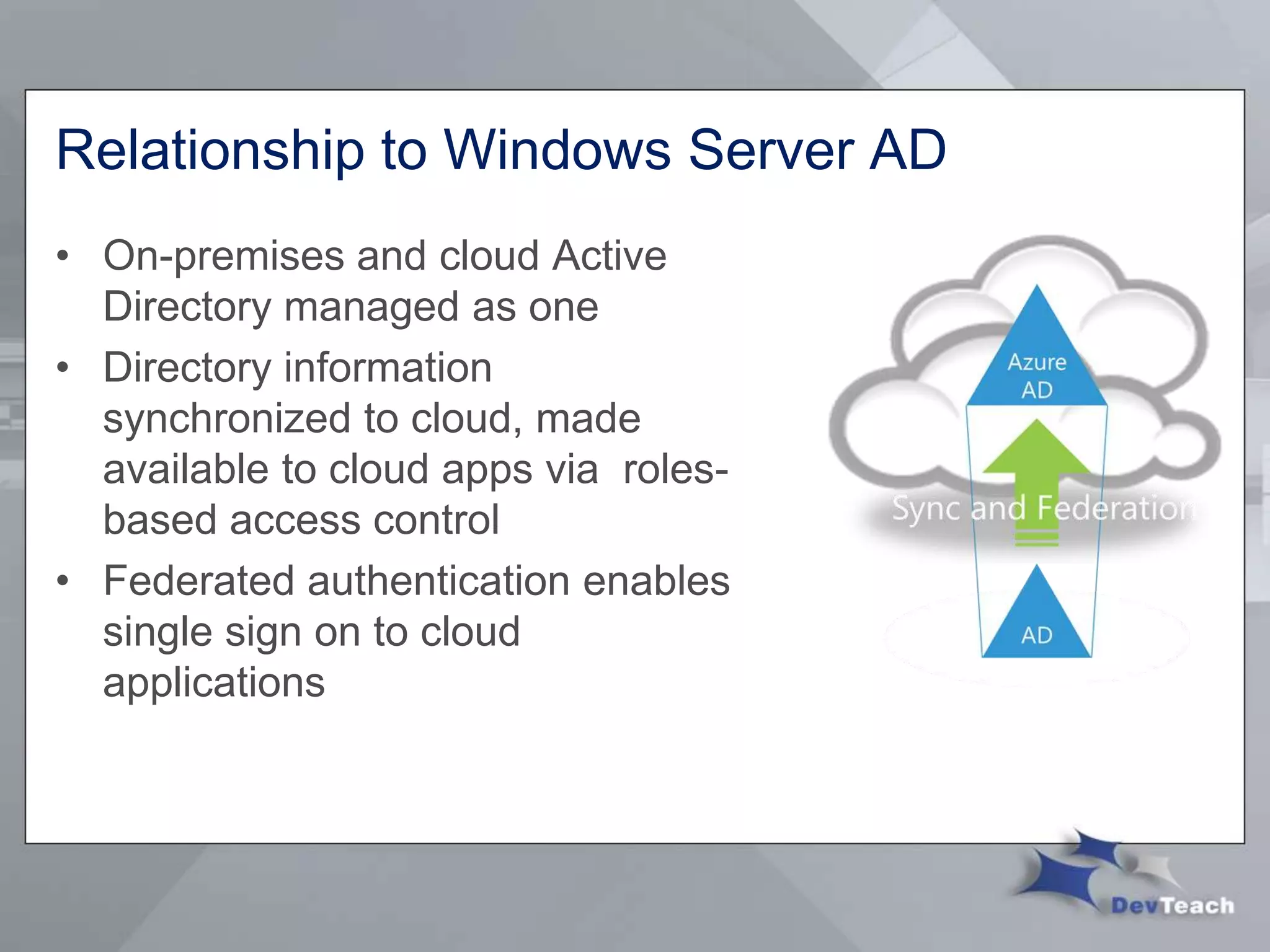
Relationship to Windows Server AD
• On-premises and cloud Active
Directory managed as one
• Directory information
synchronized to cloud, made
available to cloud apps via roles-
based access control
• Federated authentication enables
single sign on to cloud
applications
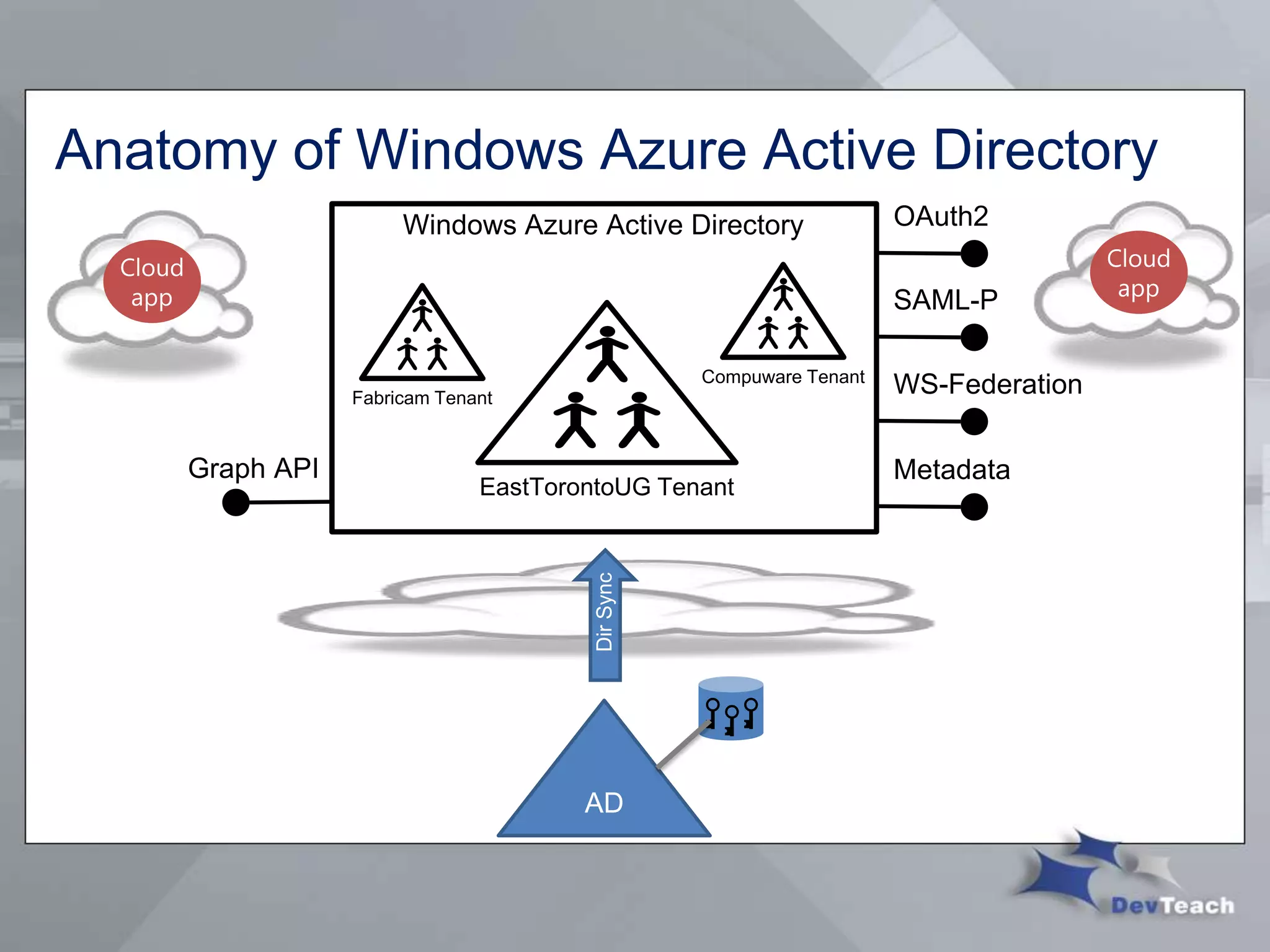
Anatomy of Windows Azure Active Directory
DirSync
AD
Directory Graph API
• RESTful programmatic access to directory
 Objects such as users, groups, roles, licenses
 Relationships such as member, memberOf, manager, directReport
• Requests use standard HTTP methods
 POST, GET, PATCH, DELETE to create, read, update, and delete
 Response in XML or JSON; standard HTTP status codes
 Compatible with OData 3.0
• OAuth 2.0 for authentication
 Role-based assignment for application and user authorization
Create an Application For Your Organization
1. Get developer prerequisites for Windows Azure AD
 Visual Studio 2012
 Web Tools Extensions for Visual Studio 2012
 Microsoft ASP.NET Tools for Windows Azure Active Directory – Visual
Studio 2012
2. Get a Windows Azure AD tenant to test your app
3. Integrate your app with Windows Azure AD
4. Test your application
5. Publish your application to Azure Websites (optional)
Demo
Create and Publish an Application to the Cloud
Next Steps
• Get a Windows Azure Active Directory tenant
• Integrate your application with Windows Azure Active
Directory
• Publish your application to Azure Websites
Resources
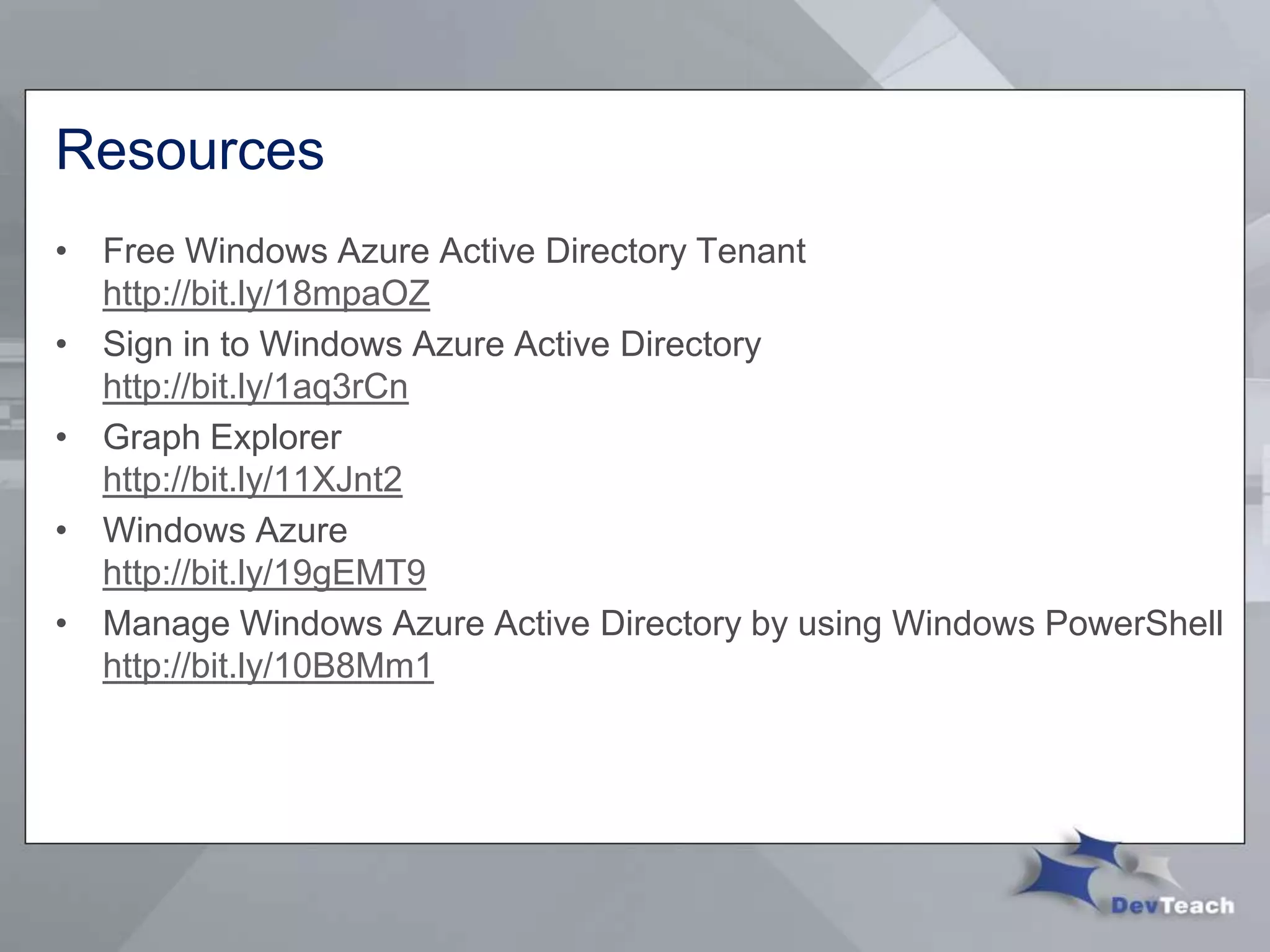
• Free Windows Azure Active Directory Tenant
http://bit.ly/18mpaOZ
• Sign in to Windows Azure Active Directory
http://bit.ly/1aq3rCn
• Graph Explorer
http://bit.ly/11XJnt2
• Windows Azure
http://bit.ly/19gEMT9
• Manage Windows Azure Active Directory by using Windows PowerShell
http://bit.ly/10B8Mm1
Resources
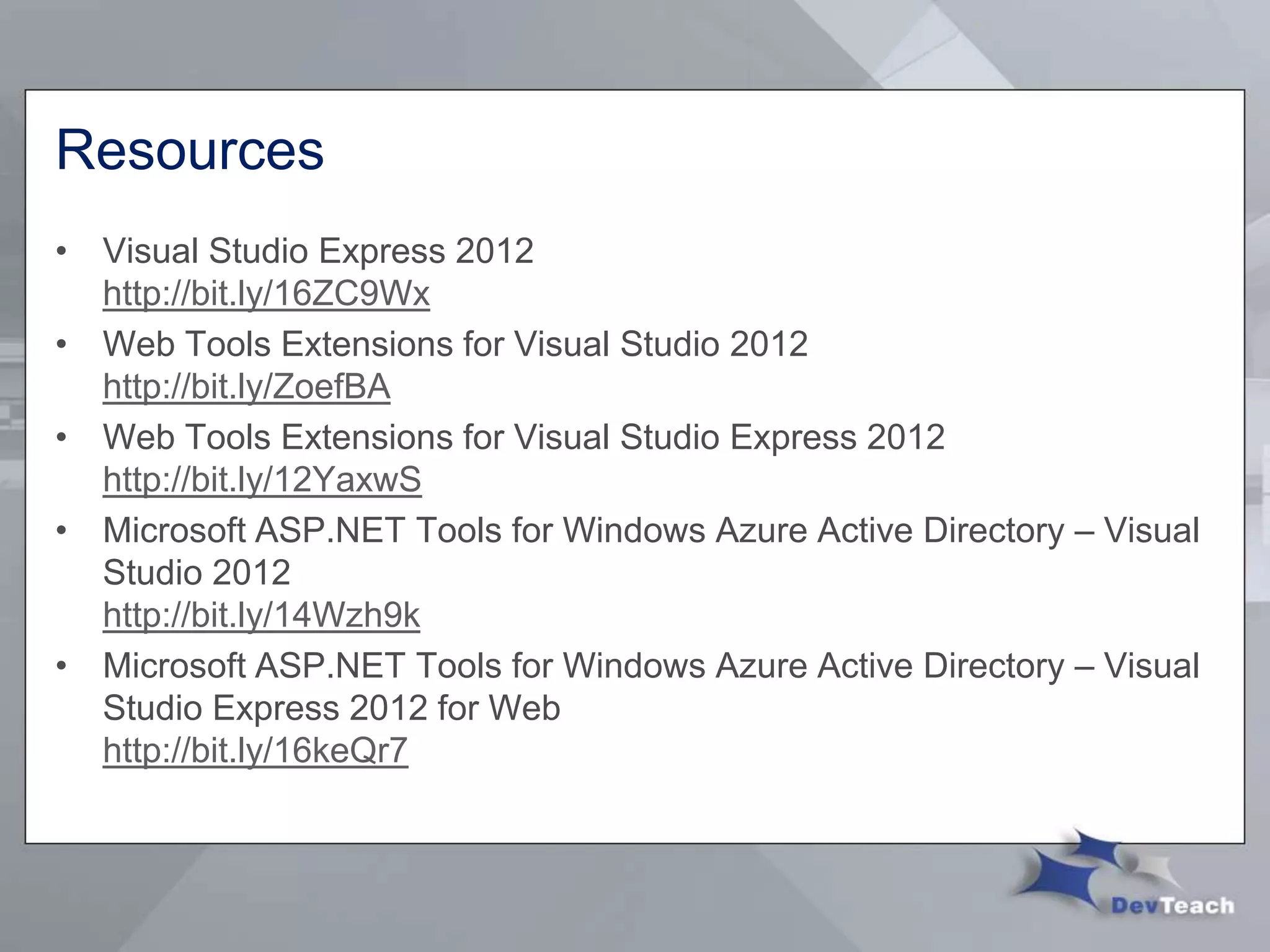
• Visual Studio Express 2012
http://bit.ly/16ZC9Wx
• Web Tools Extensions for Visual Studio 2012
http://bit.ly/ZoefBA
• Web Tools Extensions for Visual Studio Express 2012
http://bit.ly/12YaxwS
• Microsoft ASP.NET Tools for Windows Azure Active Directory – Visual
Studio 2012
http://bit.ly/14Wzh9k
• Microsoft ASP.NET Tools for Windows Azure Active Directory – Visual
Studio Express 2012 for Web
http://bit.ly/16keQr7
Thank You
Please fill out an evaluation for this talk
Windows Azure Active Directory:
Identity Management in the cloud - NET349

Windows Azure Active Directory: Identity Management in the Cloud

  • 1.
    Windows Azure ActiveDirectory: Identity Management in the cloud Chris Dufour, ASP .NET MVP Software Architect, Compuware Follow me @chrduf http://www.linkedin.com/in/cdufour NET349
  • 2.
    Agenda • What isActive Directory (AD) • What’s the problem? • What is Windows Azure Active Directory? • Create and Publish an Application to the Cloud
  • 3.
    What is ActiveDirectory (AD) • Directory system created by Microsoft in 1999 • Provides a central location for network administration and security • Makes use of Lightweight Directory Access Protocol (LDAP) versions 2 and 3, Kerberos and DNS • Most popular directory system in use by organizations
  • 4.
    Problem AD While enterprises workingto consolidate identity system on- premises, cloud apps are fragmenting identity… again Separate username/password sign-in Manual or semi-automated provisioning No direct connection to directory
  • 5.
    Anatomy of aTypical Cloud Application Clients using wide variety of devices/languages/platforms Browser Mobile App Server App Web Application Account and profile store Web Service API Server applications using wide variety of platforms/languages
  • 6.
    What is WindowsAzure Active Directory? • Service that provides identity and access capabilities for on-premises and cloud applications • Extension of Active Directory into the cloud • Built concurrently with Office 365 • Provides integration of applications with Azure AD to provide single sign-on • Designed primarily to meet the needs of cloud applications
  • 7.
    Released to productionApril 8, 2013 • Processed over 265 Billion authentications since 2010 • 2.9 million businesses, government bodies and schools are already enjoying the benefits of Windows Azure Active Directory, using it to manage access to Office365, Dynamics CRM online, Windows Intune and Windows Azure • Over the last 90 days, Windows Azure AD has processed over 65 billion authentication requests while maintaining 99.97% or better monthly availability. Source: http://bit.ly/13UZ1mS
  • 8.
    Identity Management asa Service • Consolidate identity management across cloud apps • Connect to directory from any platform, any device • Connect with people from web identity providers and other organizations
  • 9.
    Design Principles • Maximizedevice and platform reach  http/web/REST based protocols • Multi-tenancy  Customer owns directory, not Microsoft • Optimize for availability, consistent performance and scale  Keep it simple
  • 10.
    Identity Types Cloud Identity •Separate credential from corporate credential • Authentication occurs via cloud service • Password policy stored in the cloud Federated Identity • Same credential as corporate credential • Authentication occurs via on-premises ADFS • Password policy stored on- premises • Requires directory synchronization
  • 11.
    Relationship to WindowsServer AD • On-premises and cloud Active Directory managed as one • Directory information synchronized to cloud, made available to cloud apps via roles- based access control • Federated authentication enables single sign on to cloud applications
  • 12.
    Anatomy of WindowsAzure Active Directory DirSync AD
  • 13.
    Directory Graph API •RESTful programmatic access to directory  Objects such as users, groups, roles, licenses  Relationships such as member, memberOf, manager, directReport • Requests use standard HTTP methods  POST, GET, PATCH, DELETE to create, read, update, and delete  Response in XML or JSON; standard HTTP status codes  Compatible with OData 3.0 • OAuth 2.0 for authentication  Role-based assignment for application and user authorization
  • 14.
    Create an ApplicationFor Your Organization 1. Get developer prerequisites for Windows Azure AD  Visual Studio 2012  Web Tools Extensions for Visual Studio 2012  Microsoft ASP.NET Tools for Windows Azure Active Directory – Visual Studio 2012 2. Get a Windows Azure AD tenant to test your app 3. Integrate your app with Windows Azure AD 4. Test your application 5. Publish your application to Azure Websites (optional)
  • 15.
    Demo Create and Publishan Application to the Cloud
  • 16.
    Next Steps • Geta Windows Azure Active Directory tenant • Integrate your application with Windows Azure Active Directory • Publish your application to Azure Websites
  • 17.
    Resources • Free WindowsAzure Active Directory Tenant http://bit.ly/18mpaOZ • Sign in to Windows Azure Active Directory http://bit.ly/1aq3rCn • Graph Explorer http://bit.ly/11XJnt2 • Windows Azure http://bit.ly/19gEMT9 • Manage Windows Azure Active Directory by using Windows PowerShell http://bit.ly/10B8Mm1
  • 18.
    Resources • Visual StudioExpress 2012 http://bit.ly/16ZC9Wx • Web Tools Extensions for Visual Studio 2012 http://bit.ly/ZoefBA • Web Tools Extensions for Visual Studio Express 2012 http://bit.ly/12YaxwS • Microsoft ASP.NET Tools for Windows Azure Active Directory – Visual Studio 2012 http://bit.ly/14Wzh9k • Microsoft ASP.NET Tools for Windows Azure Active Directory – Visual Studio Express 2012 for Web http://bit.ly/16keQr7
  • 19.
    Thank You Please fillout an evaluation for this talk Windows Azure Active Directory: Identity Management in the cloud - NET349