1809
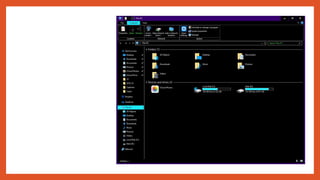
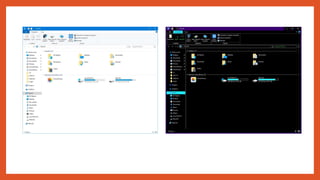
• DarkTheme for File Explorer
• Fluent Design
• Your Phone App
• Timeline for Phone
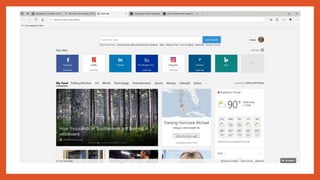
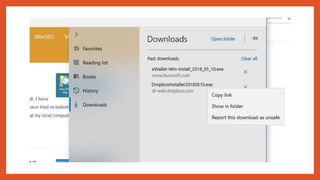
• Microsoft Edge
• Search
• Gaming
• Windows Mixed Reality
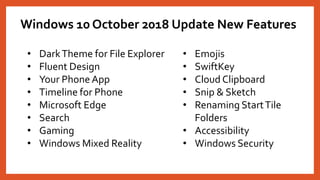
Windows 10 October 2018 Update New Features
• Emojis
• SwiftKey
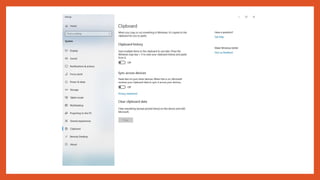
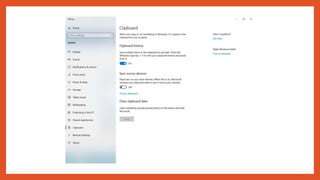
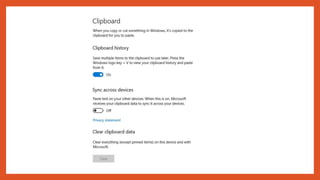
• Cloud Clipboard
• Snip & Sketch
• Renaming StartTile
Folders
• Accessibility
• Windows Security
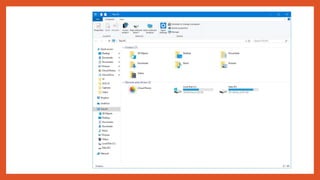
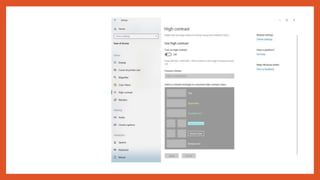
DarkTheme for File Explorer
Fluent Design
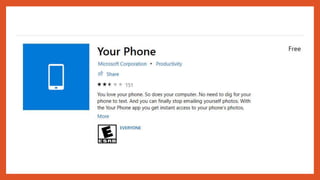
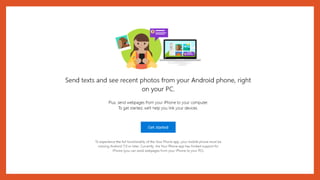
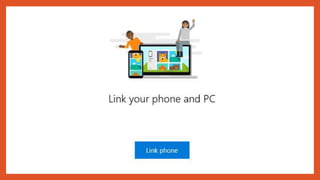
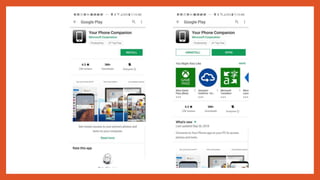
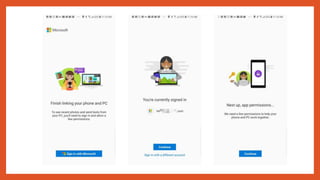
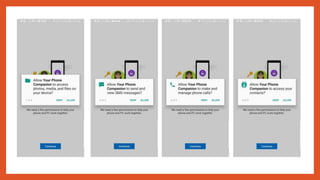
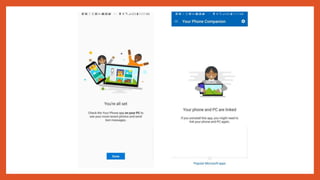
Your Phone App
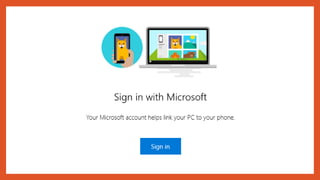
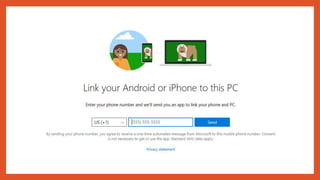
Setting up my PC
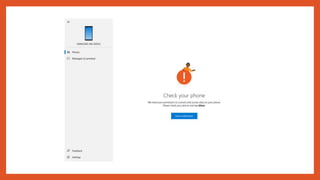
Setting up my Android Phone
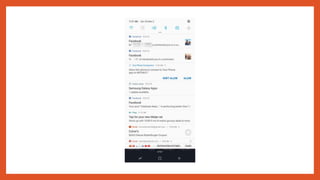
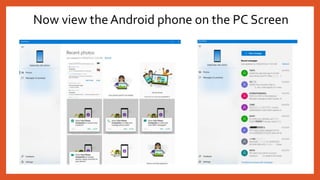
Now view the Android phone on the PC Screen
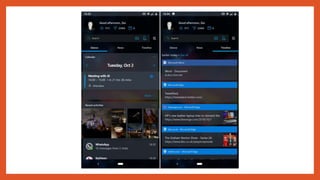
Timeline for Phone
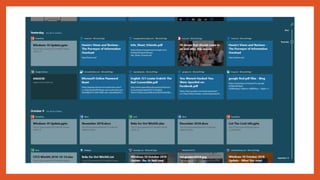
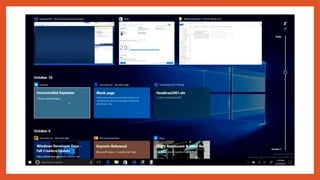
Another feature that mobile users will find handy. The April 2018 Update introduced Timeline on PCs,
making it easier to gain access to what you were working on. Now, this feature is available on your
phone, meaning you can scroll back in time to pick up where you left off while working on files and
browsing websites.

It is also possible to share or remove activities from a specific day or hour.
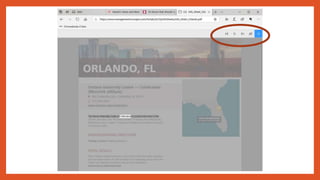
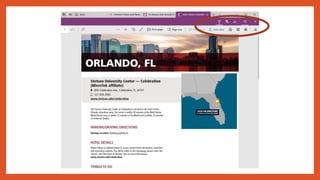
Microsoft Edge
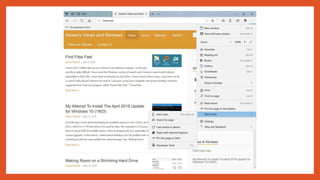
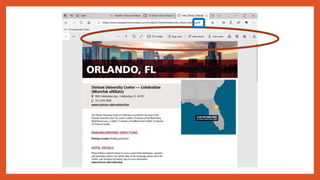
The latest version of Edge focuses on improving reading, but also pays due
attention to the look and feel of the user interface. Microsoft also offers a bit
more customization — reading PDFs in the browser is now a more pleasant
experience, and there are several changes under the hood to improve the
technology.
For starters, Edge now comes with Microsoft Learning Tools baked in, and
the browser also offers support for themes and an offline dictionary that
serves up definitions of highlighted words.
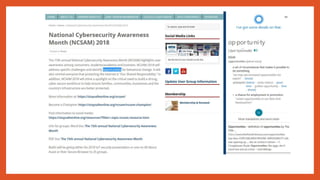
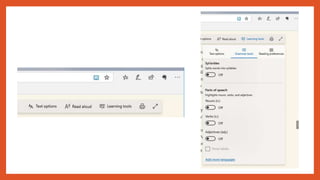
You also get access to Grammar Tools that separate words into syllables
and highlights parts of speech to make it easier to understand. It is also
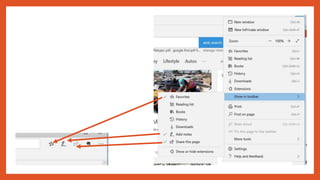
possible to have a word read aloud if you want to hear the correct
pronunciation or learn its meaning.
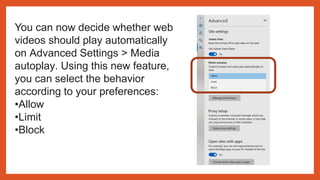
You can now decide whether web
videos should play automatically
on Advanced Settings > Media
autoplay. Using this new feature,
you can select the behavior
according to your preferences:
•Allow
•Limit
•Block
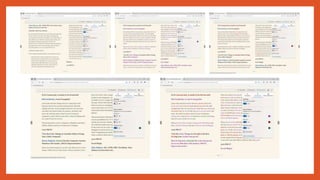
You’ll also find a new version of the learning tools for
Microsoft Edge available for Books and Reading View,
which now lets you choose from a variety of new page
themes and add wider spacing to improve reading fluency,
in the “Text options” tab.
To make it easier to identify the parts of speech, in the
“Grammar tools” tab, you can now change the color in
which the parts of speech should be highlighted as well as
enable a label right over it.
Also, the new line focus option, in the “Reading
preferences” tab, helps you to improve focus while
reading an article by highlighting sets of one, three, or five
lines.
Search
Gaming
DirectX Raytracing is now fully supported on the platform, meaning users
no longer have to enable developer mode to see it in action. Raytracing is a
new rendering technique that not only improves image quality but has all
the potential to become the standard method for generating 3D worlds.
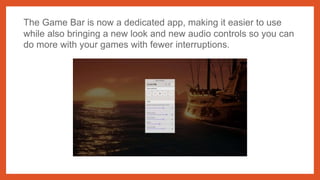
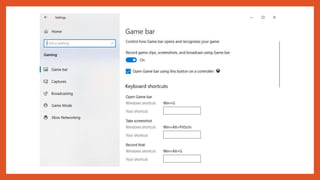
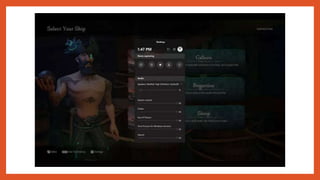
The Game Bar is now a dedicated app, making it easier to use
while also bringing a new look and new audio controls so you can
do more with your games with fewer interruptions.

Windows Mixed Reality
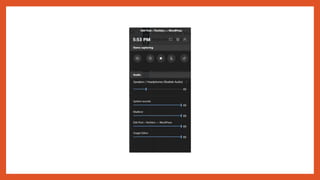
You can now stream audio to both the headset and the computer
speakers simultaneously.
In the Windows Mixed Reality experience, when using an
immersive application pressing the Windows key or using the
bloom gestures, Quick Actions allow users to easily Go Home,
view the time, or launch Mixed Reality Capture tools (Photo,
Video, and more).
Also, you will find a new Flashlight feature, which adds the ability
to peer into the physical world without the need to remove your
headset and prevent fumbles.
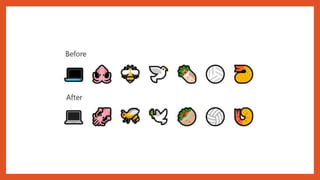
Emojis
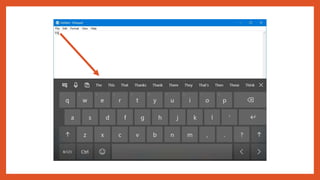
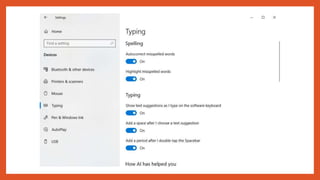
SwiftKey
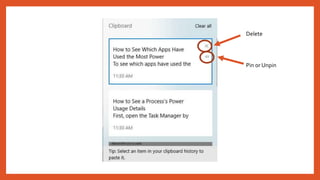
Cloud Clipboard
Delete
Pin or Unpin
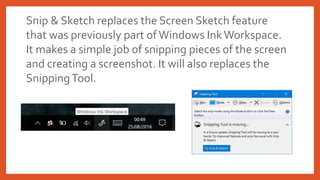
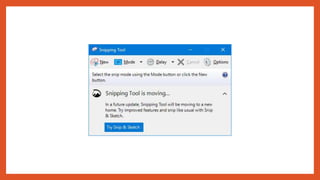
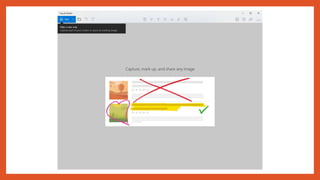
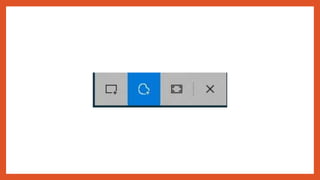
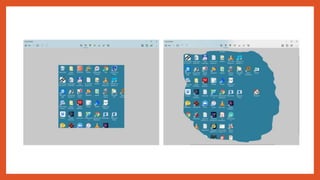
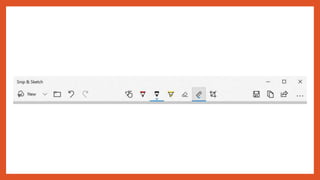
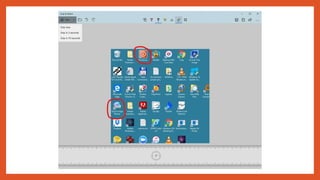
Snip & Sketch
Snip & Sketch replaces the Screen Sketch feature
that was previously part of Windows InkWorkspace.
It makes a simple job of snipping pieces of the screen
and creating a screenshot. It will also replaces the
SnippingTool.
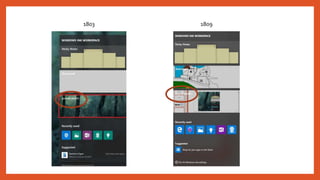
1803 1809
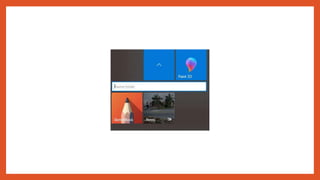
Renaming StartTile Folders
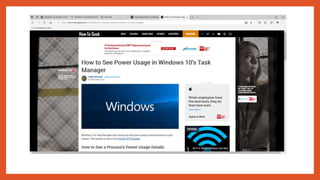
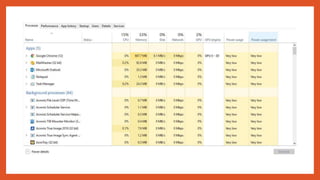
Task Manager
Power usage —This column will provide an instantaneous
view of apps and services using power.
Power usage trend —This column provides a power usage
trend over two minutes for running apps and services.This
column will be blank when you start an app but will
populate based on the power usage every two minutes.
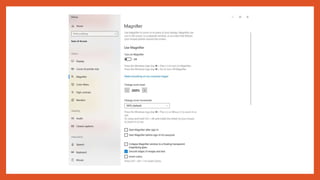
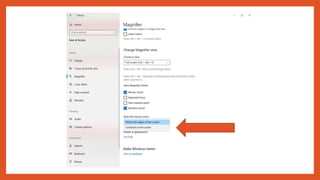
Accessibility
Magnifier
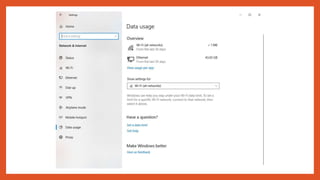
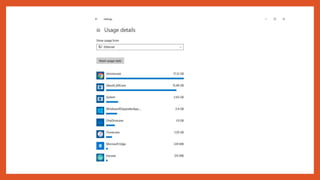
In the “Network & Internet” section, the Data Usage page
is getting updated to include data usage stats for mobile
data using a SIM card while roaming.
Data Usage
Windows Security
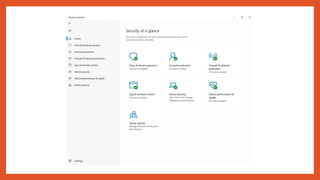
Windows Defender Security Center name has been
changed to Windows Security.
The October 2018 Update also comes with Windows
Account Protection improvements that now does a better
job of identifying the paired device that is being monitored
for Dynamic Lock.
Windows 10 update 1809  cfcs oct14 2018

Windows 10 update 1809 cfcs oct14 2018

  • 2.
  • 3.
    • DarkTheme forFile Explorer • Fluent Design • Your Phone App • Timeline for Phone • Microsoft Edge • Search • Gaming • Windows Mixed Reality Windows 10 October 2018 Update New Features • Emojis • SwiftKey • Cloud Clipboard • Snip & Sketch • Renaming StartTile Folders • Accessibility • Windows Security
  • 4.
  • 9.
  • 12.
  • 13.
  • 20.
    Setting up myAndroid Phone
  • 27.
    Now view theAndroid phone on the PC Screen
  • 28.
  • 29.
    Another feature thatmobile users will find handy. The April 2018 Update introduced Timeline on PCs, making it easier to gain access to what you were working on. Now, this feature is available on your phone, meaning you can scroll back in time to pick up where you left off while working on files and browsing websites. It is also possible to share or remove activities from a specific day or hour.
  • 33.
  • 34.
    The latest versionof Edge focuses on improving reading, but also pays due attention to the look and feel of the user interface. Microsoft also offers a bit more customization — reading PDFs in the browser is now a more pleasant experience, and there are several changes under the hood to improve the technology. For starters, Edge now comes with Microsoft Learning Tools baked in, and the browser also offers support for themes and an offline dictionary that serves up definitions of highlighted words. You also get access to Grammar Tools that separate words into syllables and highlights parts of speech to make it easier to understand. It is also possible to have a word read aloud if you want to hear the correct pronunciation or learn its meaning.
  • 41.
    You can nowdecide whether web videos should play automatically on Advanced Settings > Media autoplay. Using this new feature, you can select the behavior according to your preferences: •Allow •Limit •Block
  • 44.
    You’ll also finda new version of the learning tools for Microsoft Edge available for Books and Reading View, which now lets you choose from a variety of new page themes and add wider spacing to improve reading fluency, in the “Text options” tab. To make it easier to identify the parts of speech, in the “Grammar tools” tab, you can now change the color in which the parts of speech should be highlighted as well as enable a label right over it. Also, the new line focus option, in the “Reading preferences” tab, helps you to improve focus while reading an article by highlighting sets of one, three, or five lines.
  • 50.
  • 54.
  • 55.
    DirectX Raytracing isnow fully supported on the platform, meaning users no longer have to enable developer mode to see it in action. Raytracing is a new rendering technique that not only improves image quality but has all the potential to become the standard method for generating 3D worlds.
  • 56.
    The Game Baris now a dedicated app, making it easier to use while also bringing a new look and new audio controls so you can do more with your games with fewer interruptions.
  • 60.
  • 61.
    You can nowstream audio to both the headset and the computer speakers simultaneously. In the Windows Mixed Reality experience, when using an immersive application pressing the Windows key or using the bloom gestures, Quick Actions allow users to easily Go Home, view the time, or launch Mixed Reality Capture tools (Photo, Video, and more). Also, you will find a new Flashlight feature, which adds the ability to peer into the physical world without the need to remove your headset and prevent fumbles.
  • 63.
  • 66.
  • 70.
  • 74.
  • 75.
  • 76.
    Snip & Sketchreplaces the Screen Sketch feature that was previously part of Windows InkWorkspace. It makes a simple job of snipping pieces of the screen and creating a screenshot. It will also replaces the SnippingTool.
  • 77.
  • 84.
  • 86.
  • 87.
    Power usage —Thiscolumn will provide an instantaneous view of apps and services using power. Power usage trend —This column provides a power usage trend over two minutes for running apps and services.This column will be blank when you start an app but will populate based on the power usage every two minutes.
  • 89.
  • 93.
  • 96.
    In the “Network& Internet” section, the Data Usage page is getting updated to include data usage stats for mobile data using a SIM card while roaming. Data Usage
  • 99.
  • 100.
    Windows Defender SecurityCenter name has been changed to Windows Security. The October 2018 Update also comes with Windows Account Protection improvements that now does a better job of identifying the paired device that is being monitored for Dynamic Lock.