DeLeon, Abbott, Cornaglia, DeRose: Office Lens 1
Office Lens
DeLeon, Abbott, Cornaglia, DeRose: Office Lens 2
What is Microsoft Office Lens?
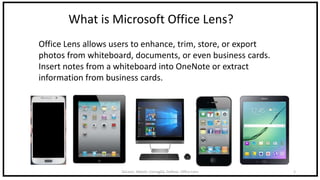
Office Lens allows users to enhance, trim, store, or export
photos from whiteboard, documents, or even business cards.
Insert notes from a whiteboard into OneNote or extract
information from business cards.
DeLeon, Abbott, Cornaglia, DeRose: Office Lens 3
DeLeon, Abbott, Cornaglia, DeRose: Office Lens 4
DeLeon, Abbott, Cornaglia, DeRose: Office Lens 5
Step 1: Locate the “App Store” on an Apple device.
DeLeon, Abbott, Cornaglia, DeRose: Office Lens 6
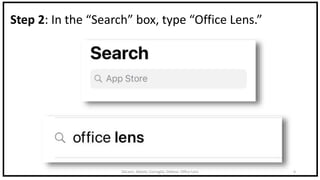
Step 2: In the “Search” box, type “Office Lens.”
DeLeon, Abbott, Cornaglia, DeRose: Office Lens 7
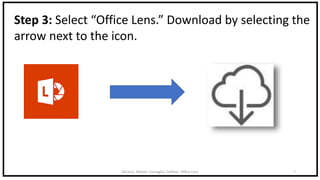
Step 3: Select “Office Lens.” Download by selecting the
arrow next to the icon.
DeLeon, Abbott, Cornaglia, DeRose: Office Lens 8
DeLeon, Abbott, Cornaglia, DeRose: Office Lens 9
Step 1: Locate the “Google Play” Store.
DeLeon, Abbott, Cornaglia, DeRose: Office Lens 10
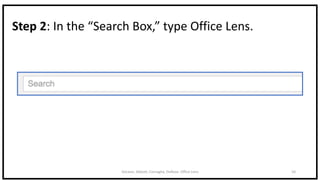
Step 2: In the “Search Box,” type Office Lens.
DeLeon, Abbott, Cornaglia, DeRose: Office Lens 11
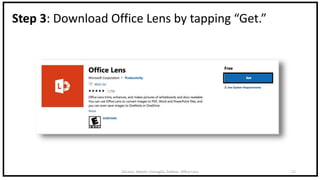
Step 3: Download Office Lens by tapping “Get.”
DeLeon, Abbott, Cornaglia, DeRose: Office Lens 12
*Windows 10 version 10240.0 or
higher, Xbox One, Windows 8 Mobile
DeLeon, Abbott, Cornaglia, DeRose: Office Lens 13
Step 1: Search “Office Lens” in the Windows Store.
DeLeon, Abbott, Cornaglia, DeRose: Office Lens 14
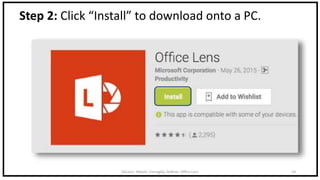
Step 2: Click “Install” to download onto a PC.
DeLeon, Abbott, Cornaglia, DeRose: Office Lens 15
What Can Office Lens Do?
Think of it as a “Pocket Scanner.”
DeLeon, Abbott, Cornaglia, DeRose: Office Lens 16
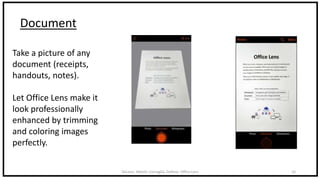
Document
Take a picture of any
document (receipts,
handouts, notes).
Let Office Lens make it
look professionally
enhanced by trimming
and coloring images
perfectly.
DeLeon, Abbott, Cornaglia, DeRose: Office Lens 17
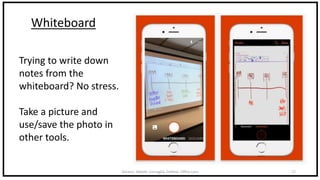
Whiteboard
Trying to write down
notes from the
whiteboard? No stress.
Take a picture and
use/save the photo in
other tools.
DeLeon, Abbott, Cornaglia, DeRose: Office Lens 18
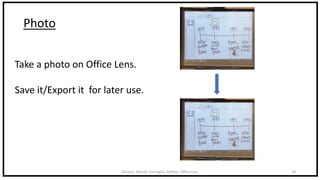
Photo
Take a photo on Office Lens.
Save it/Export it for later use.
DeLeon, Abbott, Cornaglia, DeRose: Office Lens 19
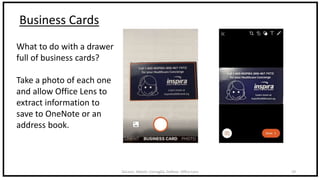
Business Cards
What to do with a drawer
full of business cards?
Take a photo of each one
and allow Office Lens to
extract information to
save to OneNote or an
address book.
DeLeon, Abbott, Cornaglia, DeRose: Office Lens 20
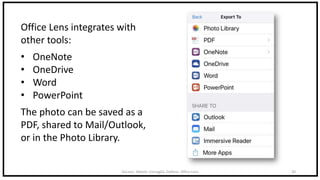
Office Lens integrates with
other tools:
• OneNote
• OneDrive
• Word
• PowerPoint
The photo can be saved as a
PDF, shared to Mail/Outlook,
or in the Photo Library.
DeLeon, Abbott, Cornaglia, DeRose: Office Lens 21
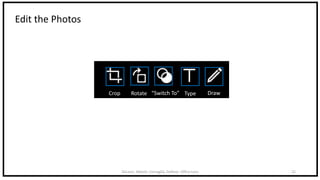
Edit the Photos
Type DrawRotateCrop “Switch To”

Office lens overview