Using Wikis Doncaster SC
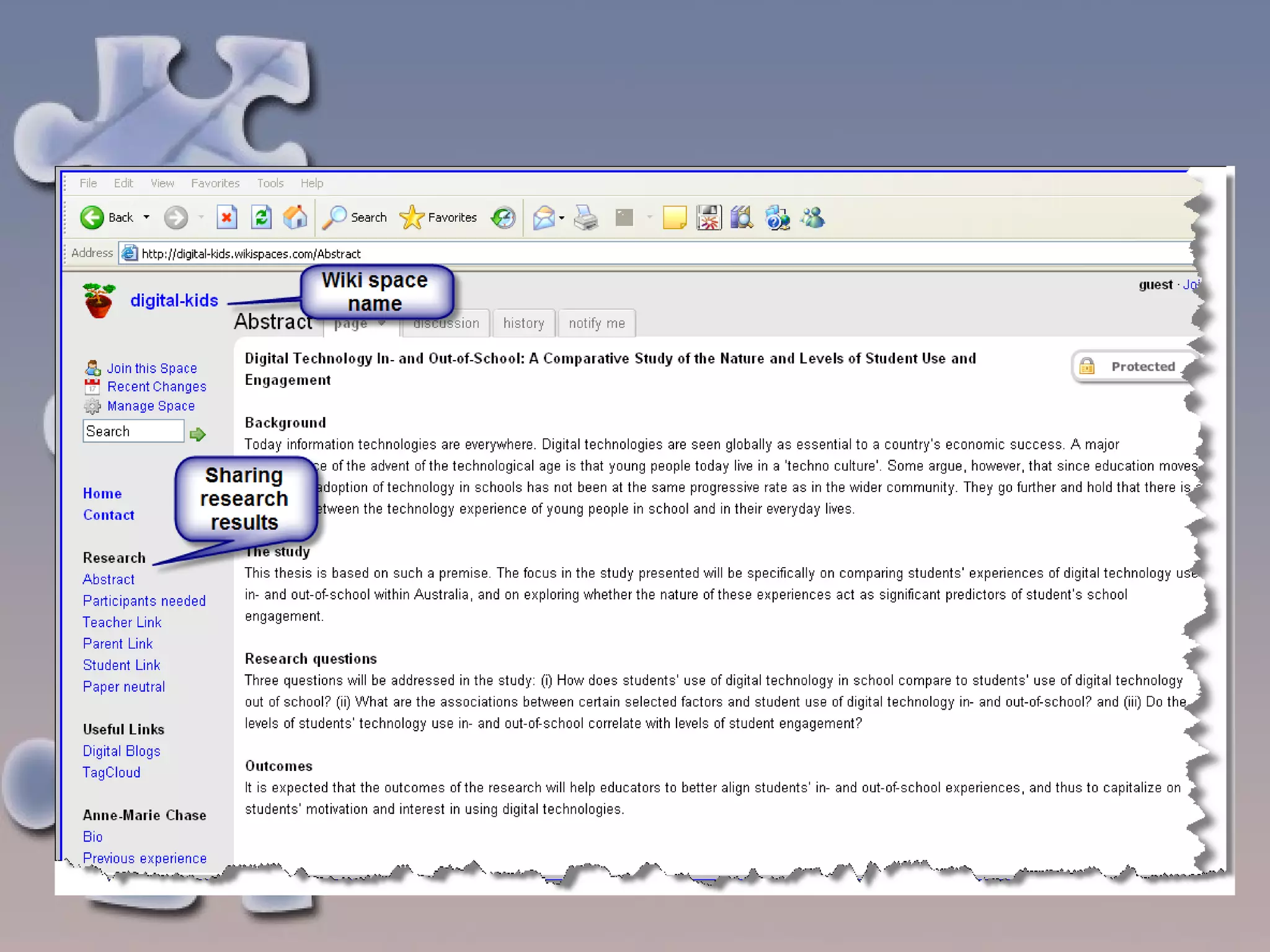
What is a wiki? A wiki is a simple to use web site where people can collaborate and publish information e.g. text files, images, videos and sound files, presentations etc.  Wikis allow two students, a whole class or multiple classes to work together.  Can be set as public, protected or private An example of a wiki is the editable on line encyclopaedia-  Wikipedia . Wiki means ‘quick’ in Hawaiian http://digital-kids.wikispaces.com/
 
Why use a wiki? To share files To use as a communication tool e.g. for group projects, publishing class stories, topic brainstorms, digital portfolios, listen to podcasts, watch videos, participate in online discussions, view Word, Excel and Powerpoint files, view videocasts or vodcasts Conduct surveys Users can work on, modify, and overwrite each other’s work.  Contributors need to understand that their words may be deleted and changed by others. Invited users may post messages. As administrator of the wiki, you can set the security settings on the wiki and track changes made to the site’s content.
How do I get started What do I need to start? A computer with access to the internet A web browser An email account (use education account) If you want to create a wiki  - find a space which hosts wikis such as  Wikispaces for Educators  (Australian creator) see URL listed below  or  Pb Wiki  (US based) and sign up.
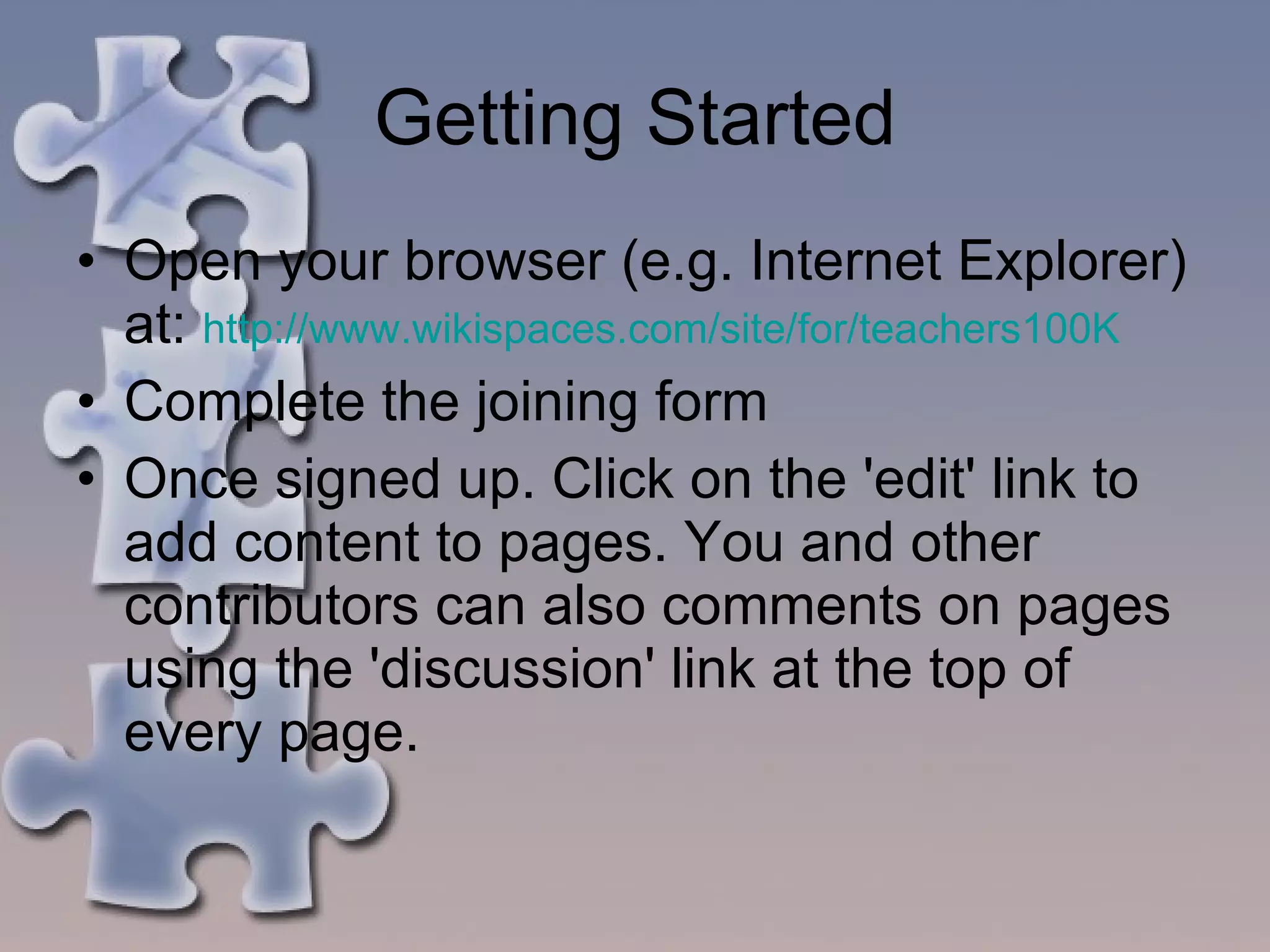
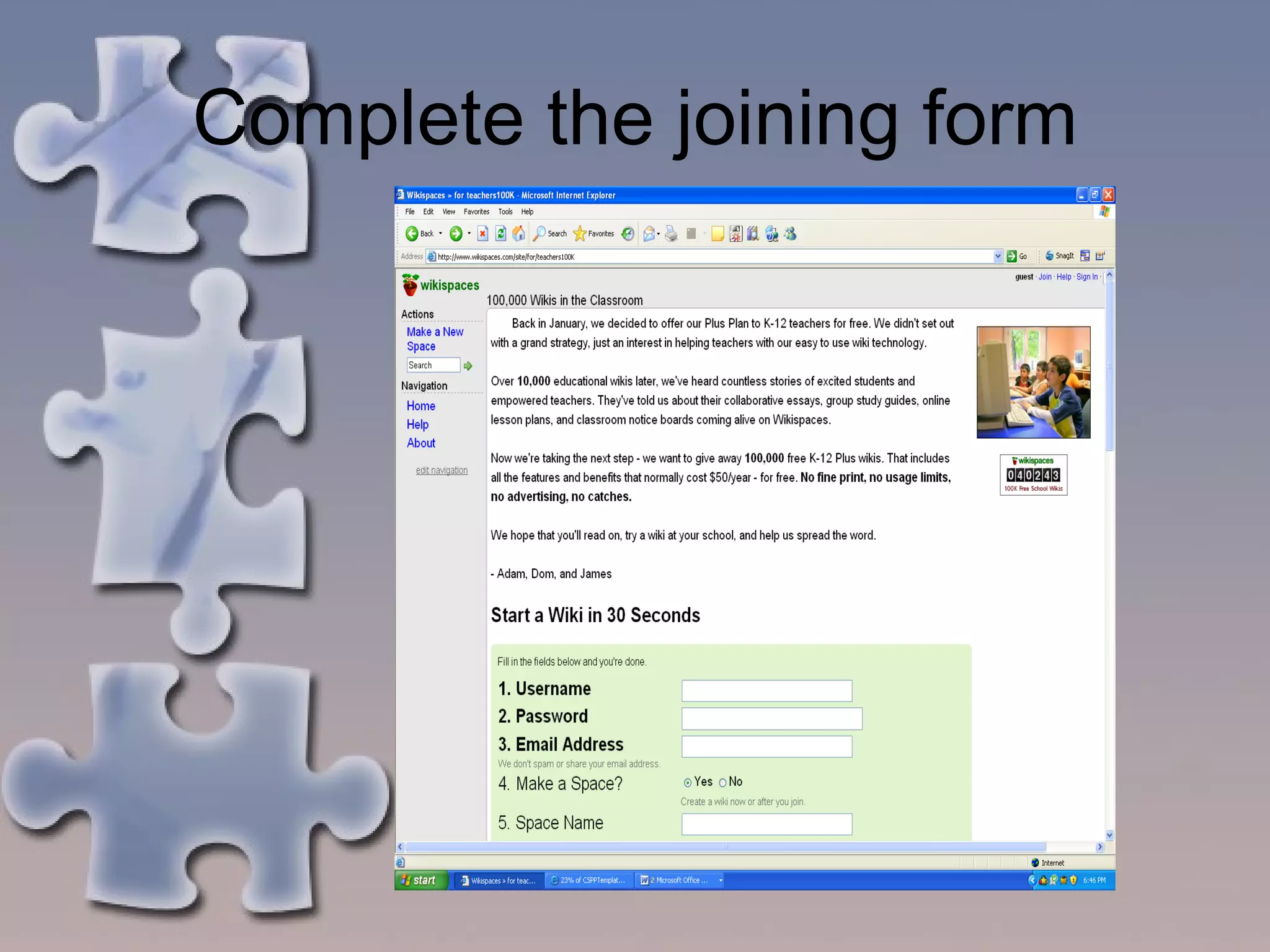
Getting Started Open your browser (e.g. Internet Explorer) at:  http://www.wikispaces.com/site/for/teachers100K Complete the joining form Once signed up. Click on the 'edit' link to add content to pages. You and other contributors can also comments on pages using the 'discussion' link at the top of every page.
Complete the joining form
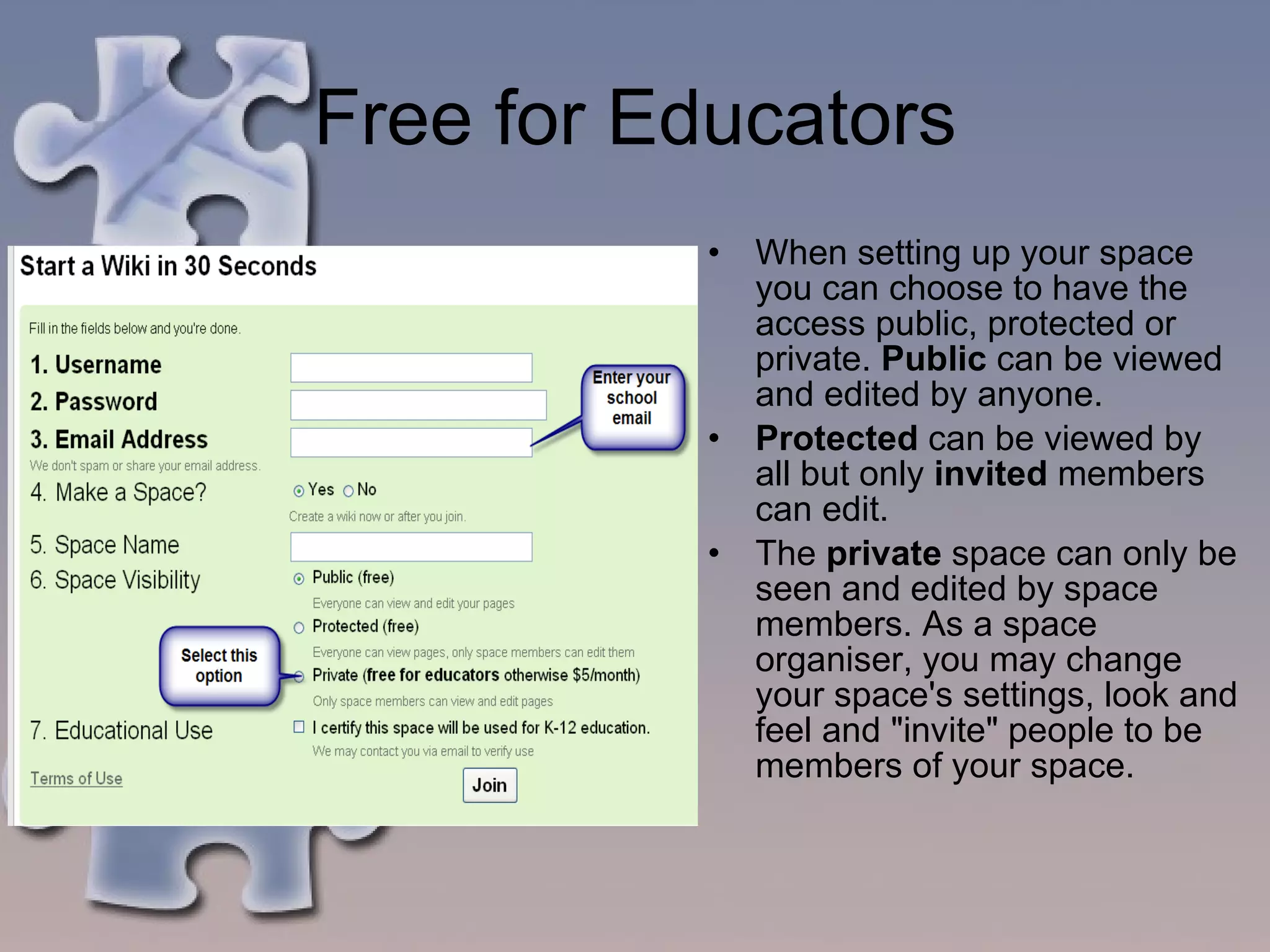
Free for Educators When setting up your space you can choose to have the access public, protected or private.  Public  can be viewed and edited by anyone.  Protected  can be viewed by all but only  invited  members can edit.  The  private  space can only be seen and edited by space members. As a space organiser, you may change your space's settings, look and feel and "invite" people to be members of your space.
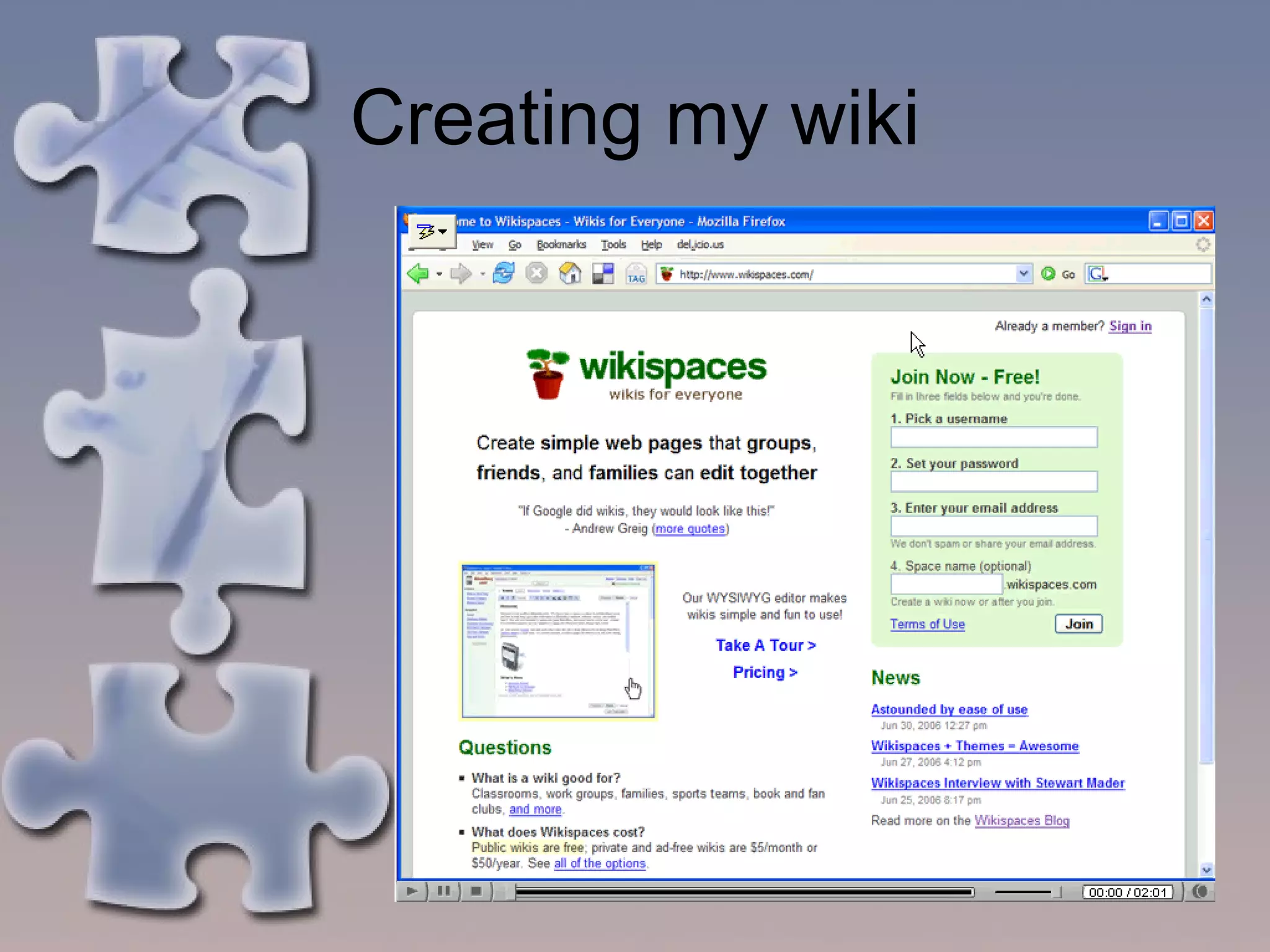
Creating my wiki
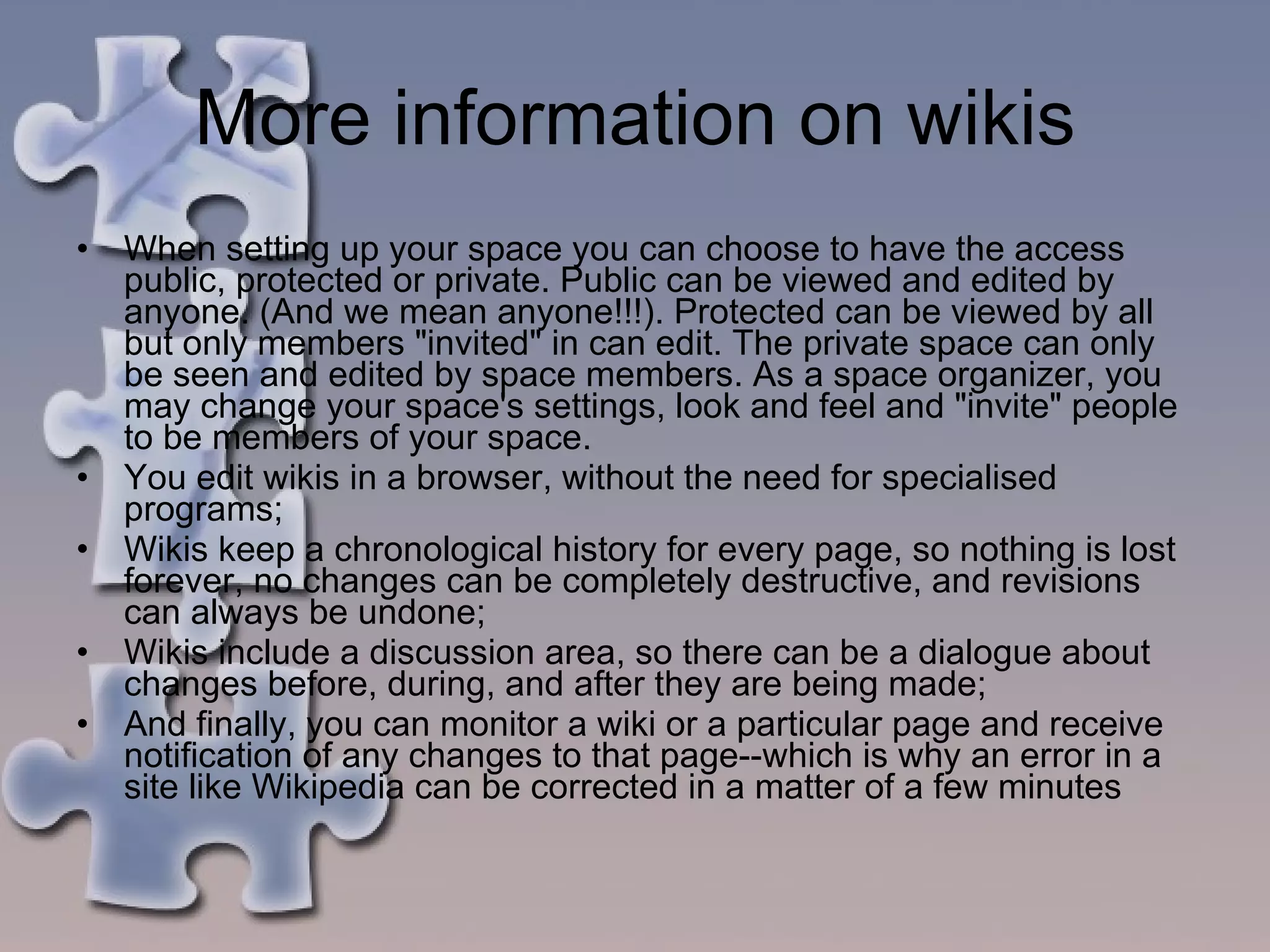
More information on wikis When setting up your space you can choose to have the access public, protected or private. Public can be viewed and edited by anyone. (And we mean anyone!!!). Protected can be viewed by all but only members "invited" in can edit. The private space can only be seen and edited by space members. As a space organizer, you may change your space's settings, look and feel and "invite" people to be members of your space.  You edit wikis in a browser, without the need for specialised programs;  Wikis keep a chronological history for every page, so nothing is lost forever, no changes can be completely destructive, and revisions can always be undone;  Wikis include a discussion area, so there can be a dialogue about changes before, during, and after they are being made;  And finally, you can monitor a wiki or a particular page and receive notification of any changes to that page--which is why an error in a site like Wikipedia can be corrected in a matter of a few minutes
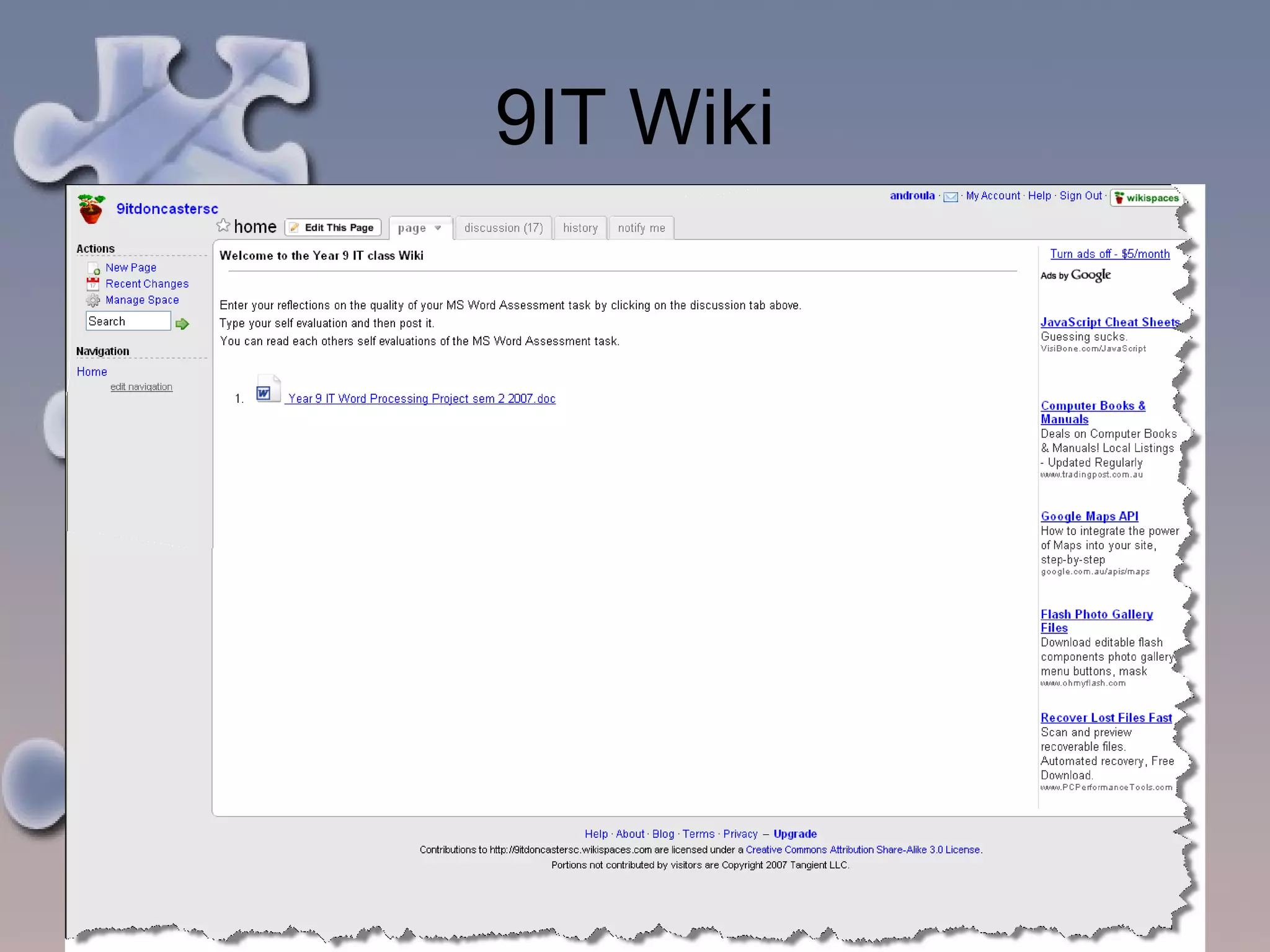
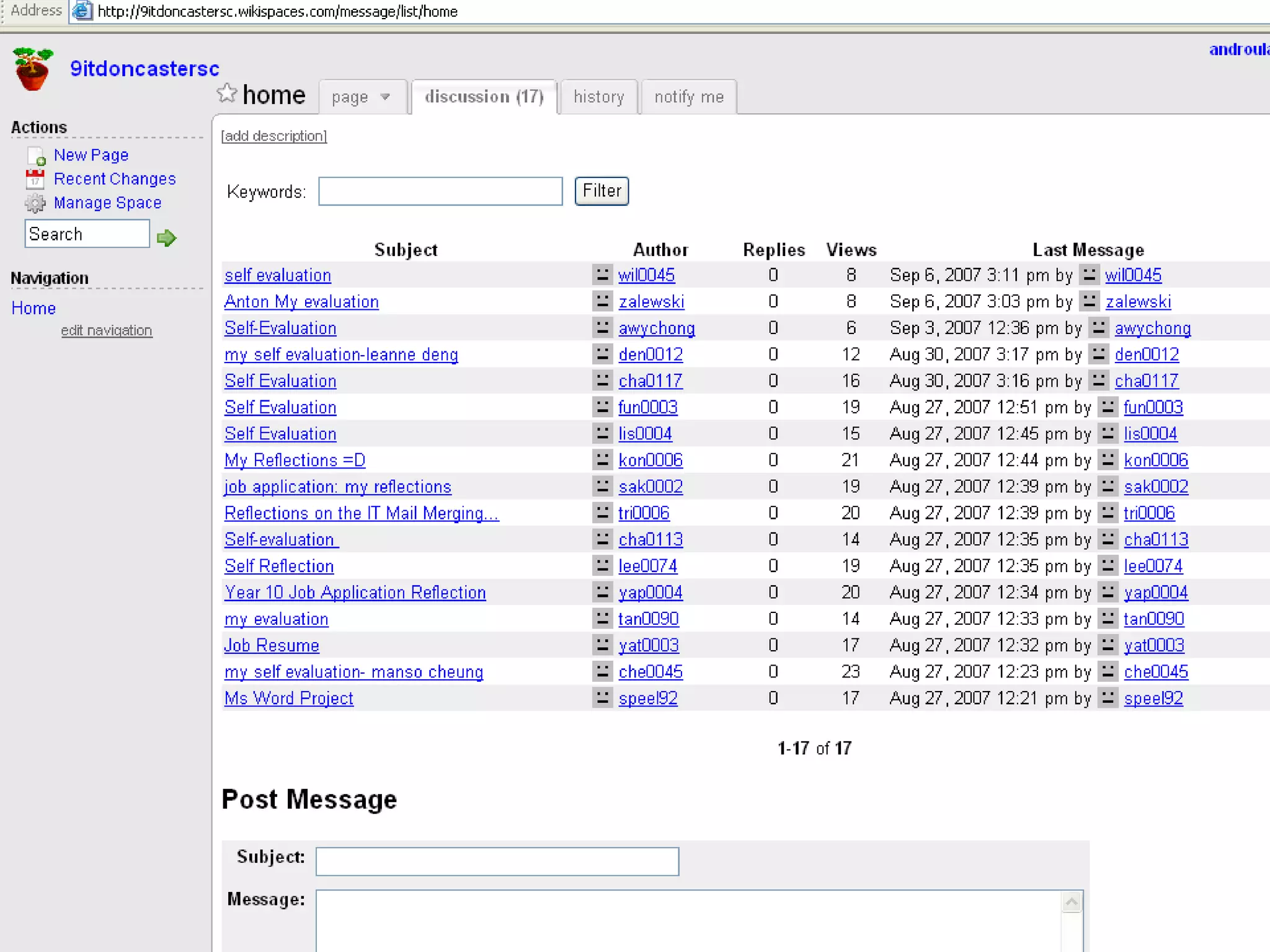
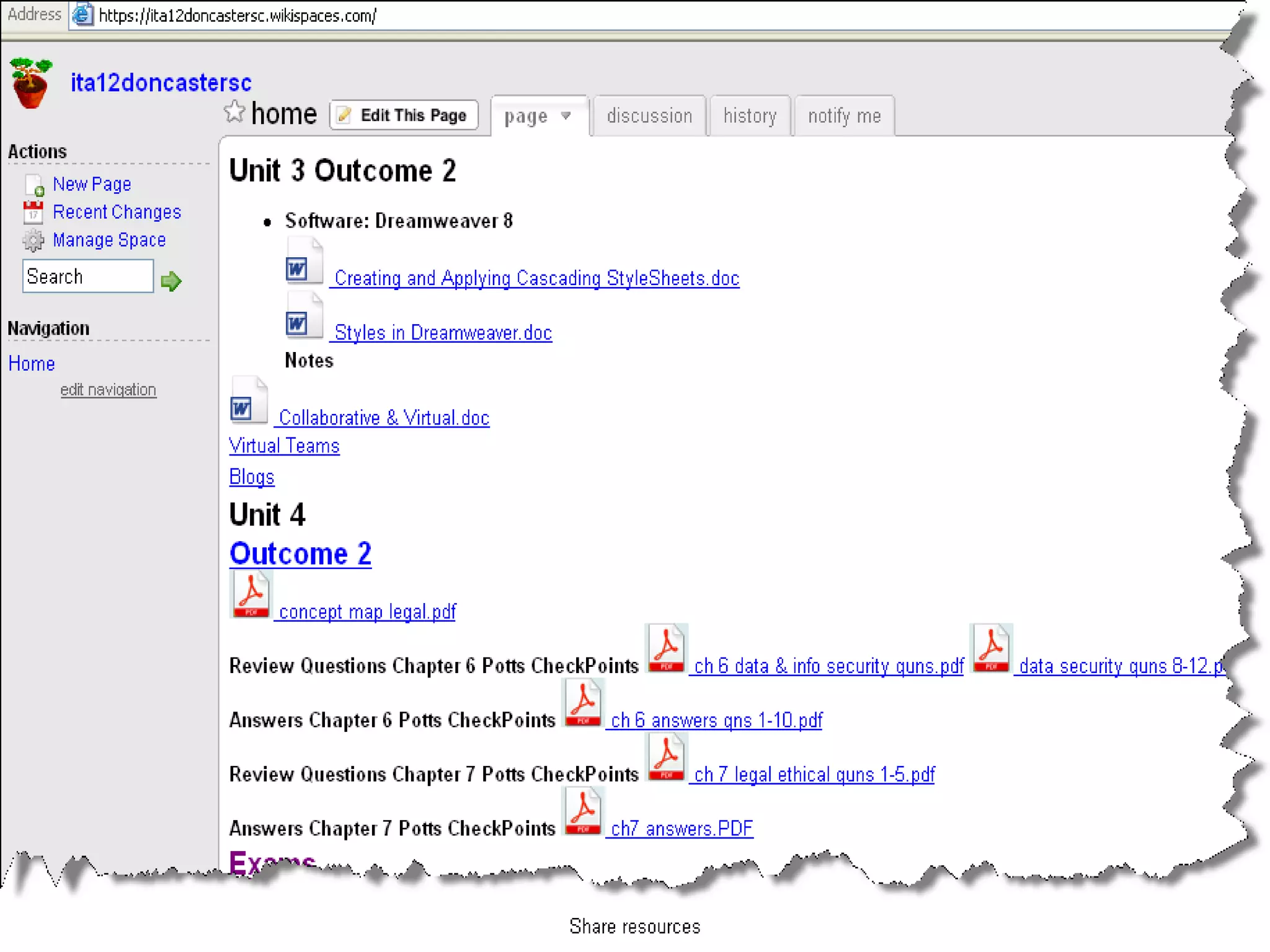
How I use wikis @ DSC I have created free private sites for year 9 IT and 12ITA The year 9 IT class posted their self reflections of their project.  For 12 ITA it has been a resource and a means by which students can communicate by posting questions and responses. Use of Wikis meets the communication dimension of VELS
9IT Wiki
 
 
Who is using them? John Pearce at Bellarine Primary school is off and racing with wikis. Here are two examples of wikis which have been created by his Middle J class:  http://middlej.pbwiki.com/ - their first attempt based on minibeasts.  http://terrythetennisball.wikispaces.com/ - Terry the Tennis Ball a choose your own adventure.
References http://www.education.vic.gov.au/teacher/Global/wiki.htm http://www.wikispaces.com/site/for/teachers100K

Wikis inservice

  • 1.
  • 2.
    What is awiki? A wiki is a simple to use web site where people can collaborate and publish information e.g. text files, images, videos and sound files, presentations etc. Wikis allow two students, a whole class or multiple classes to work together. Can be set as public, protected or private An example of a wiki is the editable on line encyclopaedia- Wikipedia . Wiki means ‘quick’ in Hawaiian http://digital-kids.wikispaces.com/
  • 3.
  • 4.
    Why use awiki? To share files To use as a communication tool e.g. for group projects, publishing class stories, topic brainstorms, digital portfolios, listen to podcasts, watch videos, participate in online discussions, view Word, Excel and Powerpoint files, view videocasts or vodcasts Conduct surveys Users can work on, modify, and overwrite each other’s work. Contributors need to understand that their words may be deleted and changed by others. Invited users may post messages. As administrator of the wiki, you can set the security settings on the wiki and track changes made to the site’s content.
  • 5.
    How do Iget started What do I need to start? A computer with access to the internet A web browser An email account (use education account) If you want to create a wiki - find a space which hosts wikis such as Wikispaces for Educators (Australian creator) see URL listed below or Pb Wiki (US based) and sign up.
  • 6.
    Getting Started Openyour browser (e.g. Internet Explorer) at: http://www.wikispaces.com/site/for/teachers100K Complete the joining form Once signed up. Click on the 'edit' link to add content to pages. You and other contributors can also comments on pages using the 'discussion' link at the top of every page.
  • 7.
  • 8.
    Free for EducatorsWhen setting up your space you can choose to have the access public, protected or private. Public can be viewed and edited by anyone. Protected can be viewed by all but only invited members can edit. The private space can only be seen and edited by space members. As a space organiser, you may change your space's settings, look and feel and "invite" people to be members of your space.
  • 9.
  • 10.
    More information onwikis When setting up your space you can choose to have the access public, protected or private. Public can be viewed and edited by anyone. (And we mean anyone!!!). Protected can be viewed by all but only members "invited" in can edit. The private space can only be seen and edited by space members. As a space organizer, you may change your space's settings, look and feel and "invite" people to be members of your space. You edit wikis in a browser, without the need for specialised programs; Wikis keep a chronological history for every page, so nothing is lost forever, no changes can be completely destructive, and revisions can always be undone; Wikis include a discussion area, so there can be a dialogue about changes before, during, and after they are being made; And finally, you can monitor a wiki or a particular page and receive notification of any changes to that page--which is why an error in a site like Wikipedia can be corrected in a matter of a few minutes
  • 11.
    How I usewikis @ DSC I have created free private sites for year 9 IT and 12ITA The year 9 IT class posted their self reflections of their project. For 12 ITA it has been a resource and a means by which students can communicate by posting questions and responses. Use of Wikis meets the communication dimension of VELS
  • 12.
  • 13.
  • 14.
  • 15.
    Who is usingthem? John Pearce at Bellarine Primary school is off and racing with wikis. Here are two examples of wikis which have been created by his Middle J class: http://middlej.pbwiki.com/ - their first attempt based on minibeasts. http://terrythetennisball.wikispaces.com/ - Terry the Tennis Ball a choose your own adventure.
  • 16.

Editor's Notes

  • #2 Wiki Inservice 09/05/11 Androula Demetrios- Doncaster SC
  • #3 Wiki Inservice 09/05/11 Androula Demetrios- Doncaster SC
  • #4 Wiki Inservice 09/05/11 Androula Demetrios- Doncaster SC
  • #5 Wiki Inservice 09/05/11 Androula Demetrios- Doncaster SC
  • #6 Wiki Inservice 09/05/11 Androula Demetrios- Doncaster SC
  • #7 Wiki Inservice 09/05/11 Androula Demetrios- Doncaster SC
  • #8 Wiki Inservice 09/05/11 Androula Demetrios- Doncaster SC
  • #9 Wiki Inservice 09/05/11 Androula Demetrios- Doncaster SC
  • #10 Wiki Inservice 09/05/11 Androula Demetrios- Doncaster SC
  • #11 Wiki Inservice 09/05/11 Androula Demetrios- Doncaster SC
  • #12 Wiki Inservice 09/05/11 Androula Demetrios- Doncaster SC
  • #13 Wiki Inservice 09/05/11 Androula Demetrios- Doncaster SC
  • #14 Wiki Inservice 09/05/11 Androula Demetrios- Doncaster SC
  • #15 Wiki Inservice 09/05/11 Androula Demetrios- Doncaster SC
  • #16 Wiki Inservice 09/05/11 Androula Demetrios- Doncaster SC
  • #17 Wiki Inservice 09/05/11 Androula Demetrios- Doncaster SC