a crypto-binary magic trick
when
when AES(☢) = ☠
Episode V
AngeCryption strikes back
Mannheim Germany
RaumZeitLabor
Ange Albertini 2014/05/17
corkami.com
reverse engineering
&
visual documentations
the challenge
Слободан Мяузаебись
@miaubiz
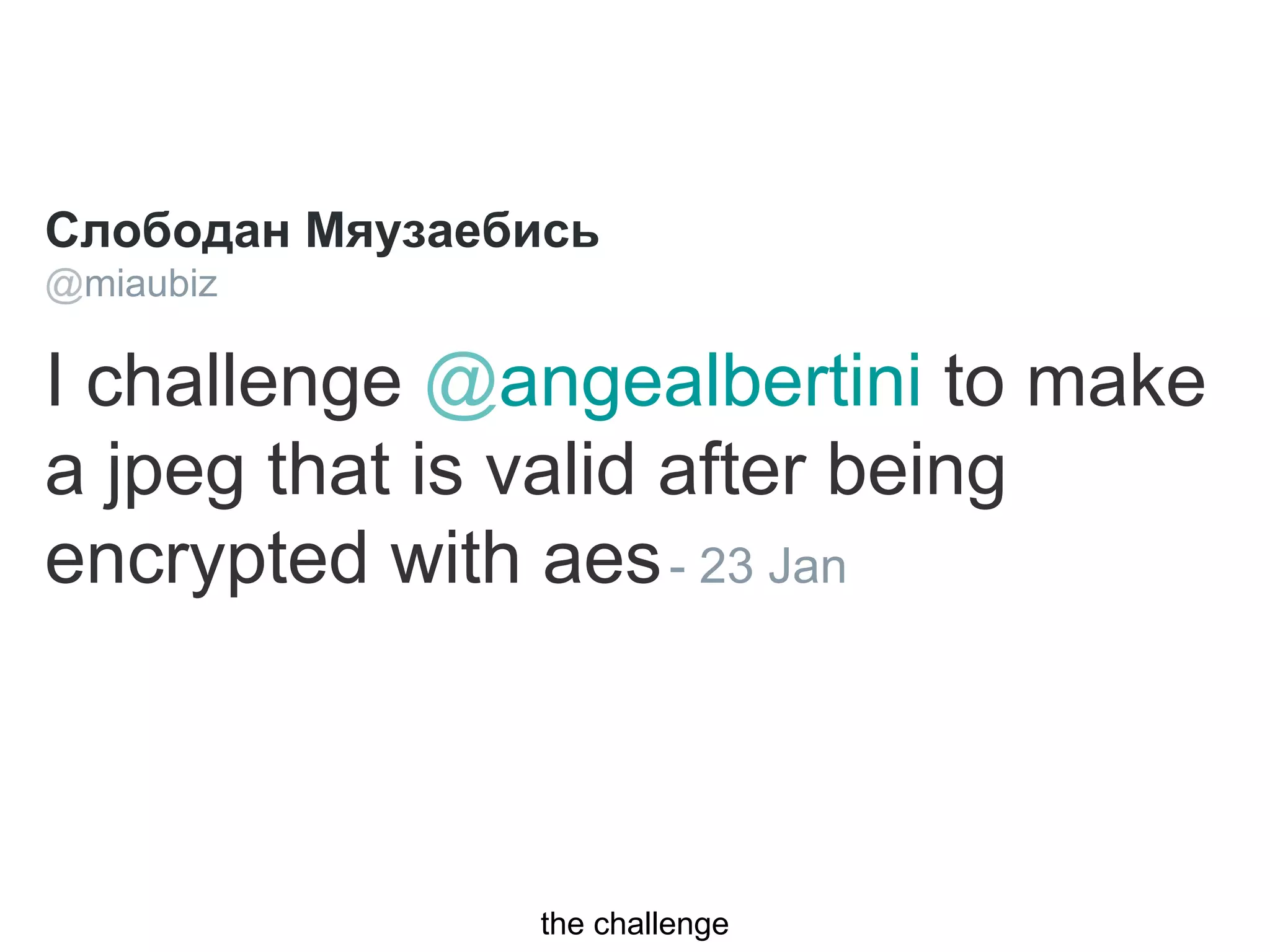
I challenge @angealbertini to make
a jpeg that is valid after being
encrypted with aes- 23 Jan
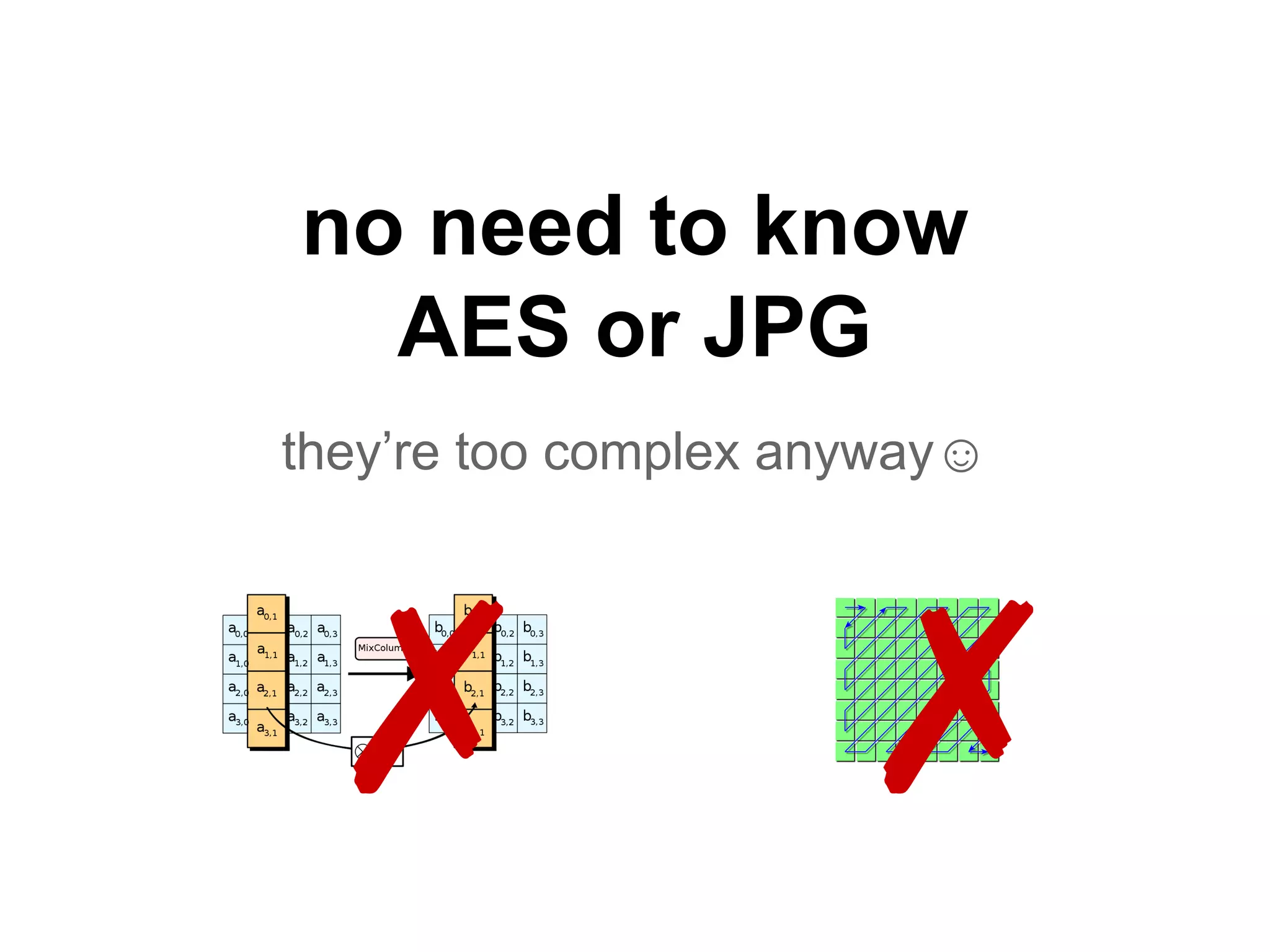
no need to know
AES or JPG
they’re too complex anyway☺
✗ ✗
we’ll just play
with lego blocks
let’s keep it simple, and fun
Agenda
● basics
○ crypto basics
○ binary formats basics
● tackle the challenge
● Angecryption
● a walkthrough example
● extra
○ hidden appended data
○ improving ZIP compatibility
○ GynCryption
● conclusion
Crypto basics
block cipher, encryption, plaintext...
AES(*)
is a block cipher
like Triple-DES, Blowfish...
(*) from now on we’ll say AES for AES-128. it doesn’t really matter, just makes the key smaller☺
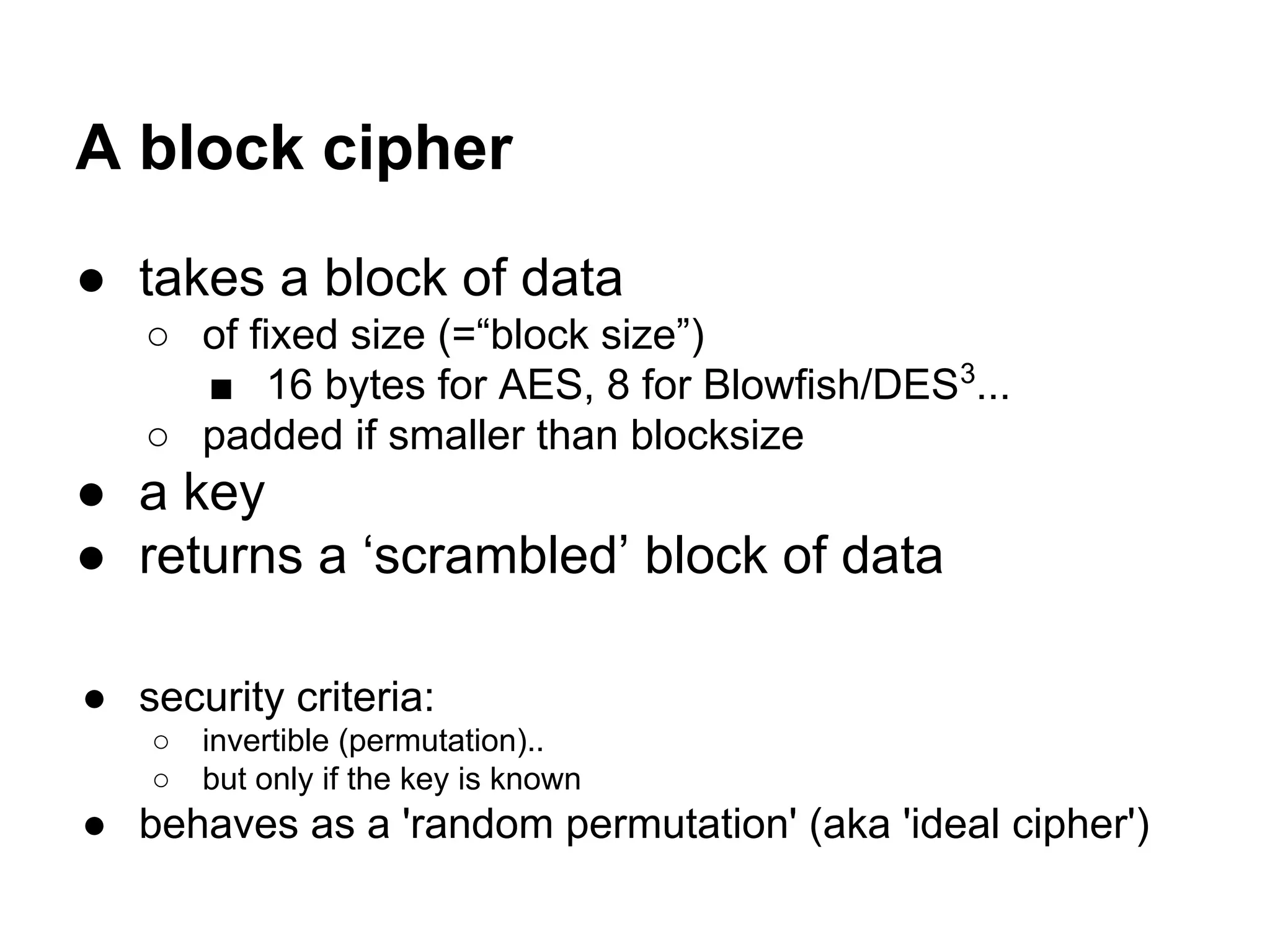
A block cipher
● takes a block of data
○ of fixed size (=“block size”)
■ 16 bytes for AES, 8 for Blowfish/DES3
...
○ padded if smaller than blocksize
● a key
● returns a ‘scrambled’ block of data
● security criteria:
○ invertible (permutation)..
○ but only if the key is known
● behaves as a 'random permutation' (aka 'ideal cipher')
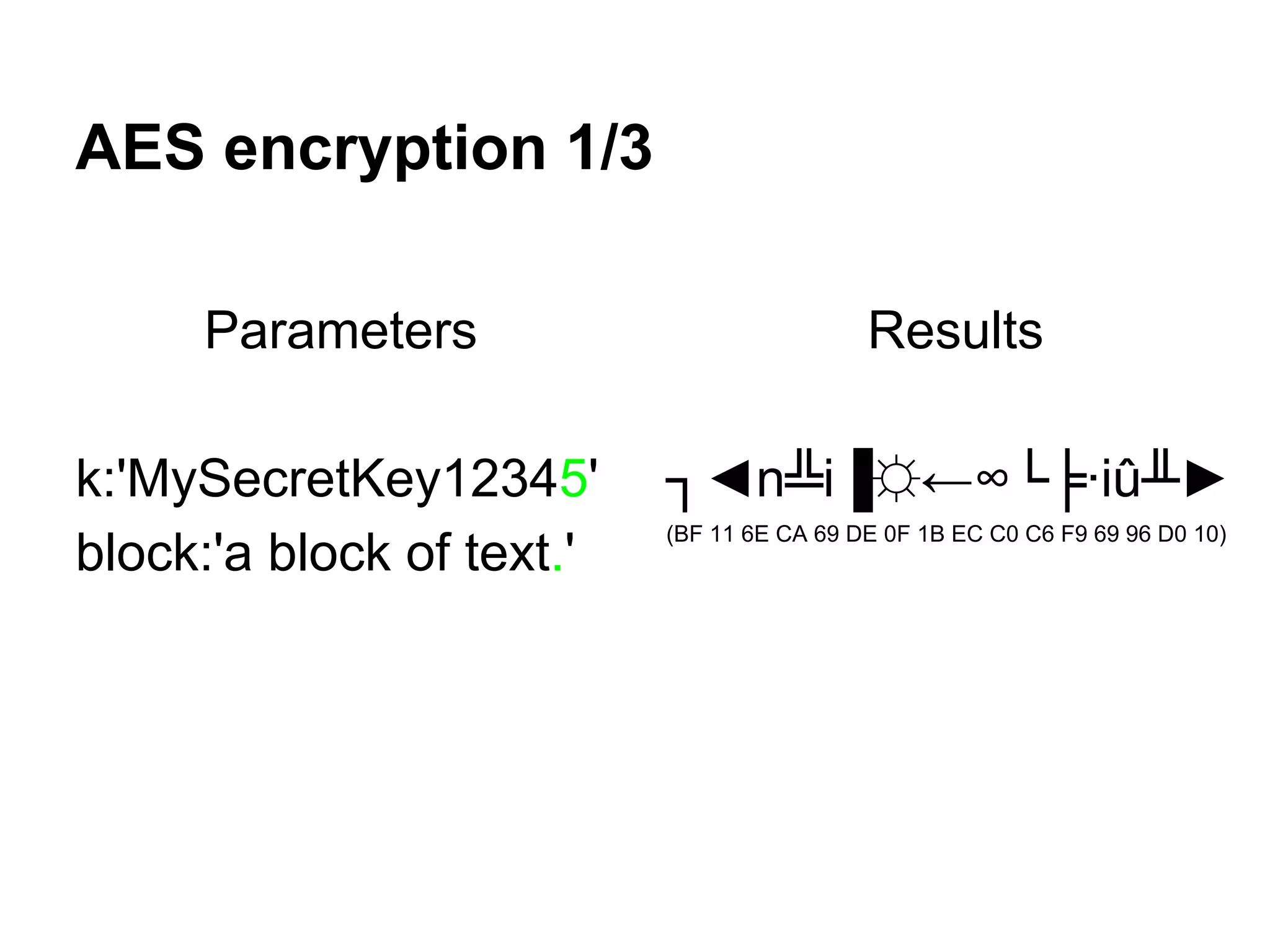
AES encryption 1/3
Parameters
k:'MySecretKey12345'
block:'a block of text.'
Results
┐◄n╩i▐☼←∞└╞∙iû╨►
(BF 11 6E CA 69 DE 0F 1B EC C0 C6 F9 69 96 D0 10)
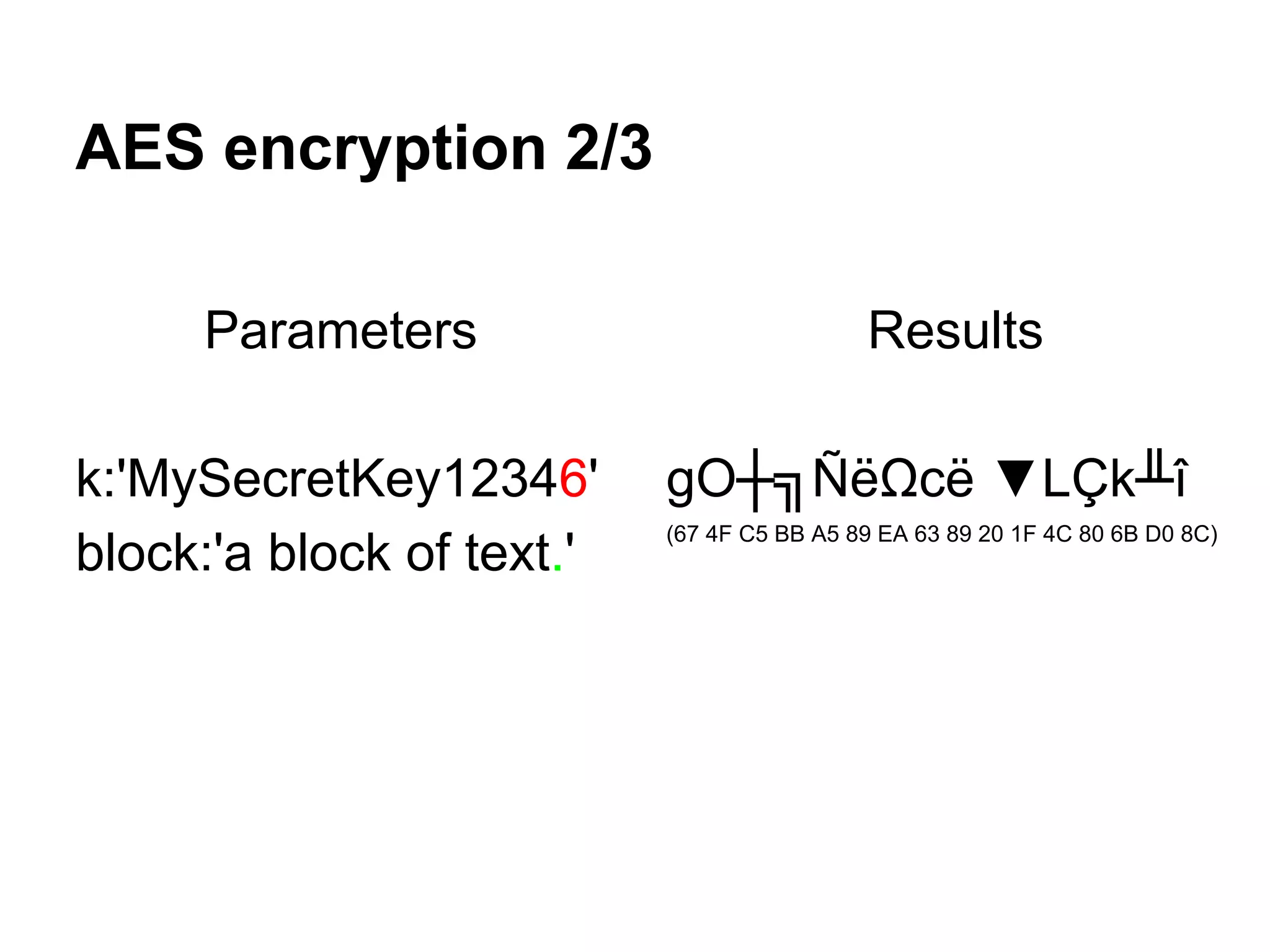
AES encryption 2/3
Parameters
k:'MySecretKey12346'
block:'a block of text.'
Results
gO┼╗ÑëΩcë ▼LÇk╨î
(67 4F C5 BB A5 89 EA 63 89 20 1F 4C 80 6B D0 8C)
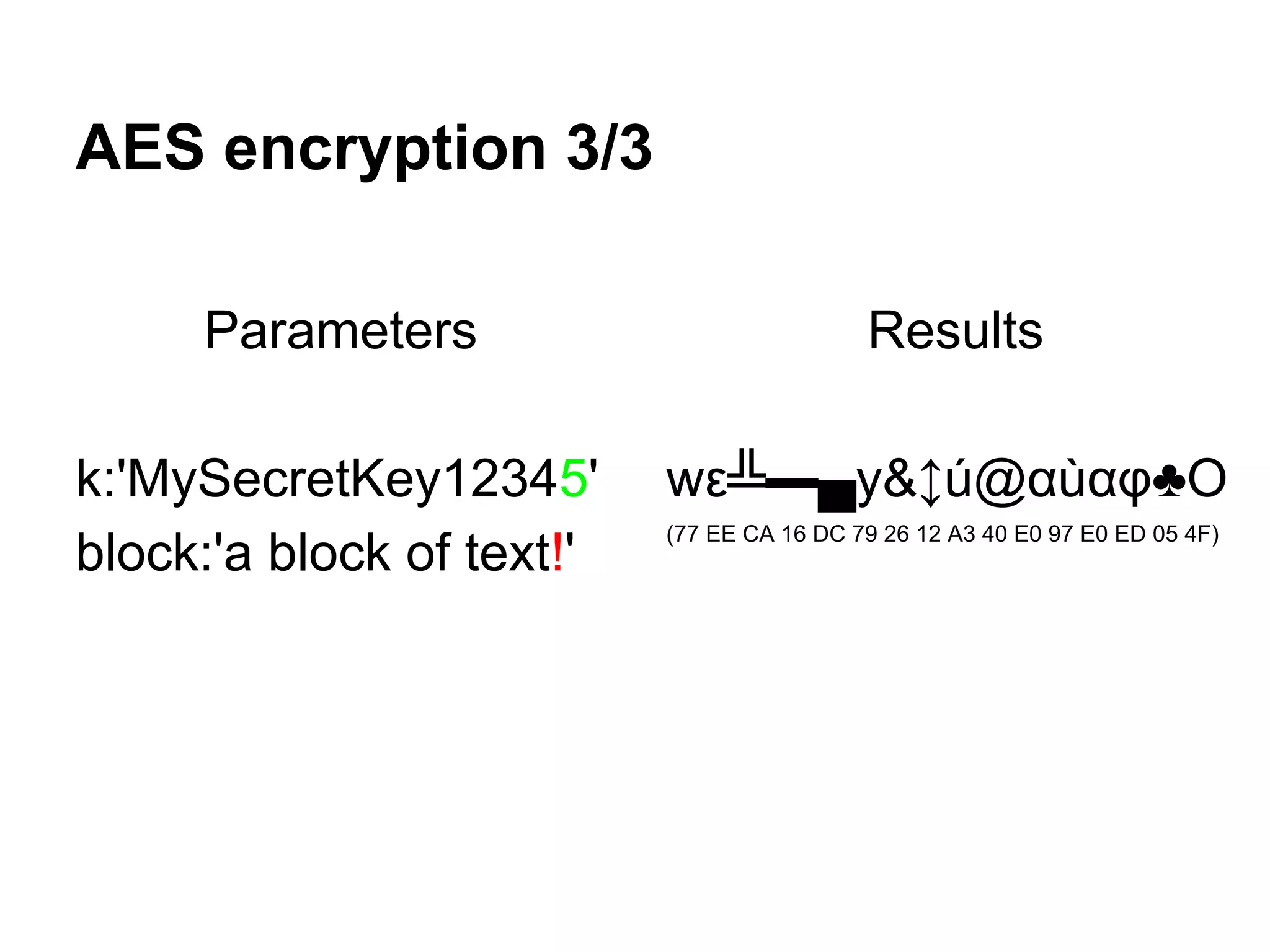
AES encryption 3/3
Parameters
k:'MySecretKey12345'
block:'a block of text!'
Results
wε╩▬▄y&↕ú@αùαφ♣O
(77 EE CA 16 DC 79 26 12 A3 40 E0 97 E0 ED 05 4F)
with a tiny change in the
key or input block,
the output block is
completely different
we can’t control the output
(the differences are unpredictable)
Reverse operation
● get the original block with the reverse
operation and the same key
● encrypt then decrypt
In some ciphers (such as NOEKEON*),
encryption and decryption are almost identical.
*http://gro.noekeon.org/
Jargon
plaintext = readable, not encrypted (in theory)
a plaintext block is encrypted into ciphertext block
a ciphertext block is decrypted into a plaintext block
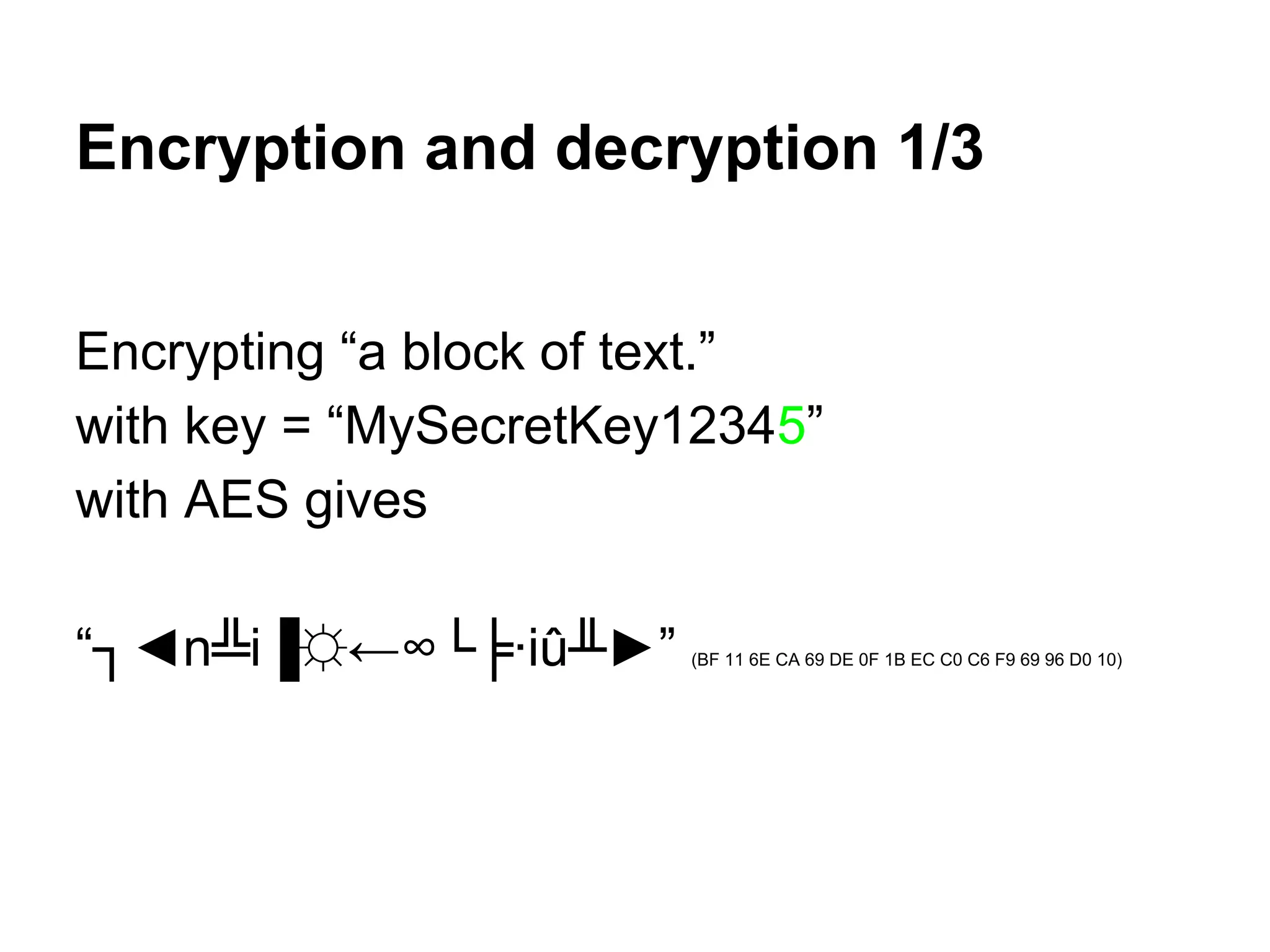
Encryption and decryption 1/3
Encrypting “a block of text.”
with key = “MySecretKey12345”
with AES gives
“┐◄n╩i▐☼←∞└╞∙iû╨►” (BF 11 6E CA 69 DE 0F 1B EC C0 C6 F9 69 96 D0 10)
Encryption and decryption 2/3
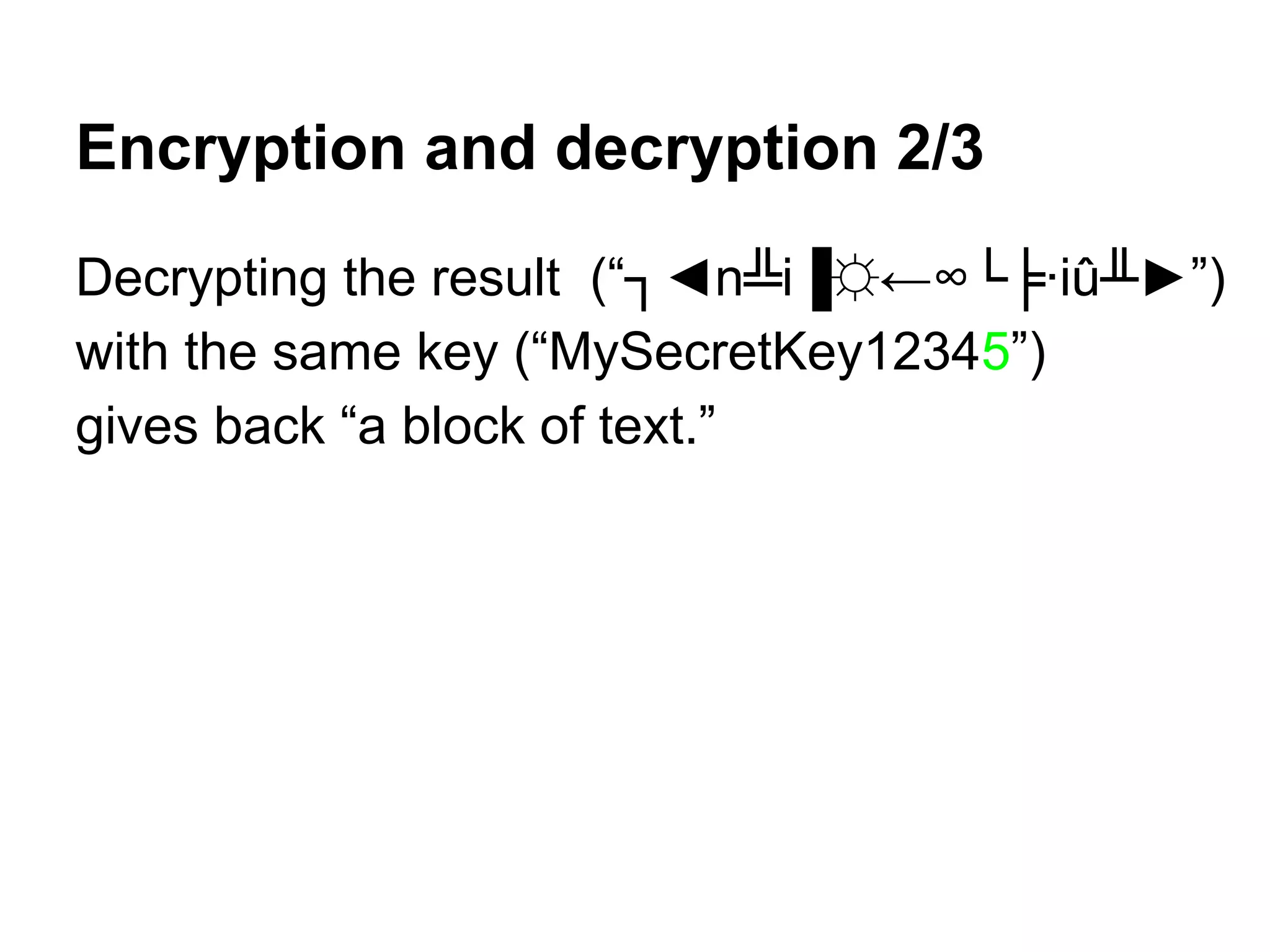
Decrypting the result (“┐◄n╩i▐☼←∞└╞∙iû╨►”)
with the same key (“MySecretKey12345”)
gives back “a block of text.”
Encryption and decryption 3/3
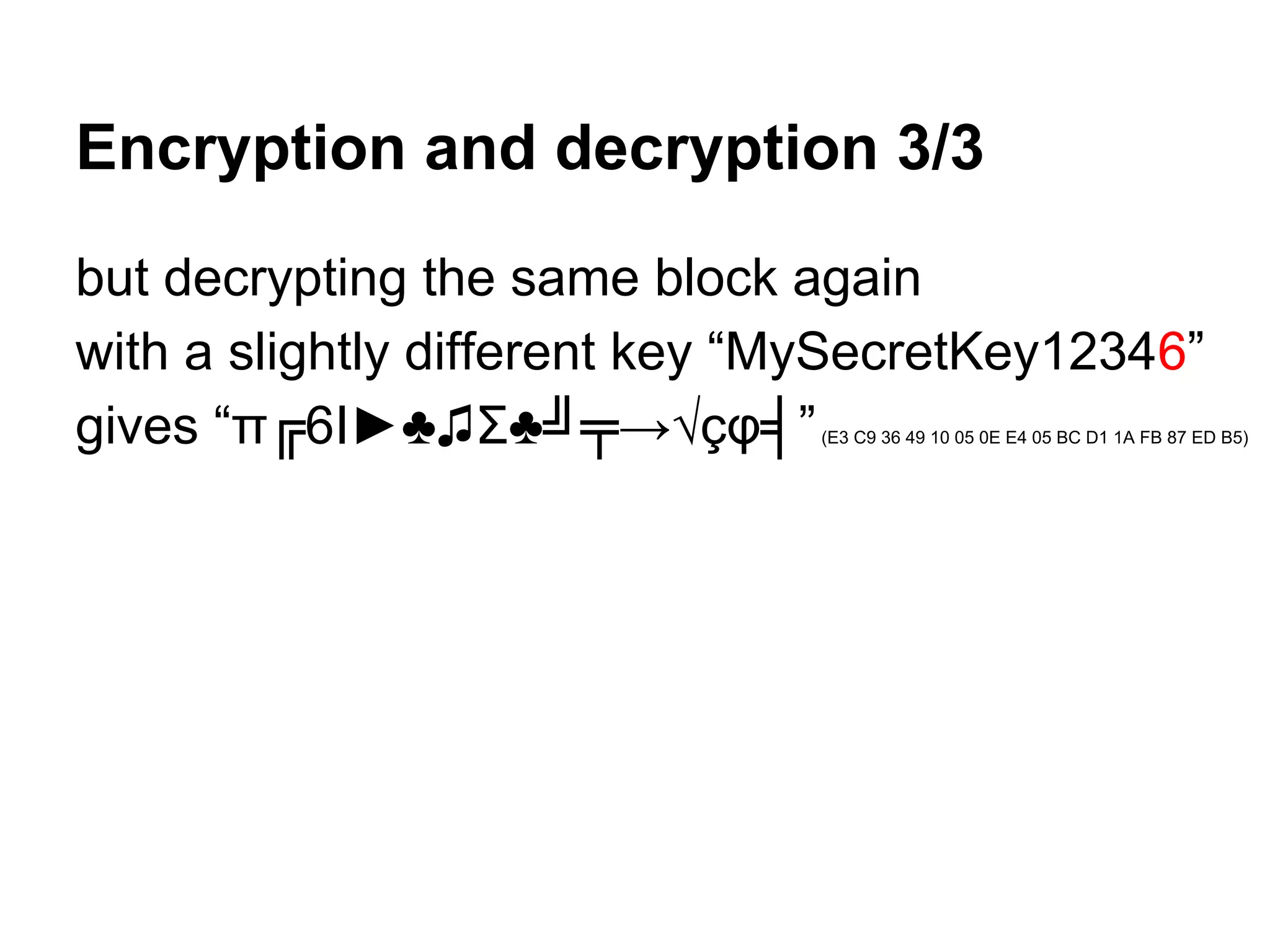
but decrypting the same block again
with a slightly different key “MySecretKey12346”
gives “π╔6I►♣♫Σ♣╝╤→√çφ╡”(E3 C9 36 49 10 05 0E E4 05 BC D1 1A FB 87 ED B5)
we can’t decrypt without
the key used to encrypt
file formats basics
signatures, chunks, appended data...
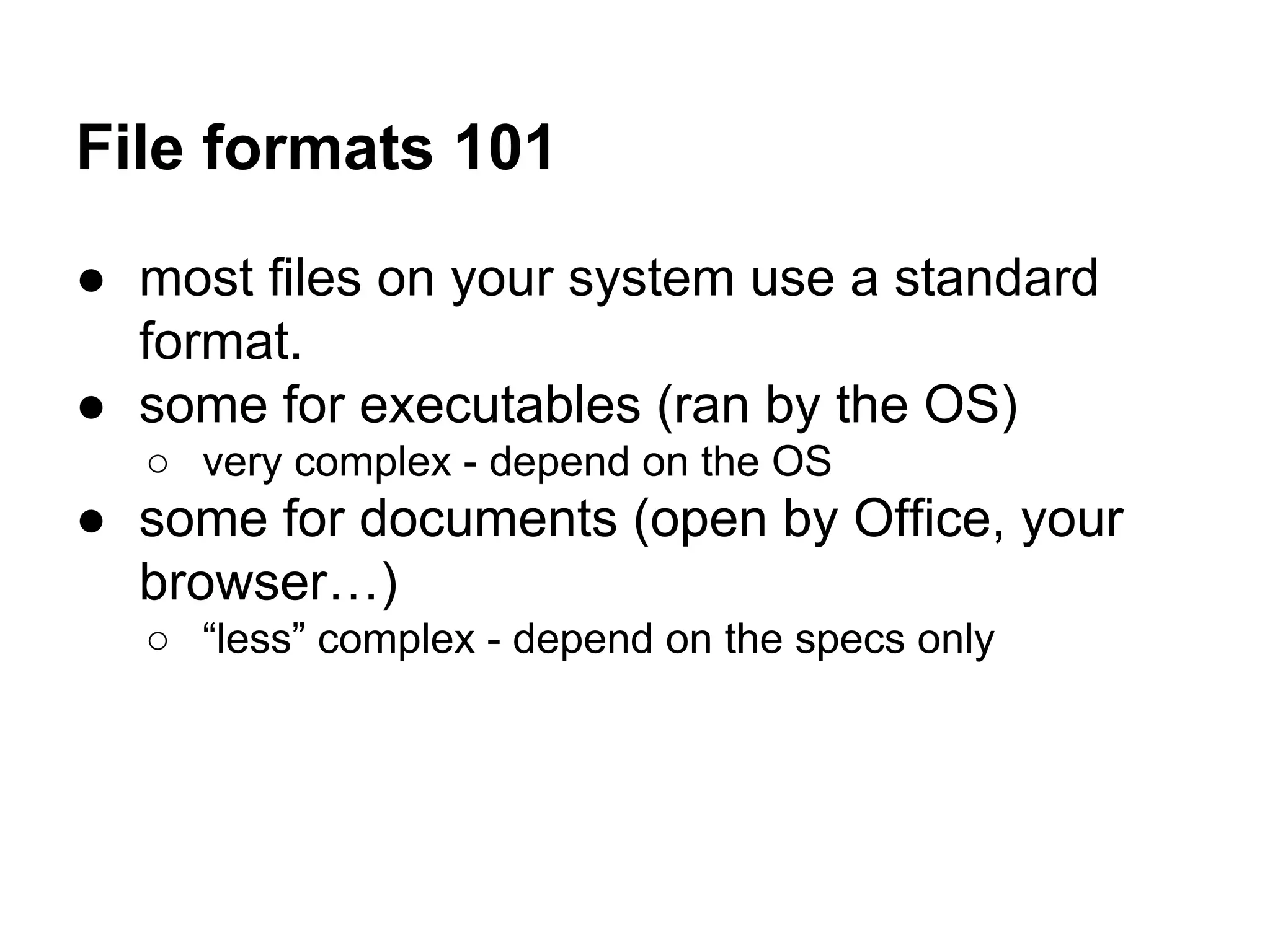
File formats 101
● most files on your system use a standard
format.
● some for executables (ran by the OS)
○ very complex - depend on the OS
● some for documents (open by Office, your
browser…)
○ “less” complex - depend on the specs only
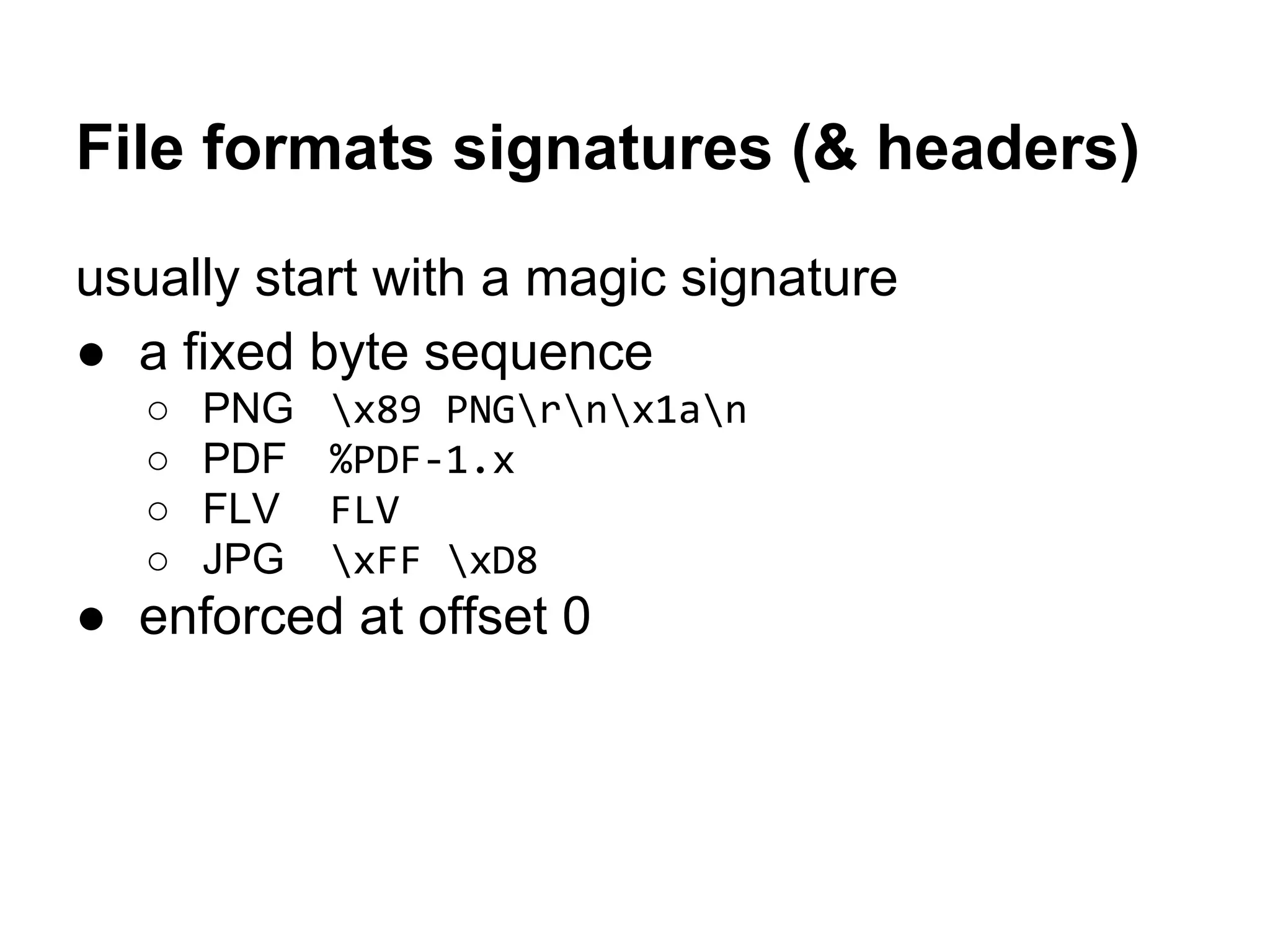
File formats signatures (& headers)
usually start with a magic signature
● a fixed byte sequence
○ PNG x89 PNGrnx1an
○ PDF %PDF-1.x
○ FLV FLV
○ JPG xFF xD8
● enforced at offset 0
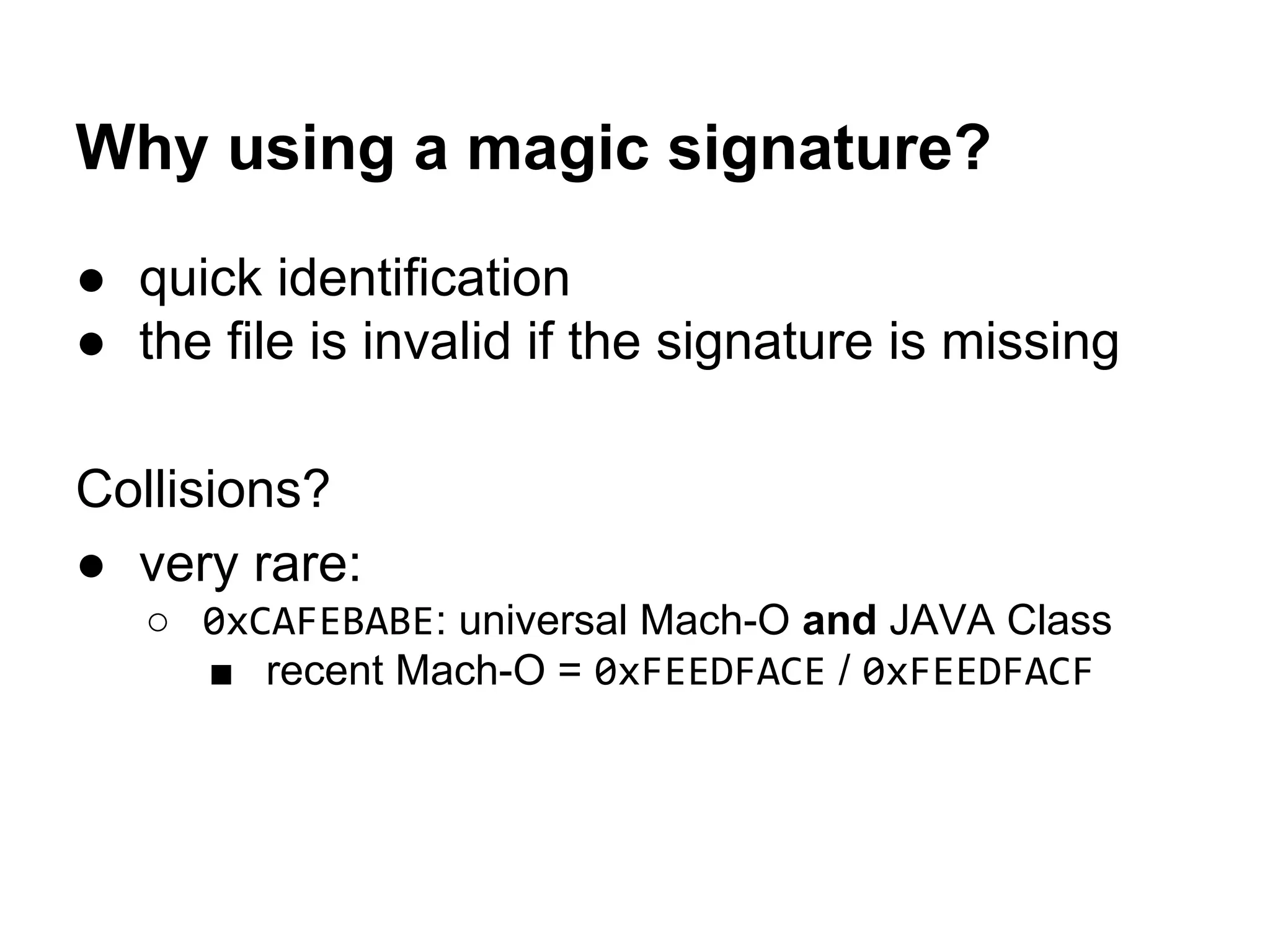
Why using a magic signature?
● quick identification
● the file is invalid if the signature is missing
Collisions?
● very rare:
○ 0xCAFEBABE: universal Mach-O and JAVA Class
■ recent Mach-O = 0xFEEDFACE / 0xFEEDFACF
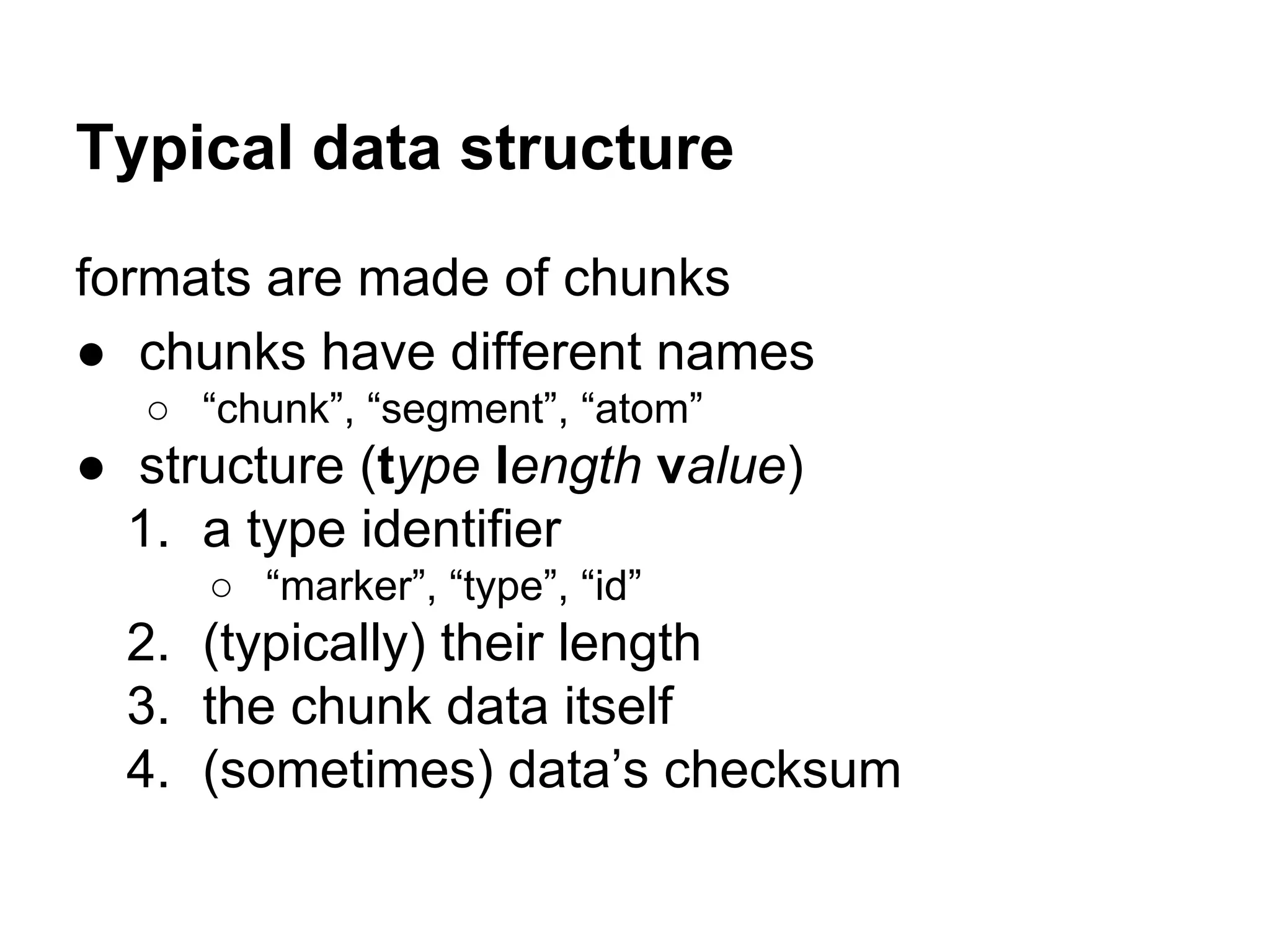
Typical data structure
formats are made of chunks
● chunks have different names
○ “chunk”, “segment”, “atom”
● structure (type length value)
1. a type identifier
○ “marker”, “type”, “id”
2. (typically) their length
3. the chunk data itself
4. (sometimes) data’s checksum
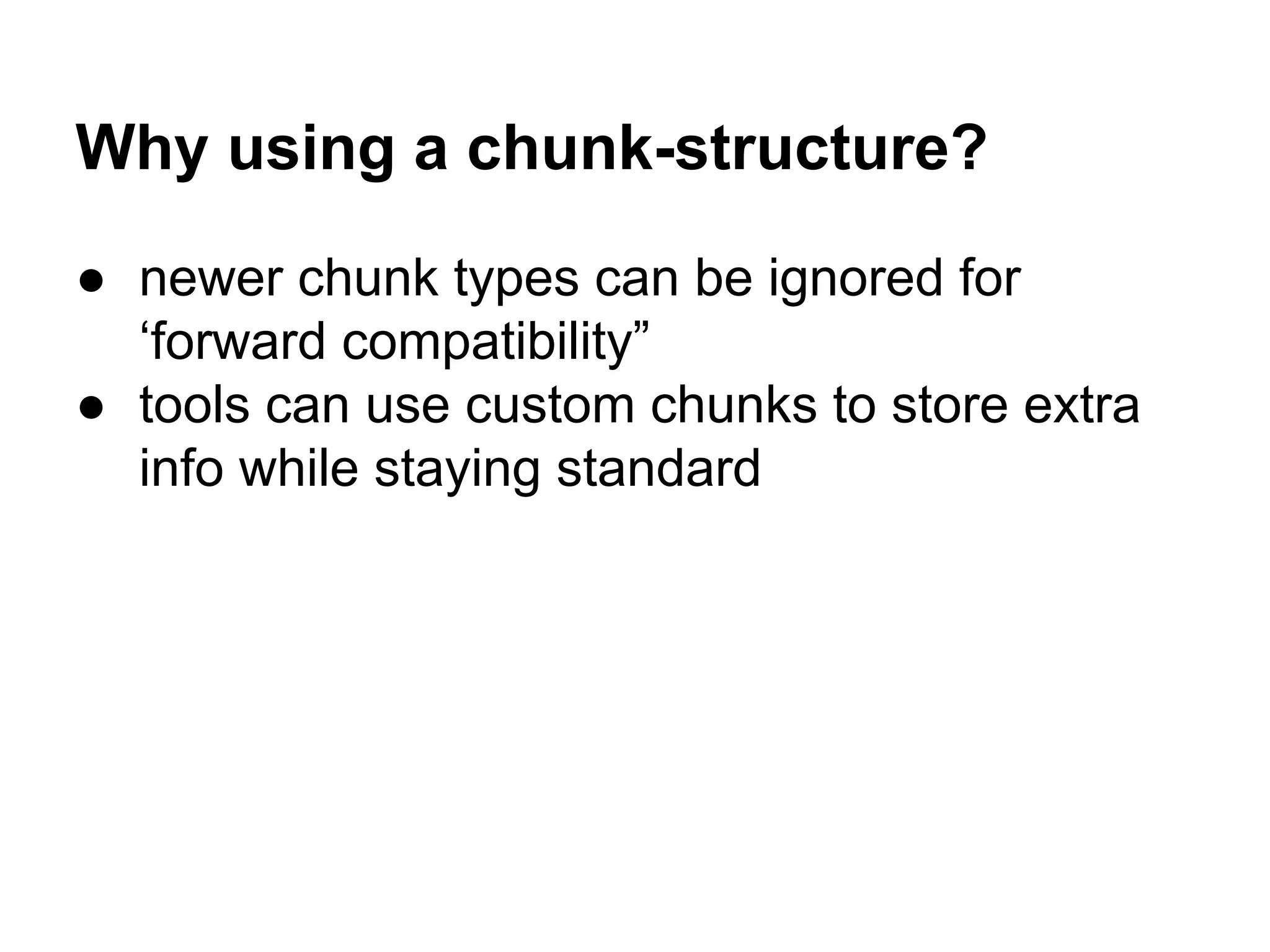
Why using a chunk-structure?
● newer chunk types can be ignored for
‘forward compatibility”
● tools can use custom chunks to store extra
info while staying standard
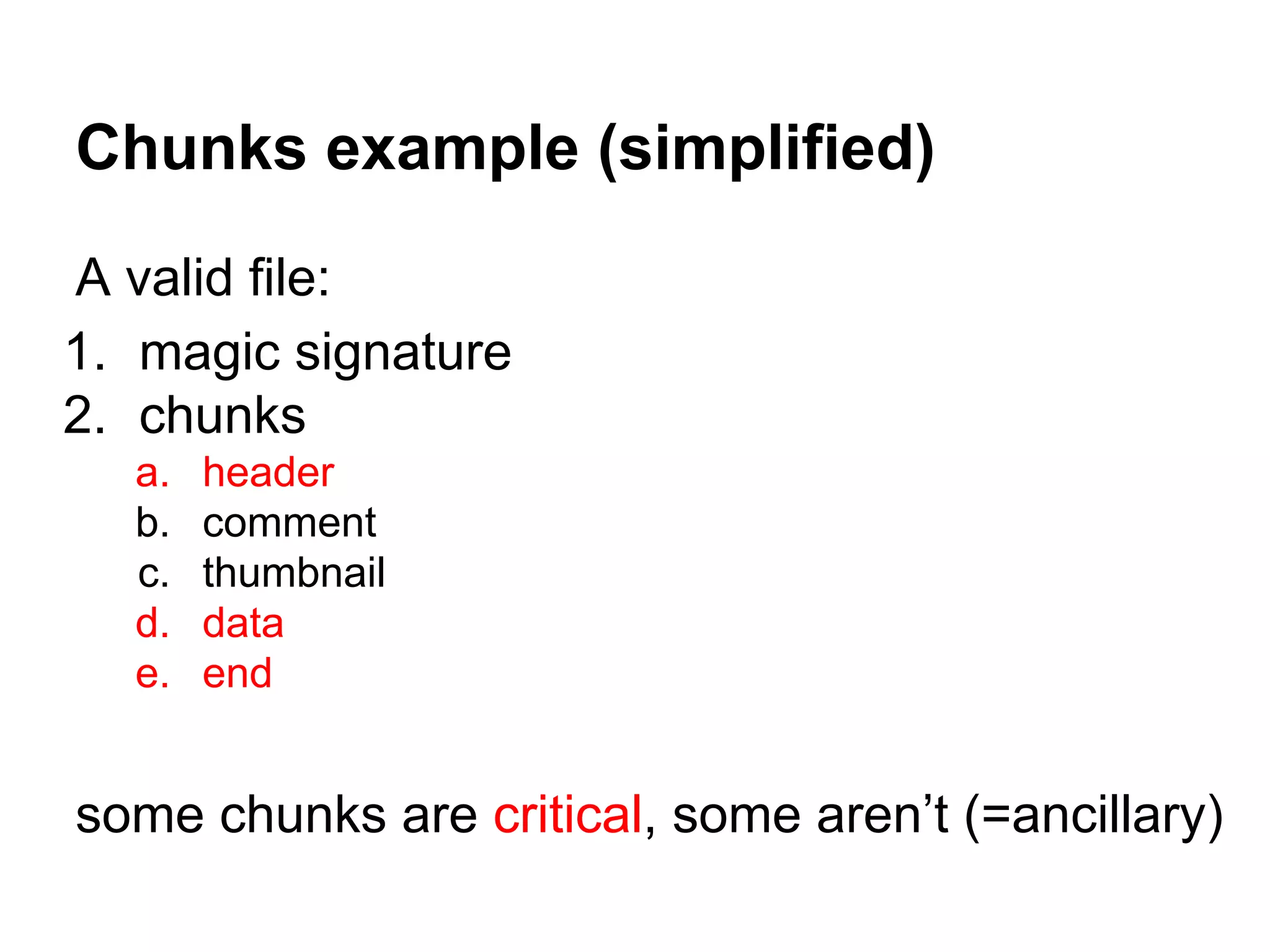
Chunks example (simplified)
A valid file:
1. magic signature
2. chunks
a. header
b. comment
c. thumbnail
d. data
e. end
some chunks are critical, some aren’t (=ancillary)
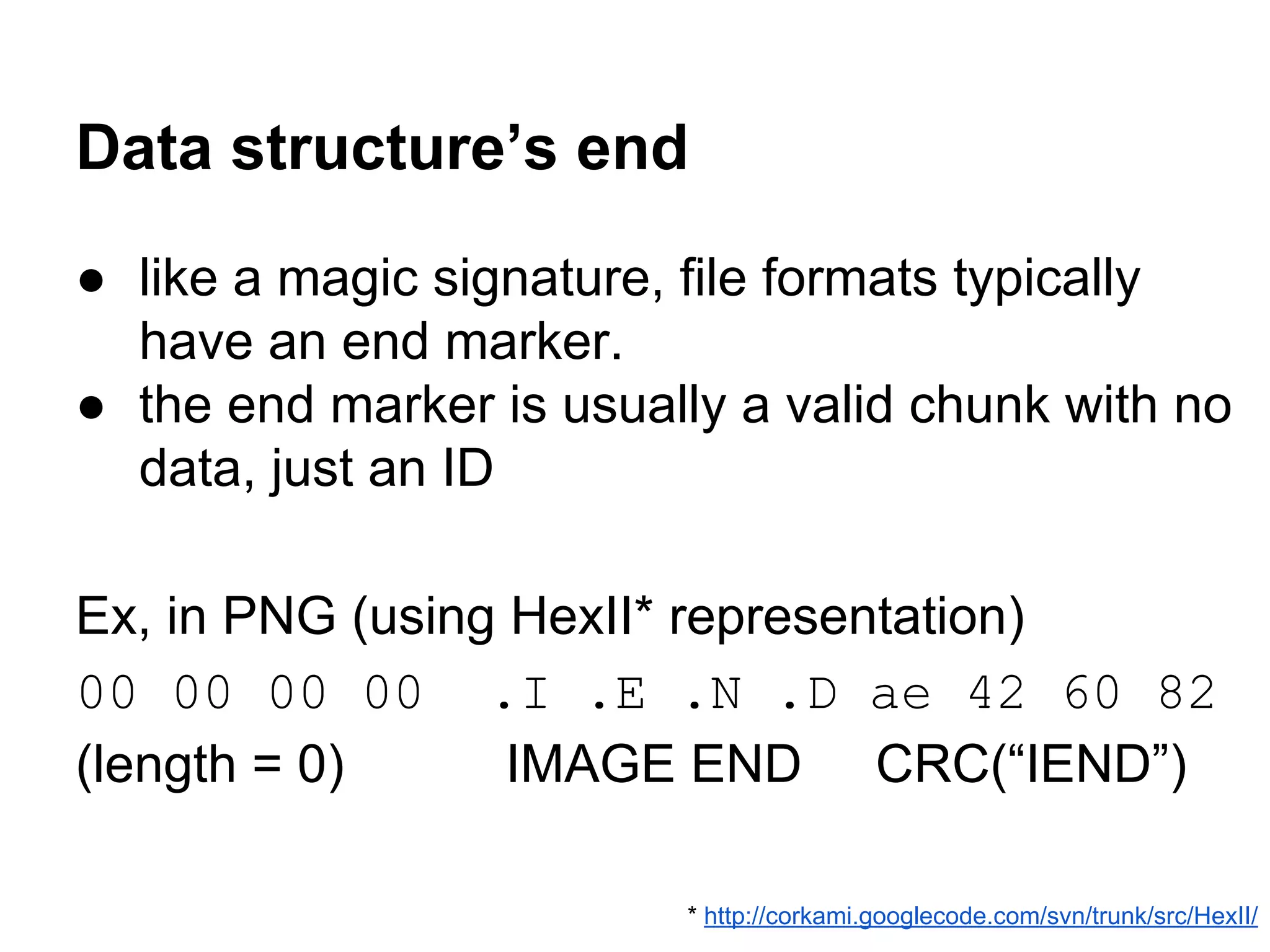
Data structure’s end
● like a magic signature, file formats typically
have an end marker.
● the end marker is usually a valid chunk with no
data, just an ID
Ex, in PNG (using HexII* representation)
00 00 00 00 .I .E .N .D ae 42 60 82
(length = 0) IMAGE END CRC(“IEND”)
* http://corkami.googlecode.com/svn/trunk/src/HexII/
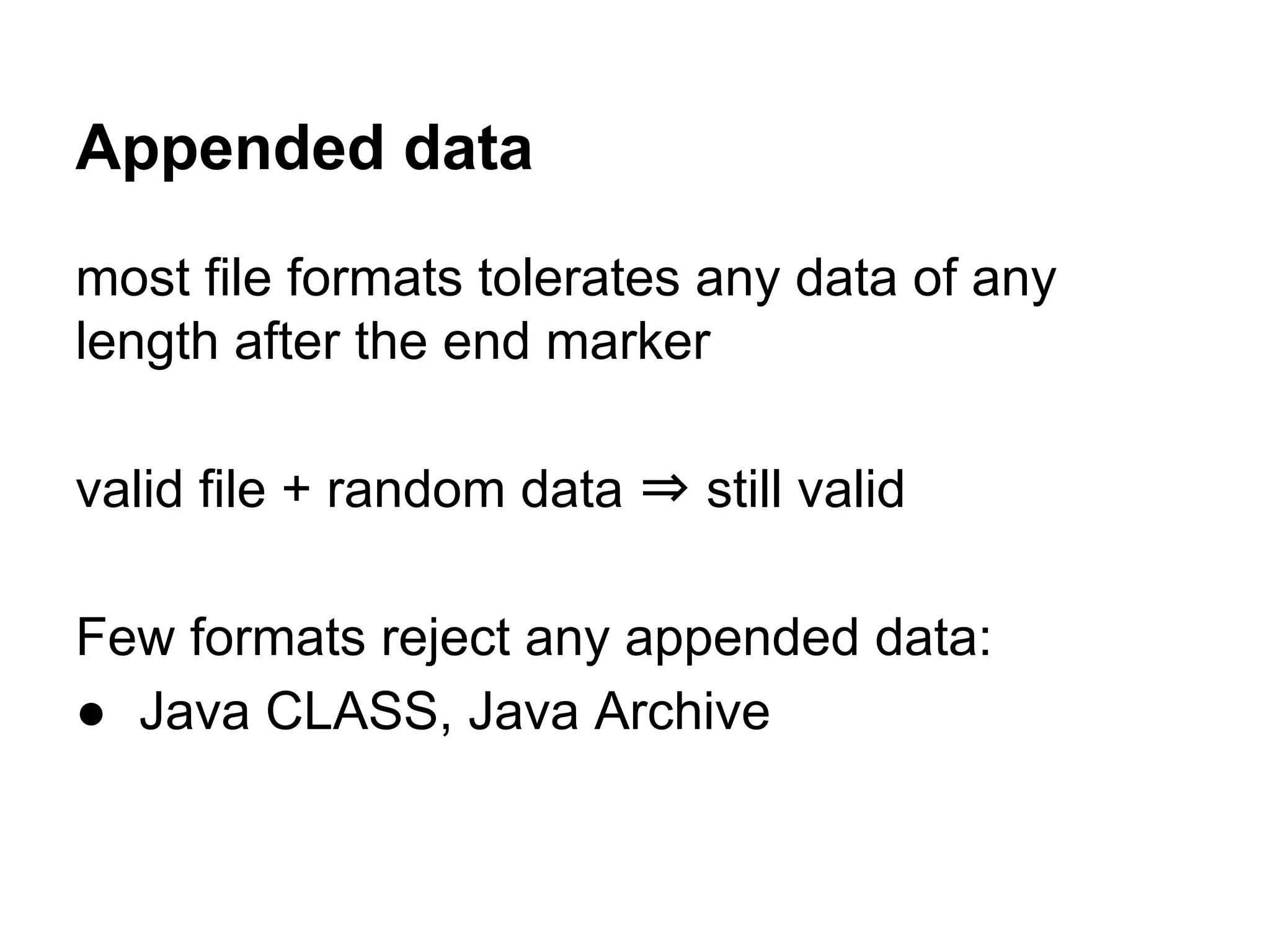
Appended data
most file formats tolerates any data of any
length after the end marker
valid file + random data ⇒ still valid
Few formats reject any appended data:
● Java CLASS, Java Archive
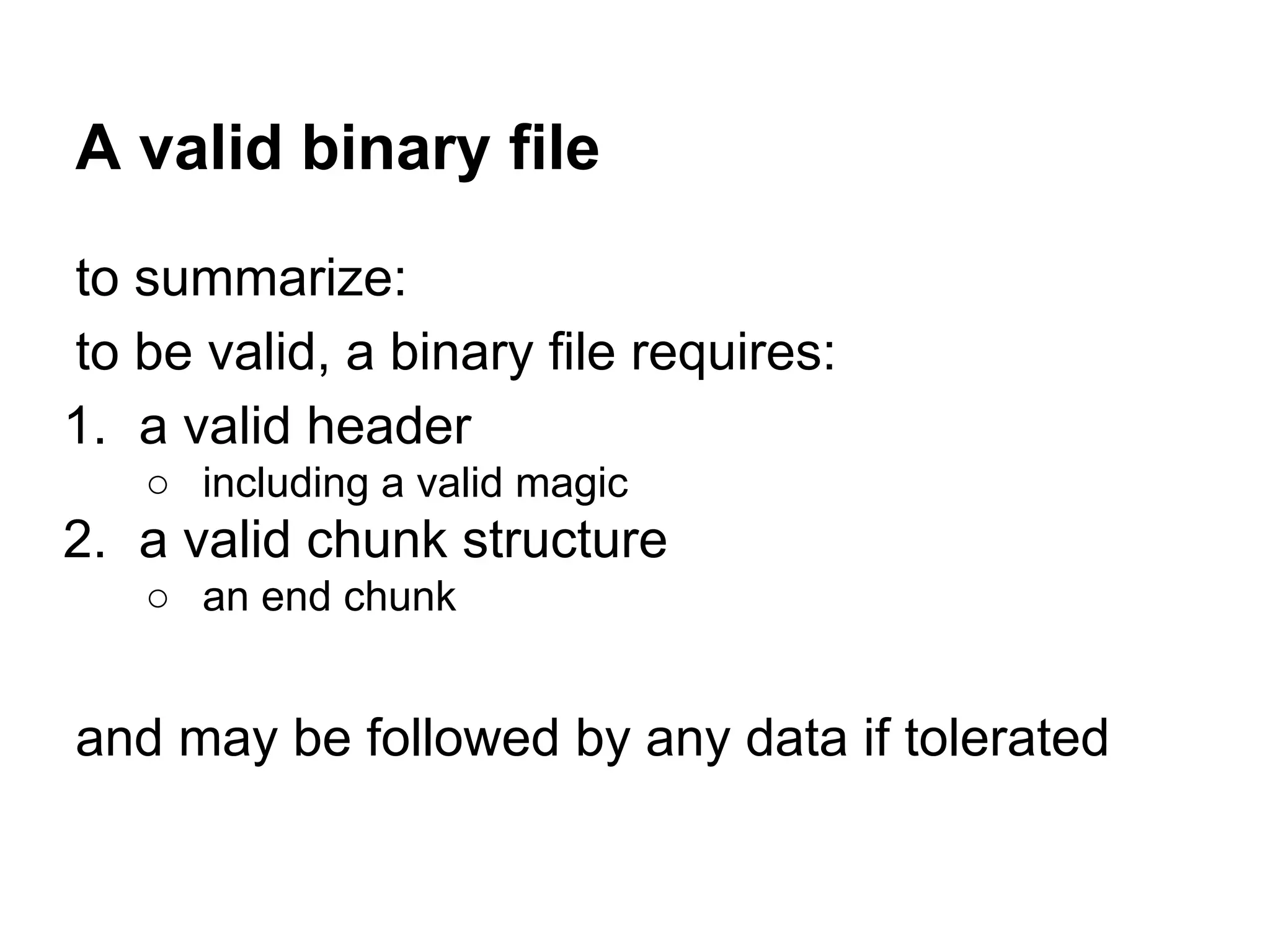
A valid binary file
to summarize:
to be valid, a binary file requires:
1. a valid header
○ including a valid magic
2. a valid chunk structure
○ an end chunk
and may be followed by any data if tolerated
Let’s go back
to the challenge
(at last)
Encrypt a valid JPG
into a valid JPG
(and if possible, any other standard format)
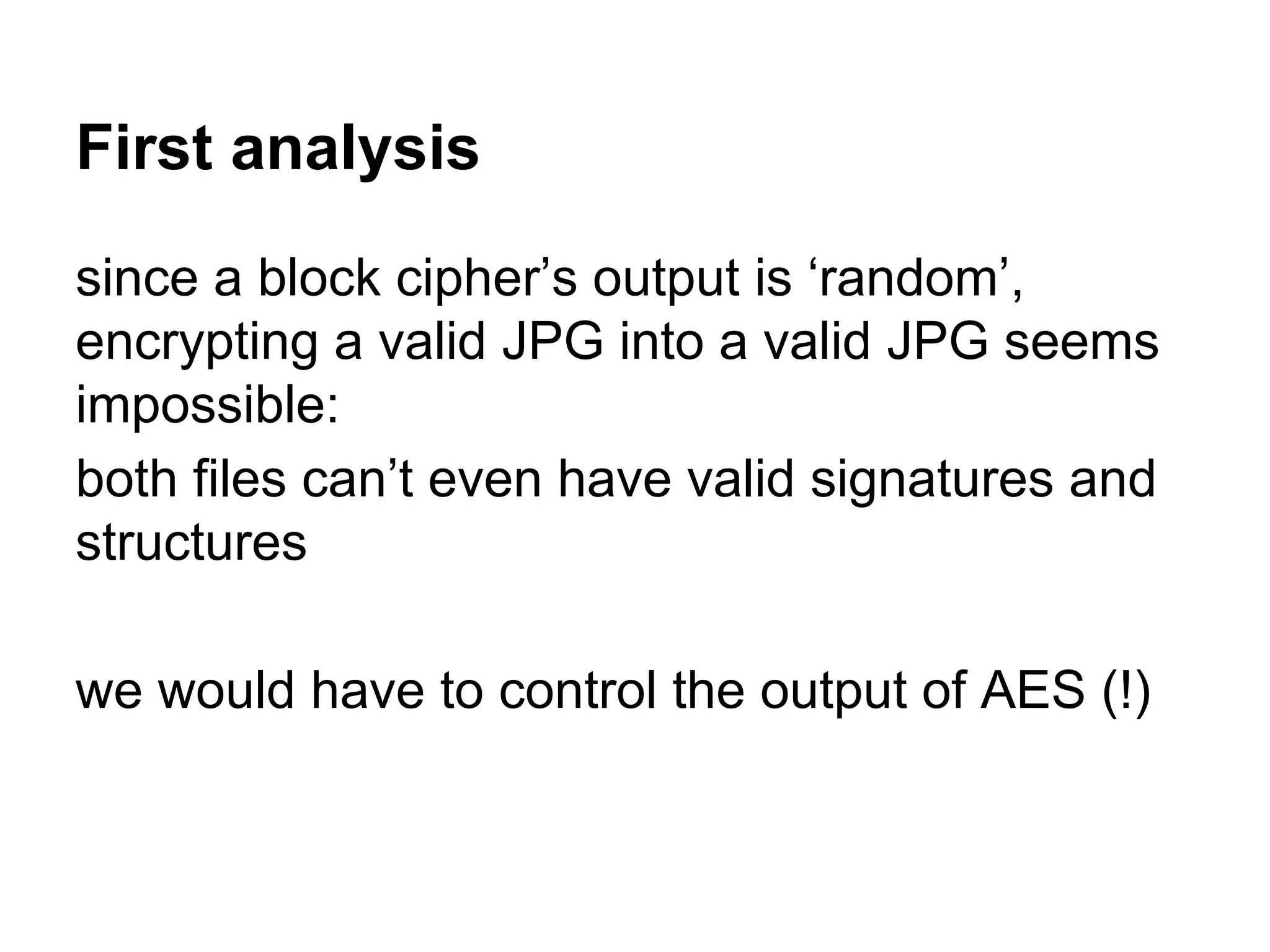
First analysis
since a block cipher’s output is ‘random’,
encrypting a valid JPG into a valid JPG seems
impossible:
both files can’t even have valid signatures and
structures
we would have to control the output of AES (!)
Block cipher modes 101
how block ciphers are applied to files
Encrypting data bigger than a block
how does one apply encryption on a file?
● if the key and plaintext are the same
→ the ciphertext is the same
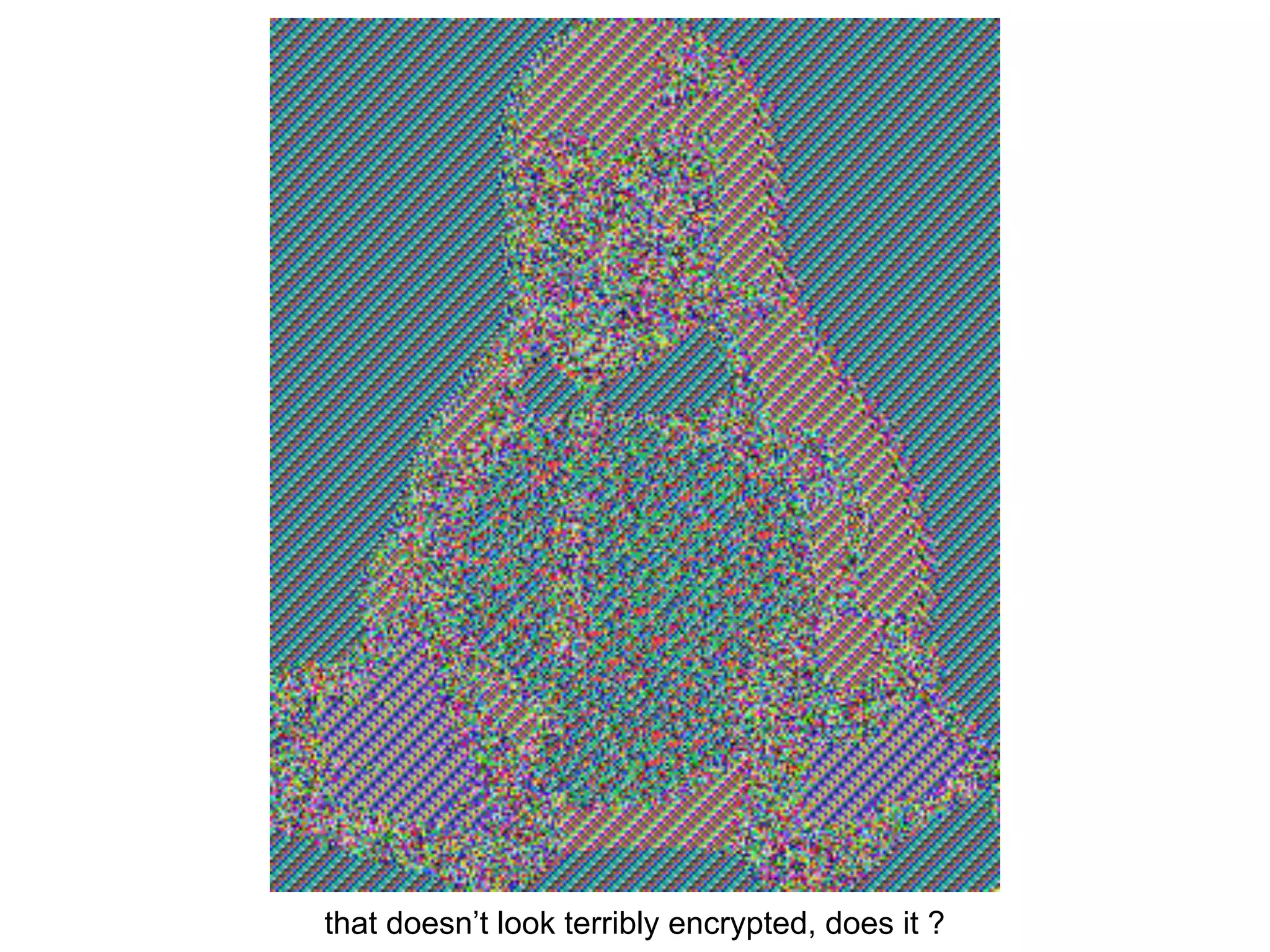
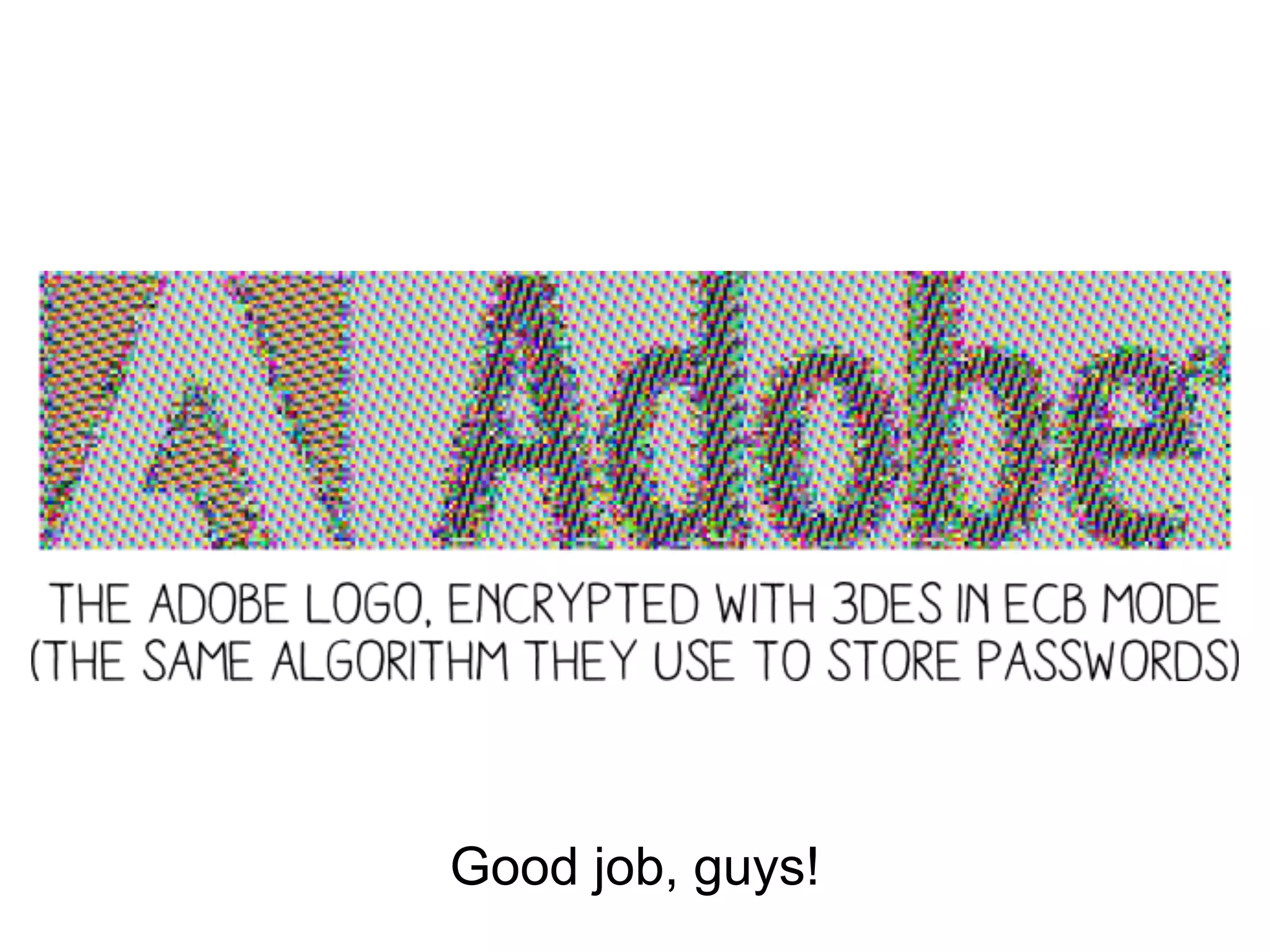
Electronic CodeBook mode
if we just apply the cipher on each block,
identical blocks will give identical output
→ big weakness
that doesn’t look terribly encrypted, does it ?
Good job, guys!
Block cipher modes of operation
various modes can be used to operate block ciphers on files:
● chaining each block’s encryption to propagate differences
from the start to the end of the file, killing repetitive
patterns
http://en.wikipedia.org/wiki/Block_cipher_mode_of_operation
for this, auxiliary input may be needed, such as either:
● unpredictable IV (CBC)
● unique nonce (CTR)
Initialization Vector 101
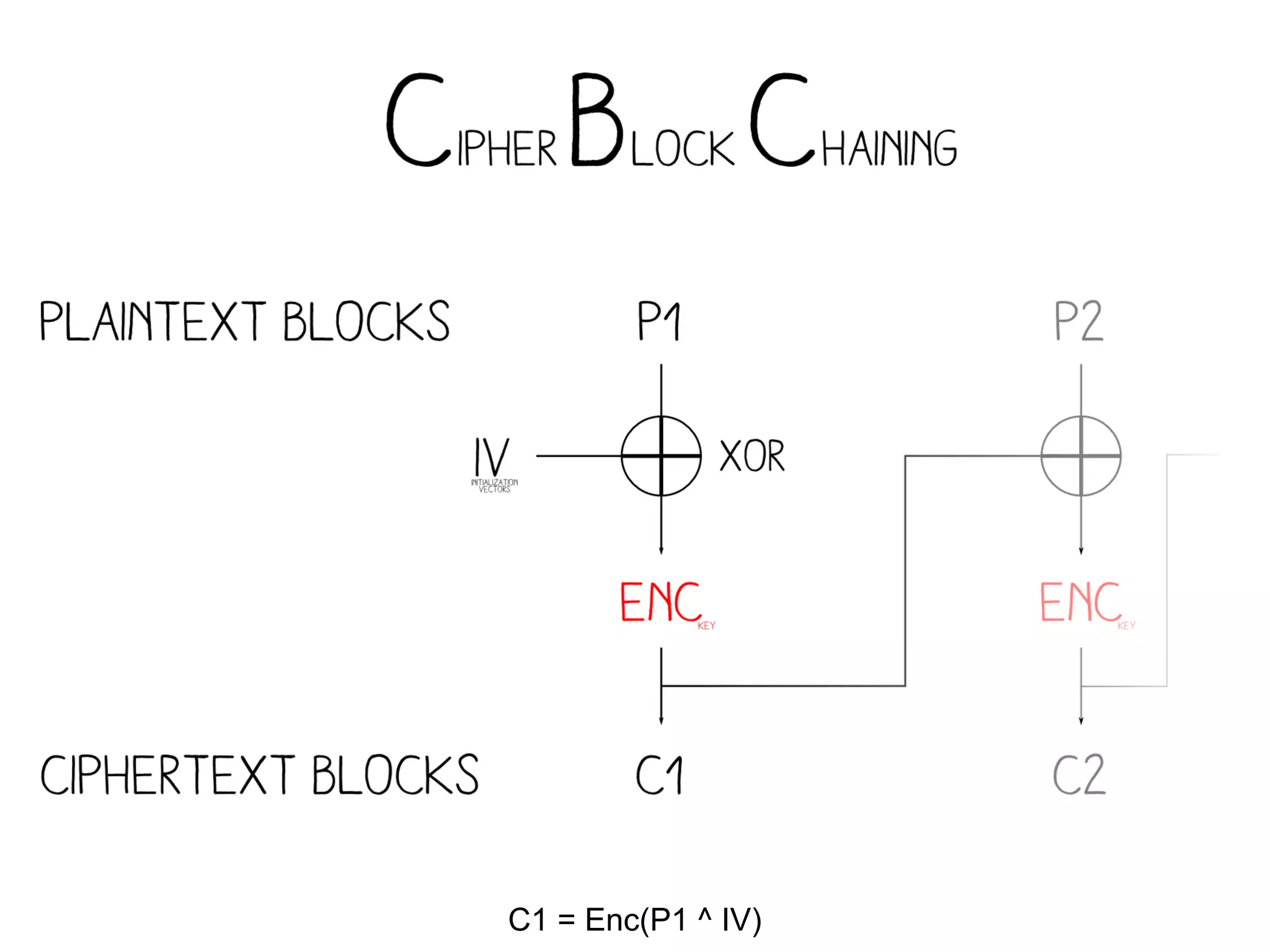
Several modes (CBC, OFB, CFB,...) introduce
an extra parameter IV that we can abitrarily
choose (in practice, it should be unpredictable)
C1 = Enc(P1 ^ IV)
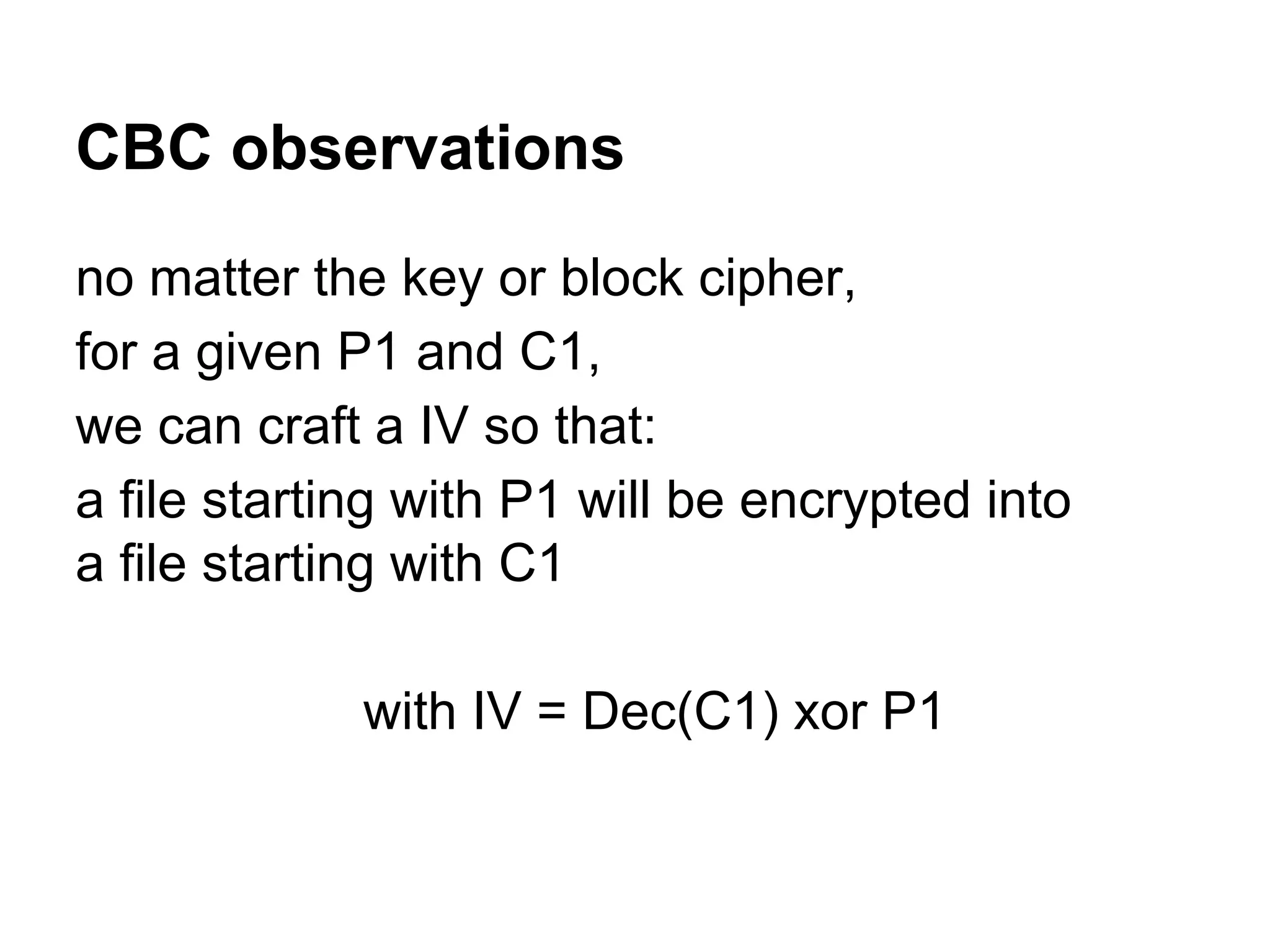
CBC observations
no matter the key or block cipher,
for a given P1 and C1,
we can craft a IV so that:
a file starting with P1 will be encrypted into
a file starting with C1
with IV = Dec(C1) xor P1
Example
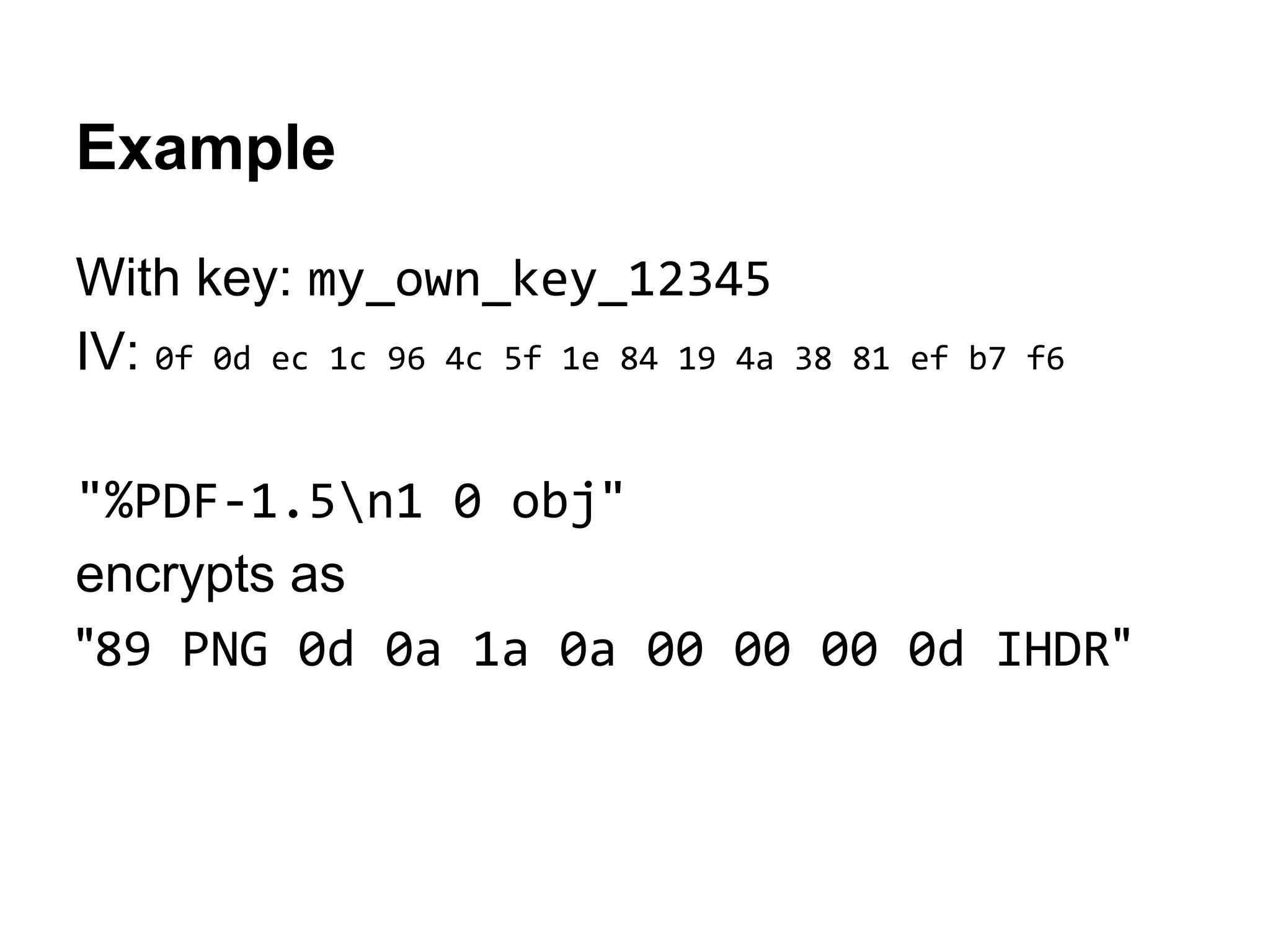
With key: my_own_key_12345
IV: 0f 0d ec 1c 96 4c 5f 1e 84 19 4a 38 81 ef b7 f6
"%PDF-1.5n1 0 obj"
encrypts as
"89 PNG 0d 0a 1a 0a 00 00 00 0d IHDR"
Current status
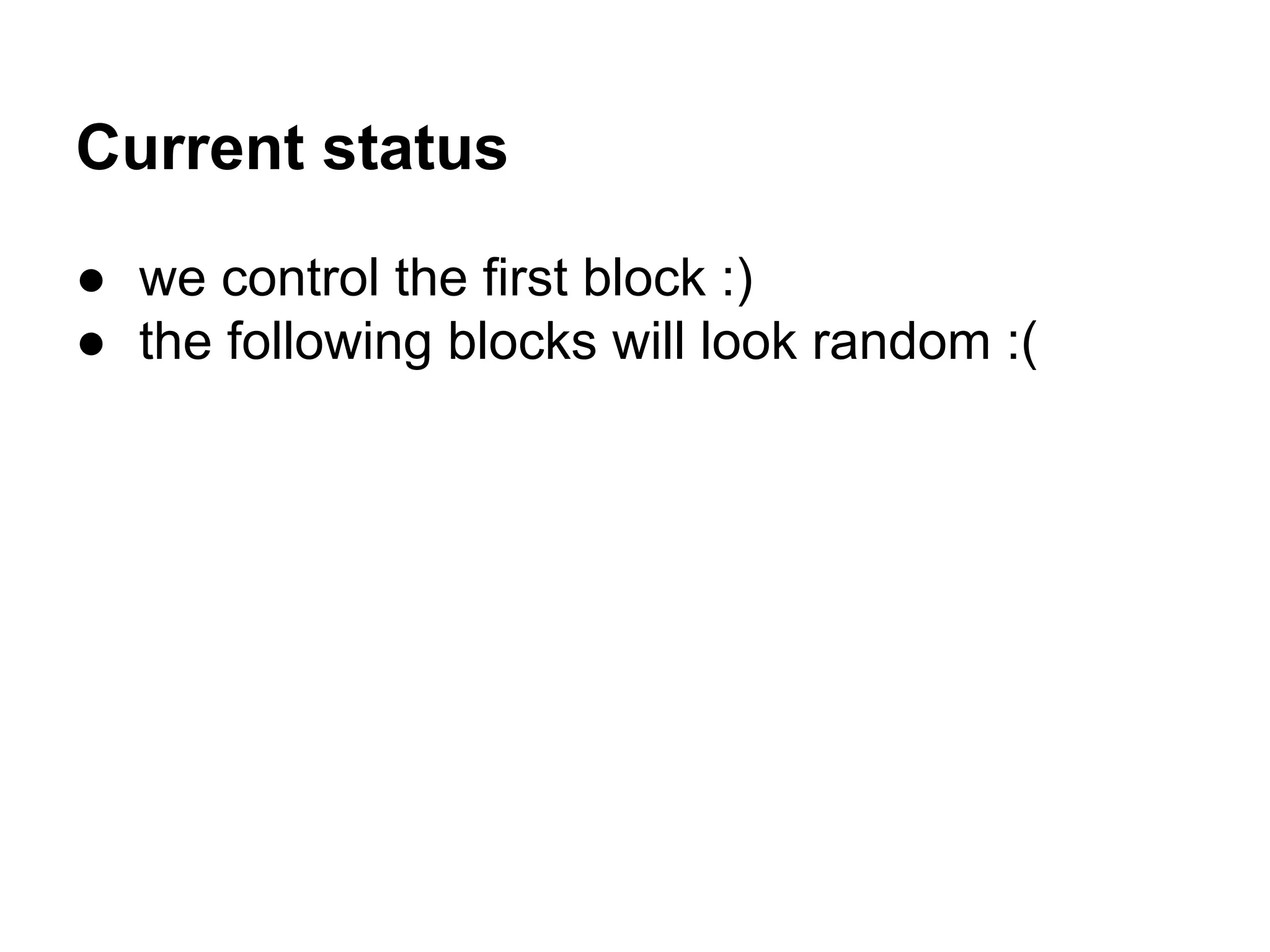
● we control the first block :)
● the following blocks will look random :(
decrypting plaintext
(ciphers don’t analyze your input)
Encryption & decryption
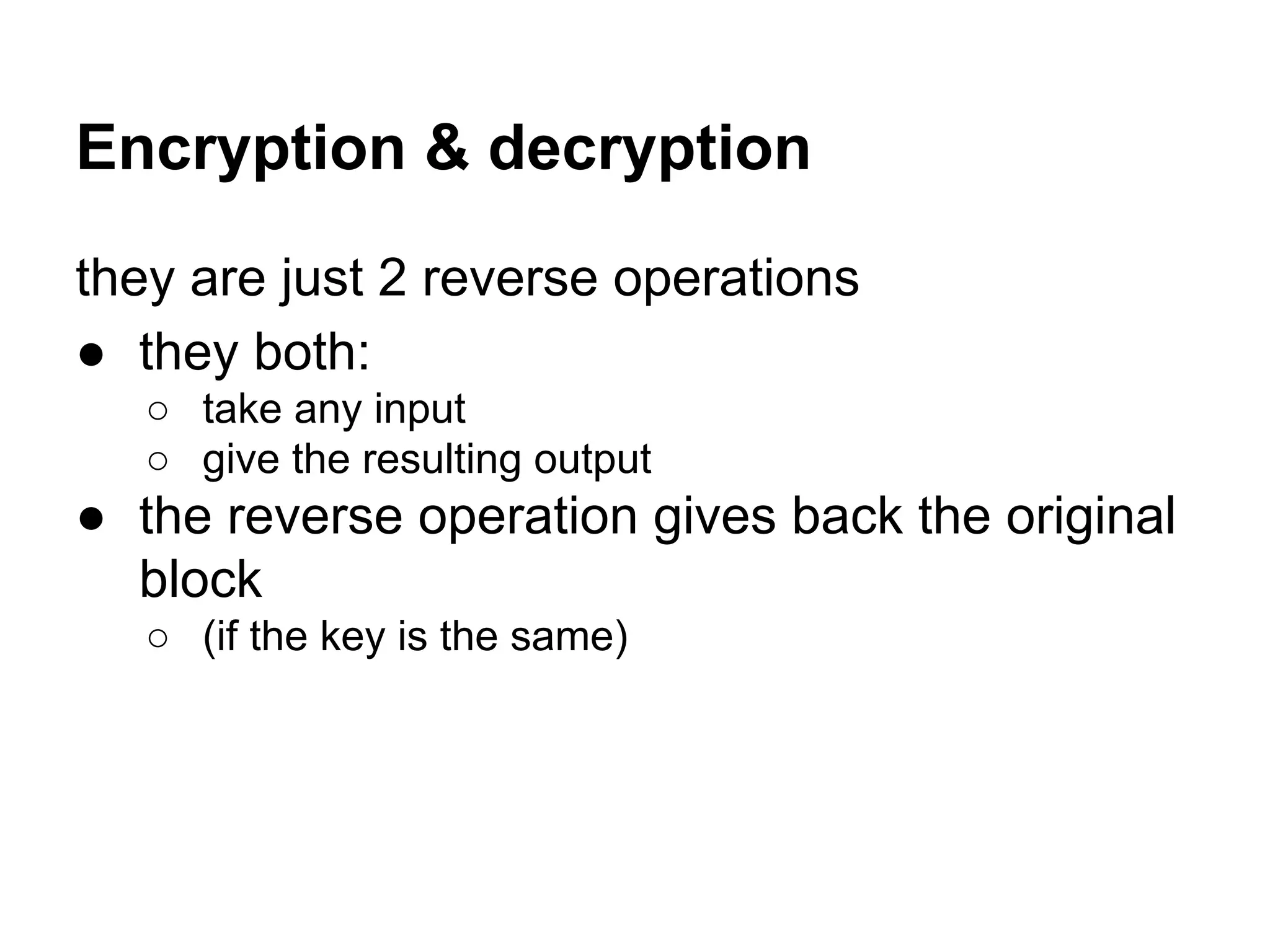
they are just 2 reverse operations
● they both:
○ take any input
○ give the resulting output
● the reverse operation gives back the original
block
○ (if the key is the same)
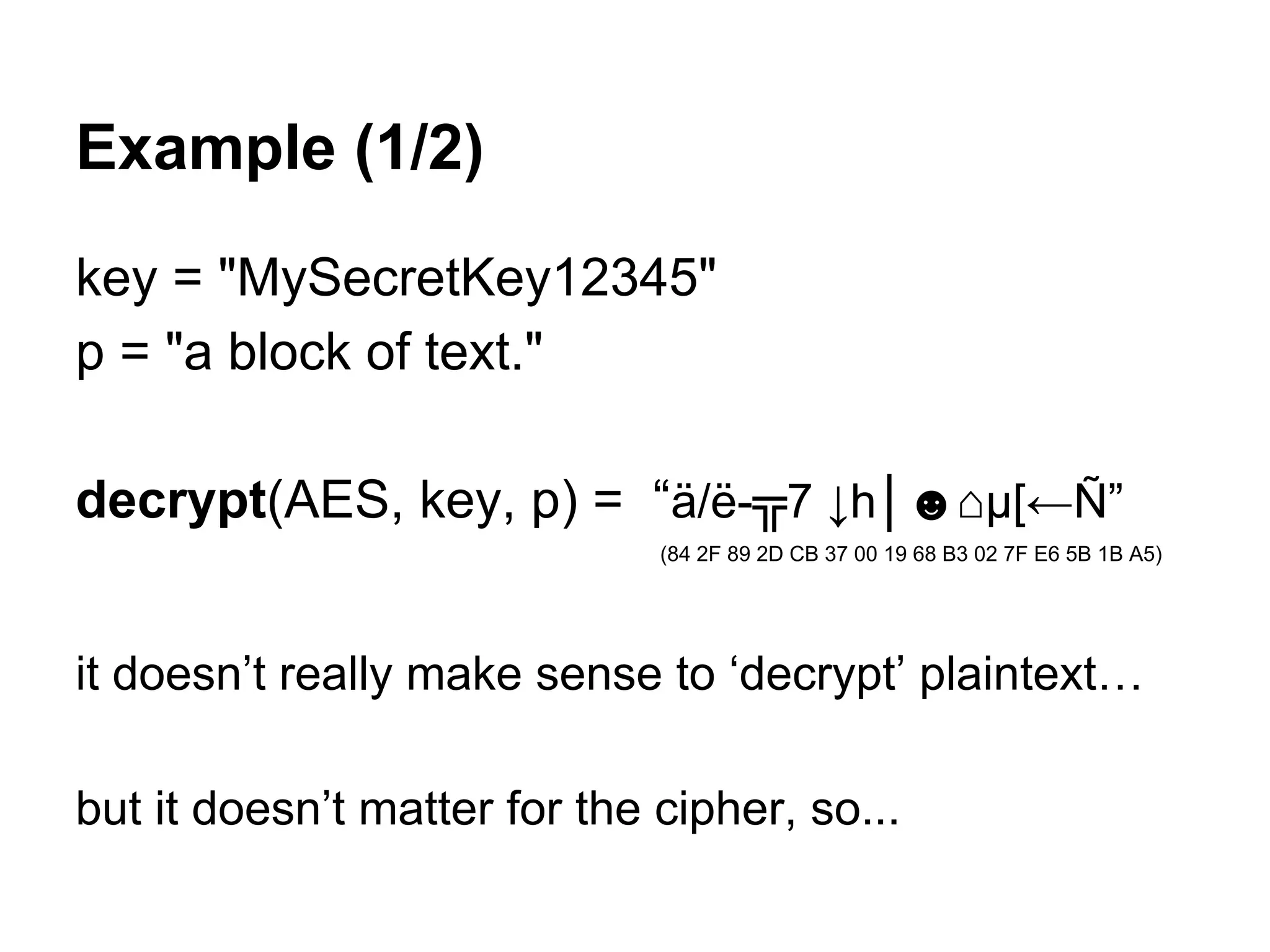
Example (1/2)
key = "MySecretKey12345"
p = "a block of text."
decrypt(AES, key, p) = “ä/ë-╦7 ↓h│☻⌂µ[←Ñ”
(84 2F 89 2D CB 37 00 19 68 B3 02 7F E6 5B 1B A5)
it doesn’t really make sense to ‘decrypt’ plaintext…
but it doesn’t matter for the cipher, so...
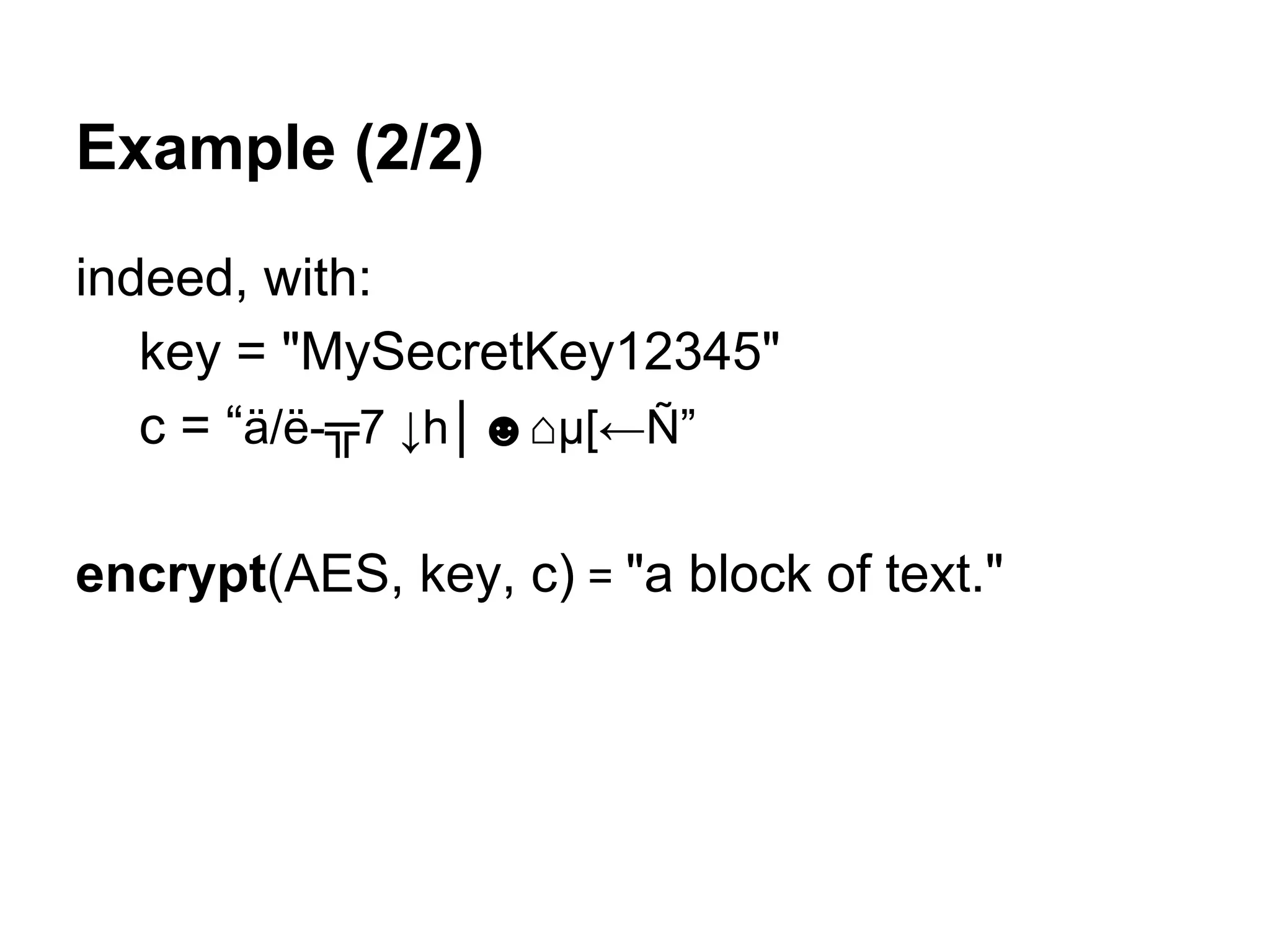
Example (2/2)
indeed, with:
key = "MySecretKey12345"
c = “ä/ë-╦7 ↓h│☻⌂µ[←Ñ”
encrypt(AES, key, c) = "a block of text."
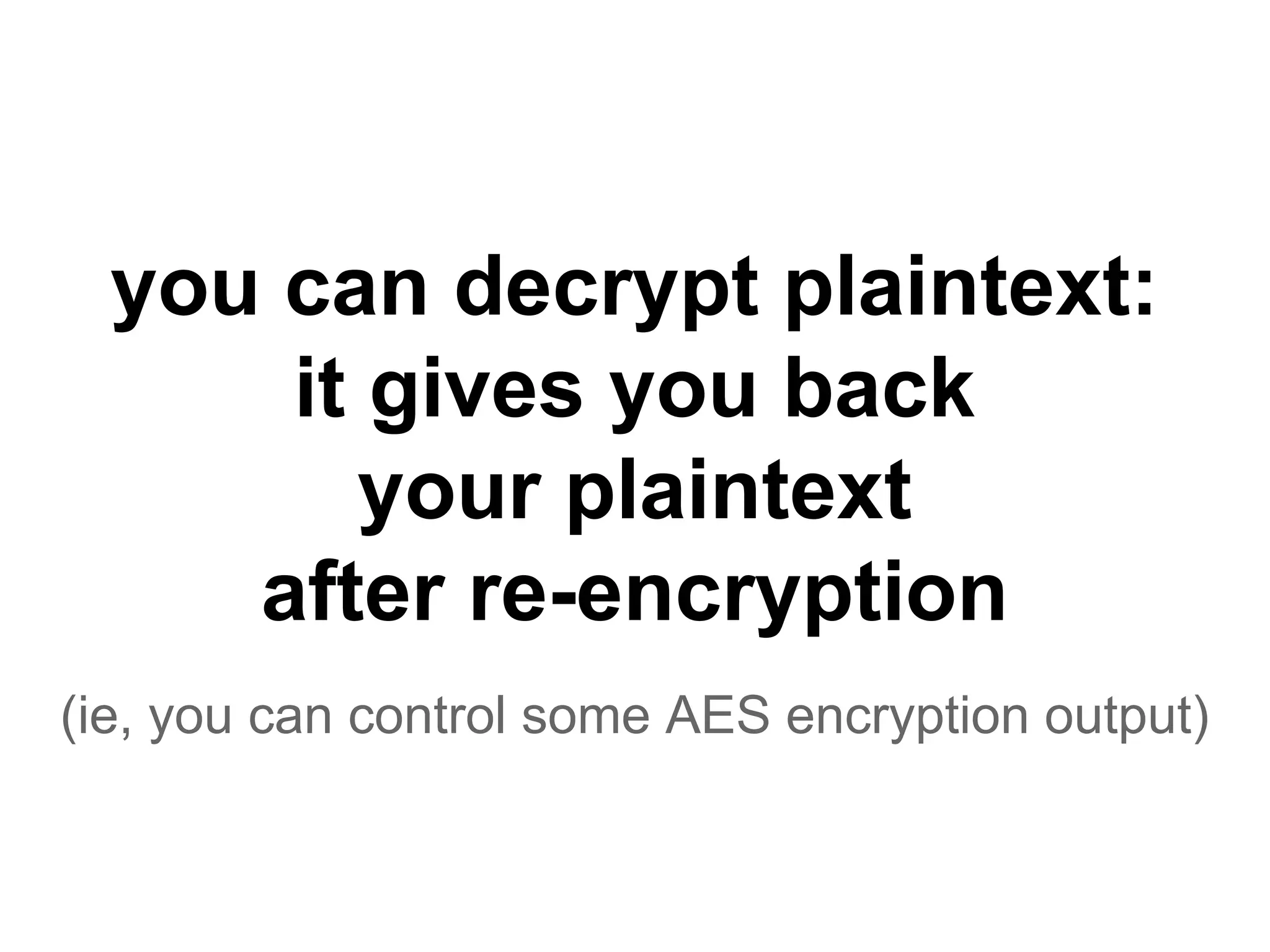
you can decrypt plaintext:
it gives you back
your plaintext
after re-encryption
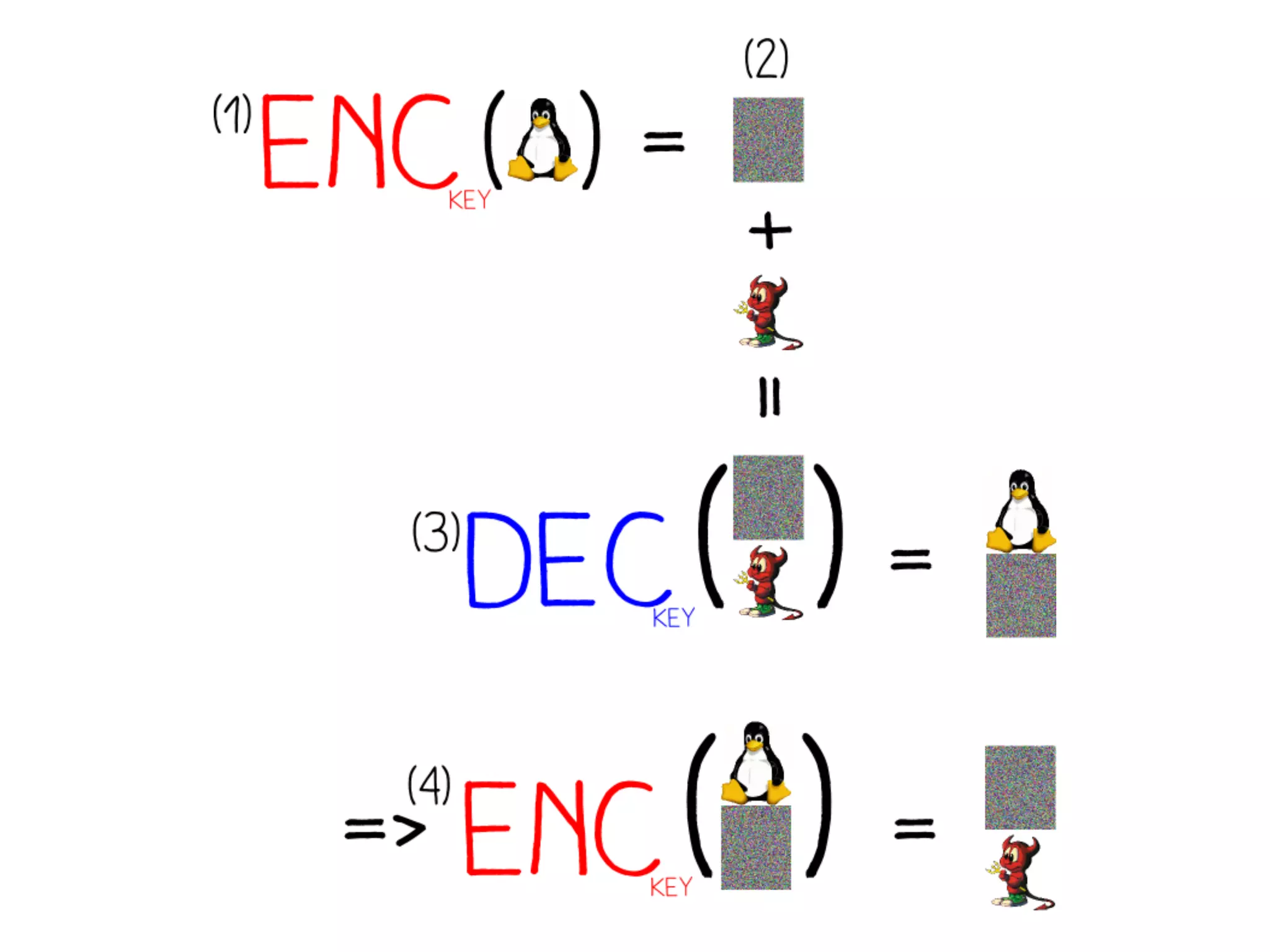
(ie, you can control some AES encryption output)
let’s add plaintext
to our encrypted file!
Consequences
since adding junk at the end of our valid file
still makes it valid,
we add decrypted plaintext, that will encrypt to what we want
Current status
1. we control the first block
2. we control some appended data
how do we control the encrypted data
from the source file that is in-between?
we don’t
we politely ask the file format to ignore it
(by surrounding this data in an extra chunk)
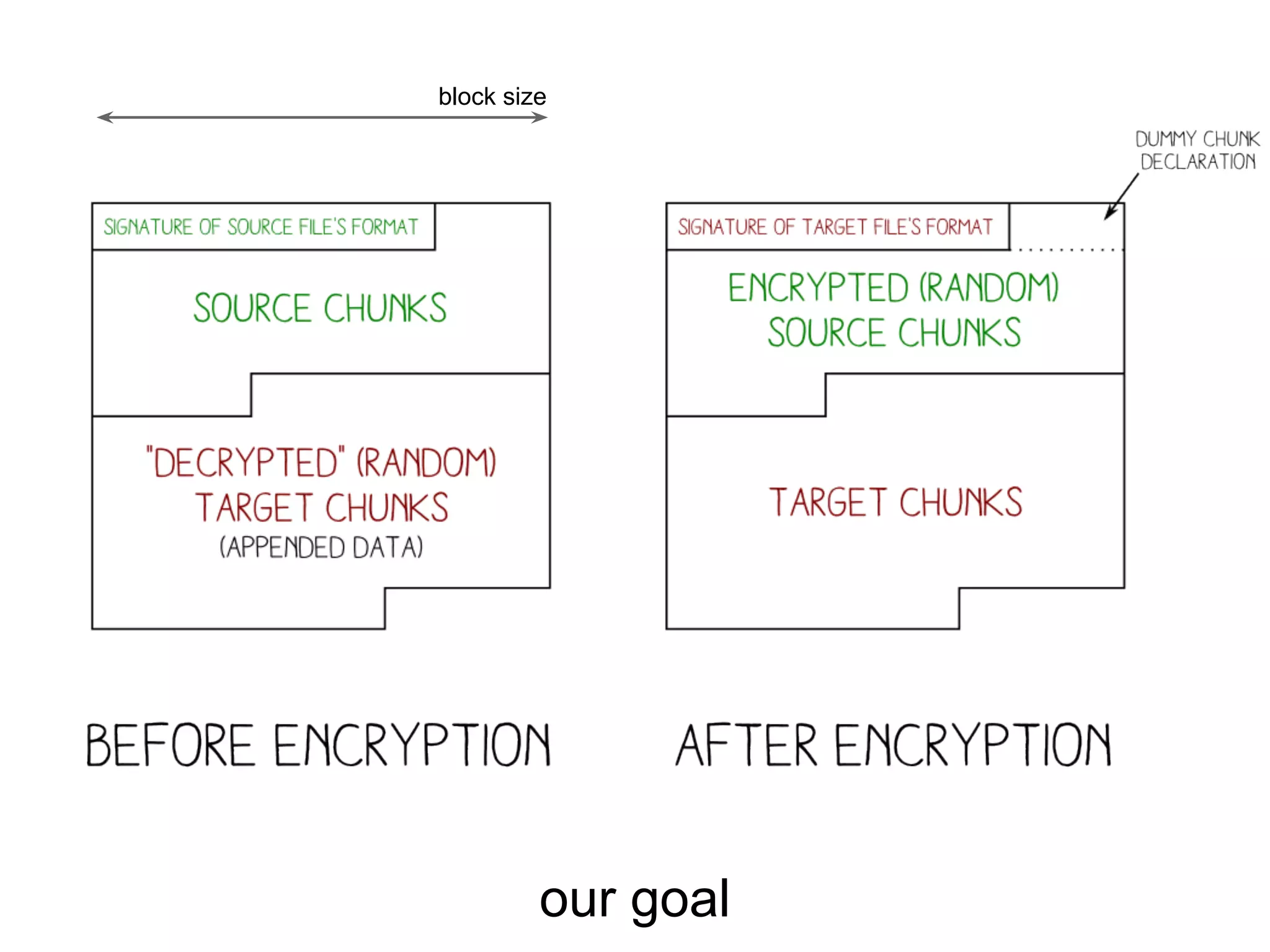
Our current challenge
within a block, get a valid
1. header
2. chunk start
this is specific to each target format
our goal
block size
PDF
Portable Document Format
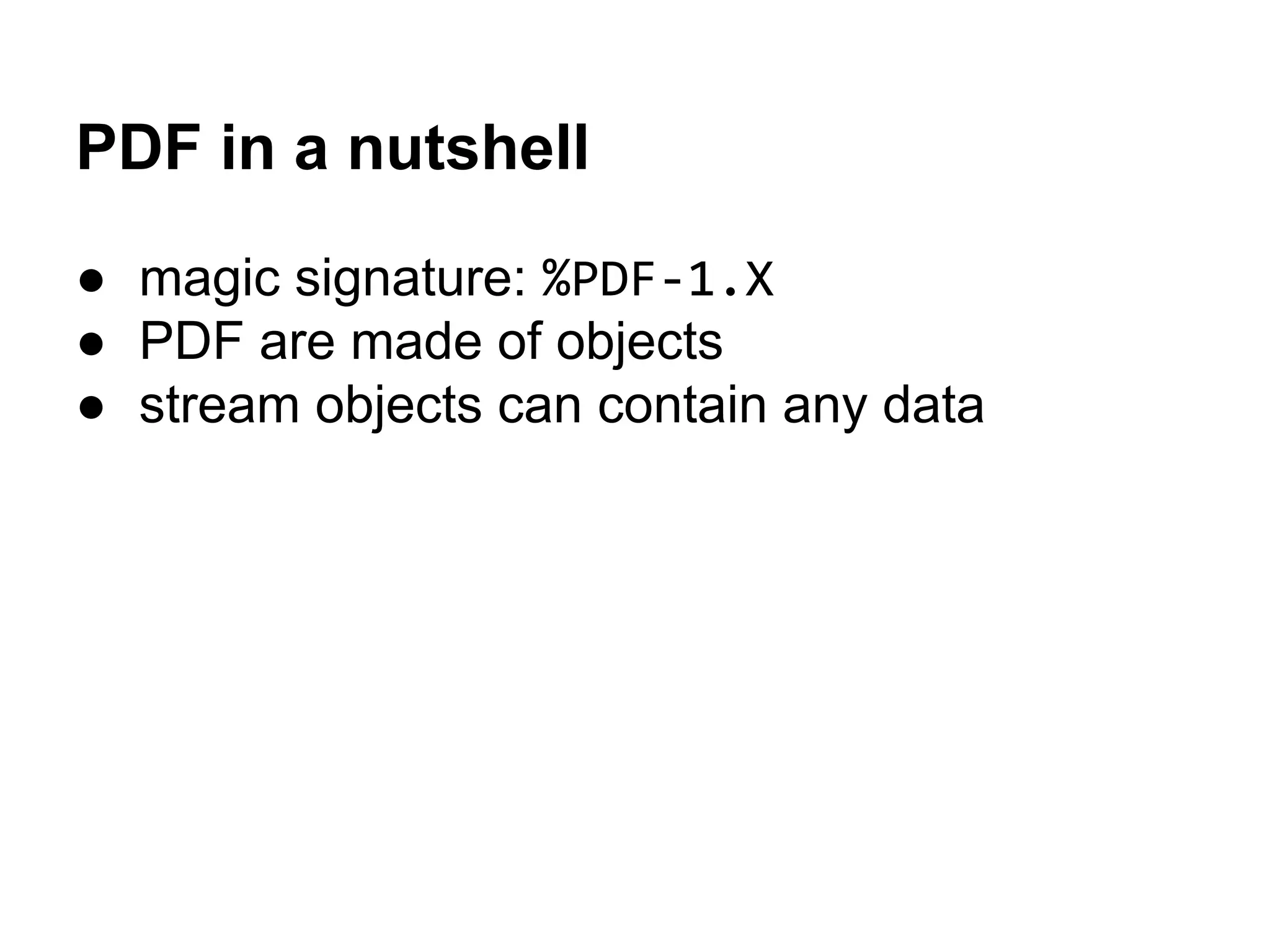
PDF in a nutshell
● magic signature: %PDF-1.X
● PDF are made of objects
● stream objects can contain any data
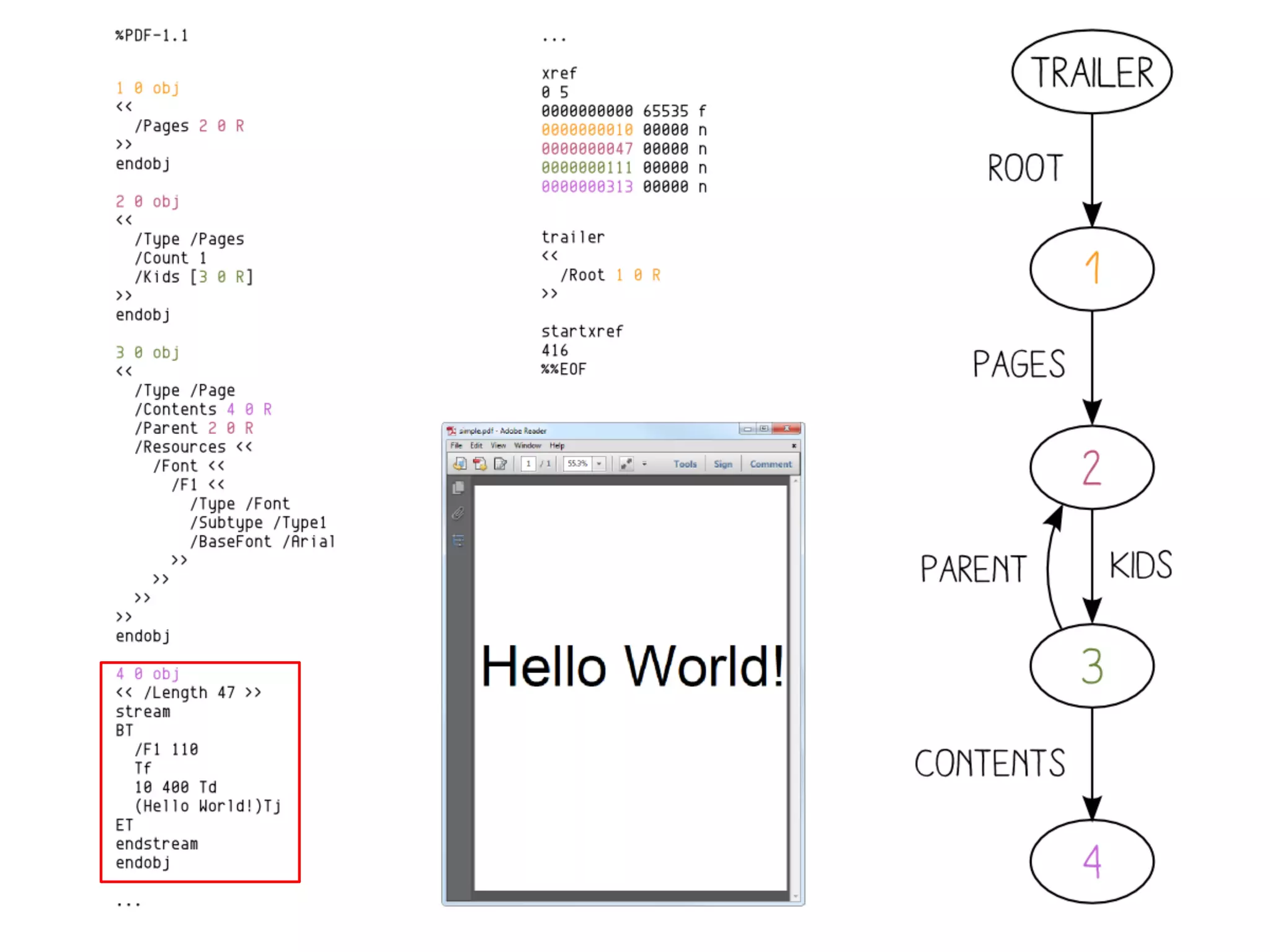
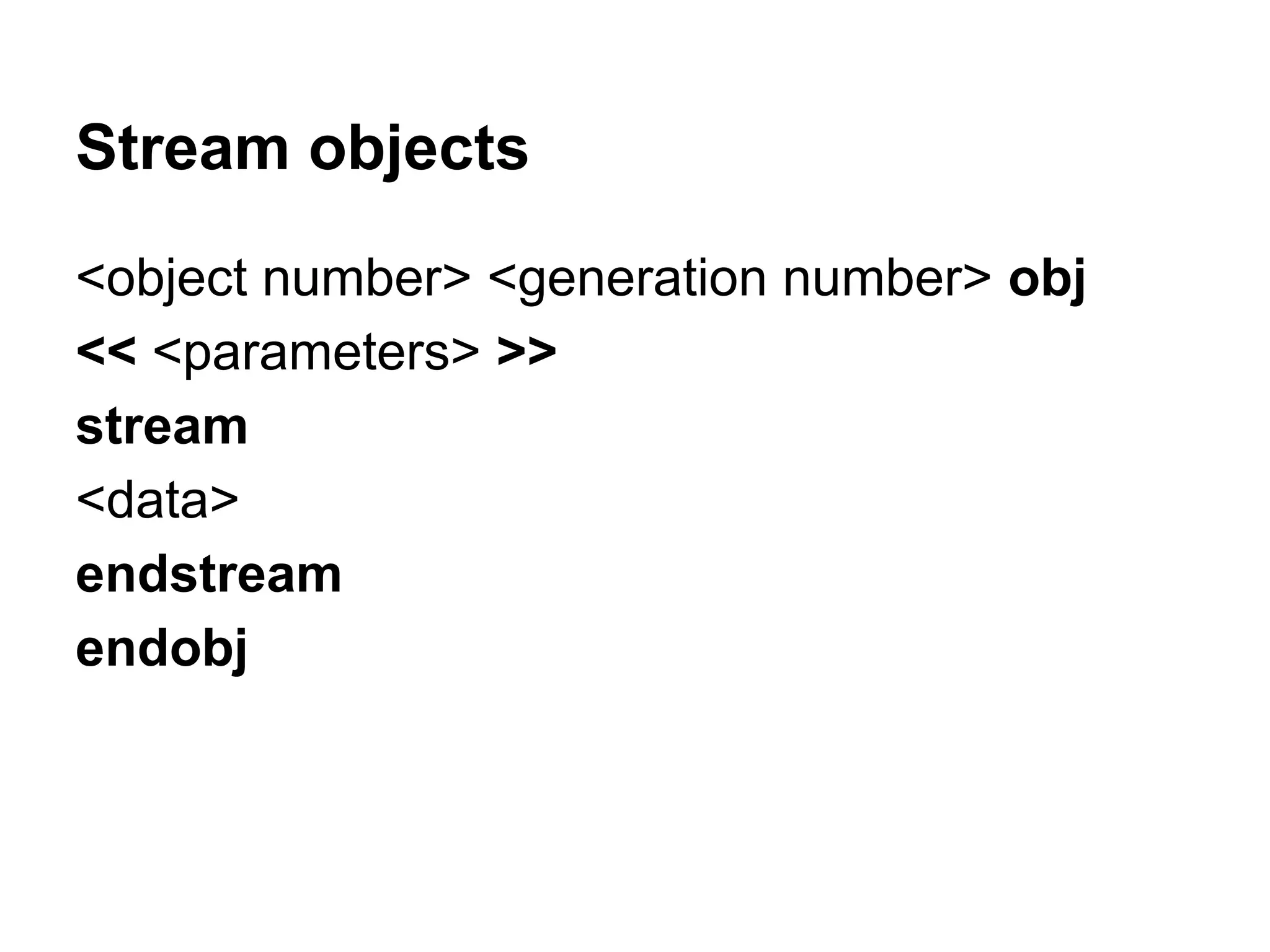
Stream objects
<object number> <generation number> obj
<< <parameters> >>
stream
<data>
endstream
endobj
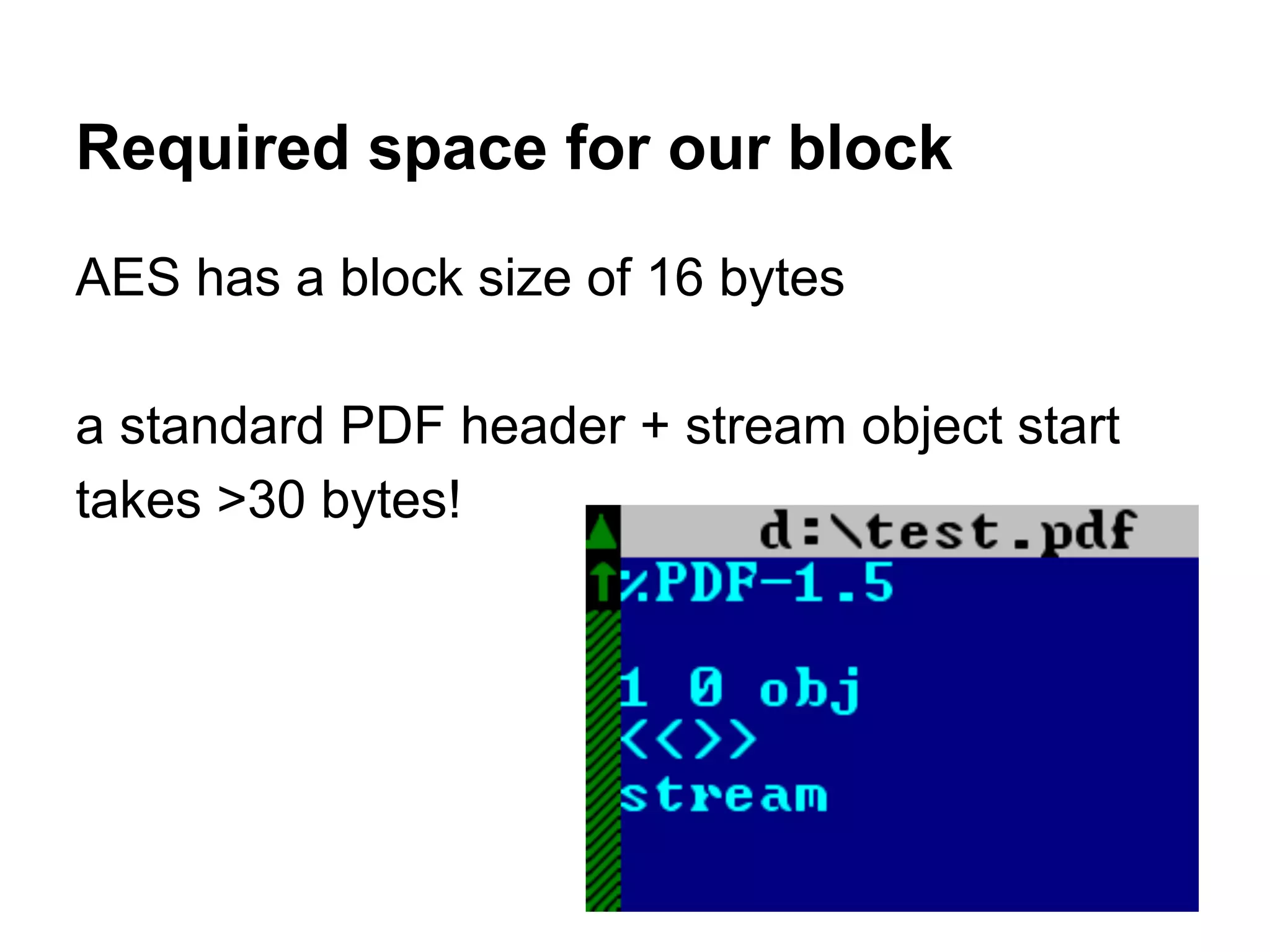
Required space for our block
AES has a block size of 16 bytes
a standard PDF header + stream object start
takes >30 bytes!
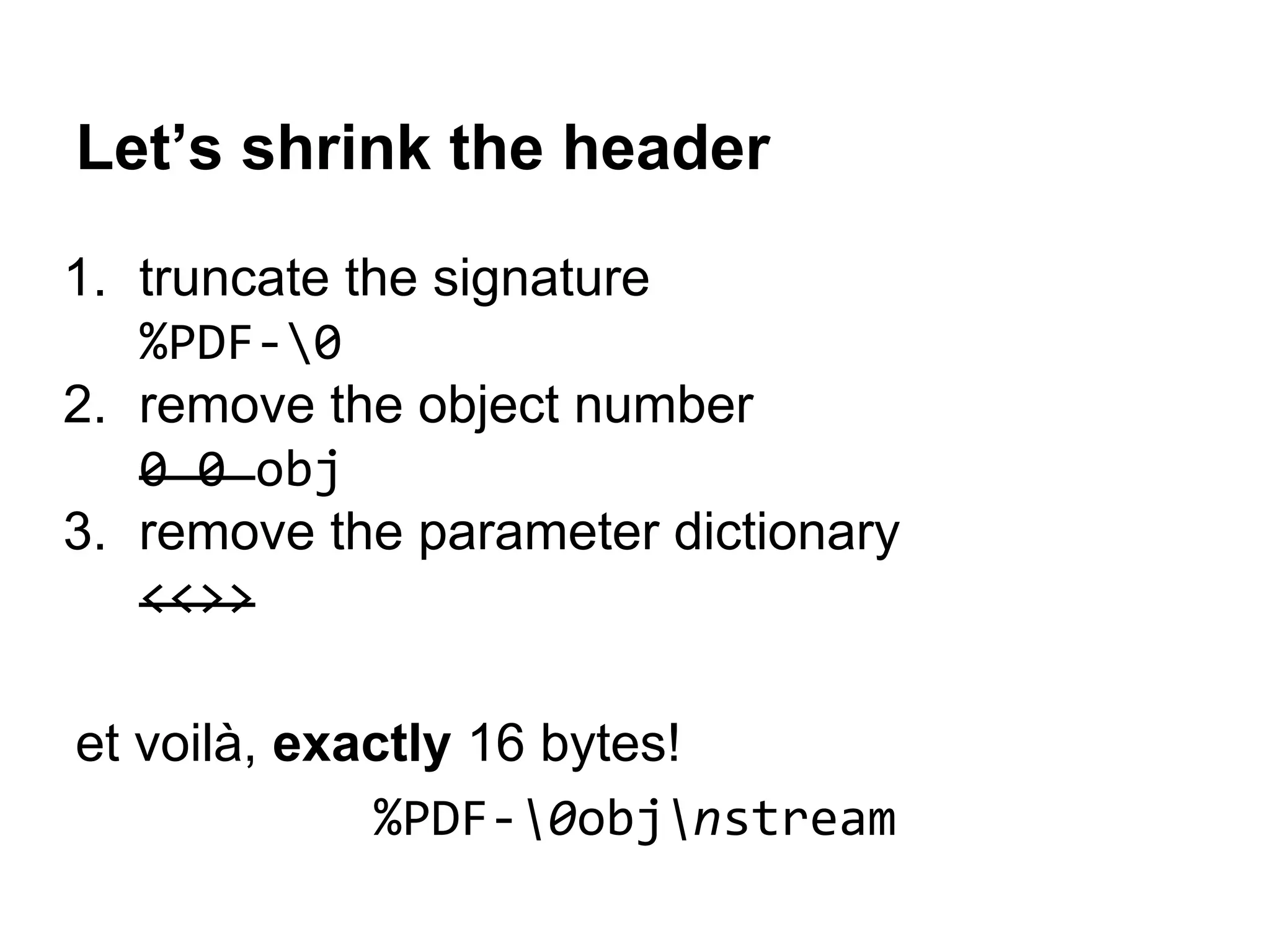
Let’s shrink the header
1. truncate the signature
%PDF-0
2. remove the object number
0 0 obj
3. remove the parameter dictionary
<<>>
et voilà, exactly 16 bytes!
%PDF-0objnstream
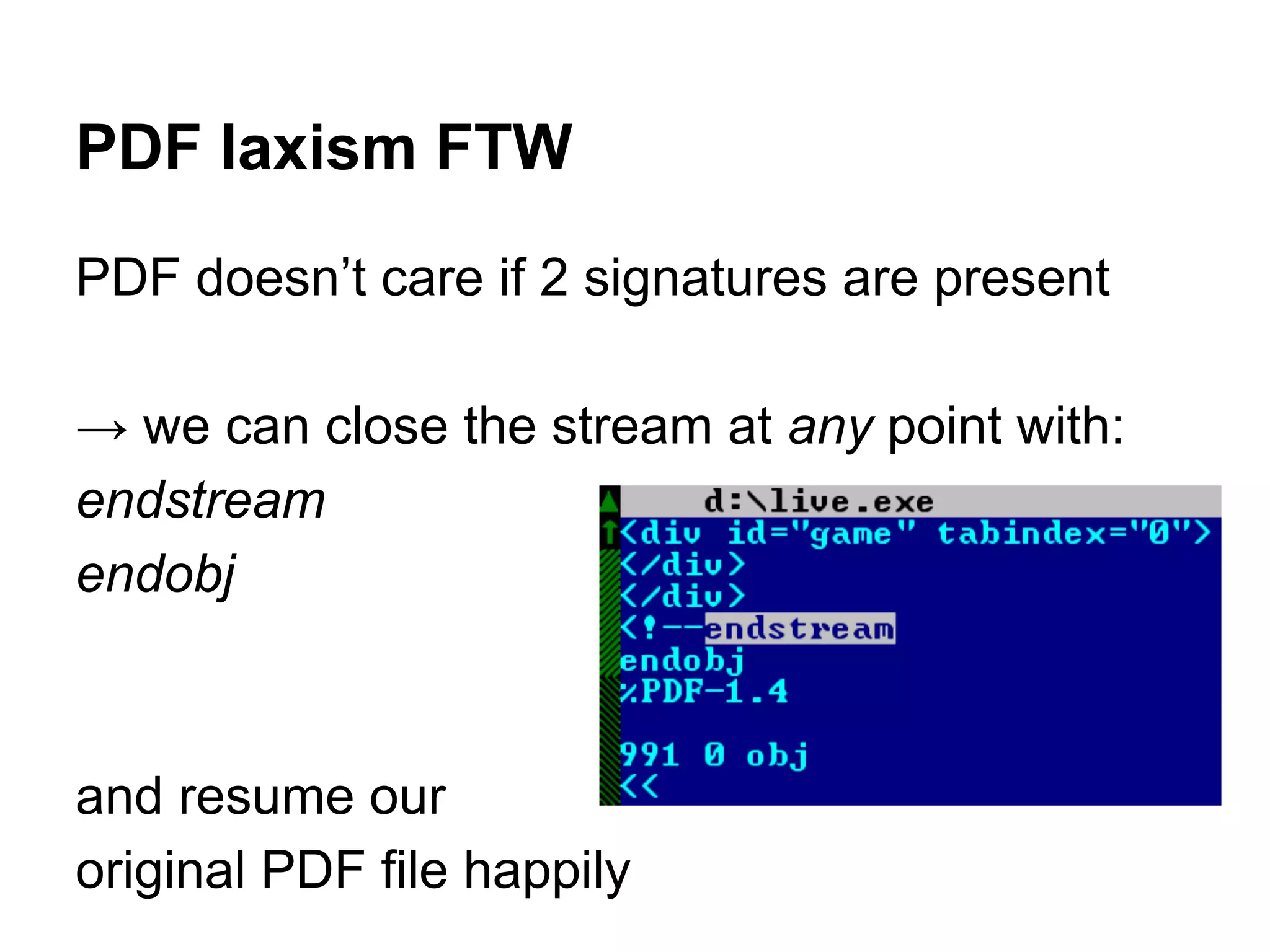
PDF laxism FTW
PDF doesn’t care if 2 signatures are present
→ we can close the stream at any point with:
endstream
endobj
and resume our
original PDF file happily
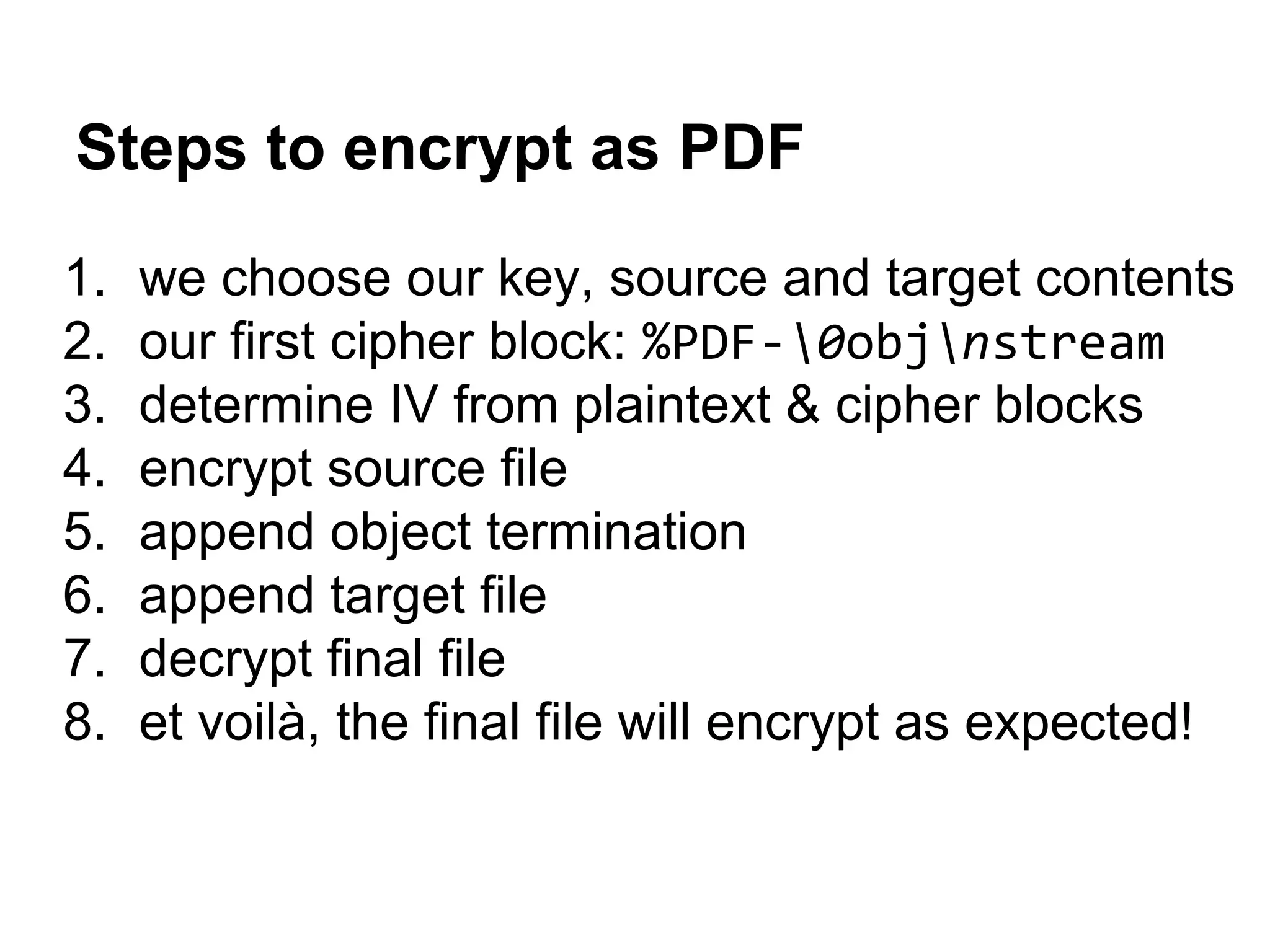
Steps to encrypt as PDF
1. we choose our key, source and target contents
2. our first cipher block: %PDF-0objnstream
3. determine IV from plaintext & cipher blocks
4. encrypt source file
5. append object termination
6. append target file
7. decrypt final file
8. et voilà, the final file will encrypt as expected!
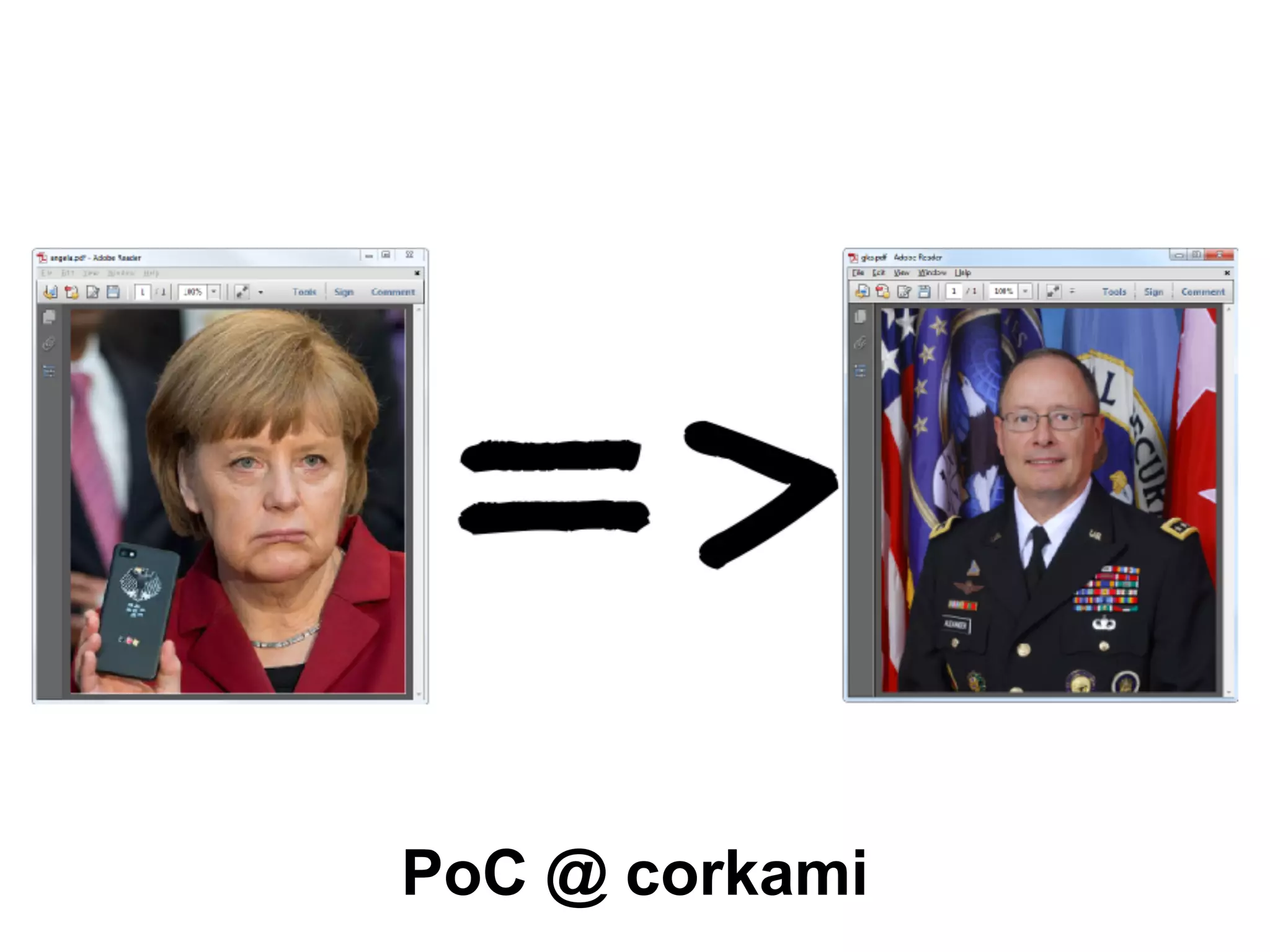
PoC @ corkami
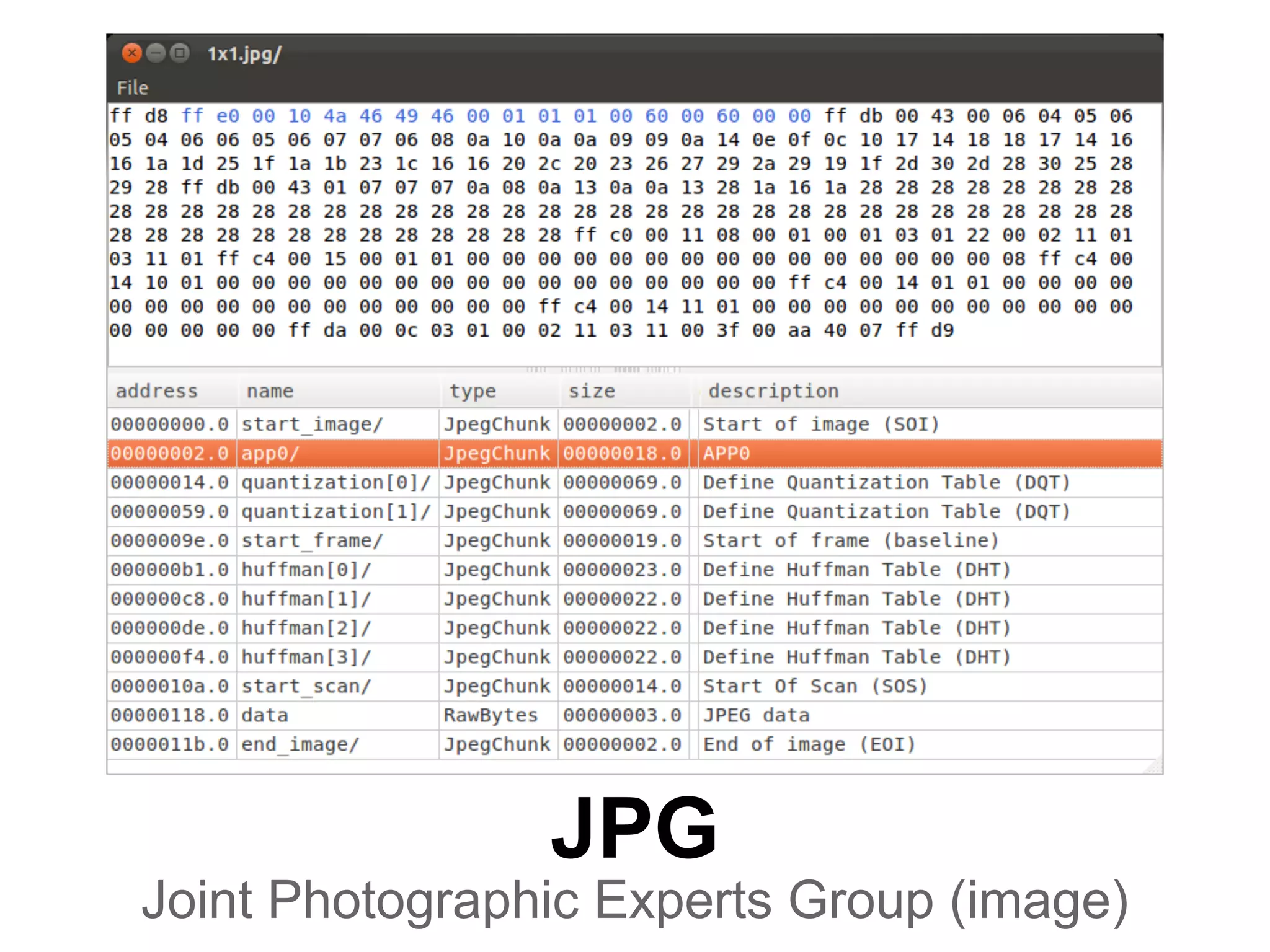
JPG
Joint Photographic Experts Group (image)
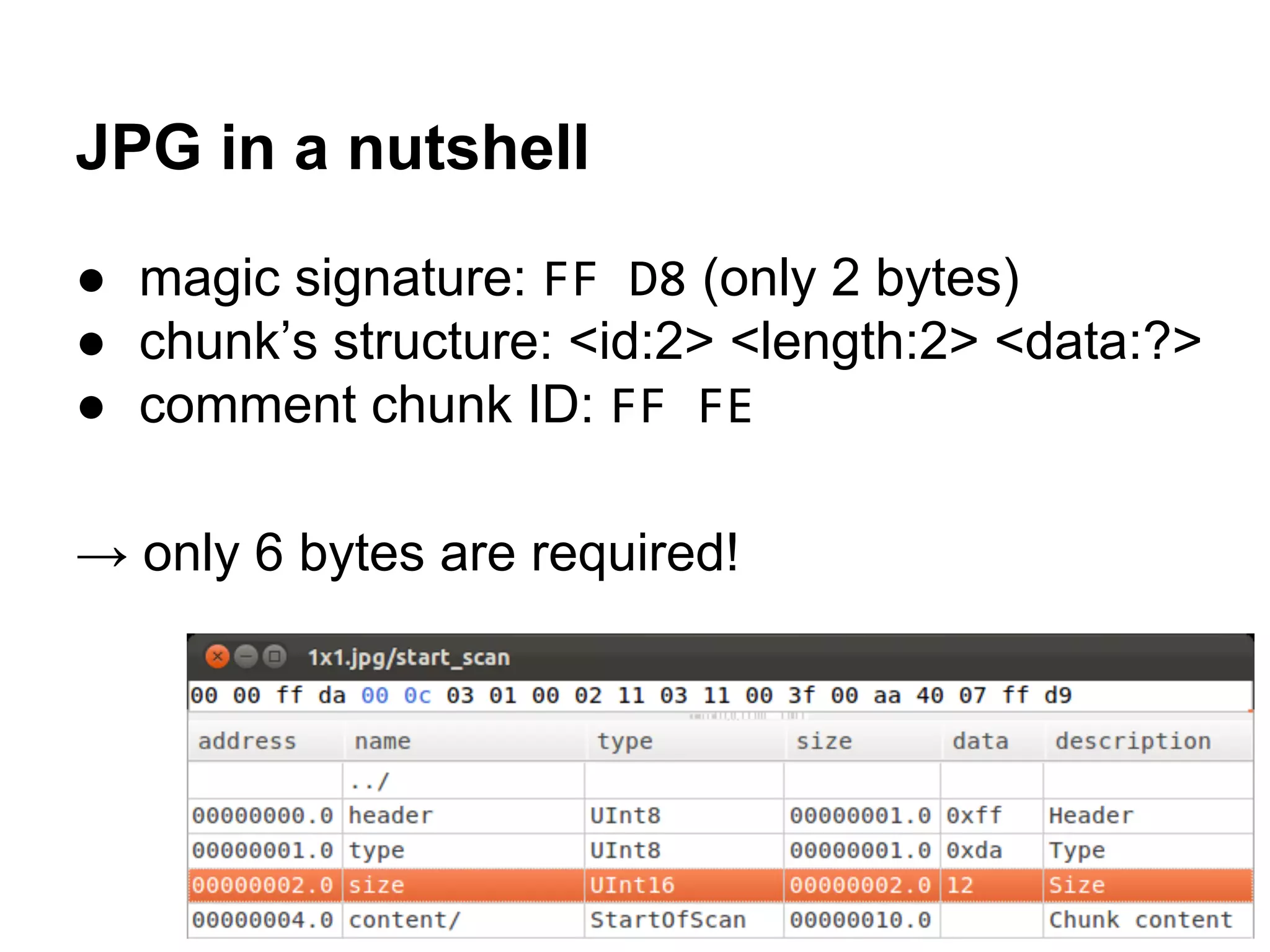
JPG in a nutshell
● magic signature: FF D8 (only 2 bytes)
● chunk’s structure: <id:2> <length:2> <data:?>
● comment chunk ID: FF FE
→ only 6 bytes are required!
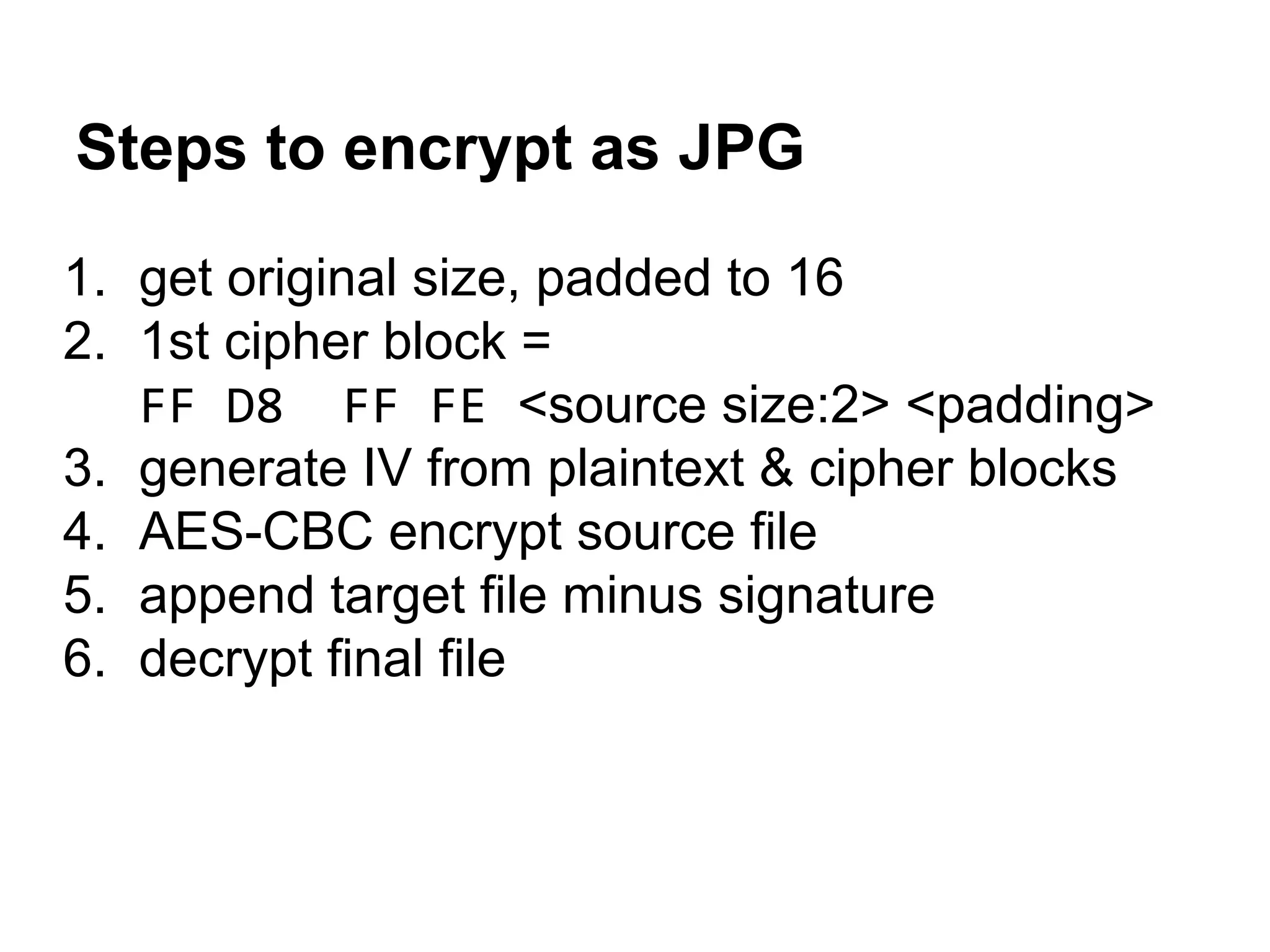
Steps to encrypt as JPG
1. get original size, padded to 16
2. 1st cipher block =
FF D8 FF FE <source size:2> <padding>
3. generate IV from plaintext & cipher blocks
4. AES-CBC encrypt source file
5. append target file minus signature
6. decrypt final file
JPG PoC
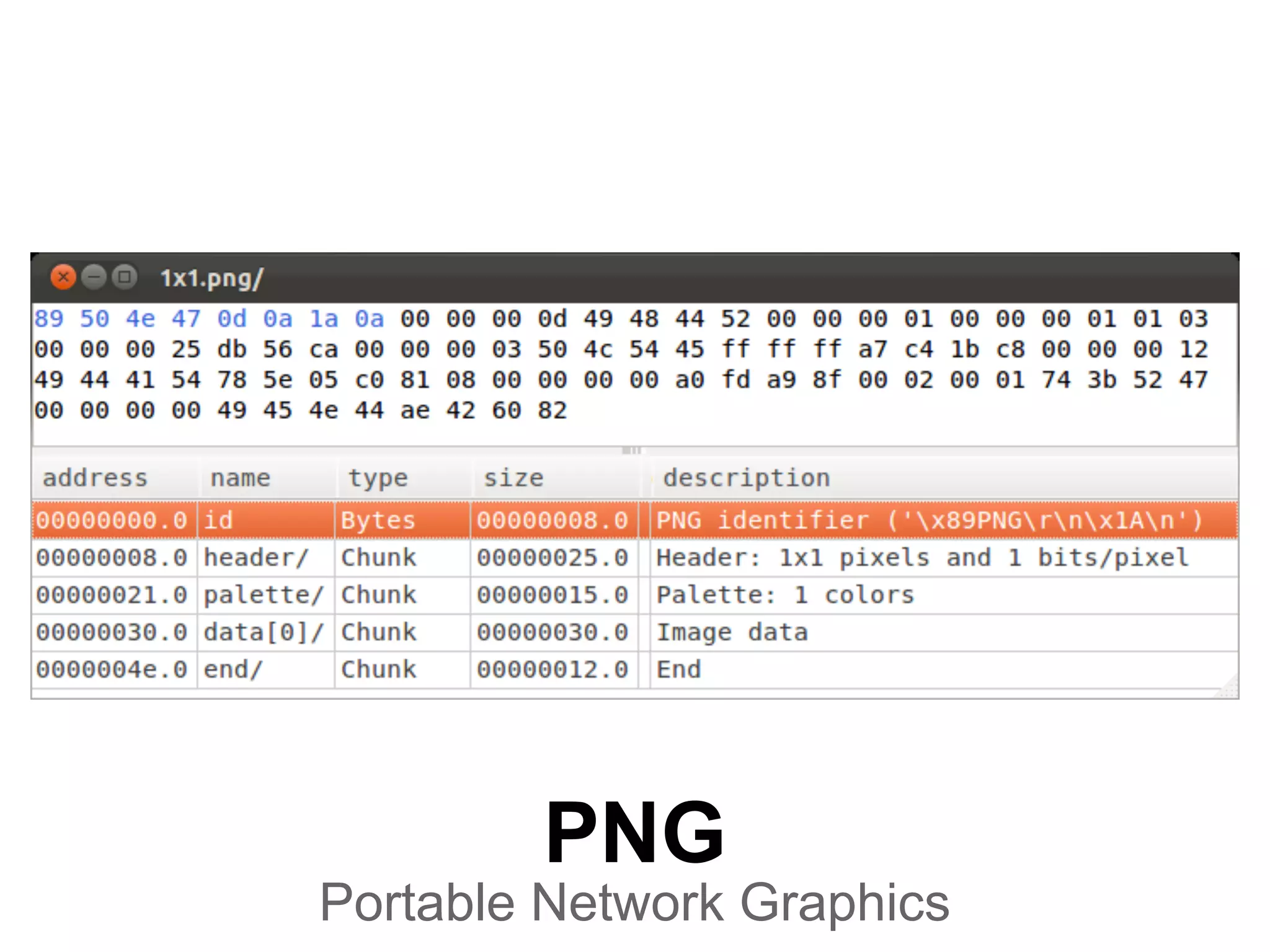
PNG
Portable Network Graphics
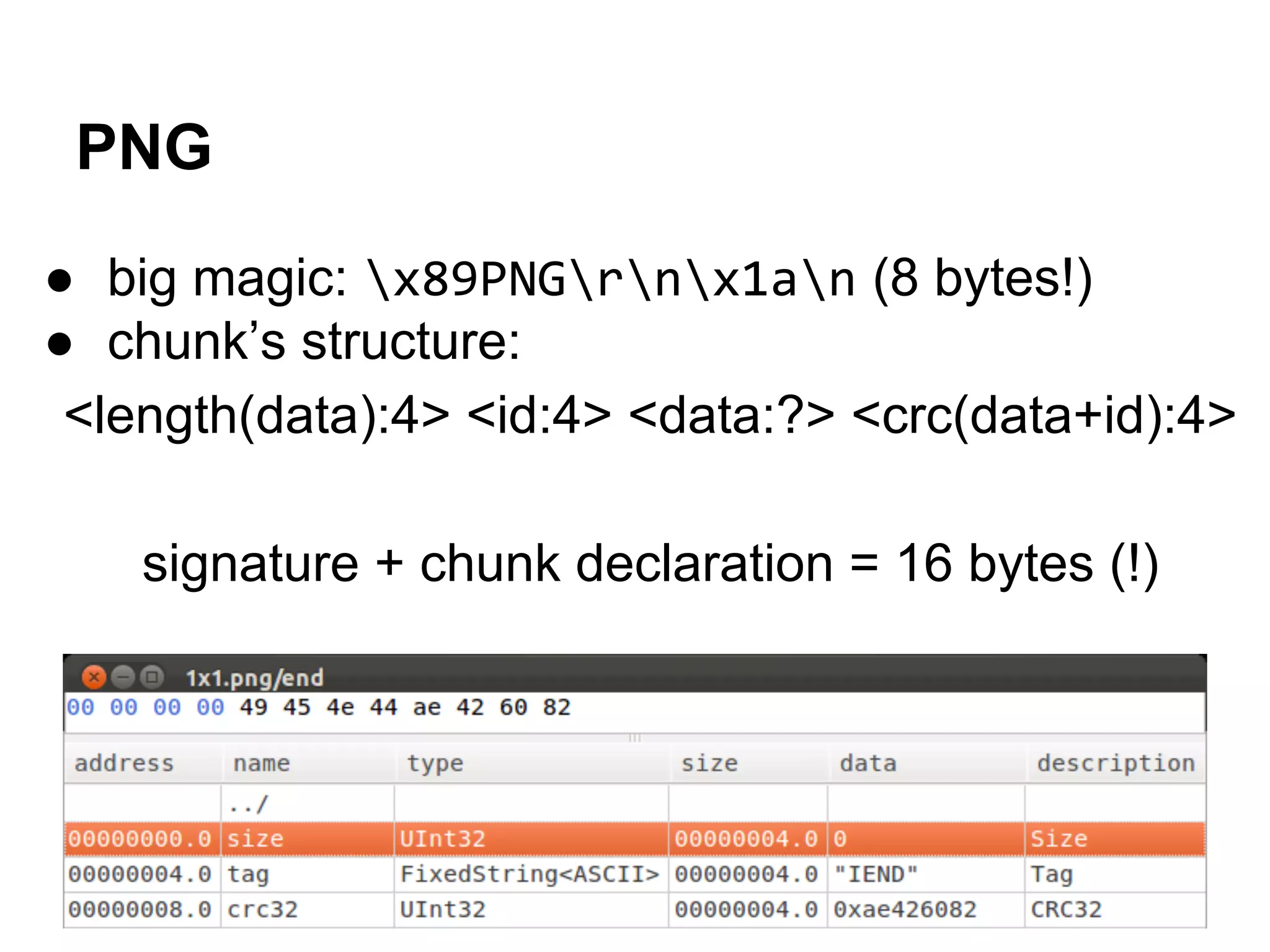
PNG
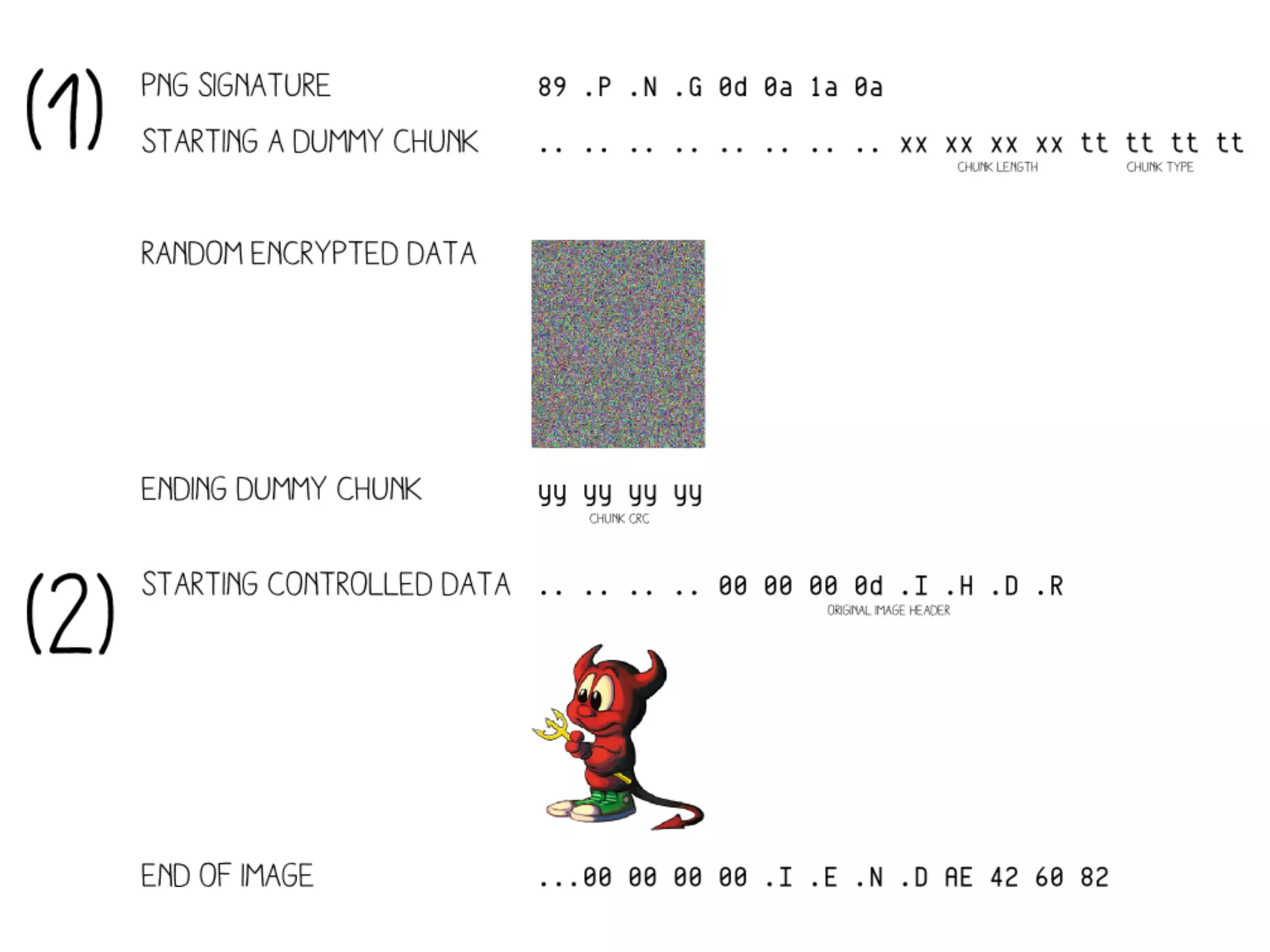
● big magic: x89PNGrnx1an (8 bytes!)
● chunk’s structure:
<length(data):4> <id:4> <data:?> <crc(data+id):4>
signature + chunk declaration = 16 bytes (!)
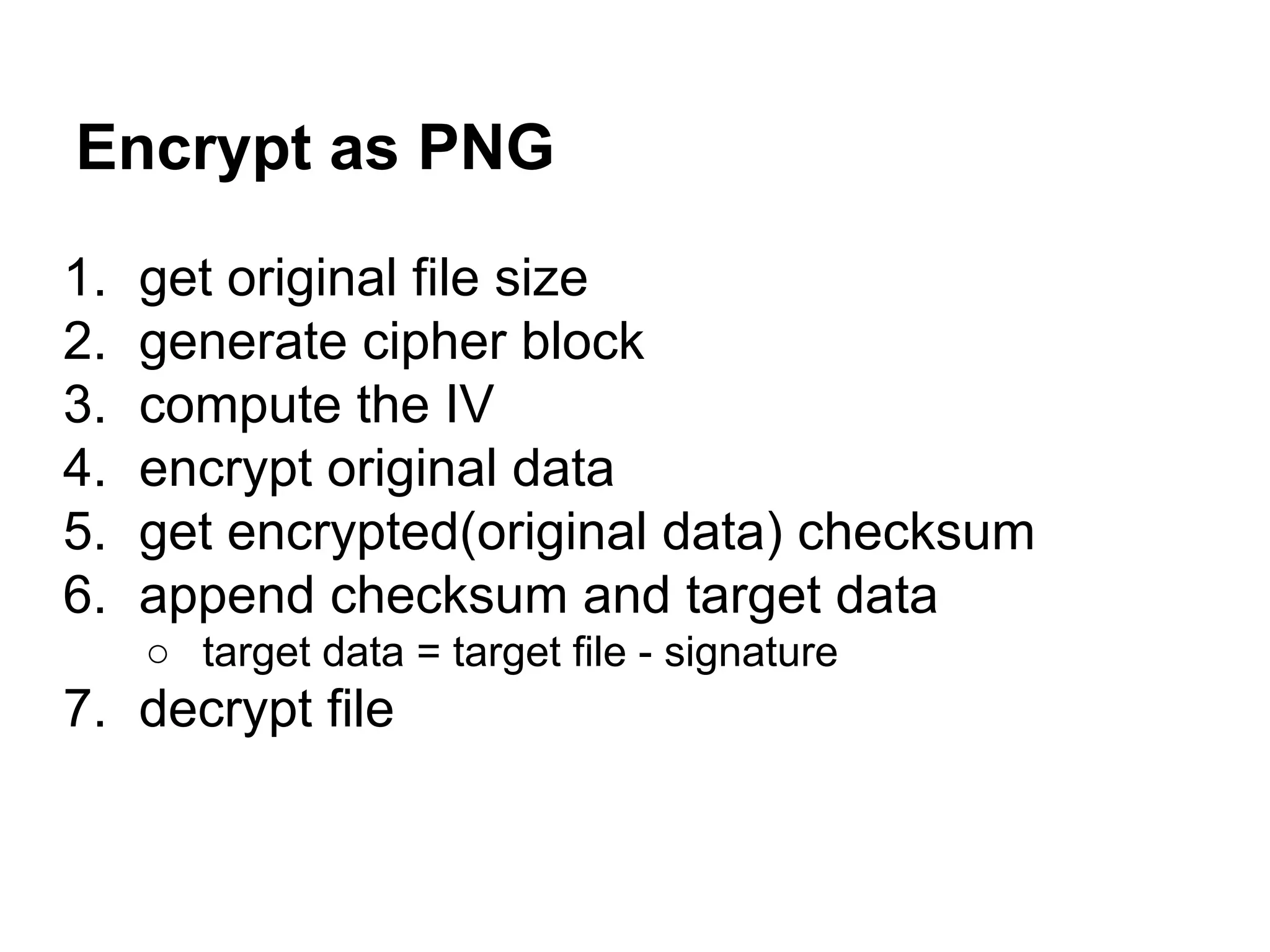
Encrypt as PNG
1. get original file size
2. generate cipher block
3. compute the IV
4. encrypt original data
5. get encrypted(original data) checksum
6. append checksum and target data
○ target data = target file - signature
7. decrypt file
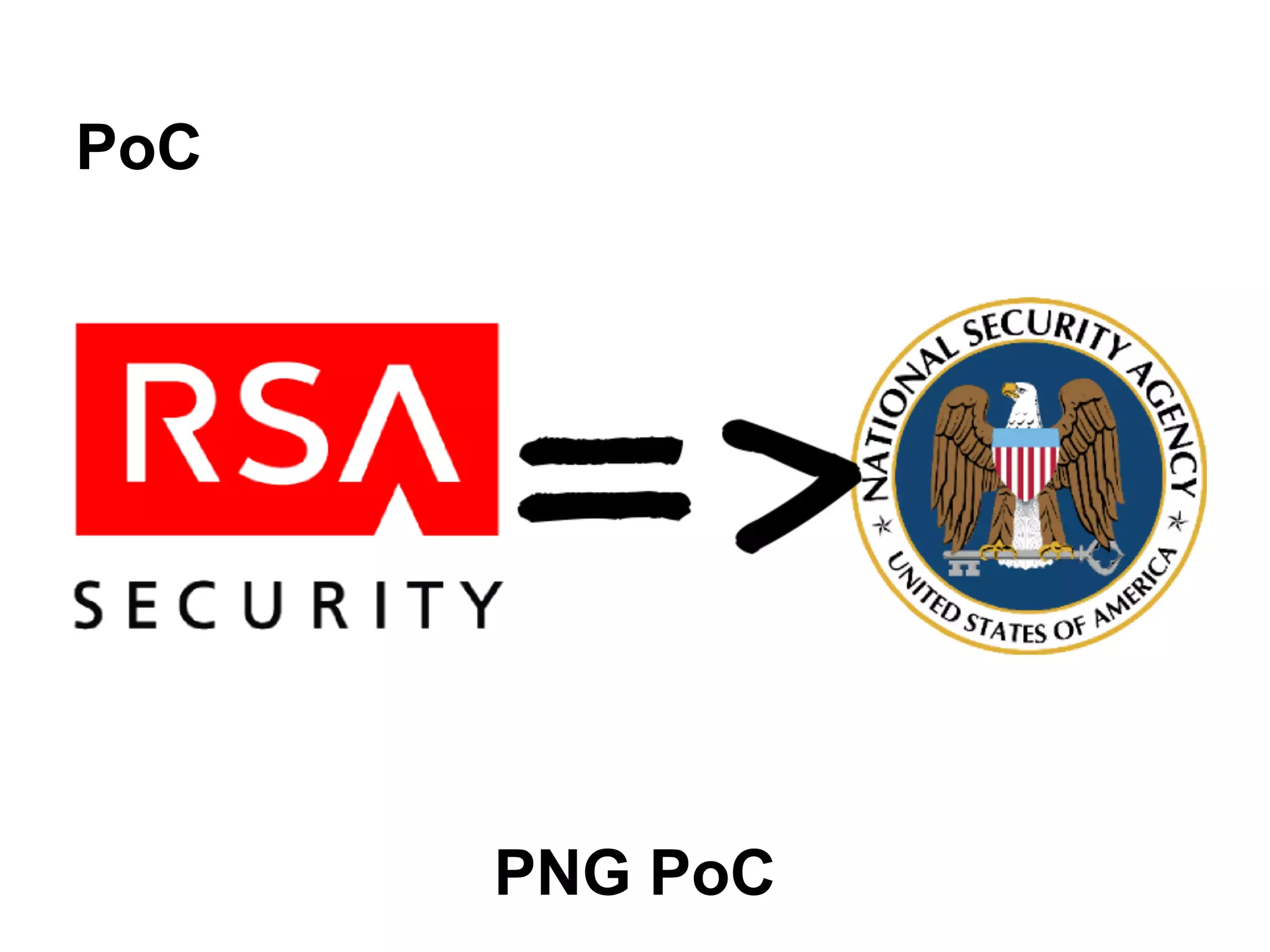
PoC
PNG PoC
FLV
Flash Video
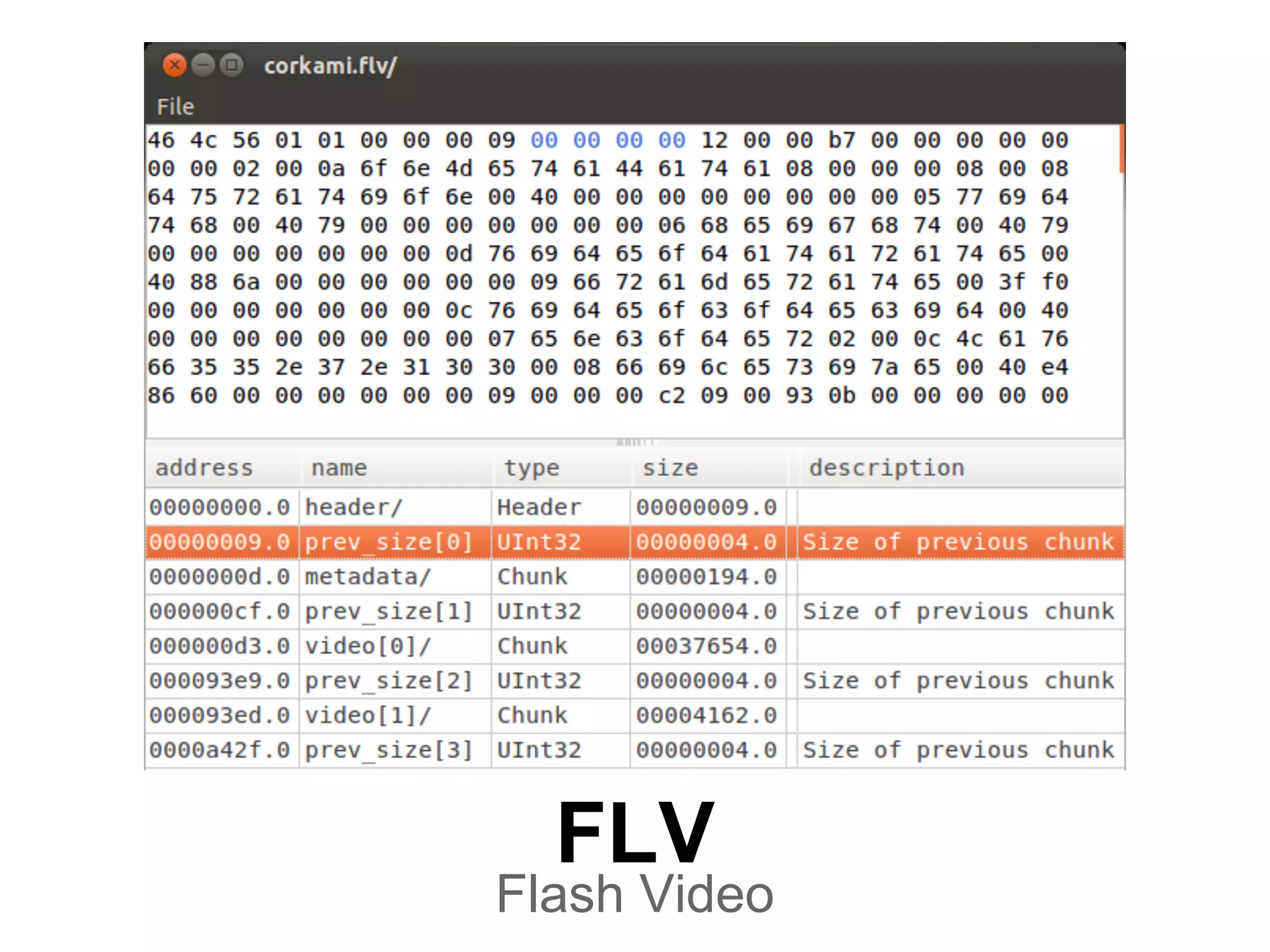
Flash Video
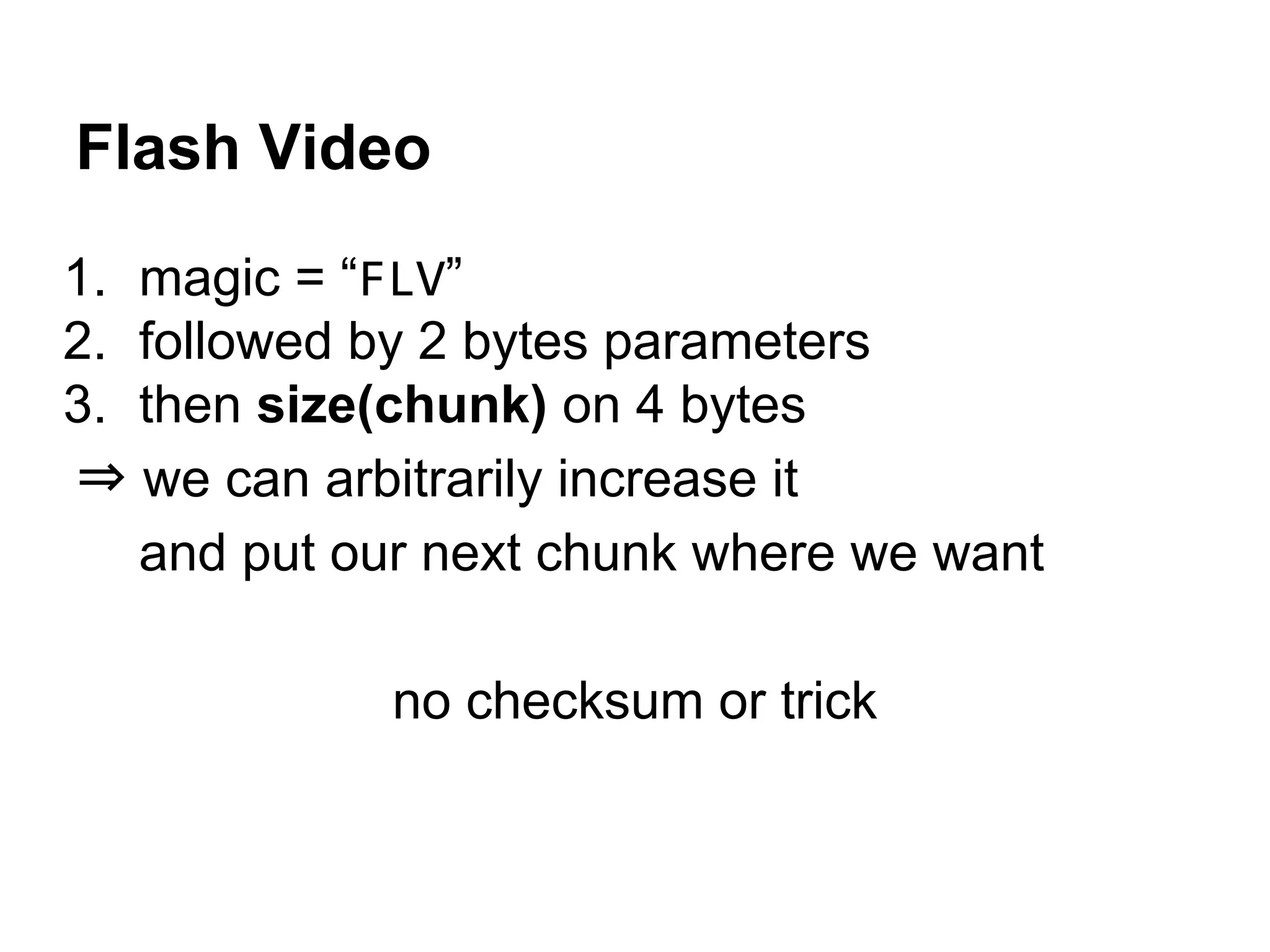
1. magic = “FLV”
2. followed by 2 bytes parameters
3. then size(chunk) on 4 bytes
⇒ we can arbitrarily increase it
and put our next chunk where we want
no checksum or trick
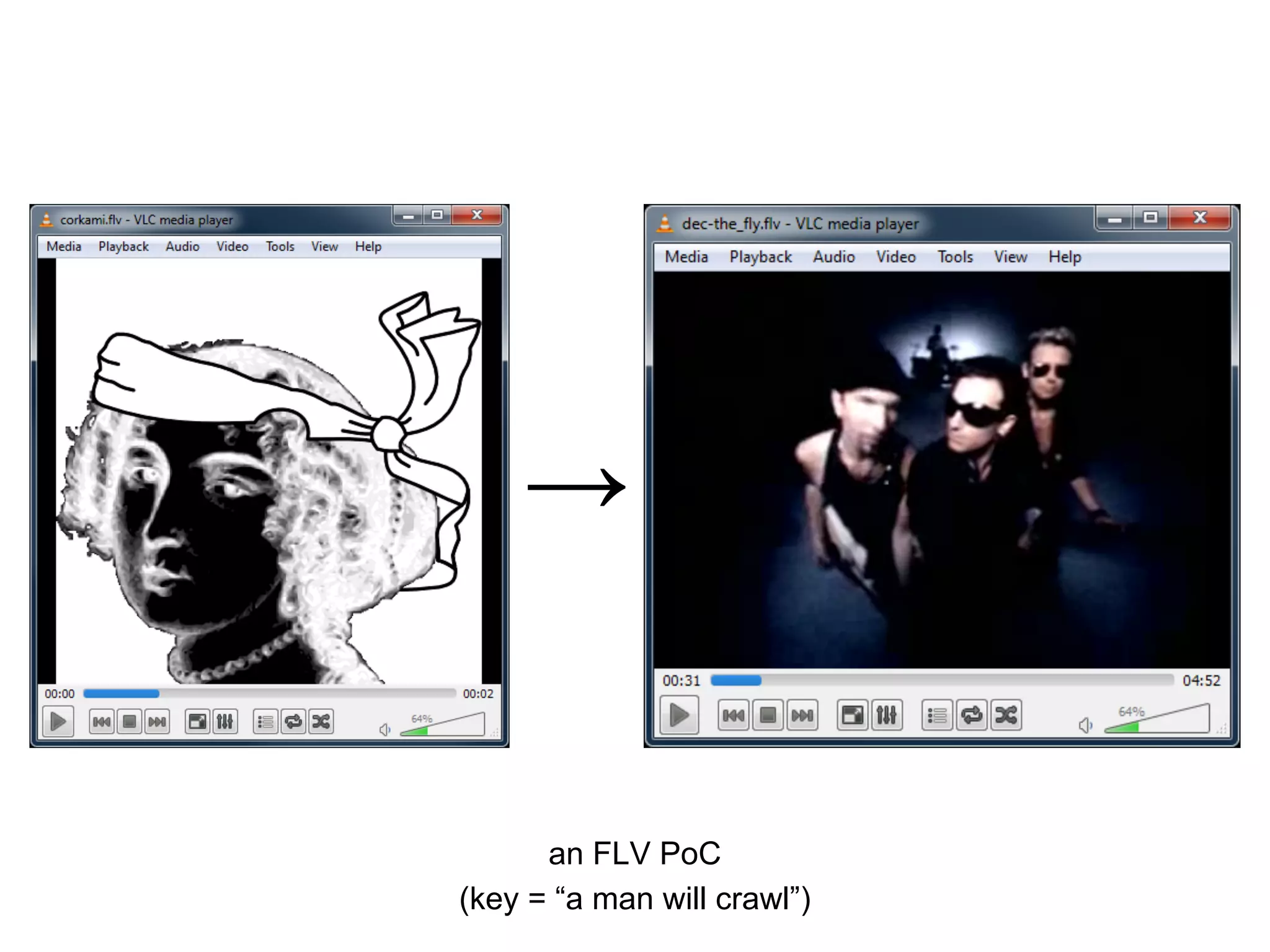
an FLV PoC
(key = “a man will crawl”)
→
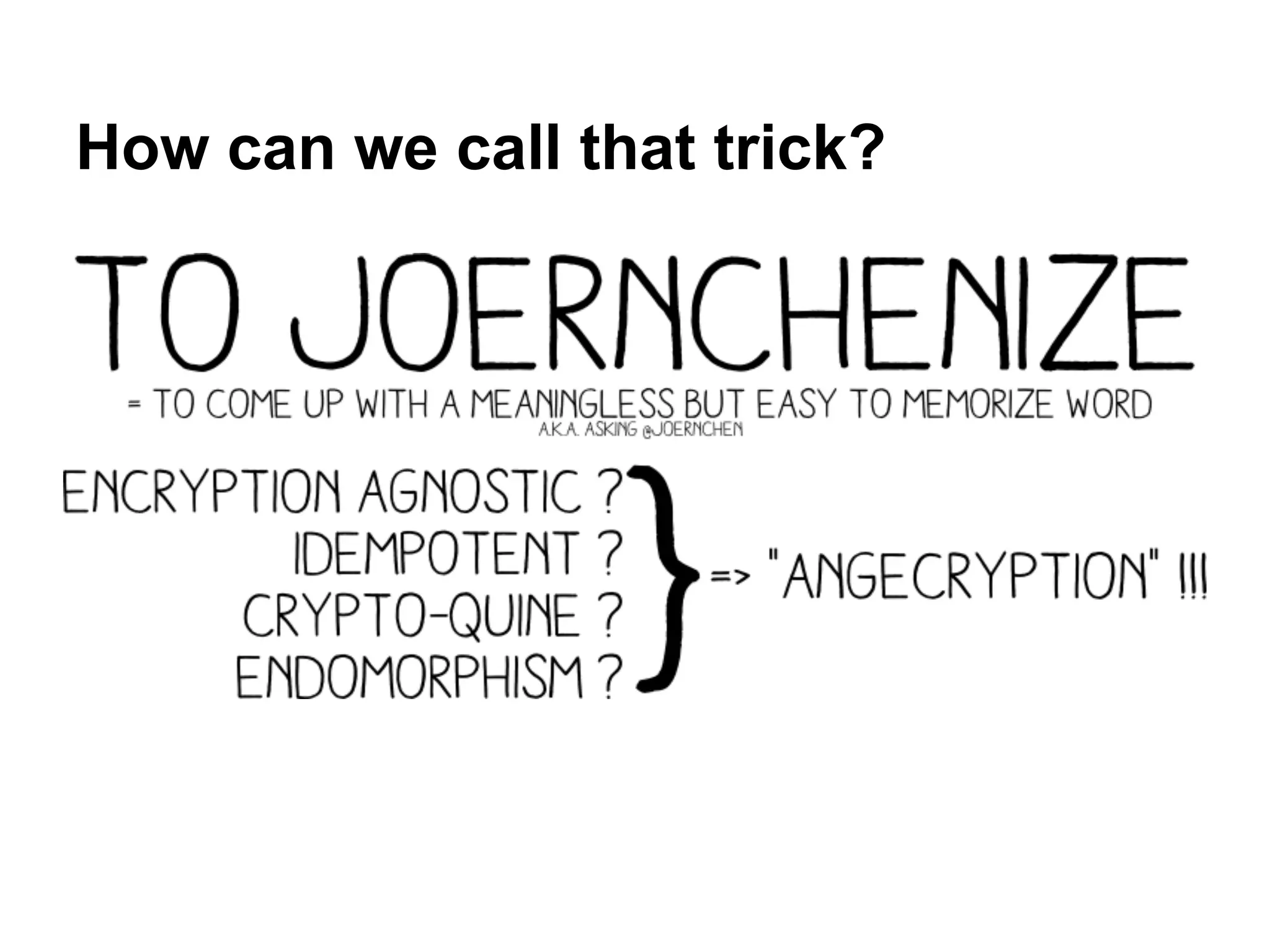
How can we call that trick?
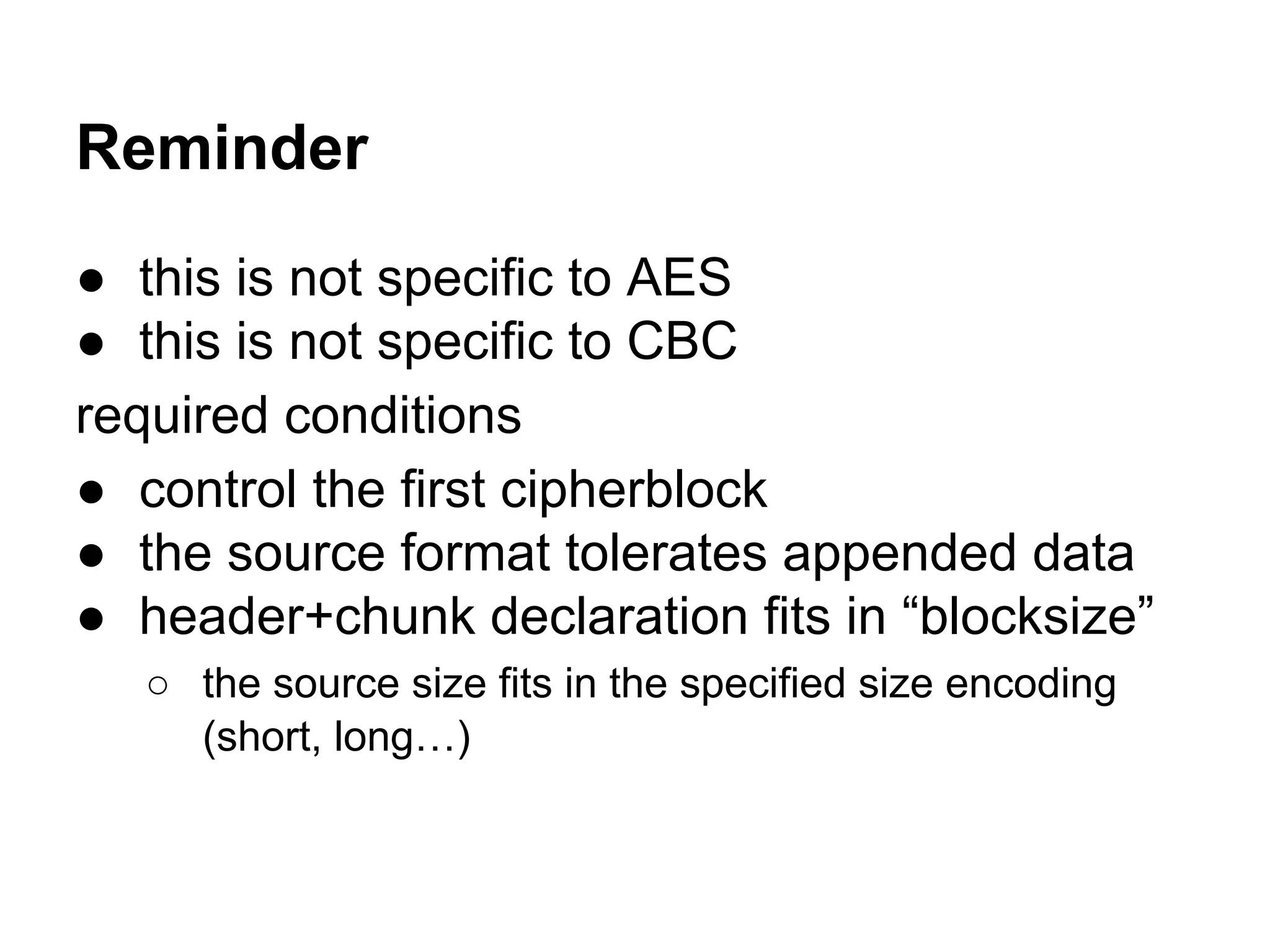
Reminder
● this is not specific to AES
● this is not specific to CBC
required conditions
● control the first cipherblock
● the source format tolerates appended data
● header+chunk declaration fits in “blocksize”
○ the source size fits in the specified size encoding
(short, long…)
Bonus
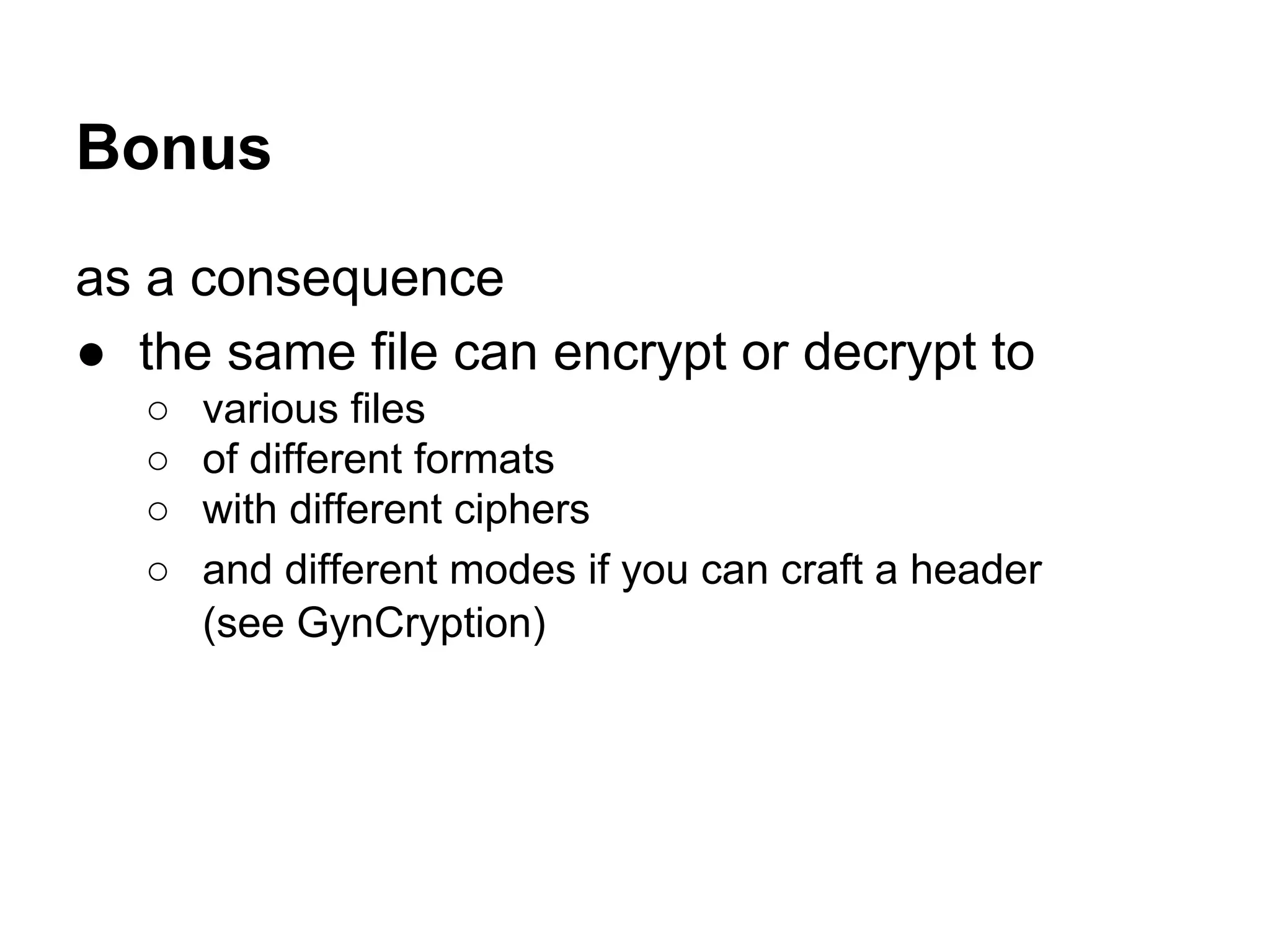
as a consequence
● the same file can encrypt or decrypt to
○ various files
○ of different formats
○ with different ciphers
○ and different modes if you can craft a header
(see GynCryption)
a step by step
walkthrough
AES(ZIP) = PNG
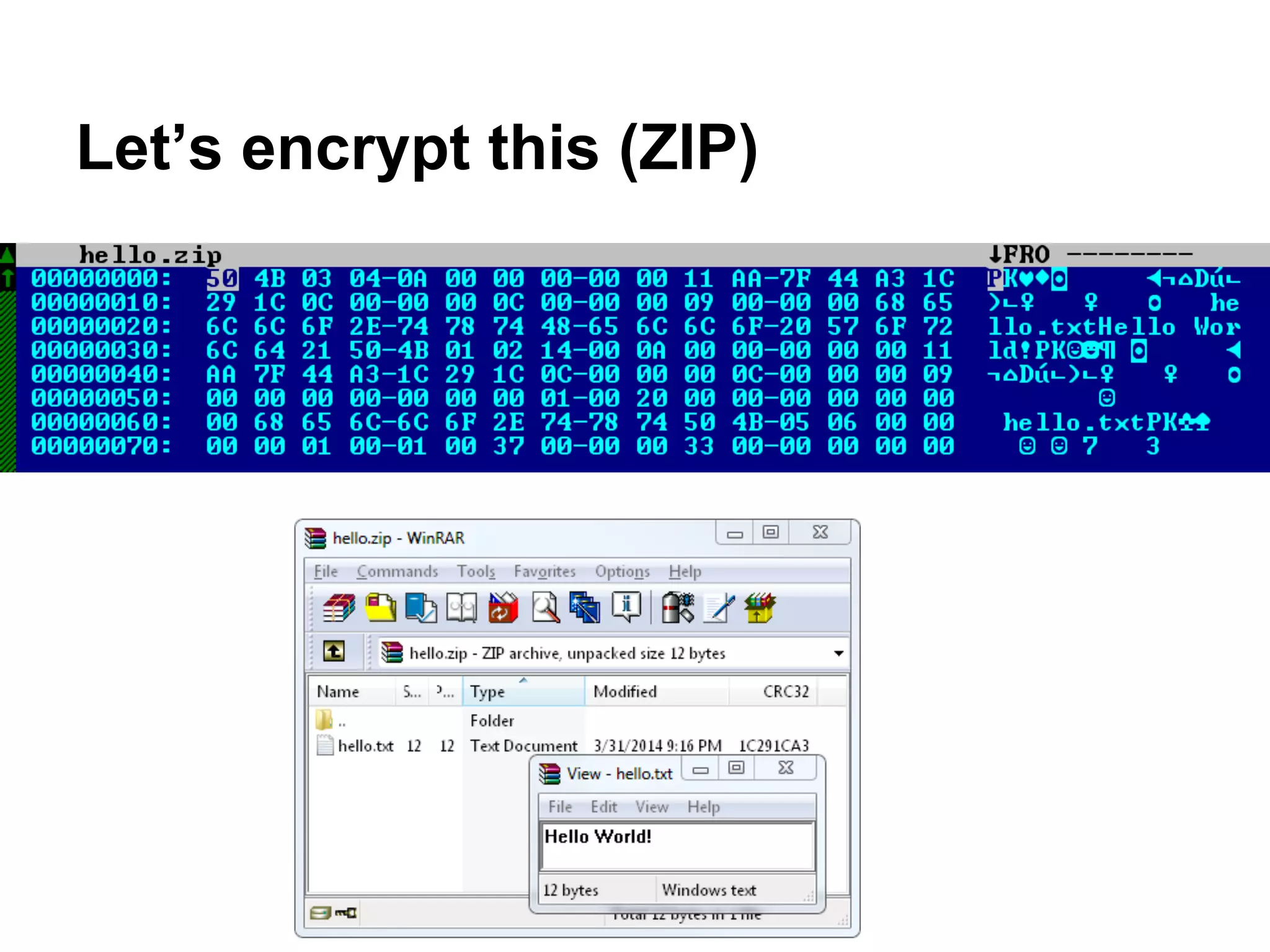
Let’s encrypt this (ZIP)
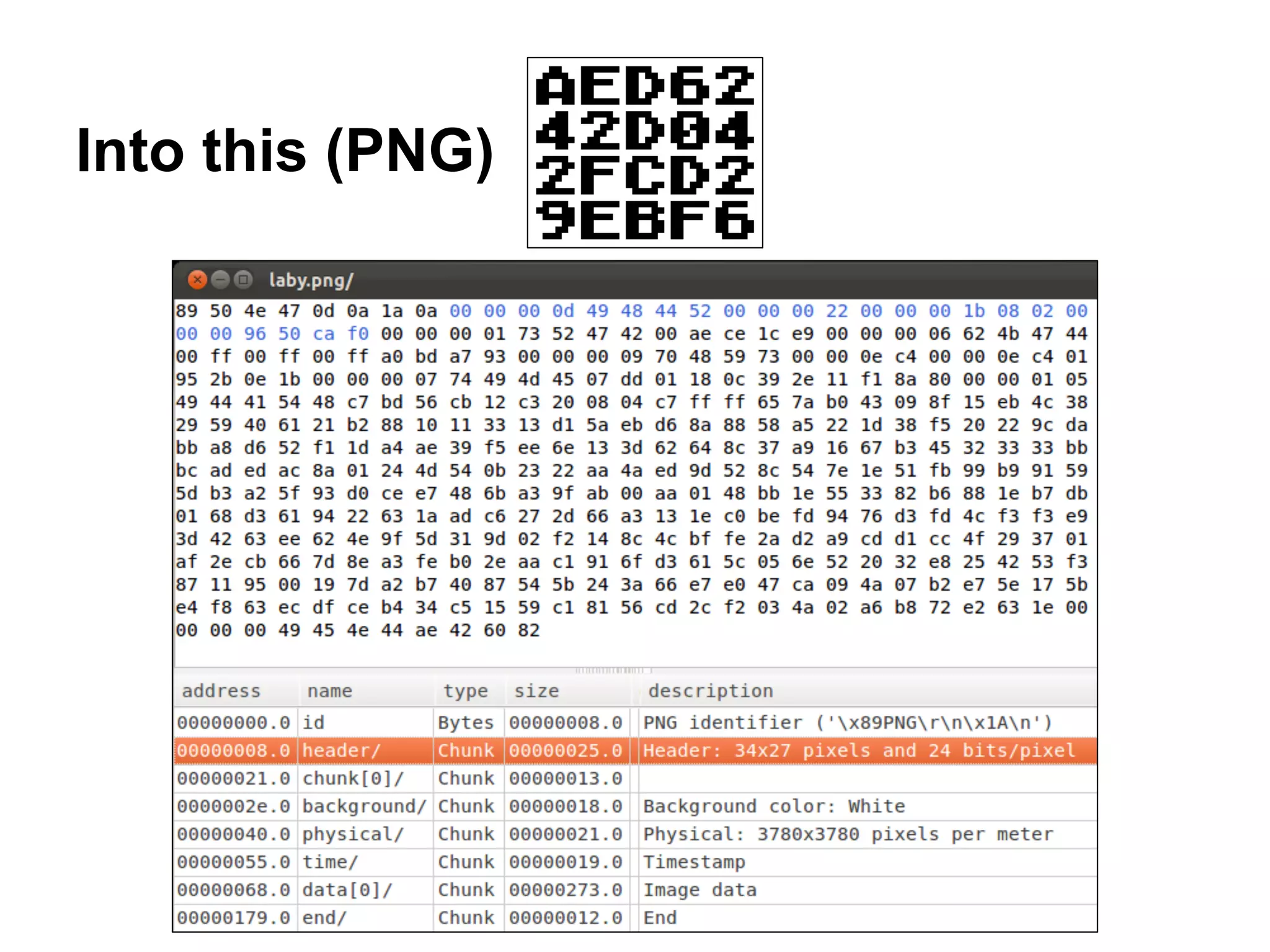
Into this (PNG)
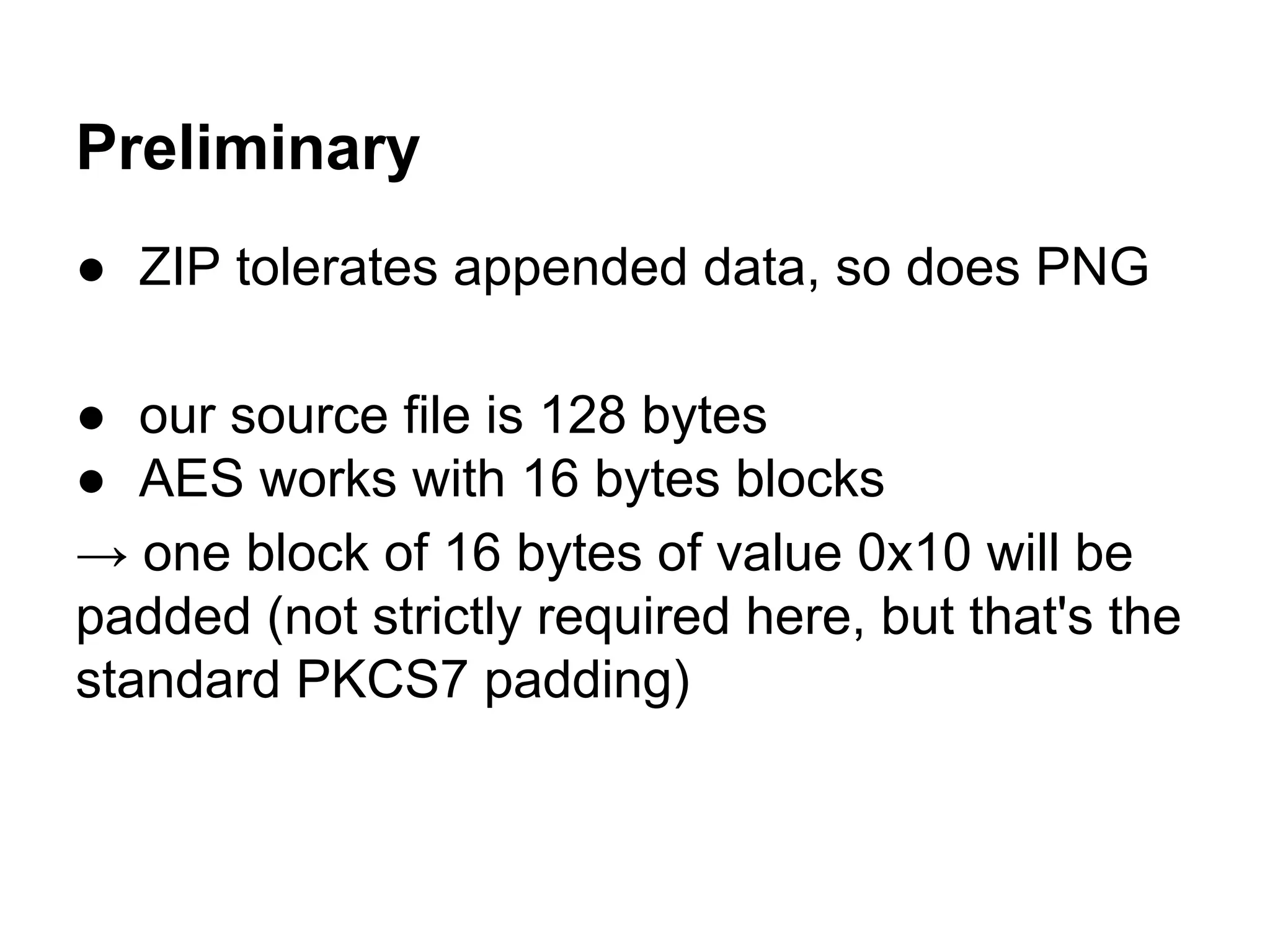
Preliminary
● ZIP tolerates appended data, so does PNG
● our source file is 128 bytes
● AES works with 16 bytes blocks
→ one block of 16 bytes of value 0x10 will be
padded (not strictly required here, but that's the
standard PKCS7 padding)
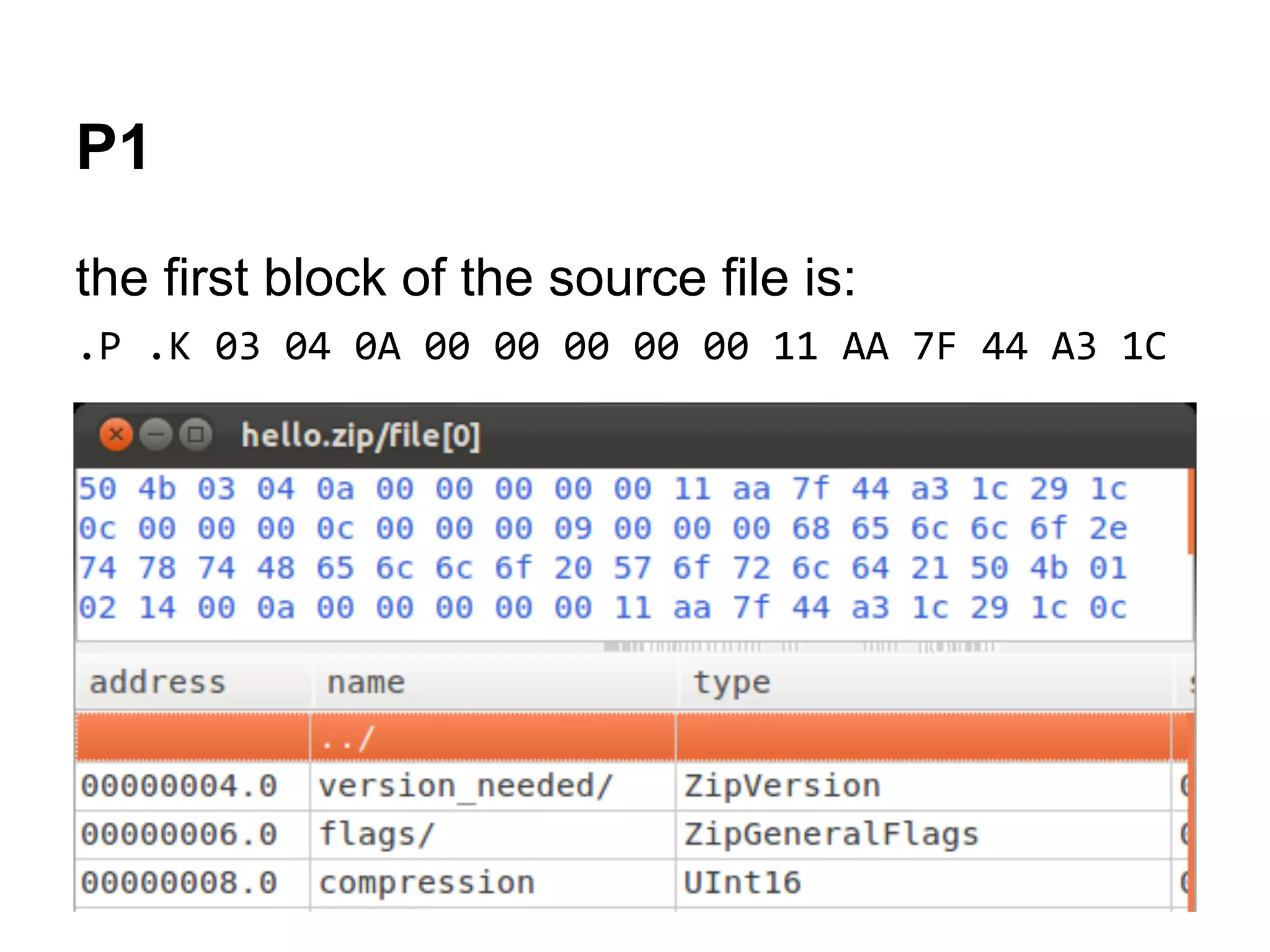
P1
the first block of the source file is:
.P .K 03 04 0A 00 00 00 00 00 11 AA 7F 44 A3 1C
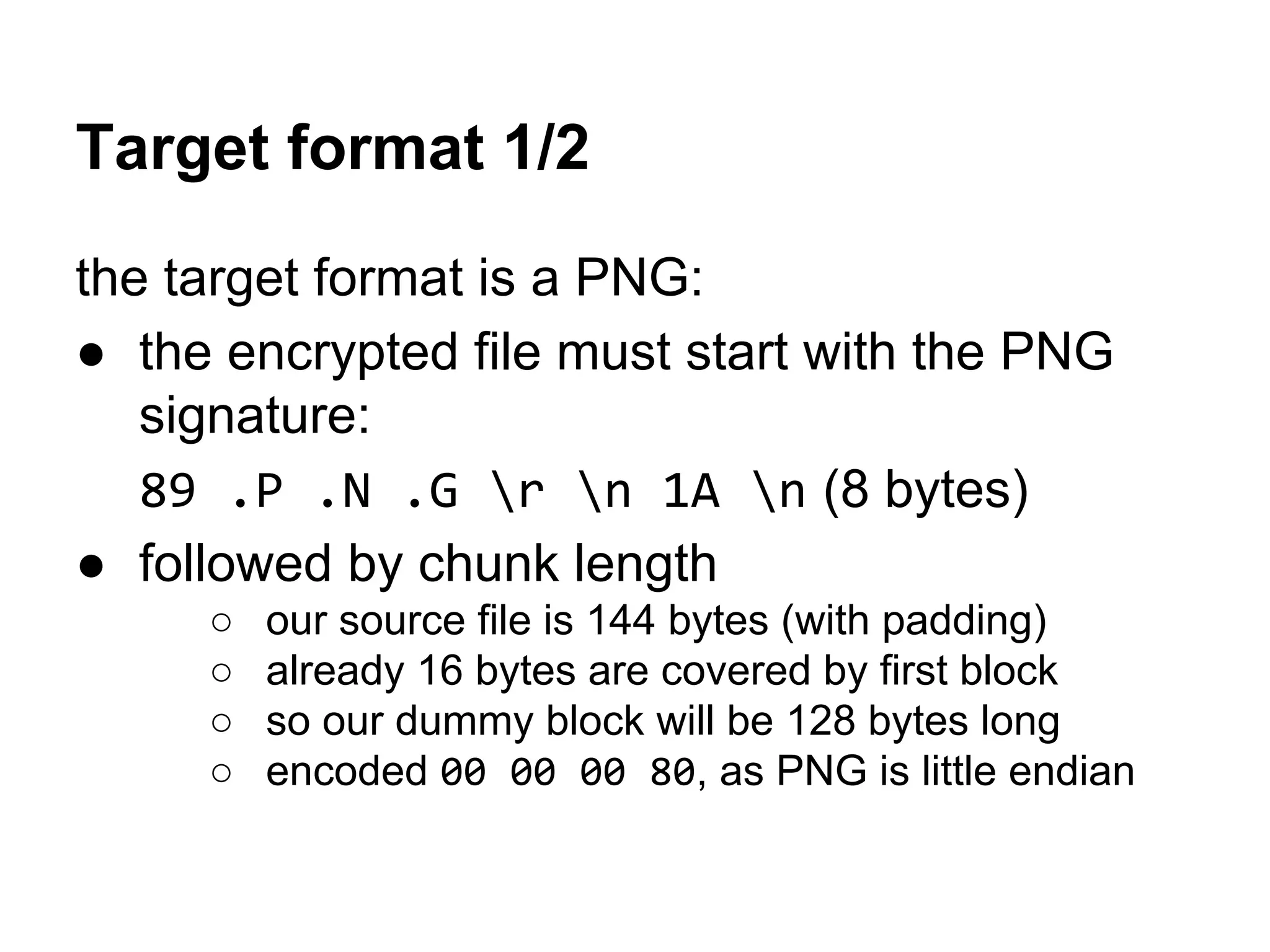
Target format 1/2
the target format is a PNG:
● the encrypted file must start with the PNG
signature:
89 .P .N .G r n 1A n (8 bytes)
● followed by chunk length
○ our source file is 144 bytes (with padding)
○ already 16 bytes are covered by first block
○ so our dummy block will be 128 bytes long
○ encoded 00 00 00 80, as PNG is little endian
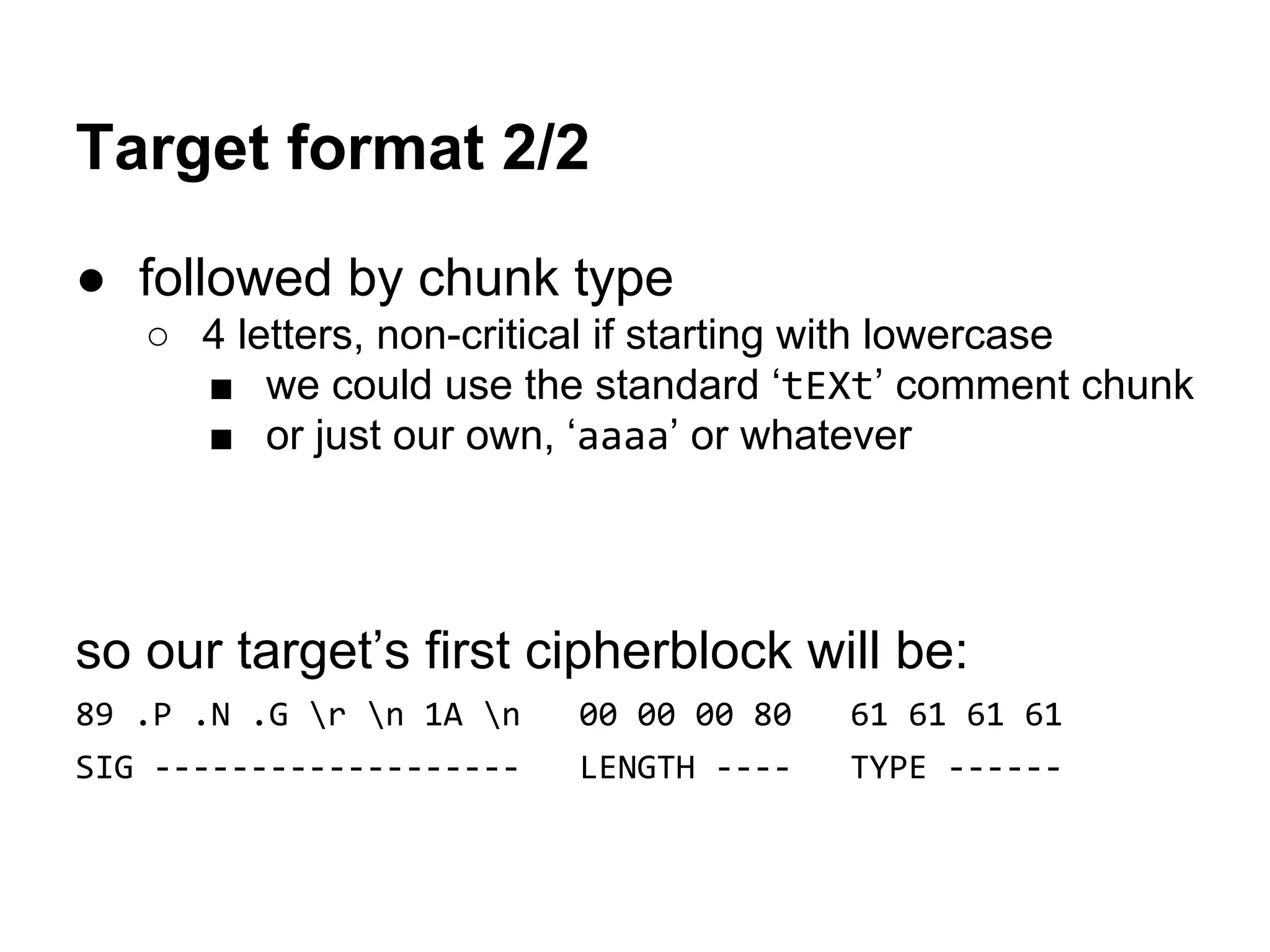
Target format 2/2
● followed by chunk type
○ 4 letters, non-critical if starting with lowercase
■ we could use the standard ‘tEXt’ comment chunk
■ or just our own, ‘aaaa’ or whatever
so our target’s first cipherblock will be:
89 .P .N .G r n 1A n 00 00 00 80 61 61 61 61
SIG ------------------- LENGTH ---- TYPE ------
Decrypting C1
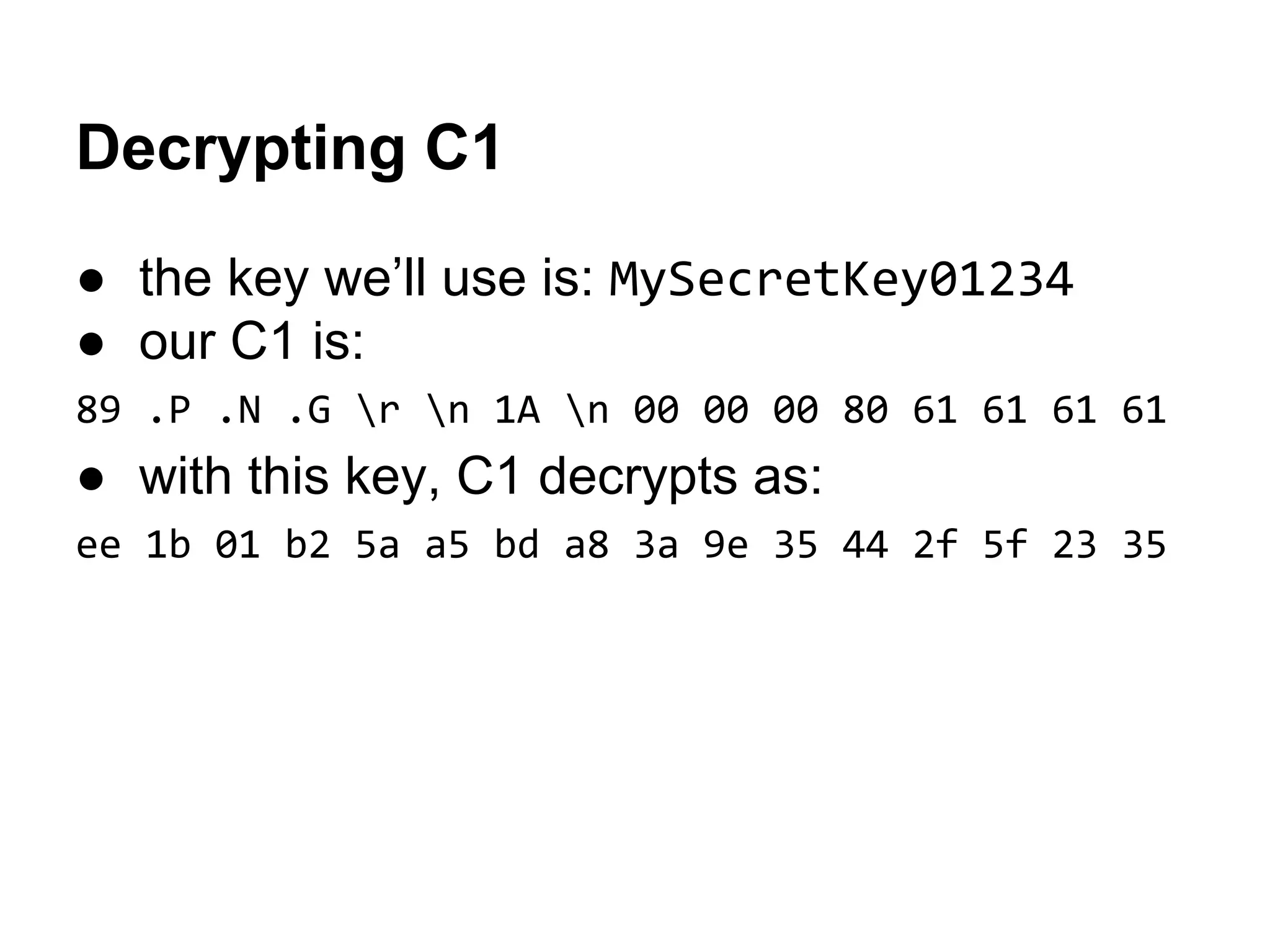
● the key we’ll use is: MySecretKey01234
● our C1 is:
89 .P .N .G r n 1A n 00 00 00 80 61 61 61 61
● with this key, C1 decrypts as:
ee 1b 01 b2 5a a5 bd a8 3a 9e 35 44 2f 5f 23 35
Crafting the IV
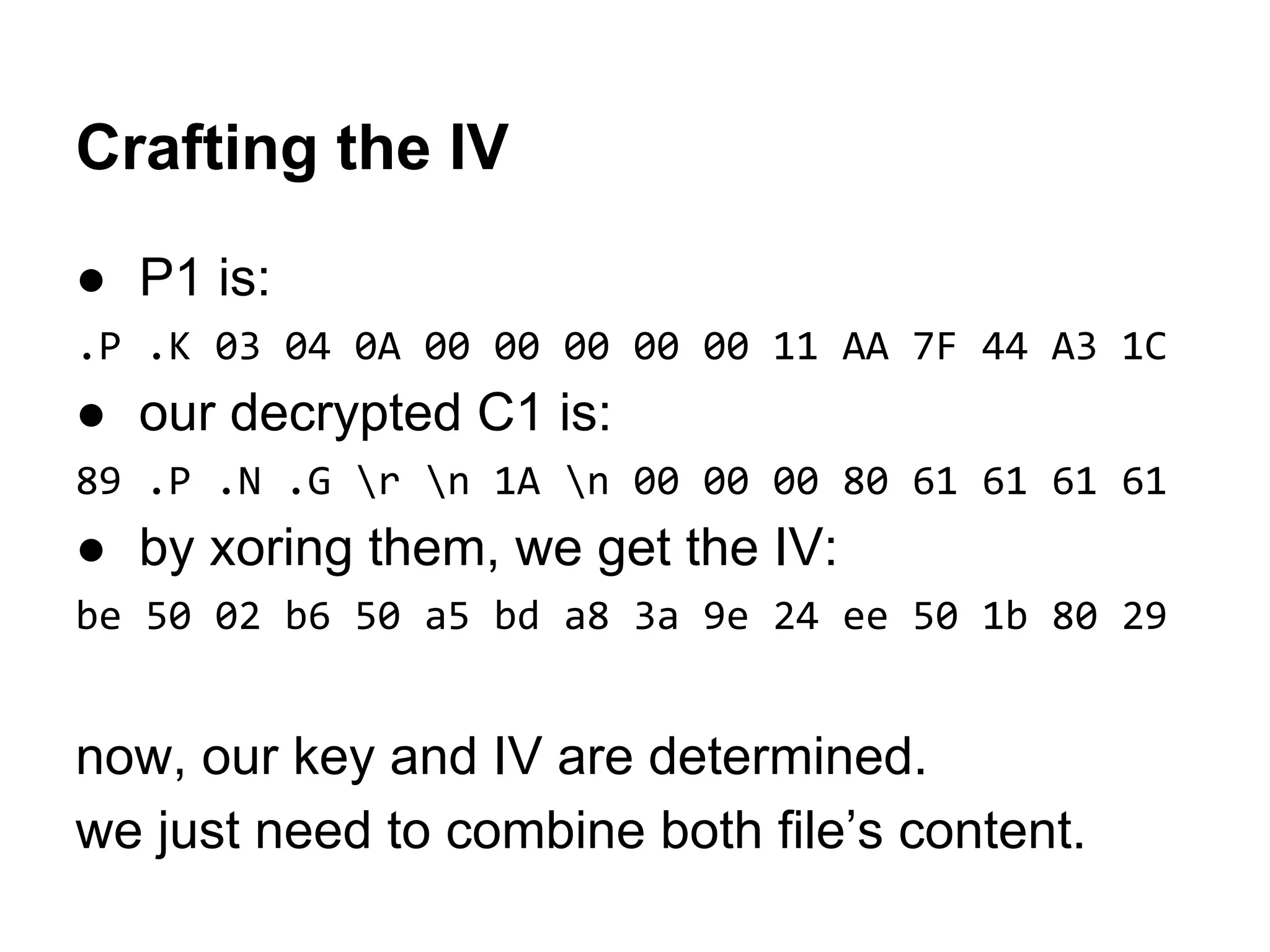
● P1 is:
.P .K 03 04 0A 00 00 00 00 00 11 AA 7F 44 A3 1C
● our decrypted C1 is:
89 .P .N .G r n 1A n 00 00 00 80 61 61 61 61
● by xoring them, we get the IV:
be 50 02 b6 50 a5 bd a8 3a 9e 24 ee 50 1b 80 29
now, our key and IV are determined.
we just need to combine both file’s content.
Making the final file
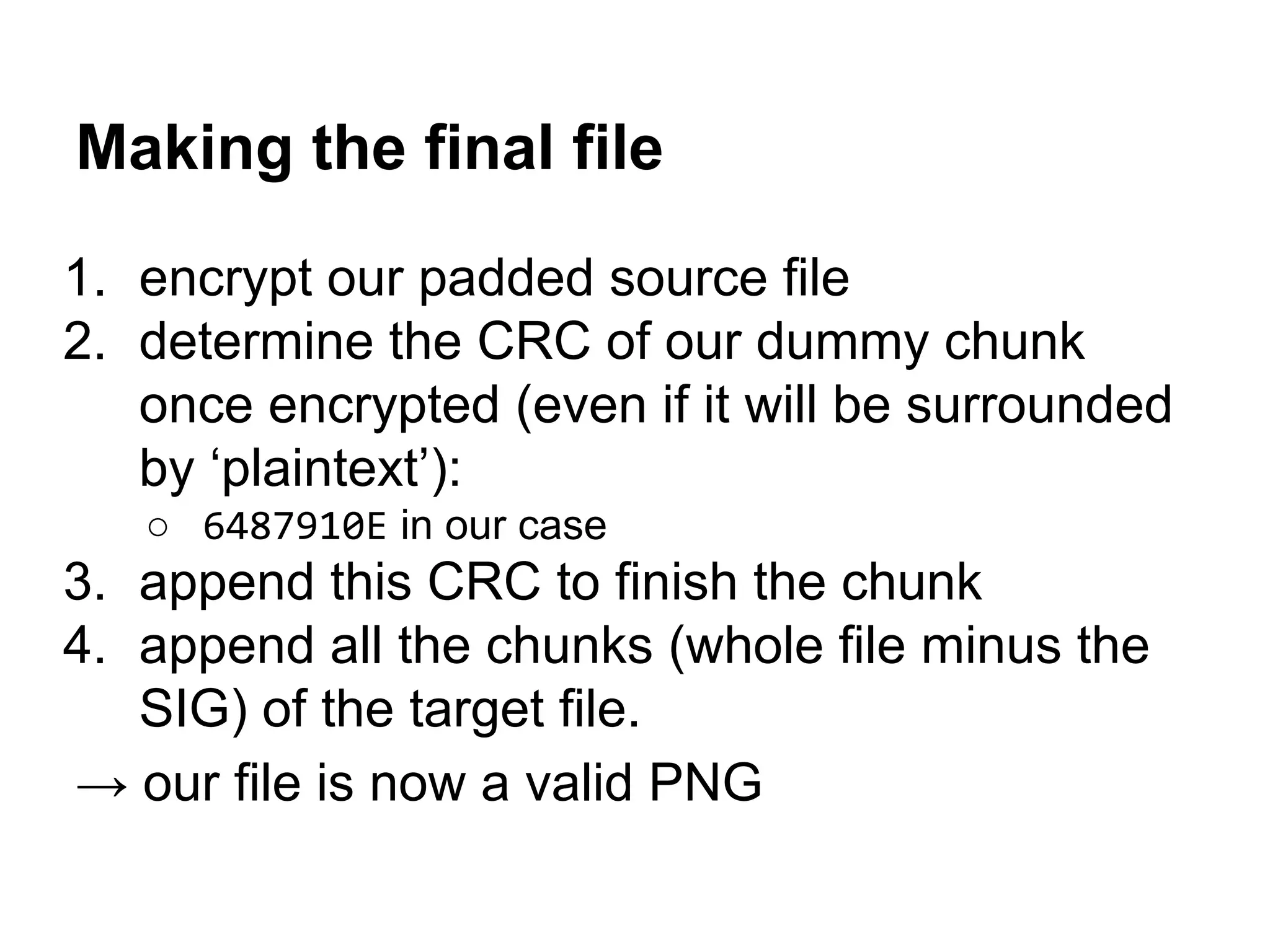
1. encrypt our padded source file
2. determine the CRC of our dummy chunk
once encrypted (even if it will be surrounded
by ‘plaintext’):
○ 6487910E in our case
3. append this CRC to finish the chunk
4. append all the chunks (whole file minus the
SIG) of the target file.
→ our file is now a valid PNG
Our file
50 4B 03 04-0A 00 00 00-00 00 11 AA-7F 44 A3 1C PK??? ?¬¦Dú?
29 1C 0C 00-00 00 0C 00-00 00 09 00-00 00 68 65 )?? ? ? he
6C 6C 6F 2E-74 78 74 48-65 6C 6C 6F-20 57 6F 72 llo.txtHello Wor
6C 64 21 50-4B 01 02 14-00 0A 00 00-00 00 00 11 ld!PK??¶ ? ?
AA 7F 44 A3-1C 29 1C 0C-00 00 00 0C-00 00 00 09 ¬¦Dú?)?? ? ?
00 00 00 00-00 00 00 01-00 20 00 00-00 00 00 00 ?
00 68 65 6C-6C 6F 2E 74-78 74 50 4B-05 06 00 00 hello.txtPK??
00 00 01 00-01 00 37 00-00 00 33 00-00 00 00 00 ? ? 7 3
10 10 10 10-10 10 10 10-10 10 10 10-10 10 10 10 ????????????????
AA 81 13 6A-22 E8 E3 13-E8 BB 56 83-4D 6D 6A E5 ¬ü?j"Fp?F+VâMmjs
96 DE 62 C6-21 11 52 51-60 C4 E4 19-0E 6E 7F FC û¦b¦!?RQ`-S??n¦n
F0 37 F6 33-AD E0 42 49-21 B5 1C FB-50 EE E1 6D =7÷3¡aBI!¦?vPeßm
D3 4F 22 43-DB A9 18 2D-0F EC B5 52-F3 A4 8C EE +O"C¦¬?-¤8¦R=ñîe
69 A8 E4 5A-96 46 4A 3B-5D E2 B6 8F-4E A6 E7 90 i¿SZûFJ;]G¦ÅNªtÉ
CA E9 E1 04-65 24 D3 49-55 DF AC 68-A1 FC 0F 0F -Tß?e$+IU¯¼hín¤¤
63 7A 2B A4-26 99 13 22-8A 8B 14 08-8D 71 18 83 cz+ñ&Ö?"èï¶?ìq?â
00 A9 85 86-A6 EC 13 9F-9E 16 30 1A-58 56 B5 CC ¬àåª8?ƒP?0?XV¦¦
73 77 42 99-EC 53 D8 7C-8C 13 3E 74-6F B2 66 1D swBÖ8S+|î?>to¦f?
7E CA 62 94-6D B2 D7 E4-F0 21 F5 87-AA F3 F7 8C ~-böm¦+S=!)ç¬=˜î
15 B9 8D F0-DF FA 56 A3-06 A1 07 25-D1 DC 9D 51 §¦ì=¯·Vú?í•%-_¥Q
F4 6C 7B 43-40 32 57 C8-FD 40 A0 98-CA 6E 02 2B (l{C@2W+²@áÿ-n?+
6D 54 37 7C-0A 1A C5 DD-9D CC C1 8A-72 A7 FD 24 mT7|??+¦¥¦-èrº²$
12 5F 51 84-4B 48 C3 5D-E0 76 8B 05-8F 09 20 17 ?_QäKH+]avï?Å? ?
A5 BD CE DF-E8 B3 E8 5B-CD 76 63 29-C0 77 BF 28 Ñ++¯F¦F[-vc)+w+(
96 FD 32 05-F8 B6 A3 A9-24 2C A6 98-71 6A 83 DC û²2?°¦ú¬$,ªÿqjâ_
FE 54 EA ED-43 12 12 EF-BB 38 6E 17-59 17 AF 17 ¦TOfC??n+8n?Y?»?
A9 0C 25 F2-19 11 2C 45-5E 40 77 33-10 09 CE BD ¬?%=??,E^@w3??++
61 CE 65 BB-8E E6 EE 3E-D5 78 29 85-1D F8 3A 39 a+e+ĵe>+x)�:9
85 B0 37 79-01 AF 7F 79-D8 60 1B 59-54 8D A6 03 à¦7y?»¦y+`?YTìª?
93 B9 DF 53-83 47 99 E1-1D 0F 5B 00-5A 22 20 1A ô¦¯SâGÖß?¤[ Z" ?
A7 1D F2 FC-67 28 40 54-3B 12 6C 97-78 4A B5 A2 º?=ng(@T;?lùxJ¦ó
3B 6C B7 29-21 56 B1 A3-1C F1 71 E9-D6 C3 FC FD ;l+)!V¦ú?±qT++n²
F8 F1 45 E8-7B DD 67 63-FA 62 67 6A-EA 33 0C FB °±EF{¦gc·bgjO3?v
8F 90 98 2F-11 39 65 64-A3 11 7C C1-38 29 67 0E ÅÉÿ/?9edú?|-8)g?
1. original source file
2. padding
3. ‘decrypted’ target content
= source file + appended data
After decryption
89 50 4E 47-0D 0A 1A 0A-00 00 00 80-61 61 61 61 ëPNG???? Çaaaa
B0 EC 40 7E-FB 1E 5D 0B-5D 87 A9 4A-AF A1 08 A8 ¦8@~v?]?]ç¬J»í?¿
9A D4 46 4A-75 87 6C 72-24 71 23 E6-66 AF 77 B7 Ü+FJuçlr$q#µf»w+
93 AC A7 B3-F5 81 CF C9-31 47 80 AA-73 43 9A C5 ô¼º¦)ü-+1GǬsCÜ+
5A 0F 5F 40-C9 8B 4D AF-A0 D7 CD 3B-86 D0 58 32 Z¤_@+ïM»á+-;å-X2
E1 52 6A 36-E2 3E DD D5-5C 95 BB C5-8C 44 A5 8E ßRj6G>¦+ò++îDÑÄ
14 71 89 70-E2 25 F8 95-84 27 DD AD-E3 90 E9 50 ¶qëpG%°òä'¦¡pÉTP
C4 E7 20 FD-0E C6 4A 69-95 B6 0D 73-25 30 D9 9E -t ²?¦Jiò¦?s%0+P
D1 01 42 A7-5E 32 18 85-A2 BD B8 61-19 9B 52 CF -?Bº^2?àó++a?¢R-
64 87 91 0E-00 00 00 0D-49 48 44 52-00 00 00 22 dçæ? ?IHDR "
00 00 00 1B-08 02 00 00-00 96 50 CA-F0 00 00 00 ??? ûP-=
01 73 52 47-42 00 AE CE-1C E9 00 00-00 06 62 4B ?sRGB «+?T ?bK
47 44 00 FF-00 FF 00 FF-A0 BD A7 93-00 00 00 09 GD á+ºô ?
70 48 59 73-00 00 0E C4-00 00 0E C4-01 95 2B 0E pHYs ?- ?-?ò+?
1B 00 00 00-07 74 49 4D-45 07 DD 01-18 0C 39 2E ? •tIME•¦???9.
11 F1 8A 80-00 00 01 05-49 44 41 54-48 C7 BD 56 ?±èÇ ??IDATH¦+V
CB 12 C3 20-08 04 C7 FF-FF 65 7A B0-43 09 8F 15 -?+ ??¦ ez¦C?ŧ
EB 4C 38 29-59 40 61 21-B2 88 10 11-33 13 D1 5A dL8)Y@a!¦ê??3?-Z
EB D6 8A 88-58 A5 22 1D-38 F5 20 22-9C DA BB A8 d+èêXÑ"?8) "£++¿
D6 52 F1 1D-A4 AE 39 F5-EE 6E 13 3D-62 64 8C 37 +R±?ñ«9)en?=bdî7
A9 16 67 B3-45 32 33 33-BB BC AD ED-AC 8A 01 24 ¬?g¦E233++¡f¼è?$
4D 54 0B 23-22 AA 4A ED-9D 52 8C 54-7E 1E 51 FB MT?#"¬Jf¥RîT~?Qv
99 B9 91 59-5D B3 A2 5F-93 D0 CE E7-48 6B A3 9F Ö¦æY]¦ó_ô-+tHkúƒ
AB 00 AA 01-48 BB 1E 55-33 82 B6 88-1E B7 DB 01 ½ ¬?H+?U3é¦ê?+¦?
68 D3 61 94-22 63 1A AD-C6 27 2D 66-A3 13 1E C0 h+aö"c?¡¦'-fú??+
BE FD 94 76-D3 FD 4C F3-F3 E9 3D 42-63 EE 62 4E +²öv+²L==T=BcebN
9F 5D 31 9D-02 F2 14 8C-4C BF FE 2A-D2 A9 CD D1 ƒ]1¥?=¶îL+¦*-¬--
CC 4F 29 37-01 AF 2E CB-66 7D 8E A3-FE B0 2E AA ¦O)7?».-f}Äú¦¦.¬
C1 91 6F D3-61 5C 05 6E-52 20 32 E8-25 42 53 F3 -æo+a?nR 2F%BS=
87 11 95 00-19 7D A2 B7-40 87 54 5B-24 3A 66 E7 ç?ò ?}ó+@çT[$:ft
E0 47 CA 09-4A 07 B2 E7-5E 17 5B E4-F8 63 EC DF aG-?J•¦t^?[S°c8¯
CE B4 34 C5-15 59 C1 81-56 CD 2C F2-03 4A 02 A6 +¦4+§Y-üV-,=?J?ª
B8 72 E2 63-1E 00 00 00-00 49 45 4E-44 AE 42 60 +rGc? IEND«B`
82 0B 0B 0B-0B 0B 0B 0B-0B 0B 0B 0B-04 04 04 04 é???????????????
1. PNG Sig
2. dummy chunk start
3. chunk data (encrypted
content of source file)
4. chunk crc
5. target file chunks
6. paddings
= target file
with an extra chunk at the beginning
+ padding
That was too easy :)
a more elegant solution ?
It works, but...
both files aren’t standard
appended data is a giveaway
A smarter appended data
since we have to handle the file format
To prevent obvious appended data
● hide ‘external’ data just after the source data
○ provided the extra data is ignored
● combine encryption/decryption block
Appended data
at file level:
● original file
● appended data
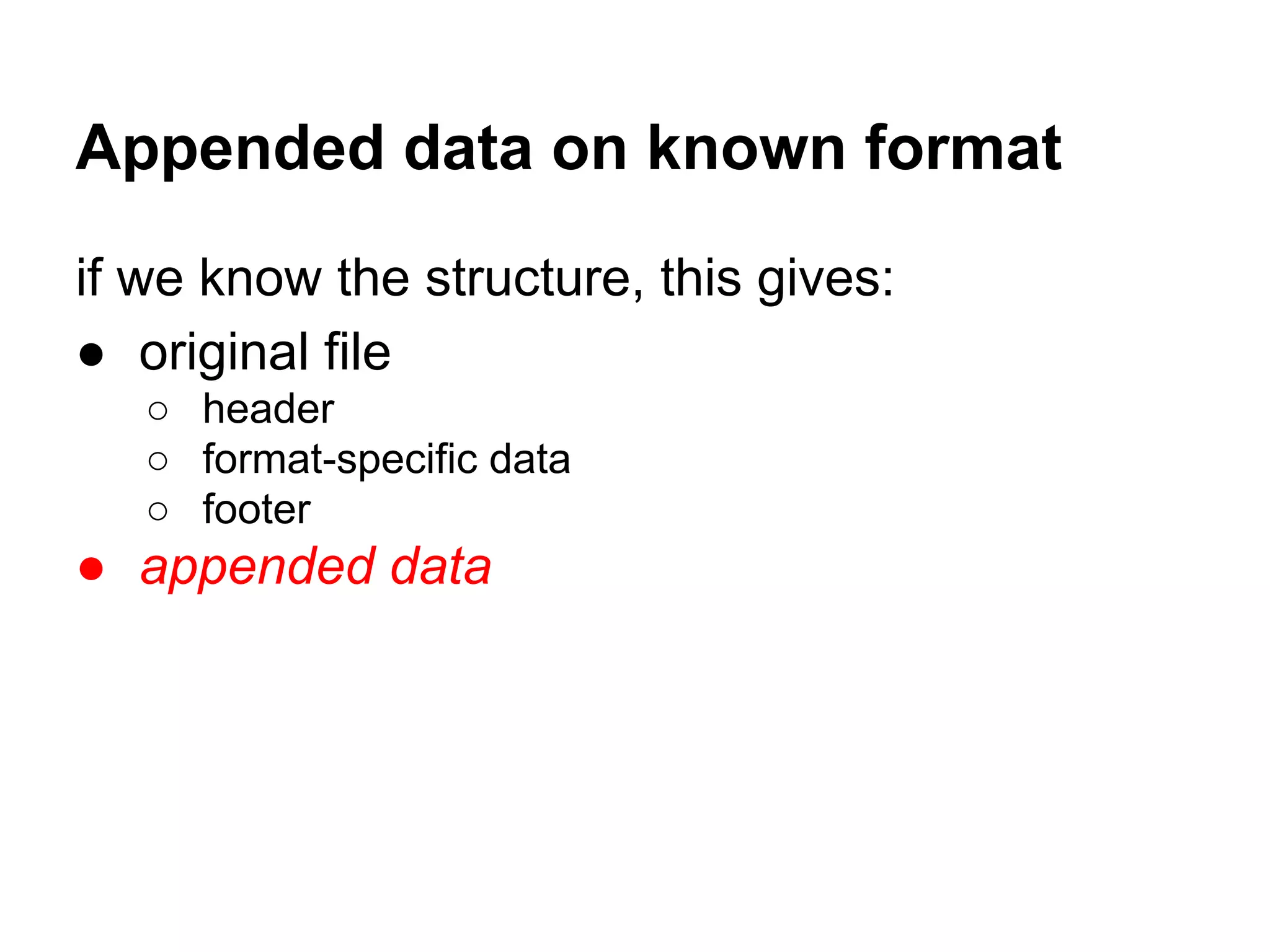
Appended data on known format
if we know the structure, this gives:
● original file
○ header
○ format-specific data
○ footer
● appended data
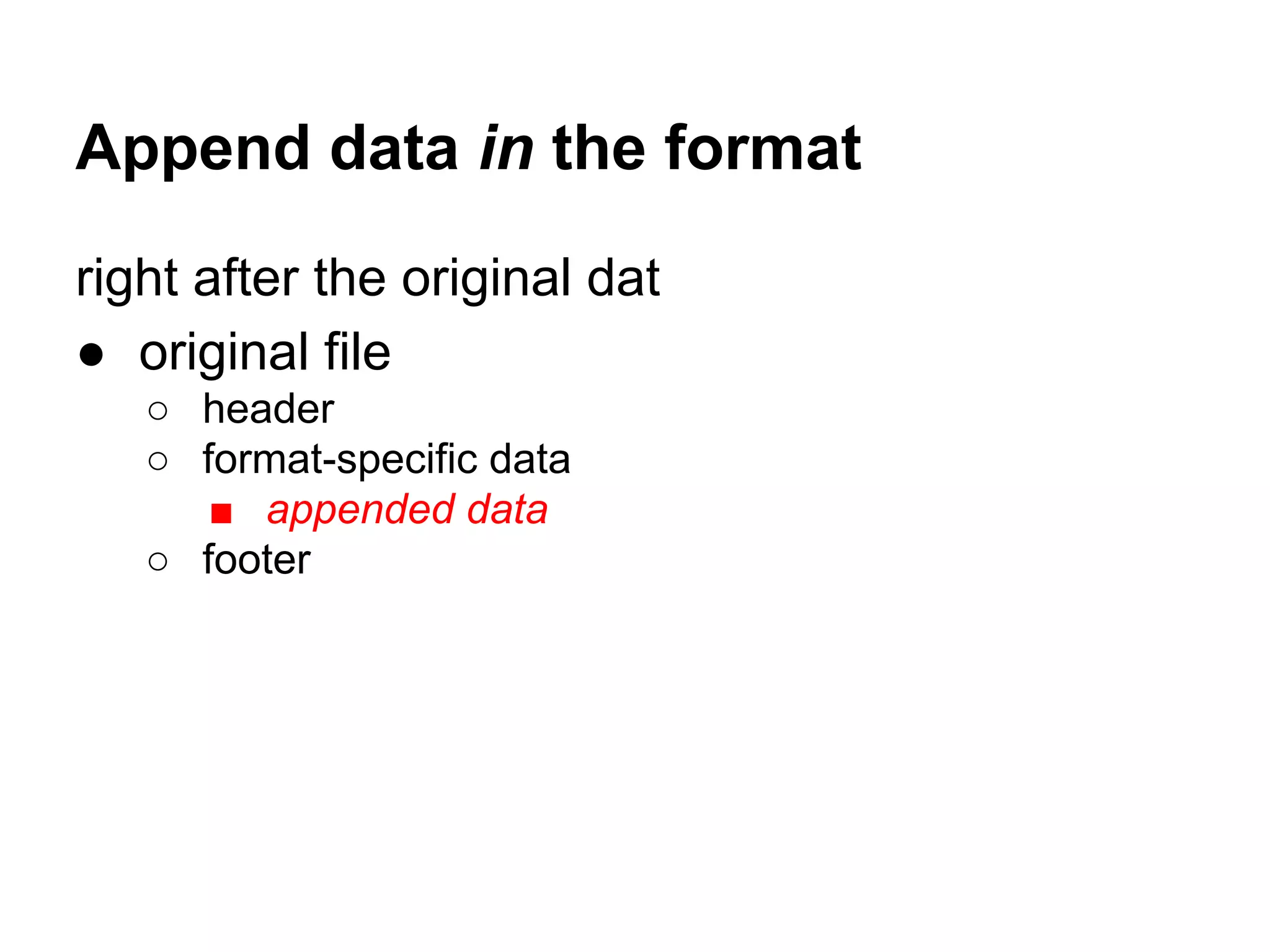
Append data in the format
right after the original dat
● original file
○ header
○ format-specific data
■ appended data
○ footer
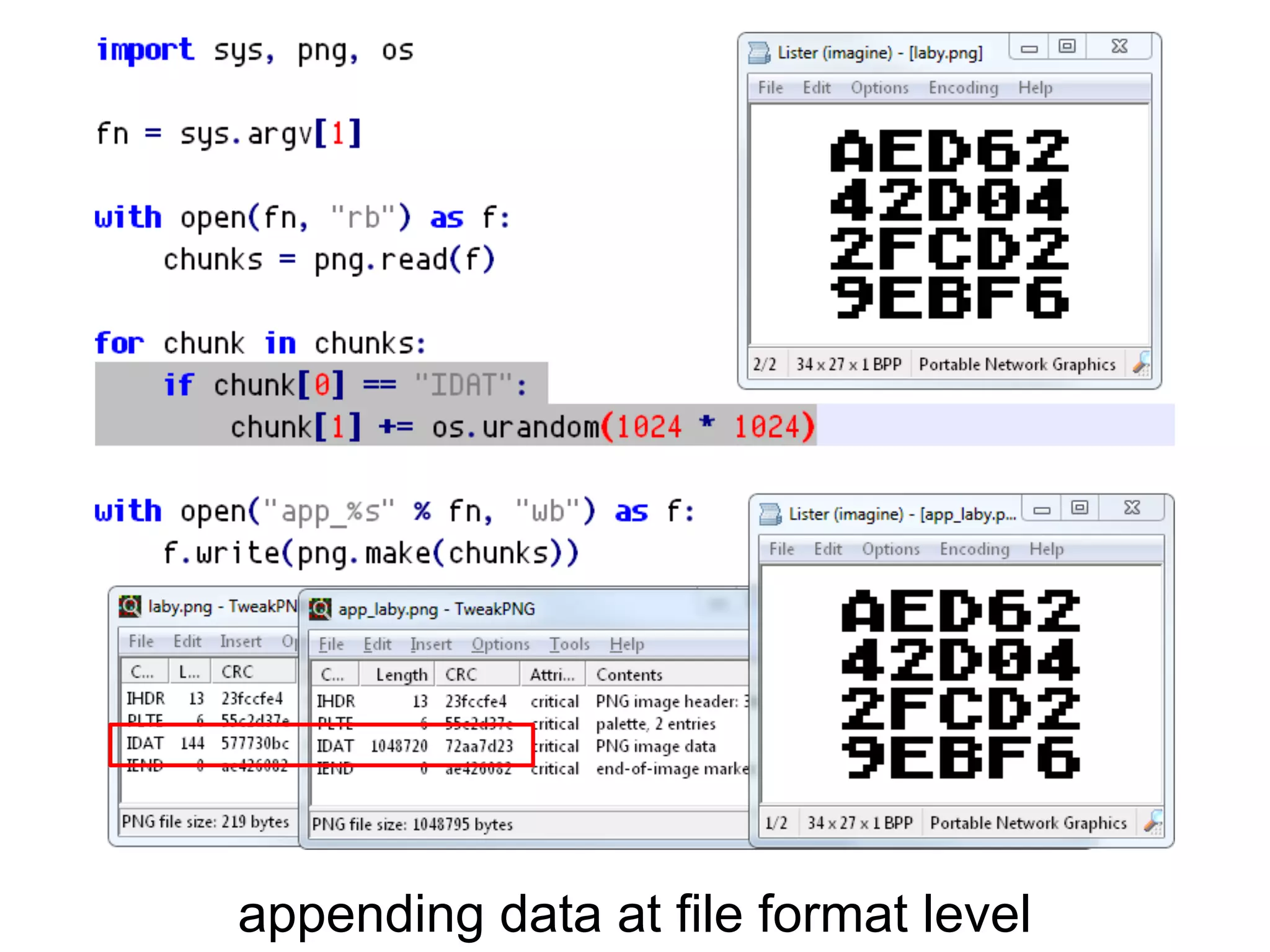
appending data at file format level
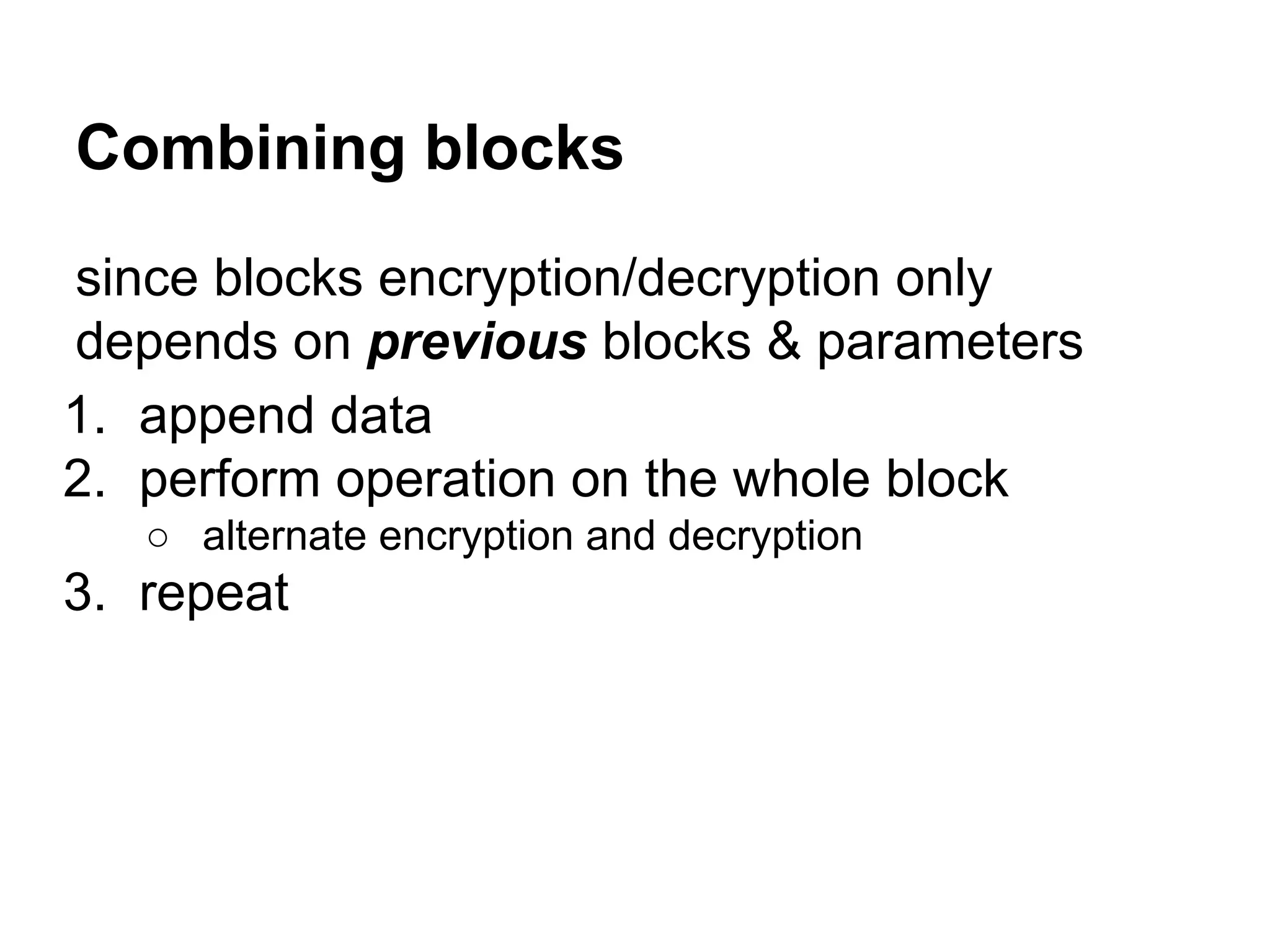
since blocks encryption/decryption only
depends on previous blocks & parameters
1. append data
2. perform operation on the whole block
○ alternate encryption and decryption
3. repeat
Combining blocks
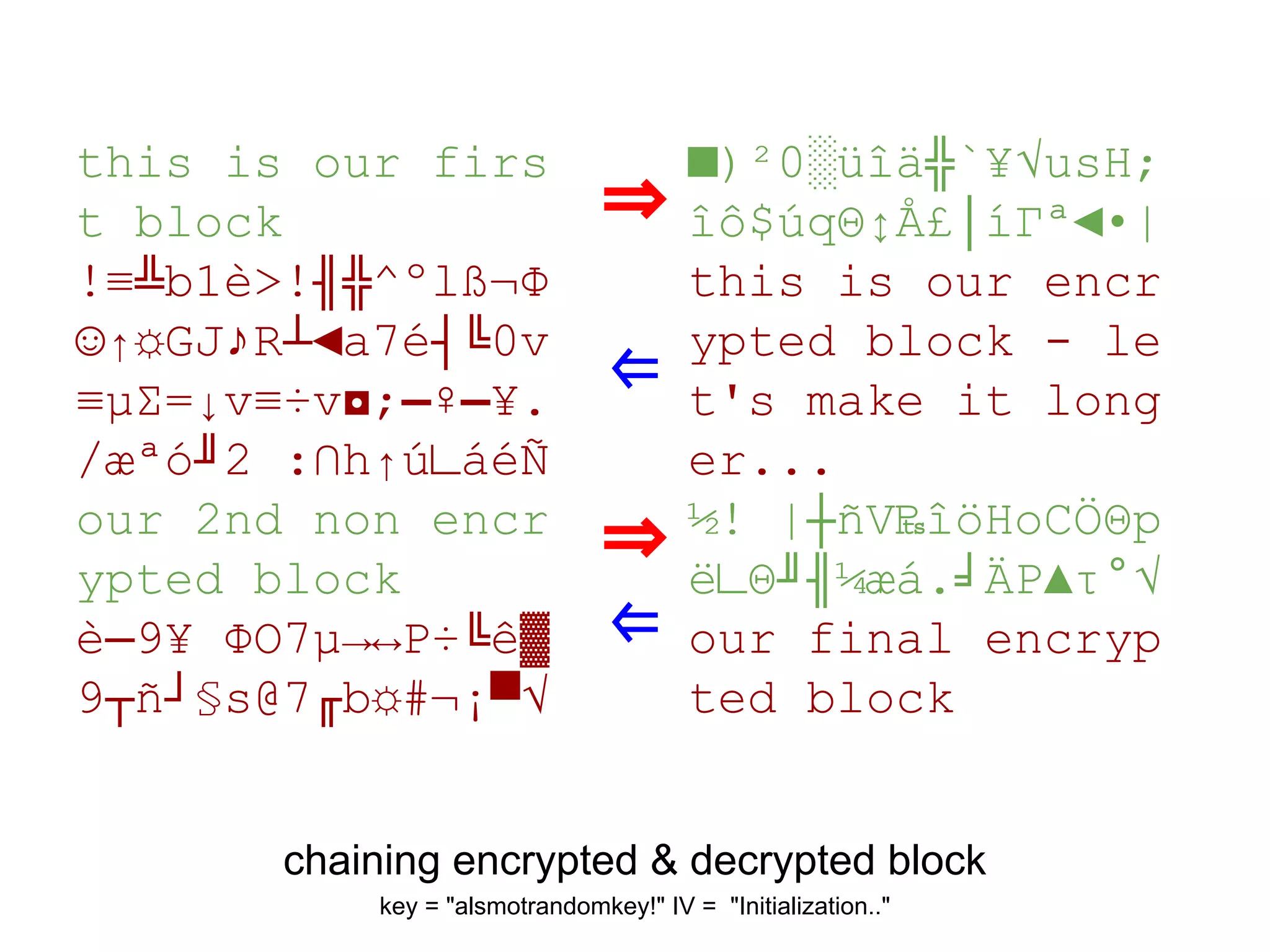
chaining encrypted & decrypted block
key = "alsmotrandomkey!" IV = "Initialization.."
this is our firs
t block
!≡╩b1è>!╢╬^ºl߬Φ
☺↑☼GJ♪R┴◄a7é┤╚0v
≡µΣ=↓v≡÷v◘;▬♀▬¥.
/æªó╜2 :∩h↑ú∟áéÑ
our 2nd non encr
ypted block
è─9¥ ΦO7µ→↔P÷╚ê▓
9┬ñ┘§s@7╓b☼#¬¡▀√
■)²0░üîä╬`¥√usH;
îô$úqΘ↕Å£│íΓª◄•|
this is our encr
ypted block - le
t's make it long
er...
½! |┼ñV₧îöHoCÖΘp
ë∟Θ╜╢¼æá.╛ÄP▲τ°√
our final encryp
ted block
⇒
⇐
⇒
⇐
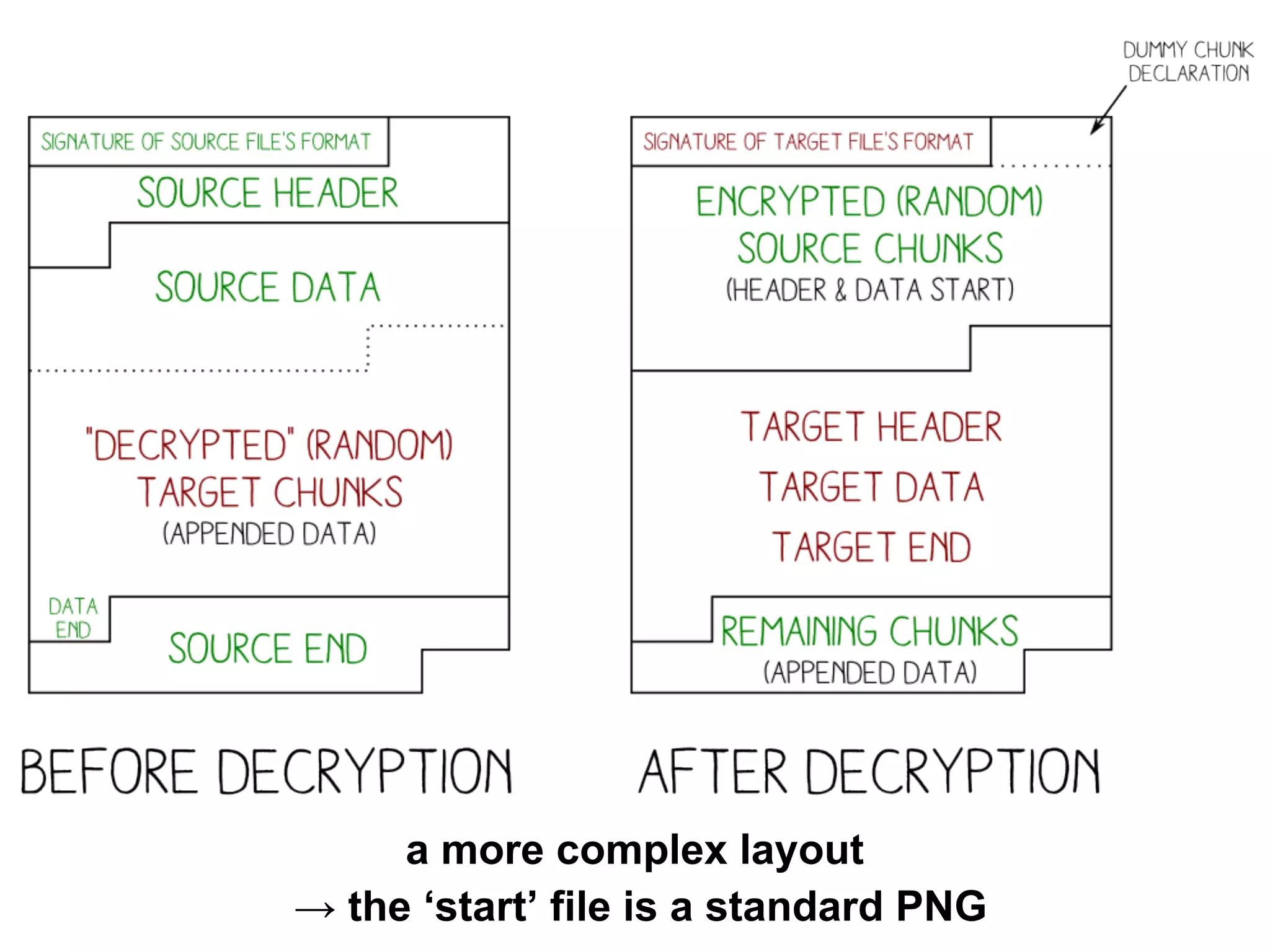
a more complex layout
→ the ‘start’ file is a standard PNG
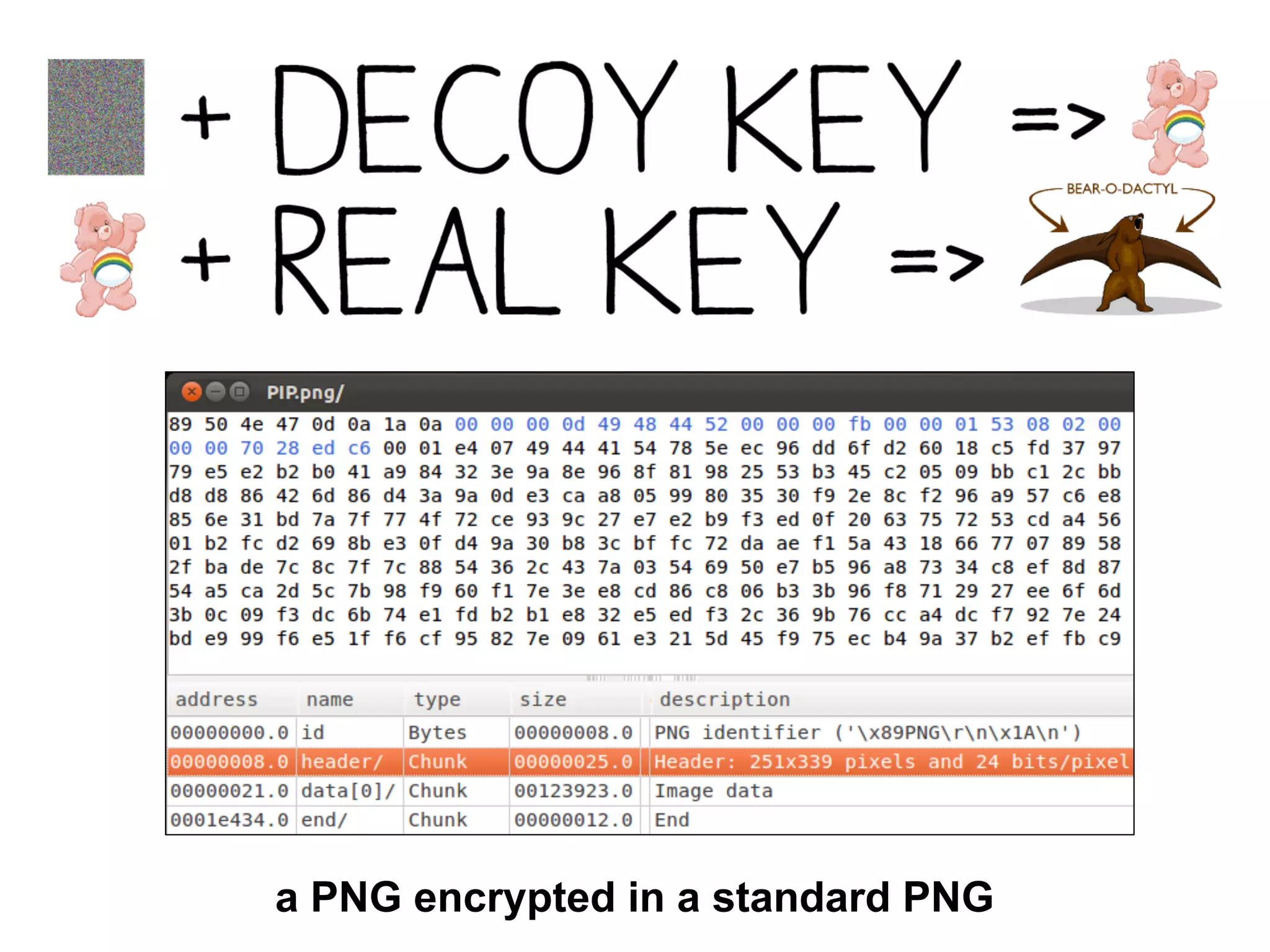
a PNG encrypted in a standard PNG
a note on ZIP
it’s not as permissive as we usually think
ZIP file, in practice
● the signature is not enforced at offset 0
⇒ ZIP data is usually remembered
as ‘valid anywhere’ in the file.
That’s wrong:
ZIP is different from modern standards,
but it doesn’t work ‘anywhere’
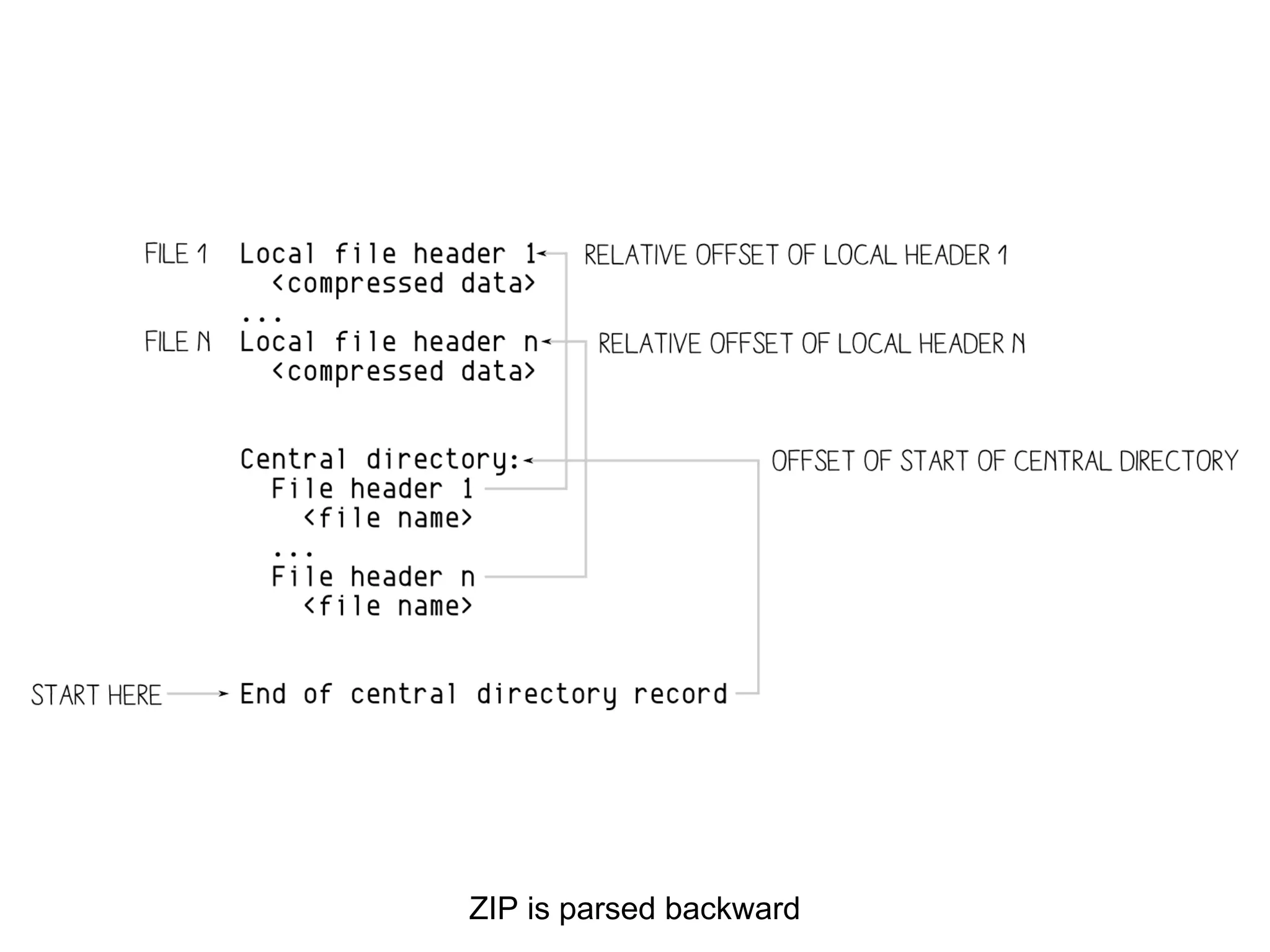
ZIP is parsed backward
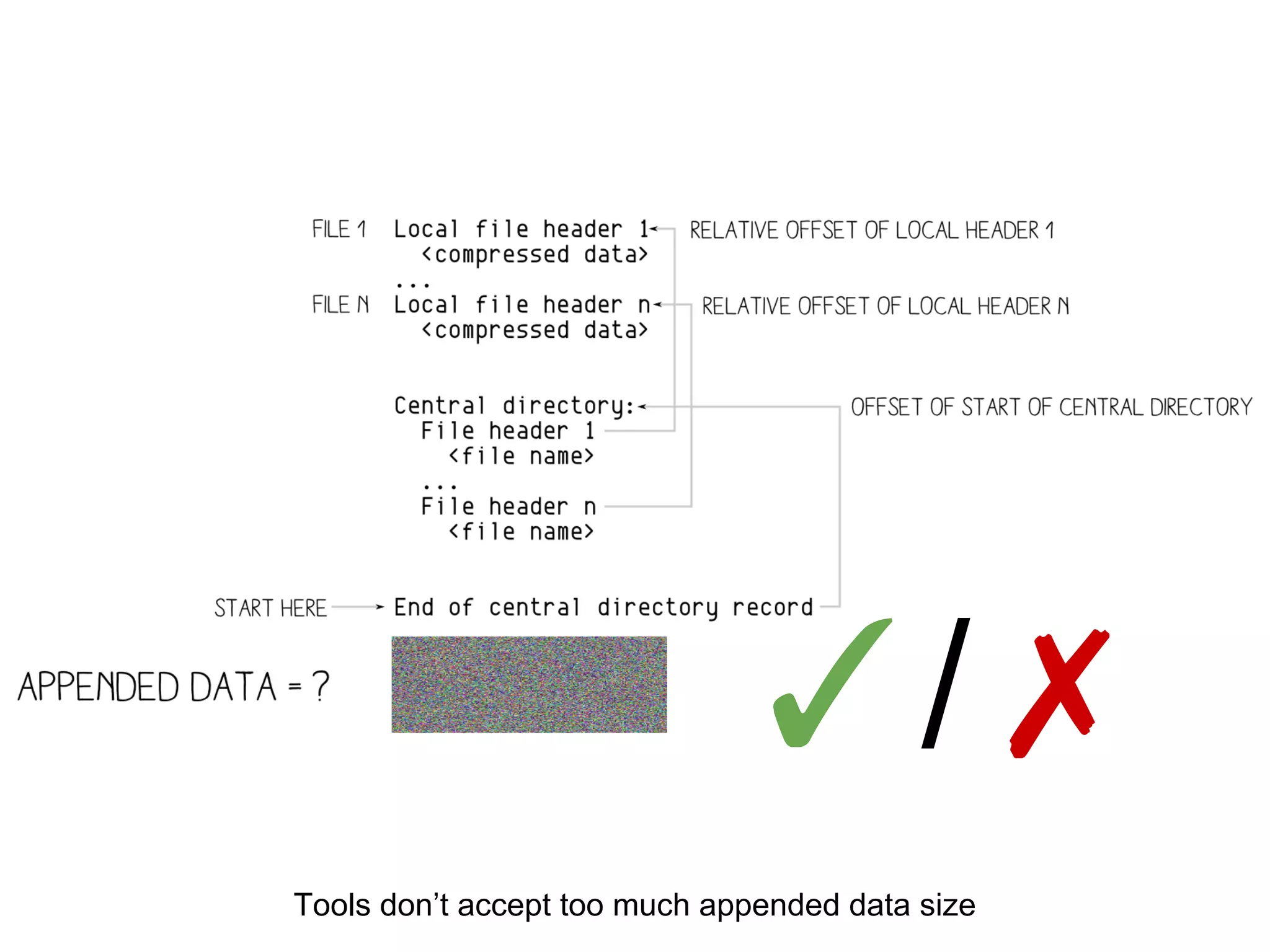
Tools don’t accept too much appended data size
✓/✗
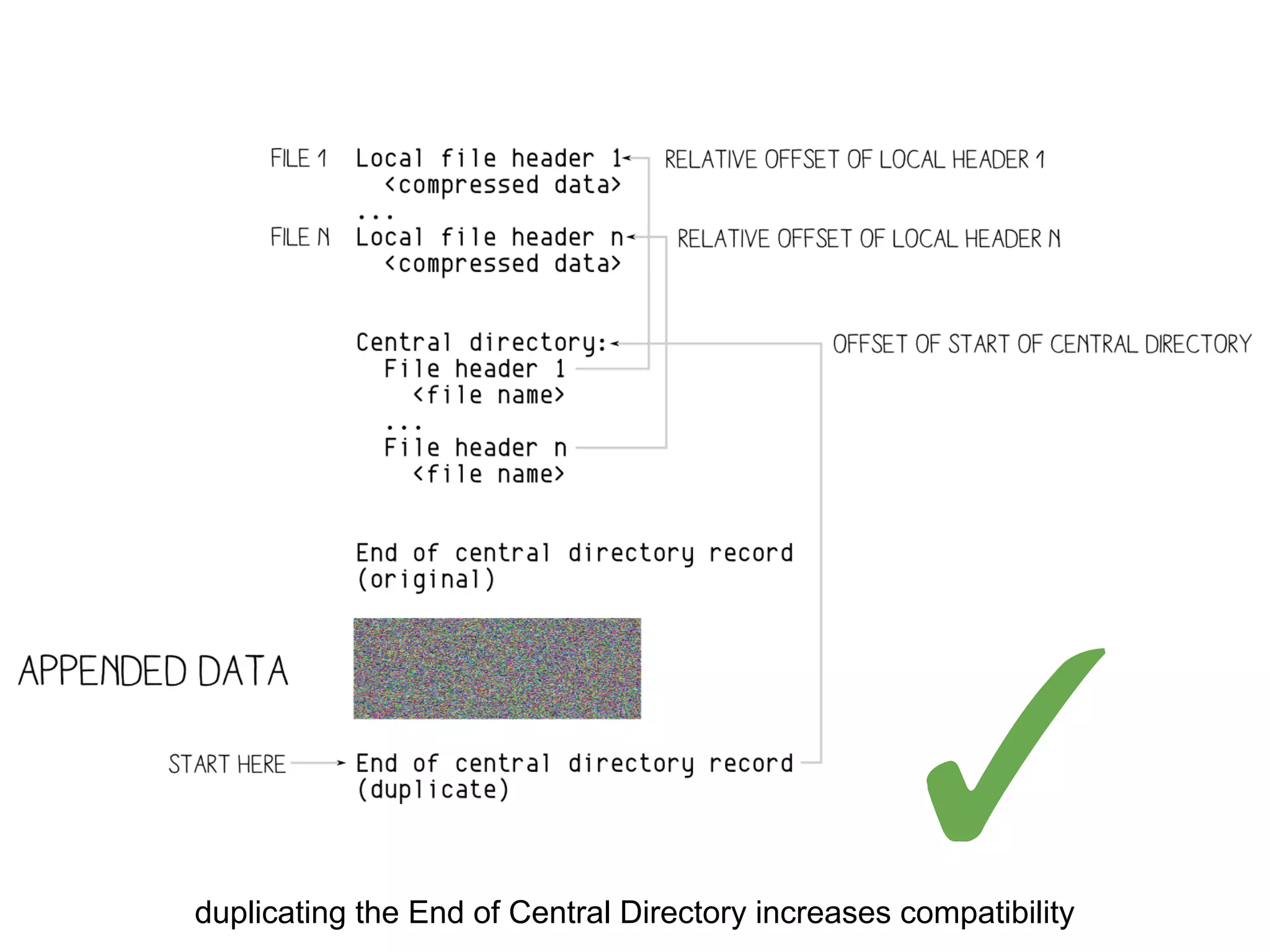
duplicating the End of Central Directory increases compatibility
✓
Duplicate EoCD after appended data
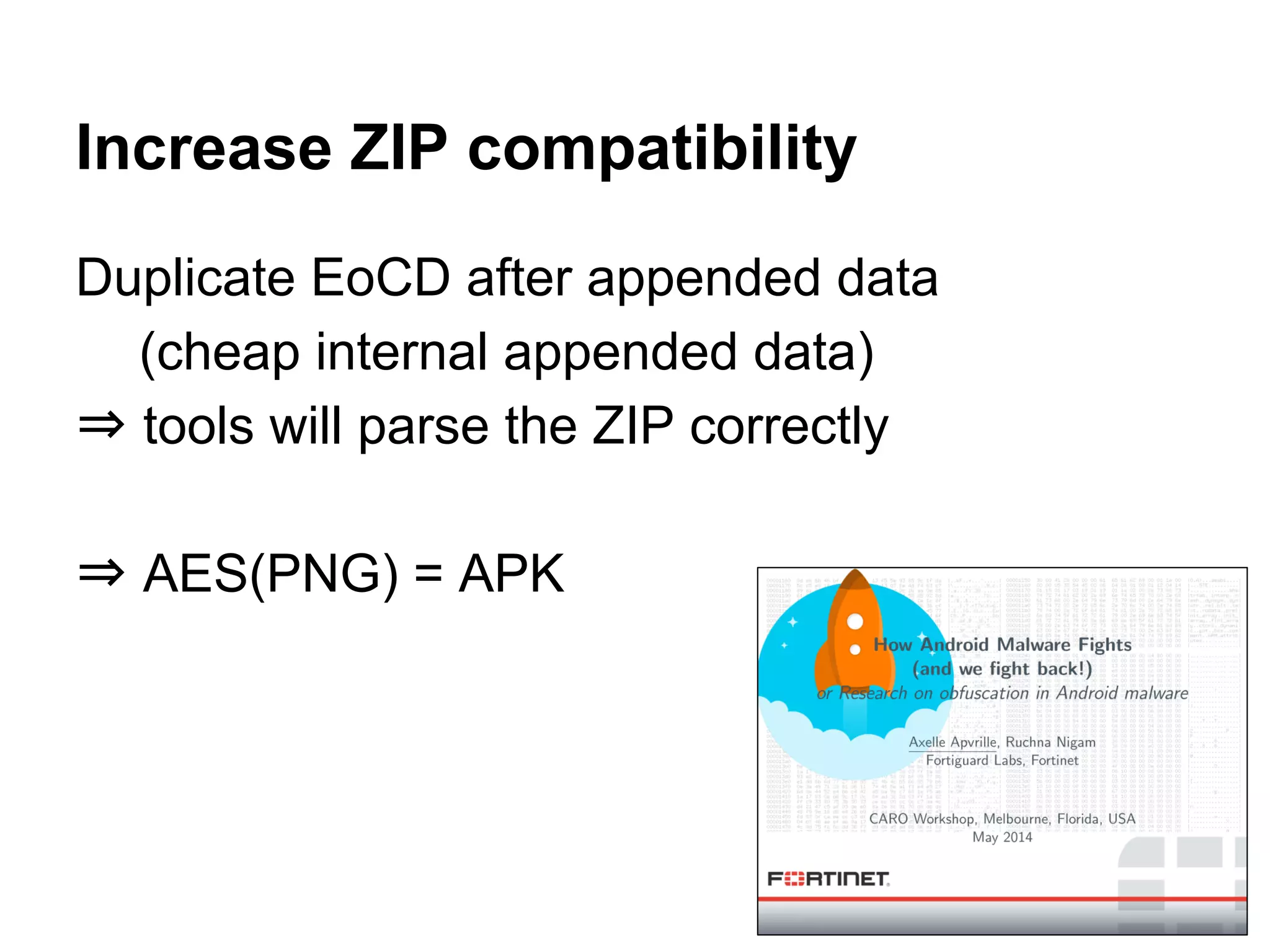
(cheap internal appended data)
⇒ tools will parse the ZIP correctly
⇒ AES(PNG) = APK
Increase ZIP compatibility
as suggested by Gynvael Coldwind
● JPG only requires 4 bytes
⇒ use ECB and bruteforce the key
recompress the JPG if the chunk size is too big
○ the chunk size is ‘random’ but stored on 2 bytes
○ same dimensions ⇒ same 1st block
GynCryption
Steps
1. get P1
2. bruteforce key
until C1 starts with FF D8 FF FE
(required ~18M iterations for me)
3. shrink S if bigger than chunk’s size
4. pad S until the right offset
5. encrypt S
6. append T
○ minus its signature
7. decrypt
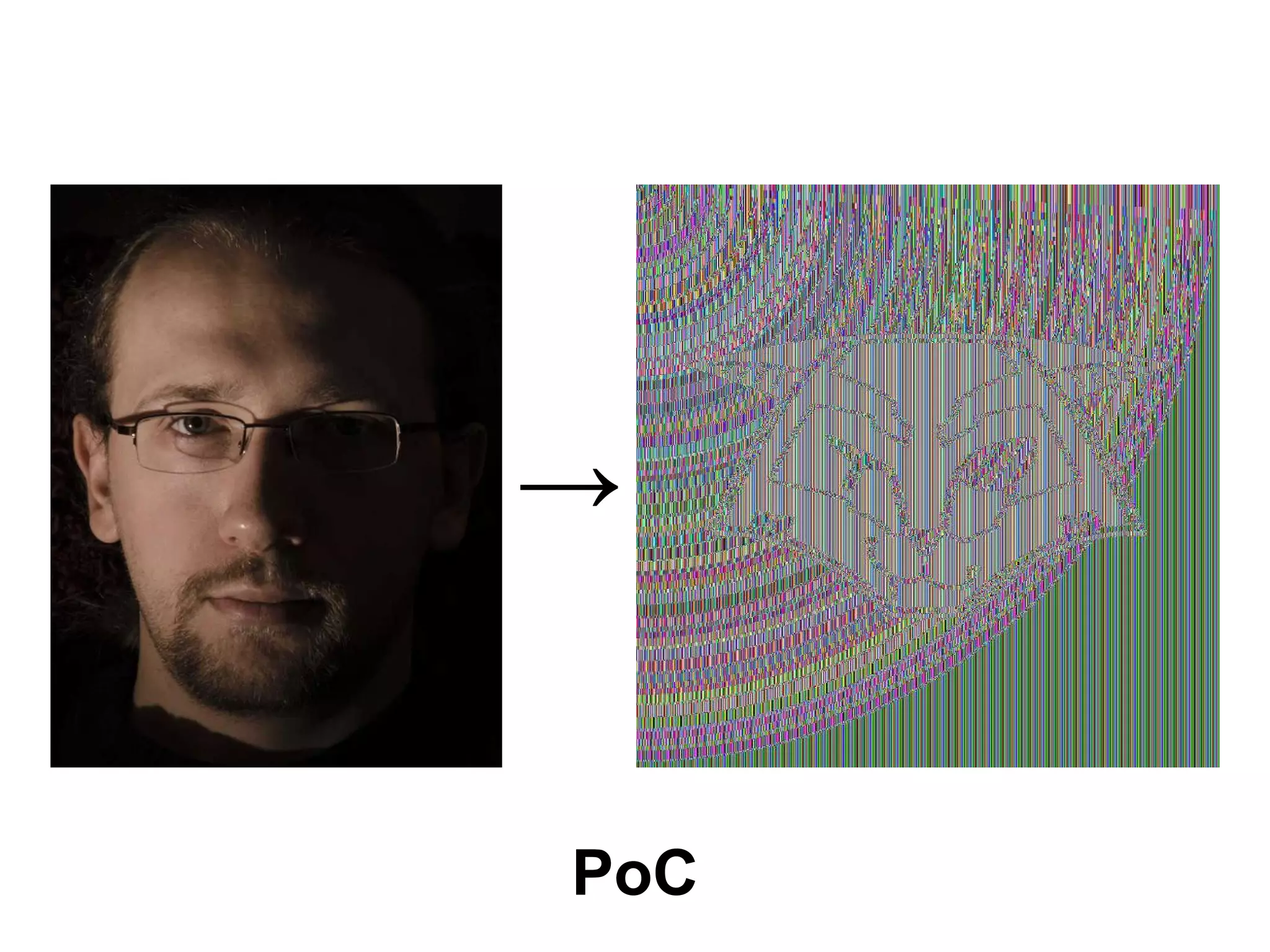
PoC
→
Source & PoCs
http://corkami.googlecode.com/svn/trunk/src/angecryption/
Conclusion
● a funny trick
○ a bit of crypto magic, a bit of binary magic
○ having fun with usually scary topics
● steganographic application
● a reminder that:
○ crypto is not always ‘random’
○ binary manipulation doesn’t require full understanding
possible applications:
● protocols: JWE, OCSP...
Suggestions?
● challenging formats
● applications
● unforeseen consequences
ACK
@veorq
@miaubiz @travisgoodspeed @sergeybratus
@cynicalsecurity @rantyben @thegrugq
@skier_t @jvanegue @kaepora @munin
@joernchen @andreasdotorg @tabascoeye
@cryptax @pinkflawd @iamreddave
@push_pnx @gynvael @rfidiot...
@angealbertini
corkami.com
Damn, that's the second time those alien bastards shot up my ride!

When AES(☢) = ☠ - Episode V

  • 1.
    a crypto-binary magictrick when when AES(☢) = ☠ Episode V AngeCryption strikes back Mannheim Germany RaumZeitLabor Ange Albertini 2014/05/17
  • 2.
  • 3.
    the challenge Слободан Мяузаебись @miaubiz Ichallenge @angealbertini to make a jpeg that is valid after being encrypted with aes- 23 Jan
  • 4.
    no need toknow AES or JPG they’re too complex anyway☺ ✗ ✗
  • 5.
    we’ll just play withlego blocks let’s keep it simple, and fun
  • 6.
    Agenda ● basics ○ cryptobasics ○ binary formats basics ● tackle the challenge ● Angecryption ● a walkthrough example ● extra ○ hidden appended data ○ improving ZIP compatibility ○ GynCryption ● conclusion
  • 7.
    Crypto basics block cipher,encryption, plaintext...
  • 8.
    AES(*) is a blockcipher like Triple-DES, Blowfish... (*) from now on we’ll say AES for AES-128. it doesn’t really matter, just makes the key smaller☺
  • 9.
    A block cipher ●takes a block of data ○ of fixed size (=“block size”) ■ 16 bytes for AES, 8 for Blowfish/DES3 ... ○ padded if smaller than blocksize ● a key ● returns a ‘scrambled’ block of data ● security criteria: ○ invertible (permutation).. ○ but only if the key is known ● behaves as a 'random permutation' (aka 'ideal cipher')
  • 10.
    AES encryption 1/3 Parameters k:'MySecretKey12345' block:'ablock of text.' Results ┐◄n╩i▐☼←∞└╞∙iû╨► (BF 11 6E CA 69 DE 0F 1B EC C0 C6 F9 69 96 D0 10)
  • 11.
    AES encryption 2/3 Parameters k:'MySecretKey12346' block:'ablock of text.' Results gO┼╗ÑëΩcë ▼LÇk╨î (67 4F C5 BB A5 89 EA 63 89 20 1F 4C 80 6B D0 8C)
  • 12.
    AES encryption 3/3 Parameters k:'MySecretKey12345' block:'ablock of text!' Results wε╩▬▄y&↕ú@αùαφ♣O (77 EE CA 16 DC 79 26 12 A3 40 E0 97 E0 ED 05 4F)
  • 13.
    with a tinychange in the key or input block, the output block is completely different
  • 14.
    we can’t controlthe output (the differences are unpredictable)
  • 15.
    Reverse operation ● getthe original block with the reverse operation and the same key ● encrypt then decrypt In some ciphers (such as NOEKEON*), encryption and decryption are almost identical. *http://gro.noekeon.org/
  • 16.
    Jargon plaintext = readable,not encrypted (in theory) a plaintext block is encrypted into ciphertext block a ciphertext block is decrypted into a plaintext block
  • 17.
    Encryption and decryption1/3 Encrypting “a block of text.” with key = “MySecretKey12345” with AES gives “┐◄n╩i▐☼←∞└╞∙iû╨►” (BF 11 6E CA 69 DE 0F 1B EC C0 C6 F9 69 96 D0 10)
  • 18.
    Encryption and decryption2/3 Decrypting the result (“┐◄n╩i▐☼←∞└╞∙iû╨►”) with the same key (“MySecretKey12345”) gives back “a block of text.”
  • 19.
    Encryption and decryption3/3 but decrypting the same block again with a slightly different key “MySecretKey12346” gives “π╔6I►♣♫Σ♣╝╤→√çφ╡”(E3 C9 36 49 10 05 0E E4 05 BC D1 1A FB 87 ED B5)
  • 20.
    we can’t decryptwithout the key used to encrypt
  • 21.
    file formats basics signatures,chunks, appended data...
  • 22.
    File formats 101 ●most files on your system use a standard format. ● some for executables (ran by the OS) ○ very complex - depend on the OS ● some for documents (open by Office, your browser…) ○ “less” complex - depend on the specs only
  • 23.
    File formats signatures(& headers) usually start with a magic signature ● a fixed byte sequence ○ PNG x89 PNGrnx1an ○ PDF %PDF-1.x ○ FLV FLV ○ JPG xFF xD8 ● enforced at offset 0
  • 24.
    Why using amagic signature? ● quick identification ● the file is invalid if the signature is missing Collisions? ● very rare: ○ 0xCAFEBABE: universal Mach-O and JAVA Class ■ recent Mach-O = 0xFEEDFACE / 0xFEEDFACF
  • 25.
    Typical data structure formatsare made of chunks ● chunks have different names ○ “chunk”, “segment”, “atom” ● structure (type length value) 1. a type identifier ○ “marker”, “type”, “id” 2. (typically) their length 3. the chunk data itself 4. (sometimes) data’s checksum
  • 26.
    Why using achunk-structure? ● newer chunk types can be ignored for ‘forward compatibility” ● tools can use custom chunks to store extra info while staying standard
  • 27.
    Chunks example (simplified) Avalid file: 1. magic signature 2. chunks a. header b. comment c. thumbnail d. data e. end some chunks are critical, some aren’t (=ancillary)
  • 28.
    Data structure’s end ●like a magic signature, file formats typically have an end marker. ● the end marker is usually a valid chunk with no data, just an ID Ex, in PNG (using HexII* representation) 00 00 00 00 .I .E .N .D ae 42 60 82 (length = 0) IMAGE END CRC(“IEND”) * http://corkami.googlecode.com/svn/trunk/src/HexII/
  • 29.
    Appended data most fileformats tolerates any data of any length after the end marker valid file + random data ⇒ still valid Few formats reject any appended data: ● Java CLASS, Java Archive
  • 30.
    A valid binaryfile to summarize: to be valid, a binary file requires: 1. a valid header ○ including a valid magic 2. a valid chunk structure ○ an end chunk and may be followed by any data if tolerated
  • 31.
    Let’s go back tothe challenge (at last)
  • 32.
    Encrypt a validJPG into a valid JPG (and if possible, any other standard format)
  • 33.
    First analysis since ablock cipher’s output is ‘random’, encrypting a valid JPG into a valid JPG seems impossible: both files can’t even have valid signatures and structures we would have to control the output of AES (!)
  • 34.
    Block cipher modes101 how block ciphers are applied to files
  • 35.
    Encrypting data biggerthan a block how does one apply encryption on a file? ● if the key and plaintext are the same → the ciphertext is the same
  • 36.
    Electronic CodeBook mode ifwe just apply the cipher on each block, identical blocks will give identical output → big weakness
  • 37.
    that doesn’t lookterribly encrypted, does it ?
  • 38.
  • 39.
    Block cipher modesof operation various modes can be used to operate block ciphers on files: ● chaining each block’s encryption to propagate differences from the start to the end of the file, killing repetitive patterns http://en.wikipedia.org/wiki/Block_cipher_mode_of_operation for this, auxiliary input may be needed, such as either: ● unpredictable IV (CBC) ● unique nonce (CTR)
  • 40.
    Initialization Vector 101 Severalmodes (CBC, OFB, CFB,...) introduce an extra parameter IV that we can abitrarily choose (in practice, it should be unpredictable)
  • 41.
  • 42.
    CBC observations no matterthe key or block cipher, for a given P1 and C1, we can craft a IV so that: a file starting with P1 will be encrypted into a file starting with C1 with IV = Dec(C1) xor P1
  • 43.
    Example With key: my_own_key_12345 IV:0f 0d ec 1c 96 4c 5f 1e 84 19 4a 38 81 ef b7 f6 "%PDF-1.5n1 0 obj" encrypts as "89 PNG 0d 0a 1a 0a 00 00 00 0d IHDR"
  • 44.
    Current status ● wecontrol the first block :) ● the following blocks will look random :(
  • 45.
  • 46.
    Encryption & decryption theyare just 2 reverse operations ● they both: ○ take any input ○ give the resulting output ● the reverse operation gives back the original block ○ (if the key is the same)
  • 47.
    Example (1/2) key ="MySecretKey12345" p = "a block of text." decrypt(AES, key, p) = “ä/ë-╦7 ↓h│☻⌂µ[←Ñ” (84 2F 89 2D CB 37 00 19 68 B3 02 7F E6 5B 1B A5) it doesn’t really make sense to ‘decrypt’ plaintext… but it doesn’t matter for the cipher, so...
  • 48.
    Example (2/2) indeed, with: key= "MySecretKey12345" c = “ä/ë-╦7 ↓h│☻⌂µ[←Ñ” encrypt(AES, key, c) = "a block of text."
  • 49.
    you can decryptplaintext: it gives you back your plaintext after re-encryption (ie, you can control some AES encryption output)
  • 50.
    let’s add plaintext toour encrypted file!
  • 52.
    Consequences since adding junkat the end of our valid file still makes it valid, we add decrypted plaintext, that will encrypt to what we want
  • 53.
    Current status 1. wecontrol the first block 2. we control some appended data how do we control the encrypted data from the source file that is in-between?
  • 54.
    we don’t we politelyask the file format to ignore it (by surrounding this data in an extra chunk)
  • 55.
    Our current challenge withina block, get a valid 1. header 2. chunk start this is specific to each target format
  • 56.
  • 57.
  • 58.
    PDF in anutshell ● magic signature: %PDF-1.X ● PDF are made of objects ● stream objects can contain any data
  • 60.
    Stream objects <object number><generation number> obj << <parameters> >> stream <data> endstream endobj
  • 61.
    Required space forour block AES has a block size of 16 bytes a standard PDF header + stream object start takes >30 bytes!
  • 62.
    Let’s shrink theheader 1. truncate the signature %PDF-0 2. remove the object number 0 0 obj 3. remove the parameter dictionary <<>> et voilà, exactly 16 bytes! %PDF-0objnstream
  • 63.
    PDF laxism FTW PDFdoesn’t care if 2 signatures are present → we can close the stream at any point with: endstream endobj and resume our original PDF file happily
  • 64.
    Steps to encryptas PDF 1. we choose our key, source and target contents 2. our first cipher block: %PDF-0objnstream 3. determine IV from plaintext & cipher blocks 4. encrypt source file 5. append object termination 6. append target file 7. decrypt final file 8. et voilà, the final file will encrypt as expected!
  • 65.
  • 66.
  • 67.
    JPG in anutshell ● magic signature: FF D8 (only 2 bytes) ● chunk’s structure: <id:2> <length:2> <data:?> ● comment chunk ID: FF FE → only 6 bytes are required!
  • 68.
    Steps to encryptas JPG 1. get original size, padded to 16 2. 1st cipher block = FF D8 FF FE <source size:2> <padding> 3. generate IV from plaintext & cipher blocks 4. AES-CBC encrypt source file 5. append target file minus signature 6. decrypt final file
  • 69.
  • 70.
  • 71.
    PNG ● big magic:x89PNGrnx1an (8 bytes!) ● chunk’s structure: <length(data):4> <id:4> <data:?> <crc(data+id):4> signature + chunk declaration = 16 bytes (!)
  • 72.
    Encrypt as PNG 1.get original file size 2. generate cipher block 3. compute the IV 4. encrypt original data 5. get encrypted(original data) checksum 6. append checksum and target data ○ target data = target file - signature 7. decrypt file
  • 74.
  • 75.
  • 76.
    Flash Video 1. magic= “FLV” 2. followed by 2 bytes parameters 3. then size(chunk) on 4 bytes ⇒ we can arbitrarily increase it and put our next chunk where we want no checksum or trick
  • 77.
    an FLV PoC (key= “a man will crawl”) →
  • 78.
    How can wecall that trick?
  • 79.
    Reminder ● this isnot specific to AES ● this is not specific to CBC required conditions ● control the first cipherblock ● the source format tolerates appended data ● header+chunk declaration fits in “blocksize” ○ the source size fits in the specified size encoding (short, long…)
  • 80.
    Bonus as a consequence ●the same file can encrypt or decrypt to ○ various files ○ of different formats ○ with different ciphers ○ and different modes if you can craft a header (see GynCryption)
  • 81.
    a step bystep walkthrough AES(ZIP) = PNG
  • 82.
  • 83.
  • 84.
    Preliminary ● ZIP toleratesappended data, so does PNG ● our source file is 128 bytes ● AES works with 16 bytes blocks → one block of 16 bytes of value 0x10 will be padded (not strictly required here, but that's the standard PKCS7 padding)
  • 85.
    P1 the first blockof the source file is: .P .K 03 04 0A 00 00 00 00 00 11 AA 7F 44 A3 1C
  • 86.
    Target format 1/2 thetarget format is a PNG: ● the encrypted file must start with the PNG signature: 89 .P .N .G r n 1A n (8 bytes) ● followed by chunk length ○ our source file is 144 bytes (with padding) ○ already 16 bytes are covered by first block ○ so our dummy block will be 128 bytes long ○ encoded 00 00 00 80, as PNG is little endian
  • 87.
    Target format 2/2 ●followed by chunk type ○ 4 letters, non-critical if starting with lowercase ■ we could use the standard ‘tEXt’ comment chunk ■ or just our own, ‘aaaa’ or whatever so our target’s first cipherblock will be: 89 .P .N .G r n 1A n 00 00 00 80 61 61 61 61 SIG ------------------- LENGTH ---- TYPE ------
  • 88.
    Decrypting C1 ● thekey we’ll use is: MySecretKey01234 ● our C1 is: 89 .P .N .G r n 1A n 00 00 00 80 61 61 61 61 ● with this key, C1 decrypts as: ee 1b 01 b2 5a a5 bd a8 3a 9e 35 44 2f 5f 23 35
  • 89.
    Crafting the IV ●P1 is: .P .K 03 04 0A 00 00 00 00 00 11 AA 7F 44 A3 1C ● our decrypted C1 is: 89 .P .N .G r n 1A n 00 00 00 80 61 61 61 61 ● by xoring them, we get the IV: be 50 02 b6 50 a5 bd a8 3a 9e 24 ee 50 1b 80 29 now, our key and IV are determined. we just need to combine both file’s content.
  • 90.
    Making the finalfile 1. encrypt our padded source file 2. determine the CRC of our dummy chunk once encrypted (even if it will be surrounded by ‘plaintext’): ○ 6487910E in our case 3. append this CRC to finish the chunk 4. append all the chunks (whole file minus the SIG) of the target file. → our file is now a valid PNG
  • 91.
    Our file 50 4B03 04-0A 00 00 00-00 00 11 AA-7F 44 A3 1C PK??? ?¬¦Dú? 29 1C 0C 00-00 00 0C 00-00 00 09 00-00 00 68 65 )?? ? ? he 6C 6C 6F 2E-74 78 74 48-65 6C 6C 6F-20 57 6F 72 llo.txtHello Wor 6C 64 21 50-4B 01 02 14-00 0A 00 00-00 00 00 11 ld!PK??¶ ? ? AA 7F 44 A3-1C 29 1C 0C-00 00 00 0C-00 00 00 09 ¬¦Dú?)?? ? ? 00 00 00 00-00 00 00 01-00 20 00 00-00 00 00 00 ? 00 68 65 6C-6C 6F 2E 74-78 74 50 4B-05 06 00 00 hello.txtPK?? 00 00 01 00-01 00 37 00-00 00 33 00-00 00 00 00 ? ? 7 3 10 10 10 10-10 10 10 10-10 10 10 10-10 10 10 10 ???????????????? AA 81 13 6A-22 E8 E3 13-E8 BB 56 83-4D 6D 6A E5 ¬ü?j"Fp?F+VâMmjs 96 DE 62 C6-21 11 52 51-60 C4 E4 19-0E 6E 7F FC û¦b¦!?RQ`-S??n¦n F0 37 F6 33-AD E0 42 49-21 B5 1C FB-50 EE E1 6D =7÷3¡aBI!¦?vPeßm D3 4F 22 43-DB A9 18 2D-0F EC B5 52-F3 A4 8C EE +O"C¦¬?-¤8¦R=ñîe 69 A8 E4 5A-96 46 4A 3B-5D E2 B6 8F-4E A6 E7 90 i¿SZûFJ;]G¦ÅNªtÉ CA E9 E1 04-65 24 D3 49-55 DF AC 68-A1 FC 0F 0F -Tß?e$+IU¯¼hín¤¤ 63 7A 2B A4-26 99 13 22-8A 8B 14 08-8D 71 18 83 cz+ñ&Ö?"èï¶?ìq?â 00 A9 85 86-A6 EC 13 9F-9E 16 30 1A-58 56 B5 CC ¬àåª8?ƒP?0?XV¦¦ 73 77 42 99-EC 53 D8 7C-8C 13 3E 74-6F B2 66 1D swBÖ8S+|î?>to¦f? 7E CA 62 94-6D B2 D7 E4-F0 21 F5 87-AA F3 F7 8C ~-böm¦+S=!)ç¬=˜î 15 B9 8D F0-DF FA 56 A3-06 A1 07 25-D1 DC 9D 51 §¦ì=¯·Vú?í•%-_¥Q F4 6C 7B 43-40 32 57 C8-FD 40 A0 98-CA 6E 02 2B (l{C@2W+²@áÿ-n?+ 6D 54 37 7C-0A 1A C5 DD-9D CC C1 8A-72 A7 FD 24 mT7|??+¦¥¦-èrº²$ 12 5F 51 84-4B 48 C3 5D-E0 76 8B 05-8F 09 20 17 ?_QäKH+]avï?Å? ? A5 BD CE DF-E8 B3 E8 5B-CD 76 63 29-C0 77 BF 28 Ñ++¯F¦F[-vc)+w+( 96 FD 32 05-F8 B6 A3 A9-24 2C A6 98-71 6A 83 DC û²2?°¦ú¬$,ªÿqjâ_ FE 54 EA ED-43 12 12 EF-BB 38 6E 17-59 17 AF 17 ¦TOfC??n+8n?Y?»? A9 0C 25 F2-19 11 2C 45-5E 40 77 33-10 09 CE BD ¬?%=??,E^@w3??++ 61 CE 65 BB-8E E6 EE 3E-D5 78 29 85-1D F8 3A 39 a+e+ĵe>+x)à?°:9 85 B0 37 79-01 AF 7F 79-D8 60 1B 59-54 8D A6 03 à¦7y?»¦y+`?YTìª? 93 B9 DF 53-83 47 99 E1-1D 0F 5B 00-5A 22 20 1A ô¦¯SâGÖß?¤[ Z" ? A7 1D F2 FC-67 28 40 54-3B 12 6C 97-78 4A B5 A2 º?=ng(@T;?lùxJ¦ó 3B 6C B7 29-21 56 B1 A3-1C F1 71 E9-D6 C3 FC FD ;l+)!V¦ú?±qT++n² F8 F1 45 E8-7B DD 67 63-FA 62 67 6A-EA 33 0C FB °±EF{¦gc·bgjO3?v 8F 90 98 2F-11 39 65 64-A3 11 7C C1-38 29 67 0E ÅÉÿ/?9edú?|-8)g? 1. original source file 2. padding 3. ‘decrypted’ target content = source file + appended data
  • 92.
    After decryption 89 504E 47-0D 0A 1A 0A-00 00 00 80-61 61 61 61 ëPNG???? Çaaaa B0 EC 40 7E-FB 1E 5D 0B-5D 87 A9 4A-AF A1 08 A8 ¦8@~v?]?]ç¬J»í?¿ 9A D4 46 4A-75 87 6C 72-24 71 23 E6-66 AF 77 B7 Ü+FJuçlr$q#µf»w+ 93 AC A7 B3-F5 81 CF C9-31 47 80 AA-73 43 9A C5 ô¼º¦)ü-+1GǬsCÜ+ 5A 0F 5F 40-C9 8B 4D AF-A0 D7 CD 3B-86 D0 58 32 Z¤_@+ïM»á+-;å-X2 E1 52 6A 36-E2 3E DD D5-5C 95 BB C5-8C 44 A5 8E ßRj6G>¦+ò++îDÑÄ 14 71 89 70-E2 25 F8 95-84 27 DD AD-E3 90 E9 50 ¶qëpG%°òä'¦¡pÉTP C4 E7 20 FD-0E C6 4A 69-95 B6 0D 73-25 30 D9 9E -t ²?¦Jiò¦?s%0+P D1 01 42 A7-5E 32 18 85-A2 BD B8 61-19 9B 52 CF -?Bº^2?àó++a?¢R- 64 87 91 0E-00 00 00 0D-49 48 44 52-00 00 00 22 dçæ? ?IHDR " 00 00 00 1B-08 02 00 00-00 96 50 CA-F0 00 00 00 ??? ûP-= 01 73 52 47-42 00 AE CE-1C E9 00 00-00 06 62 4B ?sRGB «+?T ?bK 47 44 00 FF-00 FF 00 FF-A0 BD A7 93-00 00 00 09 GD á+ºô ? 70 48 59 73-00 00 0E C4-00 00 0E C4-01 95 2B 0E pHYs ?- ?-?ò+? 1B 00 00 00-07 74 49 4D-45 07 DD 01-18 0C 39 2E ? •tIME•¦???9. 11 F1 8A 80-00 00 01 05-49 44 41 54-48 C7 BD 56 ?±èÇ ??IDATH¦+V CB 12 C3 20-08 04 C7 FF-FF 65 7A B0-43 09 8F 15 -?+ ??¦ ez¦C?ŧ EB 4C 38 29-59 40 61 21-B2 88 10 11-33 13 D1 5A dL8)Y@a!¦ê??3?-Z EB D6 8A 88-58 A5 22 1D-38 F5 20 22-9C DA BB A8 d+èêXÑ"?8) "£++¿ D6 52 F1 1D-A4 AE 39 F5-EE 6E 13 3D-62 64 8C 37 +R±?ñ«9)en?=bdî7 A9 16 67 B3-45 32 33 33-BB BC AD ED-AC 8A 01 24 ¬?g¦E233++¡f¼è?$ 4D 54 0B 23-22 AA 4A ED-9D 52 8C 54-7E 1E 51 FB MT?#"¬Jf¥RîT~?Qv 99 B9 91 59-5D B3 A2 5F-93 D0 CE E7-48 6B A3 9F Ö¦æY]¦ó_ô-+tHkúƒ AB 00 AA 01-48 BB 1E 55-33 82 B6 88-1E B7 DB 01 ½ ¬?H+?U3é¦ê?+¦? 68 D3 61 94-22 63 1A AD-C6 27 2D 66-A3 13 1E C0 h+aö"c?¡¦'-fú??+ BE FD 94 76-D3 FD 4C F3-F3 E9 3D 42-63 EE 62 4E +²öv+²L==T=BcebN 9F 5D 31 9D-02 F2 14 8C-4C BF FE 2A-D2 A9 CD D1 ƒ]1¥?=¶îL+¦*-¬-- CC 4F 29 37-01 AF 2E CB-66 7D 8E A3-FE B0 2E AA ¦O)7?».-f}Äú¦¦.¬ C1 91 6F D3-61 5C 05 6E-52 20 32 E8-25 42 53 F3 -æo+a?nR 2F%BS= 87 11 95 00-19 7D A2 B7-40 87 54 5B-24 3A 66 E7 ç?ò ?}ó+@çT[$:ft E0 47 CA 09-4A 07 B2 E7-5E 17 5B E4-F8 63 EC DF aG-?J•¦t^?[S°c8¯ CE B4 34 C5-15 59 C1 81-56 CD 2C F2-03 4A 02 A6 +¦4+§Y-üV-,=?J?ª B8 72 E2 63-1E 00 00 00-00 49 45 4E-44 AE 42 60 +rGc? IEND«B` 82 0B 0B 0B-0B 0B 0B 0B-0B 0B 0B 0B-04 04 04 04 é??????????????? 1. PNG Sig 2. dummy chunk start 3. chunk data (encrypted content of source file) 4. chunk crc 5. target file chunks 6. paddings = target file with an extra chunk at the beginning + padding
  • 93.
    That was tooeasy :) a more elegant solution ?
  • 94.
    It works, but... bothfiles aren’t standard appended data is a giveaway
  • 95.
    A smarter appendeddata since we have to handle the file format
  • 96.
    To prevent obviousappended data ● hide ‘external’ data just after the source data ○ provided the extra data is ignored ● combine encryption/decryption block
  • 97.
    Appended data at filelevel: ● original file ● appended data
  • 98.
    Appended data onknown format if we know the structure, this gives: ● original file ○ header ○ format-specific data ○ footer ● appended data
  • 99.
    Append data inthe format right after the original dat ● original file ○ header ○ format-specific data ■ appended data ○ footer
  • 100.
    appending data atfile format level
  • 101.
    since blocks encryption/decryptiononly depends on previous blocks & parameters 1. append data 2. perform operation on the whole block ○ alternate encryption and decryption 3. repeat Combining blocks
  • 102.
    chaining encrypted &decrypted block key = "alsmotrandomkey!" IV = "Initialization.." this is our firs t block !≡╩b1è>!╢╬^ºlß¬Φ ☺↑☼GJ♪R┴◄a7é┤╚0v ≡µΣ=↓v≡÷v◘;▬♀▬¥. /æªó╜2 :∩h↑ú∟áéÑ our 2nd non encr ypted block è─9¥ ΦO7µ→↔P÷╚ê▓ 9┬ñ┘§s@7╓b☼#¬¡▀√ ■)²0░üîä╬`¥√usH; îô$úqΘ↕Å£│íΓª◄•| this is our encr ypted block - le t's make it long er... ½! |┼ñV₧îöHoCÖΘp ë∟Θ╜╢¼æá.╛ÄP▲τ°√ our final encryp ted block ⇒ ⇐ ⇒ ⇐
  • 103.
    a more complexlayout → the ‘start’ file is a standard PNG
  • 104.
    a PNG encryptedin a standard PNG
  • 105.
    a note onZIP it’s not as permissive as we usually think
  • 106.
    ZIP file, inpractice ● the signature is not enforced at offset 0 ⇒ ZIP data is usually remembered as ‘valid anywhere’ in the file. That’s wrong: ZIP is different from modern standards, but it doesn’t work ‘anywhere’
  • 107.
    ZIP is parsedbackward
  • 108.
    Tools don’t accepttoo much appended data size ✓/✗
  • 109.
    duplicating the Endof Central Directory increases compatibility ✓
  • 110.
    Duplicate EoCD afterappended data (cheap internal appended data) ⇒ tools will parse the ZIP correctly ⇒ AES(PNG) = APK Increase ZIP compatibility
  • 111.
    as suggested byGynvael Coldwind ● JPG only requires 4 bytes ⇒ use ECB and bruteforce the key recompress the JPG if the chunk size is too big ○ the chunk size is ‘random’ but stored on 2 bytes ○ same dimensions ⇒ same 1st block GynCryption
  • 112.
    Steps 1. get P1 2.bruteforce key until C1 starts with FF D8 FF FE (required ~18M iterations for me) 3. shrink S if bigger than chunk’s size 4. pad S until the right offset 5. encrypt S 6. append T ○ minus its signature 7. decrypt
  • 113.
  • 114.
  • 115.
    Conclusion ● a funnytrick ○ a bit of crypto magic, a bit of binary magic ○ having fun with usually scary topics ● steganographic application ● a reminder that: ○ crypto is not always ‘random’ ○ binary manipulation doesn’t require full understanding possible applications: ● protocols: JWE, OCSP...
  • 116.
    Suggestions? ● challenging formats ●applications ● unforeseen consequences
  • 117.
    ACK @veorq @miaubiz @travisgoodspeed @sergeybratus @cynicalsecurity@rantyben @thegrugq @skier_t @jvanegue @kaepora @munin @joernchen @andreasdotorg @tabascoeye @cryptax @pinkflawd @iamreddave @push_pnx @gynvael @rfidiot...
  • 118.
    @angealbertini corkami.com Damn, that's thesecond time those alien bastards shot up my ride!