Course: CSC 1101 Information Technology and
Computer Science
Semester: June 2024
Lecturer: Ms Jayashiry Morgan
Chapter 3: Operating System
Learning Outcomes
By the end of this session, students should
be able to:
1. Define an operating system and utility
program and explain their key functions.
2. Identify the different types of operating
systems and their characteristics.
3. Describe memory management, virtual memory,
and the distinctions between application
software and programs, including various
types of applications.
Definition of Operating
System
• A program that acts as an intermediary between a
user of a computer and the computer hardware.
• An operating System is a collection of system
programs that together control the operations of
a computer system.
• Some examples of operating systems are UNIX,
Mach, MS-DOS, MS-Windows, Windows/NT, Chicago,
OS/2, MacOS, VMS, MVS, and VM.
Functions of Operating
System
• Process Management
• Memory Management
• File System
Management
• Device Management
• Security and Access
Control
• User Interface
Functions of Operating
System
Process Management
The OS manages processes, including
the execution, creation, and
termination of processes. It
allocates CPU time and resources to
processes and ensures smooth
execution.
Functions of Operating
System
Memory Management
The OS manages the computer's
memory, including RAM and cache. It
allocates memory to processes,
manages swapping between memory and
storage, and handles virtual memory.
Functions of Operating
System
File System Management
The OS manages files and directories
on storage devices. It provides a
structure for storing, organizing,
and accessing data.
Functions of Operating
System
Device Management
The OS manages hardware devices,
such as printers, disk drives, and
network interfaces. It provides
drivers and handles communication
between hardware and software.
Functions of Operating
System
Security and Access
Control
The OS ensures system security by
controlling access to resources and
data. It enforces user
authentication, authorization, and
data encryption.
Functions of Operating
System
User Interface
The OS provides a user interface,
such as command-line interfaces
(CLI) or graphical user interfaces
(GUI), to interact with the system.
Utility Program
Utility programs are software tools that perform
maintenance tasks, help in managing the computer
system, and optimize its performance. They are
often bundled with the operating system or
available as standalone applications.
Functions of Utility
Programs
1. File management: Tools for file copying,
renaming, moving, and deleting.
2. Disk Management: Tools for disk
defragmentation, cleanup, and partitioning.
3. System Monitoring: Tools to monitor system
performance, CPU usage, and memory usage.
4. Backup and Recovery: Tools for data backup and
recovery.
5. Security Utilities: Antivirus, anti-malware,
and firewall programs.
Types of Operating System
1. Batch Operating System
2. Time-sharing Operating
System
3. Distributed Operating
System
4. Network Operating
System
5. Real-Time Operating
System
6. Embedded Operating
System
Types of Operating System
Batch Operating System
• Executes batches of jobs without user
interaction.
• Example: IBM OS/360, early version of
UNIX
Types of Operating System
Time-sharing Operating
System
• Allows multiple users to use the system
simultaneously by rapidly switching
between users.
• Examples: UNIX, Multics.
Types of Operating System
Distributed Operating
System
• Manages a group of independent
computers and makes them appear as a
single coherent system.
• Example: Amoeba, Plan 9
Types of Operating System
Network Operating System
• Provides services to computers connected
to a network, enabling resource sharing
and communication.
• Examples: Novell NetWare, Windows Server
Types of Operating System
Real-Time Operating System
(RTOS)
• Provides immediate processing and
responses to input. Used in systems that
require precise timing and reliability.
• Examples: VxWorks, RTLinux
Types of Operating System
Embedded Operating System
• Designed for embedded systems, running
on devices with limited resources.
• Examples: Embedded Linux, QNX.
Types of Operating System
Mobile Operating System
• Designed for mobile devices such as
smartphones and tablets.
• Examples: Android, iOS.
Types of Operating System
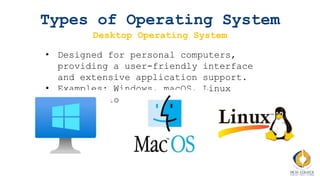
Desktop Operating System
• Designed for personal computers,
providing a user-friendly interface
and extensive application support.
• Examples: Windows, macOS, Linux
distributions.
Memory Management and
Virtual Memory
Memory Management
Memory management is the function of an operating
system that handles the allocation and deallocation
of memory spaces. It ensures efficient memory usage
and system stability.
Functions of Memory
Management
1. Allocation: Assigns memory to processes when
they need it.
2. Deallocation: Frees memory when it is no
longer needed by processes.
3. Tracking: Keeps track of which parts of memory
are in use and by which processes.
4. Protection: Ensures that processes do not
interfere with each other’s memory spaces.
Virtual Memory
Virtual memory is a memory management technique
that gives an application the impression it has
contiguous working memory while in reality, it may
be fragmented and span across RAM and disk storage.
How Virtual Memory Works?
1. Paging: Divides memory into fixed-size pages.
The OS swaps pages between RAM and disk
storage as needed.
2. Segmentation: Divides memory into variable-
sized segments based on the logical divisions
of a program
Benefits of Virtual Memory
1. Increased Memory Capacity: Allows programs to
use more memory than physically available.
2. Isolation: Provides process isolation,
improving security and stability.
3. Efficient Memory Utilization: Allows better
utilization of available memory resources.
Application Software vs
Programs
Application Software
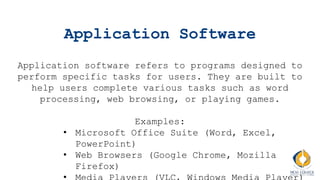
Application software refers to programs designed to
perform specific tasks for users. They are built to
help users complete various tasks such as word
processing, web browsing, or playing games.
Examples:
• Microsoft Office Suite (Word, Excel,
PowerPoint)
• Web Browsers (Google Chrome, Mozilla
Firefox)
Programs
Programs are sets of instructions that tell
the computer what to do. They include both
system software (like operating systems) and
application software.
Difference?
• Application Software: Designed for end-
users to perform specific tasks.
• Programs: Can refer to any set of
instructions, including both system
software and application software.
Types of Applications
1. Productivity Applications:
• Help users perform tasks efficiently.
• Examples: Microsoft Office, Google
Workspace.
2. Communication Applications:
• Facilitate communication between users.
• Examples: Email clients (Outlook),
Messaging apps (Slack, WhatsApp).
3. Multimedia Applications:
• Allow users to create, edit, and play
Types of Applications
4. Educational Applications:
• Provide educational content and tools for
learning.
• Examples: Duolingo, Khan Academy.
5. Web Browser:
• Enables users to access and interact with
content on the internet.
• Examples: Google Chrome, Mozilla Firefox.
Scan the QR code below
We will have short quiz
now. Scan the QR code
below:
Class Activity: Understanding
Operating Systems
• Choose your pair. Should not be same as last
week.
• Each group will be given a scenario.
• Each group will research their assigned scenario,
focusing on the operating system and utility
programs.
• Discuss within the group to identify two best
options for the OS and necessary utilities.
• Each group presents their findings to the class,
explaining their choices and justifications.
• Use the whiteboard to brainstorm.
Group 1: Small Business Setup
Group 1 needs to set up a computer system for a
small business. They need an operating system that
can efficiently handle network services, provide
security, and support business applications.
Tasks
• Research and suggest the best operating system
for this scenario.
• List the utility programs needed for backup,
antivirus, and disk management.
• Justify why the chosen OS and utilities are the
best fit for the business environment.
Group 2: Real-Time Application
Development
Group 2 needs to develop a real-time application
for a medical device. The operating system should
provide immediate processing and high reliability.
Tasks
• Research and suggest the best real-time operating
system for this scenario.
• Identify utility programs that can assist in
system monitoring, debugging, and security.
• Justify why the chosen OS and utilities are the
best fit for the real-time application
development.
Group 3: Multimedia Content Creation
Group 3 needs to set up a workstation for
multimedia content creation, requiring an operating
system that supports high performance, graphical
processing, and multimedia applications.
Tasks
• Research and suggest the best operating system
for multimedia content creation.
• Identify utility programs that can optimize
performance, manage files, and enhance security.
• Justify why the chosen OS and utilities are the
best fit for multimedia content creation.

Chapter 3: Operating System (OS). IT and Computer Science

  • 1.
    Course: CSC 1101Information Technology and Computer Science Semester: June 2024 Lecturer: Ms Jayashiry Morgan
  • 2.
  • 3.
    Learning Outcomes By theend of this session, students should be able to: 1. Define an operating system and utility program and explain their key functions. 2. Identify the different types of operating systems and their characteristics. 3. Describe memory management, virtual memory, and the distinctions between application software and programs, including various types of applications.
  • 4.
    Definition of Operating System •A program that acts as an intermediary between a user of a computer and the computer hardware. • An operating System is a collection of system programs that together control the operations of a computer system. • Some examples of operating systems are UNIX, Mach, MS-DOS, MS-Windows, Windows/NT, Chicago, OS/2, MacOS, VMS, MVS, and VM.
  • 5.
    Functions of Operating System •Process Management • Memory Management • File System Management • Device Management • Security and Access Control • User Interface
  • 6.
    Functions of Operating System ProcessManagement The OS manages processes, including the execution, creation, and termination of processes. It allocates CPU time and resources to processes and ensures smooth execution.
  • 7.
    Functions of Operating System MemoryManagement The OS manages the computer's memory, including RAM and cache. It allocates memory to processes, manages swapping between memory and storage, and handles virtual memory.
  • 8.
    Functions of Operating System FileSystem Management The OS manages files and directories on storage devices. It provides a structure for storing, organizing, and accessing data.
  • 9.
    Functions of Operating System DeviceManagement The OS manages hardware devices, such as printers, disk drives, and network interfaces. It provides drivers and handles communication between hardware and software.
  • 10.
    Functions of Operating System Securityand Access Control The OS ensures system security by controlling access to resources and data. It enforces user authentication, authorization, and data encryption.
  • 11.
    Functions of Operating System UserInterface The OS provides a user interface, such as command-line interfaces (CLI) or graphical user interfaces (GUI), to interact with the system.
  • 12.
    Utility Program Utility programsare software tools that perform maintenance tasks, help in managing the computer system, and optimize its performance. They are often bundled with the operating system or available as standalone applications.
  • 13.
    Functions of Utility Programs 1.File management: Tools for file copying, renaming, moving, and deleting. 2. Disk Management: Tools for disk defragmentation, cleanup, and partitioning. 3. System Monitoring: Tools to monitor system performance, CPU usage, and memory usage. 4. Backup and Recovery: Tools for data backup and recovery. 5. Security Utilities: Antivirus, anti-malware, and firewall programs.
  • 14.
    Types of OperatingSystem 1. Batch Operating System 2. Time-sharing Operating System 3. Distributed Operating System 4. Network Operating System 5. Real-Time Operating System 6. Embedded Operating System
  • 15.
    Types of OperatingSystem Batch Operating System • Executes batches of jobs without user interaction. • Example: IBM OS/360, early version of UNIX
  • 16.
    Types of OperatingSystem Time-sharing Operating System • Allows multiple users to use the system simultaneously by rapidly switching between users. • Examples: UNIX, Multics.
  • 17.
    Types of OperatingSystem Distributed Operating System • Manages a group of independent computers and makes them appear as a single coherent system. • Example: Amoeba, Plan 9
  • 18.
    Types of OperatingSystem Network Operating System • Provides services to computers connected to a network, enabling resource sharing and communication. • Examples: Novell NetWare, Windows Server
  • 19.
    Types of OperatingSystem Real-Time Operating System (RTOS) • Provides immediate processing and responses to input. Used in systems that require precise timing and reliability. • Examples: VxWorks, RTLinux
  • 20.
    Types of OperatingSystem Embedded Operating System • Designed for embedded systems, running on devices with limited resources. • Examples: Embedded Linux, QNX.
  • 21.
    Types of OperatingSystem Mobile Operating System • Designed for mobile devices such as smartphones and tablets. • Examples: Android, iOS.
  • 22.
    Types of OperatingSystem Desktop Operating System • Designed for personal computers, providing a user-friendly interface and extensive application support. • Examples: Windows, macOS, Linux distributions.
  • 23.
  • 24.
    Memory Management Memory managementis the function of an operating system that handles the allocation and deallocation of memory spaces. It ensures efficient memory usage and system stability.
  • 25.
    Functions of Memory Management 1.Allocation: Assigns memory to processes when they need it. 2. Deallocation: Frees memory when it is no longer needed by processes. 3. Tracking: Keeps track of which parts of memory are in use and by which processes. 4. Protection: Ensures that processes do not interfere with each other’s memory spaces.
  • 26.
    Virtual Memory Virtual memoryis a memory management technique that gives an application the impression it has contiguous working memory while in reality, it may be fragmented and span across RAM and disk storage.
  • 27.
    How Virtual MemoryWorks? 1. Paging: Divides memory into fixed-size pages. The OS swaps pages between RAM and disk storage as needed. 2. Segmentation: Divides memory into variable- sized segments based on the logical divisions of a program
  • 28.
    Benefits of VirtualMemory 1. Increased Memory Capacity: Allows programs to use more memory than physically available. 2. Isolation: Provides process isolation, improving security and stability. 3. Efficient Memory Utilization: Allows better utilization of available memory resources.
  • 29.
  • 30.
    Application Software Application softwarerefers to programs designed to perform specific tasks for users. They are built to help users complete various tasks such as word processing, web browsing, or playing games. Examples: • Microsoft Office Suite (Word, Excel, PowerPoint) • Web Browsers (Google Chrome, Mozilla Firefox)
  • 31.
    Programs Programs are setsof instructions that tell the computer what to do. They include both system software (like operating systems) and application software.
  • 32.
    Difference? • Application Software:Designed for end- users to perform specific tasks. • Programs: Can refer to any set of instructions, including both system software and application software.
  • 33.
    Types of Applications 1.Productivity Applications: • Help users perform tasks efficiently. • Examples: Microsoft Office, Google Workspace. 2. Communication Applications: • Facilitate communication between users. • Examples: Email clients (Outlook), Messaging apps (Slack, WhatsApp). 3. Multimedia Applications: • Allow users to create, edit, and play
  • 34.
    Types of Applications 4.Educational Applications: • Provide educational content and tools for learning. • Examples: Duolingo, Khan Academy. 5. Web Browser: • Enables users to access and interact with content on the internet. • Examples: Google Chrome, Mozilla Firefox.
  • 35.
    Scan the QRcode below
  • 36.
    We will haveshort quiz now. Scan the QR code below:
  • 37.
    Class Activity: Understanding OperatingSystems • Choose your pair. Should not be same as last week. • Each group will be given a scenario. • Each group will research their assigned scenario, focusing on the operating system and utility programs. • Discuss within the group to identify two best options for the OS and necessary utilities. • Each group presents their findings to the class, explaining their choices and justifications. • Use the whiteboard to brainstorm.
  • 38.
    Group 1: SmallBusiness Setup Group 1 needs to set up a computer system for a small business. They need an operating system that can efficiently handle network services, provide security, and support business applications. Tasks • Research and suggest the best operating system for this scenario. • List the utility programs needed for backup, antivirus, and disk management. • Justify why the chosen OS and utilities are the best fit for the business environment.
  • 39.
    Group 2: Real-TimeApplication Development Group 2 needs to develop a real-time application for a medical device. The operating system should provide immediate processing and high reliability. Tasks • Research and suggest the best real-time operating system for this scenario. • Identify utility programs that can assist in system monitoring, debugging, and security. • Justify why the chosen OS and utilities are the best fit for the real-time application development.
  • 40.
    Group 3: MultimediaContent Creation Group 3 needs to set up a workstation for multimedia content creation, requiring an operating system that supports high performance, graphical processing, and multimedia applications. Tasks • Research and suggest the best operating system for multimedia content creation. • Identify utility programs that can optimize performance, manage files, and enhance security. • Justify why the chosen OS and utilities are the best fit for multimedia content creation.

Editor's Notes