Wireless Application Protocol


           Week#1


                                1
Wireless Application Protocol
 Today Lecture
   Introduction to wireless communication
   Why Wireless communication?
   Challenges in wireless communication.
   Human Requirements
   Wireless vs Mobile
   Types of Wireless Communication
   Limitations and Difficulties of Wireless Technologies





                                                            2
What is wireless com m unication?
   A wireless network enables people to communicate and access
    applications and information without wires. This provides freedom of
    movement and the ability to extend applications to different parts of a
    building, city, or nearly anywhere in the world.

   Transfer of voice or data without wires.

   Transmitting and receiving voice or data using electromagnetic waves
   in open space
    The information from sender to receiver is carrier over a well-
    defined frequency band (channel)
    Each channel has a fixed frequency bandwidth and Capacity (bit-
    rate)
    Different channels can be used to transmit information in parallel
    and independently.
                                                                              3
Why Wireless com m unication?

Freedom from wires
– No cost of installing wires or rewiring
– No bunches of wires running here and there
– communications without physical connection
    setup, e.g., Bluetooth,WiFi
 Global Coverage
– Communications can reach where wiring is
infeasible or costly, e.g., rural areas, old buildings,
battlefield, vehicles, outer space (through
Communication Satellites)
                                                          4
Challenges in wireless com m unication

Stay Connected
– Roaming allows flexibility to stay connected
  anywhere and any time
– Rapidly growing market attests to public need for
  mobility and uninterrupted access
 Flexibility
– Services reach you wherever you go (Mobility).
E.g, you don’t have to go to your lab to check your
    mail
– Connect to multiple devices simultaneously (no
    physical connection required)                   5
Techanical Challenges in wireless
             com m unication

 Efficient Hardware
– Low power Transmitters, Receivers
– Low Power Signal Processing Tools
 Efficient use of finite radio spectrum
– Cellular frequency reuse, medium access control
protocols,...
 Integrated services
– voice, data, multimedia over a single network
– service differentiation, priorities, resource
                                                6
    sharing,...
Challenges (2)

 Network support for user mobility (mobile
 scenarios)
 – location identification, handover,...
  Maintaining quality of service over unreliable
  links
 Connectivity and coverage
 (internetworking)
 Cost efficiency


                                                    7
Challenges (3)

   Fading
    Multipath
    Higher probability of data corruption
   – Hence, need for stronger channel codes
    Need for stronger Security mechanisms
   – privacy, authentication,…


                                               8
H um an Requirem ents

   D elay
   Packet Loss
   BER
   D ata Rate
   Traffic


                                      9
Wireless vs Mobile

 NOTE : Wireless does not necessarily mean mobile
 Wireless Systems may be
 – Fixed (e.g., Metropolitan Area Network)
 – Portable (e.g., wireless interaction between TV and
  VCR)
 – Mobile (e.g., mobile phone)


                                                          10
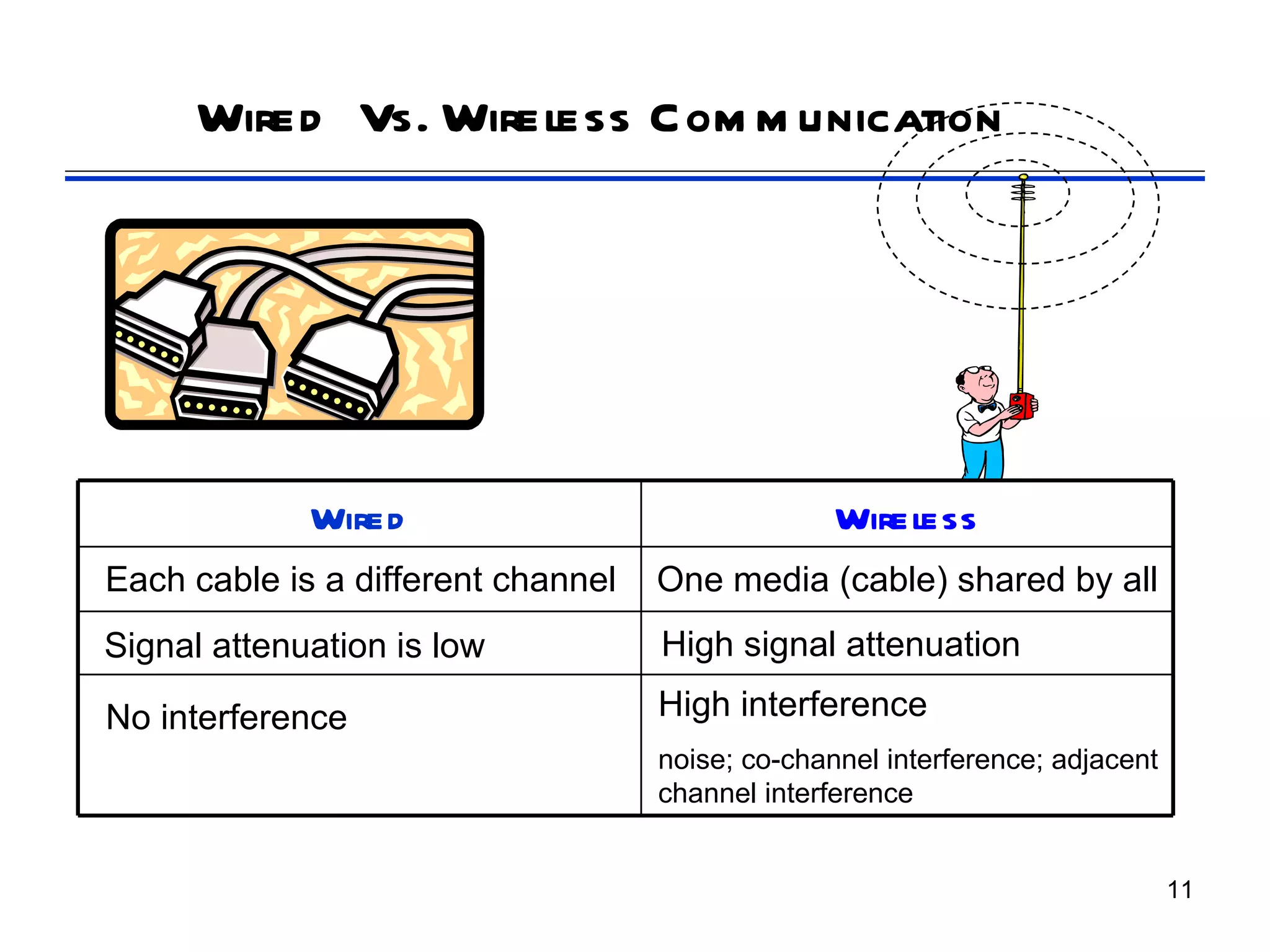
Wired Vs. Wireless Com m unication


             Wired                                Wireless
Each cable is a different channel   One media (cable) shared by all
Signal attenuation is low           High signal attenuation

No interference                     High interference
                                    noise; co-channel interference; adjacent
                                    channel interference


                                                                               11
Why Wireless Networks


 Cabling is som etim es im possible
 – Even if possible, cabling is quite expensive
 • Mod ern work cond itions require the
     flexibility of installation
     No cost for re-installation or rewiring
     Wireless is convenient and not too expensive
 Roaming allows flexibility
   – S tay connected anywhere and any tim e
 Rapid market growth and application demands
 – uninterrupted, fast access regardless of the application
   • Consumers and businesses are willing to pay for it
                                                               12
Why go wireless ?

 Ad vantages
   ► S om etim es it is im practical to lay cables
   ► User m obility
   ► Cost
 Lim itations
   ►   Band wid th
   ►   Fid elity
   ►   Power
   ►   (In) security


                                                     13
Types of Wireless Communication (1)

   Radio Transmission
   – Easily generated, omni-directionally travel long
   distances, easily penetrate buildings
   – Problems:
   • frequency-dependent
   • relative low bandwidth for data communication
   • tightly licensed by the governments
    Microwave Transmission
   – Widely used for long distance communication
   – Gives a high S/N ratio, relatively inexpensive
   – Problems:
   • don’t pass through buildings well
   • weather and frequency-dependent                    14
Types of Wireless Communication (2)

   Infrared and Millimeter Waves
   – Widely used for short-range communication
   – Unable to pass through solid objects
   – Used for indoor wireless LANs, not for outdoors
    Lightwave Transmission
   – Unguided optical signal, such as laser
   – Connect two LANs in two buildings via laser
   mounted on their roof
   – Unidirectional, easy to install, don’t require license
   – Problems:
   • unable to penetrate rain or thick fog
   • laser beam can be easily diverted by turbulent air
                                                               15
Limitations and Difficulties of Wireless
                  Technologies
 Wireless is convenient and less expensive
 Limitations and political and technical difficulties
  inhibit wireless technologies
 Lack of an industry-wide standard
 Device limitations
   ►E.g., small LCD on a mobile telephone can only displaying
    a few lines of text
   ►E.g., browsers of most mobile wireless devices use
    wireless markup language (WML) instead of HTML


                                                           16
Limitations and Difficulties of Wireless
                       Technologies

 Technology is still expensive
 – Newer technologies are much expensive

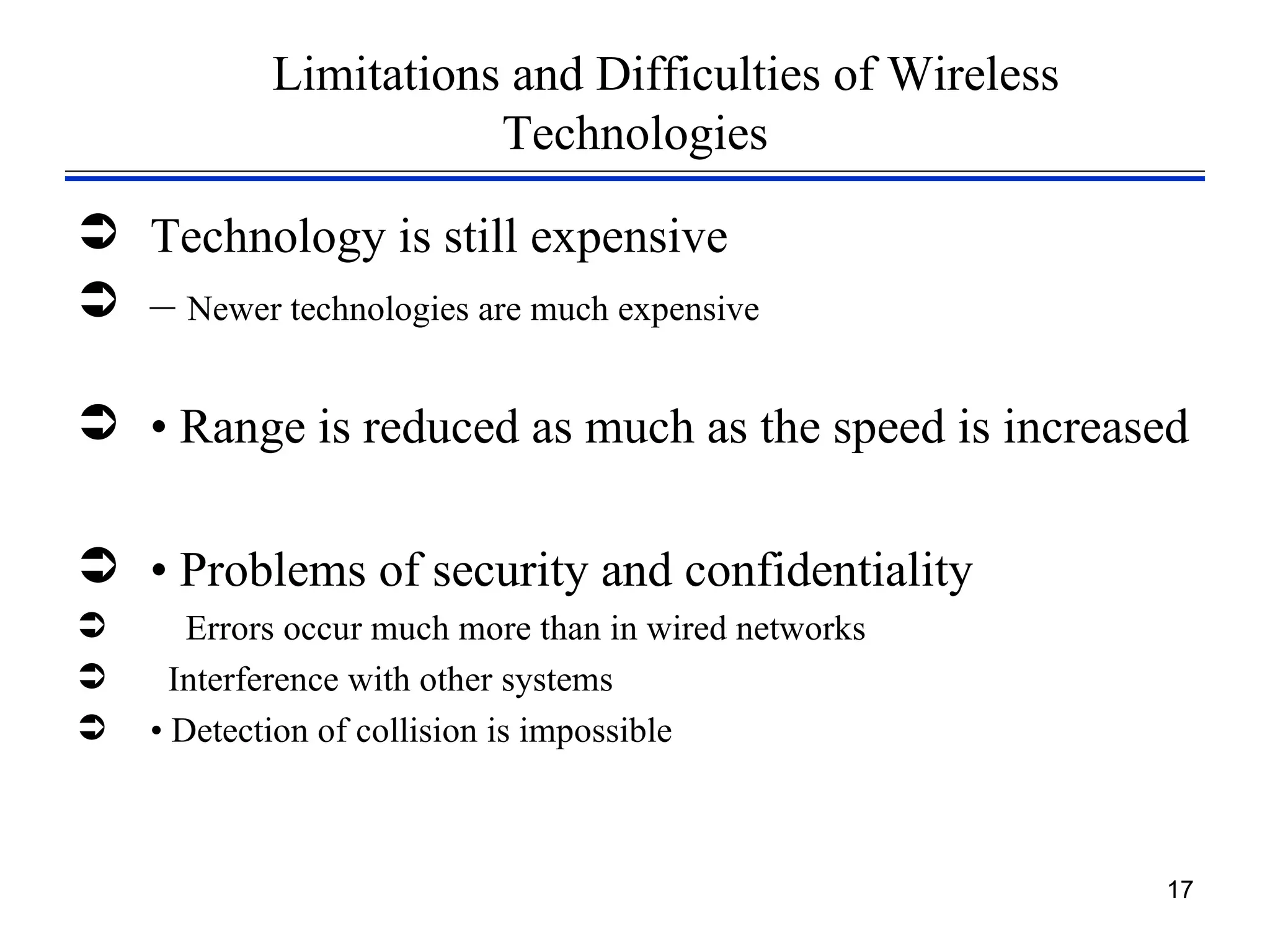
 • Range is reduced as much as the speed is increased

 • Problems of security and confidentiality
      Errors occur much more than in wired networks
     Interference with other systems
   • Detection of collision is impossible


                                                       17
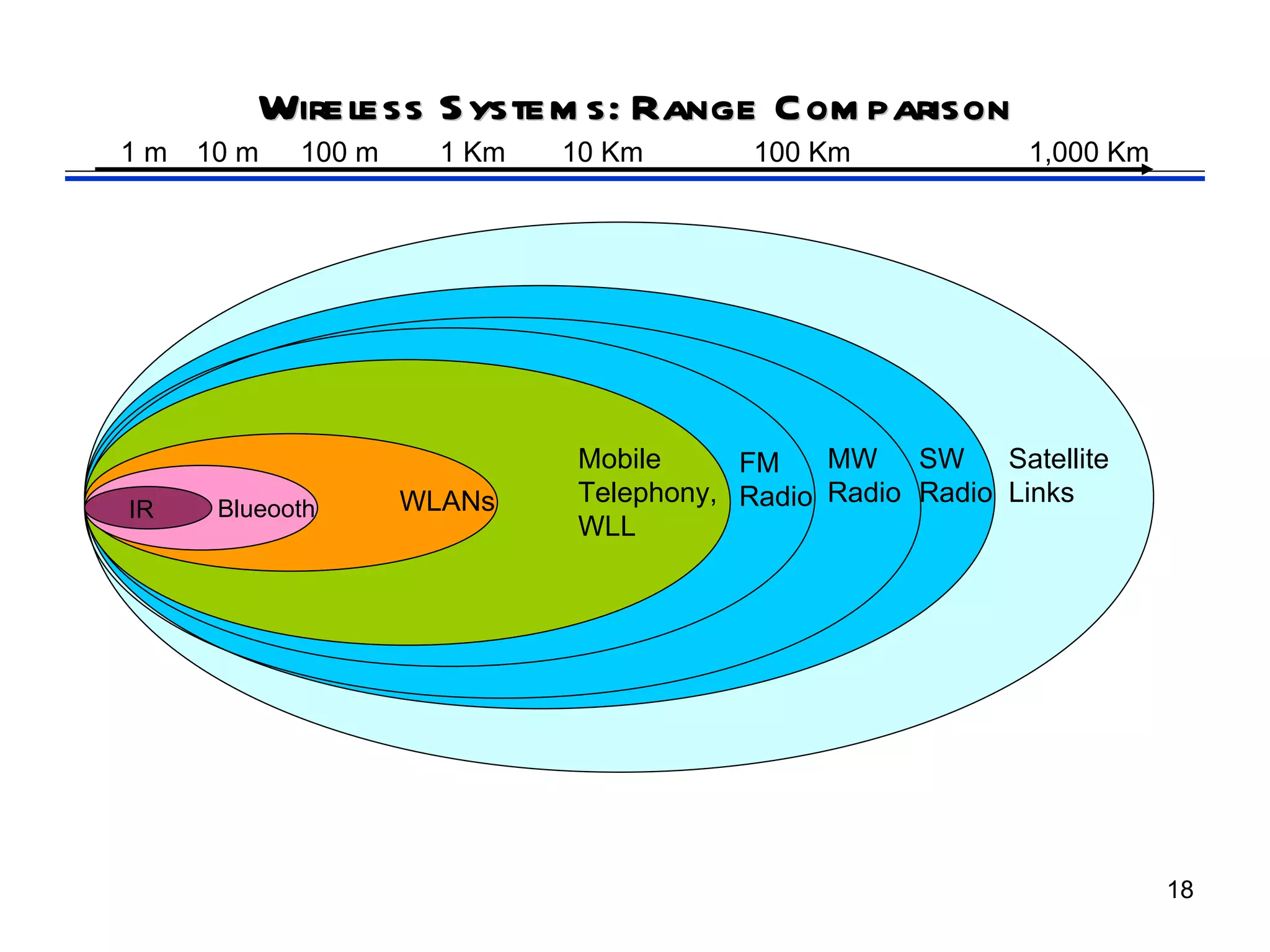
Wireless S ystem s: Range Com parison
1m   10 m   100 m     1 Km   10 Km       100 Km              1,000 Km


                             Mobile     FM    MW SW       Satellite
                    WLANs    Telephony, Radio Radio Radio Links
IR    Blueooth
                             WLL


                                                                        18
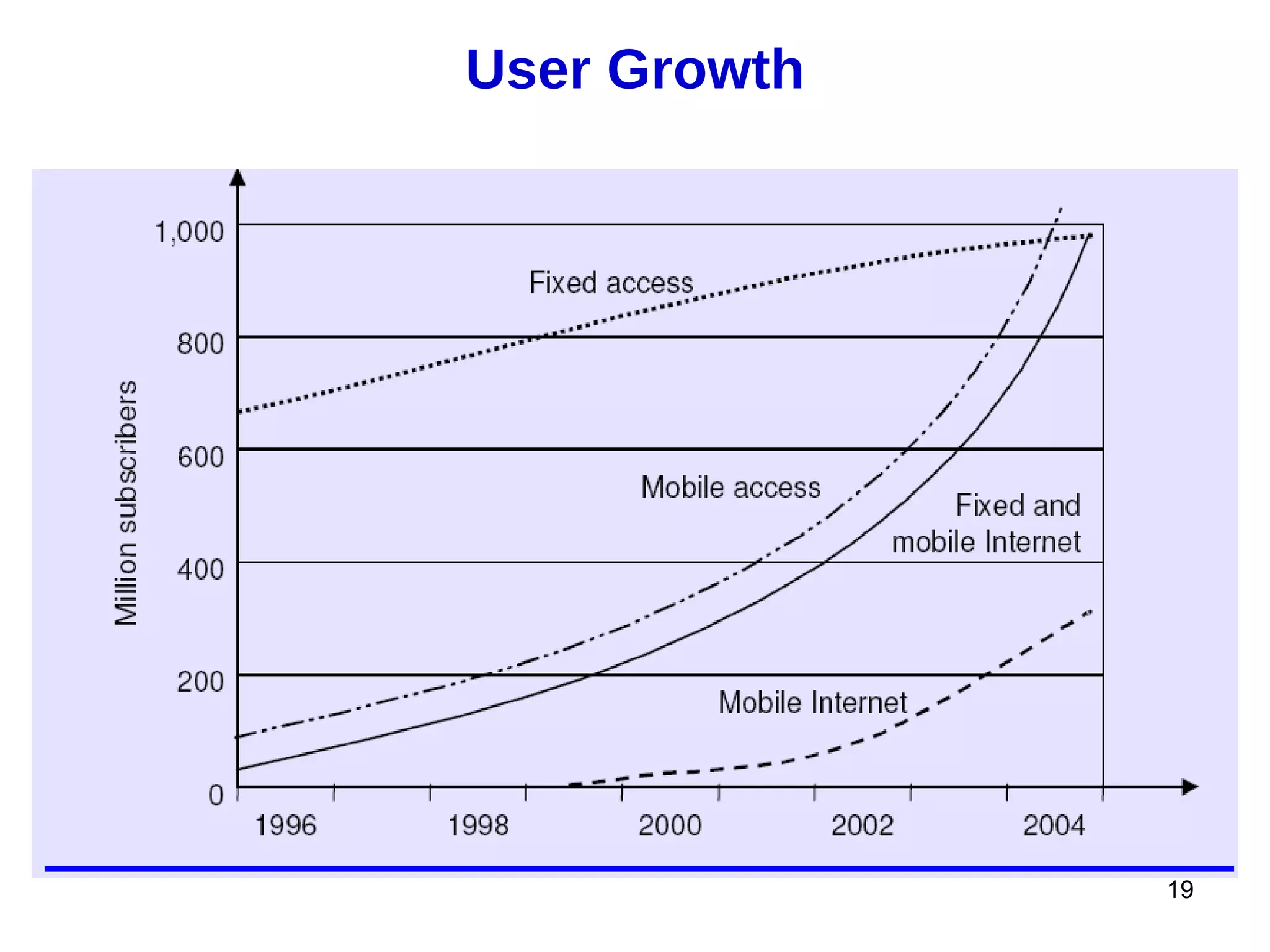
User Growth


              19
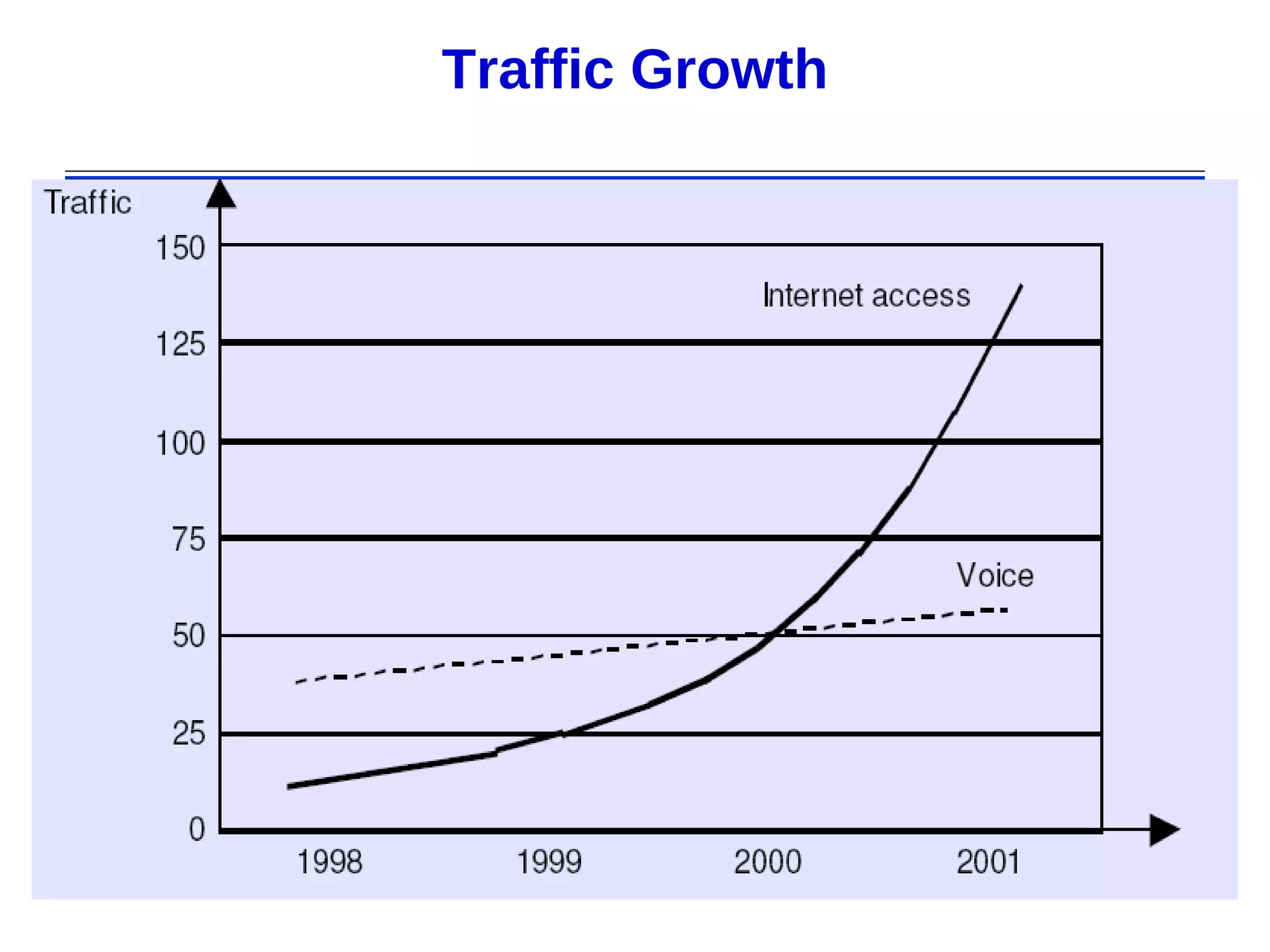
Traffic Growth


                 20
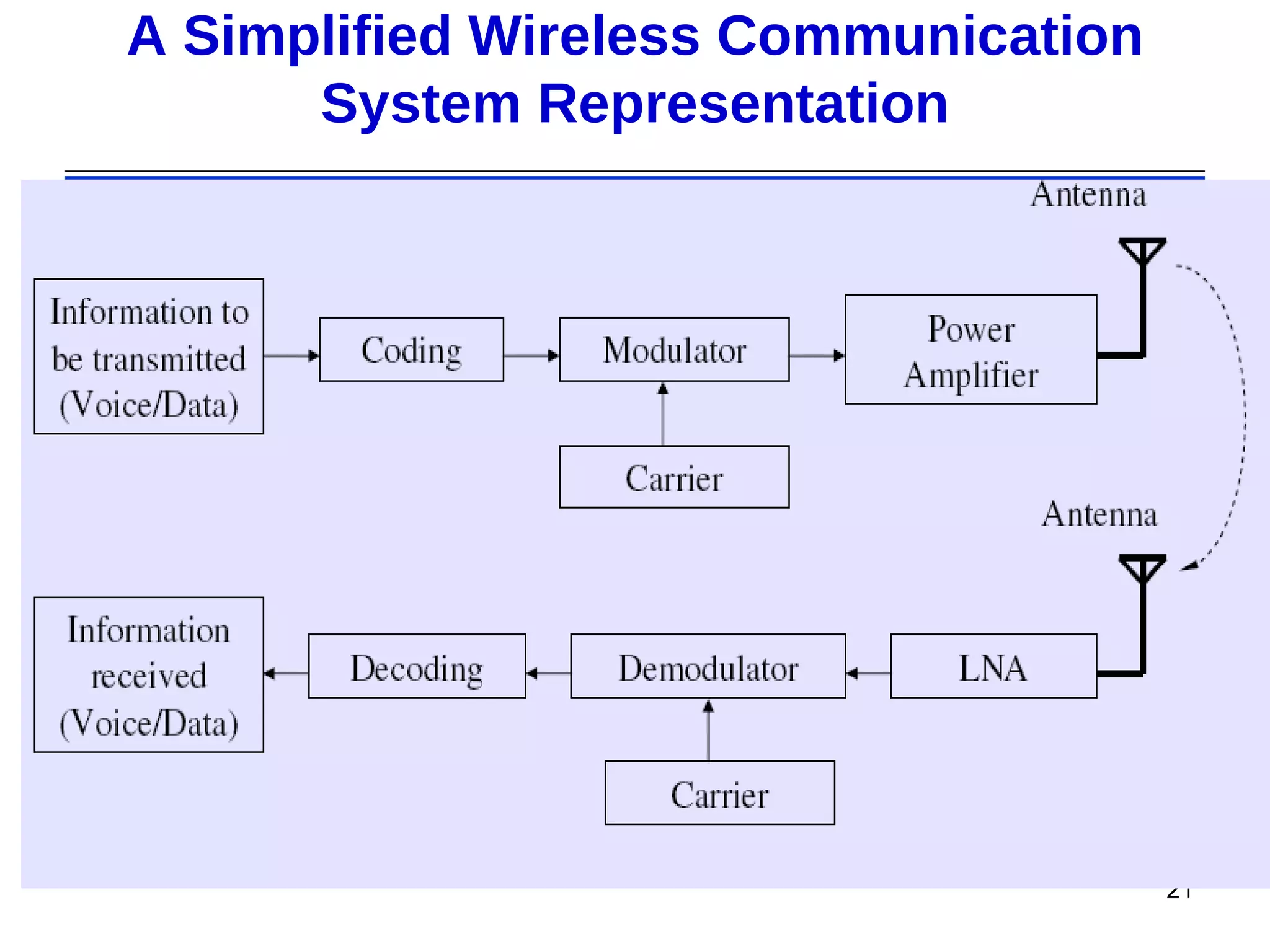
A Simplified Wireless Communication
      System Representation


                                      21
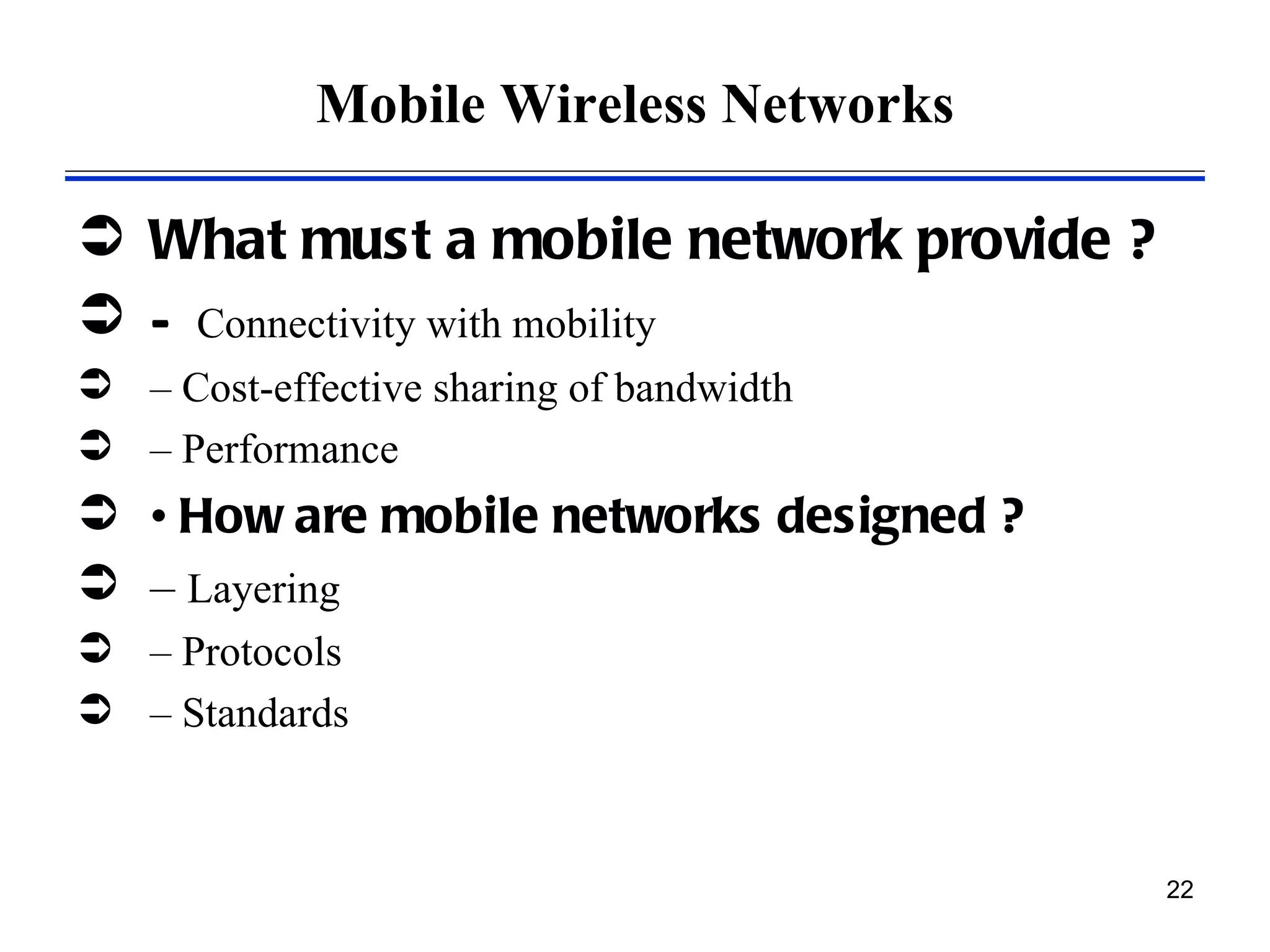
Mobile Wireless Networks

 What must a mobile network provide ?
 – Connectivity with mobility
 – Cost-effective sharing of bandwidth
 – Performance
 • How are mobile networks designed ?
 – Layering
 – Protocols
 – Standards


                                          22
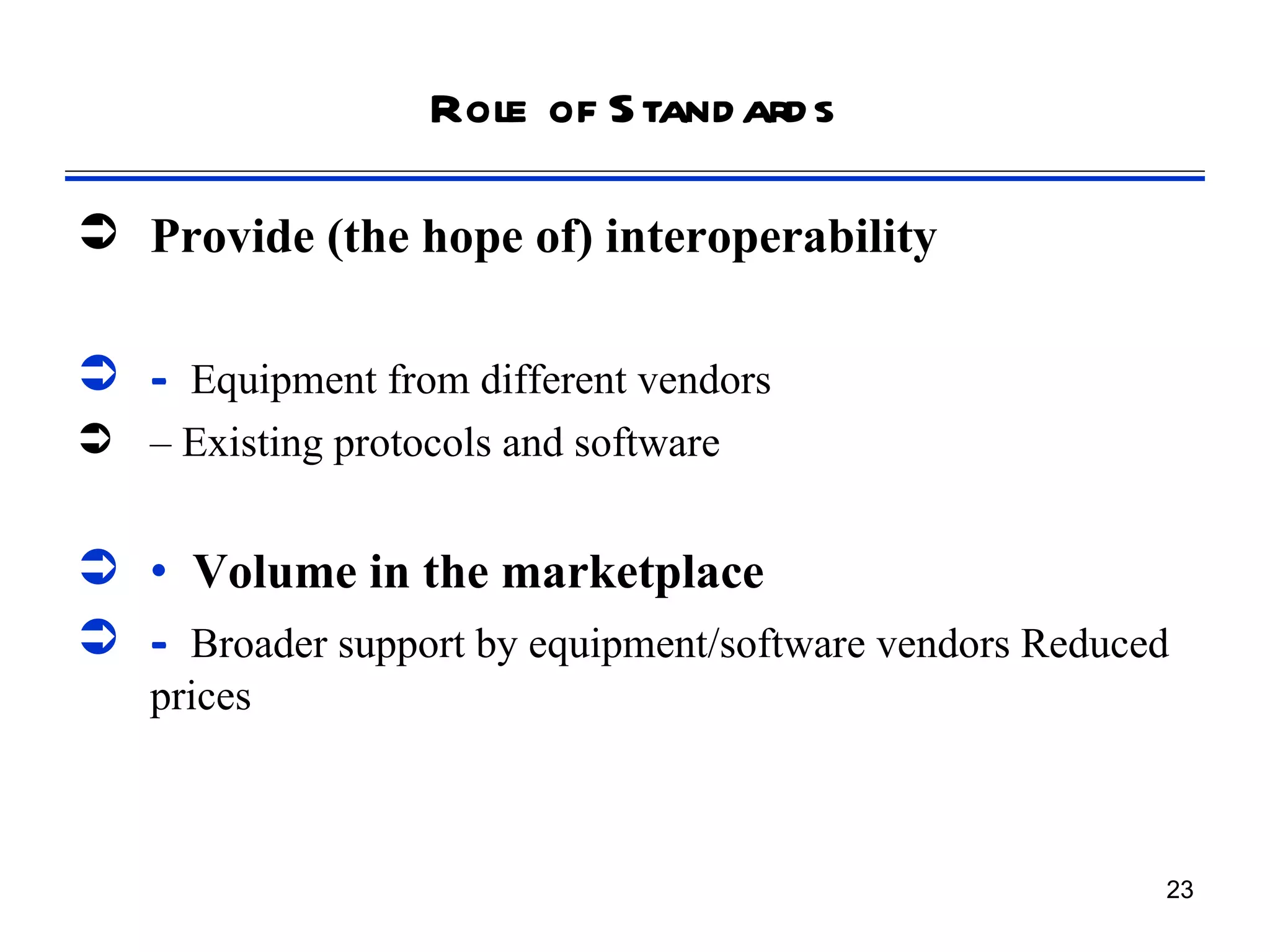
Role of S tand ard s

 Provide (the hope of) interoperability

 – Equipment from different vendors
 – Existing protocols and software


 • Volume in the marketplace
 – Broader support by equipment/software vendors Reduced
    prices


                                                        23
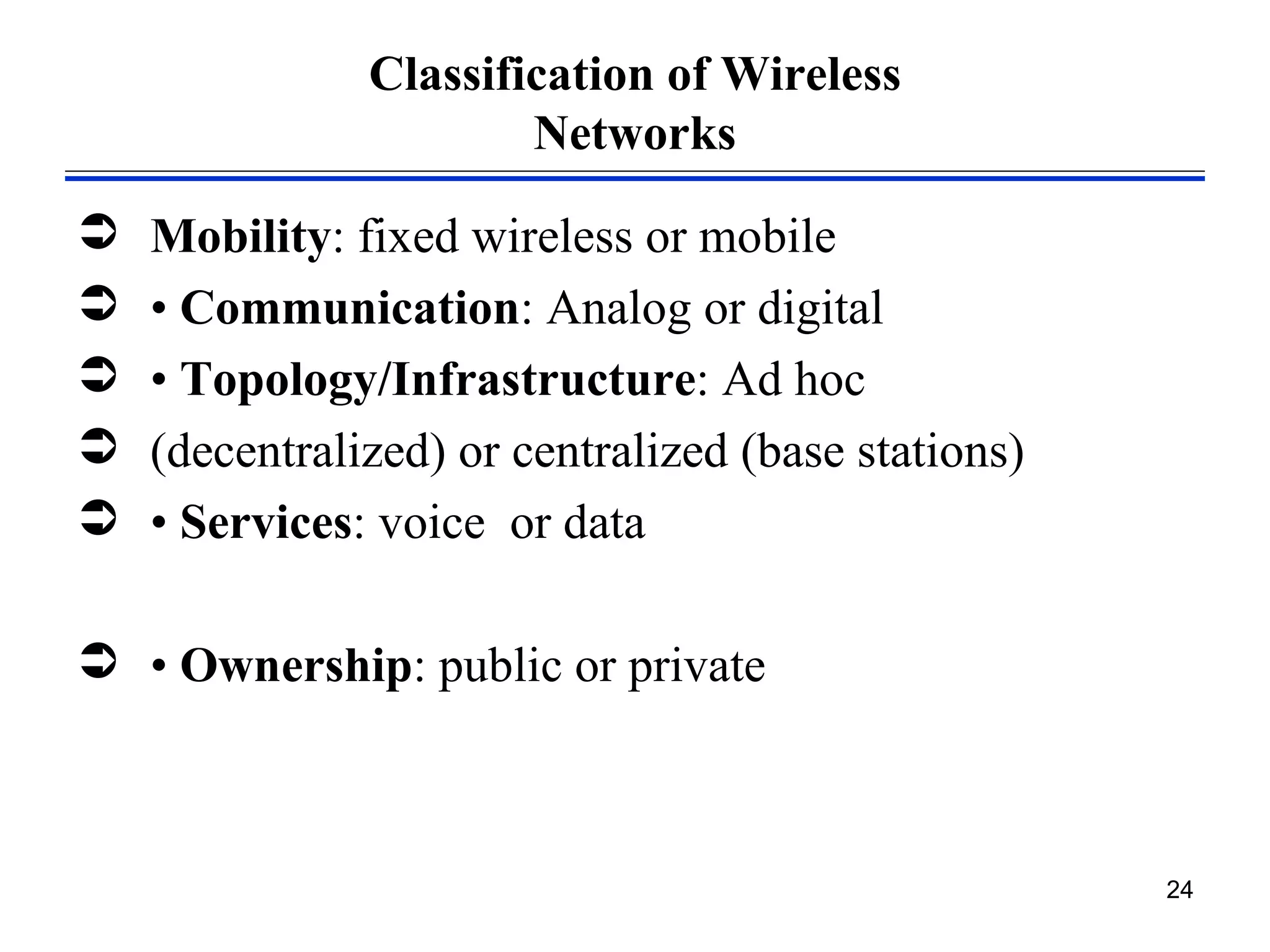
Classification of Wireless
                       Networks

   Mobility: fixed wireless or mobile
   • Communication: Analog or digital
   • Topology/Infrastructure: Ad hoc
   (decentralized) or centralized (base stations)
   • Services: voice or data

 • Ownership: public or private


                                                     24
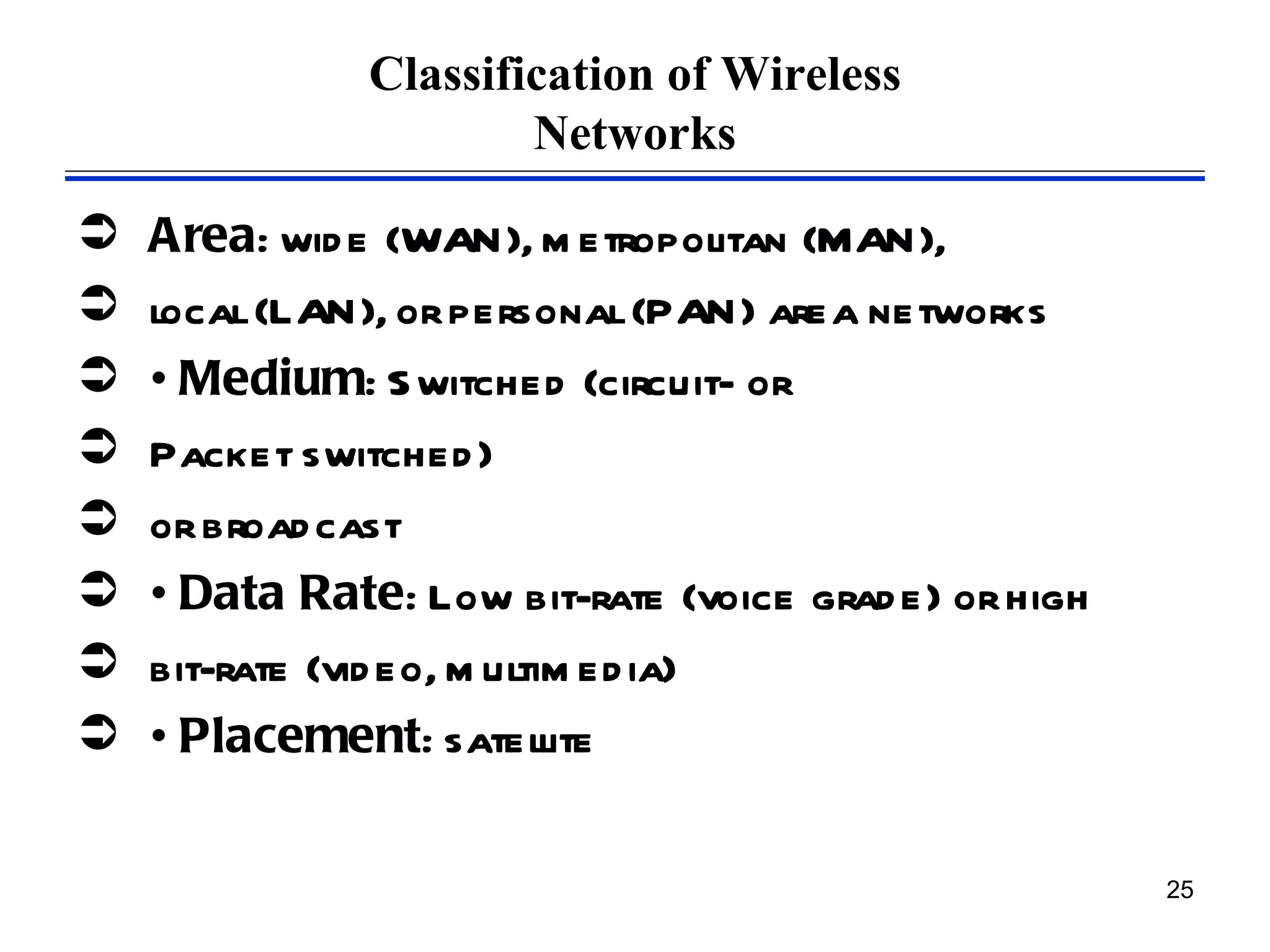
Classification of Wireless
                       Networks

   Area: wid e (WAN), m etropolitan (MAN),
   local (LAN), or personal (PAN) area networks
   • Medium: S witched (circuit- or
   Packet switched )
   or broad cast
   • Data Rate: Low bit-rate (voice grad e) or high
   bit-rate (vid eo, m ultim ed ia)
   • Placement: satellite

                                                       25
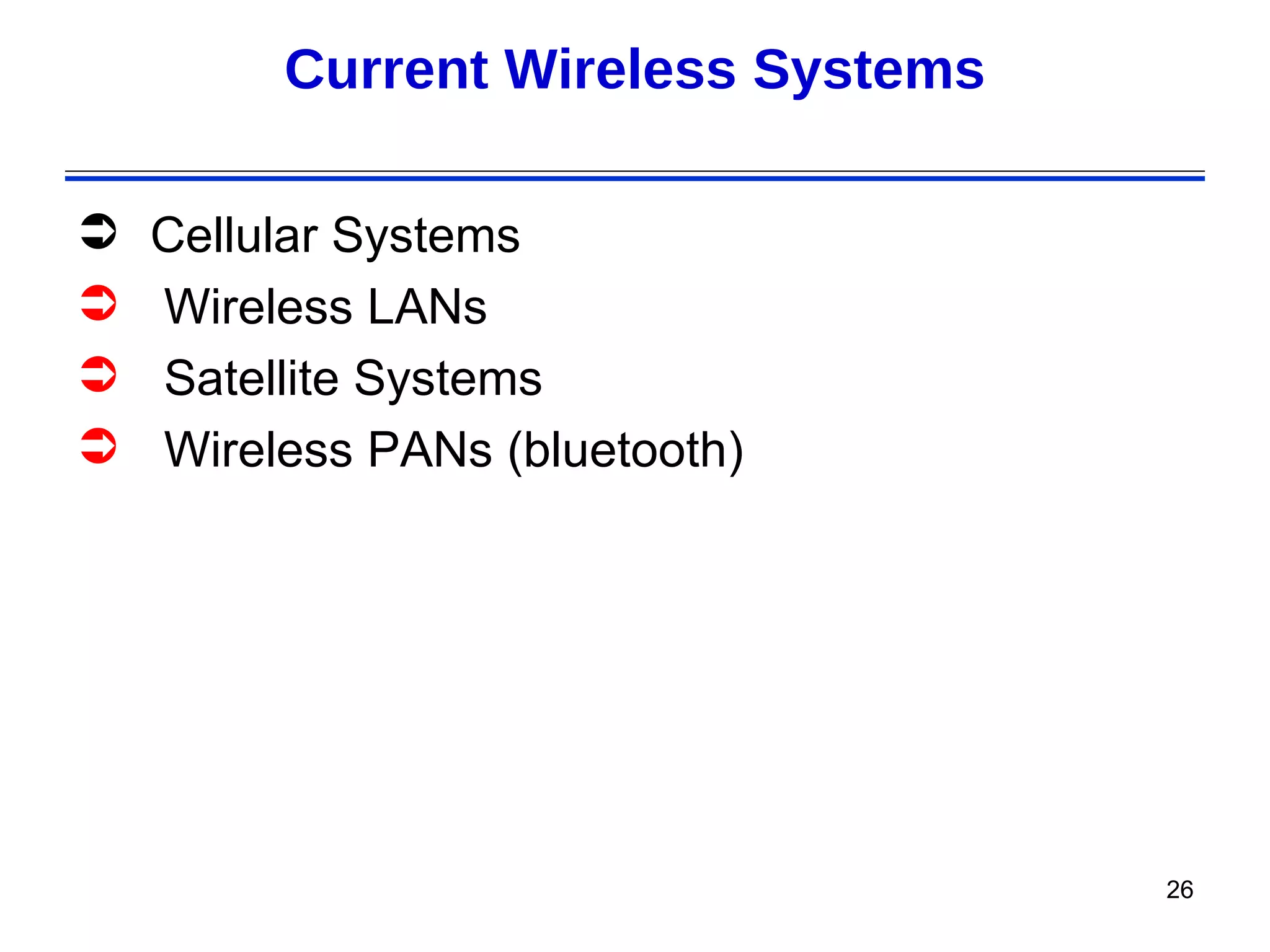
Current Wireless Systems

   Cellular Systems
   Wireless LANs
   Satellite Systems
   Wireless PANs (bluetooth)


                                    26

Week1

  • 1.
  • 2.
    Wireless Application Protocol Today Lecture  Introduction to wireless communication  Why Wireless communication?  Challenges in wireless communication.  Human Requirements  Wireless vs Mobile  Types of Wireless Communication  Limitations and Difficulties of Wireless Technologies  2
  • 3.
    What is wirelesscom m unication?  A wireless network enables people to communicate and access applications and information without wires. This provides freedom of movement and the ability to extend applications to different parts of a building, city, or nearly anywhere in the world.  Transfer of voice or data without wires.  Transmitting and receiving voice or data using electromagnetic waves  in open space  The information from sender to receiver is carrier over a well- defined frequency band (channel)  Each channel has a fixed frequency bandwidth and Capacity (bit- rate)  Different channels can be used to transmit information in parallel and independently. 3
  • 4.
    Why Wireless comm unication? Freedom from wires – No cost of installing wires or rewiring – No bunches of wires running here and there – communications without physical connection setup, e.g., Bluetooth,WiFi Global Coverage – Communications can reach where wiring is infeasible or costly, e.g., rural areas, old buildings, battlefield, vehicles, outer space (through Communication Satellites) 4
  • 5.
    Challenges in wirelesscom m unication Stay Connected – Roaming allows flexibility to stay connected anywhere and any time – Rapidly growing market attests to public need for mobility and uninterrupted access Flexibility – Services reach you wherever you go (Mobility). E.g, you don’t have to go to your lab to check your mail – Connect to multiple devices simultaneously (no physical connection required) 5
  • 6.
    Techanical Challenges inwireless com m unication Efficient Hardware – Low power Transmitters, Receivers – Low Power Signal Processing Tools Efficient use of finite radio spectrum – Cellular frequency reuse, medium access control protocols,... Integrated services – voice, data, multimedia over a single network – service differentiation, priorities, resource 6 sharing,...
  • 7.
    Challenges (2)  Networksupport for user mobility (mobile  scenarios)  – location identification, handover,...  Maintaining quality of service over unreliable links  Connectivity and coverage  (internetworking)  Cost efficiency 7
  • 8.
    Challenges (3)  Fading  Multipath  Higher probability of data corruption  – Hence, need for stronger channel codes  Need for stronger Security mechanisms  – privacy, authentication,… 8
  • 9.
    H um anRequirem ents  D elay  Packet Loss  BER  D ata Rate  Traffic 9
  • 10.
    Wireless vs Mobile NOTE : Wireless does not necessarily mean mobile  Wireless Systems may be  – Fixed (e.g., Metropolitan Area Network)  – Portable (e.g., wireless interaction between TV and VCR)  – Mobile (e.g., mobile phone) 10
  • 11.
    Wired Vs. WirelessCom m unication Wired Wireless Each cable is a different channel One media (cable) shared by all Signal attenuation is low High signal attenuation No interference High interference noise; co-channel interference; adjacent channel interference 11
  • 12.
    Why Wireless Networks Cabling is som etim es im possible  – Even if possible, cabling is quite expensive  • Mod ern work cond itions require the  flexibility of installation  No cost for re-installation or rewiring  Wireless is convenient and not too expensive  Roaming allows flexibility  – S tay connected anywhere and any tim e  Rapid market growth and application demands  – uninterrupted, fast access regardless of the application  • Consumers and businesses are willing to pay for it 12
  • 13.
    Why go wireless?  Ad vantages ► S om etim es it is im practical to lay cables ► User m obility ► Cost  Lim itations ► Band wid th ► Fid elity ► Power ► (In) security 13
  • 14.
    Types of WirelessCommunication (1)  Radio Transmission  – Easily generated, omni-directionally travel long  distances, easily penetrate buildings  – Problems:  • frequency-dependent  • relative low bandwidth for data communication  • tightly licensed by the governments  Microwave Transmission  – Widely used for long distance communication  – Gives a high S/N ratio, relatively inexpensive  – Problems:  • don’t pass through buildings well  • weather and frequency-dependent 14
  • 15.
    Types of WirelessCommunication (2)  Infrared and Millimeter Waves  – Widely used for short-range communication  – Unable to pass through solid objects  – Used for indoor wireless LANs, not for outdoors  Lightwave Transmission  – Unguided optical signal, such as laser  – Connect two LANs in two buildings via laser  mounted on their roof  – Unidirectional, easy to install, don’t require license  – Problems:  • unable to penetrate rain or thick fog  • laser beam can be easily diverted by turbulent air 15
  • 16.
    Limitations and Difficultiesof Wireless Technologies  Wireless is convenient and less expensive  Limitations and political and technical difficulties inhibit wireless technologies  Lack of an industry-wide standard  Device limitations ►E.g., small LCD on a mobile telephone can only displaying a few lines of text ►E.g., browsers of most mobile wireless devices use wireless markup language (WML) instead of HTML 16
  • 17.
    Limitations and Difficultiesof Wireless Technologies  Technology is still expensive  – Newer technologies are much expensive  • Range is reduced as much as the speed is increased  • Problems of security and confidentiality  Errors occur much more than in wired networks  Interference with other systems  • Detection of collision is impossible 17
  • 18.
    Wireless S ystems: Range Com parison 1m 10 m 100 m 1 Km 10 Km 100 Km 1,000 Km Mobile FM MW SW Satellite WLANs Telephony, Radio Radio Radio Links IR Blueooth WLL 18
  • 19.
  • 20.
  • 21.
    A Simplified WirelessCommunication System Representation 21
  • 22.
    Mobile Wireless Networks What must a mobile network provide ?  – Connectivity with mobility  – Cost-effective sharing of bandwidth  – Performance  • How are mobile networks designed ?  – Layering  – Protocols  – Standards 22
  • 23.
    Role of Stand ard s  Provide (the hope of) interoperability  – Equipment from different vendors  – Existing protocols and software  • Volume in the marketplace  – Broader support by equipment/software vendors Reduced prices 23
  • 24.
    Classification of Wireless Networks  Mobility: fixed wireless or mobile  • Communication: Analog or digital  • Topology/Infrastructure: Ad hoc  (decentralized) or centralized (base stations)  • Services: voice or data  • Ownership: public or private 24
  • 25.
    Classification of Wireless Networks  Area: wid e (WAN), m etropolitan (MAN),  local (LAN), or personal (PAN) area networks  • Medium: S witched (circuit- or  Packet switched )  or broad cast  • Data Rate: Low bit-rate (voice grad e) or high  bit-rate (vid eo, m ultim ed ia)  • Placement: satellite 25
  • 26.
    Current Wireless Systems  Cellular Systems  Wireless LANs  Satellite Systems  Wireless PANs (bluetooth) 26

Editor's Notes

  • #19 CS 698T P. Bhagwat Q1. Can you think of a system whose range of communication is more than satellite links? Q2. Give an example of a system whose range of communication is shorter than IR links. Point to ponder: Why does range of communication increase on logarithm scale?