A reflection on the online tools I have experimented
   with as part of the Pedagogy First! Online course
Who Am I?
 Sandra Dyke
 Work in Nelson New Zealand
 IT and Business tutor
 Nelson Marlborough Institute of Technology
The Promise
 This course promised:
    Learning pedagogical techniques
    Mastering online tools
    Contributing to the online teaching community
 The Pedagogy First Website
 Introduction Video
 The Syllabus
Setting up the Blog
 Welcome to My Blog
 It has evolved over the course and I am keen to keep it up
  with other thoughts and comments.
 It is mainly a reflective Blog
 The biggest things I have learned from my blog journey are
    tag things with multiple tags
    add links to the articles and videos I have viewed
 All these things make life easier when referring back to the
  blog!
 Find out more at www.wordpress.com
Prezi
 This is an interesting presentation tool
 I'm still not comfortable with it but I want to use it more
    I am finding it has a step learning curve as I need to think
     differently on how I use it
    I am a 'list' type person so PowerPoint with bullet points has
     always been my method of presentation
    My first Prezi made me dizzy with the movements in, out,
     round and about
    I do like the idea of an infinite canvas to play around on
 2 Prezis I have produced are:
    Business Concepts revision
    The Privacy Act 1988
 Find out more at http://prezi.com/
Jing
 This is a neat tool for creating short videos
 To embed into the free WordPress Blog caused some
  problems but it is possible if it is converted and
  uploaded to YouTube
 Providing a link to the Screencast version does work as
  well but requires the user to click on another link
 My first Jing
   uploaded to Screencast
   uploaded to YouTube
 Find out more at http://www.techsmith.com/
Symbaloo
 Easy to use and versatile
 My new friend!!
 My Symbaloos
    Teaching Tools
    NMIT IT Student Challenge Week
    NMIT Website Access
 Find out more at http://www.symbaloo.com/
Google Sites


 A free way to provide links to a variety of created
  resources
 My Courses and Tutorials Website
 Find out more at https://sites.google.com/
Slidecast
 The power of PowerPoint, Audio and the Internet
 Example: Process Modelling
 Find out more at http://www.slideshare.net/
Real life application to my teaching
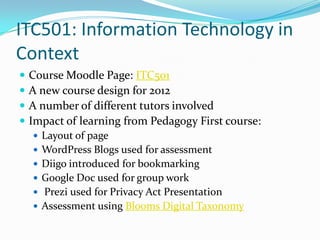
ITC501: Information Technology in
Context
   Course Moodle Page: ITC501
   A new course design for 2012
   A number of different tutors involved
   Impact of learning from Pedagogy First course:
     Layout of page
     WordPress Blogs used for assessment
     Diigo introduced for bookmarking
     Google Doc used for group work
     Prezi used for Privacy Act Presentation
     Assessment using Blooms Digital Taxonomy
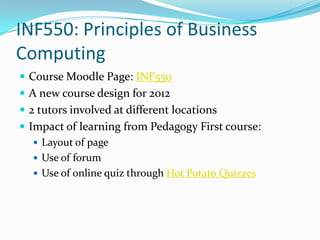
INF550: Principles of Business
Computing
 Course Moodle Page: INF550
 A new course design for 2012
 2 tutors involved at different locations
 Impact of learning from Pedagogy First course:
    Layout of page
    Use of forum
    Use of online quiz through Hot Potato Quizzes
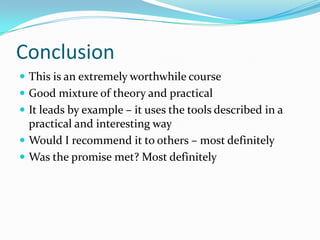
Conclusion
 This is an extremely worthwhile course
 Good mixture of theory and practical
 It leads by example – it uses the tools described in a
  practical and interesting way
 Would I recommend it to others – most definitely
 Was the promise met? Most definitely

Week 23 presentation

  • 1.
    A reflection onthe online tools I have experimented with as part of the Pedagogy First! Online course
  • 2.
    Who Am I? Sandra Dyke  Work in Nelson New Zealand  IT and Business tutor  Nelson Marlborough Institute of Technology
  • 3.
    The Promise  Thiscourse promised:  Learning pedagogical techniques  Mastering online tools  Contributing to the online teaching community  The Pedagogy First Website  Introduction Video  The Syllabus
  • 4.
    Setting up theBlog  Welcome to My Blog  It has evolved over the course and I am keen to keep it up with other thoughts and comments.  It is mainly a reflective Blog  The biggest things I have learned from my blog journey are  tag things with multiple tags  add links to the articles and videos I have viewed  All these things make life easier when referring back to the blog!  Find out more at www.wordpress.com
  • 5.
    Prezi  This isan interesting presentation tool  I'm still not comfortable with it but I want to use it more  I am finding it has a step learning curve as I need to think differently on how I use it  I am a 'list' type person so PowerPoint with bullet points has always been my method of presentation  My first Prezi made me dizzy with the movements in, out, round and about  I do like the idea of an infinite canvas to play around on  2 Prezis I have produced are:  Business Concepts revision  The Privacy Act 1988  Find out more at http://prezi.com/
  • 6.
    Jing  This isa neat tool for creating short videos  To embed into the free WordPress Blog caused some problems but it is possible if it is converted and uploaded to YouTube  Providing a link to the Screencast version does work as well but requires the user to click on another link  My first Jing  uploaded to Screencast  uploaded to YouTube  Find out more at http://www.techsmith.com/
  • 7.
    Symbaloo  Easy touse and versatile  My new friend!!  My Symbaloos  Teaching Tools  NMIT IT Student Challenge Week  NMIT Website Access  Find out more at http://www.symbaloo.com/
  • 8.
    Google Sites  Afree way to provide links to a variety of created resources  My Courses and Tutorials Website  Find out more at https://sites.google.com/
  • 9.
    Slidecast  The powerof PowerPoint, Audio and the Internet  Example: Process Modelling  Find out more at http://www.slideshare.net/
  • 10.
    Real life applicationto my teaching
  • 11.
    ITC501: Information Technologyin Context  Course Moodle Page: ITC501  A new course design for 2012  A number of different tutors involved  Impact of learning from Pedagogy First course:  Layout of page  WordPress Blogs used for assessment  Diigo introduced for bookmarking  Google Doc used for group work  Prezi used for Privacy Act Presentation  Assessment using Blooms Digital Taxonomy
  • 12.
    INF550: Principles ofBusiness Computing  Course Moodle Page: INF550  A new course design for 2012  2 tutors involved at different locations  Impact of learning from Pedagogy First course:  Layout of page  Use of forum  Use of online quiz through Hot Potato Quizzes
  • 13.
    Conclusion  This isan extremely worthwhile course  Good mixture of theory and practical  It leads by example – it uses the tools described in a practical and interesting way  Would I recommend it to others – most definitely  Was the promise met? Most definitely