Taking us forward with Web 2.0
To introduce you to some of the Web 2.0 tools that we think can assist you in your learning as an estudent To have fun by creating resources using Web 2.0 tools
What is Web  2.0 ? GO2WEB20 – everything you  ever  wanted
 
Monkey  Survey  – If you want to create an online survey or questionnaire, then you can register free to use Monkey Survey – Great Fun and Educational.  Your teachers, coorindators or ePrincipals might use with you.  Have some fun, join for free and create some surveys with your friends and family.
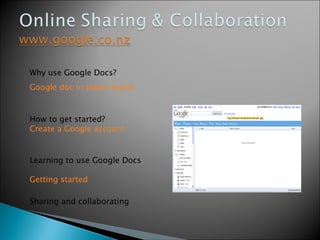
Why use Google Docs? Google doc in plain English How to get started? Create a Google account Learning to use Google Docs Getting started Sharing and collaborating
What is a Blog? http://nz.youtube.com/watch?v=NN2I1pWXjXI
http://edublogs.org/ https://www.blogger.com/start
What is a  Wiki ? "A wiki is a web application that allows users to add content, as on an Internet forum, but also allows anyone to edit the content. Wiki also refers to the collaborative software used to create such a website”  Wikipedia
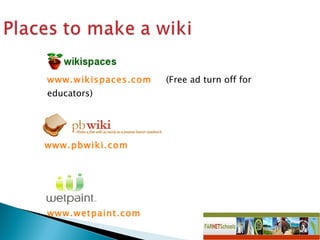
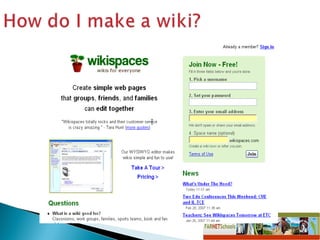
www.wikispaces.com   (Free ad turn off for educators) www.pbwiki.com   www.wetpaint.com
 
Create a podcast in the classroom using software  (Audacity or Garageband).   You can record audio and add music.  Or you can create, find or share podcasts online at Podomatic.
Audacity  is a  digital audio editor  application.  Software for  Learning  new site can be found on  www.tki.org.nz Digistore – Our  Digital  StoreHouse also on  www.tki.org.nz
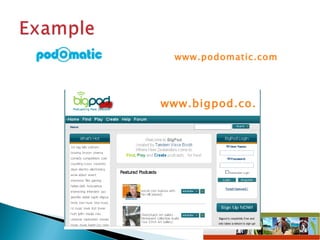
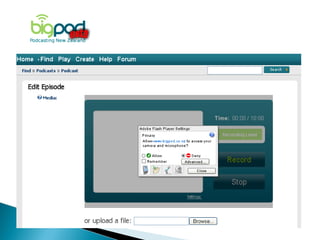
www.podomatic.com   www.bigpod.co.nz
 
http://educationalsoftware.wikispaces.com/Picture+Sharing   There are many places where you can post pictures and photos.  You can share them with others and search for pictures posted by other people.  There are privacy options available.
Lots of ways to use photos Magazine covers motivational posters  http://bighugelabs.com/flickr/
Just as you can add images up to the web you can also add video clips.  There are a range of different sites to host video such as:
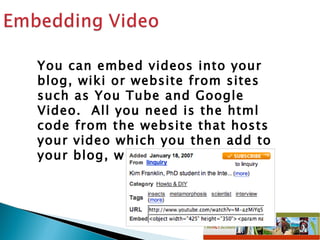
You can embed videos into your blog, wiki or website from sites such as You Tube and Google Video.  All you need is the html code from the website that hosts your video which you then add to your blog, wiki or website.
A widget (Windows gadget) is an object (slide shows, glitter text, polls, counters, etc) that you can use to personalise your wiki, blog or website.  You create the widgets at a site then copy the code and paste it onto your site.
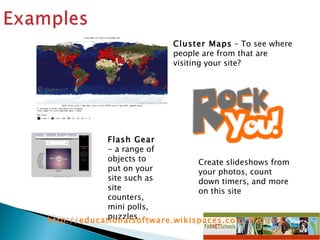
Cluster Maps  – To see where people are from that are visiting your site?  Flash Gear  -  a range of objects to put on your site such as site counters, mini polls, puzzles.  Create slideshows from your photos, count down timers, and more on this site  http://educationalsoftware.wikispaces.com/Widgets
If children or teachers have worked hard on a PowerPoint presentation in class, there are places where these can be uploaded so that you can share them with a wider audience.
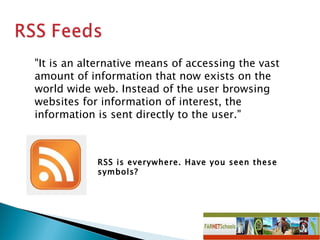
RSS is everywhere. Have you seen these symbols? "It is an alternative means of accessing the vast amount of information that now exists on the world wide web. Instead of the user browsing websites for information of interest, the information is sent directly to the user."
Blogs Wikis Podcasting Widgets RSS Feeds Google Documents Online Activities Set up an account (Remember it’s Free!!!) Follow instructions Have a play !
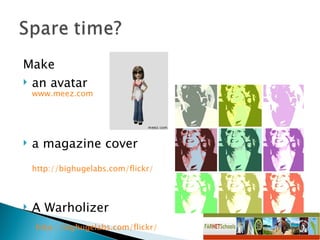
Make  an avatar  www.meez.com a magazine cover  http://bighugelabs.com/flickr/   A Warholizer   http://bighugelabs.com/flickr/

Student Module 2009 Web 2.0 Tools

  • 1.
    Taking us forwardwith Web 2.0
  • 2.
    To introduce youto some of the Web 2.0 tools that we think can assist you in your learning as an estudent To have fun by creating resources using Web 2.0 tools
  • 3.
    What is Web 2.0 ? GO2WEB20 – everything you ever wanted
  • 4.
  • 5.
    Monkey Survey – If you want to create an online survey or questionnaire, then you can register free to use Monkey Survey – Great Fun and Educational. Your teachers, coorindators or ePrincipals might use with you. Have some fun, join for free and create some surveys with your friends and family.
  • 6.
    Why use GoogleDocs? Google doc in plain English How to get started? Create a Google account Learning to use Google Docs Getting started Sharing and collaborating
  • 7.
    What is aBlog? http://nz.youtube.com/watch?v=NN2I1pWXjXI
  • 8.
  • 9.
    What is a Wiki ? "A wiki is a web application that allows users to add content, as on an Internet forum, but also allows anyone to edit the content. Wiki also refers to the collaborative software used to create such a website” Wikipedia
  • 10.
    www.wikispaces.com (Free ad turn off for educators) www.pbwiki.com www.wetpaint.com
  • 11.
  • 12.
    Create a podcastin the classroom using software (Audacity or Garageband). You can record audio and add music. Or you can create, find or share podcasts online at Podomatic.
  • 13.
    Audacity isa digital audio editor application. Software for Learning new site can be found on www.tki.org.nz Digistore – Our Digital StoreHouse also on www.tki.org.nz
  • 14.
    www.podomatic.com www.bigpod.co.nz
  • 15.
  • 16.
    http://educationalsoftware.wikispaces.com/Picture+Sharing There are many places where you can post pictures and photos. You can share them with others and search for pictures posted by other people. There are privacy options available.
  • 17.
    Lots of waysto use photos Magazine covers motivational posters http://bighugelabs.com/flickr/
  • 18.
    Just as youcan add images up to the web you can also add video clips. There are a range of different sites to host video such as:
  • 19.
    You can embedvideos into your blog, wiki or website from sites such as You Tube and Google Video. All you need is the html code from the website that hosts your video which you then add to your blog, wiki or website.
  • 20.
    A widget (Windowsgadget) is an object (slide shows, glitter text, polls, counters, etc) that you can use to personalise your wiki, blog or website. You create the widgets at a site then copy the code and paste it onto your site.
  • 21.
    Cluster Maps – To see where people are from that are visiting your site? Flash Gear - a range of objects to put on your site such as site counters, mini polls, puzzles. Create slideshows from your photos, count down timers, and more on this site http://educationalsoftware.wikispaces.com/Widgets
  • 22.
    If children orteachers have worked hard on a PowerPoint presentation in class, there are places where these can be uploaded so that you can share them with a wider audience.
  • 23.
    RSS is everywhere.Have you seen these symbols? "It is an alternative means of accessing the vast amount of information that now exists on the world wide web. Instead of the user browsing websites for information of interest, the information is sent directly to the user."
  • 24.
    Blogs Wikis PodcastingWidgets RSS Feeds Google Documents Online Activities Set up an account (Remember it’s Free!!!) Follow instructions Have a play !
  • 25.
    Make anavatar www.meez.com a magazine cover http://bighugelabs.com/flickr/ A Warholizer http://bighugelabs.com/flickr/