Web Development and Design
Digital assets are at the heart of 
successful digital marketing.
Customers and potential customers 
interact with them.
Lay solid foundations and create 
assets for the best possible user 
experience.
Consider: 
Accessibility – are there potential 
barriers? 
Usability – is it easy to use?
Searchability – can it be found via 
search? 
Discoverability –shareable and 
discoverable?
Technical barriers may be browser 
compatibility. 
User’s ability barriers could be 
language or sight problems.
To address usability use standard 
conventions: 
•Highlight or make bold key phrases and 
words 
•Use bulleted lists 
•Use paragraphs to break up information 
•Use descriptive and distinct headings
Never! 
•Resize windows or launch the site in a 
pop-up 
•Use splash pages
Never! 
•Build a site entirely in Flash – most 
search engine spiders cannot even 
crawl Flash sites 
•Distract users with “Christmas Trees” 
(blinking images, flashing lights, etc.)
Make sure your site is visible to search 
engines: 
Traffic is vital to a website. Index it 
fully and consider it relevant for its 
chosen keywords.
Things must be labelled correctly: 
URLs, Alt Tags, Title Tags and Meta Data.
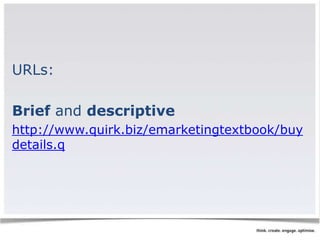
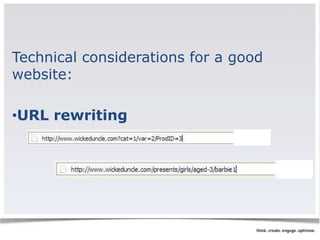
URLs: 
Brief and descriptive 
http://www.quirk.biz/emarketingtextbook/buy 
details.q
May require server side rewriting so 
as to cope with dynamic parameters in 
URLs.
Use no more than two dynamic 
parameters in a URL or it may not be 
spidered. 
It can make great anchor text!
Alt tags: 
Users need text descriptions of images 
while they wait for them to load.
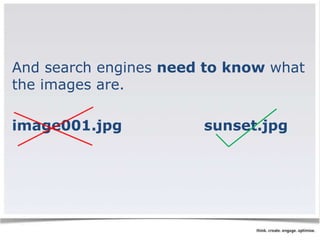
And search engines need to know what 
the images are. 
image001.jpg sunset.jpg
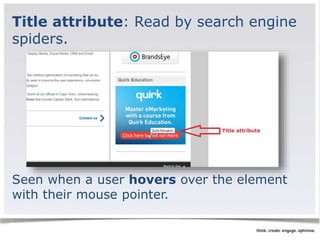
Title attribute: Read by search engine 
spiders. 
Seen when a user hovers over the element 
with their mouse pointer.
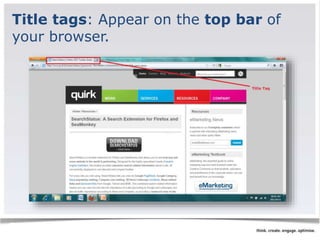
Title tags: Appear on the top bar of 
your browser.
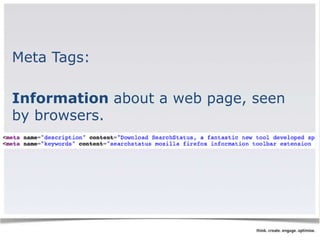
Meta Tags: 
Information about a web page, seen 
by browsers.
Search engine optimised copy
If the search engine cannot see the 
text on the page, they cannot spider 
and index that page.
Search engines cannot index text: 
•Embedded in a Java Application or a 
Macromedia Flash File 
•In an image file – use descriptive alt 
tags and title attributes 
•Only accessible after submitting a 
form, logging in, etc.
Ensure content is shareable: 
Have static, friendly URLs (i.e. don’t 
make all new visitors go to the home 
page).
Make sure your metadata is compelling 
when added to links on social 
networking sites.
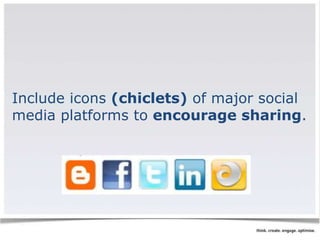
Include icons (chiclets) of major social 
media platforms to encourage sharing.
Lay strong foundations!
Start with research: 
•Your market 
•Your users 
•Your competitors 
•Your business
This helps you to plan your website 
strategically, ensuring it is aligned with 
both user needs and business 
objectives.
Gather, analyse and map out what 
content is needed on the website.
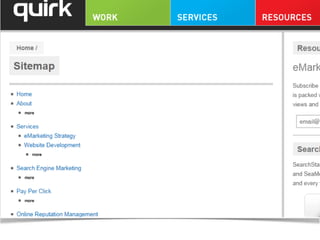
Sitemaps reflect hierarchy of content 
and navigation.
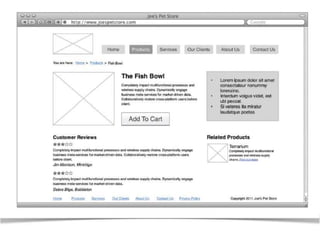
Create a visual blueprint of your 
website using wireframes.
A functional specification document 
will result.
Create visual identity and design for 
persuasion.
Design is not just about aesthetics, 
although looks are very important.
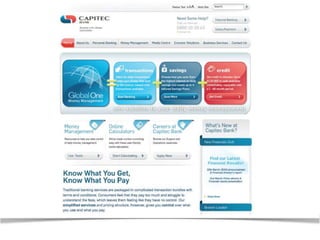
Visual identity = how users know 
it’s you. 
Use logo and corporate identity to inform 
the colour palette, fonts, menu buttons 
etc.
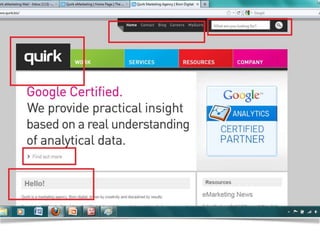
Navigation – show users: 
•Where they are 
•How they got there 
•Where they can go next 
•How they get home
Layout = how content is structured 
and displayed. 
•Apply the fundamentals of good design 
•Balance in important 
•They should be easy to read
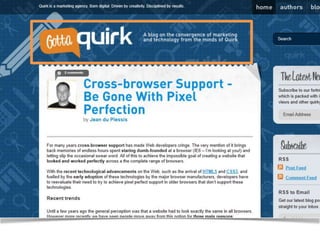
Headers = the usually consistent top 
part of a web page. Must be prominent 
but simple.
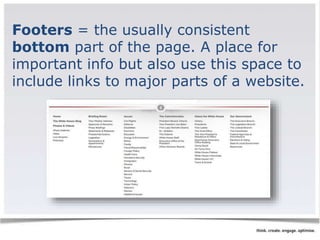
Footers = the usually consistent 
bottom part of the page. A place for 
important info but also use this space to 
include links to major parts of a website.
Credibility = telling users that you are 
who you say you are.
Make sure your site: 
Looks good; is informative; displays 
testimonials, logos and awards; links 
to credible third-party references; is 
fresh and updated; is error free.
Technology gives it life
When building a site consider: 
•Content management 
•Interactive interfaces 
•Search and usability
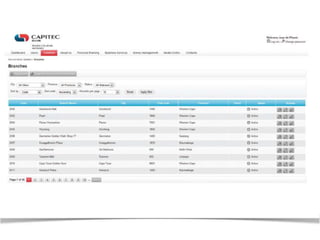
Manage content using a Content 
Management System (CMS).
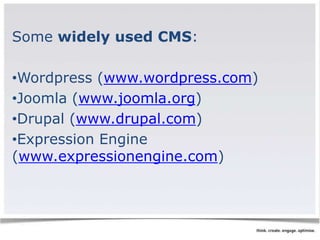
Some widely used CMS: 
•Wordpress (www.wordpress.com) 
•Joomla (www.joomla.org) 
•Drupal (www.drupal.com) 
•Expression Engine 
(www.expressionengine.com)
When choosing a CMS look at...
meta and title tag customisation
HTML tag customisation
URLs – CMS must allow for static, 
rewritable and keyword rich URLs
customisable navigation
301 redirect functionality – to avoid 
duplicate websites
Customisable image naming and alt 
tags for images
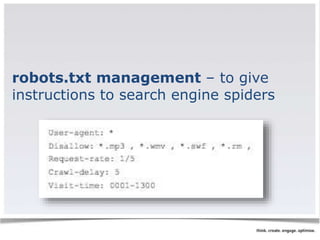
robots.txt management – to give 
instructions to search engine spiders
A range of technologies are available for 
interactive interfaces: 
•Adobe Flash 
•Microsoft Silverlight 
•HTML5, with CSS3 and JavaScript
HTML 5 is the 
latest evolution of 
Hyper Text Markup 
Language (HTML 5)
But remember technology is an 
enabler, not a site’s main focus. 
Consider SEO and usability.
Technical considerations for a good 
website: 
•URL rewriting
•GZIP compression
•Server-side form validation
•International character support
•Search-friendly sessions
•Auto-generated human readable 
and XML sitemaps
•RSS feed generation 
Image Credit: Creative Commons, Maja Bencic
Test it fully then take it live!
Testing should take place throughout 
the entire process of planning, 
designing and building.
Test on all common browsers – ensure 
it works and looks as it should.
Tools like W3C’s HTML validator 
(validator.w3.org) should be used to 
validate your HTML.
Web development and design can be 
seen as the thread that holds digital 
marketing together.
Remember - Lay strong foundations 
and understand your users needs!

ًWebsite_development and design