BUILD AN EFFICIENT WEBSITE
By
You will see how simple and easy it is.
You have to be simple and help the user to do what you want.
Millions of people
search the web
everyday.
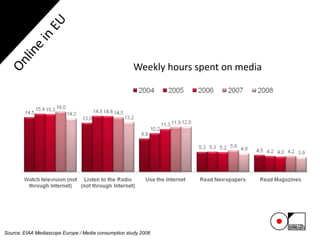
Weekly hours spent on media
Source: EIAA Mediascope Europe / Media consumption study 2008
You can have great results for your business using the internet.
But this will require you to do it well. If you do it correctly, the rewards will be
surprisingly.
You need to define the idea of what you plan to accomplish by creating your
website.
Remember this: Your purpose largely determines the look and feel of your
website, as well as how you will promote it.
You want to make your site show up in the search engines, preferably on page
one and at the same time you want your site to be aimed by your visitors, you
want they stay on it for as long as possible and accomplish your goal.
Let’s get started…
Define the purpose of building your website and online presence.
Once you define it, you can start…
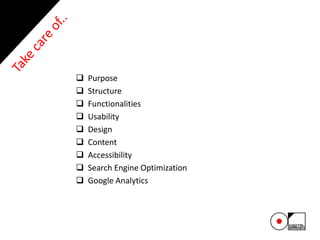
 Purpose
 Structure
 Functionalities
 Usability
 Design
 Content
 Accessibility
 Search Engine Optimization
 Google Analytics
 Purpose
- Be sure that your website is serving your purpose.
- Don’t create a presentation website if you want to sell online. Make an
ecommerce one.
 Structure
- Make the structure of the website before you start to design it: layout
planning-wireframe.
- You should know exactly what your website will contains.
- With the structure already done, the designer will know what should be
revealed.
- In the structure you’ll define the categories and the designer will know
exactly how to design the whole website.
 Functionalities
- Features of a property website. Examples:
- Calls2action-registration and latest deals
- Search results from property database
- Search button on every page
- Log-in
- Newsletter form
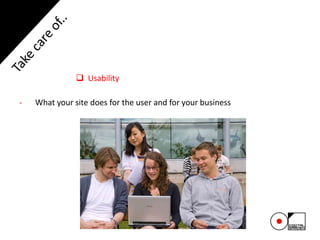
 Usability
- What your site does for the user and for your business
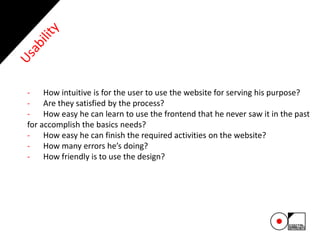
- How intuitive is for the user to use the website for serving his purpose?
- Are they satisfied by the process?
- How easy he can learn to use the frontend that he never saw it in the past
for accomplish the basics needs?
- How easy he can finish the required activities on the website?
- How many errors he’s doing?
- How friendly is to use the design?
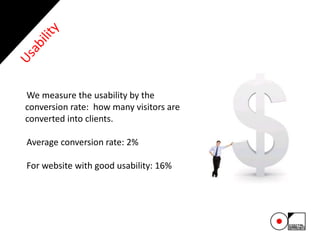
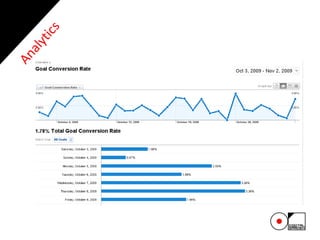
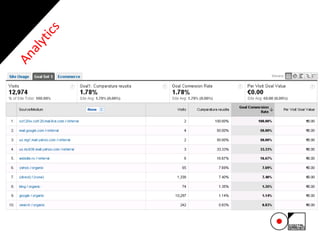
We measure the usability by the
conversion rate: how many visitors are
converted into clients.
Average conversion rate: 2%
For website with good usability: 16%
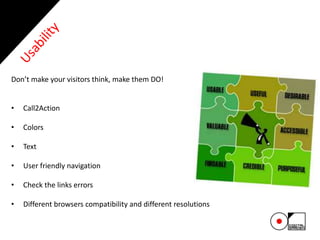
Don’t make your visitors think, make them DO!
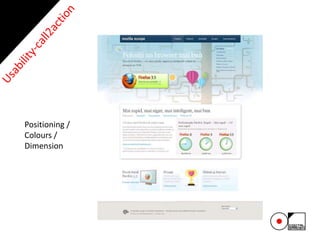
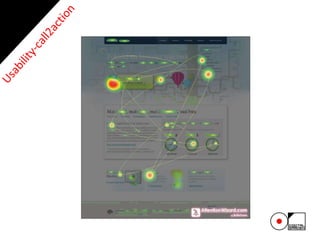
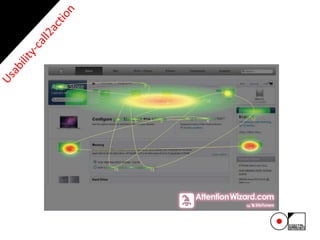
• Call2Action
• Colors
• Text
• User friendly navigation
• Check the links errors
• Different browsers compatibility and different resolutions
Even if it’s hard, we will help you!
You’ll go up, just if we let you!
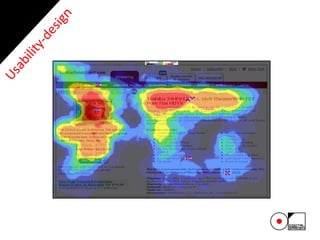
Define what users should do on your website and involve them.
Positioning /
Colours /
Dimension
1. Simple and intuitive
2. Maximum 2 clicks to each page
3. Don’t make them guess where you send them
 Design
- First impression counts a lot.
- Design it depending on:
- Who is your audience?
- What are their demographics?
- How will they use the website?
- What technology to they have?
 Content
- What your site says to the user
- Talk on their language.
- Drive them where you want.
- Use call2action.
- And search engines
- Write it in order to help you for search engine optimization
 Accessibility
- Risk of excluding large audience: 14% of the population registered disabled
- Accessible sites work better in less popular browsers/platforms/sizes
- Accessible websites are more search engine friendly
 Search Engine Optimization
- How is the design, functionality & content influence visibility in the search
engines:
- Design
- Functionality
- Content
 Search Engine Optimization
- Design
- Images can’t be indexed
- Certain technologies such as Flash, Frames and Java Script can’t be indexed
- Design can limit the space for optimized text, or too much text can spoil the
design
 Search Engine Optimization
- Functionality
- Certain database functionality such as dynamic url-s, ecommerce sites
and some content management systems can’t be indexed
 Search Engine Optimization
- Content
- Amount, structure and keyphrases with the content (on-page factors) all have significant
influence on positions achieved for keyphrases used by searcher
- Content consists of the visible content (ie elements seen by the user) and the content in
the code and tags (meta-data) both are important for search engine optimization
- Search engine optimization is the process that improve its rankings in search engines for
the keyphrases used by customers.
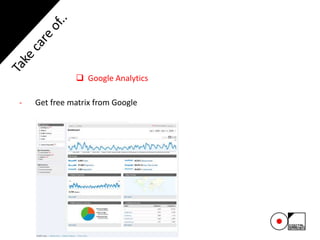
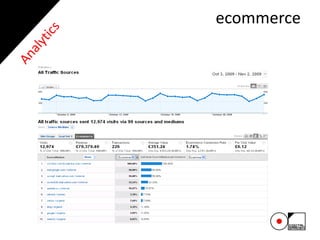
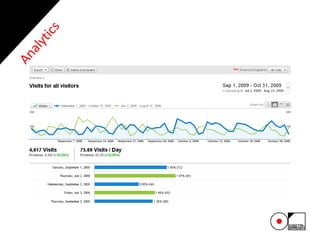
 Google Analytics
- Get free matrix from Google
34
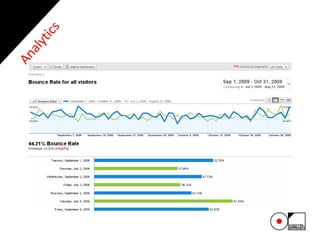
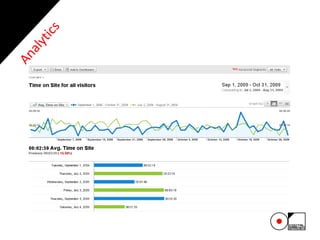
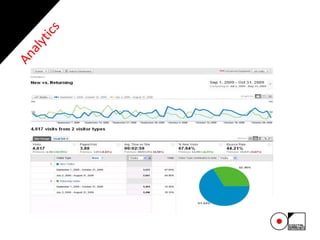
It offers information about the users behavior on your website, including what’s
their impression about it, what they’ve done on it and if they served your
purpose.
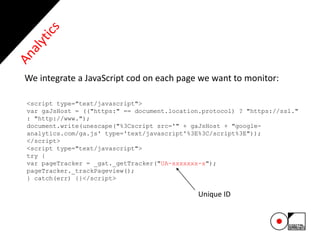
<script type="text/javascript">
var gaJsHost = (("https:" == document.location.protocol) ? "https://ssl."
: "http://www.");
document.write(unescape("%3Cscript src='" + gaJsHost + "google-
analytics.com/ga.js' type='text/javascript'%3E%3C/script%3E"));
</script>
<script type="text/javascript">
try {
var pageTracker = _gat._getTracker("UA-xxxxxxx-x");
pageTracker._trackPageview();
} catch(err) {}</script>
Unique ID
We integrate a JavaScript cod on each page we want to monitor:
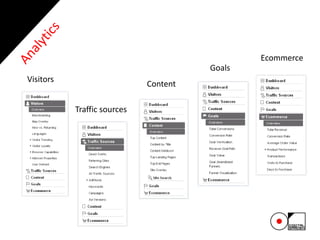
Visitors
Traffic sources
Content
Goals
Ecommerce
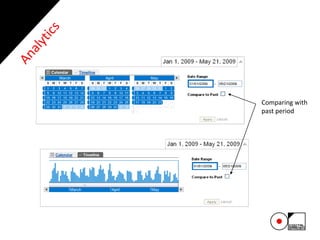
Comparing with
past period
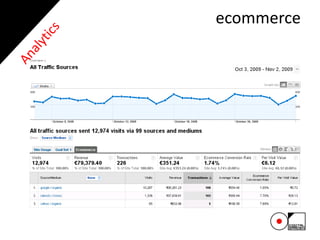
ecommerce
ecommerce
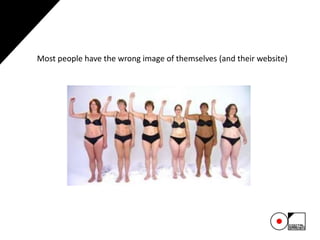
Most people have the wrong image of themselves (and their website)
47
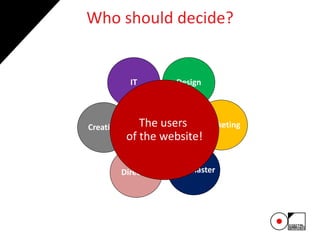
Who should decide?
Creation
Director
IT
Webmaster
Design
MarketingThe users
of the website!
- How we can we know we will do it right for
serving our purpose?
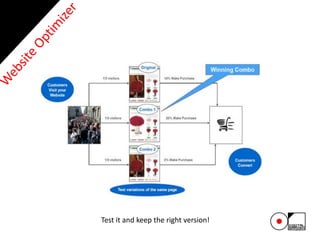
- Very simple! Use Google Website Optimizer.
WEBSITE OPTIMIZER
50
Test it and keep the right version!
51
Is our site performing now?
Find out using Google Analytics tool!
We hope you enjoyed our
presentation!
Oana Chiva
General Manager
E-mail: oana.chiva@digitalgarden.ro
contact@

How to build an efficient website

  • 1.
  • 2.
    You will seehow simple and easy it is. You have to be simple and help the user to do what you want.
  • 3.
    Millions of people searchthe web everyday.
  • 4.
    Weekly hours spenton media Source: EIAA Mediascope Europe / Media consumption study 2008
  • 5.
    You can havegreat results for your business using the internet. But this will require you to do it well. If you do it correctly, the rewards will be surprisingly.
  • 6.
    You need todefine the idea of what you plan to accomplish by creating your website. Remember this: Your purpose largely determines the look and feel of your website, as well as how you will promote it.
  • 7.
    You want tomake your site show up in the search engines, preferably on page one and at the same time you want your site to be aimed by your visitors, you want they stay on it for as long as possible and accomplish your goal.
  • 8.
  • 9.
    Define the purposeof building your website and online presence. Once you define it, you can start…
  • 10.
     Purpose  Structure Functionalities  Usability  Design  Content  Accessibility  Search Engine Optimization  Google Analytics
  • 11.
     Purpose - Besure that your website is serving your purpose. - Don’t create a presentation website if you want to sell online. Make an ecommerce one.
  • 12.
     Structure - Makethe structure of the website before you start to design it: layout planning-wireframe. - You should know exactly what your website will contains. - With the structure already done, the designer will know what should be revealed. - In the structure you’ll define the categories and the designer will know exactly how to design the whole website.
  • 13.
     Functionalities - Featuresof a property website. Examples: - Calls2action-registration and latest deals - Search results from property database - Search button on every page - Log-in - Newsletter form
  • 14.
     Usability - Whatyour site does for the user and for your business
  • 15.
    - How intuitiveis for the user to use the website for serving his purpose? - Are they satisfied by the process? - How easy he can learn to use the frontend that he never saw it in the past for accomplish the basics needs? - How easy he can finish the required activities on the website? - How many errors he’s doing? - How friendly is to use the design?
  • 16.
    We measure theusability by the conversion rate: how many visitors are converted into clients. Average conversion rate: 2% For website with good usability: 16%
  • 17.
    Don’t make yourvisitors think, make them DO! • Call2Action • Colors • Text • User friendly navigation • Check the links errors • Different browsers compatibility and different resolutions
  • 19.
    Even if it’shard, we will help you!
  • 20.
    You’ll go up,just if we let you!
  • 21.
    Define what usersshould do on your website and involve them.
  • 22.
  • 25.
    1. Simple andintuitive 2. Maximum 2 clicks to each page 3. Don’t make them guess where you send them
  • 26.
     Design - Firstimpression counts a lot. - Design it depending on: - Who is your audience? - What are their demographics? - How will they use the website? - What technology to they have?
  • 27.
     Content - Whatyour site says to the user - Talk on their language. - Drive them where you want. - Use call2action. - And search engines - Write it in order to help you for search engine optimization
  • 28.
     Accessibility - Riskof excluding large audience: 14% of the population registered disabled - Accessible sites work better in less popular browsers/platforms/sizes - Accessible websites are more search engine friendly
  • 29.
     Search EngineOptimization - How is the design, functionality & content influence visibility in the search engines: - Design - Functionality - Content
  • 30.
     Search EngineOptimization - Design - Images can’t be indexed - Certain technologies such as Flash, Frames and Java Script can’t be indexed - Design can limit the space for optimized text, or too much text can spoil the design
  • 31.
     Search EngineOptimization - Functionality - Certain database functionality such as dynamic url-s, ecommerce sites and some content management systems can’t be indexed
  • 32.
     Search EngineOptimization - Content - Amount, structure and keyphrases with the content (on-page factors) all have significant influence on positions achieved for keyphrases used by searcher - Content consists of the visible content (ie elements seen by the user) and the content in the code and tags (meta-data) both are important for search engine optimization - Search engine optimization is the process that improve its rankings in search engines for the keyphrases used by customers.
  • 33.
     Google Analytics -Get free matrix from Google
  • 34.
    34 It offers informationabout the users behavior on your website, including what’s their impression about it, what they’ve done on it and if they served your purpose.
  • 35.
    <script type="text/javascript"> var gaJsHost= (("https:" == document.location.protocol) ? "https://ssl." : "http://www."); document.write(unescape("%3Cscript src='" + gaJsHost + "google- analytics.com/ga.js' type='text/javascript'%3E%3C/script%3E")); </script> <script type="text/javascript"> try { var pageTracker = _gat._getTracker("UA-xxxxxxx-x"); pageTracker._trackPageview(); } catch(err) {}</script> Unique ID We integrate a JavaScript cod on each page we want to monitor:
  • 36.
  • 37.
  • 44.
  • 45.
  • 46.
    Most people havethe wrong image of themselves (and their website)
  • 47.
  • 48.
    - How wecan we know we will do it right for serving our purpose? - Very simple! Use Google Website Optimizer.
  • 49.
  • 50.
    50 Test it andkeep the right version!
  • 51.
    51 Is our siteperforming now? Find out using Google Analytics tool!
  • 52.
    We hope youenjoyed our presentation!
  • 53.
    Oana Chiva General Manager E-mail:oana.chiva@digitalgarden.ro contact@