Chapter 2| Website Design
& Website Development

University of Cape Town
29 July 2011
What will I learn today?
o    Websites, the centre of Online Strategy
o    Website design specification sheets
o    Website design planning
o    Principles of Visual Design
o    Content aspects of your website
o    User interface & user experience
o    Legal considerations of website design
o    Web design applications
o    Web Development
1. Website Design & Web Development
  Your website - the most important tool for creating a marketable web
  presence
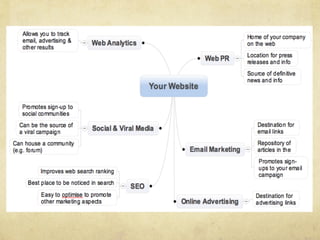
2. Your Website is at the centre of
   your strategy
"   It’s in your control: Express your marketing message to your
   heart’s content

"   A powerful tool: Endless features & customer insight

"   A hub: All marketing strategies lead to website

"   You’re expected to have one: your audience will look for you

"   Your brand’s online home: Devoted marketing, reference point
   for customers, POS, community, message board, etc.

"   It’s stable: site remains in same place while other marketing
   strategies change
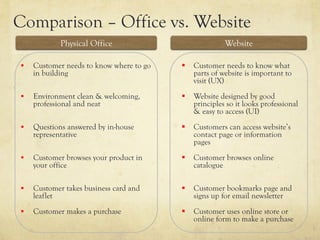
Comparison – Office vs. Website
              Physical Office                            Website

§    Customer needs to know where to go   §  Customer needs to know what
      in building                              parts of website is important to
                                               visit (UX)
§    Environment clean & welcoming,       §  Website designed by good
      professional and neat                    principles so it looks professional
                                               & easy to access (UI)
§    Questions answered by in-house       §  Customers can access website’s
      representative                           contact page or information
                                               pages
§    Customer browses your product in     §  Customer browses online
      your office                              catalogue

§    Customer takes business card and     §  Customer bookmarks page and
      leaflet                                  signs up for email newsletter
§    Customer makes a purchase            §  Customer uses online store or
                                               online form to make a purchase
Your target market
"   Who?: Male / female, demographics, age

"   Are they online?: UI & UX, info depends on this

"   Their expectations?: Informational, navigational,
    interactivity, online purchases?
"   Online savvy?: Advanced users or novices?

"   Accessability: How will they get to your website … by
    computer, laptop, mobile or tablet?
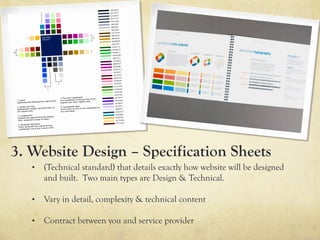
3. Website Design – Specification Sheets
   •    (Technical standard) that details exactly how website will be designed
        and built. Two main types are Design & Technical.

   •    Vary in detail, complexity & technical content

   •    Contract between you and service provider
3.1 Design Specification Sheet
    "   Goals of website: objectives you want to achieve
    "   Design deliverables: CI, logo, just web?
    "   List of required pages
    "   Individual page layouts
    "   Structure of website as whole
    "   Site content & SEO strategy
    "   Visual design element specifications: colours, logo,
        patterns, background, images, animations etc.
    "   Fonts, text styles and headings
    "   Functionality of pages (what will each page do)
    "   Intended user experience (visitor’s journey through site)
    "   Deadlines, time requirements and budget
3.2 Technical Specification Sheet
   "   Programming language used / required

   "   Website hosting

   "   Domain registration

   "   Content management system: type &
      requirements
   "   Security requirements

   "   Website functionality: e.g. coding of online
      forms
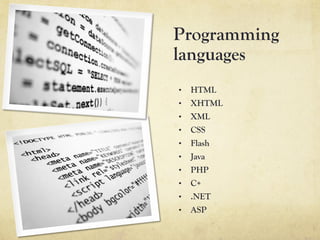
Programming
languages
•    HTML
•    XHTML
•    XML
•    CSS
•    Flash
•    Java
•    PHP
•    C+
•  .NET
•  ASP
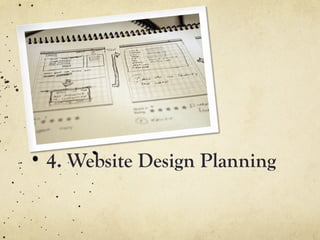
4. Website Design Planning
4.1 Design Planning
1.  Purpose of your website: summarise goals & objectives
    in two sentences
2.  What do you NEED on your website?: Tools &
    functions essential to website (e.g. home, about,
    contact pages, navigation bar, corporate branding)
3.  What do you WANT on your website?: Contact form,
    one-click sharing of content (e.g. Facebook, twitter),
    automated feedback forms, high-end graphics, etc.
4.  How much control do you want over managing the
    website?: DIY? Level of involvement of developer / IT
    department. Consider content change requirements,
    type of site
4.2 Websites : Visually Speaking
   Design considerations; Pages on a website; Parts of a web
   page; Basic web design principles; Web design examples;
   Web style guides
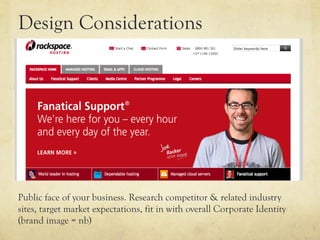
Design Considerations


Public face of your business. Research competitor & related industry
sites, target market expectations, fit in with overall Corporate Identity
(brand image = nb)
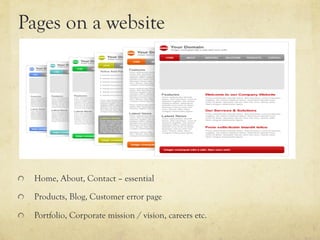
Pages on a website


"     Home, About, Contact – essential

"     Products, Blog, Customer error page

"     Portfolio, Corporate mission / vision, careers etc.
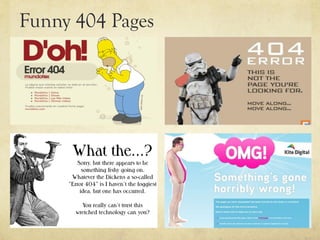
Funny 404 Pages
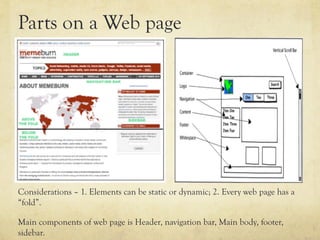
Parts on a Web page


Considerations – 1. Elements can be static or dynamic; 2. Every web page has a
“fold”.

Main components of web page is Header, navigation bar, Main body, footer,
sidebar.
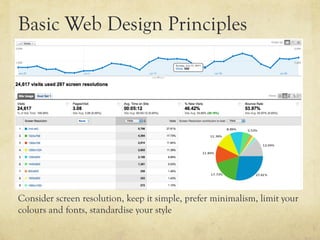
Basic Web Design Principles


Consider screen resolution, keep it simple, prefer minimalism, limit your
colours and fonts, standardise your style
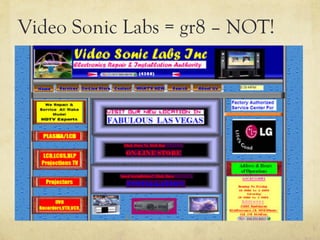
Video Sonic Labs = gr8 – NOT!
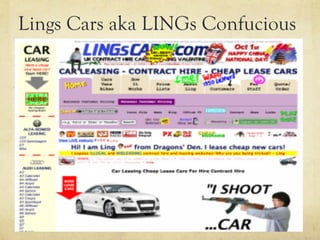
Lings Cars aka LINGs Confucious
Aunty Manon’s Language School
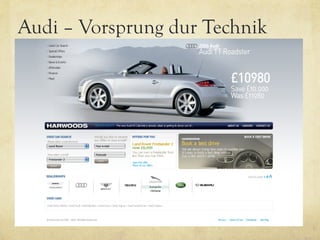
Audi – Vorsprung dur Technik
Expedia – Travel the World!
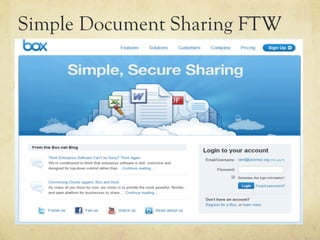
Simple Document Sharing FTW
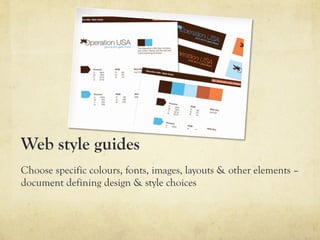
Web style guides
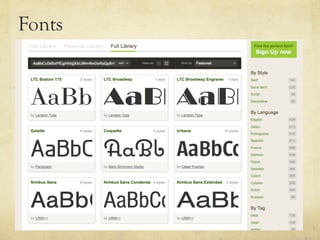
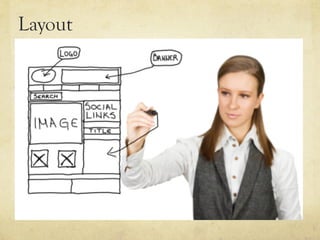
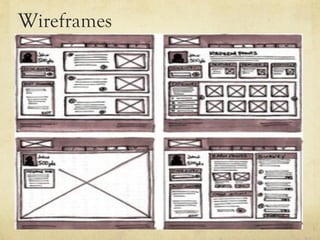
Choose specific colours, fonts, images, layouts & other elements –
document defining design & style choices
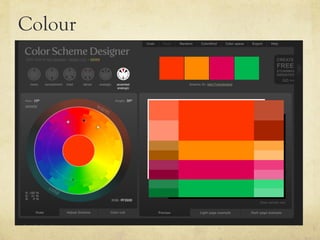
Colour
Fonts
Layout
Wireframes
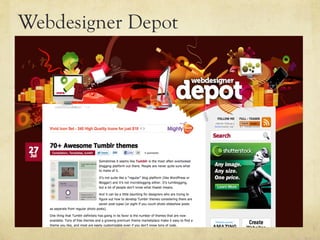
Webdesigner Depot
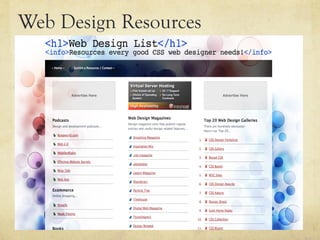
Web Design Resources
4.3 Content Considerations
   1.  Hierarchy
   2.  Call to action
   3.  Writing for the web
   4.  Content management system
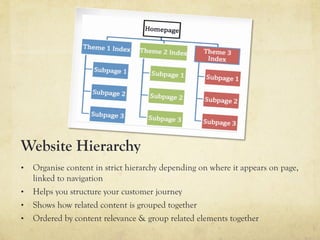
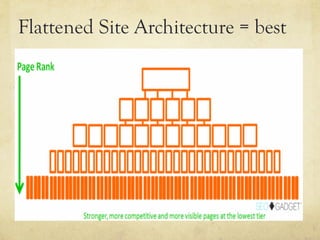
Website Hierarchy
•  Organise content in strict hierarchy depending on where it appears on page,
   linked to navigation
•  Helps you structure your customer journey
•  Shows how related content is grouped together
•  Ordered by content relevance & group related elements together
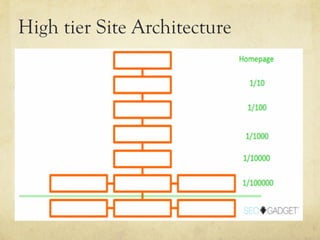
High tier Site Architecture
Flattened Site Architecture = best
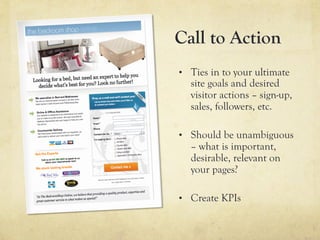
Call to Action
•  Ties in to your ultimate
  site goals and desired
  visitor actions – sign-up,
  sales, followers, etc.

•  Should be unambiguous
  – what is important,
  desirable, relevant on
  your pages?

•  Create KPIs
Writing for the
Web
•  Specific & unique
•  Differs from traditional
   copywriting
•  KISS principles = nb >
   short sentences,
   common words,
   paragraphs, bullet points,
   bolding
•  (module 3 refers to this
   in more depth)
Choose a Content
Management System
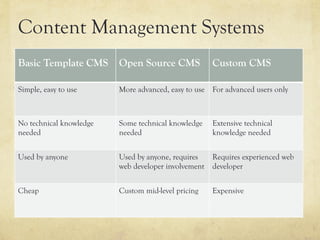
Content Management Systems
Basic Template CMS       Open Source CMS             Custom CMS

Simple, easy to use      More advanced, easy to use For advanced users only


No technical knowledge   Some technical knowledge    Extensive technical
needed                   needed                      knowledge needed


Used by anyone           Used by anyone, requires    Requires experienced web
                         web developer involvement   developer


Cheap                    Custom mid-level pricing    Expensive
4.4 User Interface & User
    Experience (UI / UX)
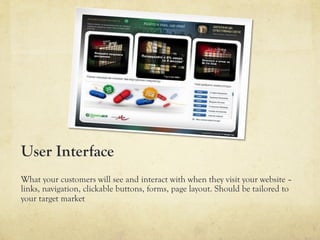
User Interface
What your customers will see and interact with when they visit your website –
links, navigation, clickable buttons, forms, page layout. Should be tailored to
your target market
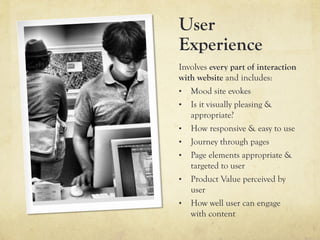
User
Experience
Involves every part of interaction
with website and includes:
•  Mood site evokes
•  Is it visually pleasing &
   appropriate?
•  How responsive & easy to use
•  Journey through pages
•  Page elements appropriate &
   targeted to user
•  Product Value perceived by
   user
•  How well user can engage
   with content
4.5 Legal Considerations
Legal Considerations
1.  Respect copyright: Exclusive right of creator to use & exploit
   creative work – nobody may use, adapt or sell their work without
   creator’s permission. Adhere to “Fair Use”

2.  Terms of use & disclaimers: Protects from litigation, anyone
   who uses website implicitly agrees to terms of use

3.  Privacy Policy: State how personal data (e.g. email address) will
   be used and what you will not do

4.  Communication online: Know how to balance right of freedom
   of expression with obligation to respect privacy and dignity, have
   brief plain-language version of acceptable terms of use
4.6 Website Applications
    Huge variety of website builders available in the market –
    choose very carefully!
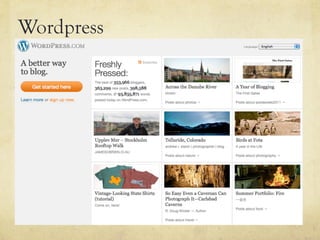
Wordpress
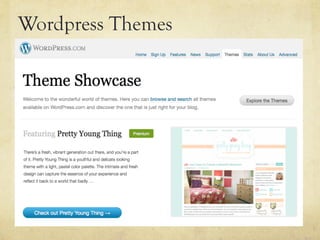
Wordpress Themes
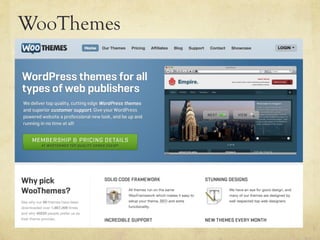
WooThemes
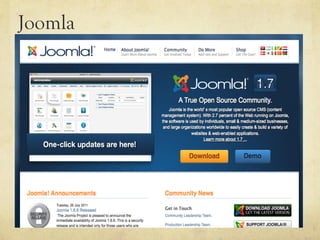
Joomla
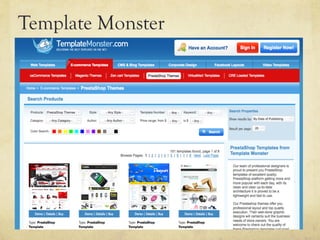
Template Monster
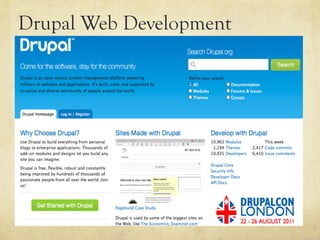
Drupal Web Development
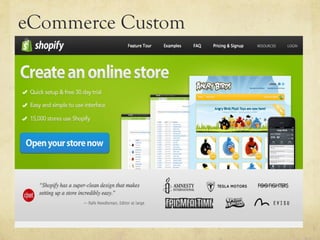
eCommerce Custom
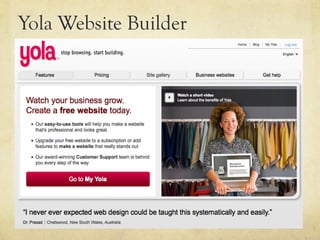
Yola Website Builder
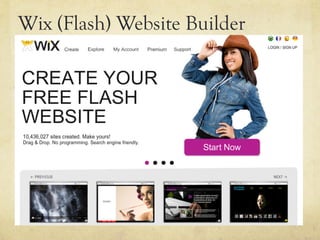
Wix (Flash) Website Builder
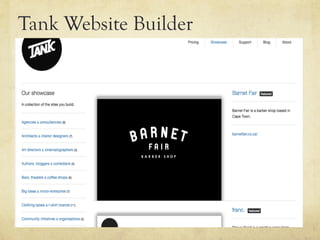
Tank Website Builder
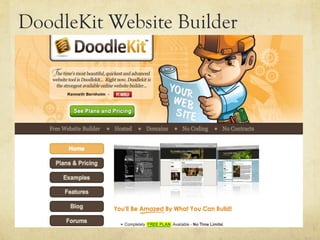
DoodleKit Website Builder
Magento eCommerce Platform
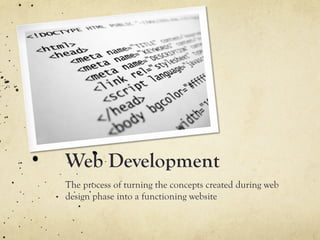
Web Development
The process of turning the concepts created during web
design phase into a functioning website
Outsourcing or Hiring?
Web development can be a daunting task and it’s mostly best to get an expert –
the decision depends on complexity of website and resources required. Also
depends on your budget and size of your company
Communicating
with a Web
Developer
Documents:
•  Design specification sheet
•  Technical brief
•  Domain & hosting information


Web Developer Website Aims:
•  Site easy to update (CMS)
•  Quick to load (Site speed)
•  Easy to find (SEO)
•  Interactive
•  Secure site (Spamming, virus
   protection nb)
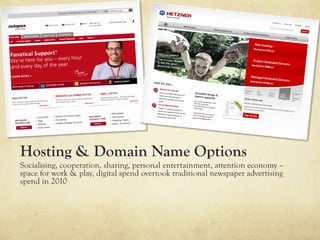
Hosting & Domain Name Options
Socialising, cooperation, sharing, personal entertainment, attention economy –
space for work & play, digital spend overtook traditional newspaper advertising
spend in 2010
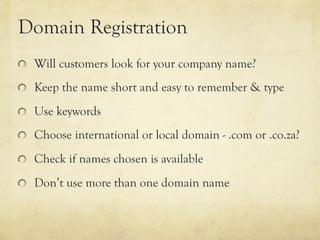
Domain Registration
"   Will customers look for your company name?

"   Keep the name short and easy to remember & type

"   Use keywords

"   Choose international or local domain - .com or .co.za?

"   Check if names chosen is available

"   Don’t use more than one domain name
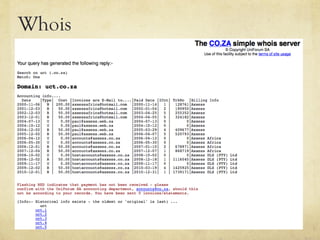
Whois
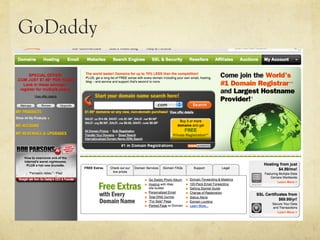
GoDaddy
Reasonable Expectations
Have realistic expectations in terms of cost and development
timelines
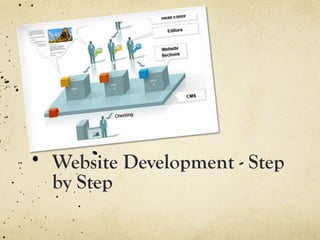
Website Development - Step
by Step
Step-by-step Website Development
1.  Conceptualisation & planning

2.  Consult web design & development experts

3.  Choose developer & designer

4.  Designer creates visual mock-ups

5.  Mock-up variation & approval

6.  Developer transforms mock-up into functional site

7.  Pay for development, hosting & website made live
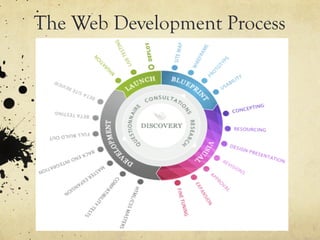
The Web Development Process
Thank You!
Useful links …
http://theoatmeal.com/comics/design_changes
http://theoatmeal.com/comics/websites_stop
http://en.wikipedia.org/wiki/
List_of_programming_languages
http://www.1stwebdesigner.com/design/
wireframing-mockup-prototyping-tools-plan-
designs/

Chapter 2 | Website design & development

  • 1.
    Chapter 2| WebsiteDesign & Website Development University of Cape Town 29 July 2011
  • 2.
    What will Ilearn today? o  Websites, the centre of Online Strategy o  Website design specification sheets o  Website design planning o  Principles of Visual Design o  Content aspects of your website o  User interface & user experience o  Legal considerations of website design o  Web design applications o  Web Development
  • 3.
    1. Website Design& Web Development Your website - the most important tool for creating a marketable web presence
  • 4.
    2. Your Websiteis at the centre of your strategy "   It’s in your control: Express your marketing message to your heart’s content "   A powerful tool: Endless features & customer insight "   A hub: All marketing strategies lead to website "   You’re expected to have one: your audience will look for you "   Your brand’s online home: Devoted marketing, reference point for customers, POS, community, message board, etc. "   It’s stable: site remains in same place while other marketing strategies change
  • 5.
    Comparison – Officevs. Website Physical Office Website §  Customer needs to know where to go §  Customer needs to know what in building parts of website is important to visit (UX) §  Environment clean & welcoming, §  Website designed by good professional and neat principles so it looks professional & easy to access (UI) §  Questions answered by in-house §  Customers can access website’s representative contact page or information pages §  Customer browses your product in §  Customer browses online your office catalogue §  Customer takes business card and §  Customer bookmarks page and leaflet signs up for email newsletter §  Customer makes a purchase §  Customer uses online store or online form to make a purchase
  • 7.
    Your target market "  Who?: Male / female, demographics, age "   Are they online?: UI & UX, info depends on this "   Their expectations?: Informational, navigational, interactivity, online purchases? "   Online savvy?: Advanced users or novices? " Accessability: How will they get to your website … by computer, laptop, mobile or tablet?
  • 8.
    3. Website Design– Specification Sheets •  (Technical standard) that details exactly how website will be designed and built. Two main types are Design & Technical. •  Vary in detail, complexity & technical content •  Contract between you and service provider
  • 9.
    3.1 Design SpecificationSheet "   Goals of website: objectives you want to achieve "   Design deliverables: CI, logo, just web? "   List of required pages "   Individual page layouts "   Structure of website as whole "   Site content & SEO strategy "   Visual design element specifications: colours, logo, patterns, background, images, animations etc. "   Fonts, text styles and headings "   Functionality of pages (what will each page do) "   Intended user experience (visitor’s journey through site) "   Deadlines, time requirements and budget
  • 10.
    3.2 Technical SpecificationSheet "   Programming language used / required "   Website hosting "   Domain registration "   Content management system: type & requirements "   Security requirements "   Website functionality: e.g. coding of online forms
  • 11.
    Programming languages •  HTML •  XHTML •  XML •  CSS •  Flash •  Java •  PHP •  C+ •  .NET •  ASP
  • 12.
  • 13.
    4.1 Design Planning 1. Purpose of your website: summarise goals & objectives in two sentences 2.  What do you NEED on your website?: Tools & functions essential to website (e.g. home, about, contact pages, navigation bar, corporate branding) 3.  What do you WANT on your website?: Contact form, one-click sharing of content (e.g. Facebook, twitter), automated feedback forms, high-end graphics, etc. 4.  How much control do you want over managing the website?: DIY? Level of involvement of developer / IT department. Consider content change requirements, type of site
  • 14.
    4.2 Websites :Visually Speaking Design considerations; Pages on a website; Parts of a web page; Basic web design principles; Web design examples; Web style guides
  • 15.
    Design Considerations Public faceof your business. Research competitor & related industry sites, target market expectations, fit in with overall Corporate Identity (brand image = nb)
  • 16.
    Pages on awebsite "   Home, About, Contact – essential "   Products, Blog, Customer error page "   Portfolio, Corporate mission / vision, careers etc.
  • 17.
  • 18.
    Parts on aWeb page Considerations – 1. Elements can be static or dynamic; 2. Every web page has a “fold”. Main components of web page is Header, navigation bar, Main body, footer, sidebar.
  • 19.
    Basic Web DesignPrinciples Consider screen resolution, keep it simple, prefer minimalism, limit your colours and fonts, standardise your style
  • 20.
    Video Sonic Labs= gr8 – NOT!
  • 21.
    Lings Cars akaLINGs Confucious
  • 22.
  • 23.
    Audi – Vorsprungdur Technik
  • 24.
  • 25.
  • 26.
    Web style guides Choosespecific colours, fonts, images, layouts & other elements – document defining design & style choices
  • 27.
  • 28.
  • 29.
  • 30.
  • 31.
  • 32.
  • 33.
    4.3 Content Considerations 1.  Hierarchy 2.  Call to action 3.  Writing for the web 4.  Content management system
  • 34.
    Website Hierarchy •  Organisecontent in strict hierarchy depending on where it appears on page, linked to navigation •  Helps you structure your customer journey •  Shows how related content is grouped together •  Ordered by content relevance & group related elements together
  • 35.
    High tier SiteArchitecture
  • 36.
  • 37.
    Call to Action • Ties in to your ultimate site goals and desired visitor actions – sign-up, sales, followers, etc. •  Should be unambiguous – what is important, desirable, relevant on your pages? •  Create KPIs
  • 38.
    Writing for the Web • Specific & unique •  Differs from traditional copywriting •  KISS principles = nb > short sentences, common words, paragraphs, bullet points, bolding •  (module 3 refers to this in more depth)
  • 39.
  • 40.
    Content Management Systems BasicTemplate CMS Open Source CMS Custom CMS Simple, easy to use More advanced, easy to use For advanced users only No technical knowledge Some technical knowledge Extensive technical needed needed knowledge needed Used by anyone Used by anyone, requires Requires experienced web web developer involvement developer Cheap Custom mid-level pricing Expensive
  • 41.
    4.4 User Interface& User Experience (UI / UX)
  • 42.
    User Interface What yourcustomers will see and interact with when they visit your website – links, navigation, clickable buttons, forms, page layout. Should be tailored to your target market
  • 43.
    User Experience Involves every partof interaction with website and includes: •  Mood site evokes •  Is it visually pleasing & appropriate? •  How responsive & easy to use •  Journey through pages •  Page elements appropriate & targeted to user •  Product Value perceived by user •  How well user can engage with content
  • 44.
  • 45.
    Legal Considerations 1.  Respectcopyright: Exclusive right of creator to use & exploit creative work – nobody may use, adapt or sell their work without creator’s permission. Adhere to “Fair Use” 2.  Terms of use & disclaimers: Protects from litigation, anyone who uses website implicitly agrees to terms of use 3.  Privacy Policy: State how personal data (e.g. email address) will be used and what you will not do 4.  Communication online: Know how to balance right of freedom of expression with obligation to respect privacy and dignity, have brief plain-language version of acceptable terms of use
  • 46.
    4.6 Website Applications Huge variety of website builders available in the market – choose very carefully!
  • 47.
  • 48.
  • 49.
  • 50.
  • 51.
  • 52.
  • 53.
  • 54.
  • 55.
  • 56.
  • 57.
  • 58.
  • 59.
    Web Development The processof turning the concepts created during web design phase into a functioning website
  • 60.
    Outsourcing or Hiring? Webdevelopment can be a daunting task and it’s mostly best to get an expert – the decision depends on complexity of website and resources required. Also depends on your budget and size of your company
  • 61.
    Communicating with a Web Developer Documents: • Design specification sheet •  Technical brief •  Domain & hosting information Web Developer Website Aims: •  Site easy to update (CMS) •  Quick to load (Site speed) •  Easy to find (SEO) •  Interactive •  Secure site (Spamming, virus protection nb)
  • 62.
    Hosting & DomainName Options Socialising, cooperation, sharing, personal entertainment, attention economy – space for work & play, digital spend overtook traditional newspaper advertising spend in 2010
  • 63.
    Domain Registration "  Will customers look for your company name? "   Keep the name short and easy to remember & type "   Use keywords "   Choose international or local domain - .com or .co.za? "   Check if names chosen is available "   Don’t use more than one domain name
  • 64.
  • 65.
  • 66.
    Reasonable Expectations Have realisticexpectations in terms of cost and development timelines
  • 67.
  • 68.
    Step-by-step Website Development 1. Conceptualisation & planning 2.  Consult web design & development experts 3.  Choose developer & designer 4.  Designer creates visual mock-ups 5.  Mock-up variation & approval 6.  Developer transforms mock-up into functional site 7.  Pay for development, hosting & website made live
  • 69.
  • 70.
  • 71.