

Website Marketing SEO, Social Media & More December 8, 2009 www.youneedseo.com michael@youneedseo.com  @mfindling
Our Work & Play begin with   Search
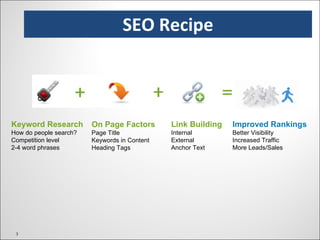
SEO Recipe On Page Factors Page Title Keywords in Content Heading Tags Keyword Research How do people search? Competition level 2-4 word phrases Link Building Internal  External Anchor Text Improved Rankings Better Visibility Increased Traffic More Leads/Sales
Why It Matters SEO is important because it improves the odds of someone finding you, your goods, services and/or company online. Online visibility can help your credibility and brand awareness. Improved rankings don’t always translate to more traffic and sales – the balance between  look n’ feel  and usability are critical. Think like your customers, then verify how people search. SEO can put you in front of the people looking for your products & services. Your online marketing efforts should be focused on an end result. Make sure your website/landing page makes it easy for visitors to sign up, join, request information, buy, or whatever else you seek.
Search engine bots/spiders are continuously crawling the web, making note of new pages and content. They are not overly sophisticated, which is why html sites with properly built links/navigation often outrank more dynamic sites that use Flash and JavaScript links. Specialized search spiders later return to web pages to gather this new information and it is eventually added to the search engine’s index. Again, these bots are basic…they can read text and links, but not much else. When you conduct a search, the results are displayed almost magically, but a lot is happening behind the scenes. Results are pulled from the current Index, based on a complex algorithm. How Search Engines Work Great tool, Spider Simulator:  http://bit.ly/8uRZM1
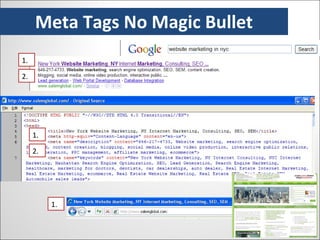
Meta Tags No Magic Bullet 1. 2. 1. 2. 1.
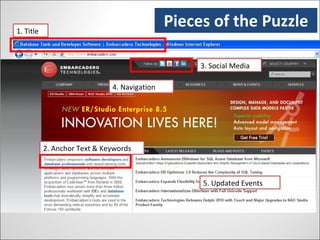
Pieces of the Puzzle 1. Title 2. Anchor Text & Keywords 3. Social Media  4. Navigation 5. Updated Events
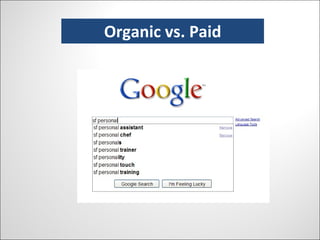
Organic vs. Paid
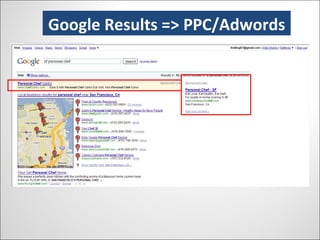
Google Results => PPC Adwords Google Results => PPC/Adwords
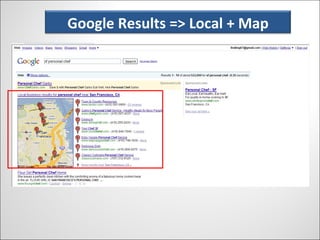
Google Results => Local + Map Google Results => Local + Map
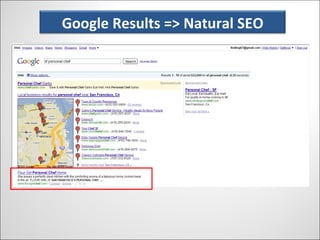
Google Results => Natural SEO Google Results => Natural SEO
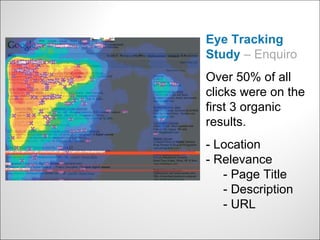
Where Does Your Eye Go? Eye Tracking Study  – Enquiro Over 50% of all clicks were on the first 3 organic results. - Location - Relevance   - Page Title   - Description   - URL
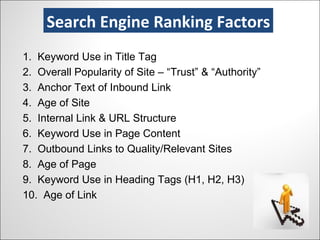
Search Engine Ranking Factors 1.  Keyword Use in Title Tag 2.  Overall Popularity of Site – “Trust” & “Authority” 3.  Anchor Text of Inbound Link 4.  Age of Site 5.  Internal Link & URL Structure 6.  Keyword Use in Page Content 7.  Outbound Links to Quality/Relevant Sites 8.  Age of Page 9.  Keyword Use in Heading Tags (H1, H2, H3) 10.  Age of Link Search Engine Ranking Factors
Components of Your SEO Campaign On-page  SEO (Titles, headings, content, and URLs) Off Page SEO (Things you do to promote your website) Content (and HTML) for Search Engines & Visitors Link Building Social Media Interactive Public Relations Analytics & Metrics  Components of Your SEO Campaign
SEO is a Moving Target Lots of change, all the time … Personalization & customization Vertical search services (Images, Video, News, Maps, etc.) “ Universal Search” Fortunately, the tried-and-true tactics still work … Topically relevant links from important sites Anchor text Keyword-rich title tags Keyword-rich content Internal hierarchical linking structure The whole is greater than the sum of the parts
Keyword Research Tools for brainstorming a seed list Google & AdWords Suggest (integrated into Google search) Yahoo Assist Tools to check popularity of keyword searches Wordtracker Trellian’s Keyword Discovery Google’s Keyword Suggestion Tool Google Trends & Insights Other sites: Nichebot.com URLTrends.com SpyFU.com
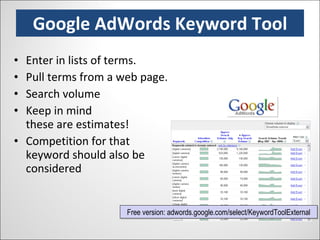
Google AdWords Keyword Tool Enter in lists of terms. Pull terms from a web page. Search volume Keep in mind  these are estimates! Competition for that keyword should also be considered Free version: adwords.google.com/select/KeywordToolExternal
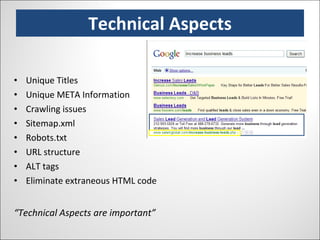
Technical Aspects Unique Titles Unique META Information Crawling issues Sitemap.xml Robots.txt URL structure ALT tags Eliminate extraneous HTML code “ Technical Aspects are important”
Keywords & Content Keyword research Keywords in Title Keywords in content Keywords in H1, H2, HX META Description text “ Content is King!”
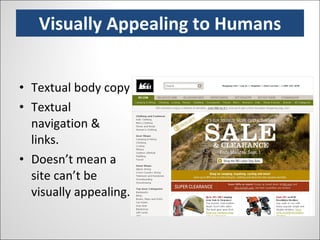
Visually Appealing to Humans Textual body copy Textual navigation & links. Doesn’t mean a site can’t be visually appealing.
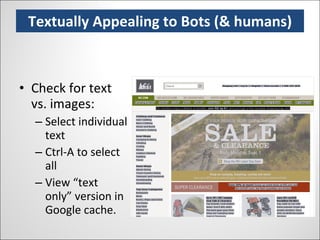
Textually Appealing to Bots (& humans) Check for text vs. images: Select individual text Ctrl-A to select all View “text only” version in Google cache.
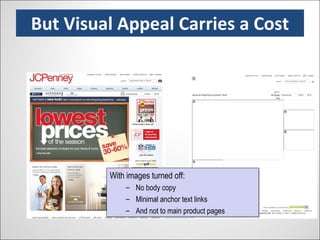
But Visual Appeal Carries a Cost With images turned off: No body copy Minimal anchor text links And not to main product pages
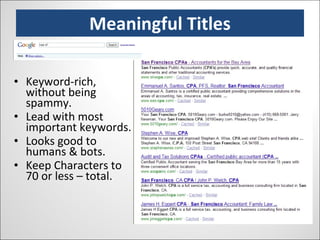
Meaningful Titles Keyword-rich, without being spammy. Lead with most important keywords. Looks good to humans & bots. Keep Characters to 70 or less – total.
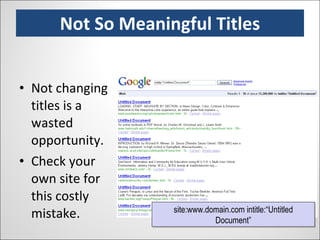
Not So Meaningful Titles Not changing titles is a wasted opportunity. Check your own site for this costly mistake. site:www.domain.com intitle:“Untitled Document”
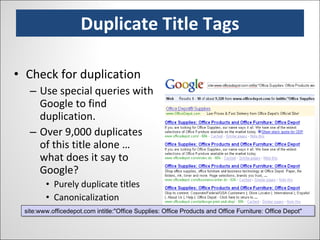
Duplicate Title Tags Check for duplication Use special queries with Google to find duplication. Over 9,000 duplicates of this title alone … what does it say to Google? Purely duplicate titles Canonicalization Parameters & URL bloat site:www.officedepot.com intitle:"Office Supplies: Office Products and Office Furniture: Office Depot"
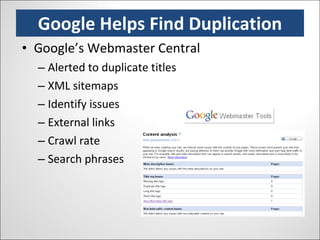
Google Helps Find Duplication Google’s Webmaster Central Alerted to duplicate titles XML sitemaps Identify issues External links Crawl rate Search phrases
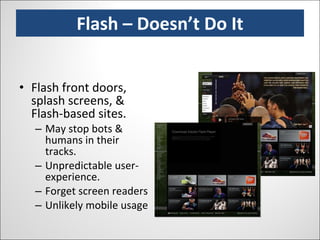
Flash – Doesn’t Do It Flash front doors, splash screens, & Flash-based sites. May stop bots & humans in their tracks. Unpredictable user-experience. Forget screen readers Unlikely mobile usage
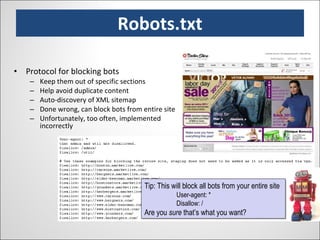
Robots.txt Protocol for blocking bots Keep them out of specific sections Help avoid duplicate content Auto-discovery of XML sitemap Done wrong, can block bots from entire site Unfortunately, too often, implemented incorrectly Tip: This will block all bots from your entire site User-agent: * Disallow: / Are you  sure  that’s what you want?
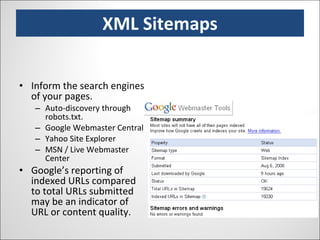
XML Sitemaps Inform the search engines of your pages. Auto-discovery through robots.txt. Google Webmaster Central Yahoo Site Explorer MSN / Live Webmaster Center Google’s reporting of indexed URLs compared to total URLs submitted may be an indicator of URL or content quality.
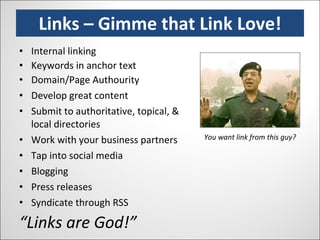
Links – Gimme that Link Love! Internal linking Keywords in anchor text Domain/Page Authourity Develop great content Submit to authoritative, topical, & local directories Work with your business partners Tap into social media Blogging Press releases Syndicate through RSS “ Links are God!” You want link from this guy?
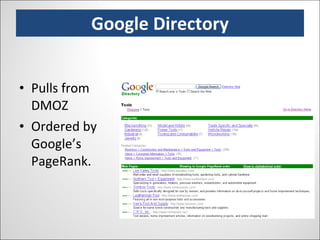
Google Directory Pulls from DMOZ Ordered by Google’s PageRank.
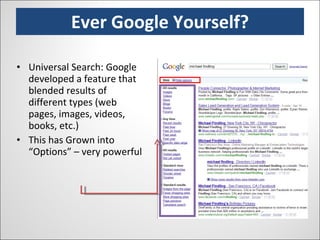
Ever Google Yourself? Universal Search: Google developed a feature that blended results of different types (web pages, images, videos, books, etc.)  This has Grown into “Options” – very powerful
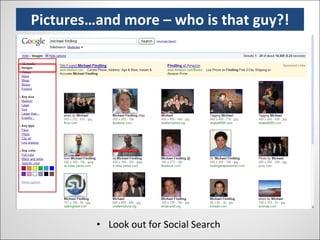
Pictures…and more – who is that guy?! Look out for Social Search
Focus on the right keywords Focus on site architecture Have great keyword-rich content Build links (particularly through social media) Measure the right things Continually monitor, benchmark, & test What about Page Rank? (Link Quality) There is more than Google => BING rising? In Summary => Best Practices
SEO Resources www.websitegrader.com   www.auditmypc.com   www.submitexpress.com http://bit.ly/8uRZM1 www.google.com/webmasters   https://adwords.google.com/select/KeywordToolExternal   www.seoimage.com/seo-tools/count-url-characters-and-words.html
Social Media Optimization Leveraging Social Media to Create Buzz and Links
How to use Blogs, Twitter and Facebook to grow your business
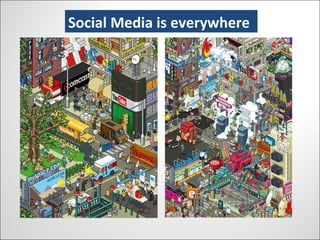
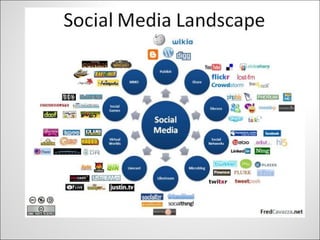
Social Media Is Everywhere Social Media is everywhere
Social Media Landscape
Ten Ways to use Facebook for business Ten ways to use Facebook for business Meet your industry peers Find and source industry contacts It opens doors previously closed Build and develop business relationships Raise your profile in your sector Develop your brand You can be niche and proud of it Create a business page Place very targeted adverts Cost effective marketing, branding and recruiting – FREE! (apart from adds)
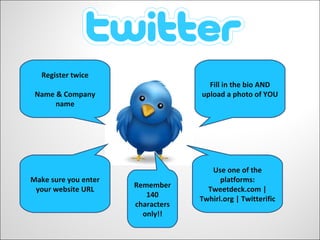
Twitter Register twice Name & Company name Fill in the bio AND upload a photo of YOU  Make sure you enter your website URL Use one of the platforms: Tweetdeck.com | Twhirl.org | Twitterific Remember 140 characters only!!
Ten Reason To Use Twitter for business Ten reasons to use  for business Branding Hiring people Traffic  Networking  Notify customers | job seekers Latest news Find prospects Get feedback Make friends with peers Track your competitors SEO – your @name – inbound links – Google Mobile – everywhere
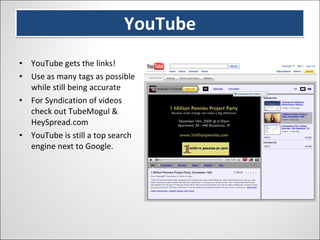
YouTube YouTube gets the links! Use as many tags as possible while still being accurate For Syndication of videos check out TubeMogul & HeySpread.com YouTube is still a top search engine next to Google.
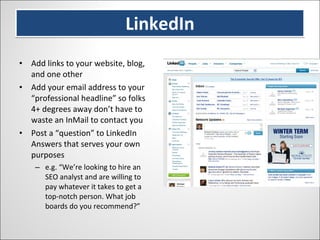
LinkedIn Add links to your website, blog, and one other Add your email address to your “professional headline” so folks 4+ degrees away don’t have to waste an InMail to contact you Post a “question” to LinkedIn Answers that serves your own purposes e.g. “We’re looking to hire an SEO analyst and are willing to pay whatever it takes to get a top-notch person. What job boards do you recommend?”
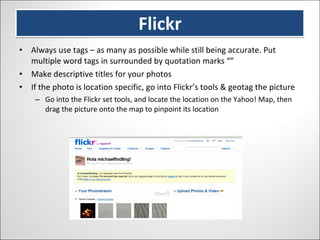
Flickr Always use tags – as many as possible while still being accurate. Put multiple word tags in surrounded by quotation marks “” Make descriptive titles for your photos If the photo is location specific, go into Flickr’s tools & geotag the picture Go into the Flickr set tools, and locate the location on the Yahoo! Map, then drag the picture onto the map to pinpoint its location
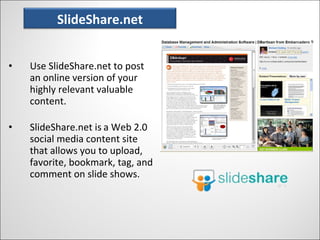
SlideShare.Net Use SlideShare.net to post an online version of your highly relevant valuable content. SlideShare.net is   a Web 2.0 social media content site that allows you to upload, favorite, bookmark, tag, and comment on slide shows. SlideShare.net
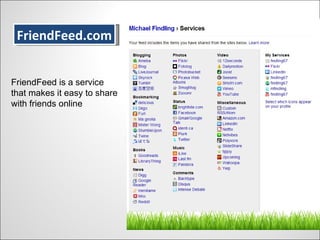
FriendFeed.com FriendFeed.com FriendFeed is a service that makes it easy to share with friends online
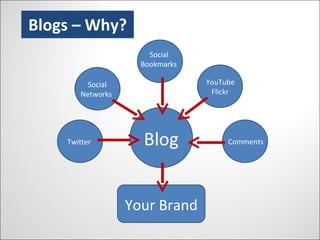
Blogs – Why? Your Brand Blog Twitter Social Networks Social Bookmarks Comments YouTube Flickr
Ten things to write about on your blog Company news;  awards, contract wins etc Stories about people in your business Offer  industry expertise Views on the industry/your marketplace Video of your company environment & your people Information regarding your industry such as exhibitions, trade shows etc Product | service reviews Industry interviews How you work with your customers Case studies and testimonials from your customers
How Do you Blog? How?
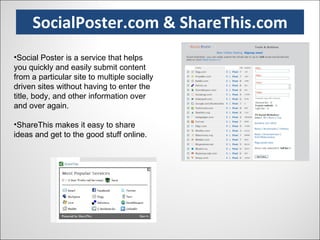
SocialPoster.com & ShareThis.com Social Poster is a service that helps you quickly and easily submit content from a particular site to multiple socially driven sites without having to enter the title, body, and other information over and over again. ShareThis makes it easy to share ideas and get to the good stuff online.
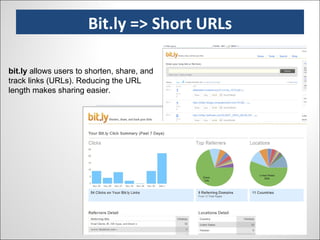
Bit.ly => Short URLs bit.ly  allows users to shorten, share, and track links (URLs). Reducing the URL length makes sharing easier.  Bit.ly => Short URLs
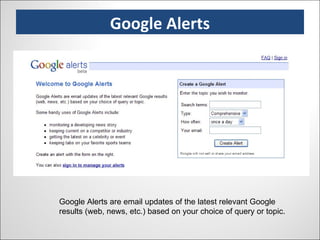
Google Alerts Google Alerts are email updates of the latest relevant Google results (web, news, etc.) based on your choice of query or topic. Google Alerts
A few sites worth a mention…..
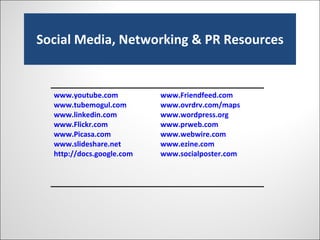
Social Media, Networking & PR Resources www.youtube.com   www.tubemogul.com www.linkedin.com   www.Flickr.com www.Picasa.com   www.slideshare.net http://docs.google.com   www.Friendfeed.com   www.ovrdrv.com/maps   www.wordpress.org   www.prweb.com www.webwire.com www.ezine.com   www.socialposter.com
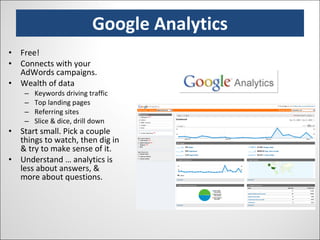
Google Analytics Free! Connects with your AdWords campaigns. Wealth of data Keywords driving traffic Top landing pages Referring sites Slice & dice, drill down Start small. Pick a couple things to watch, then dig in & try to make sense of it. Understand … analytics is less about answers, & more about questions.
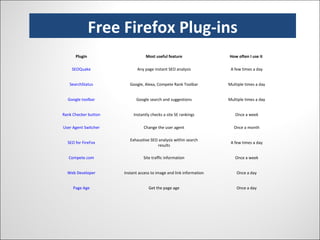
Free Firefox-Plugins Free Firefox Plug-ins Plugin Most useful feature How often I use it  SEOQuake Any page instant SEO analysis A few times a day SearchStatus Google, Alexa, Compete Rank Toolbar Multiple times a day Google toolbar Google search and suggestions Multiple times a day Rank Checker button Instantly checks a site SE rankings Once a week User Agent Switcher Change the user agent Once a month SEO for FireFox Exhaustive SEO analysis within search results A few times a day Compete.com Site traffic information Once a week Web Developer Instant access to image and link information Once a day Page Age Get the page age Once a day
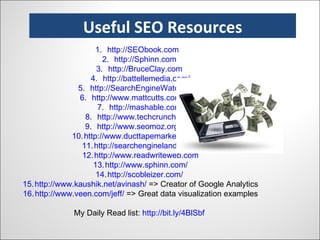
Useful SEO Resources http ://SEObook.com   http://Sphinn.com   http://BruceClay.com   http ://battellemedia.com/ http://SearchEngineWatch.com   http ://www.mattcutts.com/blog/ http://mashable.com/ http://www.techcrunch.com/ http://www.seomoz.org/blog http://www.ducttapemarketing.com/ http://searchengineland.com/   http://www.readwriteweb.com http://www.sphinn.com/ http://scobleizer.com/   http://www.kaushik.net/avinash/  => Creator of Google Analytics http://www.veen.com/jeff/  => Great data visualization examples My Daily Read list:  http:// bit.ly/4BlSbf   Useful SEO Resources
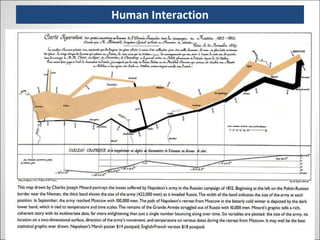
Human Interaction

Website Marketing Seminar 2009

  • 1.
    Website Marketing SEO,Social Media & More December 8, 2009 www.youneedseo.com michael@youneedseo.com @mfindling
  • 2.
    Our Work &Play begin with Search
  • 3.
    SEO Recipe OnPage Factors Page Title Keywords in Content Heading Tags Keyword Research How do people search? Competition level 2-4 word phrases Link Building Internal External Anchor Text Improved Rankings Better Visibility Increased Traffic More Leads/Sales
  • 4.
    Why It MattersSEO is important because it improves the odds of someone finding you, your goods, services and/or company online. Online visibility can help your credibility and brand awareness. Improved rankings don’t always translate to more traffic and sales – the balance between look n’ feel and usability are critical. Think like your customers, then verify how people search. SEO can put you in front of the people looking for your products & services. Your online marketing efforts should be focused on an end result. Make sure your website/landing page makes it easy for visitors to sign up, join, request information, buy, or whatever else you seek.
  • 5.
    Search engine bots/spidersare continuously crawling the web, making note of new pages and content. They are not overly sophisticated, which is why html sites with properly built links/navigation often outrank more dynamic sites that use Flash and JavaScript links. Specialized search spiders later return to web pages to gather this new information and it is eventually added to the search engine’s index. Again, these bots are basic…they can read text and links, but not much else. When you conduct a search, the results are displayed almost magically, but a lot is happening behind the scenes. Results are pulled from the current Index, based on a complex algorithm. How Search Engines Work Great tool, Spider Simulator: http://bit.ly/8uRZM1
  • 6.
    Meta Tags NoMagic Bullet 1. 2. 1. 2. 1.
  • 7.
    Pieces of thePuzzle 1. Title 2. Anchor Text & Keywords 3. Social Media 4. Navigation 5. Updated Events
  • 8.
  • 9.
    Google Results =>PPC Adwords Google Results => PPC/Adwords
  • 10.
    Google Results =>Local + Map Google Results => Local + Map
  • 11.
    Google Results =>Natural SEO Google Results => Natural SEO
  • 12.
    Where Does YourEye Go? Eye Tracking Study – Enquiro Over 50% of all clicks were on the first 3 organic results. - Location - Relevance - Page Title - Description - URL
  • 13.
    Search Engine RankingFactors 1. Keyword Use in Title Tag 2. Overall Popularity of Site – “Trust” & “Authority” 3. Anchor Text of Inbound Link 4. Age of Site 5. Internal Link & URL Structure 6. Keyword Use in Page Content 7. Outbound Links to Quality/Relevant Sites 8. Age of Page 9. Keyword Use in Heading Tags (H1, H2, H3) 10. Age of Link Search Engine Ranking Factors
  • 14.
    Components of YourSEO Campaign On-page SEO (Titles, headings, content, and URLs) Off Page SEO (Things you do to promote your website) Content (and HTML) for Search Engines & Visitors Link Building Social Media Interactive Public Relations Analytics & Metrics Components of Your SEO Campaign
  • 15.
    SEO is aMoving Target Lots of change, all the time … Personalization & customization Vertical search services (Images, Video, News, Maps, etc.) “ Universal Search” Fortunately, the tried-and-true tactics still work … Topically relevant links from important sites Anchor text Keyword-rich title tags Keyword-rich content Internal hierarchical linking structure The whole is greater than the sum of the parts
  • 16.
    Keyword Research Toolsfor brainstorming a seed list Google & AdWords Suggest (integrated into Google search) Yahoo Assist Tools to check popularity of keyword searches Wordtracker Trellian’s Keyword Discovery Google’s Keyword Suggestion Tool Google Trends & Insights Other sites: Nichebot.com URLTrends.com SpyFU.com
  • 17.
    Google AdWords KeywordTool Enter in lists of terms. Pull terms from a web page. Search volume Keep in mind these are estimates! Competition for that keyword should also be considered Free version: adwords.google.com/select/KeywordToolExternal
  • 18.
    Technical Aspects UniqueTitles Unique META Information Crawling issues Sitemap.xml Robots.txt URL structure ALT tags Eliminate extraneous HTML code “ Technical Aspects are important”
  • 19.
    Keywords & ContentKeyword research Keywords in Title Keywords in content Keywords in H1, H2, HX META Description text “ Content is King!”
  • 20.
    Visually Appealing toHumans Textual body copy Textual navigation & links. Doesn’t mean a site can’t be visually appealing.
  • 21.
    Textually Appealing toBots (& humans) Check for text vs. images: Select individual text Ctrl-A to select all View “text only” version in Google cache.
  • 22.
    But Visual AppealCarries a Cost With images turned off: No body copy Minimal anchor text links And not to main product pages
  • 23.
    Meaningful Titles Keyword-rich,without being spammy. Lead with most important keywords. Looks good to humans & bots. Keep Characters to 70 or less – total.
  • 24.
    Not So MeaningfulTitles Not changing titles is a wasted opportunity. Check your own site for this costly mistake. site:www.domain.com intitle:“Untitled Document”
  • 25.
    Duplicate Title TagsCheck for duplication Use special queries with Google to find duplication. Over 9,000 duplicates of this title alone … what does it say to Google? Purely duplicate titles Canonicalization Parameters & URL bloat site:www.officedepot.com intitle:"Office Supplies: Office Products and Office Furniture: Office Depot"
  • 26.
    Google Helps FindDuplication Google’s Webmaster Central Alerted to duplicate titles XML sitemaps Identify issues External links Crawl rate Search phrases
  • 27.
    Flash – Doesn’tDo It Flash front doors, splash screens, & Flash-based sites. May stop bots & humans in their tracks. Unpredictable user-experience. Forget screen readers Unlikely mobile usage
  • 28.
    Robots.txt Protocol forblocking bots Keep them out of specific sections Help avoid duplicate content Auto-discovery of XML sitemap Done wrong, can block bots from entire site Unfortunately, too often, implemented incorrectly Tip: This will block all bots from your entire site User-agent: * Disallow: / Are you sure that’s what you want?
  • 29.
    XML Sitemaps Informthe search engines of your pages. Auto-discovery through robots.txt. Google Webmaster Central Yahoo Site Explorer MSN / Live Webmaster Center Google’s reporting of indexed URLs compared to total URLs submitted may be an indicator of URL or content quality.
  • 30.
    Links – Gimmethat Link Love! Internal linking Keywords in anchor text Domain/Page Authourity Develop great content Submit to authoritative, topical, & local directories Work with your business partners Tap into social media Blogging Press releases Syndicate through RSS “ Links are God!” You want link from this guy?
  • 31.
    Google Directory Pullsfrom DMOZ Ordered by Google’s PageRank.
  • 32.
    Ever Google Yourself?Universal Search: Google developed a feature that blended results of different types (web pages, images, videos, books, etc.) This has Grown into “Options” – very powerful
  • 33.
    Pictures…and more –who is that guy?! Look out for Social Search
  • 34.
    Focus on theright keywords Focus on site architecture Have great keyword-rich content Build links (particularly through social media) Measure the right things Continually monitor, benchmark, & test What about Page Rank? (Link Quality) There is more than Google => BING rising? In Summary => Best Practices
  • 35.
    SEO Resources www.websitegrader.com www.auditmypc.com www.submitexpress.com http://bit.ly/8uRZM1 www.google.com/webmasters https://adwords.google.com/select/KeywordToolExternal www.seoimage.com/seo-tools/count-url-characters-and-words.html
  • 36.
    Social Media OptimizationLeveraging Social Media to Create Buzz and Links
  • 37.
    How to useBlogs, Twitter and Facebook to grow your business
  • 38.
    Social Media IsEverywhere Social Media is everywhere
  • 39.
  • 40.
    Ten Ways touse Facebook for business Ten ways to use Facebook for business Meet your industry peers Find and source industry contacts It opens doors previously closed Build and develop business relationships Raise your profile in your sector Develop your brand You can be niche and proud of it Create a business page Place very targeted adverts Cost effective marketing, branding and recruiting – FREE! (apart from adds)
  • 41.
    Twitter Register twiceName & Company name Fill in the bio AND upload a photo of YOU Make sure you enter your website URL Use one of the platforms: Tweetdeck.com | Twhirl.org | Twitterific Remember 140 characters only!!
  • 42.
    Ten Reason ToUse Twitter for business Ten reasons to use for business Branding Hiring people Traffic Networking Notify customers | job seekers Latest news Find prospects Get feedback Make friends with peers Track your competitors SEO – your @name – inbound links – Google Mobile – everywhere
  • 43.
    YouTube YouTube getsthe links! Use as many tags as possible while still being accurate For Syndication of videos check out TubeMogul & HeySpread.com YouTube is still a top search engine next to Google.
  • 44.
    LinkedIn Add linksto your website, blog, and one other Add your email address to your “professional headline” so folks 4+ degrees away don’t have to waste an InMail to contact you Post a “question” to LinkedIn Answers that serves your own purposes e.g. “We’re looking to hire an SEO analyst and are willing to pay whatever it takes to get a top-notch person. What job boards do you recommend?”
  • 45.
    Flickr Always usetags – as many as possible while still being accurate. Put multiple word tags in surrounded by quotation marks “” Make descriptive titles for your photos If the photo is location specific, go into Flickr’s tools & geotag the picture Go into the Flickr set tools, and locate the location on the Yahoo! Map, then drag the picture onto the map to pinpoint its location
  • 46.
    SlideShare.Net Use SlideShare.netto post an online version of your highly relevant valuable content. SlideShare.net is a Web 2.0 social media content site that allows you to upload, favorite, bookmark, tag, and comment on slide shows. SlideShare.net
  • 47.
    FriendFeed.com FriendFeed.com FriendFeedis a service that makes it easy to share with friends online
  • 48.
    Blogs – Why?Your Brand Blog Twitter Social Networks Social Bookmarks Comments YouTube Flickr
  • 49.
    Ten things towrite about on your blog Company news; awards, contract wins etc Stories about people in your business Offer industry expertise Views on the industry/your marketplace Video of your company environment & your people Information regarding your industry such as exhibitions, trade shows etc Product | service reviews Industry interviews How you work with your customers Case studies and testimonials from your customers
  • 50.
    How Do youBlog? How?
  • 51.
    SocialPoster.com & ShareThis.comSocial Poster is a service that helps you quickly and easily submit content from a particular site to multiple socially driven sites without having to enter the title, body, and other information over and over again. ShareThis makes it easy to share ideas and get to the good stuff online.
  • 52.
    Bit.ly => ShortURLs bit.ly allows users to shorten, share, and track links (URLs). Reducing the URL length makes sharing easier. Bit.ly => Short URLs
  • 53.
    Google Alerts GoogleAlerts are email updates of the latest relevant Google results (web, news, etc.) based on your choice of query or topic. Google Alerts
  • 54.
    A few sitesworth a mention…..
  • 55.
    Social Media, Networking& PR Resources www.youtube.com www.tubemogul.com www.linkedin.com www.Flickr.com www.Picasa.com www.slideshare.net http://docs.google.com www.Friendfeed.com www.ovrdrv.com/maps www.wordpress.org www.prweb.com www.webwire.com www.ezine.com www.socialposter.com
  • 56.
    Google Analytics Free!Connects with your AdWords campaigns. Wealth of data Keywords driving traffic Top landing pages Referring sites Slice & dice, drill down Start small. Pick a couple things to watch, then dig in & try to make sense of it. Understand … analytics is less about answers, & more about questions.
  • 57.
    Free Firefox-Plugins FreeFirefox Plug-ins Plugin Most useful feature How often I use it SEOQuake Any page instant SEO analysis A few times a day SearchStatus Google, Alexa, Compete Rank Toolbar Multiple times a day Google toolbar Google search and suggestions Multiple times a day Rank Checker button Instantly checks a site SE rankings Once a week User Agent Switcher Change the user agent Once a month SEO for FireFox Exhaustive SEO analysis within search results A few times a day Compete.com Site traffic information Once a week Web Developer Instant access to image and link information Once a day Page Age Get the page age Once a day
  • 58.
    Useful SEO Resourceshttp ://SEObook.com http://Sphinn.com http://BruceClay.com http ://battellemedia.com/ http://SearchEngineWatch.com http ://www.mattcutts.com/blog/ http://mashable.com/ http://www.techcrunch.com/ http://www.seomoz.org/blog http://www.ducttapemarketing.com/ http://searchengineland.com/   http://www.readwriteweb.com http://www.sphinn.com/ http://scobleizer.com/   http://www.kaushik.net/avinash/ => Creator of Google Analytics http://www.veen.com/jeff/ => Great data visualization examples My Daily Read list: http:// bit.ly/4BlSbf Useful SEO Resources
  • 59.