Web-Scale
PostgreSQL
Web-Scale
PostgreSQL
Jonathan S. Katz & Jim Mlodgenski
NYC PostgreSQL User Group
August 11, 2014
Who Are We?
● Jonathan S. Katz
– CTO, VenueBook
– jonathan@venuebook.com
– @jkatz05
● Jim Mlodgenski
– CTO, OpenSCG
– jimm@openscg.com
– @jim_mlodgenski
Edgar Frank “Ted” Codd
"A Relational Model of Data for
Large Shared Data Banks"
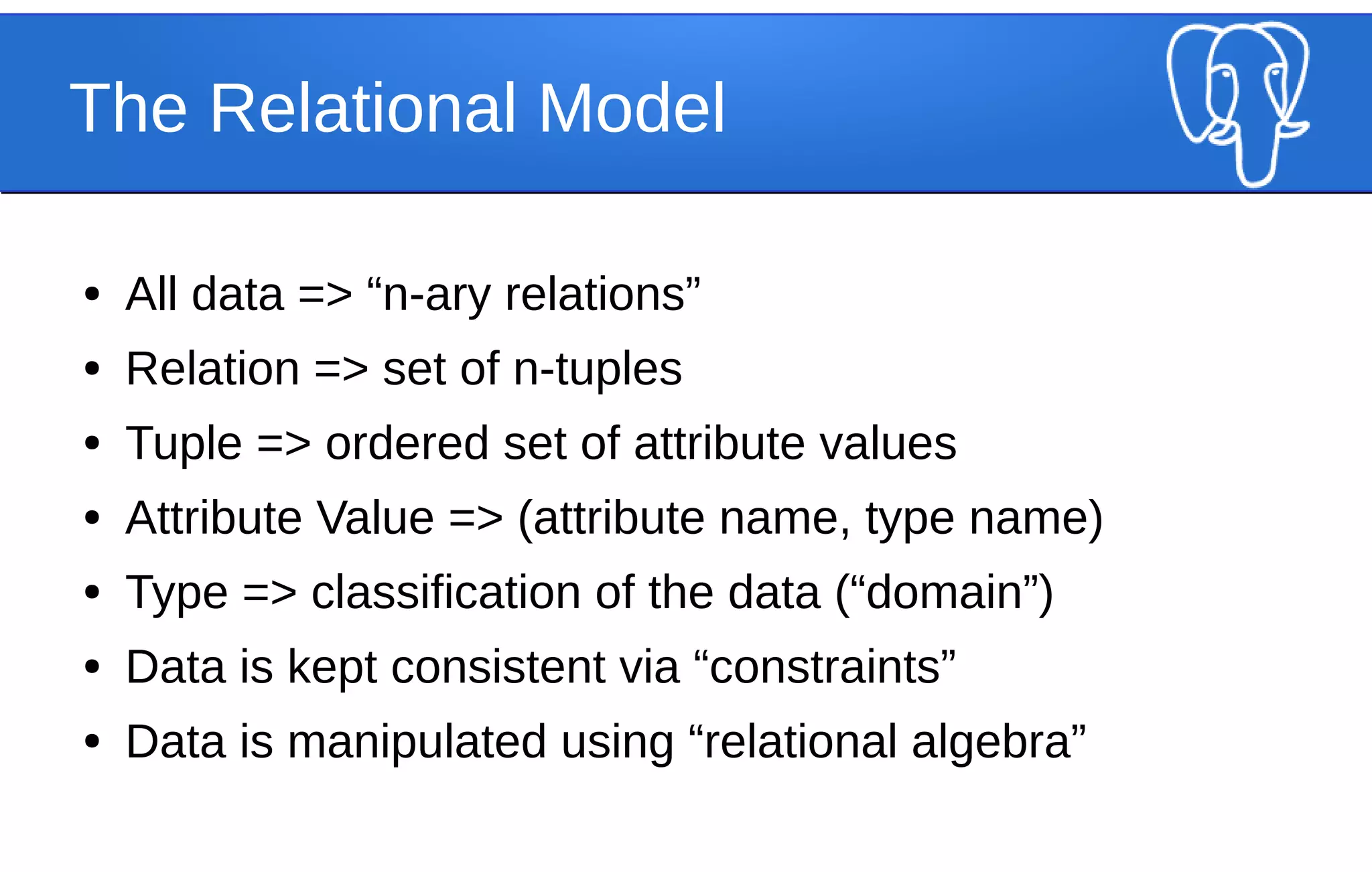
The Relational Model
● All data => “n-ary relations”
● Relation => set of n-tuples
● Tuple => ordered set of attribute values
● Attribute Value => (attribute name, type name)
● Type => classification of the data (“domain”)
● Data is kept consistent via “constraints”
● Data is manipulated using “relational algebra”
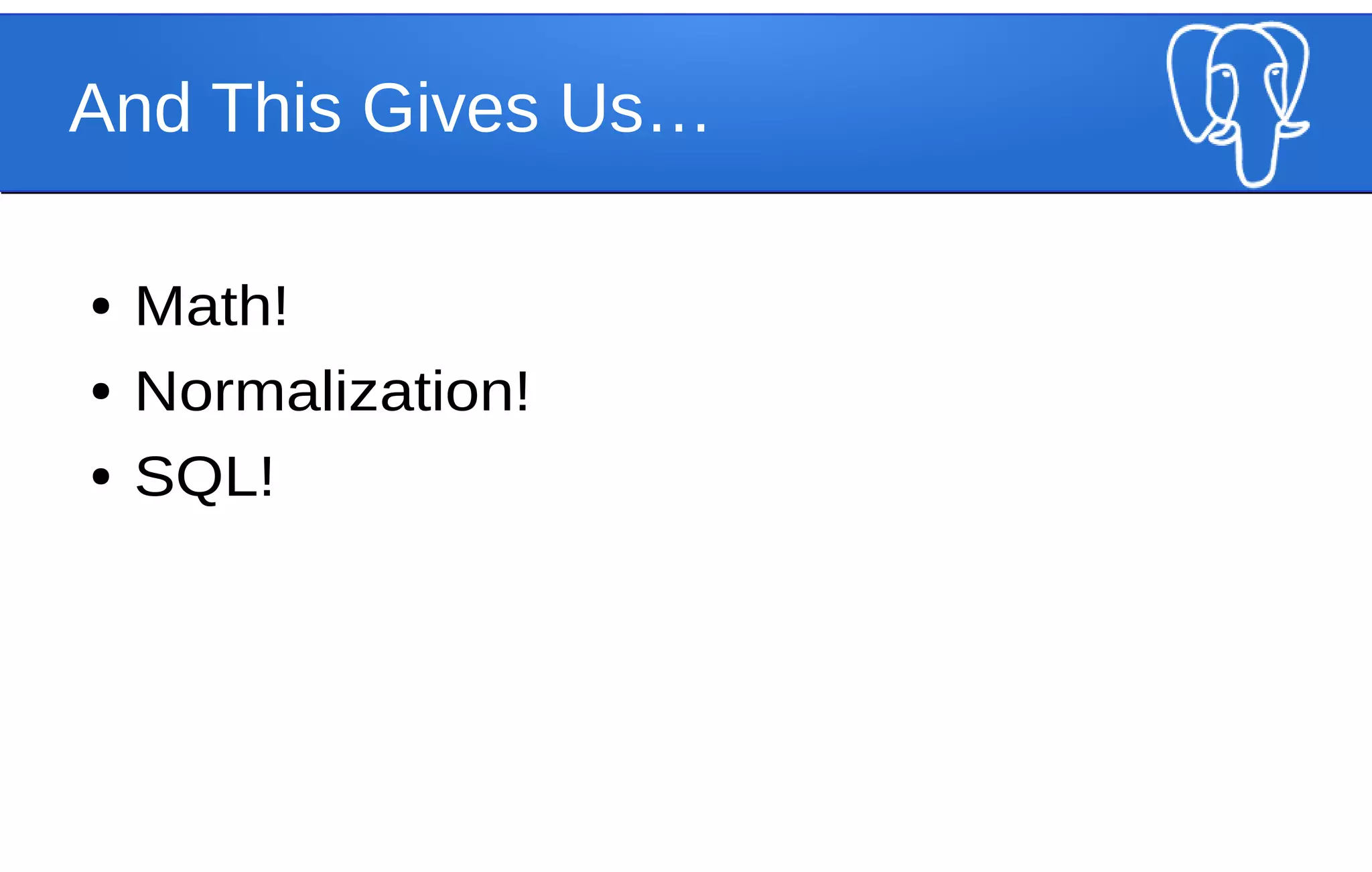
And This Gives Us…
● Math!
● Normalization!
● SQL!
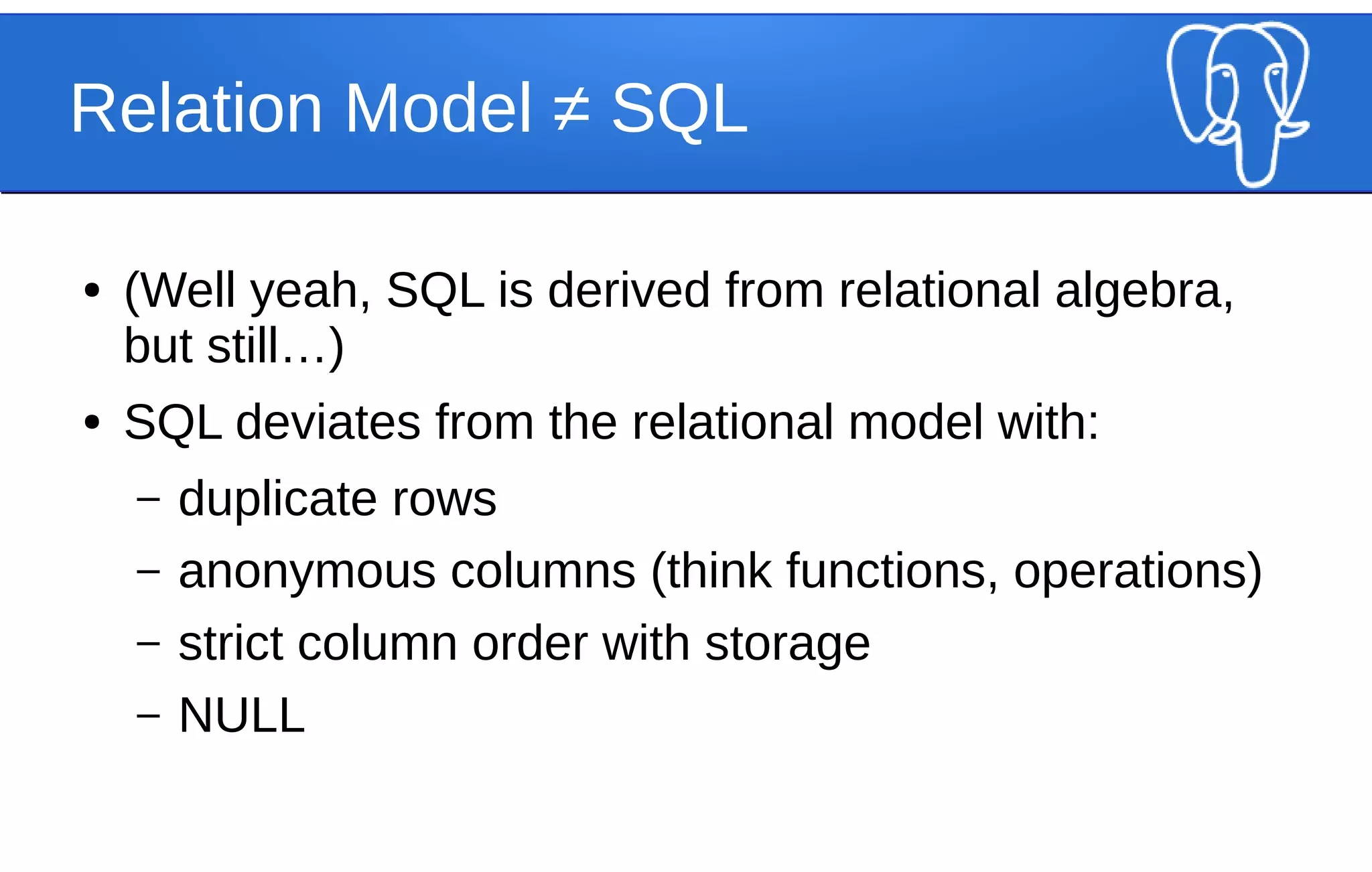
Relation Model ≠ SQL
● (Well yeah, SQL is derived from relational algebra,
but still…)
● SQL deviates from the relational model with:
– duplicate rows
– anonymous columns (think functions, operations)
– strict column order with storage
– NULL
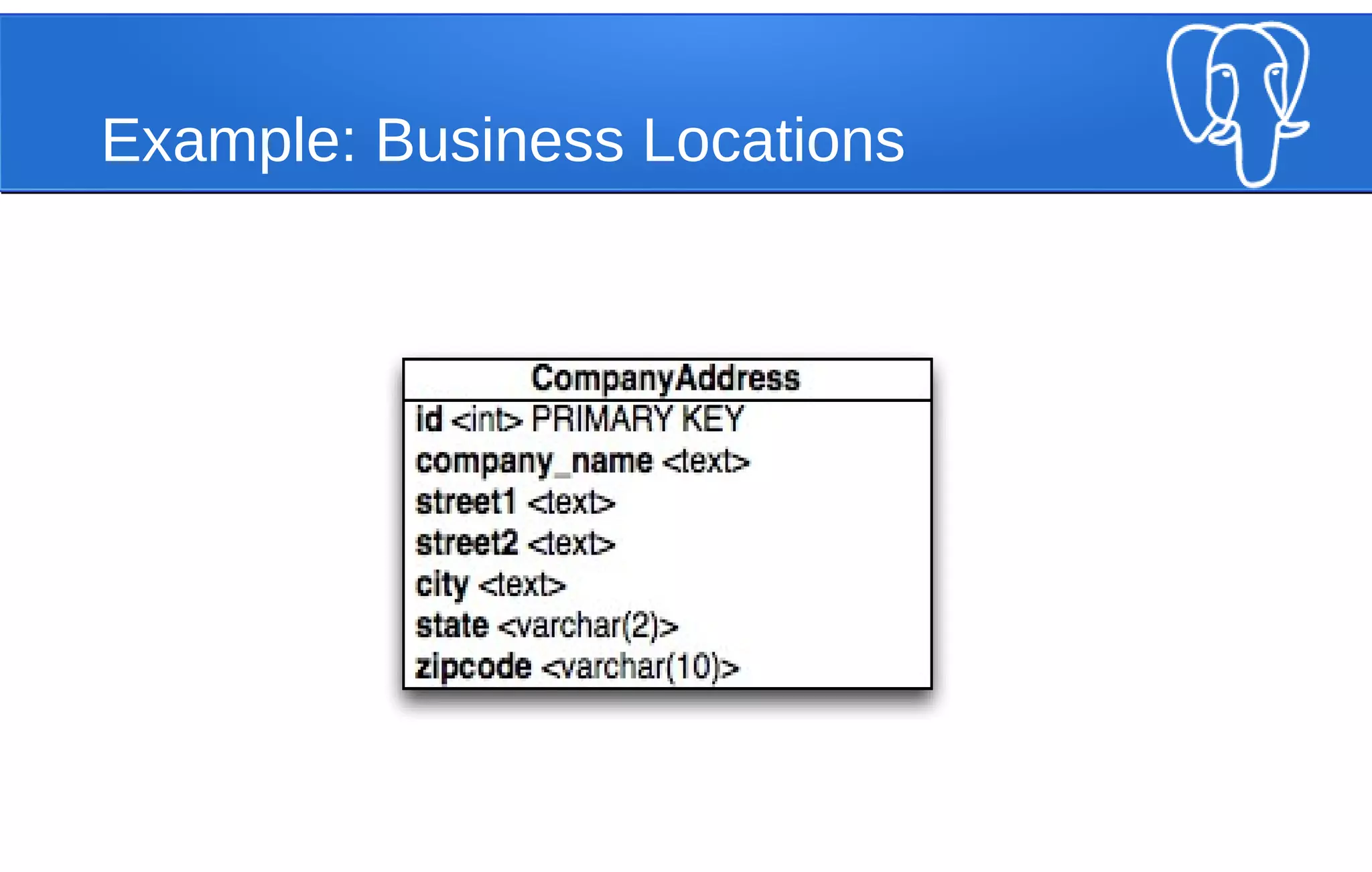
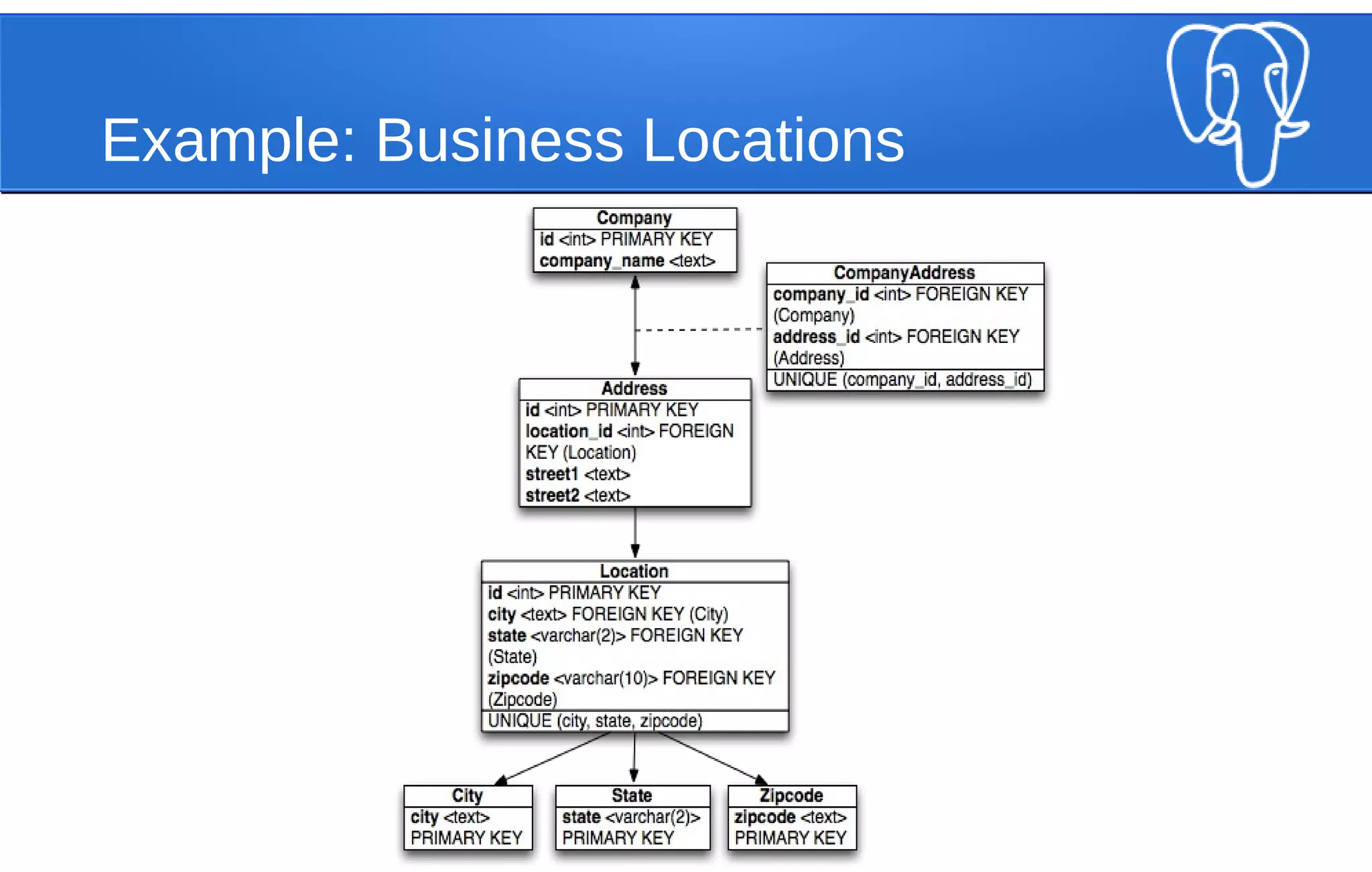
Example: Business Locations
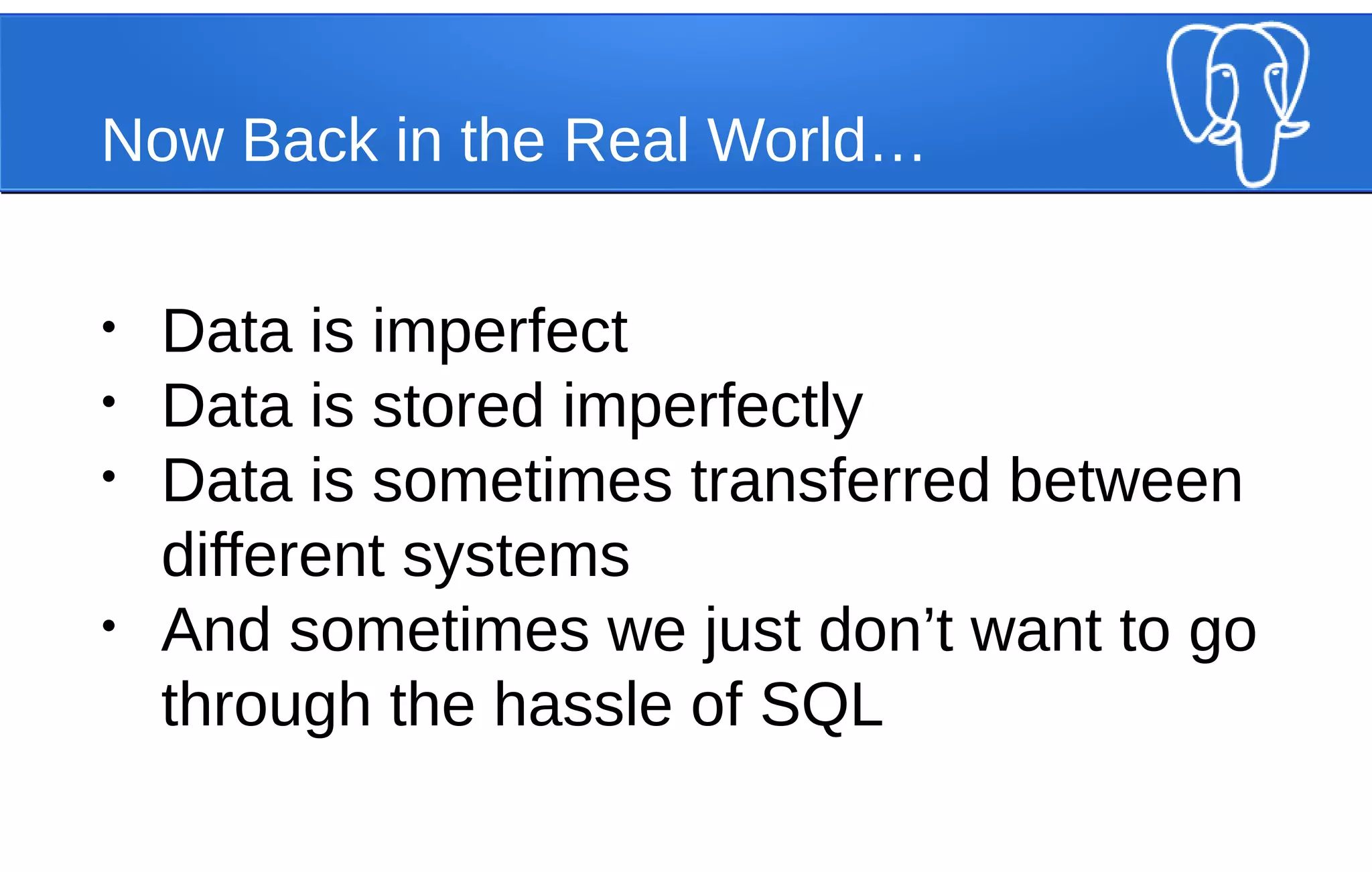
Now Back in the Real World…
• Data is imperfect
• Data is stored imperfectly
• Data is sometimes transferred between
different systems
• And sometimes we just don’t want to go
through the hassle of SQL
In Short
There are many different ways
to represent data
1 => 7
"a" => "b"
TRUE => ["car", "boat", "plane"]
Key-Value Pairs
(or a “hash”)
(also Postgres supports this - see “hstore”)
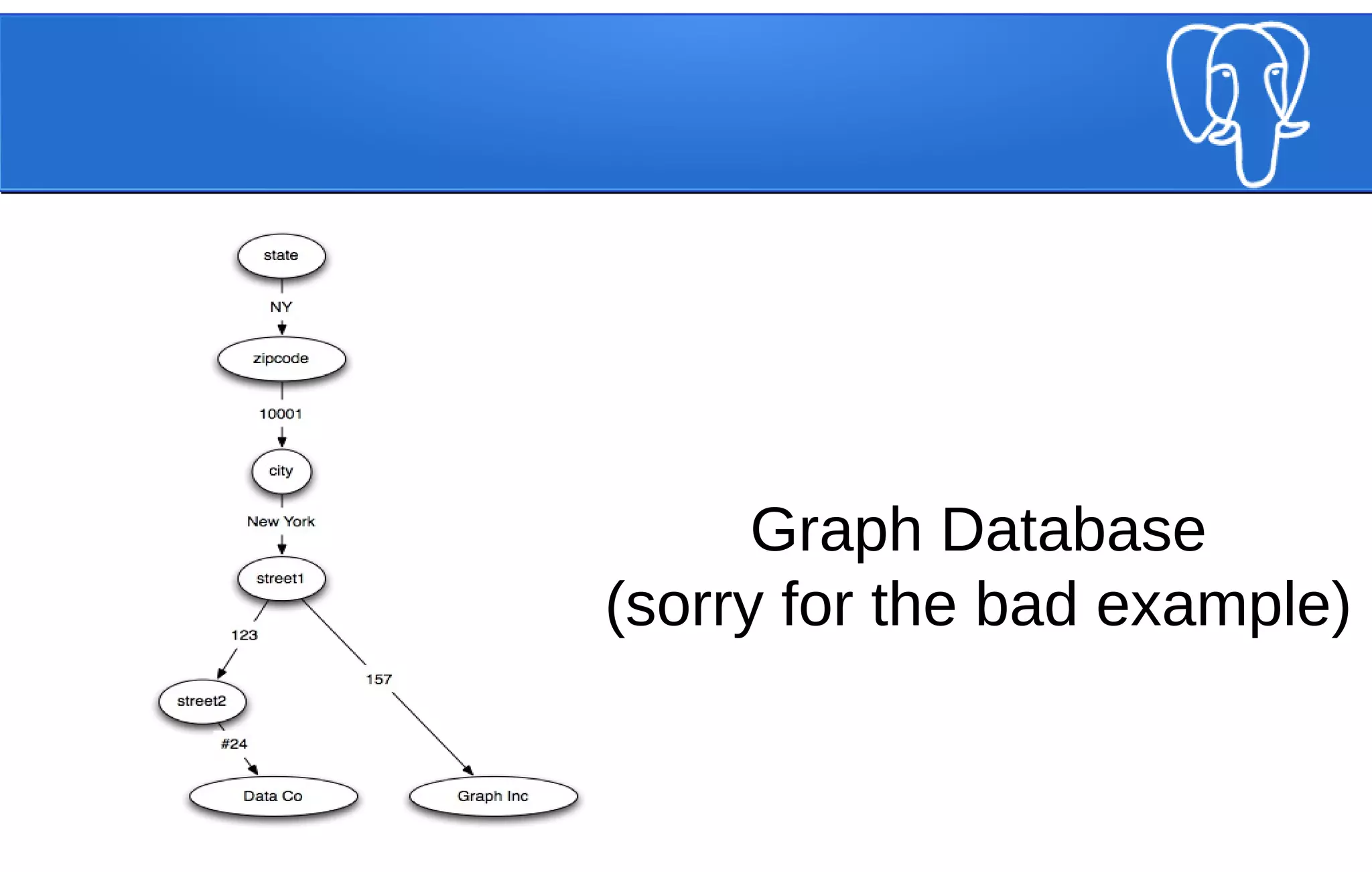
Graph Database
(sorry for the bad example)
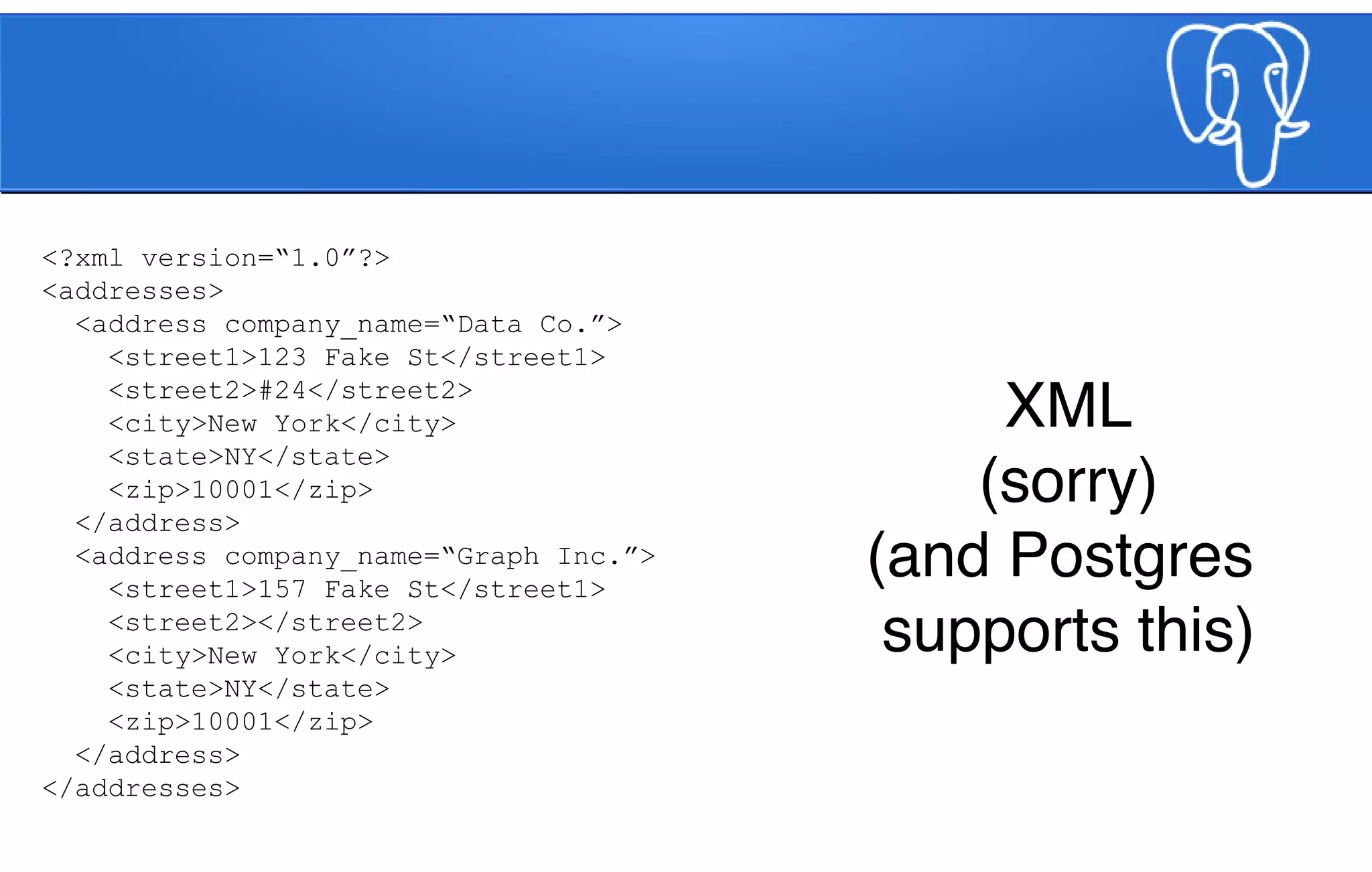
XML
(sorry)
(and Postgres
supports this)
<?xml version=“1.0”?>
<addresses>
<address company_name=“Data Co.”>
<street1>123 Fake St</street1>
<street2>#24</street2>
<city>New York</city>
<state>NY</state>
<zip>10001</zip>
</address>
<address company_name=“Graph Inc.”>
<street1>157 Fake St</street1>
<street2></street2>
<city>New York</city>
<state>NY</state>
<zip>10001</zip>
</address>
</addresses>
JSON
(which is why we’re
here tonight, right?)
[
{
“company_name”: “Data Co.”,
“street1”: “123 Fake St”,
“street2”: “#24”,
“city”: “New York”,
“state”: “NY”,
“zip”: “10001”
},
{
“company_name: “Graph Inc.”,
“street1”: “157 Fake St”,
“city”: “New York”,
“state”: “NY”,
“zip”: “10001”
}
]
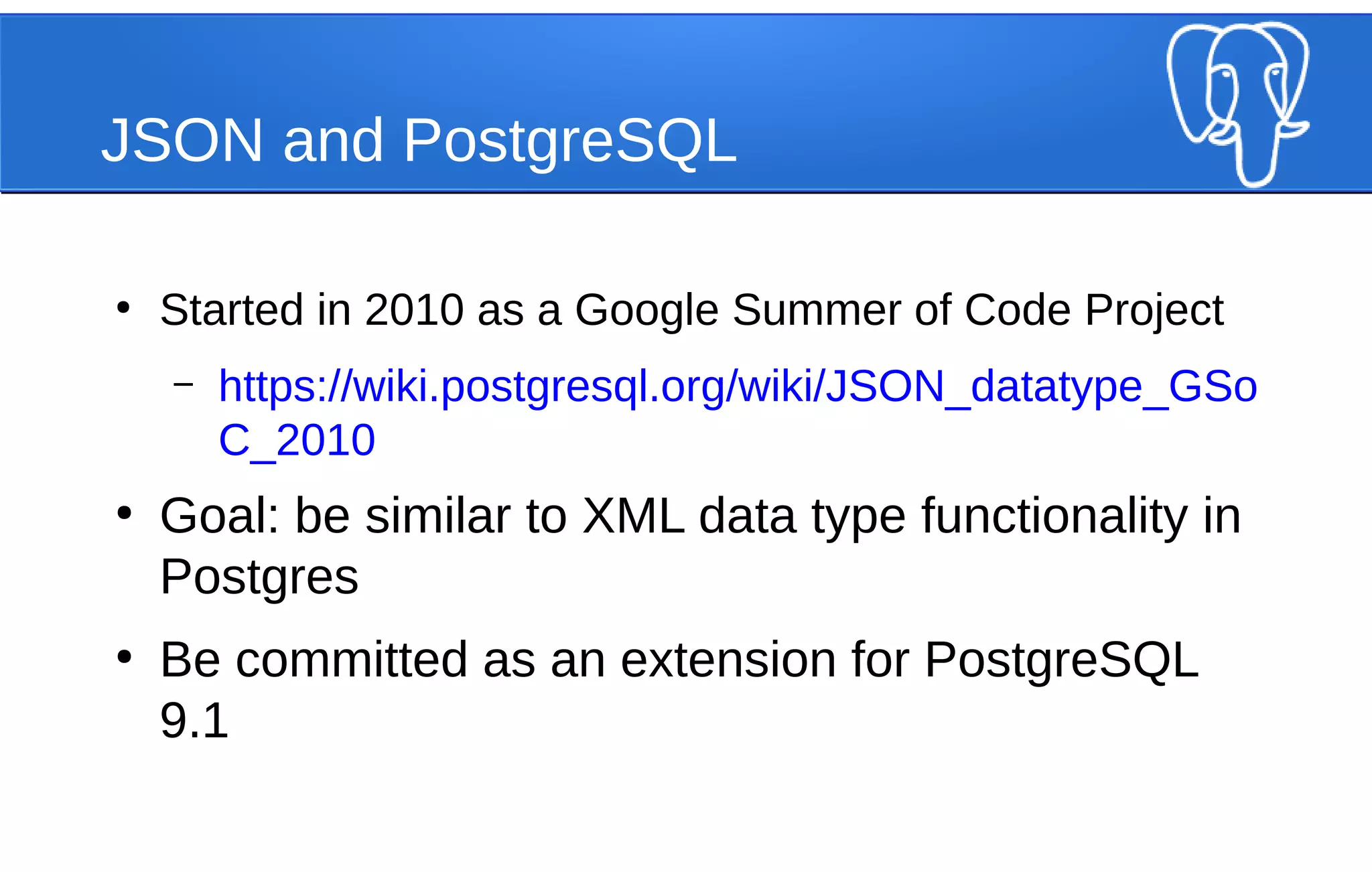
JSON and PostgreSQL
●
Started in 2010 as a Google Summer of Code Project
– https://wiki.postgresql.org/wiki/JSON_datatype_GSo
C_2010
●
Goal: be similar to XML data type functionality in
Postgres
●
Be committed as an extension for PostgreSQL
9.1
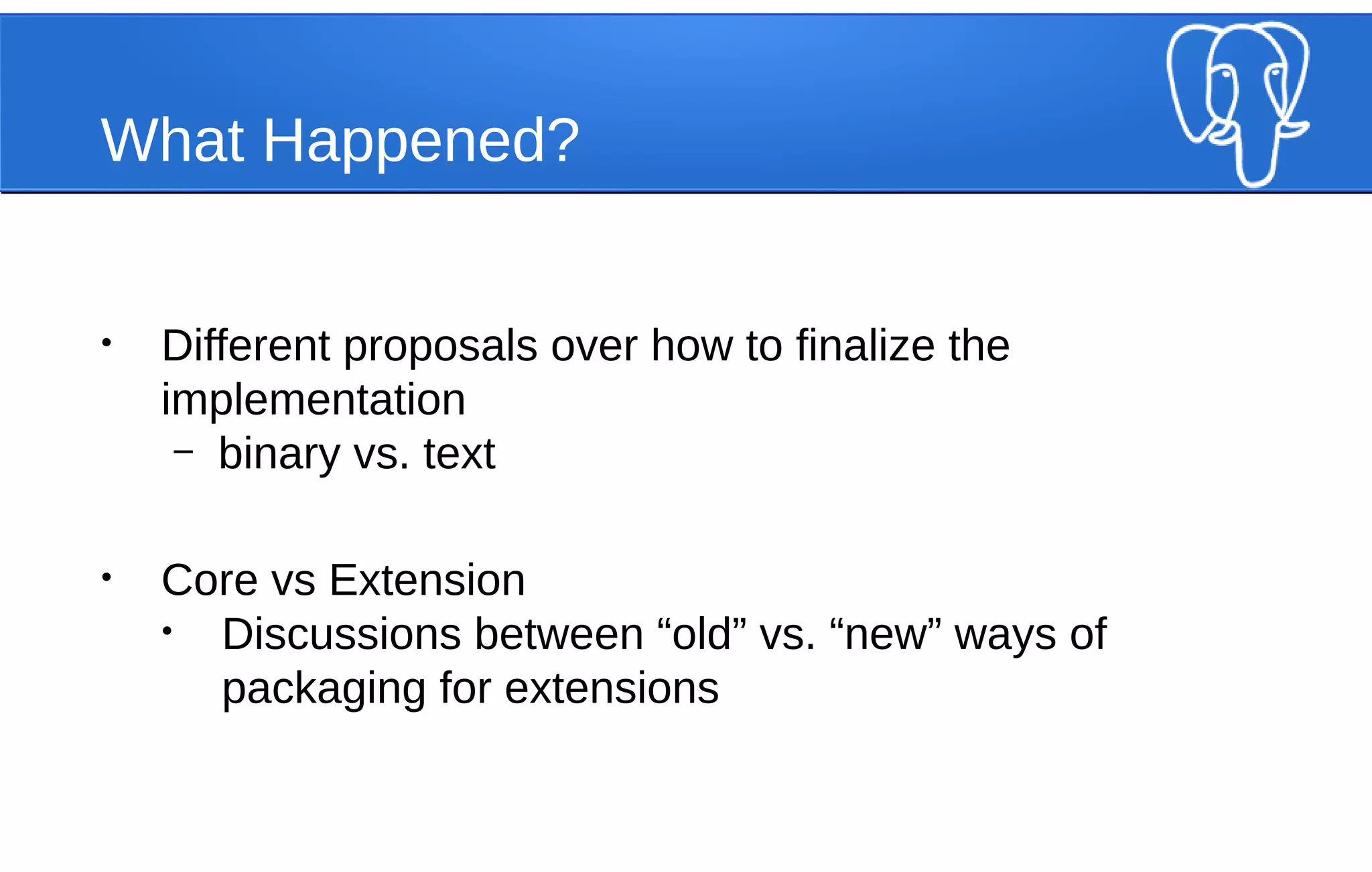
What Happened?
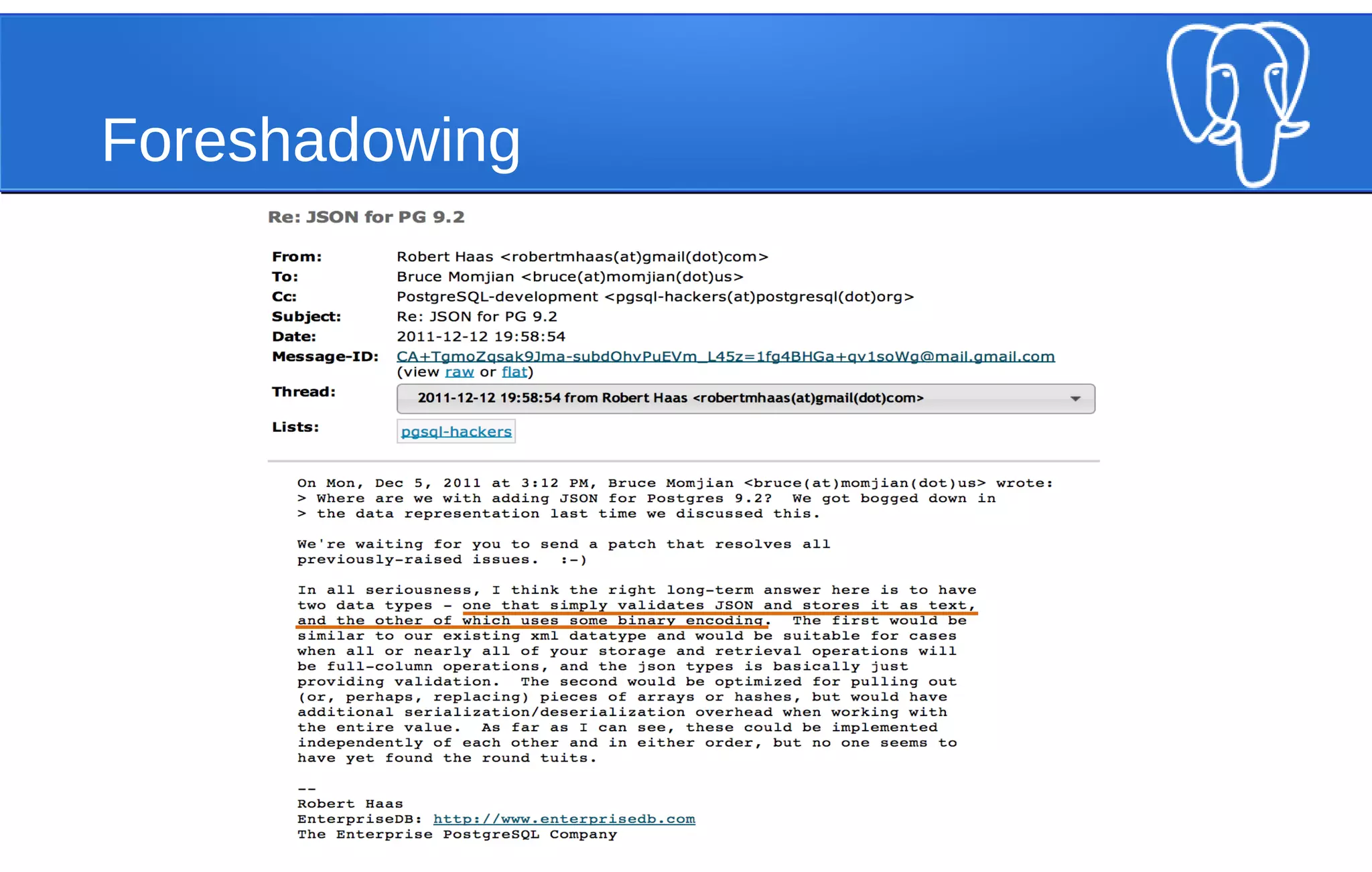
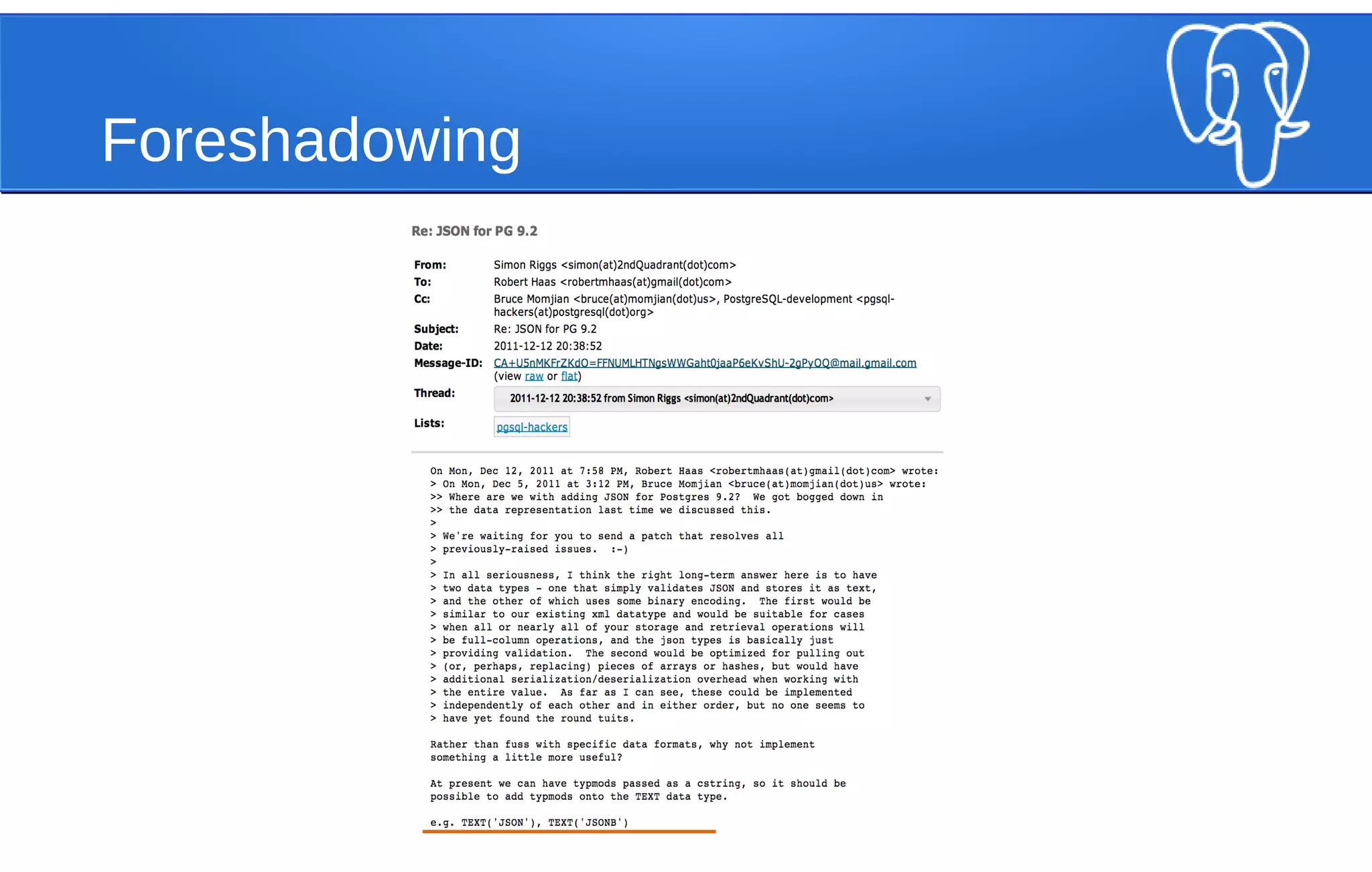
• Different proposals over how to finalize the
implementation
– binary vs. text
• Core vs Extension
• Discussions between “old” vs. “new” ways of
packaging for extensions
Foreshadowing
Foreshadowing
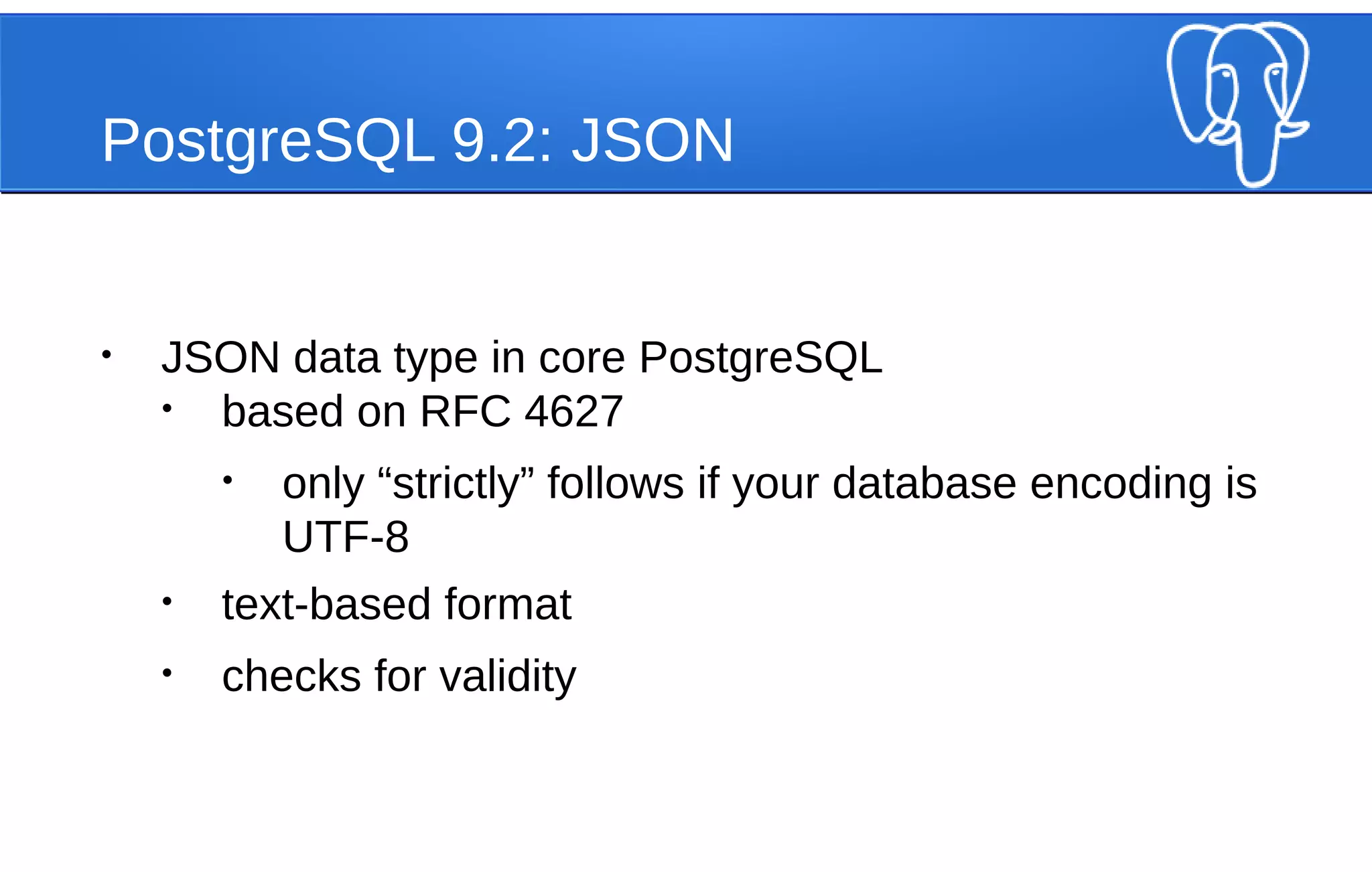
PostgreSQL 9.2: JSON
• JSON data type in core PostgreSQL
• based on RFC 4627
• only “strictly” follows if your database encoding is
UTF-8
• text-based format
• checks for validity
PostgreSQL 9.2: JSON
SELECT '[{"PUG": "NYC"}]'::json;
json
------------------
[{"PUG": "NYC"}]
SELECT '[{"PUG": "NYC"]'::json;
ERROR: invalid input syntax for type json at character 8
DETAIL: Expected "," or "}", but found "]".
CONTEXT: JSON data, line 1: [{"PUG": "NYC"]
PostgreSQL 9.2: JSON
●
array_to_json
SELECT array_to_json(ARRAY[1,2,3]);
array_to_json
---------------
[1,2,3]
PostgreSQL 9.2: JSON
●
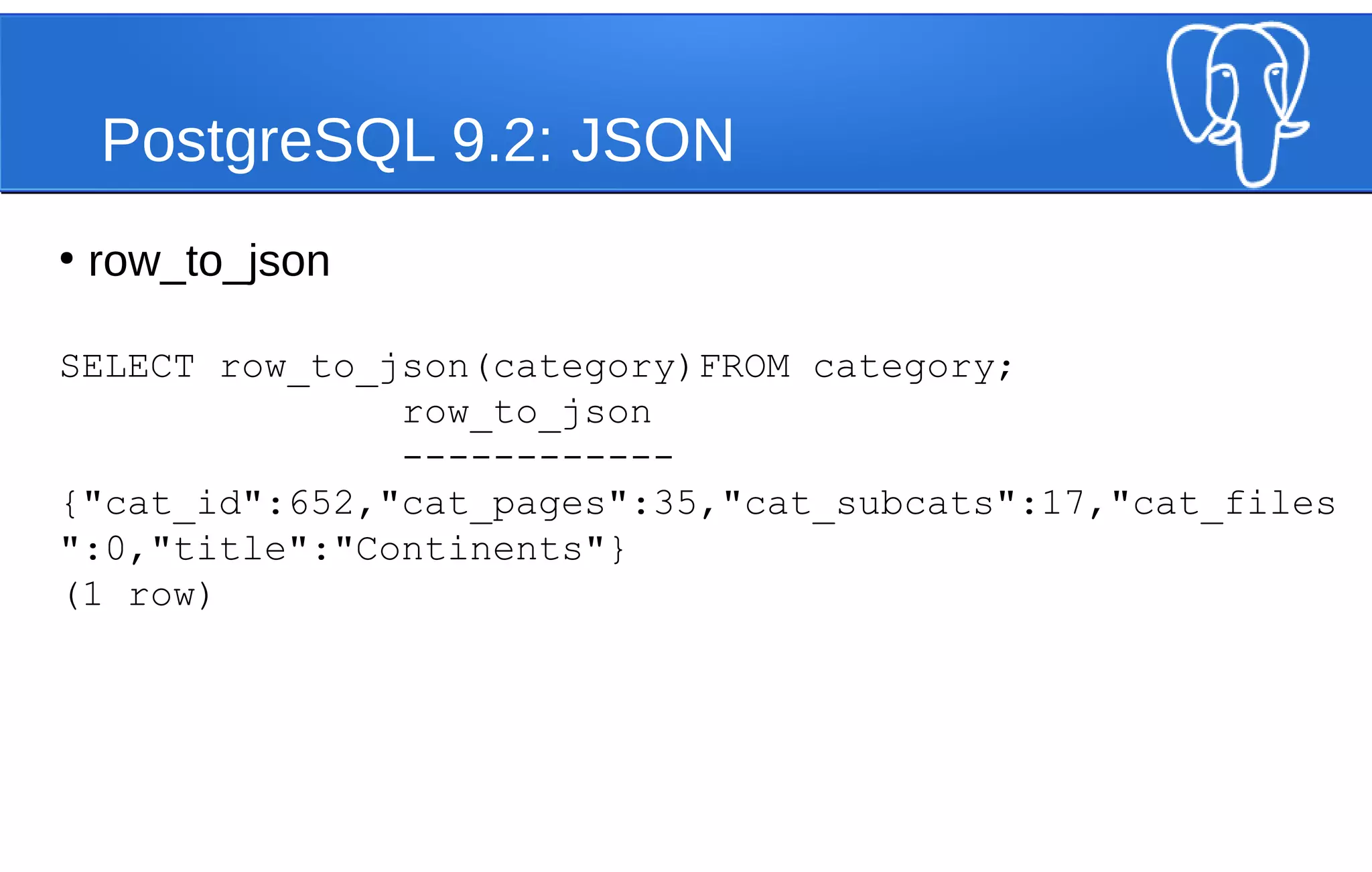
row_to_json
SELECT row_to_json(category)FROM category;
row_to_json
------------
{"cat_id":652,"cat_pages":35,"cat_subcats":17,"cat_files
":0,"title":"Continents"}
(1 row)
PostgreSQL 9.2: JSON
In summary, within core PostgreSQL,
it was a starting point
PostgreSQL 9.3: JSON Ups its Game
• Added operators and functions to read / prepare JSON
• Added casts from hstore to JSON
PostgreSQL 9.3: JSON
Operator Description Example
-> return JSON array element OR
JSON object field
'[1,2,3]'::json -> 0;
'{"a": 1, "b": 2, "c": 3}'::json -> 'b';
->> return JSON array element OR
JSON object field AS text
['1,2,3]'::json ->> 0;
'{"a": 1, "b": 2, "c": 3}'::json ->> 'b';
#> return JSON object using path '{"a": 1, "b": 2, "c": [1,2,3]}'::json #> '{c, 0}';
#>> return JSON object using path AS
text
'{"a": 1, "b": 2, "c": [1,2,3]}'::json #> '{c, 0}';
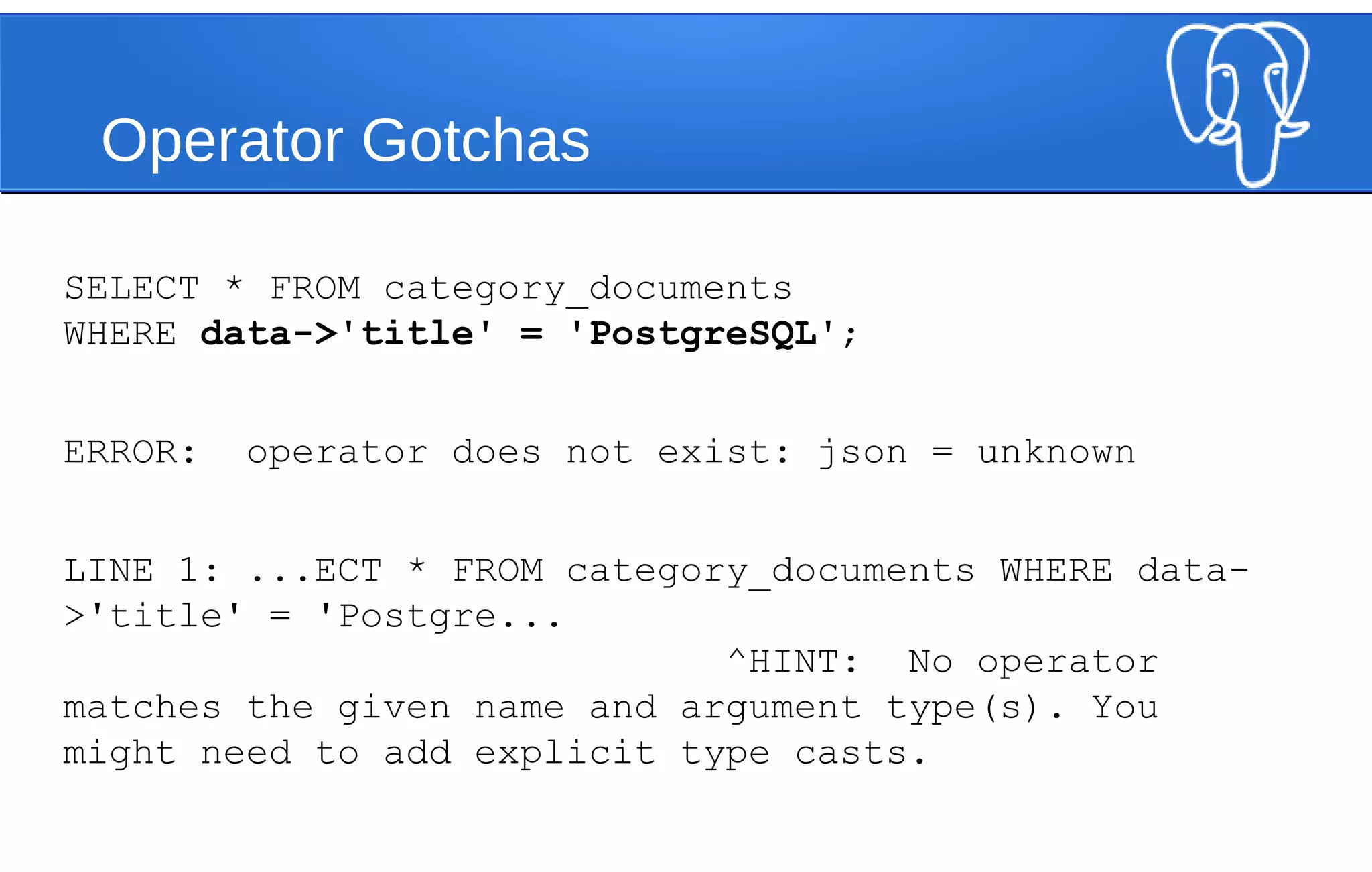
Operator Gotchas
SELECT * FROM category_documents
WHERE data->'title' = 'PostgreSQL';
ERROR: operator does not exist: json = unknown
LINE 1: ...ECT * FROM category_documents WHERE data-
>'title' = 'Postgre...
^HINT: No operator
matches the given name and argument type(s). You
might need to add explicit type casts.
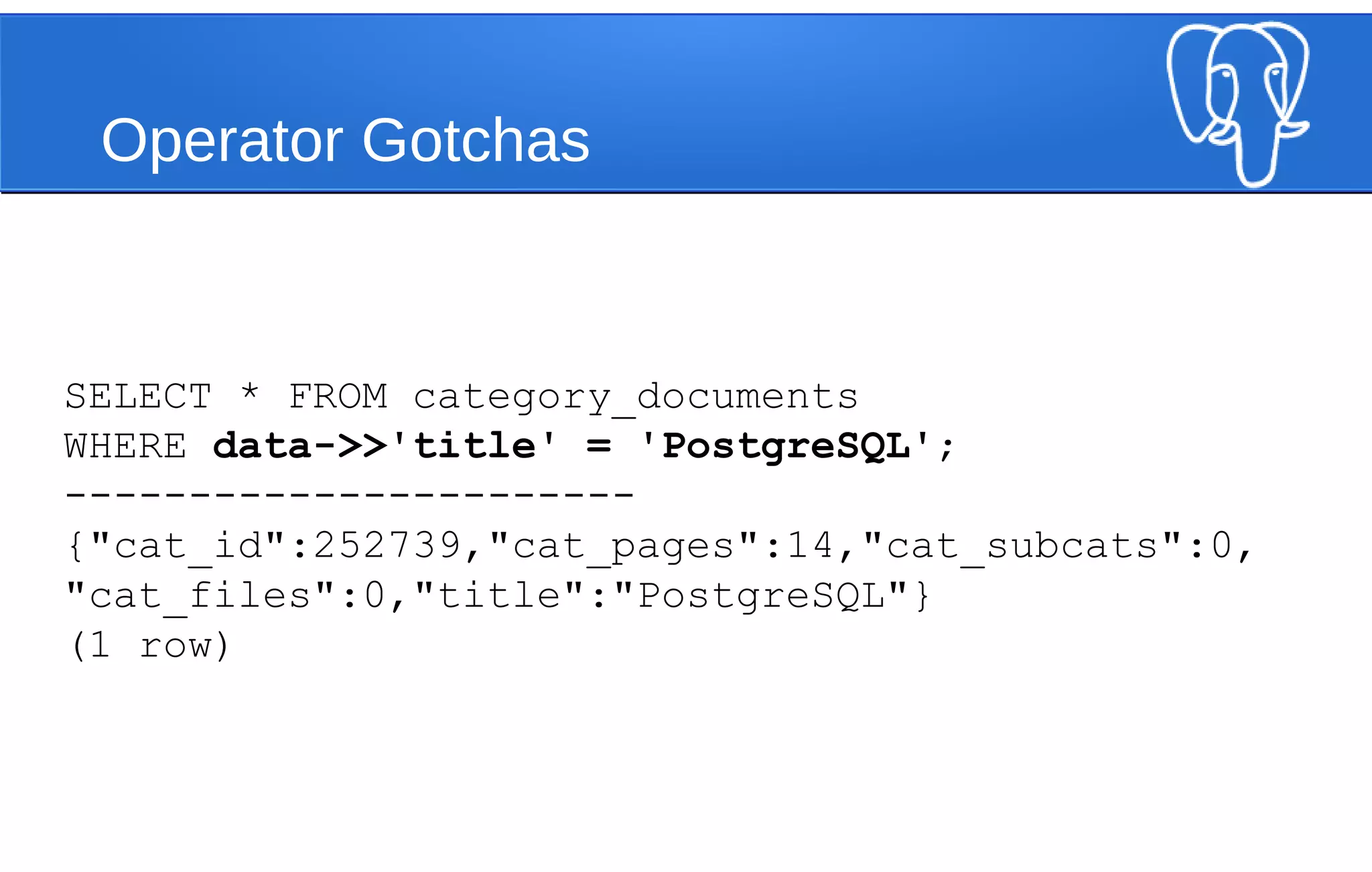
Operator Gotchas
SELECT * FROM category_documents
WHERE data->>'title' = 'PostgreSQL';
-----------------------
{"cat_id":252739,"cat_pages":14,"cat_subcats":0,
"cat_files":0,"title":"PostgreSQL"}
(1 row)
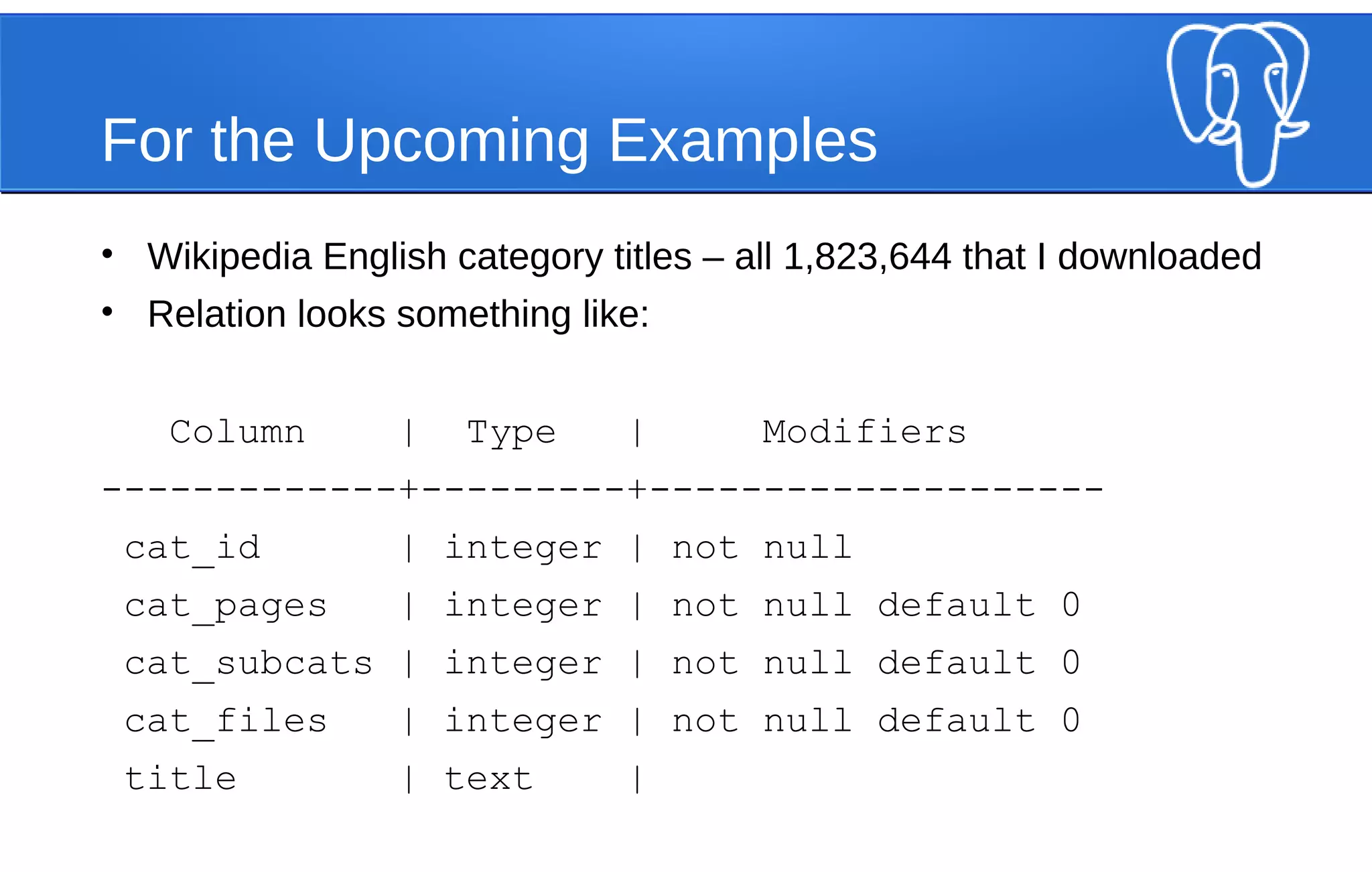
For the Upcoming Examples
• Wikipedia English category titles – all 1,823,644 that I downloaded
• Relation looks something like:
Column | Type | Modifiers
-------------+---------+--------------------
cat_id | integer | not null
cat_pages | integer | not null default 0
cat_subcats | integer | not null default 0
cat_files | integer | not null default 0
title | text |
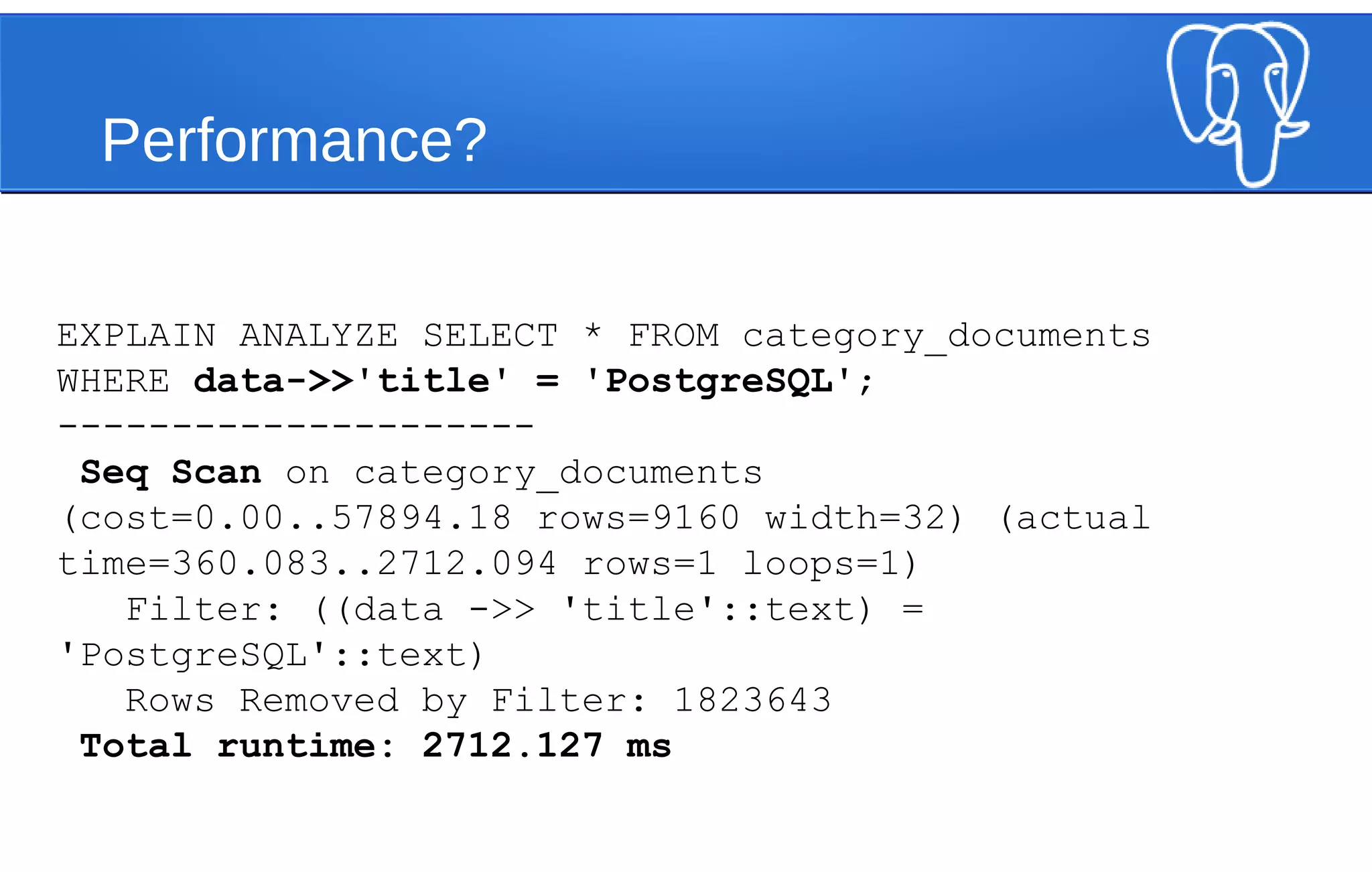
Performance?
EXPLAIN ANALYZE SELECT * FROM category_documents
WHERE data->>'title' = 'PostgreSQL';
---------------------
Seq Scan on category_documents
(cost=0.00..57894.18 rows=9160 width=32) (actual
time=360.083..2712.094 rows=1 loops=1)
Filter: ((data ->> 'title'::text) =
'PostgreSQL'::text)
Rows Removed by Filter: 1823643
Total runtime: 2712.127 ms
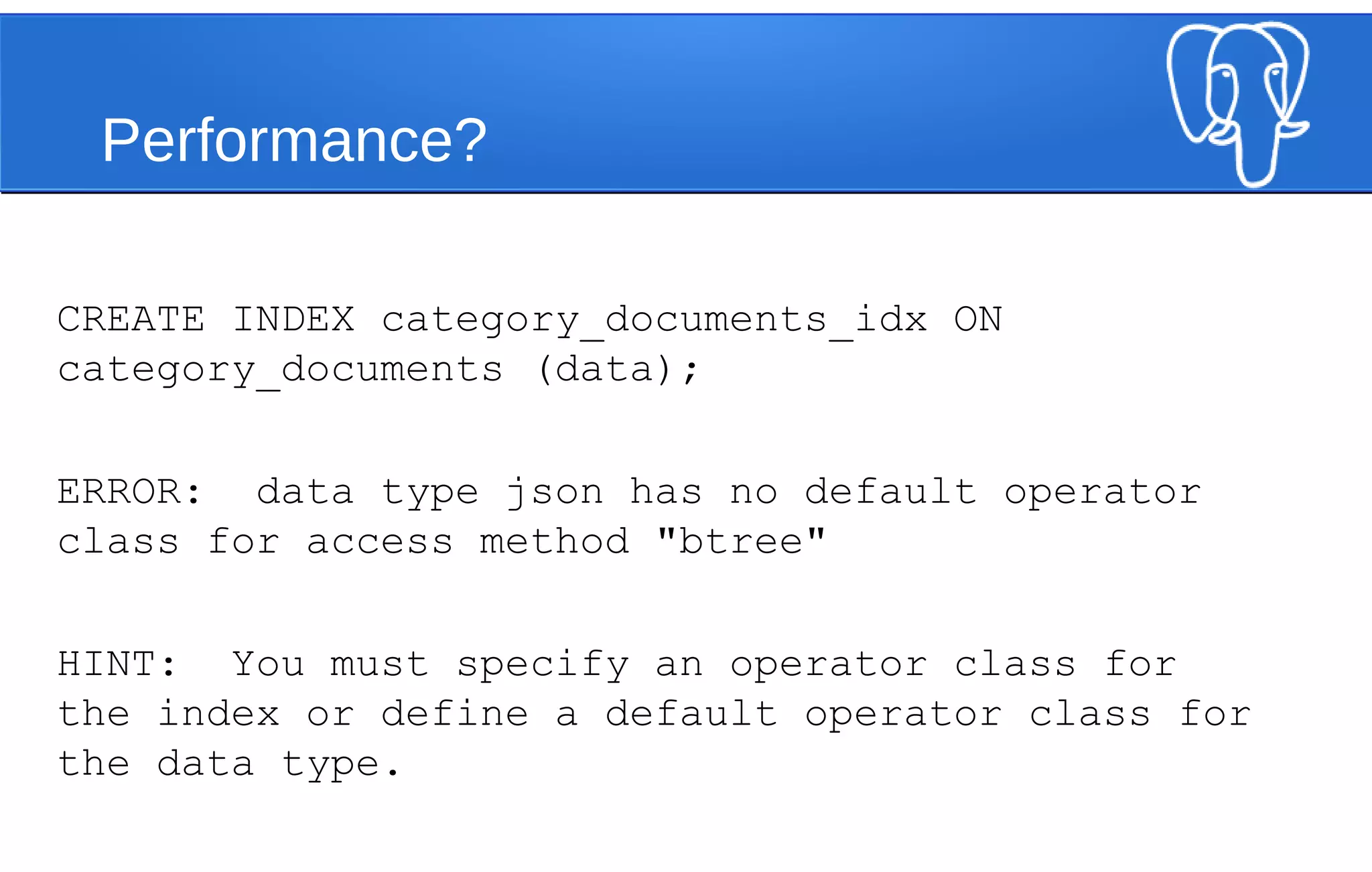
Performance?
CREATE INDEX category_documents_idx ON
category_documents (data);
ERROR: data type json has no default operator
class for access method "btree"
HINT: You must specify an operator class for
the index or define a default operator class for
the data type.
Let’s Be Clever
• json_extract_path, json_extract_path_text
– LIKE (#>, #>>) but with list of args
SELECT json_extract_path(
'{"a": 1, "b": 2, "c": [1,2,3]}’::json,
'c', ‘0’);
--------
1
Performance Revisited
CREATE INDEX category_documents_data_idx
ON category_documents
(json_extract_path_text(data, ‘title'));
EXPLAIN ANALYZE
SELECT * FROM category_documents
WHERE json_extract_path_text(data, 'title') = 'PostgreSQL';
--------------------
Bitmap Heap Scan on category_documents (cost=303.09..20011.96 rows=9118
width=32) (actual time=0.090..0.091 rows=1 loops=1)
Recheck Cond: (json_extract_path_text(data, VARIADIC '{title}'::text[]) =
'PostgreSQL'::text)
-> Bitmap Index Scan on category_documents_data_idx (cost=0.00..300.81
rows=9118 width=0) (actual time=0.086..0.086 rows=1 loops=1)
Index Cond: (json_extract_path_text(data, VARIADIC '{title}'::text[])
= 'PostgreSQL'::text)
Total runtime: 0.105 ms
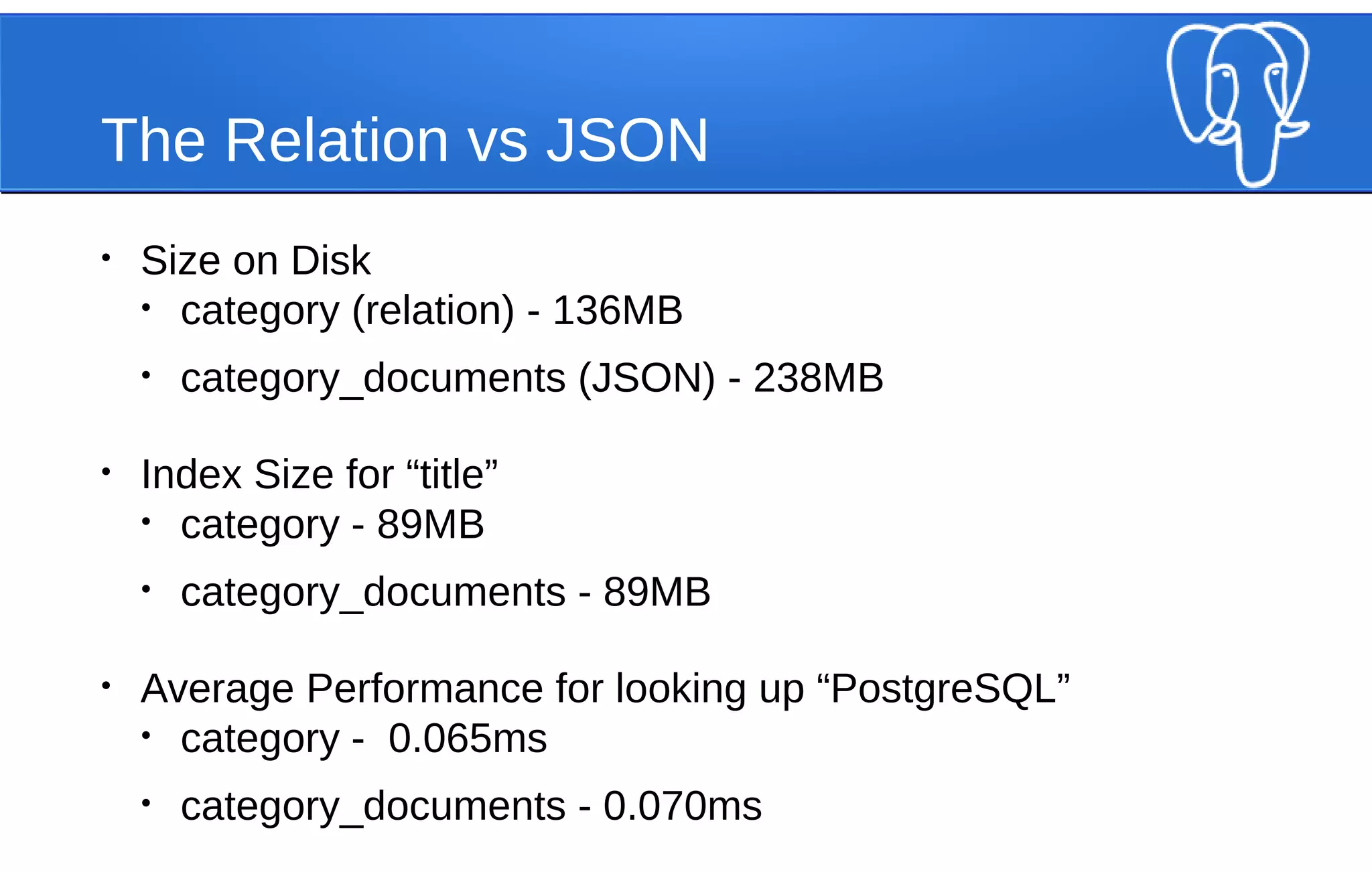
The Relation vs JSON
• Size on Disk
• category (relation) - 136MB
• category_documents (JSON) - 238MB
• Index Size for “title”
• category - 89MB
• category_documents - 89MB
• Average Performance for looking up “PostgreSQL”
• category - 0.065ms
• category_documents - 0.070ms
JSON => SET
• to_json
• json_each, json_each_text
SELECT * FROM
json_each('{"a": 1, "b": [2,3,4], "c":
"wow"}'::json);
key | value
-----+---------
a | 1
b | [2,3,4]
c | "wow"
JSON Keys
• json_object_keys
SELECT * FROM json_object_keys(
'{"a": 1, "b": [2,3,4], "c": { "e":
"wow" }}’::json
);
--------
a
b
c
Populating JSON Records
• json_populate_record
CREATE TABLE stuff (a int, b text, c int[]);
SELECT *
FROM json_populate_record(
NULL::stuff, '{"a": 1, "b": “wow"}'
);
a | b | c
---+-----+---
1 | wow |
SELECT *
FROM json_populate_record(
NULL::stuff, '{"a": 1, "b": "wow", "c": [4,5,6]}’
);
ERROR: cannot call json_populate_record on a nested object
Populating JSON Records
●
json_populate_recordset
SELECT *
FROM json_populate_recordset(NULL::stuff, ‘[
{"a": 1, "b": "wow"},
{"a": 2, "b": "cool"}
]');
a | b | c
---+------+---
1 | wow |
2 | cool |
JSON Aggregates
• (this is pretty cool)
• json_agg
SELECT b, json_agg(stuff)
FROM stuff
GROUP BY b;
b | json_agg
------+----------------------------------
neat | [{"a":4,"b":"neat","c":[4,5,6]}]
wow | [{"a":1,"b":"wow","c":[1,2,3]}, +
| {"a":3,"b":"wow","c":[7,8,9]}]
cool | [{"a":2,"b":"cool","c":[4,5,6]}]
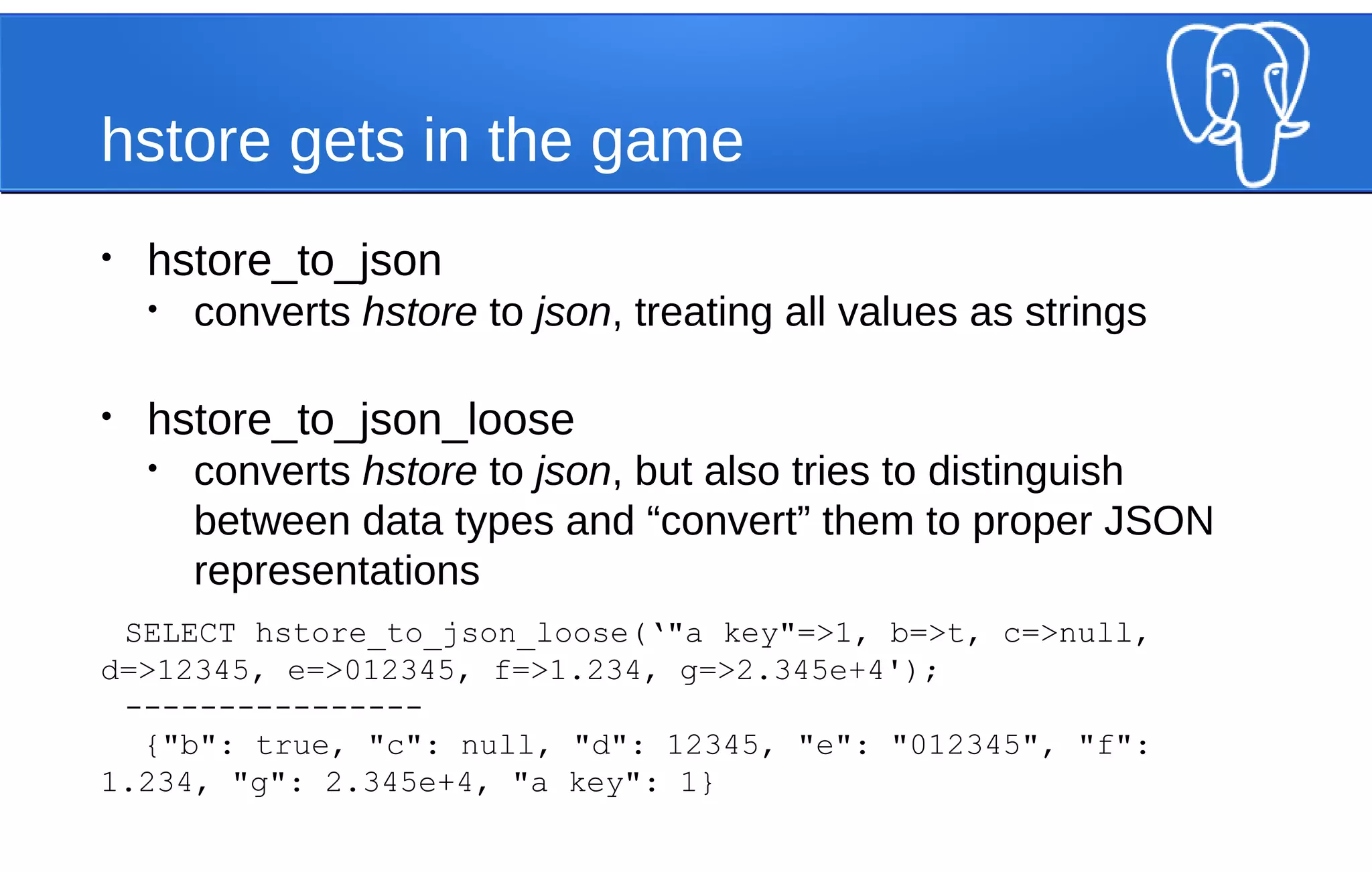
hstore gets in the game
• hstore_to_json
• converts hstore to json, treating all values as strings
• hstore_to_json_loose
• converts hstore to json, but also tries to distinguish
between data types and “convert” them to proper JSON
representations
SELECT hstore_to_json_loose(‘"a key"=>1, b=>t, c=>null,
d=>12345, e=>012345, f=>1.234, g=>2.345e+4');
----------------
{"b": true, "c": null, "d": 12345, "e": "012345", "f":
1.234, "g": 2.345e+4, "a key": 1}
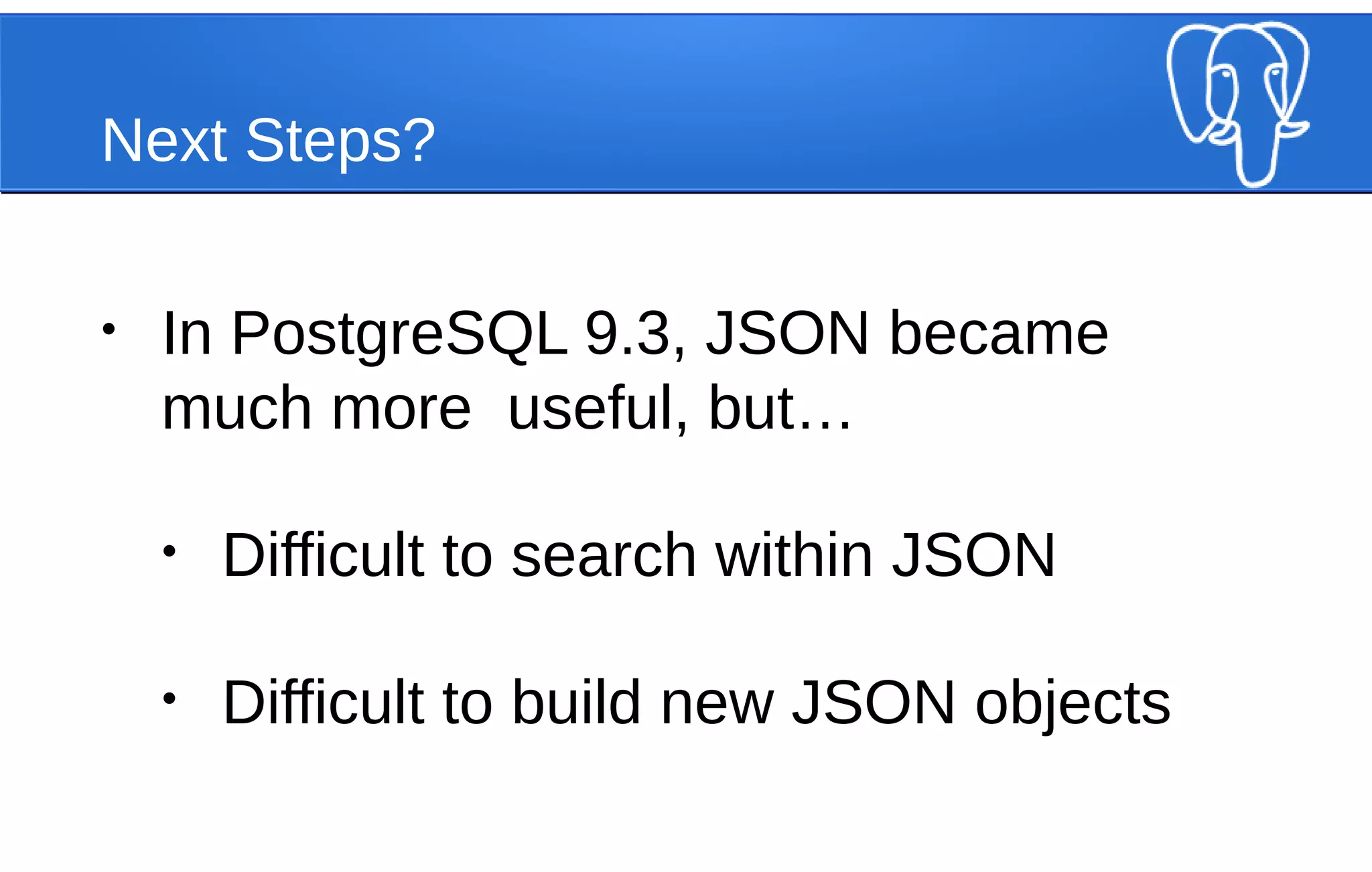
Next Steps?
• In PostgreSQL 9.3, JSON became
much more useful, but…
• Difficult to search within JSON
• Difficult to build new JSON objects
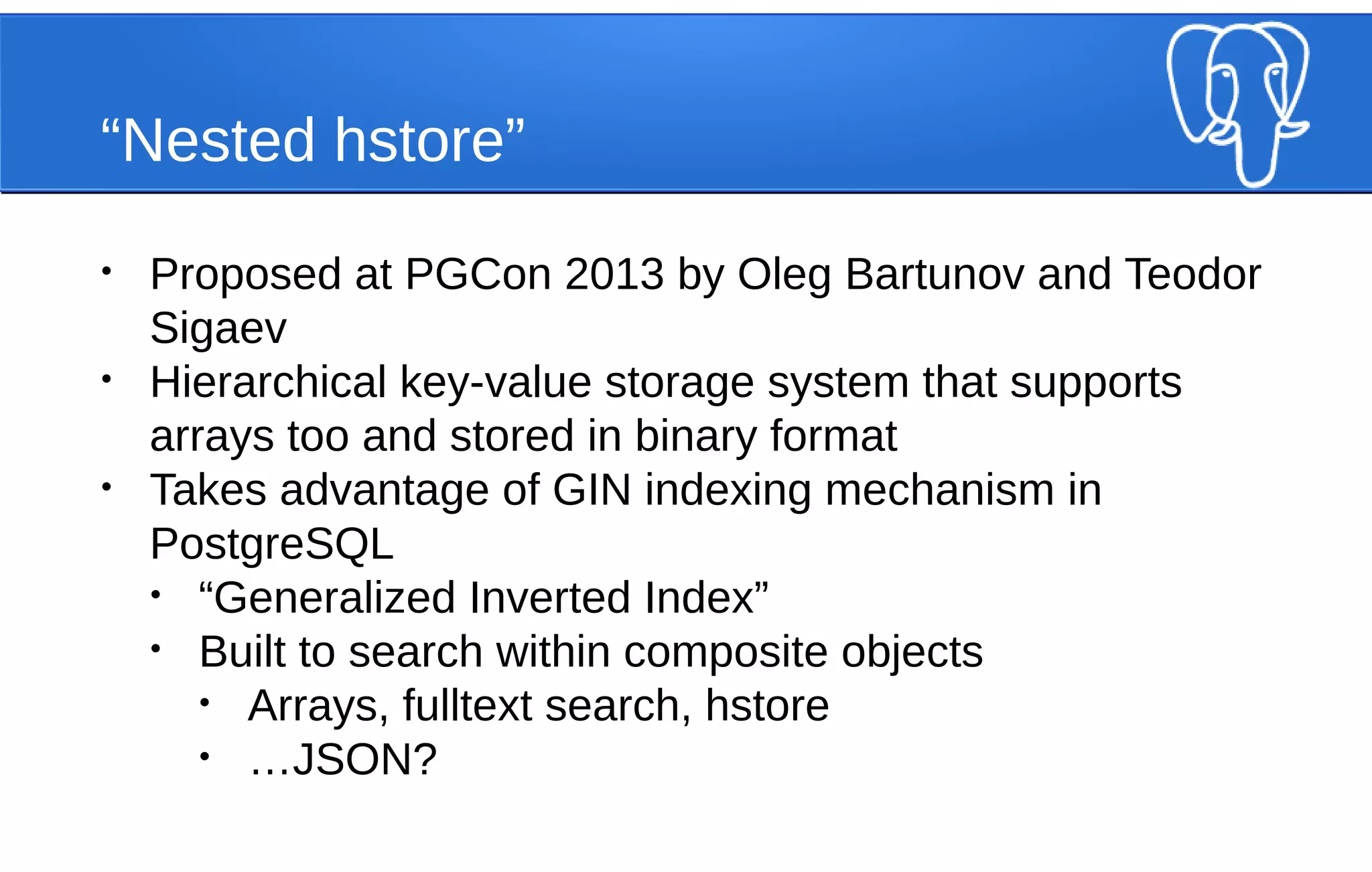
“Nested hstore”
• Proposed at PGCon 2013 by Oleg Bartunov and Teodor
Sigaev
• Hierarchical key-value storage system that supports
arrays too and stored in binary format
• Takes advantage of GIN indexing mechanism in
PostgreSQL
• “Generalized Inverted Index”
• Built to search within composite objects
• Arrays, fulltext search, hstore
• …JSON?
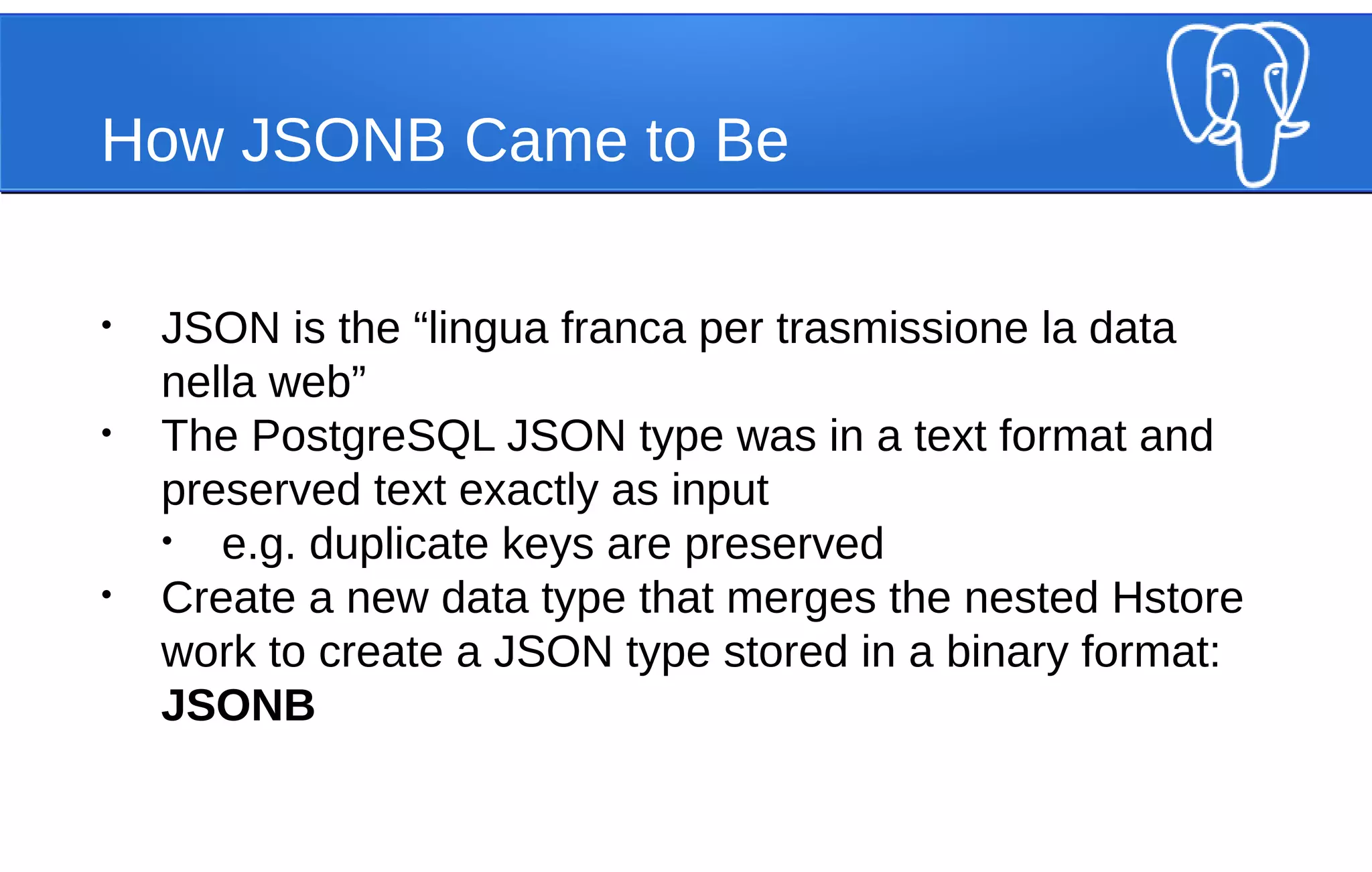
How JSONB Came to Be
• JSON is the “lingua franca per trasmissione la data
nella web”
• The PostgreSQL JSON type was in a text format and
preserved text exactly as input
• e.g. duplicate keys are preserved
• Create a new data type that merges the nested Hstore
work to create a JSON type stored in a binary format:
JSONB
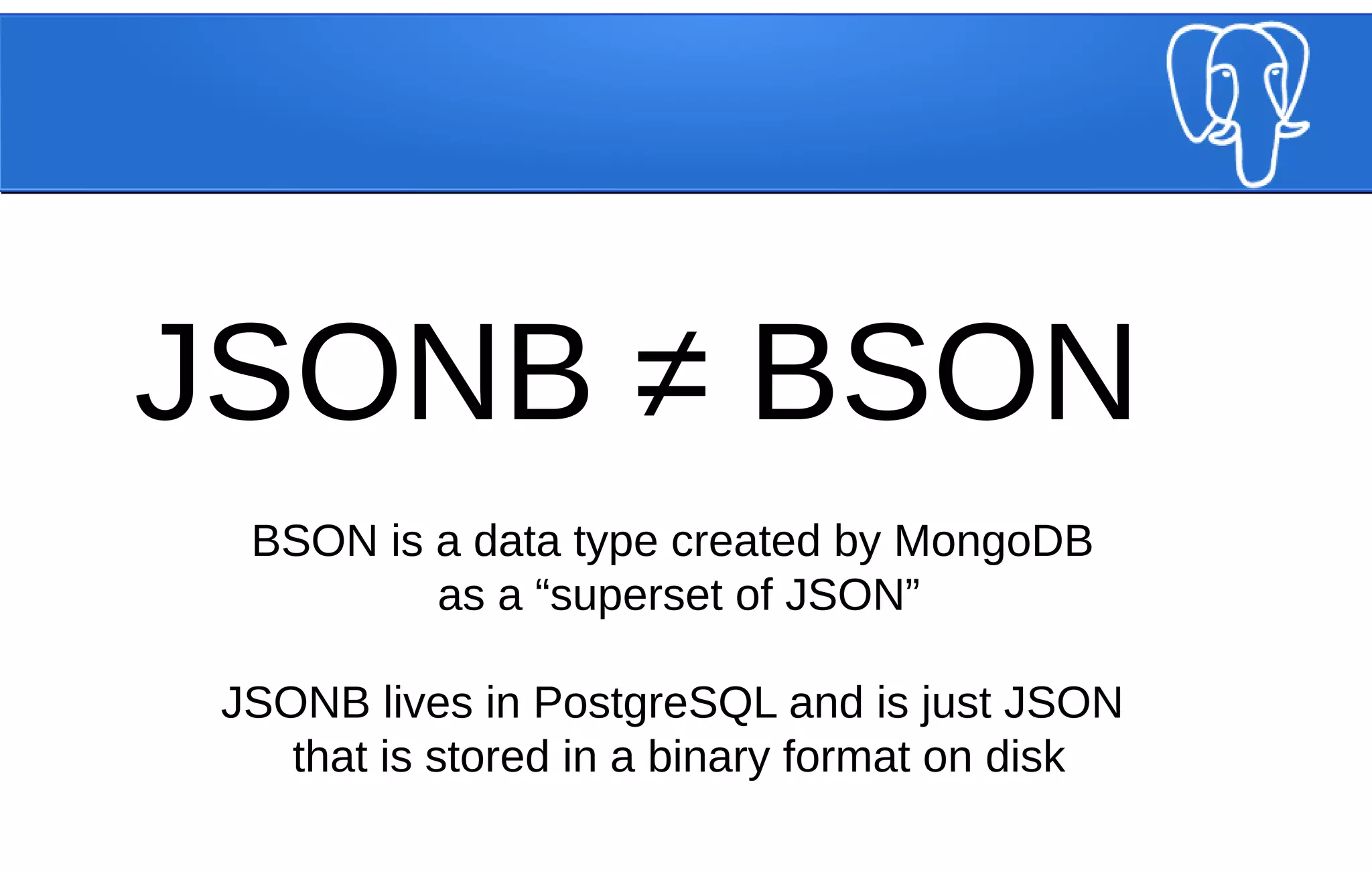
JSONB ≠ BSON
BSON is a data type created by MongoDB
as a “superset of JSON”
JSONB lives in PostgreSQL and is just JSON
that is stored in a binary format on disk
JSONB Gives Us More Operators
• a @> b - is b contained within a?
• { "a": 1, "b": 2 } @> { "a": 1} -- TRUE
• a <@ b - is a contained within b?
• { "a": 1 } <@ { "a": 1, "b": 2 } -- TRUE
• a ? b - does the key “b” exist in JSONB a?
• { "a": 1, "b": 2 } ? 'a' -- TRUE
• a ?| b - does the array of keys in “b” exist in JSONB a?
• { "a": 1, "b": 2 } ?| ARRAY['b', 'c'] -- TRUE
• a ?& b - does the array of keys in "b" exist in JSONB a?
• { "a": 1, "b": 2 } ?& ARRAY['a', 'b'] -- TRUE
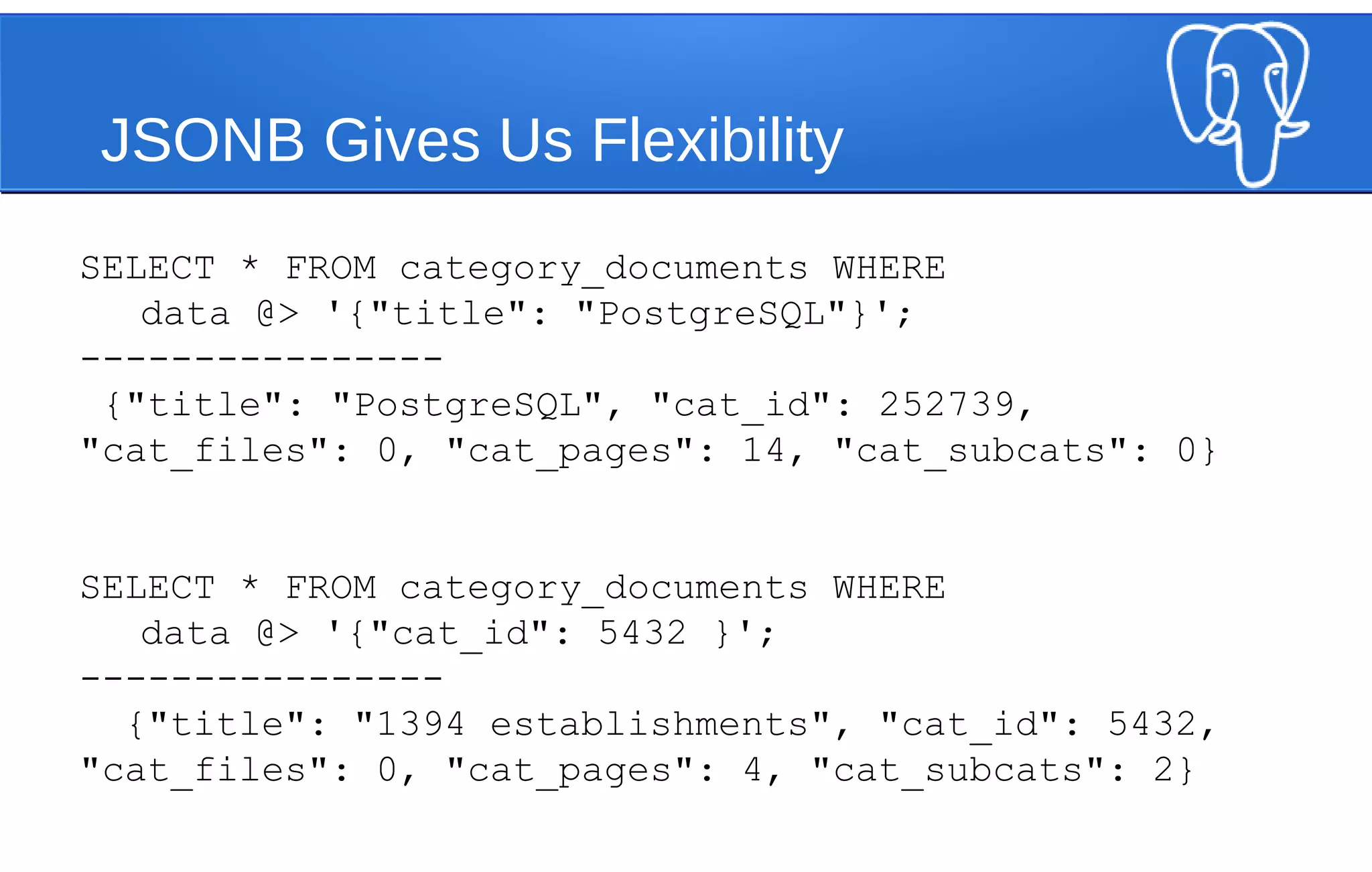
JSONB Gives Us Flexibility
SELECT * FROM category_documents WHERE
data @> '{"title": "PostgreSQL"}';
----------------
{"title": "PostgreSQL", "cat_id": 252739,
"cat_files": 0, "cat_pages": 14, "cat_subcats": 0}
SELECT * FROM category_documents WHERE
data @> '{"cat_id": 5432 }';
----------------
{"title": "1394 establishments", "cat_id": 5432,
"cat_files": 0, "cat_pages": 4, "cat_subcats": 2}
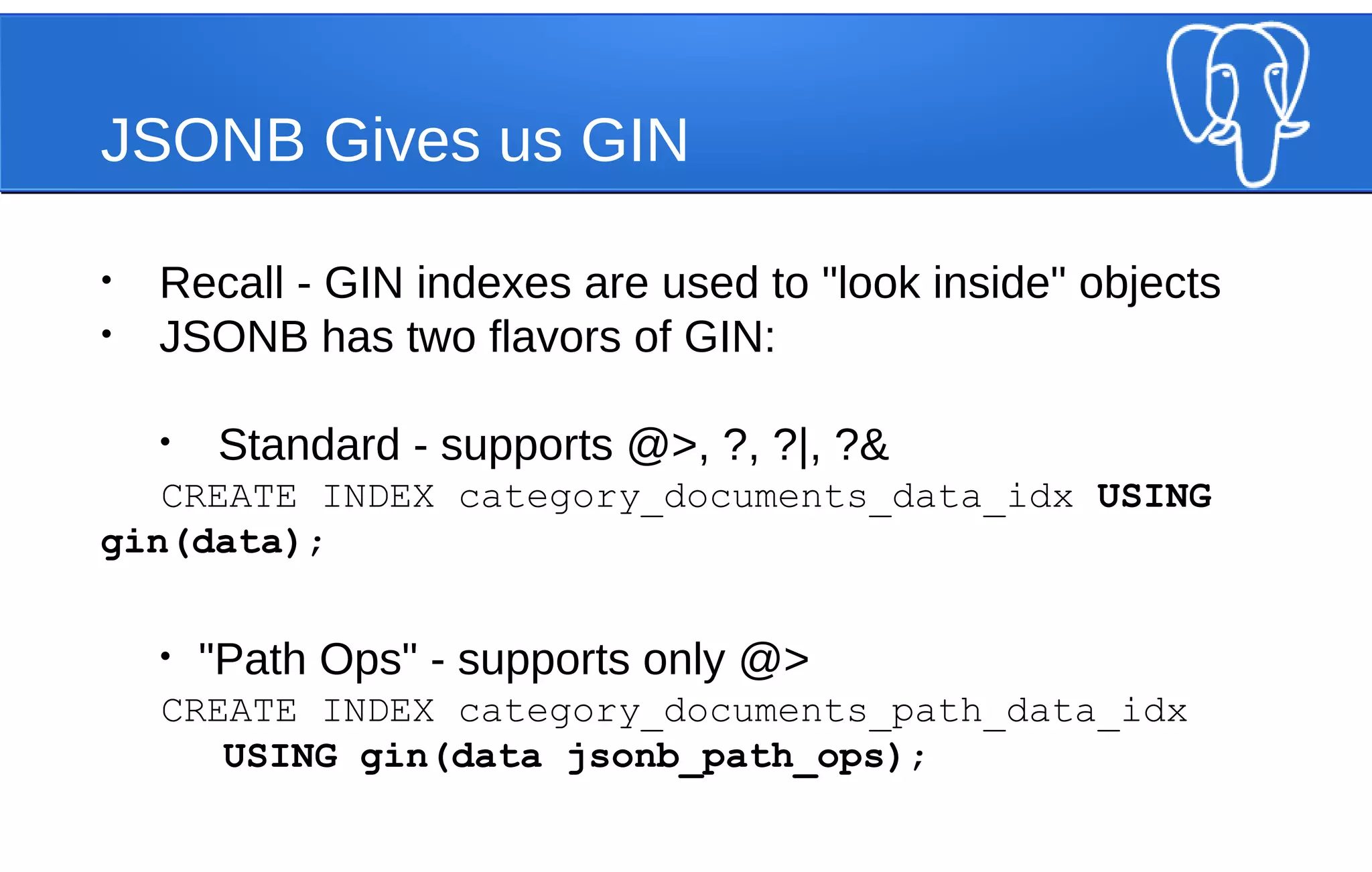
JSONB Gives us GIN
• Recall - GIN indexes are used to "look inside" objects
• JSONB has two flavors of GIN:
• Standard - supports @>, ?, ?|, ?&
CREATE INDEX category_documents_data_idx USING
gin(data);
• "Path Ops" - supports only @>
CREATE INDEX category_documents_path_data_idx
USING gin(data jsonb_path_ops);
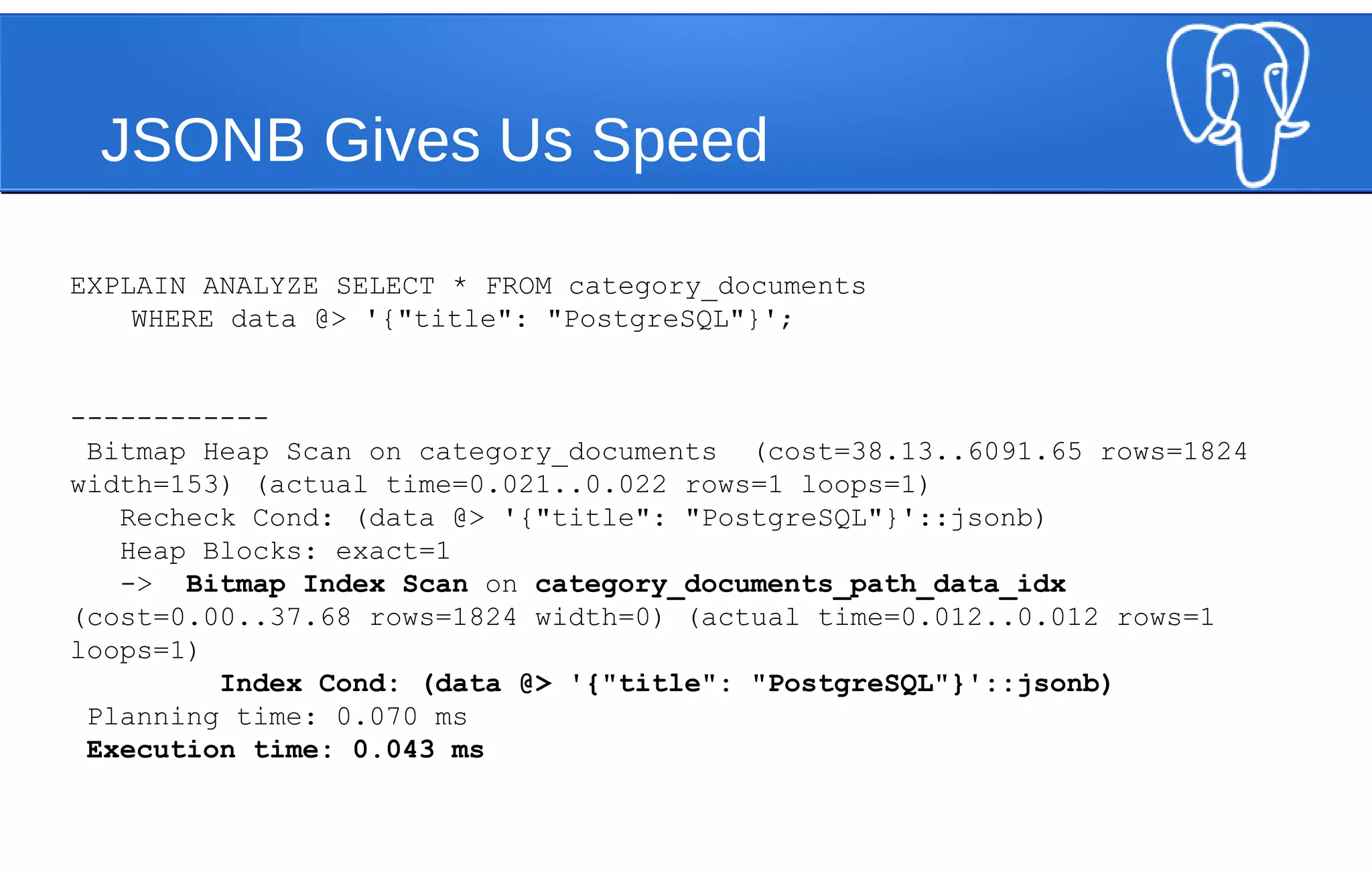
JSONB Gives Us Speed
EXPLAIN ANALYZE SELECT * FROM category_documents
WHERE data @> '{"title": "PostgreSQL"}';
------------
Bitmap Heap Scan on category_documents (cost=38.13..6091.65 rows=1824
width=153) (actual time=0.021..0.022 rows=1 loops=1)
Recheck Cond: (data @> '{"title": "PostgreSQL"}'::jsonb)
Heap Blocks: exact=1
-> Bitmap Index Scan on category_documents_path_data_idx
(cost=0.00..37.68 rows=1824 width=0) (actual time=0.012..0.012 rows=1
loops=1)
Index Cond: (data @> '{"title": "PostgreSQL"}'::jsonb)
Planning time: 0.070 ms
Execution time: 0.043 ms
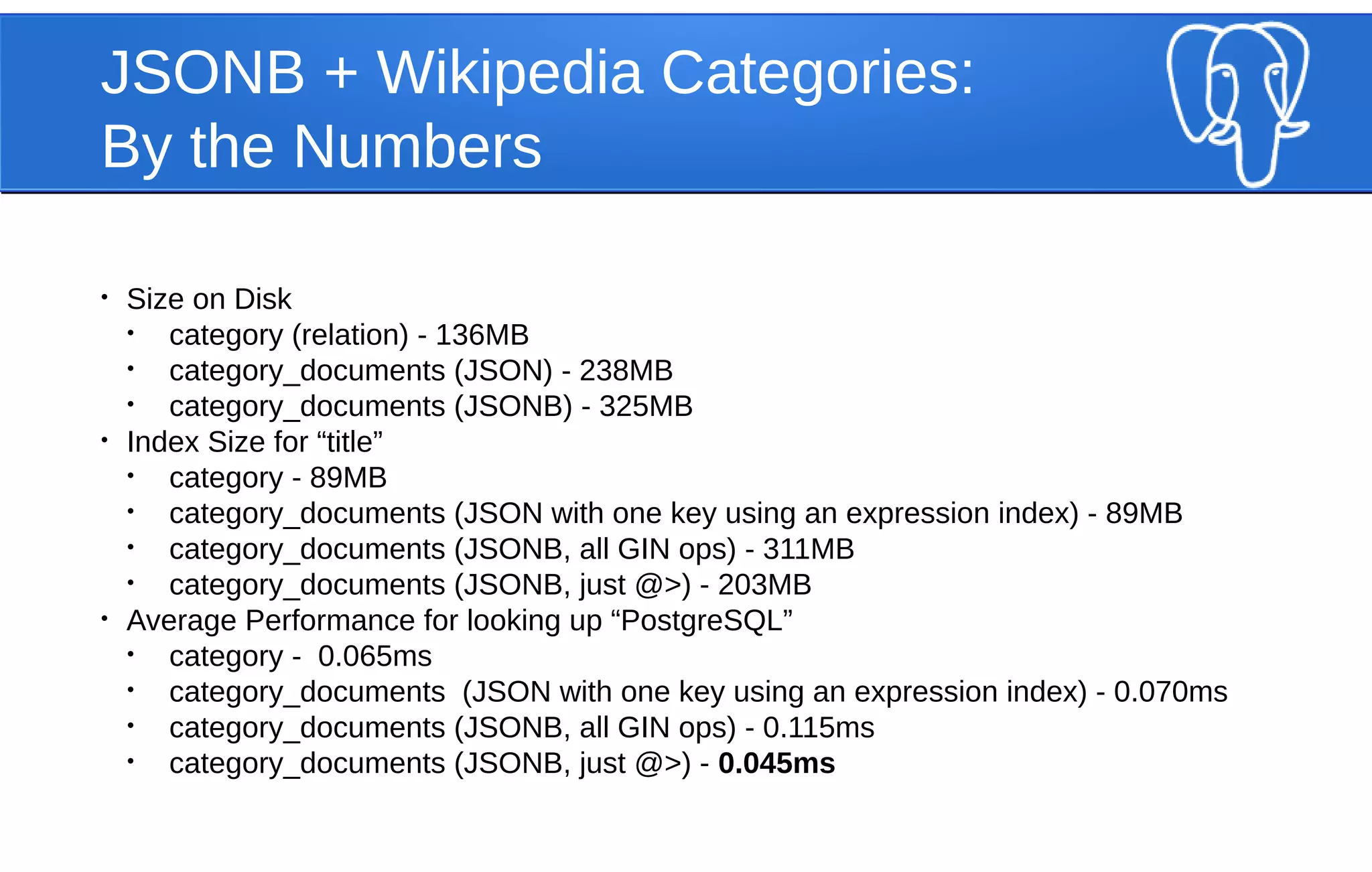
JSONB + Wikipedia Categories:
By the Numbers
• Size on Disk
• category (relation) - 136MB
• category_documents (JSON) - 238MB
• category_documents (JSONB) - 325MB
• Index Size for “title”
• category - 89MB
• category_documents (JSON with one key using an expression index) - 89MB
• category_documents (JSONB, all GIN ops) - 311MB
• category_documents (JSONB, just @>) - 203MB
• Average Performance for looking up “PostgreSQL”
• category - 0.065ms
• category_documents (JSON with one key using an expression index) - 0.070ms
• category_documents (JSONB, all GIN ops) - 0.115ms
• category_documents (JSONB, just @>) - 0.045ms
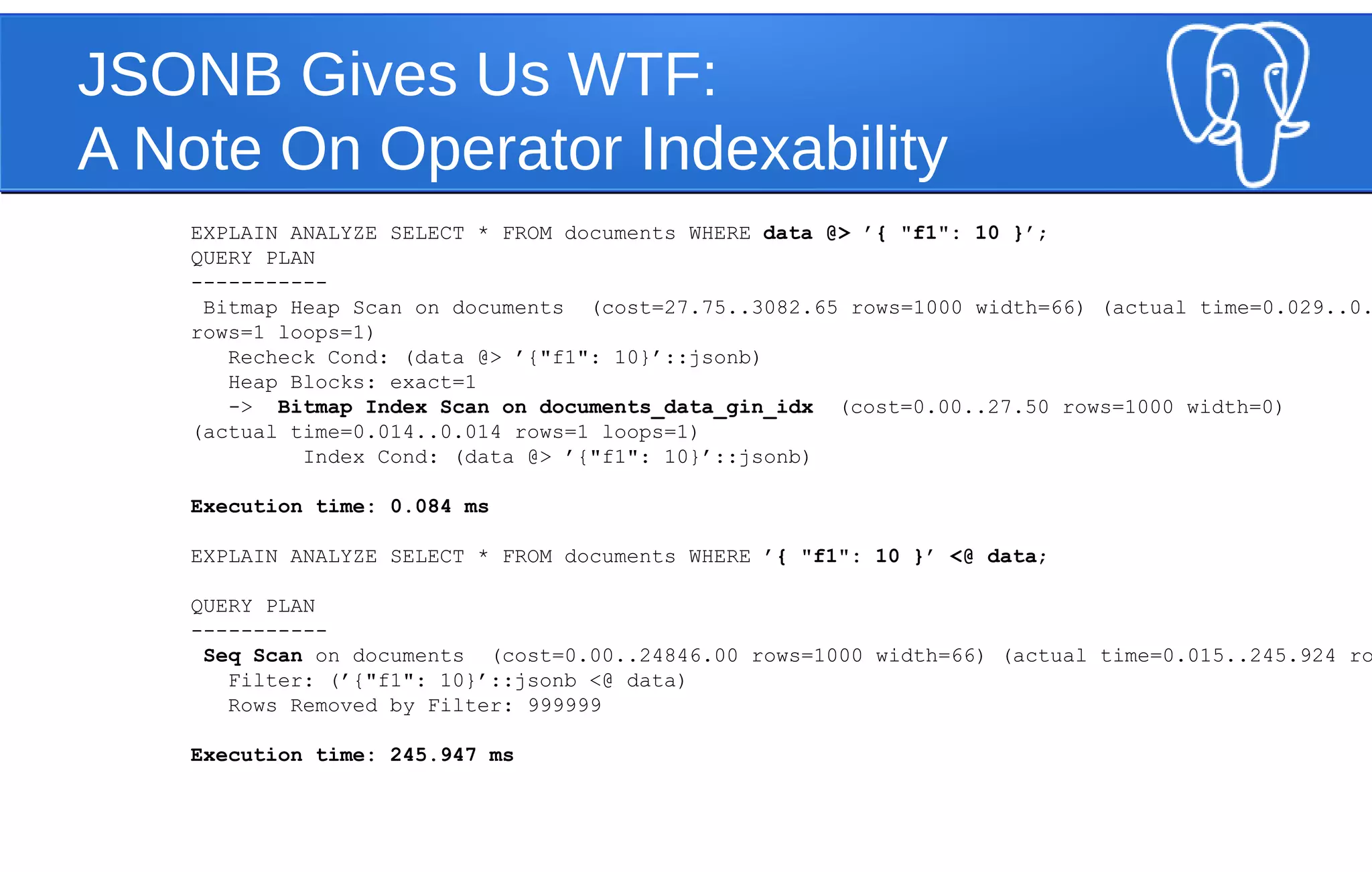
JSONB Gives Us WTF:
A Note On Operator Indexability
EXPLAIN ANALYZE SELECT * FROM documents WHERE data @> ’{ "f1": 10 }’;
QUERY PLAN
-----------
Bitmap Heap Scan on documents (cost=27.75..3082.65 rows=1000 width=66) (actual time=0.029..0.
rows=1 loops=1)
Recheck Cond: (data @> ’{"f1": 10}’::jsonb)
Heap Blocks: exact=1
-> Bitmap Index Scan on documents_data_gin_idx (cost=0.00..27.50 rows=1000 width=0)
(actual time=0.014..0.014 rows=1 loops=1)
Index Cond: (data @> ’{"f1": 10}’::jsonb)
Execution time: 0.084 ms
EXPLAIN ANALYZE SELECT * FROM documents WHERE ’{ "f1": 10 }’ <@ data;
QUERY PLAN
-----------
Seq Scan on documents (cost=0.00..24846.00 rows=1000 width=66) (actual time=0.015..245.924 ro
Filter: (’{"f1": 10}’::jsonb <@ data)
Rows Removed by Filter: 999999
Execution time: 245.947 ms
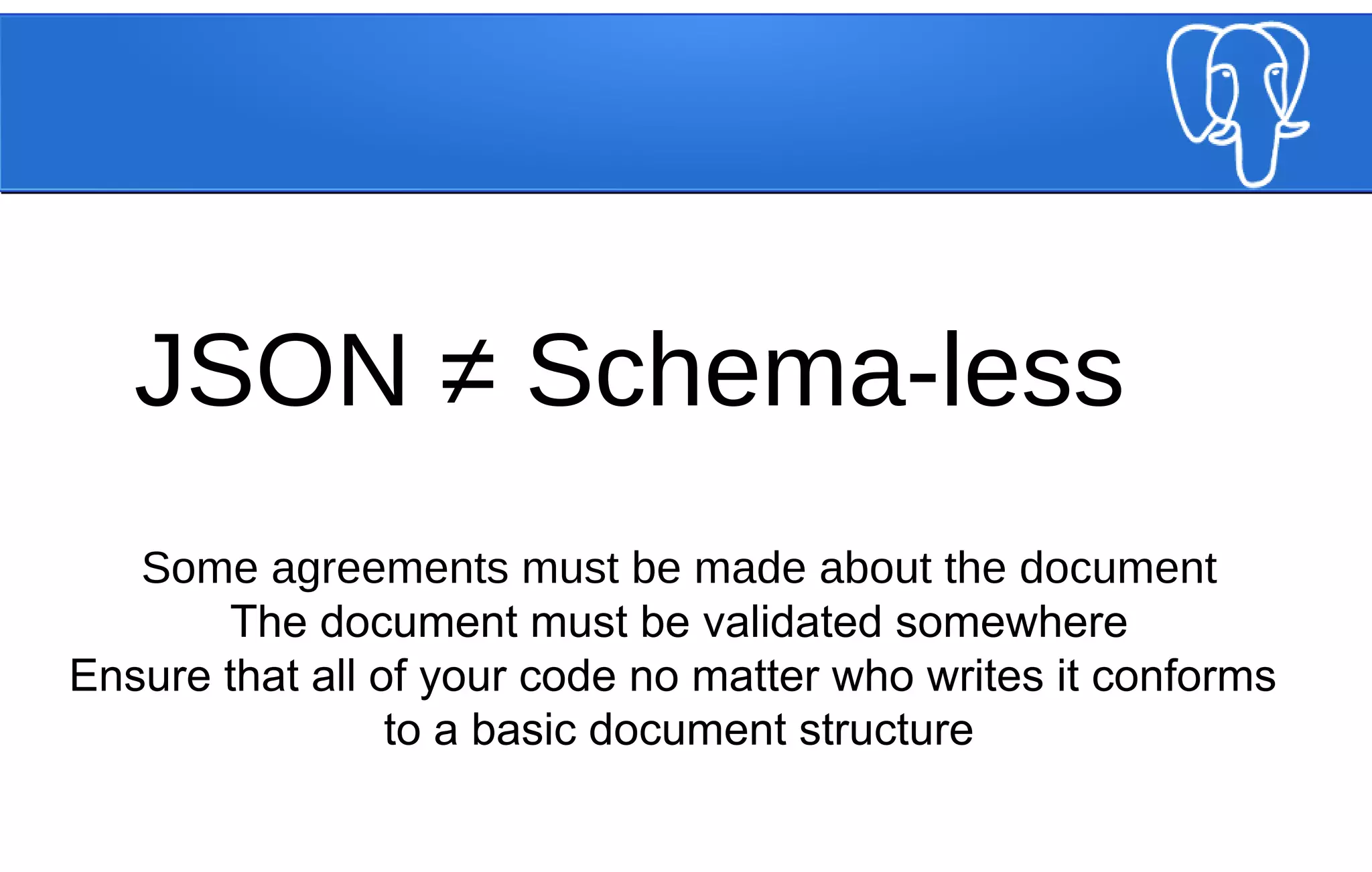
JSON ≠ Schema-less
Some agreements must be made about the document
The document must be validated somewhere
Ensure that all of your code no matter who writes it conforms
to a basic document structure
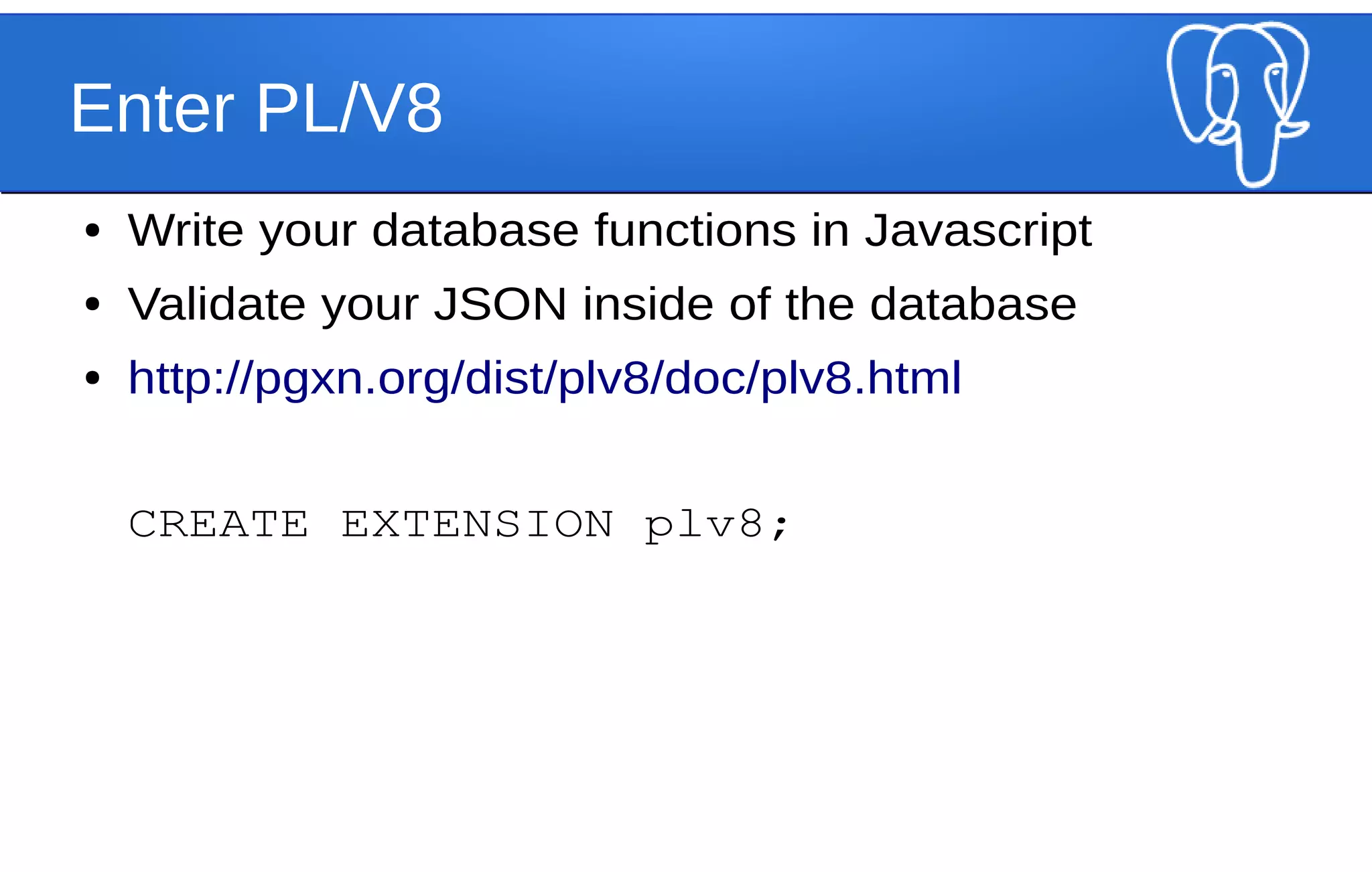
Enter PL/V8
● Write your database functions in Javascript
● Validate your JSON inside of the database
● http://pgxn.org/dist/plv8/doc/plv8.html
CREATE EXTENSION plv8;
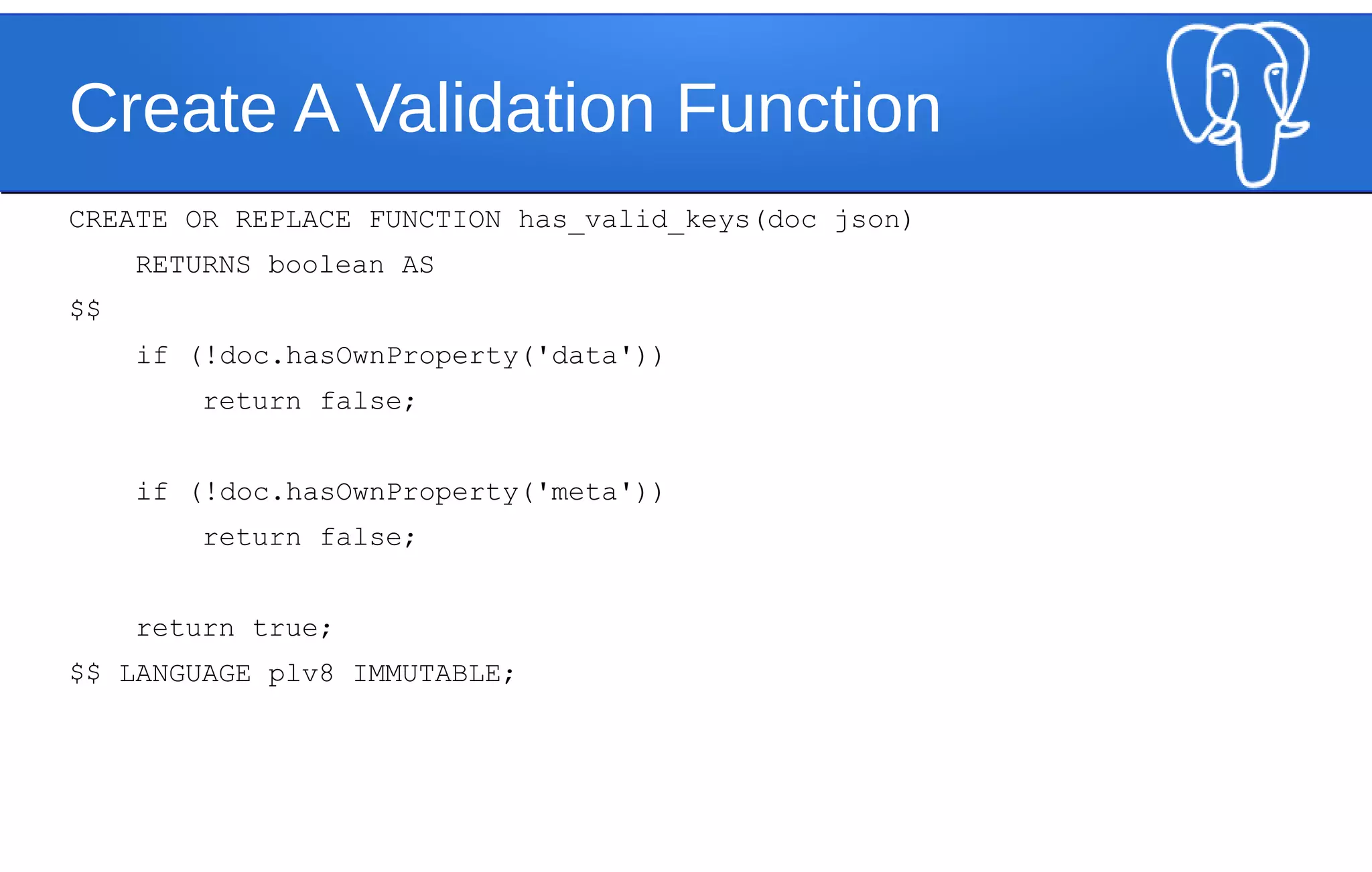
Create A Validation Function
CREATE OR REPLACE FUNCTION has_valid_keys(doc json)
RETURNS boolean AS
$$
if (!doc.hasOwnProperty('data'))
return false;
if (!doc.hasOwnProperty('meta'))
return false;
return true;
$$ LANGUAGE plv8 IMMUTABLE;
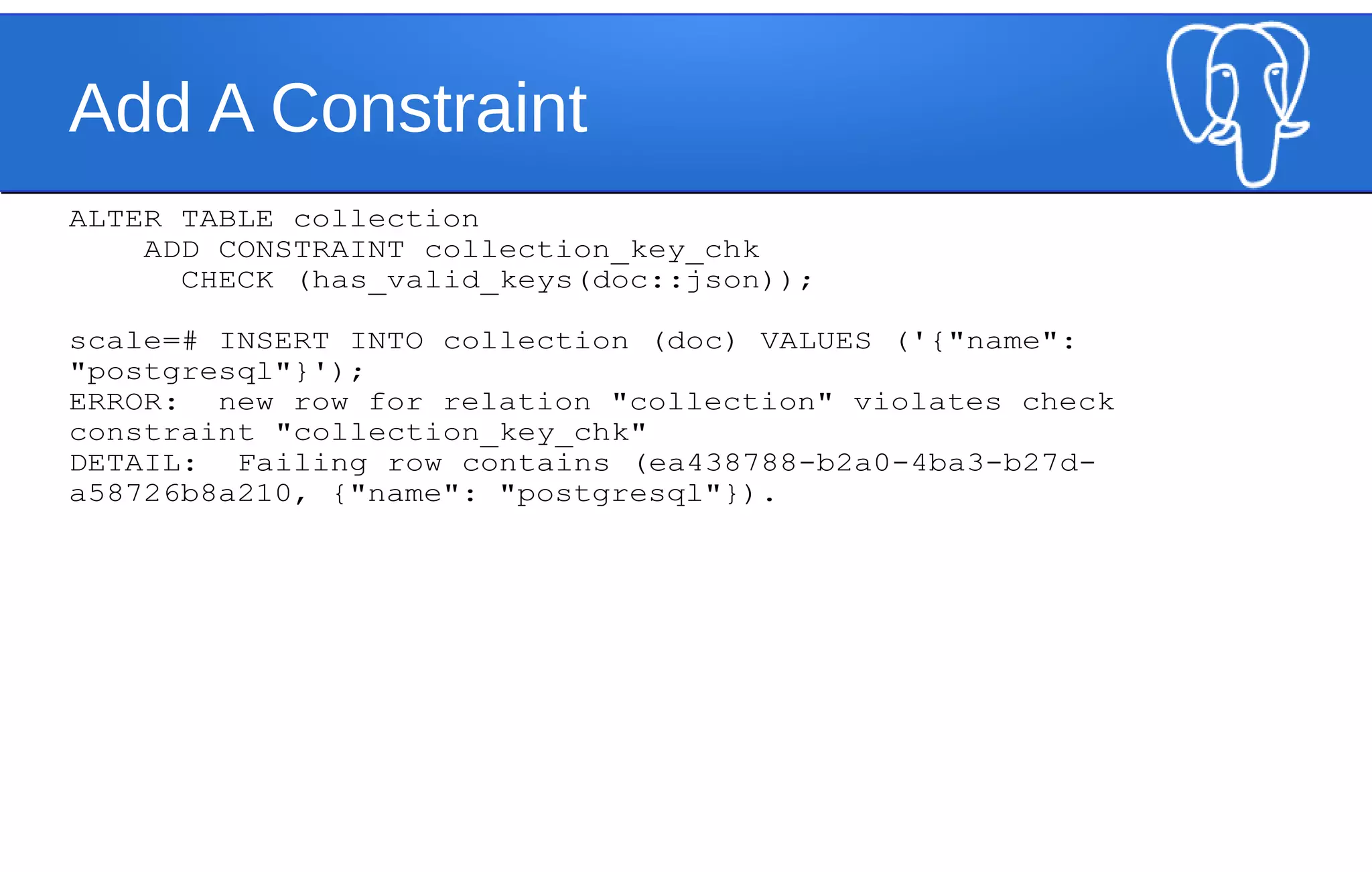
Add A Constraint
ALTER TABLE collection
ADD CONSTRAINT collection_key_chk
CHECK (has_valid_keys(doc::json));
scale=# INSERT INTO collection (doc) VALUES ('{"name":
"postgresql"}');
ERROR: new row for relation "collection" violates check
constraint "collection_key_chk"
DETAIL: Failing row contains (ea438788-b2a0-4ba3-b27d-
a58726b8a210, {"name": "postgresql"}).
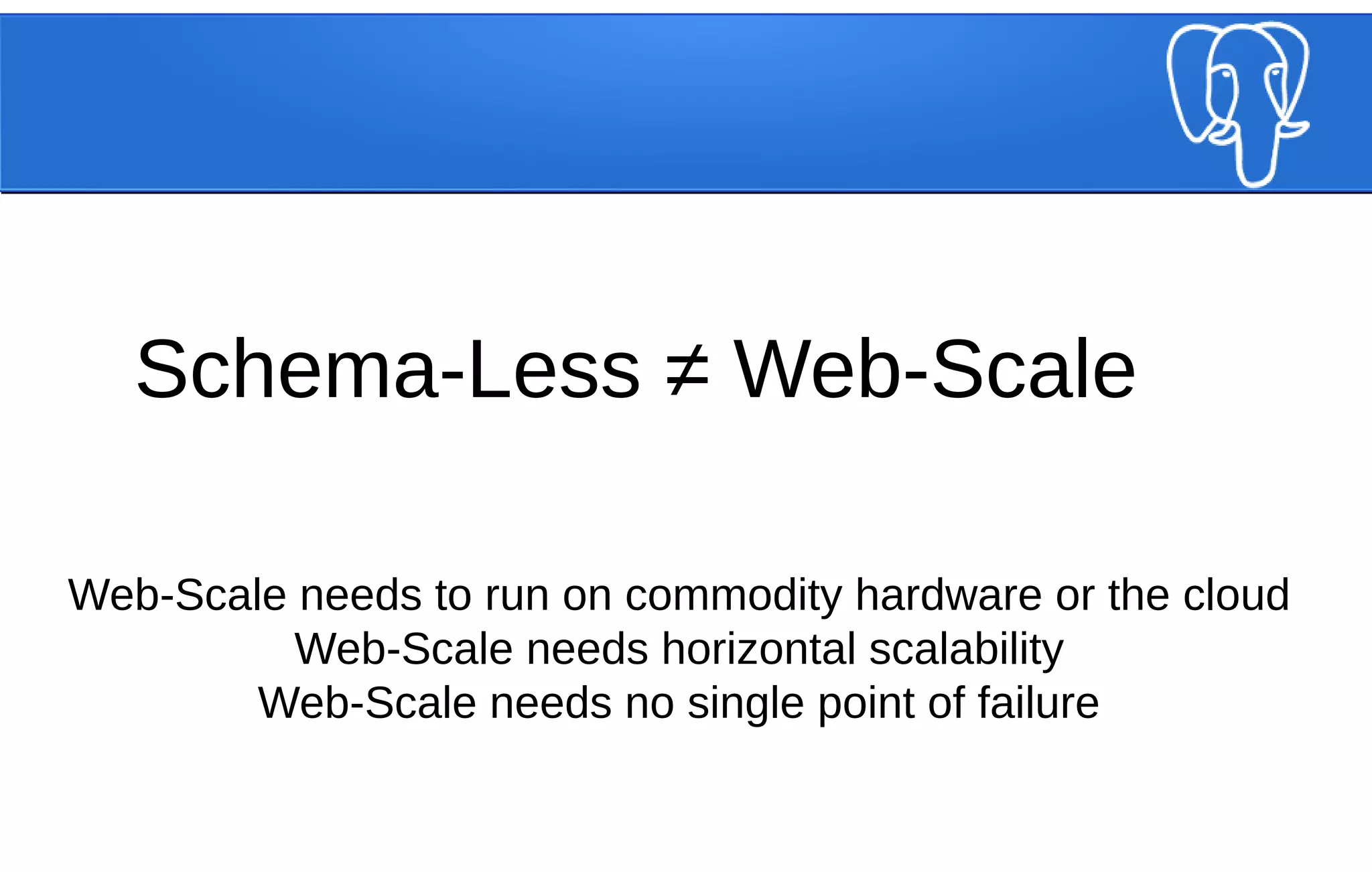
Schema-Less ≠ Web-Scale
Web-Scale needs to run on commodity hardware or the cloud
Web-Scale needs horizontal scalability
Web-Scale needs no single point of failure
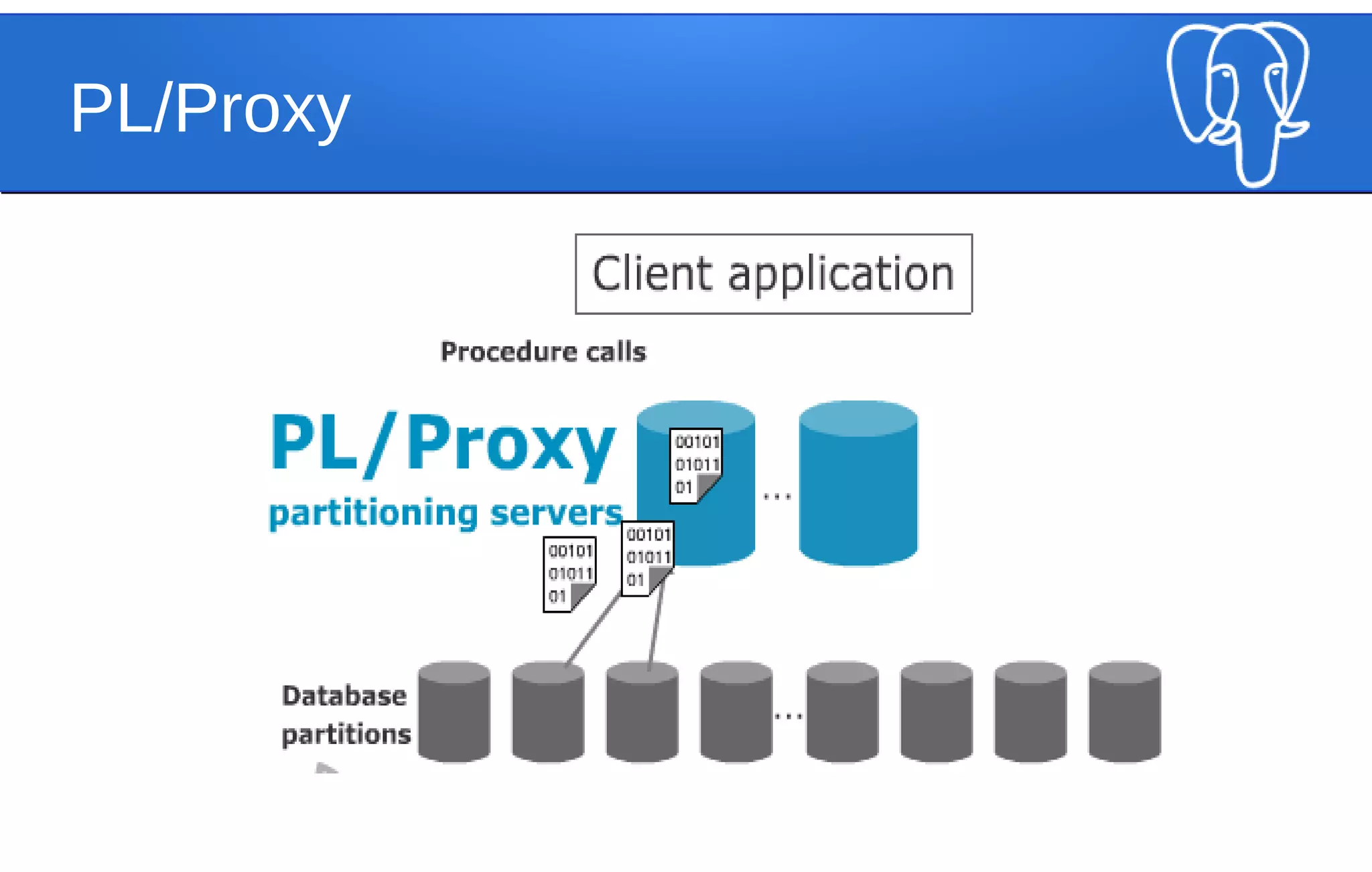
Enter PL/Proxy
● Developed by Skype
● Allows for scalability and parallelization
● http://pgfoundry.org/projects/plproxy/
● Used by many large organizations around the
world
PL/Proxy
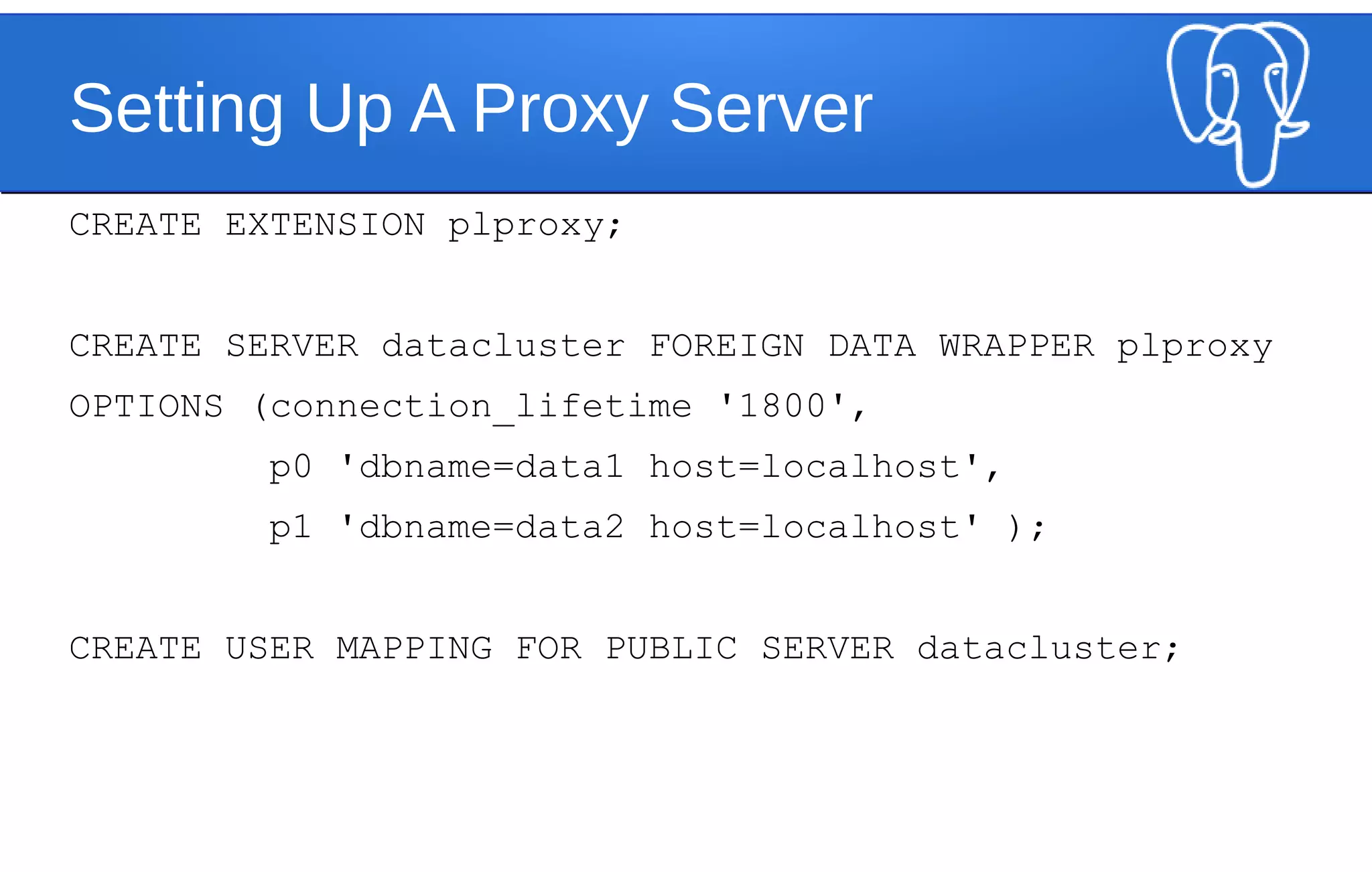
Setting Up A Proxy Server
CREATE EXTENSION plproxy;
CREATE SERVER datacluster FOREIGN DATA WRAPPER plproxy
OPTIONS (connection_lifetime '1800',
p0 'dbname=data1 host=localhost',
p1 'dbname=data2 host=localhost' );
CREATE USER MAPPING FOR PUBLIC SERVER datacluster;
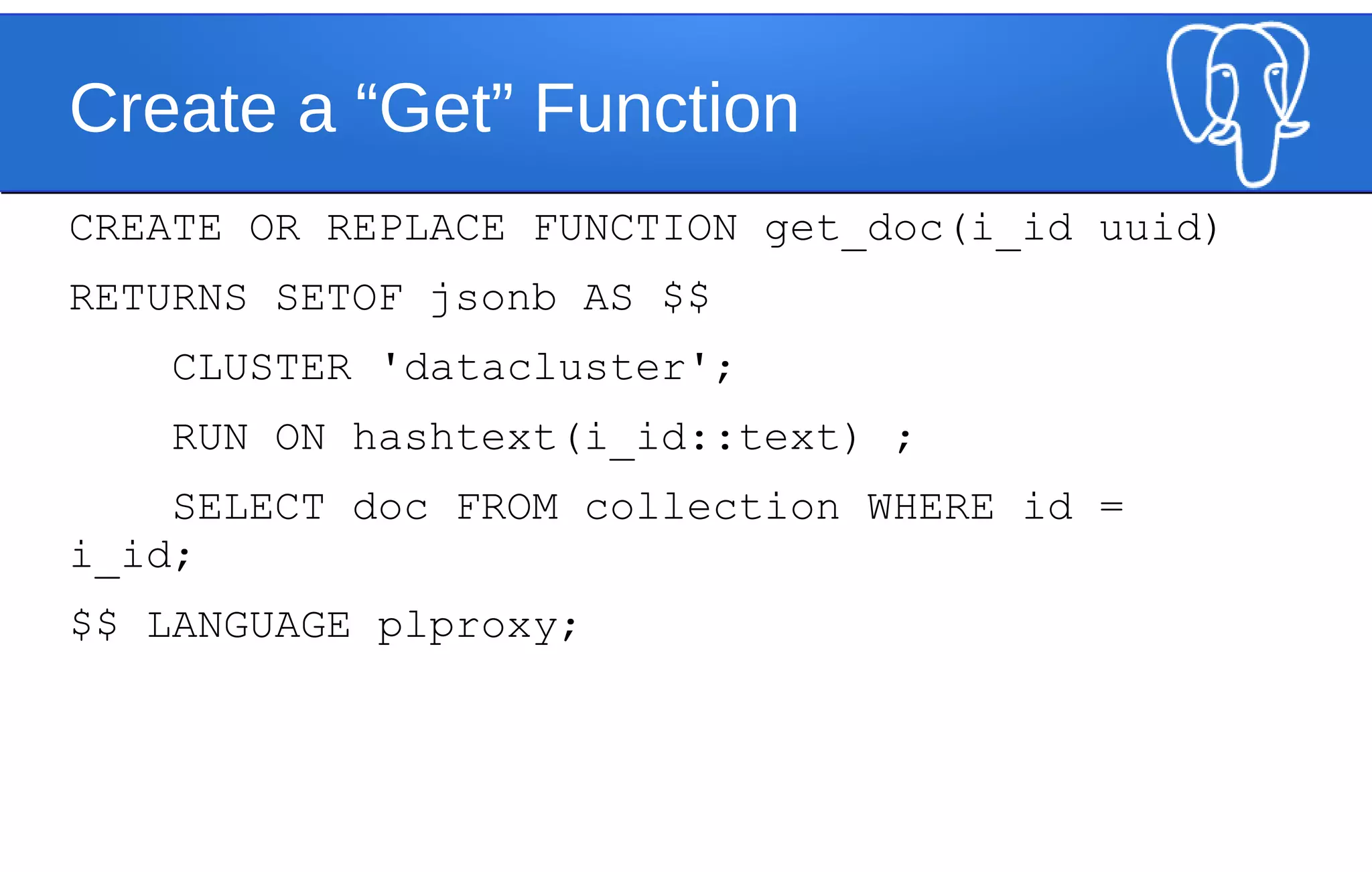
Create a “Get” Function
CREATE OR REPLACE FUNCTION get_doc(i_id uuid)
RETURNS SETOF jsonb AS $$
CLUSTER 'datacluster';
RUN ON hashtext(i_id::text) ;
SELECT doc FROM collection WHERE id =
i_id;
$$ LANGUAGE plproxy;
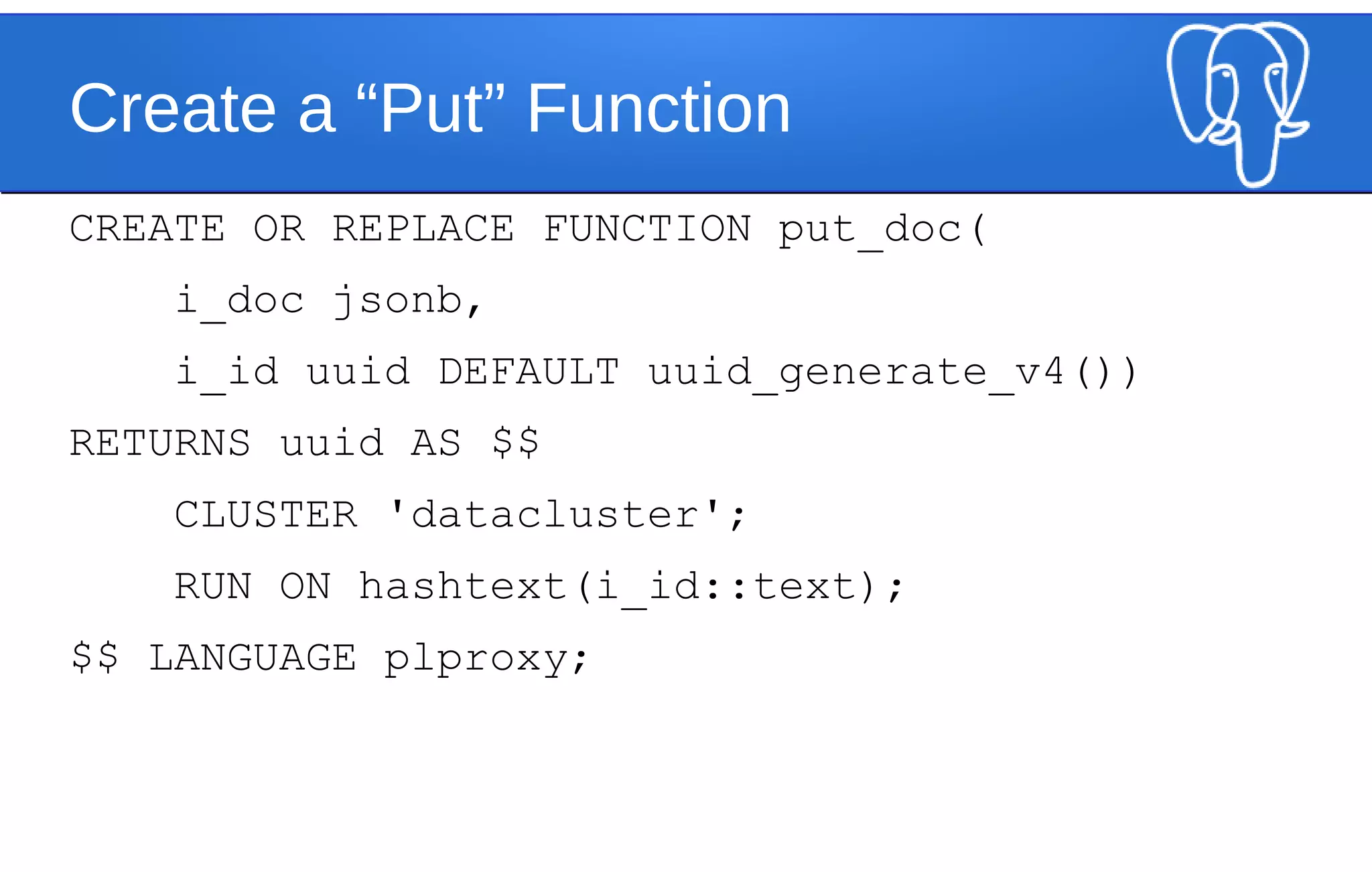
Create a “Put” Function
CREATE OR REPLACE FUNCTION put_doc(
i_doc jsonb,
i_id uuid DEFAULT uuid_generate_v4())
RETURNS uuid AS $$
CLUSTER 'datacluster';
RUN ON hashtext(i_id::text);
$$ LANGUAGE plproxy;
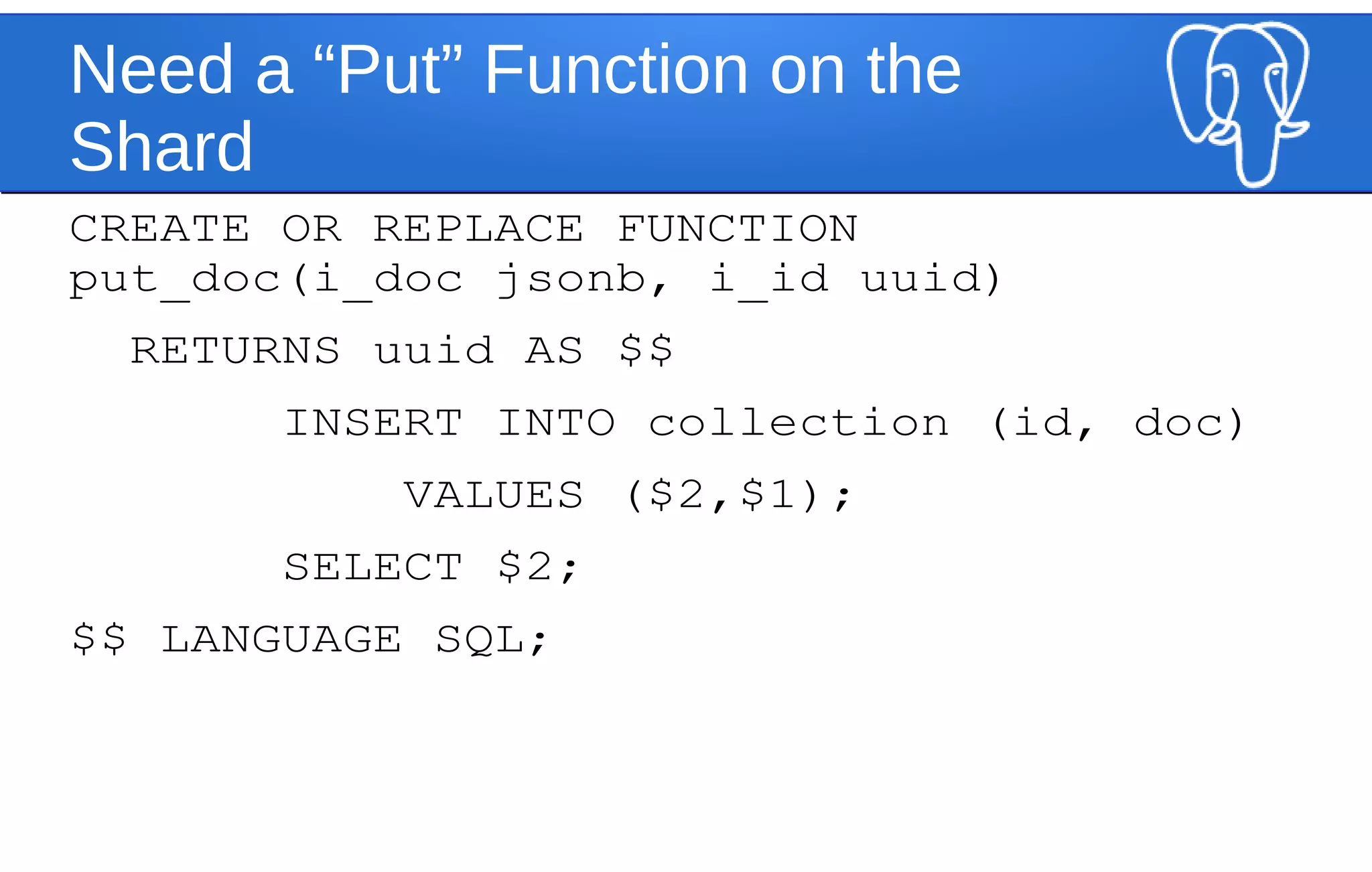
Need a “Put” Function on the
Shard
CREATE OR REPLACE FUNCTION
put_doc(i_doc jsonb, i_id uuid)
RETURNS uuid AS $$
INSERT INTO collection (id, doc)
VALUES ($2,$1);
SELECT $2;
$$ LANGUAGE SQL;
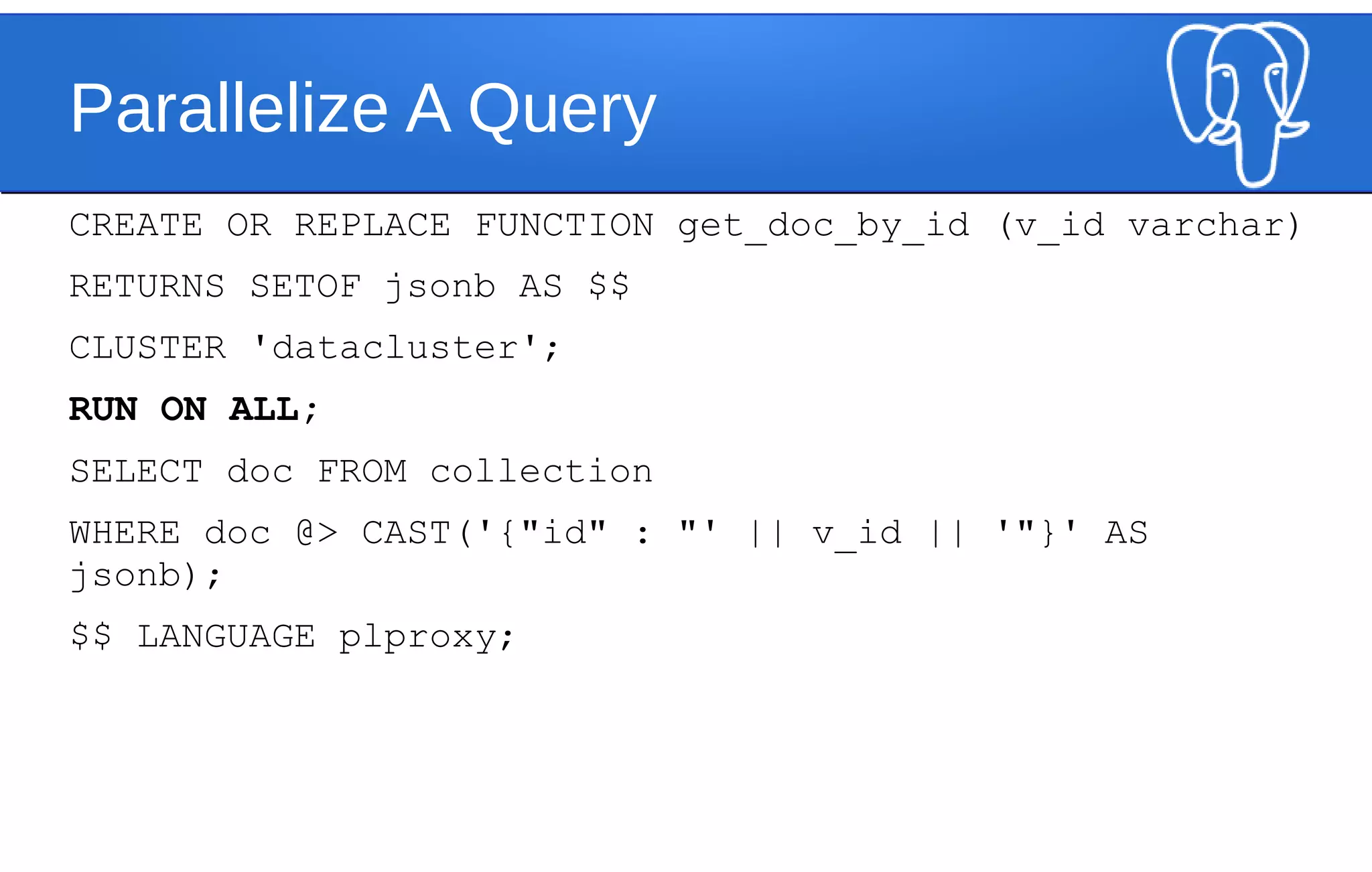
Parallelize A Query
CREATE OR REPLACE FUNCTION get_doc_by_id (v_id varchar)
RETURNS SETOF jsonb AS $$
CLUSTER 'datacluster';
RUN ON ALL;
SELECT doc FROM collection
WHERE doc @> CAST('{"id" : "' || v_id || '"}' AS
jsonb);
$$ LANGUAGE plproxy;
Is PostgreSQL Web-Scale
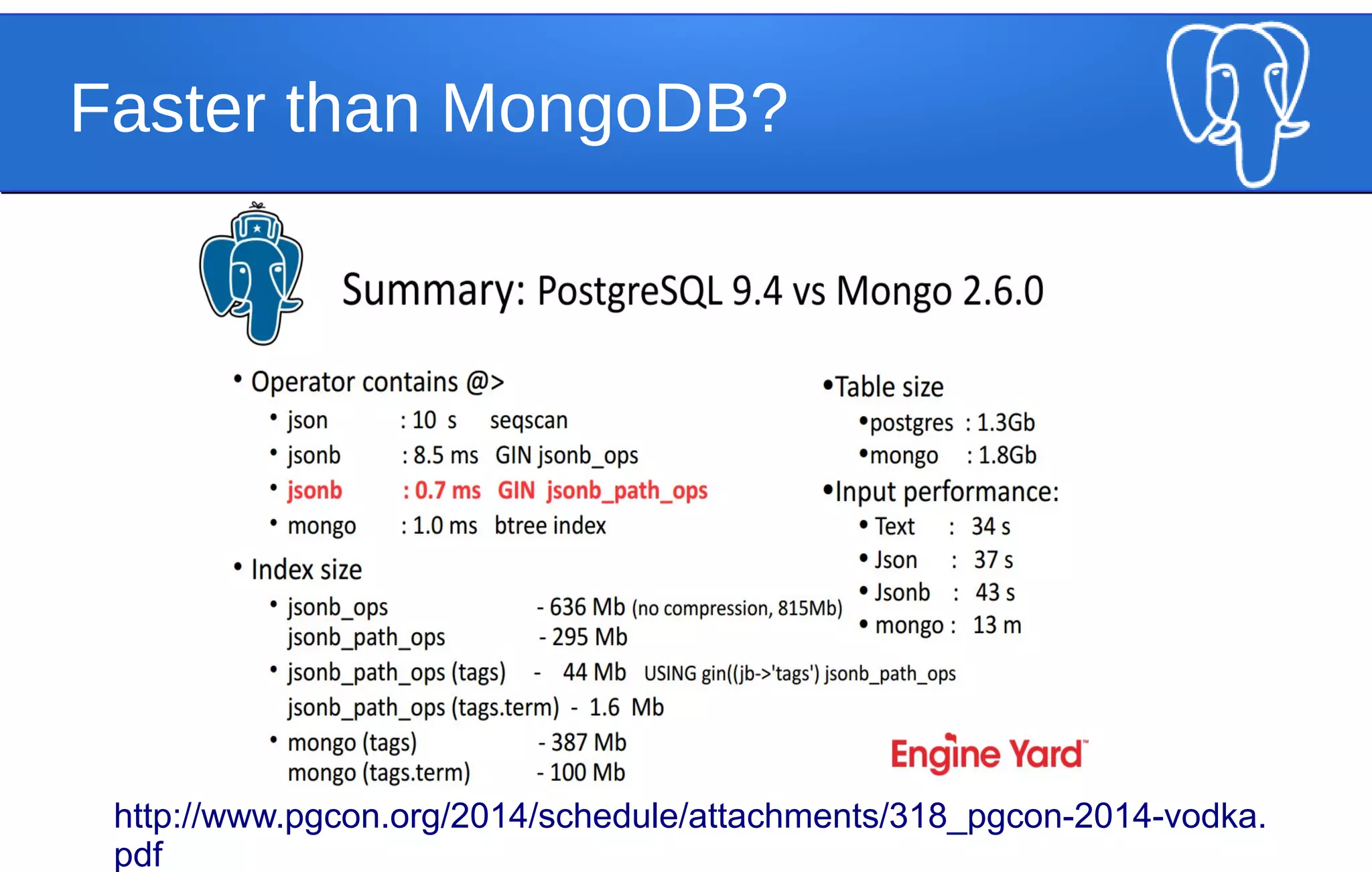
Faster than MongoDB?
http://www.pgcon.org/2014/schedule/attachments/318_pgcon-2014-vodka.
pdf
Who is running PostgreSQL?
Questions?

Webscale PostgreSQL - JSONB and Horizontal Scaling Strategies

  • 1.
    Web-Scale PostgreSQL Web-Scale PostgreSQL Jonathan S. Katz& Jim Mlodgenski NYC PostgreSQL User Group August 11, 2014
  • 2.
    Who Are We? ●Jonathan S. Katz – CTO, VenueBook – jonathan@venuebook.com – @jkatz05 ● Jim Mlodgenski – CTO, OpenSCG – jimm@openscg.com – @jim_mlodgenski
  • 3.
    Edgar Frank “Ted”Codd "A Relational Model of Data for Large Shared Data Banks"
  • 4.
    The Relational Model ●All data => “n-ary relations” ● Relation => set of n-tuples ● Tuple => ordered set of attribute values ● Attribute Value => (attribute name, type name) ● Type => classification of the data (“domain”) ● Data is kept consistent via “constraints” ● Data is manipulated using “relational algebra”
  • 5.
    And This GivesUs… ● Math! ● Normalization! ● SQL!
  • 6.
    Relation Model ≠SQL ● (Well yeah, SQL is derived from relational algebra, but still…) ● SQL deviates from the relational model with: – duplicate rows – anonymous columns (think functions, operations) – strict column order with storage – NULL
  • 7.
  • 8.
  • 10.
    Now Back inthe Real World… • Data is imperfect • Data is stored imperfectly • Data is sometimes transferred between different systems • And sometimes we just don’t want to go through the hassle of SQL
  • 11.
    In Short There aremany different ways to represent data
  • 12.
    1 => 7 "a"=> "b" TRUE => ["car", "boat", "plane"] Key-Value Pairs (or a “hash”) (also Postgres supports this - see “hstore”)
  • 13.
    Graph Database (sorry forthe bad example)
  • 14.
    XML (sorry) (and Postgres supports this) <?xmlversion=“1.0”?> <addresses> <address company_name=“Data Co.”> <street1>123 Fake St</street1> <street2>#24</street2> <city>New York</city> <state>NY</state> <zip>10001</zip> </address> <address company_name=“Graph Inc.”> <street1>157 Fake St</street1> <street2></street2> <city>New York</city> <state>NY</state> <zip>10001</zip> </address> </addresses>
  • 15.
    JSON (which is whywe’re here tonight, right?) [ { “company_name”: “Data Co.”, “street1”: “123 Fake St”, “street2”: “#24”, “city”: “New York”, “state”: “NY”, “zip”: “10001” }, { “company_name: “Graph Inc.”, “street1”: “157 Fake St”, “city”: “New York”, “state”: “NY”, “zip”: “10001” } ]
  • 16.
    JSON and PostgreSQL ● Startedin 2010 as a Google Summer of Code Project – https://wiki.postgresql.org/wiki/JSON_datatype_GSo C_2010 ● Goal: be similar to XML data type functionality in Postgres ● Be committed as an extension for PostgreSQL 9.1
  • 17.
    What Happened? • Differentproposals over how to finalize the implementation – binary vs. text • Core vs Extension • Discussions between “old” vs. “new” ways of packaging for extensions
  • 18.
  • 19.
  • 20.
    PostgreSQL 9.2: JSON •JSON data type in core PostgreSQL • based on RFC 4627 • only “strictly” follows if your database encoding is UTF-8 • text-based format • checks for validity
  • 21.
    PostgreSQL 9.2: JSON SELECT'[{"PUG": "NYC"}]'::json; json ------------------ [{"PUG": "NYC"}] SELECT '[{"PUG": "NYC"]'::json; ERROR: invalid input syntax for type json at character 8 DETAIL: Expected "," or "}", but found "]". CONTEXT: JSON data, line 1: [{"PUG": "NYC"]
  • 22.
    PostgreSQL 9.2: JSON ● array_to_json SELECTarray_to_json(ARRAY[1,2,3]); array_to_json --------------- [1,2,3]
  • 23.
    PostgreSQL 9.2: JSON ● row_to_json SELECTrow_to_json(category)FROM category; row_to_json ------------ {"cat_id":652,"cat_pages":35,"cat_subcats":17,"cat_files ":0,"title":"Continents"} (1 row)
  • 24.
    PostgreSQL 9.2: JSON Insummary, within core PostgreSQL, it was a starting point
  • 25.
    PostgreSQL 9.3: JSONUps its Game • Added operators and functions to read / prepare JSON • Added casts from hstore to JSON
  • 26.
    PostgreSQL 9.3: JSON OperatorDescription Example -> return JSON array element OR JSON object field '[1,2,3]'::json -> 0; '{"a": 1, "b": 2, "c": 3}'::json -> 'b'; ->> return JSON array element OR JSON object field AS text ['1,2,3]'::json ->> 0; '{"a": 1, "b": 2, "c": 3}'::json ->> 'b'; #> return JSON object using path '{"a": 1, "b": 2, "c": [1,2,3]}'::json #> '{c, 0}'; #>> return JSON object using path AS text '{"a": 1, "b": 2, "c": [1,2,3]}'::json #> '{c, 0}';
  • 27.
    Operator Gotchas SELECT *FROM category_documents WHERE data->'title' = 'PostgreSQL'; ERROR: operator does not exist: json = unknown LINE 1: ...ECT * FROM category_documents WHERE data- >'title' = 'Postgre... ^HINT: No operator matches the given name and argument type(s). You might need to add explicit type casts.
  • 28.
    Operator Gotchas SELECT *FROM category_documents WHERE data->>'title' = 'PostgreSQL'; ----------------------- {"cat_id":252739,"cat_pages":14,"cat_subcats":0, "cat_files":0,"title":"PostgreSQL"} (1 row)
  • 29.
    For the UpcomingExamples • Wikipedia English category titles – all 1,823,644 that I downloaded • Relation looks something like: Column | Type | Modifiers -------------+---------+-------------------- cat_id | integer | not null cat_pages | integer | not null default 0 cat_subcats | integer | not null default 0 cat_files | integer | not null default 0 title | text |
  • 30.
    Performance? EXPLAIN ANALYZE SELECT* FROM category_documents WHERE data->>'title' = 'PostgreSQL'; --------------------- Seq Scan on category_documents (cost=0.00..57894.18 rows=9160 width=32) (actual time=360.083..2712.094 rows=1 loops=1) Filter: ((data ->> 'title'::text) = 'PostgreSQL'::text) Rows Removed by Filter: 1823643 Total runtime: 2712.127 ms
  • 31.
    Performance? CREATE INDEX category_documents_idxON category_documents (data); ERROR: data type json has no default operator class for access method "btree" HINT: You must specify an operator class for the index or define a default operator class for the data type.
  • 32.
    Let’s Be Clever •json_extract_path, json_extract_path_text – LIKE (#>, #>>) but with list of args SELECT json_extract_path( '{"a": 1, "b": 2, "c": [1,2,3]}’::json, 'c', ‘0’); -------- 1
  • 33.
    Performance Revisited CREATE INDEXcategory_documents_data_idx ON category_documents (json_extract_path_text(data, ‘title')); EXPLAIN ANALYZE SELECT * FROM category_documents WHERE json_extract_path_text(data, 'title') = 'PostgreSQL'; -------------------- Bitmap Heap Scan on category_documents (cost=303.09..20011.96 rows=9118 width=32) (actual time=0.090..0.091 rows=1 loops=1) Recheck Cond: (json_extract_path_text(data, VARIADIC '{title}'::text[]) = 'PostgreSQL'::text) -> Bitmap Index Scan on category_documents_data_idx (cost=0.00..300.81 rows=9118 width=0) (actual time=0.086..0.086 rows=1 loops=1) Index Cond: (json_extract_path_text(data, VARIADIC '{title}'::text[]) = 'PostgreSQL'::text) Total runtime: 0.105 ms
  • 34.
    The Relation vsJSON • Size on Disk • category (relation) - 136MB • category_documents (JSON) - 238MB • Index Size for “title” • category - 89MB • category_documents - 89MB • Average Performance for looking up “PostgreSQL” • category - 0.065ms • category_documents - 0.070ms
  • 35.
    JSON => SET •to_json • json_each, json_each_text SELECT * FROM json_each('{"a": 1, "b": [2,3,4], "c": "wow"}'::json); key | value -----+--------- a | 1 b | [2,3,4] c | "wow"
  • 36.
    JSON Keys • json_object_keys SELECT* FROM json_object_keys( '{"a": 1, "b": [2,3,4], "c": { "e": "wow" }}’::json ); -------- a b c
  • 37.
    Populating JSON Records •json_populate_record CREATE TABLE stuff (a int, b text, c int[]); SELECT * FROM json_populate_record( NULL::stuff, '{"a": 1, "b": “wow"}' ); a | b | c ---+-----+--- 1 | wow | SELECT * FROM json_populate_record( NULL::stuff, '{"a": 1, "b": "wow", "c": [4,5,6]}’ ); ERROR: cannot call json_populate_record on a nested object
  • 38.
    Populating JSON Records ● json_populate_recordset SELECT* FROM json_populate_recordset(NULL::stuff, ‘[ {"a": 1, "b": "wow"}, {"a": 2, "b": "cool"} ]'); a | b | c ---+------+--- 1 | wow | 2 | cool |
  • 39.
    JSON Aggregates • (thisis pretty cool) • json_agg SELECT b, json_agg(stuff) FROM stuff GROUP BY b; b | json_agg ------+---------------------------------- neat | [{"a":4,"b":"neat","c":[4,5,6]}] wow | [{"a":1,"b":"wow","c":[1,2,3]}, + | {"a":3,"b":"wow","c":[7,8,9]}] cool | [{"a":2,"b":"cool","c":[4,5,6]}]
  • 40.
    hstore gets inthe game • hstore_to_json • converts hstore to json, treating all values as strings • hstore_to_json_loose • converts hstore to json, but also tries to distinguish between data types and “convert” them to proper JSON representations SELECT hstore_to_json_loose(‘"a key"=>1, b=>t, c=>null, d=>12345, e=>012345, f=>1.234, g=>2.345e+4'); ---------------- {"b": true, "c": null, "d": 12345, "e": "012345", "f": 1.234, "g": 2.345e+4, "a key": 1}
  • 41.
    Next Steps? • InPostgreSQL 9.3, JSON became much more useful, but… • Difficult to search within JSON • Difficult to build new JSON objects
  • 42.
    “Nested hstore” • Proposedat PGCon 2013 by Oleg Bartunov and Teodor Sigaev • Hierarchical key-value storage system that supports arrays too and stored in binary format • Takes advantage of GIN indexing mechanism in PostgreSQL • “Generalized Inverted Index” • Built to search within composite objects • Arrays, fulltext search, hstore • …JSON?
  • 43.
    How JSONB Cameto Be • JSON is the “lingua franca per trasmissione la data nella web” • The PostgreSQL JSON type was in a text format and preserved text exactly as input • e.g. duplicate keys are preserved • Create a new data type that merges the nested Hstore work to create a JSON type stored in a binary format: JSONB
  • 44.
    JSONB ≠ BSON BSONis a data type created by MongoDB as a “superset of JSON” JSONB lives in PostgreSQL and is just JSON that is stored in a binary format on disk
  • 45.
    JSONB Gives UsMore Operators • a @> b - is b contained within a? • { "a": 1, "b": 2 } @> { "a": 1} -- TRUE • a <@ b - is a contained within b? • { "a": 1 } <@ { "a": 1, "b": 2 } -- TRUE • a ? b - does the key “b” exist in JSONB a? • { "a": 1, "b": 2 } ? 'a' -- TRUE • a ?| b - does the array of keys in “b” exist in JSONB a? • { "a": 1, "b": 2 } ?| ARRAY['b', 'c'] -- TRUE • a ?& b - does the array of keys in "b" exist in JSONB a? • { "a": 1, "b": 2 } ?& ARRAY['a', 'b'] -- TRUE
  • 46.
    JSONB Gives UsFlexibility SELECT * FROM category_documents WHERE data @> '{"title": "PostgreSQL"}'; ---------------- {"title": "PostgreSQL", "cat_id": 252739, "cat_files": 0, "cat_pages": 14, "cat_subcats": 0} SELECT * FROM category_documents WHERE data @> '{"cat_id": 5432 }'; ---------------- {"title": "1394 establishments", "cat_id": 5432, "cat_files": 0, "cat_pages": 4, "cat_subcats": 2}
  • 47.
    JSONB Gives usGIN • Recall - GIN indexes are used to "look inside" objects • JSONB has two flavors of GIN: • Standard - supports @>, ?, ?|, ?& CREATE INDEX category_documents_data_idx USING gin(data); • "Path Ops" - supports only @> CREATE INDEX category_documents_path_data_idx USING gin(data jsonb_path_ops);
  • 48.
    JSONB Gives UsSpeed EXPLAIN ANALYZE SELECT * FROM category_documents WHERE data @> '{"title": "PostgreSQL"}'; ------------ Bitmap Heap Scan on category_documents (cost=38.13..6091.65 rows=1824 width=153) (actual time=0.021..0.022 rows=1 loops=1) Recheck Cond: (data @> '{"title": "PostgreSQL"}'::jsonb) Heap Blocks: exact=1 -> Bitmap Index Scan on category_documents_path_data_idx (cost=0.00..37.68 rows=1824 width=0) (actual time=0.012..0.012 rows=1 loops=1) Index Cond: (data @> '{"title": "PostgreSQL"}'::jsonb) Planning time: 0.070 ms Execution time: 0.043 ms
  • 49.
    JSONB + WikipediaCategories: By the Numbers • Size on Disk • category (relation) - 136MB • category_documents (JSON) - 238MB • category_documents (JSONB) - 325MB • Index Size for “title” • category - 89MB • category_documents (JSON with one key using an expression index) - 89MB • category_documents (JSONB, all GIN ops) - 311MB • category_documents (JSONB, just @>) - 203MB • Average Performance for looking up “PostgreSQL” • category - 0.065ms • category_documents (JSON with one key using an expression index) - 0.070ms • category_documents (JSONB, all GIN ops) - 0.115ms • category_documents (JSONB, just @>) - 0.045ms
  • 50.
    JSONB Gives UsWTF: A Note On Operator Indexability EXPLAIN ANALYZE SELECT * FROM documents WHERE data @> ’{ "f1": 10 }’; QUERY PLAN ----------- Bitmap Heap Scan on documents (cost=27.75..3082.65 rows=1000 width=66) (actual time=0.029..0. rows=1 loops=1) Recheck Cond: (data @> ’{"f1": 10}’::jsonb) Heap Blocks: exact=1 -> Bitmap Index Scan on documents_data_gin_idx (cost=0.00..27.50 rows=1000 width=0) (actual time=0.014..0.014 rows=1 loops=1) Index Cond: (data @> ’{"f1": 10}’::jsonb) Execution time: 0.084 ms EXPLAIN ANALYZE SELECT * FROM documents WHERE ’{ "f1": 10 }’ <@ data; QUERY PLAN ----------- Seq Scan on documents (cost=0.00..24846.00 rows=1000 width=66) (actual time=0.015..245.924 ro Filter: (’{"f1": 10}’::jsonb <@ data) Rows Removed by Filter: 999999 Execution time: 245.947 ms
  • 51.
    JSON ≠ Schema-less Someagreements must be made about the document The document must be validated somewhere Ensure that all of your code no matter who writes it conforms to a basic document structure
  • 52.
    Enter PL/V8 ● Writeyour database functions in Javascript ● Validate your JSON inside of the database ● http://pgxn.org/dist/plv8/doc/plv8.html CREATE EXTENSION plv8;
  • 53.
    Create A ValidationFunction CREATE OR REPLACE FUNCTION has_valid_keys(doc json) RETURNS boolean AS $$ if (!doc.hasOwnProperty('data')) return false; if (!doc.hasOwnProperty('meta')) return false; return true; $$ LANGUAGE plv8 IMMUTABLE;
  • 54.
    Add A Constraint ALTERTABLE collection ADD CONSTRAINT collection_key_chk CHECK (has_valid_keys(doc::json)); scale=# INSERT INTO collection (doc) VALUES ('{"name": "postgresql"}'); ERROR: new row for relation "collection" violates check constraint "collection_key_chk" DETAIL: Failing row contains (ea438788-b2a0-4ba3-b27d- a58726b8a210, {"name": "postgresql"}).
  • 55.
    Schema-Less ≠ Web-Scale Web-Scaleneeds to run on commodity hardware or the cloud Web-Scale needs horizontal scalability Web-Scale needs no single point of failure
  • 56.
    Enter PL/Proxy ● Developedby Skype ● Allows for scalability and parallelization ● http://pgfoundry.org/projects/plproxy/ ● Used by many large organizations around the world
  • 57.
  • 58.
    Setting Up AProxy Server CREATE EXTENSION plproxy; CREATE SERVER datacluster FOREIGN DATA WRAPPER plproxy OPTIONS (connection_lifetime '1800', p0 'dbname=data1 host=localhost', p1 'dbname=data2 host=localhost' ); CREATE USER MAPPING FOR PUBLIC SERVER datacluster;
  • 59.
    Create a “Get”Function CREATE OR REPLACE FUNCTION get_doc(i_id uuid) RETURNS SETOF jsonb AS $$ CLUSTER 'datacluster'; RUN ON hashtext(i_id::text) ; SELECT doc FROM collection WHERE id = i_id; $$ LANGUAGE plproxy;
  • 60.
    Create a “Put”Function CREATE OR REPLACE FUNCTION put_doc( i_doc jsonb, i_id uuid DEFAULT uuid_generate_v4()) RETURNS uuid AS $$ CLUSTER 'datacluster'; RUN ON hashtext(i_id::text); $$ LANGUAGE plproxy;
  • 61.
    Need a “Put”Function on the Shard CREATE OR REPLACE FUNCTION put_doc(i_doc jsonb, i_id uuid) RETURNS uuid AS $$ INSERT INTO collection (id, doc) VALUES ($2,$1); SELECT $2; $$ LANGUAGE SQL;
  • 62.
    Parallelize A Query CREATEOR REPLACE FUNCTION get_doc_by_id (v_id varchar) RETURNS SETOF jsonb AS $$ CLUSTER 'datacluster'; RUN ON ALL; SELECT doc FROM collection WHERE doc @> CAST('{"id" : "' || v_id || '"}' AS jsonb); $$ LANGUAGE plproxy;
  • 63.
  • 64.
  • 65.
    Who is runningPostgreSQL?
  • 66.