Vladimir Shevchuk
skype: dosandk
github.com/dosandk
https://goo.gl/av8ScJ
Streams for Web
Lightning talk
1
2
Part 1: Streams. Basic conception
3
4
5
But what ARE streams?
6
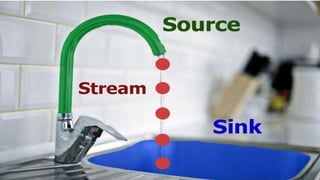
Stream is an abstract data structure
7
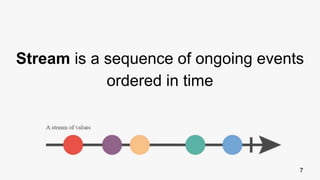
Stream is a sequence of ongoing events
ordered in time
8
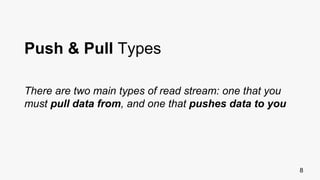
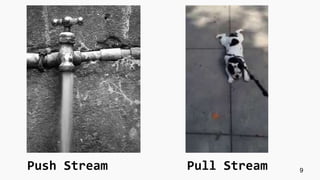
Push & Pull Types
There are two main types of read stream: one that you
must pull data from, and one that pushes data to you
9Push Stream Pull Stream
10
Bacon.js
RxJS
Highland.js
Libraries for working with streams
11
Part 2: Streams in JavaScript
12
Generators!
Generators are reusable and pausable functions
or ... pull streams
13
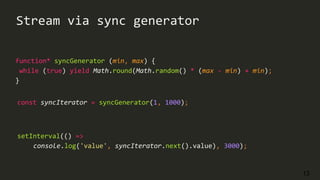
Stream via sync generator
function* syncGenerator (min, max) {
while (true) yield Math.round(Math.random() * (max - min) + min);
}
setInterval(() =>
console.log('value', syncIterator.next().value), 3000);
const syncIterator = syncGenerator(1, 1000);
14
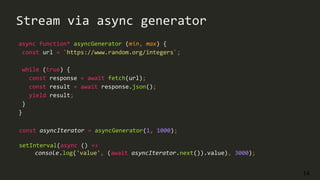
Stream via async generator
async function* asyncGenerator (min, max) {
const url = `https://www.random.org/integers`;
while (true) {
const response = await fetch(url);
const result = await response.json();
yield result;
}
}
const asyncIterator = asyncGenerator(1, 1000);
setInterval(async () =>
console.log('value', (await asyncIterator.next()).value), 3000);
15
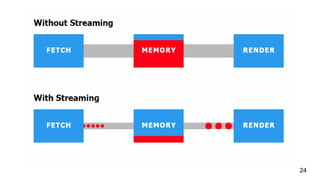
Stream is a sequence of data elements
made available over time (lazy evaluation)
Example: opposed to Arrays you don’t need all the
information to be present in order to start using them.
16
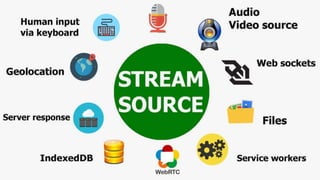
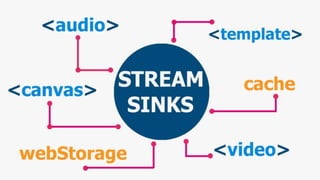
Stream is a universal way to work with
the data source
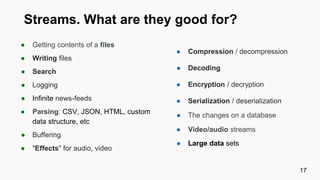
Streams. What are they good for?
● Getting contents of a files
● Writing files
● Search
● Logging
● Infinite news-feeds
● Parsing: CSV, JSON, HTML, custom
data structure, etc
● Buffering
● "Effects" for audio, video
17
● Compression / decompression
● Decoding
● Encryption / decryption
● Serialization / deserialization
● The changes on a database
● Video/audio streams
● Large data sets
18
19
20
21
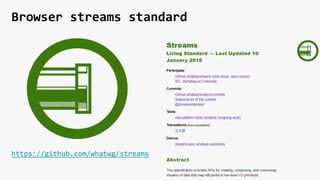
https://github.com/whatwg/streams
Browser streams standard
22
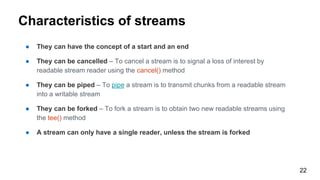
Characteristics of streams
● They can have the concept of a start and an end
● They can be cancelled – To cancel a stream is to signal a loss of interest by
readable stream reader using the cancel() method
● They can be piped – To pipe a stream is to transmit chunks from a readable stream
into a writable stream
● They can be forked – To fork a stream is to obtain two new readable streams using
the tee() method
● A stream can only have a single reader, unless the stream is forked
23
24
25
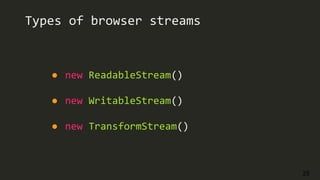
Types of browser streams
● new ReadableStream()
● new WritableStream()
● new TransformStream()
26
Part 3: Fetch API + Stream
27
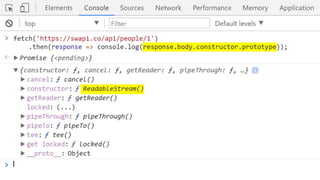
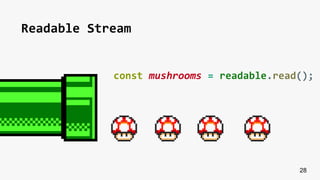
Readable Stream
28
const mushrooms = readable.read();
29
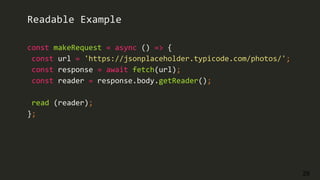
const makeRequest = async () => {
const url = 'https://jsonplaceholder.typicode.com/photos/';
const response = await fetch(url);
const reader = response.body.getReader();
read (reader);
};
Readable Example
30
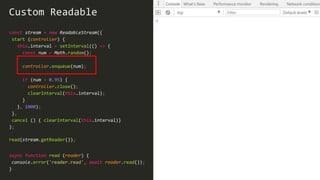
const stream = new ReadableStream({
start (controller) {
this.interval = setInterval(() => {
const num = Math.random();
controller.enqueue(num);
if (num > 0.95) {
controller.close();
clearInterval(this.interval);
}
}, 1000);
},
cancel () { clearInterval(this.interval)}
);
Custom Readable
read(stream.getReader());
async function read (reader) {
console.error('reader.read', await reader.read());
}
31
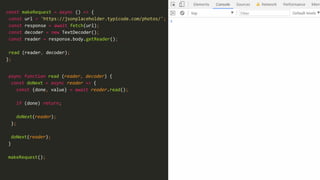
const makeRequest = async () => {
const url = 'https://jsonplaceholder.typicode.com/photos/';
const response = await fetch(url);
const decoder = new TextDecoder();
const reader = response.body.getReader();
read (reader, decoder);
};
async function read (reader, decoder) {
const doNext = async reader => {
const {done, value} = await reader.read();
if (done) return;
doNext(reader);
};
doNext(reader);
}
makeRequest();
32
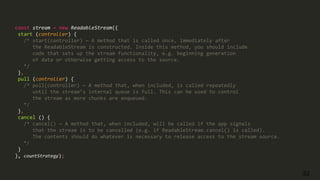
const stream = new ReadableStream({
start (controller) {
/* start(controller) — A method that is called once, immediately after
the ReadableStream is constructed. Inside this method, you should include
code that sets up the stream functionality, e.g. beginning generation
of data or otherwise getting access to the source.
*/
},
pull (controller) {
/* pull(controller) — A method that, when included, is called repeatedly
until the stream’s internal queue is full. This can be used to control
the stream as more chunks are enqueued.
*/
},
cancel () {
/* cancel() — A method that, when included, will be called if the app signals
that the stream is to be cancelled (e.g. if ReadableStream.cancel() is called).
The contents should do whatever is necessary to release access to the stream source.
*/
}
}, countStrategy);
33
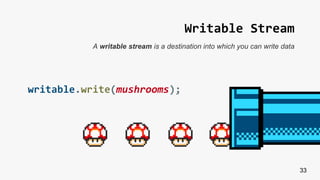
Writable Stream
writable.write(mushrooms);
A writable stream is a destination into which you can write data
34
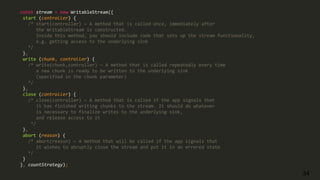
const stream = new WritableStream({
start (controller) {
/* start(controller) — A method that is called once, immediately after
the WritableStream is constructed.
Inside this method, you should include code that sets up the stream functionality,
e.g. getting access to the underlying sink
*/
},
write (chunk, controller) {
/* write(chunk,controller) — A method that is called repeatedly every time
a new chunk is ready to be written to the underlying sink
(specified in the chunk parameter)
*/
},
close (controller) {
/* close(controller) — A method that is called if the app signals that
it has finished writing chunks to the stream. It should do whatever
is necessary to finalize writes to the underlying sink,
and release access to it
*/
},
abort (reason) {
/* abort(reason) — A method that will be called if the app signals that
it wishes to abruptly close the stream and put it in an errored state
*/
}
}, countStrategy);
35
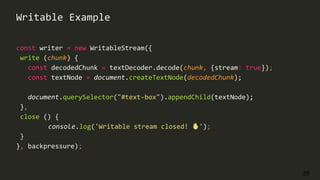
const writer = new WritableStream({
write (chunk) {
const decodedChunk = textDecoder.decode(chunk, {stream: true});
const textNode = document.createTextNode(decodedChunk);
document.querySelector("#text-box").appendChild(textNode);
},
close () {
console.log('Writable stream closed! 🔥');
}
}, backpressure);
Writable Example
36
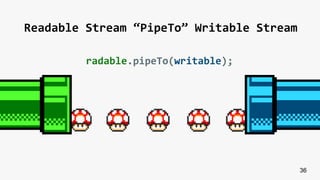
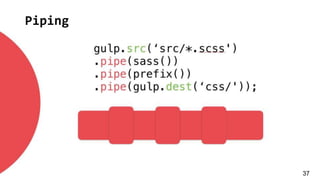
Readable Stream “PipeTo” Writable Stream
radable.pipeTo(writable);
Piping
37
38
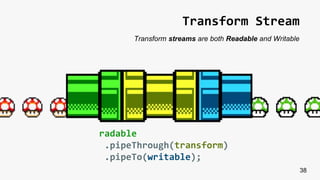
Transform Stream
radable
.pipeThrough(transform)
.pipeTo(writable);
Transform streams are both Readable and Writable
39
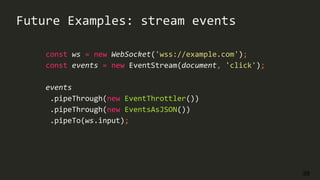
Future Examples: stream events
const ws = new WebSocket('wss://example.com');
const events = new EventStream(document, 'click');
events
.pipeThrough(new EventThrottler())
.pipeThrough(new EventsAsJSON())
.pipeTo(ws.input);
40
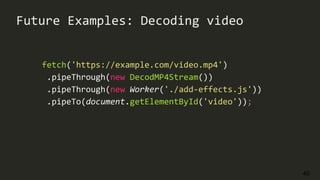
Future Examples: Decoding video
fetch('https://example.com/video.mp4')
.pipeThrough(new DecodMP4Stream())
.pipeThrough(new Worker('./add-effects.js'))
.pipeTo(document.getElementById('video'));
41
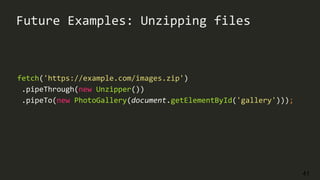
Future Examples: Unzipping files
fetch('https://example.com/images.zip')
.pipeThrough(new Unzipper())
.pipeTo(new PhotoGallery(document.getElementById('gallery')));
42
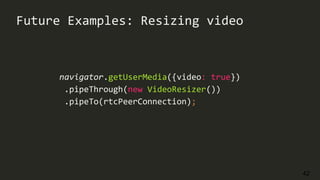
Future Examples: Resizing video
navigator.getUserMedia({video: true})
.pipeThrough(new VideoResizer())
.pipeTo(rtcPeerConnection);
43
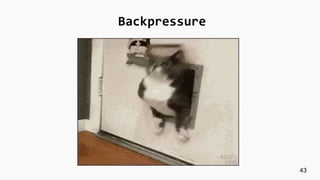
Backpressure
44
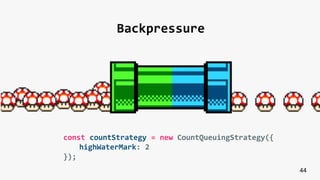
Backpressure
const countStrategy = new CountQueuingStrategy({
highWaterMark: 2
});
45
Tee
const [stream1, stream2] = stream.tee();
46
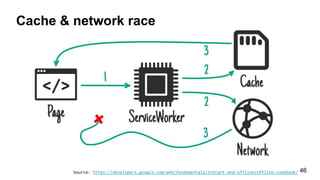
Cache & network race
Source: https://developers.google.com/web/fundamentals/instant-and-offline/offline-cookbook/
47
self.addEventListener('fetch', event => {
const {request} = event;
return event.respondWith(
fetch(request).then(response => {
const [streamForCache, streamForClient] = response.body.tee();
caches.open('v1').then(cache => cache.put(streamForCache));
return streamForClient;
})
)});
Teeing Stream inside Service Worker
48
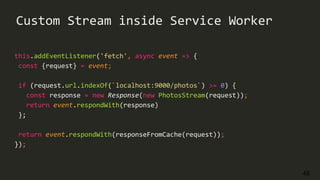
Custom Stream inside Service Worker
this.addEventListener('fetch', async event => {
const {request} = event;
if (request.url.indexOf(`localhost:9000/photos`) >= 0) {
const response = new Response(new PhotosStream(request));
return event.respondWith(response)
};
return event.respondWith(responseFromCache(request));
});
49
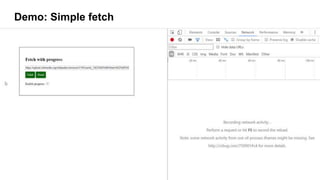
Demo: Simple fetch
50
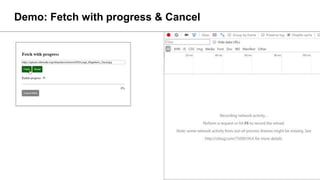
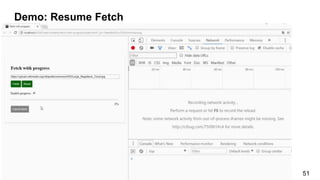
Demo: Fetch with progress & Cancel
51
Demo: Resume Fetch
52
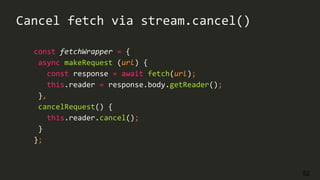
const fetchWrapper = {
async makeRequest (url) {
const response = await fetch(url);
this.reader = response.body.getReader();
},
cancelRequest() {
this.reader.cancel();
}
};
Cancel fetch via stream.cancel()
53
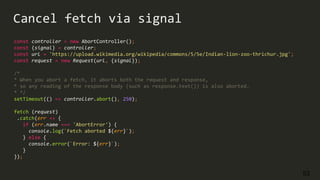
const controller = new AbortController();
const {signal} = controller;
const url = 'https://upload.wikimedia.org/wikipedia/commons/5/5e/Indian-lion-zoo-thrichur.jpg';
const request = new Request(url, {signal});
/*
* When you abort a fetch, it aborts both the request and response,
* so any reading of the response body (such as response.text()) is also aborted.
* */
setTimeout(() => controller.abort(), 250);
fetch (request)
.catch(err => {
if (err.name === 'AbortError') {
console.log(`Fetch aborted ${err}`);
} else {
console.error(`Error: ${err}`);
}
});
Cancel fetch via signal
54
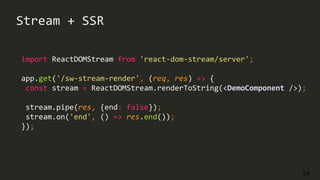
import ReactDOMStream from 'react-dom-stream/server';
app.get('/sw-stream-render', (req, res) => {
const stream = ReactDOMStream.renderToString(<DemoComponent />);
stream.pipe(res, {end: false});
stream.on('end', () => res.end());
});
Stream + SSR
55
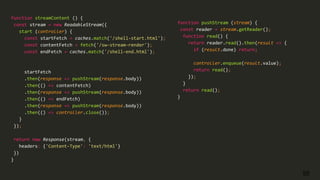
function streamContent () {
const stream = new ReadableStream({
start (controller) {
const startFetch = caches.match('/shell-start.html');
const contentFetch = fetch('/sw-stream-render');
const endFetch = caches.match('/shell-end.html');
startFetch
.then(response => pushStream(response.body))
.then(() => contentFetch)
.then(response => pushStream(response.body))
.then(() => endFetch)
.then(response => pushStream(response.body))
.then(() => controller.close());
}
});
return new Response(stream, {
headers: {'Content-Type': 'text/html'}
})
}
function pushStream (stream) {
const reader = stream.getReader();
function read() {
return reader.read().then(result => {
if (result.done) return;
controller.enqueue(result.value);
return read();
});
}
return read();
}
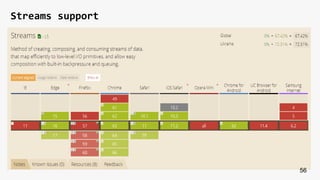
Streams support
56
Platform Status
57
WebKit
Edge
Chrome
Firefox
Q&A
58

Web streams

  • 1.
  • 2.
    2 Part 1: Streams.Basic conception
  • 3.
  • 4.
  • 5.
  • 6.
    6 Stream is anabstract data structure
  • 7.
    7 Stream is asequence of ongoing events ordered in time
  • 8.
    8 Push & PullTypes There are two main types of read stream: one that you must pull data from, and one that pushes data to you
  • 9.
  • 10.
  • 11.
    11 Part 2: Streamsin JavaScript
  • 12.
    12 Generators! Generators are reusableand pausable functions or ... pull streams
  • 13.
    13 Stream via syncgenerator function* syncGenerator (min, max) { while (true) yield Math.round(Math.random() * (max - min) + min); } setInterval(() => console.log('value', syncIterator.next().value), 3000); const syncIterator = syncGenerator(1, 1000);
  • 14.
    14 Stream via asyncgenerator async function* asyncGenerator (min, max) { const url = `https://www.random.org/integers`; while (true) { const response = await fetch(url); const result = await response.json(); yield result; } } const asyncIterator = asyncGenerator(1, 1000); setInterval(async () => console.log('value', (await asyncIterator.next()).value), 3000);
  • 15.
    15 Stream is asequence of data elements made available over time (lazy evaluation) Example: opposed to Arrays you don’t need all the information to be present in order to start using them.
  • 16.
    16 Stream is auniversal way to work with the data source
  • 17.
    Streams. What arethey good for? ● Getting contents of a files ● Writing files ● Search ● Logging ● Infinite news-feeds ● Parsing: CSV, JSON, HTML, custom data structure, etc ● Buffering ● "Effects" for audio, video 17 ● Compression / decompression ● Decoding ● Encryption / decryption ● Serialization / deserialization ● The changes on a database ● Video/audio streams ● Large data sets
  • 18.
  • 19.
  • 20.
  • 21.
  • 22.
    22 Characteristics of streams ●They can have the concept of a start and an end ● They can be cancelled – To cancel a stream is to signal a loss of interest by readable stream reader using the cancel() method ● They can be piped – To pipe a stream is to transmit chunks from a readable stream into a writable stream ● They can be forked – To fork a stream is to obtain two new readable streams using the tee() method ● A stream can only have a single reader, unless the stream is forked
  • 23.
  • 24.
  • 25.
    25 Types of browserstreams ● new ReadableStream() ● new WritableStream() ● new TransformStream()
  • 26.
    26 Part 3: FetchAPI + Stream
  • 27.
  • 28.
  • 29.
    29 const makeRequest =async () => { const url = 'https://jsonplaceholder.typicode.com/photos/'; const response = await fetch(url); const reader = response.body.getReader(); read (reader); }; Readable Example
  • 30.
    30 const stream =new ReadableStream({ start (controller) { this.interval = setInterval(() => { const num = Math.random(); controller.enqueue(num); if (num > 0.95) { controller.close(); clearInterval(this.interval); } }, 1000); }, cancel () { clearInterval(this.interval)} ); Custom Readable read(stream.getReader()); async function read (reader) { console.error('reader.read', await reader.read()); }
  • 31.
    31 const makeRequest =async () => { const url = 'https://jsonplaceholder.typicode.com/photos/'; const response = await fetch(url); const decoder = new TextDecoder(); const reader = response.body.getReader(); read (reader, decoder); }; async function read (reader, decoder) { const doNext = async reader => { const {done, value} = await reader.read(); if (done) return; doNext(reader); }; doNext(reader); } makeRequest();
  • 32.
    32 const stream =new ReadableStream({ start (controller) { /* start(controller) — A method that is called once, immediately after the ReadableStream is constructed. Inside this method, you should include code that sets up the stream functionality, e.g. beginning generation of data or otherwise getting access to the source. */ }, pull (controller) { /* pull(controller) — A method that, when included, is called repeatedly until the stream’s internal queue is full. This can be used to control the stream as more chunks are enqueued. */ }, cancel () { /* cancel() — A method that, when included, will be called if the app signals that the stream is to be cancelled (e.g. if ReadableStream.cancel() is called). The contents should do whatever is necessary to release access to the stream source. */ } }, countStrategy);
  • 33.
    33 Writable Stream writable.write(mushrooms); A writablestream is a destination into which you can write data
  • 34.
    34 const stream =new WritableStream({ start (controller) { /* start(controller) — A method that is called once, immediately after the WritableStream is constructed. Inside this method, you should include code that sets up the stream functionality, e.g. getting access to the underlying sink */ }, write (chunk, controller) { /* write(chunk,controller) — A method that is called repeatedly every time a new chunk is ready to be written to the underlying sink (specified in the chunk parameter) */ }, close (controller) { /* close(controller) — A method that is called if the app signals that it has finished writing chunks to the stream. It should do whatever is necessary to finalize writes to the underlying sink, and release access to it */ }, abort (reason) { /* abort(reason) — A method that will be called if the app signals that it wishes to abruptly close the stream and put it in an errored state */ } }, countStrategy);
  • 35.
    35 const writer =new WritableStream({ write (chunk) { const decodedChunk = textDecoder.decode(chunk, {stream: true}); const textNode = document.createTextNode(decodedChunk); document.querySelector("#text-box").appendChild(textNode); }, close () { console.log('Writable stream closed! 🔥'); } }, backpressure); Writable Example
  • 36.
    36 Readable Stream “PipeTo”Writable Stream radable.pipeTo(writable);
  • 37.
  • 38.
  • 39.
    39 Future Examples: streamevents const ws = new WebSocket('wss://example.com'); const events = new EventStream(document, 'click'); events .pipeThrough(new EventThrottler()) .pipeThrough(new EventsAsJSON()) .pipeTo(ws.input);
  • 40.
    40 Future Examples: Decodingvideo fetch('https://example.com/video.mp4') .pipeThrough(new DecodMP4Stream()) .pipeThrough(new Worker('./add-effects.js')) .pipeTo(document.getElementById('video'));
  • 41.
    41 Future Examples: Unzippingfiles fetch('https://example.com/images.zip') .pipeThrough(new Unzipper()) .pipeTo(new PhotoGallery(document.getElementById('gallery')));
  • 42.
    42 Future Examples: Resizingvideo navigator.getUserMedia({video: true}) .pipeThrough(new VideoResizer()) .pipeTo(rtcPeerConnection);
  • 43.
  • 44.
    44 Backpressure const countStrategy =new CountQueuingStrategy({ highWaterMark: 2 });
  • 45.
  • 46.
    46 Cache & networkrace Source: https://developers.google.com/web/fundamentals/instant-and-offline/offline-cookbook/
  • 47.
    47 self.addEventListener('fetch', event =>{ const {request} = event; return event.respondWith( fetch(request).then(response => { const [streamForCache, streamForClient] = response.body.tee(); caches.open('v1').then(cache => cache.put(streamForCache)); return streamForClient; }) )}); Teeing Stream inside Service Worker
  • 48.
    48 Custom Stream insideService Worker this.addEventListener('fetch', async event => { const {request} = event; if (request.url.indexOf(`localhost:9000/photos`) >= 0) { const response = new Response(new PhotosStream(request)); return event.respondWith(response) }; return event.respondWith(responseFromCache(request)); });
  • 49.
  • 50.
    50 Demo: Fetch withprogress & Cancel
  • 51.
  • 52.
    52 const fetchWrapper ={ async makeRequest (url) { const response = await fetch(url); this.reader = response.body.getReader(); }, cancelRequest() { this.reader.cancel(); } }; Cancel fetch via stream.cancel()
  • 53.
    53 const controller =new AbortController(); const {signal} = controller; const url = 'https://upload.wikimedia.org/wikipedia/commons/5/5e/Indian-lion-zoo-thrichur.jpg'; const request = new Request(url, {signal}); /* * When you abort a fetch, it aborts both the request and response, * so any reading of the response body (such as response.text()) is also aborted. * */ setTimeout(() => controller.abort(), 250); fetch (request) .catch(err => { if (err.name === 'AbortError') { console.log(`Fetch aborted ${err}`); } else { console.error(`Error: ${err}`); } }); Cancel fetch via signal
  • 54.
    54 import ReactDOMStream from'react-dom-stream/server'; app.get('/sw-stream-render', (req, res) => { const stream = ReactDOMStream.renderToString(<DemoComponent />); stream.pipe(res, {end: false}); stream.on('end', () => res.end()); }); Stream + SSR
  • 55.
    55 function streamContent (){ const stream = new ReadableStream({ start (controller) { const startFetch = caches.match('/shell-start.html'); const contentFetch = fetch('/sw-stream-render'); const endFetch = caches.match('/shell-end.html'); startFetch .then(response => pushStream(response.body)) .then(() => contentFetch) .then(response => pushStream(response.body)) .then(() => endFetch) .then(response => pushStream(response.body)) .then(() => controller.close()); } }); return new Response(stream, { headers: {'Content-Type': 'text/html'} }) } function pushStream (stream) { const reader = stream.getReader(); function read() { return reader.read().then(result => { if (result.done) return; controller.enqueue(result.value); return read(); }); } return read(); }
  • 56.
  • 57.
  • 58.