<web>standards<web />

 an introduction to web standards
         and accessibility
in the beginning, there was a man
• Jeffrey Zeldman
• Web Standards Project (WaSP) 1998
• Fights for standards that reduce the cost
  and complexity of development while
  increasing the accessibility and long-term
  viability of any site published on the Web
• Works with browser and authoring tool
  manufacturers
stan*dard
• n. something, such as a product or
  practice, that is widely recognised or
  employed, especially because of its
  excellence

• adj. regularly used, widely available or
  supplied
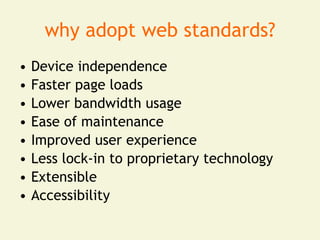
why adopt web standards?
•   Device independence
•   Faster page loads
•   Lower bandwidth usage
•   Ease of maintenance
•   Improved user experience
•   Less lock-in to proprietary technology
•   Extensible
•   Accessibility
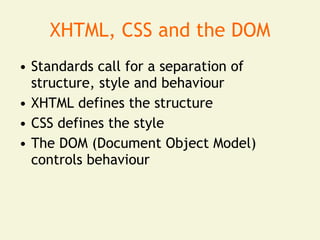
XHTML, CSS and the DOM
• Standards call for a separation of
  structure, style and behaviour
• XHTML defines the structure
• CSS defines the style
• The DOM (Document Object Model)
  controls behaviour
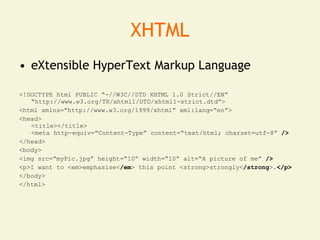
XHTML
• eXtensible HyperText Markup Language

<!DOCTYPE html PUBLIC “-//W3C//DTD XHTML 1.0 Strict//EN”
   “http://www.w3.org/TR/xhtml1/DTD/xhtml1-strict.dtd”>
<html xmlns=“http://www.w3.org/1999/xhtml” xml:lang=“en”>
<head>
   <title></title>
   <meta http-equiv=“Content-Type” content=“text/html; charset=utf-8” />
</head>
<body>
<img src=“myPic.jpg” height=“10” width=“10” alt=“A picture of me” />
<p>I want to <em>emphasise</em> this point <strong>strongly</strong>.</p>
</body>
</html>
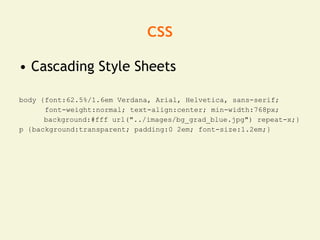
css
• Cascading Style Sheets

body {font:62.5%/1.6em Verdana, Arial, Helvetica, sans-serif;
      font-weight:normal; text-align:center; min-width:768px;
      background:#fff url("../images/bg_grad_blue.jpg") repeat-x;}
p {background:transparent; padding:0 2em; font-size:1.2em;}
JavaScript (DOM)
• JavaScript doesn’t kill websites, people
  with JavaScript kill ’em
• Keep external
• Degrade gracefully
function doPopups()
   { if (!document.getElementsByTagName) return false;
   var links = document.getElementsByTagName("a");
   for (var i=0; i &lt; links.length; i++)
   { if (links[i].className.match("popup"))
   { links[i].onclick = function()
   { window.open(this.href); return false; } } } }
  window.onload = doPopups;
accessibility

“ Web accessibility is about
 designing sites so as many
 people as possible can
 access them effectively
 and easily, independent of
 who they are or how they
                “
 access the net
who are we talking about?
• 9 million people in the UK have a
  disability under the Disability
  Discrimination Act
• It is not just the blind!
• People with hearing difficulties
• Motor difficulties
• Cognitive difficulties
• Many have a combination
visual impairments
• Colour blindness
• Mild vision impairment (larger font size,
  colour)
• Moderate vision impairment (screen
  magnification, colour)
• Blind / severe vision impairment (screen
  readers)
motor difficulties
•   Using a keyboard and mouse may be difficult
•   Alternative mouse and keyboard designs
•   Voice recognition
•   Use logical tabbing order
•   Offer user-defined access keys
•   Limit number of links
•   Clear target area negating fine mouse control
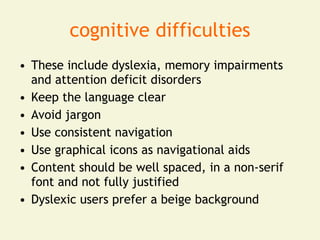
cognitive difficulties
• These include dyslexia, memory impairments
  and attention deficit disorders
• Keep the language clear
• Avoid jargon
• Use consistent navigation
• Use graphical icons as navigational aids
• Content should be well spaced, in a non-serif
  font and not fully justified
• Dyslexic users prefer a beige background
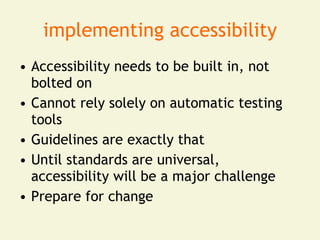
implementing accessibility
• Accessibility needs to be built in, not
  bolted on
• Cannot rely solely on automatic testing
  tools
• Guidelines are exactly that
• Until standards are universal,
  accessibility will be a major challenge
• Prepare for change
further reading
• Designing with Web Standards – Jeffrey
  Zeldman (ISBN:0321616952)
• Don’t Make Me Think! – Steve Krug
  (ISBN:0321344758)

• http://www.webstandards.org
• http://www.alistapart.com
• http://delicious.com/thatstandardsguy/accessibility
any questions?

Web Standards and Accessibility

  • 1.
    <web>standards<web /> anintroduction to web standards and accessibility
  • 2.
    in the beginning,there was a man • Jeffrey Zeldman • Web Standards Project (WaSP) 1998 • Fights for standards that reduce the cost and complexity of development while increasing the accessibility and long-term viability of any site published on the Web • Works with browser and authoring tool manufacturers
  • 3.
    stan*dard • n. something,such as a product or practice, that is widely recognised or employed, especially because of its excellence • adj. regularly used, widely available or supplied
  • 5.
    why adopt webstandards? • Device independence • Faster page loads • Lower bandwidth usage • Ease of maintenance • Improved user experience • Less lock-in to proprietary technology • Extensible • Accessibility
  • 6.
    XHTML, CSS andthe DOM • Standards call for a separation of structure, style and behaviour • XHTML defines the structure • CSS defines the style • The DOM (Document Object Model) controls behaviour
  • 7.
    XHTML • eXtensible HyperTextMarkup Language <!DOCTYPE html PUBLIC “-//W3C//DTD XHTML 1.0 Strict//EN” “http://www.w3.org/TR/xhtml1/DTD/xhtml1-strict.dtd”> <html xmlns=“http://www.w3.org/1999/xhtml” xml:lang=“en”> <head> <title></title> <meta http-equiv=“Content-Type” content=“text/html; charset=utf-8” /> </head> <body> <img src=“myPic.jpg” height=“10” width=“10” alt=“A picture of me” /> <p>I want to <em>emphasise</em> this point <strong>strongly</strong>.</p> </body> </html>
  • 8.
    css • Cascading StyleSheets body {font:62.5%/1.6em Verdana, Arial, Helvetica, sans-serif; font-weight:normal; text-align:center; min-width:768px; background:#fff url("../images/bg_grad_blue.jpg") repeat-x;} p {background:transparent; padding:0 2em; font-size:1.2em;}
  • 9.
    JavaScript (DOM) • JavaScriptdoesn’t kill websites, people with JavaScript kill ’em • Keep external • Degrade gracefully function doPopups() { if (!document.getElementsByTagName) return false; var links = document.getElementsByTagName("a"); for (var i=0; i &lt; links.length; i++) { if (links[i].className.match("popup")) { links[i].onclick = function() { window.open(this.href); return false; } } } } window.onload = doPopups;
  • 10.
    accessibility “ Web accessibilityis about designing sites so as many people as possible can access them effectively and easily, independent of who they are or how they “ access the net
  • 11.
    who are wetalking about? • 9 million people in the UK have a disability under the Disability Discrimination Act • It is not just the blind! • People with hearing difficulties • Motor difficulties • Cognitive difficulties • Many have a combination
  • 12.
    visual impairments • Colourblindness • Mild vision impairment (larger font size, colour) • Moderate vision impairment (screen magnification, colour) • Blind / severe vision impairment (screen readers)
  • 13.
    motor difficulties • Using a keyboard and mouse may be difficult • Alternative mouse and keyboard designs • Voice recognition • Use logical tabbing order • Offer user-defined access keys • Limit number of links • Clear target area negating fine mouse control
  • 14.
    cognitive difficulties • Theseinclude dyslexia, memory impairments and attention deficit disorders • Keep the language clear • Avoid jargon • Use consistent navigation • Use graphical icons as navigational aids • Content should be well spaced, in a non-serif font and not fully justified • Dyslexic users prefer a beige background
  • 15.
    implementing accessibility • Accessibilityneeds to be built in, not bolted on • Cannot rely solely on automatic testing tools • Guidelines are exactly that • Until standards are universal, accessibility will be a major challenge • Prepare for change
  • 16.
    further reading • Designingwith Web Standards – Jeffrey Zeldman (ISBN:0321616952) • Don’t Make Me Think! – Steve Krug (ISBN:0321344758) • http://www.webstandards.org • http://www.alistapart.com • http://delicious.com/thatstandardsguy/accessibility
  • 17.