Welcome.
How to dominate a
theme.
By James Strang
Why are you here for?
• Get a basic understanding of HTML and CSS
• Learn how to use your browser tools
• Alter visual elements of your website
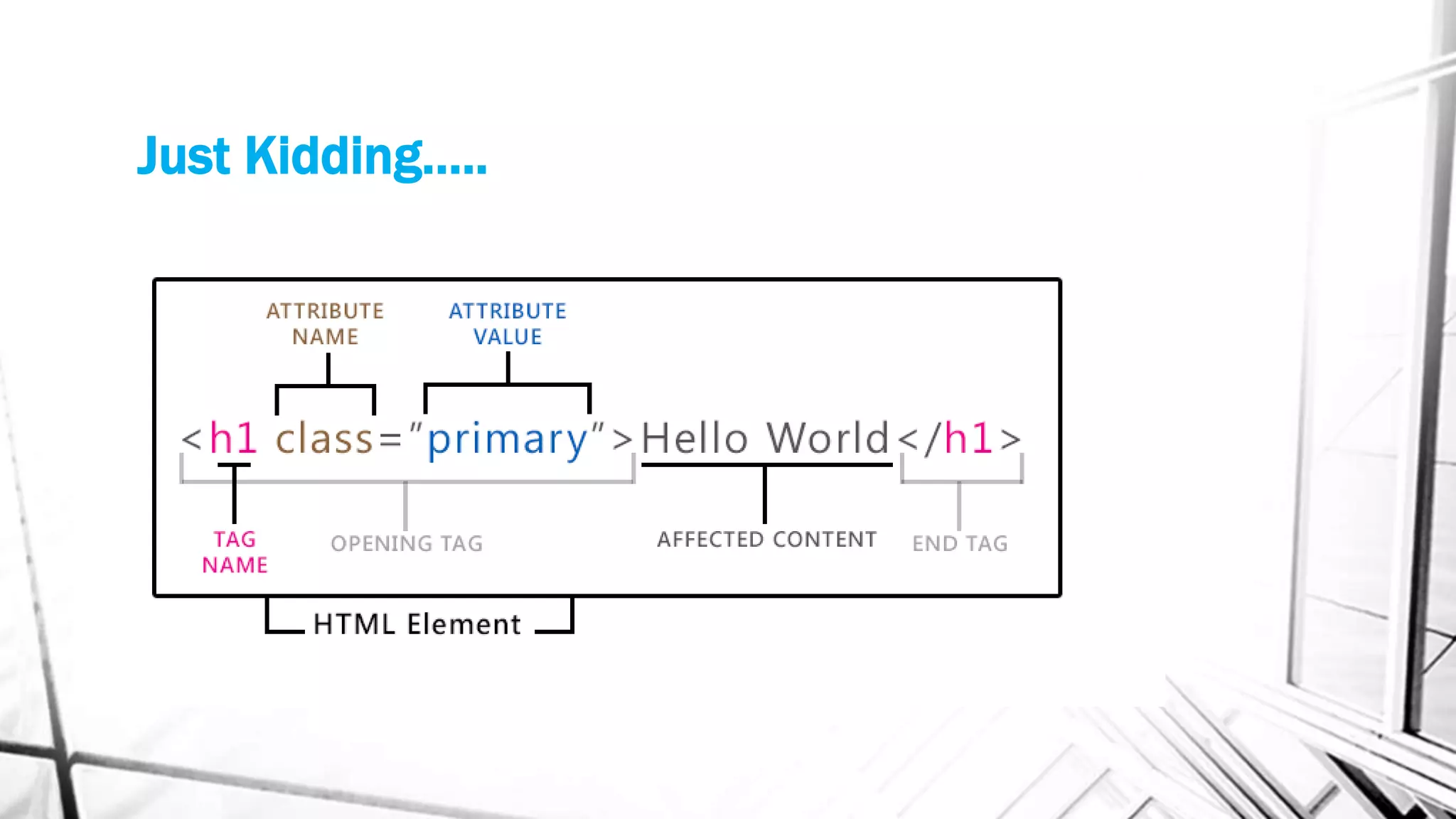
Just Kidding…..
Hello World
CSS Basics
• HTML can be defined using CSS by ID, CLASS, TAG, or inline style.
• CSS uses {curly brackets}
• CSS code is a supplement to HTML, not a replacement.
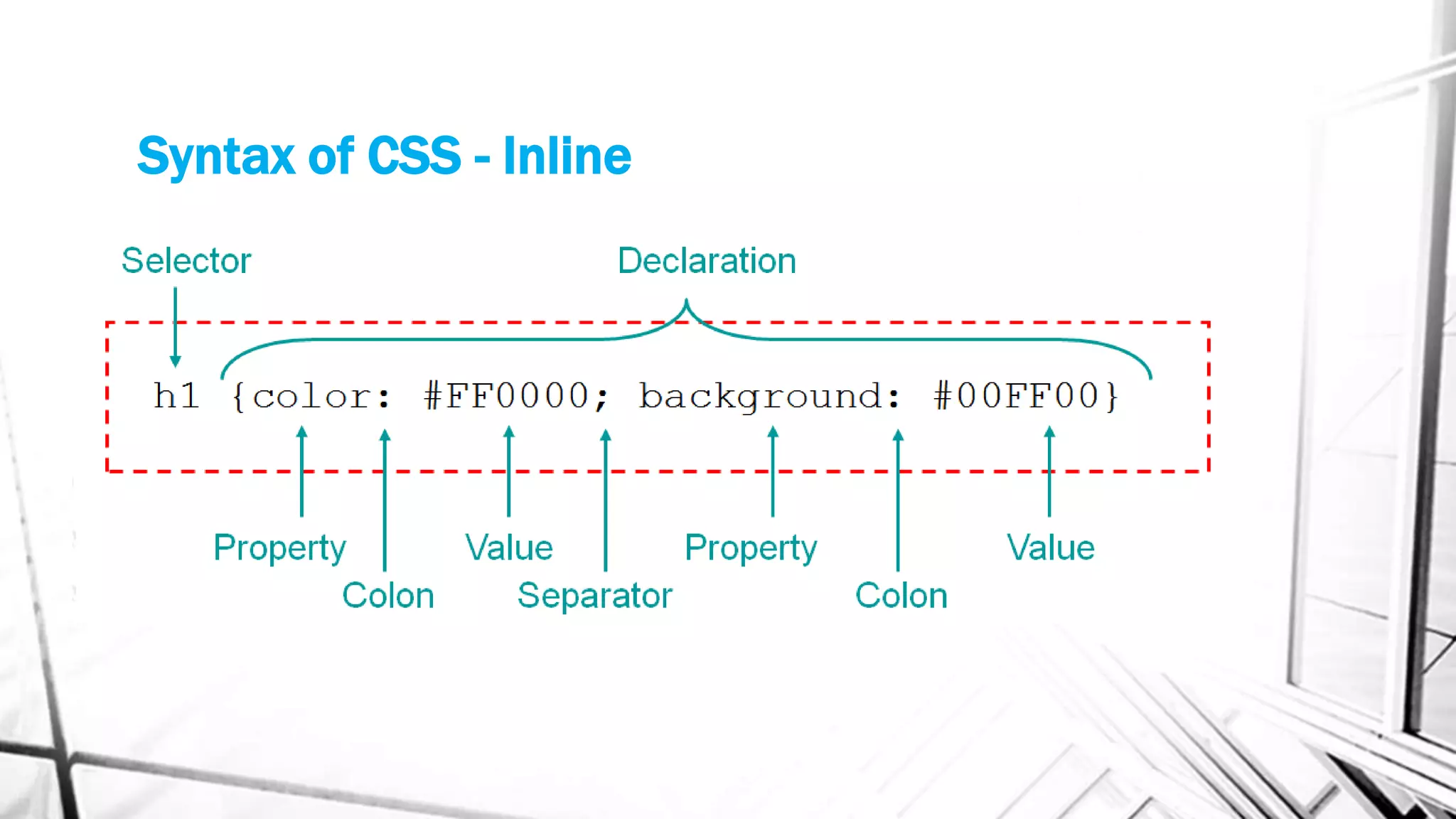
Syntax of CSS - Inline
Hello World
Syntax of CSS – in stylesheet
input[type="submit"] {
border: 1px solid #ccc;
border-color: #ccc #ccc #bbb #ccc;
background: #e6e6e6;
color: #262626;
cursor: pointer; /* Improves usability and consistency of cursor style */
-webkit-appearance: button; /* Corrects style of 'input' types in iOS */
font-size: 12px;
font-size: 1.4rem;
line-height: 1;
padding: 5px 2%;
}
Selectors
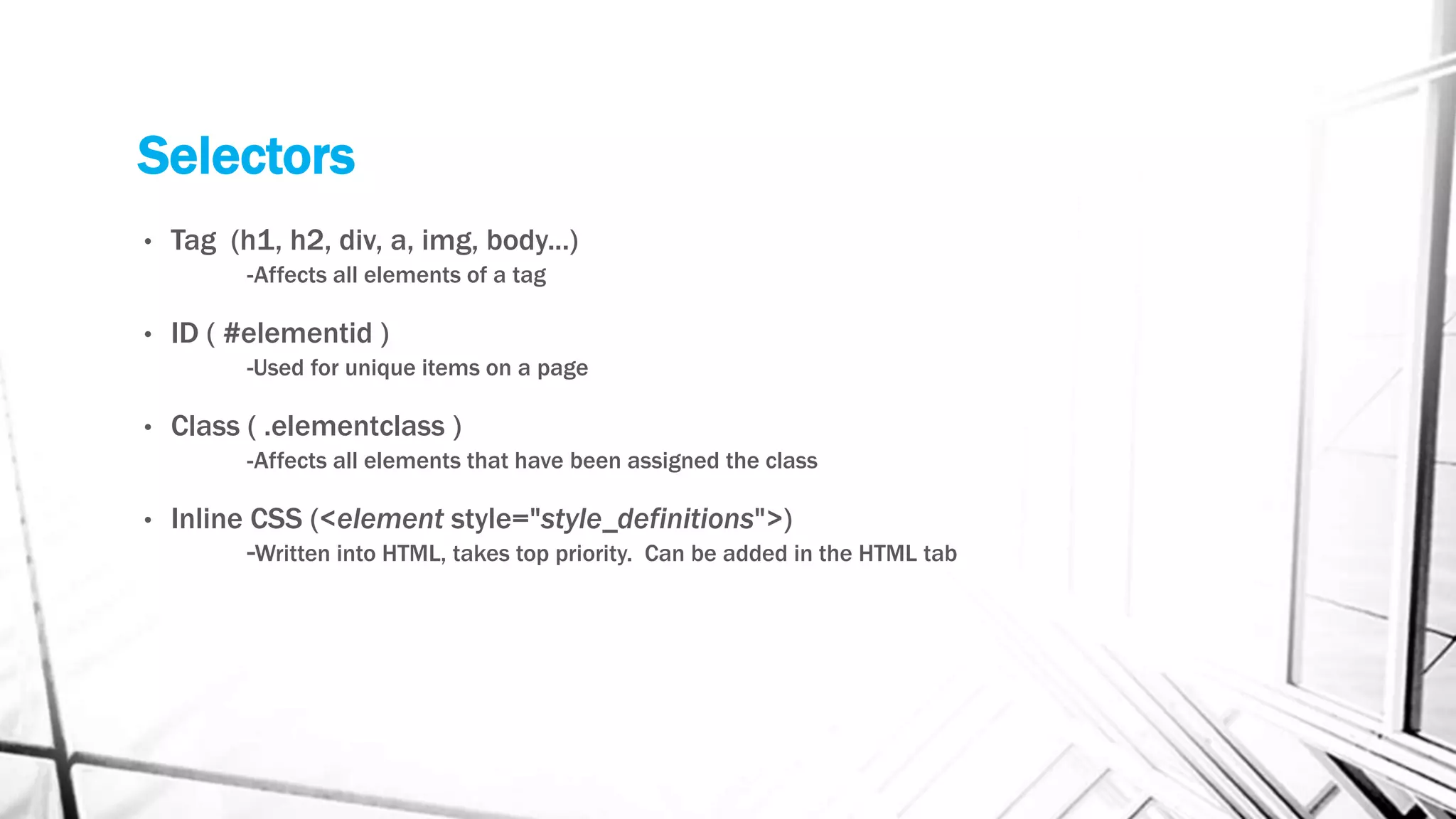
• Tag (h1, h2, div, a, img, body...)
-Affects all elements of a tag
• ID ( #elementid )
-Used for unique items on a page
• Class ( .elementclass )
-Affects all elements that have been assigned the class
• Inline CSS (<element style="style_definitions">)
-Written into HTML, takes top priority. Can be added in the HTML tab
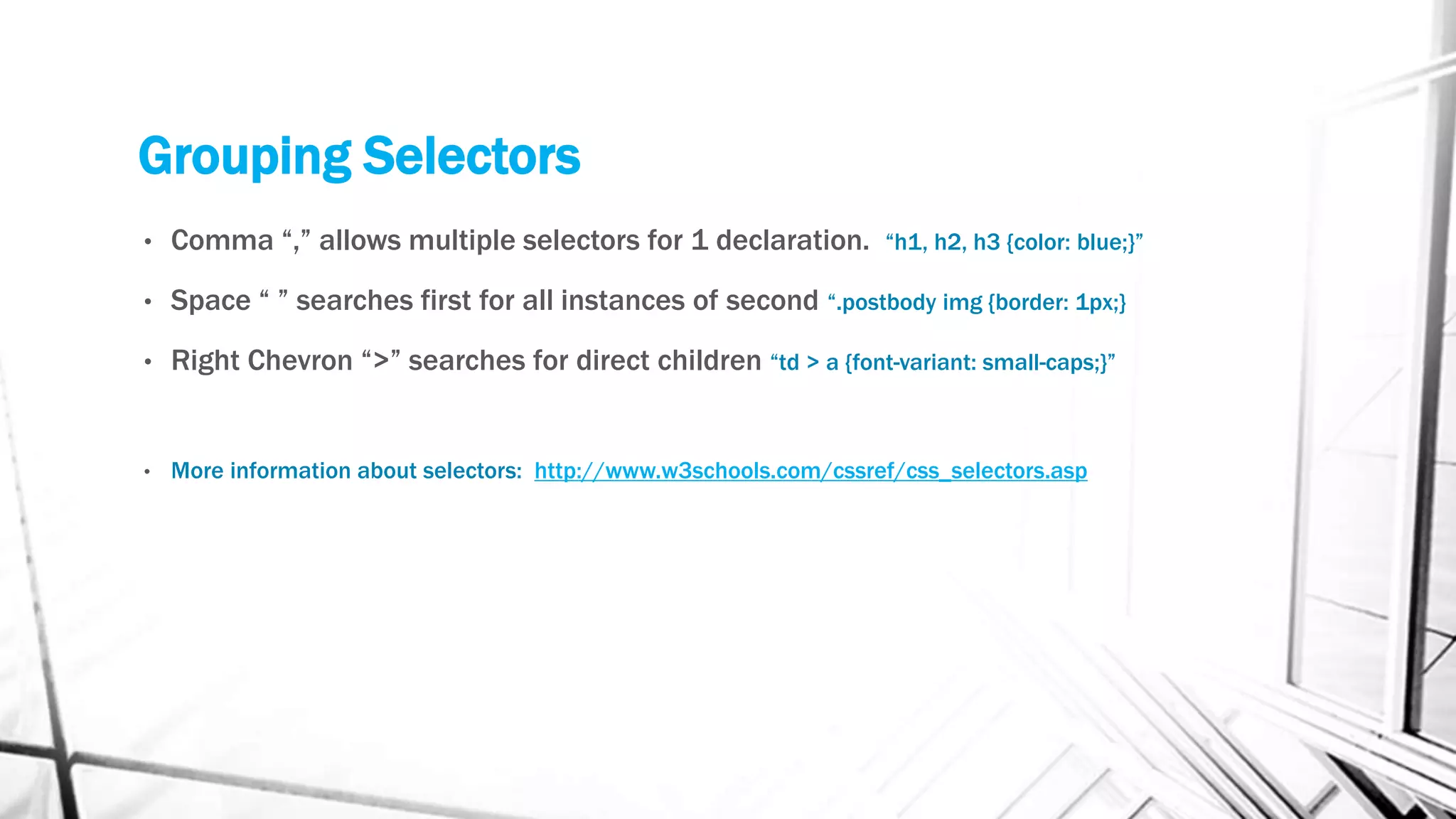
Grouping Selectors
• Comma “,” allows multiple selectors for 1 declaration. “h1, h2, h3 {color: blue;}”
• Space “ ” searches first for all instances of second “.postbody img {border: 1px;}
• Right Chevron “>” searches for direct children “td > a {font-variant: small-caps;}”
• More information about selectors: http://www.w3schools.com/cssref/css_selectors.asp
display: none;
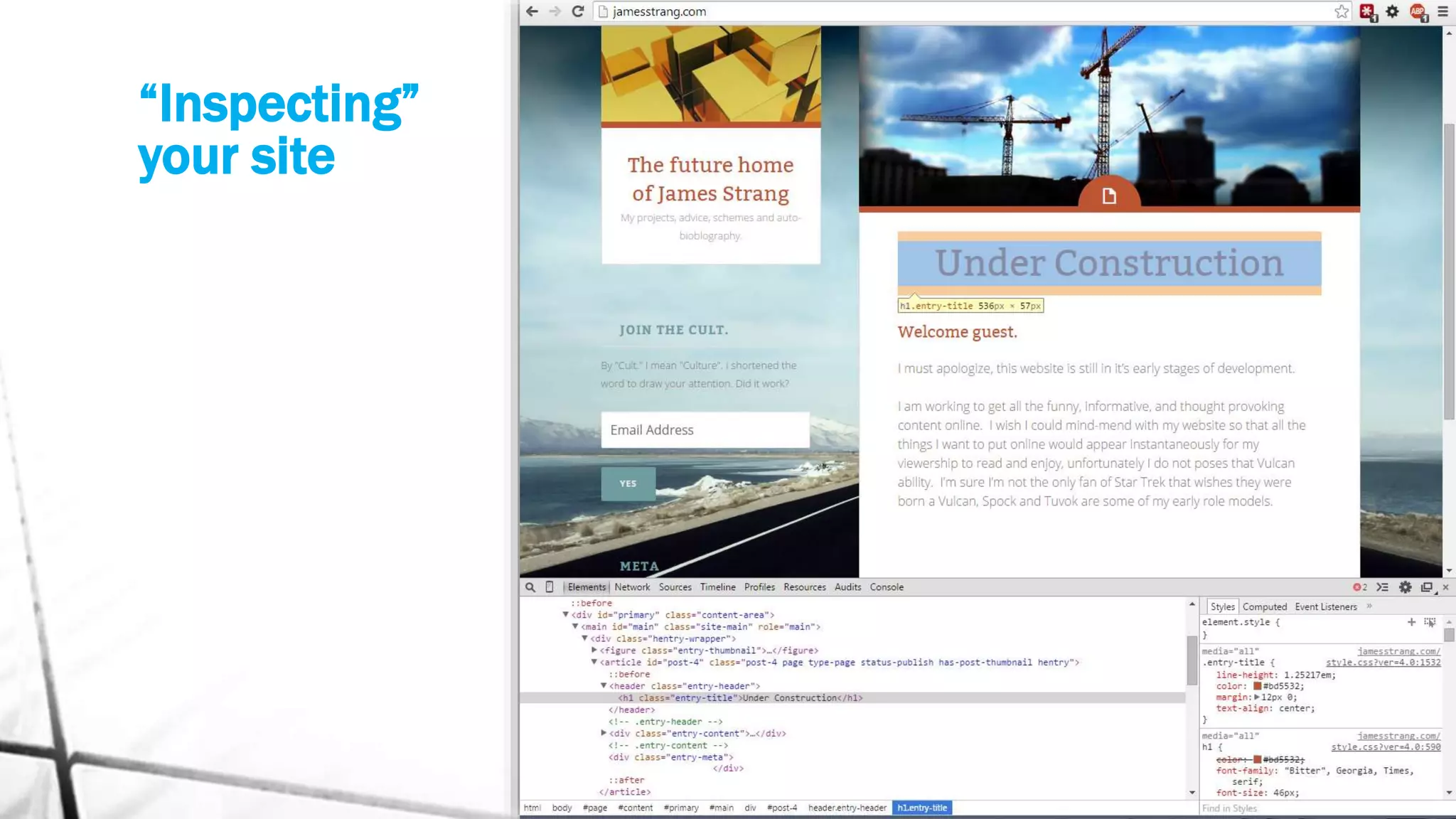
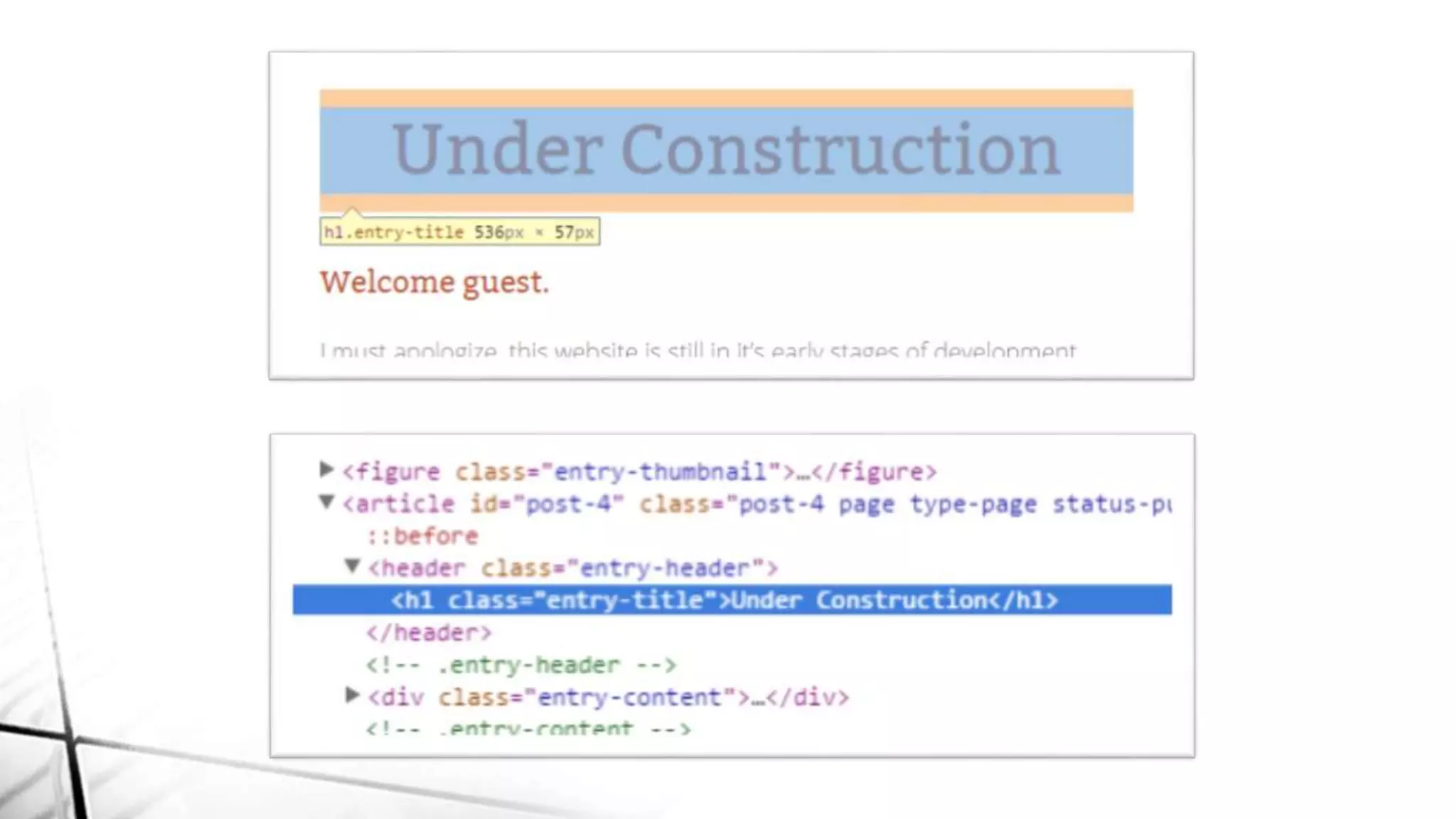
Your secret weapon.
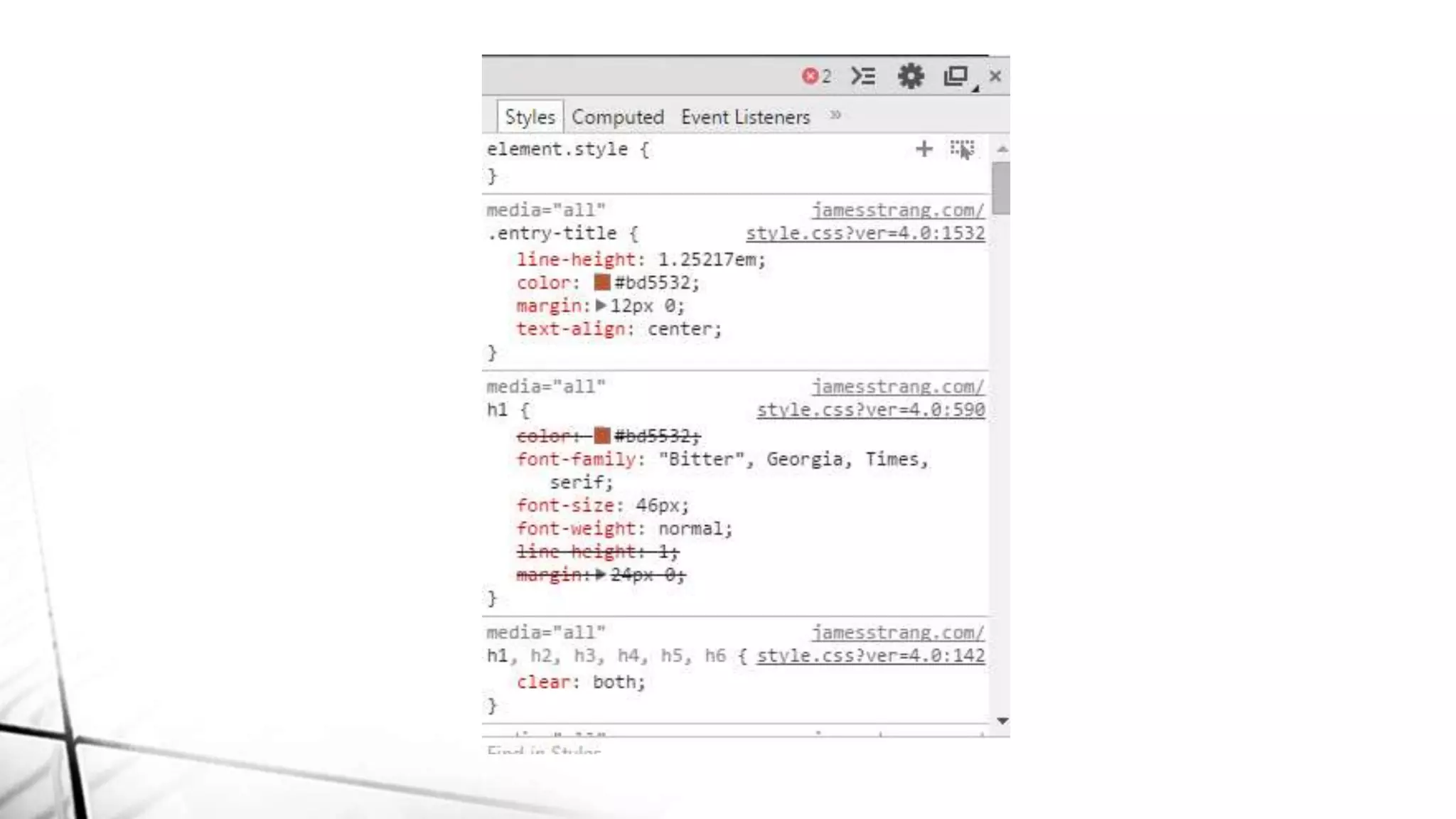
“Inspecting”
your site
How to add Custom CSS to your website:
• Jetpack Custom CSS
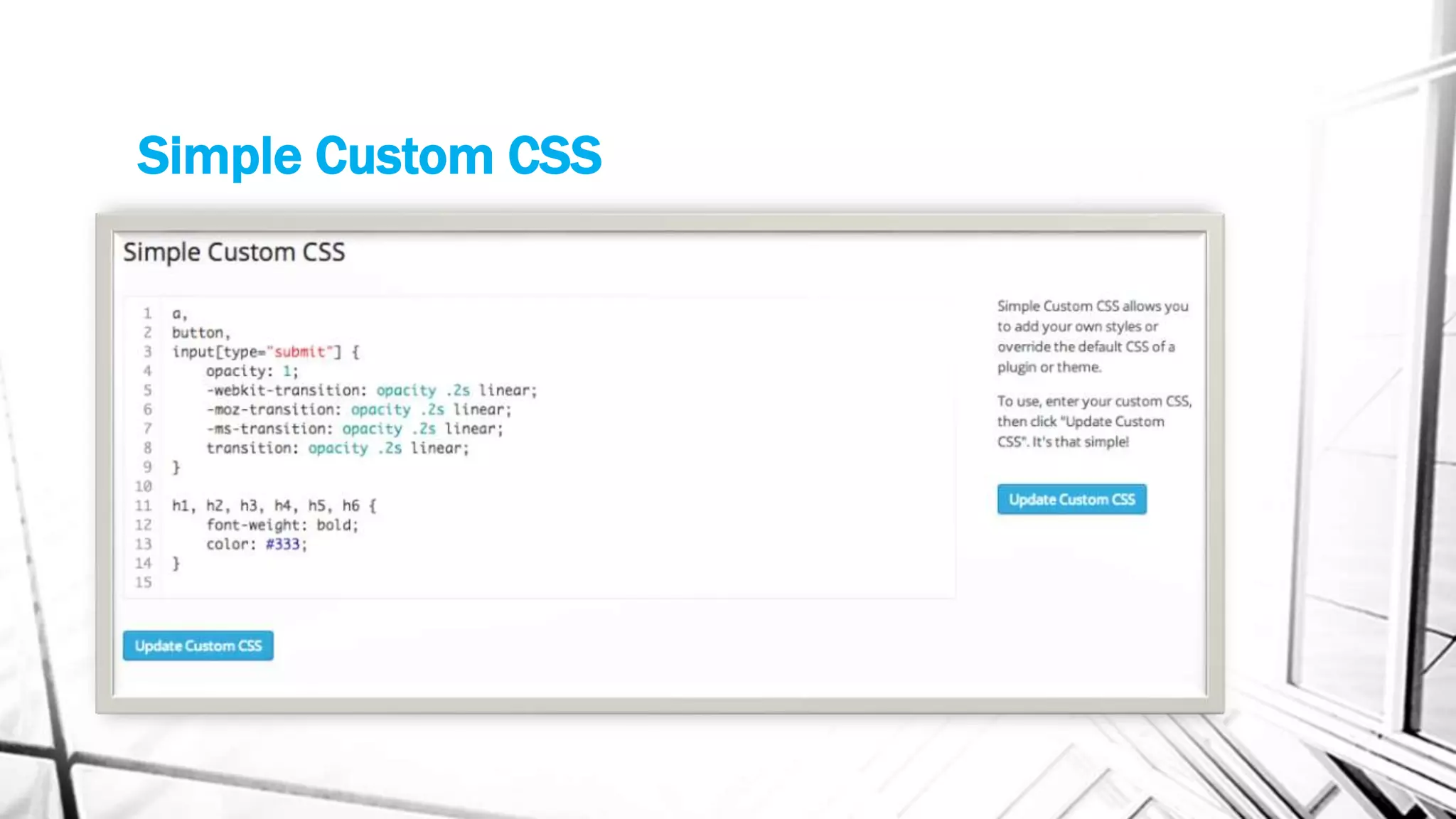
• Plugin (Simple Custom CSS)
• Child Theme
• Editing your theme files… (Not recommended)
Simple Custom CSS
Let’s get practical
Real code examples.
Resources
• Great list of CSS properties with examples
http://www.w3schools.com/cssref/default.asp
• Enter any CSS or URL to have it explained to you
http://tux.theopalgroup.com/cgi-bin/css3explainer/selectoracle.py
• Great resource for anything code related on your website
http://www.w3schools.com/
• WordPress Forums where people like me are able to help you.
https://wordpress.org/support/

How to dominate a free theme WCTO 2014

  • 1.
  • 2.
    How to dominatea theme. By James Strang
  • 3.
    Why are youhere for? • Get a basic understanding of HTML and CSS • Learn how to use your browser tools • Alter visual elements of your website
  • 5.
  • 6.
  • 7.
    CSS Basics • HTMLcan be defined using CSS by ID, CLASS, TAG, or inline style. • CSS uses {curly brackets} • CSS code is a supplement to HTML, not a replacement.
  • 8.
    Syntax of CSS- Inline
  • 9.
  • 10.
    Syntax of CSS– in stylesheet input[type="submit"] { border: 1px solid #ccc; border-color: #ccc #ccc #bbb #ccc; background: #e6e6e6; color: #262626; cursor: pointer; /* Improves usability and consistency of cursor style */ -webkit-appearance: button; /* Corrects style of 'input' types in iOS */ font-size: 12px; font-size: 1.4rem; line-height: 1; padding: 5px 2%; }
  • 11.
    Selectors • Tag (h1,h2, div, a, img, body...) -Affects all elements of a tag • ID ( #elementid ) -Used for unique items on a page • Class ( .elementclass ) -Affects all elements that have been assigned the class • Inline CSS (<element style="style_definitions">) -Written into HTML, takes top priority. Can be added in the HTML tab
  • 12.
    Grouping Selectors • Comma“,” allows multiple selectors for 1 declaration. “h1, h2, h3 {color: blue;}” • Space “ ” searches first for all instances of second “.postbody img {border: 1px;} • Right Chevron “>” searches for direct children “td > a {font-variant: small-caps;}” • More information about selectors: http://www.w3schools.com/cssref/css_selectors.asp
  • 13.
  • 14.
  • 17.
    How to addCustom CSS to your website: • Jetpack Custom CSS • Plugin (Simple Custom CSS) • Child Theme • Editing your theme files… (Not recommended)
  • 18.
  • 19.
  • 20.
    Resources • Great listof CSS properties with examples http://www.w3schools.com/cssref/default.asp • Enter any CSS or URL to have it explained to you http://tux.theopalgroup.com/cgi-bin/css3explainer/selectoracle.py • Great resource for anything code related on your website http://www.w3schools.com/ • WordPress Forums where people like me are able to help you. https://wordpress.org/support/