The web context
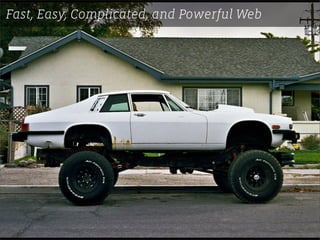
Fast, Easy, Complicated, and Powerful Web
   ITP, Spring 2011, section 1, session 1
         Dan Phiffer dan@phiffer.org
Fast, Easy, Complicated, and Powerful Web
Fast, Easy, Complicated...


• Casual content management in general
• WordPress development in particular
• One major project
• In six sessions
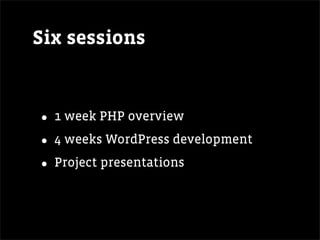
Six sessions


• 1 week PHP overview
• 4 weeks WordPress development
• Project presentations
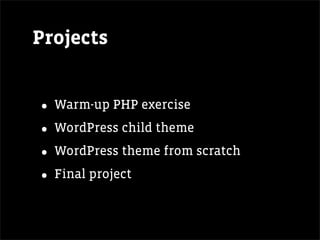
Projects


• Warm-up PHP exercise
• WordPress child theme
• WordPress theme from scratch
• Final project
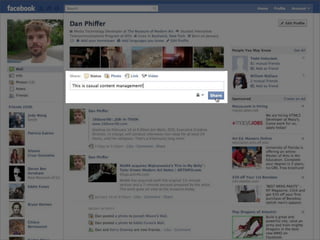
Casual content management
Casual content
management

• Easily changing what’s on the page
• Using code to construct how it’s
  presented

• Casual in that we’re not trying to
  build enterprise systems
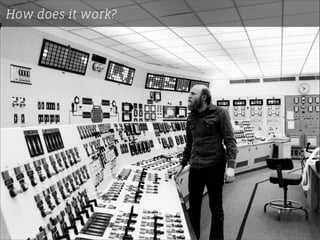
How does it work?
How does it work?
The web is made out
      of text
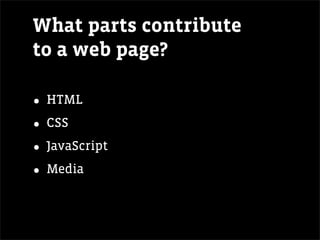
What parts contribute
to a web page?

• HTML
• CSS
• JavaScript
• Media
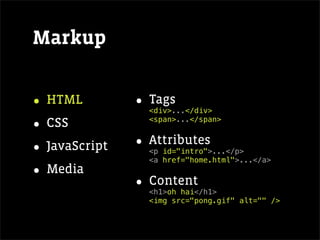
Markup


• HTML         • Tags
                 <div>...</div>

• CSS            <span>...</span>


• JavaScript   • Attributes
                 <p id="intro">...</p>
                 <a href="home.html">...</a>
• Media
               • Content
                 <h1>oh hai</h1>
                 <img src="pong.gif" alt="" />
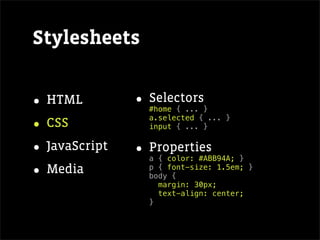
Stylesheets


• HTML         • Selectors
                 #home { ... }

• CSS            a.selected { ... }
                 input { ... }


• JavaScript   • Properties
                 a { color: #ABB94A; }

• Media          p { font-size: 1.5em; }
                 body {
                   margin: 30px;
                   text-align: center;
                 }
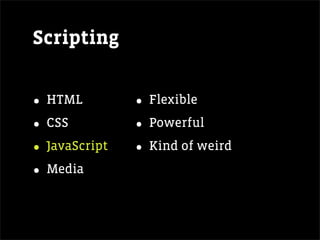
Scripting


• HTML         • Flexible
• CSS          • Powerful
• JavaScript   • Kind of weird
• Media
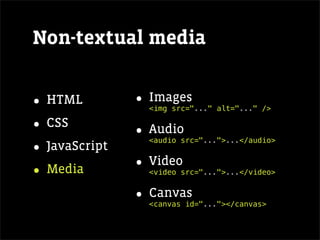
Non-textual media


• HTML         • Images
                <img src="..." alt="..." />

• CSS          • Audio
                <audio src="...">...</audio>
• JavaScript
• Media        • Video
                <video src="...">...</video>


               • Canvas
                <canvas id="..."></canvas>
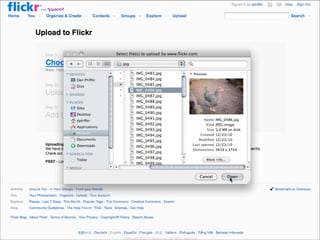
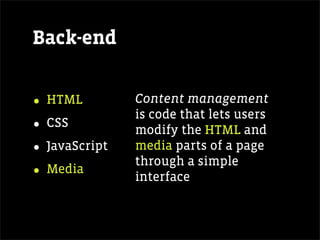
Back-end


• HTML         Content management
               is code that lets users
• CSS          modify the HTML and
• JavaScript   media parts of a page
               through a simple
• Media        interface
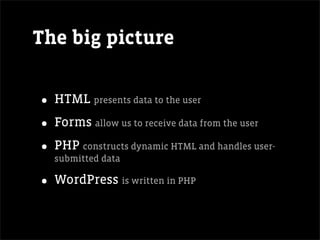
The big picture


• HTML presents data to the user
• Forms allow us to receive data from the user
• PHP constructs dynamic HTML and handles user-
  submitted data

• WordPress is written in PHP
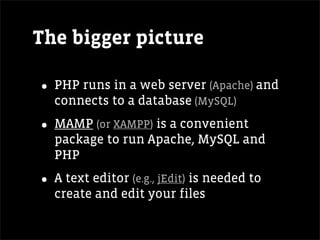
The bigger picture

• PHP runs in a web server (Apache) and
  connects to a database (MySQL)

• MAMP (or XAMPP) is a convenient
  package to run Apache, MySQL and
  PHP

• A text editor (e.g., jEdit) is needed to
  create and edit your files
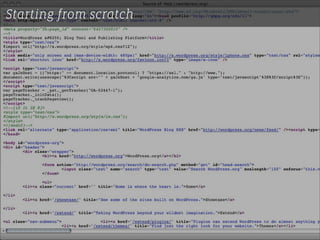
Starting from scratch
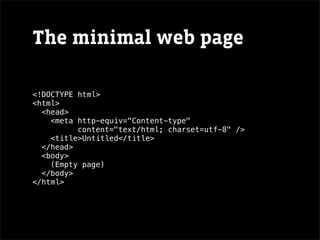
The minimal web page

<!DOCTYPE html>
<html>
  <head>
    <meta http-equiv="Content-type"
          content="text/html; charset=utf-8" />
    <title>Untitled</title>
  </head>
  <body>
    (Empty page)
  </body>
</html>
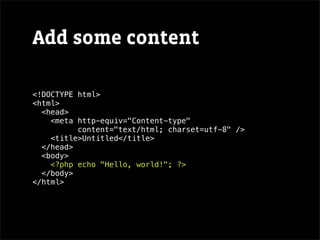
Add some content

<!DOCTYPE html>
<html>
  <head>
    <meta http-equiv="Content-type"
          content="text/html; charset=utf-8" />
    <title>Untitled</title>
  </head>
  <body>
    <?php echo "Hello, world!"; ?>
  </body>
</html>
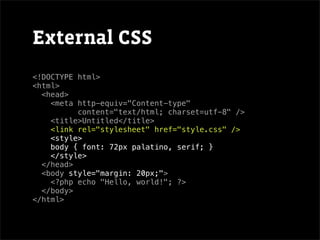
External CSS
<!DOCTYPE html>
<html>
  <head>
    <meta http-equiv="Content-type"
          content="text/html; charset=utf-8" />
    <title>Untitled</title>
    <link rel="stylesheet" href="style.css" />
    <style>
    body { font: 72px palatino, serif; }
    </style>
  </head>
  <body style="margin: 20px;">
    <?php echo "Hello, world!"; ?>
  </body>
</html>
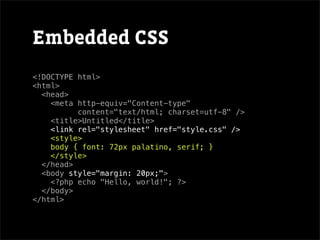
Embedded CSS
<!DOCTYPE html>
<html>
  <head>
    <meta http-equiv="Content-type"
          content="text/html; charset=utf-8" />
    <title>Untitled</title>
    <link rel="stylesheet" href="style.css" />
    <style>
    body { font: 72px palatino, serif; }
    </style>
  </head>
  <body style="margin: 20px;">
    <?php echo "Hello, world!"; ?>
  </body>
</html>
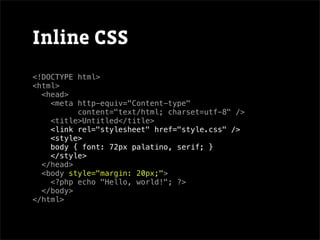
Inline CSS
<!DOCTYPE html>
<html>
  <head>
    <meta http-equiv="Content-type"
          content="text/html; charset=utf-8" />
    <title>Untitled</title>
    <link rel="stylesheet" href="style.css" />
    <style>
    body { font: 72px palatino, serif; }
    </style>
  </head>
  <body style="margin: 20px;">
    <?php echo "Hello, world!"; ?>
  </body>
</html>
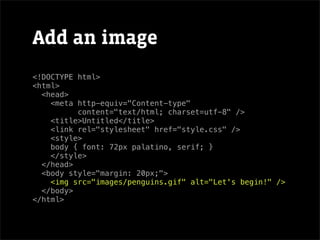
Add an image
<!DOCTYPE html>
<html>
  <head>
    <meta http-equiv="Content-type"
          content="text/html; charset=utf-8" />
    <title>Untitled</title>
    <link rel="stylesheet" href="style.css" />
    <style>
    body { font: 72px palatino, serif; }
    </style>
  </head>
  <body style="margin: 20px;">
    <img src="images/penguins.gif" alt="Let's begin!" />
  </body>
</html>
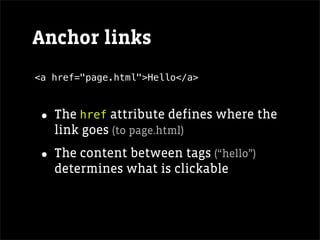
Anchor links
<a href="page.html">Hello</a>


• The href attribute defines where the
   link goes (to page.html)

• The content between tags (“hello”)
   determines what is clickable
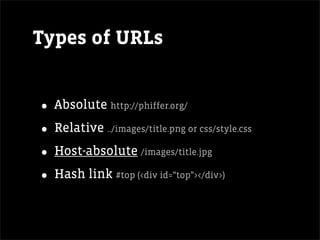
Types of URLs


• Absolute http://phiffer.org/
• Relative ../images/title.png or css/style.css
• Host-absolute /images/title.jpg
• Hash link #top (<div id="top"></div>)
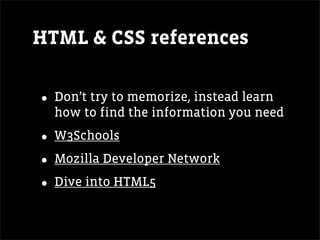
HTML & CSS references


• Don’t try to memorize, instead learn
  how to find the information you need

• W3Schools
• Mozilla Developer Network
• Dive into HTML5

The web context

  • 1.
    The web context Fast,Easy, Complicated, and Powerful Web ITP, Spring 2011, section 1, session 1 Dan Phiffer dan@phiffer.org
  • 2.
    Fast, Easy, Complicated,and Powerful Web
  • 3.
    Fast, Easy, Complicated... •Casual content management in general • WordPress development in particular • One major project • In six sessions
  • 4.
    Six sessions • 1week PHP overview • 4 weeks WordPress development • Project presentations
  • 5.
    Projects • Warm-up PHPexercise • WordPress child theme • WordPress theme from scratch • Final project
  • 6.
  • 11.
    Casual content management • Easilychanging what’s on the page • Using code to construct how it’s presented • Casual in that we’re not trying to build enterprise systems
  • 12.
  • 13.
  • 14.
    The web ismade out of text
  • 15.
    What parts contribute toa web page? • HTML • CSS • JavaScript • Media
  • 16.
    Markup • HTML • Tags <div>...</div> • CSS <span>...</span> • JavaScript • Attributes <p id="intro">...</p> <a href="home.html">...</a> • Media • Content <h1>oh hai</h1> <img src="pong.gif" alt="" />
  • 17.
    Stylesheets • HTML • Selectors #home { ... } • CSS a.selected { ... } input { ... } • JavaScript • Properties a { color: #ABB94A; } • Media p { font-size: 1.5em; } body { margin: 30px; text-align: center; }
  • 18.
    Scripting • HTML • Flexible • CSS • Powerful • JavaScript • Kind of weird • Media
  • 19.
    Non-textual media • HTML • Images <img src="..." alt="..." /> • CSS • Audio <audio src="...">...</audio> • JavaScript • Media • Video <video src="...">...</video> • Canvas <canvas id="..."></canvas>
  • 20.
    Back-end • HTML Content management is code that lets users • CSS modify the HTML and • JavaScript media parts of a page through a simple • Media interface
  • 21.
    The big picture •HTML presents data to the user • Forms allow us to receive data from the user • PHP constructs dynamic HTML and handles user- submitted data • WordPress is written in PHP
  • 22.
    The bigger picture •PHP runs in a web server (Apache) and connects to a database (MySQL) • MAMP (or XAMPP) is a convenient package to run Apache, MySQL and PHP • A text editor (e.g., jEdit) is needed to create and edit your files
  • 23.
  • 24.
    The minimal webpage <!DOCTYPE html> <html> <head> <meta http-equiv="Content-type" content="text/html; charset=utf-8" /> <title>Untitled</title> </head> <body> (Empty page) </body> </html>
  • 25.
    Add some content <!DOCTYPEhtml> <html> <head> <meta http-equiv="Content-type" content="text/html; charset=utf-8" /> <title>Untitled</title> </head> <body> <?php echo "Hello, world!"; ?> </body> </html>
  • 26.
    External CSS <!DOCTYPE html> <html> <head> <meta http-equiv="Content-type" content="text/html; charset=utf-8" /> <title>Untitled</title> <link rel="stylesheet" href="style.css" /> <style> body { font: 72px palatino, serif; } </style> </head> <body style="margin: 20px;"> <?php echo "Hello, world!"; ?> </body> </html>
  • 27.
    Embedded CSS <!DOCTYPE html> <html> <head> <meta http-equiv="Content-type" content="text/html; charset=utf-8" /> <title>Untitled</title> <link rel="stylesheet" href="style.css" /> <style> body { font: 72px palatino, serif; } </style> </head> <body style="margin: 20px;"> <?php echo "Hello, world!"; ?> </body> </html>
  • 28.
    Inline CSS <!DOCTYPE html> <html> <head> <meta http-equiv="Content-type" content="text/html; charset=utf-8" /> <title>Untitled</title> <link rel="stylesheet" href="style.css" /> <style> body { font: 72px palatino, serif; } </style> </head> <body style="margin: 20px;"> <?php echo "Hello, world!"; ?> </body> </html>
  • 29.
    Add an image <!DOCTYPEhtml> <html> <head> <meta http-equiv="Content-type" content="text/html; charset=utf-8" /> <title>Untitled</title> <link rel="stylesheet" href="style.css" /> <style> body { font: 72px palatino, serif; } </style> </head> <body style="margin: 20px;"> <img src="images/penguins.gif" alt="Let's begin!" /> </body> </html>
  • 30.
    Anchor links <a href="page.html">Hello</a> •The href attribute defines where the link goes (to page.html) • The content between tags (“hello”) determines what is clickable
  • 31.
    Types of URLs •Absolute http://phiffer.org/ • Relative ../images/title.png or css/style.css • Host-absolute /images/title.jpg • Hash link #top (<div id="top"></div>)
  • 32.
    HTML & CSSreferences • Don’t try to memorize, instead learn how to find the information you need • W3Schools • Mozilla Developer Network • Dive into HTML5