Web Application
Architecture
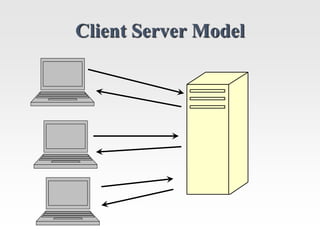
Client Server Model
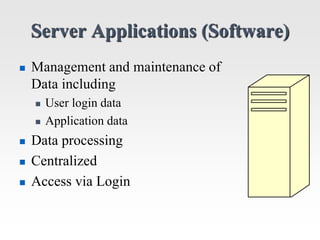
Server Applications (Software)
 Management and maintenance of
Data including
 User login data
 Application data
 Data processing
 Centralized
 Access via Login
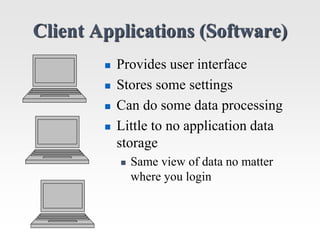
Client Applications (Software)
 Provides user interface
 Stores some settings
 Can do some data processing
 Little to no application data
storage
 Same view of data no matter
where you login
Client-Server Advantages
 Centralized Data Storage
 No data redundancy (no duplication of data)
 Reduces data dependencies
 If data is stored on each user’s system and each
system is different than data depends on how the
user system is designed
 Data can not be shared easily if such dependencies
exist
Classic Example:
Early Banking Systems
 Network: Local Area Network (LAN) covering local
office branch.
 Server: Mainframe-like server “in the back” running
custom banking system
 Client: Windows PC with client interface for each
bank teller.
 Data is the same no matter what teller you go to.
 Data is NOT the same if you go to another branch
unless servers exchanged some data at night.
Classic Example:
Early Banking Systems
The Obvious Future:
 Change the LAN to a wide area network
covering all the branches.
 Get rid of the individual servers at each branch
 Have clients connect to central server where
ALL the banking data is stored.
Classic Example:
Early Banking Systems
The Obvious Problems:
 Large banks could have thousands of tellers
connecting to the central server.
 Combining data from all branches requires
severs with lots of storage capacity.
 Branch data could be stored in different
formats.
 Lack of Standardization.
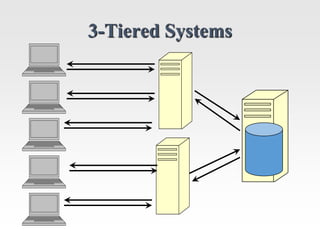
3-Tiered Systems
3-Tiered System
 Database Tier (Database Server)
 Data storage and low level data manipulation
 Server Tier (Application Server)
 Manage client connections and data processing
 Client Tier (Client Software installed locally)
 User interface and some data processing
Advantage of 3-Tier Systems
 Central Database Server accessed by multiple
Application Servers
 In turn, each Application Server could independently
manage thousands of users
 Database Server is specially designed to do its job
 Database Operations: Update, Insert, Remove, etc.
 Lots of disk storage and memory needed
 Application Servers can be added to support more
users or DIFFERENT APPLICATIONS
 Server Operations: Complex application-dependent
computations
 Lots of processor power needed
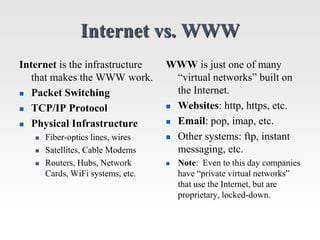
Internet vs. WWW
Internet is the infrastructure
that makes the WWW work.
 Packet Switching
 TCP/IP Protocol
 Physical Infrastructure
 Fiber-optics lines, wires
 Satellites, Cable Modems
 Routers, Hubs, Network
Cards, WiFi systems, etc.
WWW is just one of many
“virtual networks” built on
the Internet.
 Websites: http, https, etc.
 Email: pop, imap, etc.
 Other systems: ftp, instant
messaging, etc.
 Note: Even to this day companies
have “private virtual networks”
that use the Internet, but are
proprietary, locked-down.
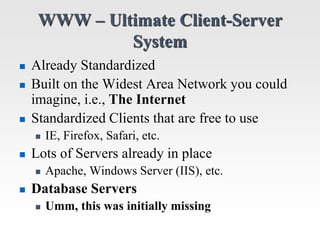
WWW – Ultimate Client-Server
System
 Already Standardized
 Built on the Widest Area Network you could
imagine, i.e., The Internet
 Standardized Clients that are free to use
 IE, Firefox, Safari, etc.
 Lots of Servers already in place
 Apache, Windows Server (IIS), etc.
 Database Servers
 Umm, this was initially missing
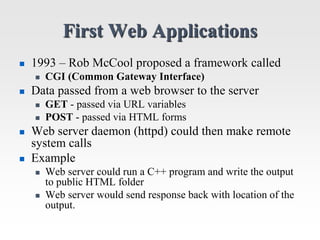
First Web Applications
 1993 – Rob McCool proposed a framework called
 CGI (Common Gateway Interface)
 Data passed from a web browser to the server
 GET - passed via URL variables
 POST - passed via HTML forms
 Web server daemon (httpd) could then make remote
system calls
 Example
 Web server could run a C++ program and write the output
to public HTML folder
 Web server would send response back with location of the
output.
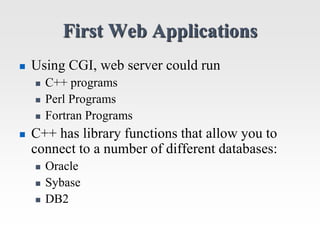
First Web Applications
 Using CGI, web server could run
 C++ programs
 Perl Programs
 Fortran Programs
 C++ has library functions that allow you to
connect to a number of different databases:
 Oracle
 Sybase
 DB2
First Web Applications
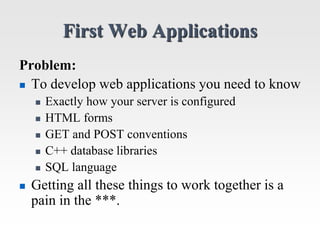
Problem:
 To develop web applications you need to know
 Exactly how your server is configured
 HTML forms
 GET and POST conventions
 C++ database libraries
 SQL language
 Getting all these things to work together is a
pain in the ***.
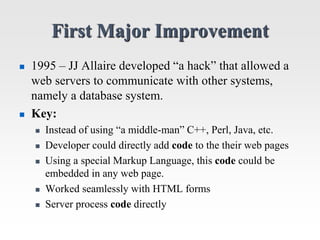
First Major Improvement
 1995 – JJ Allaire developed “a hack” that allowed a
web servers to communicate with other systems,
namely a database system.
 Key:
 Instead of using “a middle-man” C++, Perl, Java, etc.
 Developer could directly add code to the their web pages
 Using a special Markup Language, this code could be
embedded in any web page.
 Worked seamlessly with HTML forms
 Server process code directly
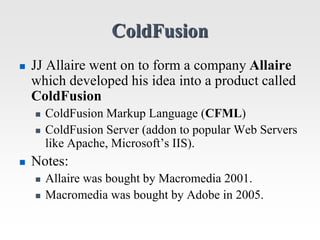
ColdFusion
 JJ Allaire went on to form a company Allaire
which developed his idea into a product called
ColdFusion
 ColdFusion Markup Language (CFML)
 ColdFusion Server (addon to popular Web Servers
like Apache, Microsoft’s IIS).
 Notes:
 Allaire was bought by Macromedia 2001.
 Macromedia was bought by Adobe in 2005.
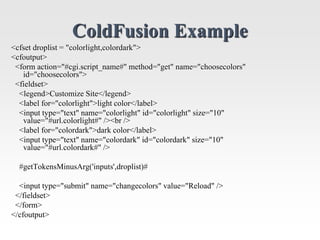
ColdFusion Example
<cfset droplist = "colorlight,colordark">
<cfoutput>
<form action="#cgi.script_name#" method="get" name="choosecolors"
id="choosecolors">
<fieldset>
<legend>Customize Site</legend>
<label for="colorlight">light color</label>
<input type="text" name="colorlight" id="colorlight" size="10"
value="#url.colorlight#" /><br />
<label for="colordark">dark color</label>
<input type="text" name="colordark" id="colordark" size="10"
value="#url.colordark#" />
#getTokensMinusArg('inputs',droplist)#
<input type="submit" name="changecolors" value="Reload" />
</fieldset>
</form>
</cfoutput>
ColdFusion
 The term Cold Fusion refers to a nuclear reaction that
can occur at room temperature
 In the 1980’s it was believed that Cold Fusion was a
physical possibility.
 If Cold Fusion could be achieved then almost
unlimited power could be generated by a reaction you
could perform in your own kitchen.
 JJ Allaire aptly named his product ColdFusion
because he believed it would be as great as real “Cold
Fusion.”
 He was right, but…
Problems with ColdFusion
 The concept is great, but the implementation
sucked.
 CFML is difficult to learn, overly complex
 ColdFusion server was initially very slow
 You have to pay for it
 Initially, it only worked for Microsoft’s server,
which you have to pay for.
 Made JJ Allaire a multimillioniare but…
Alternative’s to ColdFusion
 Microsoft developed it’s own system called Active
Server Pages (ASP), which was more tightly
integrated with their web server.
 Sun Microsystems, developed Java Server Pages
(JSP), which worked better with its server and used
Java as the application language.
 The Apache Community spawned PHP which is as
good as the systems above, but Open Source.
WWW – Ultimate Client-Server
System
 Already Standardized
 Built on the Widest Area Network you could
imagine, i.e., The Internet
 Standardized Clients that are free to use
 IE, Firefox, Safari, etc.
 Lots of Servers already in place
 Apache, Windows Server (IIS), etc.
 Database Servers
 ColdFusion, ASP, JSP, and PHP all have built-in
support to connect to databases.

0.Web Application Architecture.ppt

  • 1.
  • 2.
  • 3.
    Server Applications (Software) Management and maintenance of Data including  User login data  Application data  Data processing  Centralized  Access via Login
  • 4.
    Client Applications (Software) Provides user interface  Stores some settings  Can do some data processing  Little to no application data storage  Same view of data no matter where you login
  • 5.
    Client-Server Advantages  CentralizedData Storage  No data redundancy (no duplication of data)  Reduces data dependencies  If data is stored on each user’s system and each system is different than data depends on how the user system is designed  Data can not be shared easily if such dependencies exist
  • 6.
    Classic Example: Early BankingSystems  Network: Local Area Network (LAN) covering local office branch.  Server: Mainframe-like server “in the back” running custom banking system  Client: Windows PC with client interface for each bank teller.  Data is the same no matter what teller you go to.  Data is NOT the same if you go to another branch unless servers exchanged some data at night.
  • 7.
    Classic Example: Early BankingSystems The Obvious Future:  Change the LAN to a wide area network covering all the branches.  Get rid of the individual servers at each branch  Have clients connect to central server where ALL the banking data is stored.
  • 8.
    Classic Example: Early BankingSystems The Obvious Problems:  Large banks could have thousands of tellers connecting to the central server.  Combining data from all branches requires severs with lots of storage capacity.  Branch data could be stored in different formats.  Lack of Standardization.
  • 9.
  • 10.
    3-Tiered System  DatabaseTier (Database Server)  Data storage and low level data manipulation  Server Tier (Application Server)  Manage client connections and data processing  Client Tier (Client Software installed locally)  User interface and some data processing
  • 11.
    Advantage of 3-TierSystems  Central Database Server accessed by multiple Application Servers  In turn, each Application Server could independently manage thousands of users  Database Server is specially designed to do its job  Database Operations: Update, Insert, Remove, etc.  Lots of disk storage and memory needed  Application Servers can be added to support more users or DIFFERENT APPLICATIONS  Server Operations: Complex application-dependent computations  Lots of processor power needed
  • 12.
    Internet vs. WWW Internetis the infrastructure that makes the WWW work.  Packet Switching  TCP/IP Protocol  Physical Infrastructure  Fiber-optics lines, wires  Satellites, Cable Modems  Routers, Hubs, Network Cards, WiFi systems, etc. WWW is just one of many “virtual networks” built on the Internet.  Websites: http, https, etc.  Email: pop, imap, etc.  Other systems: ftp, instant messaging, etc.  Note: Even to this day companies have “private virtual networks” that use the Internet, but are proprietary, locked-down.
  • 13.
    WWW – UltimateClient-Server System  Already Standardized  Built on the Widest Area Network you could imagine, i.e., The Internet  Standardized Clients that are free to use  IE, Firefox, Safari, etc.  Lots of Servers already in place  Apache, Windows Server (IIS), etc.  Database Servers  Umm, this was initially missing
  • 14.
    First Web Applications 1993 – Rob McCool proposed a framework called  CGI (Common Gateway Interface)  Data passed from a web browser to the server  GET - passed via URL variables  POST - passed via HTML forms  Web server daemon (httpd) could then make remote system calls  Example  Web server could run a C++ program and write the output to public HTML folder  Web server would send response back with location of the output.
  • 15.
    First Web Applications Using CGI, web server could run  C++ programs  Perl Programs  Fortran Programs  C++ has library functions that allow you to connect to a number of different databases:  Oracle  Sybase  DB2
  • 16.
    First Web Applications Problem: To develop web applications you need to know  Exactly how your server is configured  HTML forms  GET and POST conventions  C++ database libraries  SQL language  Getting all these things to work together is a pain in the ***.
  • 17.
    First Major Improvement 1995 – JJ Allaire developed “a hack” that allowed a web servers to communicate with other systems, namely a database system.  Key:  Instead of using “a middle-man” C++, Perl, Java, etc.  Developer could directly add code to the their web pages  Using a special Markup Language, this code could be embedded in any web page.  Worked seamlessly with HTML forms  Server process code directly
  • 18.
    ColdFusion  JJ Allairewent on to form a company Allaire which developed his idea into a product called ColdFusion  ColdFusion Markup Language (CFML)  ColdFusion Server (addon to popular Web Servers like Apache, Microsoft’s IIS).  Notes:  Allaire was bought by Macromedia 2001.  Macromedia was bought by Adobe in 2005.
  • 19.
    ColdFusion Example <cfset droplist= "colorlight,colordark"> <cfoutput> <form action="#cgi.script_name#" method="get" name="choosecolors" id="choosecolors"> <fieldset> <legend>Customize Site</legend> <label for="colorlight">light color</label> <input type="text" name="colorlight" id="colorlight" size="10" value="#url.colorlight#" /><br /> <label for="colordark">dark color</label> <input type="text" name="colordark" id="colordark" size="10" value="#url.colordark#" /> #getTokensMinusArg('inputs',droplist)# <input type="submit" name="changecolors" value="Reload" /> </fieldset> </form> </cfoutput>
  • 20.
    ColdFusion  The termCold Fusion refers to a nuclear reaction that can occur at room temperature  In the 1980’s it was believed that Cold Fusion was a physical possibility.  If Cold Fusion could be achieved then almost unlimited power could be generated by a reaction you could perform in your own kitchen.  JJ Allaire aptly named his product ColdFusion because he believed it would be as great as real “Cold Fusion.”  He was right, but…
  • 21.
    Problems with ColdFusion The concept is great, but the implementation sucked.  CFML is difficult to learn, overly complex  ColdFusion server was initially very slow  You have to pay for it  Initially, it only worked for Microsoft’s server, which you have to pay for.  Made JJ Allaire a multimillioniare but…
  • 22.
    Alternative’s to ColdFusion Microsoft developed it’s own system called Active Server Pages (ASP), which was more tightly integrated with their web server.  Sun Microsystems, developed Java Server Pages (JSP), which worked better with its server and used Java as the application language.  The Apache Community spawned PHP which is as good as the systems above, but Open Source.
  • 23.
    WWW – UltimateClient-Server System  Already Standardized  Built on the Widest Area Network you could imagine, i.e., The Internet  Standardized Clients that are free to use  IE, Firefox, Safari, etc.  Lots of Servers already in place  Apache, Windows Server (IIS), etc.  Database Servers  ColdFusion, ASP, JSP, and PHP all have built-in support to connect to databases.