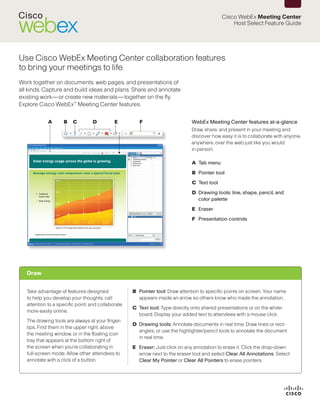
This document provides a guide to the host select feature in Cisco WebEx Meeting Center. It allows meeting hosts to annotate and draw on shared materials during a session. Attendees can view these annotations. The guide describes the various annotation tools available including pointers, text, drawing tools, and erasers. It also explains how to share presentations, documents, webpages and desktop screens with attendees. Additional features covered include using presentation tools, the floating icon tray, and ending a meeting.


![Adobe Connect 7.5 To 8.0 Transition Guide[1]](https://cdn.slidesharecdn.com/ss_thumbnails/adobeconnect75to80transitionguide1-13237920140247-phpapp01-111213100040-phpapp01-thumbnail.jpg?width=640&height=640&fit=bounds)


