Prezi Application


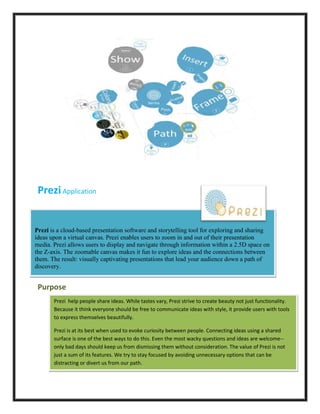
Prezi is a cloud-based presentation software and storytelling tool for exploring and sharing
ideas upon a virtual canvas. Prezi enables users to zoom in and out of their presentation
media. Prezi allows users to display and navigate through information within a 2.5D space on
the Z-axis. The zoomable canvas makes it fun to explore ideas and the connections between
them. The result: visually captivating presentations that lead your audience down a path of
discovery.


 Purpose
       Prezi help people share ideas. While tastes vary, Prezi strive to create beauty not just functionality.
       Because it think everyone should be free to communicate ideas with style, it provide users with tools
       to express themselves beautifully.

       Prezi is at its best when used to evoke curiosity between people. Connecting ideas using a shared
       surface is one of the best ways to do this. Even the most wacky questions and ideas are welcome--
       only bad days should keep us from dismissing them without consideration. The value of Prezi is not
       just a sum of its features. We try to stay focused by avoiding unnecessary options that can be
       distracting or divert us from our path.
Tasks to achieve the purpose:
 1.   Navigate the canvas
 2.   Get to know the zebra
 3.   Start from a template
 4.   Customize colors and fonts
 5.   Anchor yourself on the canvas
 6.   Insert a Drawing
 7.   Draw Shapes
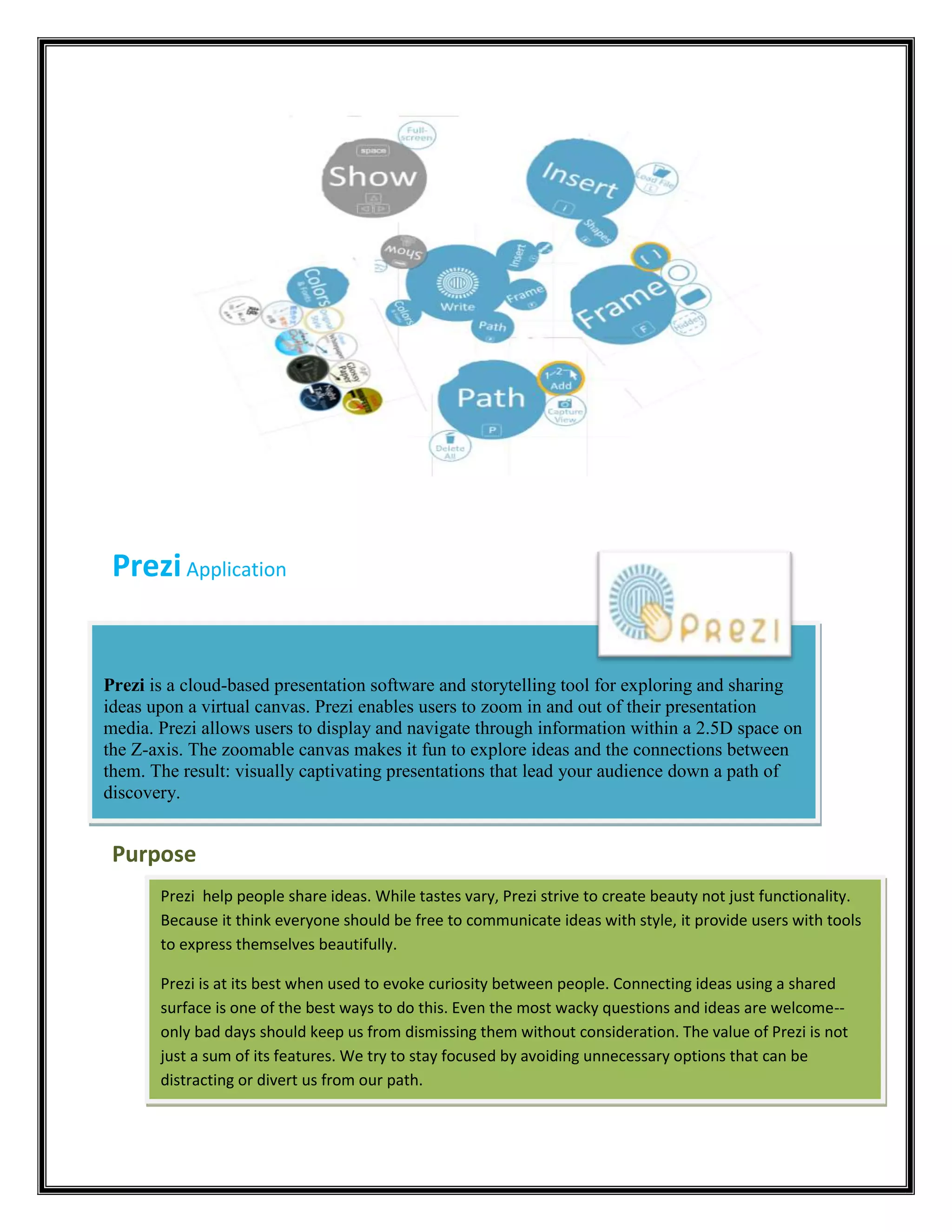
               Choose Insert > Shapes from the bubble menu to add shapes, lines,
               arrows, and more to your prezi.
               Use rectangles, circles, and triangles to draw geometric shapes;
               use Arrows to show relationships between ideas;
               highlight text with the Highlighter.
               Jot down ideas and make sketches with the Pencil.


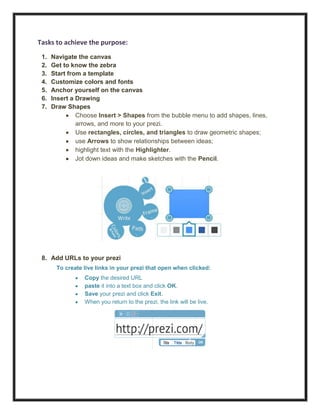
 8. Add URLs to your prezi
       To create live links in your prezi that open when clicked:
                 Copy the desired URL
                 paste it into a text box and click OK.
                 Save your prezi and click Exit.
                 When you return to the prezi, the link will be live.
9. Create a path: Thumbnails
 10. Introducing PowerPoint Import


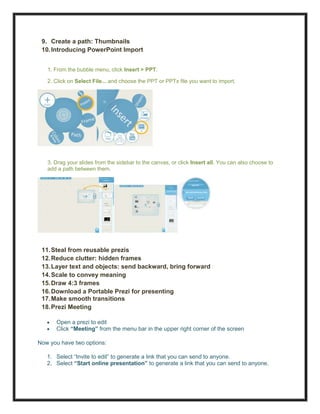
   1. From the bubble menu, click Insert > PPT.

   2. Click on Select File... and choose the PPT or PPTx file you want to import.


   3. Drag your slides from the sidebar to the canvas, or click Insert all. You can also choose to
   add a path between them.


 11. Steal from reusable prezis
 12. Reduce clutter: hidden frames
 13. Layer text and objects: send backward, bring forward
 14. Scale to convey meaning
 15. Draw 4:3 frames
 16. Download a Portable Prezi for presenting
 17. Make smooth transitions
 18. Prezi Meeting

      Open a prezi to edit
      Click “Meeting” from the menu bar in the upper right corner of the screen

Now you have two options:

   1. Select “Invite to edit” to generate a link that you can send to anyone.
   2. Select “Start online presentation” to generate a link that you can send to anyone.
How to navigate in Prezi meeting:

   1. To follow an avatar: click an avatar and select "Take a look"
   2. To give a collaborator control of the prezi (you are currently the presenter): click on the
      avatar and select "Hand over presentation"
   3. To navigate on your own: click on the avatar and select "Explore freely"


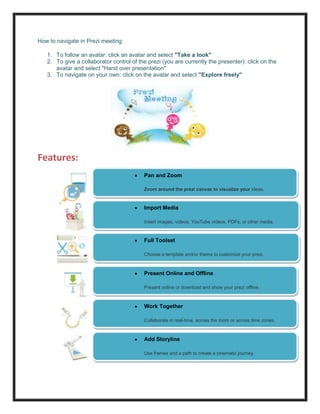
Features:
                                          Pan and Zoom

                                          Zoom around the prezi canvas to visualize your ideas.


                                          Import Media

                                          Insert images, videos, YouTube videos, PDFs, or other media.

                                          ideas.
                                          Full Toolset

                                          Choose a template and/or theme to customize your prezi.

                                          ideas.
                                          Present Online and Offline

                                          Present online or download and show your prezi offline.

                                          prezi.
                                          Work Together
                                          ideas.
                                          Collaborate in real-time, across the room or across time zones.

                                          prezi.
                                          Add Storyline
                                          ideas.
                                          Use frames and a path to create a cinematic journey.

                                          prezi.

                                          ideas.
Prezi evaluation

Prezi evaluation

  • 1.
    Prezi Application Prezi isa cloud-based presentation software and storytelling tool for exploring and sharing ideas upon a virtual canvas. Prezi enables users to zoom in and out of their presentation media. Prezi allows users to display and navigate through information within a 2.5D space on the Z-axis. The zoomable canvas makes it fun to explore ideas and the connections between them. The result: visually captivating presentations that lead your audience down a path of discovery. Purpose Prezi help people share ideas. While tastes vary, Prezi strive to create beauty not just functionality. Because it think everyone should be free to communicate ideas with style, it provide users with tools to express themselves beautifully. Prezi is at its best when used to evoke curiosity between people. Connecting ideas using a shared surface is one of the best ways to do this. Even the most wacky questions and ideas are welcome-- only bad days should keep us from dismissing them without consideration. The value of Prezi is not just a sum of its features. We try to stay focused by avoiding unnecessary options that can be distracting or divert us from our path.
  • 2.
    Tasks to achievethe purpose: 1. Navigate the canvas 2. Get to know the zebra 3. Start from a template 4. Customize colors and fonts 5. Anchor yourself on the canvas 6. Insert a Drawing 7. Draw Shapes Choose Insert > Shapes from the bubble menu to add shapes, lines, arrows, and more to your prezi. Use rectangles, circles, and triangles to draw geometric shapes; use Arrows to show relationships between ideas; highlight text with the Highlighter. Jot down ideas and make sketches with the Pencil. 8. Add URLs to your prezi To create live links in your prezi that open when clicked: Copy the desired URL paste it into a text box and click OK. Save your prezi and click Exit. When you return to the prezi, the link will be live.
  • 3.
    9. Create apath: Thumbnails 10. Introducing PowerPoint Import 1. From the bubble menu, click Insert > PPT. 2. Click on Select File... and choose the PPT or PPTx file you want to import. 3. Drag your slides from the sidebar to the canvas, or click Insert all. You can also choose to add a path between them. 11. Steal from reusable prezis 12. Reduce clutter: hidden frames 13. Layer text and objects: send backward, bring forward 14. Scale to convey meaning 15. Draw 4:3 frames 16. Download a Portable Prezi for presenting 17. Make smooth transitions 18. Prezi Meeting Open a prezi to edit Click “Meeting” from the menu bar in the upper right corner of the screen Now you have two options: 1. Select “Invite to edit” to generate a link that you can send to anyone. 2. Select “Start online presentation” to generate a link that you can send to anyone.
  • 4.
    How to navigatein Prezi meeting: 1. To follow an avatar: click an avatar and select "Take a look" 2. To give a collaborator control of the prezi (you are currently the presenter): click on the avatar and select "Hand over presentation" 3. To navigate on your own: click on the avatar and select "Explore freely" Features: Pan and Zoom Zoom around the prezi canvas to visualize your ideas. Import Media Insert images, videos, YouTube videos, PDFs, or other media. ideas. Full Toolset Choose a template and/or theme to customize your prezi. ideas. Present Online and Offline Present online or download and show your prezi offline. prezi. Work Together ideas. Collaborate in real-time, across the room or across time zones. prezi. Add Storyline ideas. Use frames and a path to create a cinematic journey. prezi. ideas.