Done by:
Shaikha Mohamad
    Eman Essa
The outline

Introduction
What is WebEx?
What do you need
Benefits of WebEx
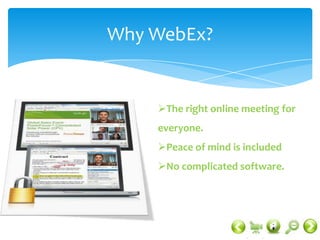
Why WebEx
Who use WebEx
More than meeting!
Video
Conclusion
Reference
Introduction

Make your meetings work for you
You don't need another meeting.
You need a better way to meet. You
need WebEx web conferencing
What is WebEx?

Web conferencing lets you connect with
anyone, anywhere, in real time. WebEx
combines desktop sharing through a
web browser with phone conferencing
and video, so everyone sees the same
thing while you talk
A computer or wireless device with an Internet connection   An audio connection - either through your computer or phone   A webcam (optional)


                                                  What do you need?


                     A computer or wireless device with an
                    Internet connection
                     An audio connection - either through
                    your computer or phone
                     A webcam (optional)
Benefits of WebEx

Put everyone on the same page
Collaborate in real time
Get up close and personal with
video conferencing.
Never miss another ‘ aha!’
moment.
Make your online meetings
mobile
Why WebEx?


    The right online meeting for
    everyone.
    Peace of mind is included
    No complicated software.
Who use WebEx?


 Collaboration
 Sales
 Training
 Webinars
 Support
 Education
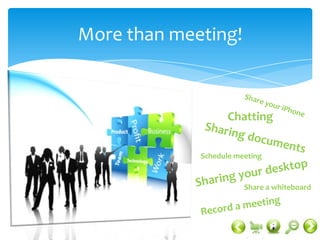
More than meeting!


                    Chatting


             Schedule meeting


                        Share a whiteboard
Video
Conclusion


     Any Questions
     Thanks for your attention
Reference


 http://www.webex.com/overview/index.html
 http://www.webex.com/overview/web-conferencing.html
 http://www.webex.com/overview/webex-web-
conferencing.html
 http://www.webex.com/overview/who-uses-web-
conferencing.html
 http://www.youtube.com

WebEx!

  • 1.
  • 2.
    The outline Introduction What isWebEx? What do you need Benefits of WebEx Why WebEx Who use WebEx More than meeting! Video Conclusion Reference
  • 3.
    Introduction Make your meetingswork for you You don't need another meeting. You need a better way to meet. You need WebEx web conferencing
  • 4.
    What is WebEx? Webconferencing lets you connect with anyone, anywhere, in real time. WebEx combines desktop sharing through a web browser with phone conferencing and video, so everyone sees the same thing while you talk
  • 5.
    A computer orwireless device with an Internet connection An audio connection - either through your computer or phone A webcam (optional) What do you need?  A computer or wireless device with an Internet connection  An audio connection - either through your computer or phone  A webcam (optional)
  • 6.
    Benefits of WebEx Puteveryone on the same page Collaborate in real time Get up close and personal with video conferencing. Never miss another ‘ aha!’ moment. Make your online meetings mobile
  • 7.
    Why WebEx? The right online meeting for everyone. Peace of mind is included No complicated software.
  • 8.
    Who use WebEx? Collaboration  Sales  Training  Webinars  Support  Education
  • 9.
    More than meeting! Chatting Schedule meeting Share a whiteboard
  • 10.
  • 11.
    Conclusion  Any Questions  Thanks for your attention
  • 12.
    Reference  http://www.webex.com/overview/index.html  http://www.webex.com/overview/web-conferencing.html http://www.webex.com/overview/webex-web- conferencing.html  http://www.webex.com/overview/who-uses-web- conferencing.html  http://www.youtube.com