BATRA COMPUTER CENTRE
Web Development
ISO CERTIFIED
PHNO: 9729666670, 4000670
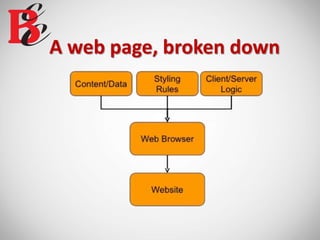
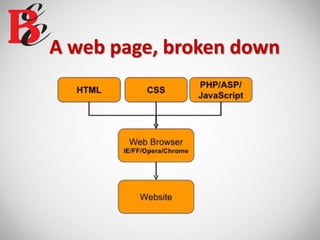
A web page, broken down
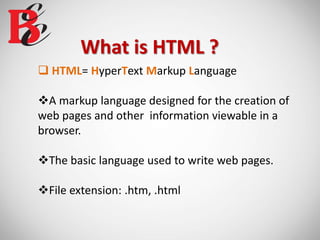
What is HTML ?
 HTML= HyperText Markup Language
A markup language designed for the creation of
web pages and other information viewable in a
browser.
The basic language used to write web pages.
File extension: .htm, .html
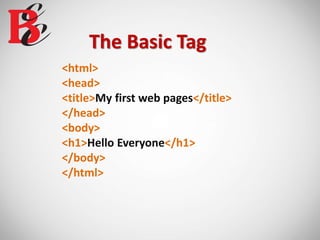
The Basic Tag
<html>
<head>
<title>My first web pages</title>
</head>
<body>
<h1>Hello Everyone</h1>
</body>
</html>
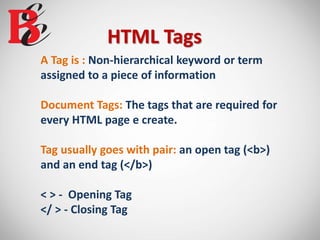
HTML Tags
A Tag is : Non-hierarchical keyword or term
assigned to a piece of information
Document Tags: The tags that are required for
every HTML page e create.
Tag usually goes with pair: an open tag (<b>)
and an end tag (</b>)
< > - Opening Tag
</ > - Closing Tag
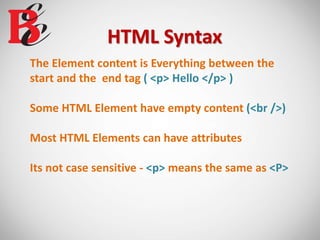
HTML Syntax
The Element content is Everything between the
start and the end tag ( <p> Hello </p> )
Some HTML Element have empty content (<br />)
Most HTML Elements can have attributes
Its not case sensitive - <p> means the same as <P>
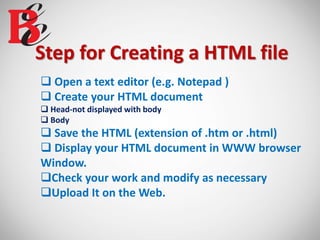
Step for Creating a HTML file
 Open a text editor (e.g. Notepad )
 Create your HTML document
 Head-not displayed with body
 Body
 Save the HTML (extension of .htm or .html)
 Display your HTML document in WWW browser
Window.
Check your work and modify as necessary
Upload It on the Web.
Working it Training…
HTML <body> Tag
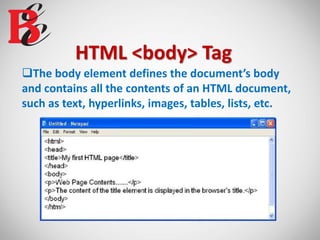
The body element defines the document’s body
and contains all the contents of an HTML document,
such as text, hyperlinks, images, tables, lists, etc.
HTML <body> Tag (contd..)
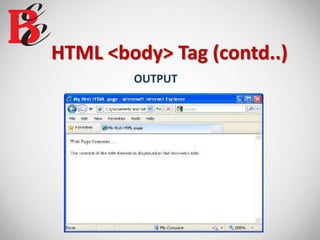
OUTPUT
HTML <body> Tag (contd..)
 Attributes
 Bgcolor – Specifies a background-color for a HTML page.
<body bgcolor=“#000000”>
<body bgcolor=“rgb(0,0,0)”>
<body bgcolor=“black”>
 Background – Specifies a background-image for a HTML page.
<body background=“clouds.gif”>
<body background =“http://www.abc.com/clouds.gif”>
HTML <img> Tag
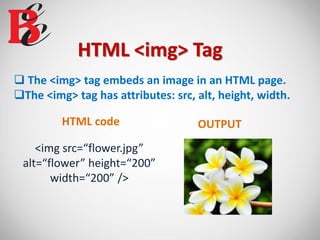
 The <img> tag embeds an image in an HTML page.
The <img> tag has attributes: src, alt, height, width.
<img src=“flower.jpg”
alt=“flower” height=“200”
width=“200” />
HTML code OUTPUT
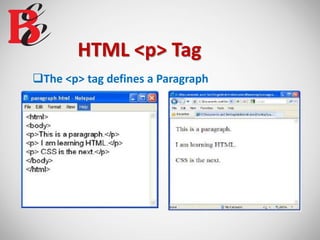
HTML <p> Tag
The <p> tag defines a Paragraph
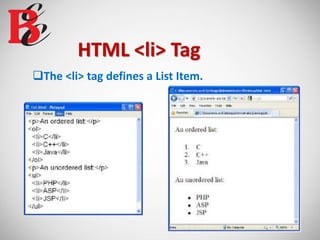
HTML <li> Tag
The <li> tag defines a List Item.
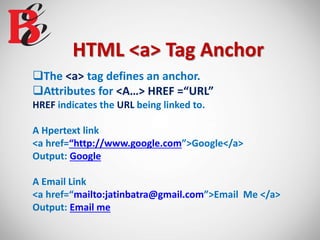
HTML <a> Tag Anchor
The <a> tag defines an anchor.
Attributes for <A…> HREF =“URL”
HREF indicates the URL being linked to.
A Hpertext link
<a href=“http://www.google.com”>Google</a>
Output: Google
A Email Link
<a href=“mailto:jatinbatra@gmail.com”>Email Me </a>
Output: Email me
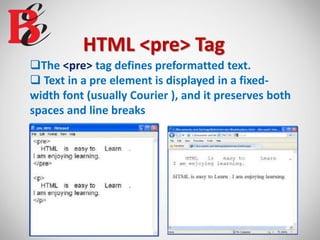
HTML <pre> Tag
The <pre> tag defines preformatted text.
 Text in a pre element is displayed in a fixed-
width font (usually Courier ), and it preserves both
spaces and line breaks

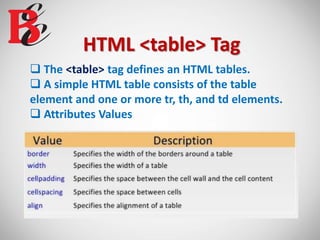
HTML <table> Tag
 The <table> tag defines an HTML tables.
 A simple HTML table consists of the table
element and one or more tr, th, and td elements.
 Attributes Values
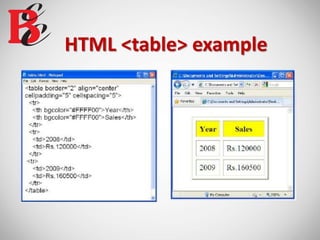
HTML <table> example
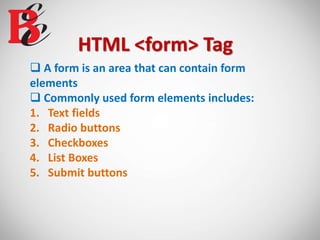
HTML <form> Tag
 A form is an area that can contain form
elements
 Commonly used form elements includes:
1. Text fields
2. Radio buttons
3. Checkboxes
4. List Boxes
5. Submit buttons
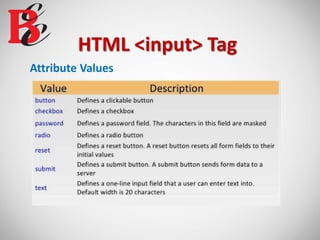
HTML <input> Tag
Attribute Values
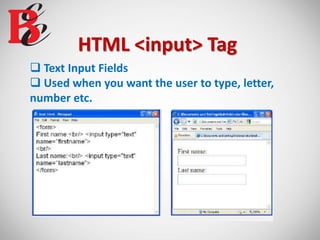
HTML <input> Tag
 Text Input Fields
 Used when you want the user to type, letter,
number etc.
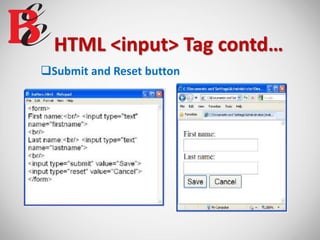
HTML <input> Tag contd…
Submit and Reset button
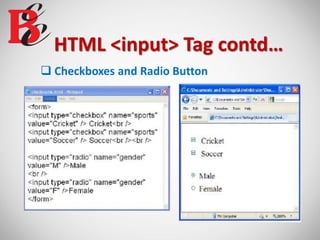
HTML <input> Tag contd…
 Checkboxes and Radio Button
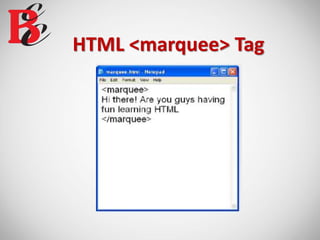
HTML <marquee> Tag
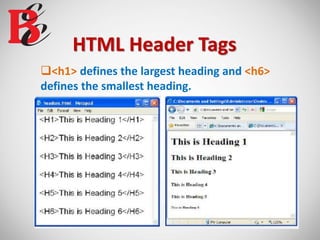
HTML Header Tags
<h1> defines the largest heading and <h6>
defines the smallest heading.
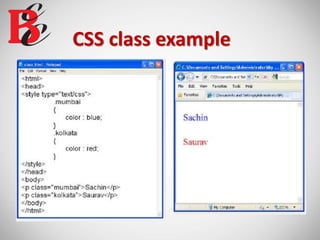
What is CSS ?
 CSS= Cascading Style Sheets
 CSS is a way to style HTML. Whereas the HTML
is the content, the style sheet is the presentation
of that document.
A Style
Selector Property Value
p { color: red ; }
The property is followed by a colon (:) and
the value is followed by a semicolon(;)
Applying CSS
There are three ways to apply CSS to HTML
 Inline
Affects only the element applied to.
 Internal or Embedded
Affects only the elements in a single file.
 External
Linked to an unlimited number of files.
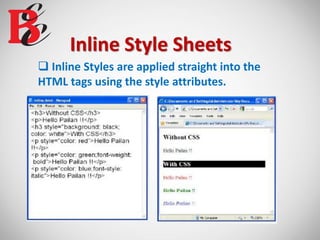
Inline Style Sheets
 Inline Styles are applied straight into the
HTML tags using the style attributes.
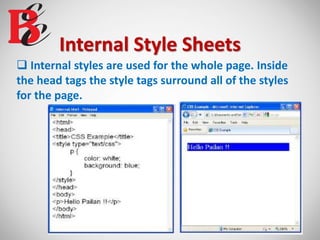
Internal Style Sheets
 Internal styles are used for the whole page. Inside
the head tags the style tags surround all of the styles
for the page.
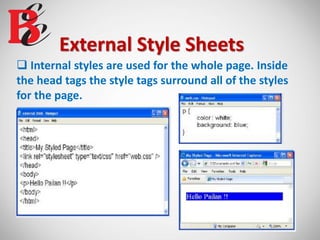
External Style Sheets
 Internal styles are used for the whole page. Inside
the head tags the style tags surround all of the styles
for the page.
CSS class example
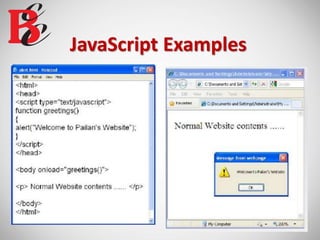
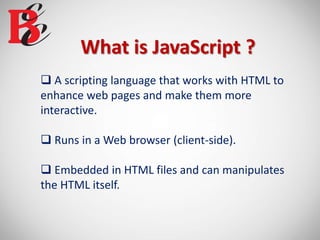
What is JavaScript ?
 A scripting language that works with HTML to
enhance web pages and make them more
interactive.
 Runs in a Web browser (client-side).
 Embedded in HTML files and can manipulates
the HTML itself.
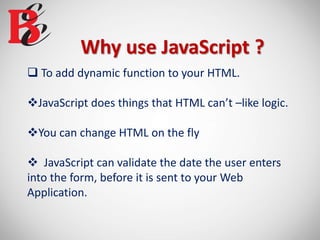
Why use JavaScript ?
 To add dynamic function to your HTML.
JavaScript does things that HTML can’t –like logic.
You can change HTML on the fly
 JavaScript can validate the date the user enters
into the form, before it is sent to your Web
Application.
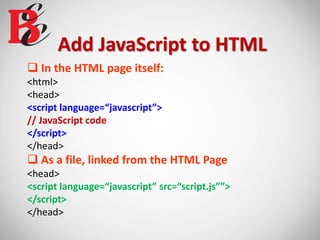
Add JavaScript to HTML
 In the HTML page itself:
<html>
<head>
<script language=“javascript”>
// JavaScript code
</script>
</head>
 As a file, linked from the HTML Page
<head>
<script language=“javascript” src=“script.js””>
</script>
</head>
JavaScript Examples
SCO 15, Dayal Bagh,
Ambala Cantt, Haryana
PIN CODE-133001
9729666670, 4000670PHNO:
EMAIL ID: info. jatinbatra@gmail.com
www.batracomputercentre.comWEBSITE:
ADDRESS:
Web development Training in Ambala ! Batra Computer Centre

Web development Training in Ambala ! Batra Computer Centre

  • 1.
    BATRA COMPUTER CENTRE WebDevelopment ISO CERTIFIED PHNO: 9729666670, 4000670
  • 2.
    A web page,broken down
  • 3.
    A web page,broken down
  • 5.
    What is HTML?  HTML= HyperText Markup Language A markup language designed for the creation of web pages and other information viewable in a browser. The basic language used to write web pages. File extension: .htm, .html
  • 6.
    The Basic Tag <html> <head> <title>Myfirst web pages</title> </head> <body> <h1>Hello Everyone</h1> </body> </html>
  • 7.
    HTML Tags A Tagis : Non-hierarchical keyword or term assigned to a piece of information Document Tags: The tags that are required for every HTML page e create. Tag usually goes with pair: an open tag (<b>) and an end tag (</b>) < > - Opening Tag </ > - Closing Tag
  • 8.
    HTML Syntax The Elementcontent is Everything between the start and the end tag ( <p> Hello </p> ) Some HTML Element have empty content (<br />) Most HTML Elements can have attributes Its not case sensitive - <p> means the same as <P>
  • 9.
    Step for Creatinga HTML file  Open a text editor (e.g. Notepad )  Create your HTML document  Head-not displayed with body  Body  Save the HTML (extension of .htm or .html)  Display your HTML document in WWW browser Window. Check your work and modify as necessary Upload It on the Web.
  • 10.
  • 11.
    HTML <body> Tag Thebody element defines the document’s body and contains all the contents of an HTML document, such as text, hyperlinks, images, tables, lists, etc.
  • 12.
    HTML <body> Tag(contd..) OUTPUT
  • 13.
    HTML <body> Tag(contd..)  Attributes  Bgcolor – Specifies a background-color for a HTML page. <body bgcolor=“#000000”> <body bgcolor=“rgb(0,0,0)”> <body bgcolor=“black”>  Background – Specifies a background-image for a HTML page. <body background=“clouds.gif”> <body background =“http://www.abc.com/clouds.gif”>
  • 14.
    HTML <img> Tag The <img> tag embeds an image in an HTML page. The <img> tag has attributes: src, alt, height, width. <img src=“flower.jpg” alt=“flower” height=“200” width=“200” /> HTML code OUTPUT
  • 15.
    HTML <p> Tag The<p> tag defines a Paragraph
  • 16.
    HTML <li> Tag The<li> tag defines a List Item.
  • 17.
    HTML <a> TagAnchor The <a> tag defines an anchor. Attributes for <A…> HREF =“URL” HREF indicates the URL being linked to. A Hpertext link <a href=“http://www.google.com”>Google</a> Output: Google A Email Link <a href=“mailto:jatinbatra@gmail.com”>Email Me </a> Output: Email me
  • 18.
    HTML <pre> Tag The<pre> tag defines preformatted text.  Text in a pre element is displayed in a fixed- width font (usually Courier ), and it preserves both spaces and line breaks
  • 19.
    HTML <table> Tag The <table> tag defines an HTML tables.  A simple HTML table consists of the table element and one or more tr, th, and td elements.  Attributes Values
  • 20.
  • 21.
    HTML <form> Tag A form is an area that can contain form elements  Commonly used form elements includes: 1. Text fields 2. Radio buttons 3. Checkboxes 4. List Boxes 5. Submit buttons
  • 22.
  • 23.
    HTML <input> Tag Text Input Fields  Used when you want the user to type, letter, number etc.
  • 24.
    HTML <input> Tagcontd… Submit and Reset button
  • 25.
    HTML <input> Tagcontd…  Checkboxes and Radio Button
  • 26.
  • 27.
    HTML Header Tags <h1>defines the largest heading and <h6> defines the smallest heading.
  • 29.
    What is CSS?  CSS= Cascading Style Sheets  CSS is a way to style HTML. Whereas the HTML is the content, the style sheet is the presentation of that document.
  • 30.
    A Style Selector PropertyValue p { color: red ; } The property is followed by a colon (:) and the value is followed by a semicolon(;)
  • 31.
    Applying CSS There arethree ways to apply CSS to HTML  Inline Affects only the element applied to.  Internal or Embedded Affects only the elements in a single file.  External Linked to an unlimited number of files.
  • 32.
    Inline Style Sheets Inline Styles are applied straight into the HTML tags using the style attributes.
  • 33.
    Internal Style Sheets Internal styles are used for the whole page. Inside the head tags the style tags surround all of the styles for the page.
  • 34.
    External Style Sheets Internal styles are used for the whole page. Inside the head tags the style tags surround all of the styles for the page.
  • 35.
  • 37.
    What is JavaScript?  A scripting language that works with HTML to enhance web pages and make them more interactive.  Runs in a Web browser (client-side).  Embedded in HTML files and can manipulates the HTML itself.
  • 38.
    Why use JavaScript?  To add dynamic function to your HTML. JavaScript does things that HTML can’t –like logic. You can change HTML on the fly  JavaScript can validate the date the user enters into the form, before it is sent to your Web Application.
  • 39.
    Add JavaScript toHTML  In the HTML page itself: <html> <head> <script language=“javascript”> // JavaScript code </script> </head>  As a file, linked from the HTML Page <head> <script language=“javascript” src=“script.js””> </script> </head>
  • 40.
  • 42.
    SCO 15, DayalBagh, Ambala Cantt, Haryana PIN CODE-133001 9729666670, 4000670PHNO: EMAIL ID: info. jatinbatra@gmail.com www.batracomputercentre.comWEBSITE: ADDRESS: