Web Page Design Syllabus

Introduction
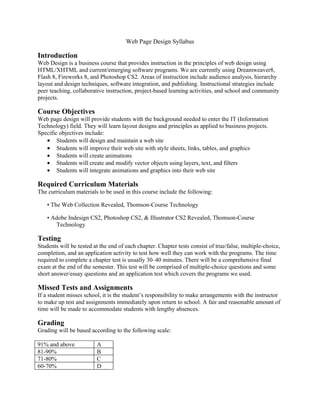
Web Design is a business course that provides instruction in the principles of web design using
HTML/XHTML and current/emerging software programs. We are currently using Dreamweaver8,
Flash 8, Fireworks 8, and Photoshop CS2. Areas of instruction include audience analysis, hierarchy
layout and design techniques, software integration, and publishing. Instructional strategies include
peer teaching, collaborative instruction, project-based learning activities, and school and community
projects.

Course Objectives
Web page design will provide students with the background needed to enter the IT (Information
Technology) field. They will learn layout designs and principles as applied to business projects.
Specific objectives include:
   • Students will design and maintain a web site
   • Students will improve their web site with style sheets, links, tables, and graphics
   • Students will create animations
   • Students will create and modify vector objects using layers, text, and filters
   • Students will integrate animations and graphics into their web site

Required Curriculum Materials
The curriculum materials to be used in this course include the following:

    • The Web Collection Revealed, Thomson-Course Technology

    • Adobe Indesign CS2, Photoshop CS2, & Illustrator CS2 Revealed, Thomson-Course
       Technology

Testing
Students will be tested at the end of each chapter. Chapter tests consist of true/false, multiple-choice,
completion, and an application activity to test how well they can work with the programs. The time
required to complete a chapter test is usually 30–40 minutes. There will be a comprehensive final
exam at the end of the semester. This test will be comprised of multiple-choice questions and some
short answer/essay questions and an application test which covers the programs we used.

Missed Tests and Assignments
If a student misses school, it is the student’s responsibility to make arrangements with the instructor
to make up test and assignments immediately upon return to school. A fair and reasonable amount of
time will be made to accommodate students with lengthy absences.

Grading
Grading will be based according to the following scale:

91% and above            A
81-90%                   B
71-80%                   C
60-70%                   D
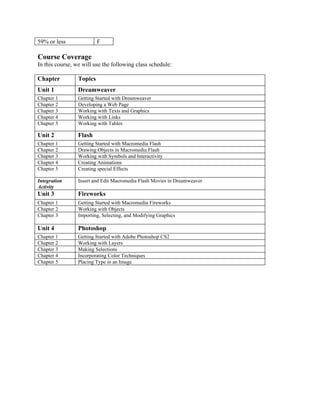
59% or less               F

Course Coverage
In this course, we will use the following class schedule:

Chapter          Topics
Unit 1           Dreamweaver
Chapter 1        Getting Started with Dreamweaver
Chapter 2        Developing a Web Page
Chapter 3        Working with Texts and Graphics
Chapter 4        Working with Links
Chapter 5        Working with Tables

Unit 2           Flash
Chapter 1        Getting Started with Macromedia Flash
Chapter 2        Drawing Objects in Macromedia Flash
Chapter 3        Working with Symbols and Interactivity
Chapter 4        Creating Animations
Chapter 5        Creating special Effects

Integration      Insert and Edit Macromedia Flash Movies in Dreamweaver
Activity
Unit 3           Fireworks
Chapter 1        Getting Started with Macromedia Fireworks
Chapter 2        Working with Objects
Chapter 3        Importing, Selecting, and Modifying Graphics

Unit 4           Photoshop
Chapter 1        Getting Started with Adobe Photoshop CS2
Chapter 2        Working with Layers
Chapter 3        Making Selections
Chapter 4        Incorporating Color Techniques
Chapter 5        Placing Type in an Image
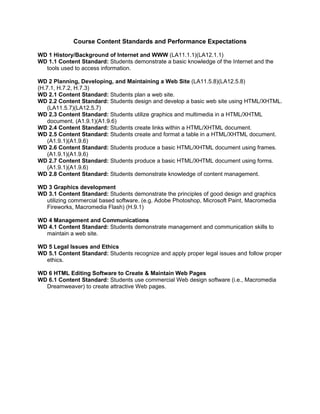
Course Content Standards and Performance Expectations

WD 1 History/Background of Internet and WWW (LA11.1.1)(LA12.1.1)
WD 1.1 Content Standard: Students demonstrate a basic knowledge of the Internet and the
  tools used to access information.

WD 2 Planning, Developing, and Maintaining a Web Site (LA11.5.8)(LA12.5.8)
(H.7.1, H.7.2, H.7.3)
WD 2.1 Content Standard: Students plan a web site.
WD 2.2 Content Standard: Students design and develop a basic web site using HTML/XHTML.
    (LA11.5.7)(LA12.5.7)
WD 2.3 Content Standard: Students utilize graphics and multimedia in a HTML/XHTML
    document. (A1.9.1)(A1.9.6)
WD 2.4 Content Standard: Students create links within a HTML/XHTML document.
WD 2.5 Content Standard: Students create and format a table in a HTML/XHTML document.
    (A1.9.1)(A1.9.6)
WD 2.6 Content Standard: Students produce a basic HTML/XHTML document using frames.
    (A1.9.1)(A1.9.6)
WD 2.7 Content Standard: Students produce a basic HTML/XHTML document using forms.
    (A1.9.1)(A1.9.6)
WD 2.8 Content Standard: Students demonstrate knowledge of content management.

WD 3 Graphics development
WD 3.1 Content Standard: Students demonstrate the principles of good design and graphics
  utilizing commercial based software. (e.g. Adobe Photoshop, Microsoft Paint, Macromedia
  Fireworks, Macromedia Flash) (H.9.1)

WD 4 Management and Communications
WD 4.1 Content Standard: Students demonstrate management and communication skills to
  maintain a web site.

WD 5 Legal Issues and Ethics
WD 5.1 Content Standard: Students recognize and apply proper legal issues and follow proper
  ethics.

WD 6 HTML Editing Software to Create & Maintain Web Pages
WD 6.1 Content Standard: Students use commercial Web design software (i.e., Macromedia
  Dreamweaver) to create attractive Web pages.

Web Design Syllabus.doc

  • 1.
    Web Page DesignSyllabus Introduction Web Design is a business course that provides instruction in the principles of web design using HTML/XHTML and current/emerging software programs. We are currently using Dreamweaver8, Flash 8, Fireworks 8, and Photoshop CS2. Areas of instruction include audience analysis, hierarchy layout and design techniques, software integration, and publishing. Instructional strategies include peer teaching, collaborative instruction, project-based learning activities, and school and community projects. Course Objectives Web page design will provide students with the background needed to enter the IT (Information Technology) field. They will learn layout designs and principles as applied to business projects. Specific objectives include: • Students will design and maintain a web site • Students will improve their web site with style sheets, links, tables, and graphics • Students will create animations • Students will create and modify vector objects using layers, text, and filters • Students will integrate animations and graphics into their web site Required Curriculum Materials The curriculum materials to be used in this course include the following: • The Web Collection Revealed, Thomson-Course Technology • Adobe Indesign CS2, Photoshop CS2, & Illustrator CS2 Revealed, Thomson-Course Technology Testing Students will be tested at the end of each chapter. Chapter tests consist of true/false, multiple-choice, completion, and an application activity to test how well they can work with the programs. The time required to complete a chapter test is usually 30–40 minutes. There will be a comprehensive final exam at the end of the semester. This test will be comprised of multiple-choice questions and some short answer/essay questions and an application test which covers the programs we used. Missed Tests and Assignments If a student misses school, it is the student’s responsibility to make arrangements with the instructor to make up test and assignments immediately upon return to school. A fair and reasonable amount of time will be made to accommodate students with lengthy absences. Grading Grading will be based according to the following scale: 91% and above A 81-90% B 71-80% C 60-70% D
  • 2.
    59% or less F Course Coverage In this course, we will use the following class schedule: Chapter Topics Unit 1 Dreamweaver Chapter 1 Getting Started with Dreamweaver Chapter 2 Developing a Web Page Chapter 3 Working with Texts and Graphics Chapter 4 Working with Links Chapter 5 Working with Tables Unit 2 Flash Chapter 1 Getting Started with Macromedia Flash Chapter 2 Drawing Objects in Macromedia Flash Chapter 3 Working with Symbols and Interactivity Chapter 4 Creating Animations Chapter 5 Creating special Effects Integration Insert and Edit Macromedia Flash Movies in Dreamweaver Activity Unit 3 Fireworks Chapter 1 Getting Started with Macromedia Fireworks Chapter 2 Working with Objects Chapter 3 Importing, Selecting, and Modifying Graphics Unit 4 Photoshop Chapter 1 Getting Started with Adobe Photoshop CS2 Chapter 2 Working with Layers Chapter 3 Making Selections Chapter 4 Incorporating Color Techniques Chapter 5 Placing Type in an Image
  • 3.
    Course Content Standardsand Performance Expectations WD 1 History/Background of Internet and WWW (LA11.1.1)(LA12.1.1) WD 1.1 Content Standard: Students demonstrate a basic knowledge of the Internet and the tools used to access information. WD 2 Planning, Developing, and Maintaining a Web Site (LA11.5.8)(LA12.5.8) (H.7.1, H.7.2, H.7.3) WD 2.1 Content Standard: Students plan a web site. WD 2.2 Content Standard: Students design and develop a basic web site using HTML/XHTML. (LA11.5.7)(LA12.5.7) WD 2.3 Content Standard: Students utilize graphics and multimedia in a HTML/XHTML document. (A1.9.1)(A1.9.6) WD 2.4 Content Standard: Students create links within a HTML/XHTML document. WD 2.5 Content Standard: Students create and format a table in a HTML/XHTML document. (A1.9.1)(A1.9.6) WD 2.6 Content Standard: Students produce a basic HTML/XHTML document using frames. (A1.9.1)(A1.9.6) WD 2.7 Content Standard: Students produce a basic HTML/XHTML document using forms. (A1.9.1)(A1.9.6) WD 2.8 Content Standard: Students demonstrate knowledge of content management. WD 3 Graphics development WD 3.1 Content Standard: Students demonstrate the principles of good design and graphics utilizing commercial based software. (e.g. Adobe Photoshop, Microsoft Paint, Macromedia Fireworks, Macromedia Flash) (H.9.1) WD 4 Management and Communications WD 4.1 Content Standard: Students demonstrate management and communication skills to maintain a web site. WD 5 Legal Issues and Ethics WD 5.1 Content Standard: Students recognize and apply proper legal issues and follow proper ethics. WD 6 HTML Editing Software to Create & Maintain Web Pages WD 6.1 Content Standard: Students use commercial Web design software (i.e., Macromedia Dreamweaver) to create attractive Web pages.