Instructional Module Snapshot

Yesennia Rodriguez
AET/520
October 28, 2013
Melanie Latin
Introduction

The instructional module snapshot presentation contains a brief
description about the course, “Computer 101” based in the design,
performance based in objective, the content with the teaching strategy,
and the formative assessment.
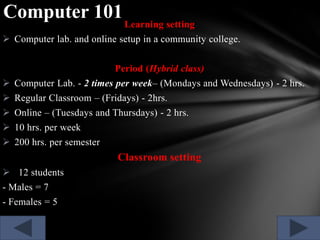
Computer 101 Learning setting
 Computer lab. and online setup in a community college.
Period (Hybrid class)

 Computer Lab. - 2 times per week– (Mondays and Wednesdays) - 2 hrs.
 Regular Classroom – (Fridays) - 2hrs.
 Online – (Tuesdays and Thursdays) - 2 hrs.
 10 hrs. per week

 200 hrs. per semester

Classroom setting
 12 students
- Males = 7
- Females = 5
Goal

The computer students will be able to learn and develop skills,
techniques, and methods that are in alignment with the computer
curriculum and the standards education creating an interactive blog for
students purposes.
Performance Based Objectives

At the end of the course Literacy Computer 101, the learner will be
able to:
o describe the interactive blog parts for the preparation of education
courses with at least 90% accuracy.
o identify knowledge of creating a blog using technological resources
like computer, achieving interaction by identifying different tabs as
VCITA, Buddy press, Qualroo, Disqus, and Speakpipe for virtual
access with at least 90% accuracy.
Content Based Instructional Strategy
The academic students counselor start a conversation and ask them the
following questions:
1.
2.
3.
4.

What the students know about the institution blog?
What is the blog main function?
If it works for you? Provide examples of the blog execution.
How many times a week do you connect with the university or
suffer to your web site?
5. Do you know well about the resources offer? What are those?
6. What kind of information do you could find in the university web
page?
Instructional Strategies
The group of students from the class of “Computer 101” will
have the opportunity to watch a video related to the creation of a blog
and interactions between student and instructor.
All will sit for 30 minutes watching video content. From there
we will begin with the following questions that will be placed on their
computers.
Formative Assessment
Every test or quiz will be able in the blog page two weeks before
for discussion.
 Interactive test

 Quizzes
 One individual project will assess application of knowledge.
 The creation of the student blog with all tabs included.

 Completed detailed student information that includes a student
mission, vision, final goal, and educational philosophy, name, phone
number, student card, brochures, students presentations, and a final
presentation about the student blog.
Closing
The students from Computer 101 will be able to finish their
course making a final presentation about what they learned in class
using the resources taught and they could introduce new
technological trends for the college career.

Will understand the importance of an interactive blog in order
to maintain an online direct communication with the instructor and
their fellow classes. They will know how to create an account and
how can its usefulness for future student work.

AET/520 Instructional Module Snapshot PPT

  • 1.
    Instructional Module Snapshot YesenniaRodriguez AET/520 October 28, 2013 Melanie Latin
  • 2.
    Introduction The instructional modulesnapshot presentation contains a brief description about the course, “Computer 101” based in the design, performance based in objective, the content with the teaching strategy, and the formative assessment.
  • 3.
    Computer 101 Learningsetting  Computer lab. and online setup in a community college. Period (Hybrid class)  Computer Lab. - 2 times per week– (Mondays and Wednesdays) - 2 hrs.  Regular Classroom – (Fridays) - 2hrs.  Online – (Tuesdays and Thursdays) - 2 hrs.  10 hrs. per week  200 hrs. per semester Classroom setting  12 students - Males = 7 - Females = 5
  • 4.
    Goal The computer studentswill be able to learn and develop skills, techniques, and methods that are in alignment with the computer curriculum and the standards education creating an interactive blog for students purposes.
  • 5.
    Performance Based Objectives Atthe end of the course Literacy Computer 101, the learner will be able to: o describe the interactive blog parts for the preparation of education courses with at least 90% accuracy. o identify knowledge of creating a blog using technological resources like computer, achieving interaction by identifying different tabs as VCITA, Buddy press, Qualroo, Disqus, and Speakpipe for virtual access with at least 90% accuracy.
  • 6.
    Content Based InstructionalStrategy The academic students counselor start a conversation and ask them the following questions: 1. 2. 3. 4. What the students know about the institution blog? What is the blog main function? If it works for you? Provide examples of the blog execution. How many times a week do you connect with the university or suffer to your web site? 5. Do you know well about the resources offer? What are those? 6. What kind of information do you could find in the university web page?
  • 7.
    Instructional Strategies The groupof students from the class of “Computer 101” will have the opportunity to watch a video related to the creation of a blog and interactions between student and instructor. All will sit for 30 minutes watching video content. From there we will begin with the following questions that will be placed on their computers.
  • 8.
    Formative Assessment Every testor quiz will be able in the blog page two weeks before for discussion.  Interactive test  Quizzes  One individual project will assess application of knowledge.  The creation of the student blog with all tabs included.  Completed detailed student information that includes a student mission, vision, final goal, and educational philosophy, name, phone number, student card, brochures, students presentations, and a final presentation about the student blog.
  • 9.
    Closing The students fromComputer 101 will be able to finish their course making a final presentation about what they learned in class using the resources taught and they could introduce new technological trends for the college career. Will understand the importance of an interactive blog in order to maintain an online direct communication with the instructor and their fellow classes. They will know how to create an account and how can its usefulness for future student work.