Download as PDF, PPTX










![Shadow DOM w/ JS
[DEMO]](https://image.slidesharecdn.com/rxcarlp0rns7qpapou88-signature-e847456c6a6f52f4d0f0f7669a8f77f77a8ca5cc3daa63de0a00591556073525-poli-150518152319-lva1-app6891/85/The-Future-of-CSS-with-Web-Components-18-320.jpg)
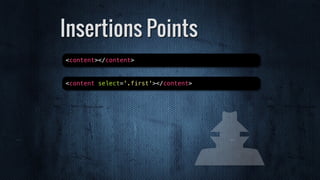
![Insertions Points
[DEMO]](https://image.slidesharecdn.com/rxcarlp0rns7qpapou88-signature-e847456c6a6f52f4d0f0f7669a8f77f77a8ca5cc3daa63de0a00591556073525-poli-150518152319-lva1-app6891/85/The-Future-of-CSS-with-Web-Components-20-320.jpg)

![[DEMO]
Custom Elements](https://image.slidesharecdn.com/rxcarlp0rns7qpapou88-signature-e847456c6a6f52f4d0f0f7669a8f77f77a8ca5cc3daa63de0a00591556073525-poli-150518152319-lva1-app6891/85/The-Future-of-CSS-with-Web-Components-23-320.jpg)

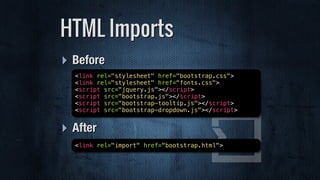
![[DEMO]
HTML Imports](https://image.slidesharecdn.com/rxcarlp0rns7qpapou88-signature-e847456c6a6f52f4d0f0f7669a8f77f77a8ca5cc3daa63de0a00591556073525-poli-150518152319-lva1-app6891/85/The-Future-of-CSS-with-Web-Components-26-320.jpg)



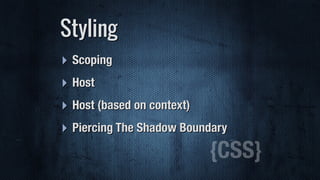
![[DEMO]
Styling
{CSS}](https://image.slidesharecdn.com/rxcarlp0rns7qpapou88-signature-e847456c6a6f52f4d0f0f7669a8f77f77a8ca5cc3daa63de0a00591556073525-poli-150518152319-lva1-app6891/85/The-Future-of-CSS-with-Web-Components-31-320.jpg)
![‣ Shadow Piercing
Descendent Combinator (>>>)
Styling: Piercing
<style>
/* >>> was /deep/ */
video >>> input[type="range"] {
background: hotpink;
}
</style>](https://image.slidesharecdn.com/rxcarlp0rns7qpapou88-signature-e847456c6a6f52f4d0f0f7669a8f77f77a8ca5cc3daa63de0a00591556073525-poli-150518152319-lva1-app6891/85/The-Future-of-CSS-with-Web-Components-33-320.jpg)













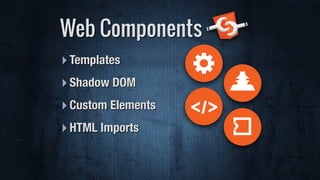
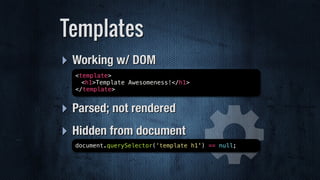
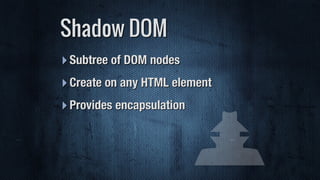
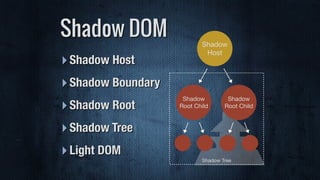
This document discusses the future of CSS and web development with web components. It introduces some key concepts in web components like templates, shadow DOM, custom elements, and HTML imports. Templates allow creating hidden chunks of HTML, shadow DOM provides encapsulation for styling, custom elements define new HTML tags, and HTML imports bundle related scripts and styles. Web components aim to address issues with current frontend development approaches and enable more modular and reusable code with standards like templates, shadow DOM, and custom elements. Polyfills can provide support for these features in older browsers. Popular web component libraries include Polymer and Mozilla Brick which provide pre-built reusable elements.


