This document discusses websites, web browsers, and web publishing. It defines websites as sets of related web pages served from a single domain and hosted on web servers. Websites can be static, with fixed content, or dynamic, generating pages from a database. Common types of websites include personal, informational, photo sharing, e-commerce, and mobile sites. Web browsers retrieve and display web resources, supporting privacy, security, and standards. Popular browsers include Google Chrome and Mozilla Firefox. Web publishing involves building and uploading websites, updating pages, and posting online content, using tools like content management systems.

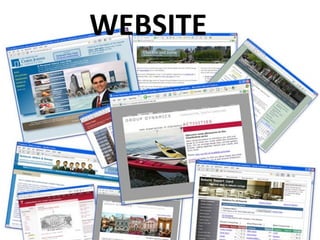
WEBSITE
• A setof related web pages typically served from a
single web domain.
• A website is hosted on at least one web server,
accessible via a network such as the Internet or a
private local area network through an Internet
address known as a uniform resource locator (URL).
4.
WEBSITE
• Web pagesare the building blocks of Websites.
• The pages of a website can usually
be accessed from a simple URL
called the web address.
5.
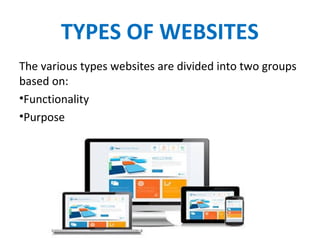
TYPES OF WEBSITES
Thevarious types websites are divided into two groups
based on:
•Functionality
•Purpose
STATIC WEBSITES
• Webpages with fixed content.
• Each page is coded in HTML and displays the same
information to every visitor.
• WEBMASTER- Used to change the content of every
page.
9.
DYNAMIC WEBSITES
• Webpages that are generated in real-time.
• Each page is coded using PHP or ASP.
• Access information from a database record.
• WEBMASTER needs to update only the database
records.
11.
BASED ON PURPOSE
•Personal Websites
• Informative Websites
• Photo Sharing Websites
• E-commerce Websites
• Mobile Device Websites
12.
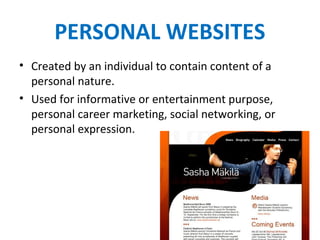
PERSONAL WEBSITES
• Createdby an individual to contain content of a
personal nature.
• Used for informative or entertainment purpose,
personal career marketing, social networking, or
personal expression.
13.
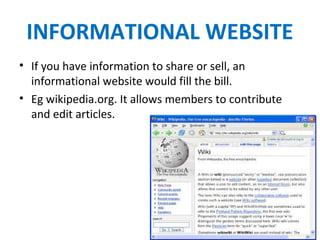
INFORMATIONAL WEBSITE
• Ifyou have information to share or sell, an
informational website would fill the bill.
• Eg wikipedia.org. It allows members to contribute
and edit articles.
14.
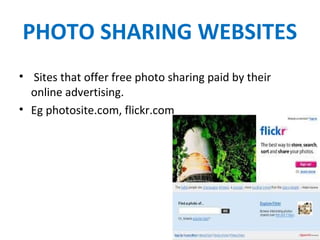
PHOTO SHARING WEBSITES
•Sites that offer free photo sharing paid by their
online advertising.
• Eg photosite.com, flickr.com
15.
E-COMMERCE WEBSITES
• Electroniccommerce websites are associated with
buying and selling of products or services over
internet.
• Eg amazon.com
16.
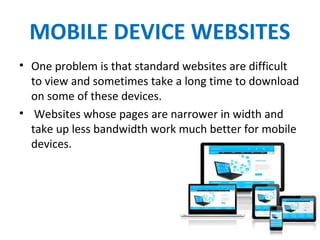
MOBILE DEVICE WEBSITES
•One problem is that standard websites are difficult
to view and sometimes take a long time to download
on some of these devices.
• Websites whose pages are narrower in width and
take up less bandwidth work much better for mobile
devices.
17.
COMMUNITY BUILDING
WEBSITES
• Buildonline communities of people who want to
interact with other people socially or meet people
who share their interests.
• Eg Facebook.com, Myspace.com.
• Forum Websites can be used for discussing and
sharing mutual interests.
WEB BROWSER
• Asoftware application for retrieving, presenting, and
traversing information resources on the World Wide
Web.
• An information resource is identified by a Uniform
Resource Identifier (URI/URL) and may be a web
page, image, video or other piece of content.
• Hyperlinks present in resources enable users easily
to navigate their browsers to related resources.
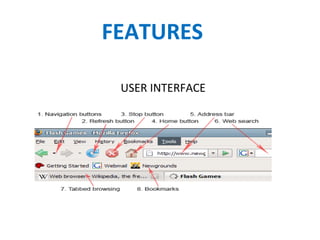
FEATURES
• PRIVACY ANDSECURITY- Most browsers support
HTTP Secure and offer quick and easy ways to delete
the web cache, download history, form and search
history, cookies, and browsing history.
• STANDARDS AND SUPPORT- Early web browsers
supported only a very simple version of HTML. The
Modern web browsers support a combination of
standards-based and de facto HTML and XHTML.
24.
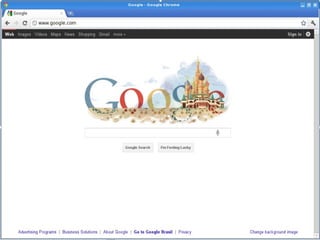
GOOGLE CHROME
1. Afree Web Browser
developed by Google.
2. It uses WebKit Layout
Engine.
3. It was first released as a beta
version for Microsoft
Windows on September 2,
2008
26.
ADVANTAGES & DISADVANTAGES
MozillaFirefox
•ADVANTAGE- Easy to
use, excellent accessories, continuous updates,
excellent support.
•DISADVANTAGE- It is slow to
read pages in comparison of others, just a bit faster
than explorer.
.
27.
ADVANTAGES & DISADVANTAGES
GoogleChrome
•ADVANTAGE- Is faster, more easy to use Than Any
Other Browser, has an integrated menu page to
translate any language you want
•DISADVANTAGE- Uses a lot of memory, Add-ons not
available in google.
WEB PUBLISHING
• Processof publishing original content on the Internet
Includes
• Building and uploading websites
• Updating the associated web pages
• Posting content to these web pages online
30.
• comprises ofpersonal, business, and community
websites in addition to e-books and blogs
• Content include text, videos, digital images, artwork,
and other forms of media
31.
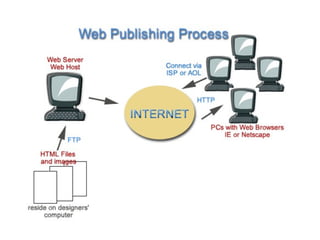
A publisher requiresthree things to publish
content on the Internet:
• Website development software
• Internet connection
• A web server to host the website
32.
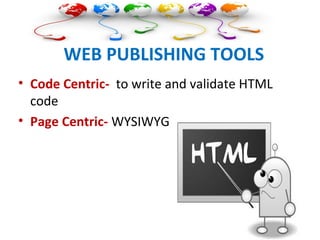
WEB PUBLISHING TOOLS
•Code Centric- to write and validate HTML
code
• Page Centric- WYSIWYG
33.
WEBSITE DEVELOPMENT SOFTWARE
•professional web design application like
Dreamweaver
• straightforward web-based content
management system like WordPress
34.
Posting updates onsocial media sites like
Twitter, Facebook, etc. is usually not
considered web publishing
WEB PAGE NAVIGATION
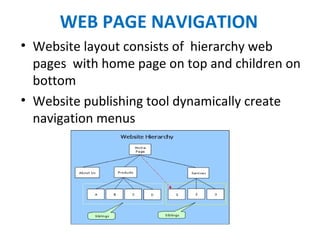
•Website layout consists of hierarchy web
pages with home page on top and children on
bottom
• Website publishing tool dynamically create
navigation menus
40.
DATA DRIVEN SITES
•Web publishing sites provides functionality to
generate data-driven websites
• Advantage of data-driven website over a static
website is the ability to easily update website
content