Web 2.0 tools for
Beginners
Never used technologies in class?
Would like to do it?
Then this is the place to be!
7th February 2014
By Cristina Silva
1
Why use Web 2.o tools?
• Engaging
• Creativity trigger
• Inspiring
• Fun
2
What kind of Web 2.o
tools will we explore?
1. Collaborative tools
2. Presentation tools
3. Audio/video tools
4. Image tools
5. Behaviour
management tools
6. Curation tools
7. Educational network
3
What do I need to access
those tools?
1. A computer, ipad or
mobile as nearly all
these tools are
compatible with
Windows, IOS and
Android systems
2. To register
4
What does register mean?
It means you have to provide your
name, probably a username, an email
and create a password
TIP: I use the same password for all
my registrations otherwise I lose track
of them
Do I need to pay?
All tools we will be
dealing with today are
FREE. However if you want
to upgrade some
features you may have to
pay.
5
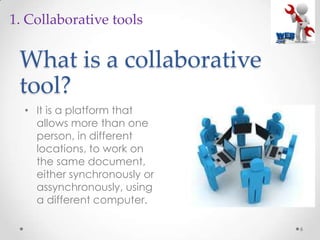
What is a collaborative
tool?
• It is a platform that
allows more than one
person, in different
locations, to work on
the same document,
either synchronously or
assynchronously, using
a different computer.
6
1. Collaborative tools
Google docs
7
1. Collaborative tools
Google docs
8
1. Collaborative tools
Google docs
9
1. Collaborative tools
Google docs
10
1. Collaborative tools
Titanpad
11
1. Collaborative tools
Padlet
12
1. Collaborative tools
A padlet is a virtual wall
where the students can
post videos…
Padlet
13
1. Collaborative tools
..images…
Padlet
14
1. Collaborative tools
Or words!
Prezi
15
2. Presentation tools
Prezi
16
2. Presentation tools
Voicethread
17
3. Audio/voice tools
With this tool you can
record your voice and
the students’
Thinglink
18
4. Image tools
With this tool you can
add information, pictures,
links or videos to an
image!
Classdojo 1. Create a class
2. Insert the students’
names
19
5. Behaviour management tools
With this tool you can
assess and register the
students behaviour
Classdojo
20
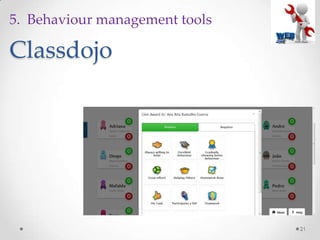
5. Behaviour management tools
It will look like this
Classdojo
21
5. Behaviour management tools
Classdojo
22
5. Behaviour management tools
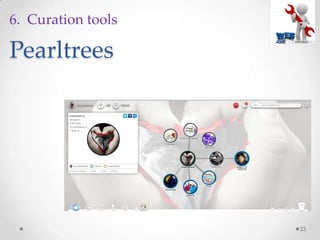
Pearltrees
23
6. Curation tools
Pearltrees
24
6. Curation tools
Pearltrees
25
6. Curation tools
Blendspace
26
6. Curation tools
Blendspace
27
6. Curation tools
Edmodo
28
6. Educational network platform
Links
29
• www.titanpad.com
• www.padlet.com
• www.prezi.com
• www.voicethread.com
• www.thinglink.com
• www.classdojo.com
• www.pearltrees.com
• www.blendspace.com
• www.cookie.com
• www.learningchocolate.com
Thanks for watching!
30
• Contacts:
• Email:
prof.cristi@gmail.com
• Twitter handle:
• @cristimsilva
• Blogs:
• crisamsilva.wordpress.com
• cristinamsilva.wordpress.com
(MOOC oriented)

Web 2