Web Tools for Teachers
      Presented by:
      Rachel Andes
Advantages

   Web 2.0 tools are designed to:
    -promote collaborative
    -promote creativity
    -address individual student needs.
Web Tools
 Presentation Tools
 Visualization Tools
 Writing Tools
Presentation Tools
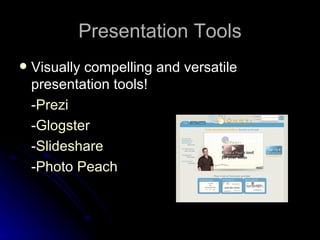
   Visually compelling and versatile
    presentation tools!
    -Prezi
    -Glogster
    -Slideshare
    -Photo Peach
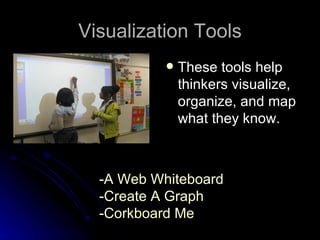
Visualization Tools
              These tools help
               thinkers visualize,
               organize, and map
               what they know.


  -A Web Whiteboard
  -Create A Graph
  -Corkboard Me
Writing Tools
   The choices are endless!
     Penzu
     Essay Map
     Paper Rater
Citations
   Pure Imagination (Producer). (2012). Close up of Student Pointing
    to Laptop Screen. (Image). Retrieved from
    http://www.discoveryeducation.com/
   Pure Imagination (Producer). (2012). Wide Shot of Laptop
    Computers with Students Working. (Image). Retrieved from
    http://www.discoveryeducation.com/
   Flickr. (2010). Prezi- The Zooming Presentation Editor. (Image).
    Retrieved from
    http://www.flickr.com/photos/doncrowley/4422208672/
   Flickr. (2010). Promethean Board. (Image). Retrieved from
    http://www.flickr.com/photos/77813417@N02/6823956322/
   Flickr. (2002). Lapiz 1. (Image). Retrieved from
    http://www.flickr.com/photos/xtremo/37387948/

Web tools for teachers- Andes

  • 1.
    Web Tools forTeachers Presented by: Rachel Andes
  • 2.
    Advantages  Web 2.0 tools are designed to: -promote collaborative -promote creativity -address individual student needs.
  • 3.
    Web Tools  PresentationTools  Visualization Tools  Writing Tools
  • 4.
    Presentation Tools  Visually compelling and versatile presentation tools! -Prezi -Glogster -Slideshare -Photo Peach
  • 5.
    Visualization Tools  These tools help thinkers visualize, organize, and map what they know. -A Web Whiteboard -Create A Graph -Corkboard Me
  • 6.
    Writing Tools  The choices are endless!  Penzu  Essay Map  Paper Rater
  • 7.
    Citations  Pure Imagination (Producer). (2012). Close up of Student Pointing to Laptop Screen. (Image). Retrieved from http://www.discoveryeducation.com/  Pure Imagination (Producer). (2012). Wide Shot of Laptop Computers with Students Working. (Image). Retrieved from http://www.discoveryeducation.com/  Flickr. (2010). Prezi- The Zooming Presentation Editor. (Image). Retrieved from http://www.flickr.com/photos/doncrowley/4422208672/  Flickr. (2010). Promethean Board. (Image). Retrieved from http://www.flickr.com/photos/77813417@N02/6823956322/  Flickr. (2002). Lapiz 1. (Image). Retrieved from http://www.flickr.com/photos/xtremo/37387948/

Editor's Notes

  • #3 There are so many advantages to using Web 2.0 tools in the classroom. Along with promoting collaboration it promotes constructivist learning. Web 2.0 tools encourage communication beyond the walls of the classroom. They prepare students for the real world!
  • #4 Some web tools I’m going to focus on within this PowerPoint are presentation, visualization, and writing tools.
  • #5 Prezi is a presentation software that opens up a new world between whiteboards and slides. The zoomable canvas makes it fun to explore ideas and the connections between them. You continue the path your audience will go down. Glogster is a great tool for students to express themselves with. They can create online multimedia posters with text, photos, videos, graphics, sounds, drawings, and more! You can use the tool Slideshare to upload your PowerPoint or Keynote slides (and Adobe PDF Portfolios and SMART Board presentations) and share them. Photo Peach is an easy, fun and free site that allows you to create slideshows with built in polls and quizzes.
  • #6 All of these visualization tools are free, and they represent a very diverse toolbox for bringing ideas to life. A Web Whiteboard is touch-friendly online whiteboard app that lets you use your computer, tablet or smartphone to easily draw sketches, collaborate with others and share them with the world. Graphs or charts can help impress people by getting your point across quickly and visually. This site allows you to create any type of graph/chart you want! Corkboard me is a simple site that is used for creating and sharing a wall of sticky notes. It’s a virtual corkboard that you could use with your students or fellow educators.
  • #7 There are many great collaborative writing tools on the Internet. One great one is Penzu. Penzu is your own personal journal and online diary. Make journaling easy, safe, and fun with Penzu: Its free to sign up, and your students won't have to worry about anyone reading it. Essay map is a great tool for planning out your writing. You enter your name and topic and it helps create a map/outline for you. It also has a feature to print your map. PaperRater could be used by students and educators. This website can detect plagiarism. It will auto grade so the student can gain a sense of how well their paper is written. It will provide a spelling and grammar check. Also it will analyze the style and word choice of the paper. It also has a free vocabulary builder tool.