BY
M.NARMADHA
B.ED 1st YEAR
BATCH IV (BIO-SCI)
INTRODUCTION TO WEB 2.0
Web 2.0, a term coined by Darcy DiNucci in 1999
and popularized by Tim O'Reilly and Dale
Dougherty in 2004, represents a paradigm shift
in the World Wide Web. It emphasizes user-
generated content, participatory culture, and
collaboration.
“Web 2.0 is the business revolution in
the computer industry caused by the
move to the internet as a platform,
and any attempt to understand the
rules for success on that new
platform.”
– Tim O’ Reilly.
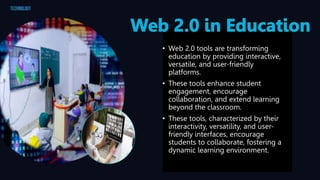
• Web 2.0 tools are transforming
education by providing interactive,
versatile, and user-friendly
platforms.
• These tools enhance student
engagement, encourage
collaboration, and extend learning
beyond the classroom.
• These tools, characterized by their
interactivity, versatility, and user-
friendly interfaces, encourage
students to collaborate, fostering a
dynamic learning environment.
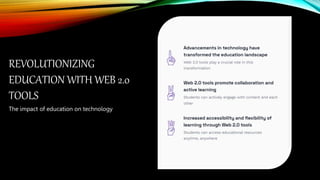
The impact of education on technology
REVOLUTIONIZING
EDUCATION WITH WEB 2.0
TOOLS
Delvinginto Educational Applicationsof Its Tools
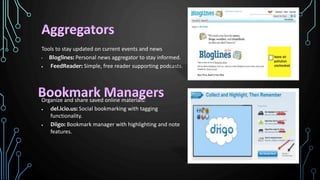
Tools to stay updated on current events and news
• Bloglines: Personal news aggregator to stay informed.
 FeedReader: Simple, free reader supporting podcasts.
Organize and share saved online materials:
 del.icio.us: Social bookmarking with tagging
functionality.
 Diigo: Bookmark manager with highlighting and note
features.
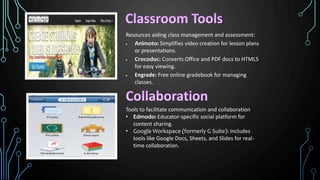
Resources aiding class management and assessment:
 Animoto: Simplifies video creation for lesson plans
or presentations.
 Crocodoc: Converts Office and PDF docs to HTML5
for easy viewing.
 Engrade: Free online gradebook for managing
classes.
Tools to facilitate communication and collaboration
• Edmodo: Educator-specific social platform for
content sharing.
• Google Workspace (formerly G Suite): Includes
tools like Google Docs, Sheets, and Slides for real-
time collaboration.
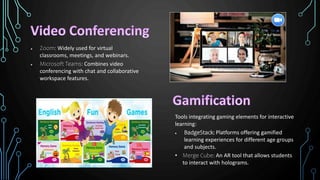
 Zoom: Widely used for virtual
classrooms, meetings, and webinars.
 Microsoft Teams: Combines video
conferencing with chat and collaborative
workspace features.
Tools integrating gaming elements for interactive
learning:
 BadgeStack: Platforms offering gamified
learning experiences for different age groups
and subjects.
• Merge Cube: An AR tool that allows students
to interact with holograms.
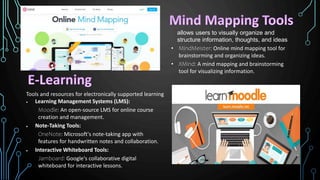
allows users to visually organize and
structure information, thoughts, and ideas
• MindMeister: Online mind mapping tool for
brainstorming and organizing ideas.
• XMind: A mind mapping and brainstorming
tool for visualizing information.
Tools and resources for electronically supported learning
 Learning Management Systems (LMS):
Moodle: An open-source LMS for online course
creation and management.
 Note-Taking Tools:
OneNote: Microsoft's note-taking app with
features for handwritten notes and collaboration.
 Interactive Whiteboard Tools:
Jamboard: Google's collaborative digital
whiteboard for interactive lessons.
BENEFITS
 Collaborative Annotation: offer new
ways for students to work collaboratively to
find and evaluate information, share ideas,
and create knowledge
 Enhanced Communication: promote
new avenues of communication among
teachers, students, and the community,
strengthening the educational community
and focusing on issues support and
deepen learning
 Personalized Learning: Web 2.0 tools
allow for the creation of customized
learning experiences, tailored to individual
students' needs and preferences, fostering
a more personalized approach to
education.
 Creation of Student-Centered
Learning Environments: create
student-centered learning environments,
where students are encouraged to take
ownership of their learning and become
active participants in the learning process.
CHALLENGES
 Poor Internet Connectivity: This can lead to
slow loading times, difficulty accessing content,
and other issues that can hinder the learning
process.
 Difficulty in Creating Materials: Creating
meaningful assignments that promote desired
learning outcomes can be challenging when using
Web 2.0 tools.Teachers may need to spend more
time creating materials that are engaging and
effective, which can be time-consuming.
 Lack of Technology: Some students may not
have access to technology. This can create
barriers to learning and limit the potential benefits
of these tools
 Risk of misinformation: Web 2.0 platforms
can be a source of inaccurate or misleading
information, and users need to critically evaluate
content.
 Security risks: The internet poses risks such
as spam, fraud, and virus attacks that can
compromise personal and business data.
 Inaccurate search results: Sometimes,
search engines may provide results that are not
relevant to the user's query.
Thus ,"Web
2.0 Tools
Revolutionizing
the Future of
Education”.
 https://ofe.ecu.edu/udlmodules/modules/using-web-2-0-tools-to-engage-learners/
 https://en.wikipedia.org/wiki/Web_2.0#:~:text=Examples%20of%20Web%202.0%20features,%22apps%22)%2C%20collab
orative%20consumption
 https://www.znetlive.com/blog/web-2-0/
 https://chat.openai.com/c/0fc31749-9f47-4772-884d-faba68af773f
 https://mpls.k12.mn.us/uploads/web2_0tools.pdf
 https://www.grin.com/document/921944?lang=en
 https://www.oedb.org/ilibrarian/101-web-20-teaching-tools/
 http://frndzzz.com/Advantages-and-Disadvantages-of-Web-2.0
 Connolly, T., Cachia, R., & Ferrari, A. (2011). Teacher beliefs and technology use practices: A critical relationship. Computers
& Education, 55(2), 423-435.
 Grosseck, M., Prajapati, R., Sendurur, E., & Sendurur, P. (2009). Web 2.0: What is it and why should schools care?
Educational Technology Research and Development, 57(3), 513-524.
 Churchill, D. (2009). Web 2.0 and the Digital Native generation: A review of the literature. First Monday, 14(1).
 Laird, S. (2014). Social media and the undergraduate learning experience: A review of the literature. Computers &
Education, 59(2), 433-442.
 Holotescu, A. (2015). The role of web 2.0 technologies in the learning process: A case study. International Journal of
Educational Technology, 9(2), 88-104.
REFERENCE

WEB 2.O TOOLS: Empowering education.pptx

  • 1.
  • 2.
    INTRODUCTION TO WEB2.0 Web 2.0, a term coined by Darcy DiNucci in 1999 and popularized by Tim O'Reilly and Dale Dougherty in 2004, represents a paradigm shift in the World Wide Web. It emphasizes user- generated content, participatory culture, and collaboration.
  • 4.
    “Web 2.0 isthe business revolution in the computer industry caused by the move to the internet as a platform, and any attempt to understand the rules for success on that new platform.” – Tim O’ Reilly.
  • 5.
    • Web 2.0tools are transforming education by providing interactive, versatile, and user-friendly platforms. • These tools enhance student engagement, encourage collaboration, and extend learning beyond the classroom. • These tools, characterized by their interactivity, versatility, and user- friendly interfaces, encourage students to collaborate, fostering a dynamic learning environment.
  • 6.
    The impact ofeducation on technology REVOLUTIONIZING EDUCATION WITH WEB 2.0 TOOLS
  • 7.
  • 8.
    Tools to stayupdated on current events and news • Bloglines: Personal news aggregator to stay informed.  FeedReader: Simple, free reader supporting podcasts. Organize and share saved online materials:  del.icio.us: Social bookmarking with tagging functionality.  Diigo: Bookmark manager with highlighting and note features.
  • 9.
    Resources aiding classmanagement and assessment:  Animoto: Simplifies video creation for lesson plans or presentations.  Crocodoc: Converts Office and PDF docs to HTML5 for easy viewing.  Engrade: Free online gradebook for managing classes. Tools to facilitate communication and collaboration • Edmodo: Educator-specific social platform for content sharing. • Google Workspace (formerly G Suite): Includes tools like Google Docs, Sheets, and Slides for real- time collaboration.
  • 10.
     Zoom: Widelyused for virtual classrooms, meetings, and webinars.  Microsoft Teams: Combines video conferencing with chat and collaborative workspace features. Tools integrating gaming elements for interactive learning:  BadgeStack: Platforms offering gamified learning experiences for different age groups and subjects. • Merge Cube: An AR tool that allows students to interact with holograms.
  • 11.
    allows users tovisually organize and structure information, thoughts, and ideas • MindMeister: Online mind mapping tool for brainstorming and organizing ideas. • XMind: A mind mapping and brainstorming tool for visualizing information. Tools and resources for electronically supported learning  Learning Management Systems (LMS): Moodle: An open-source LMS for online course creation and management.  Note-Taking Tools: OneNote: Microsoft's note-taking app with features for handwritten notes and collaboration.  Interactive Whiteboard Tools: Jamboard: Google's collaborative digital whiteboard for interactive lessons.
  • 12.
    BENEFITS  Collaborative Annotation:offer new ways for students to work collaboratively to find and evaluate information, share ideas, and create knowledge  Enhanced Communication: promote new avenues of communication among teachers, students, and the community, strengthening the educational community and focusing on issues support and deepen learning  Personalized Learning: Web 2.0 tools allow for the creation of customized learning experiences, tailored to individual students' needs and preferences, fostering a more personalized approach to education.  Creation of Student-Centered Learning Environments: create student-centered learning environments, where students are encouraged to take ownership of their learning and become active participants in the learning process.
  • 13.
    CHALLENGES  Poor InternetConnectivity: This can lead to slow loading times, difficulty accessing content, and other issues that can hinder the learning process.  Difficulty in Creating Materials: Creating meaningful assignments that promote desired learning outcomes can be challenging when using Web 2.0 tools.Teachers may need to spend more time creating materials that are engaging and effective, which can be time-consuming.  Lack of Technology: Some students may not have access to technology. This can create barriers to learning and limit the potential benefits of these tools  Risk of misinformation: Web 2.0 platforms can be a source of inaccurate or misleading information, and users need to critically evaluate content.  Security risks: The internet poses risks such as spam, fraud, and virus attacks that can compromise personal and business data.  Inaccurate search results: Sometimes, search engines may provide results that are not relevant to the user's query.
  • 14.
  • 16.
     https://ofe.ecu.edu/udlmodules/modules/using-web-2-0-tools-to-engage-learners/  https://en.wikipedia.org/wiki/Web_2.0#:~:text=Examples%20of%20Web%202.0%20features,%22apps%22)%2C%20collab orative%20consumption https://www.znetlive.com/blog/web-2-0/  https://chat.openai.com/c/0fc31749-9f47-4772-884d-faba68af773f  https://mpls.k12.mn.us/uploads/web2_0tools.pdf  https://www.grin.com/document/921944?lang=en  https://www.oedb.org/ilibrarian/101-web-20-teaching-tools/  http://frndzzz.com/Advantages-and-Disadvantages-of-Web-2.0  Connolly, T., Cachia, R., & Ferrari, A. (2011). Teacher beliefs and technology use practices: A critical relationship. Computers & Education, 55(2), 423-435.  Grosseck, M., Prajapati, R., Sendurur, E., & Sendurur, P. (2009). Web 2.0: What is it and why should schools care? Educational Technology Research and Development, 57(3), 513-524.  Churchill, D. (2009). Web 2.0 and the Digital Native generation: A review of the literature. First Monday, 14(1).  Laird, S. (2014). Social media and the undergraduate learning experience: A review of the literature. Computers & Education, 59(2), 433-442.  Holotescu, A. (2015). The role of web 2.0 technologies in the learning process: A case study. International Journal of Educational Technology, 9(2), 88-104. REFERENCE