Best Practices for Migrating your LMS 
Building a Business Case for Migration 
Presented by: Katie Wirth, Assistant Director, Business Development, GP 
Strategies 
Charles DeNault, Senior Director, Product Marketing, Saba 
MBI – GP Strategies Company Confidential Knowledge. Performance. Impact.
Conversation Information 
2 
Katie Wirth 
Assistant Director, Business Development, GP 
Strategies 
kwirth@gpstrategies.com 
Charles DeNault 
Senior Director, Product Marketing, Saba 
cdenault@saba.com
Best Practices for Migrating Learning Technologies: 
Reduce fear and create a strategy for Success! 
3 
Agenda 
• Upgrade/Replacement Business Drivers 
• Building the Business Case 
• LMS Selection 
• LMS Migration Best Practices 
• Key Takeaways 
• Q & A
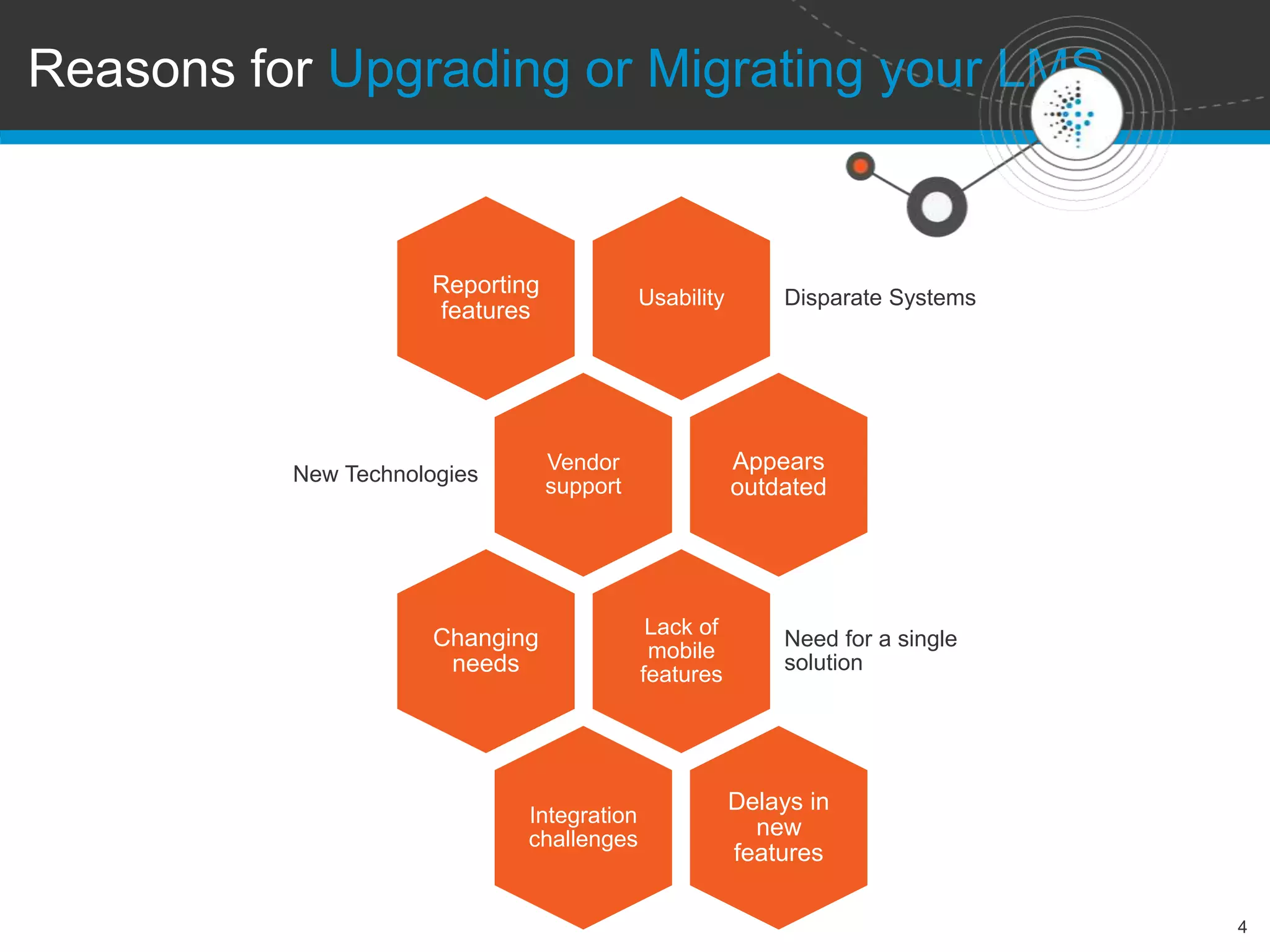
Reasons for Upgrading or Migrating your LMS 
4 
Usability Disparate Systems 
Reporting 
features 
Vendor 
support 
New Technologies 
Appears 
outdated 
Lack of 
mobile 
features 
Need for a single 
solution 
Changing 
needs 
Integration 
challenges 
Delays in 
new 
features
5 
Poll 
What is your main reason for 
moving to a new LMS? 
• Reporting 
• Usability 
• Consolidating multiple LMSs 
• Integration with other systems 
• Mobile learning 
• Social learning 
• Current LMS is just too old 
• Other (tell us in chat)
6 
Why should you CHANGE? 
Building the Business Case 
• What do you need from an LMS that the current 
solution is not providing? 
• What are your pain points with the current solution? 
• What key business issues can be addressed by a 
new LMS? 
• What is your vision for the future of learning that your 
organization needs to provide? 
• What is the cost/benefit analysis for migrating to a 
new solution?
7 
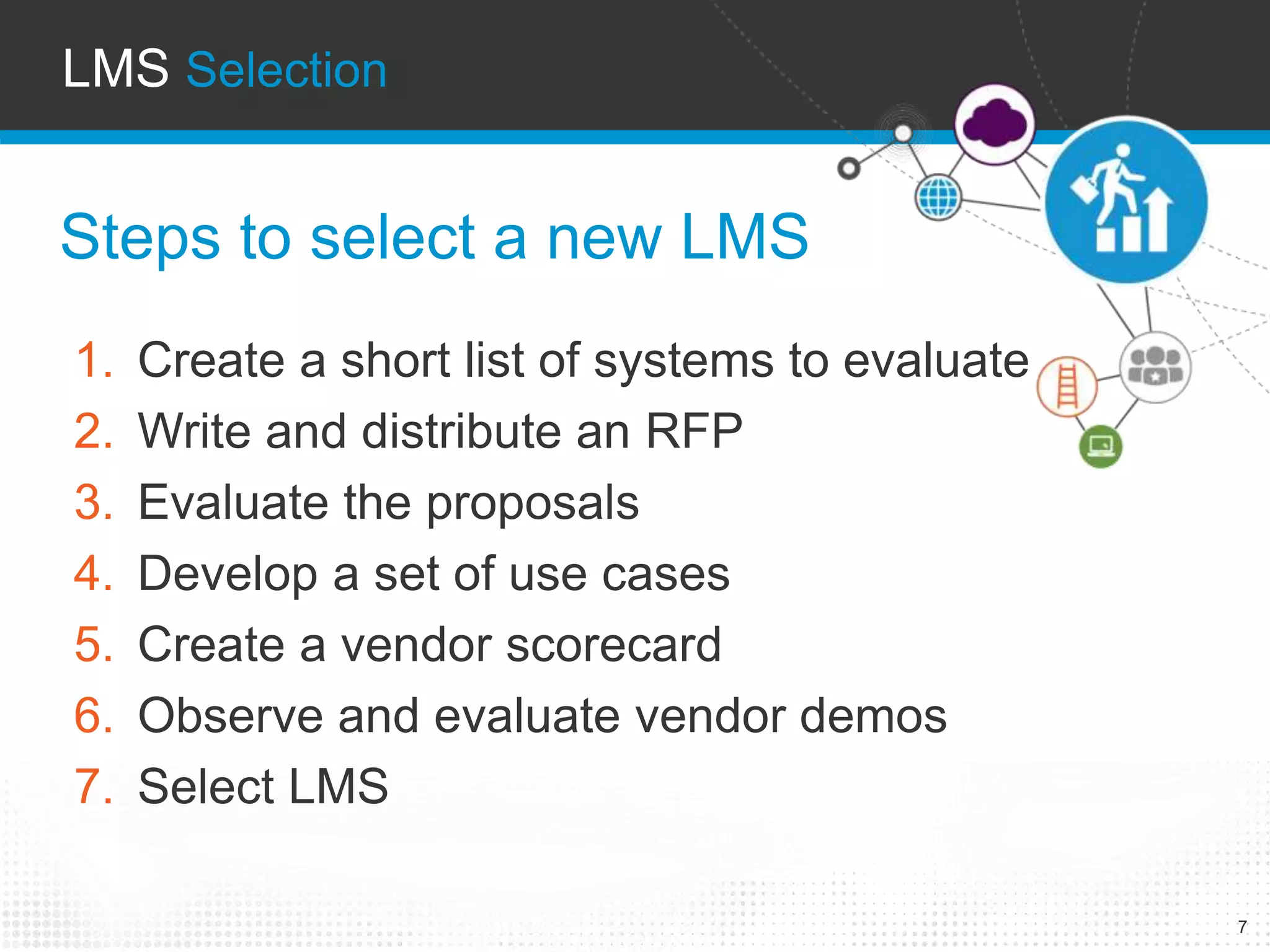
LMS Selection 
Steps to select a new LMS 
1. Create a short list of systems to evaluate 
2. Write and distribute an RFP 
3. Evaluate the proposals 
4. Develop a set of use cases 
5. Create a vendor scorecard 
6. Observe and evaluate vendor demos 
7. Select LMS
Next steps 
8 
You’ve selected your new LMS… 
You’re ready to migrate… 
Now what?
LMS Migration BEST PRACTICES 
9
Best Practice #1 
10 
Data Migration Considerations 
• Garbage in, garbage out 
• Archiving
Best Practice #2 
11 
Engage the Right Resources 
• Ensure stakeholder buy-in 
• Determine project team 
• Establish governance committee
Best Practice #3 
12 
Carefully Plan Your Cutover 
• Allow for enough time 
• Sunsetting your old system
Best Practice #4 
13 
Strategize your Launch 
• Conduct a Pilot 
• Enable appropriate functionality
Best Practice #5 
14 
Communication & 
Change Management 
• Determine training requirements 
• Sell the destination…
Poll 
15 
What do you think will be your 
biggest challenge with moving to a 
new LMS? 
• Data migration 
• Engaging the right resources 
• Technical cutover 
• A successful launch 
• Change management 
• Other (let us know in chat)
Key TAKEWAYS 
16 
• Identify the need to migrate 
• Select a new LMS 
• Ensure a solid migration strategy, 
implementing best practices
gpstrategies.com 
Katie Wirth 
Assistant Director, Business Development 
kwirth@gpstrategies.com 
Phone 443.562.0461 
Linked In: www.linkedin.com/pub/katie-wirth/3/504/1a5/ 
© 2014 GP Strategies Corporation. All rights reserved. GP Strategies, GP Strategies and logo design, BlessingWhite, Rovsing Dynamics, Asentus, Information Horizons, PMC, Sandy, Bath Consultancy Group, Academy of 
Training, Martonhouse, Via Training, Beneast Training, Ultra, RWD, Communication Consulting, Option Six, Milsom, Clutterbuck Associates, PerformTech, Future Perfect, Smallpeice Enterprises, Prospero Learning 
Solutions, Lorien Engineering Solutions, 
Effective-People, Effective-Learning, GPiLEARN, GPCALCS, GPSteam, EtaPRO, and VirtualPlant are trademarks or registered trademarks of GP Strategies Corporation in the U.S. and other countries. All other trademarks 
are trademarks or registered trademarks of their respective owners. Proprietary to GP Strategies Corporation

Best Practices for Migrating Your LMS: Building a Business Case for Migration

  • 1.
    Best Practices forMigrating your LMS Building a Business Case for Migration Presented by: Katie Wirth, Assistant Director, Business Development, GP Strategies Charles DeNault, Senior Director, Product Marketing, Saba MBI – GP Strategies Company Confidential Knowledge. Performance. Impact.
  • 2.
    Conversation Information 2 Katie Wirth Assistant Director, Business Development, GP Strategies kwirth@gpstrategies.com Charles DeNault Senior Director, Product Marketing, Saba cdenault@saba.com
  • 3.
    Best Practices forMigrating Learning Technologies: Reduce fear and create a strategy for Success! 3 Agenda • Upgrade/Replacement Business Drivers • Building the Business Case • LMS Selection • LMS Migration Best Practices • Key Takeaways • Q & A
  • 4.
    Reasons for Upgradingor Migrating your LMS 4 Usability Disparate Systems Reporting features Vendor support New Technologies Appears outdated Lack of mobile features Need for a single solution Changing needs Integration challenges Delays in new features
  • 5.
    5 Poll Whatis your main reason for moving to a new LMS? • Reporting • Usability • Consolidating multiple LMSs • Integration with other systems • Mobile learning • Social learning • Current LMS is just too old • Other (tell us in chat)
  • 6.
    6 Why shouldyou CHANGE? Building the Business Case • What do you need from an LMS that the current solution is not providing? • What are your pain points with the current solution? • What key business issues can be addressed by a new LMS? • What is your vision for the future of learning that your organization needs to provide? • What is the cost/benefit analysis for migrating to a new solution?
  • 7.
    7 LMS Selection Steps to select a new LMS 1. Create a short list of systems to evaluate 2. Write and distribute an RFP 3. Evaluate the proposals 4. Develop a set of use cases 5. Create a vendor scorecard 6. Observe and evaluate vendor demos 7. Select LMS
  • 8.
    Next steps 8 You’ve selected your new LMS… You’re ready to migrate… Now what?
  • 9.
    LMS Migration BESTPRACTICES 9
  • 10.
    Best Practice #1 10 Data Migration Considerations • Garbage in, garbage out • Archiving
  • 11.
    Best Practice #2 11 Engage the Right Resources • Ensure stakeholder buy-in • Determine project team • Establish governance committee
  • 12.
    Best Practice #3 12 Carefully Plan Your Cutover • Allow for enough time • Sunsetting your old system
  • 13.
    Best Practice #4 13 Strategize your Launch • Conduct a Pilot • Enable appropriate functionality
  • 14.
    Best Practice #5 14 Communication & Change Management • Determine training requirements • Sell the destination…
  • 15.
    Poll 15 Whatdo you think will be your biggest challenge with moving to a new LMS? • Data migration • Engaging the right resources • Technical cutover • A successful launch • Change management • Other (let us know in chat)
  • 16.
    Key TAKEWAYS 16 • Identify the need to migrate • Select a new LMS • Ensure a solid migration strategy, implementing best practices
  • 17.
    gpstrategies.com Katie Wirth Assistant Director, Business Development kwirth@gpstrategies.com Phone 443.562.0461 Linked In: www.linkedin.com/pub/katie-wirth/3/504/1a5/ © 2014 GP Strategies Corporation. All rights reserved. GP Strategies, GP Strategies and logo design, BlessingWhite, Rovsing Dynamics, Asentus, Information Horizons, PMC, Sandy, Bath Consultancy Group, Academy of Training, Martonhouse, Via Training, Beneast Training, Ultra, RWD, Communication Consulting, Option Six, Milsom, Clutterbuck Associates, PerformTech, Future Perfect, Smallpeice Enterprises, Prospero Learning Solutions, Lorien Engineering Solutions, Effective-People, Effective-Learning, GPiLEARN, GPCALCS, GPSteam, EtaPRO, and VirtualPlant are trademarks or registered trademarks of GP Strategies Corporation in the U.S. and other countries. All other trademarks are trademarks or registered trademarks of their respective owners. Proprietary to GP Strategies Corporation

Editor's Notes

  • #3 Founded in 1966 Publically traded on the NSYE (GPX) Headquarters: Columbia, Maryland 3,000+ full-time employees in offices throughout the Americas, EMEA, and APAC Approximately $500M in 2013 Revenue GP Strategies has been a leader in Learning & Talent Management system implementation and support for over 15 years, with extensive experience supporting the needs of the largest and most complex organizations in the world. 150+ Learning & Talent Management Consultants Recognized as an industry leader in the fields of learning, talent management, and performance improvement Currently working with more than half of the Fortune 500 Our global reach, depth of experience, and end-to-end suite of services allow our team to leveraging our many differentiating capabilities which include the following: Business Process Mapping & Design Change Management & Communication Strategy Services Legacy System Migration Expertise User Acceptance Testing Services Validation Experience Cloud Migration Experience Content Migration & Testing Support Content Development Capabilities HR Business Process Outsourcing & Administration Services
  • #8 Step 2 – the RFP will include key requirements of the new system, and these will lead into the use cases and vendor scorecard The steps listed here are the basic milestones for the LMS selection process and they are listed here in the order that I see to be the most common sequence of events. However there are other ways that these things can happen, so please don’t feel that this is set in stone by any means. There are definitely situations in which use cases are developed prior to the RFP so that they are actually part of the RFP response. One thing I want to point out here is that this webinar is focused on migrating to a new LMS only but something to keep in mind is that more and more, businesses are implementing talent management and human capital management suites. The trend is moving beyond standalone LMSes. Even Gartner no longer ranks the LMS alone and instead they now rank entire HCM suites to highlight the increasing connection between these applications. That being said, we do encourage learning leaders to work with your Talent Management and/or HR counterparts and participate in the selection process together so that full suite solutions can be considered. While your organization might not be ready for additional modules immediately, having an LMS solution in place that easily expands and integrates with additional modules such as Performance and Onboarding will allow for a very smooth adoption of additional technology when you have reached that point in your roadmap.
  • #11 The first thing to remember is that if your current system has junky data, duplicates, etc., migrating that to the new system will result in the same set of bad data. Note: Garbage in, garbage out – clean up data as much as possible before migrating. This can take a long time but it is worth it. Having your new system full of clean, relevant data will make the system easier to use, maintain, and administer going forward. Also, consider archiving if possible – what data does not need to be migrated? Check corporate and industry requirements and compliance to see how many years of data must be in the system. Archive the rest. Make the archive something that can be accessed easily via a front end, simple reporting interface, at the very least something admins can pull from if transcript data/learning history is requested.
  • #12 From start to finish, ensure the right resources from your organization are involved. Before the project starts, ensure stakeholder buy-in. They will be advocates of the project and new system and you need their support. Then identify the project team that will be involved in the entire project. These people need to have the organizational knowledge and experience with the current system to provide value and expertise related to the migration. Their input is critical and their steady, consistent involvement in project activities is a must. This may include one person or an entire team of folks representing business units, IT, system administrators, etc. Ensure their availability and complete commitment to the project – and if work from their “normal” job needs to be backfilled, backfill it. Don’t expect your team to be able to carry on with their normal duties AND be involved in the project migration. It is asking too much, and something will slip. Another group of stakeholders that is critical to establishing if it doesn’t exist already is a governance committee. Creating guidelines, SOPs, operating rules and conventions, along with making decisions that may impact other groups using the LMS or even the entire system, should all be handled by an overarching committee that is fully invested in the success of the system and that truly understands it. This is particularly important if you are migrating to a SaaS LMS and that software model is new. As there are often quarterly releases for SaaS LMSes, a group of leaders that can determine the best way to configure, test and adopt changes and new functionality and communicate the changes to the larger system audience will be key to the success of the LMS for the future, and establishing that governance committee during the migration process will ensure a stable and knowledge group.
  • #13 Don’t be afraid to take a long cutover to ensure tasks aren’t rushed and resources have time to do the tasks that must take place when the old system is down and before the new system launches. There are things that can only happen during that time – not just data migration but some configuration work and activity setup – and providing the right time will ensure these are done thoroughly and carefully. Consider when to sunset your system. Avoid taking it down and losing access to it immediately if possible. Keep it accessible to a small group of admins or TCs will allow for not only data validation for the new system but also a reference in case something needs to be verified from a historical standpoint.
  • #14 Incorporation of a pilot or phased Implementation may help lessen the impact to end users. Having a subset of the population begin using part or all of the system prior to the full user population will allow for a “live testing” and feedback period to take place. Involving this “select” group of pilot users may also obtain buy-in and “champions” of the new system who can be advocates of the system. Executing a pilot may uncover migration issues or misconfigurations before the organization-wide system launch and thereby help reduce or eliminate the potential widespread system issues which would impact a large audience and potentially damage the initial impression of the system. Additionally, consider only enabling minimal, necessary functionality at launch of the new LMS. This will make the switch from an old, familiar system to a new system easier for end users as it will be less overwhelming. Then, as users get comfortable with the new LMS and are ready for greater functionality, new features can be introduced to increase training features.
  • #15 It is incredibly important to prepare your audiences for the LMS migration and technology upgrade. Expectations and perceptions about the new system must be addressed thoroughly and at the appropriate time, and a communication and change management strategy must be employed. For change management to be successful, training on the new system is critical and the following items must be considered and thoroughly mapped out: Who? Nielsen must determine who needs to be trained on the system. Administrators who are hands-on must be trained on the functionality of the system. Managers must be trained on how to view and retrieve data related to their users. Learners must be trained on how to do the basic tasks in the LMS, and this can be accomplished through a simple online tutorial course, quick reference guides, and job aids. For the population of administrators, managers, and learners who don’t use the system very often, substantial training will be required. What? Specifically, the topics and functionality each user group needs to be trained on must be mapped. This will be best achieved by creating a roles & functionality matrix. When? What point in the project to migrate to the new LMS will be the most ideal timing to deliver the training to the different user populations? How? How will the training be provided and best received/absorbed by the end user? Will it be in person, via job aids, and user guides, via virtual training sessions, etc?   Properly communicating about the new LMS is also a key task for successful change management and to ensure organizational readiness. “If you can sell the destination, change should be easy.” Frequency – When are key communications distributed? Meeting notes, status reports, etc.? Recipients – Who should receive the different project communications? Key stakeholders will be identified as well as anyone impacted by the project. Format – The delivery of communications may be via email, conference calls, SharePoint document management, etc. Timing – Appropriate information must be shared on a timely basis. Obtaining Buy-In – The message delivered to end users regarding the new system is critical. If it is delivered properly, it will be easier to manage the change and obtain buy-in. Nielsen must demonstrate that the new LMS will be easy to use, and the “what” and “why” should be clearly communicated, with resources in place and clearly identified to field the anticipated questions. Communication plans delivered from the top of the organization and downward will help end users to be onboard, and the reason for the change must be communicated with clarity. User group / forum to share info, ask questions, etc.
  • #17 This might include doing a cost/benefit analysis and determining ROI Select the RIGHT SOLUTION FOR YOU – the assessment must be thorough and must be specific to you. Other companies’ LMS selection process and requirements are not necessarily the right things for you. This includes the best practices discussed here: Consider your data migration plan Include the right resources Develop a detailed cutover plan Consider doing a pilot of the new system Don’t forget how important a communication strategy and change management are
  • #18 This deck and presentation will be posted online If anyone would be interested in discussing this topic in more detail, my contact information is here.