World English Dictionary
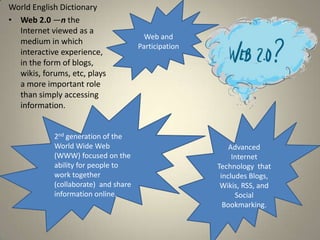
• Web 2.0 —n the
  Internet viewed as a
                                        Web and
  medium in which
                                      Participation
  interactive experience,
  in the form of blogs,
  wikis, forums, etc, plays
  a more important role
  than simply accessing
  information.


            2nd generation of the
            World Wide Web                                Advanced
            (WWW) focused on the                           Internet
            ability for people to                     Technology that
            work together                              includes Blogs,
            (collaborate) and share                    Wikis, RSS, and
            information online.                             Social
                                                        Bookmarking.
What is a Wiki?
• A Wiki is like a website. Click the above title
  that will link you to a video on Wikis in plain
  English (super easy demonstration).
• More than one person can change a Wiki
  unlike a website.
• Click on this link to go to:

          Miss Grant’s Technology Wiki
Blog
• Website containing the writer's own
  experiences, observations, opinions, etc., and
  often having images and links to other Web
  sites.
• Only one person can edit the blog unlike the
  Wiki, but others can make comments to the
  blog entries.
          Miss Grant’s Technology Blog
Social Bookmarking
• Saving bookmarked web pages to a public
  website to share the links with other Internet
  users.
• Social bookmarking is a tool that allows you to
  add tags and comments to your bookmarks.
• When you save a website to your computer by
  adding to favorites, it is only on that
  computer. Social Bookmarks follow you.
RSS
        (Really Simple Syndication)
• An XML-based standard and format used to
  distribute recent news and other frequently
  updated content appearing on a website: an RSS
  reader; RSS files; RSS feeds (Dictionary.com)
• Allows you to subscribe to websites that you
  regularly follow so that when they are updated
  they are sent to your RSS. This way you can read
  them in one place. Google Reader is free and
  easy to use.
Podcasts
A digital audio or video file or recording,
usually part of a themed series, that can be
downloaded from a website to a media player
or computer: Download or subscribe to daily,
one-hour podcasts of our radio show
(dictionary.com)
  Click picture for
link to Podomatic.
Click on pictures for links.


• A screencast is a video of your screen with
  your voice on it.
• A screencast is perfect for demonstrating how
  to do something on the computer.
• Miss Grant has created several screencasts on
  her technology wiki.
  Miss Grant’s Technology Wiki Screencast Page
Capzles
• A free website where you can create a
  timeline of pictures.
• You can even add music to your timeline.
• Very quick and easy to use.
Prezi
• Prezi is a free website where you can create 3-D
  presentations.
• You can include pictures and videos.
Photo Peach
• A free website like Windows Movie Maker.
• Just upload your photos, arrange them, and
  add captions and music.
• Photo Peach will let you add music from
  YouTube and take the song only from the
  YouTube video- very cool!
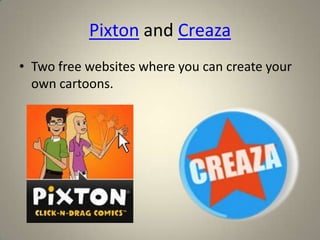
Pixton and Creaza
• Two free websites where you can create your
  own cartoons.
Muvizu& Xtranormal
• Xtranormal used to be free, but now you have to pay to
  publish your animated movie. It is a really cool, easy to
  use site.
• Muvizu is a free download. You need to download the
  program to your computer and you can create your
  own animated movies and save them to your computer
  instead of an online website.
• If you can type, you can make movies…
You are no longer limited to the
       programs on your desktop!
• You can find almost anything online for free!
• The catch is, they can start to charge for those sites,
  and then all of the things you created are on their
  website and you have to pay for them.
• Many free websites make money through
  advertisements.
• The advantages are that you can access them from
  any computer and sharing is easy!

Wat is web 2.0

  • 2.
    World English Dictionary •Web 2.0 —n the Internet viewed as a Web and medium in which Participation interactive experience, in the form of blogs, wikis, forums, etc, plays a more important role than simply accessing information. 2nd generation of the World Wide Web Advanced (WWW) focused on the Internet ability for people to Technology that work together includes Blogs, (collaborate) and share Wikis, RSS, and information online. Social Bookmarking.
  • 3.
    What is aWiki? • A Wiki is like a website. Click the above title that will link you to a video on Wikis in plain English (super easy demonstration). • More than one person can change a Wiki unlike a website. • Click on this link to go to: Miss Grant’s Technology Wiki
  • 4.
    Blog • Website containingthe writer's own experiences, observations, opinions, etc., and often having images and links to other Web sites. • Only one person can edit the blog unlike the Wiki, but others can make comments to the blog entries. Miss Grant’s Technology Blog
  • 5.
    Social Bookmarking • Savingbookmarked web pages to a public website to share the links with other Internet users. • Social bookmarking is a tool that allows you to add tags and comments to your bookmarks. • When you save a website to your computer by adding to favorites, it is only on that computer. Social Bookmarks follow you.
  • 6.
    RSS (Really Simple Syndication) • An XML-based standard and format used to distribute recent news and other frequently updated content appearing on a website: an RSS reader; RSS files; RSS feeds (Dictionary.com) • Allows you to subscribe to websites that you regularly follow so that when they are updated they are sent to your RSS. This way you can read them in one place. Google Reader is free and easy to use.
  • 7.
    Podcasts A digital audioor video file or recording, usually part of a themed series, that can be downloaded from a website to a media player or computer: Download or subscribe to daily, one-hour podcasts of our radio show (dictionary.com) Click picture for link to Podomatic.
  • 8.
    Click on picturesfor links. • A screencast is a video of your screen with your voice on it. • A screencast is perfect for demonstrating how to do something on the computer. • Miss Grant has created several screencasts on her technology wiki. Miss Grant’s Technology Wiki Screencast Page
  • 9.
    Capzles • A freewebsite where you can create a timeline of pictures. • You can even add music to your timeline. • Very quick and easy to use.
  • 10.
    Prezi • Prezi isa free website where you can create 3-D presentations. • You can include pictures and videos.
  • 11.
    Photo Peach • Afree website like Windows Movie Maker. • Just upload your photos, arrange them, and add captions and music. • Photo Peach will let you add music from YouTube and take the song only from the YouTube video- very cool!
  • 12.
    Pixton and Creaza •Two free websites where you can create your own cartoons.
  • 13.
    Muvizu& Xtranormal • Xtranormalused to be free, but now you have to pay to publish your animated movie. It is a really cool, easy to use site. • Muvizu is a free download. You need to download the program to your computer and you can create your own animated movies and save them to your computer instead of an online website. • If you can type, you can make movies…
  • 14.
    You are nolonger limited to the programs on your desktop! • You can find almost anything online for free! • The catch is, they can start to charge for those sites, and then all of the things you created are on their website and you have to pay for them. • Many free websites make money through advertisements. • The advantages are that you can access them from any computer and sharing is easy!