VMware Virtual SAN
Christos Karamanolis, VMware
Kiran Madnani, VMware
James Streit, Thomson Reuters
STO5391
#STO5391
2
Agenda
 Software Defined Storage
 What is Virtual SAN?
 Product overview
 Software/Hardware Requirements
 Use Cases
 Customer use-case
 Beta
 Summary
3
Software-Defined
Data Center
Software-Defined
Storage
SDDC | SDS
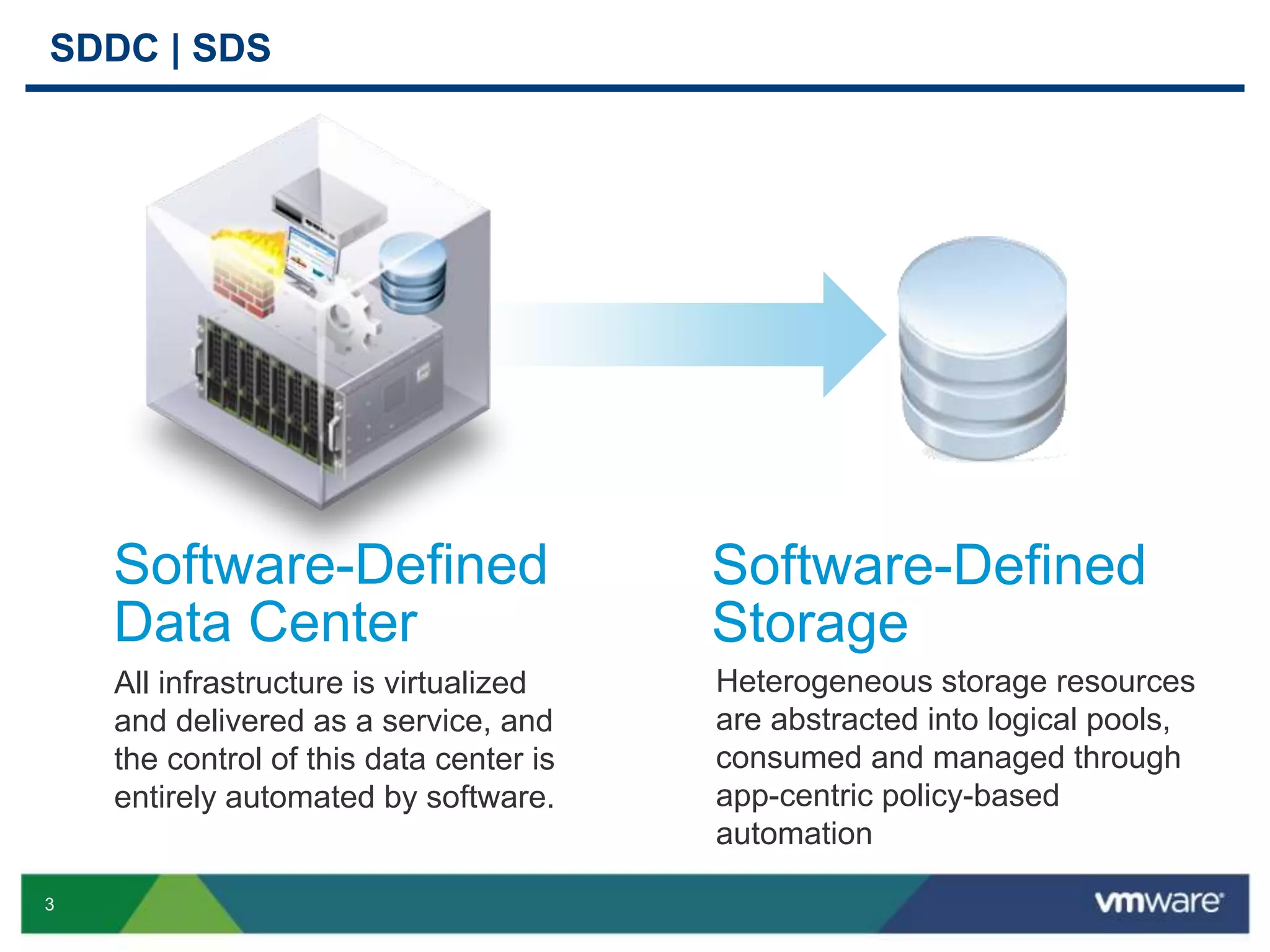
All infrastructure is virtualized
and delivered as a service, and
the control of this data center is
entirely automated by software.
Heterogeneous storage resources
are abstracted into logical pools,
consumed and managed through
app-centric policy-based
automation
4
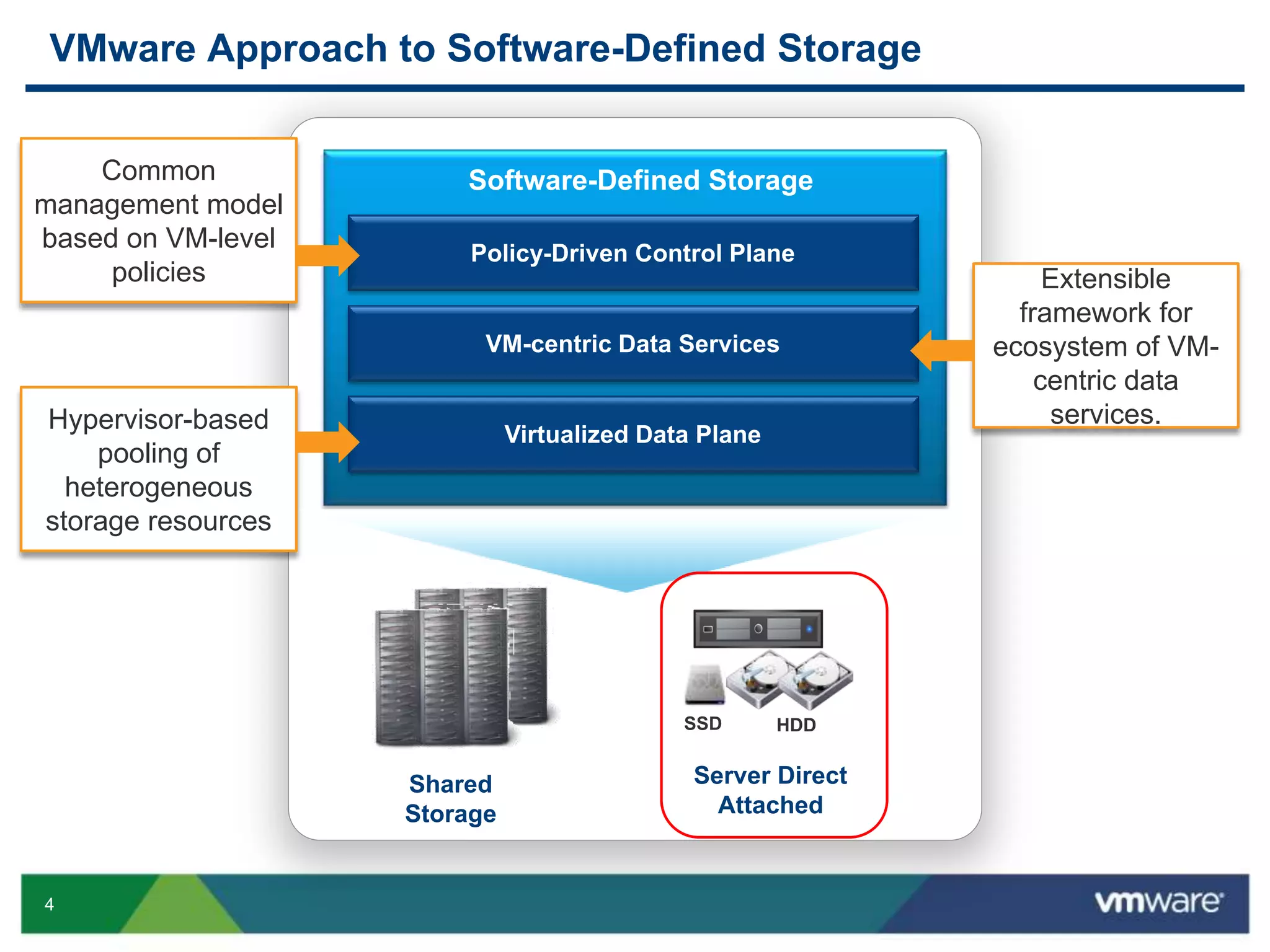
VMware Approach to Software-Defined Storage
Software-Defined Storage
Virtualized Data Plane
Shared
Storage
VM-centric Data Services
Policy-Driven Control Plane
HDDSSD
Server Direct
Attached
Extensible
framework for
ecosystem of VM-
centric data
services.
Common
management model
based on VM-level
policies
Hypervisor-based
pooling of
heterogeneous
storage resources
5
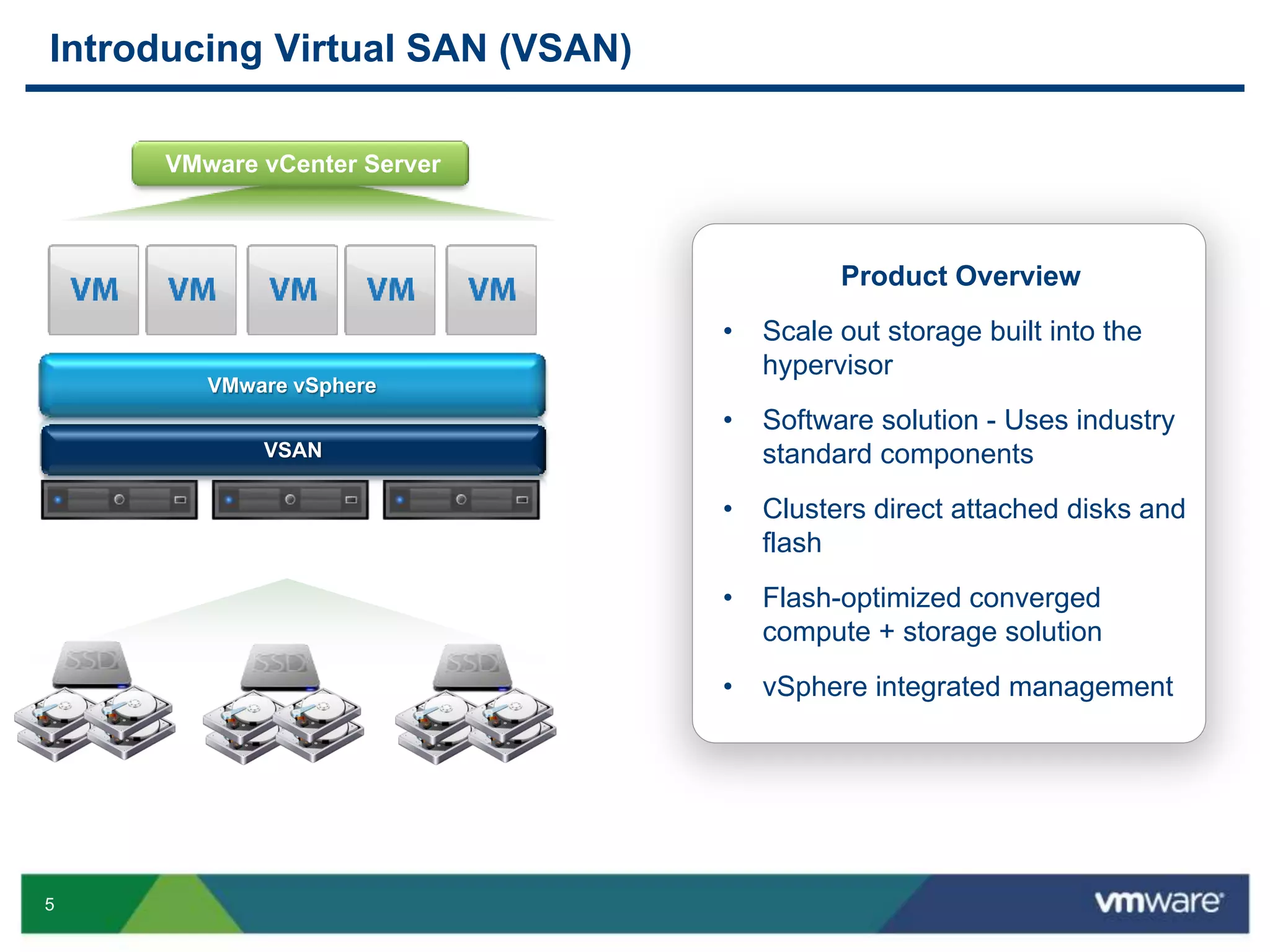
Introducing Virtual SAN (VSAN)
VMware vCenter Server
Product Overview
• Scale out storage built into the
hypervisor
• Software solution - Uses industry
standard components
• Clusters direct attached disks and
flash
• Flash-optimized converged
compute + storage solution
• vSphere integrated management
VMware vSphere
VSAN
6
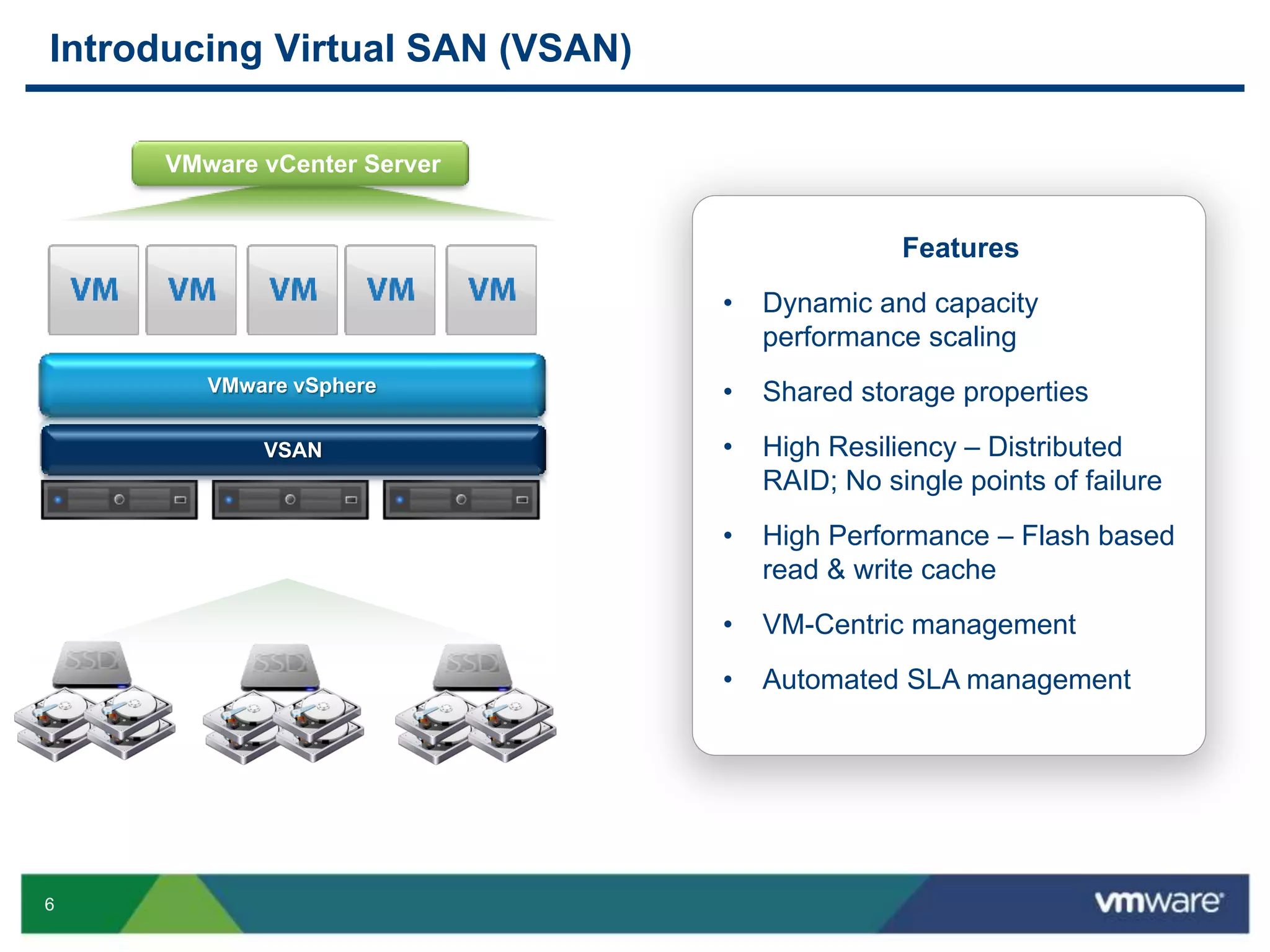
Introducing Virtual SAN (VSAN)
Features
• Dynamic and capacity
performance scaling
• Shared storage properties
• High Resiliency – Distributed
RAID; No single points of failure
• High Performance – Flash based
read & write cache
• VM-Centric management
• Automated SLA management
VMware vCenter Server
VMware vSphere
VSAN
8
Product Overview
9
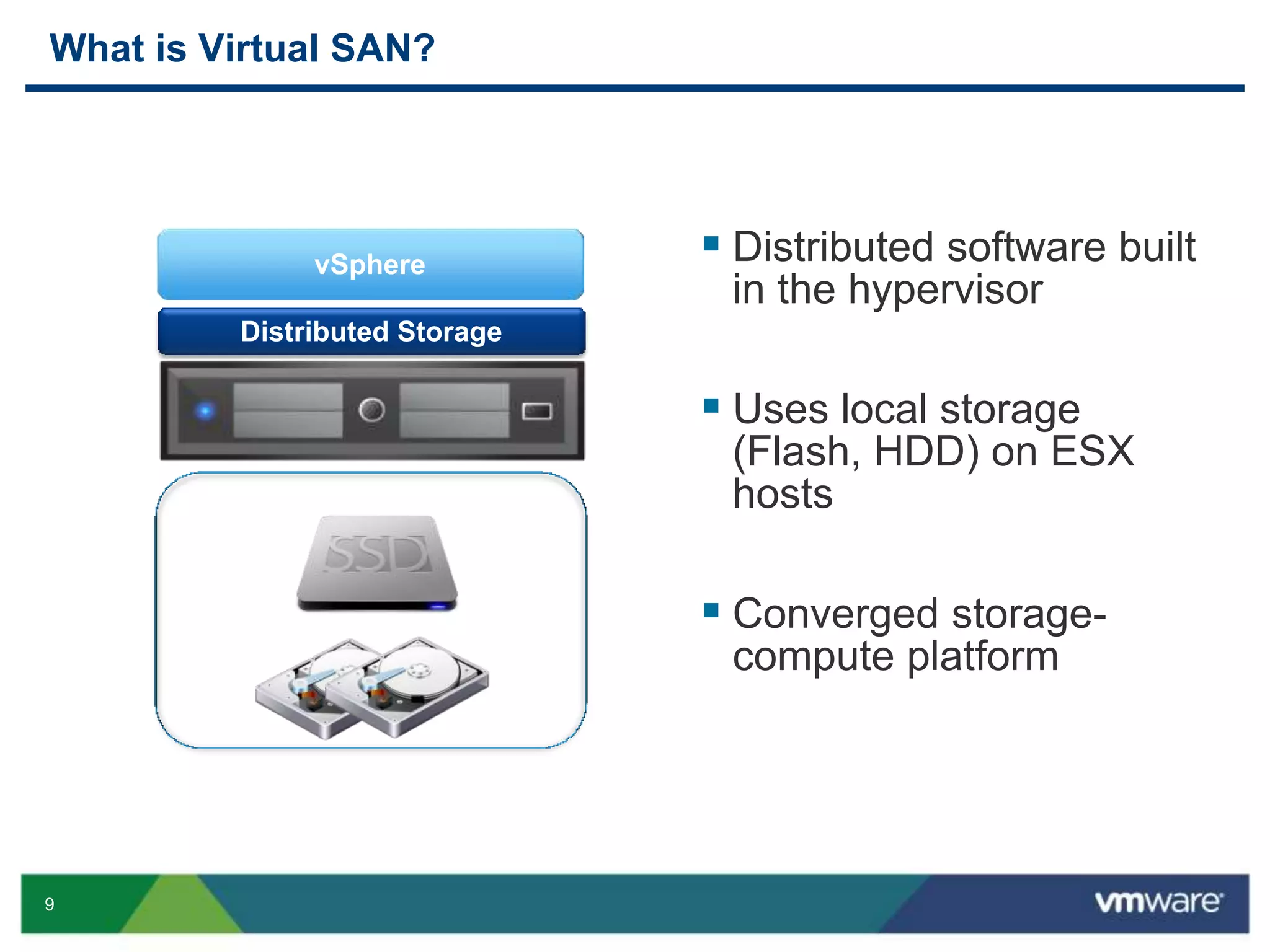
What is Virtual SAN?
vSphere
Distributed Storage
 Distributed software built
in the hypervisor
 Uses local storage
(Flash, HDD) on ESX
hosts
 Converged storage-
compute platform
10
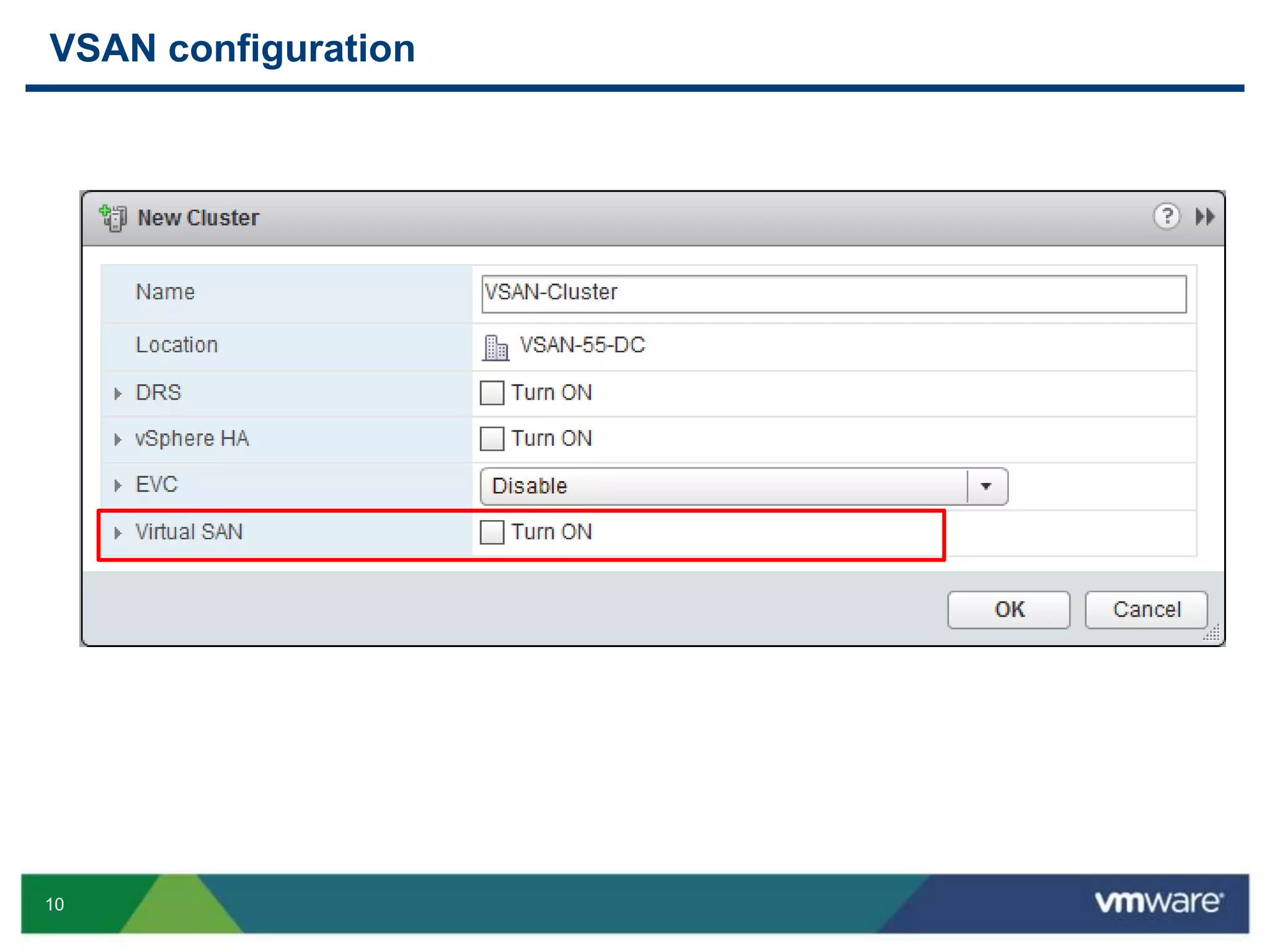
VSAN configuration
11
Platform scaling
12
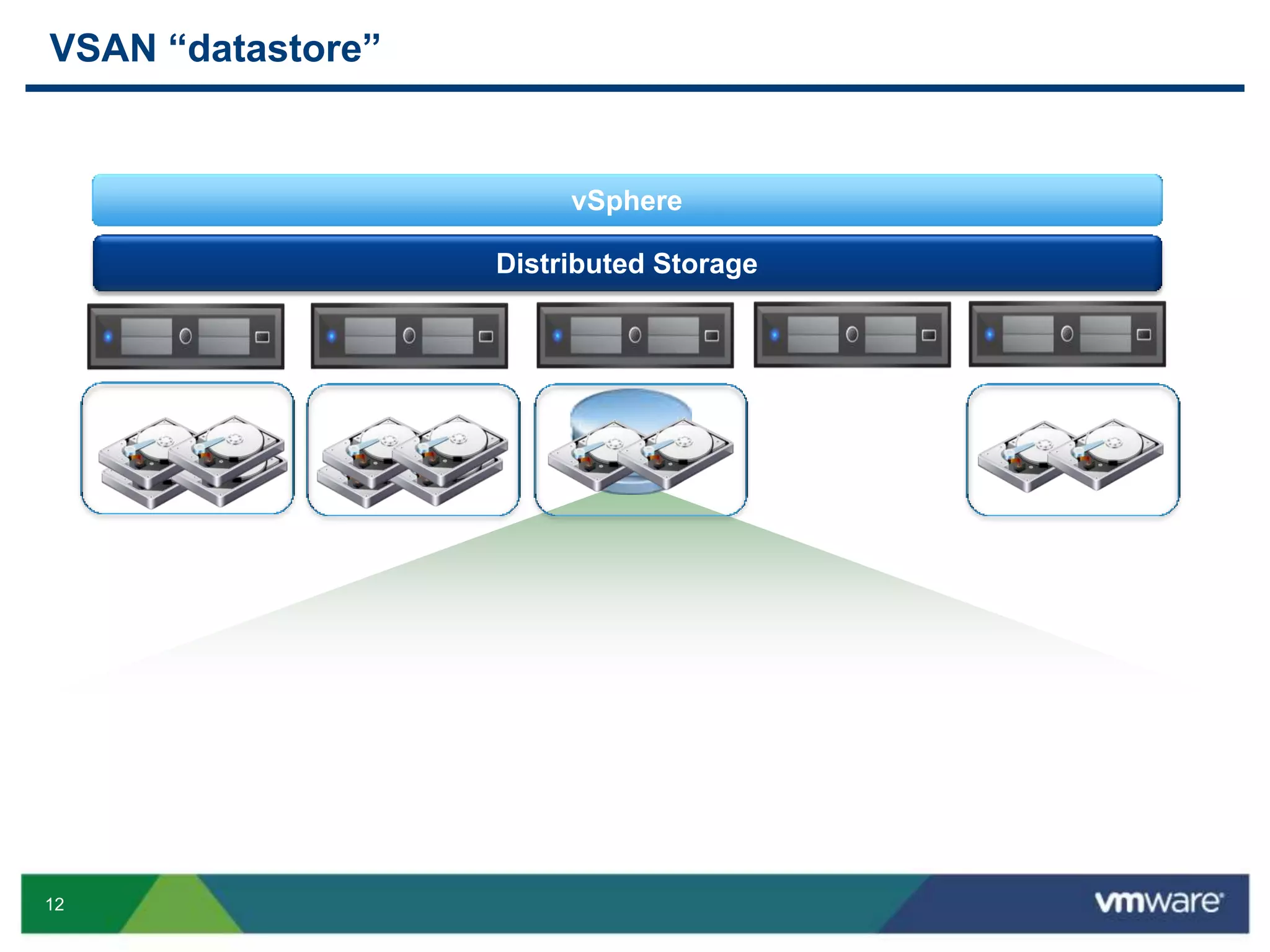
VSAN “datastore”
vSphere
Distributed Storage
13
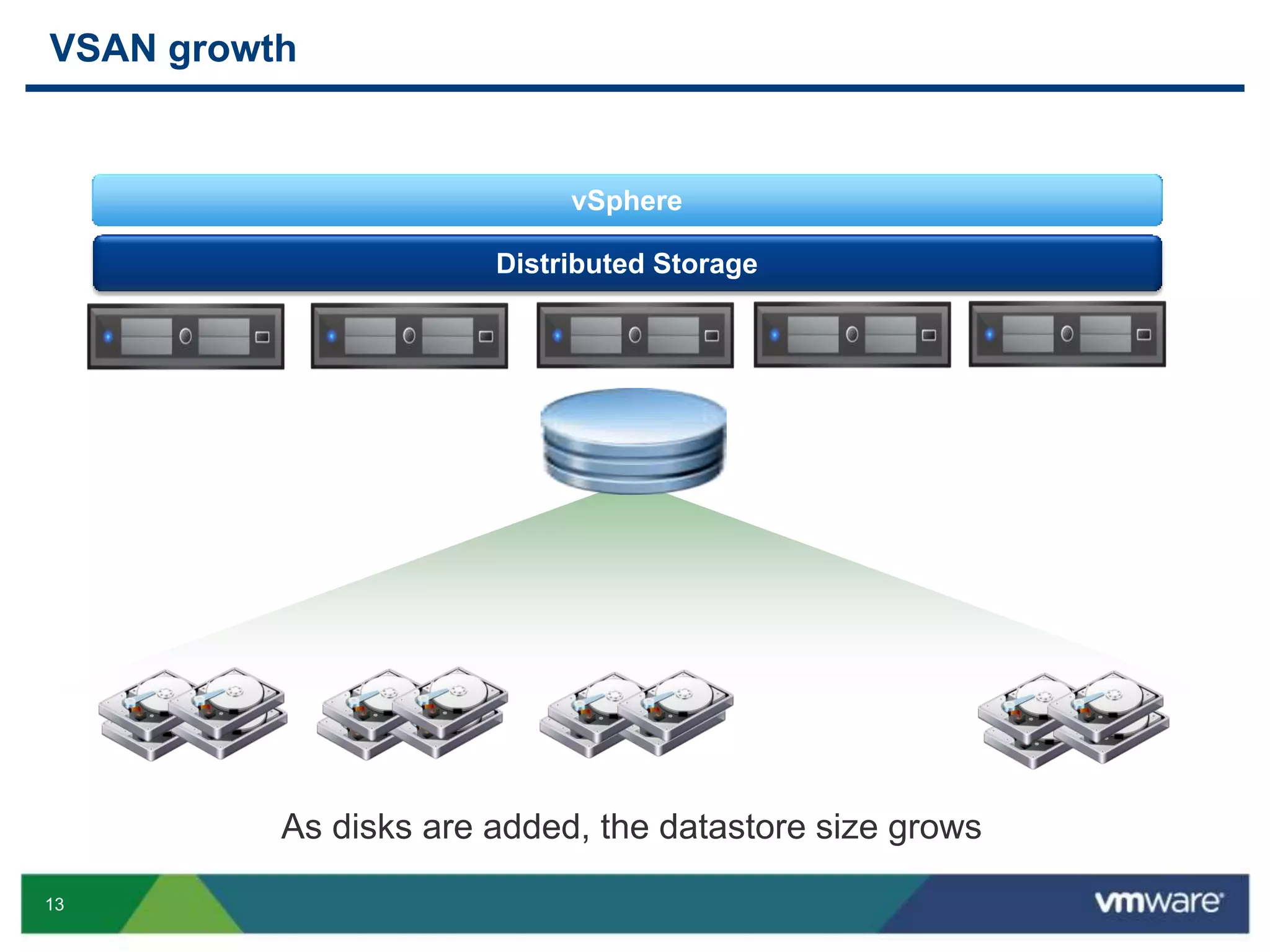
VSAN growth
vSphere
Distributed Storage
As disks are added, the datastore size grows
14
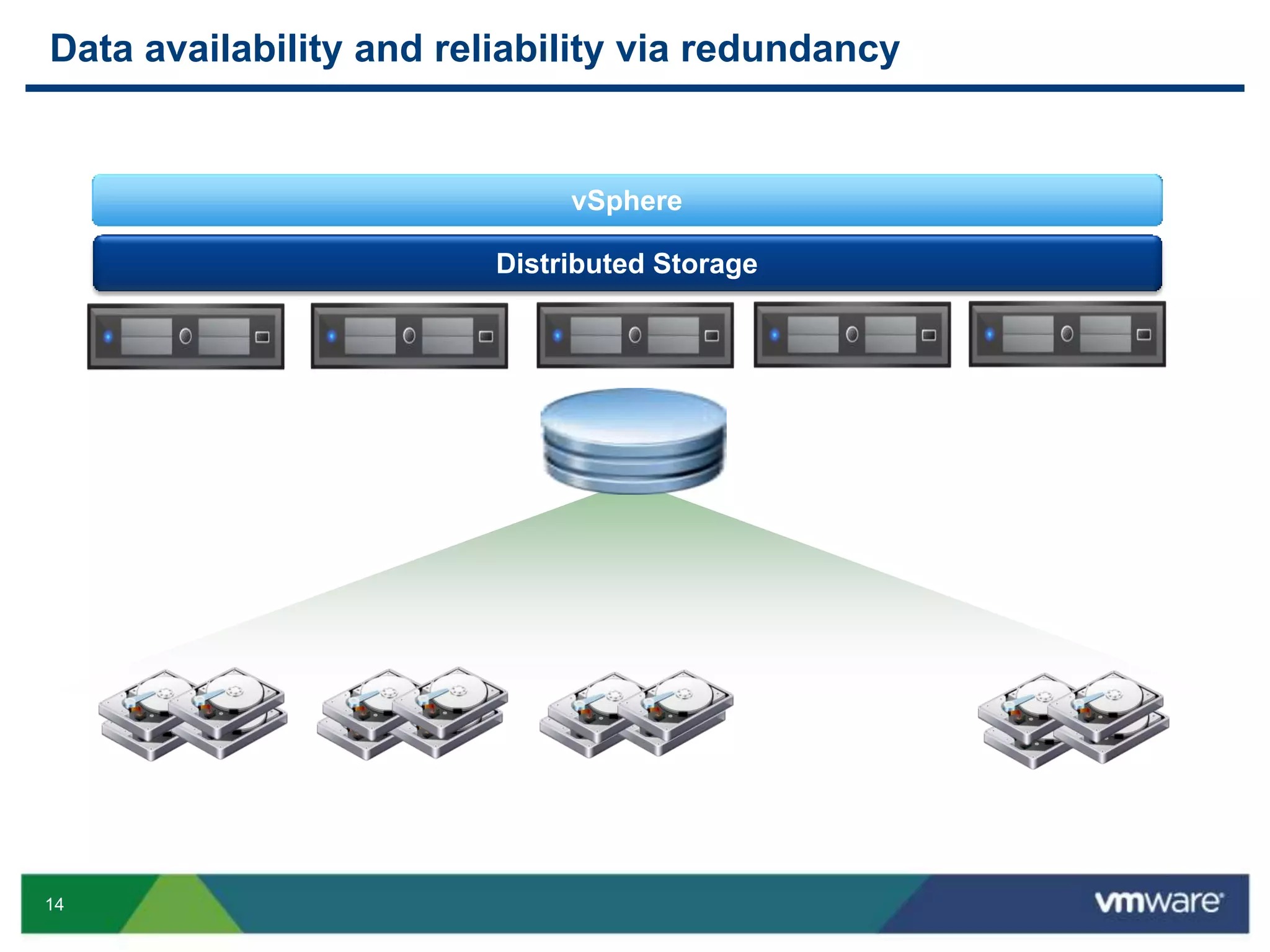
Data availability and reliability via redundancy
vSphere
Distributed Storage
15
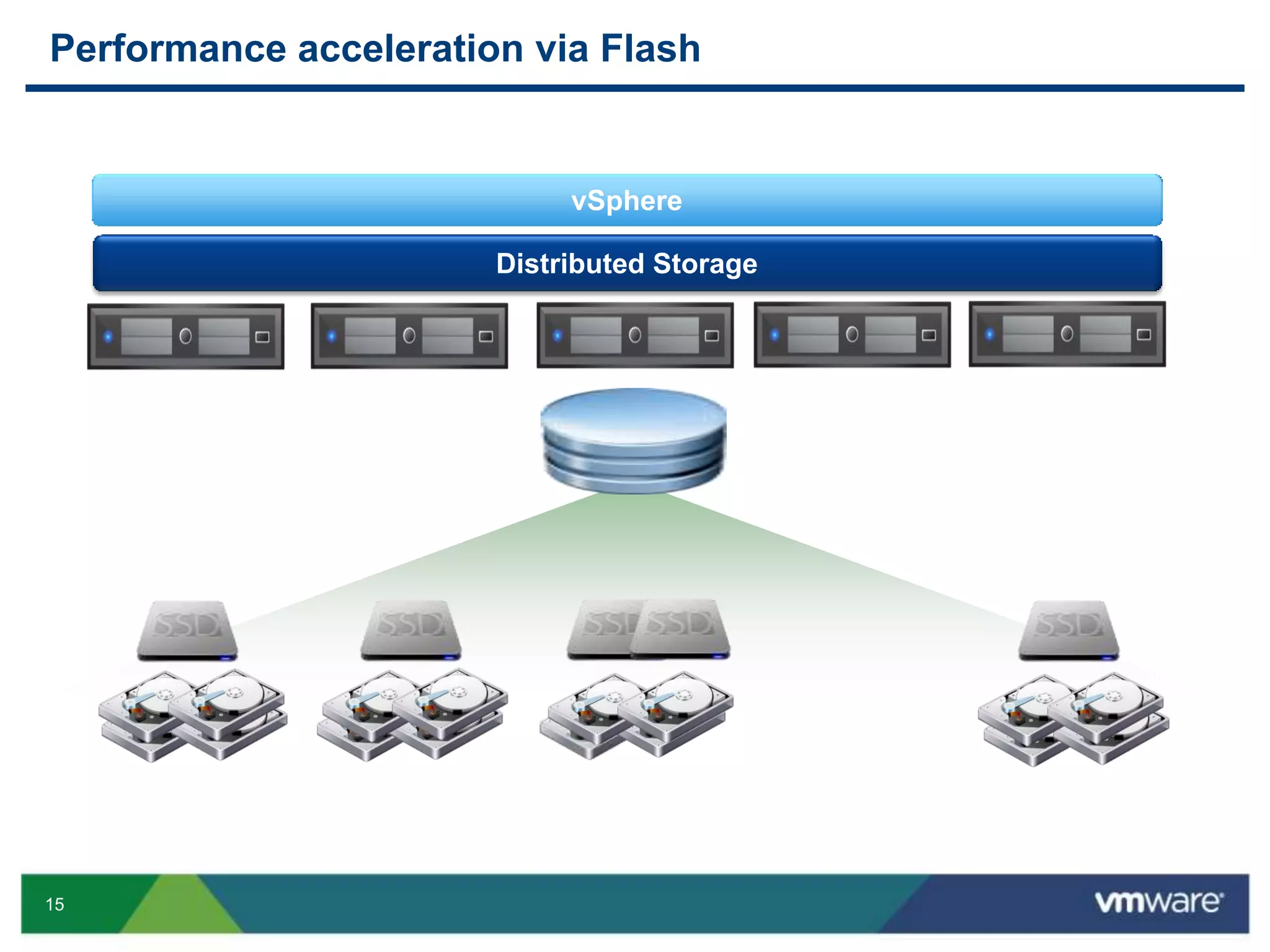
Performance acceleration via Flash
vSphere
Distributed Storage
16
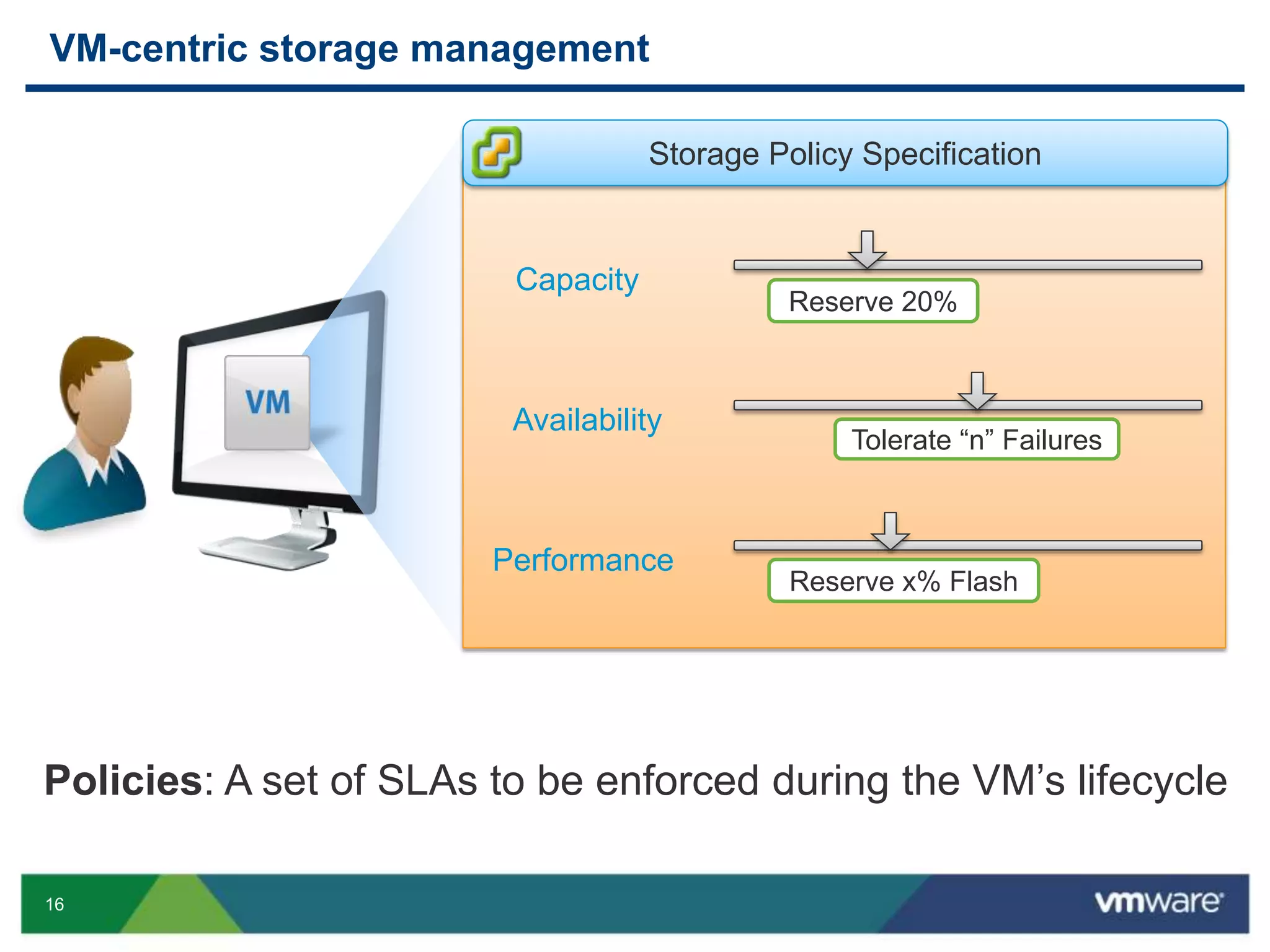
VM-centric storage management
Policies: A set of SLAs to be enforced during the VM’s lifecycle
Storage Policy Specification
Capacity
Tolerate “n” Failures
Availability
Reserve x% Flash
Performance
Reserve 20%
17
Gold Profile
Size
4x 9’s
Availability
Reserve 200
Limit
1000
IOPs
Reserve 20%
Gold Profile
Size
4x 9’s
Availability
Reserve 200
Limit
1000
IOPs
Reserve 20%
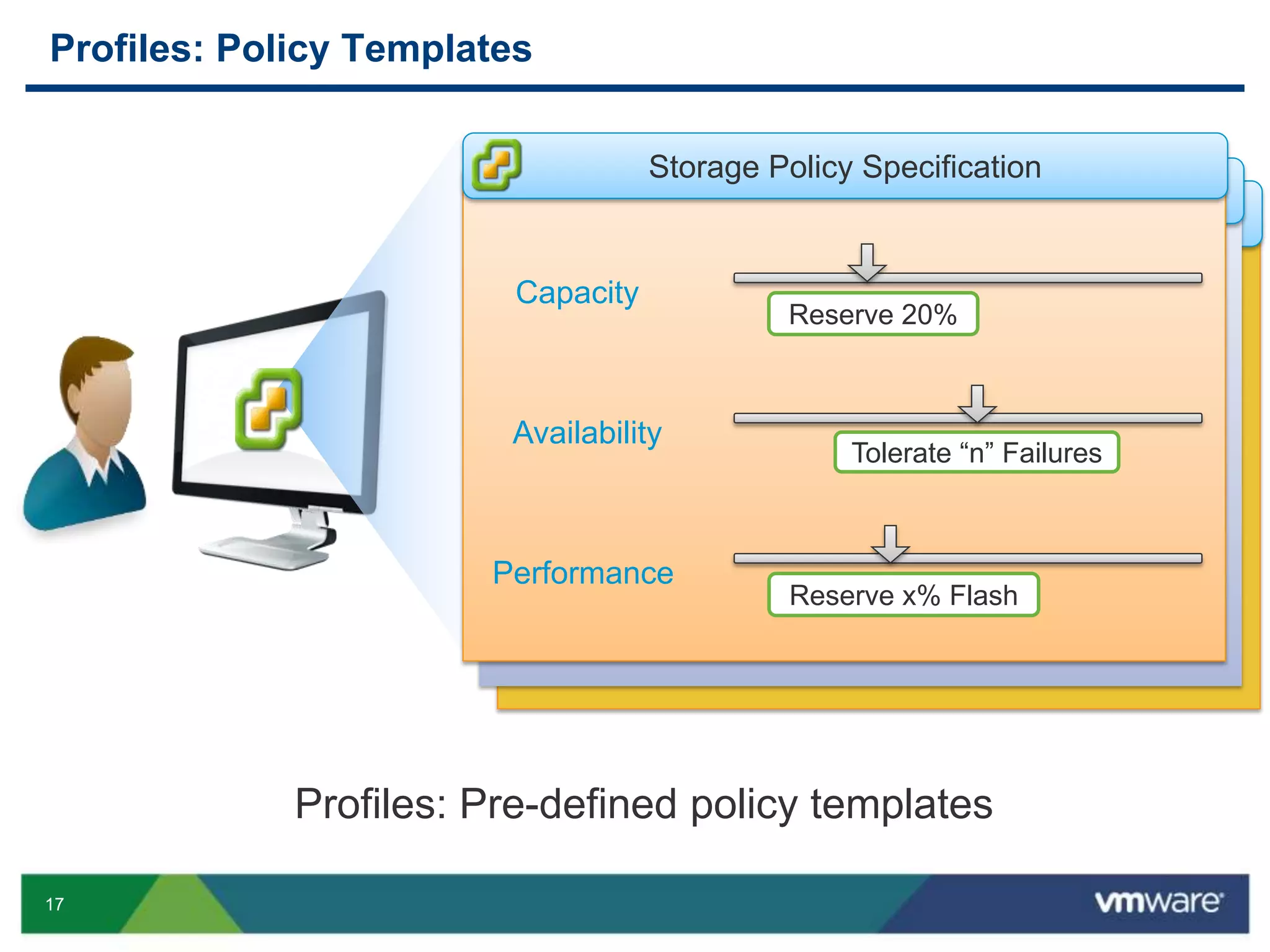
Profiles: Policy Templates
Profiles: Pre-defined policy templates
Storage Policy Specification
Capacity
Tolerate “n” Failures
Availability
Performance
Reserve 20%
Reserve x% Flash
18
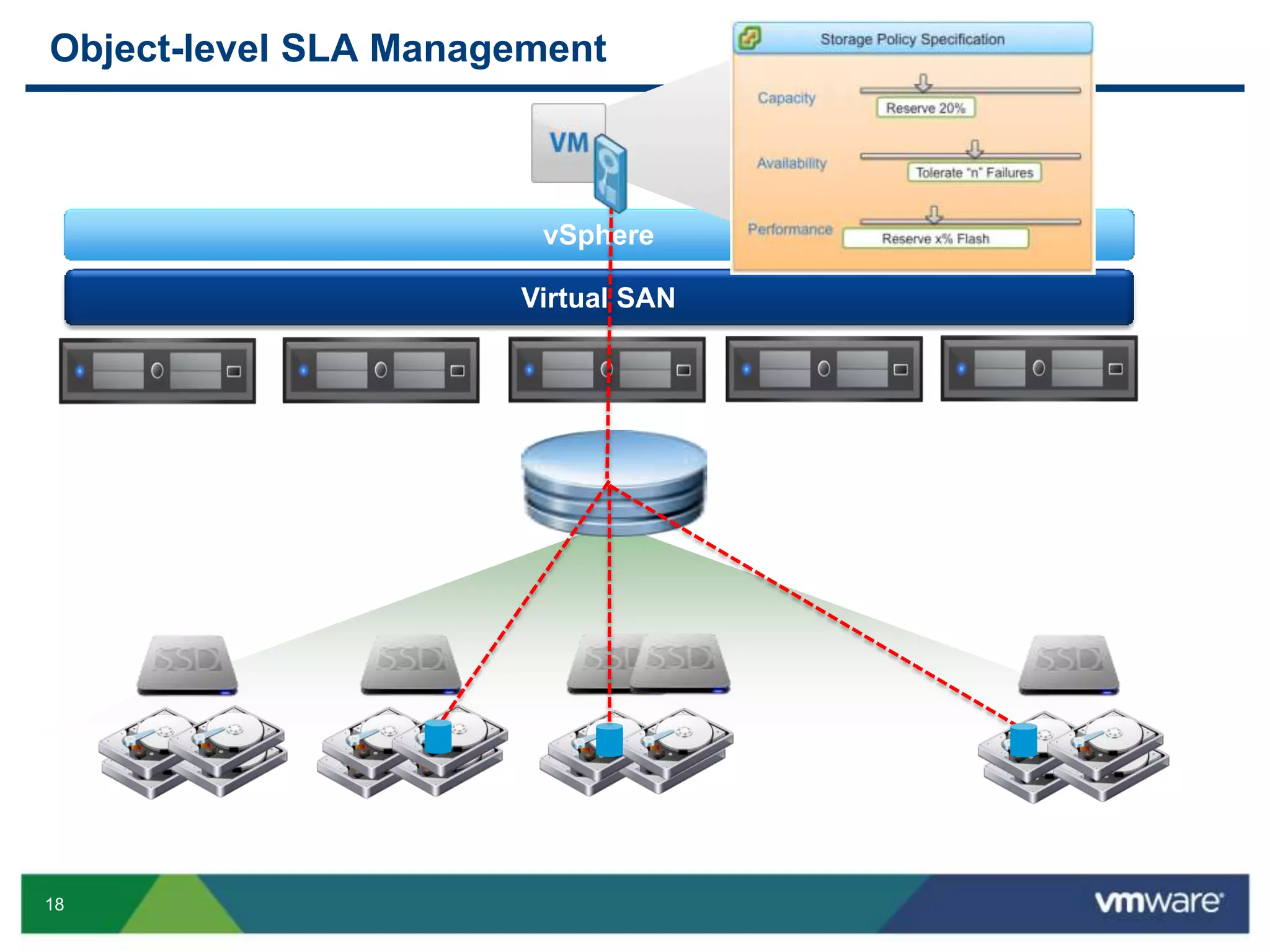
Object-level SLA Management
vSphere
Virtual SAN
20
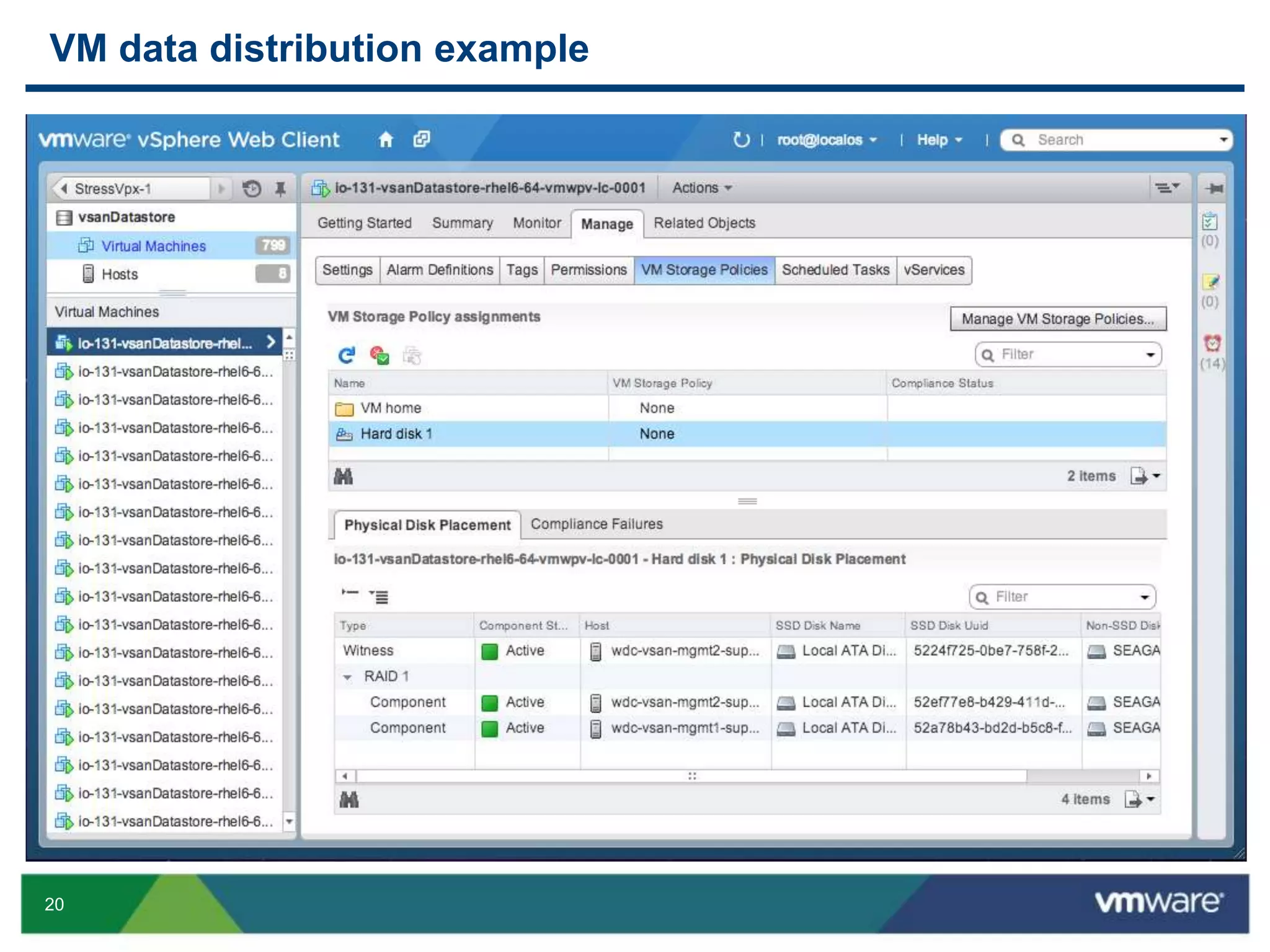
VM data distribution example
21
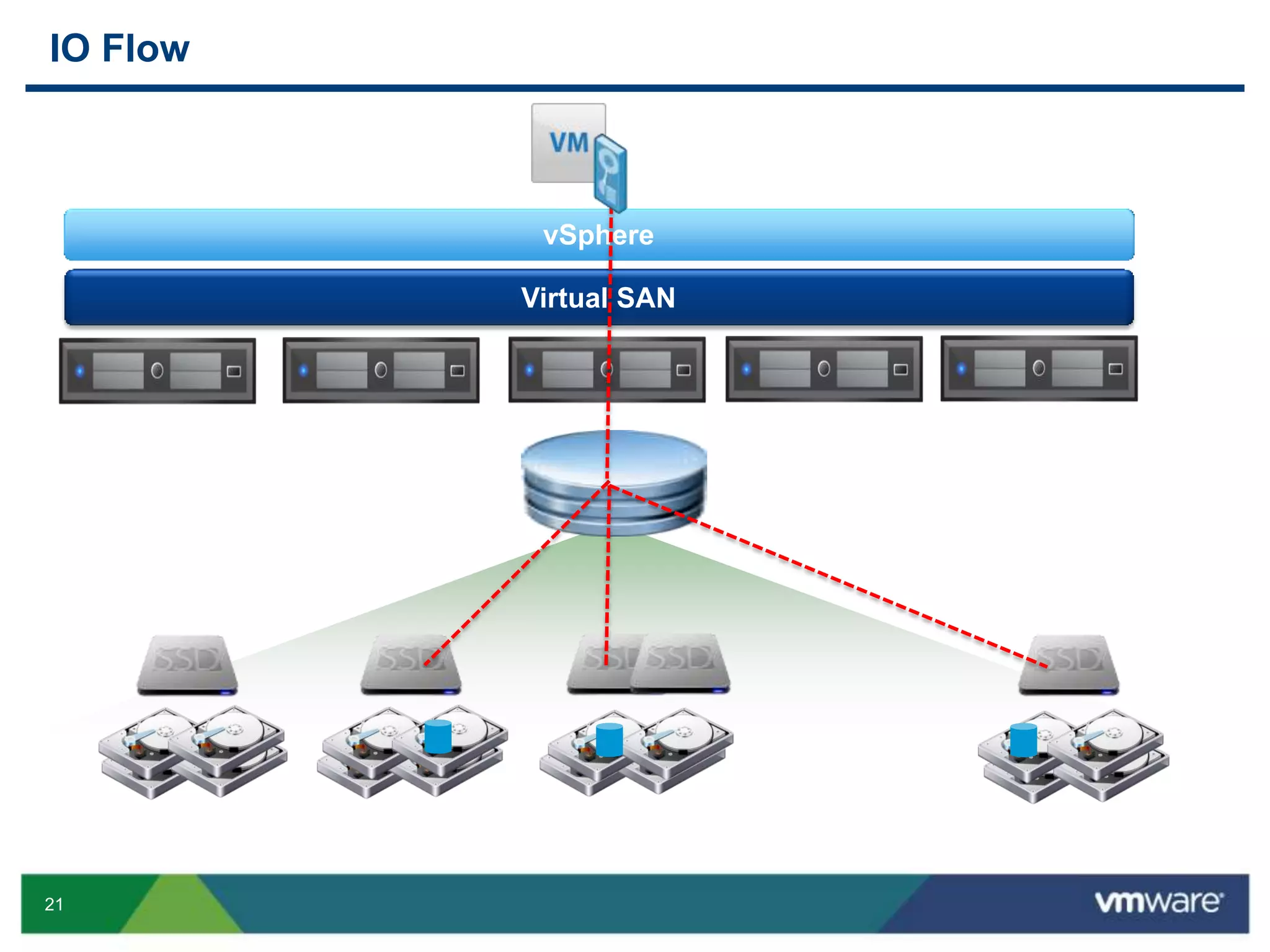
IO Flow
vSphere
Virtual SAN
22
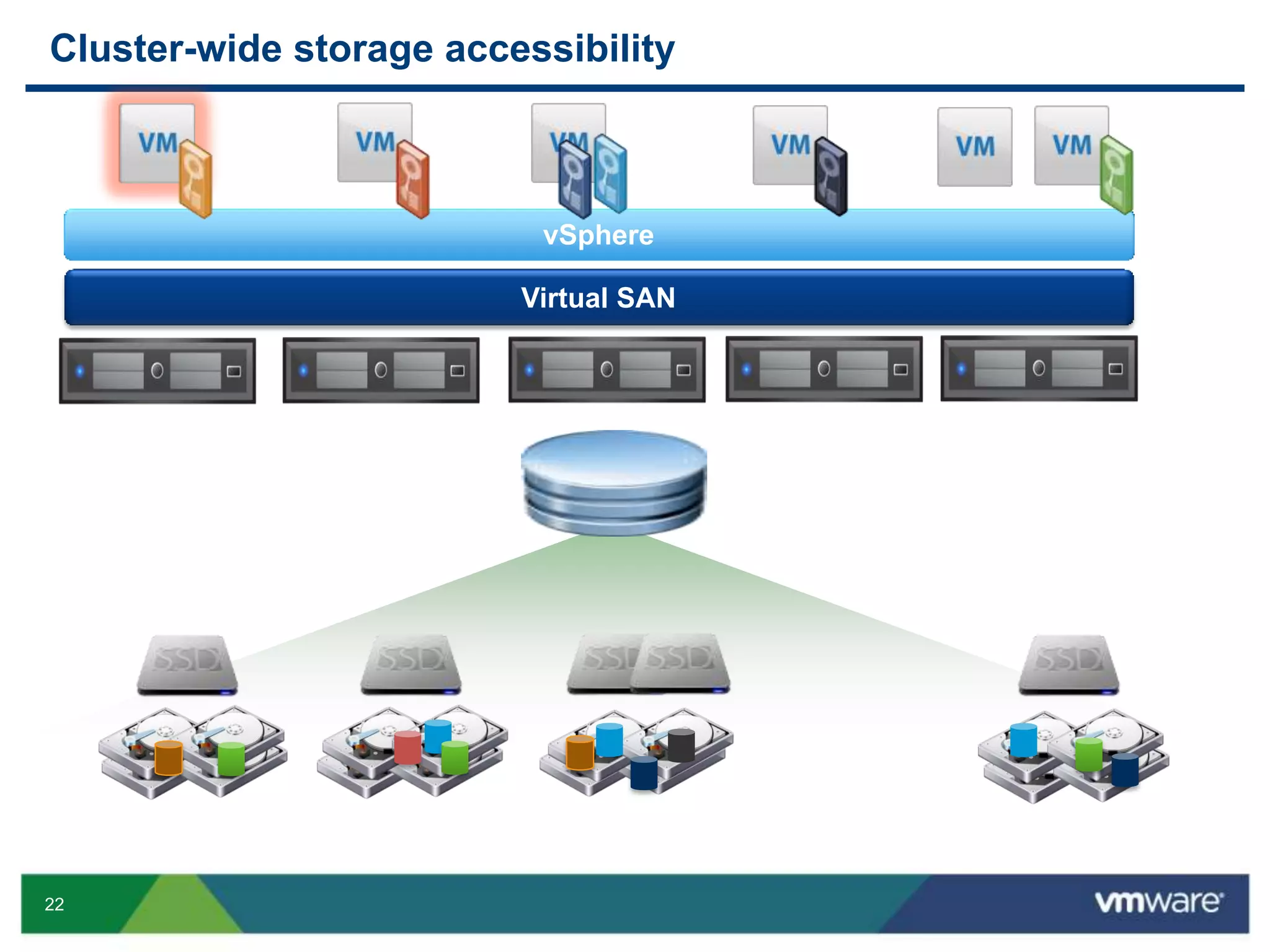
Cluster-wide storage accessibility
vSphere
Virtual SAN
23
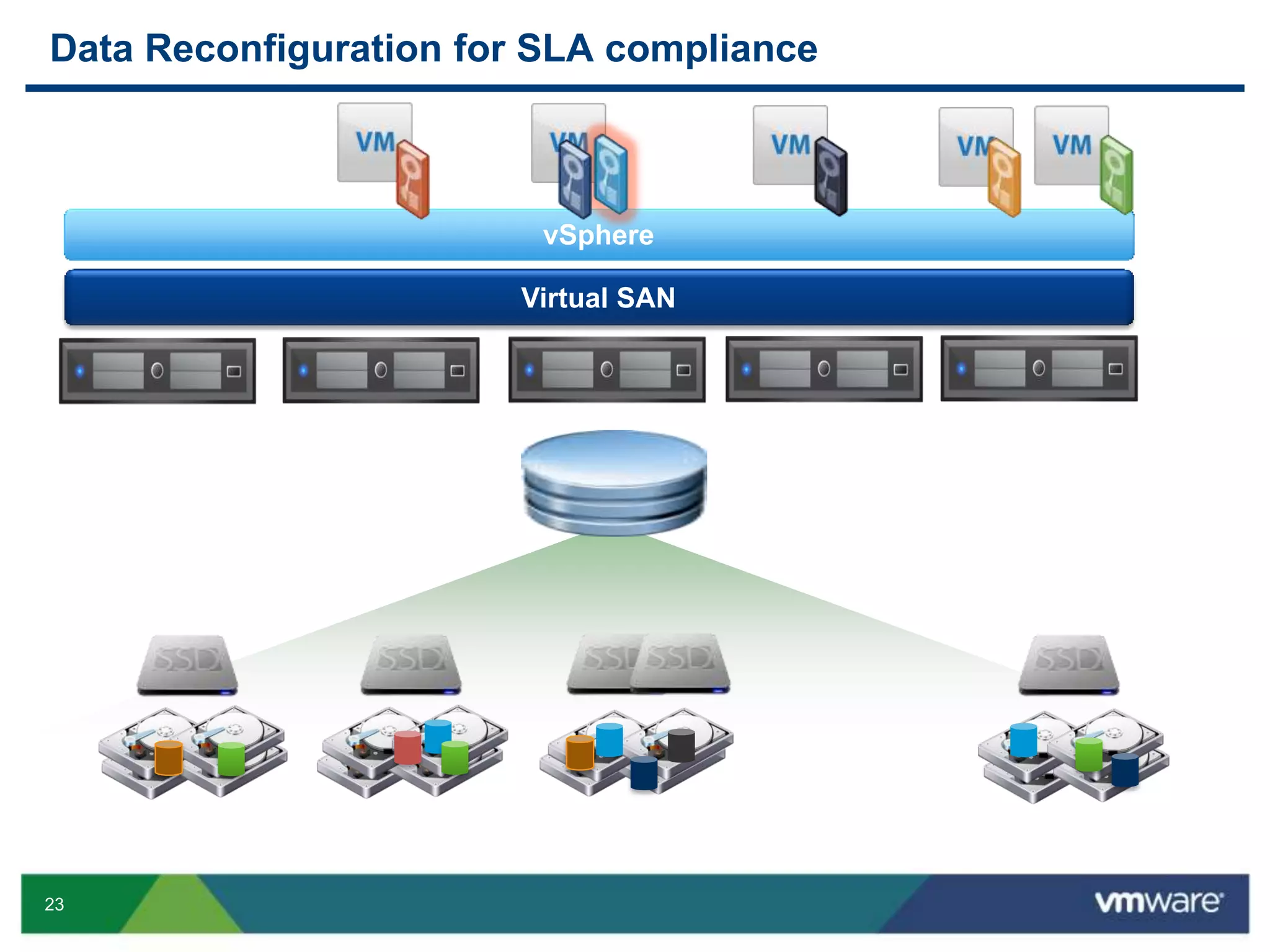
Data Reconfiguration for SLA compliance
vSphere
Virtual SAN
24
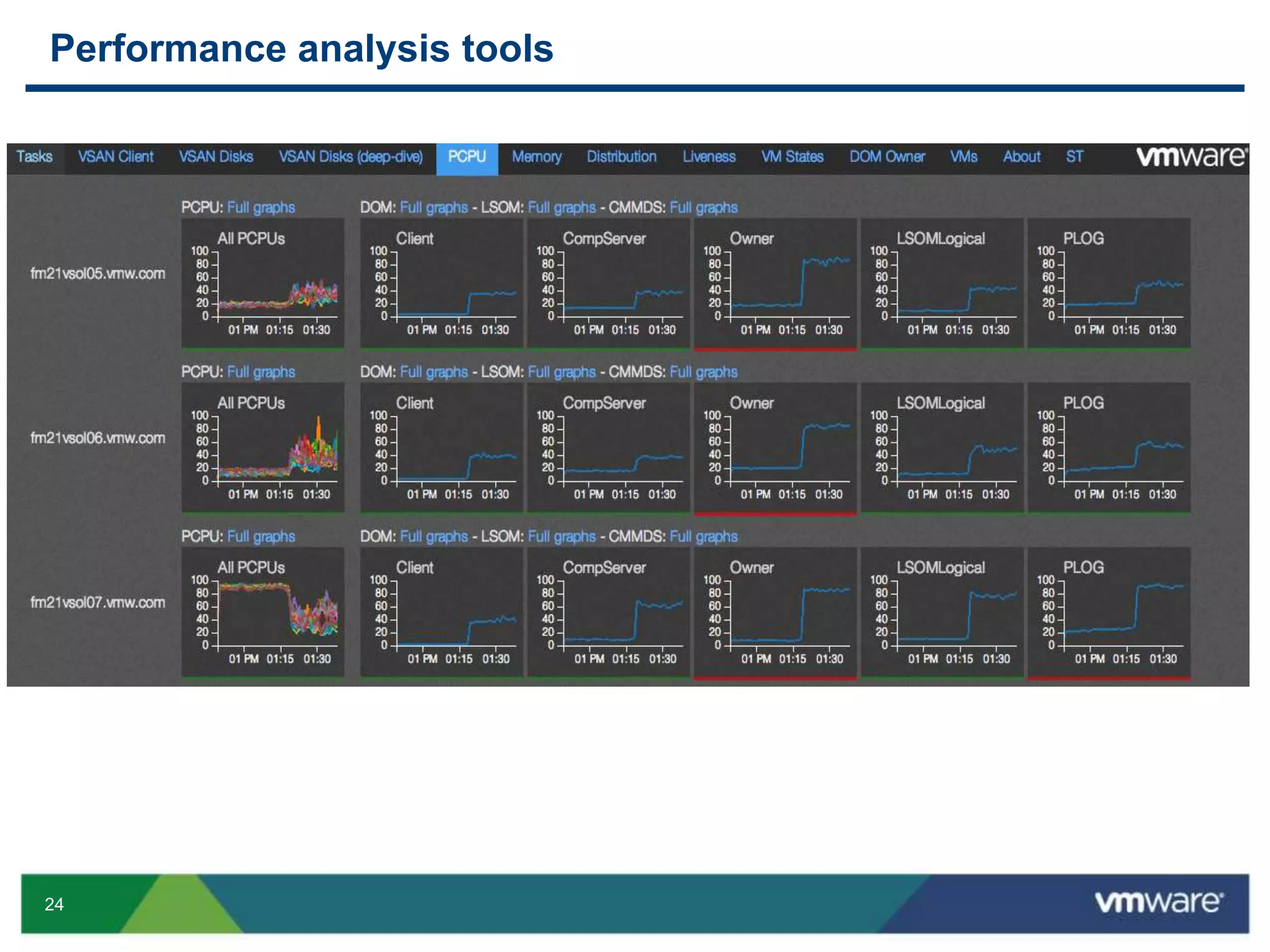
Performance analysis tools
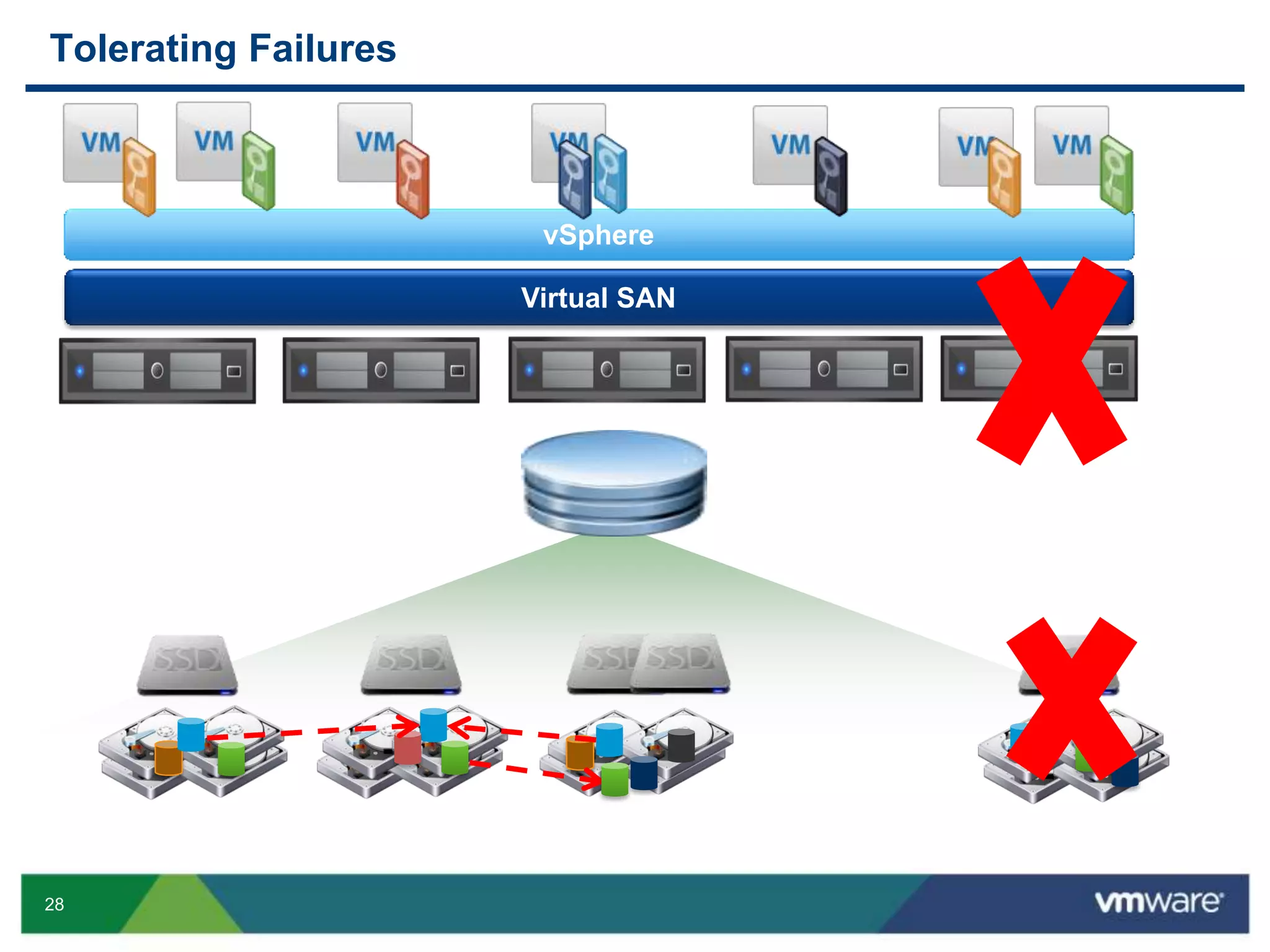
28
Tolerating Failures
vSphere
Virtual SAN
29
VSAN Requirements
30
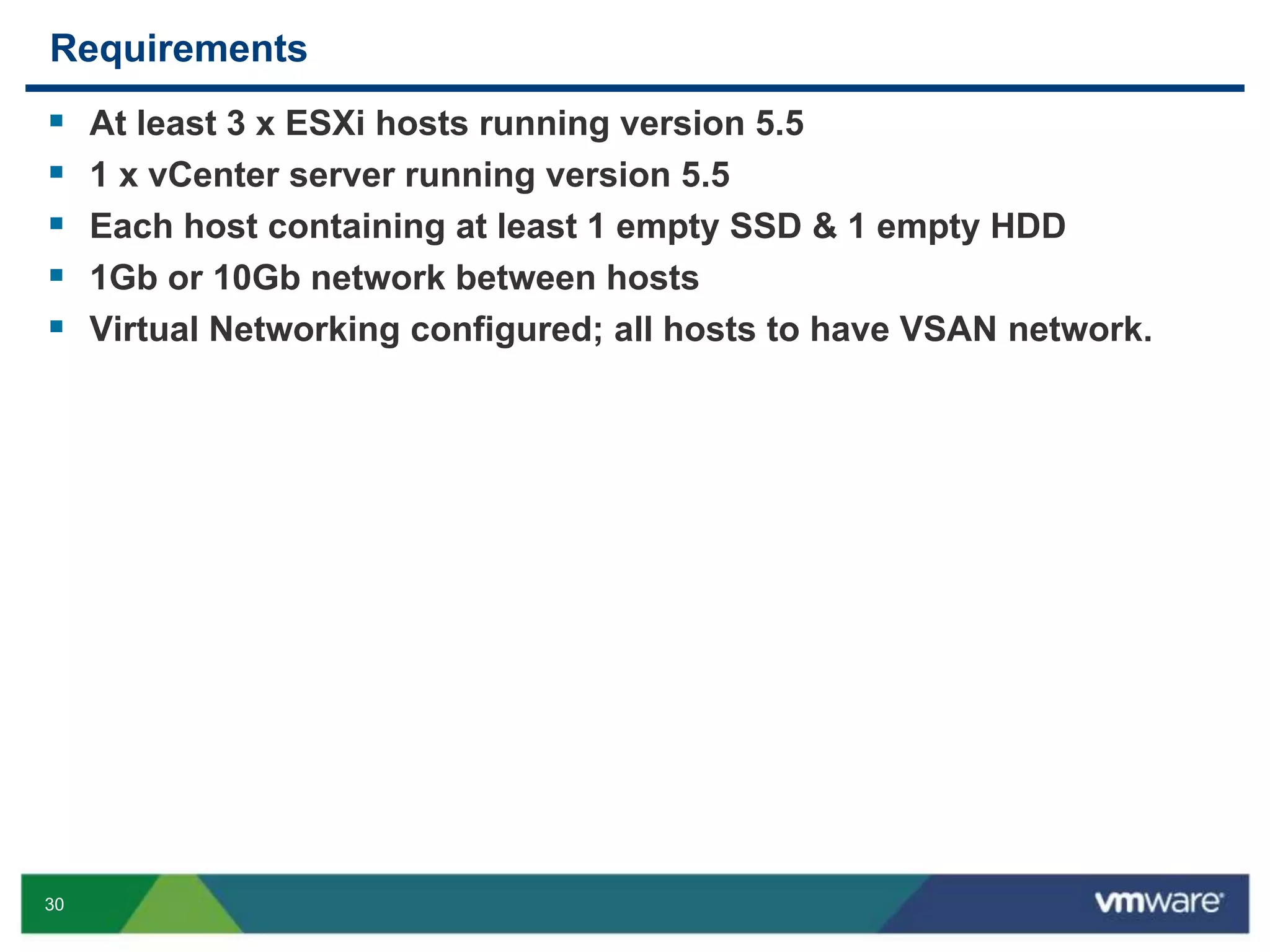
Requirements
 At least 3 x ESXi hosts running version 5.5
 1 x vCenter server running version 5.5
 Each host containing at least 1 empty SSD & 1 empty HDD
 1Gb or 10Gb network between hosts
 Virtual Networking configured; all hosts to have VSAN network.
31
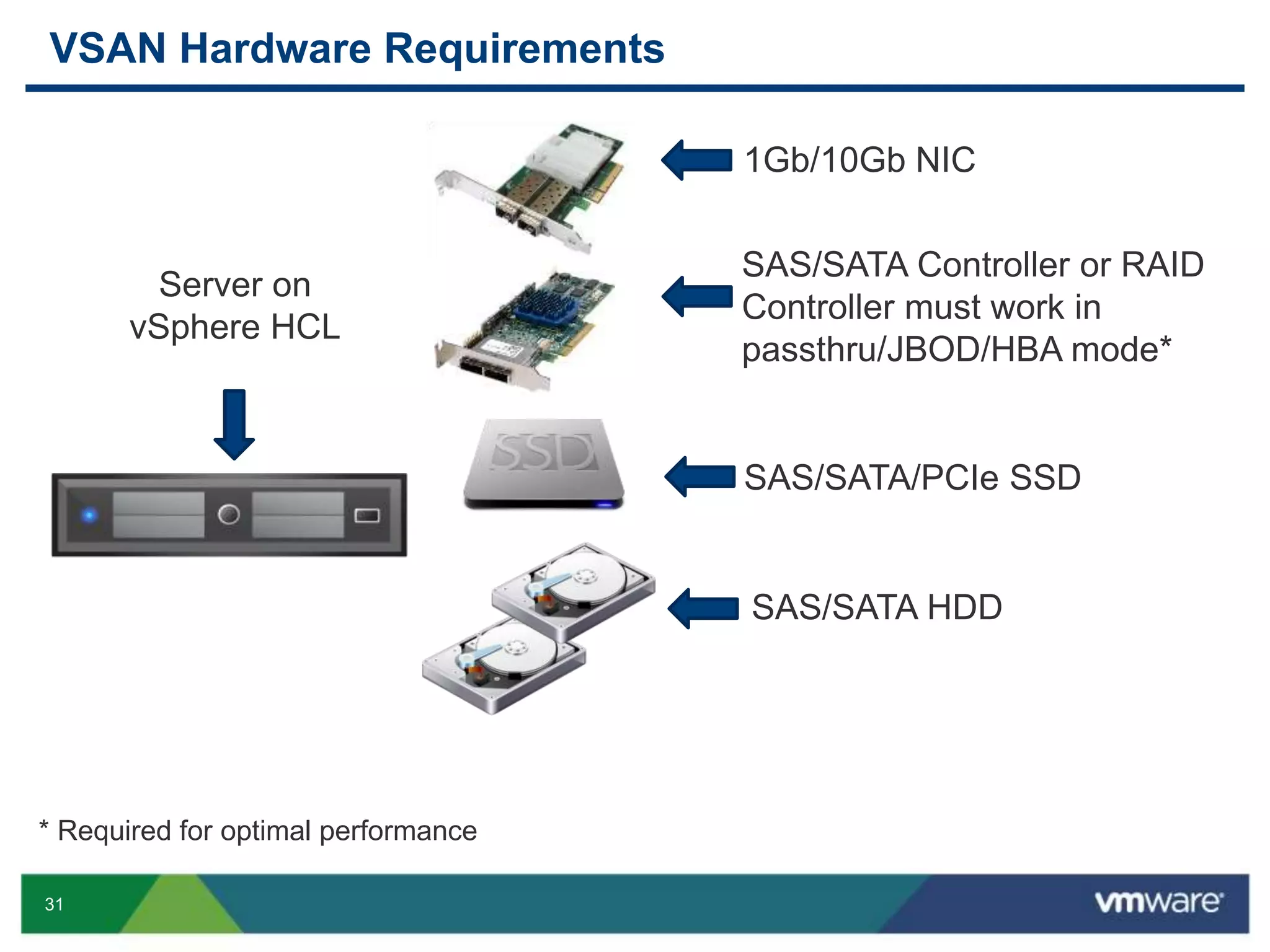
VSAN Hardware Requirements
SAS/SATA Controller or RAID
Controller must work in
passthru/JBOD/HBA mode*
SAS/SATA/PCIe SSD
SAS/SATA HDD
1Gb/10Gb NIC
Server on
vSphere HCL
* Required for optimal performance
32
Broad Partner Support
and many more…
33
Use Cases
34
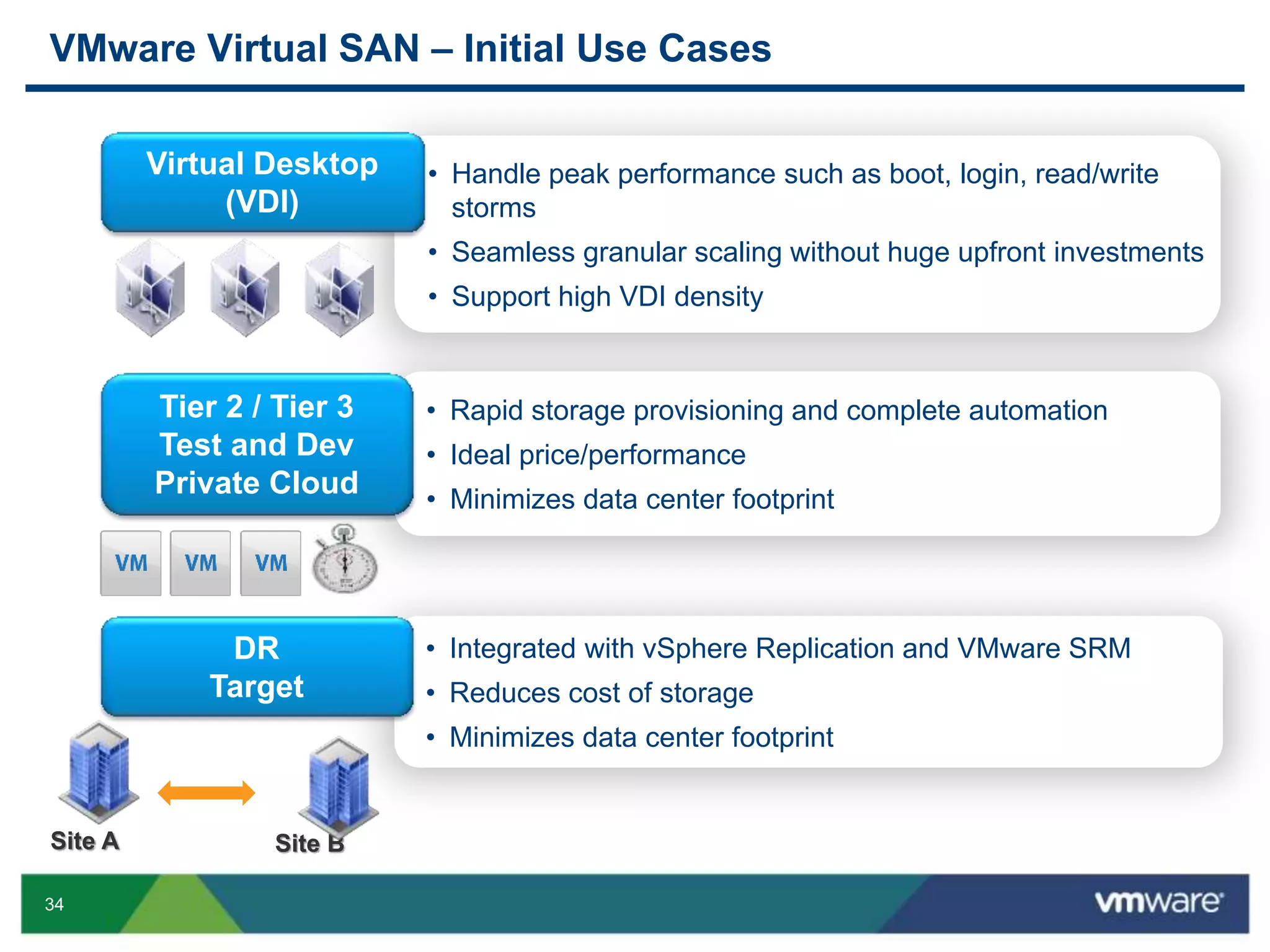
• Handle peak performance such as boot, login, read/write
storms
• Seamless granular scaling without huge upfront investments
• Support high VDI density
• Rapid storage provisioning and complete automation
• Ideal price/performance
• Minimizes data center footprint
• Integrated with vSphere Replication and VMware SRM
• Reduces cost of storage
• Minimizes data center footprint
VMware Virtual SAN – Initial Use Cases
Virtual Desktop
(VDI)
Tier 2 / Tier 3
Test and Dev
Private Cloud
DR
Target
Site A Site B
36
Performance
37
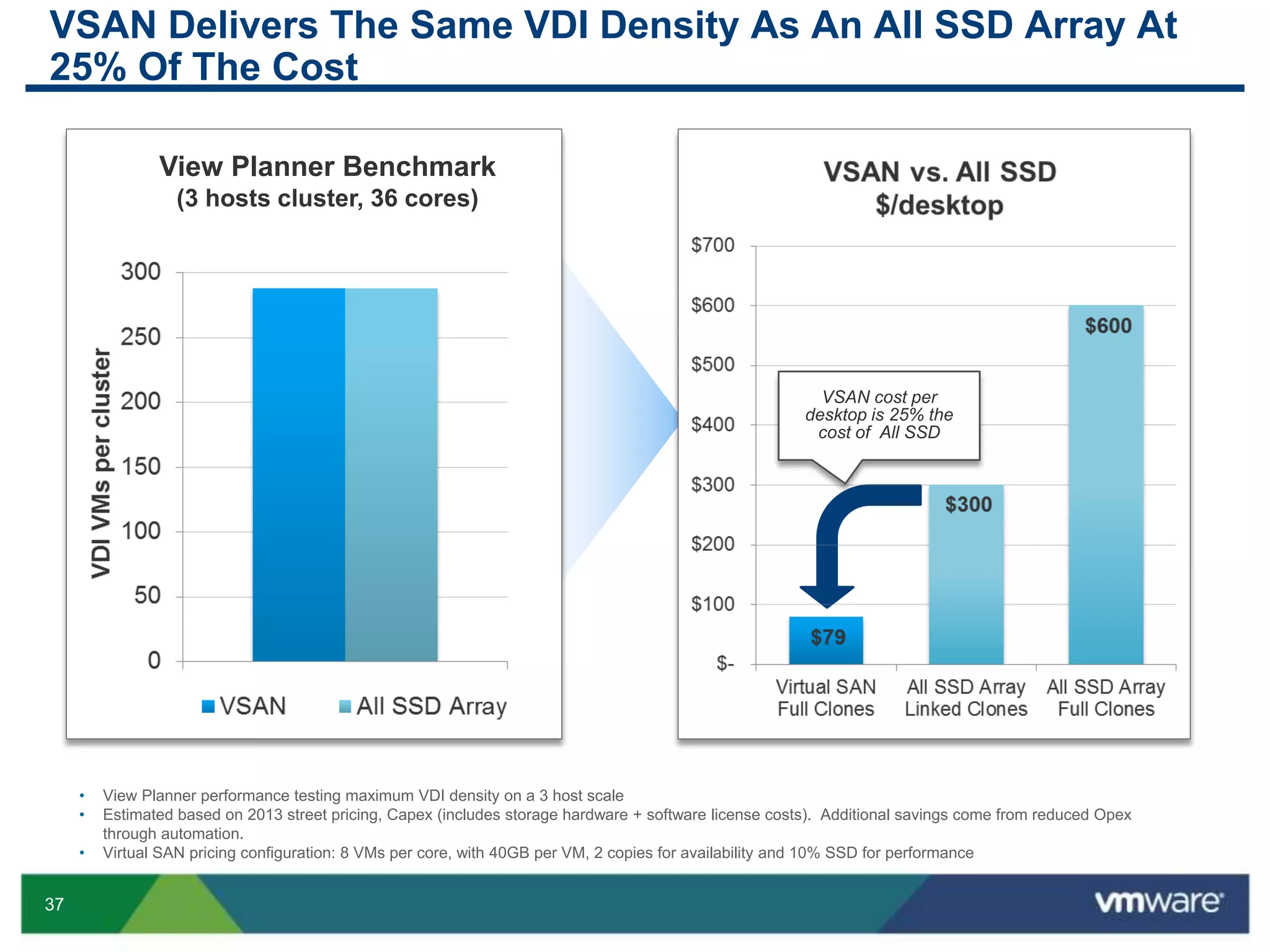
VSAN Delivers The Same VDI Density As An All SSD Array At
25% Of The Cost
• View Planner performance testing maximum VDI density on a 3 host scale
• Estimated based on 2013 street pricing, Capex (includes storage hardware + software license costs). Additional savings come from reduced Opex
through automation.
• Virtual SAN pricing configuration: 8 VMs per core, with 40GB per VM, 2 copies for availability and 10% SSD for performance
288 VMs
View Planner Benchmark
(3 hosts cluster, 36 cores)
VSAN cost per
desktop is 25% the
cost of All SSD
38
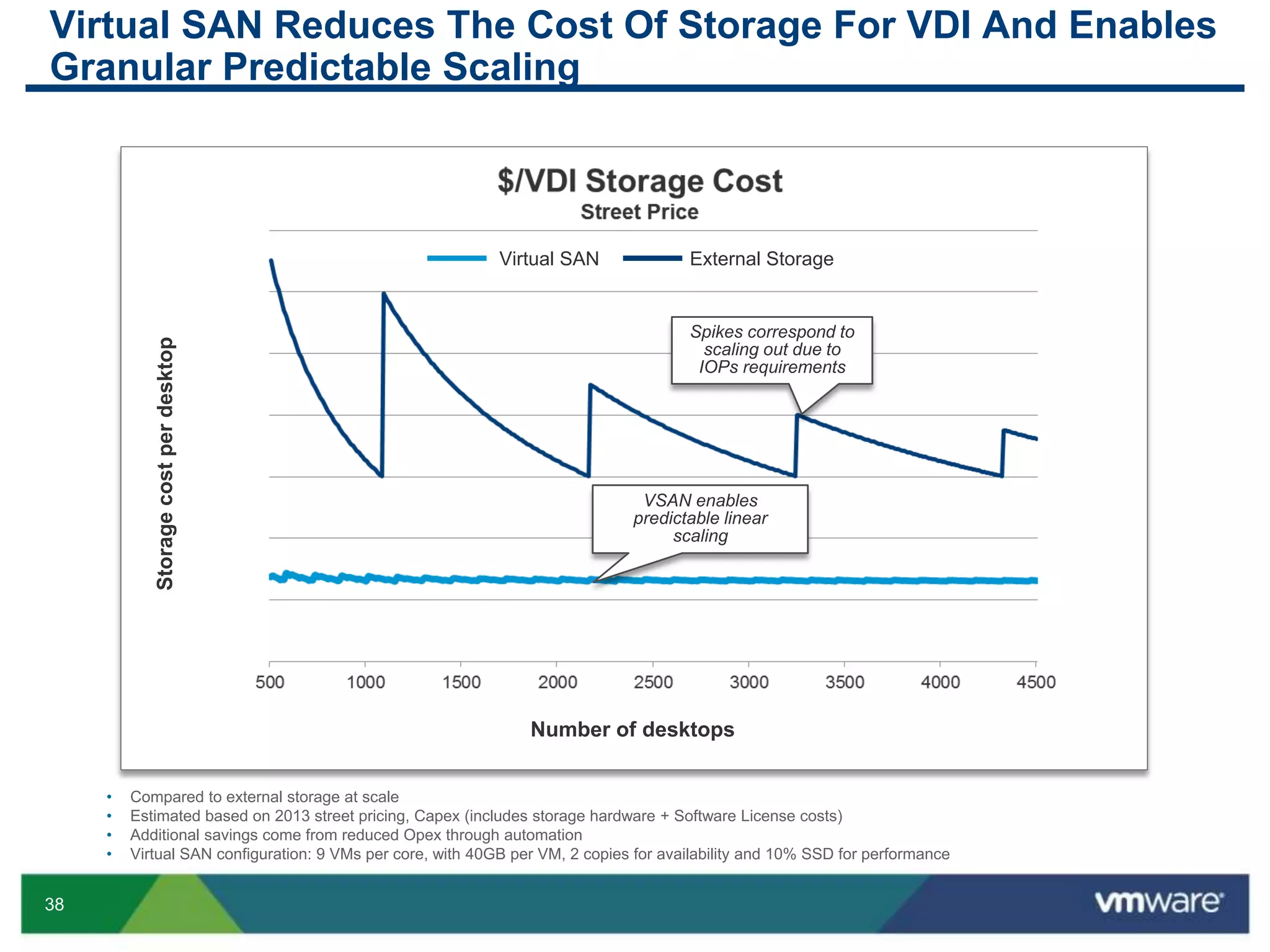
Virtual SAN Reduces The Cost Of Storage For VDI And Enables
Granular Predictable Scaling
Storagecostperdesktop
Number of desktops
• Compared to external storage at scale
• Estimated based on 2013 street pricing, Capex (includes storage hardware + Software License costs)
• Additional savings come from reduced Opex through automation
• Virtual SAN configuration: 9 VMs per core, with 40GB per VM, 2 copies for availability and 10% SSD for performance
VSAN enables
predictable linear
scaling
Spikes correspond to
scaling out due to
IOPs requirements
Virtual SAN External Storage
39
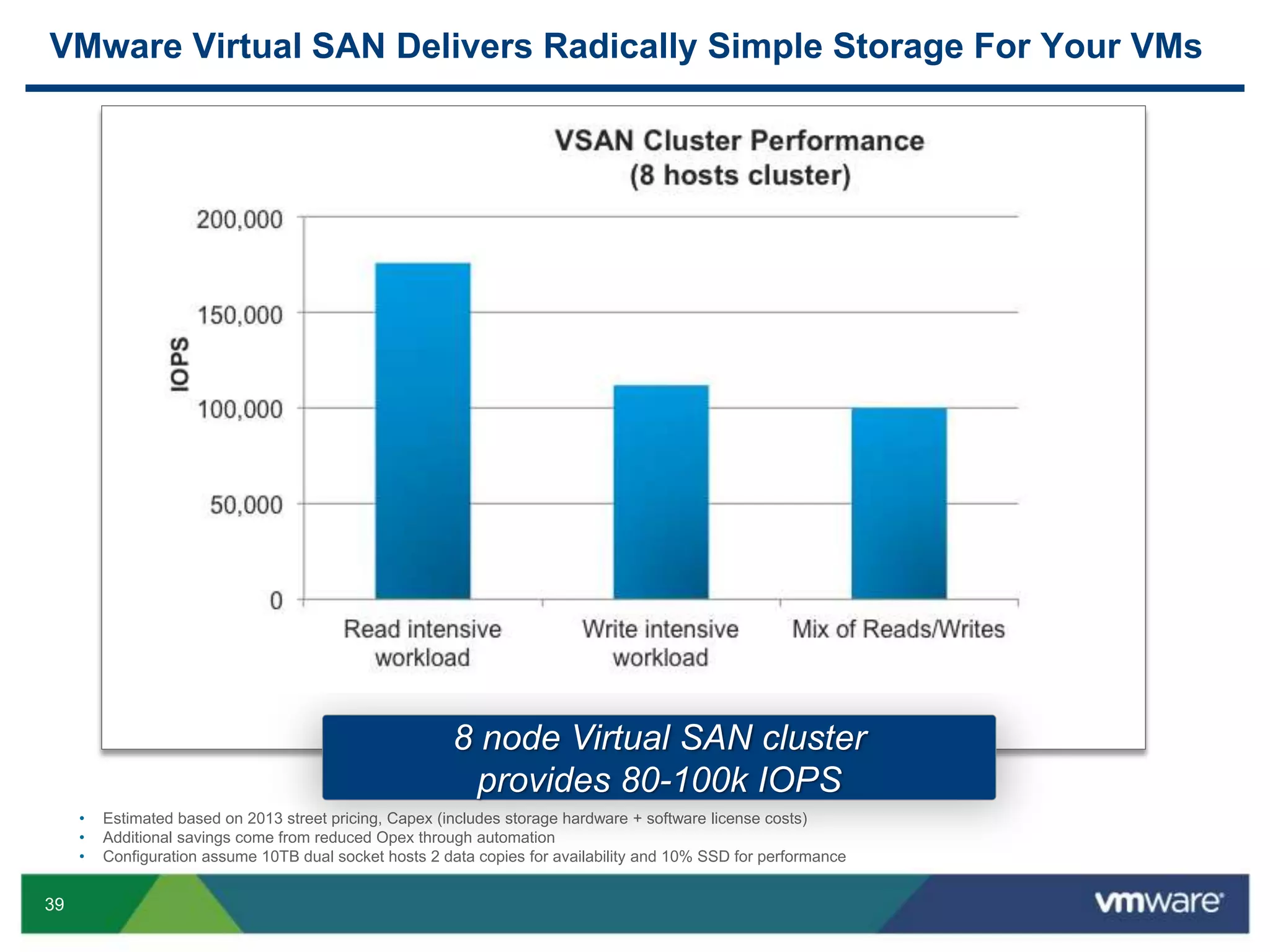
VMware Virtual SAN Delivers Radically Simple Storage For Your VMs
• Estimated based on 2013 street pricing, Capex (includes storage hardware + software license costs)
• Additional savings come from reduced Opex through automation
• Configuration assume 10TB dual socket hosts 2 data copies for availability and 10% SSD for performance
8 node Virtual SAN cluster
provides 80-100k IOPS
40
Customer Use Case
Thomson Reuters
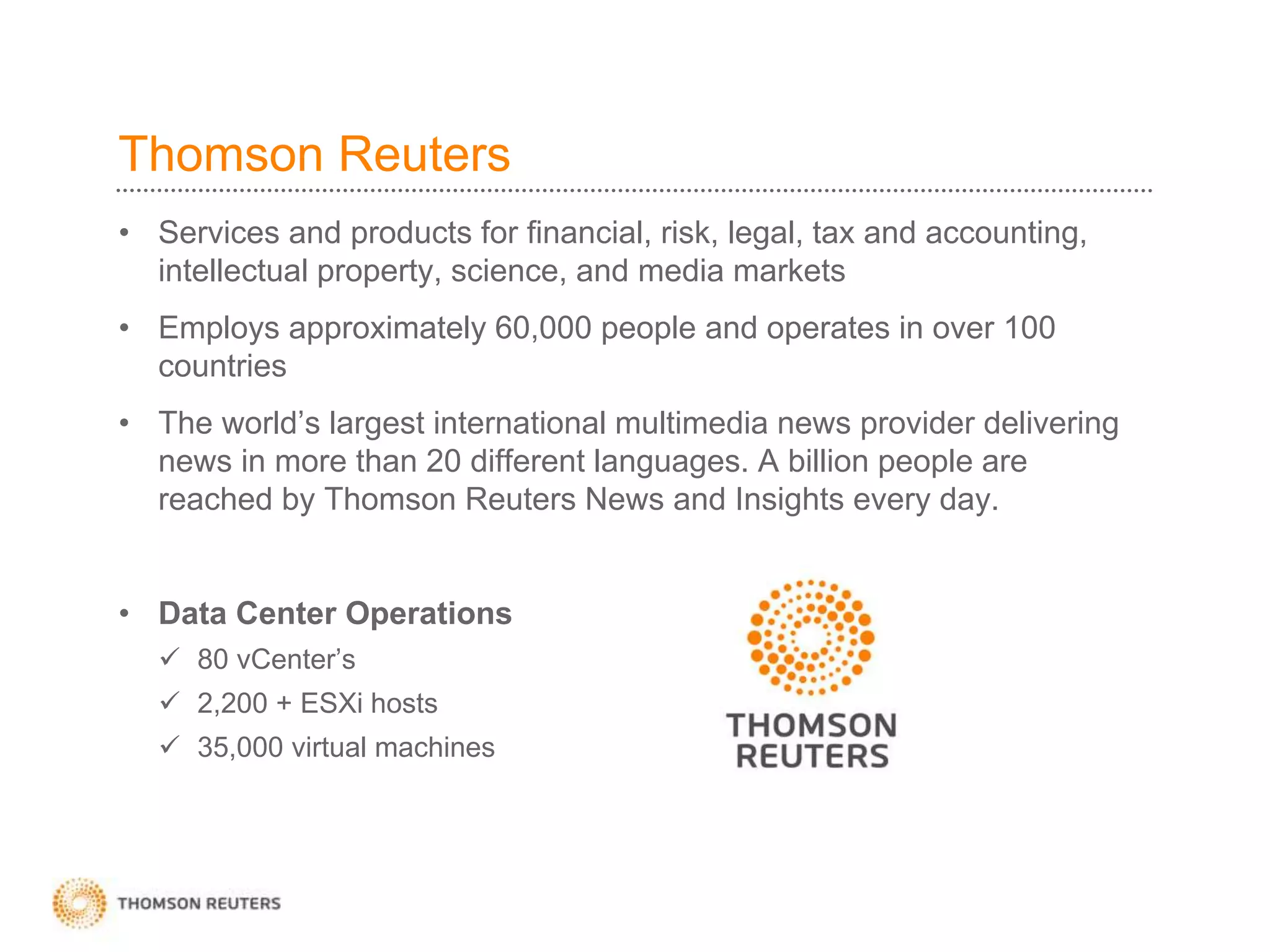
• Services and products for financial, risk, legal, tax and accounting,
intellectual property, science, and media markets
• Employs approximately 60,000 people and operates in over 100
countries
• The world’s largest international multimedia news provider delivering
news in more than 20 different languages. A billion people are
reached by Thomson Reuters News and Insights every day.
• Data Center Operations
 80 vCenter’s
 2,200 + ESXi hosts
 35,000 virtual machines
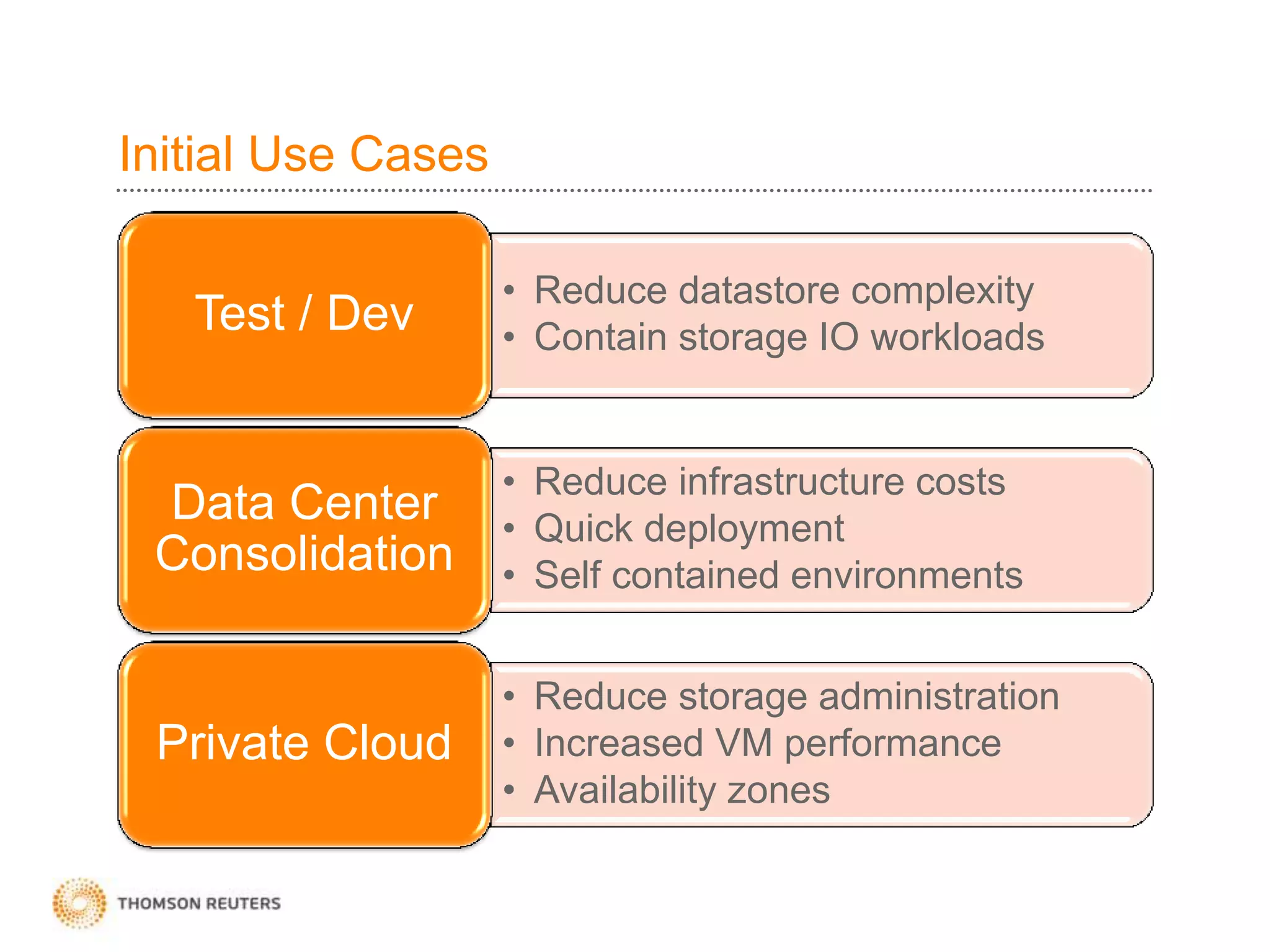
Initial Use Cases
• Reduce datastore complexity
• Contain storage IO workloads
Test / Dev
• Reduce infrastructure costs
• Quick deployment
• Self contained environments
Data Center
Consolidation
• Reduce storage administration
• Increased VM performance
• Availability zones
Private Cloud
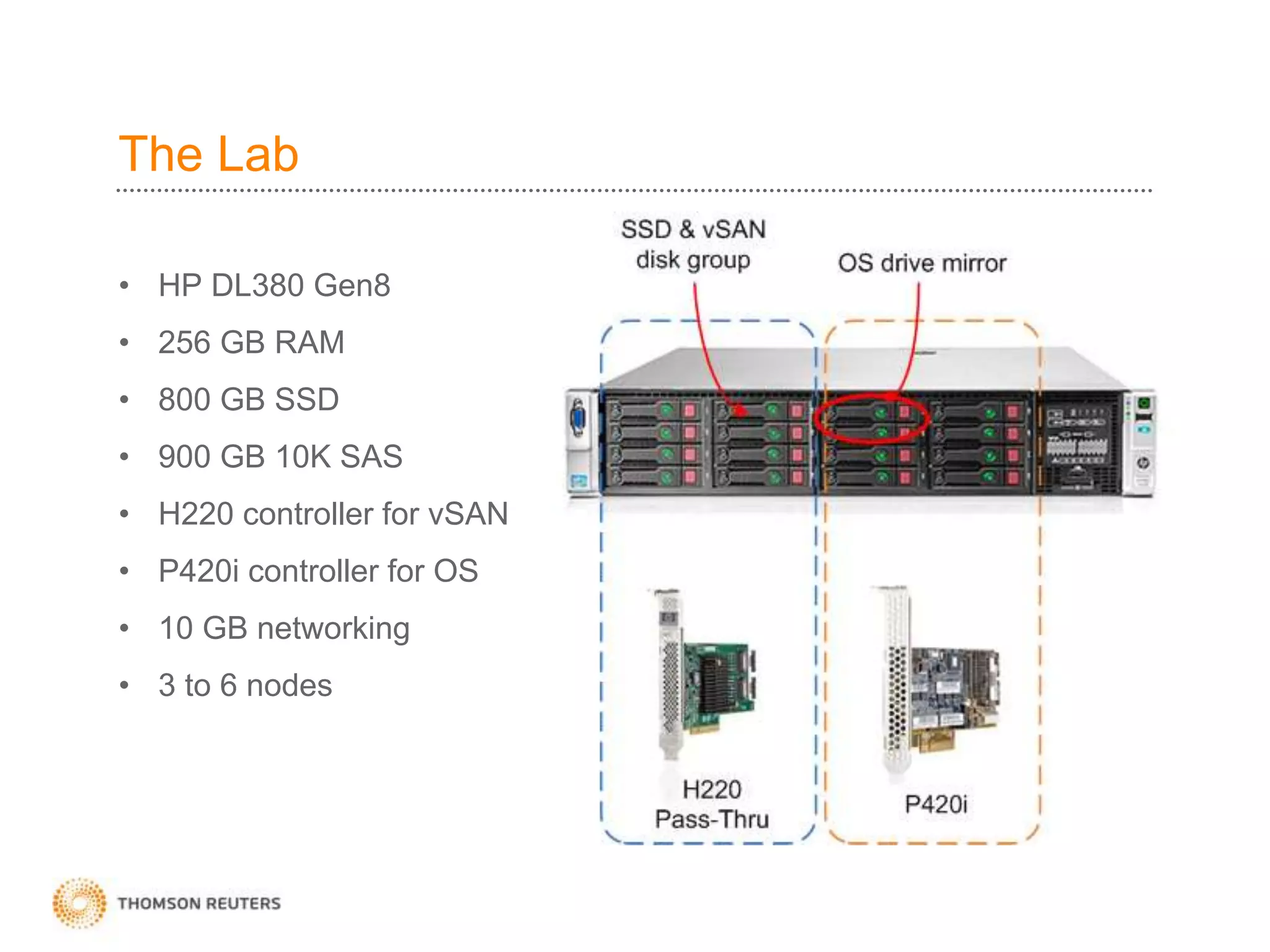
The Lab
• HP DL380 Gen8
• 256 GB RAM
• 800 GB SSD
• 900 GB 10K SAS
• H220 controller for vSAN
• P420i controller for OS
• 10 GB networking
• 3 to 6 nodes
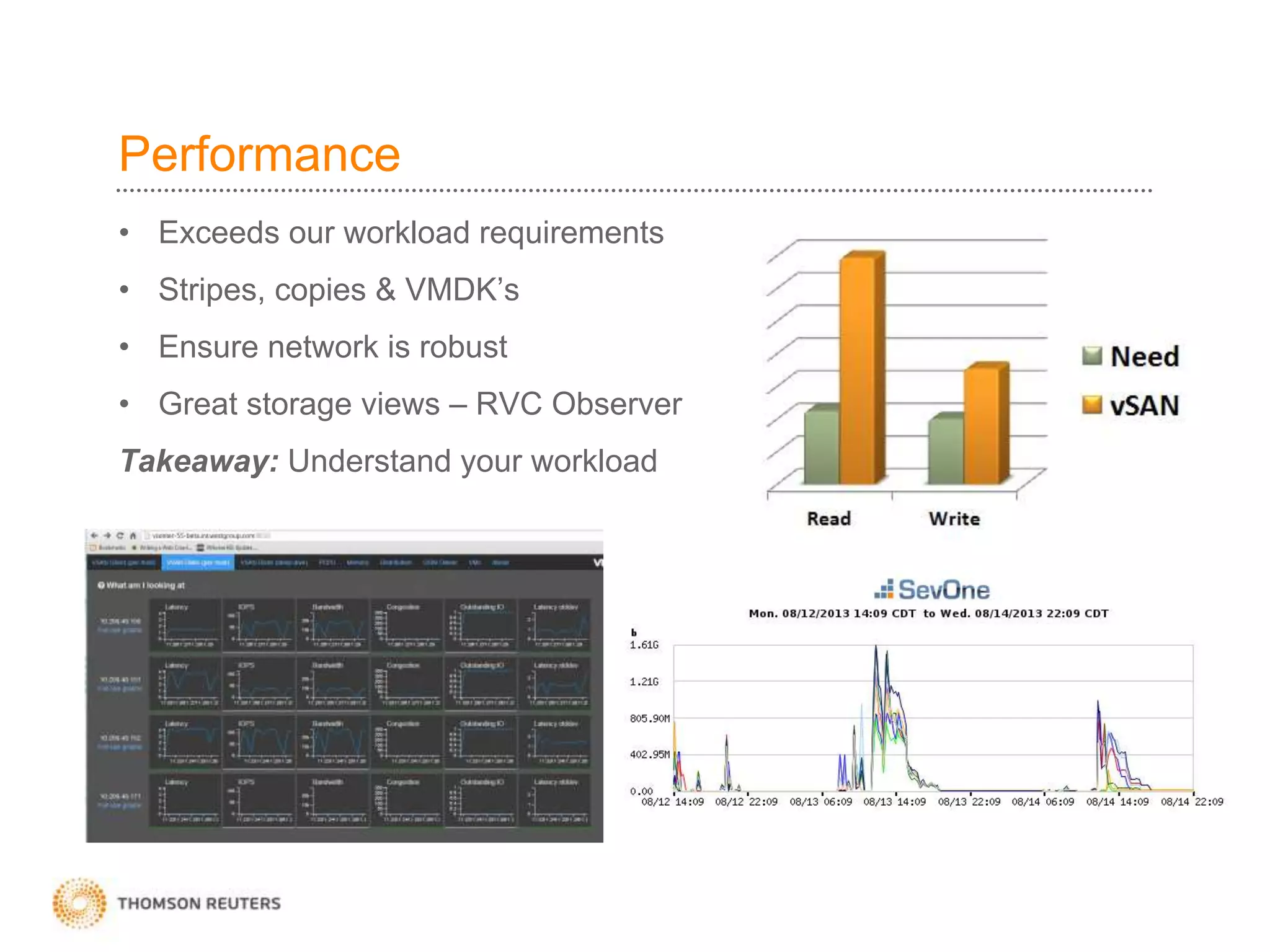
Performance
• Exceeds our workload requirements
• Stripes, copies & VMDK’s
• Ensure network is robust
• Great storage views – RVC Observer
Takeaway: Understand your workload
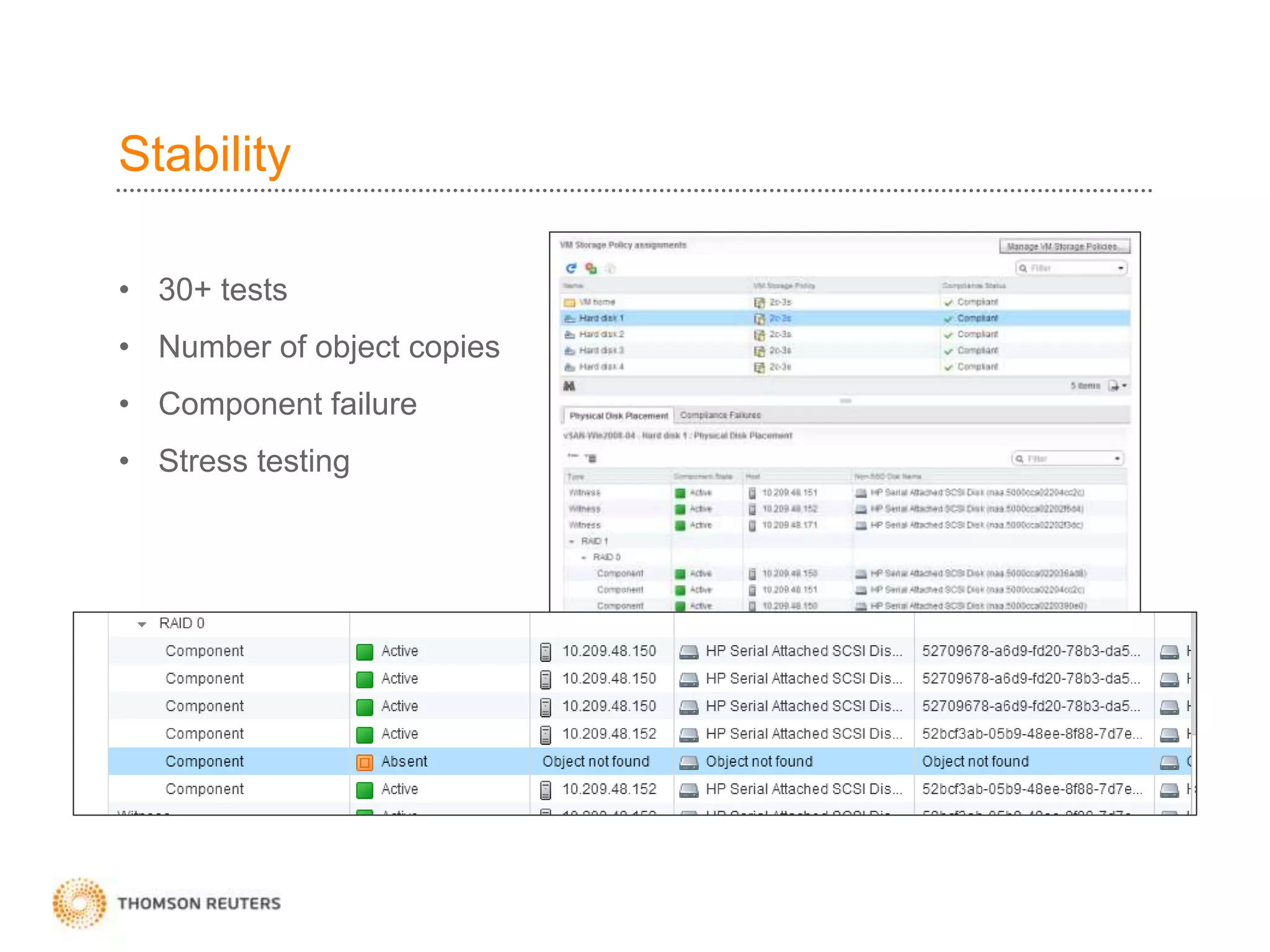
Stability
• 30+ tests
• Number of object copies
• Component failure
• Stress testing
Experiences with vSAN beta
• Super easy to setup and get running
• Use stripes & copies appropriately
• Disk space capacity planning
• Understand your workload
• Features for initial release
• Performance, stability and usability
47
Want VSAN?
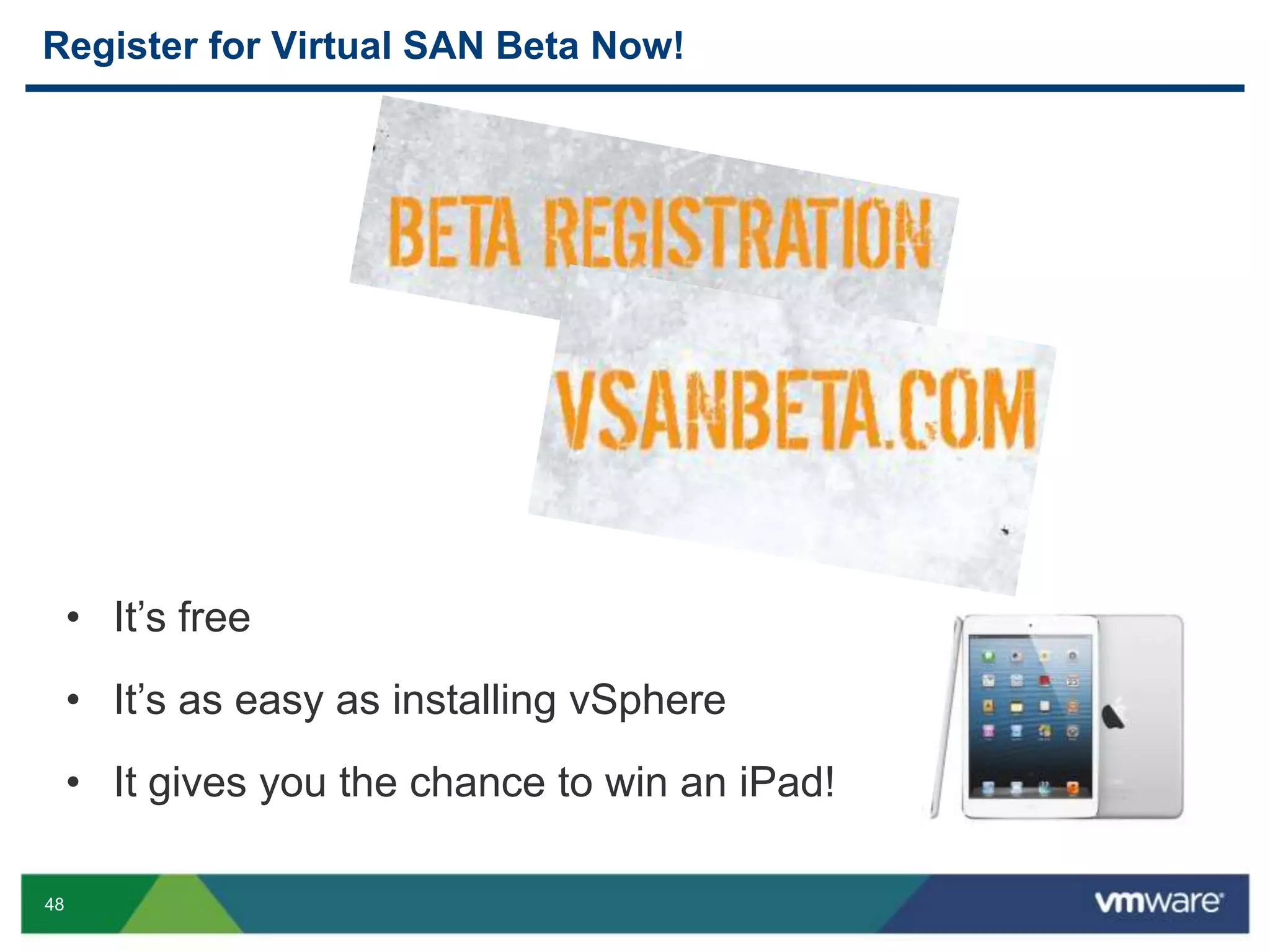
48
• It’s free
• It’s as easy as installing vSphere
• It gives you the chance to win an iPad!
Register for Virtual SAN Beta Now!
49
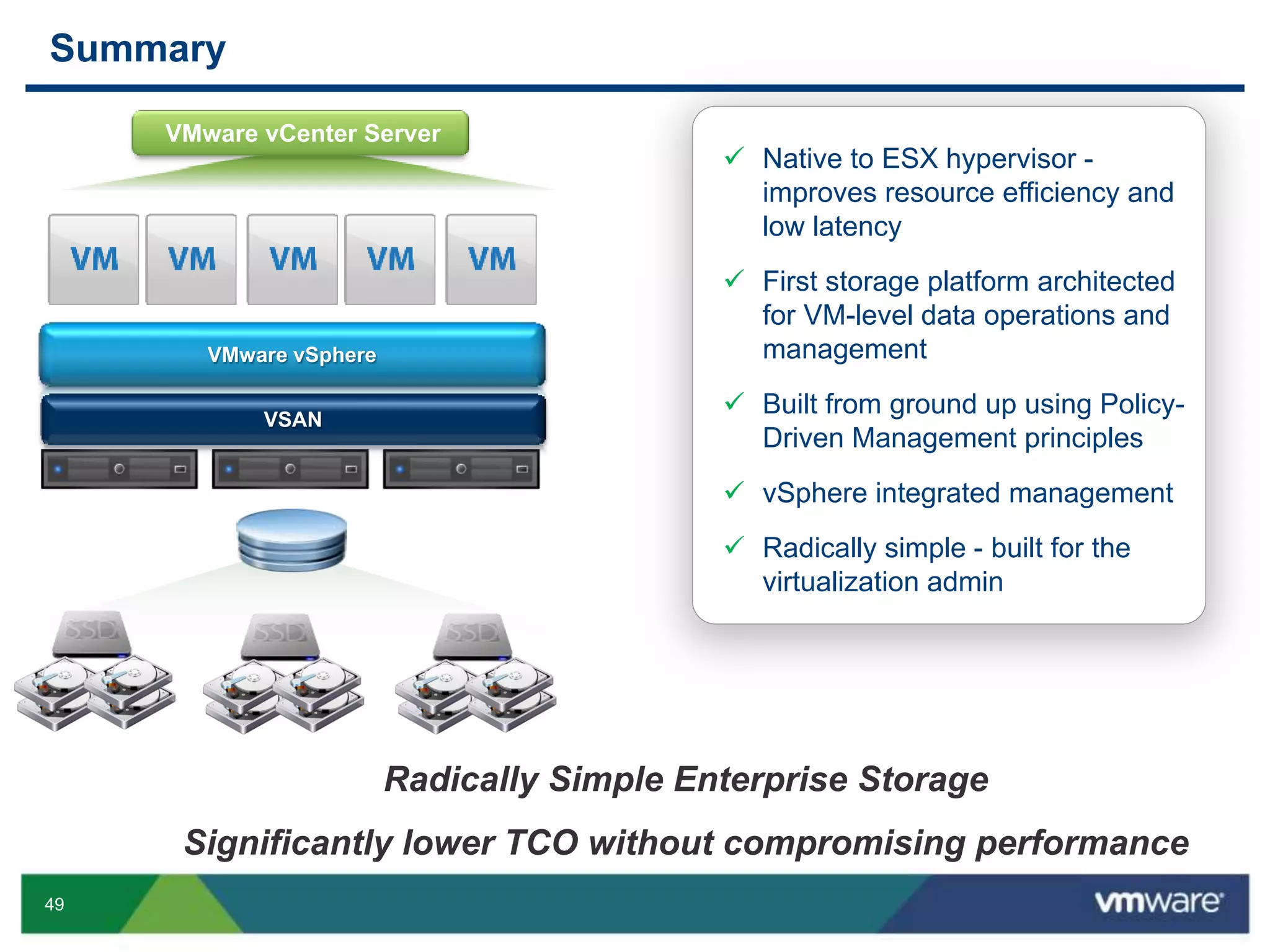
Summary
VMware vCenter Server
 Native to ESX hypervisor -
improves resource efficiency and
low latency
 First storage platform architected
for VM-level data operations and
management
 Built from ground up using Policy-
Driven Management principles
 vSphere integrated management
 Radically simple - built for the
virtualization admin
Radically Simple Enterprise Storage
Significantly lower TCO without compromising performance
VMware vSphere
VSAN
50
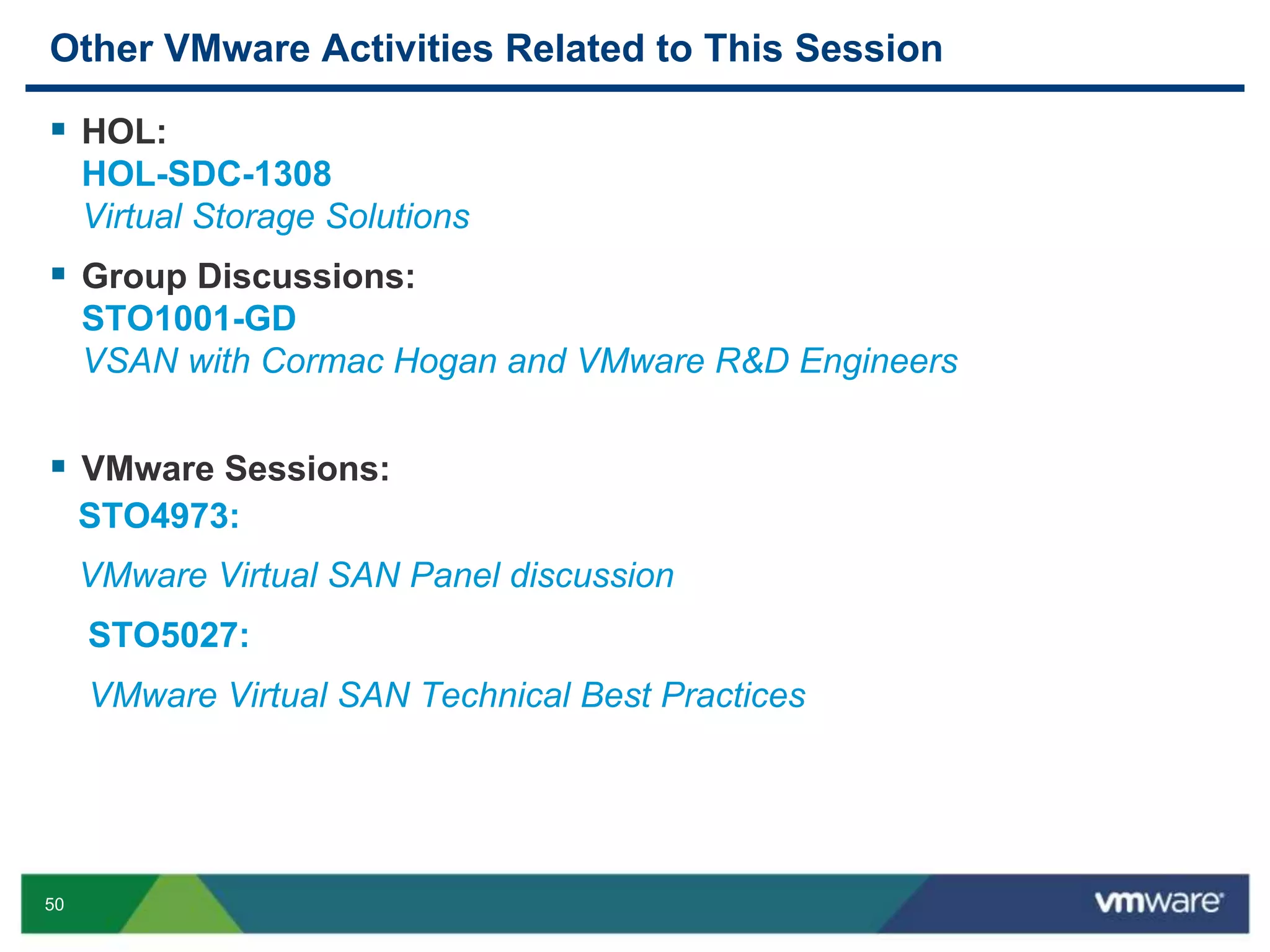
Other VMware Activities Related to This Session
 HOL:
HOL-SDC-1308
Virtual Storage Solutions
 Group Discussions:
STO1001-GD
VSAN with Cormac Hogan and VMware R&D Engineers
 VMware Sessions:
STO4973:
VMware Virtual SAN Panel discussion
STO5027:
VMware Virtual SAN Technical Best Practices
THANK YOU
VMware Virtual SAN
Christos Karamanolis, VMware
Kiran Madnani, VMware
James Streit, Thomson Reuters
STO5391
#STO5391
54
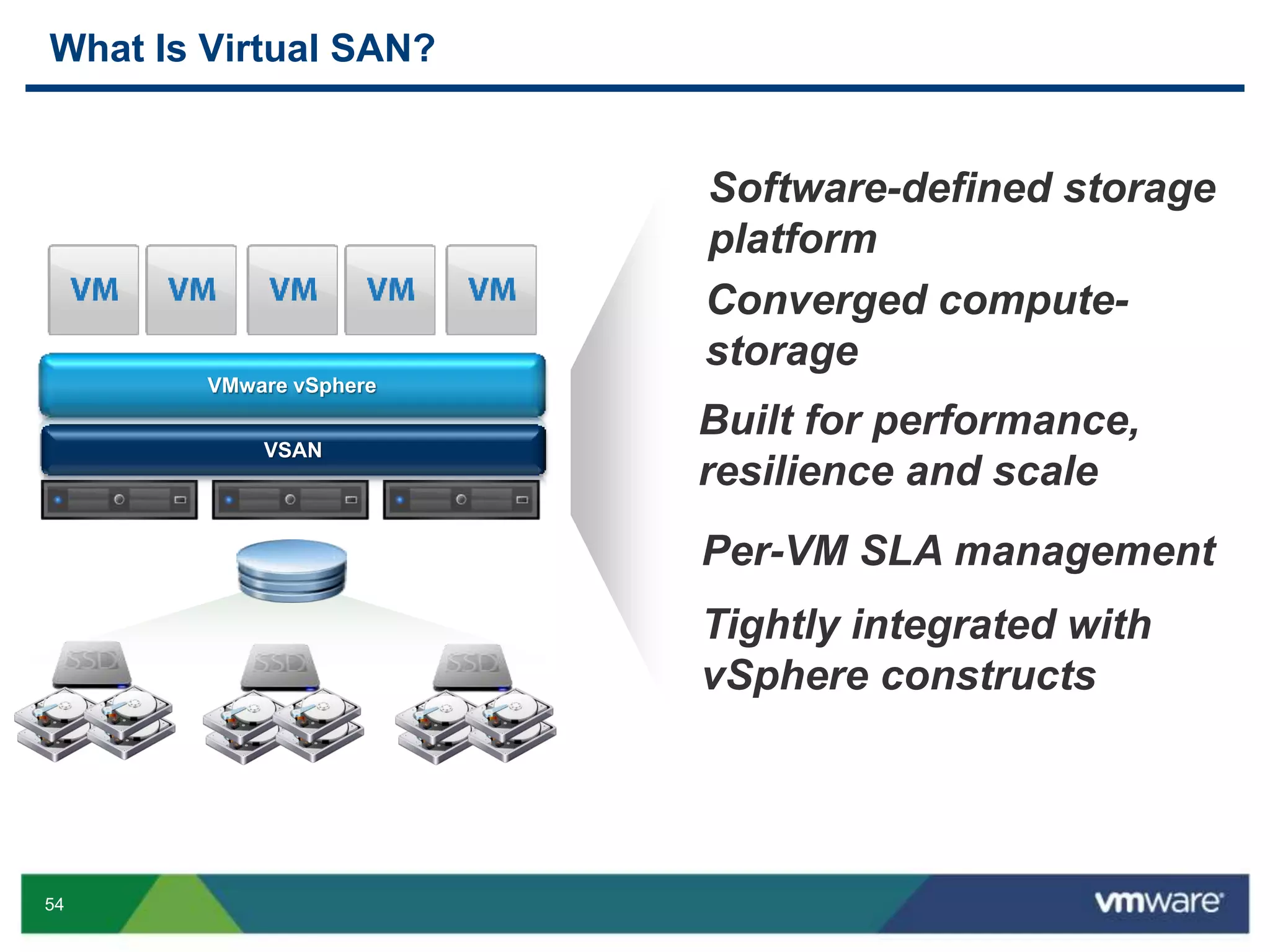
What Is Virtual SAN?
Built for performance,
resilience and scale
Converged compute-
storage
VMware vSphere
VSAN
Software-defined storage
platform
Per-VM SLA management
Tightly integrated with
vSphere constructs
55
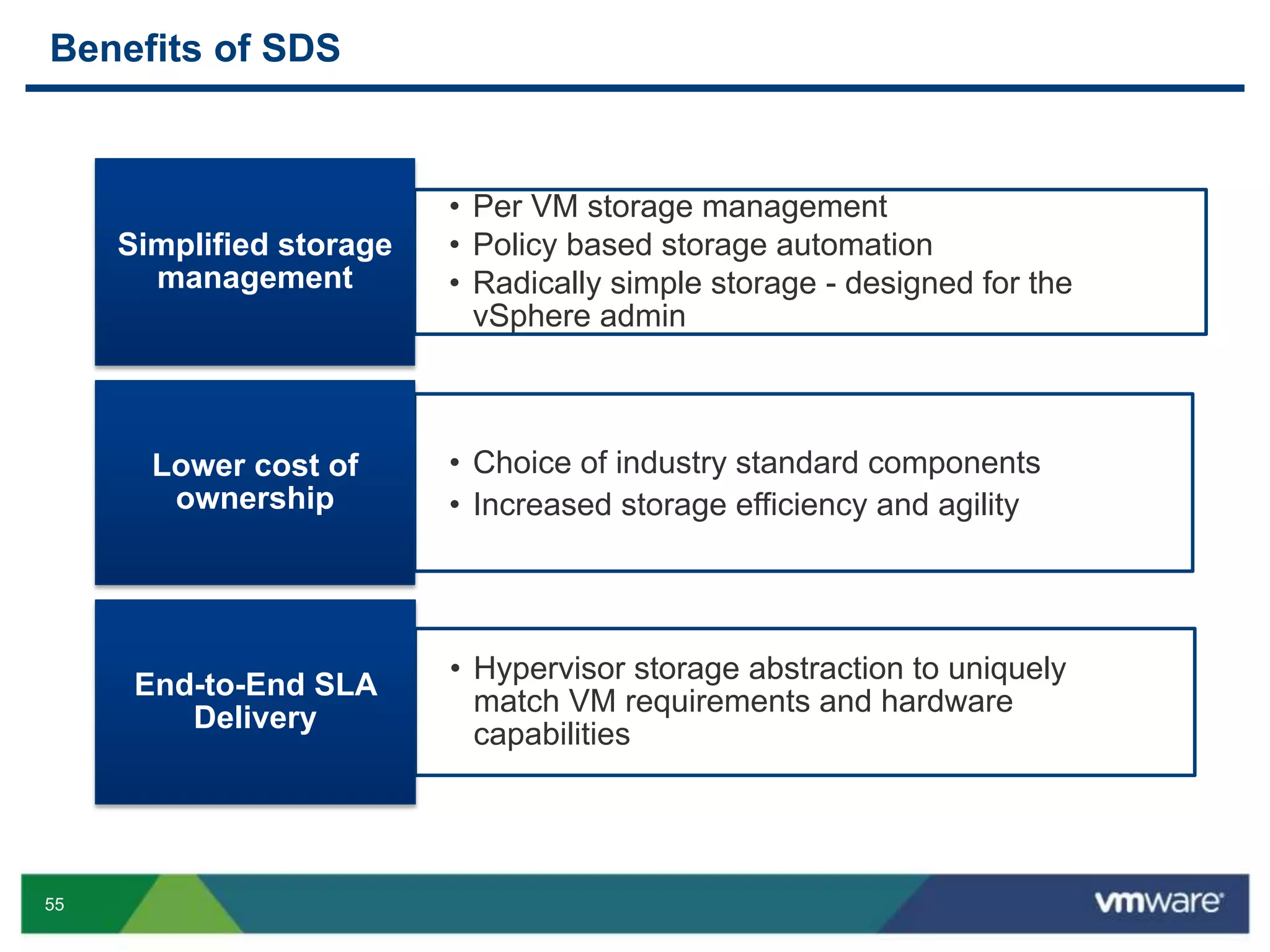
Benefits of SDS
• Per VM storage management
• Policy based storage automation
• Radically simple storage - designed for the
vSphere admin
Simplified storage
management
• Choice of industry standard components
• Increased storage efficiency and agility
Lower cost of
ownership
• Hypervisor storage abstraction to uniquely
match VM requirements and hardware
capabilities
End-to-End SLA
Delivery
56
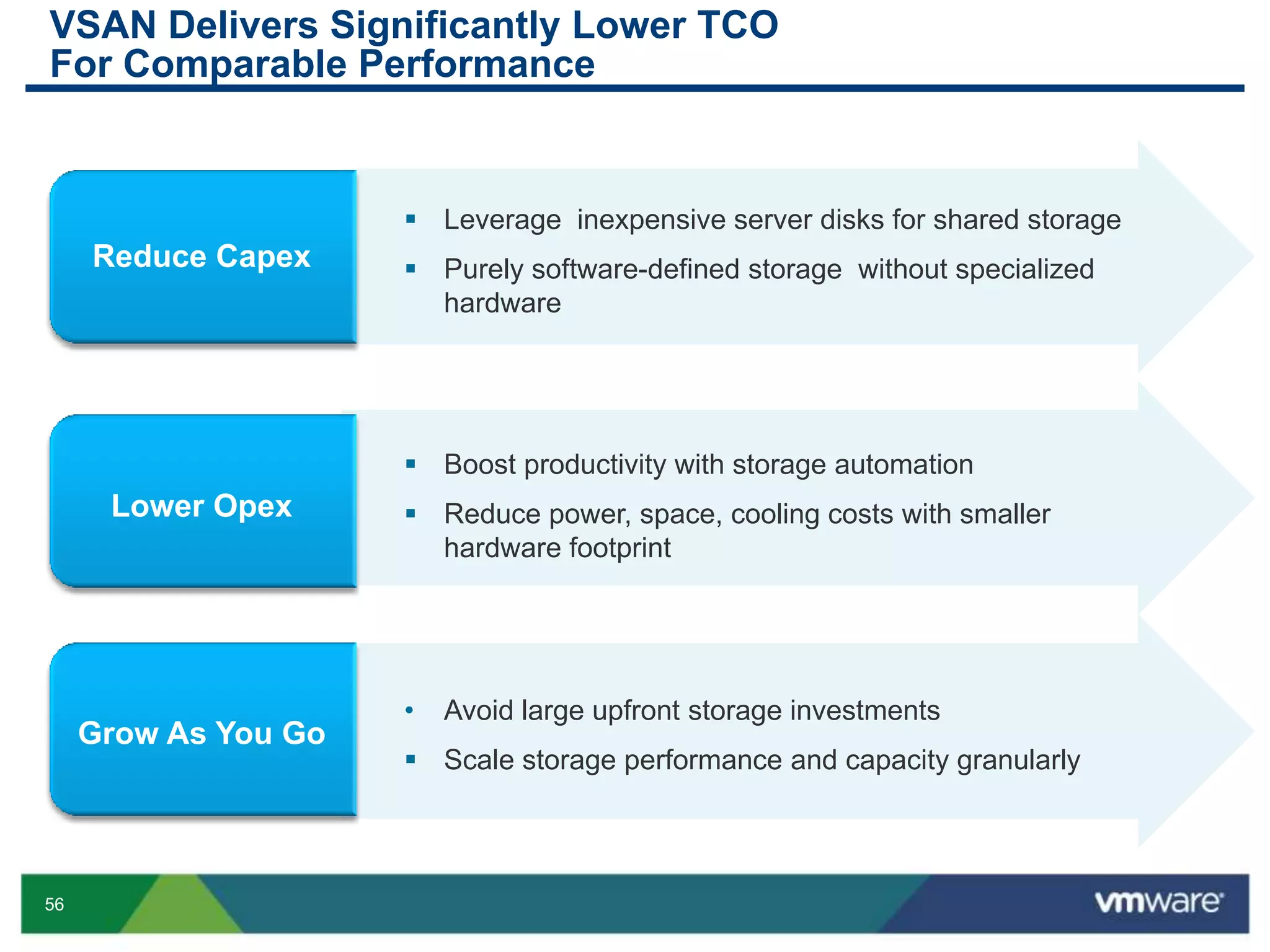
VSAN Delivers Significantly Lower TCO
For Comparable Performance
 Leverage inexpensive server disks for shared storage
 Purely software-defined storage without specialized
hardware
 Boost productivity with storage automation
 Reduce power, space, cooling costs with smaller
hardware footprint
• Avoid large upfront storage investments
 Scale storage performance and capacity granularly

VMworld 2013: VMware Virtual SAN

  • 1.
    VMware Virtual SAN ChristosKaramanolis, VMware Kiran Madnani, VMware James Streit, Thomson Reuters STO5391 #STO5391
  • 2.
    2 Agenda  Software DefinedStorage  What is Virtual SAN?  Product overview  Software/Hardware Requirements  Use Cases  Customer use-case  Beta  Summary
  • 3.
    3 Software-Defined Data Center Software-Defined Storage SDDC |SDS All infrastructure is virtualized and delivered as a service, and the control of this data center is entirely automated by software. Heterogeneous storage resources are abstracted into logical pools, consumed and managed through app-centric policy-based automation
  • 4.
    4 VMware Approach toSoftware-Defined Storage Software-Defined Storage Virtualized Data Plane Shared Storage VM-centric Data Services Policy-Driven Control Plane HDDSSD Server Direct Attached Extensible framework for ecosystem of VM- centric data services. Common management model based on VM-level policies Hypervisor-based pooling of heterogeneous storage resources
  • 5.
    5 Introducing Virtual SAN(VSAN) VMware vCenter Server Product Overview • Scale out storage built into the hypervisor • Software solution - Uses industry standard components • Clusters direct attached disks and flash • Flash-optimized converged compute + storage solution • vSphere integrated management VMware vSphere VSAN
  • 6.
    6 Introducing Virtual SAN(VSAN) Features • Dynamic and capacity performance scaling • Shared storage properties • High Resiliency – Distributed RAID; No single points of failure • High Performance – Flash based read & write cache • VM-Centric management • Automated SLA management VMware vCenter Server VMware vSphere VSAN
  • 7.
  • 8.
    9 What is VirtualSAN? vSphere Distributed Storage  Distributed software built in the hypervisor  Uses local storage (Flash, HDD) on ESX hosts  Converged storage- compute platform
  • 9.
  • 10.
  • 11.
  • 12.
    13 VSAN growth vSphere Distributed Storage Asdisks are added, the datastore size grows
  • 13.
    14 Data availability andreliability via redundancy vSphere Distributed Storage
  • 14.
    15 Performance acceleration viaFlash vSphere Distributed Storage
  • 15.
    16 VM-centric storage management Policies:A set of SLAs to be enforced during the VM’s lifecycle Storage Policy Specification Capacity Tolerate “n” Failures Availability Reserve x% Flash Performance Reserve 20%
  • 16.
    17 Gold Profile Size 4x 9’s Availability Reserve200 Limit 1000 IOPs Reserve 20% Gold Profile Size 4x 9’s Availability Reserve 200 Limit 1000 IOPs Reserve 20% Profiles: Policy Templates Profiles: Pre-defined policy templates Storage Policy Specification Capacity Tolerate “n” Failures Availability Performance Reserve 20% Reserve x% Flash
  • 17.
  • 18.
  • 19.
  • 20.
  • 21.
    23 Data Reconfiguration forSLA compliance vSphere Virtual SAN
  • 22.
  • 23.
  • 24.
  • 25.
    30 Requirements  At least3 x ESXi hosts running version 5.5  1 x vCenter server running version 5.5  Each host containing at least 1 empty SSD & 1 empty HDD  1Gb or 10Gb network between hosts  Virtual Networking configured; all hosts to have VSAN network.
  • 26.
    31 VSAN Hardware Requirements SAS/SATAController or RAID Controller must work in passthru/JBOD/HBA mode* SAS/SATA/PCIe SSD SAS/SATA HDD 1Gb/10Gb NIC Server on vSphere HCL * Required for optimal performance
  • 27.
  • 28.
  • 29.
    34 • Handle peakperformance such as boot, login, read/write storms • Seamless granular scaling without huge upfront investments • Support high VDI density • Rapid storage provisioning and complete automation • Ideal price/performance • Minimizes data center footprint • Integrated with vSphere Replication and VMware SRM • Reduces cost of storage • Minimizes data center footprint VMware Virtual SAN – Initial Use Cases Virtual Desktop (VDI) Tier 2 / Tier 3 Test and Dev Private Cloud DR Target Site A Site B
  • 30.
  • 31.
    37 VSAN Delivers TheSame VDI Density As An All SSD Array At 25% Of The Cost • View Planner performance testing maximum VDI density on a 3 host scale • Estimated based on 2013 street pricing, Capex (includes storage hardware + software license costs). Additional savings come from reduced Opex through automation. • Virtual SAN pricing configuration: 8 VMs per core, with 40GB per VM, 2 copies for availability and 10% SSD for performance 288 VMs View Planner Benchmark (3 hosts cluster, 36 cores) VSAN cost per desktop is 25% the cost of All SSD
  • 32.
    38 Virtual SAN ReducesThe Cost Of Storage For VDI And Enables Granular Predictable Scaling Storagecostperdesktop Number of desktops • Compared to external storage at scale • Estimated based on 2013 street pricing, Capex (includes storage hardware + Software License costs) • Additional savings come from reduced Opex through automation • Virtual SAN configuration: 9 VMs per core, with 40GB per VM, 2 copies for availability and 10% SSD for performance VSAN enables predictable linear scaling Spikes correspond to scaling out due to IOPs requirements Virtual SAN External Storage
  • 33.
    39 VMware Virtual SANDelivers Radically Simple Storage For Your VMs • Estimated based on 2013 street pricing, Capex (includes storage hardware + software license costs) • Additional savings come from reduced Opex through automation • Configuration assume 10TB dual socket hosts 2 data copies for availability and 10% SSD for performance 8 node Virtual SAN cluster provides 80-100k IOPS
  • 34.
  • 35.
    Thomson Reuters • Servicesand products for financial, risk, legal, tax and accounting, intellectual property, science, and media markets • Employs approximately 60,000 people and operates in over 100 countries • The world’s largest international multimedia news provider delivering news in more than 20 different languages. A billion people are reached by Thomson Reuters News and Insights every day. • Data Center Operations  80 vCenter’s  2,200 + ESXi hosts  35,000 virtual machines
  • 36.
    Initial Use Cases •Reduce datastore complexity • Contain storage IO workloads Test / Dev • Reduce infrastructure costs • Quick deployment • Self contained environments Data Center Consolidation • Reduce storage administration • Increased VM performance • Availability zones Private Cloud
  • 37.
    The Lab • HPDL380 Gen8 • 256 GB RAM • 800 GB SSD • 900 GB 10K SAS • H220 controller for vSAN • P420i controller for OS • 10 GB networking • 3 to 6 nodes
  • 38.
    Performance • Exceeds ourworkload requirements • Stripes, copies & VMDK’s • Ensure network is robust • Great storage views – RVC Observer Takeaway: Understand your workload
  • 39.
    Stability • 30+ tests •Number of object copies • Component failure • Stress testing
  • 40.
    Experiences with vSANbeta • Super easy to setup and get running • Use stripes & copies appropriately • Disk space capacity planning • Understand your workload • Features for initial release • Performance, stability and usability
  • 41.
  • 42.
    48 • It’s free •It’s as easy as installing vSphere • It gives you the chance to win an iPad! Register for Virtual SAN Beta Now!
  • 43.
    49 Summary VMware vCenter Server Native to ESX hypervisor - improves resource efficiency and low latency  First storage platform architected for VM-level data operations and management  Built from ground up using Policy- Driven Management principles  vSphere integrated management  Radically simple - built for the virtualization admin Radically Simple Enterprise Storage Significantly lower TCO without compromising performance VMware vSphere VSAN
  • 44.
    50 Other VMware ActivitiesRelated to This Session  HOL: HOL-SDC-1308 Virtual Storage Solutions  Group Discussions: STO1001-GD VSAN with Cormac Hogan and VMware R&D Engineers  VMware Sessions: STO4973: VMware Virtual SAN Panel discussion STO5027: VMware Virtual SAN Technical Best Practices
  • 45.
  • 47.
    VMware Virtual SAN ChristosKaramanolis, VMware Kiran Madnani, VMware James Streit, Thomson Reuters STO5391 #STO5391
  • 48.
    54 What Is VirtualSAN? Built for performance, resilience and scale Converged compute- storage VMware vSphere VSAN Software-defined storage platform Per-VM SLA management Tightly integrated with vSphere constructs
  • 49.
    55 Benefits of SDS •Per VM storage management • Policy based storage automation • Radically simple storage - designed for the vSphere admin Simplified storage management • Choice of industry standard components • Increased storage efficiency and agility Lower cost of ownership • Hypervisor storage abstraction to uniquely match VM requirements and hardware capabilities End-to-End SLA Delivery
  • 50.
    56 VSAN Delivers SignificantlyLower TCO For Comparable Performance  Leverage inexpensive server disks for shared storage  Purely software-defined storage without specialized hardware  Boost productivity with storage automation  Reduce power, space, cooling costs with smaller hardware footprint • Avoid large upfront storage investments  Scale storage performance and capacity granularly