

TO:
Prof. H.K JHA
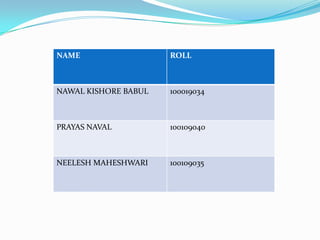
NAME                  ROLL


NAWAL KISHORE BABUL   100019034


PRAYAS NAVAL          100109040


NEELESH MAHESHWARI    100109035
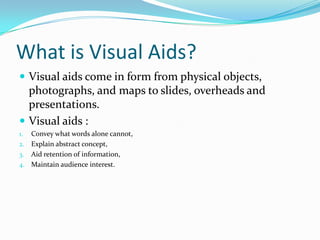
What is Visual Aids?
 Visual aids come in form from physical objects,
  photographs, and maps to slides, overheads and
  presentations.
 Visual aids :
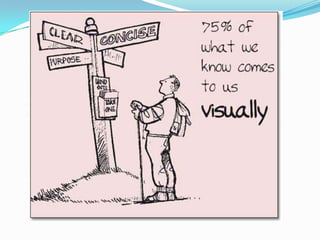
1. Convey what words alone cannot,
2. Explain abstract concept,
3. Aid retention of information,
4. Maintain audience interest.
 Effective visual aids are simple, relevant, and
  reinforce the content of speech.
 The MERE presence of visual aids in a speech
  does not make a speech better.
 Deliberate consideration and planning are
  required to effectively incorporate visual aids
  into speech.
 The best visual aids are only as good as the
  presenter is able to deliver the speech and
  effortlessly transition between visual aids.
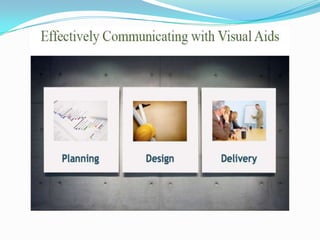
PLANNING
 Can you achieve your purpose without visual aids?
 What will you be presenting?
 Who is your audience?
 Whom will you be presenting?
DESIGN
 Choosing color's.
 Margins
 Beyond bullet point.
 Readability.
 Professional appearance.
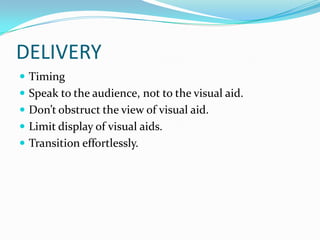
DELIVERY
 Timing
 Speak to the audience, not to the visual aid.
 Don’t obstruct the view of visual aid.
 Limit display of visual aids.
 Transition effortlessly.
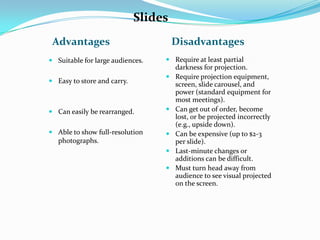
Slides
 Advantages                           Disadvantages
 Suitable for large audiences.    Require at least partial
                                    darkness for projection.
                                   Require projection equipment,
 Easy to store and carry.
                                    screen, slide carousel, and
                                    power (standard equipment for
                                    most meetings).
 Can easily be rearranged.        Can get out of order, become
                                    lost, or be projected incorrectly
                                    (e.g., upside down).
 Able to show full-resolution     Can be expensive (up to $2-3
  photographs.                      per slide).
                                   Last-minute changes or
                                    additions can be difficult.
                                   Must turn head away from
                                    audience to see visual projected
                                    on the screen.
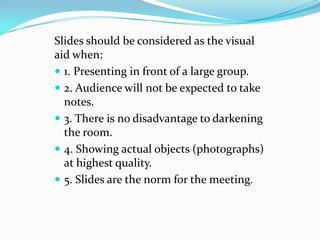
Slides should be considered as the visual
aid when:
 1. Presenting in front of a large group.
 2. Audience will not be expected to take
  notes.
 3. There is no disadvantage to darkening
  the room.
 4. Showing actual objects (photographs)
  at highest quality.
 5. Slides are the norm for the meeting.
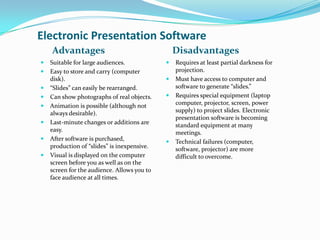
Electronic Presentation Software
    Advantages                                   Disadvantages
   Suitable for large audiences.               Requires at least partial darkness for
   Easy to store and carry (computer            projection.
    disk).                                      Must have access to computer and
   “Slides” can easily be rearranged.           software to generate “slides.”
   Can show photographs of real objects.       Requires special equipment (laptop
   Animation is possible (although not          computer, projector, screen, power
    always desirable).                           supply) to project slides. Electronic
                                                 presentation software is becoming
   Last-minute changes or additions are         standard equipment at many
    easy.                                        meetings.
   After software is purchased,                Technical failures (computer,
    production of “slides” is inexpensive.       software, projector) are more
   Visual is displayed on the computer          difficult to overcome.
    screen before you as well as on the
    screen for the audience. Allows you to
    face audience at all times.
Visual aids

Visual aids

  • 1.
  • 3.
    NAME ROLL NAWAL KISHORE BABUL 100019034 PRAYAS NAVAL 100109040 NEELESH MAHESHWARI 100109035
  • 4.
    What is VisualAids?  Visual aids come in form from physical objects, photographs, and maps to slides, overheads and presentations.  Visual aids : 1. Convey what words alone cannot, 2. Explain abstract concept, 3. Aid retention of information, 4. Maintain audience interest.
  • 6.
     Effective visualaids are simple, relevant, and reinforce the content of speech.  The MERE presence of visual aids in a speech does not make a speech better.  Deliberate consideration and planning are required to effectively incorporate visual aids into speech.  The best visual aids are only as good as the presenter is able to deliver the speech and effortlessly transition between visual aids.
  • 8.
    PLANNING  Can youachieve your purpose without visual aids?  What will you be presenting?  Who is your audience?  Whom will you be presenting?
  • 9.
    DESIGN  Choosing color's. Margins  Beyond bullet point.  Readability.  Professional appearance.
  • 10.
    DELIVERY  Timing  Speakto the audience, not to the visual aid.  Don’t obstruct the view of visual aid.  Limit display of visual aids.  Transition effortlessly.
  • 11.
    Slides Advantages Disadvantages  Suitable for large audiences.  Require at least partial darkness for projection.  Require projection equipment,  Easy to store and carry. screen, slide carousel, and power (standard equipment for most meetings).  Can easily be rearranged.  Can get out of order, become lost, or be projected incorrectly (e.g., upside down).  Able to show full-resolution  Can be expensive (up to $2-3 photographs. per slide).  Last-minute changes or additions can be difficult.  Must turn head away from audience to see visual projected on the screen.
  • 12.
    Slides should beconsidered as the visual aid when:  1. Presenting in front of a large group.  2. Audience will not be expected to take notes.  3. There is no disadvantage to darkening the room.  4. Showing actual objects (photographs) at highest quality.  5. Slides are the norm for the meeting.
  • 13.
    Electronic Presentation Software Advantages Disadvantages  Suitable for large audiences.  Requires at least partial darkness for  Easy to store and carry (computer projection. disk).  Must have access to computer and  “Slides” can easily be rearranged. software to generate “slides.”  Can show photographs of real objects.  Requires special equipment (laptop  Animation is possible (although not computer, projector, screen, power always desirable). supply) to project slides. Electronic presentation software is becoming  Last-minute changes or additions are standard equipment at many easy. meetings.  After software is purchased,  Technical failures (computer, production of “slides” is inexpensive. software, projector) are more  Visual is displayed on the computer difficult to overcome. screen before you as well as on the screen for the audience. Allows you to face audience at all times.