VIRTUALIZATION
By
Junaid Shaikh
Overview
• What is Virtualization
• Benefits of Virtualization
• The Virtual Machine
• Key Properties of Virtual Machine
• Types of Virtualization
• Virtualization Technology Companies
• VMware Workstation
• VMware Tools
What is Virtualization
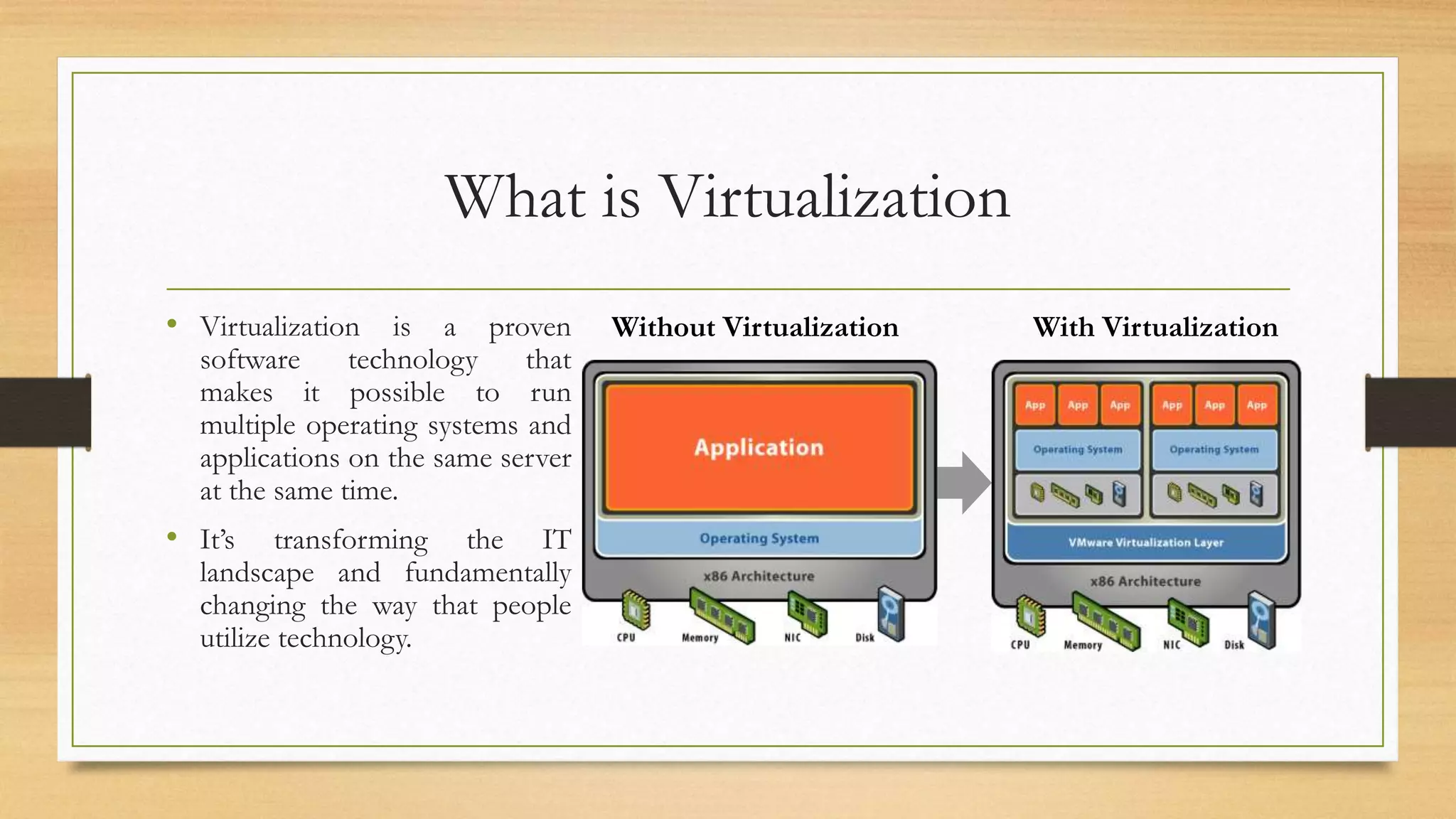
• Virtualization is a proven
software technology that
makes it possible to run
multiple operating systems and
applications on the same server
at the same time.
• It’s transforming the IT
landscape and fundamentally
changing the way that people
utilize technology.
Hardwar
e
Applicatio
n
Operating System
With VirtualizationWithout Virtualization
Benefits of Virtualization
• Reduce capital and operating costs.
• Deliver high application availability.
• Minimize or eliminate downtime.
• Increase IT productivity, efficiency, agility and responsiveness.
• Speed and simplify application and resource provisioning.
• Support business continuity and disaster recovery.
• Enable centralized management.
• Build a true Software-Defined Data Centre.
The Virtual Machine
• A virtual machine (VM) is an emulation of a particular computer system.
• Virtual machines operate based on the computer architecture and functions of a real or
hypothetical computer, and their implementations may involve specialized hardware,
software, or a combination of both.
• Multiple virtual machines can operate concurrently on a single x86 host system.
• Each one can run a different operating system and application stack.
Key Properties of Virtual Machine
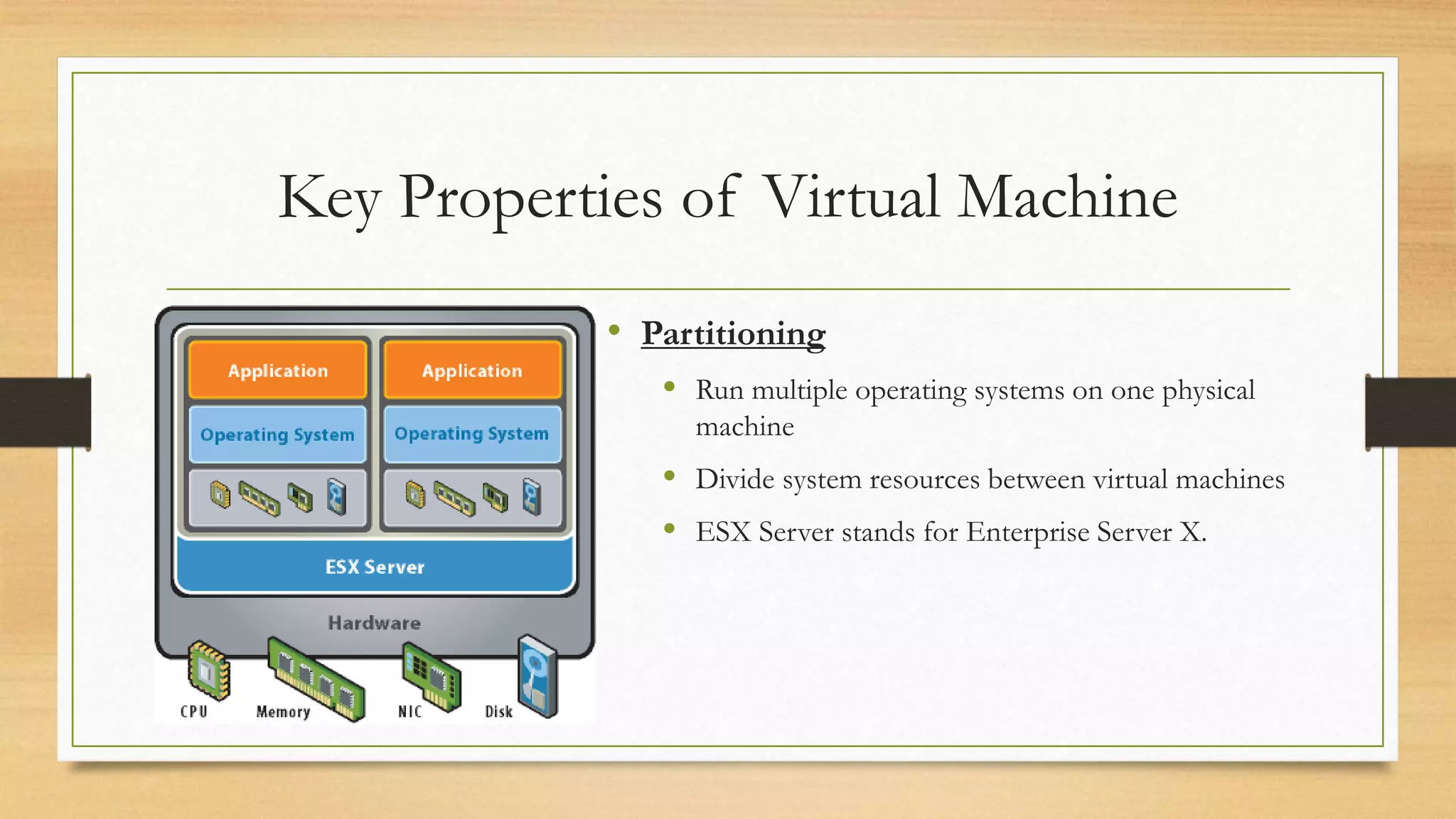
• Partitioning
 Run multiple operating systems on one physical
machine
 Divide system resources between virtual machines
 ESX Server stands for Enterprise Server X.
Key Properties of Virtual Machine (Cont.)
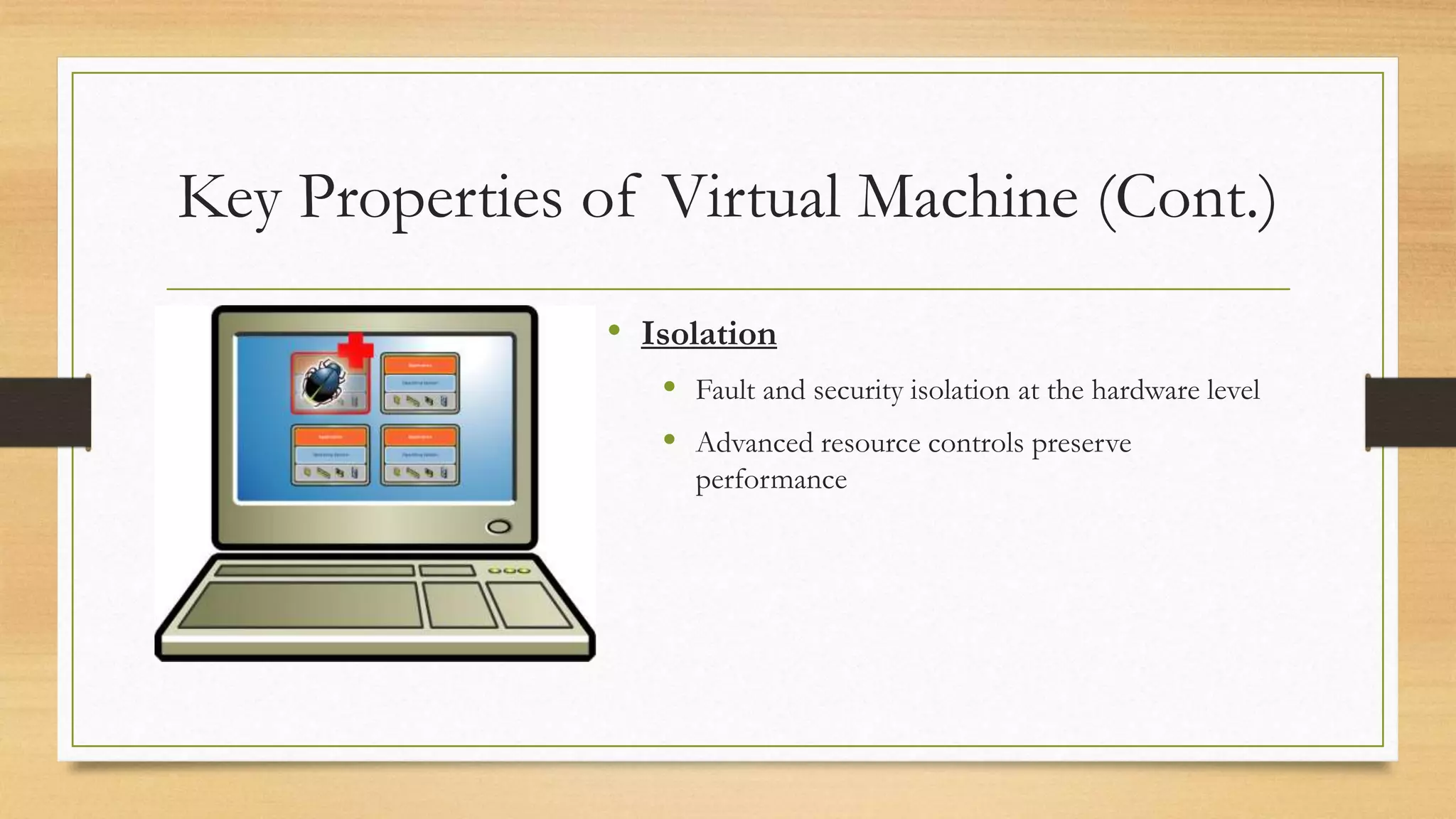
• Isolation
 Fault and security isolation at the hardware level
 Advanced resource controls preserve
performance
Key Properties of Virtual Machine (Cont.)
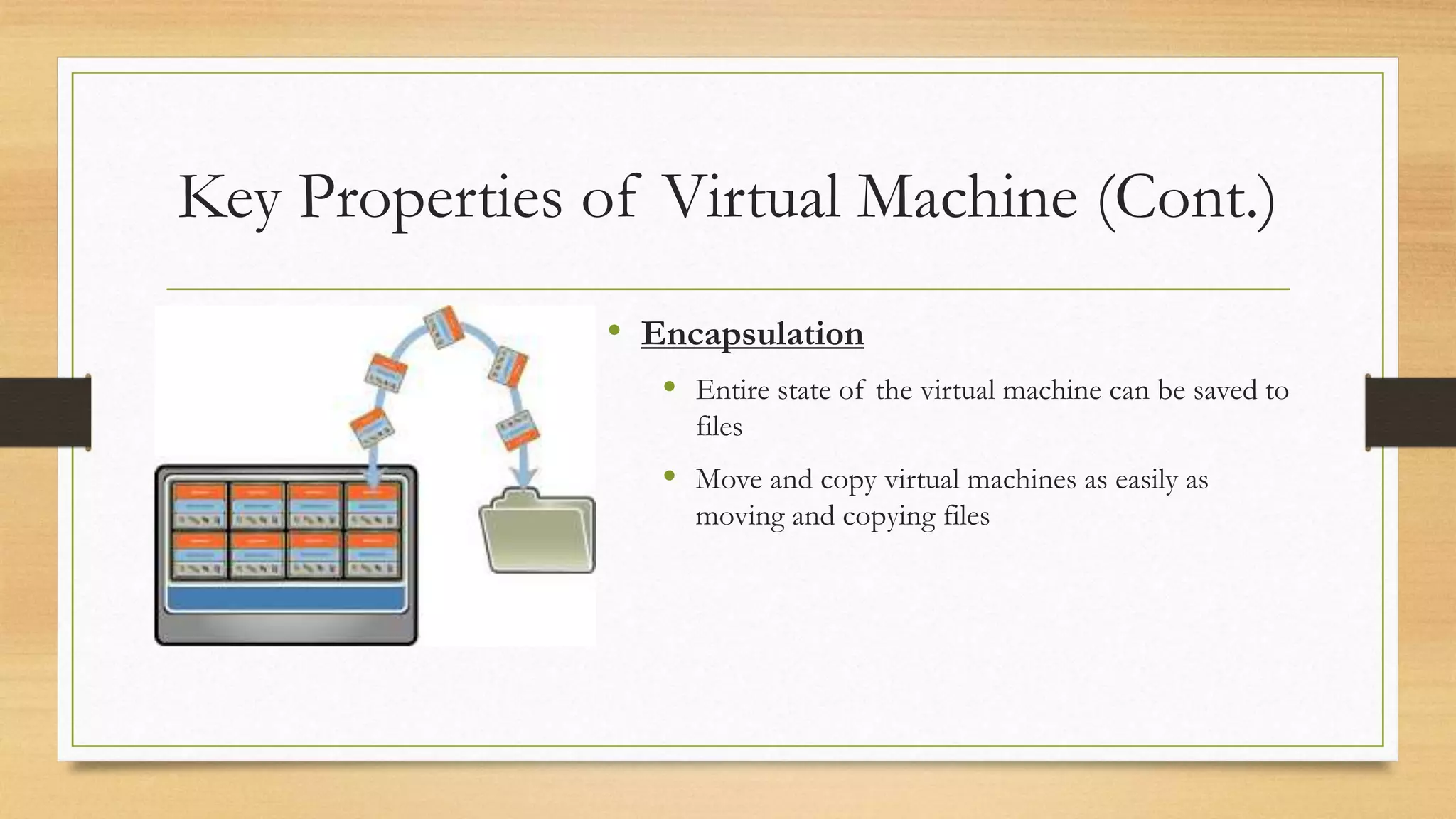
• Encapsulation
 Entire state of the virtual machine can be saved to
files
 Move and copy virtual machines as easily as
moving and copying files
Key Properties of Virtual Machine (Cont.)
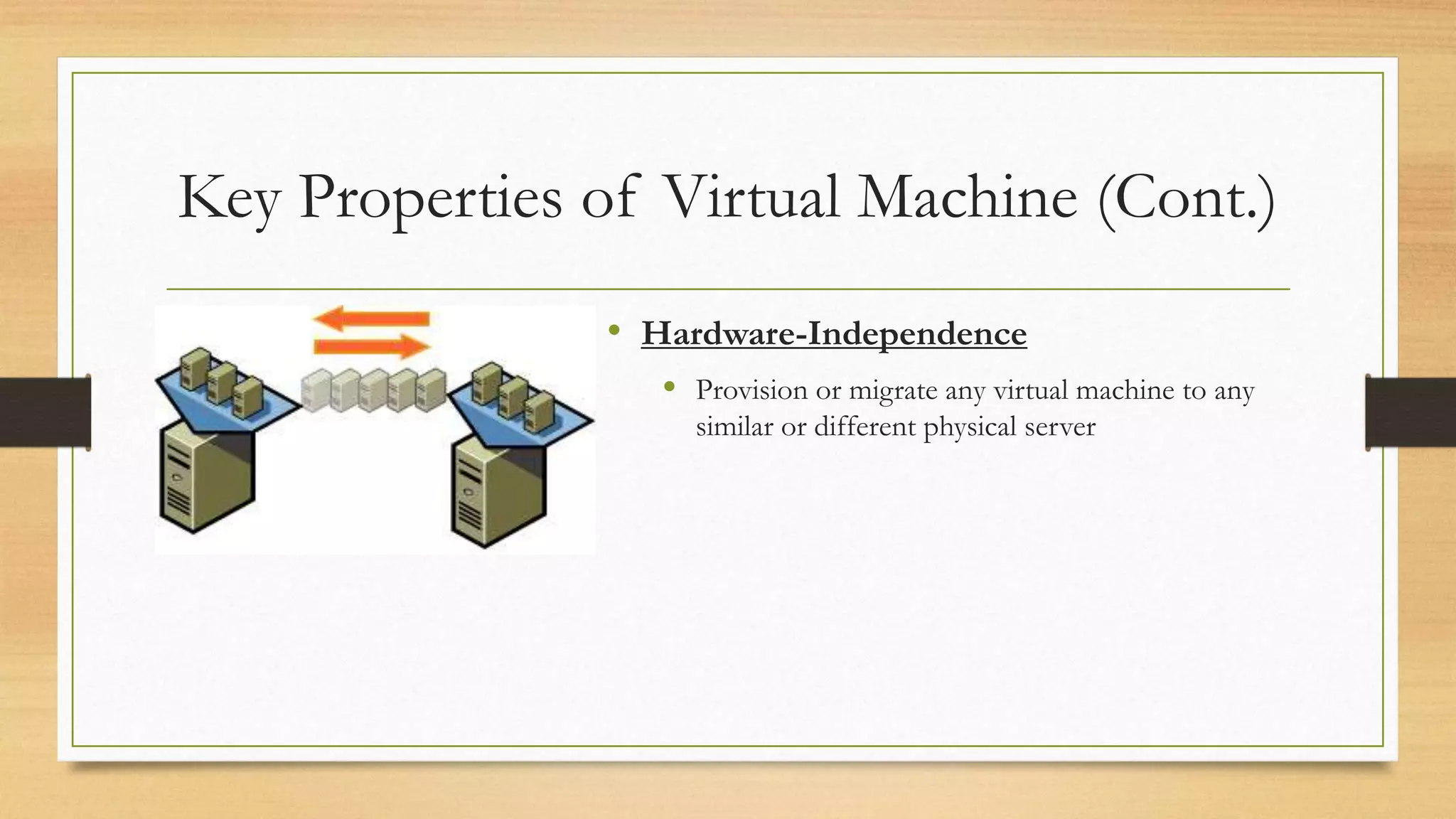
• Hardware-Independence
 Provision or migrate any virtual machine to any
similar or different physical server
Types of Virtualization
• Server Virtualization
• Network Virtualization
• Software-Defined Storage
• Desktop Virtualization
• Hardware Virtualization
Virtualization Technology Companies
• VMware (VMWare Workstation)
• Citrix
• Oracle (Virtual Box)
• Microsoft
• Red Hat
• Amazon
• Google
VMware Workstation
• VMware Workstation is a hypervisor that runs on x86-64 computers.
• It is developed and sold by VMware, Inc., a division of EMC Corporation.
• It enables users to set up one or more virtual machines (VMs) on a single physical machine,
and use them simultaneously along with the actual machine.
• Each virtual machine can execute its own operating system, including versions of Microsoft
Windows, Linux, BSD, and MS-DOS.
• The Latest Version of VMWare is 11.1.2 which released on 15th June 2015.
VMware Tools
• VMware Tools is a package with drivers and other software that can be installed in guest
operating systems to increase their performance. It has several components, including the
following:
• Drivers for the emulated hardware
• VESA-compliant graphics for the guest machine to access high screen resolutions
• Network drivers for the vmxnet2 and vmxnet3 NIC
• Mouse integration
VMware Tools (Cont.)
• Drag-and-drop file support
• Clipboard sharing between host and guest
• Time synchronization capabilities (guest syncs with host machine's clock)
Who uses Virtualization
References
• https://searchservervirtualization.techtarget.com/definition/virtualization
• https://en.wikipedia.org/wiki/Virtualization
• https://www.vmware.com/virtualization.html
• http://scn.sap.com/community/it-management/virtualization
THANK YOU

VIRTUALIZATION

  • 1.
  • 2.
    Overview • What isVirtualization • Benefits of Virtualization • The Virtual Machine • Key Properties of Virtual Machine • Types of Virtualization • Virtualization Technology Companies • VMware Workstation • VMware Tools
  • 3.
    What is Virtualization •Virtualization is a proven software technology that makes it possible to run multiple operating systems and applications on the same server at the same time. • It’s transforming the IT landscape and fundamentally changing the way that people utilize technology. Hardwar e Applicatio n Operating System With VirtualizationWithout Virtualization
  • 4.
    Benefits of Virtualization •Reduce capital and operating costs. • Deliver high application availability. • Minimize or eliminate downtime. • Increase IT productivity, efficiency, agility and responsiveness. • Speed and simplify application and resource provisioning. • Support business continuity and disaster recovery. • Enable centralized management. • Build a true Software-Defined Data Centre.
  • 5.
    The Virtual Machine •A virtual machine (VM) is an emulation of a particular computer system. • Virtual machines operate based on the computer architecture and functions of a real or hypothetical computer, and their implementations may involve specialized hardware, software, or a combination of both. • Multiple virtual machines can operate concurrently on a single x86 host system. • Each one can run a different operating system and application stack.
  • 6.
    Key Properties ofVirtual Machine • Partitioning  Run multiple operating systems on one physical machine  Divide system resources between virtual machines  ESX Server stands for Enterprise Server X.
  • 7.
    Key Properties ofVirtual Machine (Cont.) • Isolation  Fault and security isolation at the hardware level  Advanced resource controls preserve performance
  • 8.
    Key Properties ofVirtual Machine (Cont.) • Encapsulation  Entire state of the virtual machine can be saved to files  Move and copy virtual machines as easily as moving and copying files
  • 9.
    Key Properties ofVirtual Machine (Cont.) • Hardware-Independence  Provision or migrate any virtual machine to any similar or different physical server
  • 10.
    Types of Virtualization •Server Virtualization • Network Virtualization • Software-Defined Storage • Desktop Virtualization • Hardware Virtualization
  • 11.
    Virtualization Technology Companies •VMware (VMWare Workstation) • Citrix • Oracle (Virtual Box) • Microsoft • Red Hat • Amazon • Google
  • 12.
    VMware Workstation • VMwareWorkstation is a hypervisor that runs on x86-64 computers. • It is developed and sold by VMware, Inc., a division of EMC Corporation. • It enables users to set up one or more virtual machines (VMs) on a single physical machine, and use them simultaneously along with the actual machine. • Each virtual machine can execute its own operating system, including versions of Microsoft Windows, Linux, BSD, and MS-DOS. • The Latest Version of VMWare is 11.1.2 which released on 15th June 2015.
  • 13.
    VMware Tools • VMwareTools is a package with drivers and other software that can be installed in guest operating systems to increase their performance. It has several components, including the following: • Drivers for the emulated hardware • VESA-compliant graphics for the guest machine to access high screen resolutions • Network drivers for the vmxnet2 and vmxnet3 NIC • Mouse integration
  • 14.
    VMware Tools (Cont.) •Drag-and-drop file support • Clipboard sharing between host and guest • Time synchronization capabilities (guest syncs with host machine's clock)
  • 15.
  • 16.
    References • https://searchservervirtualization.techtarget.com/definition/virtualization • https://en.wikipedia.org/wiki/Virtualization •https://www.vmware.com/virtualization.html • http://scn.sap.com/community/it-management/virtualization
  • 17.