By:
Shivanshu Purwar
Vikram Patel
Presentation On :
Installation of Virtual Machines
Contents
• Virtual Machine
• Need of VM
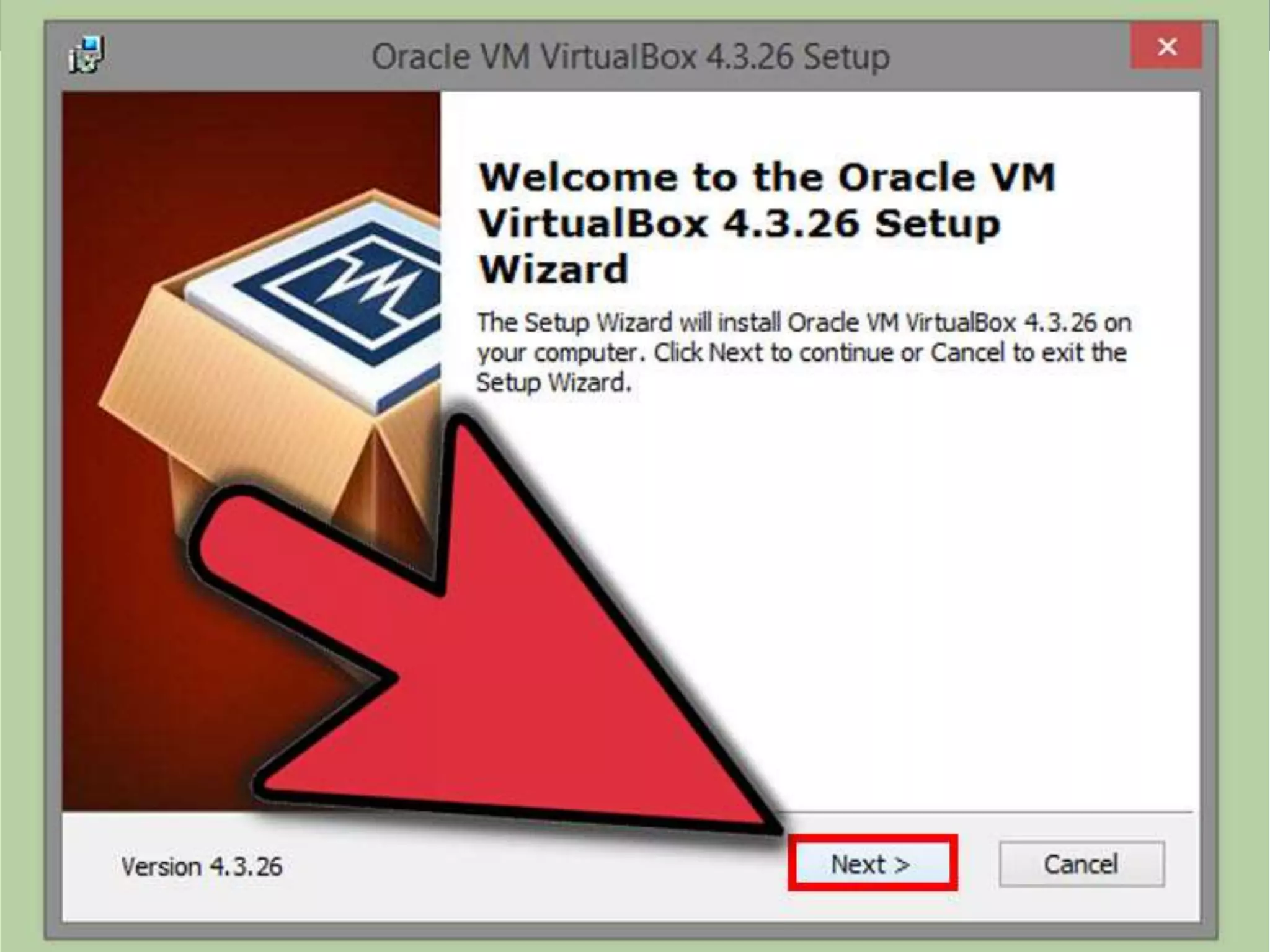
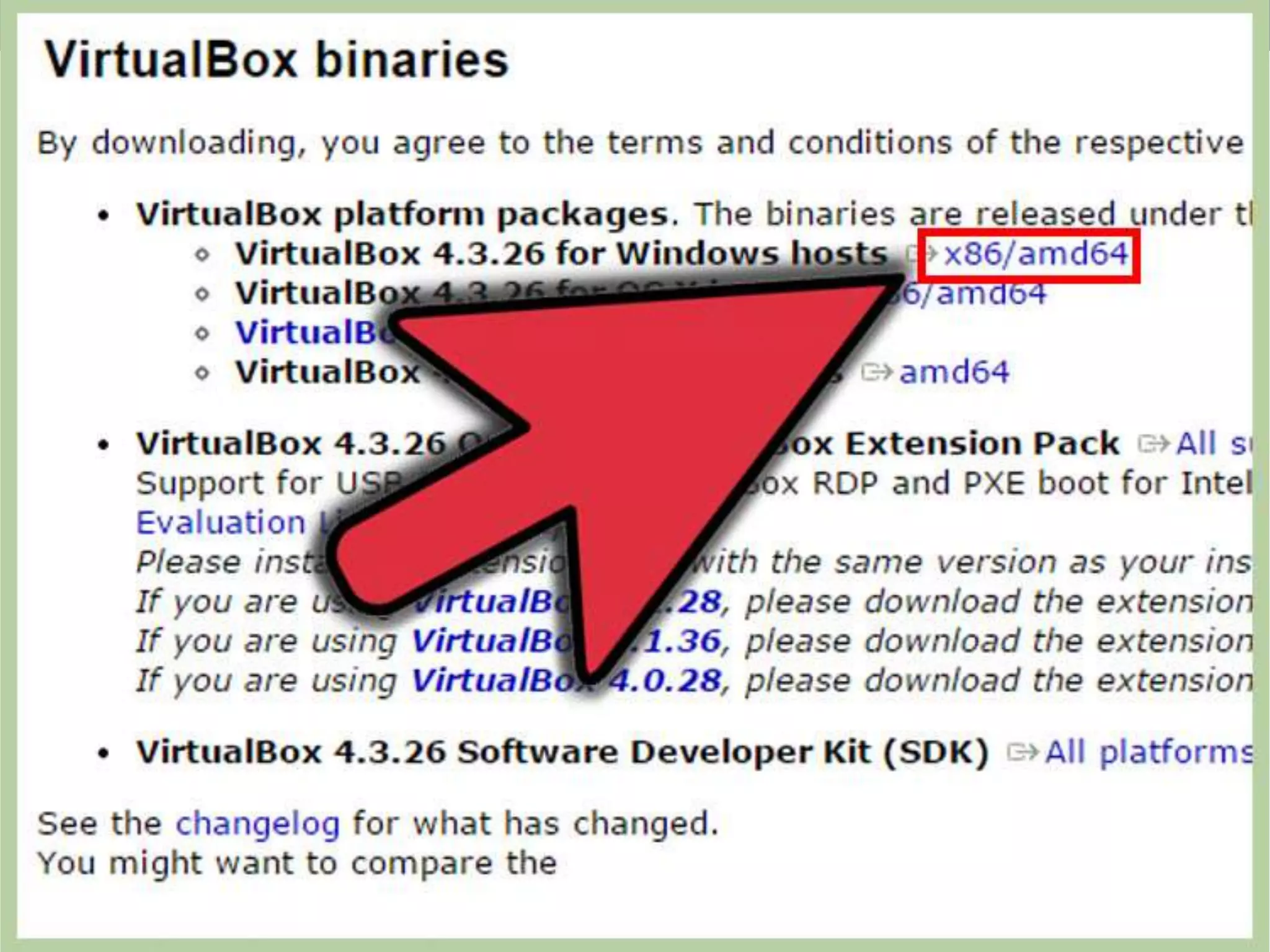
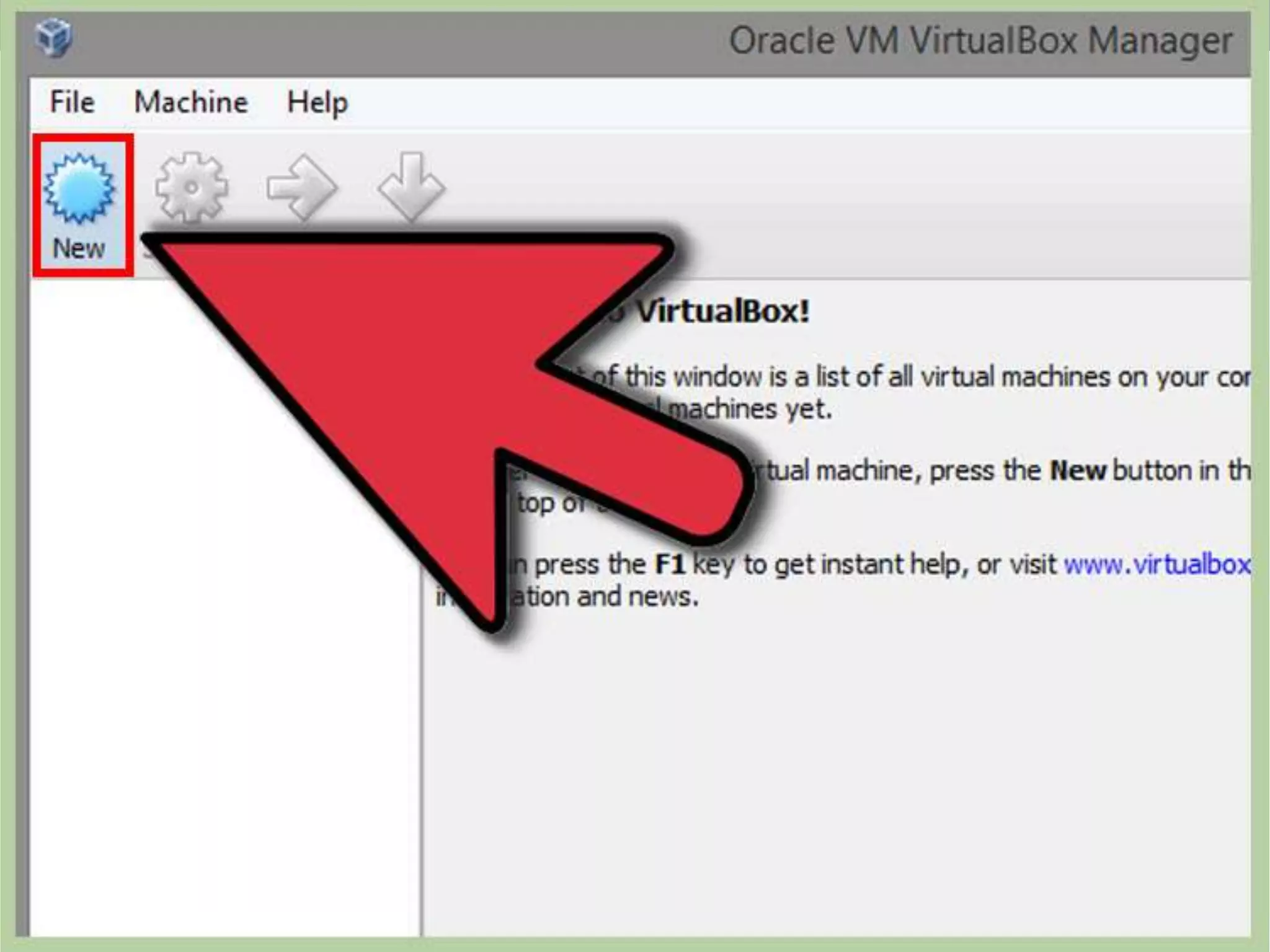
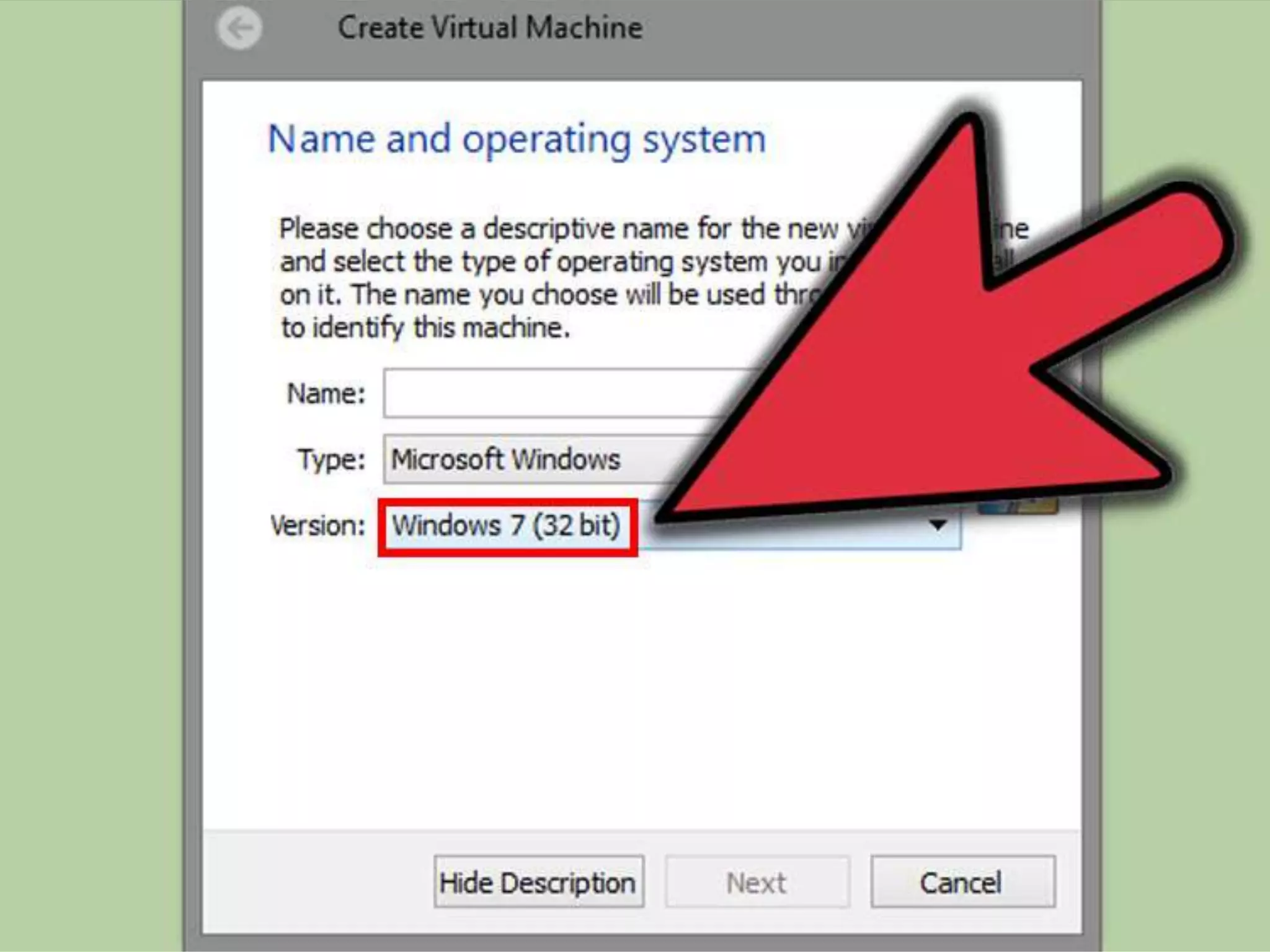
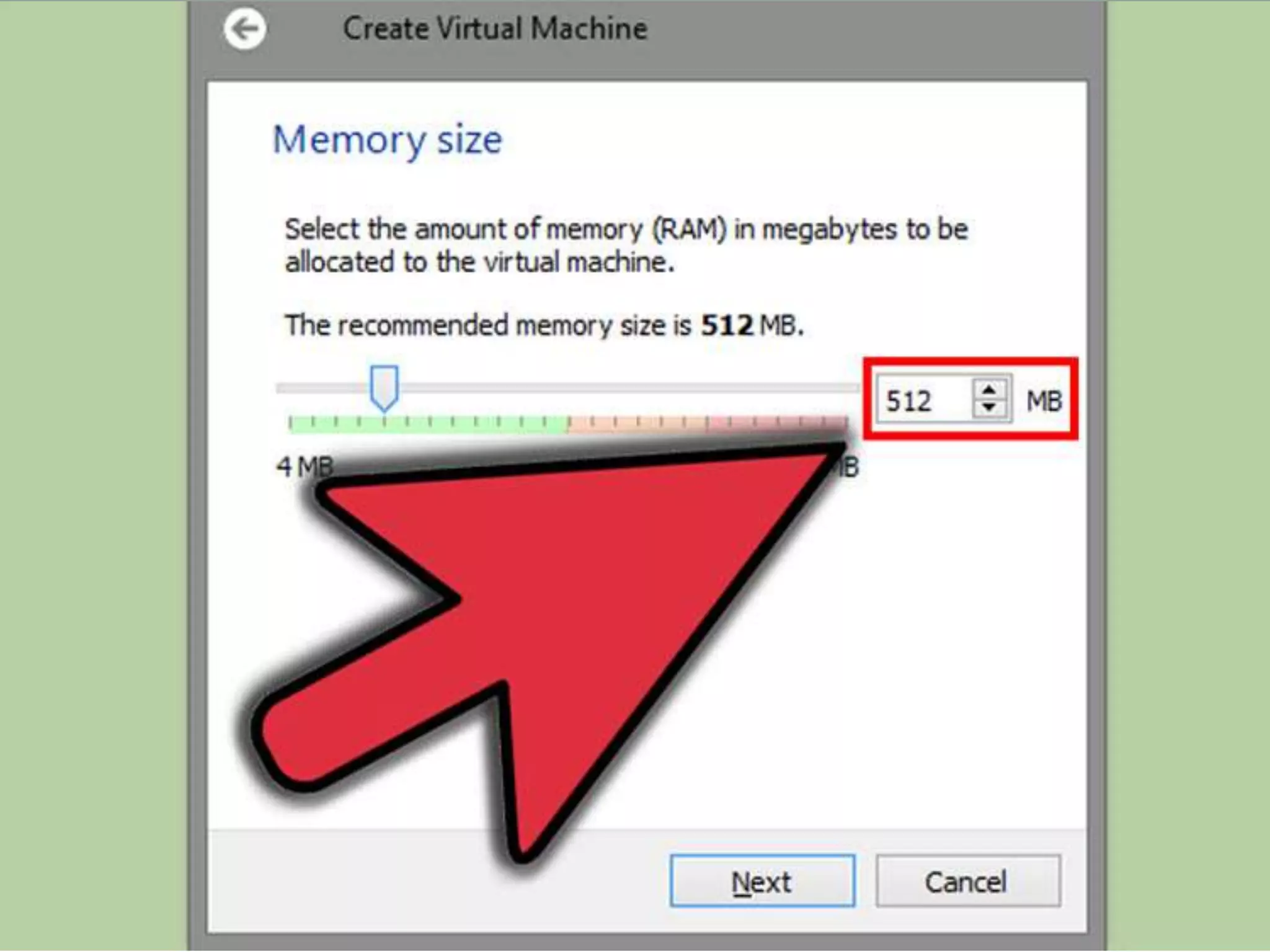
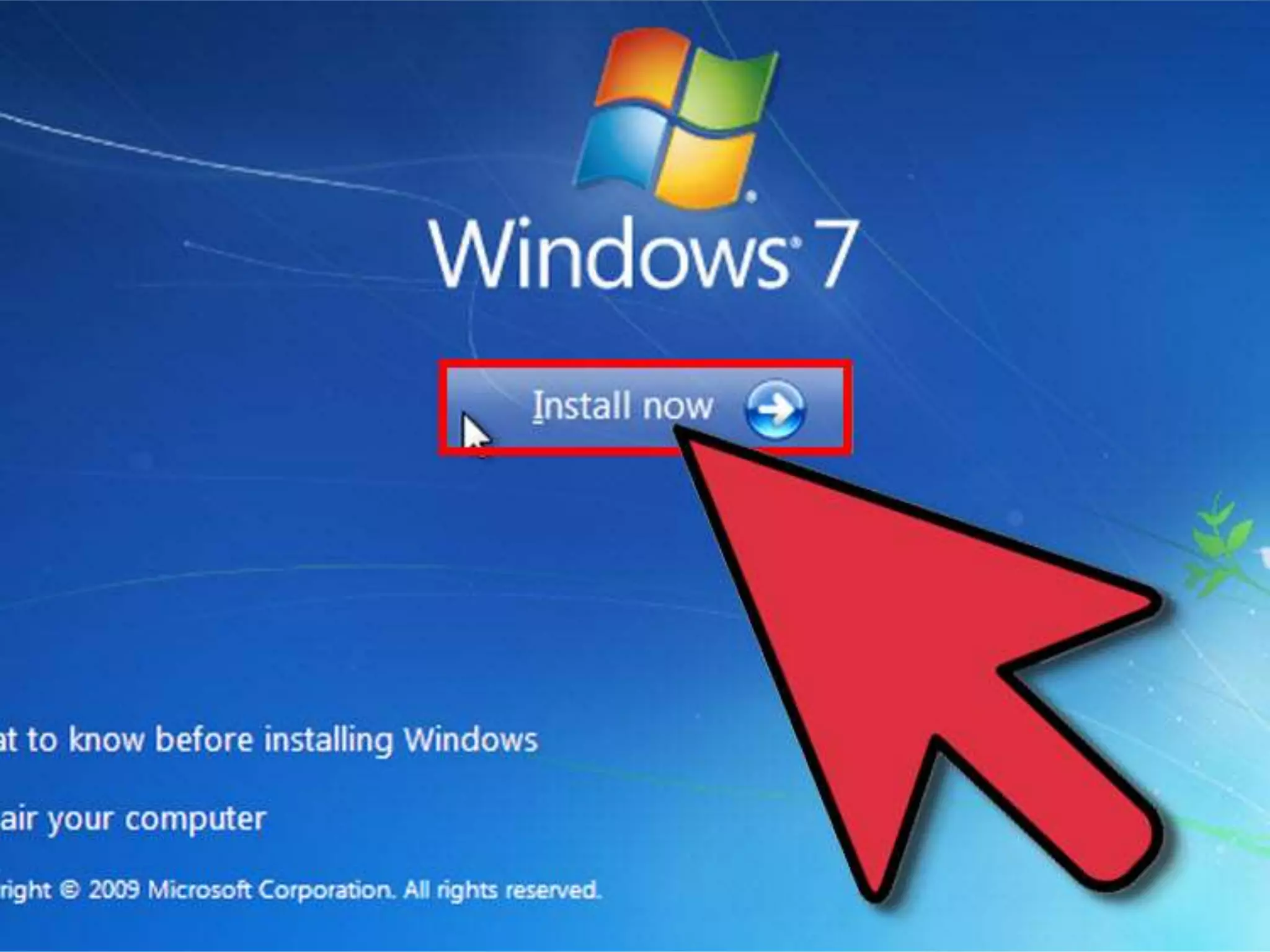
• Installation of VM
• Advantages of VM
• Conclusion
Virtual Machine
• A virtual machine (VM) is a software implementation of a
machine that executes programs like a physical machine.
• It shares physical hardware resources with the other users but
isolates the OS or application to avoid changing the end-user
experience.
Need of VM
• Isolation from the host operating system
• Easy to stop and start testing
• Quick recovery using snapshots
• VM Appliances are easy to replicate
Virtualization
• VM share the centralized server processor, memory & storage.
• Earlier 800 Million unique server is working.
• But now with VM only 60 Million server is doing the same work
of 800 Million server.
What is Virtualization
Virtualization is a technology to run multiple same or different
operating systems which is completely isolated from each other .
”Ex: Run both Windows and Linux on the same machine.
Terminologies
• Host Operating System:
• The operating system actually running on the hardware
• Together with virtualization layer, it simulates environment for Guest
Operating system.
• Guest Operating System:
• The operating system running in the simulated environment
• E.g., the one we are trying to debug
Top 10 VirtualizationTechnology Companies
• VMware
• Citrix
• Oracle
• Microsoft
• Red hat
• Amazon
• Google
• Virtual bridges
• Proxmox
• Parallels
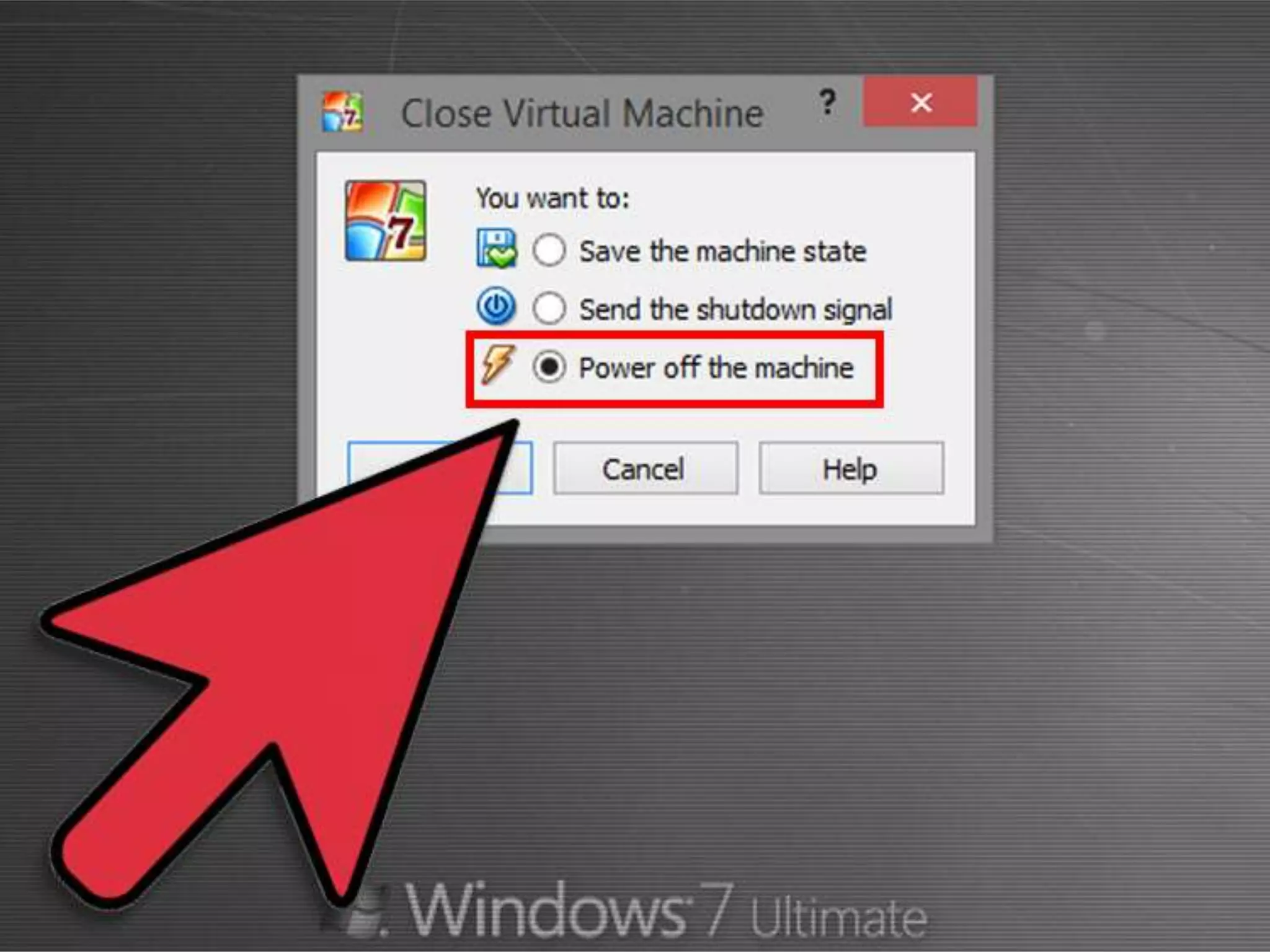
INSTALLATION OF
VIRTUAL MACHINE
Advantages of VM
• Multiple OS environments can exist simultaneously on the same
machine, isolated from each other.
• Virtual machine can offer an instruction set architecture that differs
from real computer's.
• Easy maintenance, application provisioning, availability and
convenient recovery.
Conclusion
• Virtual machines are a number of discrete identical execution environments
on a single computer, each of which runs an operating system.
• This can allow applications written for one OS to be executed on a machine
which runs a different OS which provide a greater level of isolation between
processes than is achieved when running multiple processes on the same
instance of an OS.
Virtual machine

Virtual machine

  • 1.
    By: Shivanshu Purwar Vikram Patel PresentationOn : Installation of Virtual Machines
  • 2.
    Contents • Virtual Machine •Need of VM • Installation of VM • Advantages of VM • Conclusion
  • 3.
    Virtual Machine • Avirtual machine (VM) is a software implementation of a machine that executes programs like a physical machine. • It shares physical hardware resources with the other users but isolates the OS or application to avoid changing the end-user experience.
  • 4.
    Need of VM •Isolation from the host operating system • Easy to stop and start testing • Quick recovery using snapshots • VM Appliances are easy to replicate
  • 5.
    Virtualization • VM sharethe centralized server processor, memory & storage. • Earlier 800 Million unique server is working. • But now with VM only 60 Million server is doing the same work of 800 Million server.
  • 6.
    What is Virtualization Virtualizationis a technology to run multiple same or different operating systems which is completely isolated from each other . ”Ex: Run both Windows and Linux on the same machine.
  • 7.
    Terminologies • Host OperatingSystem: • The operating system actually running on the hardware • Together with virtualization layer, it simulates environment for Guest Operating system. • Guest Operating System: • The operating system running in the simulated environment • E.g., the one we are trying to debug
  • 8.
    Top 10 VirtualizationTechnologyCompanies • VMware • Citrix • Oracle • Microsoft • Red hat • Amazon • Google • Virtual bridges • Proxmox • Parallels
  • 9.
  • 21.
    Advantages of VM •Multiple OS environments can exist simultaneously on the same machine, isolated from each other. • Virtual machine can offer an instruction set architecture that differs from real computer's. • Easy maintenance, application provisioning, availability and convenient recovery.
  • 22.
    Conclusion • Virtual machinesare a number of discrete identical execution environments on a single computer, each of which runs an operating system. • This can allow applications written for one OS to be executed on a machine which runs a different OS which provide a greater level of isolation between processes than is achieved when running multiple processes on the same instance of an OS.