

VEHICLES PARKING
MANAGEMENT SYSTEM
By Vikram Singh
Final year Project presentation
2019-20
A. N.A COLLEGE OF ENGINEERING AND
MANAGEMENT STUDIES, BAREILLY
INTRODUCTION
WHAT’S PARKING MANAGEMENT SYSTEM
• It help people find parking spots quickly.
• It provides facilities to keep the records of Market , Agency, Hospital and
Collage etc with all their required details handling.
• Parking management system for managing the records of the incoming and
outgoing
• vehicles in an parking house
• . It will determine the cost of per vehicle according to their time
consumption.
• It fixes parking related complications
OBJECTIVE
• In other words we can say that our project has the
following objectives:-
• Maintain records in short time of period.
• Enhances the visitor's experience.
• Easy operations for operator of the system
• Centralized database management
• Reduce time consumption
• No paper work requirement.
TOOLS/PLATFORM
This project is developed using the tools, which are most suited for development of the
Application Package. These tools are as follows: -
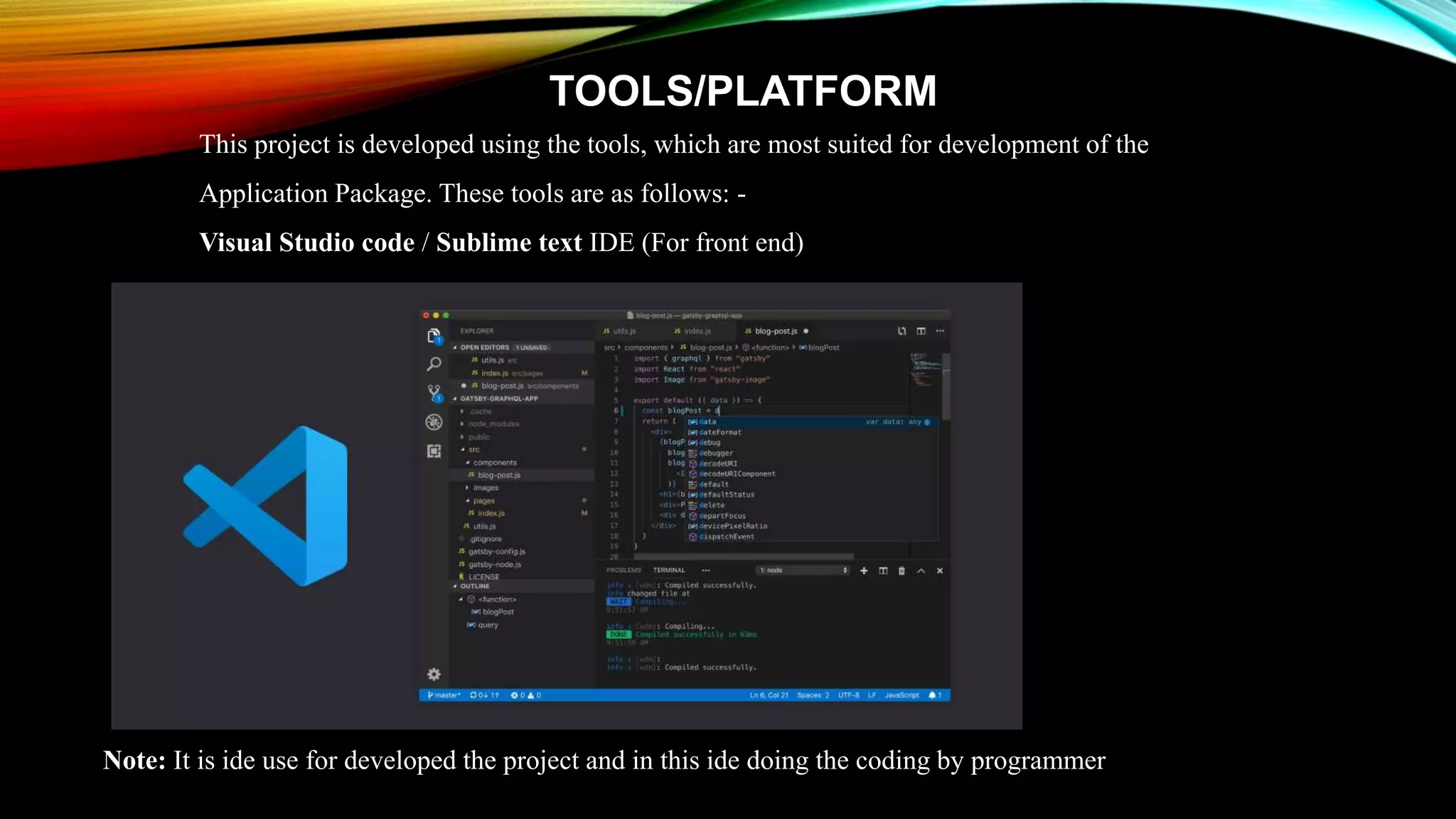
Visual Studio code / Sublime text IDE (For front end)
Note: It is ide use for developed the project and in this ide doing the coding by programmer
2. Local server like as: Chrome Browser/Explore
Note : It is a local server use for run the code and show the output
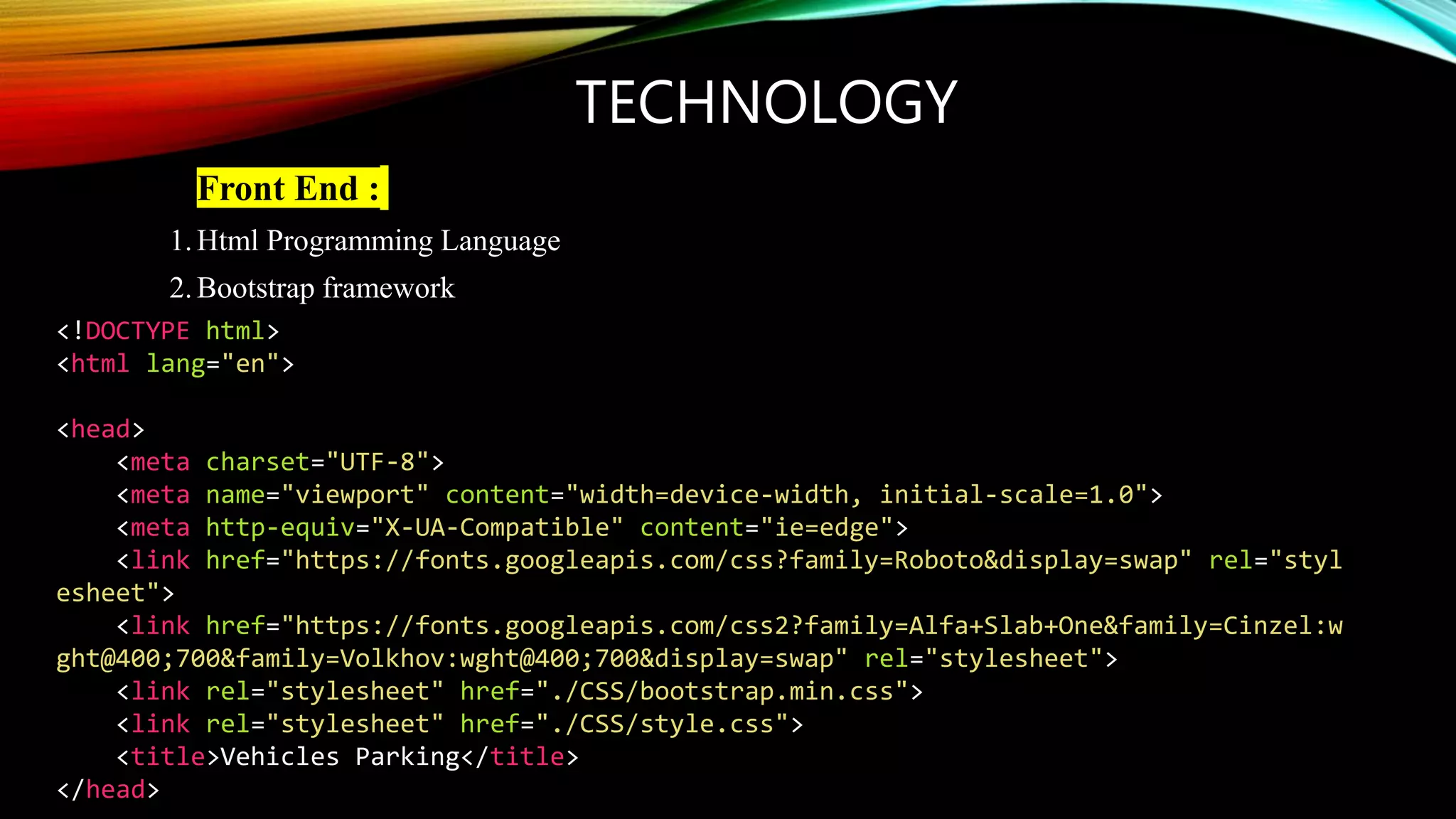
TECHNOLOGY
• Front End :
1.Html Programming Language
2.Bootstrap framework
<!DOCTYPE html>
<html lang="en">
<head>
<meta charset="UTF-8">
<meta name="viewport" content="width=device-width, initial-scale=1.0">
<meta http-equiv="X-UA-Compatible" content="ie=edge">
<link href="https://fonts.googleapis.com/css?family=Roboto&display=swap" rel="styl
esheet">
<link href="https://fonts.googleapis.com/css2?family=Alfa+Slab+One&family=Cinzel:w
ght@400;700&family=Volkhov:wght@400;700&display=swap" rel="stylesheet">
<link rel="stylesheet" href="./CSS/bootstrap.min.css">
<link rel="stylesheet" href="./CSS/style.css">
<title>Vehicles Parking</title>
</head>
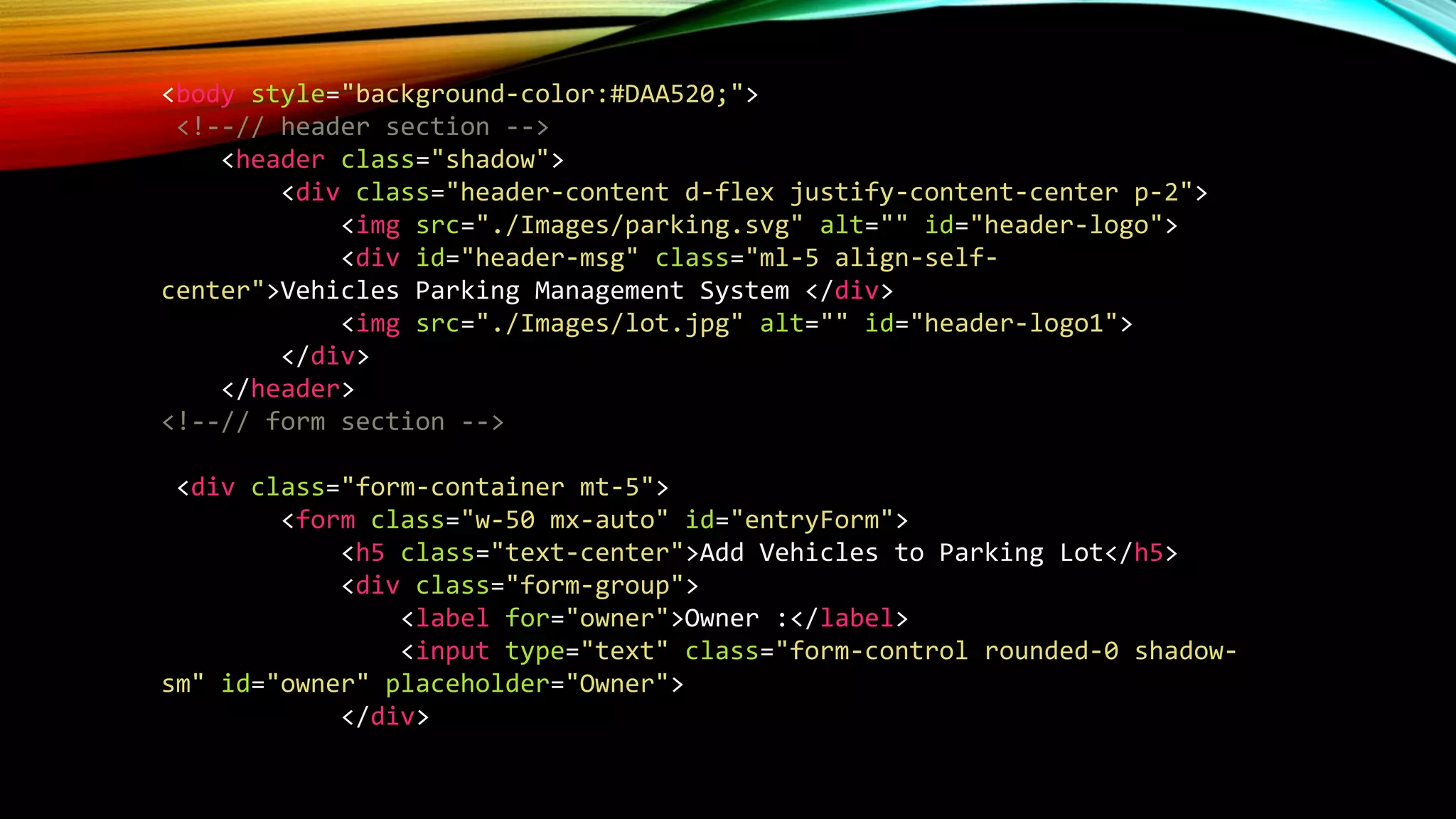
<body style="background-color:#DAA520;">
<!--// header section -->
<header class="shadow">
<div class="header-content d-flex justify-content-center p-2">
<img src="./Images/parking.svg" alt="" id="header-logo">
<div id="header-msg" class="ml-5 align-self-
center">Vehicles Parking Management System </div>
<img src="./Images/lot.jpg" alt="" id="header-logo1">
</div>
</header>
<!--// form section -->
<div class="form-container mt-5">
<form class="w-50 mx-auto" id="entryForm">
<h5 class="text-center">Add Vehicles to Parking Lot</h5>
<div class="form-group">
<label for="owner">Owner :</label>
<input type="text" class="form-control rounded-0 shadow-
sm" id="owner" placeholder="Owner">
</div>
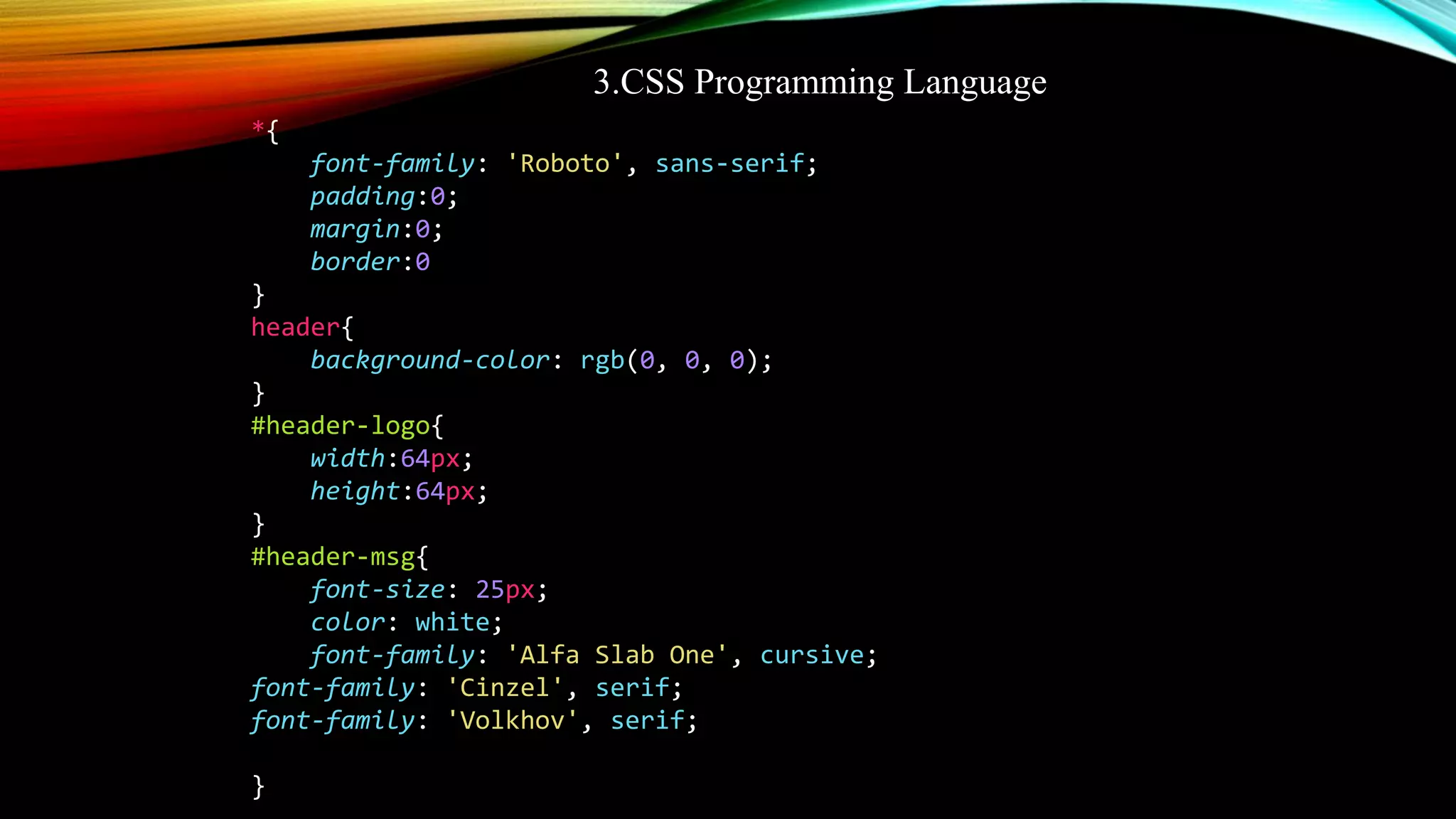
3.CSS Programming Language
*{
font-family: 'Roboto', sans-serif;
padding:0;
margin:0;
border:0
}
header{
background-color: rgb(0, 0, 0);
}
#header-logo{
width:64px;
height:64px;
}
#header-msg{
font-size: 25px;
color: white;
font-family: 'Alfa Slab One', cursive;
font-family: 'Cinzel', serif;
font-family: 'Volkhov', serif;
}
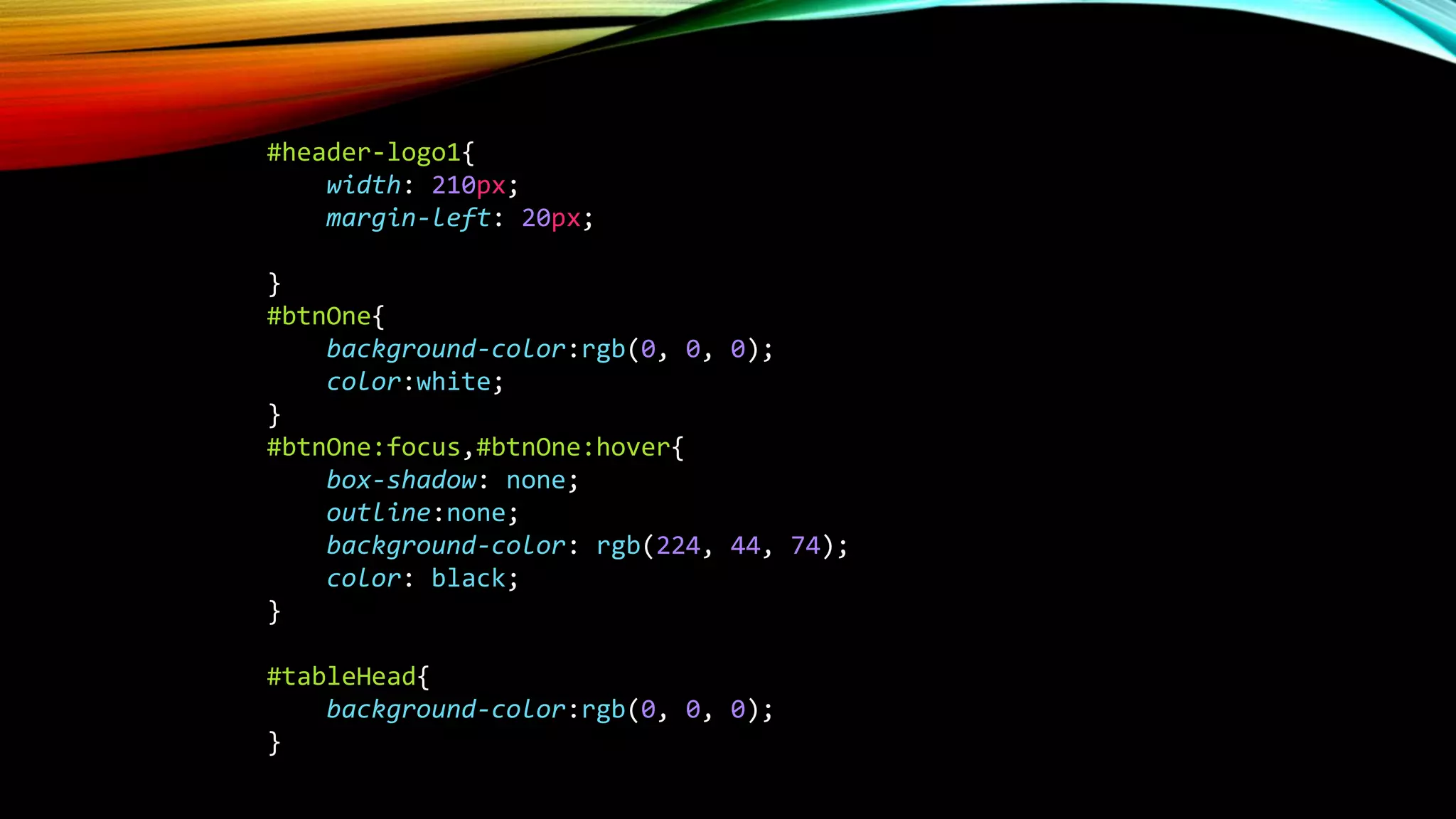
#header-logo1{
width: 210px;
margin-left: 20px;
}
#btnOne{
background-color:rgb(0, 0, 0);
color:white;
}
#btnOne:focus,#btnOne:hover{
box-shadow: none;
outline:none;
background-color: rgb(224, 44, 74);
color: black;
}
#tableHead{
background-color:rgb(0, 0, 0);
}
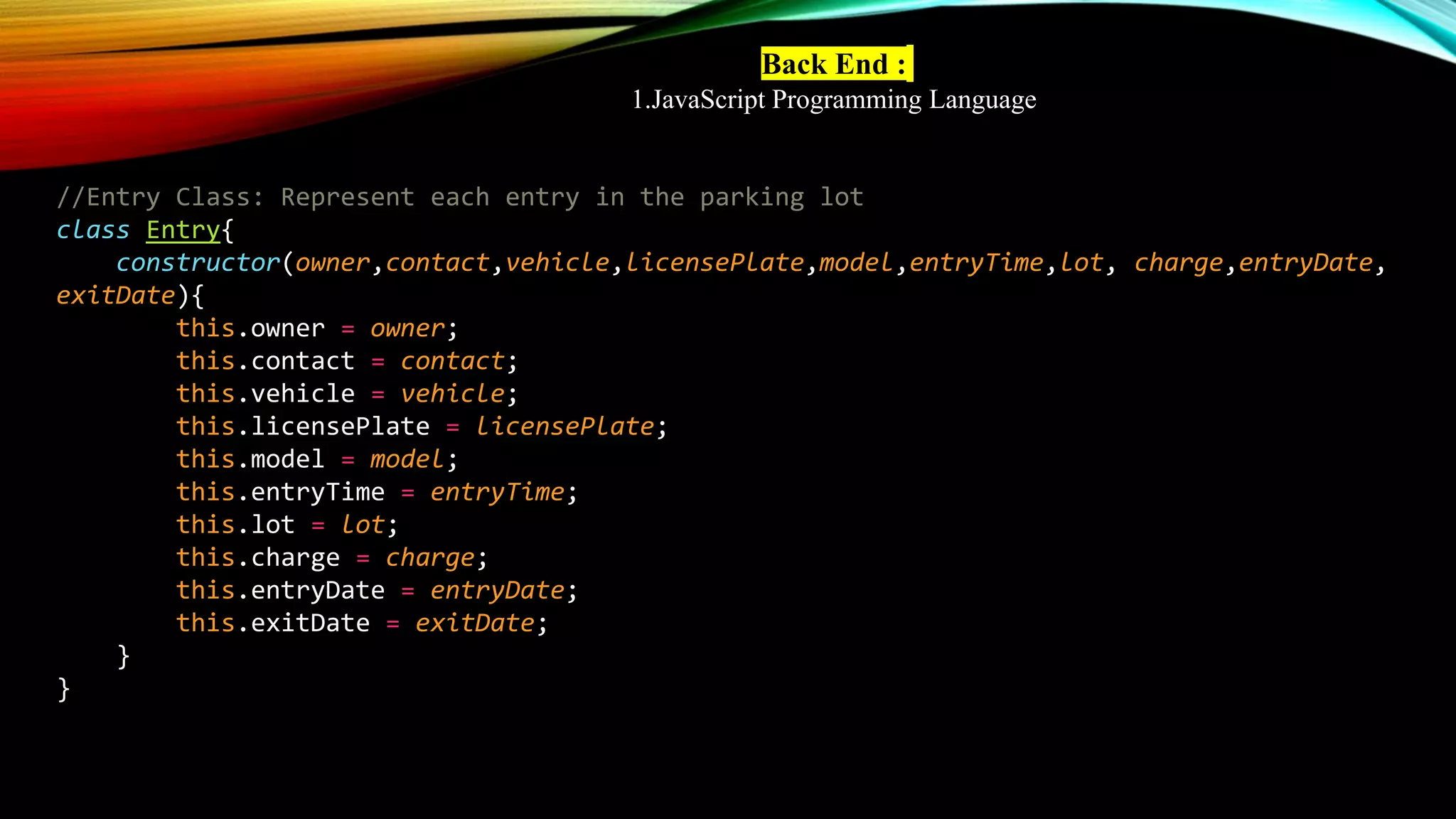
Back End :
1.JavaScript Programming Language
//Entry Class: Represent each entry in the parking lot
class Entry{
constructor(owner,contact,vehicle,licensePlate,model,entryTime,lot, charge,entryDate,
exitDate){
this.owner = owner;
this.contact = contact;
this.vehicle = vehicle;
this.licensePlate = licensePlate;
this.model = model;
this.entryTime = entryTime;
this.lot = lot;
this.charge = charge;
this.entryDate = entryDate;
this.exitDate = exitDate;
}
}
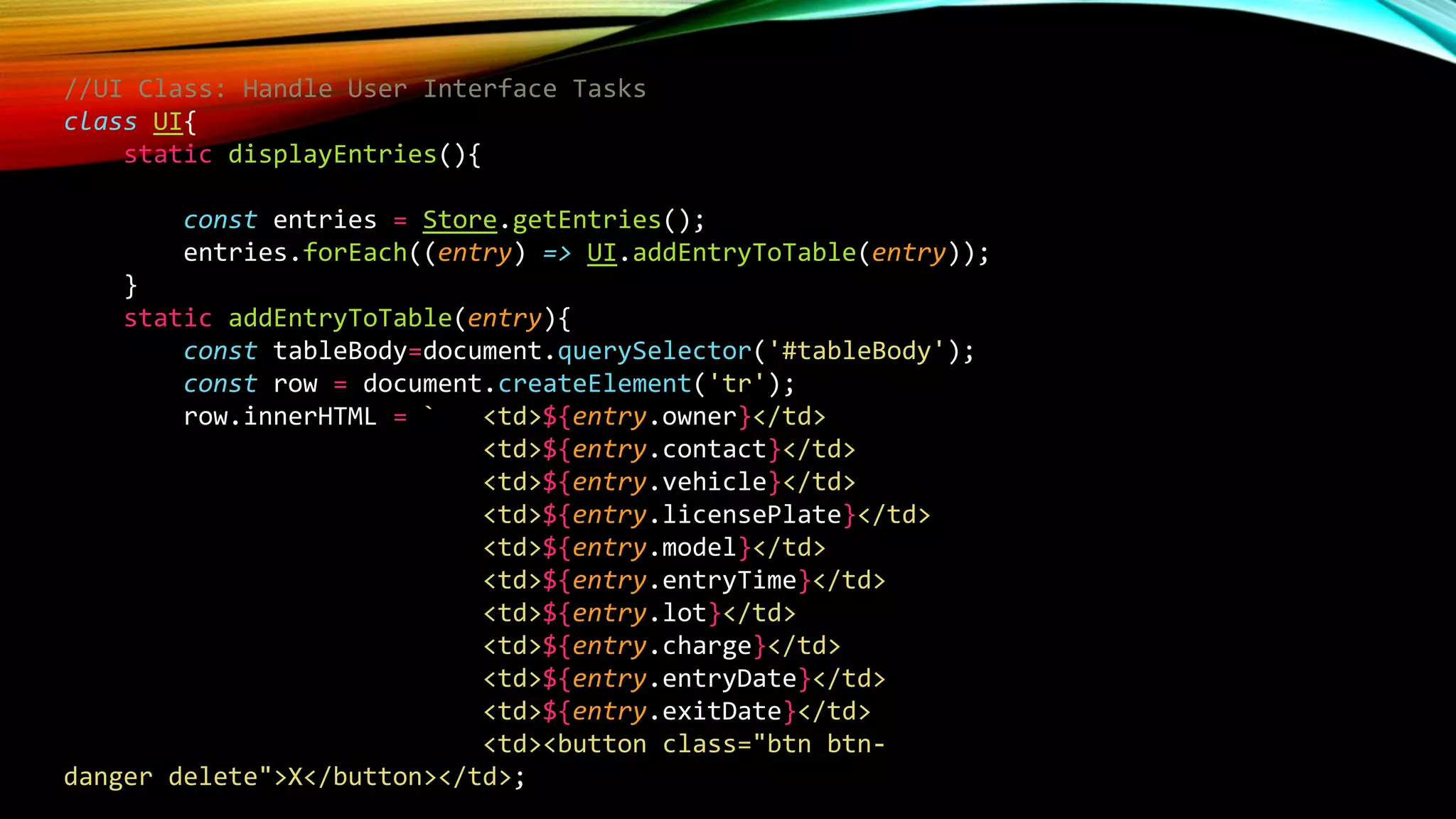
//UI Class: Handle User Interface Tasks
class UI{
static displayEntries(){
const entries = Store.getEntries();
entries.forEach((entry) => UI.addEntryToTable(entry));
}
static addEntryToTable(entry){
const tableBody=document.querySelector('#tableBody');
const row = document.createElement('tr');
row.innerHTML = ` <td>${entry.owner}</td>
<td>${entry.contact}</td>
<td>${entry.vehicle}</td>
<td>${entry.licensePlate}</td>
<td>${entry.model}</td>
<td>${entry.entryTime}</td>
<td>${entry.lot}</td>
<td>${entry.charge}</td>
<td>${entry.entryDate}</td>
<td>${entry.exitDate}</td>
<td><button class="btn btn-
danger delete">X</button></td>;
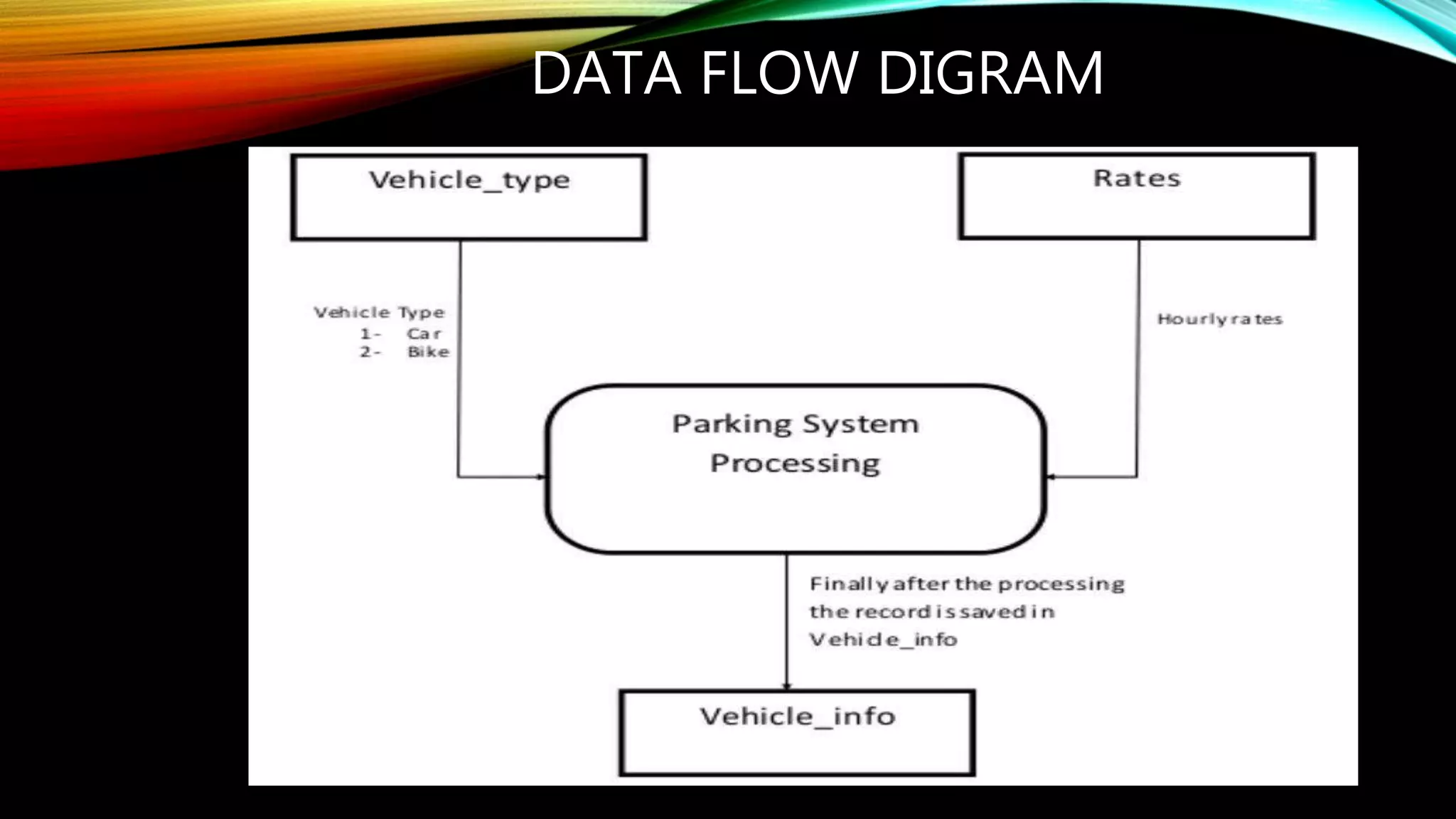
DATA FLOW DIGRAM
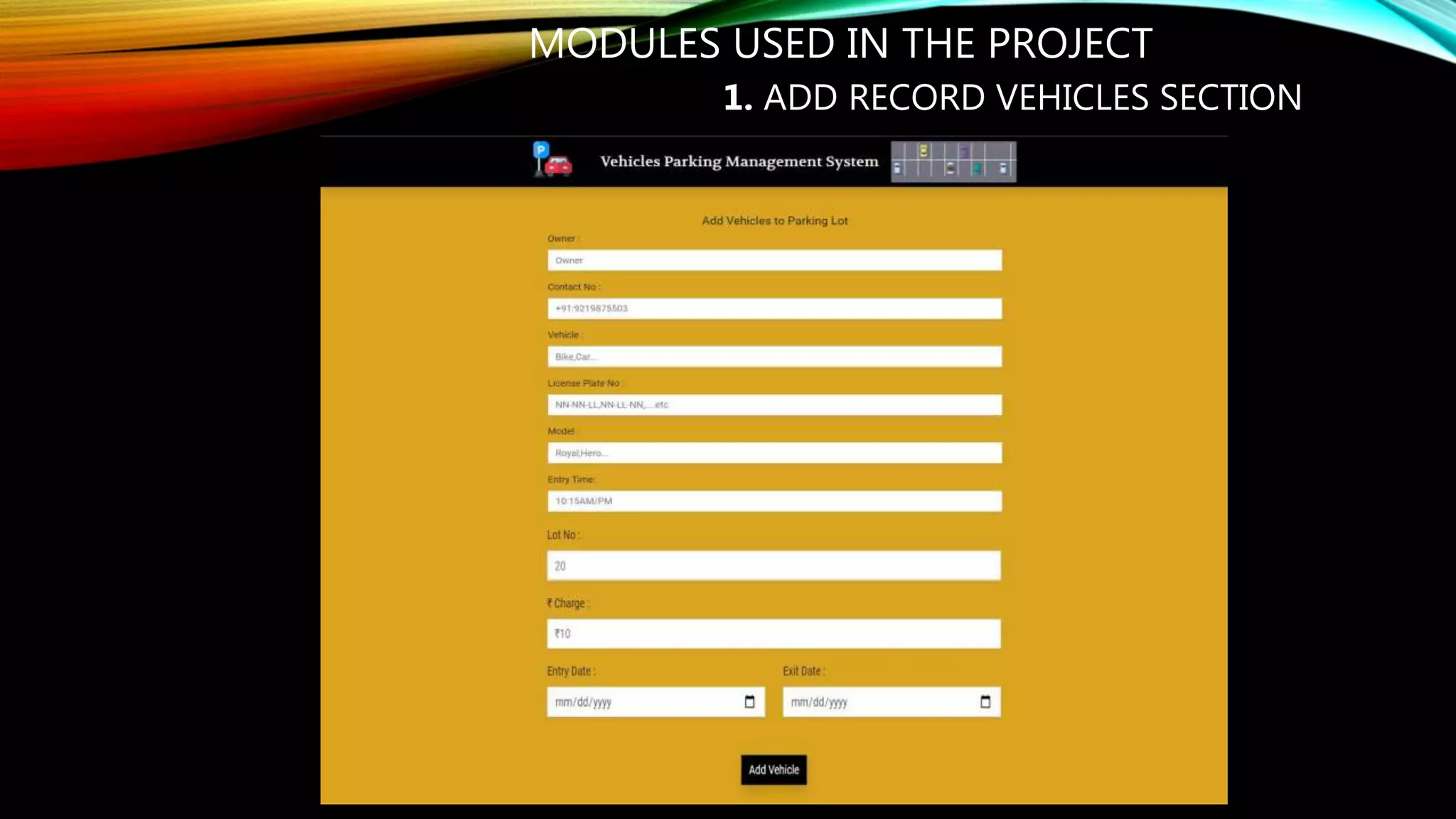
MODULES USED IN THE PROJECT
1. ADD RECORD VEHICLES SECTION
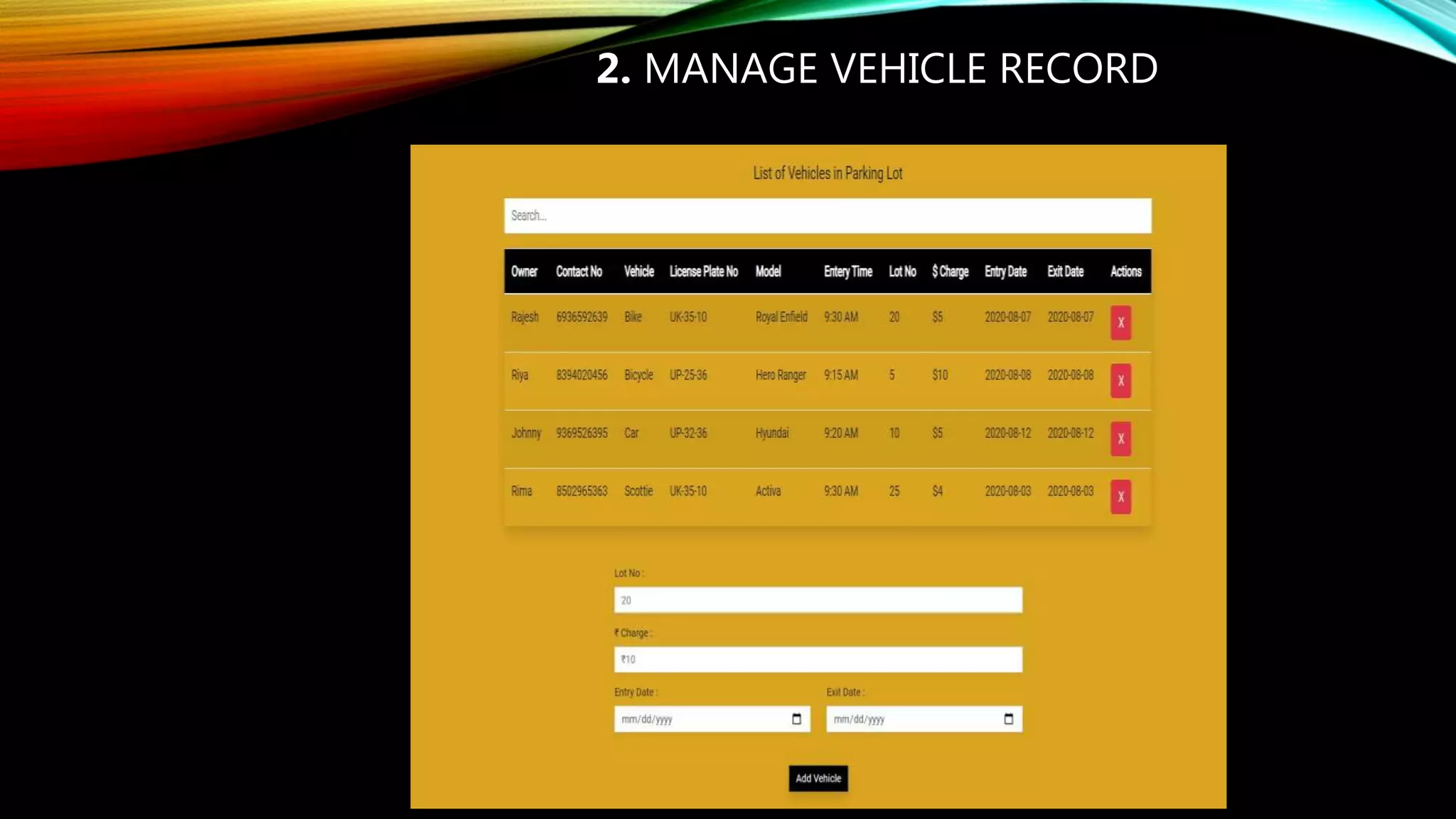
2. MANAGE VEHICLE RECORD
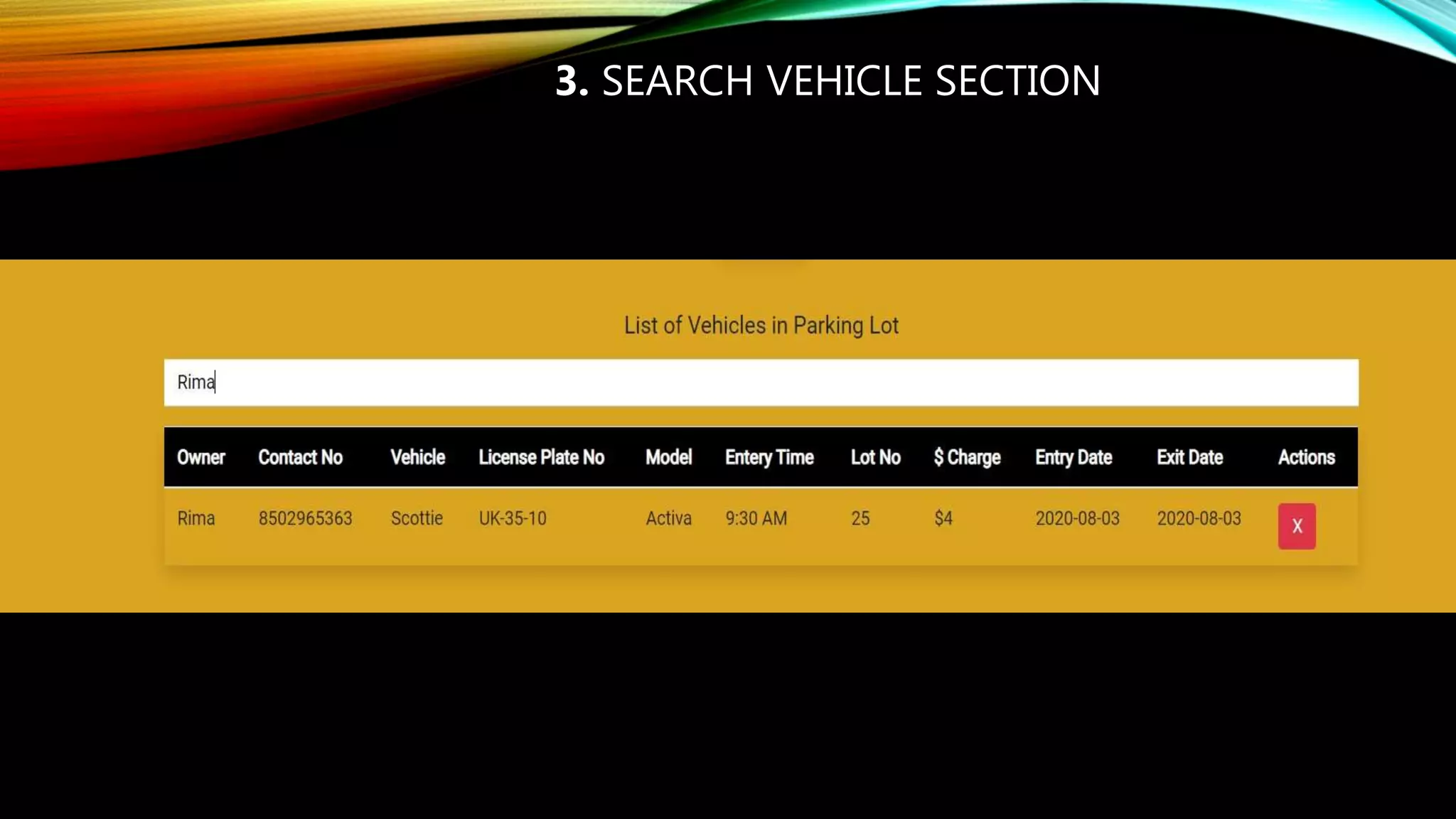
3. SEARCH VEHICLE SECTION
SECURITY
MANAGEMENT
And our vehicle has been parked as a secure condition.
There is no risk for vehicle owner for parking the car.
In case of any damages and problem of vehicle that will claim by
parking
Secure management.
ADVANTAGE
Easy to manage and cost-effective.
Because of that there is no towing problems.
No human employee is required.
DISADVANTAGE
 Vehicles stand doesn’t specified current location in the parking
fields
APPLICATION
Enterprises and institutions
Market place
Collages /school
Plaza
Hospital
Factory
Bank
FUTURE SCOPE OF THE PROJECT
• In the modern age. Many people have vehicles. Vehicle is now a basic
need. Every place is under the process of urbanization. There are many
corporate offices and shopping centers etc. There are many recreational
places where people used to go for refreshment. So, all these places need
a parking space where people can park their vehicles safely and easily.
Every parking area needs a system that records the detail of vehicles to
give the facility. These systems might be computerized or non-
computerized. With the help of computerized system we can deliver a
good service to customer who
• wants to park their vehicle into the any organization's premises.
CONCLUSION
 Getting the land in metropolitan cities and other higher order cities for Parking
space is proving infeasible. The solution for the parking requirements is the
multi- level car parking system to maximize car parking capacity by utilizing
vertical space, rather than expanding horizontally.
 Use this project for industrial purposes in a wide range
Low cost
The accuracy of this project may be improved by adding some features.
REFERENCE
Slideshare. Net
Google.com
Vehicles Parking Management System project presentation 2020

Vehicles Parking Management System project presentation 2020

  • 1.
    VEHICLES PARKING MANAGEMENT SYSTEM ByVikram Singh Final year Project presentation 2019-20 A. N.A COLLEGE OF ENGINEERING AND MANAGEMENT STUDIES, BAREILLY
  • 2.
    INTRODUCTION WHAT’S PARKING MANAGEMENTSYSTEM • It help people find parking spots quickly. • It provides facilities to keep the records of Market , Agency, Hospital and Collage etc with all their required details handling. • Parking management system for managing the records of the incoming and outgoing • vehicles in an parking house • . It will determine the cost of per vehicle according to their time consumption. • It fixes parking related complications
  • 3.
    OBJECTIVE • In otherwords we can say that our project has the following objectives:- • Maintain records in short time of period. • Enhances the visitor's experience. • Easy operations for operator of the system • Centralized database management • Reduce time consumption • No paper work requirement.
  • 4.
    TOOLS/PLATFORM This project isdeveloped using the tools, which are most suited for development of the Application Package. These tools are as follows: - Visual Studio code / Sublime text IDE (For front end) Note: It is ide use for developed the project and in this ide doing the coding by programmer
  • 5.
    2. Local serverlike as: Chrome Browser/Explore Note : It is a local server use for run the code and show the output
  • 6.
    TECHNOLOGY • Front End: 1.Html Programming Language 2.Bootstrap framework <!DOCTYPE html> <html lang="en"> <head> <meta charset="UTF-8"> <meta name="viewport" content="width=device-width, initial-scale=1.0"> <meta http-equiv="X-UA-Compatible" content="ie=edge"> <link href="https://fonts.googleapis.com/css?family=Roboto&display=swap" rel="styl esheet"> <link href="https://fonts.googleapis.com/css2?family=Alfa+Slab+One&family=Cinzel:w ght@400;700&family=Volkhov:wght@400;700&display=swap" rel="stylesheet"> <link rel="stylesheet" href="./CSS/bootstrap.min.css"> <link rel="stylesheet" href="./CSS/style.css"> <title>Vehicles Parking</title> </head>
  • 7.
    <body style="background-color:#DAA520;"> <!--// headersection --> <header class="shadow"> <div class="header-content d-flex justify-content-center p-2"> <img src="./Images/parking.svg" alt="" id="header-logo"> <div id="header-msg" class="ml-5 align-self- center">Vehicles Parking Management System </div> <img src="./Images/lot.jpg" alt="" id="header-logo1"> </div> </header> <!--// form section --> <div class="form-container mt-5"> <form class="w-50 mx-auto" id="entryForm"> <h5 class="text-center">Add Vehicles to Parking Lot</h5> <div class="form-group"> <label for="owner">Owner :</label> <input type="text" class="form-control rounded-0 shadow- sm" id="owner" placeholder="Owner"> </div>
  • 8.
    3.CSS Programming Language *{ font-family:'Roboto', sans-serif; padding:0; margin:0; border:0 } header{ background-color: rgb(0, 0, 0); } #header-logo{ width:64px; height:64px; } #header-msg{ font-size: 25px; color: white; font-family: 'Alfa Slab One', cursive; font-family: 'Cinzel', serif; font-family: 'Volkhov', serif; }
  • 9.
    #header-logo1{ width: 210px; margin-left: 20px; } #btnOne{ background-color:rgb(0,0, 0); color:white; } #btnOne:focus,#btnOne:hover{ box-shadow: none; outline:none; background-color: rgb(224, 44, 74); color: black; } #tableHead{ background-color:rgb(0, 0, 0); }
  • 10.
    Back End : 1.JavaScriptProgramming Language //Entry Class: Represent each entry in the parking lot class Entry{ constructor(owner,contact,vehicle,licensePlate,model,entryTime,lot, charge,entryDate, exitDate){ this.owner = owner; this.contact = contact; this.vehicle = vehicle; this.licensePlate = licensePlate; this.model = model; this.entryTime = entryTime; this.lot = lot; this.charge = charge; this.entryDate = entryDate; this.exitDate = exitDate; } }
  • 11.
    //UI Class: HandleUser Interface Tasks class UI{ static displayEntries(){ const entries = Store.getEntries(); entries.forEach((entry) => UI.addEntryToTable(entry)); } static addEntryToTable(entry){ const tableBody=document.querySelector('#tableBody'); const row = document.createElement('tr'); row.innerHTML = ` <td>${entry.owner}</td> <td>${entry.contact}</td> <td>${entry.vehicle}</td> <td>${entry.licensePlate}</td> <td>${entry.model}</td> <td>${entry.entryTime}</td> <td>${entry.lot}</td> <td>${entry.charge}</td> <td>${entry.entryDate}</td> <td>${entry.exitDate}</td> <td><button class="btn btn- danger delete">X</button></td>;
  • 12.
  • 13.
    MODULES USED INTHE PROJECT 1. ADD RECORD VEHICLES SECTION
  • 14.
  • 15.
  • 16.
    SECURITY MANAGEMENT And our vehiclehas been parked as a secure condition. There is no risk for vehicle owner for parking the car. In case of any damages and problem of vehicle that will claim by parking Secure management.
  • 17.
    ADVANTAGE Easy to manageand cost-effective. Because of that there is no towing problems. No human employee is required.
  • 18.
    DISADVANTAGE  Vehicles standdoesn’t specified current location in the parking fields
  • 19.
    APPLICATION Enterprises and institutions Marketplace Collages /school Plaza Hospital Factory Bank
  • 20.
    FUTURE SCOPE OFTHE PROJECT • In the modern age. Many people have vehicles. Vehicle is now a basic need. Every place is under the process of urbanization. There are many corporate offices and shopping centers etc. There are many recreational places where people used to go for refreshment. So, all these places need a parking space where people can park their vehicles safely and easily. Every parking area needs a system that records the detail of vehicles to give the facility. These systems might be computerized or non- computerized. With the help of computerized system we can deliver a good service to customer who • wants to park their vehicle into the any organization's premises.
  • 21.
    CONCLUSION  Getting theland in metropolitan cities and other higher order cities for Parking space is proving infeasible. The solution for the parking requirements is the multi- level car parking system to maximize car parking capacity by utilizing vertical space, rather than expanding horizontally.  Use this project for industrial purposes in a wide range Low cost The accuracy of this project may be improved by adding some features.
  • 22.