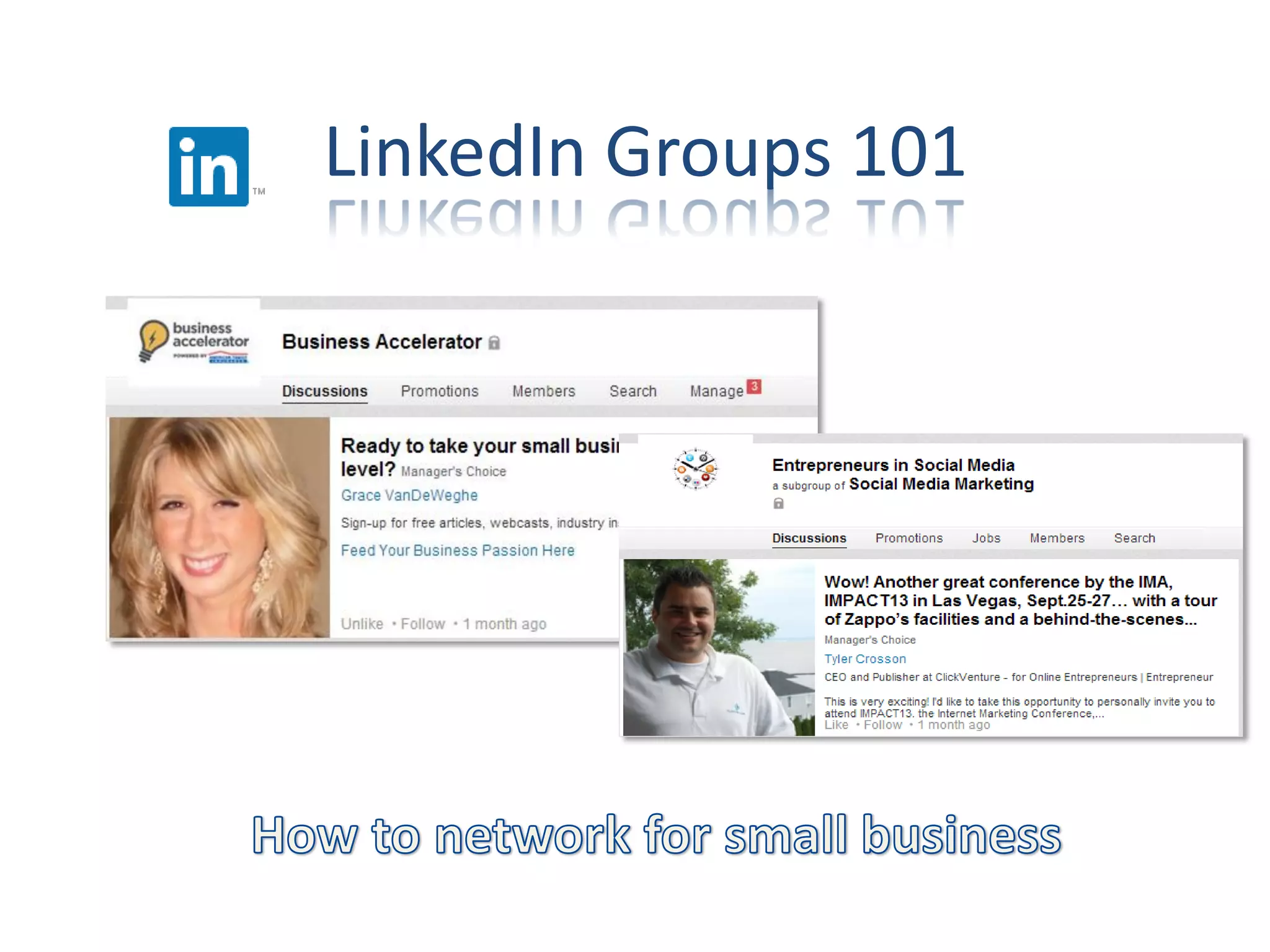
LinkedIn Groups 101
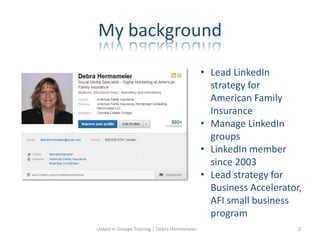
My background
• Lead LinkedIn
strategy for
American Family
Insurance
• Manage LinkedIn
groups
• LinkedIn member
since 2003
• Lead strategy for
Business Accelerator,
AFI small business
program
Linked in Groups Training | Debra Hermsmeier 2
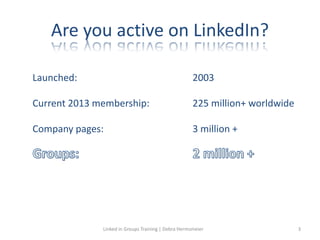
Are you active on LinkedIn?
Launched: 2003
Current 2013 membership: 225 million+ worldwide
Company pages: 3 million +
Linked in Groups Training | Debra Hermsmeier 3
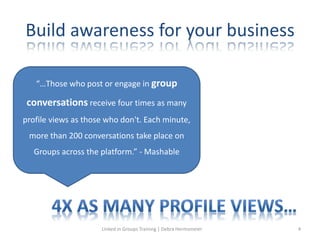
Build awareness for your business
“…Those who post or engage in group
conversations receive four times as many
profile views as those who don't. Each minute,
more than 200 conversations take place on
Groups across the platform.” - Mashable
Linked in Groups Training | Debra Hermsmeier 4
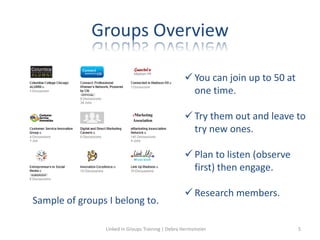
Groups Overview
 You can join up to 50 at
one time.
 Try them out and leave to
try new ones.
 Plan to listen (observe
first) then engage.
 Research members.
Sample of groups I belong to.
Linked in Groups Training | Debra Hermsmeier 5
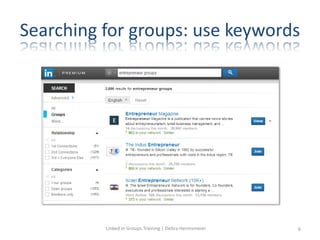
Searching for groups: use keywords
Linked in Groups Training | Debra Hermsmeier 6
Join groups for your business
• Chambers
• Trade associations
• Small business owners
• Your college
• Interests
• LinkedIn local groups
Linked in Groups Training | Debra Hermsmeier 7
Don’t try to meet everyone
• Make a list
• Be strategic
• Have courage
• How will this help your small business?
• Plan to connect with 2-3 people
Linked in Groups Training | Debra Hermsmeier 8
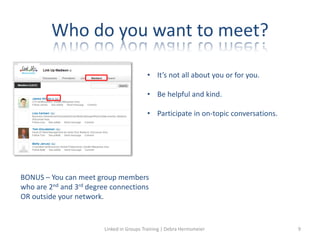
Who do you want to meet?
BONUS – You can meet group members
who are 2nd and 3rd degree connections
OR outside your network.
• It’s not all about you or for you.
• Be helpful and kind.
• Participate in on-topic conversations.
Linked in Groups Training | Debra Hermsmeier 9
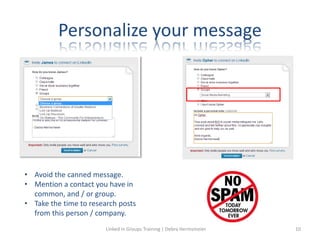
Personalize your message
• Avoid the canned message.
• Mention a contact you have in
common, and / or group.
• Take the time to research posts
from this person / company.
Linked in Groups Training | Debra Hermsmeier 10
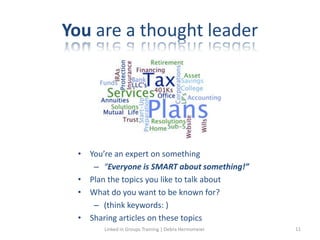
You are a thought leader
• You’re an expert on something
– “Everyone is SMART about something!”
• Plan the topics you like to talk about
• What do you want to be known for?
– (think keywords: )
• Sharing articles on these topics
Linked in Groups Training | Debra Hermsmeier 11
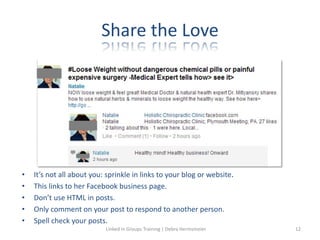
Share the Love
• It’s not all about you: sprinkle in links to your blog or website.
• This links to her Facebook business page.
• Don’t use HTML in posts.
• Only comment on your post to respond to another person.
• Spell check your posts.
Linked in Groups Training | Debra Hermsmeier 12
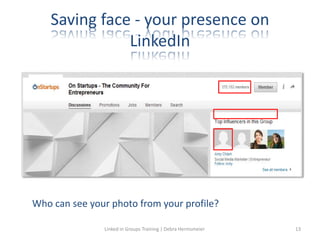
Saving face - your presence on
LinkedIn
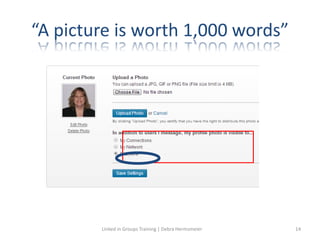
Who can see your photo from your profile?
Linked in Groups Training | Debra Hermsmeier 13
“A picture is worth 1,000 words”
Linked in Groups Training | Debra Hermsmeier 14
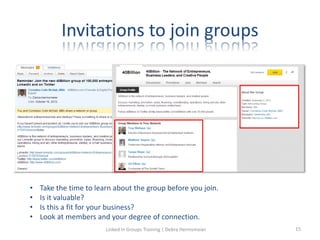
Invitations to join groups
• Take the time to learn about the group before you join.
• Is it valuable?
• Is this a fit for your business?
• Look at members and your degree of connection.
Linked in Groups Training | Debra Hermsmeier 15
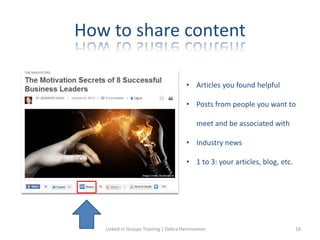
How to share content
• Articles you found helpful
• Posts from people you want to
meet and be associated with
• Industry news
• 1 to 3: your articles, blog, etc.
Linked in Groups Training | Debra Hermsmeier 16
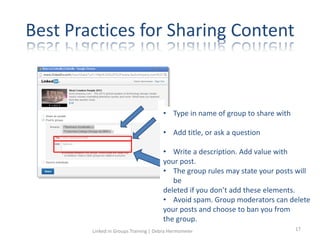
Best Practices for Sharing Content
• Type in name of group to share with
• Add title, or ask a question
• Write a description. Add value with
your post.
• The group rules may state your posts will
be
deleted if you don’t add these elements.
• Avoid spam. Group moderators can delete
your posts and choose to ban you from
the group.
Linked in Groups Training | Debra Hermsmeier 17
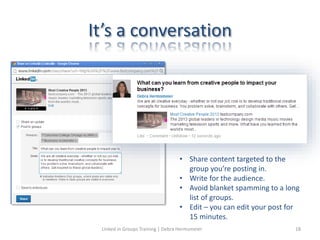
It’s a conversation
• Share content targeted to the
group you’re posting in.
• Write for the audience.
• Avoid blanket spamming to a long
list of groups.
• Edit – you can edit your post for
15 minutes.
Linked in Groups Training | Debra Hermsmeier 18
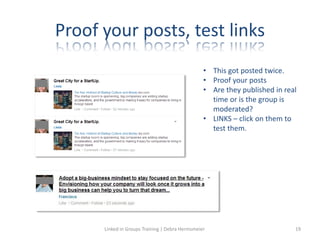
Proof your posts, test links
• This got posted twice.
• Proof your posts
• Are they published in real
time or is the group is
moderated?
• LINKS – click on them to
test them.
Linked in Groups Training | Debra Hermsmeier 19
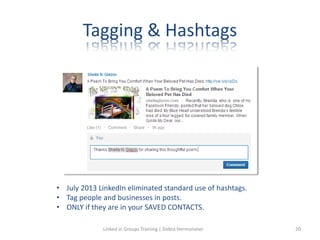
Tagging & Hashtags
• July 2013 LinkedIn eliminated standard use of hashtags.
• Tag people and businesses in posts.
• ONLY if they are in your SAVED CONTACTS.
Linked in Groups Training | Debra Hermsmeier 20
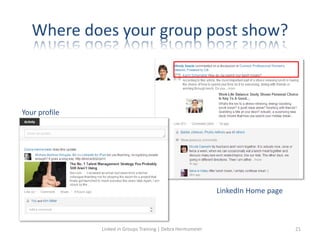
Where does your group post show?
Your profile
LinkedIn Home page
Linked in Groups Training | Debra Hermsmeier 21
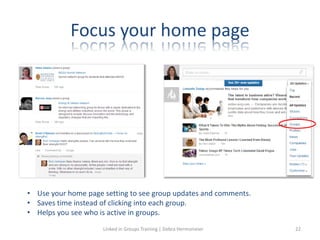
Focus your home page
• Use your home page setting to see group updates and comments.
• Saves time instead of clicking into each group.
• Helps you see who is active in groups.
Linked in Groups Training | Debra Hermsmeier 22
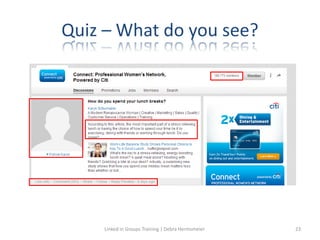
Quiz – What do you see?
Linked in Groups Training | Debra Hermsmeier 23
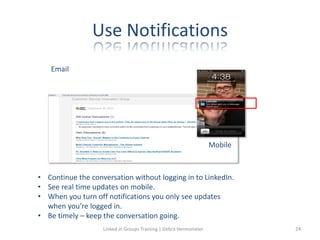
Use Notifications
Mobile
Email
• Continue the conversation without logging in to LinkedIn.
• See real time updates on mobile.
• When you turn off notifications you only see updates
when you’re logged in.
• Be timely – keep the conversation going.
Linked in Groups Training | Debra Hermsmeier 24
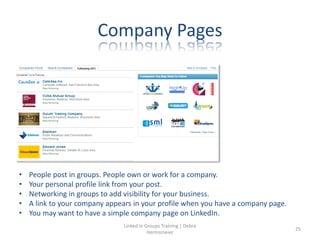
Company Pages
• People post in groups. People own or work for a company.
• Your personal profile link from your post.
• Networking in groups to add visibility for your business.
• A link to your company appears in your profile when you have a company page.
• You may want to have a simple company page on LinkedIn.
Linked in Groups Training | Debra
Hermsmeier
25
Getting Started with LinkedIn groups
 My profile photo visible to everyone
(settings)
 Research groups by keyword
 Plan thought leadership (keywords, topics)
 Write titles and descriptions for posts
 Don’t spam groups message or InMail
 Research group members
 Plan personalized messages
 Simple company page setup
Linked in Groups Training | Debra Hermsmeier 26
Appendix
Linked in Groups Training | Debra Hermsmeier 27
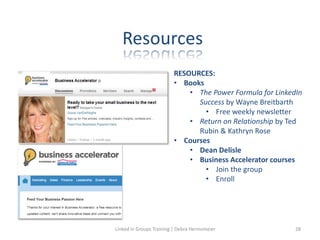
Resources
RESOURCES:
• Books
• The Power Formula for LinkedIn
Success by Wayne Breitbarth
• Free weekly newsletter
• Return on Relationship by Ted
Rubin & Kathryn Rose
• Courses
• Dean Delisle
• Business Accelerator courses
• Join the group
• Enroll
Linked in Groups Training | Debra Hermsmeier 28
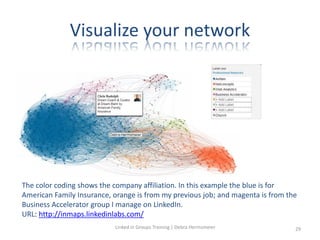
Visualize your network
The color coding shows the company affiliation. In this example the blue is for
American Family Insurance, orange is from my previous job; and magenta is from the
Business Accelerator group I manage on LinkedIn.
URL: http://inmaps.linkedinlabs.com/
Linked in Groups Training | Debra Hermsmeier 29
Types of Connections
1st-degree - People you're directly connected to because you have accepted
their invitation to connect, or they have accepted your invitation.
2nd-degree - People who are connected to your 1st-degree connections.
3rd-degree - People who are connected to your 2nd-degree connections. You'll
see a 3rd degree icon next to their name in search results and on their profile.
If their full first and last names are displayed, you will be able to send them an
invitation by clicking.
Fellow members of your LinkedIn Groups - These people are considered part of
your network because you're members of the same group.
Linked in Groups Training | Debra Hermsmeier 30
Let’s Connect
• Connect with me (mention this session)
• Follow our company page LinkedIn.com/
• Join the Business Accelerator group:
linkedin.com/groups?gid=1943664&trk
• Enroll in Business Accelerator for more LinkedIn tips:
www.amfambusinessaccelerator.com
debrahermsmeier@gmail.com
Linked in Groups Training | Debra Hermsmeier 31
Q & A
Linked in Groups Training | Debra Hermsmeier 32

V3_LinkedIn Groups 101

  • 1.
  • 2.
    My background • LeadLinkedIn strategy for American Family Insurance • Manage LinkedIn groups • LinkedIn member since 2003 • Lead strategy for Business Accelerator, AFI small business program Linked in Groups Training | Debra Hermsmeier 2
  • 3.
    Are you activeon LinkedIn? Launched: 2003 Current 2013 membership: 225 million+ worldwide Company pages: 3 million + Linked in Groups Training | Debra Hermsmeier 3
  • 4.
    Build awareness foryour business “…Those who post or engage in group conversations receive four times as many profile views as those who don't. Each minute, more than 200 conversations take place on Groups across the platform.” - Mashable Linked in Groups Training | Debra Hermsmeier 4
  • 5.
    Groups Overview  Youcan join up to 50 at one time.  Try them out and leave to try new ones.  Plan to listen (observe first) then engage.  Research members. Sample of groups I belong to. Linked in Groups Training | Debra Hermsmeier 5
  • 6.
    Searching for groups:use keywords Linked in Groups Training | Debra Hermsmeier 6
  • 7.
    Join groups foryour business • Chambers • Trade associations • Small business owners • Your college • Interests • LinkedIn local groups Linked in Groups Training | Debra Hermsmeier 7
  • 8.
    Don’t try tomeet everyone • Make a list • Be strategic • Have courage • How will this help your small business? • Plan to connect with 2-3 people Linked in Groups Training | Debra Hermsmeier 8
  • 9.
    Who do youwant to meet? BONUS – You can meet group members who are 2nd and 3rd degree connections OR outside your network. • It’s not all about you or for you. • Be helpful and kind. • Participate in on-topic conversations. Linked in Groups Training | Debra Hermsmeier 9
  • 10.
    Personalize your message •Avoid the canned message. • Mention a contact you have in common, and / or group. • Take the time to research posts from this person / company. Linked in Groups Training | Debra Hermsmeier 10
  • 11.
    You are athought leader • You’re an expert on something – “Everyone is SMART about something!” • Plan the topics you like to talk about • What do you want to be known for? – (think keywords: ) • Sharing articles on these topics Linked in Groups Training | Debra Hermsmeier 11
  • 12.
    Share the Love •It’s not all about you: sprinkle in links to your blog or website. • This links to her Facebook business page. • Don’t use HTML in posts. • Only comment on your post to respond to another person. • Spell check your posts. Linked in Groups Training | Debra Hermsmeier 12
  • 13.
    Saving face -your presence on LinkedIn Who can see your photo from your profile? Linked in Groups Training | Debra Hermsmeier 13
  • 14.
    “A picture isworth 1,000 words” Linked in Groups Training | Debra Hermsmeier 14
  • 15.
    Invitations to joingroups • Take the time to learn about the group before you join. • Is it valuable? • Is this a fit for your business? • Look at members and your degree of connection. Linked in Groups Training | Debra Hermsmeier 15
  • 16.
    How to sharecontent • Articles you found helpful • Posts from people you want to meet and be associated with • Industry news • 1 to 3: your articles, blog, etc. Linked in Groups Training | Debra Hermsmeier 16
  • 17.
    Best Practices forSharing Content • Type in name of group to share with • Add title, or ask a question • Write a description. Add value with your post. • The group rules may state your posts will be deleted if you don’t add these elements. • Avoid spam. Group moderators can delete your posts and choose to ban you from the group. Linked in Groups Training | Debra Hermsmeier 17
  • 18.
    It’s a conversation •Share content targeted to the group you’re posting in. • Write for the audience. • Avoid blanket spamming to a long list of groups. • Edit – you can edit your post for 15 minutes. Linked in Groups Training | Debra Hermsmeier 18
  • 19.
    Proof your posts,test links • This got posted twice. • Proof your posts • Are they published in real time or is the group is moderated? • LINKS – click on them to test them. Linked in Groups Training | Debra Hermsmeier 19
  • 20.
    Tagging & Hashtags •July 2013 LinkedIn eliminated standard use of hashtags. • Tag people and businesses in posts. • ONLY if they are in your SAVED CONTACTS. Linked in Groups Training | Debra Hermsmeier 20
  • 21.
    Where does yourgroup post show? Your profile LinkedIn Home page Linked in Groups Training | Debra Hermsmeier 21
  • 22.
    Focus your homepage • Use your home page setting to see group updates and comments. • Saves time instead of clicking into each group. • Helps you see who is active in groups. Linked in Groups Training | Debra Hermsmeier 22
  • 23.
    Quiz – Whatdo you see? Linked in Groups Training | Debra Hermsmeier 23
  • 24.
    Use Notifications Mobile Email • Continuethe conversation without logging in to LinkedIn. • See real time updates on mobile. • When you turn off notifications you only see updates when you’re logged in. • Be timely – keep the conversation going. Linked in Groups Training | Debra Hermsmeier 24
  • 25.
    Company Pages • Peoplepost in groups. People own or work for a company. • Your personal profile link from your post. • Networking in groups to add visibility for your business. • A link to your company appears in your profile when you have a company page. • You may want to have a simple company page on LinkedIn. Linked in Groups Training | Debra Hermsmeier 25
  • 26.
    Getting Started withLinkedIn groups  My profile photo visible to everyone (settings)  Research groups by keyword  Plan thought leadership (keywords, topics)  Write titles and descriptions for posts  Don’t spam groups message or InMail  Research group members  Plan personalized messages  Simple company page setup Linked in Groups Training | Debra Hermsmeier 26
  • 27.
    Appendix Linked in GroupsTraining | Debra Hermsmeier 27
  • 28.
    Resources RESOURCES: • Books • ThePower Formula for LinkedIn Success by Wayne Breitbarth • Free weekly newsletter • Return on Relationship by Ted Rubin & Kathryn Rose • Courses • Dean Delisle • Business Accelerator courses • Join the group • Enroll Linked in Groups Training | Debra Hermsmeier 28
  • 29.
    Visualize your network Thecolor coding shows the company affiliation. In this example the blue is for American Family Insurance, orange is from my previous job; and magenta is from the Business Accelerator group I manage on LinkedIn. URL: http://inmaps.linkedinlabs.com/ Linked in Groups Training | Debra Hermsmeier 29
  • 30.
    Types of Connections 1st-degree- People you're directly connected to because you have accepted their invitation to connect, or they have accepted your invitation. 2nd-degree - People who are connected to your 1st-degree connections. 3rd-degree - People who are connected to your 2nd-degree connections. You'll see a 3rd degree icon next to their name in search results and on their profile. If their full first and last names are displayed, you will be able to send them an invitation by clicking. Fellow members of your LinkedIn Groups - These people are considered part of your network because you're members of the same group. Linked in Groups Training | Debra Hermsmeier 30
  • 31.
    Let’s Connect • Connectwith me (mention this session) • Follow our company page LinkedIn.com/ • Join the Business Accelerator group: linkedin.com/groups?gid=1943664&trk • Enroll in Business Accelerator for more LinkedIn tips: www.amfambusinessaccelerator.com debrahermsmeier@gmail.com Linked in Groups Training | Debra Hermsmeier 31
  • 32.
    Q & A Linkedin Groups Training | Debra Hermsmeier 32