LinkedIn Answers

Hilary Schneider, Business Development
Manager
Brown Wright Stein
Overview
–   LinkedIn Answers
–   The introduction function
–   Who's viewed my profile
–   Groups – the benefits of joining
–   LinkedIn Etiquette
–   How to manage your network in only 5
    minutes a day
Last time we covered:
          Good Profiles include
• A good headline
• A good summary, directs the reader to your full
  Profile and highlights the main messages you
  want to tell people about what you do and how
  you can help them
• Detailed, current, and describes your unique
  experience that's not retrospective (like a CV is)
  containing keywords so you come up in
  searches
• A minimum of 50-70 qualified connections
LinkedIn Answers
• In LinkedIn go to More
  tab>Answers
• Answers function enables
  you to demonstrate your
  expertise, by answering
  peoples questions
• Useful if you're looking to
  gain national exposure as
  an expert on a certain
  topic
LinkedIn Answers
From the Answers page you can browse
  topics related to your industry or expertise
• listed on the right hand side of the page
  under browse
• you can also search by keyword to find
  relevant questions
The Introduction Function
• Can help you to get introduced to a
  second or third-level connection.
What to do
• If you know the name of the person you
  want to meet, click "Get introduction"
  from the search screen:
• Or if you are viewing the person's profile,
  click "Get introduced through a
  connection".
The Introduction Function
• When you push the Send button, those 2
  messages go to your trusted connection
  and this is where the power of LinkedIn
  comes into play.
• Your connection get to write something
  nice about you and to reaffirm that you're a
  good person to work with. When he
  pushes "Send", that information goes to
  the person you want to meet.
Benefits of the Introduction function
• Can be a more respectful and potentially more
  effective way to ask for an introduction than
  using the phone for the following reasons:
• Your connection can review your message when
  they have sufficient time
• You don't have to tie them down and ask for an
  introduction while they're busy trying to get work
  done.
• They can write a detailed recommendation to
  pass along to their friend and if they do, the
  connection is much more likely to happen.
Who’s viewed my profile?
• Found in the right hand column of the
  LinkedIn homepage
• Information on the viewer is limited, but
  you can sometimes guess by the type of
  company, industry and company name
  who is viewing your profile
• Can also help you to measure whether
  you're increasing your activity and
  presence on LinkedIn
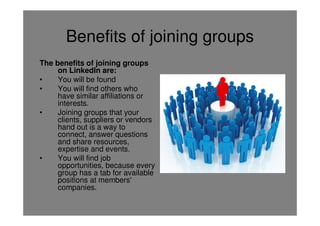
Benefits of joining groups
The benefits of joining groups
     on LinkedIn are:
•    You will be found
•    You will find others who
     have similar affiliations or
     interests.
•    Joining groups that your
     clients, suppliers or vendors
     hand out is a way to
     connect, answer questions
     and share resources,
     expertise and events.
•    You will find job
     opportunities, because every
     group has a tab for available
     positions at members'
     companies.
Benefits of joining groups cont’d
•   You can become a credible expert by
    answering questions and posting articles of
    interest for the entire group to see.
•   People in groups talk about events they're
    involved in, and this may help you to find
    activities of interest to you.
•   You can promote an event you are hosting to a
    group of people who have the same interests.
•   You can search within groups and
    communicate with members to whom you are
    not officially connected.
Turning off email notifications for
               groups
• NB you'll want to turn off the email
  notification for discussions taking place in
  some of the larger groups. If you're
  emailed each time there's a comment to a
  discussion it becomes very irritating.
• To turn off email notifications change the
  Settings in the groups Settings section.
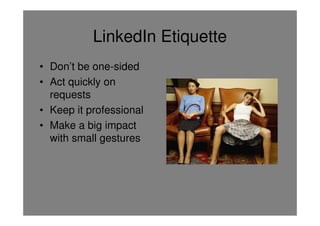
LinkedIn Etiquette
• Don’t be one-sided
• Act quickly on
  requests
• Keep it professional
• Make a big impact
  with small gestures
How to manage your network in 5
 minutes a day Source: Robert Half: Business
        Etiquette: The new rules in a digital age

• Be the first to have a point of view. Share a
  relevant news article and add value by including
  an observation that may not be so obvious to
  others.
• Let them know they've been heard. Listen to
  what your network has to say, so you can make
  informed suggestions or relevant introductions.
• Establish yourself as the go-to person.
How to manage your network in 5
         minutes a day
• Try to add at least one new person to your
  network a week. Growing networks are far
  more effective than stagnant ones
Summary
• LinkedIn Answers enables you to
  demonstrate your expertise
• The Introduction function can help you to
  meet second or third-level connections
• The benefits of the Introduction function
  are that it can be a more respectful and
  potentially more effective way to ask for an
  introduction than using the phone for the
  following reasons:
Summary cont’d
• You can see who’s viewed your profile
• Joining groups is a great way to interact
  with people in your specialty or industry
• Remember social media has etiquette too
• Online networking doesn’t have to be time
  consuming, if you use simple practices
  that only require a few minutes each day
Actions
• Upload your Profile,
  summary and specialities
• Add your photo
• Connect with people you
  know
• Join groups
• Answer people’s
  questions
• Aim for at least 50-70
  qualified connections
Hilary Schneider
Business Development Manager
Brown Wright Stein

T    02 9394 1067F 02 9394 1011
E    has@bwslawyers.com.au
W    www.bwslawyers.com.au

Linked in answers presentation (00380960)

  • 1.
    LinkedIn Answers Hilary Schneider,Business Development Manager Brown Wright Stein
  • 2.
    Overview – LinkedIn Answers – The introduction function – Who's viewed my profile – Groups – the benefits of joining – LinkedIn Etiquette – How to manage your network in only 5 minutes a day
  • 3.
    Last time wecovered: Good Profiles include • A good headline • A good summary, directs the reader to your full Profile and highlights the main messages you want to tell people about what you do and how you can help them • Detailed, current, and describes your unique experience that's not retrospective (like a CV is) containing keywords so you come up in searches • A minimum of 50-70 qualified connections
  • 4.
    LinkedIn Answers • InLinkedIn go to More tab>Answers • Answers function enables you to demonstrate your expertise, by answering peoples questions • Useful if you're looking to gain national exposure as an expert on a certain topic
  • 5.
    LinkedIn Answers From theAnswers page you can browse topics related to your industry or expertise • listed on the right hand side of the page under browse • you can also search by keyword to find relevant questions
  • 6.
    The Introduction Function •Can help you to get introduced to a second or third-level connection. What to do • If you know the name of the person you want to meet, click "Get introduction" from the search screen: • Or if you are viewing the person's profile, click "Get introduced through a connection".
  • 7.
    The Introduction Function •When you push the Send button, those 2 messages go to your trusted connection and this is where the power of LinkedIn comes into play. • Your connection get to write something nice about you and to reaffirm that you're a good person to work with. When he pushes "Send", that information goes to the person you want to meet.
  • 8.
    Benefits of theIntroduction function • Can be a more respectful and potentially more effective way to ask for an introduction than using the phone for the following reasons: • Your connection can review your message when they have sufficient time • You don't have to tie them down and ask for an introduction while they're busy trying to get work done. • They can write a detailed recommendation to pass along to their friend and if they do, the connection is much more likely to happen.
  • 9.
    Who’s viewed myprofile? • Found in the right hand column of the LinkedIn homepage • Information on the viewer is limited, but you can sometimes guess by the type of company, industry and company name who is viewing your profile • Can also help you to measure whether you're increasing your activity and presence on LinkedIn
  • 10.
    Benefits of joininggroups The benefits of joining groups on LinkedIn are: • You will be found • You will find others who have similar affiliations or interests. • Joining groups that your clients, suppliers or vendors hand out is a way to connect, answer questions and share resources, expertise and events. • You will find job opportunities, because every group has a tab for available positions at members' companies.
  • 11.
    Benefits of joininggroups cont’d • You can become a credible expert by answering questions and posting articles of interest for the entire group to see. • People in groups talk about events they're involved in, and this may help you to find activities of interest to you. • You can promote an event you are hosting to a group of people who have the same interests. • You can search within groups and communicate with members to whom you are not officially connected.
  • 12.
    Turning off emailnotifications for groups • NB you'll want to turn off the email notification for discussions taking place in some of the larger groups. If you're emailed each time there's a comment to a discussion it becomes very irritating. • To turn off email notifications change the Settings in the groups Settings section.
  • 13.
    LinkedIn Etiquette • Don’tbe one-sided • Act quickly on requests • Keep it professional • Make a big impact with small gestures
  • 14.
    How to manageyour network in 5 minutes a day Source: Robert Half: Business Etiquette: The new rules in a digital age • Be the first to have a point of view. Share a relevant news article and add value by including an observation that may not be so obvious to others. • Let them know they've been heard. Listen to what your network has to say, so you can make informed suggestions or relevant introductions. • Establish yourself as the go-to person.
  • 15.
    How to manageyour network in 5 minutes a day • Try to add at least one new person to your network a week. Growing networks are far more effective than stagnant ones
  • 16.
    Summary • LinkedIn Answersenables you to demonstrate your expertise • The Introduction function can help you to meet second or third-level connections • The benefits of the Introduction function are that it can be a more respectful and potentially more effective way to ask for an introduction than using the phone for the following reasons:
  • 17.
    Summary cont’d • Youcan see who’s viewed your profile • Joining groups is a great way to interact with people in your specialty or industry • Remember social media has etiquette too • Online networking doesn’t have to be time consuming, if you use simple practices that only require a few minutes each day
  • 18.
    Actions • Upload yourProfile, summary and specialities • Add your photo • Connect with people you know • Join groups • Answer people’s questions • Aim for at least 50-70 qualified connections
  • 19.
    Hilary Schneider Business DevelopmentManager Brown Wright Stein T 02 9394 1067F 02 9394 1011 E has@bwslawyers.com.au W www.bwslawyers.com.au