UXD
BOOTCAMP
JACKLYN BURGAN, UX RESEARCHER + STRATEGIST
‣ Jacklyn Burgan
‣ UX Researcher + Strategist
‣ @playfulpixel // @LadiesThatUXATL
HELLO
‣ Jacklyn Burgan
‣ UX Researcher + Strategist
‣ @playfulpixel // @LadiesThatUXATL
HELLO
‣ http://bit.ly/19i4uvc
SLIDES!
‣ Introduction to user experience design + usability
‣ Introduction to user experience documentation + deliverables + software
‣ Introduction to usable web forms
WHAT WE’LL COVER TODAY
USER EXPERIENCE
DESIGN + USABILITY
UXD BOOTCAMP
‣ Describe the field of UX + how it relates to other disciplines
‣ Identify the different roles within UX + the responsibilities of each
‣ UX Process: Traditional [“Waterfall”], Agile, Lean
‣ Learn to conduct UX research
LEARNING OBJECTIVES
WHAT IS USER EXPERIENCE DESIGN [UXD]?
“User experience design (UXD or UED) is the process of enhancing user
satisfaction by improving the usability, ease of use, and pleasure provided in the
interaction between the user and the product.” — Wikipedia
“The design of anything independent of medium or across [device] with human
experience as an explicit outcome and human engagement as an explicit goal”
— Jesse James Garrett, co-founder of Adaptive Path
“User experience encompasses all aspects of the end-user's interaction with the
company, its services, and its products.” — Nielsen Norman Group
WHAT IS USABILITY?
“Usability is a quality attribute that assesses how easy user interfaces are to use.
The word "usability" also refers to methods for improving ease-of-use during the
design process.” — Nielsen Norman Group
“Usability is the ease of use and learnability of a human-made object. The object
of use can be a software application, website, book, tool, machine, process, or
anything a human interacts with.” — Wikipedia
UX BOOTCAMP
UX JOBS +
RESPONSIBILITIES
UX JOBS + RESPONSIBILITIES: BLUEPRINT
‣ UX Designer
‣ Experience Designer
‣ Interaction Designer [IxD]
‣ Information Architect [IA]
INTERACTION DESIGNER [IXD]
‣ Focus only on the interaction between the human + the computer
‣ Designing for affordances
INTERACTION DESIGNER [IXD]
‣ Focus only on the interaction between the human + the computer
‣ Designing for affordances
INTERACTION DESIGNER [IXD]
‣ Focus only on the interaction between the human + the computer
‣ Designing for affordances
INTERACTION DESIGNER [IXD]
‣ Focus only on the interaction between the human + the computer
‣ Designing for affordances
INTERACTION DESIGNER [IXD]
‣ Focus only on the interaction between the human + the computer
‣ Designing for affordances
INTERACTION DESIGNER [IXD]
‣ Focus only on the interaction between the human + the computer
‣ Designing for affordances
INTERACTION DESIGNER [IXD]
‣ Focus only on the interaction between the human + the computer
‣ Designing for affordances
INTERACTION DESIGNER [IXD]
‣ Focus only on the interaction between the human + the computer
‣ Designing for affordances
INTERACTION DESIGNER [IXD]
‣ Focus only on the interaction between the human + the computer
‣ Designing for affordances
INTERACTION DESIGNER [IXD]
‣ Focus only on the interaction between the human + the computer
‣ Designing for affordances
INTERACTION DESIGNER [IXD]
‣ Focus only on the interaction between the human + the computer
‣ Designing for affordances
INTERACTION DESIGNER [IXD]
‣ Focus only on the interaction between the human + the computer
‣ Designing for affordances
INTERACTION DESIGNER [IXD]
‣ Focus only on the interaction between the human + the computer
‣ Designing for affordances
INTERACTION DESIGNER [IXD]
‣ Focus only on the interaction between the human + the computer
‣ Designing for affordances
INTERACTION DESIGNER [IXD]
‣ Focus only on the interaction between the human + the computer
‣ Designing for affordances
INTERACTION DESIGNER [IXD]
‣ Focus only on the interaction between the human + the computer
‣ Designing for affordances
INTERACTION DESIGNER [IXD]
‣ Focus only on the interaction between the human + the computer
‣ Designing for affordances
INTERACTION DESIGNER [IXD]
‣ Focus only on the interaction between the human + the computer
‣ Designing for affordances
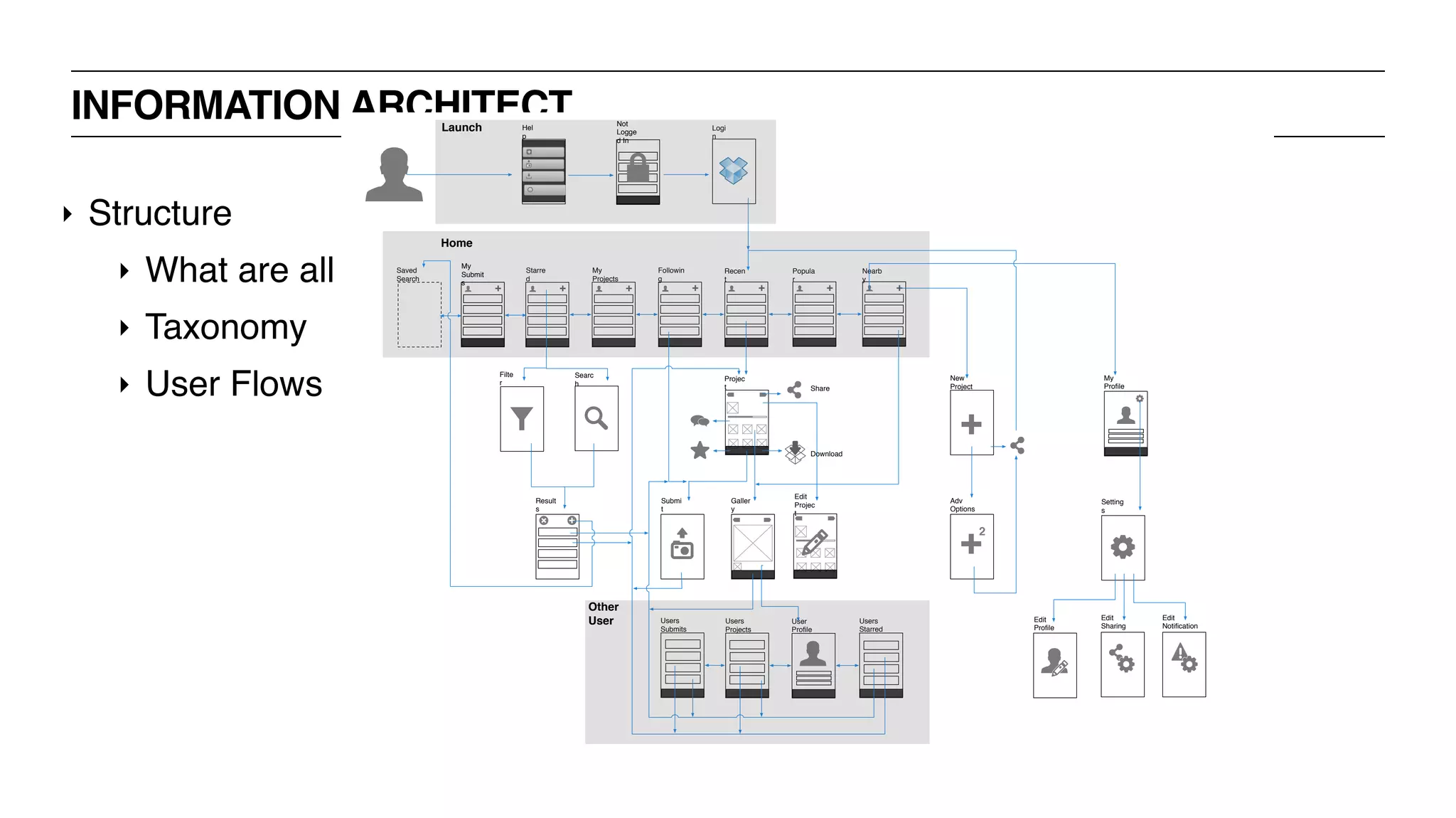
‣ Structure
‣ What are all the things a user is able to do / places a user can visit?
‣ Taxonomy
‣ User Flows
INFORMATION ARCHITECT
‣ Structure
‣ What are all the things a user is able to do / places a user can visit?
‣ Taxonomy
‣ User Flows
INFORMATION ARCHITECT
+ + + + + +
2
Saved
Search
Starre
d
Followin
g
Recen
t
Popula
r
Nearb
y
Filte
r
Searc
h
Result
s
Projec
t
Galler
y
Submi
t
New
Project
My
Profile
Setting
s
Edit
Profile
Adv
Options
Edit
Notification
Edit
Sharing
Users
Starred
User
Profile
Users
Submits
My
Projects
Share
Logi
n
Home
Launch
Users
Projects
Edit
Projec
t
Download
Other
User
Not
Logge
d In
Hel
p
+
My
Submit
s
UX JOBS + RESPONSIBILITIES: BUSINESS STRATEGY
‣ UX Strategist
‣ UX Architect
‣ UX Product Manager
‣ UX Analyst
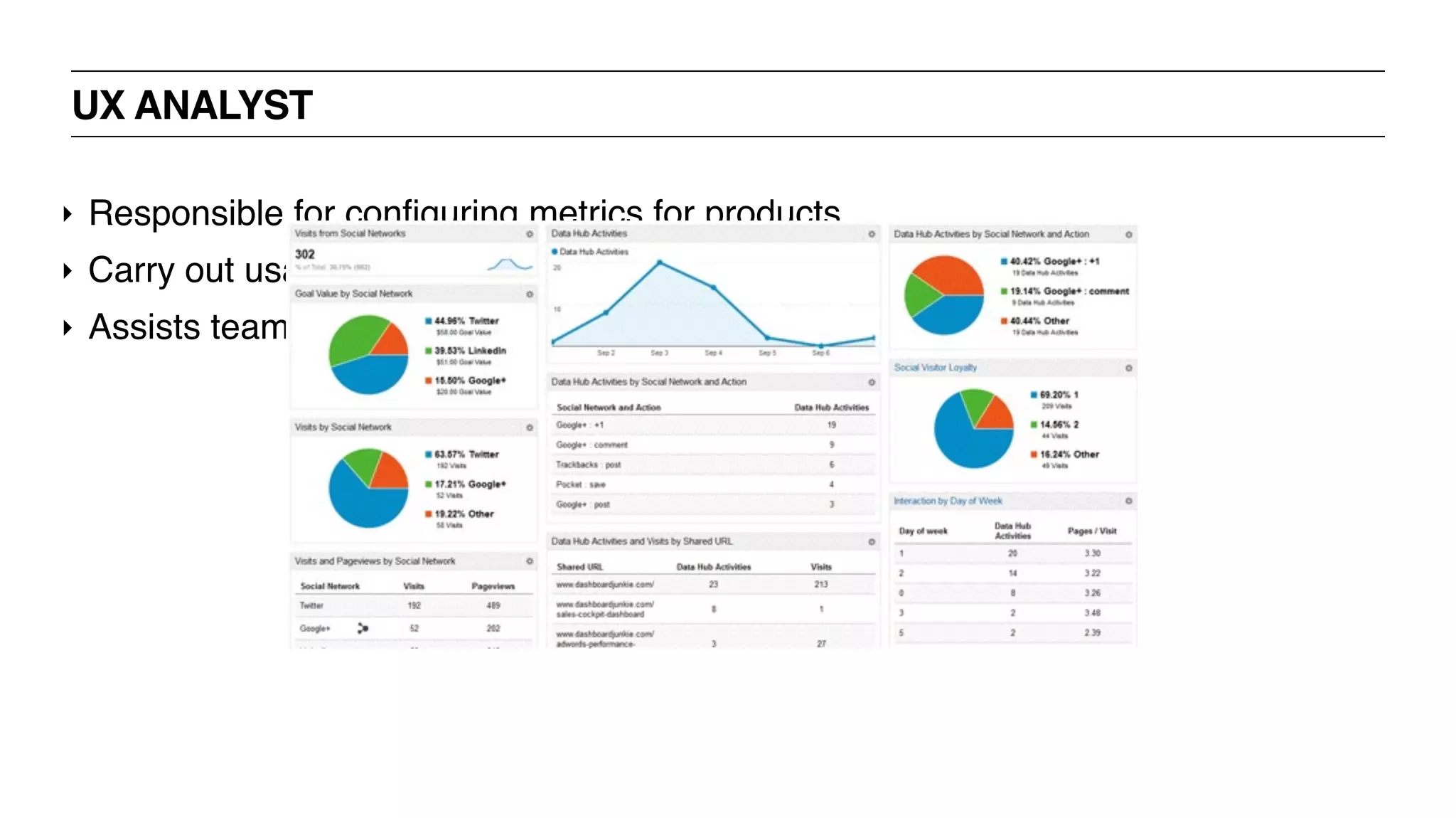
UX ANALYST
‣ Responsible for configuring metrics for products
‣ Carry out usability tests
‣ Assists teams to make data driven decisions
UX ANALYST
‣ Responsible for configuring metrics for products
‣ Carry out usability tests
‣ Assists teams to make data driven decisions
UX JOBS + RESPONSIBILITIES: VISUAL DESIGN
‣ Visual Designer
‣ UI Designer
‣ Digital Designer
‣ Designer
UX JOBS + RESPONSIBILITIES: VISUAL DESIGN
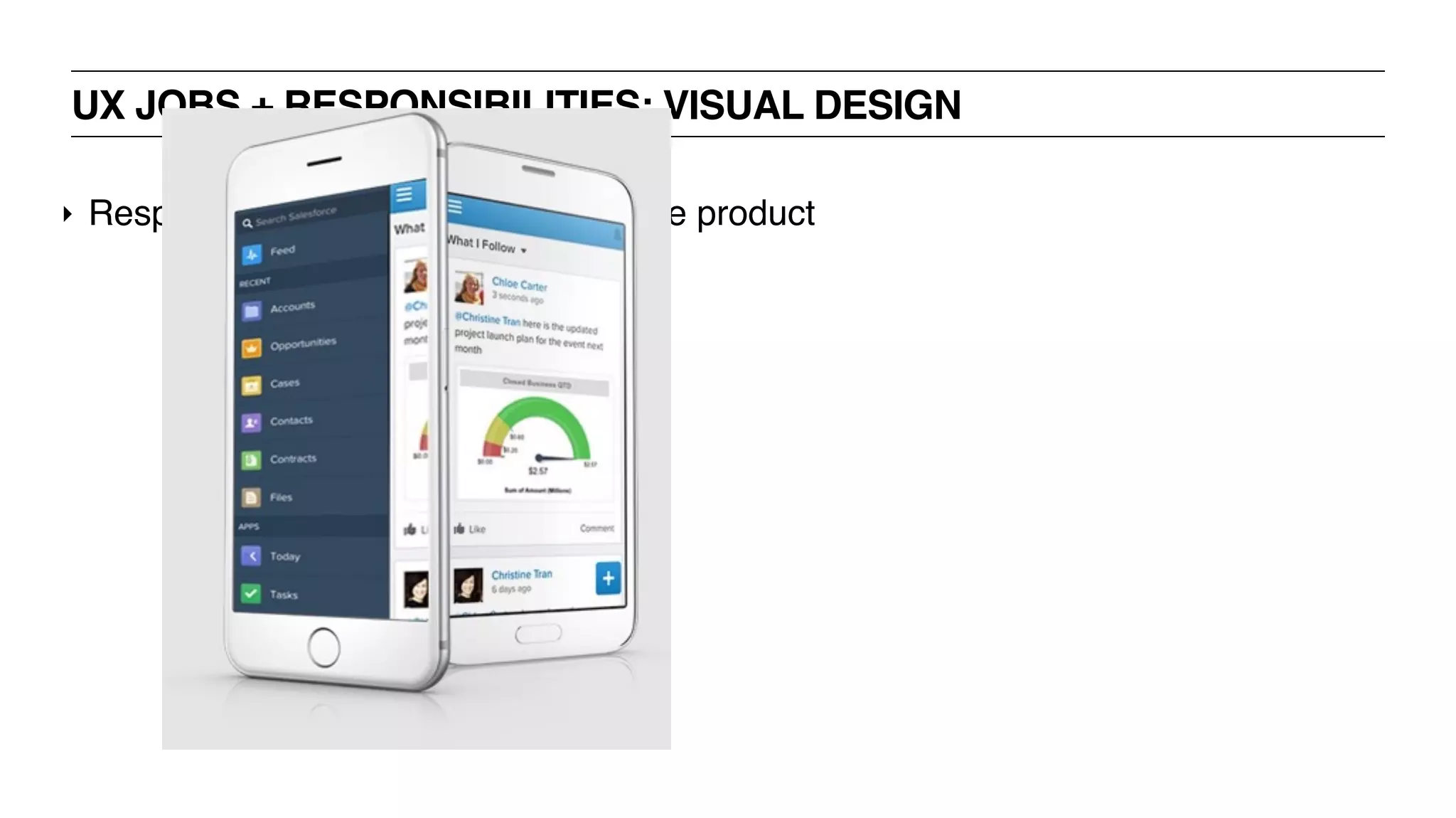
‣ Responsible for the “pretty” part of the product
UX JOBS + RESPONSIBILITIES: VISUAL DESIGN
‣ Responsible for the “pretty” part of the product
UX JOBS + RESPONSIBILITIES: VISUAL DESIGN
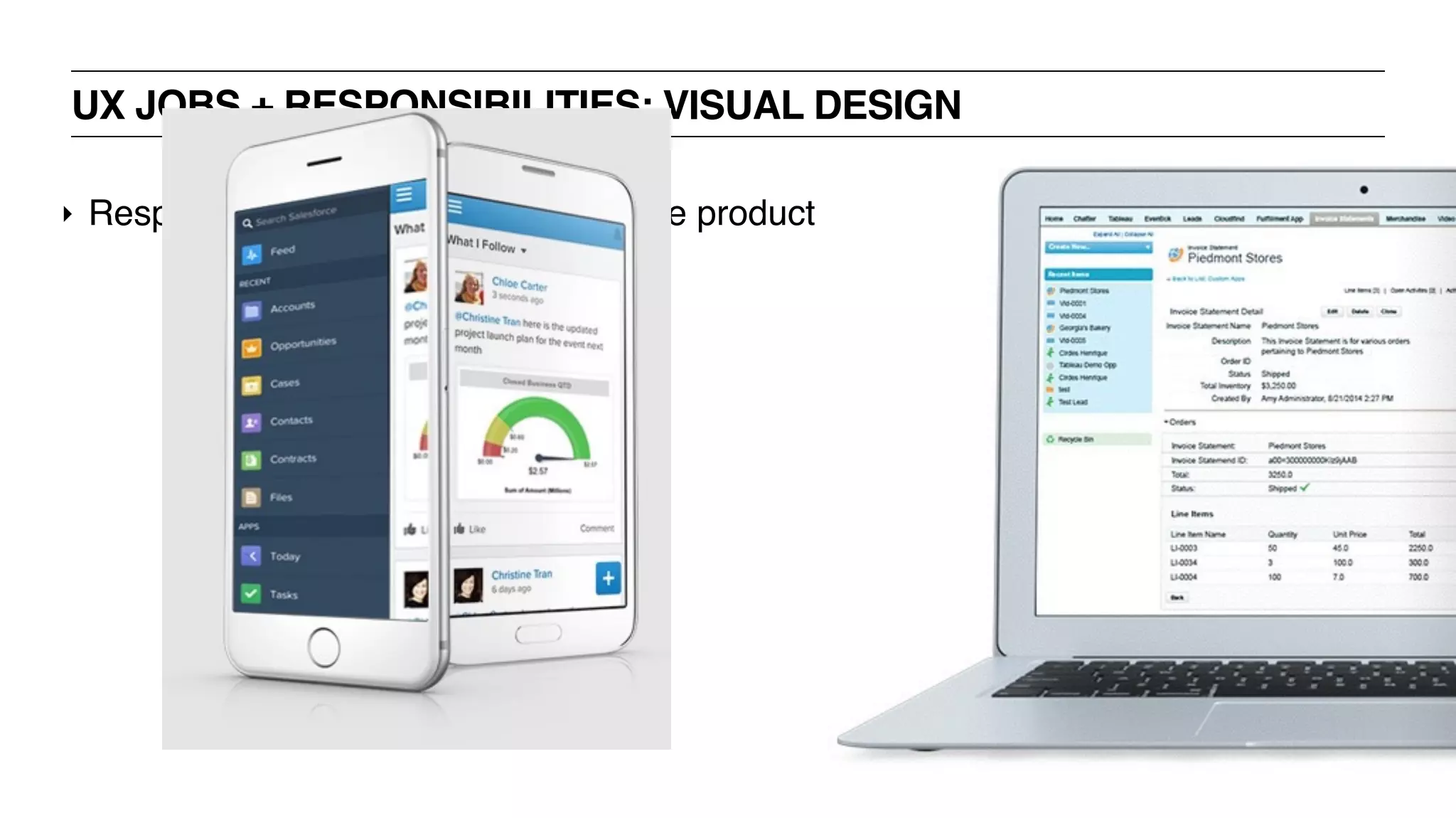
‣ Responsible for the “pretty” part of the product
UX JOBS + RESPONSIBILITIES: RESEARCH / USABILITY
‣ UX Researcher
‣ Usability Researcher
‣ Usability Specialist
‣ Usability Analyst
‣ Usability Engineer
UX RESEARCHER
‣ Identify user needs + behaviors
‣ Interviews
‣ Surveys
‣ Examining data
‣ Carry out user testing
UX RESEARCHER
‣ Identify user needs + behaviors
‣ Interviews
‣ Surveys
‣ Examining data
‣ Carry out user testing
UX JOBS + RESPONSIBILITIES: CONTENT STRATEGY
‣ Content Strategist
‣ UX Copywriter
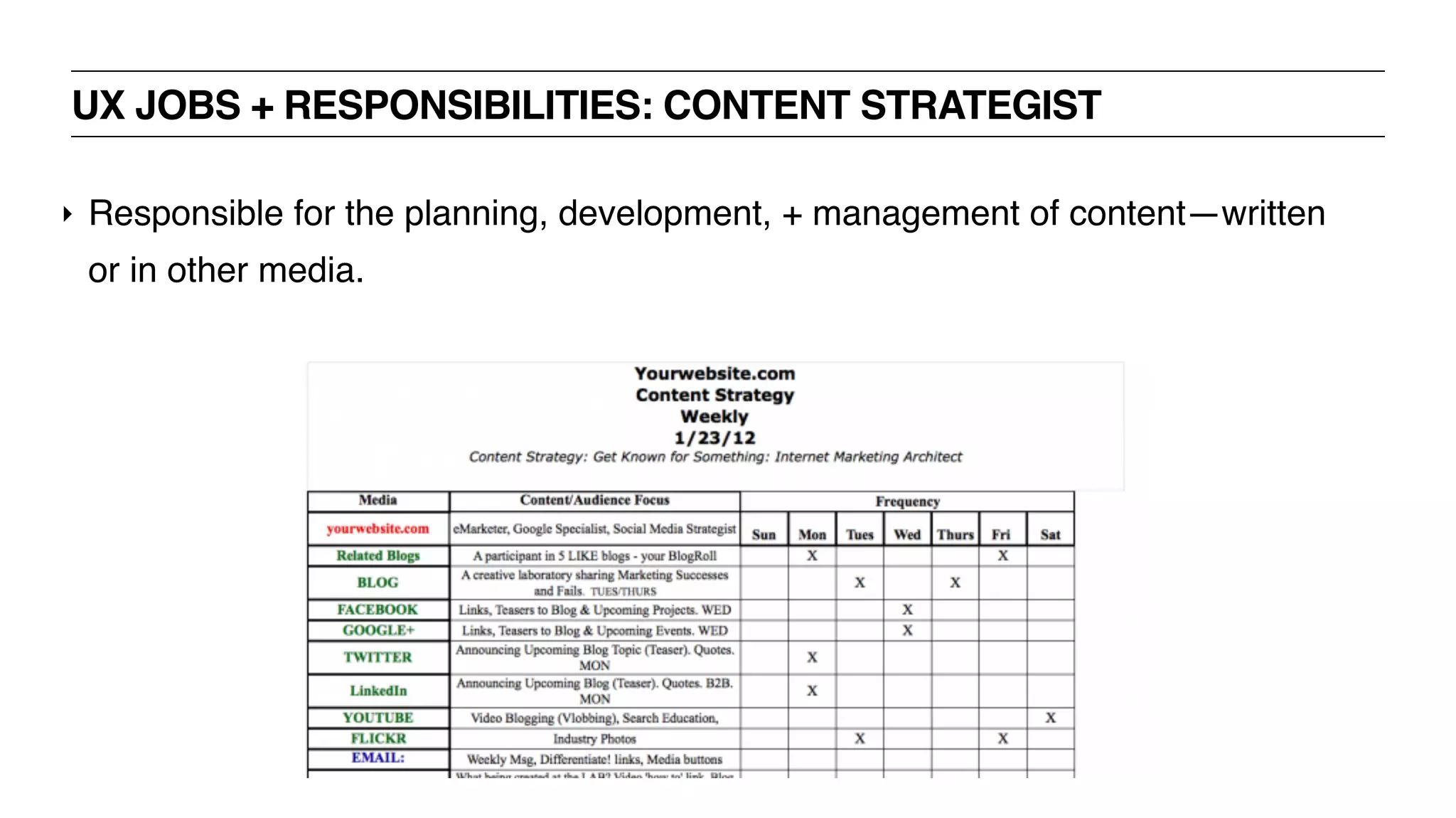
UX JOBS + RESPONSIBILITIES: CONTENT STRATEGIST
‣ Responsible for the planning, development, + management of content—written
or in other media.
UX JOBS + RESPONSIBILITIES: CONTENT STRATEGIST
‣ Responsible for the planning, development, + management of content—written
or in other media.
UX JOBS + RESPONSIBILITIES: DEVELOPMENT
‣ UX/UI Engineer
‣ UX/UI Developer
‣ Product Designer
ENGINEERING / IMPLEMENTATION
‣ Works closely with UX to implement designs
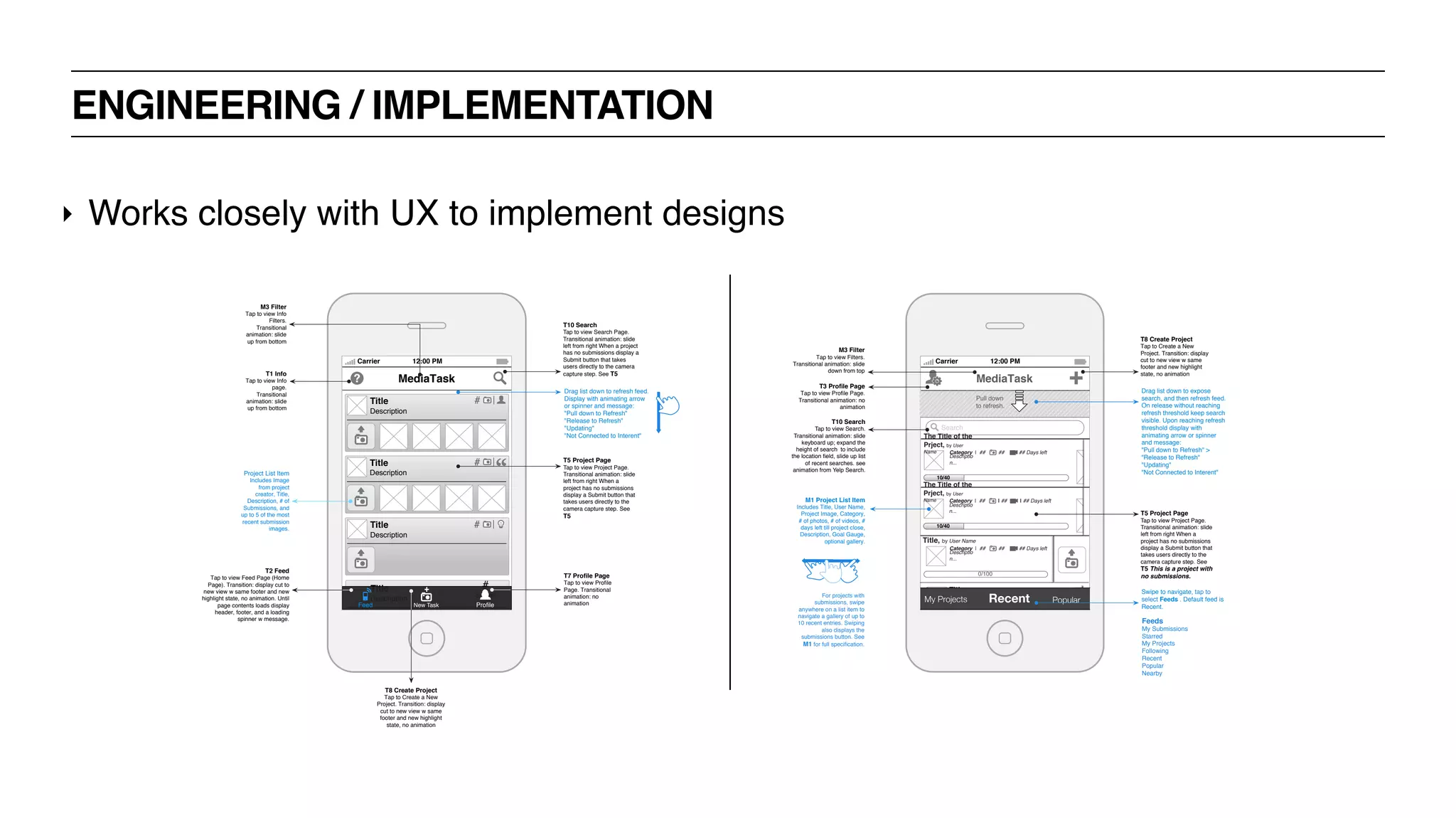
ENGINEERING / IMPLEMENTATION
‣ Works closely with UX to implement designs
Carrier 12:00 PM
MediaTask
Title
Description
#
Submit
sNew Task ProfileFeed
Title
Description
#
Title
Description
#
Title
Description
#
T7 Profile Page
Tap to view Profile
Page. Transitional
animation: no
animation
T8 Create Project
Tap to Create a New
Project. Transition: display
cut to new view w same
footer and new highlight
state, no animation
T2 Feed
Tap to view Feed Page (Home
Page). Transition: display cut to
new view w same footer and new
highlight state, no animation. Until
page contents loads display
header, footer, and a loading
spinner w message.
T5 Project Page
Tap to view Project Page.
Transitional animation: slide
left from right When a
project has no submissions
display a Submit button that
takes users directly to the
camera capture step. See
T5
Project List Item
Includes Image
from project
creator, Title,
Description, # of
Submissions, and
up to 5 of the most
recent submission
images.
Drag list down to refresh feed.
Display with animating arrow
or spinner and message:
"Pull down to Refresh"
"Release to Refresh"
"Updating"
"Not Connected to Interent"
T1 Info
Tap to view Info
page.
Transitional
animation: slide
up from bottom
T10 Search
Tap to view Search Page.
Transitional animation: slide
left from right When a project
has no submissions display a
Submit button that takes
users directly to the camera
capture step. See T5
M3 Filter
Tap to view Info
Filters.
Transitional
animation: slide
up from bottom
Carrier 12:00 PM
Title
Category ## photos ## videos submitted
User Name
My Projects Recent Popular
MediaTask
T8 Create Project
Tap to Create a New
Project. Transition: display
cut to new view w same
footer and new highlight
state, no animation
Pull down
to refresh.
Search
Title, by User Name
0/100
Category | ## | ## | ## Days left
Descriptio
n...
10/40
The Title of the
Prject, by User
Name Category | ## | ## | ## Days left
Descriptio
n...
10/40
The Title of the
Prject, by User
Name Category | ## | ## | ## Days left
Descriptio
n...
Swipe to navigate, tap to
select Feeds . Default feed is
Recent.
T5 Project Page
Tap to view Project Page.
Transitional animation: slide
left from right When a
project has no submissions
display a Submit button that
takes users directly to the
camera capture step. See
T5 This is a project with
no submissions.
M1 Project List Item
Includes Title, User Name,
Project Image, Category,
# of photos, # of videos, #
days left till project close,
Description, Goal Gauge,
optional gallery.
Drag list down to expose
search, and then refresh feed.
On release without reaching
refresh threshold keep search
visible. Upon reaching refresh
threshold display with
animating arrow or spinner
and message:
"Pull down to Refresh" >
"Release to Refresh"
"Updating"
"Not Connected to Interent"
T3 Profile Page
Tap to view Profile Page.
Transitional animation: no
animation
M3 Filter
Tap to view Filters.
Transitional animation: slide
down from top
For projects with
submissions, swipe
anywhere on a list item to
navigate a gallery of up to
10 recent entries. Swiping
also displays the
submissions button. See
M1 for full specification.
Feeds
My Submissions
Starred
My Projects
Following
Recent
Popular
Nearby
T10 Search
Tap to view Search.
Transitional animation: slide
keyboard up; expand the
height of search to include
the location field, slide up list
of recent searches. see
animation from Yelp Search.
UX BOOTCAMP
UX PROCESS
TRADITIONAL UX PROCESS [“WATERFALL”]
‣ Discover
‣ Define
‣ Design
‣ Develop
‣ Deliver
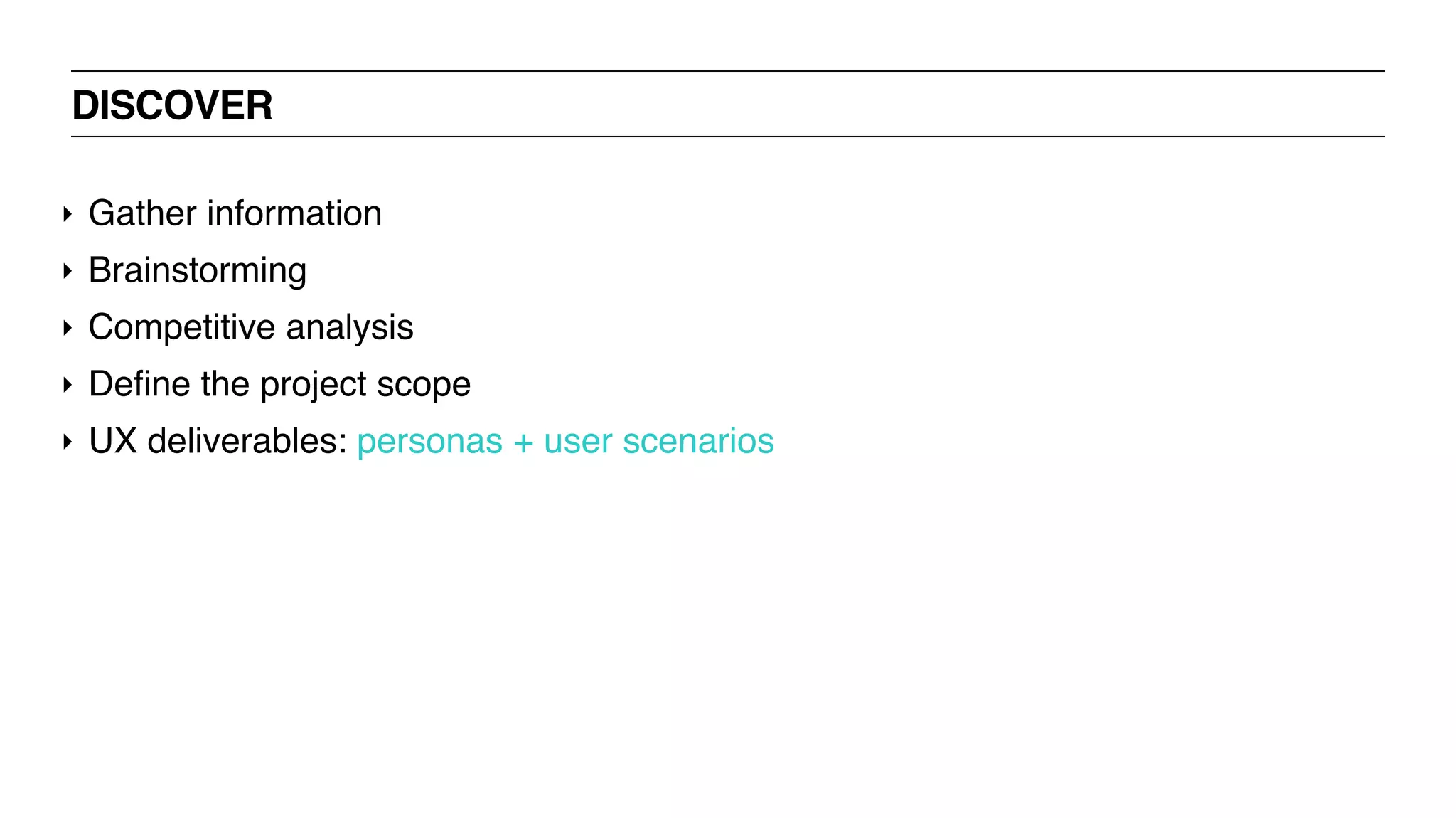
DISCOVER
‣ Gather information
‣ Brainstorming
‣ Competitive analysis
‣ Define the project scope
‣ UX deliverables: personas + user scenarios
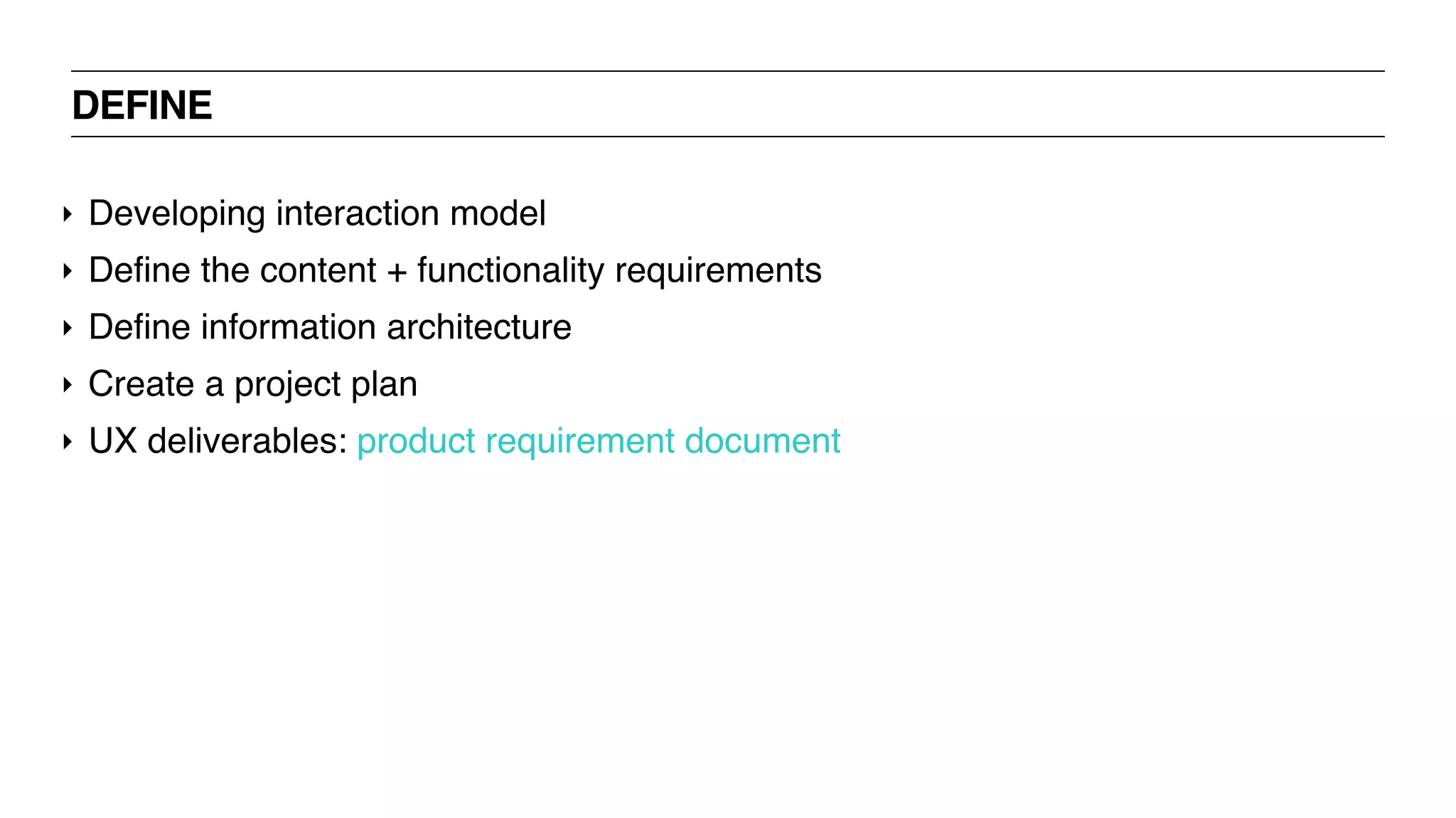
DEFINE
‣ Developing interaction model
‣ Define the content + functionality requirements
‣ Define information architecture
‣ Create a project plan
‣ UX deliverables: product requirement document
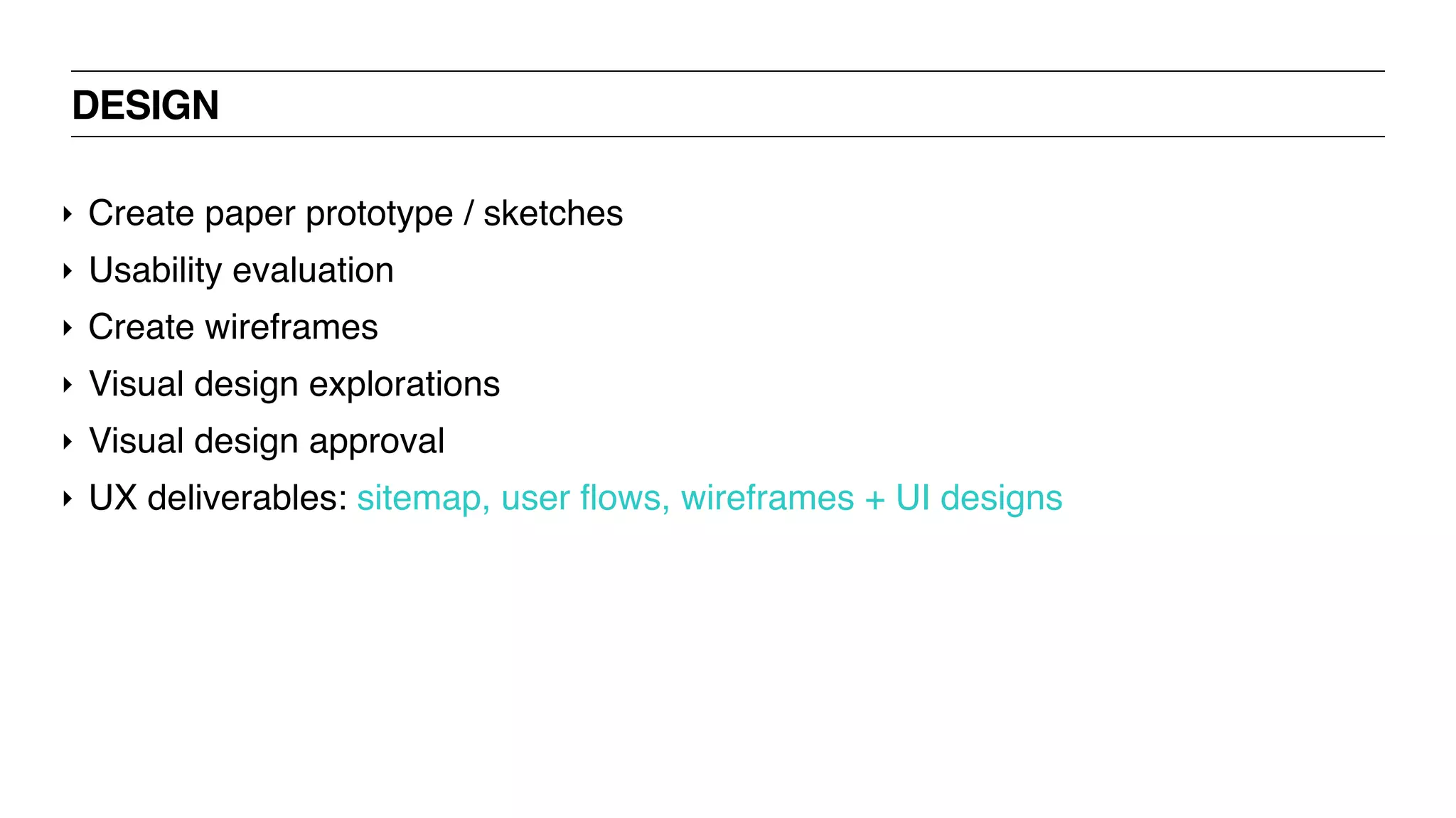
DESIGN
‣ Create paper prototype / sketches
‣ Usability evaluation
‣ Create wireframes
‣ Visual design explorations
‣ Visual design approval
‣ UX deliverables: sitemap, user flows, wireframes + UI designs
DEVELOP
‣ Architecture design
‣ UML diagram / class diagram
‣ Daily scrum
‣ Code iteration cycles
‣ Interim installers
‣ Release management
‣ Unit testing
‣ Code refactoring
‣ Documentation
‣ UX deliverables: No key UX deliverables at this stage.
DELIVER
‣ Use cases
‣ Test cases
‣ Testing
‣ Regression testing
‣ Test reports
‣ Build releases
‣ UX deliverables: usability test report
DRINK!
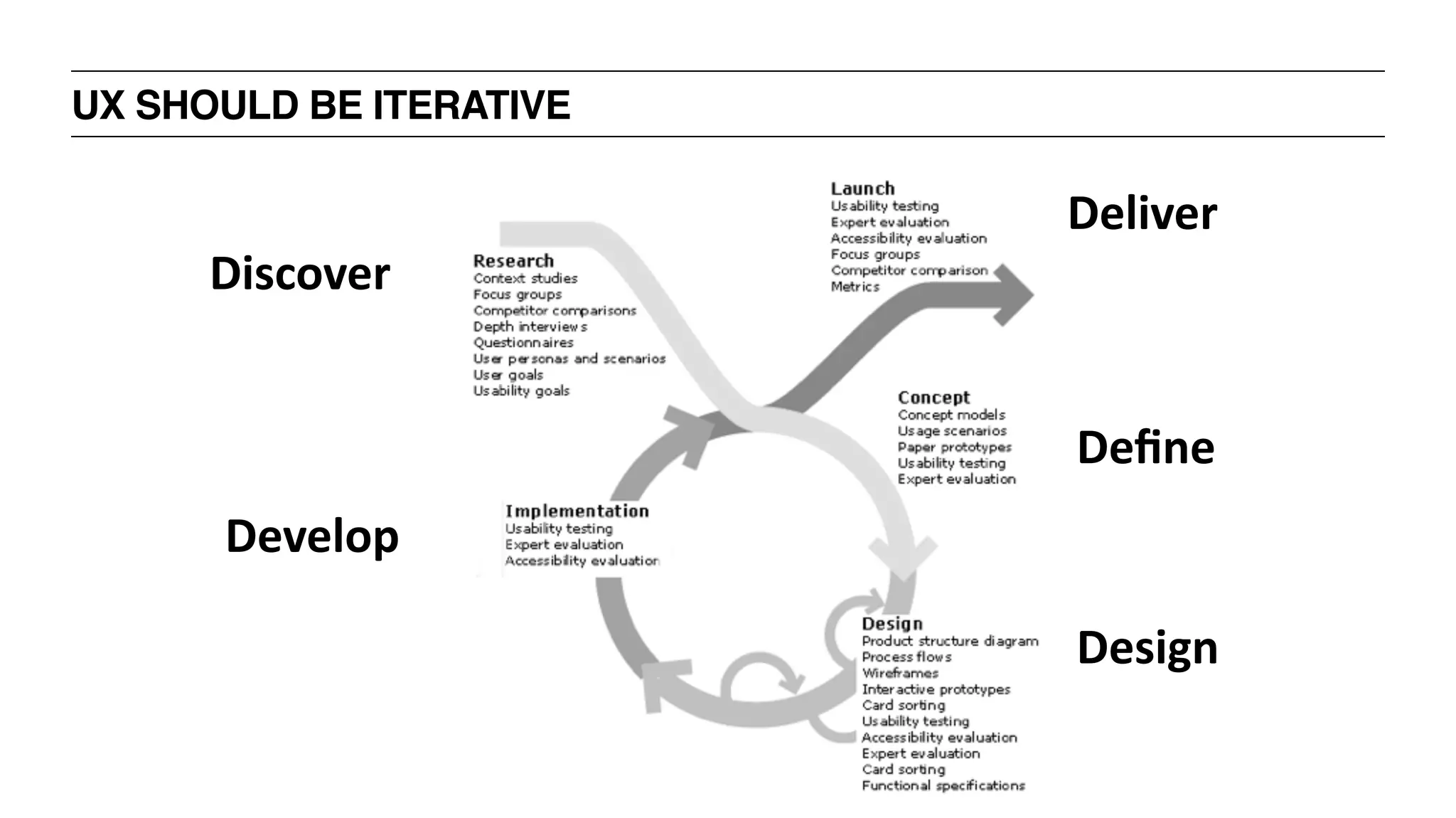
UX SHOULD BE ITERATIVE
Discover
Define
Develop
Deliver
Design
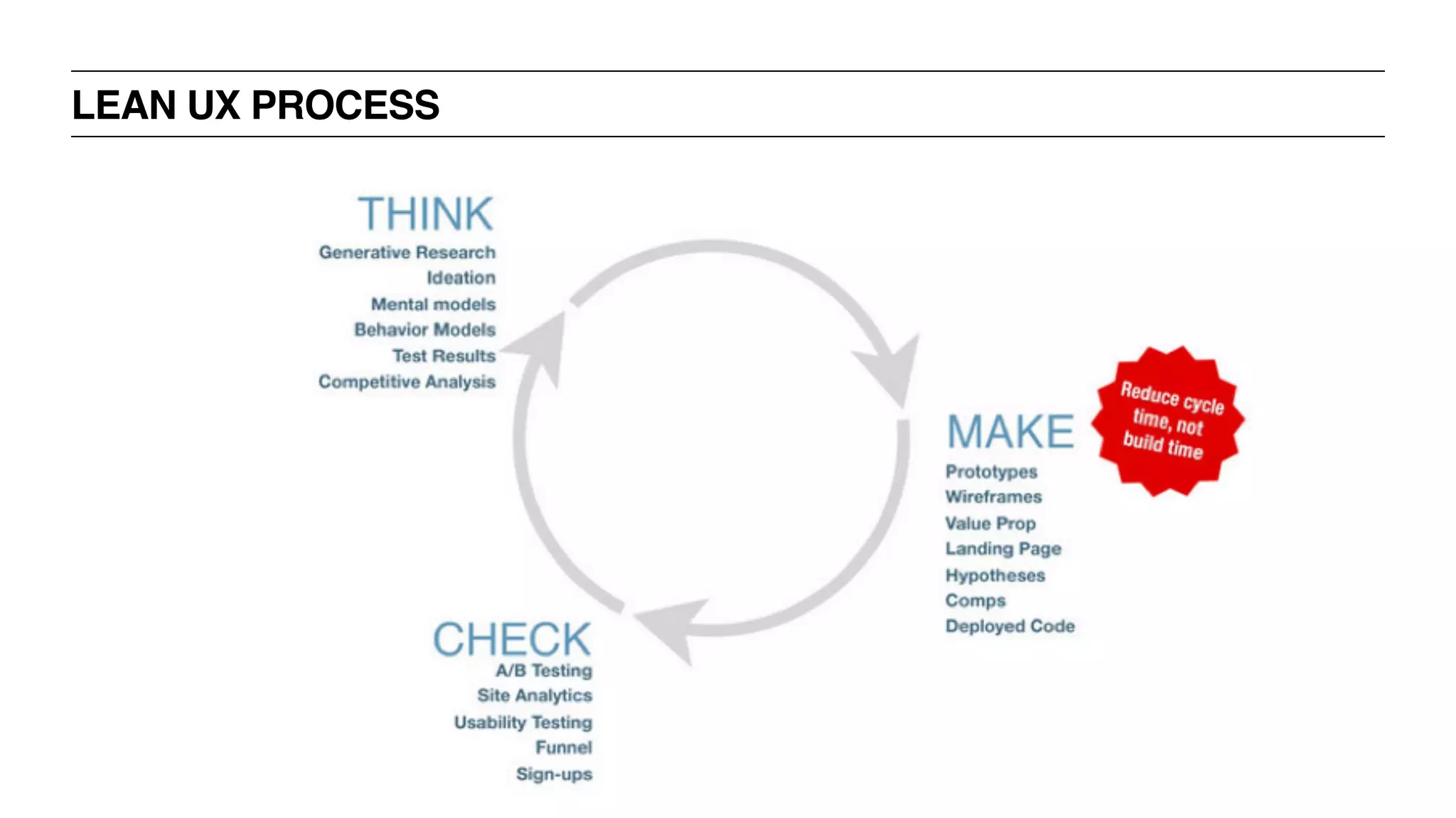
LEAN UX PROCESS
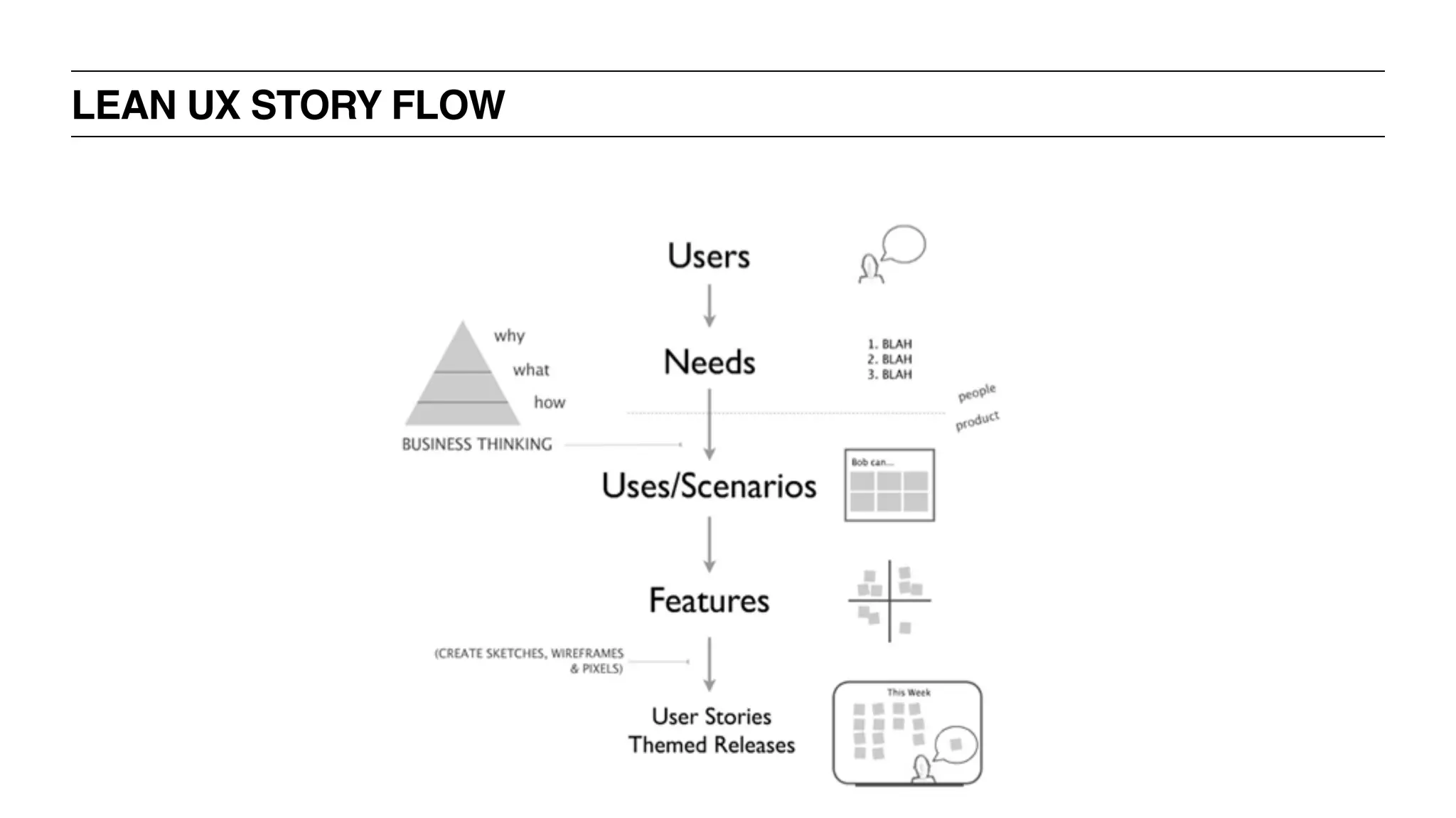
LEAN UX STORY FLOW
BREAK
UX BOOTCAMP
UX RESEARCH
WHY UNDERSTAND OUR USERS?
‣ So you don’t build a snow machine for an eskimo
‣ Ensures you’re solving a problem that exists in peoples lives
‣ Key to building a product that is tailored to its audience
WHAT DO WE NEED TO KNOW TO UNDERSTAND OUR USERS?
‣ Why?
‣ Who?
‣ What?
‣ Where?
‣ When?
‣ How?
UX BOOTCAMP
INTERVIEWING
USERS
WHAT DO WE NEED TO KNOW TO UNDERSTAND OUR USERS?
‣ Why are they coming to us?
‣ Goals?
‣ What are their needs?
WHAT DO WE NEED TO KNOW TO UNDERSTAND OUR USERS?
‣ Who are our users?
‣ Businesses vs. consumers?
‣ Demographics?
‣ Background knowledge?
‣ Understanding of terminology?
WHAT DO WE NEED TO KNOW TO UNDERSTAND OUR USERS?
‣ When are they visiting?
‣ Morning or evening?
‣ When they’re in a crisis?
‣ Daily?
‣ Monthly?
WHAT DO WE NEED TO KNOW TO UNDERSTAND OUR USERS?
‣ What are their habits?
‣ Do they use social networks?
‣ Content producers or consumers?
‣ What you ask depends on the product
WHAT DO WE NEED TO KNOW TO UNDERSTAND OUR USERS?
‣ How are they accessing?
‣ Desktop or mobile?
‣ Tablet?
‣ Over the phone or in person?
UX BOOTCAMP
HOW TO GET THAT
INFORMATION
HOW DO WE GET THAT INFORMATION?
‣ Research, Observe!
‣ Surveys
‣ User Interviews
‣ Focus Groups
‣ Existing data
UX RESEARCH: SURVEYS
‣ + Gather large numbers of responses very quickly
‣ + Get quantitative or qualitative feedback immediately
‣ - Hard to get rich responses
‣ - Often learn about problems but not why they occur
UX RESEARCH: USER INTERVIEWS
‣ + One-on-one discussion
‣ + Can gather rich targeted information
‣ + Flexible; can explore tangents or unexpected areas
‣ - Time consuming to organize, run + analyze
UX BOOTCAMP
HOW TO CONDUCT
USER INTERVIEWS
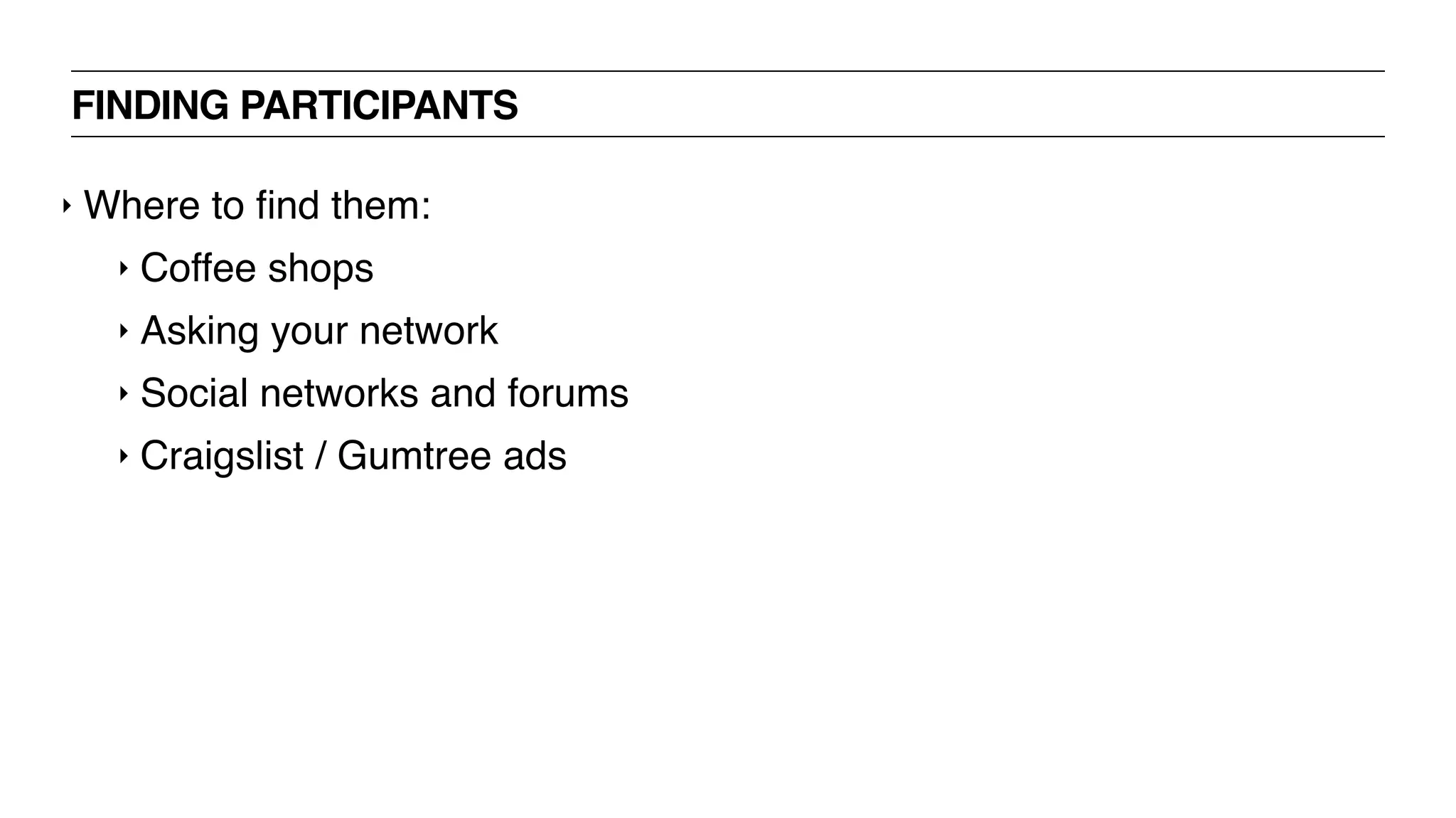
FINDING PARTICIPANTS
‣ Where to find them:
‣ Coffee shops
‣ Asking your network
‣ Social networks and forums
‣ Craigslist / Gumtree ads
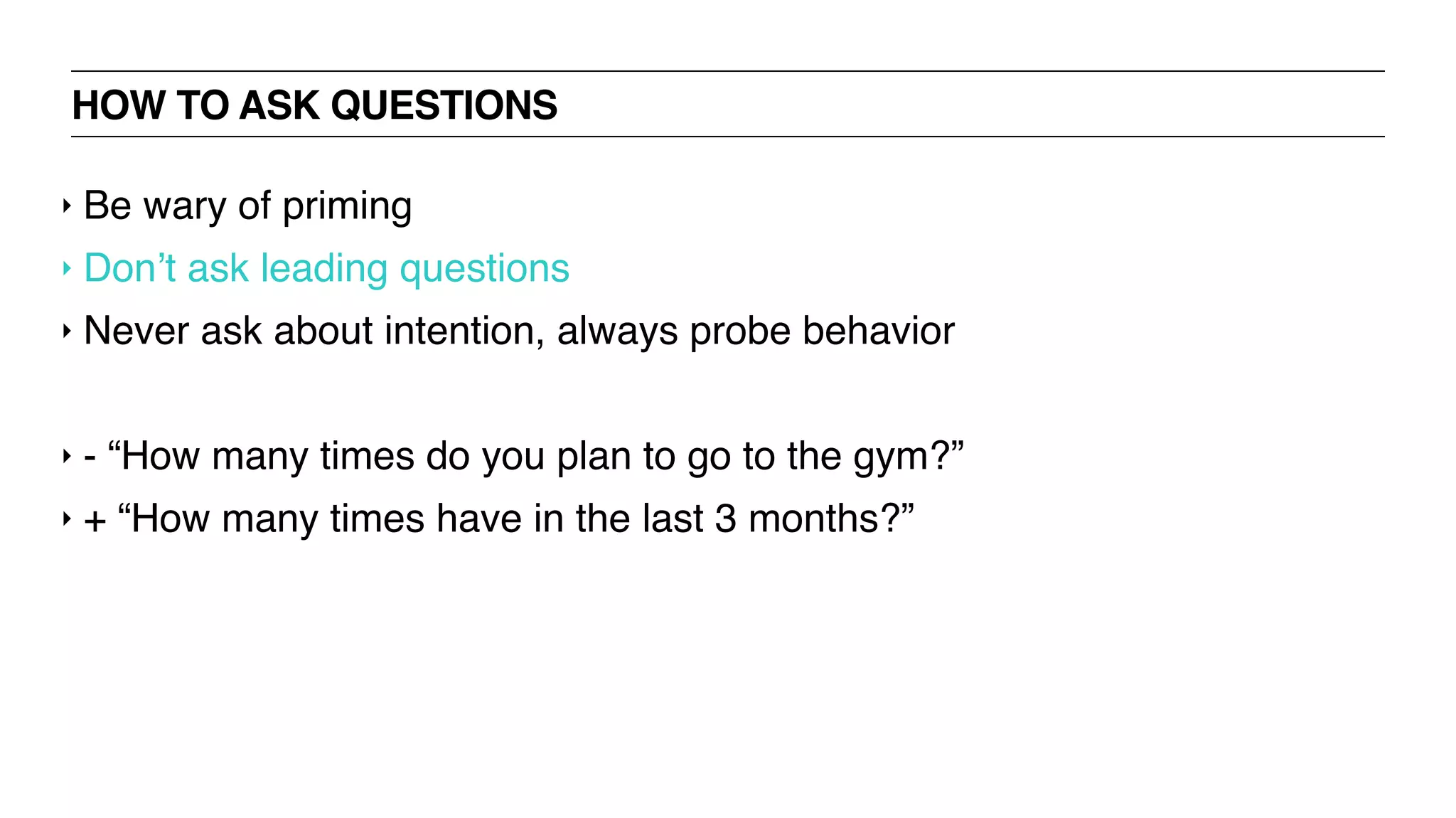
HOW TO ASK QUESTIONS
‣ Be wary of priming
‣ Don’t ask leading questions
‣ Never ask about intention, always probe behavior
‣ - “How many times do you plan to go to the gym?”
‣ + “How many times have in the last 3 months?”
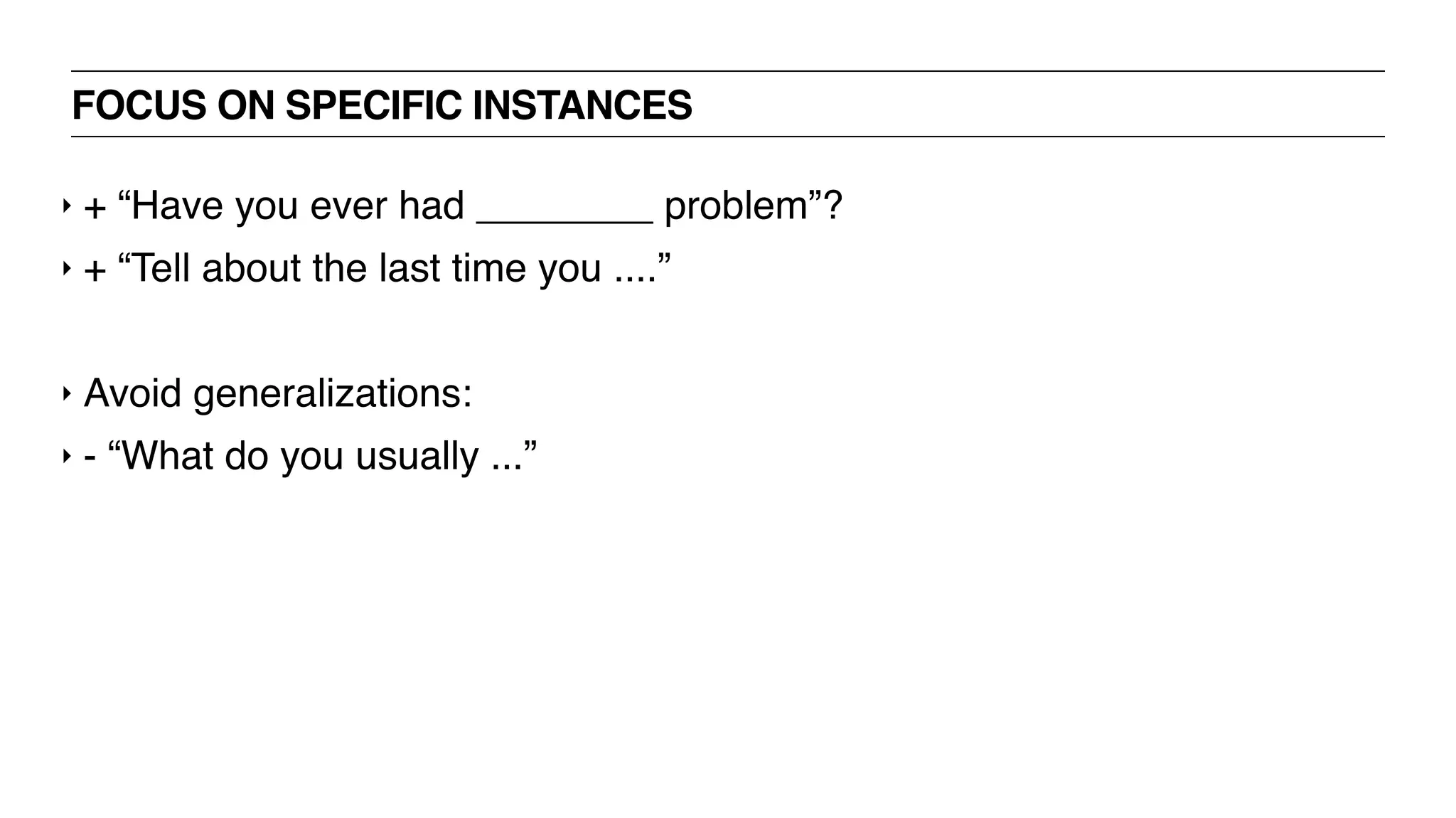
FOCUS ON SPECIFIC INSTANCES
‣ + “Have you ever had ________ problem”?
‣ + “Tell about the last time you ....”
‣ Avoid generalizations:
‣ - “What do you usually ...”
KEEP THEM TALKING
‣ + “Tell me more about that”
‣ + “What do you mean by...”
‣ + “Help me understand better..”
‣ Never put words into their mouth
‣ - “So do you mean...”
PREPARING AN INTERVIEW
‣ Record interviews if possible
‣ Always ask permission
‣ Explain why + that it’s for private use
‣ Take notes but remain focussed on participant
‣ Focus on topics rather than list of questions
‣ Should be a conversation
‣ If you divert off topic: “That’s really interesting. Can you tell me more
about ...”
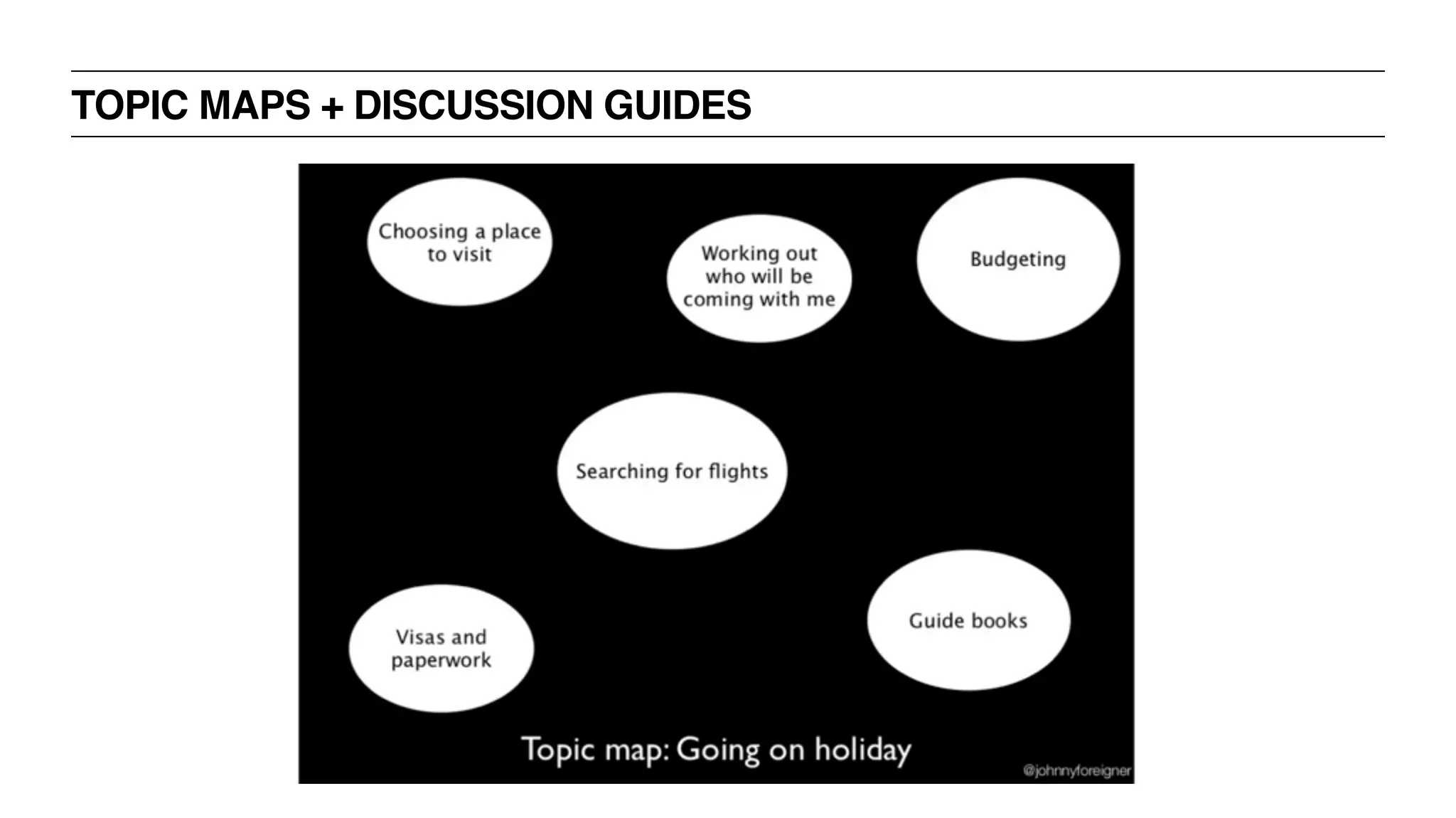
TOPIC MAPS + DISCUSSION GUIDES
TOPIC MAP EXERCISE! - 50 MINUTES
‣ You are going to do a user interview about online shopping in order to
better understand users’ fears + desires
‣ Prepare a topic map covering all subjects you want to know [20m]
‣ Split into groups of 3
‣ 1 person will interview, 1 will record notes on post it notes, 1 person
will be interviewed
‣ We will rotate every 10 minutes
‣ Be prepared to share!
UX BOOTCAMP
ANALYZING USER
RESEARCH
CAPTURING INSIGHTS
‣ Straight after interview
‣ Write down or identify the 3 most important insights
‣ When reviewing recording/notes
‣ Write out each interesting point on individual post it
IDENTIFYING TRENDS BY CREATING AFFINITY MAPS
‣ Once you have all of your data, it’s time to analyze
‣ Goal is to extract common trends / themes
‣ Post-Its are your friends
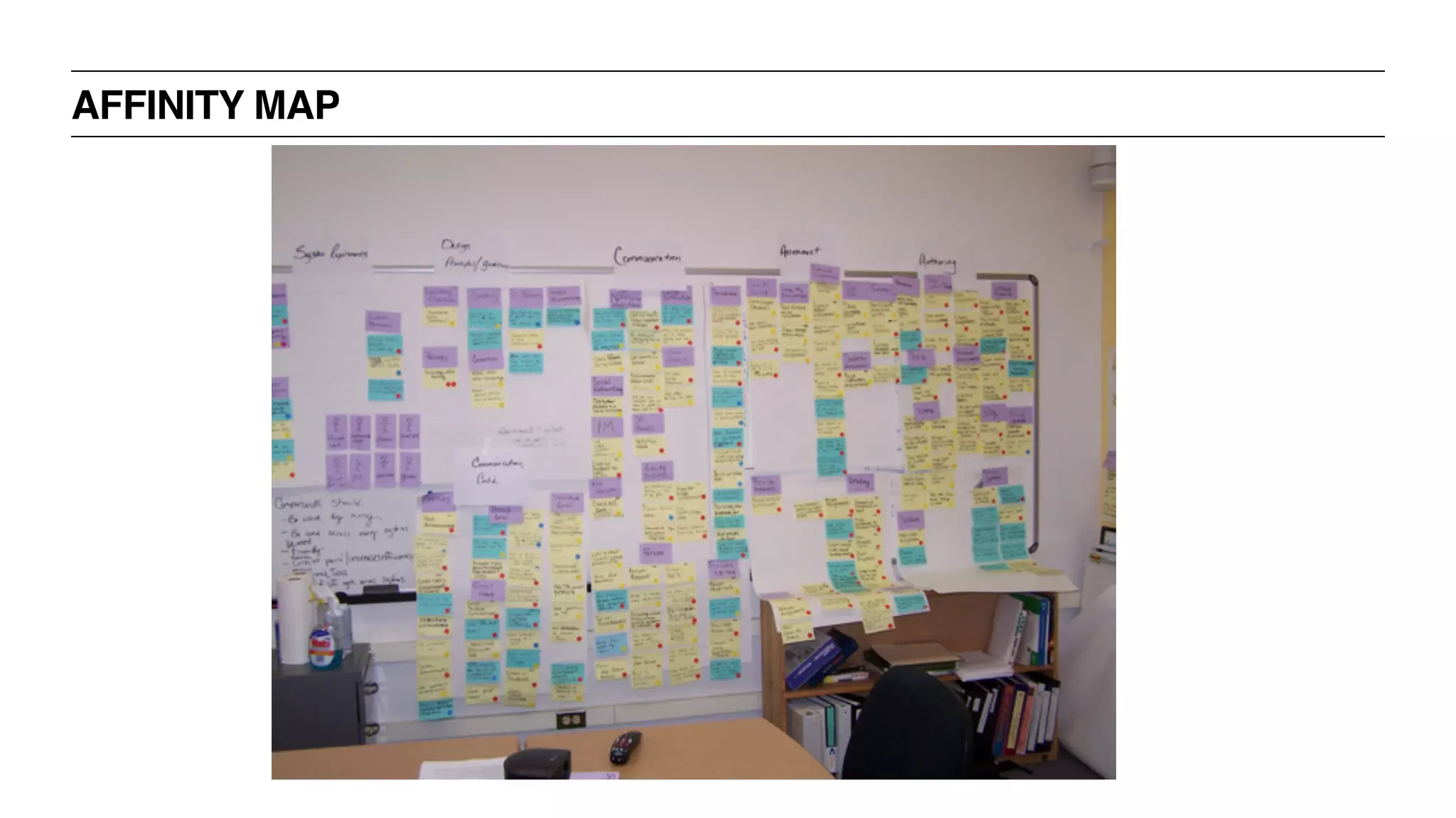
AFFINITY MAP EXERCISE! - 30 MINUTES
‣ Everyone should have a pile of post it notes
‣ One group will place their notes on the wall + read out the insight
‣ If another group has a similar insight they will place it on top
‣ Repeat until all the post it notes are placed on the wall
‣ Create themes from the grouped insights
AFFINITY MAP
UX BOOTCAMP
PERSONAS
PERSONAS
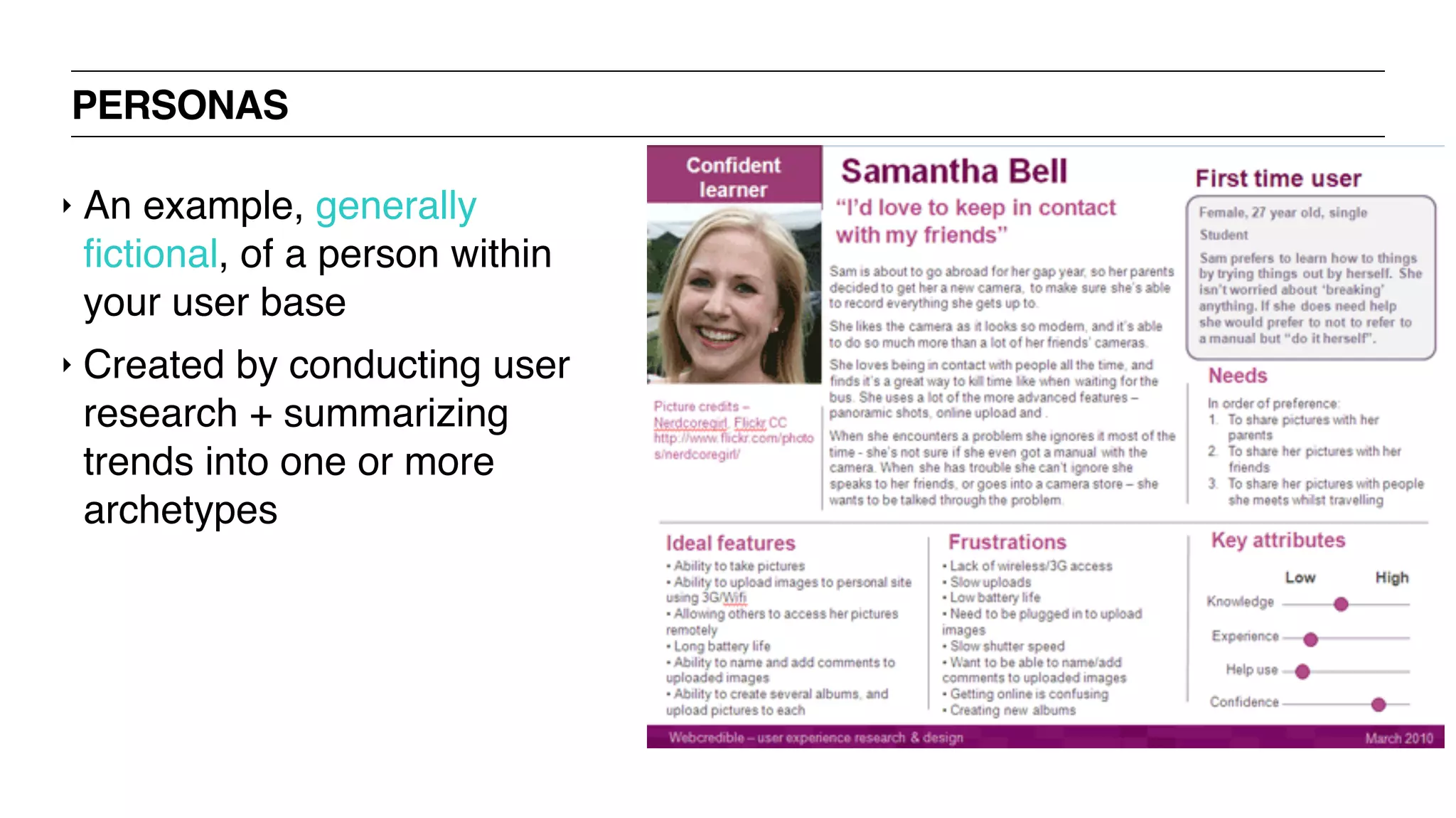
‣ An example, generally
fictional, of a person within
your user base
‣ Created by conducting user
research + summarizing
trends into one or more
archetypes
PERSONAS: WHY THEY’RE IMPORTANT
‣ Communication tool
‣ Useful for summarizing what you know about your user
‣ Will help to highlight pain points + opportunities to tailor your product to
your user
‣ Keep your product focused on your key users rather than building for the
whole world.
‣ [Keep in mind it’s just a framework, not a roadmap]
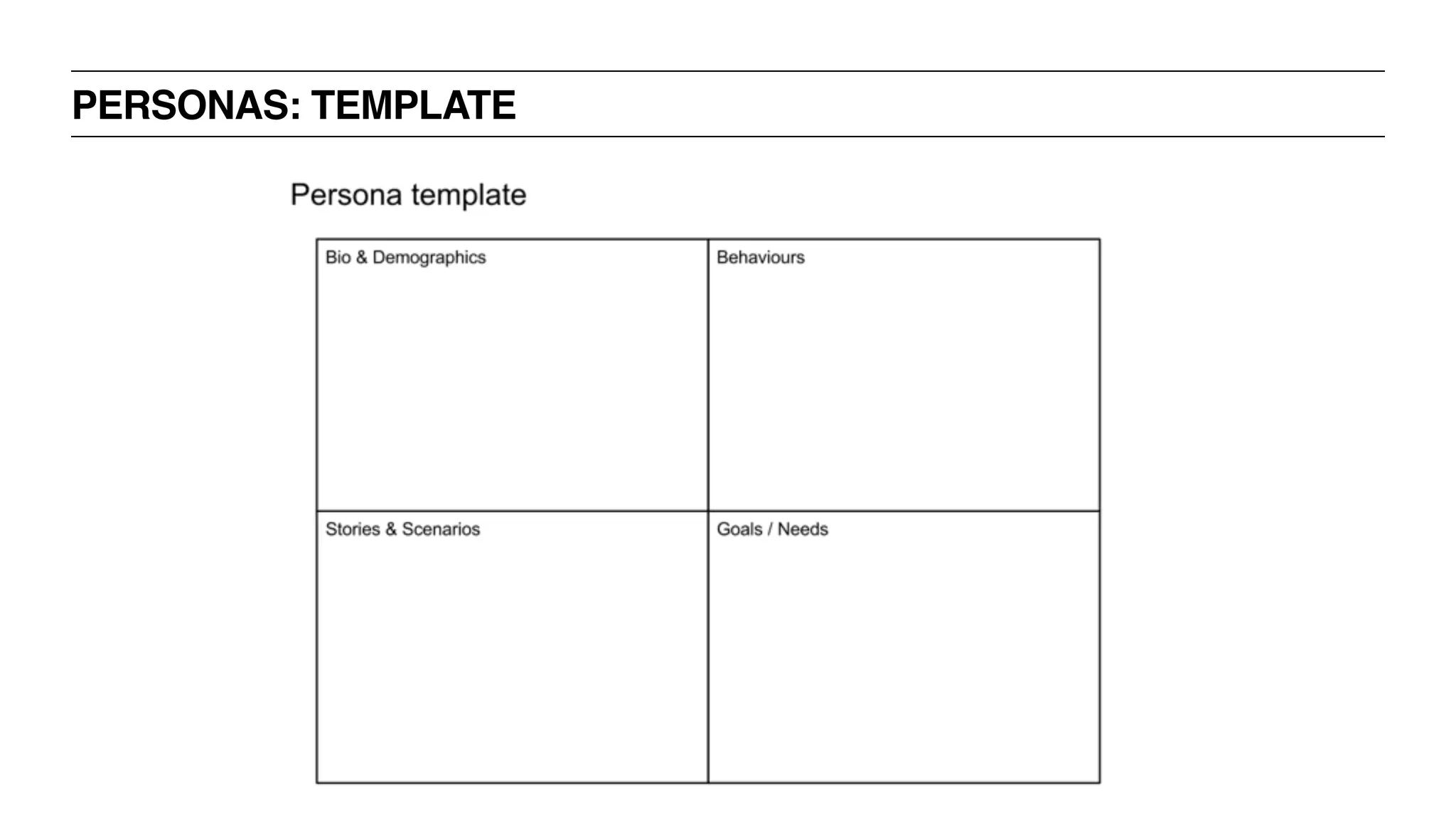
PERSONAS: WHAT SHOULD BE INCLUDED
‣ Root it in reality not your imagination
‣ Goals / Needs
‣ Behaviors
‣ Biographical information [name, age, gender, location, income, etc]
‣ Optionally assign it personality traits [again, based on your research]
PERSONAS: SCENARIOS
‣ Short stories about a person using you product to achieve a goal
‣ Describes what they would do + why they would do it
‣ Independent of interface
‣ Gives the context in which its used
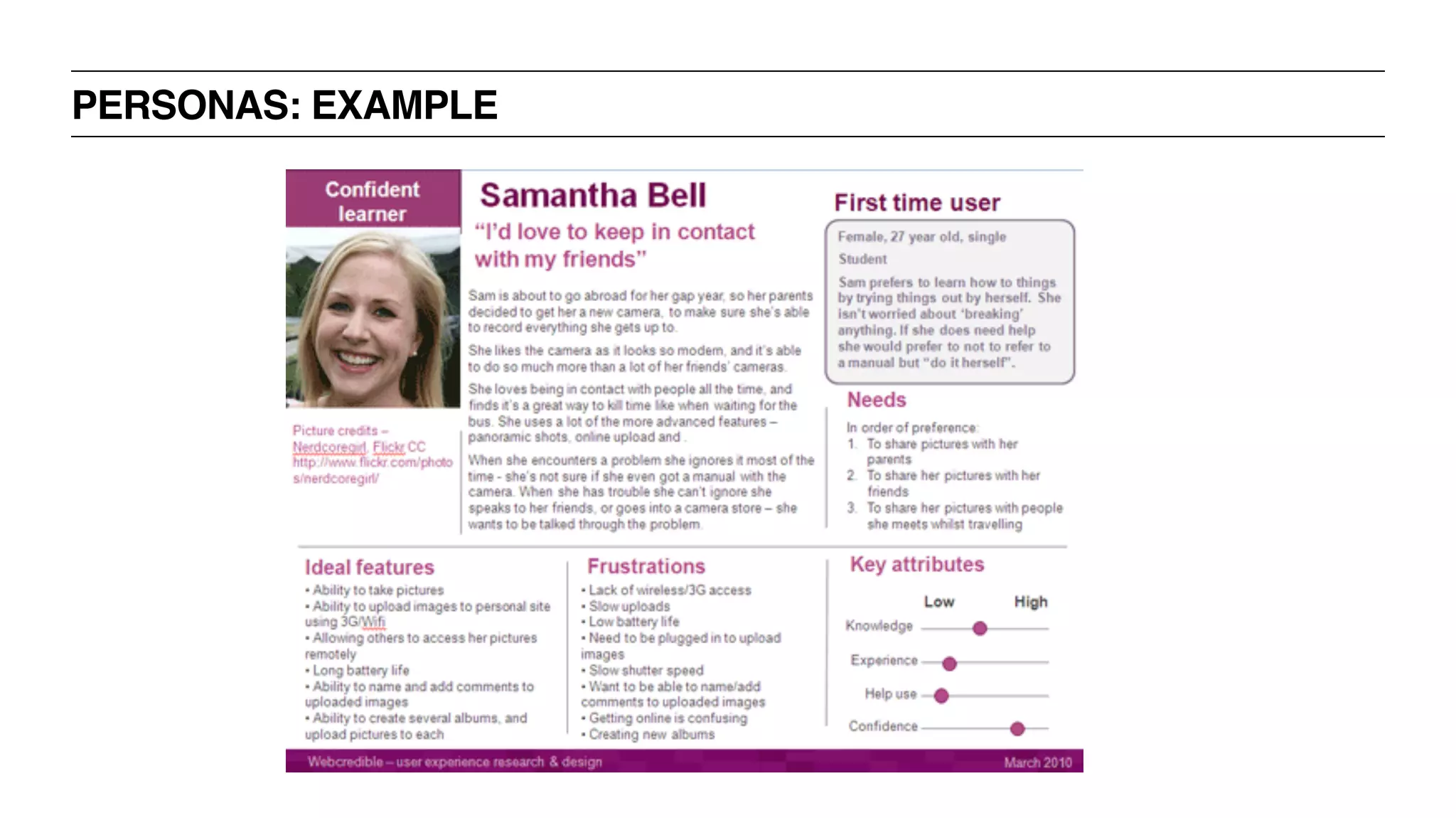
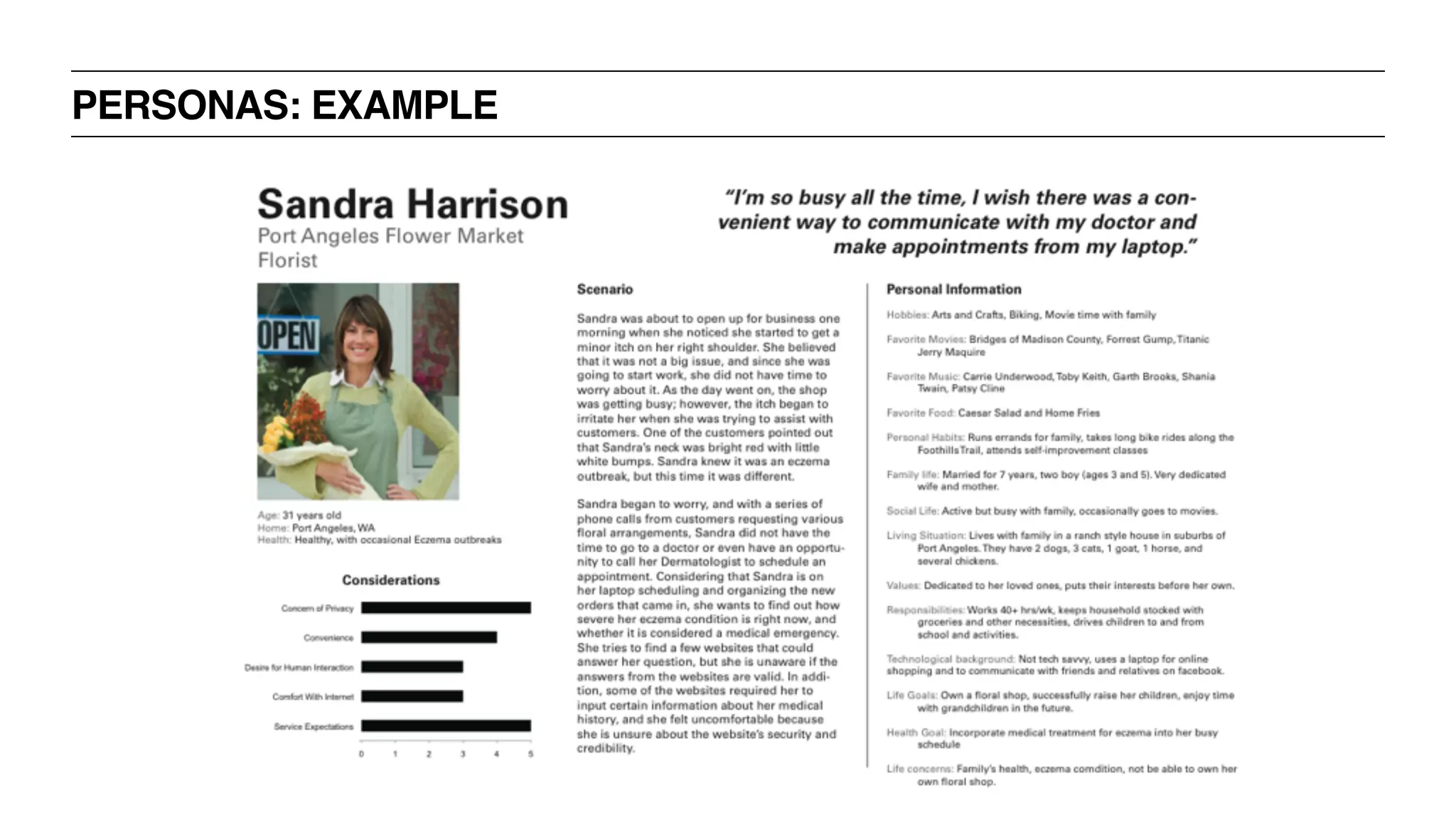
PERSONAS: EXAMPLE
PERSONAS: EXAMPLE
PERSONAS: TEMPLATE
UX BOOTCAMP
PROVISIONAL
PERSONAS
PROVISIONAL PERSONAS
‣ Provisional Personas are personas created without primary research
‣ They can be created through empathy mapping techniques
‣ They need to be validated as soon as possible with real users as part of
the build, measure, learn loop
PROVISIONAL PERSONAS: EMPATHY MAP
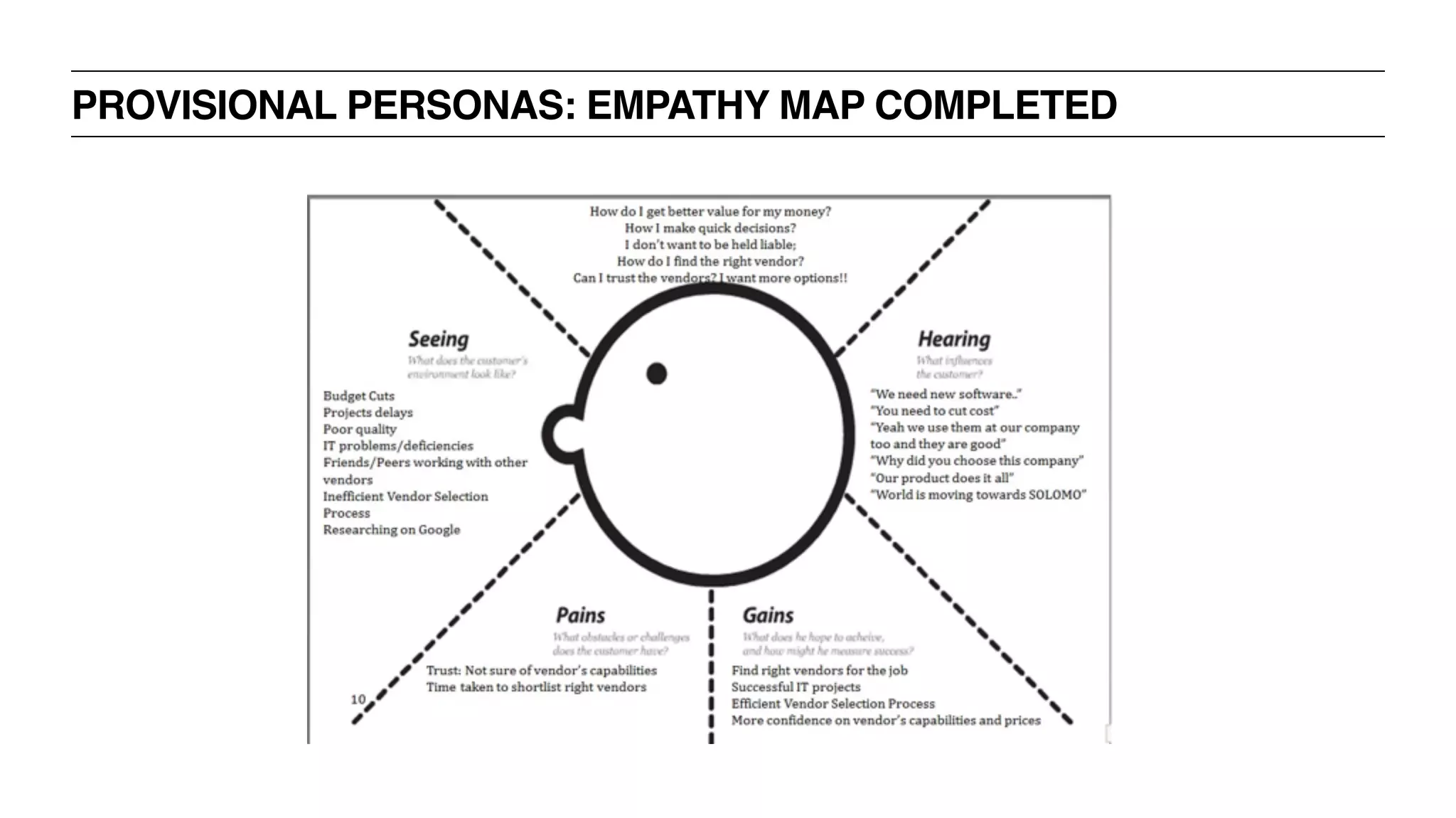
PROVISIONAL PERSONAS: EMPATHY MAP COMPLETED
PROVISIONAL PERSONAS EXERCISE! - 30 MINUTES
‣ Treat your table as a team
‣ Draw an empathy map on your table
‣ Based on insights from your interviewing exercise, project yourself into
the mind of someone making a large purchase online
PROVISIONAL PERSONAS: EMPATHY MAP
‣ What does she Think or Feel? [What matters?]
‣ What does she See? [environment, friends, solutions in the market]
‣ What does she Say + Do? [appearance, activities, behaviors]
‣ What does she Hear? [What do friends, boss, colleagues say?]
‣ Pain [fears, frustrations, obstacles]
‣ Goals [wants, needs, desires]
UX BOOTCAMP
CHALLENGES WITH
PERSONAS
CHALLENGES OF PERSONAS
‣ They can be artificial / abstract / fictitious
‣ They are a composite sketch of 10 people all rolled into 1
‣ They don’t have opinions
‣ They can’t talk back, answer questions, or give feedback
BREAK
DOCUMENTATION +
DELIVERABLES +
SOFTWARE
UXD BOOTCAMP
‣ Learn about personas, user flows, sitemaps, wireframes
‣ Determine when to use which documentation
‣ Discover new tools + frameworks for creating deliverables
LEARNING OBJECTIVES
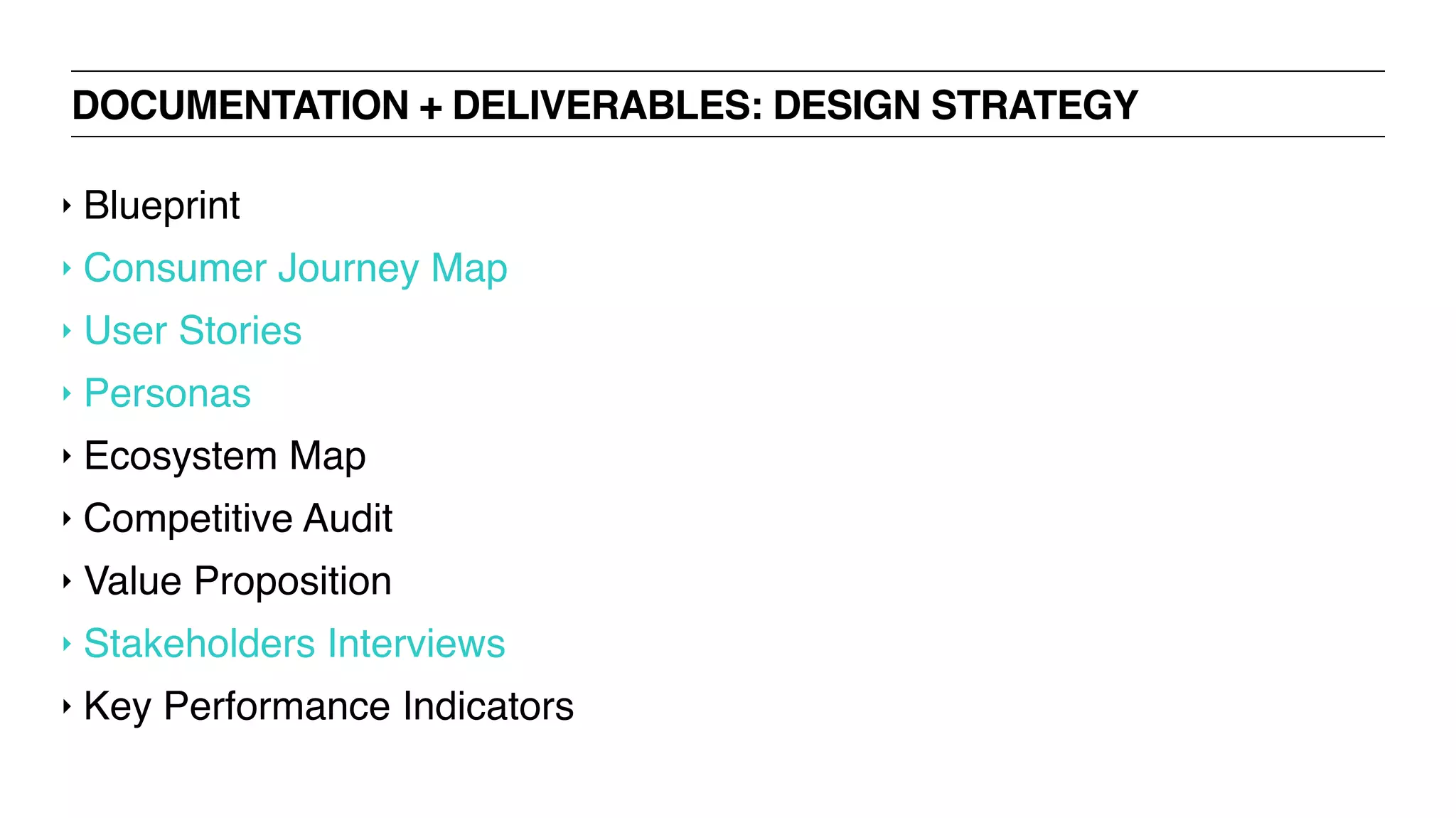
DOCUMENTATION + DELIVERABLES: DESIGN STRATEGY
‣ Blueprint
‣ Consumer Journey Map
‣ User Stories
‣ Personas
‣ Ecosystem Map
‣ Competitive Audit
‣ Value Proposition
‣ Stakeholders Interviews
‣ Key Performance Indicators
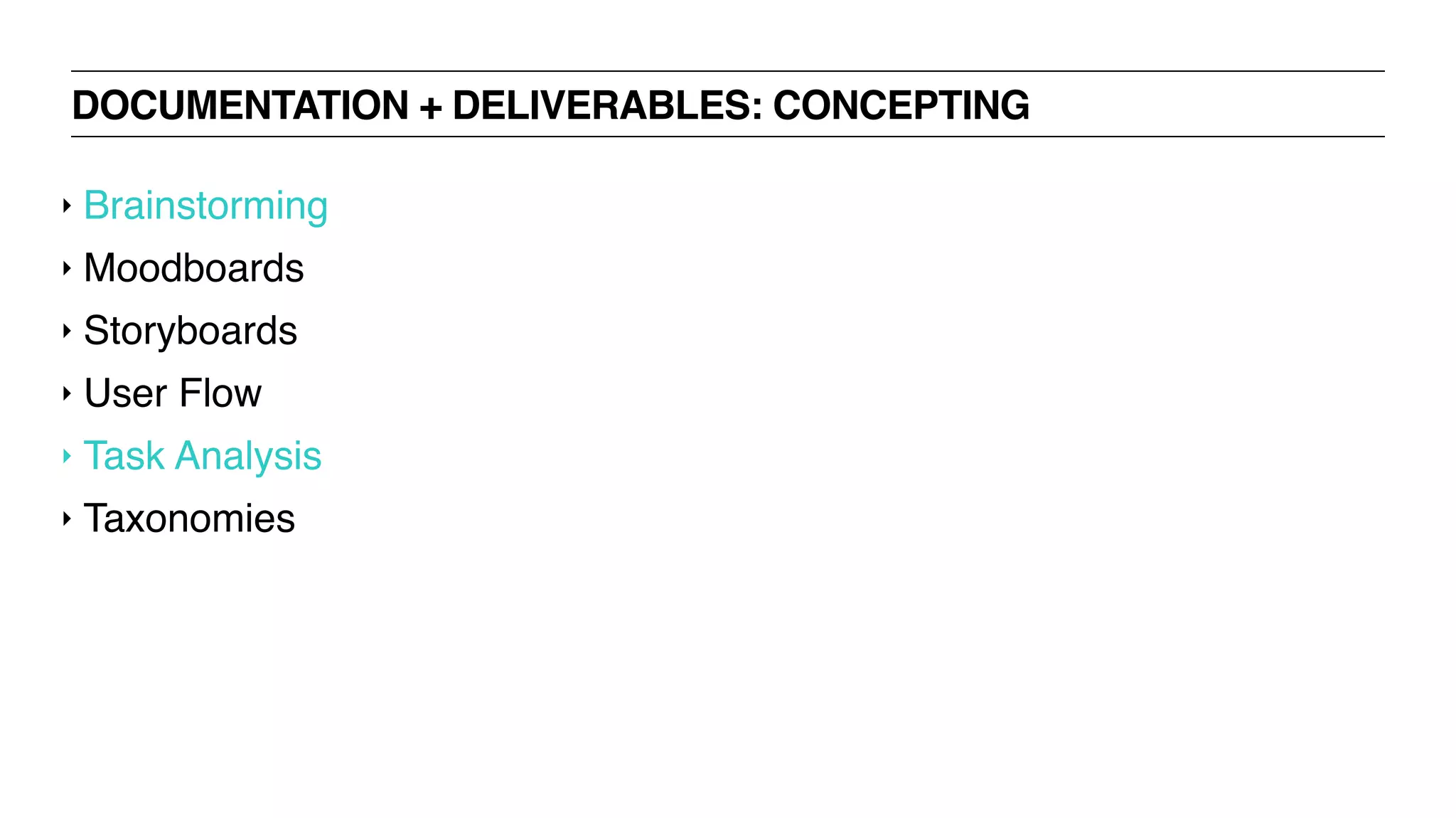
DOCUMENTATION + DELIVERABLES: CONCEPTING
‣ Brainstorming
‣ Moodboards
‣ Storyboards
‣ User Flow
‣ Task Analysis
‣ Taxonomies
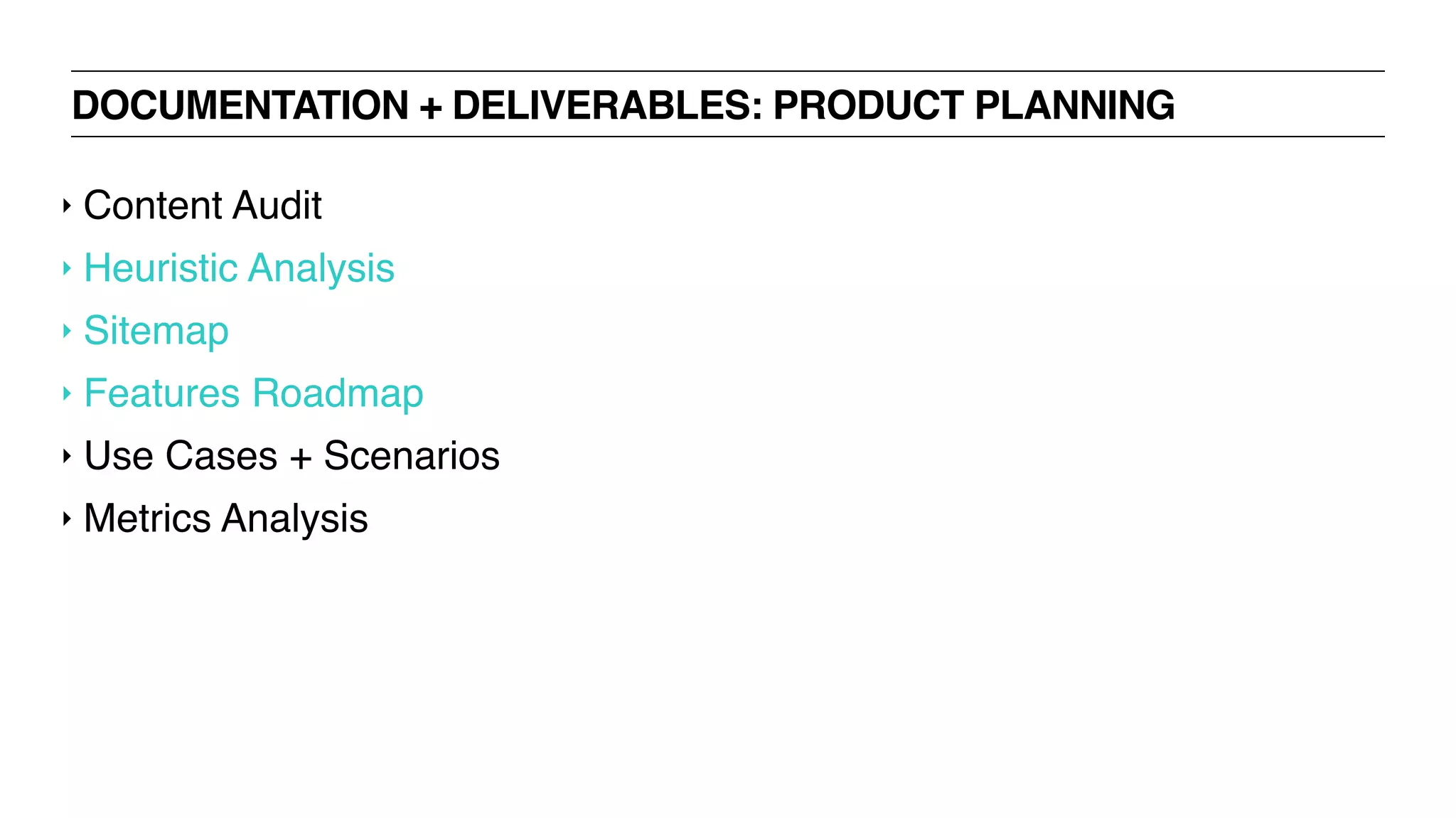
DOCUMENTATION + DELIVERABLES: PRODUCT PLANNING
‣ Content Audit
‣ Heuristic Analysis
‣ Sitemap
‣ Features Roadmap
‣ Use Cases + Scenarios
‣ Metrics Analysis
DOCUMENTATION + DELIVERABLES: UX RESEARCH + VALIDATION
‣ Focus Group
‣ Quantitative Survey
‣ Usability Test
‣ Card Sorting
‣ One-on-one Interview
‣ A/B Test
‣ Eyetracking
‣ Accessibility Analysis
DOCUMENTATION + DELIVERABLES: UI DESIGN
‣ Sketches
‣ Wireframes
‣ Prototypes
‣ Pattern Library
UX BOOTCAMP
TOOLS + SOFTWARE
TOOLS + SOFTWARE: WIREFRAMES + PROTOTYPES
‣ UX Pin
‣ Wireframe.cc
‣ Solidify App
‣ Proto.io
‣ InVision
‣ P.O.P. app
‣ Axure
‣ Paper sketches
‣ Flinto
‣ Protoskecth
‣ Mockups.me
‣ Appery
‣ Realizer App
‣ Framer JS
‣ Easel
‣ Power Mockup
‣ Moqups
‣ Keynote Kung Fu
‣ Antetype
‣ AppSketcher
‣ HotGloo
‣ FlairBuilder
‣ Pidoco
‣ Pencil Project
‣ FileSquare
‣ Concept.ly
‣ MockingBird
‣ Mockflow
‣ iPlotz
‣ Balsamiq
‣ OmniGraffle
‣ Fluid
‣ Handcraft
‣ Composite
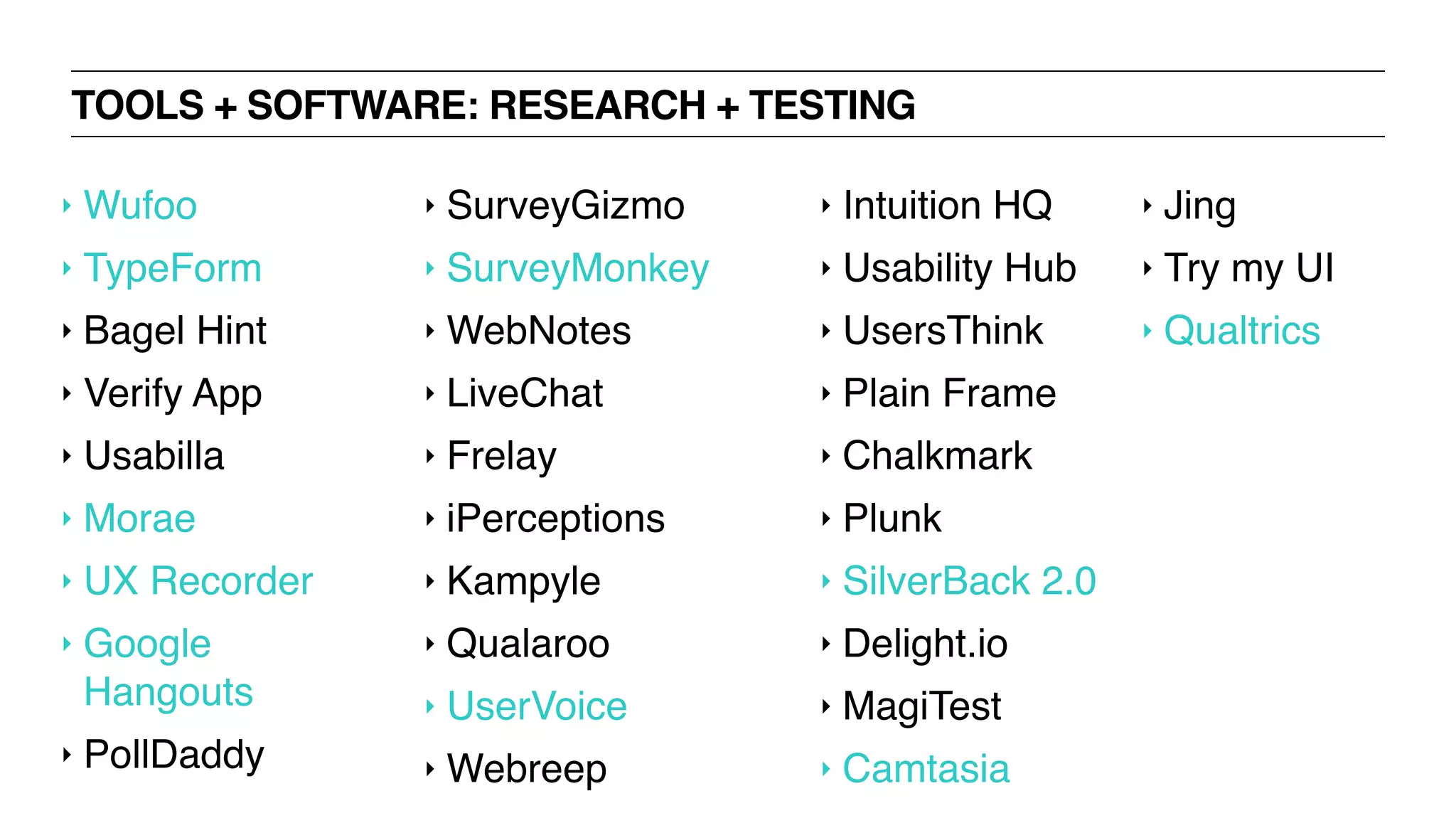
TOOLS + SOFTWARE: RESEARCH + TESTING
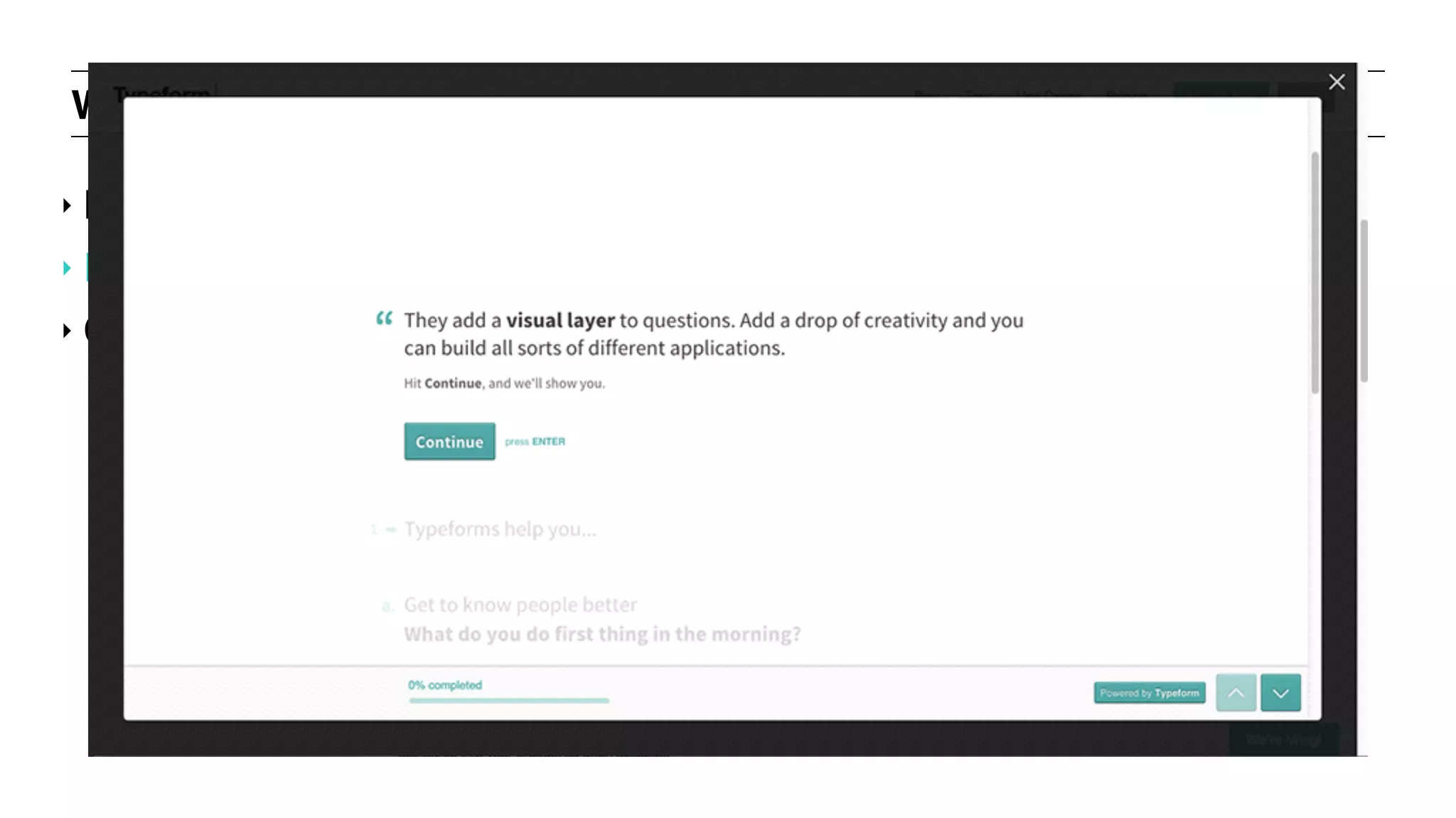
‣ Wufoo
‣ TypeForm
‣ Bagel Hint
‣ Verify App
‣ Usabilla
‣ Morae
‣ UX Recorder
‣ Google
Hangouts
‣ PollDaddy
‣ SurveyGizmo
‣ SurveyMonkey
‣ WebNotes
‣ LiveChat
‣ Frelay
‣ iPerceptions
‣ Kampyle
‣ Qualaroo
‣ UserVoice
‣ Webreep
‣ Intuition HQ
‣ Usability Hub
‣ UsersThink
‣ Plain Frame
‣ Chalkmark
‣ Plunk
‣ SilverBack 2.0
‣ Delight.io
‣ MagiTest
‣ Camtasia
‣ Jing
‣ Try my UI
‣ Qualtrics
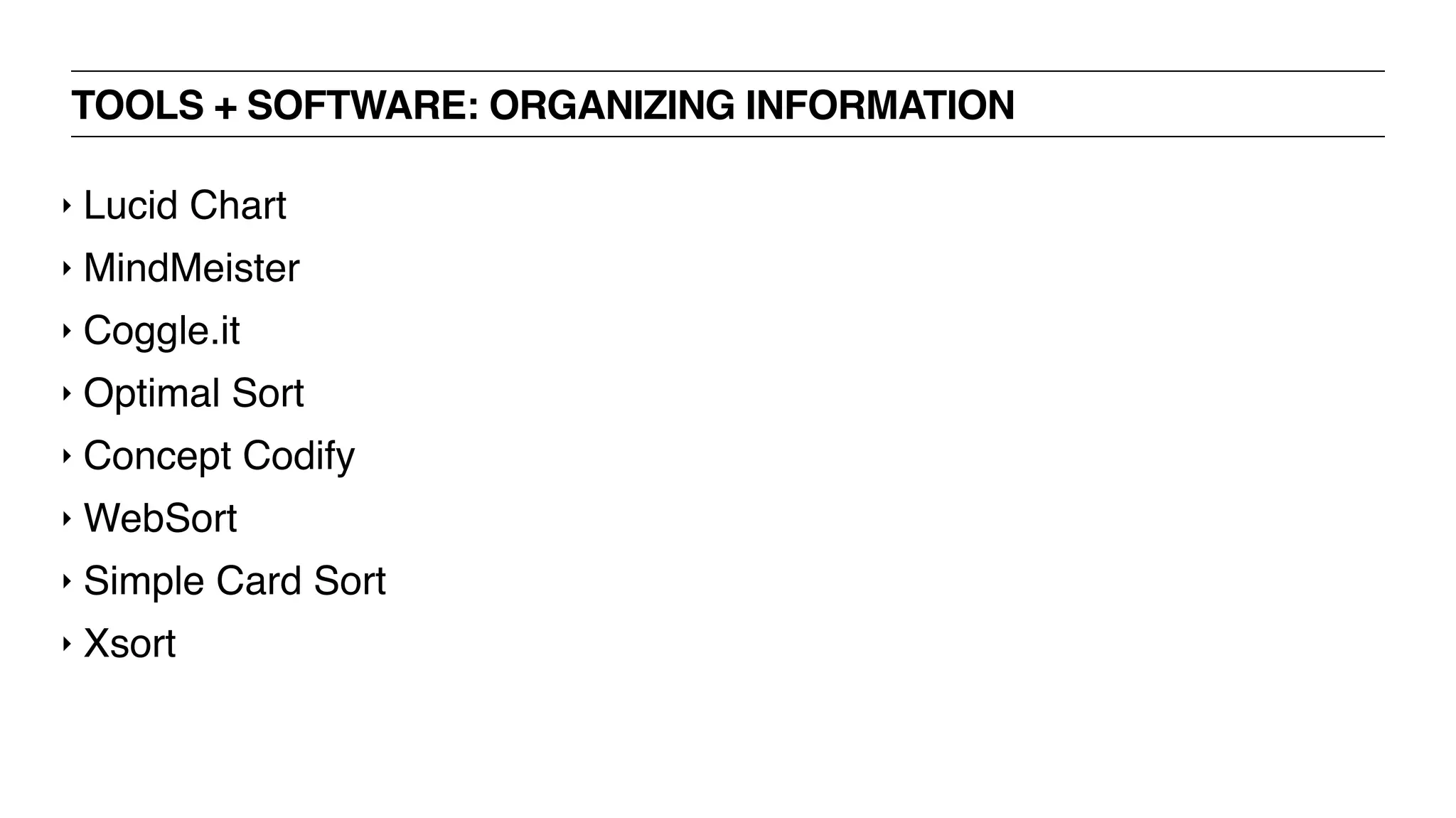
TOOLS + SOFTWARE: ORGANIZING INFORMATION
‣ Lucid Chart
‣ MindMeister
‣ Coggle.it
‣ Optimal Sort
‣ Concept Codify
‣ WebSort
‣ Simple Card Sort
‣ Xsort
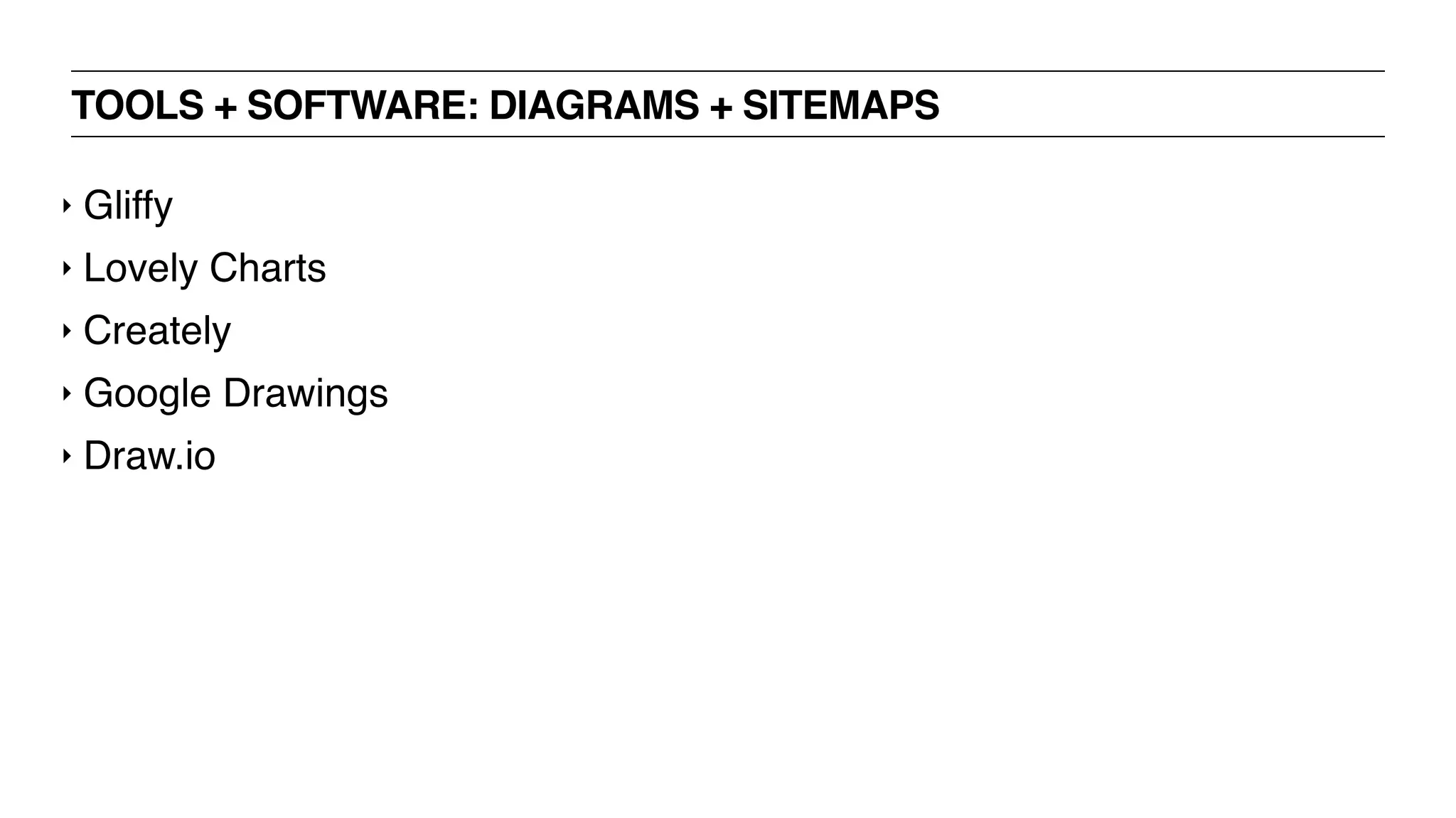
TOOLS + SOFTWARE: DIAGRAMS + SITEMAPS
‣ Gliffy
‣ Lovely Charts
‣ Creately
‣ Google Drawings
‣ Draw.io
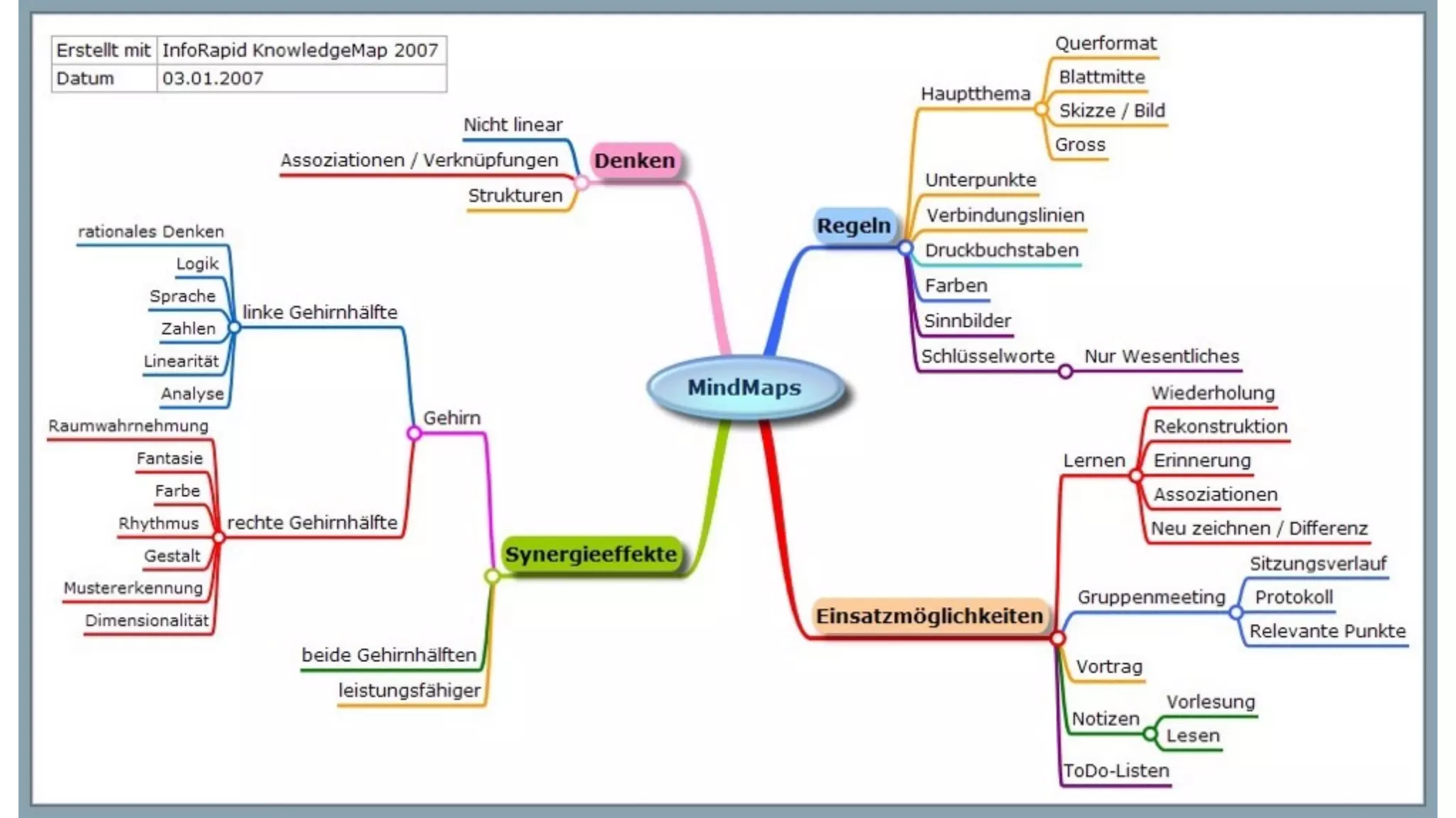
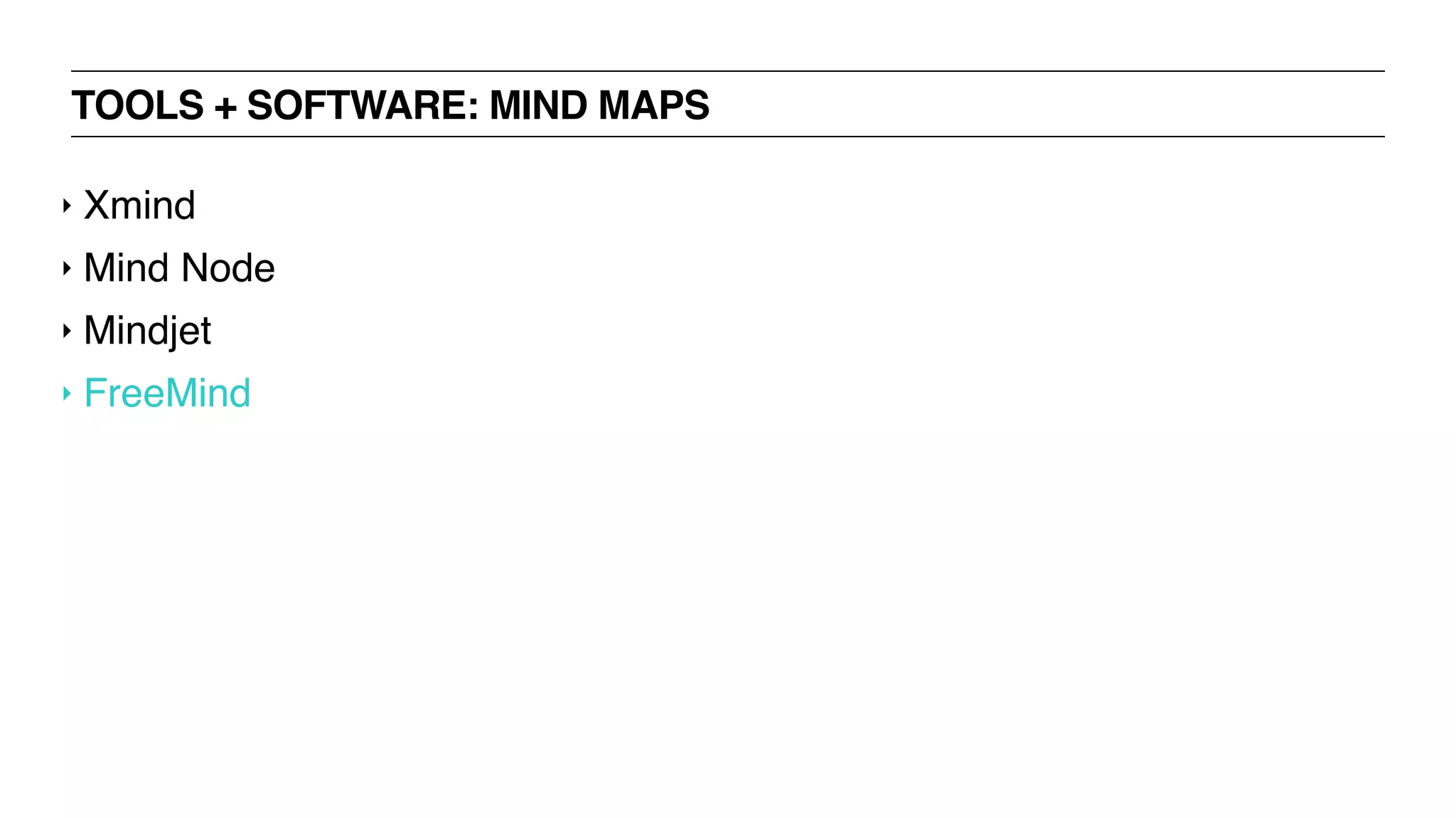
TOOLS + SOFTWARE: MIND MAPS
‣ Xmind
‣ Mind Node
‣ Mindjet
‣ FreeMind
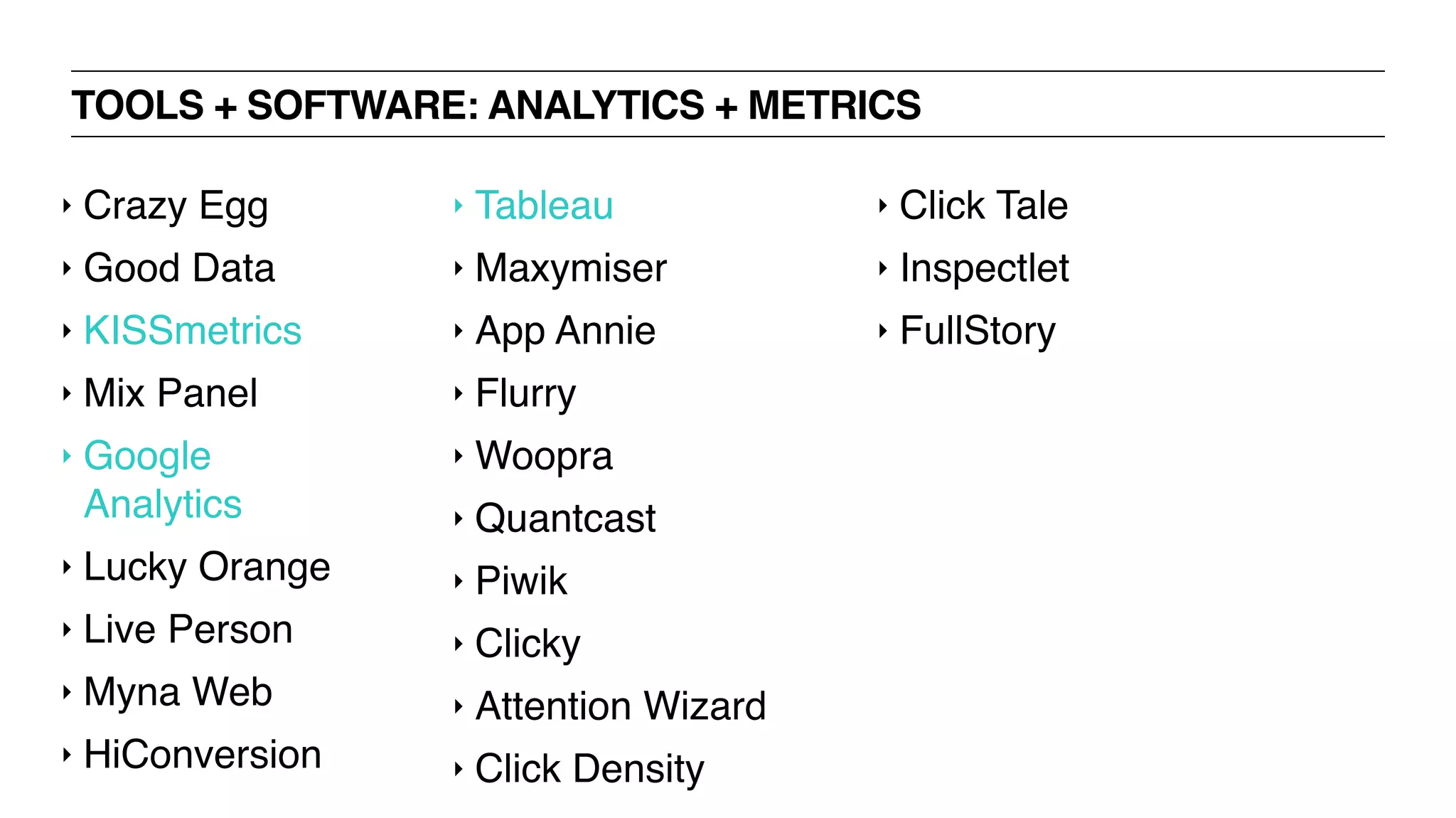
TOOLS + SOFTWARE: ANALYTICS + METRICS
‣ Crazy Egg
‣ Good Data
‣ KISSmetrics
‣ Mix Panel
‣ Google
Analytics
‣ Lucky Orange
‣ Live Person
‣ Myna Web
‣ HiConversion
‣ Tableau
‣ Maxymiser
‣ App Annie
‣ Flurry
‣ Woopra
‣ Quantcast
‣ Piwik
‣ Clicky
‣ Attention Wizard
‣ Click Density
‣ Click Tale
‣ Inspectlet
‣ FullStory
SOFTWARE EXERCISE! - 60 MINUTES
‣ Divide into pairs
‣ Research assigned software tool + report back to the group
‣ Things to look for include:
‣ Is there a free trial?
‣ Pricing
‣ Features
‣ Download / cloud?
‣ Be prepared to share!
WEB FORMS
UXD BOOTCAMP
‣ Identify the different elements of forms + how to use them effectively
‣ Learn what makes a strong user experience with forms
‣ Identify expected outcomes
LEARNING OBJECTIVES
WEB FORMS: PRINCIPLE
‣ Reward, acknowledge, explain + reassure
‣ This principle applies to all UX, not just forms
‣ The user is King Baby, a god, or a small child
‣ No attention span
‣ Can only process one idea at a time
‣ Impatient
‣ Demanding
‣ Insecure
‣ Anticipate their every need + concern
‣ Play a game with lots of little “wins” to keep them motivated
WEB FORMS: PRACTICE
‣ Filling out a form is work + users are lazy
‣ The goal is to reduce the amount of work
‣ Secondarily, reduce the appearance of how much work it really is
‣ Use selectors wherever possible; avoid reliance on free text input
‣ Free text is the most work + the most error-prone
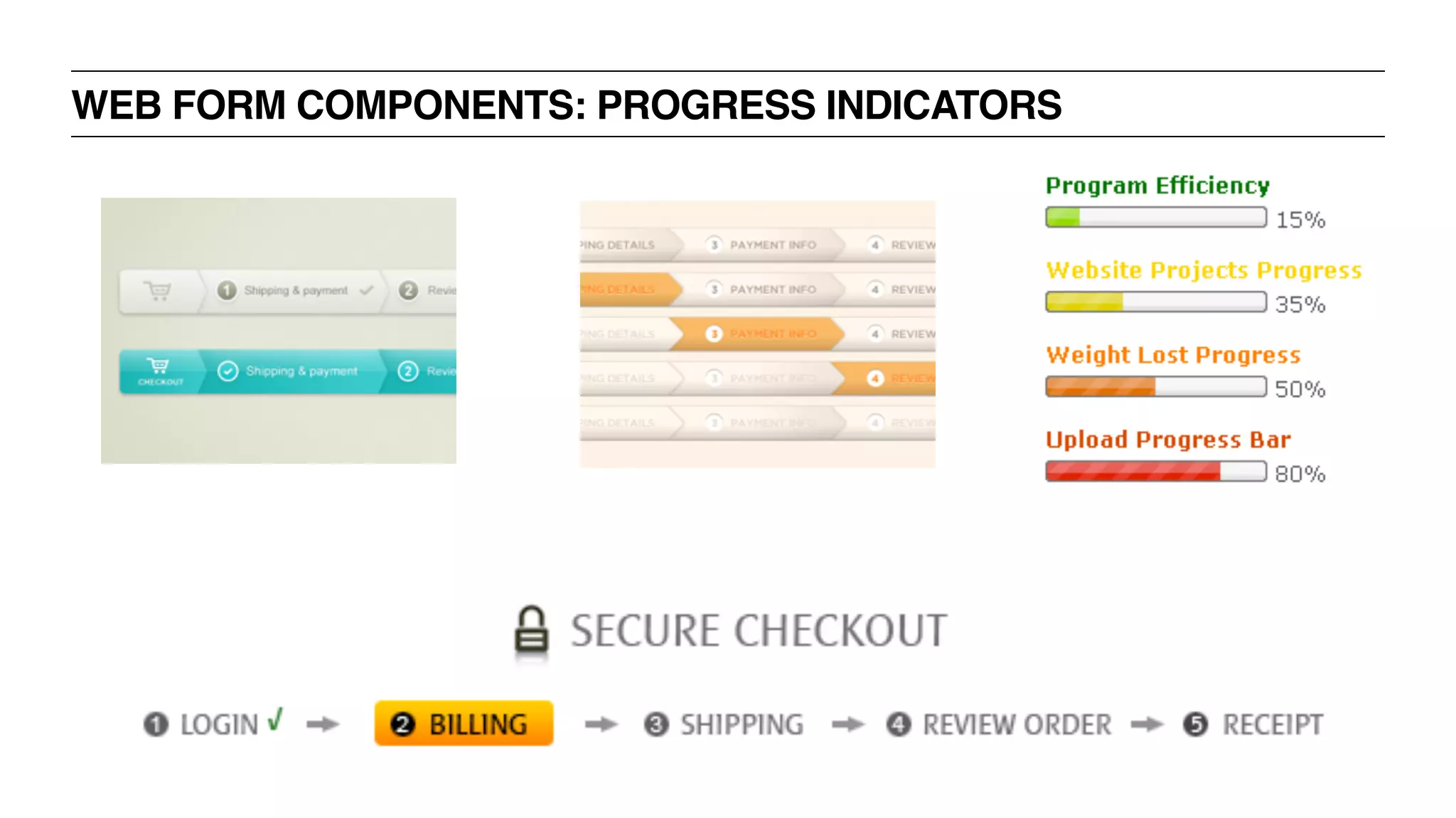
WEB FORMS: INDICATE PROGRESS
‣ For longer forms, there should be some visualization of overall
completeness
‣ Progress bar, % complete, green checkmarks, etc.
‣ For shorter forms this is less important
‣ Field-by-field validation is still a nice thing to do
WEB FORMS: PROVIDE REASSURANCE
‣ Over-explain why you’re asking for this information
‣ This goes double for sensitive info such as financial or medical
‣ If there are any in-depth questions, be sure to address them in the form
‣ Amazon’s “What’s this?” or “Why we ask” links
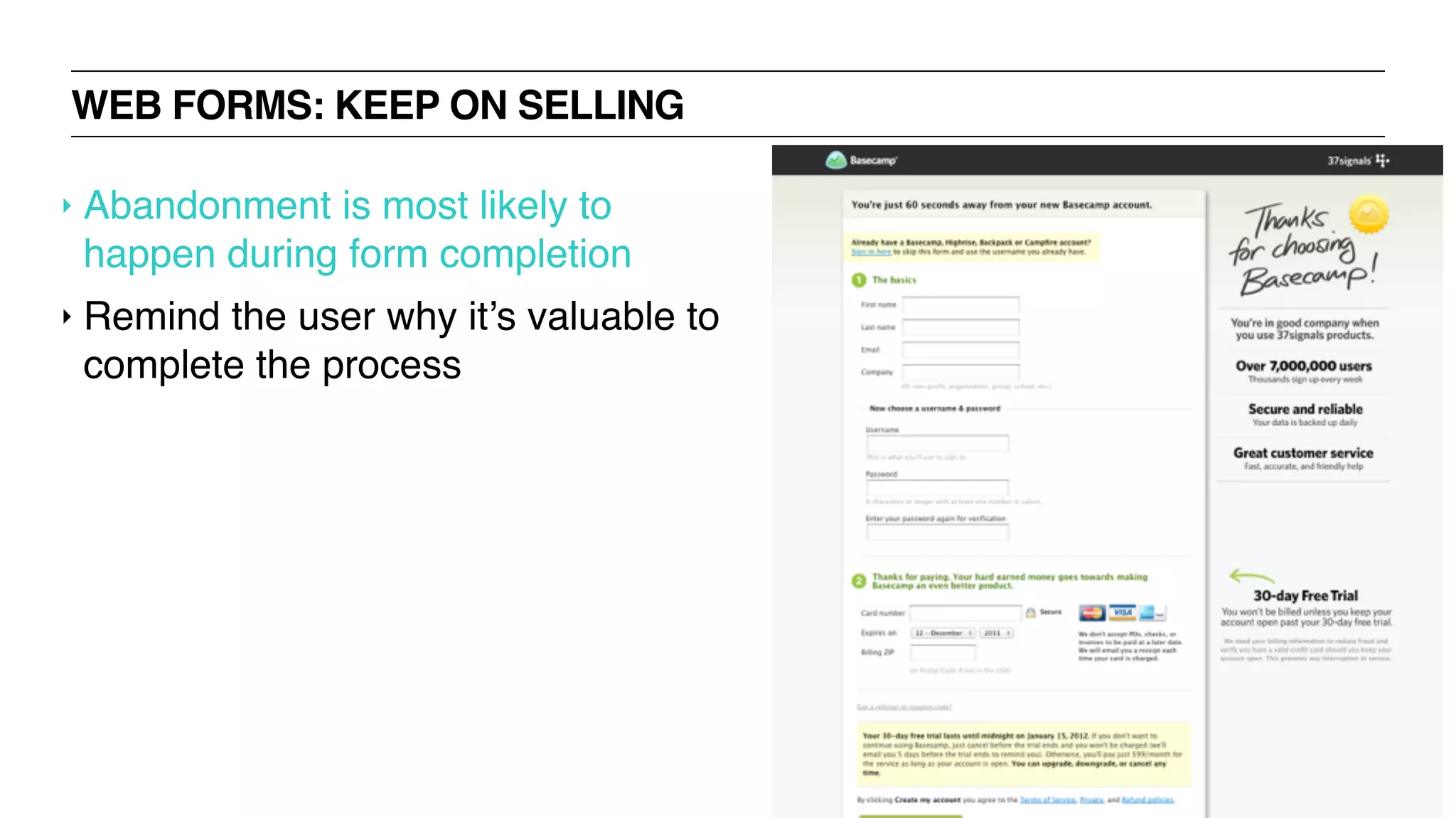
WEB FORMS: KEEP ON SELLING
‣ Abandonment is most likely to
happen during form completion
‣ Remind the user why it’s valuable to
complete the process
WEB FORMS: FORGIVE ERRORS
‣ Don’t lose their data!
‣ User error cannot be allowed to break the system
‣ Make sure you have in-line methods of dealing will all error types
‣ Misspellings, skipped fields, wrong data type, etc.
‣ Alert the user visually with color + clearly explain what’s needed
WEB FORMS: ALLOW CONFIRMATION
‣ When possible, use a confirmation page
‣ With longer forms, allow user to navigate back through form
‣ Use this approach when repeating the data would require a very
large/complex interface
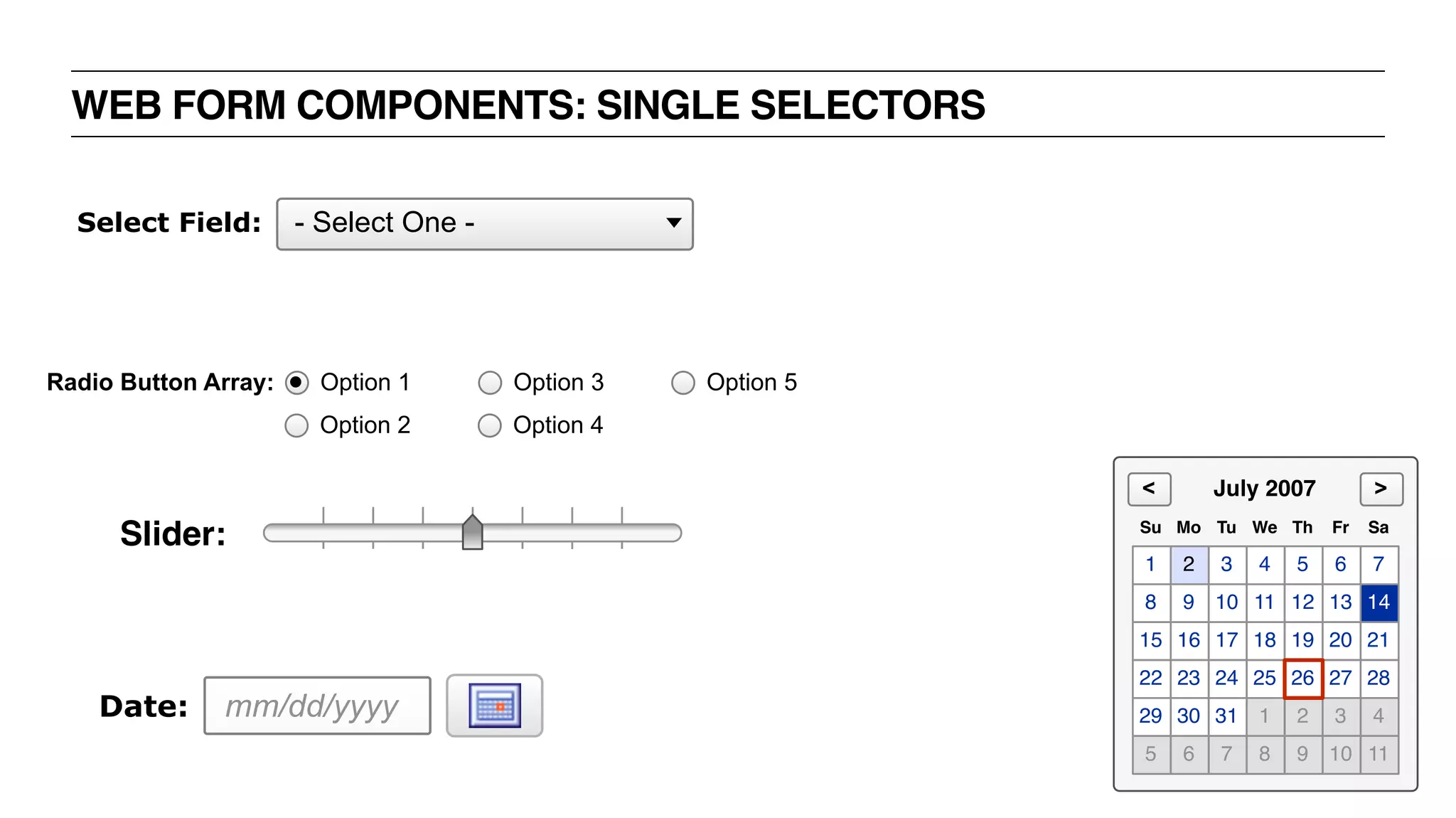
WEB FORM COMPONENTS: SINGLE SELECTORS
mm/dd/yyyyDate:
- Select One -Select Field:
Radio Button Array:
Option 2
Option 1
Option 4
Option 3 Option 5
Slider:
1 2 3 4 5 6 7
8 9 10 11 12 13 14
15 16 17 18 19 20 21
22 23 24 25 27 28
29 30 31 1 2 3 4
5 6 7 8 9 10 11
26
Su Mo Tu We Th Fr Sa
July 2007 ><
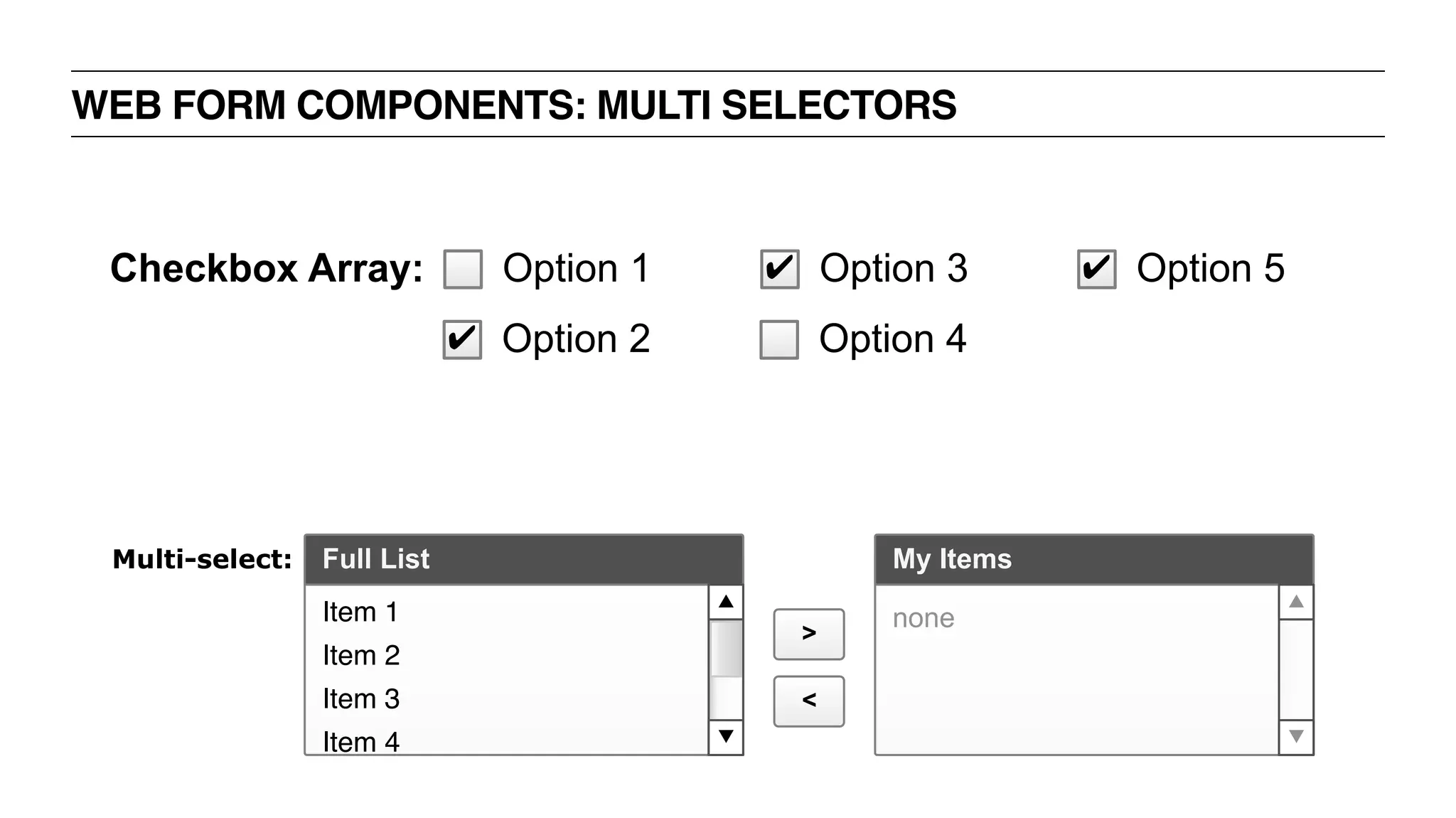
WEB FORM COMPONENTS: MULTI SELECTORS
Full List My Items
>
<
Item 1
Item 2
Item 3
Item 4
none
Multi-select:
Checkbox Array:
✔ Option 2
Option 1
Option 4
✔ Option 3 ✔ Option 5
WEB FORM COMPONENTS: PROGRESS INDICATORS
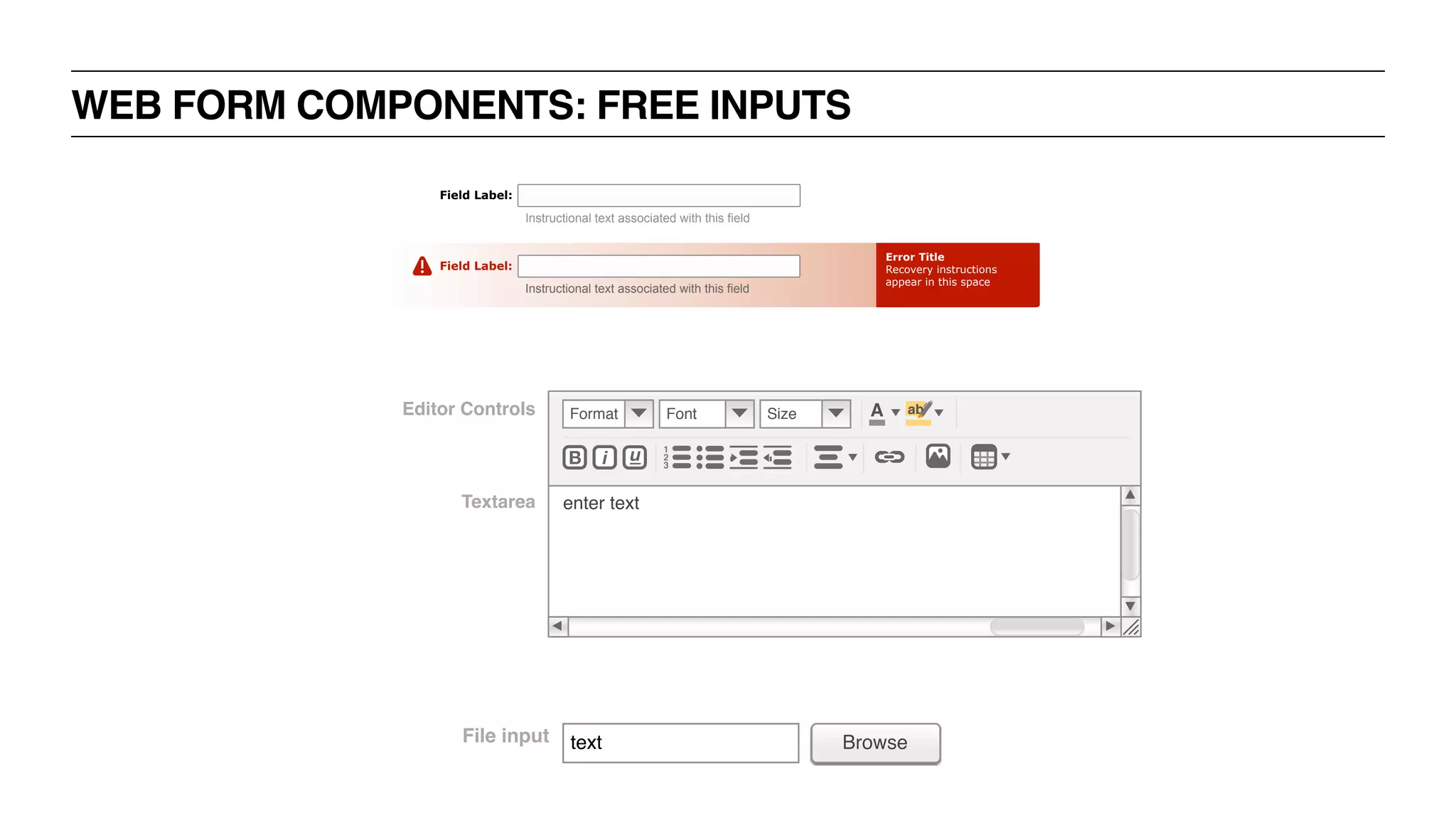
WEB FORM COMPONENTS: FREE INPUTS
Error Title
Recovery instructions
appear in this space
Field Label:
Instructional text associated with this field
Field Label:
Instructional text associated with this field
Textarea
Editor Controls
iB u 1
2
3
A abFormat Font Size
enter text
File input text Browse
UX BOOTCAMP
FORM TYPES +
OUTCOMES
WEB FORMS: TYPES + OUTCOMES
‣ Contact Form
‣ Lead Generation Form
‣ Order Form
‣ Event Registration Form
‣ Survey
WEB FORMS: CONTACT FORM
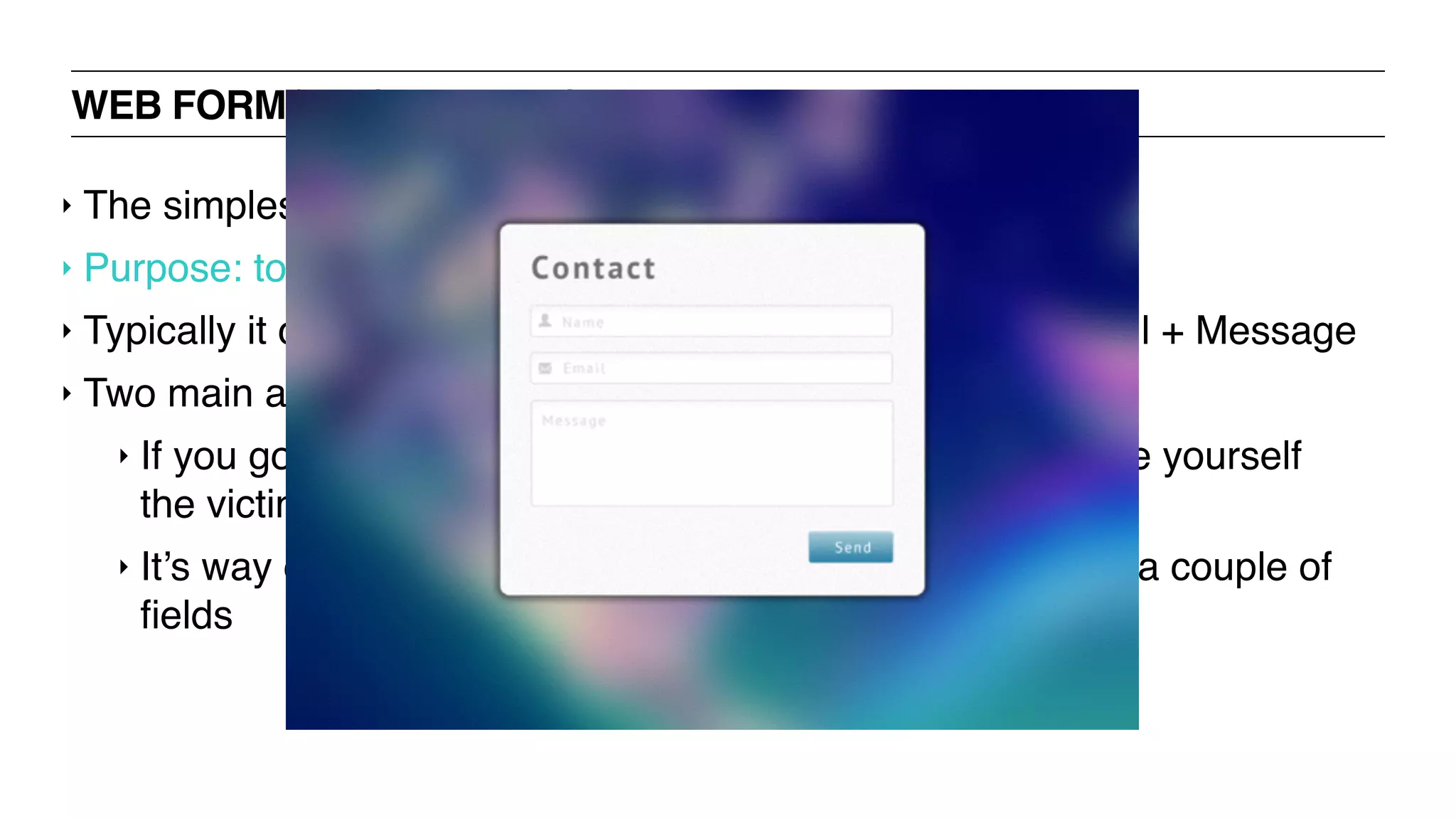
‣ The simplest of web forms
‣ Purpose: to take users’ input and delivers it to your inbox
‣ Typically it contains no more than three fields – Name, Email + Message
‣ Two main advantages over displaying your email id publicly:
‣ If you go sharing your email address all around you make yourself
the victim of spammers.
‣ It’s way easier for a visitor to contact you just by filling in a couple of
fields
WEB FORMS: CONTACT FORM
‣ The simplest of web forms
‣ Purpose: to take users’ input and delivers it to your inbox
‣ Typically it contains no more than three fields – Name, Email + Message
‣ Two main advantages over displaying your email id publicly:
‣ If you go sharing your email address all around you make yourself
the victim of spammers.
‣ It’s way easier for a visitor to contact you just by filling in a couple of
fields
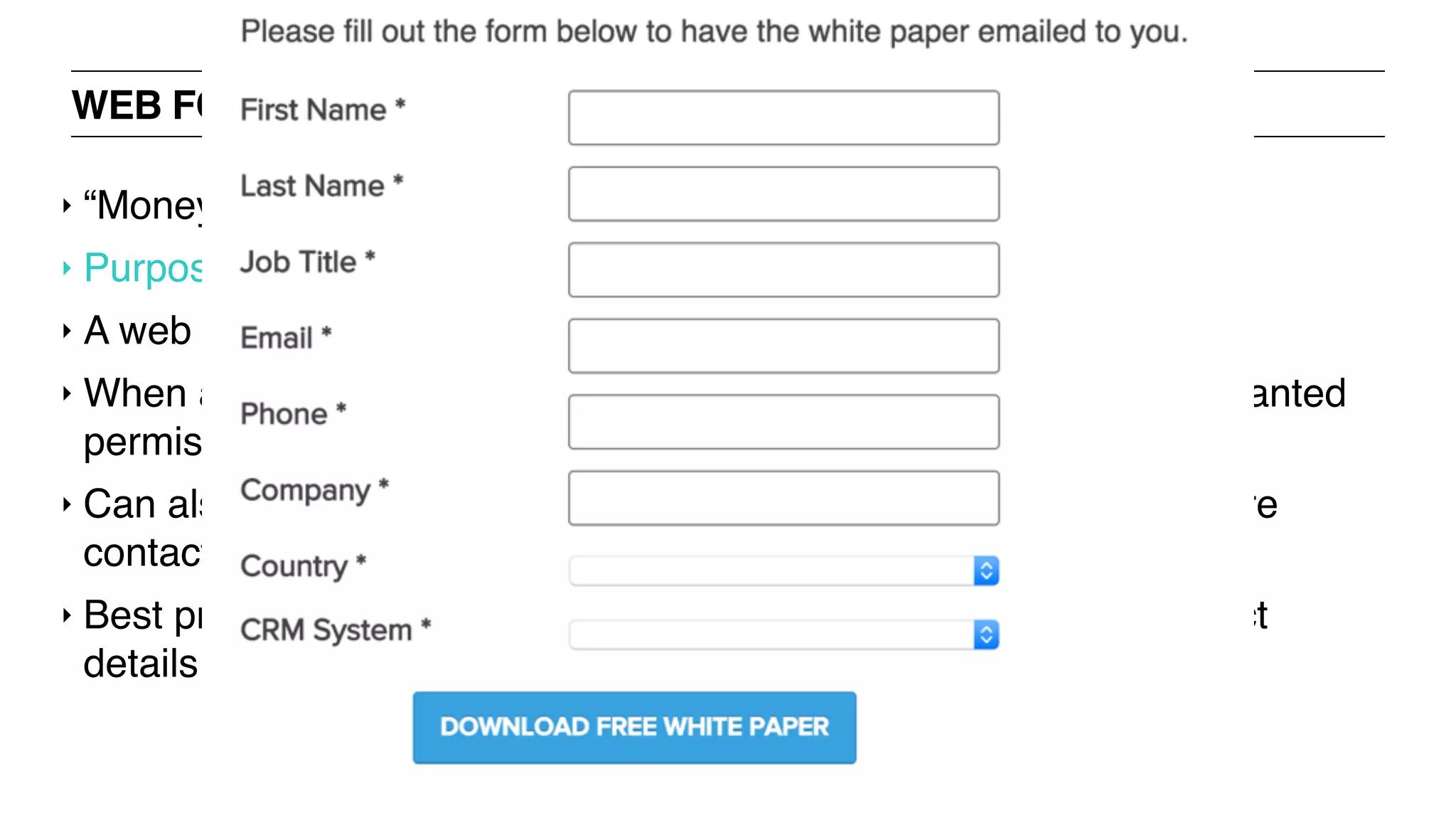
WEB FORMS: LEAD GENERATION FORM
‣ “Money is in the mailing list" mindset
‣ Purpose: to collect contact information of prospects
‣ A web form to collect people’s emails
‣ When a user signs up or subscribes to your mailing list, you are granted
permission to email him/her regularly
‣ Can also be used on landing pages of company websites to capture
contacts for the sales cycle
‣ Best practices: offer an incentive when you ask for people’s contact
details
WEB FORMS: LEAD GENERATION FORM
‣ “Money is in the mailing list" mindset
‣ Purpose: to collect contact information of prospects
‣ A web form to collect people’s emails
‣ When a user signs up or subscribes to your mailing list, you are granted
permission to email him/her regularly
‣ Can also be used on landing pages of company websites to capture
contacts for the sales cycle
‣ Best practices: offer an incentive when you ask for people’s contact
details
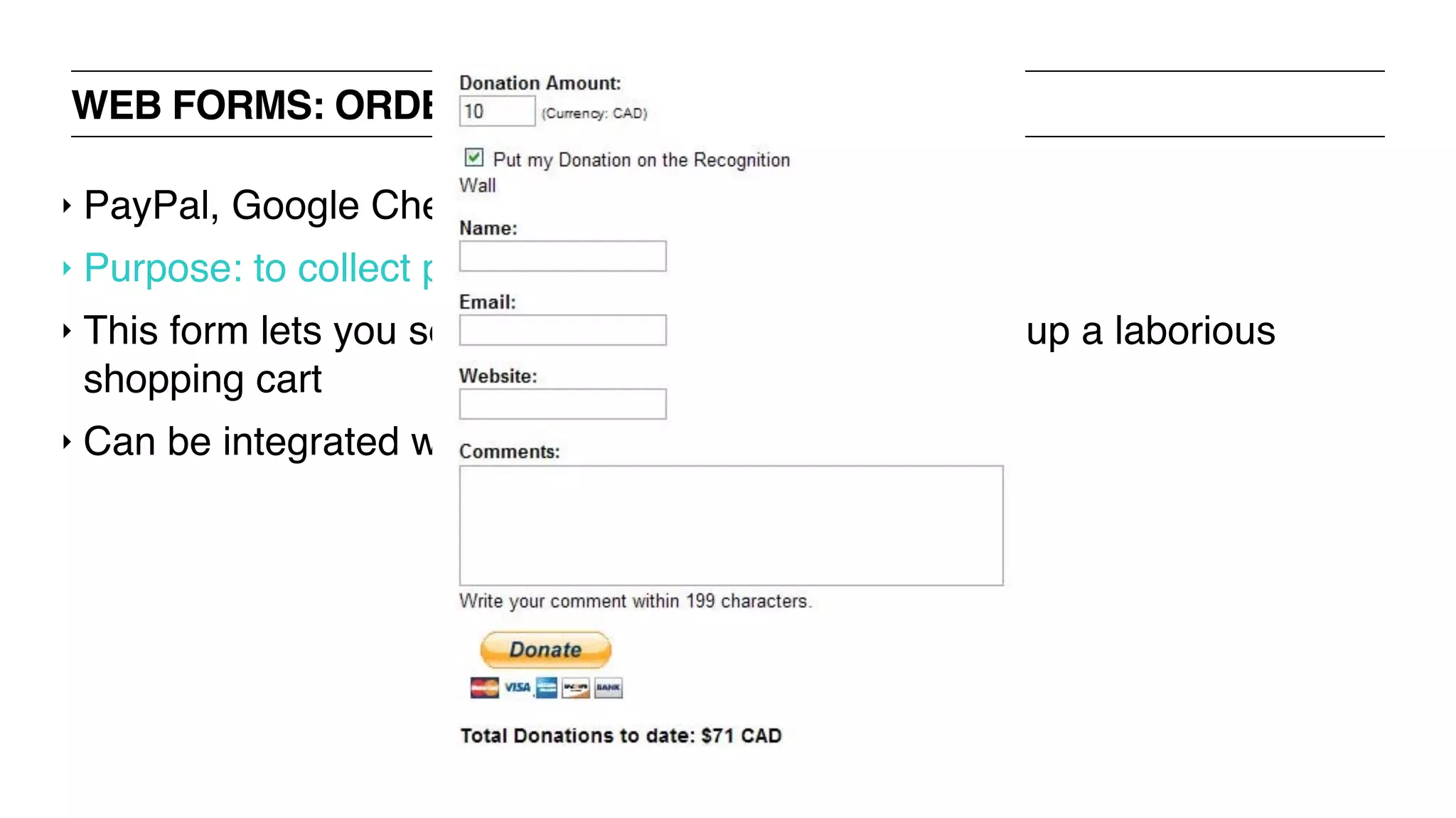
WEB FORMS: ORDER FORM
‣ PayPal, Google Checkout forms
‣ Purpose: to collect payment for online purchases
‣ This form lets you sell products online without setting up a laborious
shopping cart
‣ Can be integrated with online payment gateways
WEB FORMS: ORDER FORM
‣ PayPal, Google Checkout forms
‣ Purpose: to collect payment for online purchases
‣ This form lets you sell products online without setting up a laborious
shopping cart
‣ Can be integrated with online payment gateways
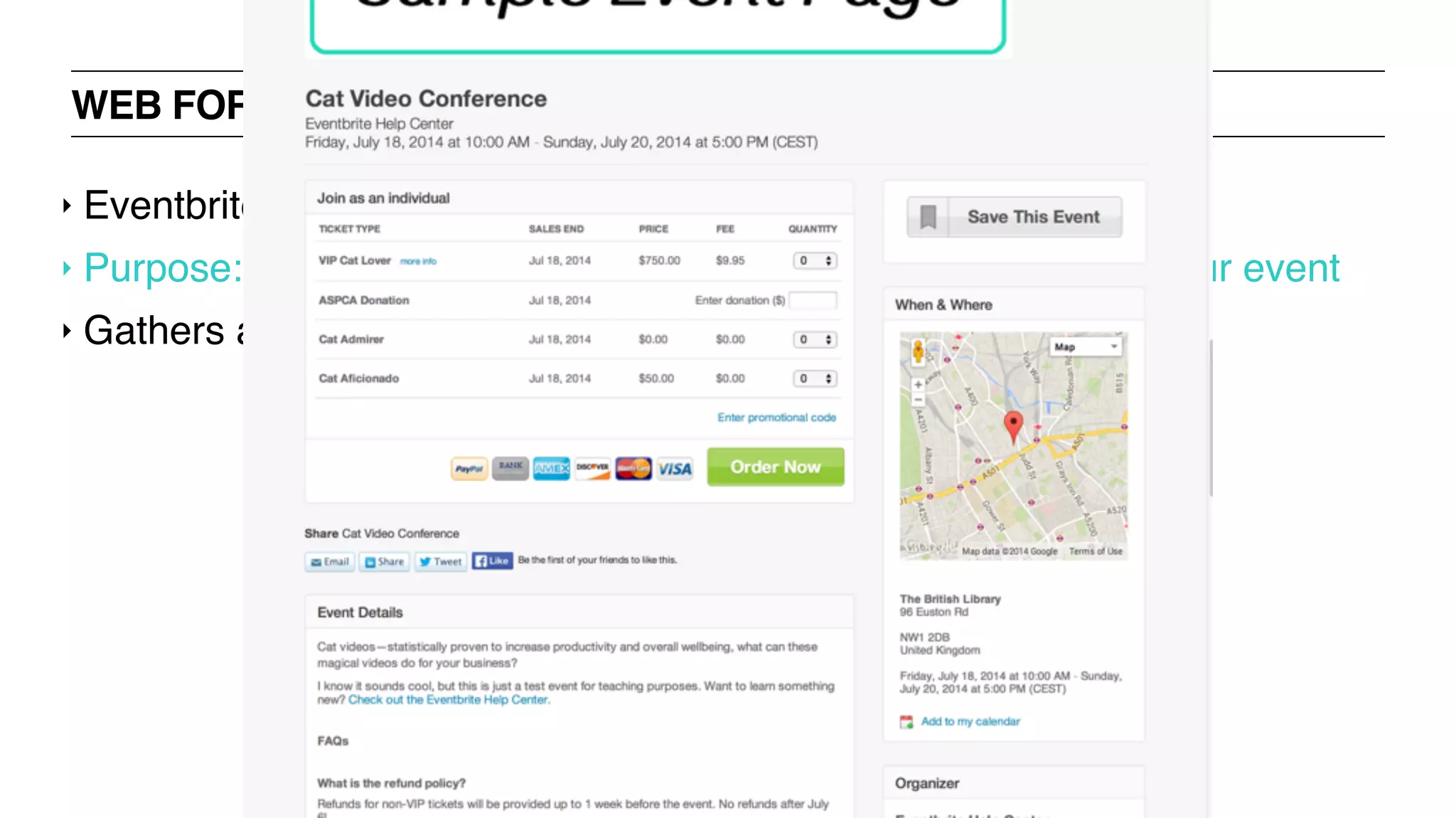
WEB FORMS: EVENT REGISTRATION FORM
‣ Eventbrite, nvite
‣ Purpose: to find out how many people will actually turn up to your event
‣ Gathers attendants’ contact data + other requested info
WEB FORMS: EVENT REGISTRATION FORM
‣ Eventbrite, nvite
‣ Purpose: to find out how many people will actually turn up to your event
‣ Gathers attendants’ contact data + other requested info
WEB FORMS: SURVEY FORM
‣ Market research, user research
‣ Purpose: allows you to survey customers to get feedback
‣ Can be used with prospective or current customers
WEB FORMS: SURVEY FORM
‣ Market research, user research
‣ Purpose: allows you to survey customers to get feedback
‣ Can be used with prospective or current customers
RESOURCES
UXD BOOTCAMP
RESOURCES: READING
‣ UX Booth
‣ UX Magazine
‣ UX Matters
‣ UX Zeitgeist
‣ Smashing Magazine
‣ UIE
‣ A List Apart
‣ Transitioning Careers
‣ Medium Collection
‣ Boxes and Arrows
‣ Hints from the Lazy Bear
‣ 52 Weeks of UX
‣ UX Apprentice
‣ Usability First Glossary
‣ UX Beginner
RESOURCES: BOOKS
‣ Smashing UX Design
‣ Don’t Make Me Think, Revisited
‣ The Elements of User Experience
‣ The User Experience Team of One: A Research and Design Survival
Guide
‣ It's Our Research: Getting Stakeholder Buy-in for User Experience
Research Projects
‣ Designing Together: The collaboration and conflict management
handbook for creative professionals
RESOURCES: UXERS YOU SHOULD KNOW
‣ Jakob Nielson
‣ Jared Spool
‣ Alan Cooper
‣ Dana Chisnell
‣ Nate Bolt
‣ Peter Morville
‣ Stephen Anderson
‣ Steve Krug
‣ Luke Wroblewski
RESOURCES: COMPANIES OF NOTE
‣ Nielsen Norman Group
‣ Adaptive Path
‣ IDEO
‣ Smart Design
‣ Frog Design
‣ Cooper Design
RESOURCES: LOCAL ORGANIZATIONS
‣ Ladies that UX
‣ Atlanta Web Design Group
‣ IXDA
‣ CHI Atlanta
RESOURCES: CONFERENCES
‣ Lean UX NYC
‣ GIANT
‣ Madison+ UX 2015
‣ Interaction 16
‣ SIGCHI
‣ MX2015
‣ IA Summit
‣ Gel Conference
‣ Enterprise UX
‣ #dareconf
QUESTIONS?
UXD BOOTCAMP
THANKS!
UXD BOOTCAMP

UX Bootcamp @ General Assembly Atlanta

  • 1.
    UXD BOOTCAMP JACKLYN BURGAN, UXRESEARCHER + STRATEGIST
  • 2.
    ‣ Jacklyn Burgan ‣UX Researcher + Strategist ‣ @playfulpixel // @LadiesThatUXATL HELLO
  • 3.
    ‣ Jacklyn Burgan ‣UX Researcher + Strategist ‣ @playfulpixel // @LadiesThatUXATL HELLO
  • 4.
  • 5.
    ‣ Introduction touser experience design + usability ‣ Introduction to user experience documentation + deliverables + software ‣ Introduction to usable web forms WHAT WE’LL COVER TODAY
  • 6.
    USER EXPERIENCE DESIGN +USABILITY UXD BOOTCAMP
  • 7.
    ‣ Describe thefield of UX + how it relates to other disciplines ‣ Identify the different roles within UX + the responsibilities of each ‣ UX Process: Traditional [“Waterfall”], Agile, Lean ‣ Learn to conduct UX research LEARNING OBJECTIVES
  • 8.
    WHAT IS USEREXPERIENCE DESIGN [UXD]? “User experience design (UXD or UED) is the process of enhancing user satisfaction by improving the usability, ease of use, and pleasure provided in the interaction between the user and the product.” — Wikipedia “The design of anything independent of medium or across [device] with human experience as an explicit outcome and human engagement as an explicit goal” — Jesse James Garrett, co-founder of Adaptive Path “User experience encompasses all aspects of the end-user's interaction with the company, its services, and its products.” — Nielsen Norman Group
  • 9.
    WHAT IS USABILITY? “Usabilityis a quality attribute that assesses how easy user interfaces are to use. The word "usability" also refers to methods for improving ease-of-use during the design process.” — Nielsen Norman Group “Usability is the ease of use and learnability of a human-made object. The object of use can be a software application, website, book, tool, machine, process, or anything a human interacts with.” — Wikipedia
  • 10.
    UX BOOTCAMP UX JOBS+ RESPONSIBILITIES
  • 11.
    UX JOBS +RESPONSIBILITIES: BLUEPRINT ‣ UX Designer ‣ Experience Designer ‣ Interaction Designer [IxD] ‣ Information Architect [IA]
  • 12.
    INTERACTION DESIGNER [IXD] ‣Focus only on the interaction between the human + the computer ‣ Designing for affordances
  • 13.
    INTERACTION DESIGNER [IXD] ‣Focus only on the interaction between the human + the computer ‣ Designing for affordances
  • 14.
    INTERACTION DESIGNER [IXD] ‣Focus only on the interaction between the human + the computer ‣ Designing for affordances
  • 15.
    INTERACTION DESIGNER [IXD] ‣Focus only on the interaction between the human + the computer ‣ Designing for affordances
  • 16.
    INTERACTION DESIGNER [IXD] ‣Focus only on the interaction between the human + the computer ‣ Designing for affordances
  • 17.
    INTERACTION DESIGNER [IXD] ‣Focus only on the interaction between the human + the computer ‣ Designing for affordances
  • 18.
    INTERACTION DESIGNER [IXD] ‣Focus only on the interaction between the human + the computer ‣ Designing for affordances
  • 19.
    INTERACTION DESIGNER [IXD] ‣Focus only on the interaction between the human + the computer ‣ Designing for affordances
  • 20.
    INTERACTION DESIGNER [IXD] ‣Focus only on the interaction between the human + the computer ‣ Designing for affordances
  • 21.
    INTERACTION DESIGNER [IXD] ‣Focus only on the interaction between the human + the computer ‣ Designing for affordances
  • 22.
    INTERACTION DESIGNER [IXD] ‣Focus only on the interaction between the human + the computer ‣ Designing for affordances
  • 23.
    INTERACTION DESIGNER [IXD] ‣Focus only on the interaction between the human + the computer ‣ Designing for affordances
  • 24.
    INTERACTION DESIGNER [IXD] ‣Focus only on the interaction between the human + the computer ‣ Designing for affordances
  • 25.
    INTERACTION DESIGNER [IXD] ‣Focus only on the interaction between the human + the computer ‣ Designing for affordances
  • 26.
    INTERACTION DESIGNER [IXD] ‣Focus only on the interaction between the human + the computer ‣ Designing for affordances
  • 27.
    INTERACTION DESIGNER [IXD] ‣Focus only on the interaction between the human + the computer ‣ Designing for affordances
  • 28.
    INTERACTION DESIGNER [IXD] ‣Focus only on the interaction between the human + the computer ‣ Designing for affordances
  • 29.
    INTERACTION DESIGNER [IXD] ‣Focus only on the interaction between the human + the computer ‣ Designing for affordances
  • 30.
    ‣ Structure ‣ Whatare all the things a user is able to do / places a user can visit? ‣ Taxonomy ‣ User Flows INFORMATION ARCHITECT
  • 31.
    ‣ Structure ‣ Whatare all the things a user is able to do / places a user can visit? ‣ Taxonomy ‣ User Flows INFORMATION ARCHITECT + + + + + + 2 Saved Search Starre d Followin g Recen t Popula r Nearb y Filte r Searc h Result s Projec t Galler y Submi t New Project My Profile Setting s Edit Profile Adv Options Edit Notification Edit Sharing Users Starred User Profile Users Submits My Projects Share Logi n Home Launch Users Projects Edit Projec t Download Other User Not Logge d In Hel p + My Submit s
  • 32.
    UX JOBS +RESPONSIBILITIES: BUSINESS STRATEGY ‣ UX Strategist ‣ UX Architect ‣ UX Product Manager ‣ UX Analyst
  • 33.
    UX ANALYST ‣ Responsiblefor configuring metrics for products ‣ Carry out usability tests ‣ Assists teams to make data driven decisions
  • 34.
    UX ANALYST ‣ Responsiblefor configuring metrics for products ‣ Carry out usability tests ‣ Assists teams to make data driven decisions
  • 35.
    UX JOBS +RESPONSIBILITIES: VISUAL DESIGN ‣ Visual Designer ‣ UI Designer ‣ Digital Designer ‣ Designer
  • 36.
    UX JOBS +RESPONSIBILITIES: VISUAL DESIGN ‣ Responsible for the “pretty” part of the product
  • 37.
    UX JOBS +RESPONSIBILITIES: VISUAL DESIGN ‣ Responsible for the “pretty” part of the product
  • 38.
    UX JOBS +RESPONSIBILITIES: VISUAL DESIGN ‣ Responsible for the “pretty” part of the product
  • 39.
    UX JOBS +RESPONSIBILITIES: RESEARCH / USABILITY ‣ UX Researcher ‣ Usability Researcher ‣ Usability Specialist ‣ Usability Analyst ‣ Usability Engineer
  • 40.
    UX RESEARCHER ‣ Identifyuser needs + behaviors ‣ Interviews ‣ Surveys ‣ Examining data ‣ Carry out user testing
  • 41.
    UX RESEARCHER ‣ Identifyuser needs + behaviors ‣ Interviews ‣ Surveys ‣ Examining data ‣ Carry out user testing
  • 42.
    UX JOBS +RESPONSIBILITIES: CONTENT STRATEGY ‣ Content Strategist ‣ UX Copywriter
  • 43.
    UX JOBS +RESPONSIBILITIES: CONTENT STRATEGIST ‣ Responsible for the planning, development, + management of content—written or in other media.
  • 44.
    UX JOBS +RESPONSIBILITIES: CONTENT STRATEGIST ‣ Responsible for the planning, development, + management of content—written or in other media.
  • 45.
    UX JOBS +RESPONSIBILITIES: DEVELOPMENT ‣ UX/UI Engineer ‣ UX/UI Developer ‣ Product Designer
  • 46.
    ENGINEERING / IMPLEMENTATION ‣Works closely with UX to implement designs
  • 47.
    ENGINEERING / IMPLEMENTATION ‣Works closely with UX to implement designs Carrier 12:00 PM MediaTask Title Description # Submit sNew Task ProfileFeed Title Description # Title Description # Title Description # T7 Profile Page Tap to view Profile Page. Transitional animation: no animation T8 Create Project Tap to Create a New Project. Transition: display cut to new view w same footer and new highlight state, no animation T2 Feed Tap to view Feed Page (Home Page). Transition: display cut to new view w same footer and new highlight state, no animation. Until page contents loads display header, footer, and a loading spinner w message. T5 Project Page Tap to view Project Page. Transitional animation: slide left from right When a project has no submissions display a Submit button that takes users directly to the camera capture step. See T5 Project List Item Includes Image from project creator, Title, Description, # of Submissions, and up to 5 of the most recent submission images. Drag list down to refresh feed. Display with animating arrow or spinner and message: "Pull down to Refresh" "Release to Refresh" "Updating" "Not Connected to Interent" T1 Info Tap to view Info page. Transitional animation: slide up from bottom T10 Search Tap to view Search Page. Transitional animation: slide left from right When a project has no submissions display a Submit button that takes users directly to the camera capture step. See T5 M3 Filter Tap to view Info Filters. Transitional animation: slide up from bottom Carrier 12:00 PM Title Category ## photos ## videos submitted User Name My Projects Recent Popular MediaTask T8 Create Project Tap to Create a New Project. Transition: display cut to new view w same footer and new highlight state, no animation Pull down to refresh. Search Title, by User Name 0/100 Category | ## | ## | ## Days left Descriptio n... 10/40 The Title of the Prject, by User Name Category | ## | ## | ## Days left Descriptio n... 10/40 The Title of the Prject, by User Name Category | ## | ## | ## Days left Descriptio n... Swipe to navigate, tap to select Feeds . Default feed is Recent. T5 Project Page Tap to view Project Page. Transitional animation: slide left from right When a project has no submissions display a Submit button that takes users directly to the camera capture step. See T5 This is a project with no submissions. M1 Project List Item Includes Title, User Name, Project Image, Category, # of photos, # of videos, # days left till project close, Description, Goal Gauge, optional gallery. Drag list down to expose search, and then refresh feed. On release without reaching refresh threshold keep search visible. Upon reaching refresh threshold display with animating arrow or spinner and message: "Pull down to Refresh" > "Release to Refresh" "Updating" "Not Connected to Interent" T3 Profile Page Tap to view Profile Page. Transitional animation: no animation M3 Filter Tap to view Filters. Transitional animation: slide down from top For projects with submissions, swipe anywhere on a list item to navigate a gallery of up to 10 recent entries. Swiping also displays the submissions button. See M1 for full specification. Feeds My Submissions Starred My Projects Following Recent Popular Nearby T10 Search Tap to view Search. Transitional animation: slide keyboard up; expand the height of search to include the location field, slide up list of recent searches. see animation from Yelp Search.
  • 48.
  • 49.
    TRADITIONAL UX PROCESS[“WATERFALL”] ‣ Discover ‣ Define ‣ Design ‣ Develop ‣ Deliver
  • 50.
    DISCOVER ‣ Gather information ‣Brainstorming ‣ Competitive analysis ‣ Define the project scope ‣ UX deliverables: personas + user scenarios
  • 51.
    DEFINE ‣ Developing interactionmodel ‣ Define the content + functionality requirements ‣ Define information architecture ‣ Create a project plan ‣ UX deliverables: product requirement document
  • 52.
    DESIGN ‣ Create paperprototype / sketches ‣ Usability evaluation ‣ Create wireframes ‣ Visual design explorations ‣ Visual design approval ‣ UX deliverables: sitemap, user flows, wireframes + UI designs
  • 53.
    DEVELOP ‣ Architecture design ‣UML diagram / class diagram ‣ Daily scrum ‣ Code iteration cycles ‣ Interim installers ‣ Release management ‣ Unit testing ‣ Code refactoring ‣ Documentation ‣ UX deliverables: No key UX deliverables at this stage.
  • 54.
    DELIVER ‣ Use cases ‣Test cases ‣ Testing ‣ Regression testing ‣ Test reports ‣ Build releases ‣ UX deliverables: usability test report
  • 55.
  • 56.
    UX SHOULD BEITERATIVE Discover Define Develop Deliver Design
  • 57.
  • 58.
  • 59.
  • 60.
  • 61.
    WHY UNDERSTAND OURUSERS? ‣ So you don’t build a snow machine for an eskimo ‣ Ensures you’re solving a problem that exists in peoples lives ‣ Key to building a product that is tailored to its audience
  • 63.
    WHAT DO WENEED TO KNOW TO UNDERSTAND OUR USERS? ‣ Why? ‣ Who? ‣ What? ‣ Where? ‣ When? ‣ How?
  • 64.
  • 65.
    WHAT DO WENEED TO KNOW TO UNDERSTAND OUR USERS? ‣ Why are they coming to us? ‣ Goals? ‣ What are their needs?
  • 66.
    WHAT DO WENEED TO KNOW TO UNDERSTAND OUR USERS? ‣ Who are our users? ‣ Businesses vs. consumers? ‣ Demographics? ‣ Background knowledge? ‣ Understanding of terminology?
  • 67.
    WHAT DO WENEED TO KNOW TO UNDERSTAND OUR USERS? ‣ When are they visiting? ‣ Morning or evening? ‣ When they’re in a crisis? ‣ Daily? ‣ Monthly?
  • 68.
    WHAT DO WENEED TO KNOW TO UNDERSTAND OUR USERS? ‣ What are their habits? ‣ Do they use social networks? ‣ Content producers or consumers? ‣ What you ask depends on the product
  • 69.
    WHAT DO WENEED TO KNOW TO UNDERSTAND OUR USERS? ‣ How are they accessing? ‣ Desktop or mobile? ‣ Tablet? ‣ Over the phone or in person?
  • 70.
    UX BOOTCAMP HOW TOGET THAT INFORMATION
  • 71.
    HOW DO WEGET THAT INFORMATION? ‣ Research, Observe! ‣ Surveys ‣ User Interviews ‣ Focus Groups ‣ Existing data
  • 72.
    UX RESEARCH: SURVEYS ‣+ Gather large numbers of responses very quickly ‣ + Get quantitative or qualitative feedback immediately ‣ - Hard to get rich responses ‣ - Often learn about problems but not why they occur
  • 73.
    UX RESEARCH: USERINTERVIEWS ‣ + One-on-one discussion ‣ + Can gather rich targeted information ‣ + Flexible; can explore tangents or unexpected areas ‣ - Time consuming to organize, run + analyze
  • 74.
    UX BOOTCAMP HOW TOCONDUCT USER INTERVIEWS
  • 75.
    FINDING PARTICIPANTS ‣ Whereto find them: ‣ Coffee shops ‣ Asking your network ‣ Social networks and forums ‣ Craigslist / Gumtree ads
  • 76.
    HOW TO ASKQUESTIONS ‣ Be wary of priming ‣ Don’t ask leading questions ‣ Never ask about intention, always probe behavior ‣ - “How many times do you plan to go to the gym?” ‣ + “How many times have in the last 3 months?”
  • 77.
    FOCUS ON SPECIFICINSTANCES ‣ + “Have you ever had ________ problem”? ‣ + “Tell about the last time you ....” ‣ Avoid generalizations: ‣ - “What do you usually ...”
  • 78.
    KEEP THEM TALKING ‣+ “Tell me more about that” ‣ + “What do you mean by...” ‣ + “Help me understand better..” ‣ Never put words into their mouth ‣ - “So do you mean...”
  • 79.
    PREPARING AN INTERVIEW ‣Record interviews if possible ‣ Always ask permission ‣ Explain why + that it’s for private use ‣ Take notes but remain focussed on participant ‣ Focus on topics rather than list of questions ‣ Should be a conversation ‣ If you divert off topic: “That’s really interesting. Can you tell me more about ...”
  • 80.
    TOPIC MAPS +DISCUSSION GUIDES
  • 81.
    TOPIC MAP EXERCISE!- 50 MINUTES ‣ You are going to do a user interview about online shopping in order to better understand users’ fears + desires ‣ Prepare a topic map covering all subjects you want to know [20m] ‣ Split into groups of 3 ‣ 1 person will interview, 1 will record notes on post it notes, 1 person will be interviewed ‣ We will rotate every 10 minutes ‣ Be prepared to share!
  • 82.
  • 83.
    CAPTURING INSIGHTS ‣ Straightafter interview ‣ Write down or identify the 3 most important insights ‣ When reviewing recording/notes ‣ Write out each interesting point on individual post it
  • 84.
    IDENTIFYING TRENDS BYCREATING AFFINITY MAPS ‣ Once you have all of your data, it’s time to analyze ‣ Goal is to extract common trends / themes ‣ Post-Its are your friends
  • 85.
    AFFINITY MAP EXERCISE!- 30 MINUTES ‣ Everyone should have a pile of post it notes ‣ One group will place their notes on the wall + read out the insight ‣ If another group has a similar insight they will place it on top ‣ Repeat until all the post it notes are placed on the wall ‣ Create themes from the grouped insights
  • 86.
  • 87.
  • 88.
    PERSONAS ‣ An example,generally fictional, of a person within your user base ‣ Created by conducting user research + summarizing trends into one or more archetypes
  • 89.
    PERSONAS: WHY THEY’REIMPORTANT ‣ Communication tool ‣ Useful for summarizing what you know about your user ‣ Will help to highlight pain points + opportunities to tailor your product to your user ‣ Keep your product focused on your key users rather than building for the whole world. ‣ [Keep in mind it’s just a framework, not a roadmap]
  • 90.
    PERSONAS: WHAT SHOULDBE INCLUDED ‣ Root it in reality not your imagination ‣ Goals / Needs ‣ Behaviors ‣ Biographical information [name, age, gender, location, income, etc] ‣ Optionally assign it personality traits [again, based on your research]
  • 91.
    PERSONAS: SCENARIOS ‣ Shortstories about a person using you product to achieve a goal ‣ Describes what they would do + why they would do it ‣ Independent of interface ‣ Gives the context in which its used
  • 92.
  • 93.
  • 94.
  • 95.
  • 96.
    PROVISIONAL PERSONAS ‣ ProvisionalPersonas are personas created without primary research ‣ They can be created through empathy mapping techniques ‣ They need to be validated as soon as possible with real users as part of the build, measure, learn loop
  • 97.
  • 98.
  • 99.
    PROVISIONAL PERSONAS EXERCISE!- 30 MINUTES ‣ Treat your table as a team ‣ Draw an empathy map on your table ‣ Based on insights from your interviewing exercise, project yourself into the mind of someone making a large purchase online
  • 100.
    PROVISIONAL PERSONAS: EMPATHYMAP ‣ What does she Think or Feel? [What matters?] ‣ What does she See? [environment, friends, solutions in the market] ‣ What does she Say + Do? [appearance, activities, behaviors] ‣ What does she Hear? [What do friends, boss, colleagues say?] ‣ Pain [fears, frustrations, obstacles] ‣ Goals [wants, needs, desires]
  • 101.
  • 102.
    CHALLENGES OF PERSONAS ‣They can be artificial / abstract / fictitious ‣ They are a composite sketch of 10 people all rolled into 1 ‣ They don’t have opinions ‣ They can’t talk back, answer questions, or give feedback
  • 103.
  • 104.
  • 105.
    ‣ Learn aboutpersonas, user flows, sitemaps, wireframes ‣ Determine when to use which documentation ‣ Discover new tools + frameworks for creating deliverables LEARNING OBJECTIVES
  • 106.
    DOCUMENTATION + DELIVERABLES:DESIGN STRATEGY ‣ Blueprint ‣ Consumer Journey Map ‣ User Stories ‣ Personas ‣ Ecosystem Map ‣ Competitive Audit ‣ Value Proposition ‣ Stakeholders Interviews ‣ Key Performance Indicators
  • 107.
    DOCUMENTATION + DELIVERABLES:CONCEPTING ‣ Brainstorming ‣ Moodboards ‣ Storyboards ‣ User Flow ‣ Task Analysis ‣ Taxonomies
  • 108.
    DOCUMENTATION + DELIVERABLES:PRODUCT PLANNING ‣ Content Audit ‣ Heuristic Analysis ‣ Sitemap ‣ Features Roadmap ‣ Use Cases + Scenarios ‣ Metrics Analysis
  • 109.
    DOCUMENTATION + DELIVERABLES:UX RESEARCH + VALIDATION ‣ Focus Group ‣ Quantitative Survey ‣ Usability Test ‣ Card Sorting ‣ One-on-one Interview ‣ A/B Test ‣ Eyetracking ‣ Accessibility Analysis
  • 110.
    DOCUMENTATION + DELIVERABLES:UI DESIGN ‣ Sketches ‣ Wireframes ‣ Prototypes ‣ Pattern Library
  • 111.
  • 112.
    TOOLS + SOFTWARE:WIREFRAMES + PROTOTYPES ‣ UX Pin ‣ Wireframe.cc ‣ Solidify App ‣ Proto.io ‣ InVision ‣ P.O.P. app ‣ Axure ‣ Paper sketches ‣ Flinto ‣ Protoskecth ‣ Mockups.me ‣ Appery ‣ Realizer App ‣ Framer JS ‣ Easel ‣ Power Mockup ‣ Moqups ‣ Keynote Kung Fu ‣ Antetype ‣ AppSketcher ‣ HotGloo ‣ FlairBuilder ‣ Pidoco ‣ Pencil Project ‣ FileSquare ‣ Concept.ly ‣ MockingBird ‣ Mockflow ‣ iPlotz ‣ Balsamiq ‣ OmniGraffle ‣ Fluid ‣ Handcraft ‣ Composite
  • 113.
    TOOLS + SOFTWARE:RESEARCH + TESTING ‣ Wufoo ‣ TypeForm ‣ Bagel Hint ‣ Verify App ‣ Usabilla ‣ Morae ‣ UX Recorder ‣ Google Hangouts ‣ PollDaddy ‣ SurveyGizmo ‣ SurveyMonkey ‣ WebNotes ‣ LiveChat ‣ Frelay ‣ iPerceptions ‣ Kampyle ‣ Qualaroo ‣ UserVoice ‣ Webreep ‣ Intuition HQ ‣ Usability Hub ‣ UsersThink ‣ Plain Frame ‣ Chalkmark ‣ Plunk ‣ SilverBack 2.0 ‣ Delight.io ‣ MagiTest ‣ Camtasia ‣ Jing ‣ Try my UI ‣ Qualtrics
  • 114.
    TOOLS + SOFTWARE:ORGANIZING INFORMATION ‣ Lucid Chart ‣ MindMeister ‣ Coggle.it ‣ Optimal Sort ‣ Concept Codify ‣ WebSort ‣ Simple Card Sort ‣ Xsort
  • 115.
    TOOLS + SOFTWARE:DIAGRAMS + SITEMAPS ‣ Gliffy ‣ Lovely Charts ‣ Creately ‣ Google Drawings ‣ Draw.io
  • 116.
    TOOLS + SOFTWARE:MIND MAPS ‣ Xmind ‣ Mind Node ‣ Mindjet ‣ FreeMind
  • 117.
    TOOLS + SOFTWARE:ANALYTICS + METRICS ‣ Crazy Egg ‣ Good Data ‣ KISSmetrics ‣ Mix Panel ‣ Google Analytics ‣ Lucky Orange ‣ Live Person ‣ Myna Web ‣ HiConversion ‣ Tableau ‣ Maxymiser ‣ App Annie ‣ Flurry ‣ Woopra ‣ Quantcast ‣ Piwik ‣ Clicky ‣ Attention Wizard ‣ Click Density ‣ Click Tale ‣ Inspectlet ‣ FullStory
  • 118.
    SOFTWARE EXERCISE! -60 MINUTES ‣ Divide into pairs ‣ Research assigned software tool + report back to the group ‣ Things to look for include: ‣ Is there a free trial? ‣ Pricing ‣ Features ‣ Download / cloud? ‣ Be prepared to share!
  • 119.
  • 120.
    ‣ Identify thedifferent elements of forms + how to use them effectively ‣ Learn what makes a strong user experience with forms ‣ Identify expected outcomes LEARNING OBJECTIVES
  • 121.
    WEB FORMS: PRINCIPLE ‣Reward, acknowledge, explain + reassure ‣ This principle applies to all UX, not just forms ‣ The user is King Baby, a god, or a small child ‣ No attention span ‣ Can only process one idea at a time ‣ Impatient ‣ Demanding ‣ Insecure ‣ Anticipate their every need + concern ‣ Play a game with lots of little “wins” to keep them motivated
  • 122.
    WEB FORMS: PRACTICE ‣Filling out a form is work + users are lazy ‣ The goal is to reduce the amount of work ‣ Secondarily, reduce the appearance of how much work it really is ‣ Use selectors wherever possible; avoid reliance on free text input ‣ Free text is the most work + the most error-prone
  • 123.
    WEB FORMS: INDICATEPROGRESS ‣ For longer forms, there should be some visualization of overall completeness ‣ Progress bar, % complete, green checkmarks, etc. ‣ For shorter forms this is less important ‣ Field-by-field validation is still a nice thing to do
  • 124.
    WEB FORMS: PROVIDEREASSURANCE ‣ Over-explain why you’re asking for this information ‣ This goes double for sensitive info such as financial or medical ‣ If there are any in-depth questions, be sure to address them in the form ‣ Amazon’s “What’s this?” or “Why we ask” links
  • 125.
    WEB FORMS: KEEPON SELLING ‣ Abandonment is most likely to happen during form completion ‣ Remind the user why it’s valuable to complete the process
  • 126.
    WEB FORMS: FORGIVEERRORS ‣ Don’t lose their data! ‣ User error cannot be allowed to break the system ‣ Make sure you have in-line methods of dealing will all error types ‣ Misspellings, skipped fields, wrong data type, etc. ‣ Alert the user visually with color + clearly explain what’s needed
  • 127.
    WEB FORMS: ALLOWCONFIRMATION ‣ When possible, use a confirmation page ‣ With longer forms, allow user to navigate back through form ‣ Use this approach when repeating the data would require a very large/complex interface
  • 128.
    WEB FORM COMPONENTS:SINGLE SELECTORS mm/dd/yyyyDate: - Select One -Select Field: Radio Button Array: Option 2 Option 1 Option 4 Option 3 Option 5 Slider: 1 2 3 4 5 6 7 8 9 10 11 12 13 14 15 16 17 18 19 20 21 22 23 24 25 27 28 29 30 31 1 2 3 4 5 6 7 8 9 10 11 26 Su Mo Tu We Th Fr Sa July 2007 ><
  • 129.
    WEB FORM COMPONENTS:MULTI SELECTORS Full List My Items > < Item 1 Item 2 Item 3 Item 4 none Multi-select: Checkbox Array: ✔ Option 2 Option 1 Option 4 ✔ Option 3 ✔ Option 5
  • 130.
    WEB FORM COMPONENTS:PROGRESS INDICATORS
  • 131.
    WEB FORM COMPONENTS:FREE INPUTS Error Title Recovery instructions appear in this space Field Label: Instructional text associated with this field Field Label: Instructional text associated with this field Textarea Editor Controls iB u 1 2 3 A abFormat Font Size enter text File input text Browse
  • 132.
  • 133.
    WEB FORMS: TYPES+ OUTCOMES ‣ Contact Form ‣ Lead Generation Form ‣ Order Form ‣ Event Registration Form ‣ Survey
  • 134.
    WEB FORMS: CONTACTFORM ‣ The simplest of web forms ‣ Purpose: to take users’ input and delivers it to your inbox ‣ Typically it contains no more than three fields – Name, Email + Message ‣ Two main advantages over displaying your email id publicly: ‣ If you go sharing your email address all around you make yourself the victim of spammers. ‣ It’s way easier for a visitor to contact you just by filling in a couple of fields
  • 135.
    WEB FORMS: CONTACTFORM ‣ The simplest of web forms ‣ Purpose: to take users’ input and delivers it to your inbox ‣ Typically it contains no more than three fields – Name, Email + Message ‣ Two main advantages over displaying your email id publicly: ‣ If you go sharing your email address all around you make yourself the victim of spammers. ‣ It’s way easier for a visitor to contact you just by filling in a couple of fields
  • 136.
    WEB FORMS: LEADGENERATION FORM ‣ “Money is in the mailing list" mindset ‣ Purpose: to collect contact information of prospects ‣ A web form to collect people’s emails ‣ When a user signs up or subscribes to your mailing list, you are granted permission to email him/her regularly ‣ Can also be used on landing pages of company websites to capture contacts for the sales cycle ‣ Best practices: offer an incentive when you ask for people’s contact details
  • 137.
    WEB FORMS: LEADGENERATION FORM ‣ “Money is in the mailing list" mindset ‣ Purpose: to collect contact information of prospects ‣ A web form to collect people’s emails ‣ When a user signs up or subscribes to your mailing list, you are granted permission to email him/her regularly ‣ Can also be used on landing pages of company websites to capture contacts for the sales cycle ‣ Best practices: offer an incentive when you ask for people’s contact details
  • 138.
    WEB FORMS: ORDERFORM ‣ PayPal, Google Checkout forms ‣ Purpose: to collect payment for online purchases ‣ This form lets you sell products online without setting up a laborious shopping cart ‣ Can be integrated with online payment gateways
  • 139.
    WEB FORMS: ORDERFORM ‣ PayPal, Google Checkout forms ‣ Purpose: to collect payment for online purchases ‣ This form lets you sell products online without setting up a laborious shopping cart ‣ Can be integrated with online payment gateways
  • 140.
    WEB FORMS: EVENTREGISTRATION FORM ‣ Eventbrite, nvite ‣ Purpose: to find out how many people will actually turn up to your event ‣ Gathers attendants’ contact data + other requested info
  • 141.
    WEB FORMS: EVENTREGISTRATION FORM ‣ Eventbrite, nvite ‣ Purpose: to find out how many people will actually turn up to your event ‣ Gathers attendants’ contact data + other requested info
  • 142.
    WEB FORMS: SURVEYFORM ‣ Market research, user research ‣ Purpose: allows you to survey customers to get feedback ‣ Can be used with prospective or current customers
  • 143.
    WEB FORMS: SURVEYFORM ‣ Market research, user research ‣ Purpose: allows you to survey customers to get feedback ‣ Can be used with prospective or current customers
  • 144.
  • 145.
    RESOURCES: READING ‣ UXBooth ‣ UX Magazine ‣ UX Matters ‣ UX Zeitgeist ‣ Smashing Magazine ‣ UIE ‣ A List Apart ‣ Transitioning Careers ‣ Medium Collection ‣ Boxes and Arrows ‣ Hints from the Lazy Bear ‣ 52 Weeks of UX ‣ UX Apprentice ‣ Usability First Glossary ‣ UX Beginner
  • 146.
    RESOURCES: BOOKS ‣ SmashingUX Design ‣ Don’t Make Me Think, Revisited ‣ The Elements of User Experience ‣ The User Experience Team of One: A Research and Design Survival Guide ‣ It's Our Research: Getting Stakeholder Buy-in for User Experience Research Projects ‣ Designing Together: The collaboration and conflict management handbook for creative professionals
  • 147.
    RESOURCES: UXERS YOUSHOULD KNOW ‣ Jakob Nielson ‣ Jared Spool ‣ Alan Cooper ‣ Dana Chisnell ‣ Nate Bolt ‣ Peter Morville ‣ Stephen Anderson ‣ Steve Krug ‣ Luke Wroblewski
  • 148.
    RESOURCES: COMPANIES OFNOTE ‣ Nielsen Norman Group ‣ Adaptive Path ‣ IDEO ‣ Smart Design ‣ Frog Design ‣ Cooper Design
  • 149.
    RESOURCES: LOCAL ORGANIZATIONS ‣Ladies that UX ‣ Atlanta Web Design Group ‣ IXDA ‣ CHI Atlanta
  • 150.
    RESOURCES: CONFERENCES ‣ LeanUX NYC ‣ GIANT ‣ Madison+ UX 2015 ‣ Interaction 16 ‣ SIGCHI ‣ MX2015 ‣ IA Summit ‣ Gel Conference ‣ Enterprise UX ‣ #dareconf
  • 151.
  • 152.