Sean Culley | UX Portfolio
March 2015
ABOUT
Intro
My name is Sean Culley and I am a UX
designer that is trying to humanize the
digital space one product at a time. I
love to get my hands dirty and dive
into user research in attempt to identify
the catalysts that dictate human
behaviors and then design accordingly
based upon such behaviors to create
a fulfilling, intuitive experience.
Hello!
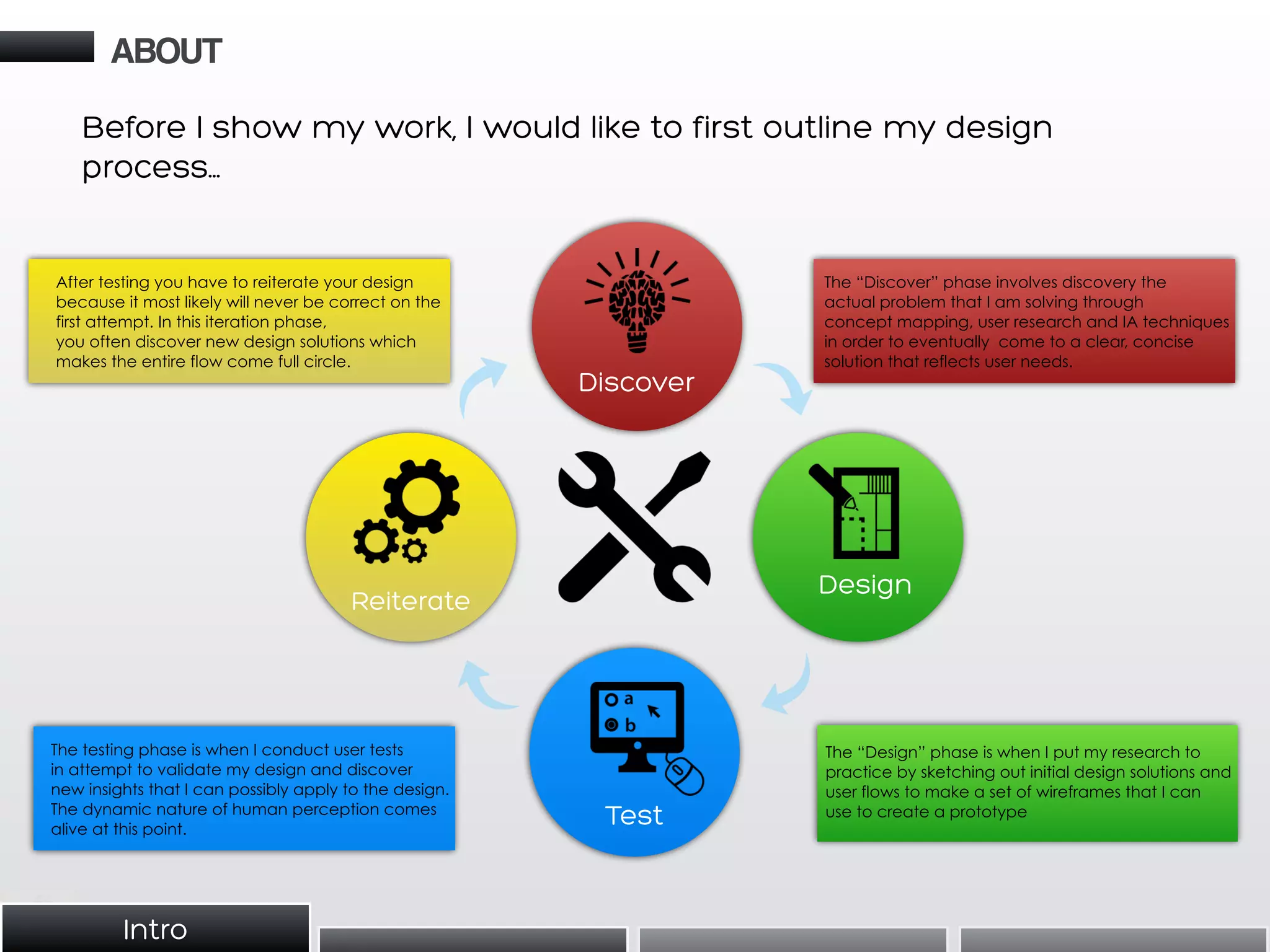
Before I show my work, I would like to first outline my design
process…
Discover
Design
Test
Reiterate
ABOUT
The “Discover” phase involves discovery the
actual problem that I am solving through
concept mapping, user research and IA techniques
in order to eventually come to a clear, concise
solution that reflects user needs.
The “Design” phase is when I put my research to
practice by sketching out initial design solutions and
user flows to make a set of wireframes that I can
use to create a prototype
The testing phase is when I conduct user tests
in attempt to validate my design and discover
new insights that I can possibly apply to the design.
The dynamic nature of human perception comes
alive at this point.
After testing you have to reiterate your design
because it most likely will never be correct on the
first attempt. In this iteration phase,
you often discover new design solutions which
makes the entire flow come full circle.
Intro
TOOLS
And what I like to use:
• I use my Iphone for recording
interviews and taking pictures for
documentation.
• Reason is pro audio software that I use
for cleaning up and mixing audio for
user interviews and any other relevant
audio..
• Google Docs is my tool of choice
for surveys and spreadsheets.
• I enjoy using Omnigraffle for pre-
design deliverables such as user
flows and sitemaps.
• Sketch is my tool of choice for fast
wireframes and mockups
• Marvel is a new tool that is great for
quick prototyping.
• Keynote is my preferred
presentation tool for UX due to its
flexibility.
• Tumult Hype is a great high-level
prototyping.
Other Tools That I Have Used:
• Adobe Suite
(Photoshop,
Illustrator,
InDesign)
• Powerpoint
• Balsamiq
• POP App
• Invision App
• Quicktime
• Google Hangouts
Tools
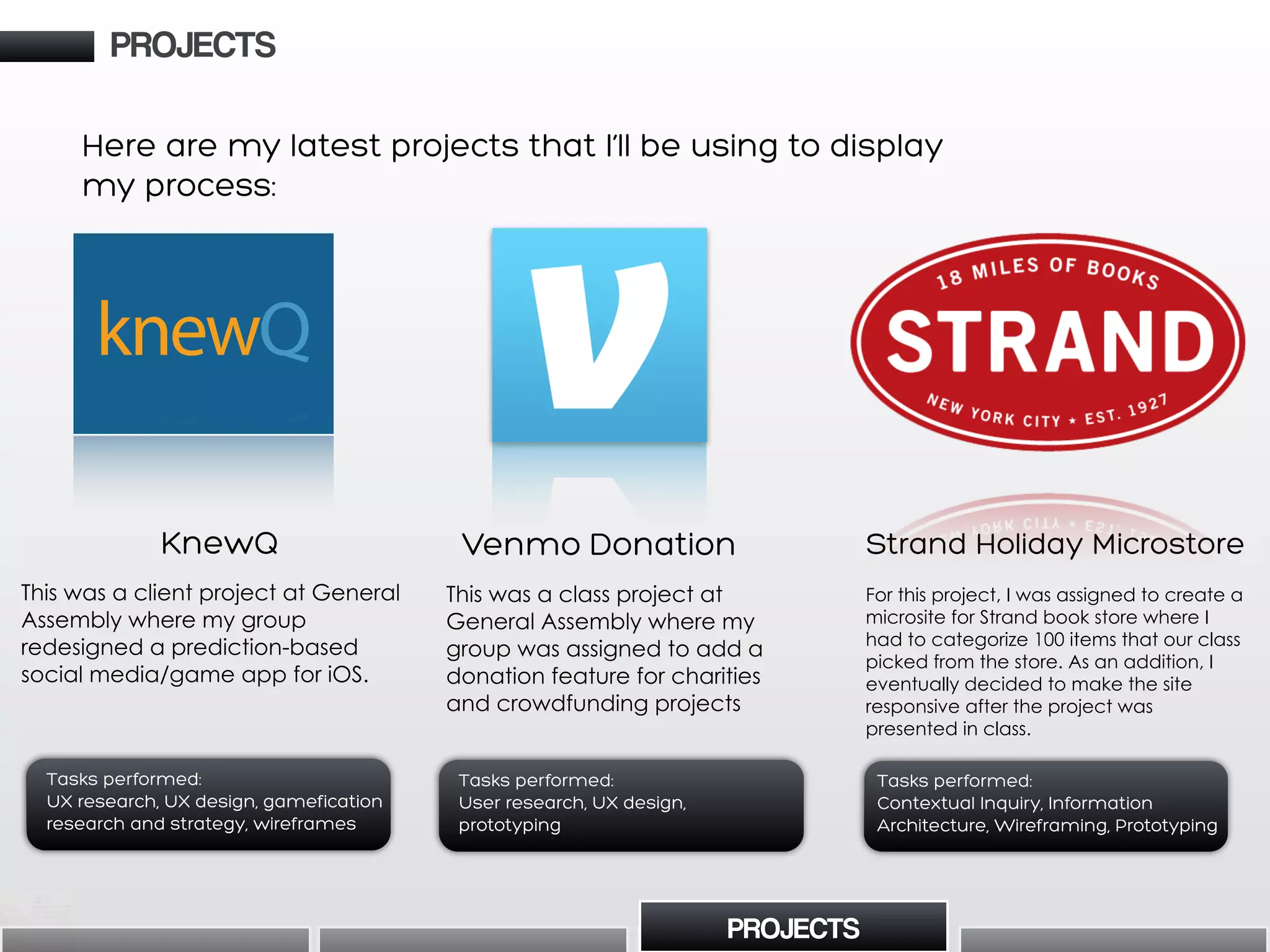
Here are my latest projects that I’ll be using to display
my process:
Venmo Donation
This was a class project at
General Assembly where my
group was assigned to add a
donation feature for charities
and crowdfunding projects
Tasks performed:
User research, UX design,
prototyping
KnewQ
This was a client project at General
Assembly where my group
redesigned a prediction-based
social media/game app for iOS.
Tasks performed:
UX research, UX design, gamefication
research and strategy, wireframes
knewQ
PROJECTS
PROJECTS
Strand Holiday Microstore
For this project, I was assigned to create a
microsite for Strand book store where I
had to categorize 100 items that our class
picked from the store. As an addition, I
eventually decided to make the site
responsive after the project was
presented in class.
Tasks performed:
Contextual Inquiry, Information
Architecture, Wireframing, Prototyping
KnewQ App
Analysis/Redesign
Project Theme -
“Working in
Reverse”
Prototype
Client
Frames
Test Client
PrototypeHeuristic
Analysis
Qualitative
Research
App
Redesign
Clocked User
Testing of
Redesigned
Prototype
Qualitative and
Academic
Gamification Research
My Path:
PROJECTS KnewQ App Redesign
PROJECTS
KnewQ App Redesign
• Competitive/Comparative/
Heuristic Analysis
• User Research (Survey, User
Interviews, Persona Cultivation)
• Timed User Tests
• User Flows
• Wireframes
• Clickable Prototype
I was a UX Designer and Researcher for
this project with two partners. Initially I
provided user research, heuristic and
competitive analysis and also provided
supplemental wireframes for certain
flows. In addition to user testing the app,
I also tested gamification elements and
researched gamification strategy from a
user perspective to offer
recommendations regarding the clients
ultimate gasification strategy moving
forward.
KnewQ’s initial user flows did not work in
a comprehensible manner and users
struggled initially in performing basic
tasks which made us have to prototype
from the beginning using the client’s
screens. As a group, we focused on
building a solid foundation of usability
through lean testing and reiteration
methods and tracking our progress
through timed user tests to show the
client how our design improved the
intuitiveness of the app.
Analyze KnewQ (prediction based
gaming and social media app on iOS)
from a UX perspective and apply user
tests and an eventual redesign of the
current key screens of the interface to
increase the speed of user flows with
quantitative data to validate our
design decisions. Also, supply any
gamification recommendations from
a user perspective
Goal:
Deliverables:
My Role:
Takeaways:
PROJECTS
PROJECTS
to No search options appear
to be available with regards
to “my knews” and
“trending” making it difficult
find the content you want
No category filtering
options for trending
Contrast from button
indication communicates
user location effectively
Critical Analysis Positive Analysis
Key
We began by providing a heuristic analysis (in relation to UX)
of current screens and offered suggestions in regards to
improvement after our initial client meeting. This gave us an
idea of the current usability of the app and a gameplan for
attacking the initial prototype for existing screens, user
research and interviews phases of the project.
• Filter option by category
type
• Search bar or segmented
control to allow user to
browse content based
upon interest
Feature Suggestions
PROJECTS
PROJECTS
Then we put together a prototype of the client’s screens and
tested it with users. Testing continued throughout our iterations
of redesigning the app (six iterated prototypes in total) and we
used user testing as both clues for design decisions and design
validation at different stages of the process.
KnewQ App Redesign
Heuristic Analysis Qualitative User Testing
Create a New Prediction Post
20 test subjects
NEWINITIAL
5%
15%
30%
20%
30%
5%
10%
85%
:01-:05 (6)
:21-:40 (4)
:41-:60 (4)
1:01-1:20 (3)
1:21-1:40 (1)
:01-:05 (17)
:21-:40 (2)
:41-:60 (1)
1:01-1:20 (0)
1:21-1:40 (0)
As a group, we performed timed user tests after our
redesign in order to compare measures of success with
the initial prototype in order to see tangible improvement
(as per request from the client). Overall, our new redesign
was validated by performing faster in every applicable
category where obvious CTA’s weren’t moved (ex. bottom
tab bar icon buttons).
42%
Clarity
8%
Clarity
33%
Clarity
0%
Clarity
0%
Clarity
17%
Clarity
92%
Clarity
92%
Clarity
0%
Clarity
50%
Clarity
0%
Clarity
100%
Clarity
Iconography Test
12 test subjects
Clarity of concept/topic:
I tested the current achievement icons for clarity of
concept with 12 subjects to gain an understanding as to
whether the client’s current badge concepts were clear to
users. Overall, the level of understanding varied depending
on the icon but the key takeaway was that simplicity of
concept was the main indicator of icon comprehension. In
addition, when subjects responded to the higher scoring
icons, their responses were delivered quickly without
hesitation, revealing a level of intuitive understanding when
tested with simplistic concepts like sports equipment.
PROJECTS
PROJECTS
Statistical evidence of findings was important to the client so in many of our user tests we provided
numerical statistics by utilizing quantitative testing methods when we performed usability and gamification
tests.
KnewQ App Redesign
During testing, users were unable to identify
KnewQ logo - many thought it was a search
option
Users confused about “previous/next” function
Users showed confusions as to why location
would be necessary to post
Additionally, no user expressed a desire for
location services integration
Modified Q button to “+”
button as it is more
intuitive for users
Users expressed desire to
send challenges
directly to friends
Used text+icons to better
communicate options
Further developed “Send
To” option to allow for
global posts as well as
private/group messaging
Used text+icons to better
communicate options
Further developed “Send
To” option to allow for
global posts as well as
private/group messaging
0.1
0.2
0.3
0.3
1.1
1.2
2.1
2.2
3.1
Carrier 4:00 PM 100%
Create KnewQ
Add
Categories
Add
end-time
Add
Picture
Add
Related Link
Cancel Send
TIP
Ask a specific yes/no question, like
“Will the Yankees win the game tonight?”
Send Post to: Public
Original 1st iteratiOn 3rd iteratiOn
Carrier 4:00 PM 100%
Create KnewQ Done
TIP
Ask a specific yes/no question, like
“Will the Yankees win the game tonight?”
Send to…
Set End Time Add Categories
0.1
0.3
0.2
Activity ProfileCreateSearch Leaders
+
1.1
1.2
2.2
2.1
3.1
2nd IteratIon
PROJECTS
PROJECTS
KnewQ App Redesign
Through our various types of user tests, we eventually went through several iterations of our protoypes(s). This
is an example of an annotations of one particular user flow three rounds into the design process.
Wireframe Annotations
0.3
KnewQ App RedesignPROJECTS
PROJECTS
Our prototype went through six iterations of testing and redesign. Here is our latest and greatest:
KnewQ Prototype
Create “KnewQ” Screen Profile Screen with Stats
Landing Page When
a Prediction is Made
“Select Friends” Screen
Prototype
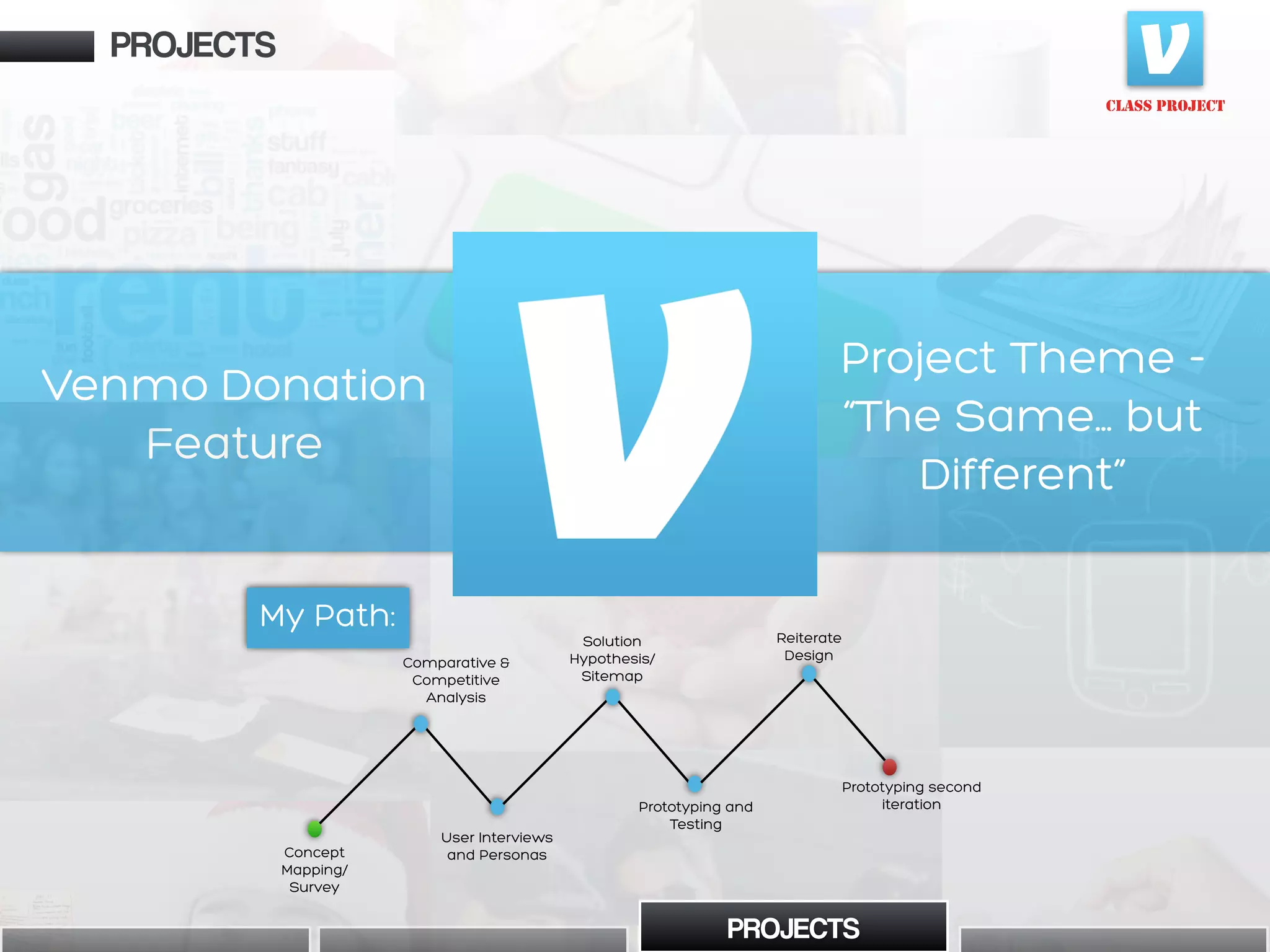
Venmo Donation
Feature
CLASS PROJECT
Project Theme -
“The Same… but
Different”
Concept
Mapping/
Survey
Comparative &
Competitive
Analysis
Solution
Hypothesis/
Sitemap
User Interviews
and Personas
Reiterate
Design
Prototyping and
Testing
Prototyping second
iteration
My Path:
PROJECTS
My Path:
PROJECTS
Goal:
Implement a donation feature
into Venmo’s current interface
that allows users to follow and
donate to their favorite “causes”
whether it be charity organization
or crowdfunding projects on
Kickstarter or Indiegogo.
• Competitive/Comparative
Analysis
• User Research (Survey, User
Interviews, Persona Cultivation)
• Complete Sitemap
• User Flows
• Wireframes
• Clickable Prototype
Deliverables:
My Role:
This was a group project where I had
two partners. For the first phase, my
duties consisted of mostly User
Research. I used concept mapping
and qualitative research methods in
order to pinpoint user habits,
particularly in user interviewing and
persona creation. In the design phase,
my key contribution was creating the
prototype and reiterating on our
design.
Research pointed to Venmo users
having an open willingness to
utilize a donation feature if it were
implanted in Venmo’s current
interface. However, a clear
distinction between charity
donations and crowdfunding
contributions needed to be
addressed in the feature design
because of a cultural
differentiation.
CLASS PROJECT
Takeaways:
PROJECTS
PROJECTS
Venmo Donation Feature
The main focus for implementing the donation
feature in Venmo was how to display and categorize
donation capabilities based upon how our user
research reflected a substantial level of diversity in
the user demographic that we were designing for.
Surveys
My team began by constructing a survey to
understand user habits in regards to social media
and e-payment (Venmo’s two core themes) to weed
out key users for interviews and further research to
develop personas.
Analysis
We also performed competitive and comparative
analysis in order to understand the features that
could be considered common conventions for
donation platforms and social media.
CLASS PROJECT
PROJECTS
PROJECTS
Business
Model
3% fee on credit
card transactions
(free debit
transactions)
Advertising All P2P
transactions
are free.
Collects 5%
fee for funds
collected
Marketing to
brands on
reputation
Non-profit,
based on org
relations
Target
Audience
P2P users,
18-24
Active Social
Media Users
Anyone using
P2P payments
Artistic project/
cause
enthusiasts
People who want
to pay
merchants, peers
via e-pay
People who want
to donate on the
go
Activity
Feeds
pay
Personal, friends, public Personal, public
Venmo Donation Feature
CLASS PROJECT
PROJECTS
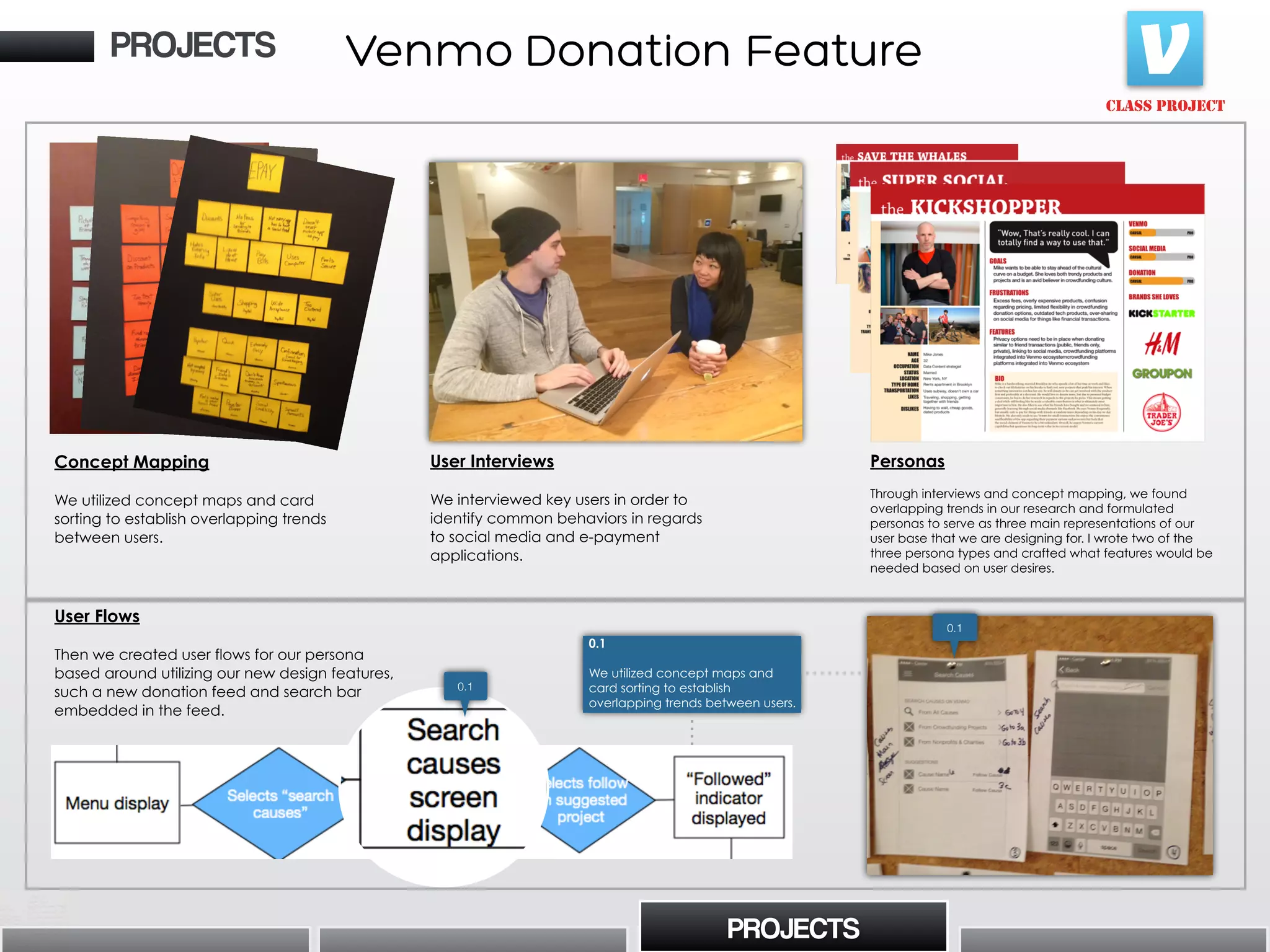
Concept Mapping
We utilized concept maps and card
sorting to establish overlapping trends
between users.
Personas
Through interviews and concept mapping, we found
overlapping trends in our research and formulated
personas to serve as three main representations of our
user base that we are designing for. I wrote two of the
three persona types and crafted what features would be
needed based on user desires.
PROJECTS
User Flows
Then we created user flows for our persona
based around utilizing our new design features,
such a new donation feed and search bar
embedded in the feed.
0.1
0.1
0.1
We utilized concept maps and
card sorting to establish
overlapping trends between users.
Venmo Donation Feature
User Interviews
We interviewed key users in order to
identify common behaviors in regards
to social media and e-payment
applications.
Home/Landing page
Options from Home
Pay Screen from Home
Transaction Screen from
Home
Displayed Content from
Profile
Features from Profile
Options from Hamburger Button
(Settings)
Settings Sub-Options
Legend
CLASS PROJECT
Sitemap
• I created a sitemap for
Venmo’s current interface
along with our added features
built into the landing page and
settings page to gain a better
understanding of the content
hierarchy. For a mobile app like
Venmo with a less distinct
content hierarchy, this was a
unique challenge.
PROJECTS
0.1
PROJECTS
0.1
• Highlights our design decision to
use “causes” as an umbrella term with
“non-profit/charities” and
“crowdfunding” as sub-categories.
• This decision caters to both the
users’ desire to access content quickly
but also making the cultural distinction
between “cause” types in the search
menu.
“If we provide a structure that differentiates
between causes and people on Venmo, then we
can provide more efficient searching capabilities
because users want to browse and search for
causes.”
Solution Hypothesis
(i.e. my favorite UX technique)
In the middle of our research, we realized that the initial
scope of the project began changing due to the clear
demographic distinction between users who donating to
charities and users who only contributed to
crowdfunding projects. For clarification, I suggested that
we should brainstorm a solution hypothesis (if/then
statement) that directly states what we are solving. His
helped us stay on task and not get lost in the process.
Venmo Donation Feature
If [action] then [outcome] because
[customer need/problem]
CLASS PROJECT
PROJECTS
PROJECTS
My final task in this project was creating the prototype of 50+ wireframes which could be seen here:
Landing Page
“Causes” Activity Feed
with Search Bar
“Cause” Profile Page
with ability to “Follow”
Venmo Donation Feature
Prototype
Venmo Prototype
The Strand
Holiday
Microstore
Project Theme -
“Get Organized”
Contextual
Inquiry
IA/User
Cardsorting
User Interviews
Sketching
Wireframing
Reiteration,
Responsive
Wirframing
Prototyping
PROJECTS
My Path:
PROJECTS
CLASS PROJECT
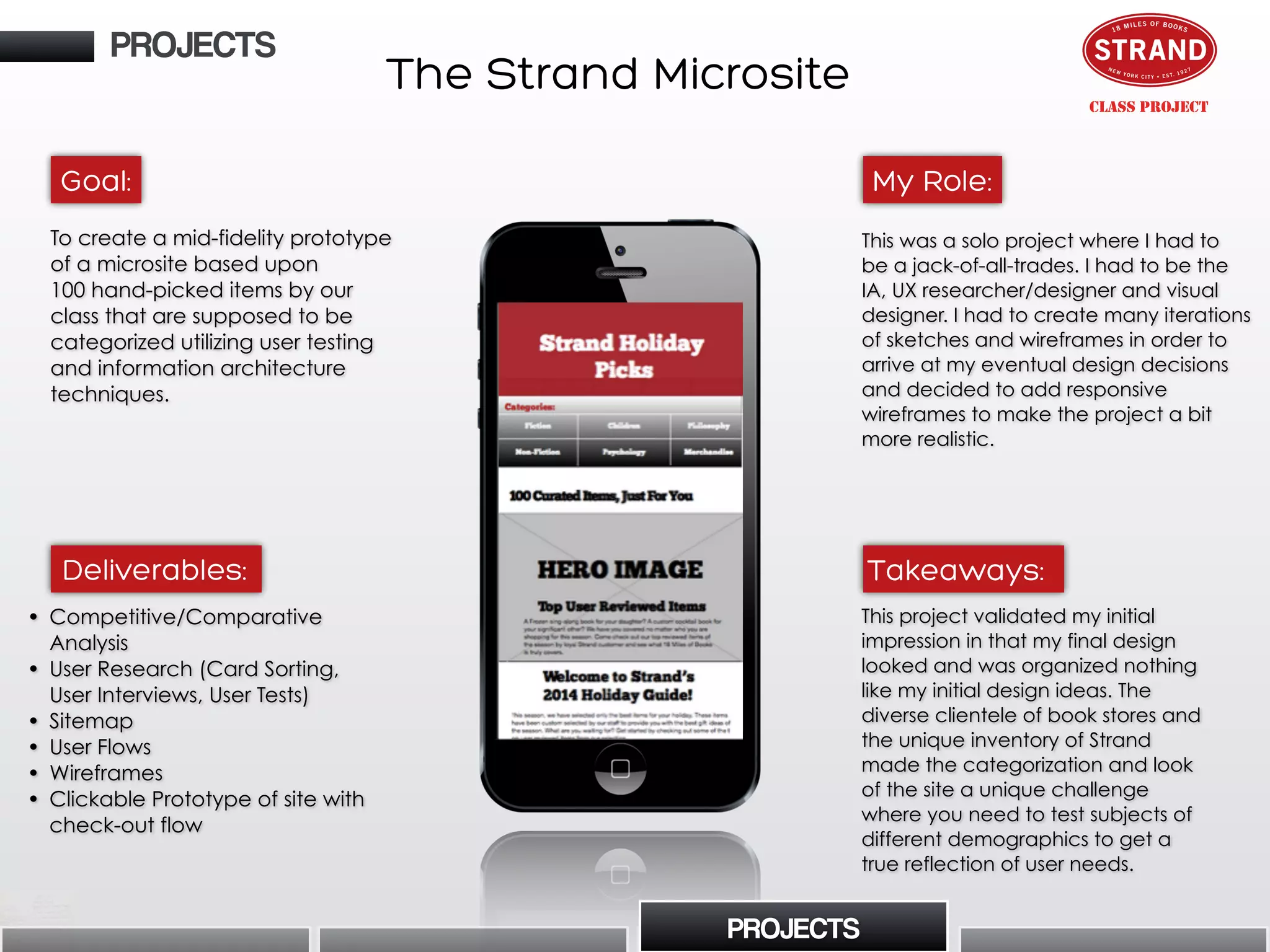
To create a mid-fidelity prototype
of a microsite based upon
100 hand-picked items by our
class that are supposed to be
categorized utilizing user testing
and information architecture
techniques.
• Competitive/Comparative
Analysis
• User Research (Card Sorting,
User Interviews, User Tests)
• Sitemap
• User Flows
• Wireframes
• Clickable Prototype of site with
check-out flow
This was a solo project where I had to
be a jack-of-all-trades. I had to be the
IA, UX researcher/designer and visual
designer. I had to create many iterations
of sketches and wireframes in order to
arrive at my eventual design decisions
and decided to add responsive
wireframes to make the project a bit
more realistic.
This project validated my initial
impression in that my final design
looked and was organized nothing
like my initial design ideas. The
diverse clientele of book stores and
the unique inventory of Strand
made the categorization and look
of the site a unique challenge
where you need to test subjects of
different demographics to get a
true reflection of user needs.
Goal:
Deliverables:
My Role:
Takeaways:
PROJECTS
PROJECTS
CLASS PROJECT
The Strand Microsite
CONTACT
Contextual Inquiry
I began by going to Strand books and
selecting inventory for the microsite. This
also allowed me to see Strand users in the
store and observe how they went about
finding items in a physical setting.
User Tests
Various iterations of this project, particularly the checkout
flow were tested in order to gain a solid foundation of user
feedback to validate (or invalidate) my design. My initial
takeaway was that my checkout was initially way too
many steps and had to be narrowed. down.
Checkout Flow
One of the key tasks for this project was
creating a checkout flow that catered to
the needs of the user. In my research, some
of my key takeaways were having
important information like a contact
number available at all times and also
having consistent feedback. the theme for
my checkout flow was to have playful copy
so the user is distracted from the mundane
task of checking out for new users.
Card Sorting
Card sorting was one of the main
themes of this project and it took
multiple open and closed sorts to make
sense of the inventory I was assigned to
categorize for the microsite.
CLASS PROJECT
PROJECTS
Billing Info Wireframe Personal Info Wireframe
This is making a joke out of what is general the most
aspect of e-commerce, entering credit card info.
I broke the user information section into two parts for
space so I wanted to give words of encouragement
to the user for engagement.
CONTACT
CLASS PROJECT
PROJECTS
Iteration Takeaways
0.1
0.2
1.0
1.1
2.0
2.1
2.2
0.1
0.2
1.0
1.1
2.0
2.1
2.2
Originally had items in box view
but in certain tests users felt as thoughthis
view caused unnecessary scrolling. This
made me want to make the homepage
shorter.
Hero image on homepage was far too
wide in initial sketches. Realistically
wouldn’t work on a home page. This
made me pay more attention to image
boxes in wireframes
Top navigation bar was had far too many
features for a micro site. Narrowed it
down in final iteration but became
aware of the problem at this stage.
Font in title did not fit the bookstore
aesthetic based upon testing. Switched
the font so that there would be any
distraction in branding.
Created a carousel view for the hero
image section of the homepage to
create less scrolling. I wound up keeping
the carousel but scrapping this design
because it tested as a “dated” look.
Formalized the side navigation
categorization
Added star rankings and
recommendations on homepage after
testing feedback indicating the need for
it. Initially only had it on product pages.
CONTACT
This is my original prototype, I am in the middle of creating a new one that is responsive (like
the display below) with the updated wireframes:
Prototype
Strand Prototype
CLASS PROJECT
PROJECTS
CONTACT
CONTACT

Ux portfolio slideshare

  • 1.
    Sean Culley |UX Portfolio March 2015
  • 2.
    ABOUT Intro My name isSean Culley and I am a UX designer that is trying to humanize the digital space one product at a time. I love to get my hands dirty and dive into user research in attempt to identify the catalysts that dictate human behaviors and then design accordingly based upon such behaviors to create a fulfilling, intuitive experience. Hello!
  • 3.
    Before I showmy work, I would like to first outline my design process… Discover Design Test Reiterate ABOUT The “Discover” phase involves discovery the actual problem that I am solving through concept mapping, user research and IA techniques in order to eventually come to a clear, concise solution that reflects user needs. The “Design” phase is when I put my research to practice by sketching out initial design solutions and user flows to make a set of wireframes that I can use to create a prototype The testing phase is when I conduct user tests in attempt to validate my design and discover new insights that I can possibly apply to the design. The dynamic nature of human perception comes alive at this point. After testing you have to reiterate your design because it most likely will never be correct on the first attempt. In this iteration phase, you often discover new design solutions which makes the entire flow come full circle. Intro
  • 4.
    TOOLS And what Ilike to use: • I use my Iphone for recording interviews and taking pictures for documentation. • Reason is pro audio software that I use for cleaning up and mixing audio for user interviews and any other relevant audio.. • Google Docs is my tool of choice for surveys and spreadsheets. • I enjoy using Omnigraffle for pre- design deliverables such as user flows and sitemaps. • Sketch is my tool of choice for fast wireframes and mockups • Marvel is a new tool that is great for quick prototyping. • Keynote is my preferred presentation tool for UX due to its flexibility. • Tumult Hype is a great high-level prototyping. Other Tools That I Have Used: • Adobe Suite (Photoshop, Illustrator, InDesign) • Powerpoint • Balsamiq • POP App • Invision App • Quicktime • Google Hangouts Tools
  • 5.
    Here are mylatest projects that I’ll be using to display my process: Venmo Donation This was a class project at General Assembly where my group was assigned to add a donation feature for charities and crowdfunding projects Tasks performed: User research, UX design, prototyping KnewQ This was a client project at General Assembly where my group redesigned a prediction-based social media/game app for iOS. Tasks performed: UX research, UX design, gamefication research and strategy, wireframes knewQ PROJECTS PROJECTS Strand Holiday Microstore For this project, I was assigned to create a microsite for Strand book store where I had to categorize 100 items that our class picked from the store. As an addition, I eventually decided to make the site responsive after the project was presented in class. Tasks performed: Contextual Inquiry, Information Architecture, Wireframing, Prototyping
  • 6.
    KnewQ App Analysis/Redesign Project Theme- “Working in Reverse” Prototype Client Frames Test Client PrototypeHeuristic Analysis Qualitative Research App Redesign Clocked User Testing of Redesigned Prototype Qualitative and Academic Gamification Research My Path: PROJECTS KnewQ App Redesign PROJECTS
  • 7.
    KnewQ App Redesign •Competitive/Comparative/ Heuristic Analysis • User Research (Survey, User Interviews, Persona Cultivation) • Timed User Tests • User Flows • Wireframes • Clickable Prototype I was a UX Designer and Researcher for this project with two partners. Initially I provided user research, heuristic and competitive analysis and also provided supplemental wireframes for certain flows. In addition to user testing the app, I also tested gamification elements and researched gamification strategy from a user perspective to offer recommendations regarding the clients ultimate gasification strategy moving forward. KnewQ’s initial user flows did not work in a comprehensible manner and users struggled initially in performing basic tasks which made us have to prototype from the beginning using the client’s screens. As a group, we focused on building a solid foundation of usability through lean testing and reiteration methods and tracking our progress through timed user tests to show the client how our design improved the intuitiveness of the app. Analyze KnewQ (prediction based gaming and social media app on iOS) from a UX perspective and apply user tests and an eventual redesign of the current key screens of the interface to increase the speed of user flows with quantitative data to validate our design decisions. Also, supply any gamification recommendations from a user perspective Goal: Deliverables: My Role: Takeaways: PROJECTS PROJECTS
  • 8.
    to No searchoptions appear to be available with regards to “my knews” and “trending” making it difficult find the content you want No category filtering options for trending Contrast from button indication communicates user location effectively Critical Analysis Positive Analysis Key We began by providing a heuristic analysis (in relation to UX) of current screens and offered suggestions in regards to improvement after our initial client meeting. This gave us an idea of the current usability of the app and a gameplan for attacking the initial prototype for existing screens, user research and interviews phases of the project. • Filter option by category type • Search bar or segmented control to allow user to browse content based upon interest Feature Suggestions PROJECTS PROJECTS Then we put together a prototype of the client’s screens and tested it with users. Testing continued throughout our iterations of redesigning the app (six iterated prototypes in total) and we used user testing as both clues for design decisions and design validation at different stages of the process. KnewQ App Redesign Heuristic Analysis Qualitative User Testing
  • 9.
    Create a NewPrediction Post 20 test subjects NEWINITIAL 5% 15% 30% 20% 30% 5% 10% 85% :01-:05 (6) :21-:40 (4) :41-:60 (4) 1:01-1:20 (3) 1:21-1:40 (1) :01-:05 (17) :21-:40 (2) :41-:60 (1) 1:01-1:20 (0) 1:21-1:40 (0) As a group, we performed timed user tests after our redesign in order to compare measures of success with the initial prototype in order to see tangible improvement (as per request from the client). Overall, our new redesign was validated by performing faster in every applicable category where obvious CTA’s weren’t moved (ex. bottom tab bar icon buttons). 42% Clarity 8% Clarity 33% Clarity 0% Clarity 0% Clarity 17% Clarity 92% Clarity 92% Clarity 0% Clarity 50% Clarity 0% Clarity 100% Clarity Iconography Test 12 test subjects Clarity of concept/topic: I tested the current achievement icons for clarity of concept with 12 subjects to gain an understanding as to whether the client’s current badge concepts were clear to users. Overall, the level of understanding varied depending on the icon but the key takeaway was that simplicity of concept was the main indicator of icon comprehension. In addition, when subjects responded to the higher scoring icons, their responses were delivered quickly without hesitation, revealing a level of intuitive understanding when tested with simplistic concepts like sports equipment. PROJECTS PROJECTS Statistical evidence of findings was important to the client so in many of our user tests we provided numerical statistics by utilizing quantitative testing methods when we performed usability and gamification tests. KnewQ App Redesign
  • 10.
    During testing, userswere unable to identify KnewQ logo - many thought it was a search option Users confused about “previous/next” function Users showed confusions as to why location would be necessary to post Additionally, no user expressed a desire for location services integration Modified Q button to “+” button as it is more intuitive for users Users expressed desire to send challenges directly to friends Used text+icons to better communicate options Further developed “Send To” option to allow for global posts as well as private/group messaging Used text+icons to better communicate options Further developed “Send To” option to allow for global posts as well as private/group messaging 0.1 0.2 0.3 0.3 1.1 1.2 2.1 2.2 3.1 Carrier 4:00 PM 100% Create KnewQ Add Categories Add end-time Add Picture Add Related Link Cancel Send TIP Ask a specific yes/no question, like “Will the Yankees win the game tonight?” Send Post to: Public Original 1st iteratiOn 3rd iteratiOn Carrier 4:00 PM 100% Create KnewQ Done TIP Ask a specific yes/no question, like “Will the Yankees win the game tonight?” Send to… Set End Time Add Categories 0.1 0.3 0.2 Activity ProfileCreateSearch Leaders + 1.1 1.2 2.2 2.1 3.1 2nd IteratIon PROJECTS PROJECTS KnewQ App Redesign Through our various types of user tests, we eventually went through several iterations of our protoypes(s). This is an example of an annotations of one particular user flow three rounds into the design process. Wireframe Annotations 0.3
  • 11.
    KnewQ App RedesignPROJECTS PROJECTS Ourprototype went through six iterations of testing and redesign. Here is our latest and greatest: KnewQ Prototype Create “KnewQ” Screen Profile Screen with Stats Landing Page When a Prediction is Made “Select Friends” Screen Prototype
  • 12.
    Venmo Donation Feature CLASS PROJECT ProjectTheme - “The Same… but Different” Concept Mapping/ Survey Comparative & Competitive Analysis Solution Hypothesis/ Sitemap User Interviews and Personas Reiterate Design Prototyping and Testing Prototyping second iteration My Path: PROJECTS My Path: PROJECTS
  • 13.
    Goal: Implement a donationfeature into Venmo’s current interface that allows users to follow and donate to their favorite “causes” whether it be charity organization or crowdfunding projects on Kickstarter or Indiegogo. • Competitive/Comparative Analysis • User Research (Survey, User Interviews, Persona Cultivation) • Complete Sitemap • User Flows • Wireframes • Clickable Prototype Deliverables: My Role: This was a group project where I had two partners. For the first phase, my duties consisted of mostly User Research. I used concept mapping and qualitative research methods in order to pinpoint user habits, particularly in user interviewing and persona creation. In the design phase, my key contribution was creating the prototype and reiterating on our design. Research pointed to Venmo users having an open willingness to utilize a donation feature if it were implanted in Venmo’s current interface. However, a clear distinction between charity donations and crowdfunding contributions needed to be addressed in the feature design because of a cultural differentiation. CLASS PROJECT Takeaways: PROJECTS PROJECTS Venmo Donation Feature
  • 14.
    The main focusfor implementing the donation feature in Venmo was how to display and categorize donation capabilities based upon how our user research reflected a substantial level of diversity in the user demographic that we were designing for. Surveys My team began by constructing a survey to understand user habits in regards to social media and e-payment (Venmo’s two core themes) to weed out key users for interviews and further research to develop personas. Analysis We also performed competitive and comparative analysis in order to understand the features that could be considered common conventions for donation platforms and social media. CLASS PROJECT PROJECTS PROJECTS Business Model 3% fee on credit card transactions (free debit transactions) Advertising All P2P transactions are free. Collects 5% fee for funds collected Marketing to brands on reputation Non-profit, based on org relations Target Audience P2P users, 18-24 Active Social Media Users Anyone using P2P payments Artistic project/ cause enthusiasts People who want to pay merchants, peers via e-pay People who want to donate on the go Activity Feeds pay Personal, friends, public Personal, public Venmo Donation Feature
  • 15.
    CLASS PROJECT PROJECTS Concept Mapping Weutilized concept maps and card sorting to establish overlapping trends between users. Personas Through interviews and concept mapping, we found overlapping trends in our research and formulated personas to serve as three main representations of our user base that we are designing for. I wrote two of the three persona types and crafted what features would be needed based on user desires. PROJECTS User Flows Then we created user flows for our persona based around utilizing our new design features, such a new donation feed and search bar embedded in the feed. 0.1 0.1 0.1 We utilized concept maps and card sorting to establish overlapping trends between users. Venmo Donation Feature User Interviews We interviewed key users in order to identify common behaviors in regards to social media and e-payment applications.
  • 16.
    Home/Landing page Options fromHome Pay Screen from Home Transaction Screen from Home Displayed Content from Profile Features from Profile Options from Hamburger Button (Settings) Settings Sub-Options Legend CLASS PROJECT Sitemap • I created a sitemap for Venmo’s current interface along with our added features built into the landing page and settings page to gain a better understanding of the content hierarchy. For a mobile app like Venmo with a less distinct content hierarchy, this was a unique challenge. PROJECTS 0.1 PROJECTS 0.1 • Highlights our design decision to use “causes” as an umbrella term with “non-profit/charities” and “crowdfunding” as sub-categories. • This decision caters to both the users’ desire to access content quickly but also making the cultural distinction between “cause” types in the search menu. “If we provide a structure that differentiates between causes and people on Venmo, then we can provide more efficient searching capabilities because users want to browse and search for causes.” Solution Hypothesis (i.e. my favorite UX technique) In the middle of our research, we realized that the initial scope of the project began changing due to the clear demographic distinction between users who donating to charities and users who only contributed to crowdfunding projects. For clarification, I suggested that we should brainstorm a solution hypothesis (if/then statement) that directly states what we are solving. His helped us stay on task and not get lost in the process. Venmo Donation Feature If [action] then [outcome] because [customer need/problem]
  • 17.
    CLASS PROJECT PROJECTS PROJECTS My finaltask in this project was creating the prototype of 50+ wireframes which could be seen here: Landing Page “Causes” Activity Feed with Search Bar “Cause” Profile Page with ability to “Follow” Venmo Donation Feature Prototype Venmo Prototype
  • 18.
    The Strand Holiday Microstore Project Theme- “Get Organized” Contextual Inquiry IA/User Cardsorting User Interviews Sketching Wireframing Reiteration, Responsive Wirframing Prototyping PROJECTS My Path: PROJECTS CLASS PROJECT
  • 19.
    To create amid-fidelity prototype of a microsite based upon 100 hand-picked items by our class that are supposed to be categorized utilizing user testing and information architecture techniques. • Competitive/Comparative Analysis • User Research (Card Sorting, User Interviews, User Tests) • Sitemap • User Flows • Wireframes • Clickable Prototype of site with check-out flow This was a solo project where I had to be a jack-of-all-trades. I had to be the IA, UX researcher/designer and visual designer. I had to create many iterations of sketches and wireframes in order to arrive at my eventual design decisions and decided to add responsive wireframes to make the project a bit more realistic. This project validated my initial impression in that my final design looked and was organized nothing like my initial design ideas. The diverse clientele of book stores and the unique inventory of Strand made the categorization and look of the site a unique challenge where you need to test subjects of different demographics to get a true reflection of user needs. Goal: Deliverables: My Role: Takeaways: PROJECTS PROJECTS CLASS PROJECT The Strand Microsite
  • 20.
    CONTACT Contextual Inquiry I beganby going to Strand books and selecting inventory for the microsite. This also allowed me to see Strand users in the store and observe how they went about finding items in a physical setting. User Tests Various iterations of this project, particularly the checkout flow were tested in order to gain a solid foundation of user feedback to validate (or invalidate) my design. My initial takeaway was that my checkout was initially way too many steps and had to be narrowed. down. Checkout Flow One of the key tasks for this project was creating a checkout flow that catered to the needs of the user. In my research, some of my key takeaways were having important information like a contact number available at all times and also having consistent feedback. the theme for my checkout flow was to have playful copy so the user is distracted from the mundane task of checking out for new users. Card Sorting Card sorting was one of the main themes of this project and it took multiple open and closed sorts to make sense of the inventory I was assigned to categorize for the microsite. CLASS PROJECT PROJECTS Billing Info Wireframe Personal Info Wireframe This is making a joke out of what is general the most aspect of e-commerce, entering credit card info. I broke the user information section into two parts for space so I wanted to give words of encouragement to the user for engagement.
  • 21.
    CONTACT CLASS PROJECT PROJECTS Iteration Takeaways 0.1 0.2 1.0 1.1 2.0 2.1 2.2 0.1 0.2 1.0 1.1 2.0 2.1 2.2 Originallyhad items in box view but in certain tests users felt as thoughthis view caused unnecessary scrolling. This made me want to make the homepage shorter. Hero image on homepage was far too wide in initial sketches. Realistically wouldn’t work on a home page. This made me pay more attention to image boxes in wireframes Top navigation bar was had far too many features for a micro site. Narrowed it down in final iteration but became aware of the problem at this stage. Font in title did not fit the bookstore aesthetic based upon testing. Switched the font so that there would be any distraction in branding. Created a carousel view for the hero image section of the homepage to create less scrolling. I wound up keeping the carousel but scrapping this design because it tested as a “dated” look. Formalized the side navigation categorization Added star rankings and recommendations on homepage after testing feedback indicating the need for it. Initially only had it on product pages.
  • 22.
    CONTACT This is myoriginal prototype, I am in the middle of creating a new one that is responsive (like the display below) with the updated wireframes: Prototype Strand Prototype CLASS PROJECT PROJECTS
  • 23.