






Using the 
Liam Dempsey 
@liamdempsey 
GitHub App 
to connect to 
Bitbucket
Why?
Version control is for everyone. 
Not just developers. 
Designers who code can use it too. 
So can everyone else. 
Some people prefer visual feedback.
This is my approach. 
There are bound to be others. 
My way is not perfect. 
But it does work.
Let’s go!
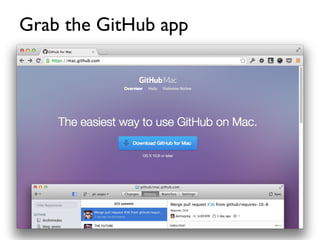
Grab the GitHub app
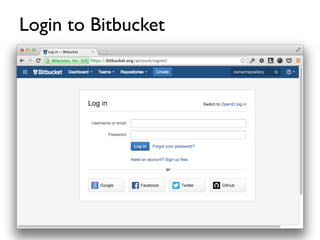
Login to Bitbucket
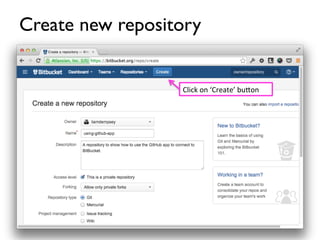
Create new repository 
Click 
on 
‘Create’ 
bu1on
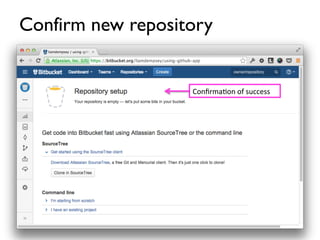
Confirm new repository 
Confirma4on 
of 
success
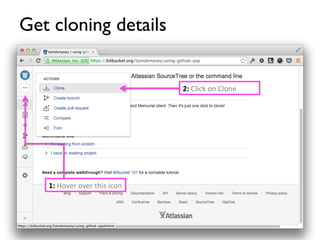
Get cloning details 
1: 
Hover 
over 
this 
icon 
2: 
Click 
on 
Clone
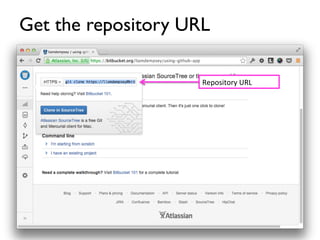
Get the repository URL 
Repository 
URL
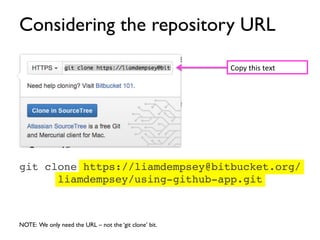
Considering the repository URL 
git clone https://liamdempsey@bitbucket.org/ 
liamdempsey/using-github-app.git! 
NOTE: We only need the URL – not the ‘git clone’ bit. 
Copy 
this 
text
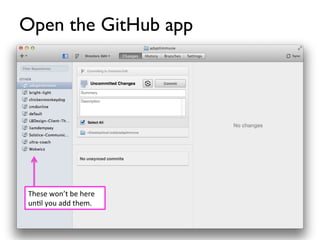
Open the GitHub app 
These 
won’t 
be 
here 
un4l 
you 
add 
them.
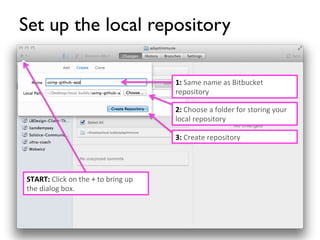
Set up the local repository 
1: 
Same 
name 
as 
Bitbucket 
repository 
2: 
Choose 
a 
folder 
for 
storing 
your 
local 
repository 
3: 
Create 
repository 
START: 
Click 
on 
the 
+ 
to 
bring 
up 
the 
dialog 
box.
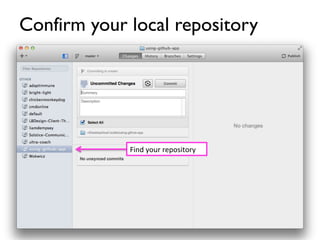
Confirm your local repository 
Find 
your 
repository
Get into the remote settings 
Click 
on 
the 
SeHngs 
bu1on
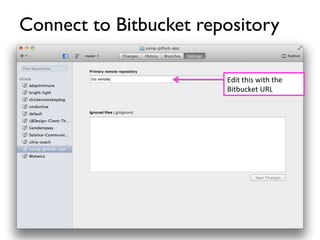
Connect to Bitbucket repository 
Edit 
this 
with 
the 
Bitbucket 
URL
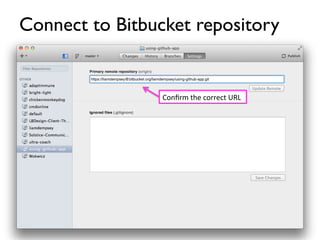
Connect to Bitbucket repository 
Confirm 
the 
correct 
URL
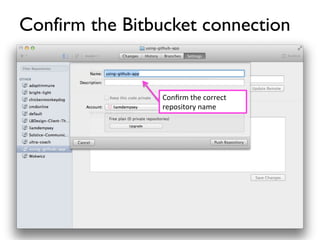
Confirm the Bitbucket connection 
Confirm 
the 
correct 
repository 
name
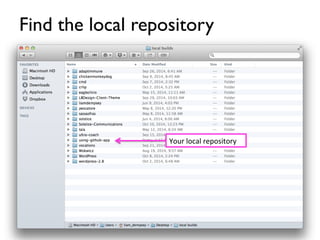
Find the local repository 
Right 
click 
on 
the 
local 
repository 
to 
find 
the 
directory 
in 
finder
Find the local repository 
Your 
local 
repository
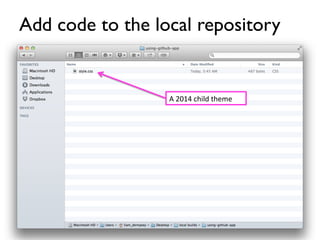
Add code to the local repository 
A 
2014 
child 
theme
A hiccup 
in my approach
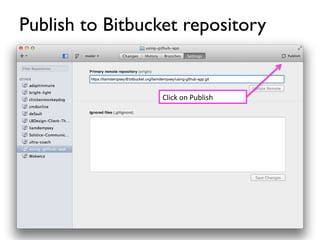
Publish to Bitbucket repository 
Click 
on 
Publish
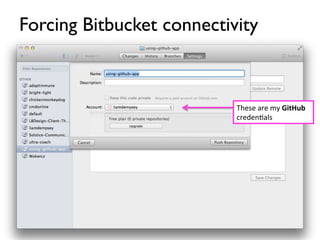
Forcing Bitbucket connectivity 
These 
are 
my 
GitHub 
creden4als
But I already entered the Bitbucket 
URL. What gives?! 
No idea
Workaround 
Close and restart the GitHub app. 
No, not ideal. But it works.
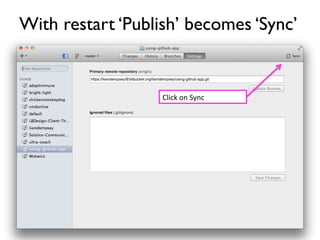
With restart ‘Publish’ becomes ‘Sync’ 
Click 
on 
Sync
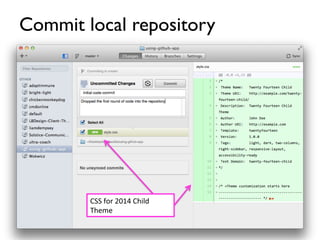
Commit local repository 
CSS 
for 
2014 
Child 
Theme
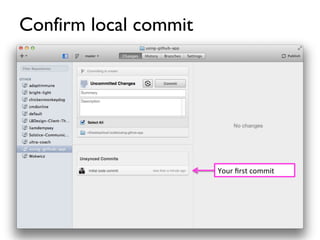
Confirm local commit 
Your 
first 
commit
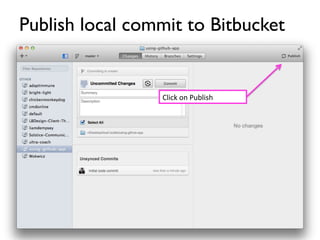
Publish local commit to Bitbucket 
Click 
on 
Publish
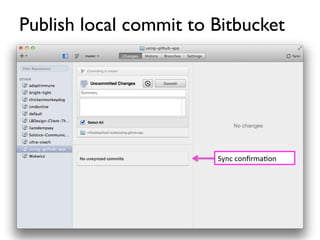
Publish local commit to Bitbucket 
Sync 
confirma4on
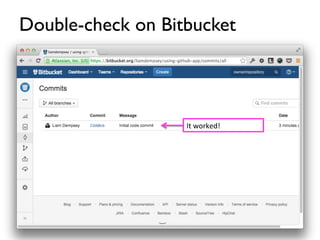
Double-check on Bitbucket 
It 
worked!
Thanks! 
@liamdempsey 
lbdesign.tv 
liamdempsey.com

Using the GitHub App to Connect to Bitbucket