


Using Technology to
Support Cooperative
Groups
Presented by:
Diana Benner
This Presentation
http://goo.gl/OhFUVl
About Me
Director of Professional Development
Texas Computer Education Association
diana.benner@gmail.com
@diben
DIANA BENNER
http://dbenner.org
Cooperative Learning
https://youtu.be/7E24c5RkrMw
In the next 50 min . . .
What is cooperative learning?
What are Kagan’s Structures of
Cooperative Learning?
How can I use technology with the
structures?
Cooperative Learning
Work Together
for a
Common Goal
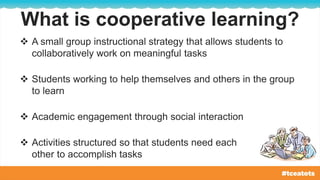
What is cooperative learning?
 A small group instructional strategy that allows students to
collaboratively work on meaningful tasks
 Students working to help themselves and others in the group
to learn
 Academic engagement through social interaction
 Activities structured so that students need each
other to accomplish tasks
What does the research say?
Students who learn cooperatively get higher grades
than students who try to learn the same material
individually (Johnson et al. 1991).
Cooperative learning produces higher achievement,
social skills through positive relationships, and
healthier psychological adjustment (self-esteem) than
competitive or individualistic programs, especially
among children (Johnson, D. W. and
Johnson, R. T., 1989; 1992).
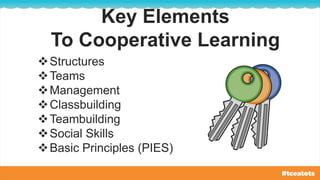
Key Elements
Key Elements
To Cooperative Learning
Structures
Teams
Management
Classbuilding
Teambuilding
Social Skills
Basic Principles (PIES)
What has to be in place for it to work?
 Positive interdependence
Students must work together to achieve the goal.
 Individual accountability
Each student in the group is responsible for doing his/her
share of the work.
 Face-to-face interaction
Some parts of the activity must be completed
through group interaction.
What has to be in place for it to work?
 Use of collaborative skills
There must be the development and practicing trust-
building, leadership, decision-making, communication,
and conflict management skills.
 Group process
It must include group planning, identifying group goals,
and group assessment.
Share on Today’s Meet
http://todaysmeet.com/tceatots15
Discussion
Tweet @diben | #tceatots
Teams differ from groups because they include the
following basic elements of cooperative learning:
Goals are shared
Information is circulated
Roles are assigned
Materials are managed
Teammates depend on each other to
complete tasks successfully
Students gain respect for each other’s
contributions to the team
What is a team?
How are teams formed?
What is the best way to form teams?
How big should teams be?
Questions To Think About
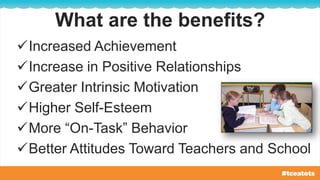
What are the benefits?
Increased Achievement
Increase in Positive Relationships
Greater Intrinsic Motivation
Higher Self-Esteem
More “On-Task” Behavior
Better Attitudes Toward Teachers and School
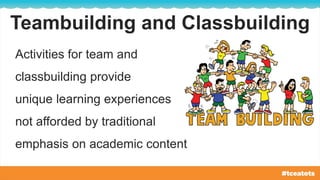
Teambuilding and Classbuilding
Activities for team and
classbuilding provide
unique learning experiences
not afforded by traditional
emphasis on academic content
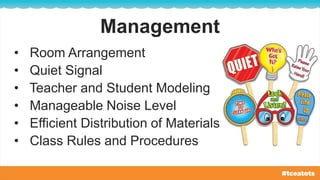
Management
• Room Arrangement
• Quiet Signal
• Teacher and Student Modeling
• Manageable Noise Level
• Efficient Distribution of Materials
• Class Rules and Procedures
Share on Today’s Meet
http://todaysmeet.com/tceatots15
Discussion
Tweet @diben | #tceatots
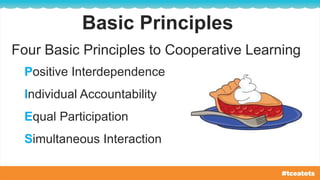
Basic Principles
Four Basic Principles to Cooperative Learning
Positive Interdependence
Individual Accountability
Equal Participation
Simultaneous Interaction
Cooperative
Structures
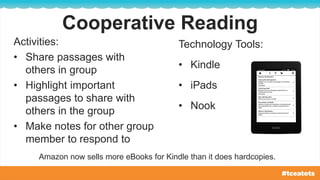
Cooperative Reading
Activities:
• Share passages with
others in group
• Highlight important
passages to share with
others in the group
• Make notes for other group
member to respond to
Technology Tools:
• Kindle
• iPads
• Nook
Amazon now sells more eBooks for Kindle than it does hardcopies.
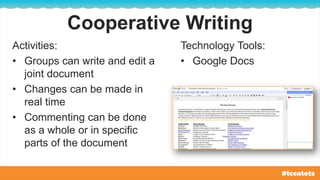
Cooperative Writing
Activities:
• Groups can write and edit a
joint document
• Changes can be made in
real time
• Commenting can be done
as a whole or in specific
parts of the document
Technology Tools:
• Google Docs
Reflecting on a Discussion
Activities:
• Group members can
comment on a
discussion they had in
class.
• Discussions can
continue indefinitely as
students reflect on the
previous discussion.
Technology Tools:
• Today’s Meet
• Padlet
• Twiiter
• Edmodo
• Twitter
• Google Plus
Multimedia Projects
Activities:
• Groups can create a
video, an animation, a
slide show with music
and/or a narration
Technology Tools:
• YouTube
• Google Slides
• Jing
• iPad
• Web 2.0 sites, like Vocaroo
Creating a Website
Activities:
• Build a website or
portfolio reflecting the
group’s work
• Help create and clarify
the groups identity
Technology Tools:
• Google Sites
• Weebly
• Wix
Shared Bookmarking
Activities:
• Collaboratively share
group resources
Technology Tools:
• Pinterest
• Diigo
• Delicious
Learning Management Systems
Activities:
• Conduct online
discussions
• Interact with online
group content
Technology Tools:
• Google Apps for Education
• Edmodo
• Schoology
• Moodle
Padlet Activity
Go to:
http://goo.gl/TE04Qc
Let’s Collaborate!
Share on Today’s Meet
http://todaysmeet.com/tceatots15
Discussion
Tweet @diben | #tceatots
Work Together
for a
Common Goal
THIS PRESENTATION
http://goo.gl/OhFUVl
This work is licensed by Diana Benner under a Creative
Commons Attribution-NonCommercial 4.0 International License.
Leave me a Comment
about this presentation
https://goo.gl/wicvxu
Resources used for the presentation are located at http://goo.gl/OhFUVl
Thank
You!

Using Technology to Support Cooperative Groups - Tots & Technology 2015

  • 1.
    Using Technology to SupportCooperative Groups Presented by: Diana Benner
  • 2.
  • 3.
    About Me Director ofProfessional Development Texas Computer Education Association diana.benner@gmail.com @diben DIANA BENNER http://dbenner.org
  • 4.
  • 5.
    In the next50 min . . . What is cooperative learning? What are Kagan’s Structures of Cooperative Learning? How can I use technology with the structures?
  • 6.
  • 7.
  • 8.
    What is cooperativelearning?  A small group instructional strategy that allows students to collaboratively work on meaningful tasks  Students working to help themselves and others in the group to learn  Academic engagement through social interaction  Activities structured so that students need each other to accomplish tasks
  • 9.
    What does theresearch say? Students who learn cooperatively get higher grades than students who try to learn the same material individually (Johnson et al. 1991). Cooperative learning produces higher achievement, social skills through positive relationships, and healthier psychological adjustment (self-esteem) than competitive or individualistic programs, especially among children (Johnson, D. W. and Johnson, R. T., 1989; 1992).
  • 10.
  • 11.
    Key Elements To CooperativeLearning Structures Teams Management Classbuilding Teambuilding Social Skills Basic Principles (PIES)
  • 12.
    What has tobe in place for it to work?  Positive interdependence Students must work together to achieve the goal.  Individual accountability Each student in the group is responsible for doing his/her share of the work.  Face-to-face interaction Some parts of the activity must be completed through group interaction.
  • 13.
    What has tobe in place for it to work?  Use of collaborative skills There must be the development and practicing trust- building, leadership, decision-making, communication, and conflict management skills.  Group process It must include group planning, identifying group goals, and group assessment.
  • 14.
    Share on Today’sMeet http://todaysmeet.com/tceatots15 Discussion Tweet @diben | #tceatots
  • 15.
    Teams differ fromgroups because they include the following basic elements of cooperative learning: Goals are shared Information is circulated Roles are assigned Materials are managed Teammates depend on each other to complete tasks successfully Students gain respect for each other’s contributions to the team What is a team?
  • 16.
    How are teamsformed? What is the best way to form teams? How big should teams be? Questions To Think About
  • 17.
    What are thebenefits? Increased Achievement Increase in Positive Relationships Greater Intrinsic Motivation Higher Self-Esteem More “On-Task” Behavior Better Attitudes Toward Teachers and School
  • 18.
    Teambuilding and Classbuilding Activitiesfor team and classbuilding provide unique learning experiences not afforded by traditional emphasis on academic content
  • 19.
    Management • Room Arrangement •Quiet Signal • Teacher and Student Modeling • Manageable Noise Level • Efficient Distribution of Materials • Class Rules and Procedures
  • 20.
    Share on Today’sMeet http://todaysmeet.com/tceatots15 Discussion Tweet @diben | #tceatots
  • 21.
    Basic Principles Four BasicPrinciples to Cooperative Learning Positive Interdependence Individual Accountability Equal Participation Simultaneous Interaction
  • 22.
  • 23.
    Cooperative Reading Activities: • Sharepassages with others in group • Highlight important passages to share with others in the group • Make notes for other group member to respond to Technology Tools: • Kindle • iPads • Nook Amazon now sells more eBooks for Kindle than it does hardcopies.
  • 24.
    Cooperative Writing Activities: • Groupscan write and edit a joint document • Changes can be made in real time • Commenting can be done as a whole or in specific parts of the document Technology Tools: • Google Docs
  • 25.
    Reflecting on aDiscussion Activities: • Group members can comment on a discussion they had in class. • Discussions can continue indefinitely as students reflect on the previous discussion. Technology Tools: • Today’s Meet • Padlet • Twiiter • Edmodo • Twitter • Google Plus
  • 26.
    Multimedia Projects Activities: • Groupscan create a video, an animation, a slide show with music and/or a narration Technology Tools: • YouTube • Google Slides • Jing • iPad • Web 2.0 sites, like Vocaroo
  • 27.
    Creating a Website Activities: •Build a website or portfolio reflecting the group’s work • Help create and clarify the groups identity Technology Tools: • Google Sites • Weebly • Wix
  • 28.
    Shared Bookmarking Activities: • Collaborativelyshare group resources Technology Tools: • Pinterest • Diigo • Delicious
  • 29.
    Learning Management Systems Activities: •Conduct online discussions • Interact with online group content Technology Tools: • Google Apps for Education • Edmodo • Schoology • Moodle
  • 30.
  • 31.
    Share on Today’sMeet http://todaysmeet.com/tceatots15 Discussion Tweet @diben | #tceatots
  • 32.
  • 33.
    THIS PRESENTATION http://goo.gl/OhFUVl This workis licensed by Diana Benner under a Creative Commons Attribution-NonCommercial 4.0 International License. Leave me a Comment about this presentation https://goo.gl/wicvxu Resources used for the presentation are located at http://goo.gl/OhFUVl Thank You!