Using Microsoft Flow for IT Professionals
Jaap Brasser
@jaap_brasser
• Technical Marketing Engineer at Rubrik
• PowerShell Conference EU/Asia
• Dutch PowerShell User Group
• Speaker / Blogger / Tech Enthusiast
• PowerShell Gallery
• TechNet / MSTechCommunity
@jaap_brasser
jaapbrasser.com/about
Agenda
Why PowerShell?
What is Microsoft Flow
PowerShell & Flow
Demos
Questions
What is
Microsoft
Flow
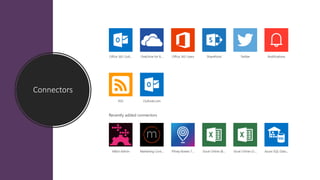
Connectors
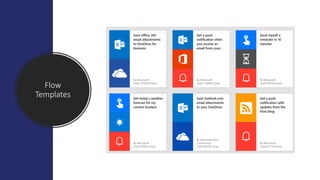
Flow
Templates
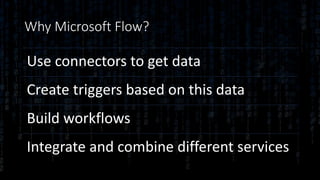
Why Microsoft Flow?
Use connectors to get data
Create triggers based on this data
Build workflows
Integrate and combine different services
Demo Summary
• Flow.Microsoft.com
• Create and modify from template
• Create a custom flow
Demo Summary
• Export flow
• Zipped json files in package
• Import flow
• Select connectors upon Import
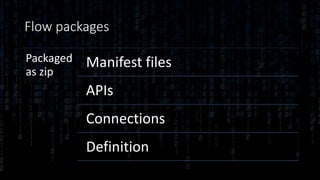
Flow packages
Packaged
as zip
Manifest files
APIs
Connections
Definition
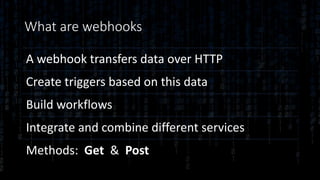
What are webhooks
A webhook transfers data over HTTP
Create triggers based on this data
Build workflows
Integrate and combine different services
Methods: Get & Post
Encryption!
Demo Summary
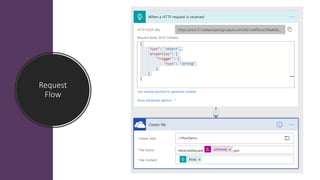
• Created a Flow with webhook
• Write payload to disk
• Viewed what was delivered
• Transferred binary content
• Created binary file from content
Request
Flow
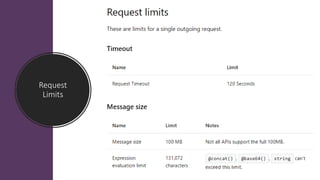
Request
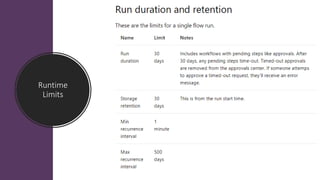
Limits
Runtime
Limits
Demo Summary
• Created a form in Forms
• Created a flow with a trigger
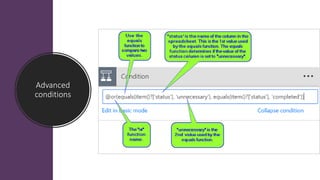
• Added advanced condition
• Take action based on condition
Advanced
conditions
Demo Summary
• Install Data gateway
• Create connection online
• Run a watcher locally
• Create button enabled flow
• Monitor and restart flow agent
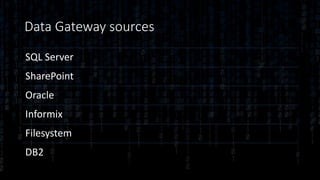
Data Gateway sources
SQL Server
SharePoint
Oracle
Informix
Filesystem
DB2
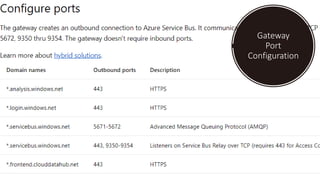
Gateway
Port
Configuration
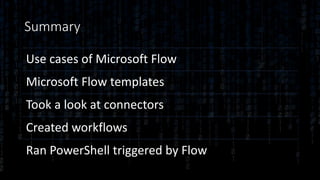
Summary
Use cases of Microsoft Flow
Microsoft Flow templates
Took a look at connectors
Created workflows
Ran PowerShell triggered by Flow
Questions?
References
• https://docs.microsoft.com/en-us/flow/gateway-reference
• https://docs.microsoft.com/en-us/flow/guided-learning/
• https://docs.microsoft.com/en-us/flow/use-expressions-in-conditions
• https://github.com/jaapbrasser/events
• https://www.jaapbrasser.com

Using Microsoft Flow for IT Professionals