Automate it with Azure Functions
Jaap Brasser
@jaap_brasser
• Technical Marketing Engineer at Rubrik
• PowerShell Conference EU/Asia
• Dutch PowerShell User Group
• Speaker / Blogger / Tech Enthusiast
• PowerShell Gallery
• TechNet / MSTechCommunity
@jaap_brasser
jaapbrasser.com/about
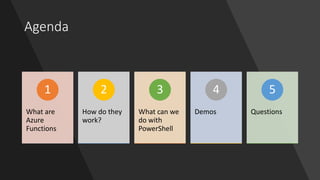
Agenda
What are
Azure
Functions
1
How do they
work?
2
What can we
do with
PowerShell
3
Demos
4
Questions
5
Why
PowerShell
???
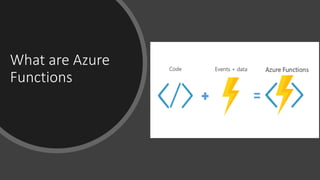
What are Azure
Functions
Azure Web Apps
Advantages of Azure Functions
• Pay for what you use
• No Infrastructure to manage
• No maintenance of servers
• Can be placed in existing Web App subscriptions
• Simplify code writing
What problem are we solving?
• Using our scripting skills in the cloud
• Re-using existing code / scripts
• Faster deployment
• Less maintenance
Demo:
Exploring Azure Functions
Demo Summary
•Triggers available
•Scenarios available
•Experimental flag
•How to create Azure Function
•Delete Azure Function
PowerShell language
support is still experimental
Demo:
Create timed function
Demo Summary
•Create PowerShell function
•Used cron notation
Demo:
Azure PowerShell Function
Demo Summary
• Which PowerShell version
• What variables are defined
• Saw the variables & files
• Reconfigured function.json
• Used Invoke-RestMethod to run
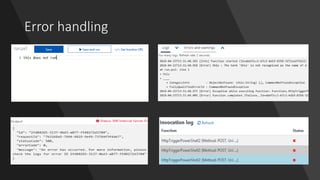
Error handling
Demo:
Azure Function Errors
Demo Summary
•Had our function fail
•Looked at different error logs
•Fixed the code based on output
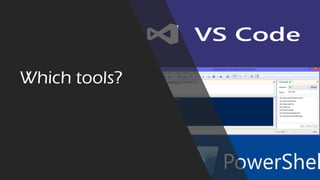
Which tools?
Demo:
Writing Azure Functions
Demo Summary
•Different tools
• ISESteroids
• VsCode
• Visual Studio
• Online Editor
•Write Unit tests for your scripts
PowerShell best practices
• Develop code in proper tools
• Use source control
• Run script analyzer for coding practices
• Keep your code simple
• Write tests
Summary
• Use existing PowerShell skills
• Develop serverless code
• Interact with other services
• Free tier
• functions.azure.com
• Haveibeenpwned.com
Questions?

Automate it with Azure Functions