Office 365 & SharePoint Connect 2018 | @thomasvochten IT Pro • Level 200
Thomas Vochten
Microsoft MVP. Solution architect Office
365 & SharePoint. Technical Evangelist.
@thomasvochten
https://thomasvochten.com
mail@thomasvochten.com
Agenda
• PowerShell past, present & future
• Essential PowerShell modules & configuration
• Working with Visual Studio Code
• Getting started with git
• Leverage the power of the community
Why exactly would I care?
Not just for developers
Decent Tooling Source Control
The inconvenient truth…
PowerShell is code too!
Why PowerShell?
Many tasks are only available in PowerShell &
Avoiding repetition should be a life goal
PowerShell past,
present & future
PowerShell is open source
https://github.com/PowerShell
PowerShell
• The old and trusted
• .NET Framework
• Windows only
• powershell.exe
• versions 1.0 > 5.1
• continues to be supported
PowerShell Core
• The new kid on the block
• .NET Core
• Cross-platform
• pwsh.exe
• version 6 and beyond
• the way forward
PowerShell Core is upon us!
•PowerShell Core 6.0 was released in January of 2018
•Currently at version 6.1.1
•Cross-platform: Windows, macOS and Linux
sudo apt-get install powershell
PowerShell Core
Windows PowerShell
PowerShell strategy, modules
& configuration
Don’t be an ad hoc scripter that
only solves problems when they arise
Have a toolbox!
Aim for a modular approach with
• Reusable tools
• Predictable outcome
• Single responsibility
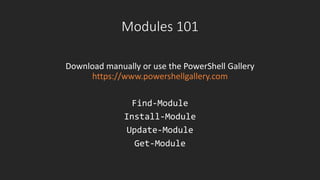
Modules 101
Download manually or use the PowerShell Gallery
https://www.powershellgallery.com
Find-Module
Install-Module
Update-Module
Get-Module
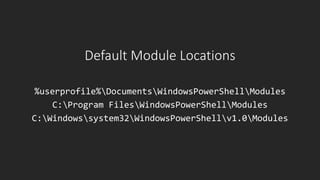
Default Module Locations
%userprofile%DocumentsWindowsPowerShellModules
C:Program FilesWindowsPowerShellModules
C:Windowssystem32WindowsPowerShellv1.0Modules
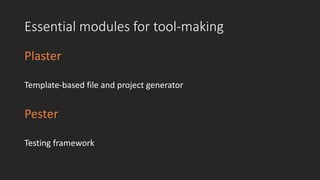
Essential modules for tool-making
Plaster
Template-based file and project generator
Pester
Testing framework
Demo
Working with PowerShell modules, plaster & pester
Working with Visual Studio
Code
PowerShell editors
Visual Studio Code
the new hotness
PowerShell ISE
deprecated
https://code.visualstudio.com
Why Visual Studio Code?
• Intellisense
• Debugging
• Script Analysis
• Built-in git support
• Cross-platform
• Open source
• Highly customizable
• Powerful extensions model
Must Have: PowerShell Extension
Basic tweaks & customizations
• Install extensions
• PowerShell
• EditorServicesCommandSuite tip
• Configure settings such as color scheme
• Configure snippets
• Add the SharePoint Server “stubs”
https://thvo.me/spstubs (Spencer Harbar)
• Use a PowerShell profile!
Demo
Visual Studio Code - essential tweaks & customizations, debugging
Getting started with git
Git is a free and open source distributed
version control system
https://git-scm.com
(*) Git is not the same as GitHub, you can host git in Azure DevOps or just use it on your machine only…
https://ohshitgit.com/
Git integration with Visual Studio
• Separate download & install
• Integrated in Visual Studio Code
• Supports most basic git commands
• Commandline for more advanced scenario’s
Complementing your toolbox
Cmder
Open source console emulator
Git & Linux commands integration
http://cmder.net
Posh-git
PowerShell module for git integration in PowerShell
Install-module posh-git
Basic git scenario’s
• Just “downloading” code from the internet (cloning)
• Creating your own version of the code (forking)
• Checking in your changes (commiting)
• Updating your copy with changes from the source (fetch & merge)
Demo
Git - Essentials
What to learn next?
1. Branching
2. Working with remote repositories
3. Creating pull requests
4. Merging your branch
Leverage the power of the
community!
Sharing is caring!
Everyone can contribute
• Share the things you’re proud of
• PowerShell scripts & modules
• Samples and tutorials
• Documentation
• …
Contributing with git
• Fork the repo you want to contribute to
• Create a branch for your change
• Make & test your changes
• Create a pull request
• Wait for the pull request to be accepted
Learn about pull requests do’s & don’ts…
@thomasvochten

O365Con18 - Working with PowerShell, VS Code and GitHub - Thomas Vochten