Using LinkedIn for BNI Ashish Kulkarni Director, Kulkarni Software
Ashish Kulkarni Joined BNI in October 2009 Been using LinkedIn and other Social Media sites for last 7 years Love BNI training – attend every training I can Applied BNI’s proven principles to LinkedIn Been winning “Most Notable Networker” awards for bringing in most number of visitors and referrals every month since October 2009
Why did we join BNI? To get more business To get more contacts To be a part of a community that passes business by referral To have fun
What this presentation covers How to use LinkedIn to invite Visitors How to use LinkedIn to generate referrals
How does BNI work? BNI has a simple philosophy – Givers Gain – If I give you business, you will want to give me business Visitors are the lifeblood of every BNI chapter – more visitors – larger the chapter – more referrals Referrals are what we all look for. A good referral is an OPPORTUNITY not a GUARANTEE of potential business or strategic relationship – what a person considers as referral may change from person to person.
Why traditional means are less productive To invite visitors by traditional means, you have to Strike up a conversation with them Tell them about your experience with BNI Invite them to your chapter by writing out a postcard It takes time It is labour intensive It is expensive Not really environmentally friendly
Why traditional means are less productive To generate referrals, you have to Pay attention during other peoples’ 60 seconds Have 1-2-1s to further enhance the 60 seconds Constantly listen out for opportunities for other members and hope they are doing the same for you It takes time It is labour intensive Taking notes during meetings Having 1-2-1s Actively listening
What is the solution? Attend every possible networking event Speak to every person at every networking event you attend Have 1-2-1s with every person Over-networked – burnt out – not enough time – too expensive – labour intensive
Or Use LinkedIn Targeted searches – takes minutes – free for most things – effective – measurable
What is LinkedIn? LinkedIn is the world’s largest professional network with over  60 million members  and growing rapidly – LinkedIn.com. LinkedIn connects you to your  trusted  contacts and helps you  exchange  knowledge, ideas, and  opportunities  with a broader network of  professionals  – LinkedIn.com.
What is LinkedIn? Some people are not on LinkedIn Some people are on LinkedIn Some people don’t use LinkedIn effectively Some people use LinkedIn effectively
Why bother? LinkedIn users represent a certain demographic Web aware Enthusiastic Contactable Open Positive Professional
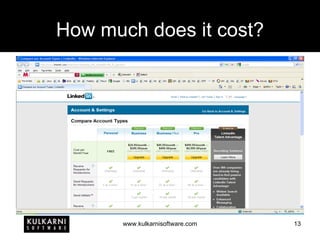
How much does it cost?
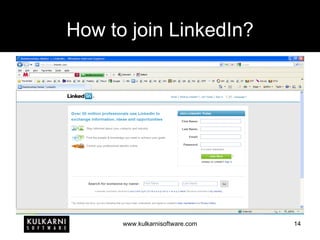
How to join LinkedIn?
How to join LinkedIn? Or just accept an invitation from one of your contacts.
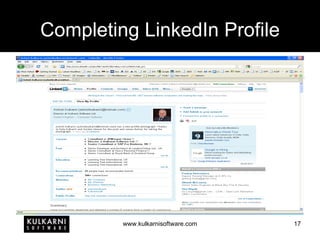
I am on LinkedIn. What next? Complete your profile – Who are you? What do you do? If you run a business, complete your business’ profile Ask for recommendations from people you have worked for Grow your network Join groups Participate in discussions or start discussions Host events And more…
Completing LinkedIn Profile
Details you should share Photograph Website address(es) Email address Kind of work you have done Kind of connections you are looking for Connections
Details you should not share Address Birth date Names that you have used as passwords Details that can lead to identity theft
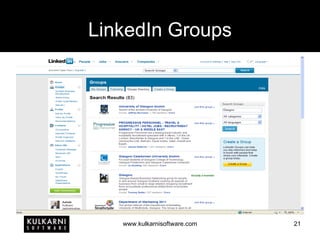
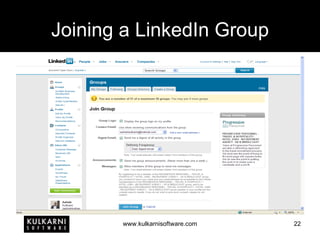
Before anything else… To be effective on LinkedIn, you need to grow your network. You can do this by: Connecting to people By sending invites By requesting introductions Joining groups Find geographically and strategically important LinkedIn groups – with bigger number of active members Join them
LinkedIn Groups
Joining a LinkedIn Group
Group Members
What do we need for BNI? Visitors – LinkedIn can help Referrals – LinkedIn can help 1-to-1s, etc. – LinkedIn cannot help
How to invite visitors? Ask your chapters’ leadership team about what slots are still open at your chapter. Search for people from that industry on LinkedIn – the ones that you can contact
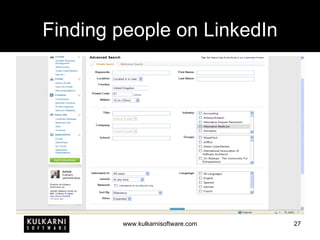
Finding people on LinkedIn
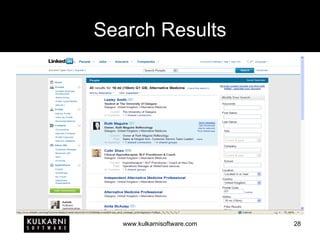
Search Results
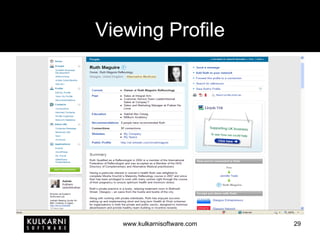
Viewing Profile
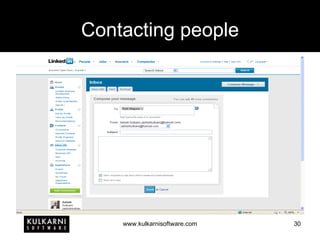
Contacting people
Referrals – A live example Last week, in her 60 seconds, Jennifer Teale, our chapter’s Hypnotherapist mentioned that she wanted to contact people from “Alternate Medicine” LinkedIn category from around Glasgow I did a search on LinkedIn and took a printout and then had a 1-2-1 with Jennifer In the 1-2-1, Jennifer highlighted 9 people and I filled in 9 referral slips Over the weekend, I contacted all the 9 people, most of whom were delighted for the introduction
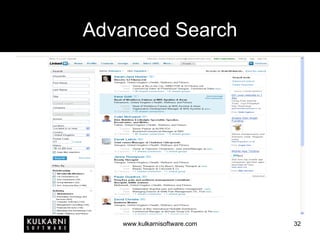
Advanced Search
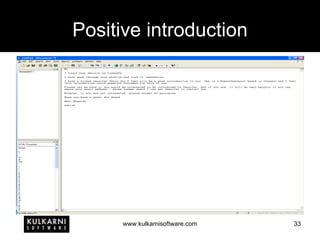
Positive introduction
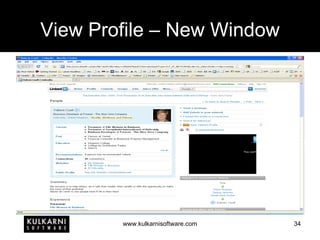
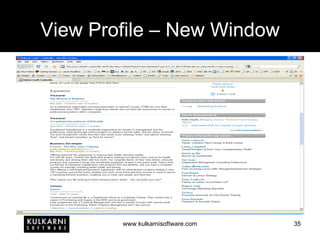
View Profile – New Window
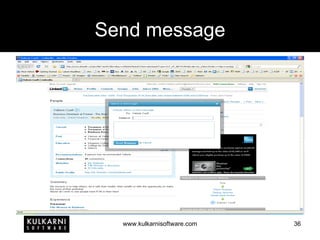
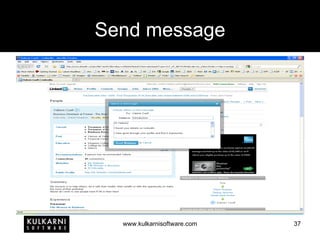
Send message
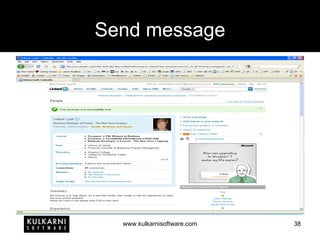
Send message
Send message
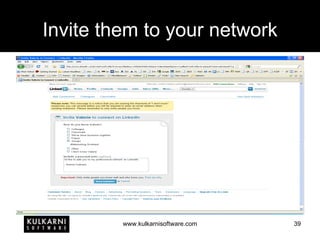
Invite them to your network
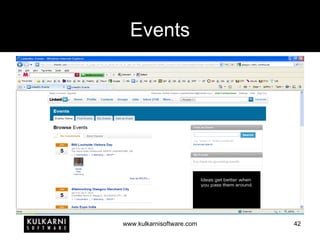
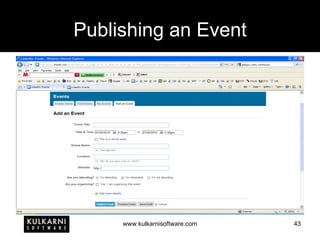
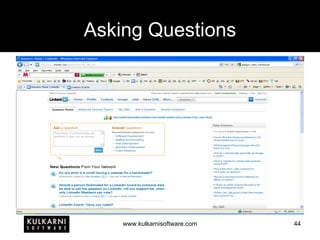
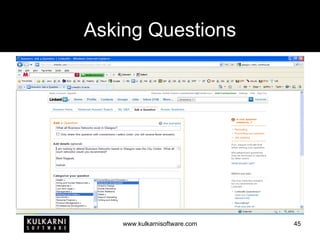
Additional LinkedIn Features Group Discussions – A great way to increase your visibility Events – A fantastic way to manage the RSVPs of your networking events on LinkedIn Answers – Great way to find answers to complex questions, or to demonstrate your expertise by answering complex questions
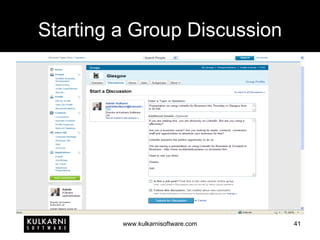
Starting a Group Discussion
Events
Publishing an Event
Asking Questions
Asking Questions
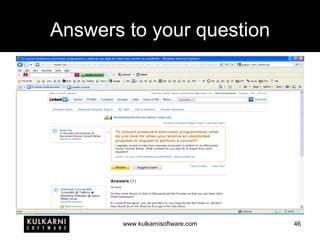
Answers to your question
More… WordPress – LinkedIn allows you to publish latest entries from your WordPress blog on your profile Twitter – LinkedIn allows you to publish your status to Twitter and vice versa SlideShare – LinkedIn allows you to publish up to 3 presentations on your profile via SlideShare There are many more such applications
LinkedIn is ideal for Professional Networking Headhunting Looking up potential sales leads Potential Business Partnerships Raising Awareness about expertise Raising Awareness about Products & Services Conducting Business Events Finding Answers to complex questions
LinkedIn can be accessed from www.linkedin.com iPhone LinkedIn App
Summary BNI is a great way to generate business by word-of-mouth referrals Inviting visitors to your BNI chapter is an excellent way to grow its size The larger your chapter, the more referrals you can get and more opportunities for you to generate referrals More visitors and referrals you bring to your chapter, the higher your credibility and hence, higher chances of you getting referrals
Next Level I also advise businesses on how to use Social Media websites such as LinkedIn for their business. I tailor these presentations to suit each clients’ needs. You can contact me directly if you know someone who may benefit from this.
Where can you find me Google Ashish Kulkarni Kulkarni Software Twitter @ashishkulkarni @kulkarnisoft LinkedIn www.linkedin.com/in/ashishkulkarni Web www.ashishkulkarni.com www.kulkarnisoftware.com Email [email_address]
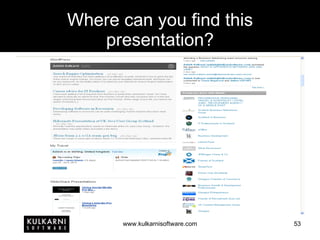
Where can you find this presentation?

Using Linked In For BNI

  • 1.
    Using LinkedIn forBNI Ashish Kulkarni Director, Kulkarni Software
  • 2.
    Ashish Kulkarni JoinedBNI in October 2009 Been using LinkedIn and other Social Media sites for last 7 years Love BNI training – attend every training I can Applied BNI’s proven principles to LinkedIn Been winning “Most Notable Networker” awards for bringing in most number of visitors and referrals every month since October 2009
  • 3.
    Why did wejoin BNI? To get more business To get more contacts To be a part of a community that passes business by referral To have fun
  • 4.
    What this presentationcovers How to use LinkedIn to invite Visitors How to use LinkedIn to generate referrals
  • 5.
    How does BNIwork? BNI has a simple philosophy – Givers Gain – If I give you business, you will want to give me business Visitors are the lifeblood of every BNI chapter – more visitors – larger the chapter – more referrals Referrals are what we all look for. A good referral is an OPPORTUNITY not a GUARANTEE of potential business or strategic relationship – what a person considers as referral may change from person to person.
  • 6.
    Why traditional meansare less productive To invite visitors by traditional means, you have to Strike up a conversation with them Tell them about your experience with BNI Invite them to your chapter by writing out a postcard It takes time It is labour intensive It is expensive Not really environmentally friendly
  • 7.
    Why traditional meansare less productive To generate referrals, you have to Pay attention during other peoples’ 60 seconds Have 1-2-1s to further enhance the 60 seconds Constantly listen out for opportunities for other members and hope they are doing the same for you It takes time It is labour intensive Taking notes during meetings Having 1-2-1s Actively listening
  • 8.
    What is thesolution? Attend every possible networking event Speak to every person at every networking event you attend Have 1-2-1s with every person Over-networked – burnt out – not enough time – too expensive – labour intensive
  • 9.
    Or Use LinkedInTargeted searches – takes minutes – free for most things – effective – measurable
  • 10.
    What is LinkedIn?LinkedIn is the world’s largest professional network with over 60 million members and growing rapidly – LinkedIn.com. LinkedIn connects you to your trusted contacts and helps you exchange knowledge, ideas, and opportunities with a broader network of professionals – LinkedIn.com.
  • 11.
    What is LinkedIn?Some people are not on LinkedIn Some people are on LinkedIn Some people don’t use LinkedIn effectively Some people use LinkedIn effectively
  • 12.
    Why bother? LinkedInusers represent a certain demographic Web aware Enthusiastic Contactable Open Positive Professional
  • 13.
    How much doesit cost?
  • 14.
    How to joinLinkedIn?
  • 15.
    How to joinLinkedIn? Or just accept an invitation from one of your contacts.
  • 16.
    I am onLinkedIn. What next? Complete your profile – Who are you? What do you do? If you run a business, complete your business’ profile Ask for recommendations from people you have worked for Grow your network Join groups Participate in discussions or start discussions Host events And more…
  • 17.
  • 18.
    Details you shouldshare Photograph Website address(es) Email address Kind of work you have done Kind of connections you are looking for Connections
  • 19.
    Details you shouldnot share Address Birth date Names that you have used as passwords Details that can lead to identity theft
  • 20.
    Before anything else…To be effective on LinkedIn, you need to grow your network. You can do this by: Connecting to people By sending invites By requesting introductions Joining groups Find geographically and strategically important LinkedIn groups – with bigger number of active members Join them
  • 21.
  • 22.
  • 23.
  • 24.
  • 25.
    What do weneed for BNI? Visitors – LinkedIn can help Referrals – LinkedIn can help 1-to-1s, etc. – LinkedIn cannot help
  • 26.
    How to invitevisitors? Ask your chapters’ leadership team about what slots are still open at your chapter. Search for people from that industry on LinkedIn – the ones that you can contact
  • 27.
  • 28.
  • 29.
  • 30.
  • 31.
    Referrals – Alive example Last week, in her 60 seconds, Jennifer Teale, our chapter’s Hypnotherapist mentioned that she wanted to contact people from “Alternate Medicine” LinkedIn category from around Glasgow I did a search on LinkedIn and took a printout and then had a 1-2-1 with Jennifer In the 1-2-1, Jennifer highlighted 9 people and I filled in 9 referral slips Over the weekend, I contacted all the 9 people, most of whom were delighted for the introduction
  • 32.
  • 33.
  • 34.
  • 35.
  • 36.
  • 37.
  • 38.
  • 39.
    Invite them toyour network
  • 40.
    Additional LinkedIn FeaturesGroup Discussions – A great way to increase your visibility Events – A fantastic way to manage the RSVPs of your networking events on LinkedIn Answers – Great way to find answers to complex questions, or to demonstrate your expertise by answering complex questions
  • 41.
    Starting a GroupDiscussion
  • 42.
  • 43.
  • 44.
  • 45.
  • 46.
  • 47.
    More… WordPress –LinkedIn allows you to publish latest entries from your WordPress blog on your profile Twitter – LinkedIn allows you to publish your status to Twitter and vice versa SlideShare – LinkedIn allows you to publish up to 3 presentations on your profile via SlideShare There are many more such applications
  • 48.
    LinkedIn is idealfor Professional Networking Headhunting Looking up potential sales leads Potential Business Partnerships Raising Awareness about expertise Raising Awareness about Products & Services Conducting Business Events Finding Answers to complex questions
  • 49.
    LinkedIn can beaccessed from www.linkedin.com iPhone LinkedIn App
  • 50.
    Summary BNI isa great way to generate business by word-of-mouth referrals Inviting visitors to your BNI chapter is an excellent way to grow its size The larger your chapter, the more referrals you can get and more opportunities for you to generate referrals More visitors and referrals you bring to your chapter, the higher your credibility and hence, higher chances of you getting referrals
  • 51.
    Next Level Ialso advise businesses on how to use Social Media websites such as LinkedIn for their business. I tailor these presentations to suit each clients’ needs. You can contact me directly if you know someone who may benefit from this.
  • 52.
    Where can youfind me Google Ashish Kulkarni Kulkarni Software Twitter @ashishkulkarni @kulkarnisoft LinkedIn www.linkedin.com/in/ashishkulkarni Web www.ashishkulkarni.com www.kulkarnisoftware.com Email [email_address]
  • 53.
    Where can youfind this presentation?

Editor's Notes

  • #14 LinkedIn has different charging structures that are targeted at different types of users. I personally use the Personal (free) account type and so far it has worked well for me. The main advantage of the non-free accounts is they allow you to send InMail – LinkedIn’s own product – that allows you to send messages to people that you are not connected to directly. What I can suggest in that case is to join appropriate groups on LinkedIn. I have discussed this in further detail later on.
  • #15 Joining LinkedIn is easy. A few details and you are on LinkedIn.
  • #18 Completing your profile can be a bit time consuming. I would advise, give it an hour a day over a couple of weeks.
  • #19 Make sure you share sufficient details that make you easily contactable for potential business contacts.
  • #20 Make sure you don’t share any information that makes you a target for identity theft.
  • #22 Groups are a fantastic way to expand your contact circle. But remember, you can only join 50 groups on LinkedIn. So be choosy about which groups you join. Ask yourself: Does this group have the people who I am looking to connect to? Does this group relate to the geographical area I am looking at? Does this group provide anything of value to my business?
  • #23 When joining a group, you will be given various options.
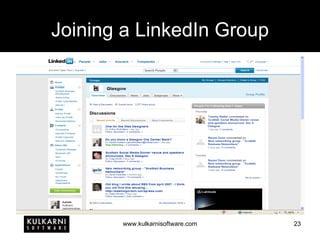
  • #24 You can see what discussions others in that group have posted. You can post discussions related to your own business.
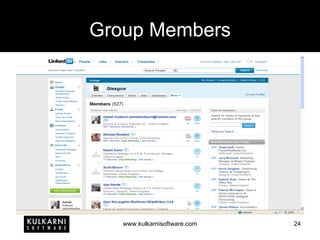
  • #25 You can view a list of Group Members. From there, you can contact them. Be careful, don’t send SPAM. Respect privacy of other members.
  • #26 This list is not exhaustive. Just a start.
  • #28 Click on the “Advanced” link on the home page of LinkedIn. That will take you to the page for finding people on LinkedIn. Usually the basic search is not sufficient. Advanced Search allows you to search people by details such as Industry, Location, etc.
  • #29 The list of results brings up a number of profiles. Who you can and cannot contact depends on two factors: Are you a direct connection? Do you share a group. In some cases, you may still be able to contact the person. For this, simply look at their profile and check if they have shared a website address where their contact details may be present.
  • #30 I was looking to introduce someone from Alternative Medicines industry to a friend of mine. I found a profile and, because we shared a group, I was able to contact the person.
  • #31 When sending a message to anyone on LinkedIn, remember to ask yourself a simple pragmatic question: will you read and respond if you received the message? Be positive. Look at what you have to offer. Don’t look to sell.
  • #42 You can start a discussion to: Advertise an event. Advertise an open position. Request for help or advice.
  • #43 LinkedIn allows you to publish, search and attend events.
  • #44 LinkedIn Events are an easy way for you to publish your event and manage attendees.
  • #45 LinkedIn Answers allows you to ask complex questions to Industry Experts.
  • #46 You can select up to 2 categories for categorising your question. Experts from these categories will respond to you.
  • #48 LinkedIn has many more applications that you can activate and use on your profile.