1
openSUSE.Asia Summit 2018 Taipei
Using latest LibreOffice
on openSUSE Leap 15
Naruhiko Ogasawara
LibreOffice Japanese Team
2
openSUSE.Asia Summit 2018 Taipei
Who am I?
Naruhiko Ogasawara
小笠原 徳彦 おがさわら なるひこ
The Document Foundation Member
LibreOffice Japanese Team Member
LibreOffice Japanese Team
= Japanese LibreOffice Native Language Project (NLP)
UI/Help translation coordinator
3
openSUSE.Asia Summit 2018 Taipei
Agenda
Introduction
What’s LibreOffice?
openSUSE and LibreOffice
Modern Packaging Systems
Flatpak
Snap
AppImage
Conclusion
4
openSUSE.Asia Summit 2018 Taipei
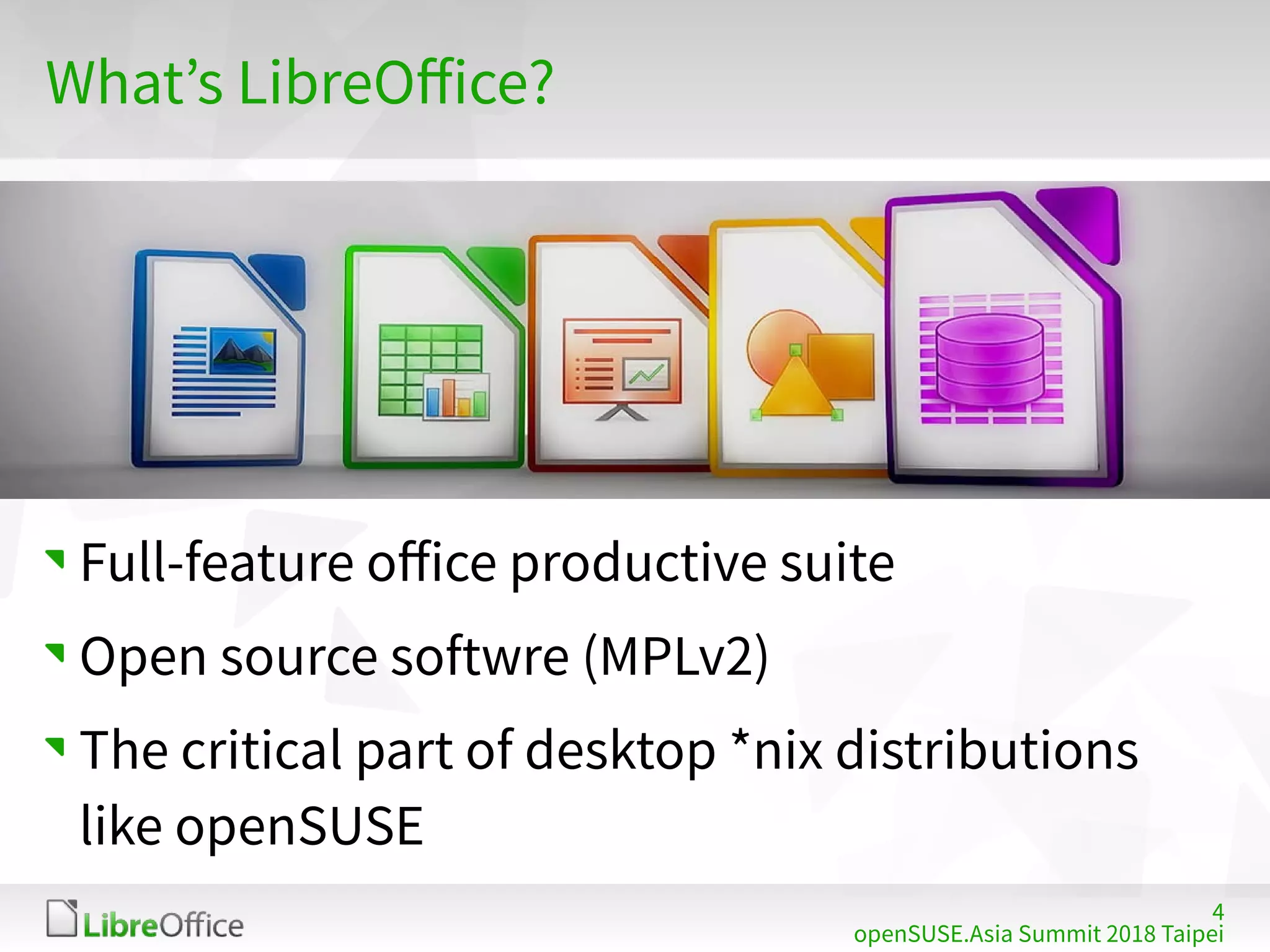
What’s LibreOffice?
Full-feature office productive suite
Open source softwre (MPLv2)
The critical part of desktop *nix distributions
like openSUSE
5
LibreOffice mini conference 2017 Japan
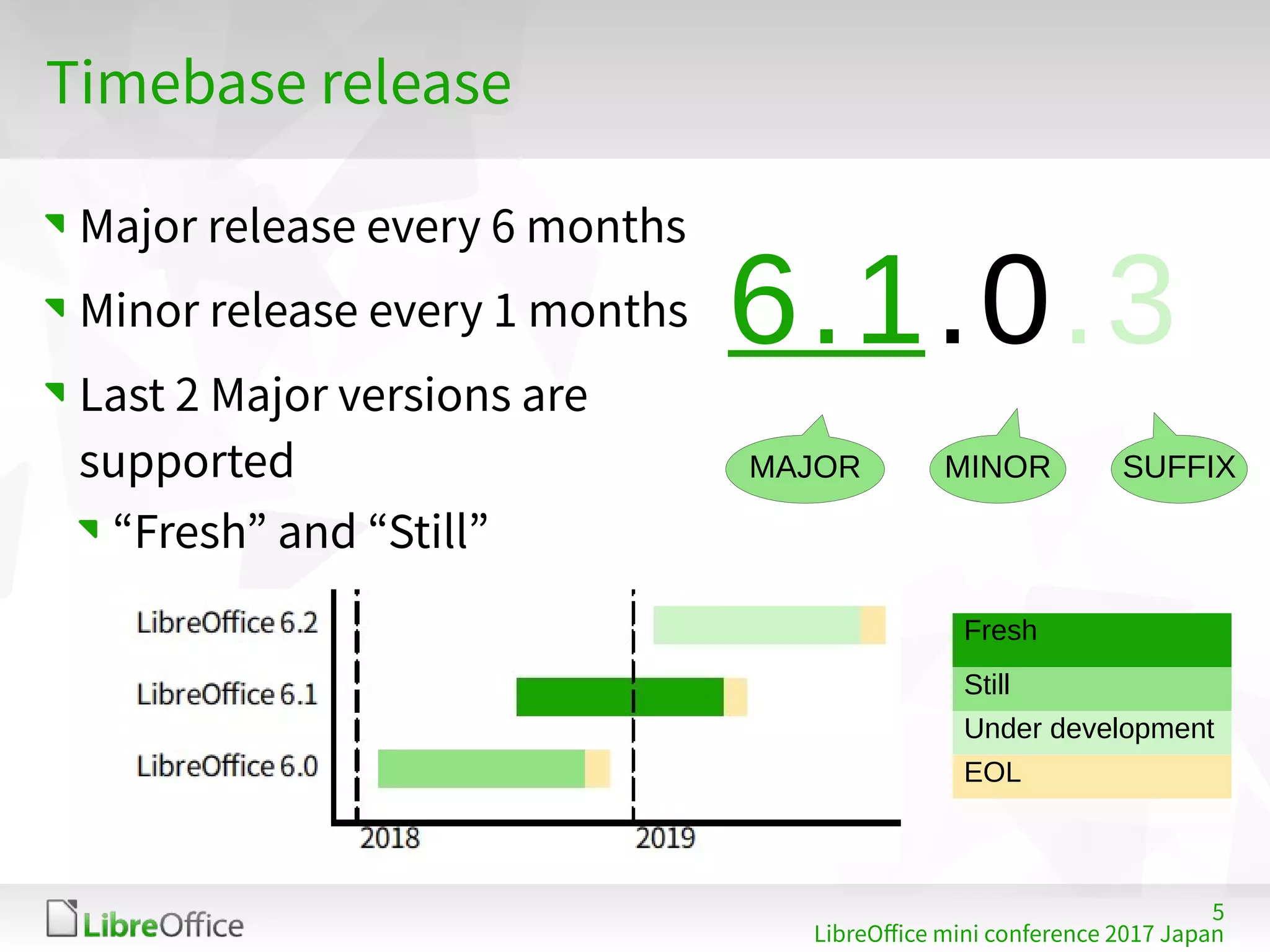
Timebase release
Major release every 6 months
Minor release every 1 months
Last 2 Major versions are
supported
“Fresh” and “Still”
6.1.0.3
MAJOR MINOR SUFFIX
Fresh
Still
Under development
EOL
6
openSUSE.Asia Summit 2018 Taipei
openSUSE and LibreOffice
openSUSE officially provides LibreOffice
package
https://software.opensuse.org/package/libreoffice
Pre-installed with KDE / GNOME desktop
7
openSUSE.Asia Summit 2018 Taipei
openSUSE and LibreOffice
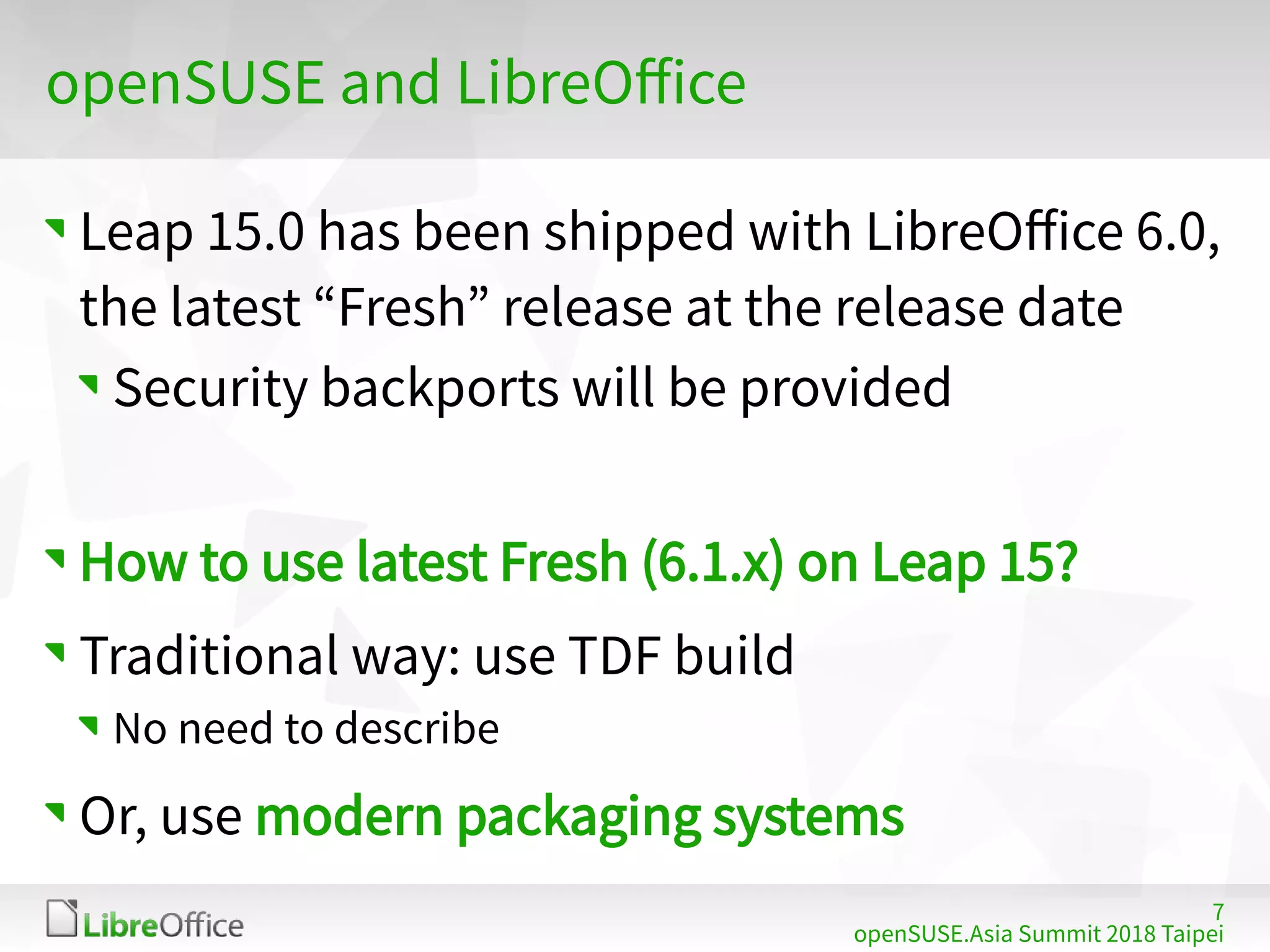
Leap 15.0 has been shipped with LibreOffice 6.0,
the latest “Fresh” release at the release date
Security backports will be provided
How to use latest Fresh (6.1.x) on Leap 15?
Traditional way: use TDF build
No need to describe
Or, use modern packaging systems
8
openSUSE.Asia Summit 2018 Taipei
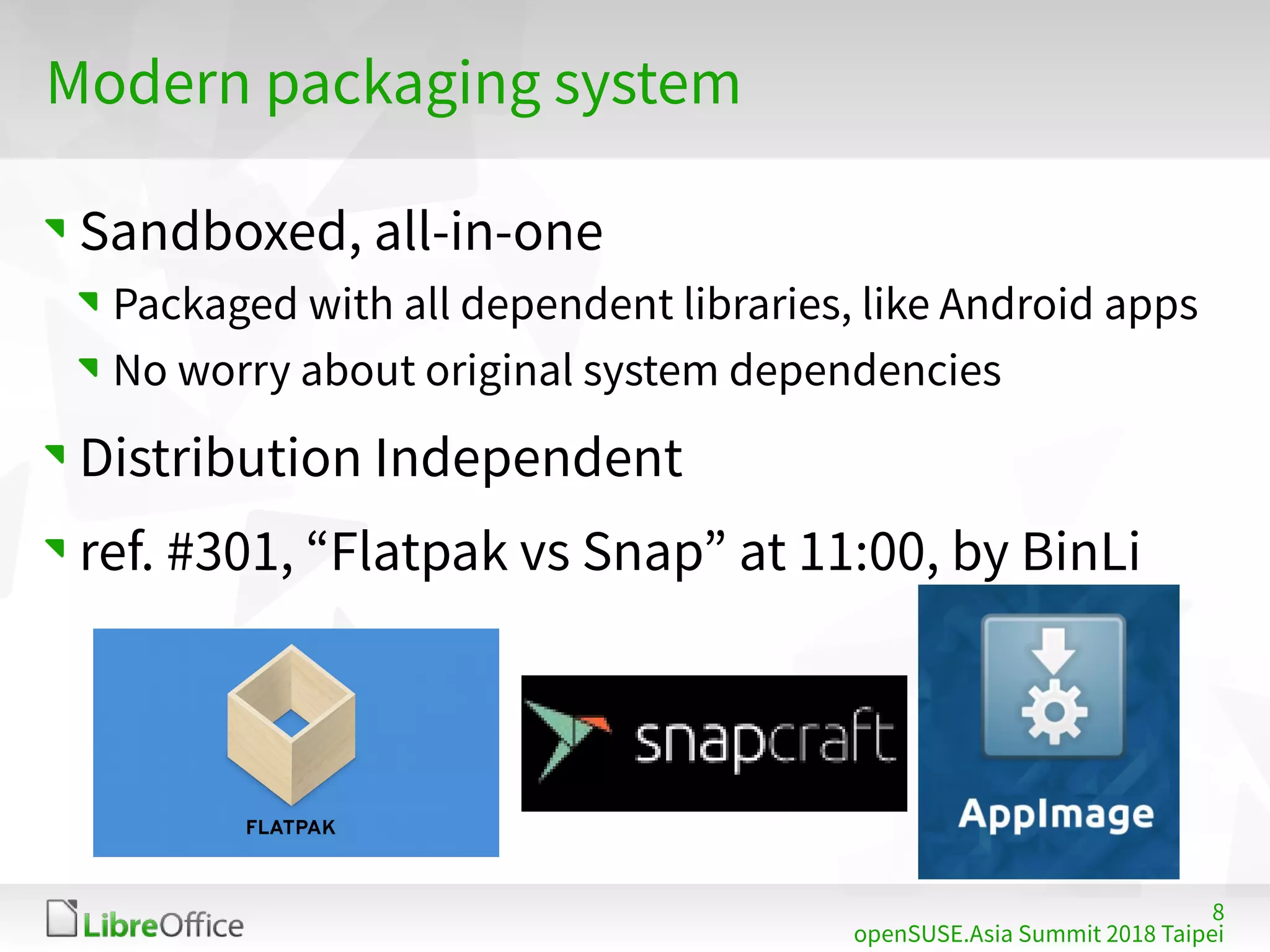
Modern packaging system
Sandboxed, all-in-one
Packaged with all dependent libraries, like Android apps
No worry about original system dependencies
Distribution Independent
ref. #301, “Flatpak vs Snap” at 11:00, by BinLi
9
openSUSE.Asia Summit 2018 Taipei
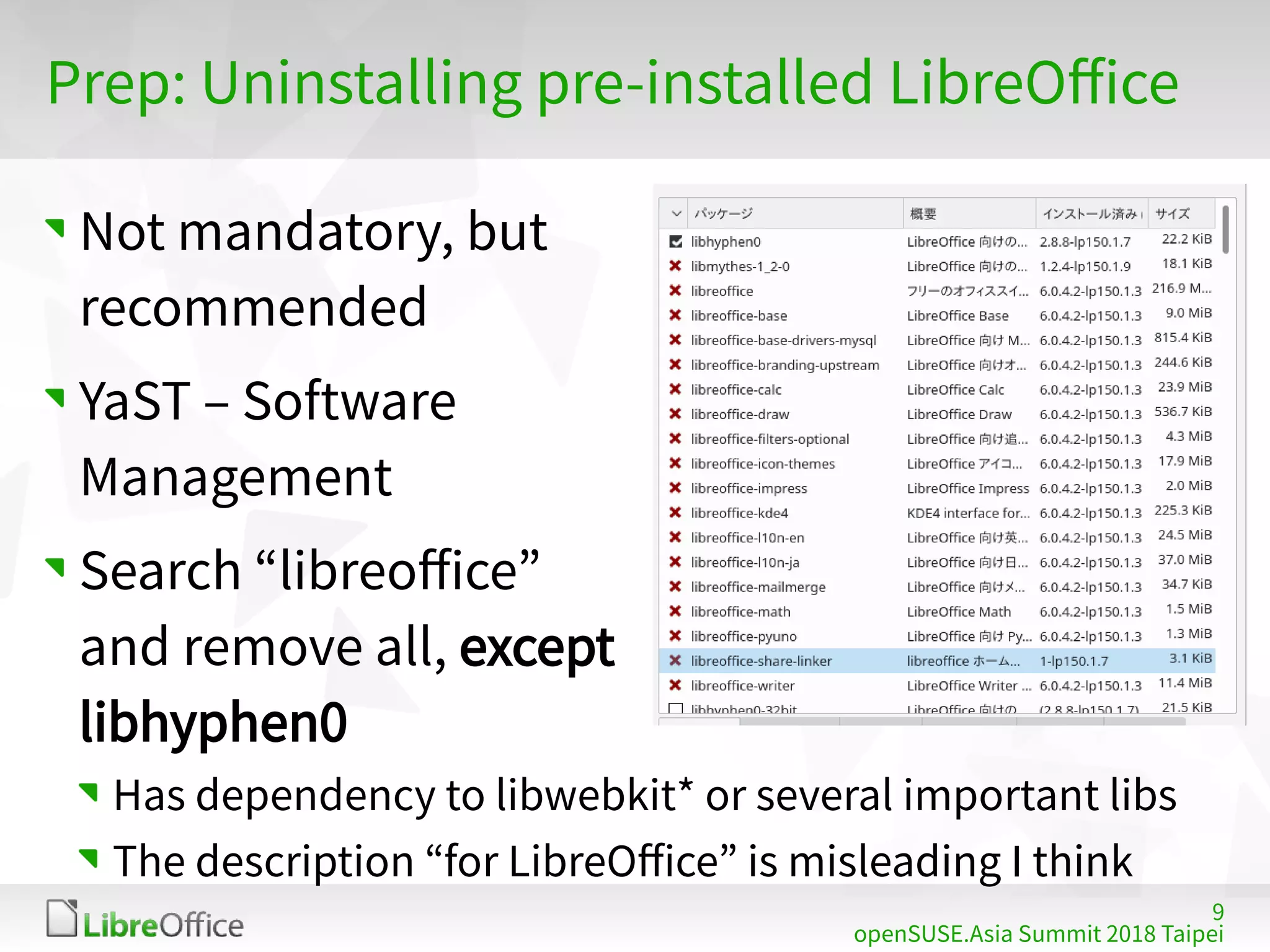
Prep: Uninstalling pre-installed LibreOffice
Not mandatory, but
recommended
YaST – Software
Management
Search “libreoffice”
and remove all, except
libhyphen0
Has dependency to libwebkit* or several important libs
The description “for LibreOffice” is misleading I think
10
openSUSE.Asia Summit 2018 Taipei
Flatpak
11
openSUSE.Asia Summit 2018 Taipei
Flatpak – What is this?
https://flatpak.org
“Linux application sandboxing and distribution
framework”
Leap 15 is released with Flatpak available
No special installation needed!
FlatHub: App store / build service for Flatpak
https://flathub.org/home
12
openSUSE.Asia Summit 2018 Taipei
Flatpak – LibreOffice package
TDF officially provides their Flatpak package via
FlatHub
https://www.libreoffice.org/download/flatpak/
https://flathub.org/apps/details/org.libreoffice.LibreOffice
NOTE: Can’t select Fresh or Still ATM
13
openSUSE.Asia Summit 2018 Taipei
Flatpak – Installation
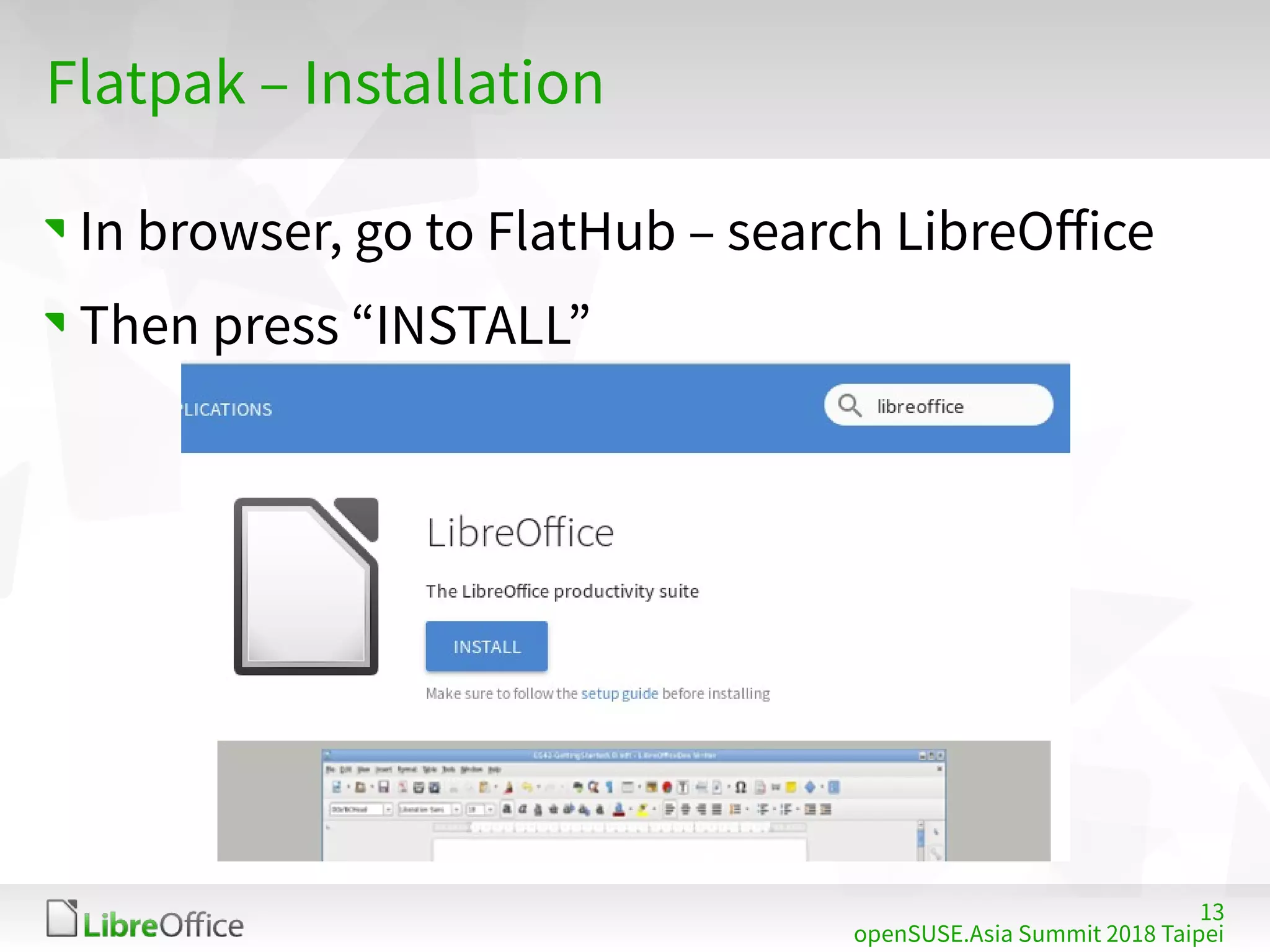
In browser, go to FlatHub – search LibreOffice
Then press “INSTALL”
14
openSUSE.Asia Summit 2018 Taipei
Flatpak – Installation
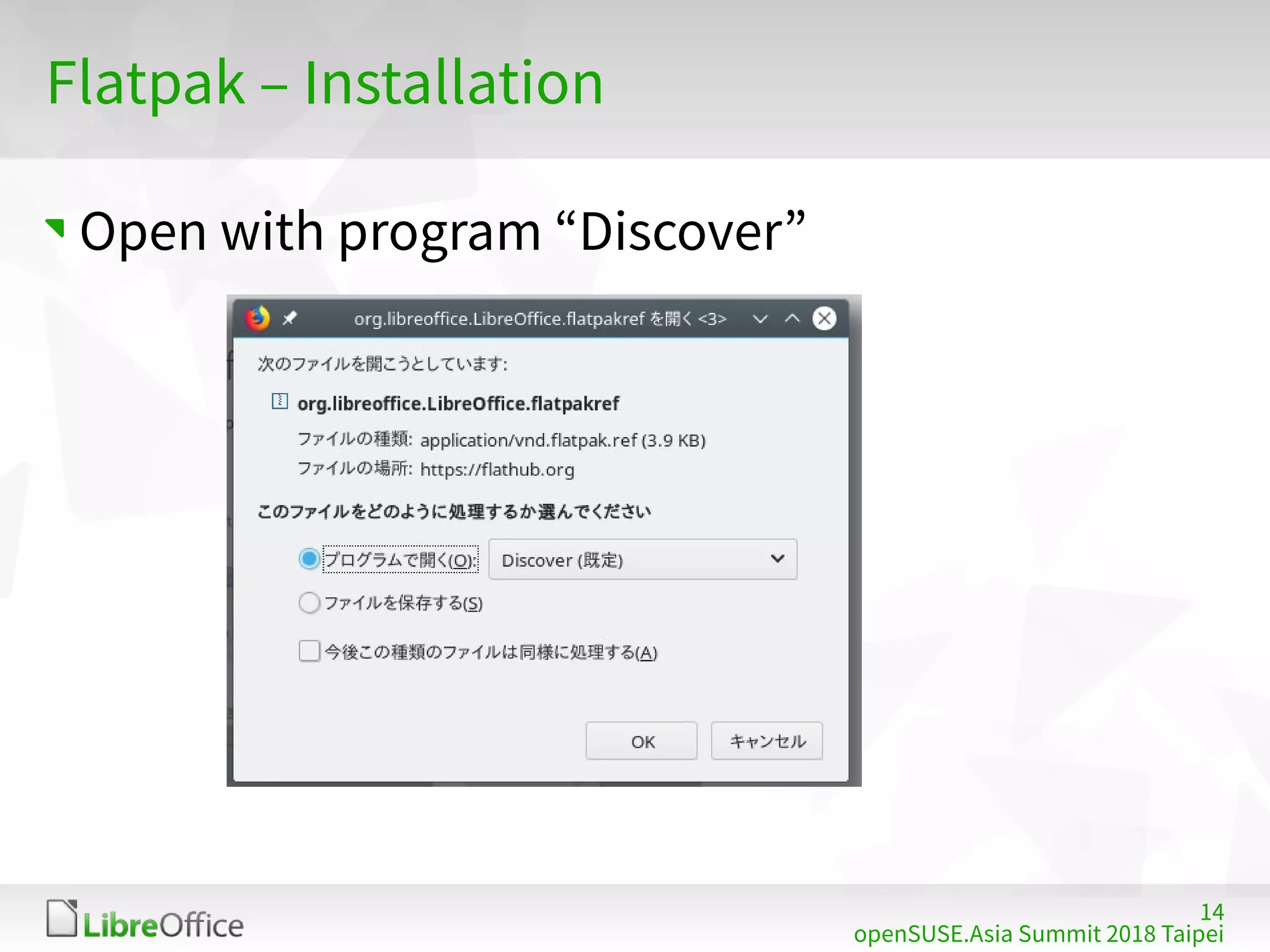
Open with program “Discover”
15
openSUSE.Asia Summit 2018 Taipei
Flatpak – Installation
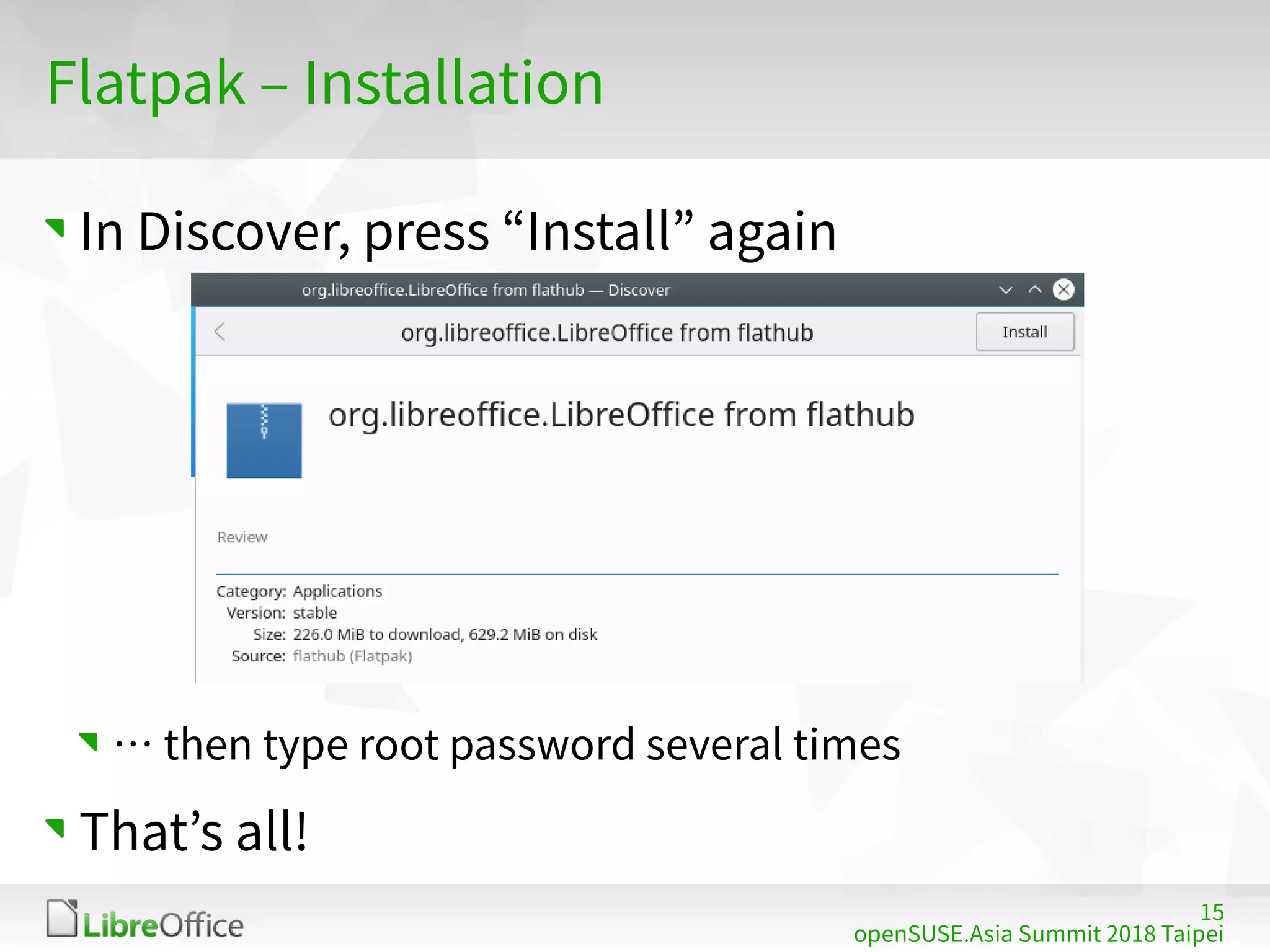
In Discover, press “Install” again
… then type root password several times
That’s all!
16
openSUSE.Asia Summit 2018 Taipei
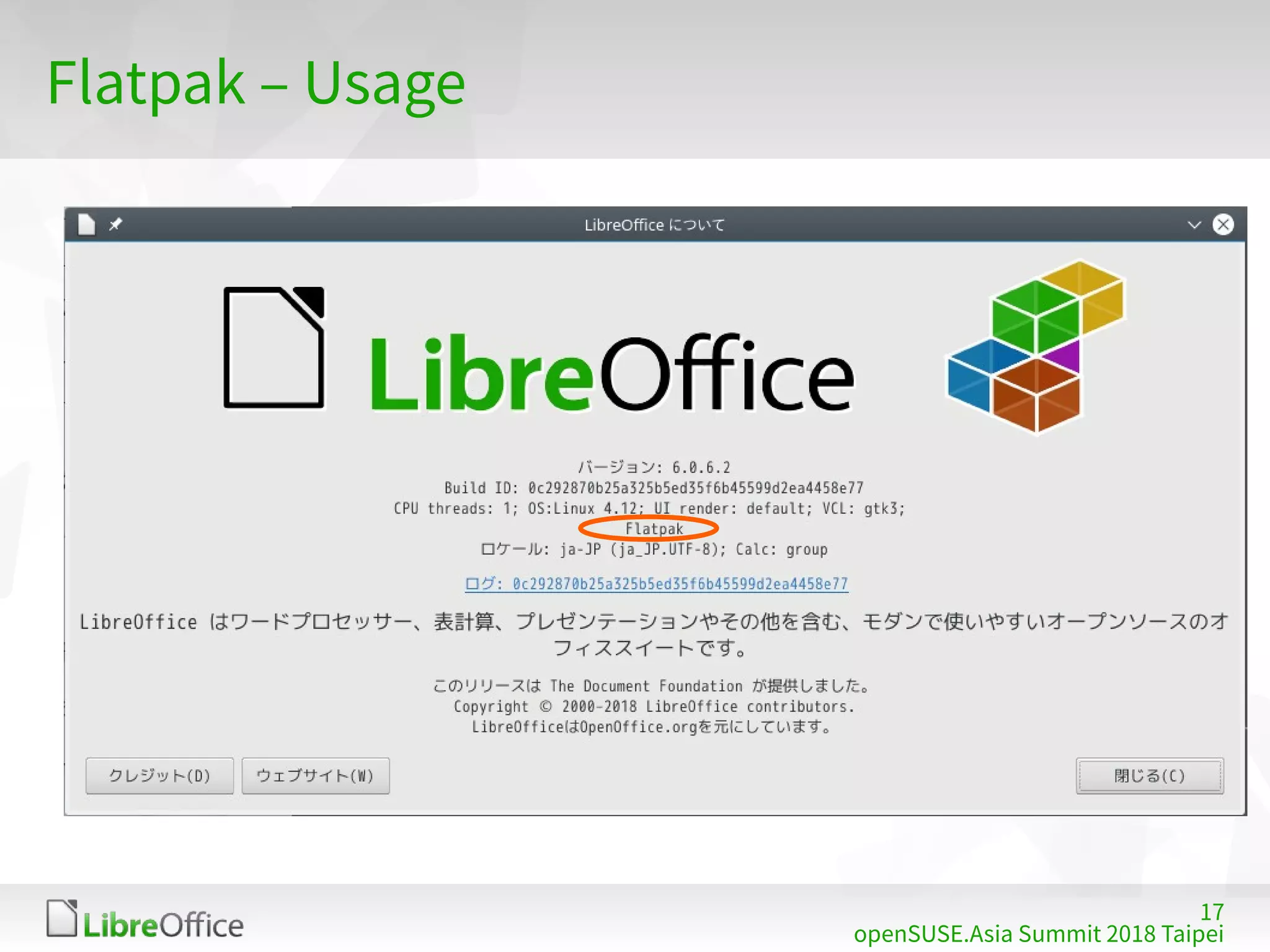
Flatpak – Usage
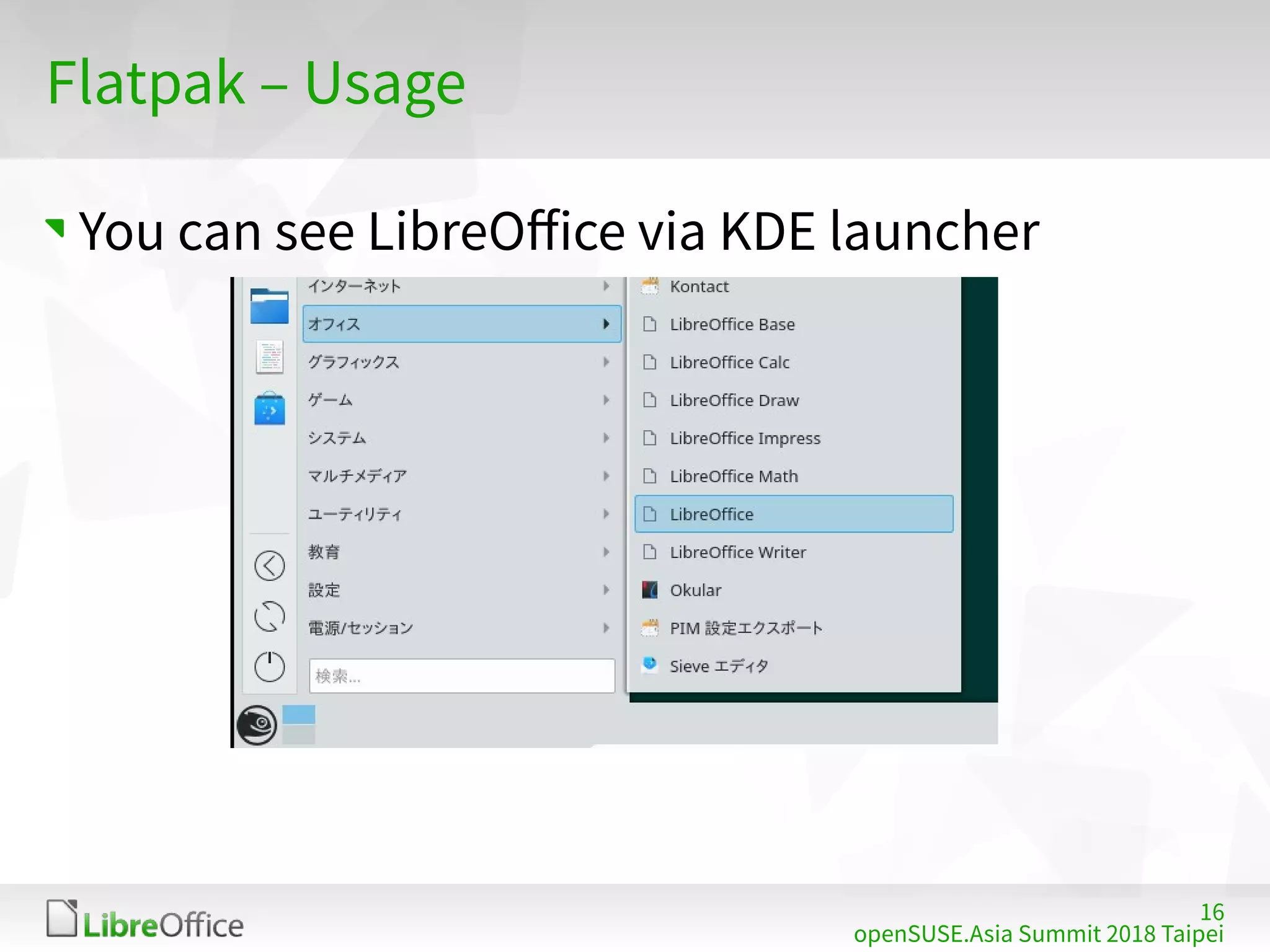
You can see LibreOffice via KDE launcher
17
openSUSE.Asia Summit 2018 Taipei
Flatpak – Usage
18
openSUSE.Asia Summit 2018 Taipei
Flatpak – Features
All system fonts / Input Method available
System integration; KDE launcher, ext-type rel.
Includes all langpacks
Japanese, Traditional Chinese, Simplified Chinese,
Korean, Indonesian, … or else
No helppack
You can use online help instead
Useful for primary office productive suite
19
openSUSE.Asia Summit 2018 Taipei
Snaps
20
openSUSE.Asia Summit 2018 Taipei
Snaps – What is this?
https://snapcraft.io/
“Snaps are containerised software packages
that are simple to create and install on all major
Linux systems without modification.”
Developed by Canonical, but you can use it with
openSUSE
SnapCraft: AppStore for Snaps
21
openSUSE.Asia Summit 2018 Taipei
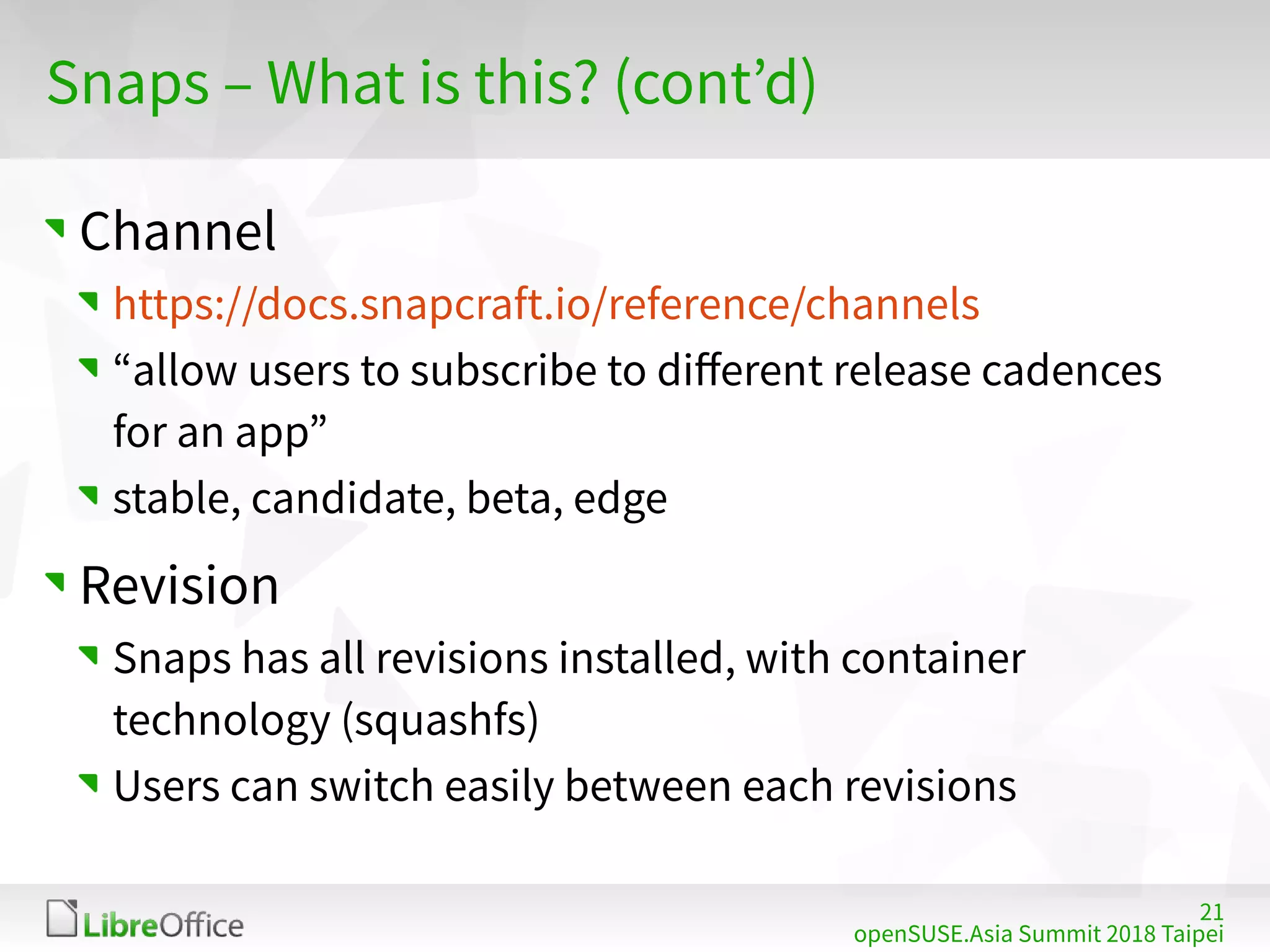
Snaps – What is this? (cont’d)
Channel
https://docs.snapcraft.io/reference/channels
“allow users to subscribe to different release cadences
for an app”
stable, candidate, beta, edge
Revision
Snaps has all revisions installed, with container
technology (squashfs)
Users can switch easily between each revisions
22
openSUSE.Asia Summit 2018 Taipei
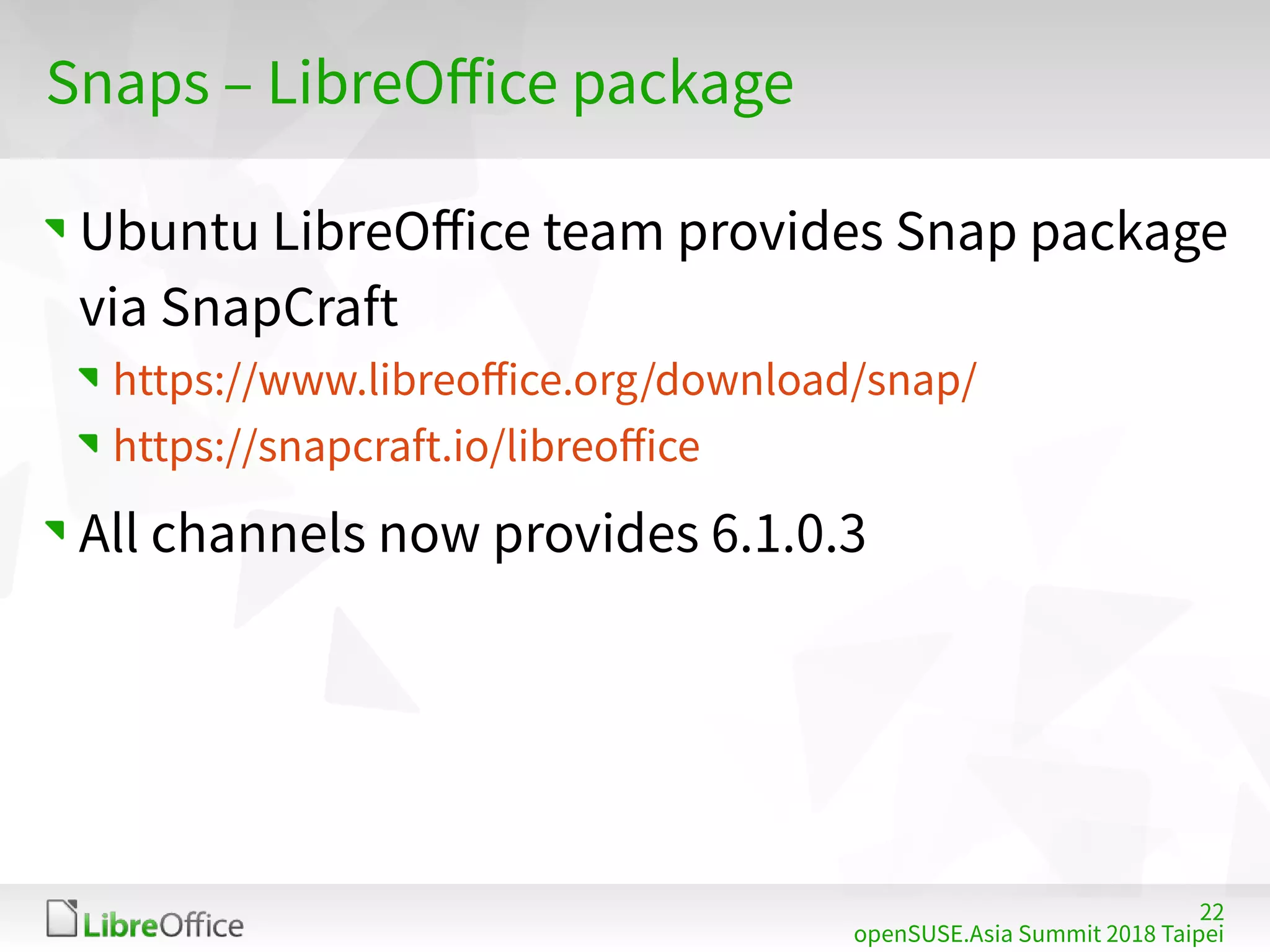
Snaps – LibreOffice package
Ubuntu LibreOffice team provides Snap package
via SnapCraft
https://www.libreoffice.org/download/snap/
https://snapcraft.io/libreoffice
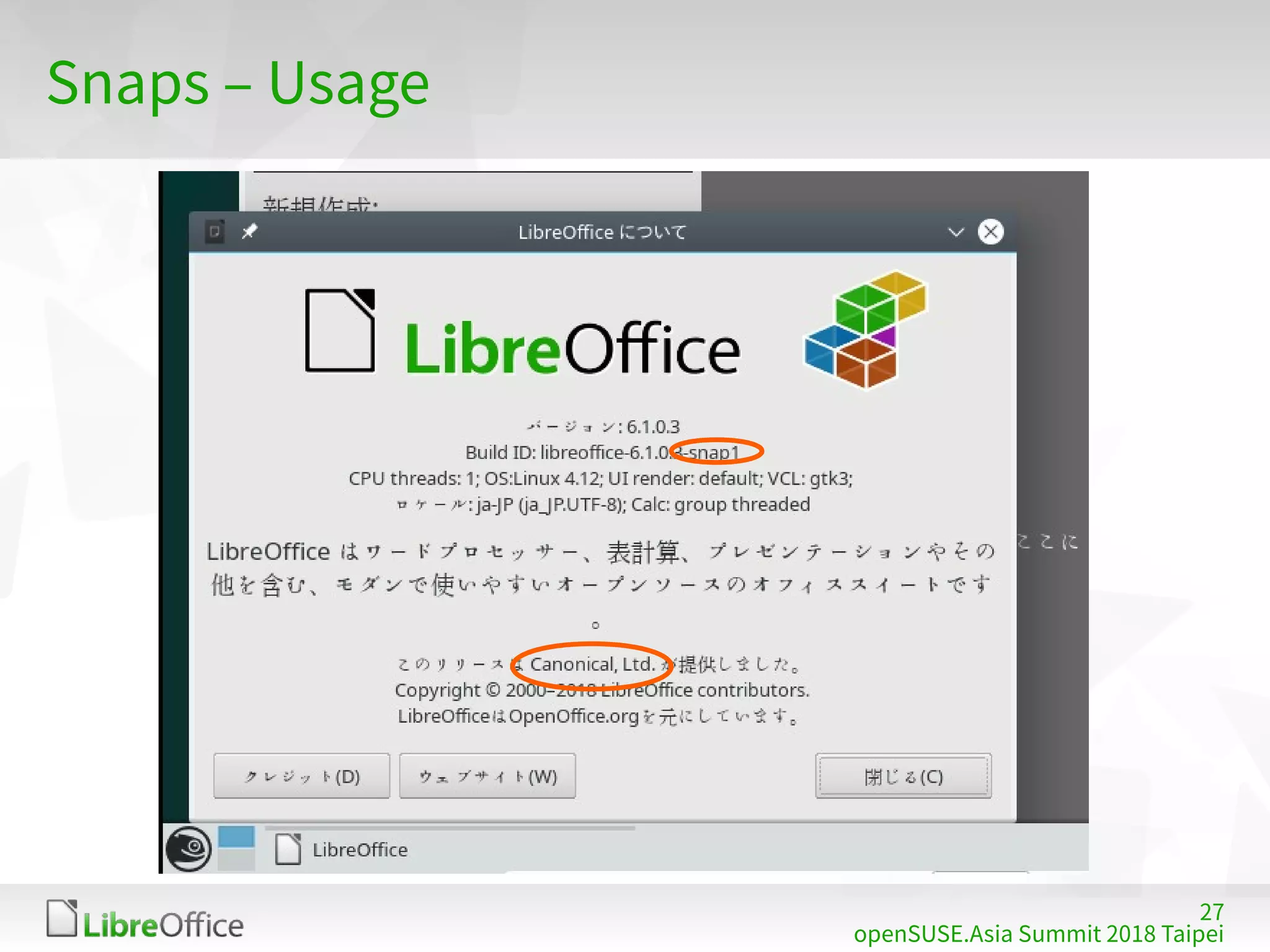
All channels now provides 6.1.0.3
23
openSUSE.Asia Summit 2018 Taipei
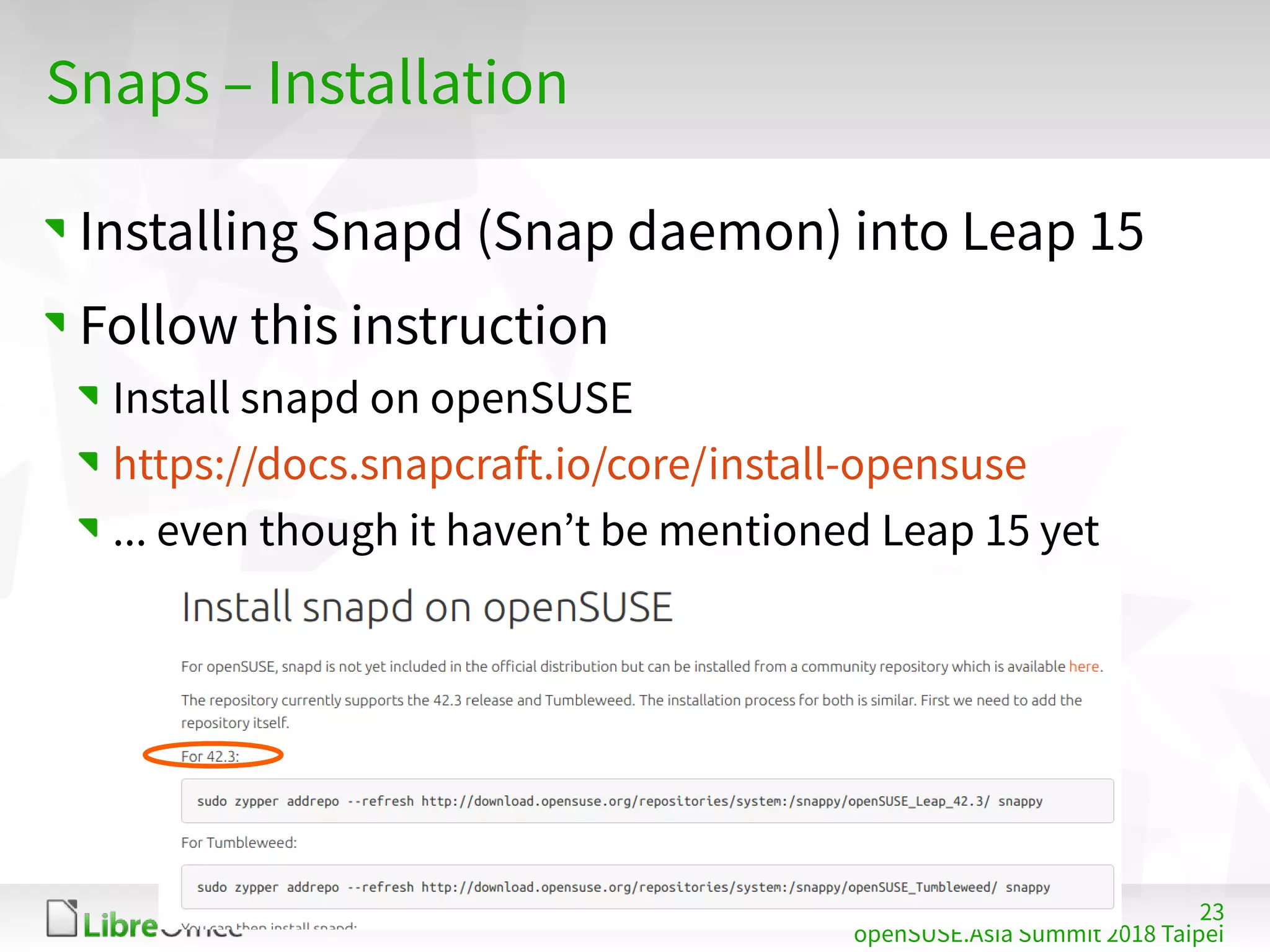
Snaps – Installation
Installing Snapd (Snap daemon) into Leap 15
Follow this instruction
Install snapd on openSUSE
https://docs.snapcraft.io/core/install-opensuse
... even though it haven’t be mentioned Leap 15 yet
24
openSUSE.Asia Summit 2018 Taipei
Snaps – Installation
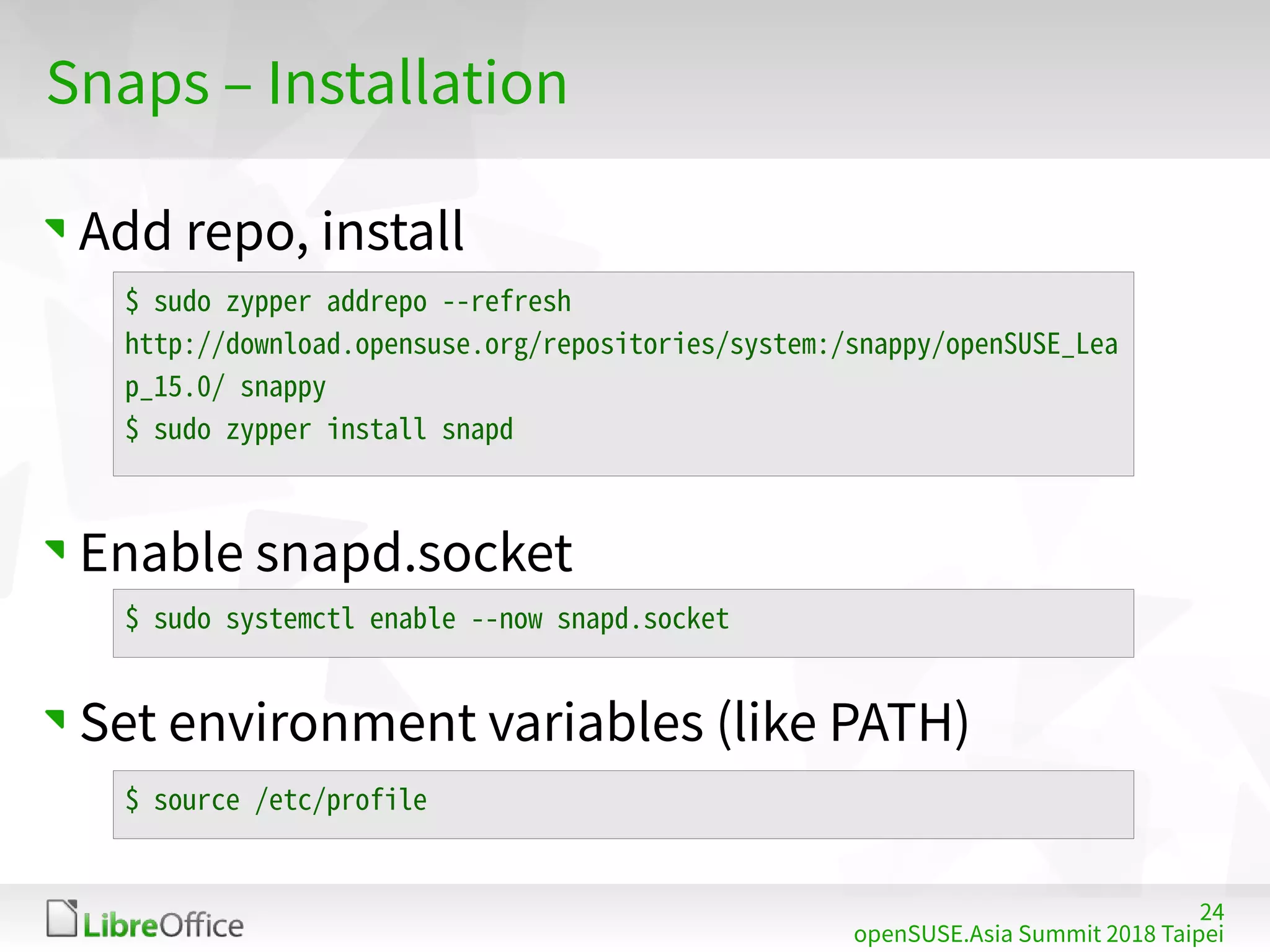
Add repo, install
Enable snapd.socket
Set environment variables (like PATH)
$ sudo zypper addrepo --refresh
http://download.opensuse.org/repositories/system:/snappy/openSUSE_Lea
p_15.0/ snappy
$ sudo zypper install snapd
$ sudo systemctl enable --now snapd.socket
$ source /etc/profile
25
openSUSE.Asia Summit 2018 Taipei
Snaps – Installation
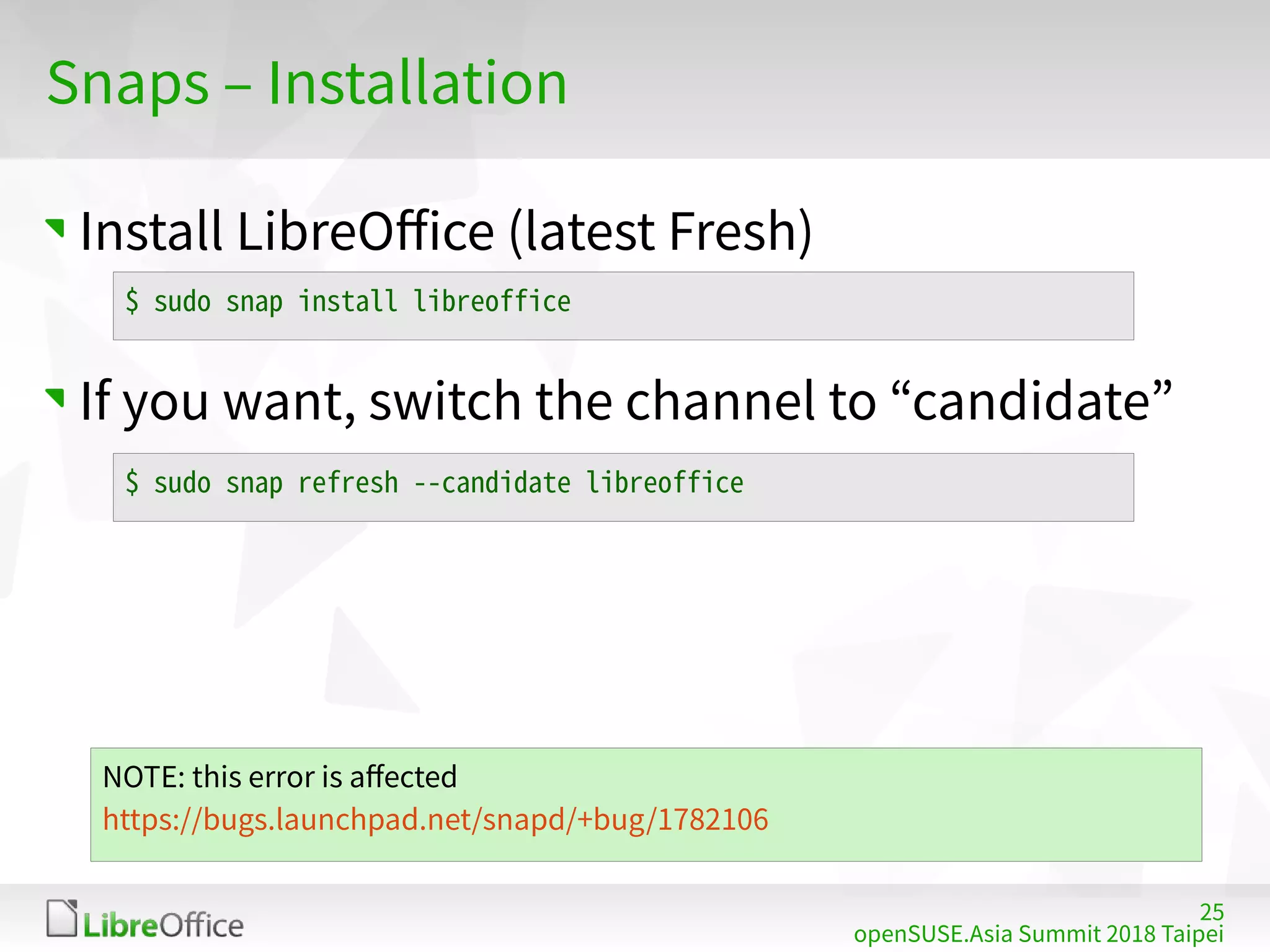
Install LibreOffice (latest Fresh)
If you want, switch the channel to “candidate”
$ sudo snap install libreoffice
$ sudo snap refresh --candidate libreoffice
NOTE: this error is affected
https://bugs.launchpad.net/snapd/+bug/1782106
26
openSUSE.Asia Summit 2018 Taipei
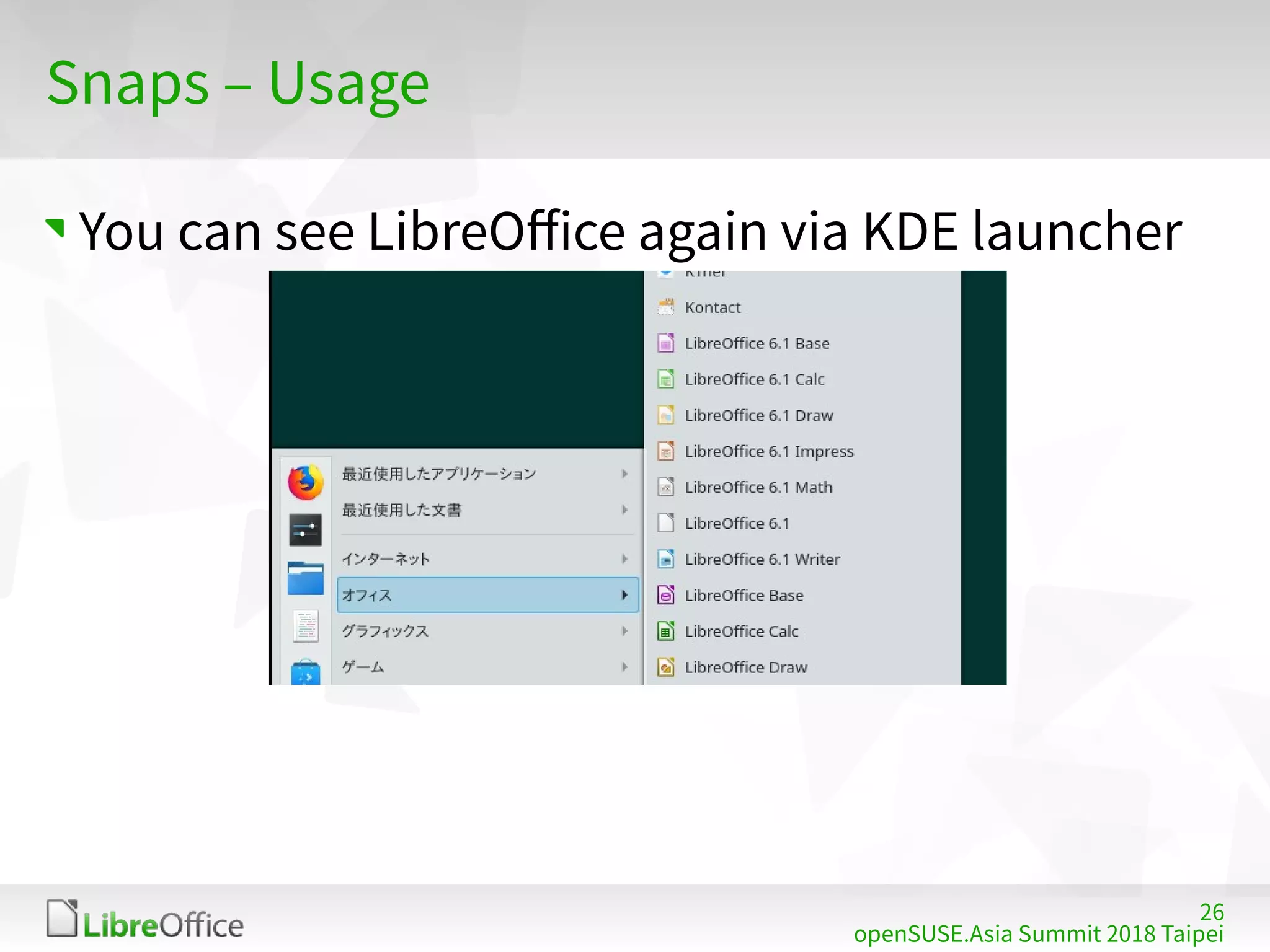
Snaps – Usage
You can see LibreOffice again via KDE launcher
27
openSUSE.Asia Summit 2018 Taipei
Snaps – Usage
28
openSUSE.Asia Summit 2018 Taipei
Snaps – Features
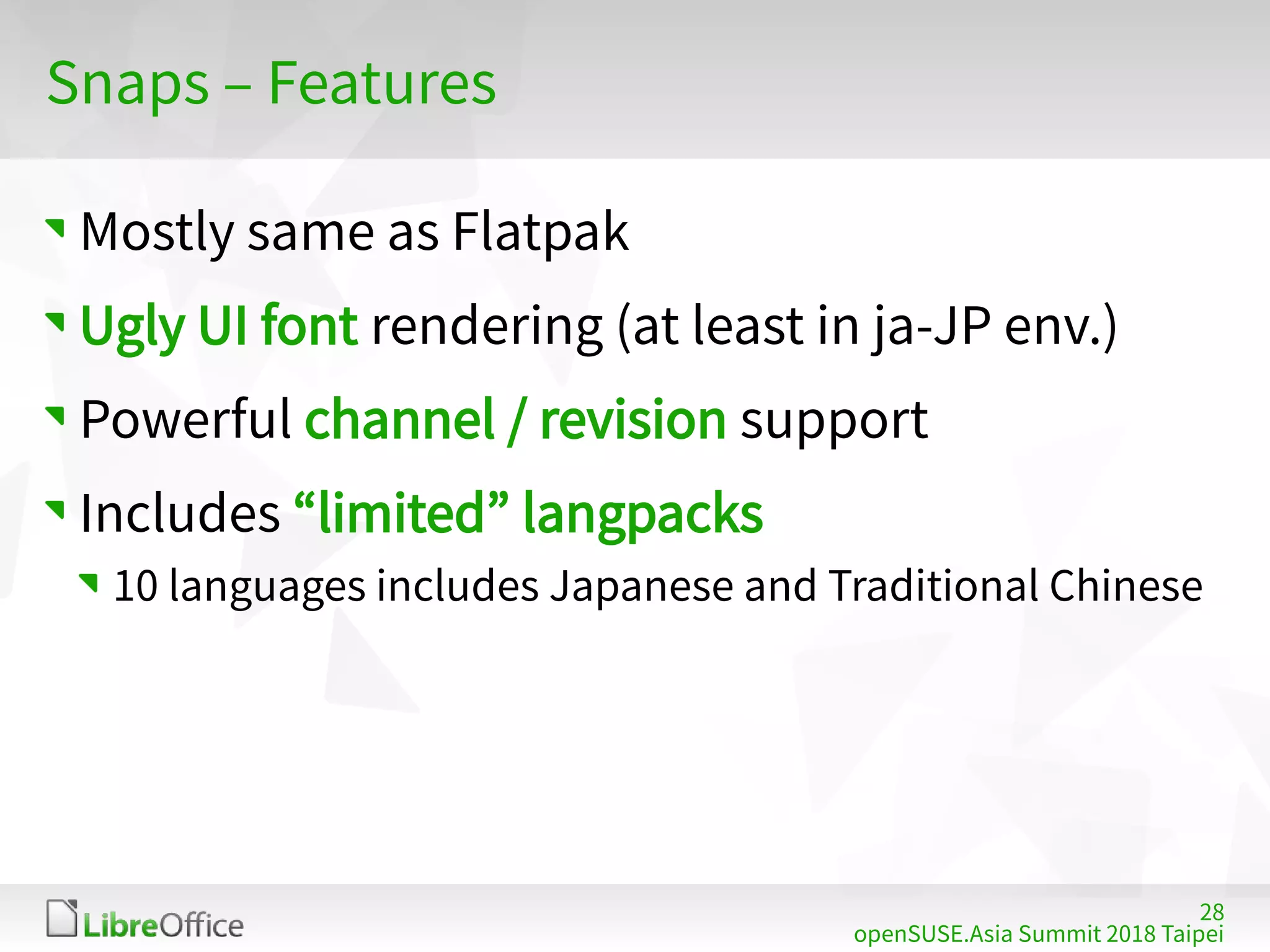
Mostly same as Flatpak
Ugly UI font rendering (at least in ja-JP env.)
Powerful channel / revision support
Includes “limited” langpacks
10 languages includes Japanese and Traditional Chinese
29
openSUSE.Asia Summit 2018 Taipei
AppImage
30
openSUSE.Asia Summit 2018 Taipei
AppImage – What is this?
https://appimage.org/
“Download an application, make it executable,
and run! No need to install. No system libraries
or system preferences are altered”
31
openSUSE.Asia Summit 2018 Taipei
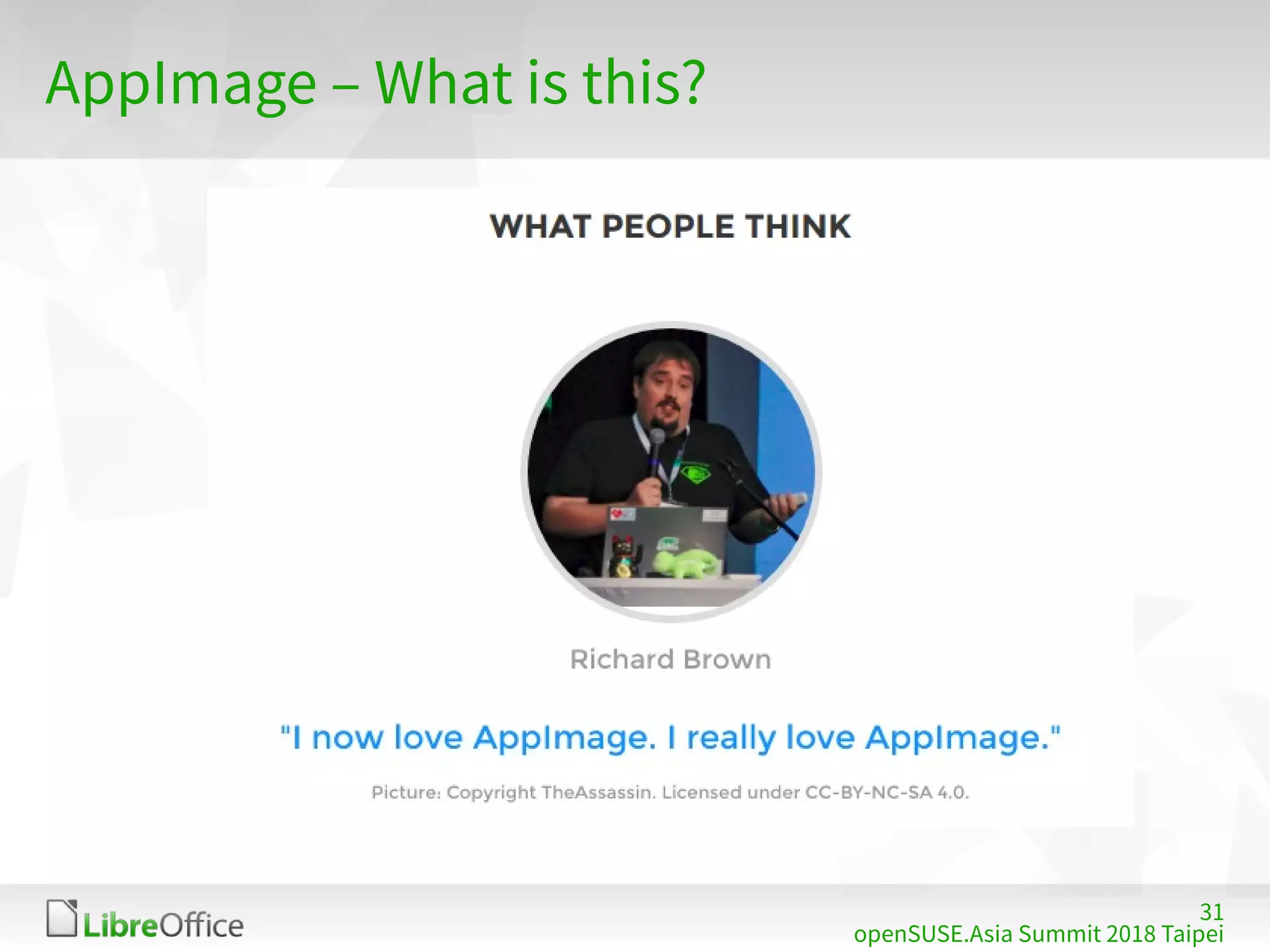
AppImage – What is this?
32
openSUSE.Asia Summit 2018 Taipei
AppImage – LibreOffice package
TDF provides AppImage packages
https://www.libreoffice.org/download/appimage/
https://libreoffice.soluzioniopen.com/
Three “versions” (included langpacks)
Single language: English only
Standard: limited (ja-JP, zh-TW, zh-CN, ko-KR, ...)
Full: all
You can choose Fresh, Still, Pre-release (Beta or
RC), daily, whatever you want!
33
openSUSE.Asia Summit 2018 Taipei
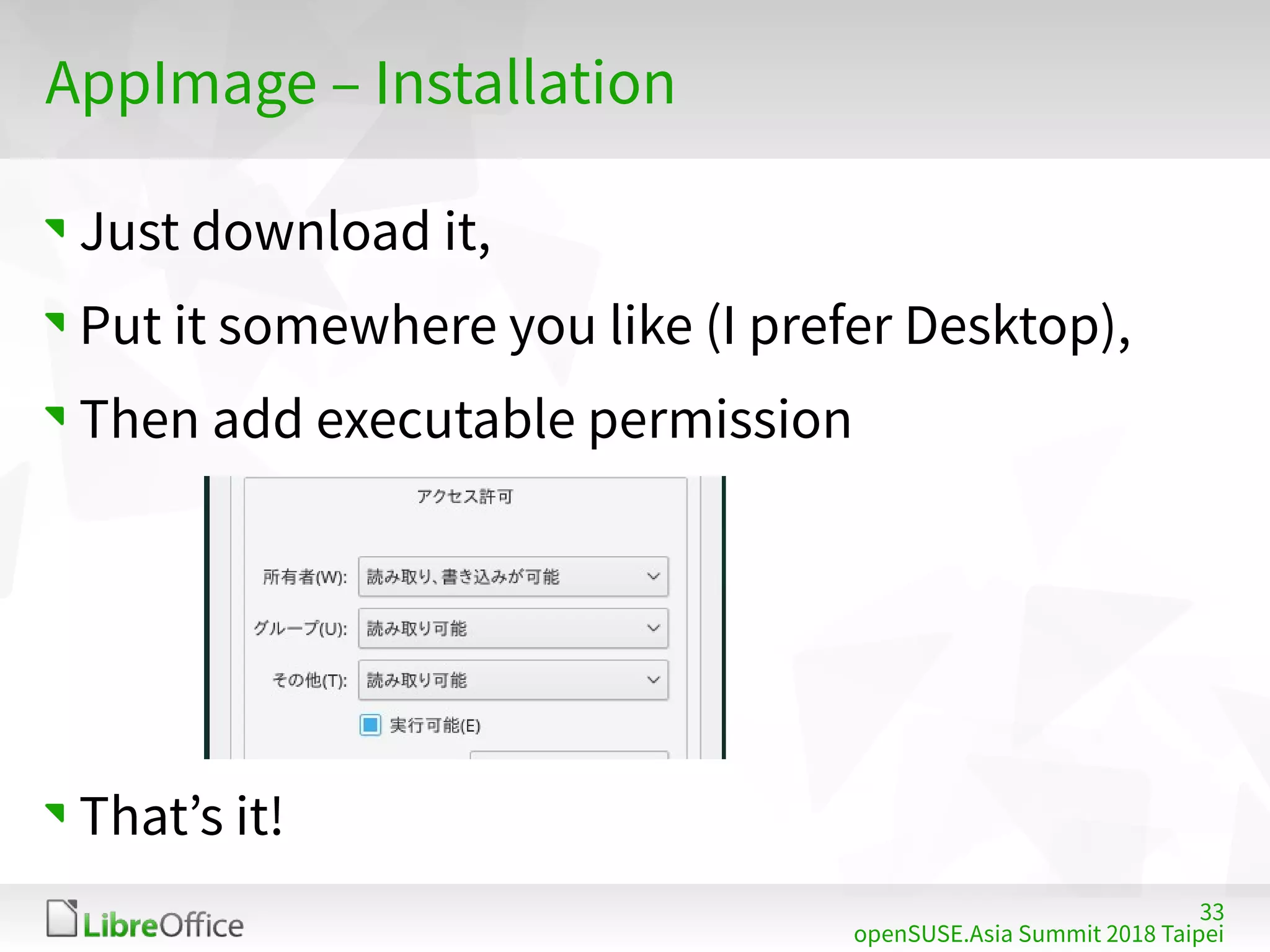
AppImage – Installation
Just download it,
Put it somewhere you like (I prefer Desktop),
Then add executable permission
That’s it!
34
openSUSE.Asia Summit 2018 Taipei
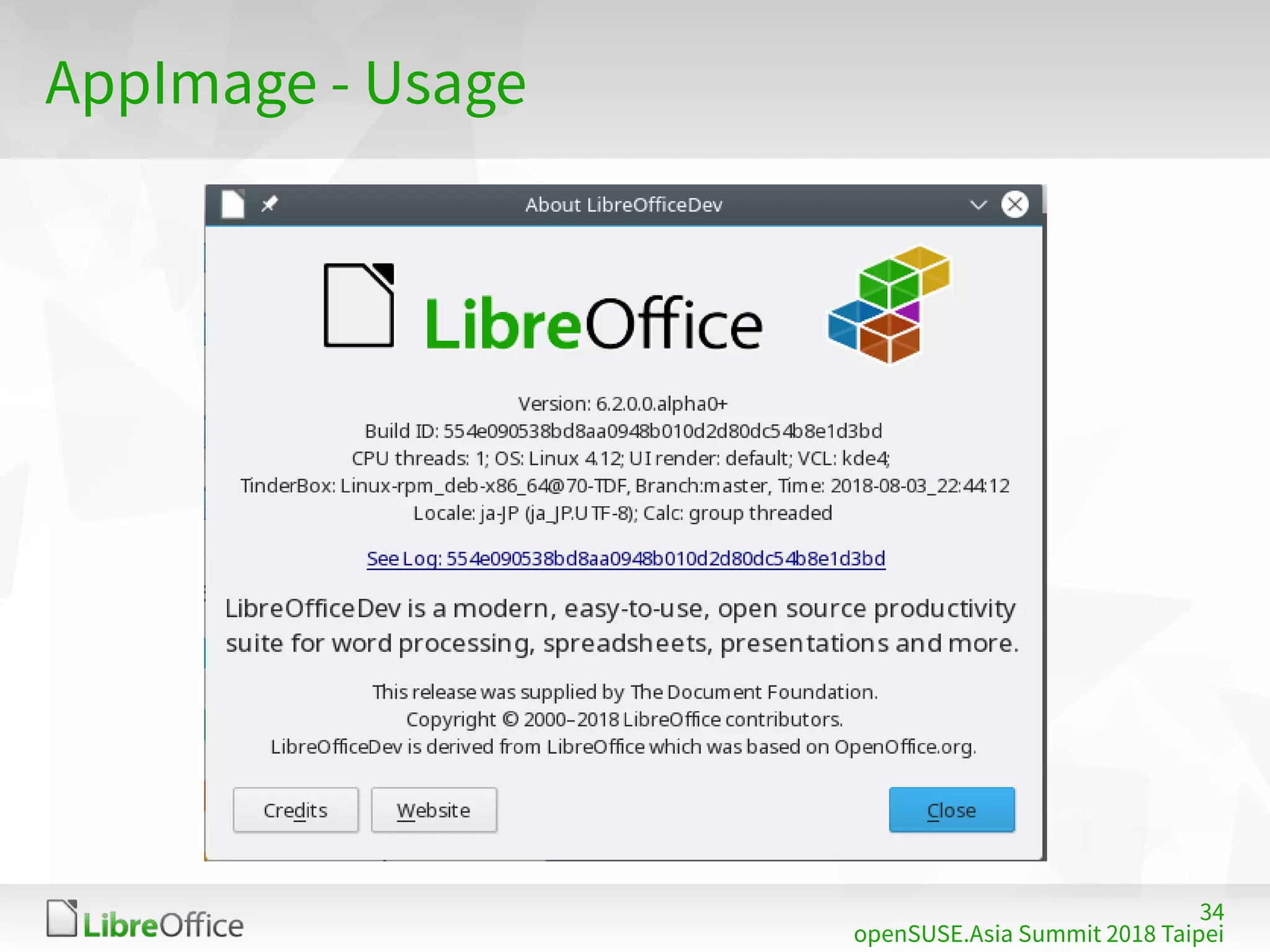
AppImage - Usage
35
openSUSE.Asia Summit 2018 Taipei
AppImage - Features
IMHO, AppImage is NOT replacement of
openSUSE official, Flatpak or Snaps
For people who want to run several versions
LibO concurrently
Quality assurance
Test the upcoming version in enterprise organizations
Help desk
Documentation
36
openSUSE.Asia Summit 2018 Taipei
Conclusion
37
openSUSE.Asia Summit 2018 Taipei
Conclusion
If you prefer newer LibO, Flatpak is the best
Snaps has interesting features like channels /
revisions, but not suitable for usual openSUSE
users
AppImage is really powerful for testing purpose
If you are conservative and need support from
openSUSE project, use the official packages ;)
38
openSUSE.Asia Summit 2018 Taipei
All text and image content in this document is licensed under the Creative Commons Attribution-Share Alike 3.0 License
(unless otherwise specified). "LibreOffice" and "The Document Foundation" are registered trademarks. Their respective logos
and icons are subject to international copyright laws. The use of these therefore is subject to the trademark policy.
Thank you!
… Use newer LibreOffice in Leap 15
… and enjoy your openSUSE life!
… stop by “Japanese FLOSS community” booth!

Using latest LibreOffice on openSUSE Leap 15 - by modern packaging systems

  • 1.
    1 openSUSE.Asia Summit 2018Taipei Using latest LibreOffice on openSUSE Leap 15 Naruhiko Ogasawara LibreOffice Japanese Team
  • 2.
    2 openSUSE.Asia Summit 2018Taipei Who am I? Naruhiko Ogasawara 小笠原 徳彦 おがさわら なるひこ The Document Foundation Member LibreOffice Japanese Team Member LibreOffice Japanese Team = Japanese LibreOffice Native Language Project (NLP) UI/Help translation coordinator
  • 3.
    3 openSUSE.Asia Summit 2018Taipei Agenda Introduction What’s LibreOffice? openSUSE and LibreOffice Modern Packaging Systems Flatpak Snap AppImage Conclusion
  • 4.
    4 openSUSE.Asia Summit 2018Taipei What’s LibreOffice? Full-feature office productive suite Open source softwre (MPLv2) The critical part of desktop *nix distributions like openSUSE
  • 5.
    5 LibreOffice mini conference2017 Japan Timebase release Major release every 6 months Minor release every 1 months Last 2 Major versions are supported “Fresh” and “Still” 6.1.0.3 MAJOR MINOR SUFFIX Fresh Still Under development EOL
  • 6.
    6 openSUSE.Asia Summit 2018Taipei openSUSE and LibreOffice openSUSE officially provides LibreOffice package https://software.opensuse.org/package/libreoffice Pre-installed with KDE / GNOME desktop
  • 7.
    7 openSUSE.Asia Summit 2018Taipei openSUSE and LibreOffice Leap 15.0 has been shipped with LibreOffice 6.0, the latest “Fresh” release at the release date Security backports will be provided How to use latest Fresh (6.1.x) on Leap 15? Traditional way: use TDF build No need to describe Or, use modern packaging systems
  • 8.
    8 openSUSE.Asia Summit 2018Taipei Modern packaging system Sandboxed, all-in-one Packaged with all dependent libraries, like Android apps No worry about original system dependencies Distribution Independent ref. #301, “Flatpak vs Snap” at 11:00, by BinLi
  • 9.
    9 openSUSE.Asia Summit 2018Taipei Prep: Uninstalling pre-installed LibreOffice Not mandatory, but recommended YaST – Software Management Search “libreoffice” and remove all, except libhyphen0 Has dependency to libwebkit* or several important libs The description “for LibreOffice” is misleading I think
  • 10.
  • 11.
    11 openSUSE.Asia Summit 2018Taipei Flatpak – What is this? https://flatpak.org “Linux application sandboxing and distribution framework” Leap 15 is released with Flatpak available No special installation needed! FlatHub: App store / build service for Flatpak https://flathub.org/home
  • 12.
    12 openSUSE.Asia Summit 2018Taipei Flatpak – LibreOffice package TDF officially provides their Flatpak package via FlatHub https://www.libreoffice.org/download/flatpak/ https://flathub.org/apps/details/org.libreoffice.LibreOffice NOTE: Can’t select Fresh or Still ATM
  • 13.
    13 openSUSE.Asia Summit 2018Taipei Flatpak – Installation In browser, go to FlatHub – search LibreOffice Then press “INSTALL”
  • 14.
    14 openSUSE.Asia Summit 2018Taipei Flatpak – Installation Open with program “Discover”
  • 15.
    15 openSUSE.Asia Summit 2018Taipei Flatpak – Installation In Discover, press “Install” again … then type root password several times That’s all!
  • 16.
    16 openSUSE.Asia Summit 2018Taipei Flatpak – Usage You can see LibreOffice via KDE launcher
  • 17.
    17 openSUSE.Asia Summit 2018Taipei Flatpak – Usage
  • 18.
    18 openSUSE.Asia Summit 2018Taipei Flatpak – Features All system fonts / Input Method available System integration; KDE launcher, ext-type rel. Includes all langpacks Japanese, Traditional Chinese, Simplified Chinese, Korean, Indonesian, … or else No helppack You can use online help instead Useful for primary office productive suite
  • 19.
  • 20.
    20 openSUSE.Asia Summit 2018Taipei Snaps – What is this? https://snapcraft.io/ “Snaps are containerised software packages that are simple to create and install on all major Linux systems without modification.” Developed by Canonical, but you can use it with openSUSE SnapCraft: AppStore for Snaps
  • 21.
    21 openSUSE.Asia Summit 2018Taipei Snaps – What is this? (cont’d) Channel https://docs.snapcraft.io/reference/channels “allow users to subscribe to different release cadences for an app” stable, candidate, beta, edge Revision Snaps has all revisions installed, with container technology (squashfs) Users can switch easily between each revisions
  • 22.
    22 openSUSE.Asia Summit 2018Taipei Snaps – LibreOffice package Ubuntu LibreOffice team provides Snap package via SnapCraft https://www.libreoffice.org/download/snap/ https://snapcraft.io/libreoffice All channels now provides 6.1.0.3
  • 23.
    23 openSUSE.Asia Summit 2018Taipei Snaps – Installation Installing Snapd (Snap daemon) into Leap 15 Follow this instruction Install snapd on openSUSE https://docs.snapcraft.io/core/install-opensuse ... even though it haven’t be mentioned Leap 15 yet
  • 24.
    24 openSUSE.Asia Summit 2018Taipei Snaps – Installation Add repo, install Enable snapd.socket Set environment variables (like PATH) $ sudo zypper addrepo --refresh http://download.opensuse.org/repositories/system:/snappy/openSUSE_Lea p_15.0/ snappy $ sudo zypper install snapd $ sudo systemctl enable --now snapd.socket $ source /etc/profile
  • 25.
    25 openSUSE.Asia Summit 2018Taipei Snaps – Installation Install LibreOffice (latest Fresh) If you want, switch the channel to “candidate” $ sudo snap install libreoffice $ sudo snap refresh --candidate libreoffice NOTE: this error is affected https://bugs.launchpad.net/snapd/+bug/1782106
  • 26.
    26 openSUSE.Asia Summit 2018Taipei Snaps – Usage You can see LibreOffice again via KDE launcher
  • 27.
    27 openSUSE.Asia Summit 2018Taipei Snaps – Usage
  • 28.
    28 openSUSE.Asia Summit 2018Taipei Snaps – Features Mostly same as Flatpak Ugly UI font rendering (at least in ja-JP env.) Powerful channel / revision support Includes “limited” langpacks 10 languages includes Japanese and Traditional Chinese
  • 29.
  • 30.
    30 openSUSE.Asia Summit 2018Taipei AppImage – What is this? https://appimage.org/ “Download an application, make it executable, and run! No need to install. No system libraries or system preferences are altered”
  • 31.
    31 openSUSE.Asia Summit 2018Taipei AppImage – What is this?
  • 32.
    32 openSUSE.Asia Summit 2018Taipei AppImage – LibreOffice package TDF provides AppImage packages https://www.libreoffice.org/download/appimage/ https://libreoffice.soluzioniopen.com/ Three “versions” (included langpacks) Single language: English only Standard: limited (ja-JP, zh-TW, zh-CN, ko-KR, ...) Full: all You can choose Fresh, Still, Pre-release (Beta or RC), daily, whatever you want!
  • 33.
    33 openSUSE.Asia Summit 2018Taipei AppImage – Installation Just download it, Put it somewhere you like (I prefer Desktop), Then add executable permission That’s it!
  • 34.
    34 openSUSE.Asia Summit 2018Taipei AppImage - Usage
  • 35.
    35 openSUSE.Asia Summit 2018Taipei AppImage - Features IMHO, AppImage is NOT replacement of openSUSE official, Flatpak or Snaps For people who want to run several versions LibO concurrently Quality assurance Test the upcoming version in enterprise organizations Help desk Documentation
  • 36.
  • 37.
    37 openSUSE.Asia Summit 2018Taipei Conclusion If you prefer newer LibO, Flatpak is the best Snaps has interesting features like channels / revisions, but not suitable for usual openSUSE users AppImage is really powerful for testing purpose If you are conservative and need support from openSUSE project, use the official packages ;)
  • 38.
    38 openSUSE.Asia Summit 2018Taipei All text and image content in this document is licensed under the Creative Commons Attribution-Share Alike 3.0 License (unless otherwise specified). "LibreOffice" and "The Document Foundation" are registered trademarks. Their respective logos and icons are subject to international copyright laws. The use of these therefore is subject to the trademark policy. Thank you! … Use newer LibreOffice in Leap 15 … and enjoy your openSUSE life! … stop by “Japanese FLOSS community” booth!