Using Computer Technology to Protect Individuals and Families Jack W. Sunderlage  President and CEO  ContentWatch, Inc.
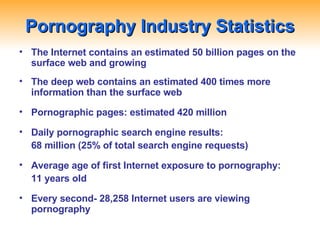
Pornography Industry Statistics The Internet contains an estimated 50 billion pages on the surface web and growing The deep web contains an estimated 400 times more information than the surface web Pornographic pages: estimated 420 million Daily pornographic search engine results:  68 million (25% of total search engine requests) Average age of first Internet exposure to pornography:  11 years old Every second- 28,258 Internet users are viewing pornography
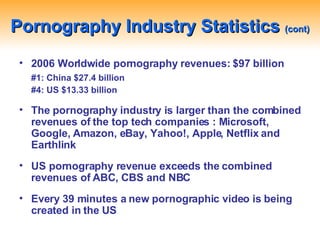
Pornography Industry Statistics  (cont) 2006 Worldwide pornography revenues: $97 billion #1: China $27.4 billion  #4: US $13.33 billion The pornography industry is larger than the combined revenues of the top tech companies : Microsoft, Google, Amazon, eBay, Yahoo!, Apple, Netflix and Earthlink US pornography revenue exceeds the combined revenues of ABC, CBS and NBC Every 39 minutes a new pornographic video is being created in the US
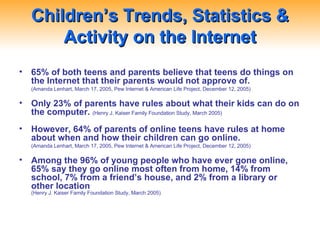
Children’s Trends, Statistics & Activity on the Internet 65% of both teens and parents believe that teens do things on the Internet that their parents would not approve of. (Amanda Lenhart, March 17, 2005, Pew Internet & American Life Project, December 12, 2005) Only 23% of parents have rules about what their kids can do on the computer.   (Henry J. Kaiser Family Foundation Study, March 2005)  However, 64% of parents of online teens have rules at home about when and how their children can go online. (Amanda Lenhart, March 17, 2005, Pew Internet & American Life Project, December 12, 2005) Among the 96% of young people who have ever gone online, 65% say they go online most often from home, 14% from school, 7% from a friend’s house, and 2% from a library or other location (Henry J. Kaiser Family Foundation Study, March 2005)
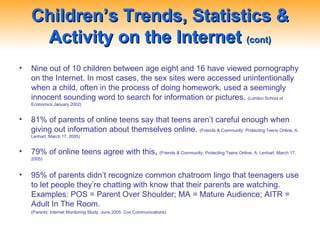
Children’s Trends, Statistics & Activity on the Internet  (cont) Nine out of 10 children between age eight and 16 have viewed pornography on the Internet. In most cases, the sex sites were accessed unintentionally when a child, often in the process of doing homework, used a seemingly innocent sounding word to search for information or pictures.   (London School of Economics January 2002)  81% of parents of online teens say that teens aren’t careful enough when giving out information about themselves online.  (Friends & Community: Protecting Teens Online, A. Lenhart, March 17, 2005)  79% of online teens agree with this .  (Friends & Community: Protecting Teens Online, A. Lenhart, March 17, 2005)  95% of parents didn’t recognize common chatroom lingo that teenagers use to let people they’re chatting with know that their parents are watching.   Examples: POS = Parent Over Shoulder; MA = Mature Audience; AITR = Adult In The Room.   (Parents’ Internet Monitoring Study. June 2005. Cox Communications)
Children’s Trends, Statistics & Activity on the Internet  (cont) 61% of 13-17 year olds have a personal profile on a social networking site such as: MySpace, Friendster, and Facebook. Half have posted pictures of themselves. MySpace and Facebook have 90% of the market with combined user base of over 150 million users.
Social Networking  Tips for Teens Be as anonymous as possible Protect your information Avoid in-person meetings Photos: Think before posting Be honest about your age *Above from Blogsafely.com
Social Networking  Tips for Parents Set reasonable expectations Be open with your teens and encourage them to come to you if they have a problem online Talk with your kids All online activity takes place in a central home location Have your kids share their blogs or online profiles with you *Above from Blogsafely.com
Advice for Kids Dealing with Cyberbullies Don’t reply to messages from Cyberbullies Do not keep this to yourself. You are not alone, tell someone! Inform your ISP or cell phone provider Inform your local police if it is warranted Do not delete messages from Cyberbullies *Above from Cyberbullying.org 72% of kids report incidents of online harassment.  (Ybarra, M.L., 2004) 14% of 10-11 year olds are harassed through text messages.  (San Francisco Chronicle, 2005) Victims of online harassment are 3x more like to show signs of major depression.  (Cyber Psychology and Behavior 7(2): 247-57)
Tricks Pornographers Play Porn-Napping Pornographers purchase expired domains Ernst & Young-moneyopolis.org Cyber Squatting Legally purchased domain names for legitimate topics Whitehouse.com Tourdefrance.com Doorway Scam Designing a Web site around non-pornographic content “ livestock” search leads to a pornographic site Entrapment After visiting, computer is altered based on content dropped on your computer (cookie, temp file, etc.) Phriending Ploy used by predators where someone pretends to know a child through association from reading blogs or social network site pages about the child
What To Look For in a Tool… Dynamic Contextual Filtering Monitoring/Reporting Flexible User Settings Customization Remote Management Time Controls Company Support
What To Look for in a Tool… Administration Secure options Password protection Can’t disable Can’t uninstall Block options Override options Remote administration/management Remote access to reports Email notifications
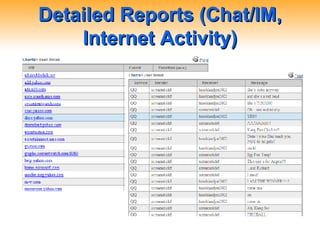
Detailed Reports (Chat/IM, Internet Activity)
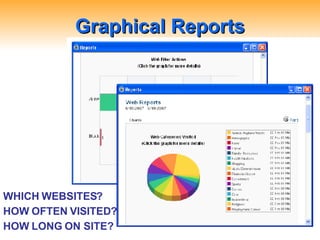
Graphical Reports WHICH WEBSITES? HOW OFTEN VISITED? HOW LONG ON SITE?
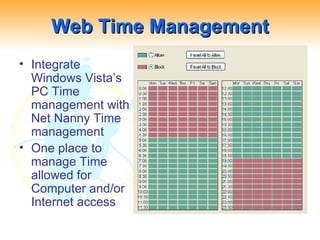
Web Time Management Integrate Windows Vista’s PC Time management with Net Nanny Time management One place to manage Time allowed for Computer and/or Internet access
“ Stop, Off and Go!” Kids need help to stay safe online The Internet is always on Online safety requires parental controls and parental involvment Tools: Parental controls and filtering software Tips: Top ten tips for keeping kids safe online Stop, Off, and Go! Tell a friend
Top Ten Safety Tips First educate yourself, then your child. Teach children the obvious identity rules. Install an Internet filter or family safety software. Know the dangers associated with sites your children frequent. Teach children what to do if they encounter pornography on a home or public computer, such as at a school or a library.
Top Ten Safety Tips  (cont)… Manage your children’s time on the Internet. Set specific Internet guidelines for your children to live by and consistently enforce consequences, if they are not being followed. Keep computers out of children’s bedrooms and in open areas. Create a relationship with your children that is conducive to open communication. Understand Internet Privacy Policies as they apply to your child.
Some Helpful Websites staysafeonline.org getnetwise.net ikeepsafe.org pluggedinparent.com teenchatdecoder.com
Using Computer Technology to Protect Individuals and Families Even with worries that parents and teens express about what they might find online, parents still believe Internet access is beneficial for their children.

Using Computer Technology to Protect Individuals and Families

  • 1.
    Using Computer Technologyto Protect Individuals and Families Jack W. Sunderlage President and CEO ContentWatch, Inc.
  • 2.
    Pornography Industry StatisticsThe Internet contains an estimated 50 billion pages on the surface web and growing The deep web contains an estimated 400 times more information than the surface web Pornographic pages: estimated 420 million Daily pornographic search engine results: 68 million (25% of total search engine requests) Average age of first Internet exposure to pornography: 11 years old Every second- 28,258 Internet users are viewing pornography
  • 3.
    Pornography Industry Statistics (cont) 2006 Worldwide pornography revenues: $97 billion #1: China $27.4 billion #4: US $13.33 billion The pornography industry is larger than the combined revenues of the top tech companies : Microsoft, Google, Amazon, eBay, Yahoo!, Apple, Netflix and Earthlink US pornography revenue exceeds the combined revenues of ABC, CBS and NBC Every 39 minutes a new pornographic video is being created in the US
  • 4.
    Children’s Trends, Statistics& Activity on the Internet 65% of both teens and parents believe that teens do things on the Internet that their parents would not approve of. (Amanda Lenhart, March 17, 2005, Pew Internet & American Life Project, December 12, 2005) Only 23% of parents have rules about what their kids can do on the computer. (Henry J. Kaiser Family Foundation Study, March 2005) However, 64% of parents of online teens have rules at home about when and how their children can go online. (Amanda Lenhart, March 17, 2005, Pew Internet & American Life Project, December 12, 2005) Among the 96% of young people who have ever gone online, 65% say they go online most often from home, 14% from school, 7% from a friend’s house, and 2% from a library or other location (Henry J. Kaiser Family Foundation Study, March 2005)
  • 5.
    Children’s Trends, Statistics& Activity on the Internet (cont) Nine out of 10 children between age eight and 16 have viewed pornography on the Internet. In most cases, the sex sites were accessed unintentionally when a child, often in the process of doing homework, used a seemingly innocent sounding word to search for information or pictures. (London School of Economics January 2002) 81% of parents of online teens say that teens aren’t careful enough when giving out information about themselves online. (Friends & Community: Protecting Teens Online, A. Lenhart, March 17, 2005) 79% of online teens agree with this . (Friends & Community: Protecting Teens Online, A. Lenhart, March 17, 2005) 95% of parents didn’t recognize common chatroom lingo that teenagers use to let people they’re chatting with know that their parents are watching. Examples: POS = Parent Over Shoulder; MA = Mature Audience; AITR = Adult In The Room. (Parents’ Internet Monitoring Study. June 2005. Cox Communications)
  • 6.
    Children’s Trends, Statistics& Activity on the Internet (cont) 61% of 13-17 year olds have a personal profile on a social networking site such as: MySpace, Friendster, and Facebook. Half have posted pictures of themselves. MySpace and Facebook have 90% of the market with combined user base of over 150 million users.
  • 7.
    Social Networking Tips for Teens Be as anonymous as possible Protect your information Avoid in-person meetings Photos: Think before posting Be honest about your age *Above from Blogsafely.com
  • 8.
    Social Networking Tips for Parents Set reasonable expectations Be open with your teens and encourage them to come to you if they have a problem online Talk with your kids All online activity takes place in a central home location Have your kids share their blogs or online profiles with you *Above from Blogsafely.com
  • 9.
    Advice for KidsDealing with Cyberbullies Don’t reply to messages from Cyberbullies Do not keep this to yourself. You are not alone, tell someone! Inform your ISP or cell phone provider Inform your local police if it is warranted Do not delete messages from Cyberbullies *Above from Cyberbullying.org 72% of kids report incidents of online harassment. (Ybarra, M.L., 2004) 14% of 10-11 year olds are harassed through text messages. (San Francisco Chronicle, 2005) Victims of online harassment are 3x more like to show signs of major depression. (Cyber Psychology and Behavior 7(2): 247-57)
  • 10.
    Tricks Pornographers PlayPorn-Napping Pornographers purchase expired domains Ernst & Young-moneyopolis.org Cyber Squatting Legally purchased domain names for legitimate topics Whitehouse.com Tourdefrance.com Doorway Scam Designing a Web site around non-pornographic content “ livestock” search leads to a pornographic site Entrapment After visiting, computer is altered based on content dropped on your computer (cookie, temp file, etc.) Phriending Ploy used by predators where someone pretends to know a child through association from reading blogs or social network site pages about the child
  • 11.
    What To LookFor in a Tool… Dynamic Contextual Filtering Monitoring/Reporting Flexible User Settings Customization Remote Management Time Controls Company Support
  • 12.
    What To Lookfor in a Tool… Administration Secure options Password protection Can’t disable Can’t uninstall Block options Override options Remote administration/management Remote access to reports Email notifications
  • 13.
    Detailed Reports (Chat/IM,Internet Activity)
  • 14.
    Graphical Reports WHICHWEBSITES? HOW OFTEN VISITED? HOW LONG ON SITE?
  • 15.
    Web Time ManagementIntegrate Windows Vista’s PC Time management with Net Nanny Time management One place to manage Time allowed for Computer and/or Internet access
  • 16.
    “ Stop, Offand Go!” Kids need help to stay safe online The Internet is always on Online safety requires parental controls and parental involvment Tools: Parental controls and filtering software Tips: Top ten tips for keeping kids safe online Stop, Off, and Go! Tell a friend
  • 17.
    Top Ten SafetyTips First educate yourself, then your child. Teach children the obvious identity rules. Install an Internet filter or family safety software. Know the dangers associated with sites your children frequent. Teach children what to do if they encounter pornography on a home or public computer, such as at a school or a library.
  • 18.
    Top Ten SafetyTips (cont)… Manage your children’s time on the Internet. Set specific Internet guidelines for your children to live by and consistently enforce consequences, if they are not being followed. Keep computers out of children’s bedrooms and in open areas. Create a relationship with your children that is conducive to open communication. Understand Internet Privacy Policies as they apply to your child.
  • 19.
    Some Helpful Websitesstaysafeonline.org getnetwise.net ikeepsafe.org pluggedinparent.com teenchatdecoder.com
  • 20.
    Using Computer Technologyto Protect Individuals and Families Even with worries that parents and teens express about what they might find online, parents still believe Internet access is beneficial for their children.